How to Use Claude Dashboards and Motion: Pro and Max Lack Motion
Claude Dashboards is in beta on Pro, Max, Team and Enterprise; Motion only on Team and Enterprise. On Enterprise, both stay off until an owner turns them on.
On this page
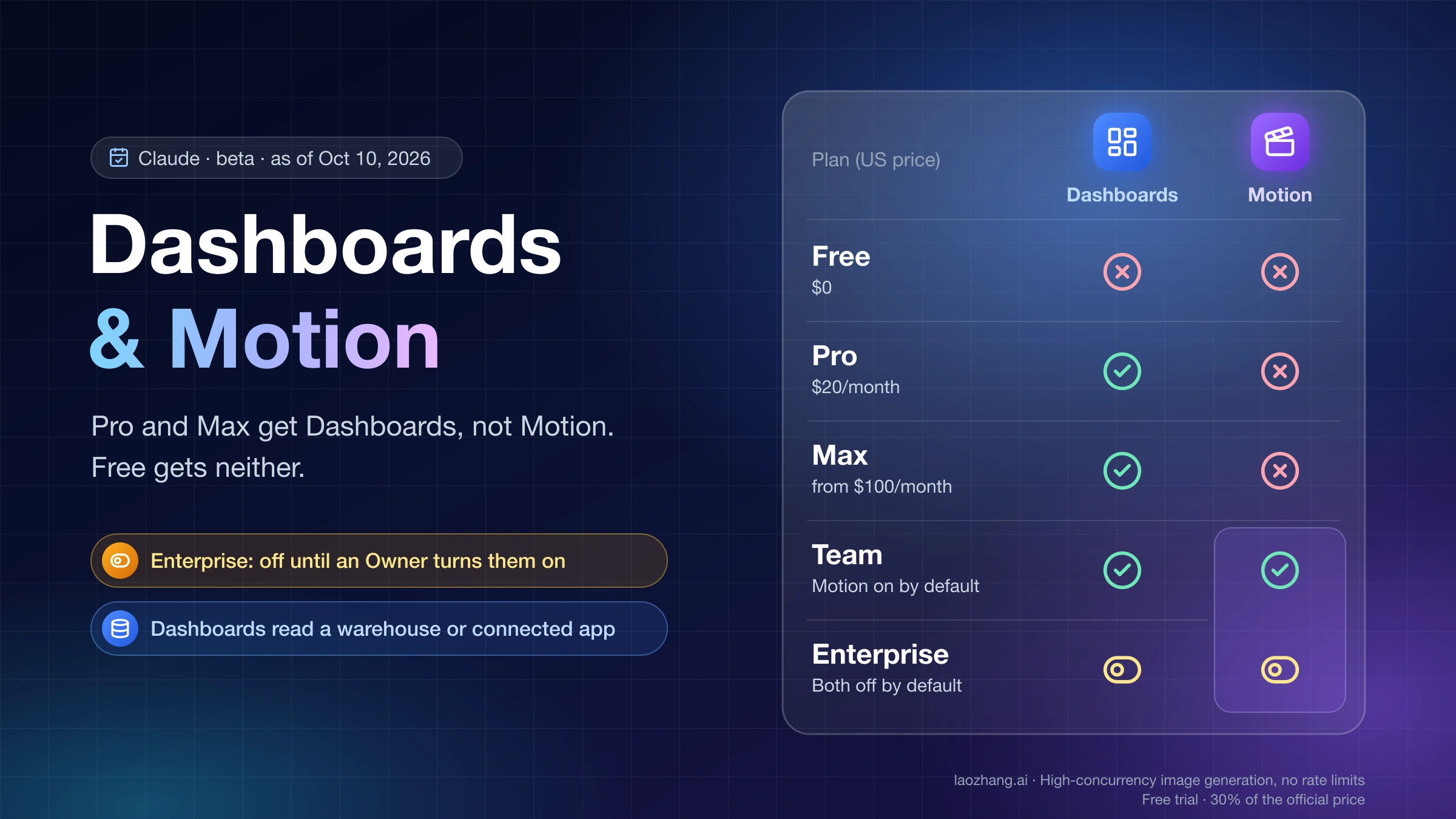
Claude Dashboards and Claude Motion launched in beta on October 8, 2026, and they are not on the same plans. Dashboards works on Pro, Max, Team and Enterprise. Motion works only on Team and Enterprise, so a Pro or Max subscriber will not find it anywhere in the app. Free gets neither. On Team, Motion is on by default. On Enterprise, both are off until an Owner turns them on in Organization settings > Artifacts (Anthropic's announcement, Claude Help Center: What are artifacts).
If your plan has the feature, you can start in three places. Ask for it in any chat. Or select "Output" in the message box and choose "Dashboards" or "Motion". Or open the Artifacts tab in the sidebar and pick the template. A dashboard also needs data to read: a connected warehouse such as Snowflake or BigQuery, or a connected app such as Salesforce. An animation is built from the report, numbers or images you attach, and you download it with "Export" > MP4.
Which Claude plans get Dashboards and Motion
Both features are labeled beta, so the plan gates below can change. Prices are US list prices from Claude's pricing page.
| As of October 10, 2026 | Claude Dashboards (beta) | Claude Motion (beta) | Starting state | Who can switch it on or off |
|---|---|---|---|---|
| Free ($0) | No | No | Not available | Nobody |
| Pro ($20/month, or $17/month billed annually) | Yes | No | Needs Cloud code execution and file creation turned on | You, in Settings > Capabilities |
| Max (from $100/month) | Yes | No | Same as Pro | You, in Settings > Capabilities |
| Team (2–150 people, Standard seat $25/month or $20 billed annually) | Yes | Yes | Motion on by default; Dashboards available, and owners can turn it off | Owner or Primary Owner |
| Enterprise ($20/seat/month billed annually plus usage at API rates) | Yes | Yes | Both off by default; owners can limit them to specific groups | Owner, Primary Owner, or an Enterprise custom role with admin permissions |
Two details explain most of the confusion after launch. First, "paid plans" is accurate for Dashboards only. Motion is missing from Pro and both Max tiers, and the pricing page's individual-plan table lists "Claude Motion (beta)" as No in every column. Second, Docs, Slides and Design came out of beta in the same release and are on every plan, including Free. That is why a Free menu shows new templates but no Dashboard, and a Pro or Max menu shows Dashboard but no Motion.
Because Team is sold "for teams of 2 to 150", getting Motion through a plan you pay for yourself means buying at least two Team seats. That is an inference from the plan's minimum size, not a separate rule.
Why the "Dashboard" or "Motion" option is missing
Work through these causes from the top. The first one that applies is usually the answer.
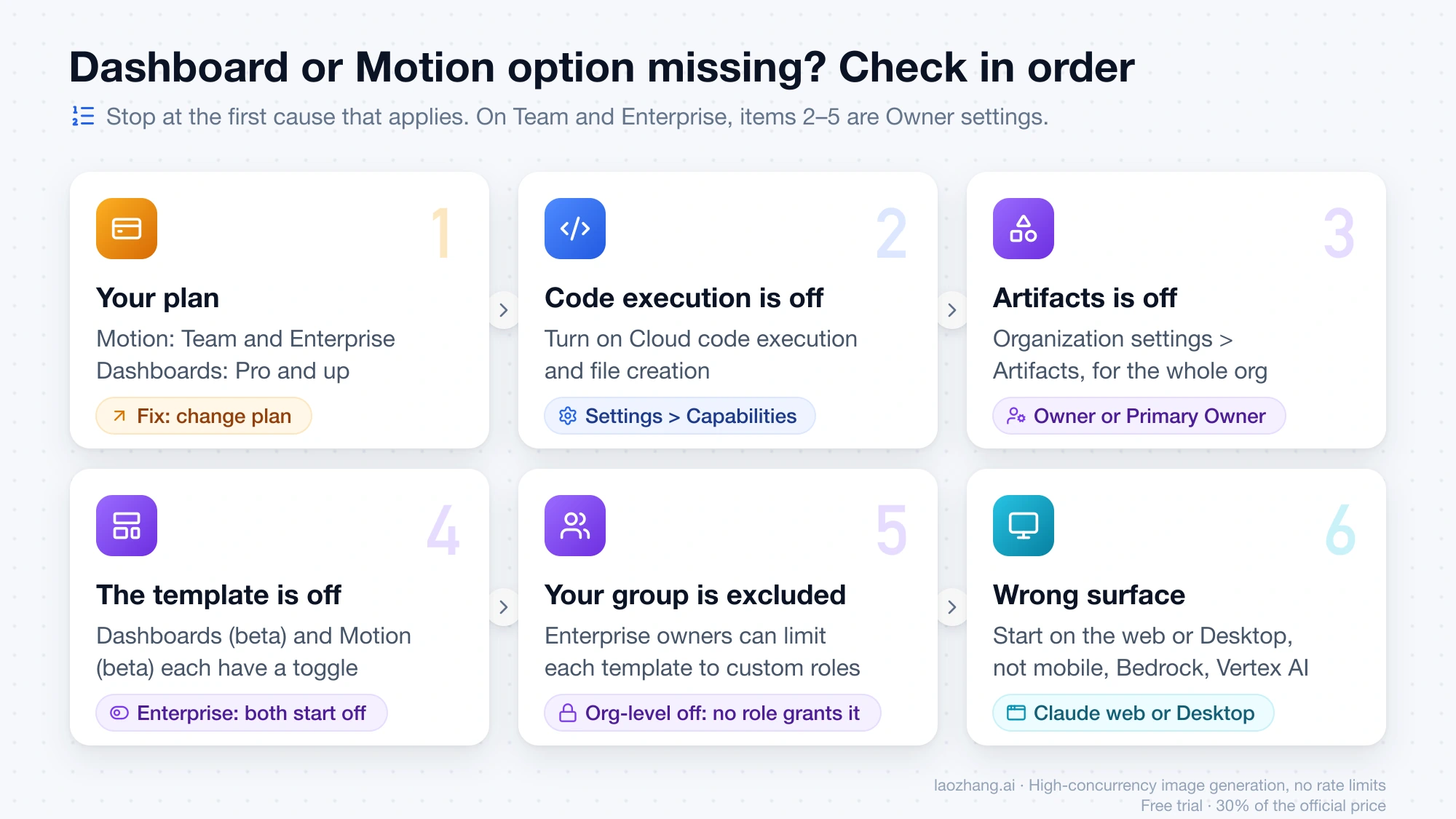
- Your plan. Motion never appears on Pro or Max. On a Max account as of October 10, 2026, typing "/" in the message box listed Add files, Doc, Slides, Design and Dashboard, with no Motion. Typing "/motion" showed nothing. The Artifacts page showed four tiles: Docs, Slides, Design and "Dashboard (Beta)".
- Cloud code execution and file creation is off. Every artifact depends on it, dashboards and animations included. Individuals turn it on in Settings > Capabilities. On Team and Enterprise, it lives in Organization settings > Capabilities.
- Artifacts is off for your organization. An owner turns it on in Organization settings > Artifacts.
- The template is off. Under Templates on the same page, Dashboards (beta) and Motion (beta) have their own toggles. On Enterprise, both start off.
- You're outside the allowed group. On Enterprise, owners can limit each template to groups with custom roles. If a feature is off at the organization level, no custom role can grant it.
- You're on the wrong surface. Templates start from Claude on the web and Claude Desktop. The iOS and Android apps are documented for docs, decks and designs, not dashboards or animations. Artifacts are not available when you use Claude through third-party cloud platforms such as Amazon Bedrock or Google Cloud Vertex AI.
Labels differ slightly between Anthropic's help pages and the app. The help center says "Dashboards" in the Output menu. The "/" menu and the Artifacts tile on the Max account above said "Dashboard". Both names refer to the same Dashboards template.
If you are a member of a Team or Enterprise workspace, items 2 through 5 are not yours to change. Only an Owner or Primary Owner, or an Enterprise custom role with admin permissions, can change organization settings.
Turn on Claude Dashboards and Motion for a Team or Enterprise workspace
This section is for owners. The order comes from the Claude Help Center artifacts admin guide, and each step depends on the one before it.
- Go to Organization settings > Capabilities and turn on "Cloud code execution and file creation".
- Go to Organization settings > Artifacts and turn on Artifacts.
- On the same page, under Templates, turn on Dashboards (beta) and Motion (beta).
- For dashboards that read live data, go back to Organization settings > Capabilities. Under Visuals, turn on "Enable artifact connectors". This switch covers the whole organization. You can't limit which apps artifacts reach.
- Add the data sources in Organization settings > Connectors > "Browse connectors" > "Add to your team". Enabling a connector does not give anyone access. Each member still authenticates with their own account, unless you use the Enterprise-managed auth beta to authorize it once for everyone.
- On Enterprise, use custom roles if only some groups should get Dashboards or Motion.
Two settings deserve a deliberate choice before people start sharing. External sharing ("Anyone with the link") and email invitations to people outside your organization are separate switches, and turning on one doesn't turn on the other. For HIPAA-ready organizations, an owner can turn on Dashboards and Motion after accepting the terms, but neither is covered under the Business Associate Agreement. Keep protected health information out of them.
How to build a Claude dashboard from Snowflake, BigQuery or Salesforce
Connect the data source first
According to the Claude Help Center guide to Dashboards, a dashboard reads from one of two places:
- A data warehouse, "such as Amazon Redshift, BigQuery, ClickHouse, Databricks, or Snowflake".
- Another app you've already connected to Claude, with a dashboard of Salesforce opportunities as Anthropic's example.
On Pro or Max, add the connection yourself in Customize > Connectors. Click the "+" button, pick the service, click "Connect" or "Install", and complete the sign-in. On Team or Enterprise, the owner has to add the connector to the organization first, and then you authenticate with your own account. The Claude Help Center connectors guide covers both paths.
Two limits apply here. The help pages don't say which of those warehouses have a ready-made entry in the Connectors Directory. Check the directory for yours. If it isn't listed, custom connectors that use a remote MCP server work on every plan. Also, Claude sees only what your account can see. If you can't open a table in Snowflake, the connector can't reach it either.
Uploading a CSV or Excel file is not among the data sources in Anthropic's Dashboards documentation. If your data lives in a spreadsheet, a regular artifact or chat analysis is the documented route. A dashboard needs a warehouse or a connected app.
Ask the question, not the chart
Open any chat and ask, or select "Output" > "Dashboards", or go to the Artifacts tab and pick the Dashboards template. Anthropic's own example prompts:
- "Build a dashboard of this quarter's revenue by region."
- "Show weekly signups for the last six months, split by plan."
- "Make a dashboard of my open Salesforce opportunities by stage and owner."
The help center's advice is to say what you want to know, not only what to plot. "How do this month's signups by channel compare with last month's?" gives Claude more to work with than "a signups chart". If the data sits in a specific table or app, name it.
The first time the dashboard needs a connected app, Claude shows which apps and tools it will use and asks you to approve them. One rule can stop it here. "Connector tools that need approval for each action aren't available to artifacts." If an owner has set the warehouse tool to "Needs approval", the dashboard probably can't use it. Anthropic doesn't spell out that case for Dashboards, so treat it as a likely cause, not a certainty.
Refine it in plain language
Ask for changes in the same chat, such as "Add a filter for region" or "Change this to a weekly view". Every dashboard is saved in the Artifacts tab, so you can come back to it later.
Check what each dashboard chart counts before you trust it
Claude writes a SQL query for each chart and runs it against your data source. Each chart shows that query and when its data was last refreshed. You can click any number to see the query behind it, or ask Claude to explain it. That is the main safeguard, and it works only if you read the query.
Before you put a chart in front of anyone, open its query and check five things:
- Source. Is it reading the table you meant, and not a staging copy or a similarly named view?
- Filters. Are the date range and status conditions right, such as only open opportunities or only paid plans?
- What is counted. Rows, distinct customers and summed amounts give different answers to "how many".
- Grouping. Do the weeks or months start where your team's reporting starts?
- Freshness. Look at the last-refreshed time on the chart. Anthropic says dashboards stay current as data changes but doesn't publish a refresh interval.
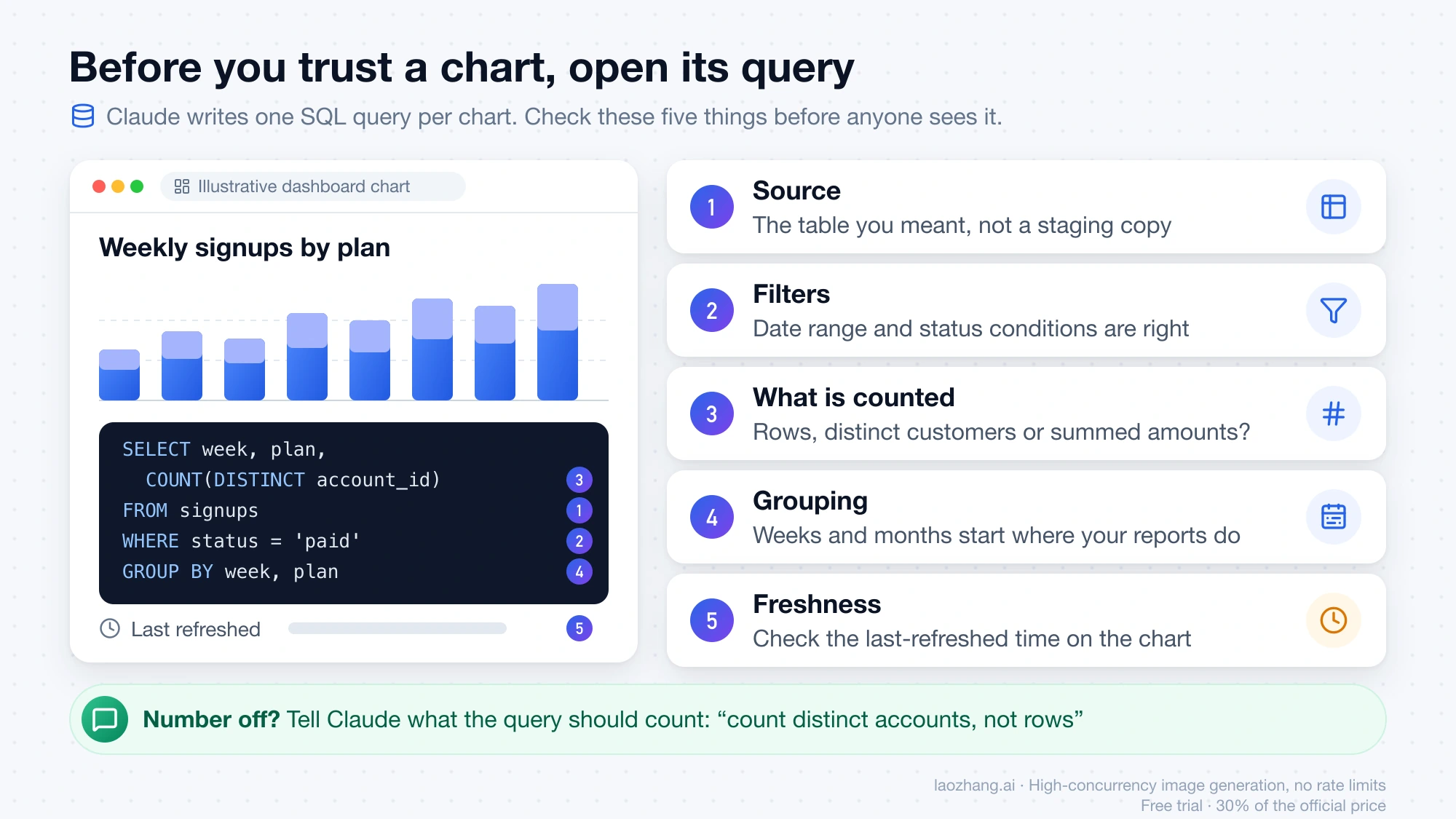
If a number is off, tell Claude what the query should count, for example "count distinct accounts, not rows". Permissions affect the result too. Claude inherits each person's access in the source system, and everyone connects their own apps, even in a shared artifact. A colleague with different warehouse access may therefore see different numbers in the same dashboard. Anthropic states the two rules but not this outcome for Dashboards specifically.
Dashboards are built for quick, exploratory questions. For deeper analysis, Anthropic lets you send the dashboard to Amplitude, Grafana, Hex, Mixpanel, Omni, Perplexity, PostHog or Sigma. As of the October 8 announcement, Looker, monday.com and Tableau were listed as coming soon.
How to make a Claude Motion animation and export it as MP4
Claude Motion is not a video generator. Claude writes code that animates the text, charts, shapes and images in your content, and the result plays like a short video. No video generation model is involved, so Motion can't produce realistic footage or AI-generated people. Because the animation is code, changing one word, number or timing leaves the rest as it was (Claude Help Center guide to Motion).
On a Team or Enterprise plan with Motion turned on:
- Start it. Ask in any chat, select "Output" > "Motion", type "/motion" in the message box, or pick the Motion template in the Artifacts tab.
- Describe the audience and length. Say who will watch, where it will play and roughly how long it should run. Attach the report, data or images so the animation uses your own content. Anthropic's examples include "Turn this quarterly report into a 30-second explainer for our all-hands." and "Animate how our pricing plans compare, for the sales kickoff."
- Edit it. Ask in the chat ("Slow down the second scene", "Change the Q3 number to 18%") or adjust it yourself in the editor.
- Export it. Click "Export" and choose MP4.
One launch-day tip comes from Sean Strong, posting on LinkedIn: ask Claude to "make it 3D", because the first pass is often 2D. That is a single practitioner's advice, but it costs one message to try.
Anthropic hasn't published the MP4's resolution, frame rate, maximum length or audio support. The "30-second" in its examples describes one use case, not a cap. If a destination has strict format rules, such as a broadcast slot or a fixed aspect ratio, export a short test before you build a long piece.
For finishing work, Anthropic lists hand-offs to Adobe, Descript, HeyGen, Higgsfield, invideo, Luma AI and Runway, with Canva and Captions coming soon.
On Pro or Max and want Motion: three routes
None of these makes Motion appear on your current plan.
- Use a workspace you already belong to. If your company has a Claude Team or Enterprise plan, Motion may already be there. It is on by default on Team. On Enterprise, ask the owner to turn it on.
- Move to Team. A Standard seat costs $25/month, or $20/month billed annually. With the two-seat minimum, that is at least 2 × $20 = $40 a month on annual billing, or 2 × $25 = $50 on monthly billing. Usage doesn't map one-to-one from Max. The pricing page describes a Standard seat as "more usage than Pro" and a Premium seat ($100/month annual, $125 monthly) as five times a Standard seat. Max is sold as 5x or 20x Pro.
- Build it yourself in Claude Code. Before Motion existed, people had Claude write animation code and rendered it to MP4 on their own machine with a headless browser and ffmpeg. You set the resolution, frame rate and length yourself. The full method is in Claude Opus 5.5 Video Generation: Code In, Rendered MP4 Out.
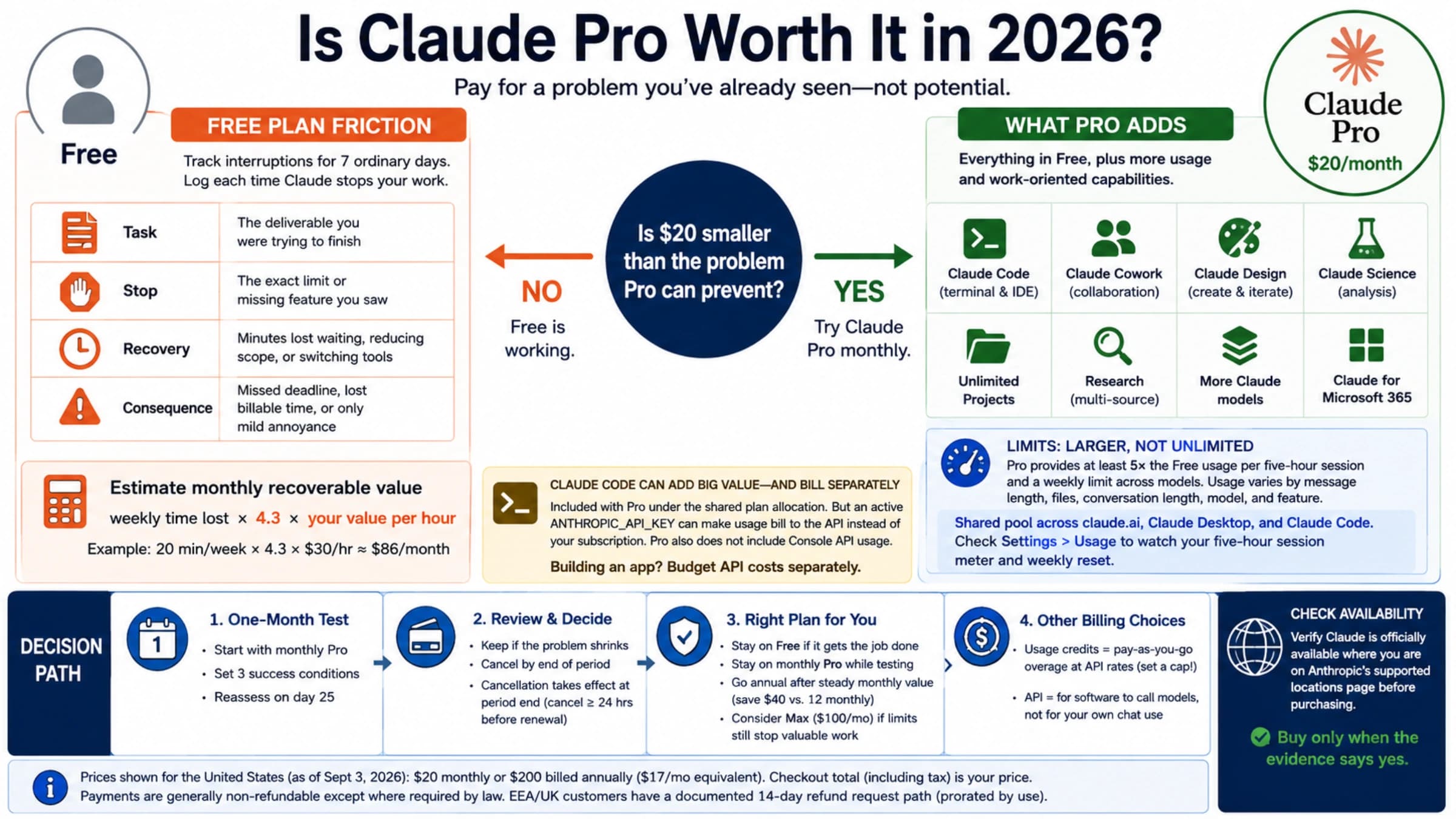
If you are deciding whether to stay on Pro at all, Is Claude Pro Worth It in 2026? weighs the $20 plan on its own terms.
Share a Claude dashboard or animation outside your company
Every dashboard and animation starts private to you. To share one, open it and click "Share". Change sharing settings on the web or desktop app, not the mobile app.
Outside your organization, three rules from the admin guide apply:
- Link sharing and email invitations each need their own admin setting.
- Artifacts that use connected apps, or that ask Claude questions, can't use "Anyone with the link". A dashboard that reads a warehouse through a connector very likely falls under this, although the guide doesn't name Dashboards directly.
- Anyone opening an artifact needs a Claude account, except for legacy artifacts published from chat.
For an audience without Claude, an animation is easy: export the MP4 and send the file. Dashboards have no file export in Anthropic's export list. To reach people outside Claude, send the dashboard to one of the BI tools above and share it from there.
How much of your Claude usage limit Dashboards and Motion use
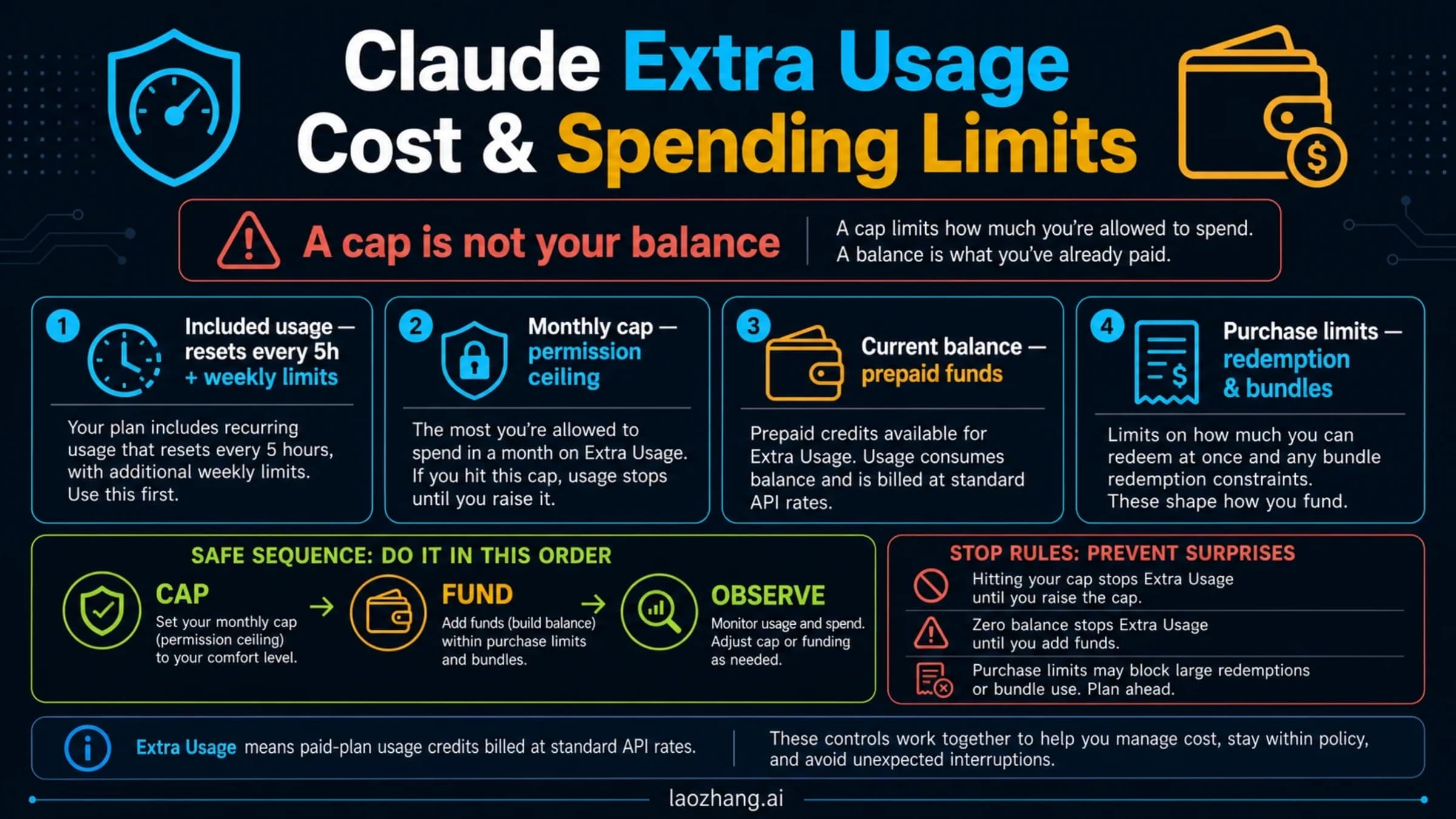
Both features draw from the same usage limits as the rest of Claude, including Claude Code. There is no separate allowance. Anthropic adds that "longer or more complex animations use more of your limit than a typical message". It publishes no per-dashboard or per-animation cost.
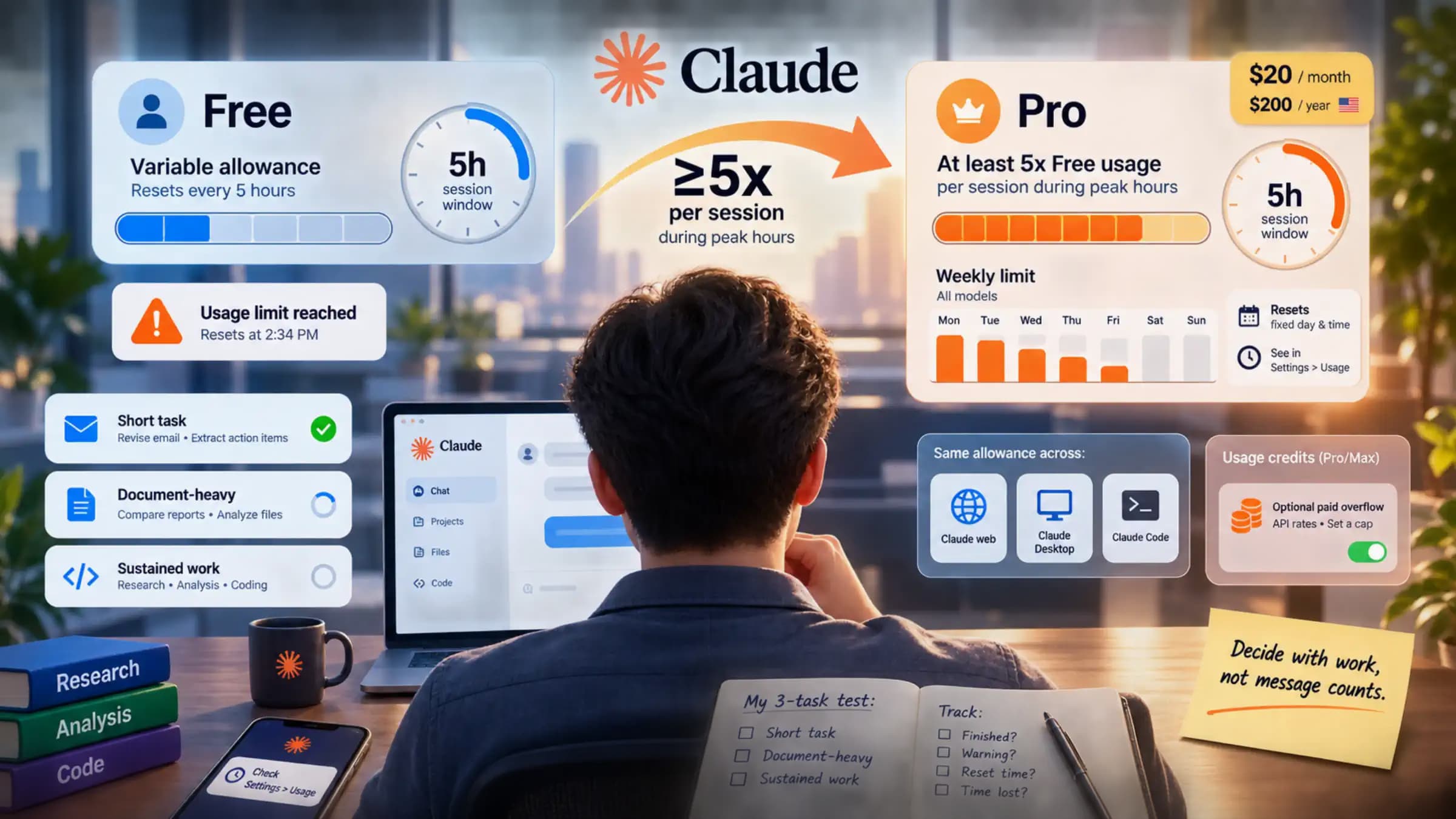
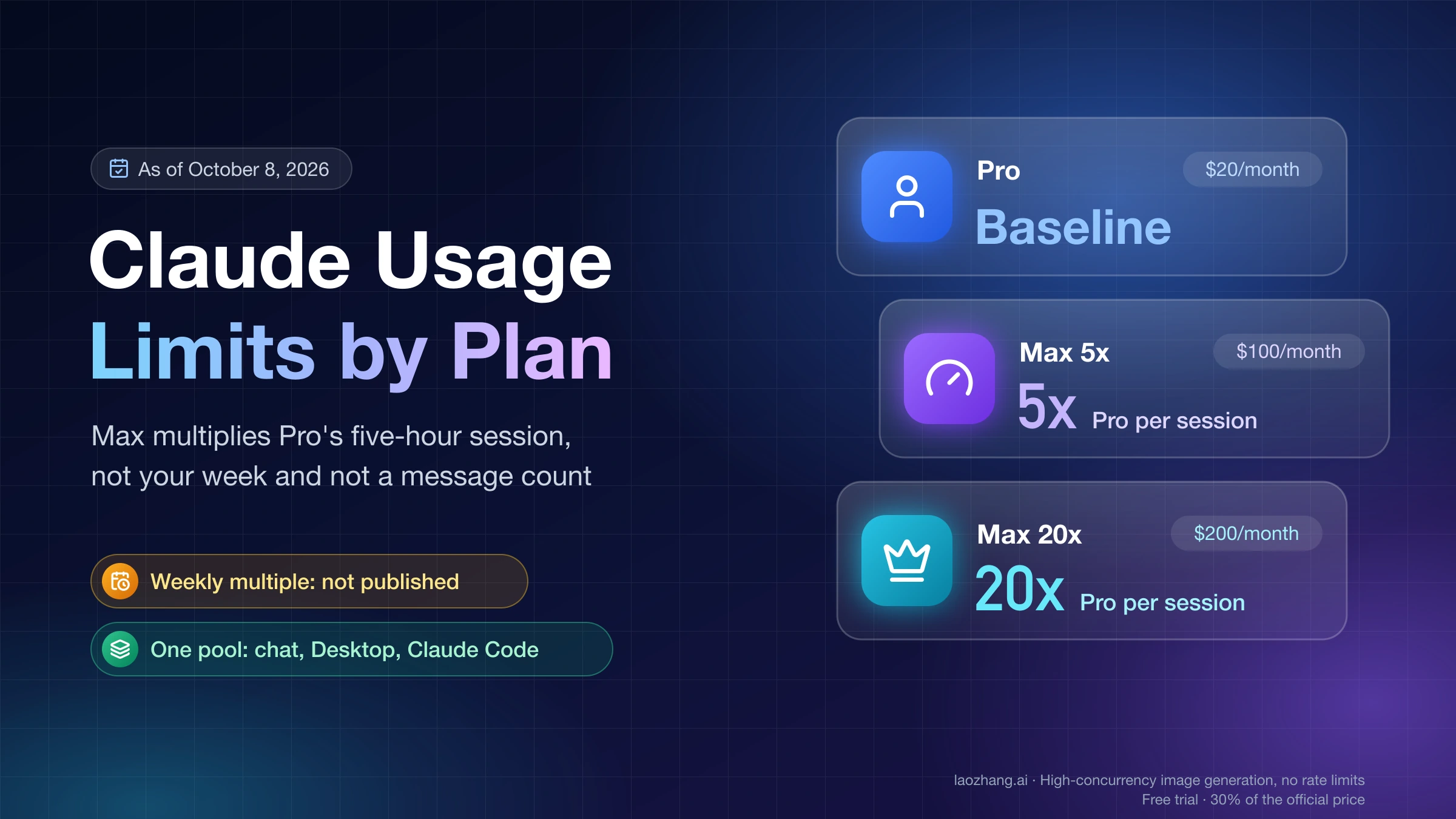
On Team and seat-based Enterprise plans, usage comes out of each member's session and weekly seat limits, and admins can buy usage credits for people who need more. Usage-based Enterprise plans bill at standard API rates, with spend limits. For how the session and weekly windows work on each plan, see Claude Usage Limits by Plan: What 5x and 20x Actually Multiply.
Claude Dashboards and Motion FAQ
Is Claude Motion available on Claude Pro or Max?
No. As of October 10, 2026, Claude Motion is in beta on Team and Enterprise only. Claude Dashboards is on Pro, Max, Team and Enterprise. On Pro or Max, the closest option is having Claude write animation code in Claude Code and rendering it yourself.
Can Claude create live dashboards?
Yes, on Pro, Max, Team and Enterprise, once a data warehouse or app is connected. Anthropic says a dashboard stays current as the data changes. Each chart shows when it was last refreshed, but no refresh interval is published.
Can I build a Claude dashboard from a CSV or Excel file?
Anthropic's Dashboards documentation lists data warehouses and connected apps as the sources. File uploads are not on that list. For a spreadsheet, ask Claude to analyze it in a chat or a regular artifact.
Does Claude Motion generate real video?
No. Motion animates your text, charts, shapes and images with code. It doesn't use a video generation model, so it can't create realistic footage or people. You export the result as an MP4.
Can I connect Claude to Motion?
That question usually means Motion, the separate company and app at usemotion.com, which has its own dashboards and its own Claude connector. It is unrelated to Claude Motion, the Anthropic template for animated explainers.
How do I use Claude for motion design?
On Team or Enterprise, use Claude Motion. Describe the audience, where the piece will play and its length, then edit by chat and export to MP4. On other plans, have Claude write HTML or canvas animation code and render it to video with a headless browser and ffmpeg. For realistic footage, use a video generation model instead. Claude doesn't make photos or film, as covered in Can Claude Generate Images? No, But Here's What It Can Do.
Sources7
External pages this guide links to, in the order they appear. Last updated Oct 10, 2026.
Sources7
External pages this guide links to, in the order they appear. Last updated Oct 10, 2026.
- 1.Anthropic's announcementclaude.com/resources/articles/dashboards-and-motion
- 2.Claude Help Center: What are artifactssupport.claude.com/en/articles/17153992-what-are-artifacts-and-how-do-i-use-them
- 3.Claude's pricing pageclaude.com/pricing
- 4.Claude Help Center artifacts admin guidesupport.claude.com/en/articles/16994751-artifacts-admin-guide-for-team-and-enterprise-plans
- 5.Claude Help Center guide to Dashboardssupport.claude.com/en/articles/17454700-get-started-with-claude-dashboards
- 6.Claude Help Center connectors guidesupport.claude.com/en/articles/11176164-use-connectors-to-extend-claude-s-capabilities
- 7.Claude Help Center guide to Motionsupport.claude.com/en/articles/17454997-get-started-with-claude-motion