Best AI Kissing Video Generator Tools: Free Limits, Photo Rules, and Safe Use
A practical guide to choosing an AI kissing video generator, checking free limits, preparing photos, and avoiding unsafe likeness uploads.
On this page
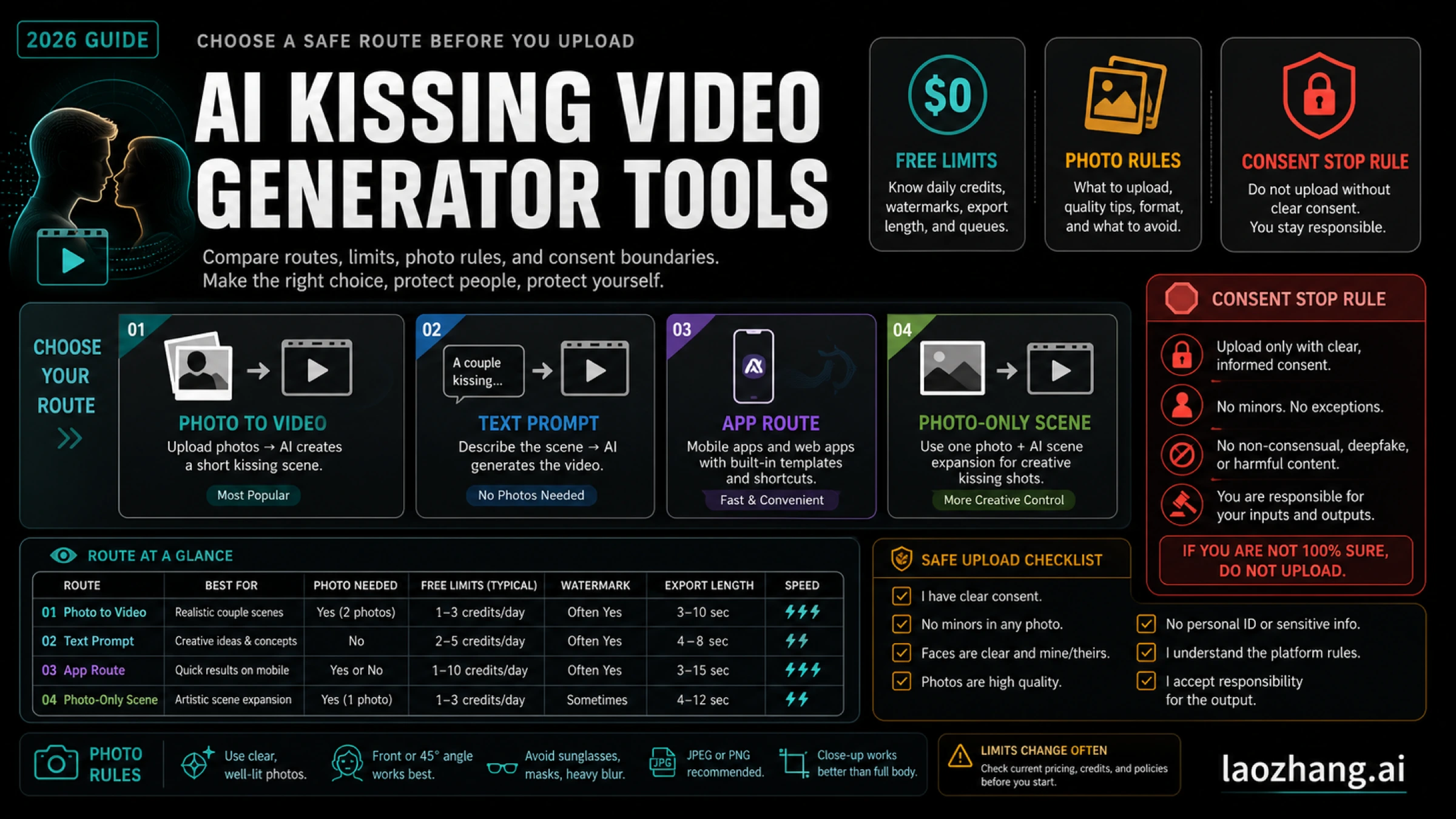
AI kissing video generators turn a couple photo, two separate portraits, or sometimes a text prompt into a short kissing clip, but the right starting point depends on what you can upload, what the free tier actually allows, and whether you have consent to use the people shown. If you need an MP4-style clip, start with a video generator route; if a still romantic scene is enough, use a photo-only AI kiss tool instead.
Before you try any tool, apply the stop rule: do not upload minors, public figures, non-consensual likenesses, private images you do not have permission to use, or prank/crush photos that the person would not reasonably approve. Provider claims about free credits, daily quotas, watermarks, deletion windows, app ratings, and model names were checked on May 12, 2026, and can change, so treat the matrix below as a route filter, not a permanent ranking.
Start With The Route Matrix
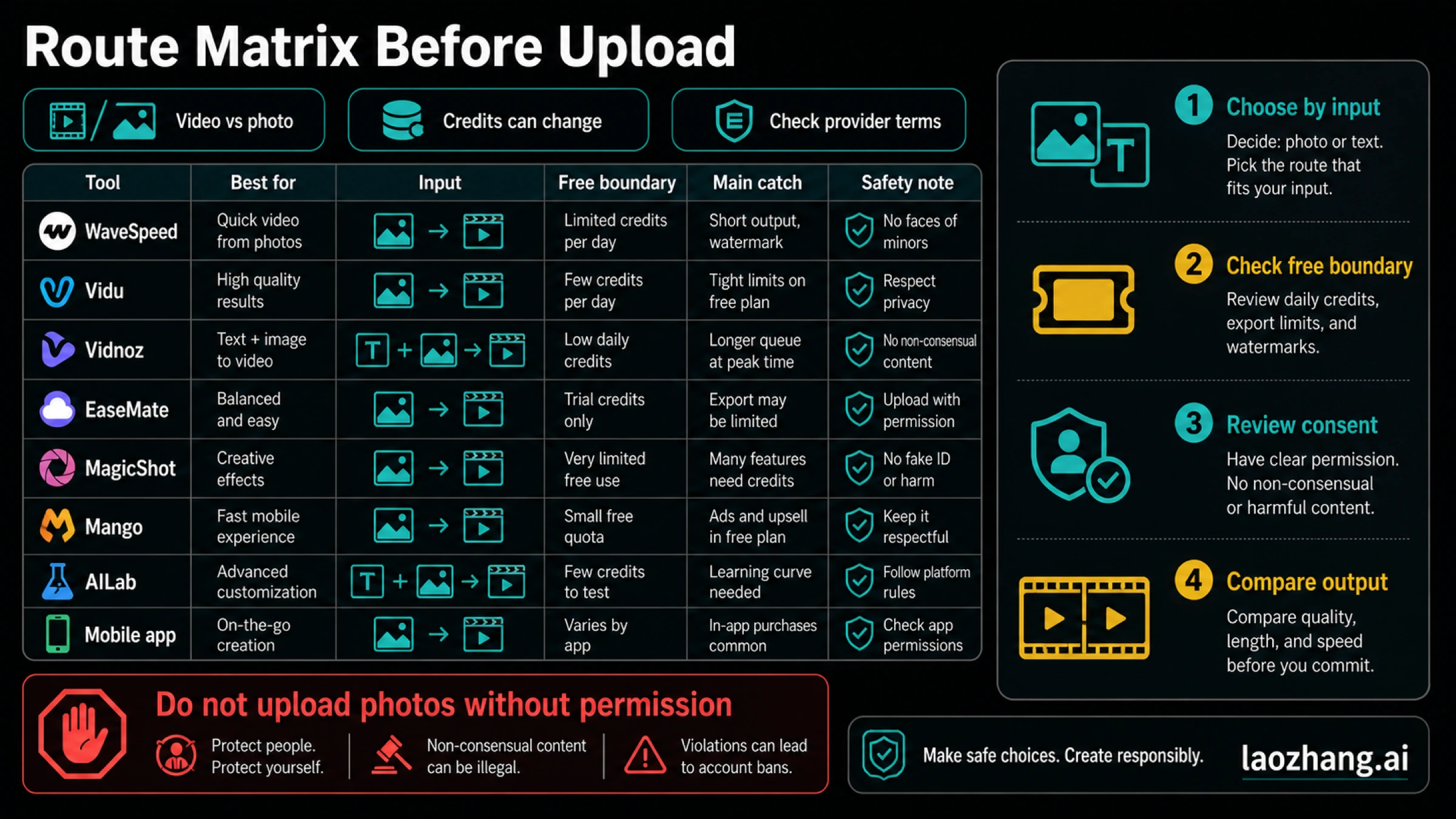
Use the first row that matches your real input. A tool that is good for two portraits may be the wrong choice for a text prompt, and a tool that says "free" may still require signup, credits, a watermark, or a paid export.
| Route | Best use | Input needed | Free boundary as of May 12, 2026 | Output type | Main catch |
|---|---|---|---|---|---|
| WaveSpeed AI | Quick web test from a couple image or two portraits | Two-person photo or two separate portraits | Provider says free credits are available after signup | Kissing video | Deletion and free-credit claims are provider-owned |
| Vidu | Template-led kissing clip with MP4 download | Two-person photo, or two individual photos with the same aspect ratio | Check current Vidu account and credit state before upload | MP4-style video | Same-aspect photo requirement can block weak inputs |
| Vidnoz | Fast daily test, including image-to-video or text-to-video | Image upload or text prompt | Provider says one free AI kissing video per day | Video | Daily quota, watermark, and export rules can change |
| EaseMate AI | More controls around kiss type, ratio, and model labels | Image or text mode, with aspect-ratio choices | Credit requirement appears on the tool page | Video | More controls also mean more settings to check |
| MagicShot.ai | Social-style two-photo clip | Two photos | Provider frames it as fast and says uploads are cleared after processing | Short clip | Marketing examples require a stricter consent filter |
| Mango Animate | Eligibility-aware route when photo rules matter | Human photos that match the page rules | Check current paid/free state before use | AI kissing video | Explicit rejection examples mean some uploads should not proceed |
| AILab Tools | Still romantic-scene generation | Photo or prompt for a static scene | Check current tool limits | Photo-style output | Not the same job as a kissing video generator |
| KissMe.ai app route | Mobile-first experimentation | App upload flow | In-app purchases and app-store terms apply | Mobile app output | App permissions and subscription state matter before upload |
The practical answer is simple: start with a video route when the deliverable must be a clip, switch to a photo-only route only when a still image is enough, and do not upload personal likenesses until the free boundary and consent boundary are both acceptable.
What Free Means In This Category
"Free" is not one contract. In this niche it can mean free credits after signup, one daily generation, a watermark preview, a low-resolution trial, no-login preview generation, or a paid export after a free-looking upload step. Treat every free claim as a question, not as a guarantee.
Before you upload, check four things on the provider page. First, does the tool require an account before generation or only before download? Second, does the free route reset daily, use one-time credits, or stop after a trial? Third, does the output include a watermark, low resolution, shorter duration, or blocked download? Fourth, does the provider state how long uploads and generated clips are retained?
That is why a responsible comparison should not name one overall "best free" kissing generator. Without hands-on output testing and live account checks, the honest comparison is route-based: who can use the tool first, what input it expects, where the free boundary sits, and what risk remains before upload. For broader free video tools that are not specific to kissing clips, use the best free image-to-video AI guide.
Provider Notes: Which Route Fits Which Job
WaveSpeed AI is the strongest obvious starting route when you want a web-based kissing-video test and already have either one couple photo or two separate portraits. The provider says generated outputs are available for seven days before deletion, and it frames free access through signup credits. Use it when the upload format fits and the retention claim is acceptable for your images.
Vidu is the route to check when you want a named template workflow and MP4 output. Its page describes selecting a Kiss template, uploading a two-person photo or two same-aspect individual photos, and downloading the result. The important operational detail is the photo requirement: if your two portraits use different crops, different aspect ratios, or very different lighting, fix the inputs before blaming the model.
Vidnoz is useful when you want a fast first attempt from either an image or a prompt. The provider says the page supports image-to-video and text-to-video, and it states one free AI kissing video per day. That makes it a sensible trial route, but only if the current daily quota, watermark, and download rule still fit your use case when you open the page.
EaseMate AI is a better fit when you want more visible controls. The page exposes image and text modes, kiss-type controls, aspect ratios, model labels, and credit requirements. Use it when the ability to choose mode and format matters more than the fastest possible upload. Check credit use before you test multiple prompts.
MagicShot.ai is positioned more like a viral or social clip generator. That can be useful for lightweight creator experiments, but it also makes the safety boundary more important. If a page uses crush, celebrity, or prank-style examples, do not copy that posture into your own upload decision. The safer rule is permission first, then tool choice.
Mango Animate is notable because its page surfaces stricter photo suitability rules, including examples that can fail or be rejected. That is not just a limitation; it is useful screening information. If your photos fall into a restricted or ambiguous category, stop before upload instead of trying to force the tool.
AILab Tools belongs in the comparison only as a photo-style route. It can help if you want a static romantic scene, but it should not be treated as equivalent to a video generator. If the deliverable must be motion, MP4, or a short clip, keep it out of your final shortlist.
The mobile app route, represented by KissMe.ai-style listings, is a separate decision. It may be convenient if you prefer phone editing, but app permissions, in-app purchases, subscription terms, and platform reviews become part of the risk check. Do not treat an app install as lower-risk than a web upload.
Before You Upload Personal Photos
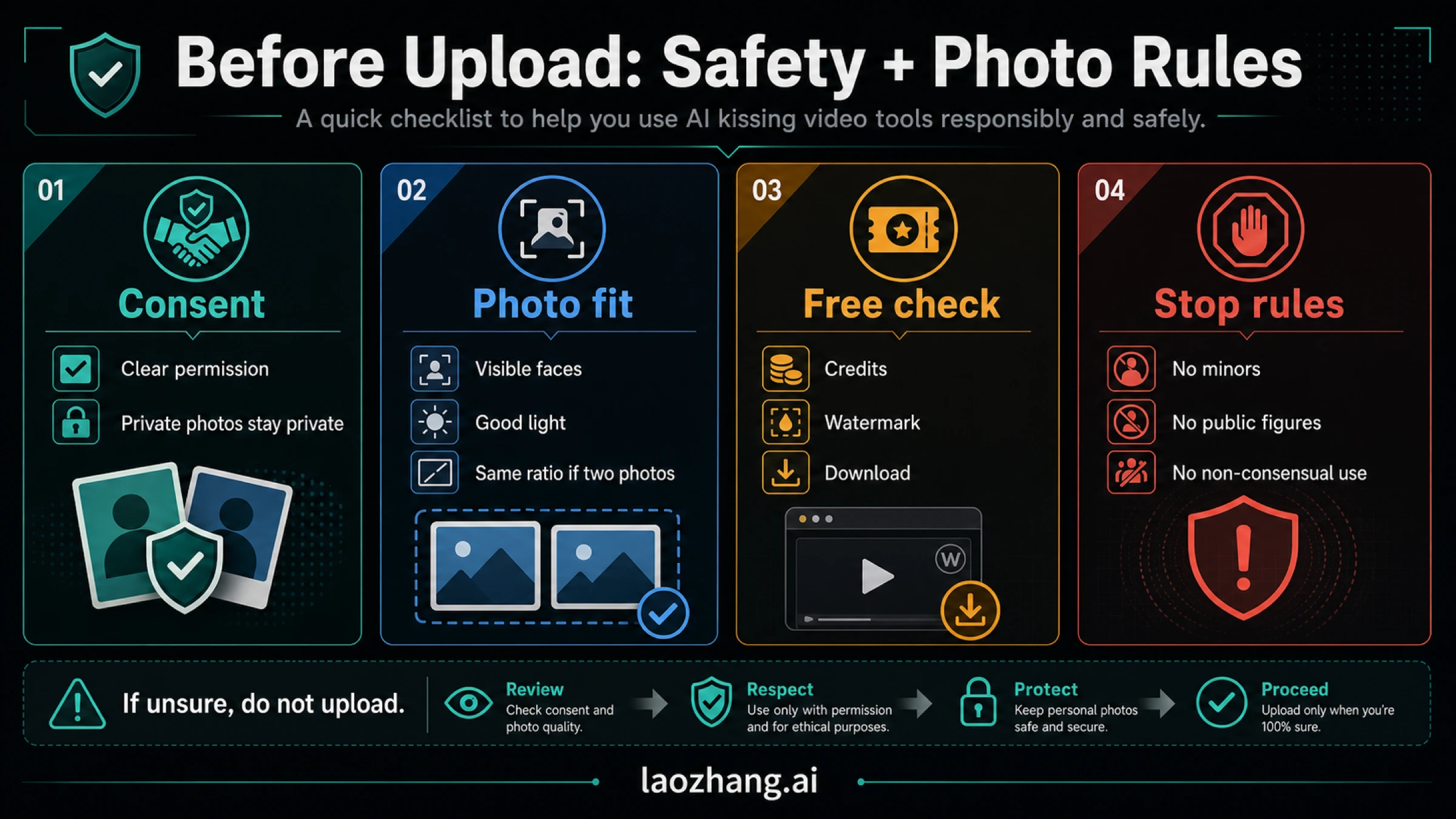
The upload decision matters more than the provider name. A weak tool choice wastes credits; a bad likeness decision can create a privacy, consent, or reputation problem.
Use this checklist before any upload:
| Check | Pass condition | Stop condition |
|---|---|---|
| Consent | Everyone shown has approved this kind of synthetic romantic output | You are using someone else's image as a joke, surprise, or pressure tactic |
| Age and identity | All people are adults and ordinary private subjects who gave permission | Any minor, public figure, coworker, customer, classmate, or private image without clear permission is involved |
| Image sensitivity | The source photo is already safe to upload to a third-party service | The image is private, intimate, medical, work-confidential, or copied from a place the person did not expect |
| Provider boundary | You accept the provider's current retention, privacy, credit, watermark, and download terms | You cannot find or accept those terms |
If you are working with real-person video generation more broadly, the same boundary applies outside this niche. The Seedance real-people guide and Gemini people-restriction guide are better follow-up reads when your real question is likeness policy rather than which kissing-video tool to try.
Prepare Photos And Prompts Before Spending Credits
Most bad outputs start with weak inputs. Use clear, front-facing faces, good lighting, high enough resolution, and a crop where the important faces are not cut off. Avoid sunglasses, extreme side angles, heavy filters, crowded backgrounds, and images where the tool has to guess identity from a tiny face.
If a provider asks for two separate portraits, keep the photos similar. Use the same orientation, similar face size, compatible lighting, and matching aspect ratio when the tool says it matters. If a provider accepts one couple photo, pick a frame where both people are visible and not already in a confusing pose.
For text-to-video modes, write the prompt like a scene instruction, not like a search phrase. Name the style, camera distance, mood, and boundaries. A safer prompt is "a gentle romantic short clip of two consenting adults, soft daylight, close-up, no celebrity likeness" rather than a prompt that names a real person or tries to imitate someone who did not consent.
If your real task is not specifically a kissing clip, use a broader image-to-video tool instead. The best AI image-to-video generator guide is a better route for product shots, character animation, social clips, and general motion workflows.
Fix Bad Or Failed AI Kissing Clips
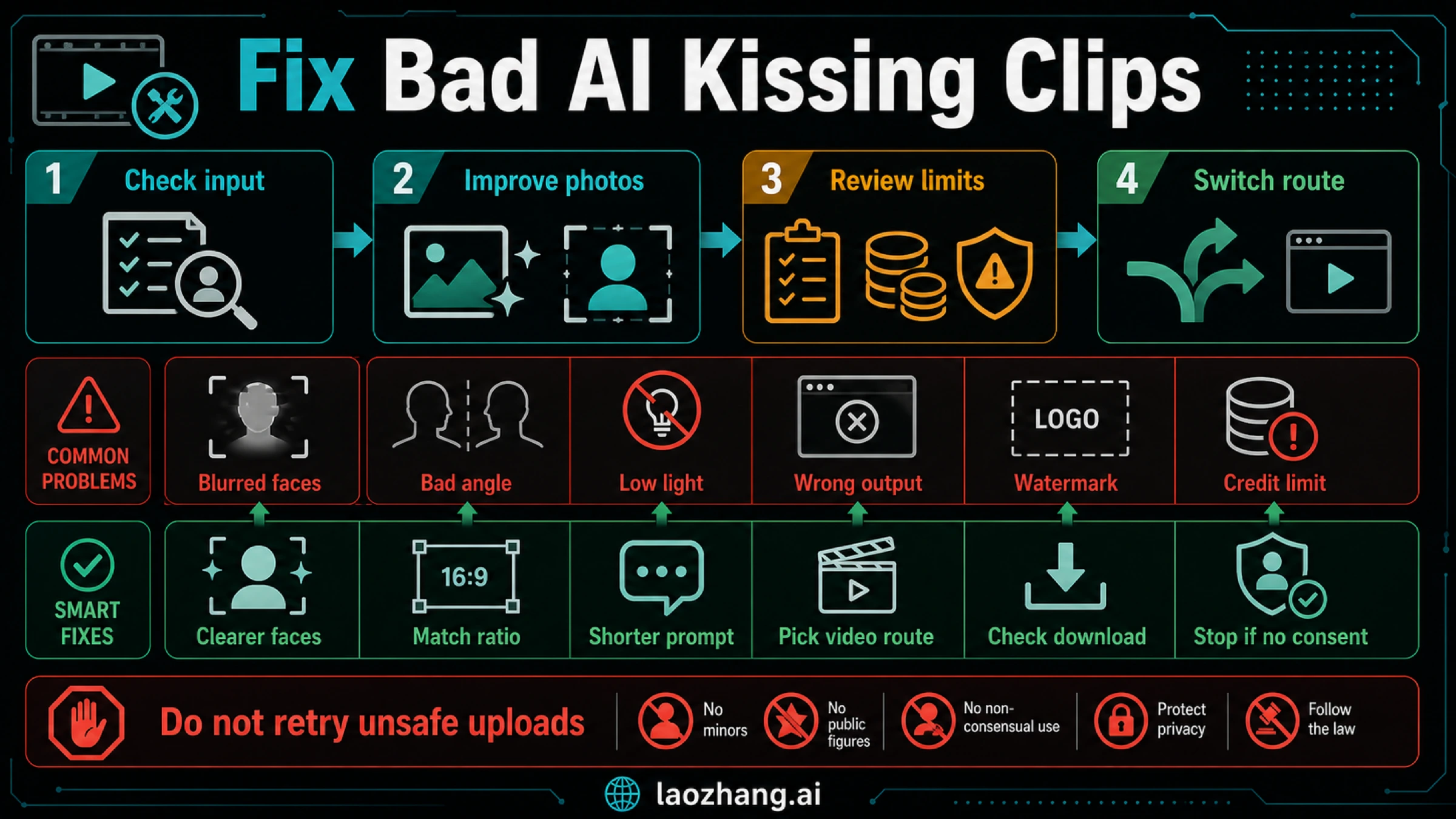
When the first output fails, do not spend credits randomly. Classify the failure and change one variable at a time.
| Failure | Likely cause | Better next move |
|---|---|---|
| Blurry or mismatched faces | Source faces are too small, soft, occluded, or inconsistent | Use clearer portraits with similar crop and lighting |
| Awkward motion | The tool cannot infer a natural pose from the source frame | Try a cleaner couple photo, a different template, or a simpler prompt |
| Upload rejected | File type, image size, face detection, age, identity, or provider rule failed | Read the provider's photo requirements before retrying |
| Good preview, blocked download | Free path does not include export, HD, or watermark-free output | Decide whether the paid boundary is acceptable before more tests |
| Text prompt ignores details | The tool is optimized for image input, or the prompt is too broad | Switch to image-to-video mode or shorten the prompt to the key scene |
| Output feels unsafe | The subject, consent, public-figure, or private-image boundary is wrong | Stop; do not keep retrying to bypass the boundary |
The safest retry pattern is one input fix, one rerun, then route switch. If a clearer photo does not improve the output, test a provider with a different input contract. If the next route also fails, your source photos are probably the constraint.
How To Choose The First Tool
Use WaveSpeed or Vidu first when you have the right photos and want a direct web video route. Use Vidnoz first when a daily free test or text-to-video option is more important than a precise template. Use EaseMate first when controls such as kiss type, ratio, and mode selection matter. Use MagicShot only when the social-clip framing is acceptable and the people involved have clearly consented. Use Mango when visible photo rules help you avoid wasting uploads. Use AILab only for still-image scenes, not for video. Use an app route only when you have checked permissions and purchase terms.
The highest-value habit is not memorizing one provider name. It is asking the same five questions every time: What input does it require? What does "free" actually include? What output do I get? What happens to the uploaded photos? Do I have consent for this exact synthetic result?
FAQ
What is the best AI kissing video generator?
There is no honest universal best without live output testing. Start with the route that matches your input: WaveSpeed or Vidu for photo-led web video, Vidnoz for a quick daily or text-to-video test, EaseMate for more controls, and a photo-only route only when a still image is enough.
Is there a free AI kissing video generator without login?
Some pages may allow a preview before signup, while others use signup credits, daily quota, or paid export. Check the current account, watermark, download, and retention rules before uploading. A no-login preview is not the same as a free usable final video.
Does Vidu make AI kissing videos from two photos?
Vidu says its Kiss template can use a two-person photo or two individual photos with the same aspect ratio, then produce an MP4-style output. Prepare the two photos with similar crops and lighting before upload.
Can I make an AI kissing video from a text prompt only?
Some tools, including Vidnoz and EaseMate-style routes, expose text-to-video modes. Text-only generation is less predictable than image-led generation because the tool has to invent the subjects and pose. Do not use text prompts to imitate a real person who has not consented.
What is the difference between an AI kiss photo generator and a video generator?
An AI kiss photo generator creates a still romantic image or scene. An AI kissing video generator creates motion, usually as a short clip or MP4-style output. Do not compare them as the same product unless a still image is acceptable for your job.
Are AI kissing generators safe for real people?
They are only appropriate when the people shown are adults, the images are yours to use, and everyone involved has consented to this kind of synthetic romantic output. Do not use them for minors, public figures, coworkers, classmates, customers, private photos, or anyone who did not clearly approve the result.
Why did my AI kissing clip fail?
Common causes are weak photos, mismatched aspect ratios, hidden free limits, blocked file formats, face detection failure, safety filtering, and route mismatch. Improve the input once, check the provider rule, then switch route instead of burning credits blindly.