AI Video Generator from Image: Best Image-to-Video Routes and When to Switch
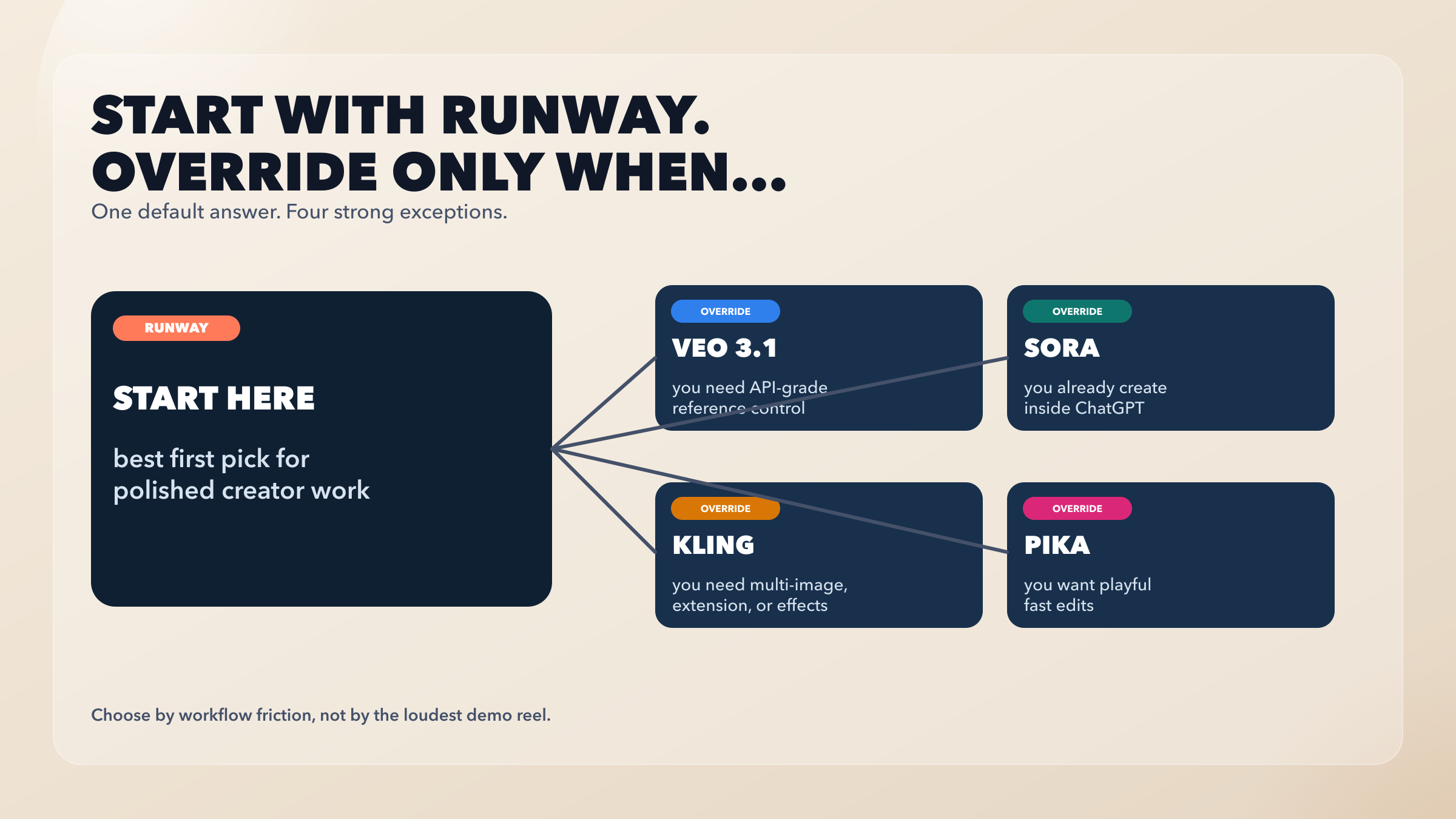
If you already have the image, pick the route before the brand. Use Runway for the safest creator default, Adobe Firefly when brand-safe editing matters, Gemini Omni or Veo 3.1 for Google's paid app and API routes, Kling for multi-shot or element control, and Pika or Vidu for quick effects tests. Treat Sora as a sunset caveat, not a normal current recommendation.
On this page
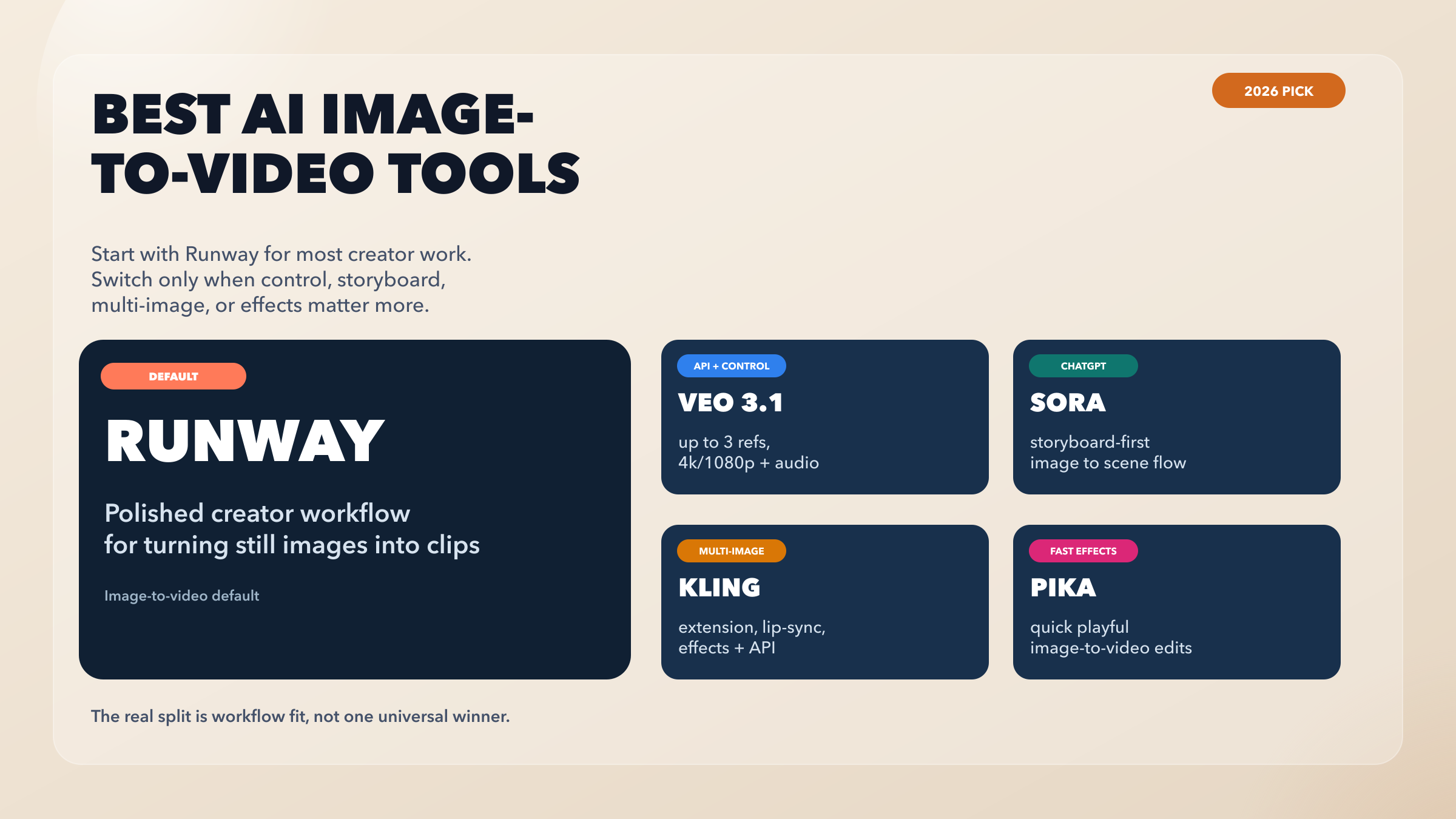
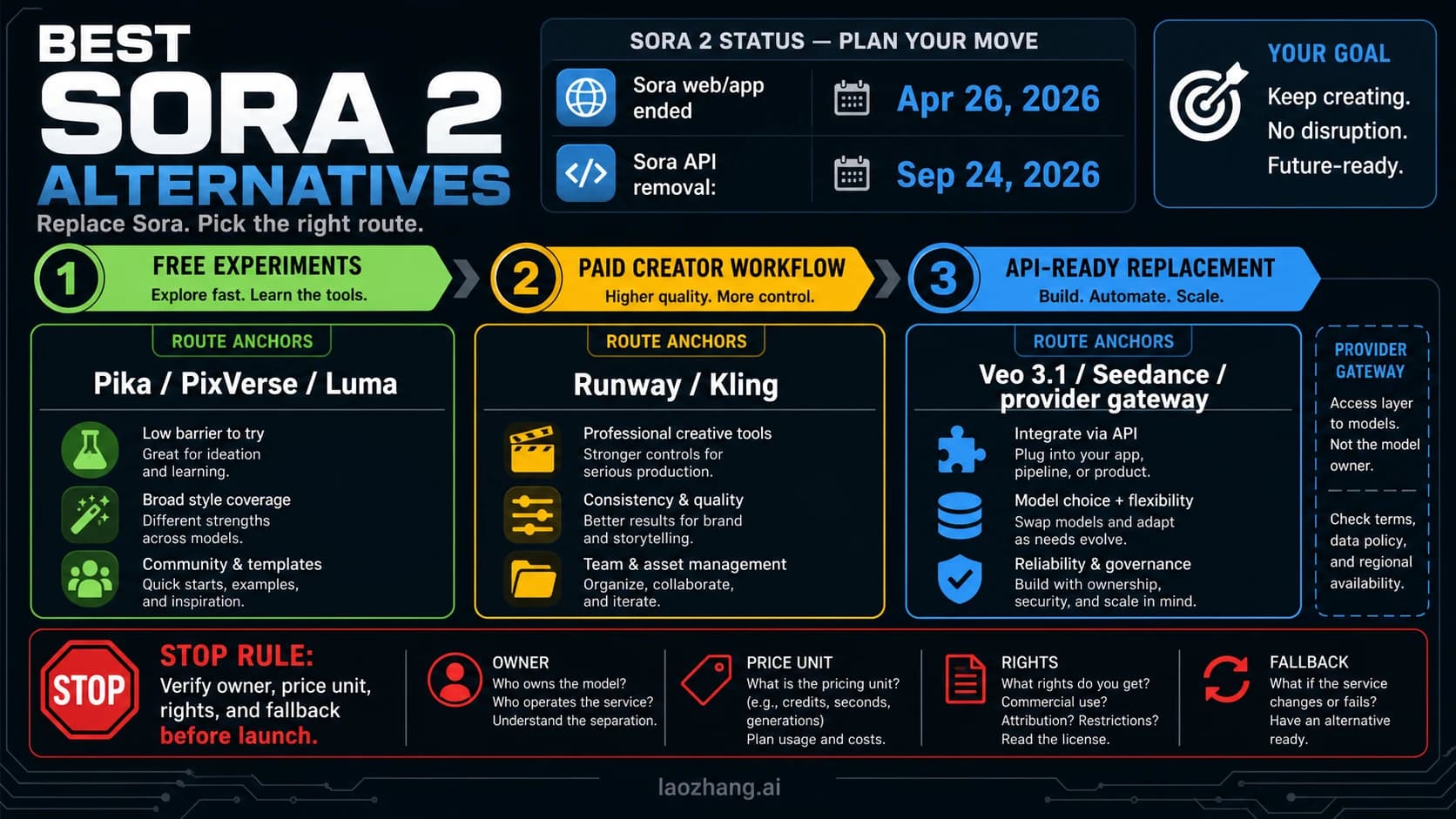
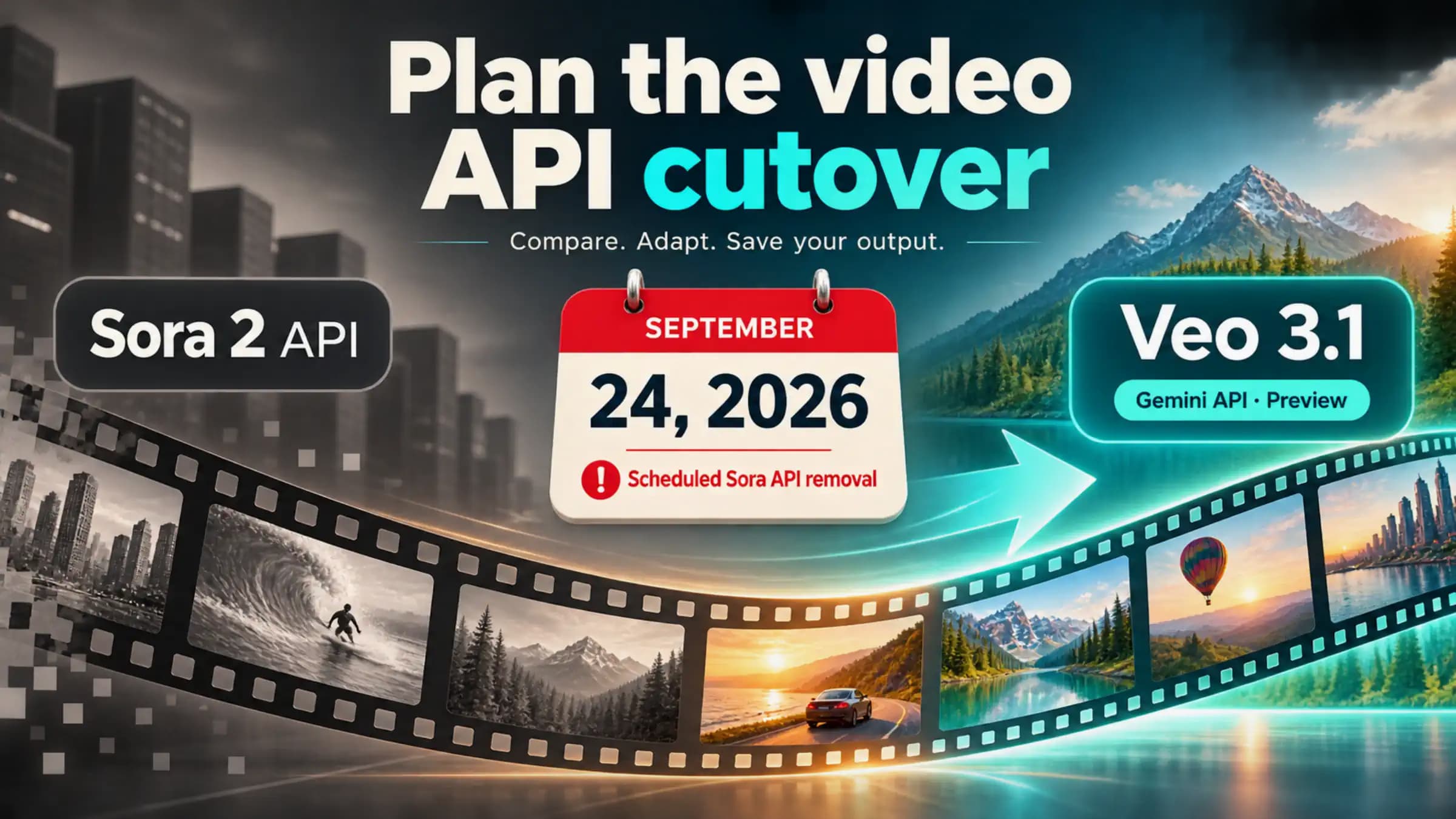
If you already have the image, the safest first move is to choose the route, not the brand with the loudest demo. Start with Runway when you want the broad creator default, Adobe Firefly when brand-safe editing and an Adobe workflow matter, Gemini Omni when you want Google's paid app route with native audio, and Veo 3.1 when you need API or reference-control work. Switch to Kling for multi-shot, element, or social-motion breadth, and use Pika or Vidu when quick effects testing matters more than a long-term production home. Treat Sora as a discontinuation caveat: OpenAI says Sora web and app experiences were discontinued on April 26, 2026, and the Sora API is scheduled to be discontinued on September 24, 2026.
That is the practical answer for an AI video generator from image search. Product landing pages make it look like every tool is one upload button away from the same outcome. The real split is different: app route, editor route, API route, multi-image route, effects route, or wrapper route. Current facts below were checked on July 1, 2026 against official help, pricing, developer, or product pages.
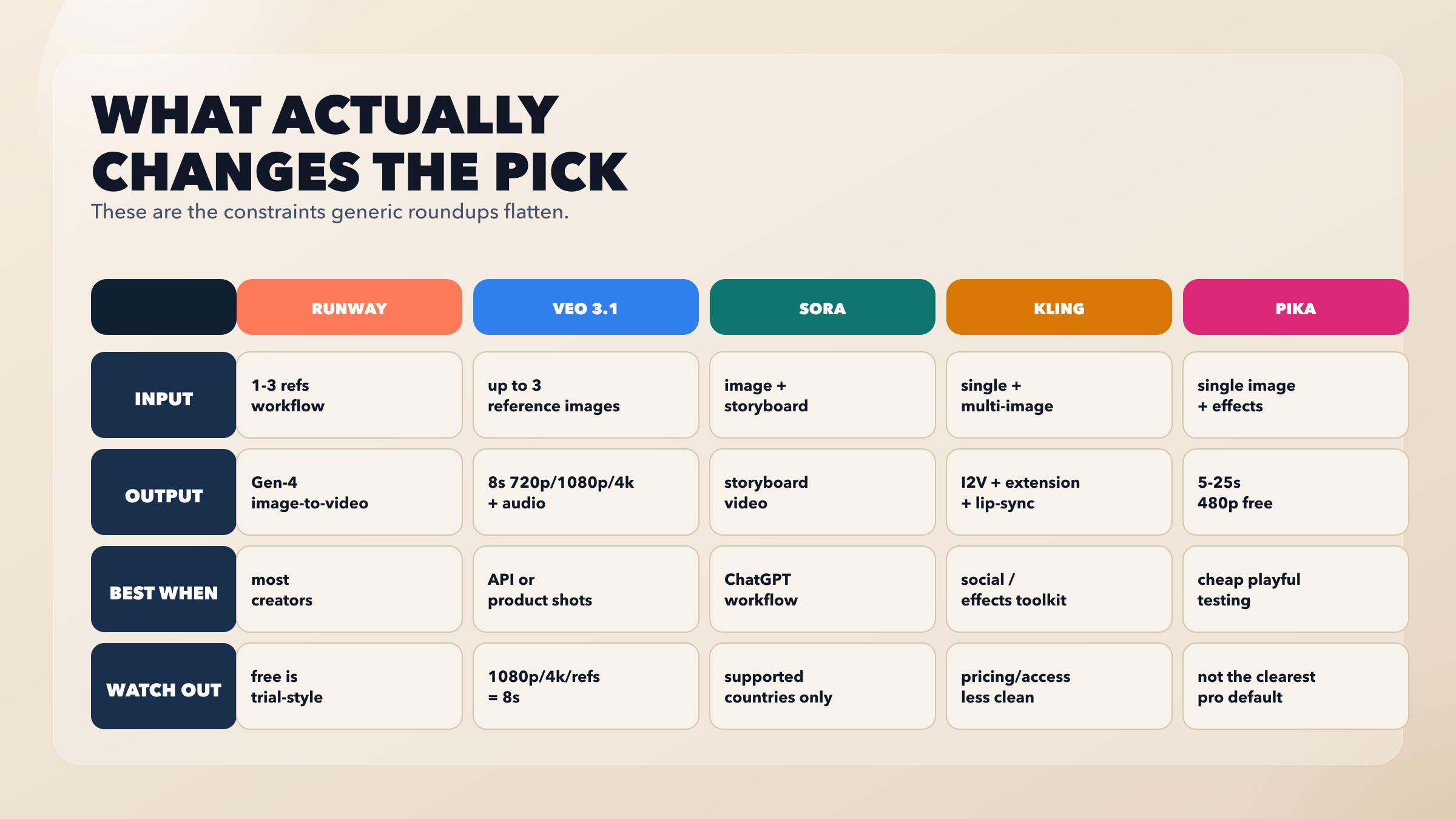
| Your job from the still image | Open first | Why | Main stop rule |
|---|---|---|---|
| Make one polished creator clip without an API setup | Runway | Strong default creator workflow, visible plan structure, image-to-video support | Free access is trial-style because the free plan has one-time credits |
| Animate a brand asset inside an editor | Adobe Firefly | Image upload plus prompt workflow, commercial-safety positioning, editor continuity | Credit and plan terms can change, so check before bulk work |
| Create inside Google's consumer app with native audio | Gemini Omni | Google's current app route for image, video, audio, and multi-turn creation | Requires a Google AI subscription and feature availability varies |
| Build or automate reference-led video generation | Veo 3.1 API | Paid preview route with image-to-video and reference-image controls | API/model limits and preview terms own the decision |
| Need multi-shot, elements, start/end frames, or social effects | Kling | Broad capability surface for image-to-video and richer motion controls | Verify current access and plan boundaries before committing |
| Need fast effects or a quick proof | Pika or Vidu | Low-friction experimentation from a still image | Do not confuse a quick test route with a production default |
| The route says Sora | Do not start there | OpenAI's current docs frame Sora as discontinued/sunsetting | Migrate before September 24, 2026 if API work is still involved |
First Check The Source Image
The quickest way to waste credits is to test five video generators with a weak source image. Before choosing a tool, check the still frame against four questions.
First, does the image already contain the identity you need to preserve? A product shot, character portrait, or brand asset needs clearer reference handling than a landscape mood image. That pushes you toward Runway, Adobe, Veo, or Kling rather than a pure effects playground.
Second, does the motion need to be realistic, controlled, or simply fun? A product turntable, a talking portrait, and a stylized social clip are different jobs. The same image can demand different routes depending on whether the reader cares about camera motion, identity consistency, native audio, lip sync, text overlays, or a fast social effect.
Third, do you need one clip or a repeatable workflow? One clip can live inside an app or editor. Repeatable brand work, product batches, or automation usually pushes toward a paid plan or an API route. That is where the difference between app credits, platform credits, and API billing becomes real.
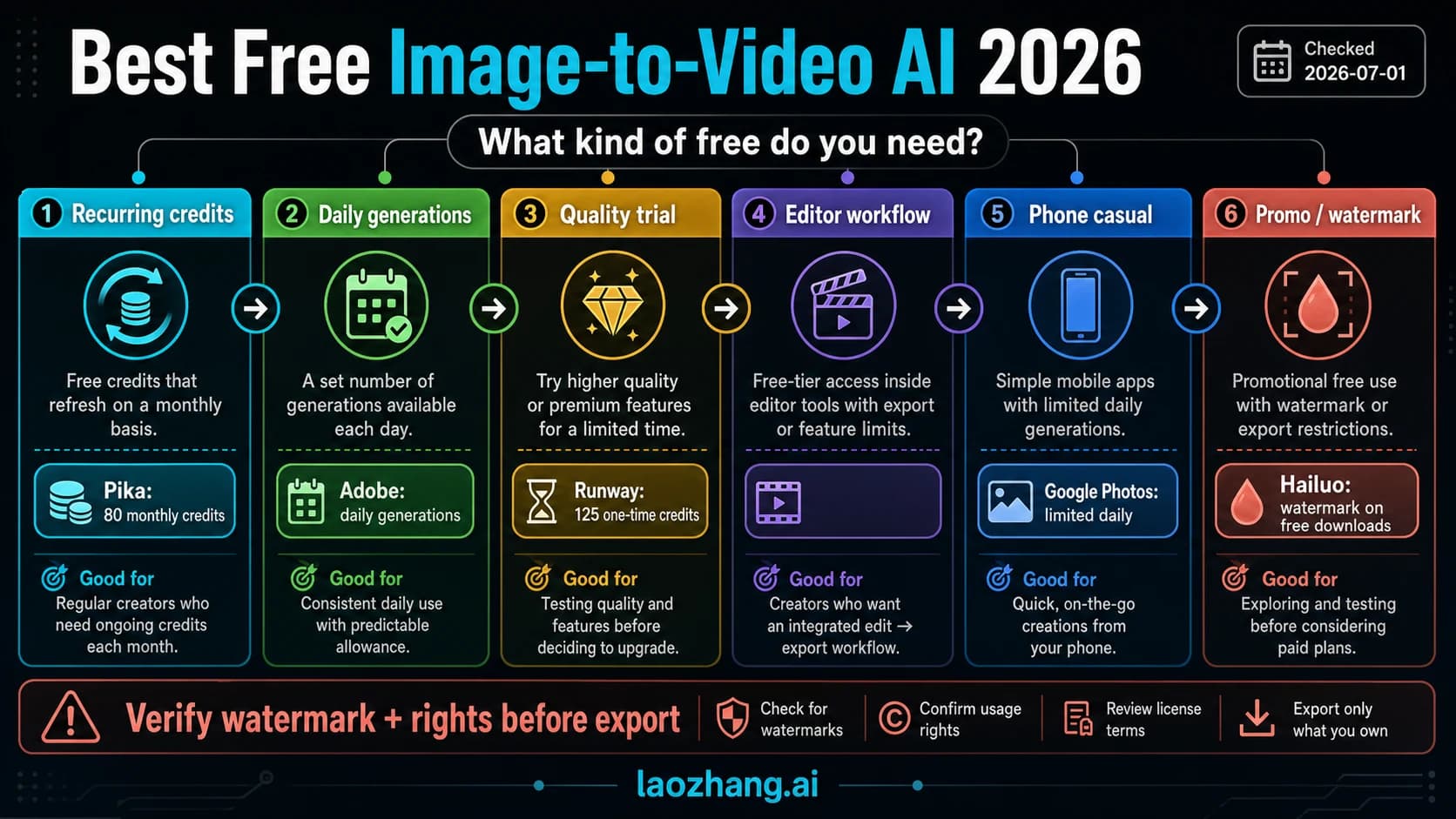
Fourth, is the "free" claim part of the job? Free image-to-video tools often have watermark, resolution, duration, queue, login, credit, or commercial-use restrictions. Use free routes for testing, not as a publishing assumption, unless the current provider terms explicitly support that use.
The Route Matrix
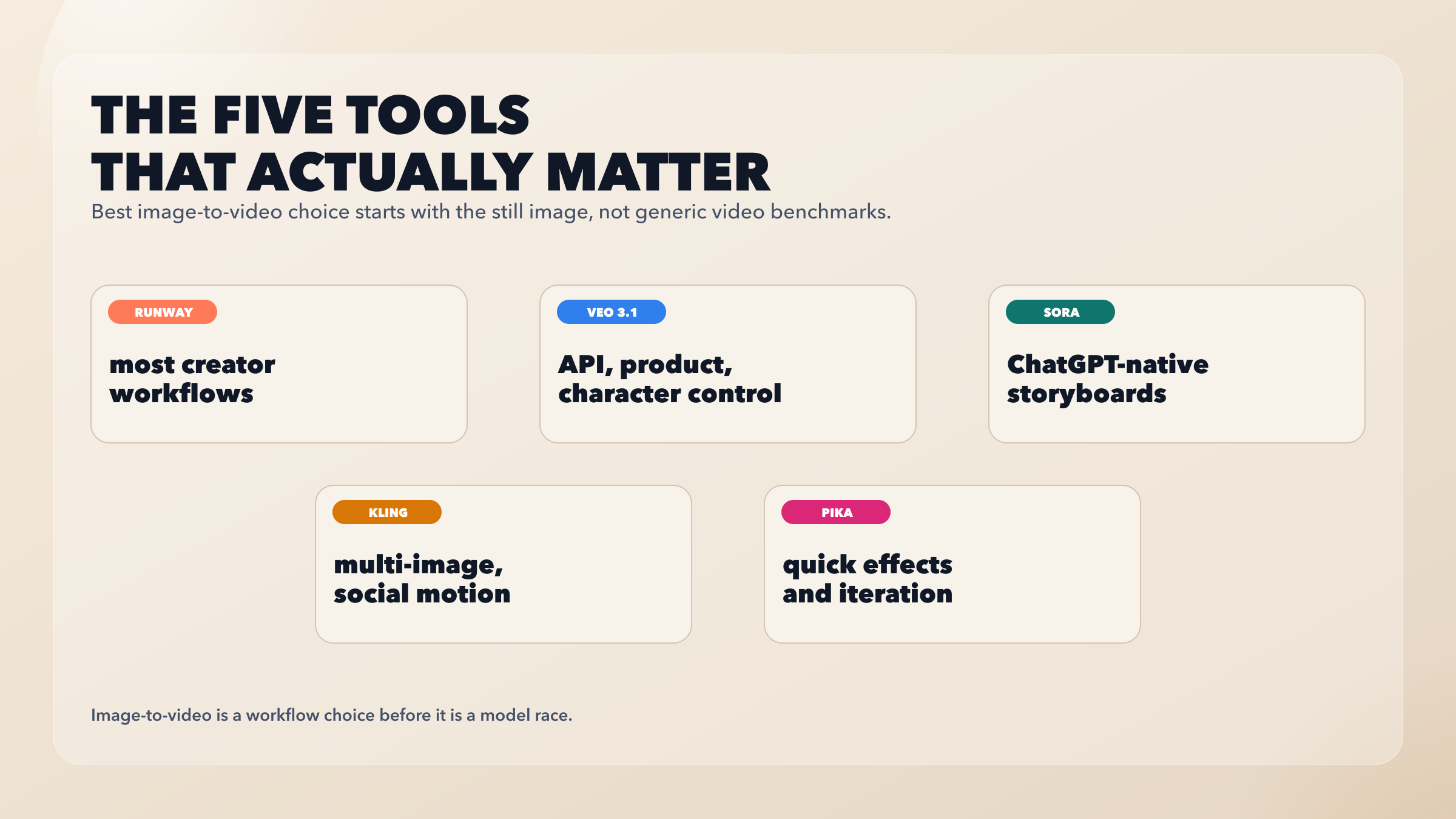
Runway is the safest first route for most creator workflows. Runway's pricing page currently lists a Free plan at $0 with 125 one-time credits and access to Gen-4 Turbo image-to-video. That makes the free route useful for testing, not for durable no-cost production. The paid path is easier to understand than many competitors: Standard is listed at $12 per user per month billed yearly and includes access to current video and image models, 4K upscaling, and no watermarks. The reason to start here is not that Runway wins every benchmark. It is that the workflow is broad, creator-friendly, and not as conditional as API-only or app-subscription routes.
Adobe Firefly is the best route when the image belongs inside a brand-safe editing workflow. Adobe's Firefly image-to-video page describes uploading a photo or AI-generated image, adding a prompt, choosing generation settings, and exporting the result. Adobe also positions Firefly around commercially safer training sources and editor integration. That does not make Adobe the universal winner; it makes Adobe the clean route when the reader wants a controlled creative workflow rather than the most experimental model playground.
Gemini Omni is Google's consumer app route. Google's Gemini video-generation page says Gemini Omni replaces Veo in the Gemini app experience and blends text, image, video, and audio creation. It also frames the output as 10-second videos with native audio and notes that Google AI subscription, geography, age, and tier affect access. That makes Gemini Omni a real image-to-video route, but not a free universal default. Use it when the reader wants Google's app experience, not when they need an open-ended API workflow.
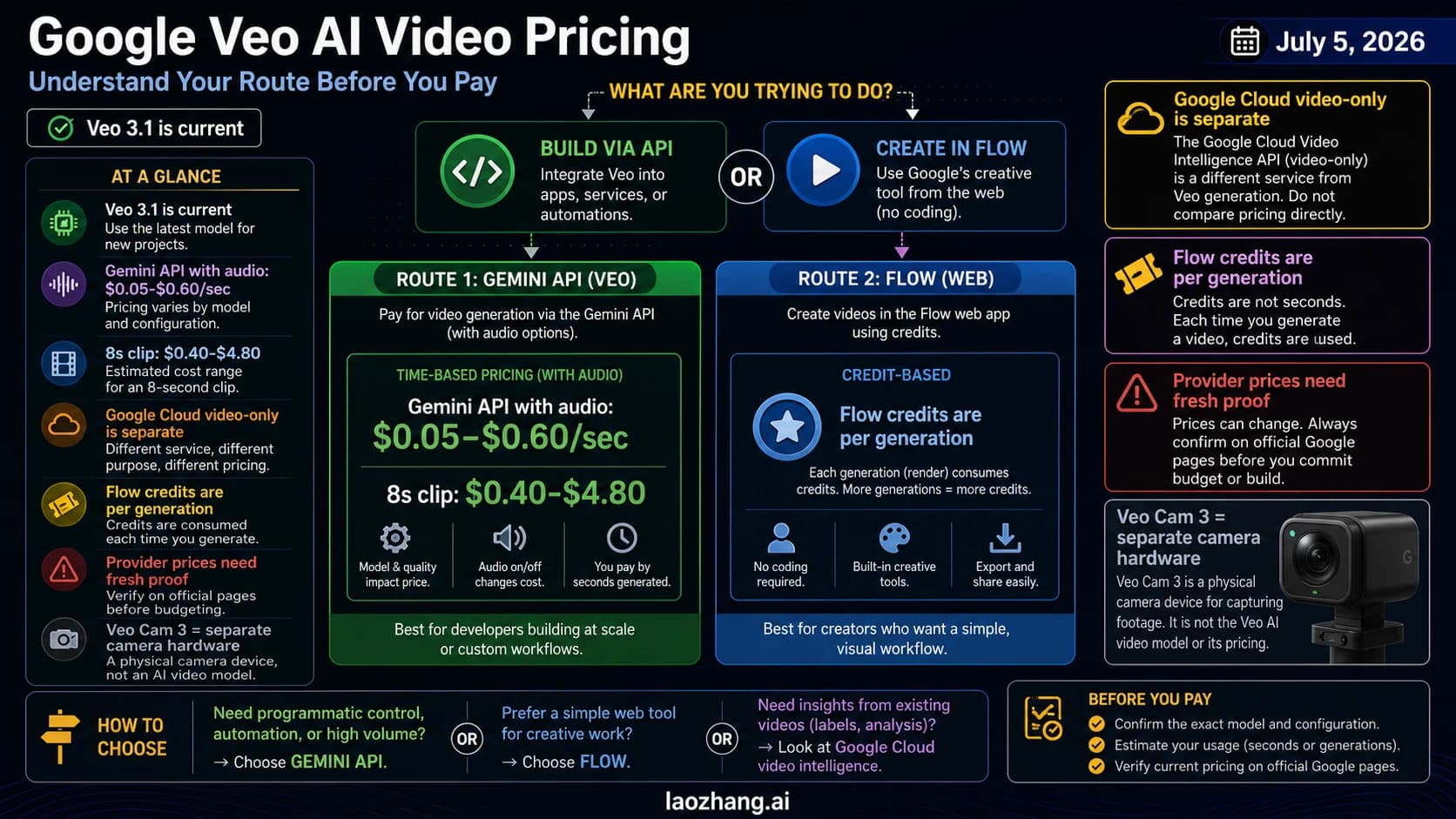
Veo 3.1 is the Google route for API and reference control. Google's developer announcement says Veo 3.1 and Veo 3.1 Fast are available as paid preview models through the Gemini API, Google AI Studio, and Vertex AI, with stronger image-to-video support and up to three reference images. That is the route for product, character, reference, or automated workflows where controlling the starting image matters more than using the easiest consumer app.
Kling is the capability-breadth route. Kling's VIDEO 3.0 guide lists image-to-video, first/last frame generation, native audio, multi-shot capabilities, start-frame plus element reference, and outputs up to 15 seconds. That broad surface makes Kling useful when the job needs more motion modes than a simple image upload. The tradeoff is that access, pricing, and plan clarity still need current verification before a team builds a workflow around it.
Pika and Vidu are stronger as quick-test and effects routes than as the default professional route. Pika's pricing page publishes concrete credit and feature rows, including monthly credits and text/image-to-video rows. Vidu's image-to-video page emphasizes uploading an image, defining motion, keeping details consistent, and using first and last frame control. These routes are useful when the reader wants fast visual experiments, effects, or quick comparisons. They are less useful as the first recommendation for someone who needs a durable production workflow.
How To Choose In 60 Seconds
Use this sequence when the image is already ready.
Open Runway first if the job is a normal creator workflow: one still image, one short video, a need for iteration, and no special API requirement. It is the cleanest broad default because it balances workflow polish, image-to-video support, and understandable plan structure.
Open Adobe Firefly instead if the asset needs brand-safe editing continuity. This is the better starting point when the reader is already working with Adobe assets or needs a more conservative creative environment.
Open Gemini Omni if the job is specifically a paid Google app workflow with native audio and conversational creation. Do not treat it as the same decision as Veo API access; app route and API route are different contracts.
Build with Veo 3.1 if reference control, automation, or developer integration is the reason the image matters. Use this route for product clips, character references, batch generation, or workflows that need the Gemini API, Google AI Studio, or Vertex AI path.
Try Kling when the job needs multi-shot structure, start/end frame thinking, element references, or richer motion controls around the original image. This is a breadth play.
Try Pika or Vidu when the job is quick experimentation. If the reader mostly wants to see whether a still image can become a useful short clip, fast test routes are often more efficient than a heavy production workflow.
Stop if the route is Sora. Sora was a real reason to refresh this topic, but it is not safe to recommend as a normal current route. OpenAI's help page says Sora web and app experiences were discontinued on April 26, 2026. OpenAI's API deprecation docs say the Videos API and Sora 2 model aliases are scheduled for shutdown on September 24, 2026. If an old guide, wrapper, or generated answer still points to Sora as the default, treat that as stale.
Hidden Constraints That Change The Winner
The first hidden constraint is who owns the route contract. Native product pages, app subscriptions, API previews, and wrappers are not interchangeable. A wrapper page can be useful for discovery, but it does not prove official model access, price, credit behavior, speed, commercial rights, or long-term availability. When the claim matters, verify against the provider's own page.
The second hidden constraint is reference control. An image-to-video tool can accept an image without preserving the identity in the way the reader expects. Product shots, brand assets, and character frames need stronger reference or element handling than casual motion effects. That is why Veo 3.1, Runway, Adobe, and Kling appear in different lanes instead of one ranked list.
The third hidden constraint is duration and output mode. Google describes Gemini Omni as a 10-second app-generation route with native audio, while Kling's VIDEO 3.0 guide describes up to 15-second output. Runway and Pika expose credit-driven workflows. A route that looks perfect in a demo may be wrong if the needed duration, resolution, watermark status, or audio path sits behind the wrong plan.
The fourth hidden constraint is commercial and brand risk. Adobe's Firefly positioning matters when a brand asset is involved. It may not matter for a personal test clip. Likewise, a free route may be fine for experimentation and risky for paid client delivery. The right answer depends on the job, not on the model name alone.
The fifth hidden constraint is sunset risk. Sora is the cleanest example: older recommendations can still look credible while pointing at a discontinued route. Discontinued routes, wrapper lists, and sponsored price claims belong in stop-rule zones rather than normal shortlist lanes.
Tool Notes And Source Links
Runway should be tested first when the reader wants a balanced creator route. Its current pricing page is the key source for plan and credit claims, so recheck it before writing exact budget math into a production plan.
Adobe Firefly should be tested when the image lives in a brand or editor workflow. Adobe's image-to-video page is the source for upload-image, prompt, export, and commercial-safety positioning.
Gemini Omni should be tested when the reader wants Google's consumer app experience. Google's Gemini page is the source for app route, native audio, subscription, feature, and availability boundaries.
Veo 3.1 should be tested when the reader needs API control. Google's developer blog and DeepMind Veo page are the current sources for paid preview status, image-to-video improvements, reference-image direction, and native audio positioning.
Kling should be tested when breadth matters. Kling's VIDEO 3.0 model guide is the source for image-to-video, start/end frame, native audio, multi-shot, element reference, and duration capabilities.
Pika should be tested when effects and low-friction experimentation matter. Its pricing page is the source for visible credit and feature rows.
Vidu should be tested when the reader wants a fast image-to-video route with motion control and first/last frame framing. Vidu's own image-to-video page is the source for those claims.
Sora should not be used as a fresh default. Use OpenAI's Sora discontinuation help article and OpenAI's API deprecation docs as the source of record for migration timing.
A Practical Workflow From One Image
- Decide the route before uploading: creator app, brand editor, Google app, API/reference, multi-shot/effects, or quick test.
- Fix the source image before spending credits: crop, subject clarity, product identity, readable face or object detail, and enough visual context for motion.
- Write a motion prompt that names camera motion, subject motion, scene stability, duration target, and what must not change.
- Run one short test before increasing quality or quantity.
- Compare the result against the original image, not just against a generic demo.
- Recheck plan, watermark, commercial-use, output, and credit terms before publishing or scaling.
- Avoid Sora and stale wrapper routes unless the current provider source proves a supported path.
FAQ
What is the best AI video generator from image inputs right now?
For most creator workflows, start with Runway. It is the most balanced default because it combines image-to-video support, a polished creation workflow, and a relatively readable plan surface. Switch only when the job clearly needs Adobe, Google, Kling, Pika, Vidu, or API control.
Is Adobe Firefly better than Runway for image-to-video?
Adobe Firefly is better when brand-safe editing and Adobe workflow continuity matter. Runway is the broader creator default. The better route depends on whether the image is a brand asset, a creative test, or part of a repeatable production workflow.
Should I use Gemini Omni or Veo 3.1?
Use Gemini Omni when the job belongs in Google's paid consumer app experience. Use Veo 3.1 when the job needs API access, reference-image direction, automation, or developer workflow control.
Is Sora still a good image-to-video option?
Not as a fresh default. OpenAI says Sora web and app experiences were discontinued on April 26, 2026, and the Sora API is scheduled to be discontinued on September 24, 2026. Old recommendations that still point to Sora need migration context.
What is the best free image-to-video AI route?
That is a separate decision because free tiers depend on credits, watermarks, output limits, login requirements, and commercial-use terms. For no-pay testing, use the dedicated best free image-to-video AI guide rather than assuming the paid-route winner is also the free winner.
Which route is best for product shots or character consistency?
Start with Veo 3.1 if API and reference control matter, and compare Runway or Adobe if the work is more creator/editor focused. Use Kling when multi-shot or element control is more important than a simple production default.
Should I use a wrapper site that lists many models?
Only after checking the contract. A wrapper can be useful for discovery, but provider pages own the facts about model access, pricing, credits, commercial rights, speed, and shutdown risk.
Do I need a better source image first?
Often, yes. If the source frame has weak identity, bad crop, unreadable product detail, or unclear subject motion, every image-to-video route will look worse. Fix the image before comparing tools. If the source image is still the bottleneck, start with the AI image model guide.