Sora 2 API Shut Down: What Still Works and What to Switch To
The Sora 2 API no longer works. OpenAI shut it down on September 24, 2026, with no replacement; only Azure Foundry's preview remains, until October 15.
On this page
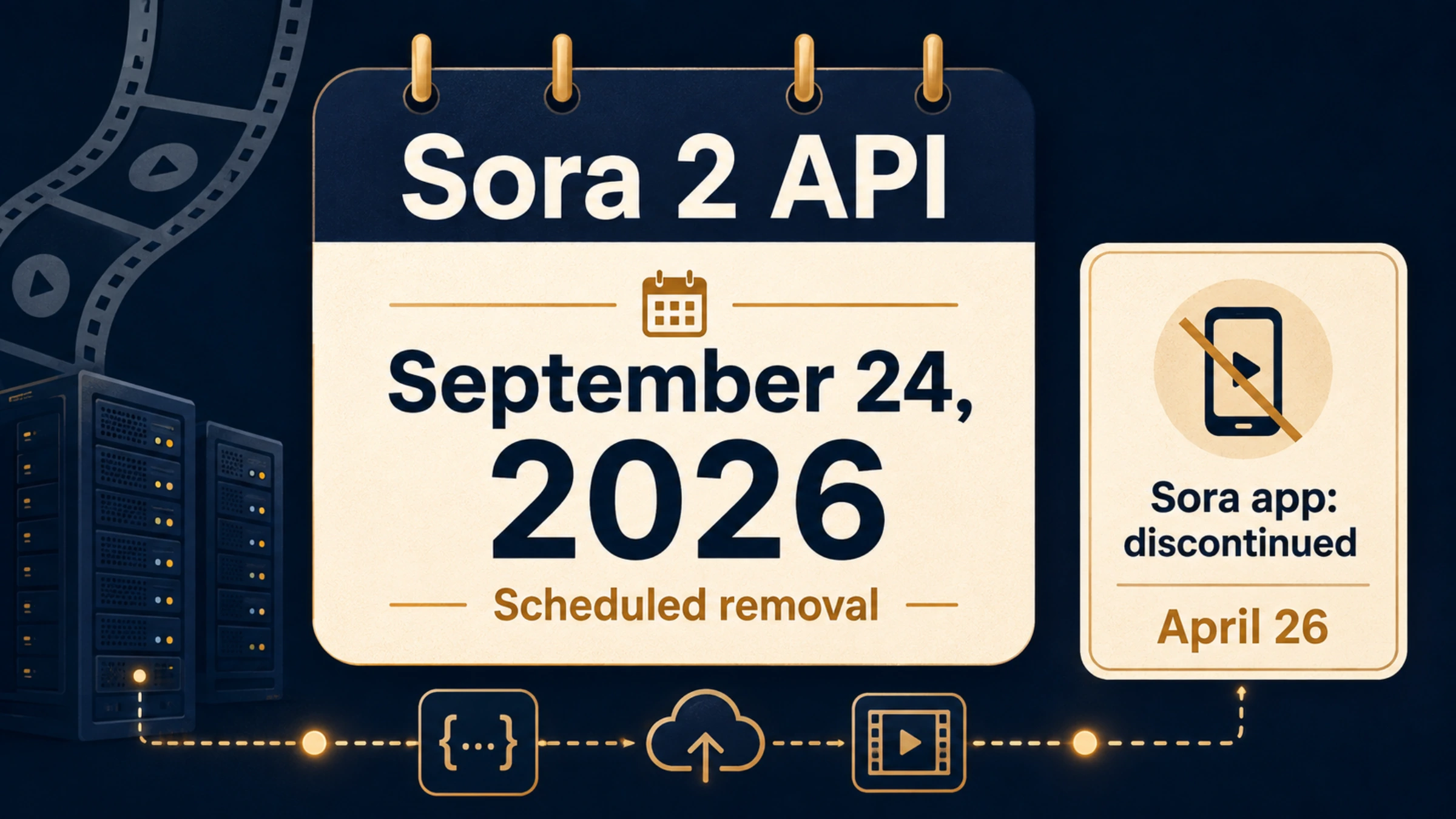
No. The Sora 2 API stopped working on September 24, 2026. OpenAI shut down sora-2, sora-2-pro, every dated snapshot, and the Videos API itself, and its deprecation notice lists no replacement model. The Sora 2 model page now says the models "are no longer available" and that "there is no one-to-one replacement API."
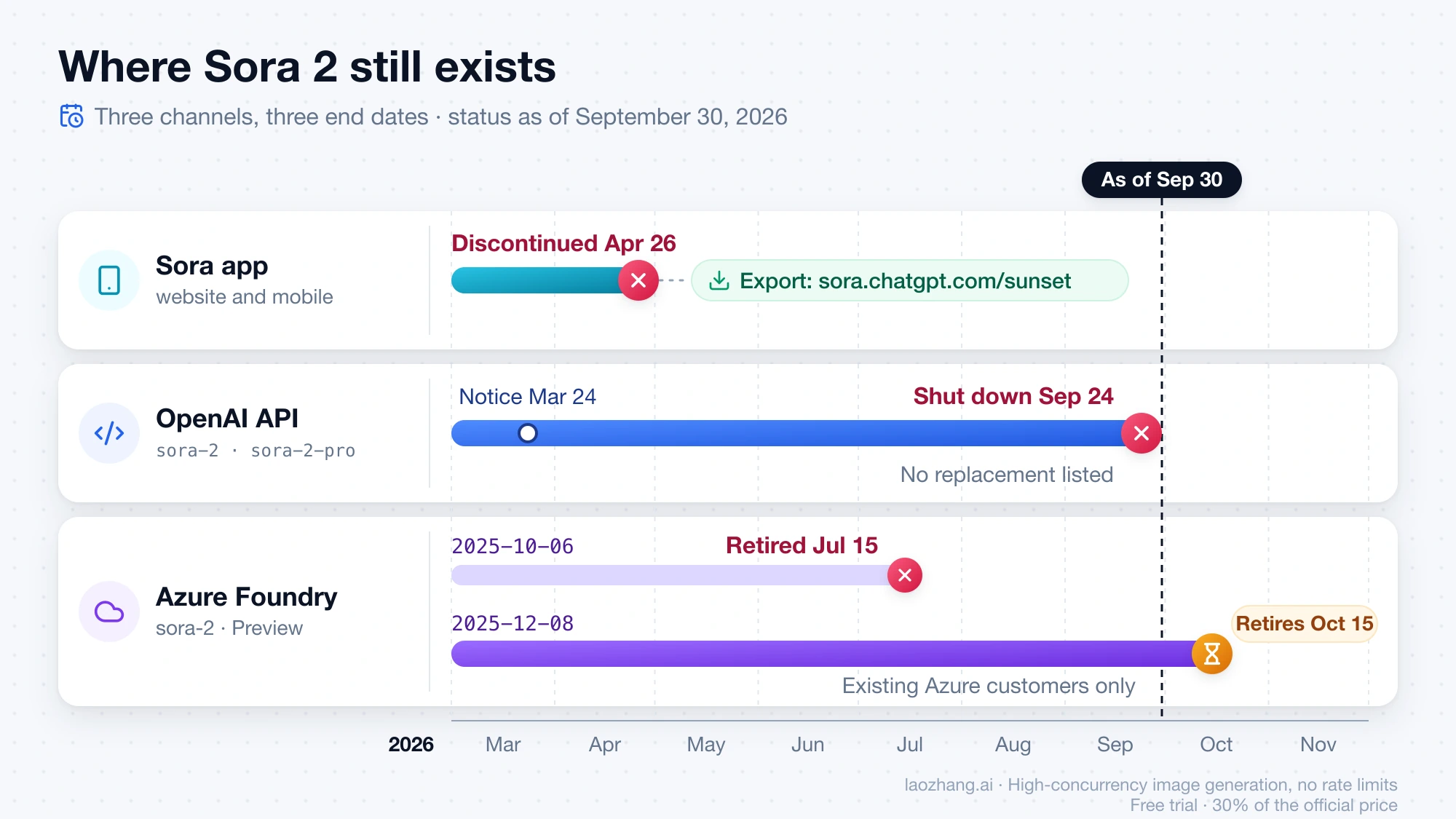
If your Sora calls started failing that week, nothing in your code caused it, and nothing in your code will bring them back: not a new API key, a pinned snapshot, or an older SDK. The only route with a later date is Microsoft Foundry, where Azure customers running sora-2 version 2025-12-08 (Preview) have until October 15, 2026, according to Microsoft's retirement schedule. Everything below is as of September 30, 2026.
Where Sora 2 still exists, and where it doesn't
Sora reached users through three channels, and each one ended on its own date. Find the row that matches how your product or account used it.
| Where you used Sora | Status as of September 30, 2026 | What you can still do |
|---|---|---|
OpenAI API: Videos API, sora-2, sora-2-pro, and their dated snapshots | Shut down September 24, 2026; no replacement listed | Keep the files you already saved; remove the Sora code paths |
Microsoft Foundry, sora-2 version 2025-12-08 (Preview) | Retirement scheduled for October 15, 2026 | Finish and save Azure jobs; move traffic before that date |
Microsoft Foundry, sora-2 version 2025-10-06 (Preview) | Retired July 15, 2026 | Update any configuration that still points to it |
| Sora website and mobile app | Discontinued April 26, 2026 | Try the export page at sora.chatgpt.com/sunset |
The snapshots in OpenAI's notice are sora-2-2025-10-06, sora-2-2025-12-08, and sora-2-pro-2025-10-06, all with the same September 24 shutdown date. OpenAI's current API pricing page has no Sora or video generation rows, so no paid tier keeps access either.
If a service still shows "Sora 2" in its model menu, it cannot be calling OpenAI's API, because that API is off. Ask the provider which upstream model and version actually runs your jobs. Outside Azure Foundry's remaining two weeks, no first-party Sora 2 endpoint is left, so don't start new work on such a menu entry.
Why calls fail now, and what won't bring them back
The shutdown removed the service, not just a model name. That rules out the usual workarounds:
- Pinning a dated snapshot. All three Sora snapshots went offline on the same date as the aliases.
- Switching between
sora-2andsora-2-pro. Both are gone. - Staying on an older SDK. An old SDK still calls the same Videos API, and that API no longer exists.
- Creating a new key or project. The removal applies to every account, not to yours in particular.
OpenAI's notice names no error code or message for calls made after the shutdown, so don't write retry logic that waits for a particular response to change. Treat every request to a Sora model or the Videos API as permanently failed. Stop the retries, stop queueing new Sora jobs, and search your code and configuration for sora-2, sora-2-pro, and Videos API calls such as /v1/videos. Then delete those paths or put them behind a disabled feature flag.
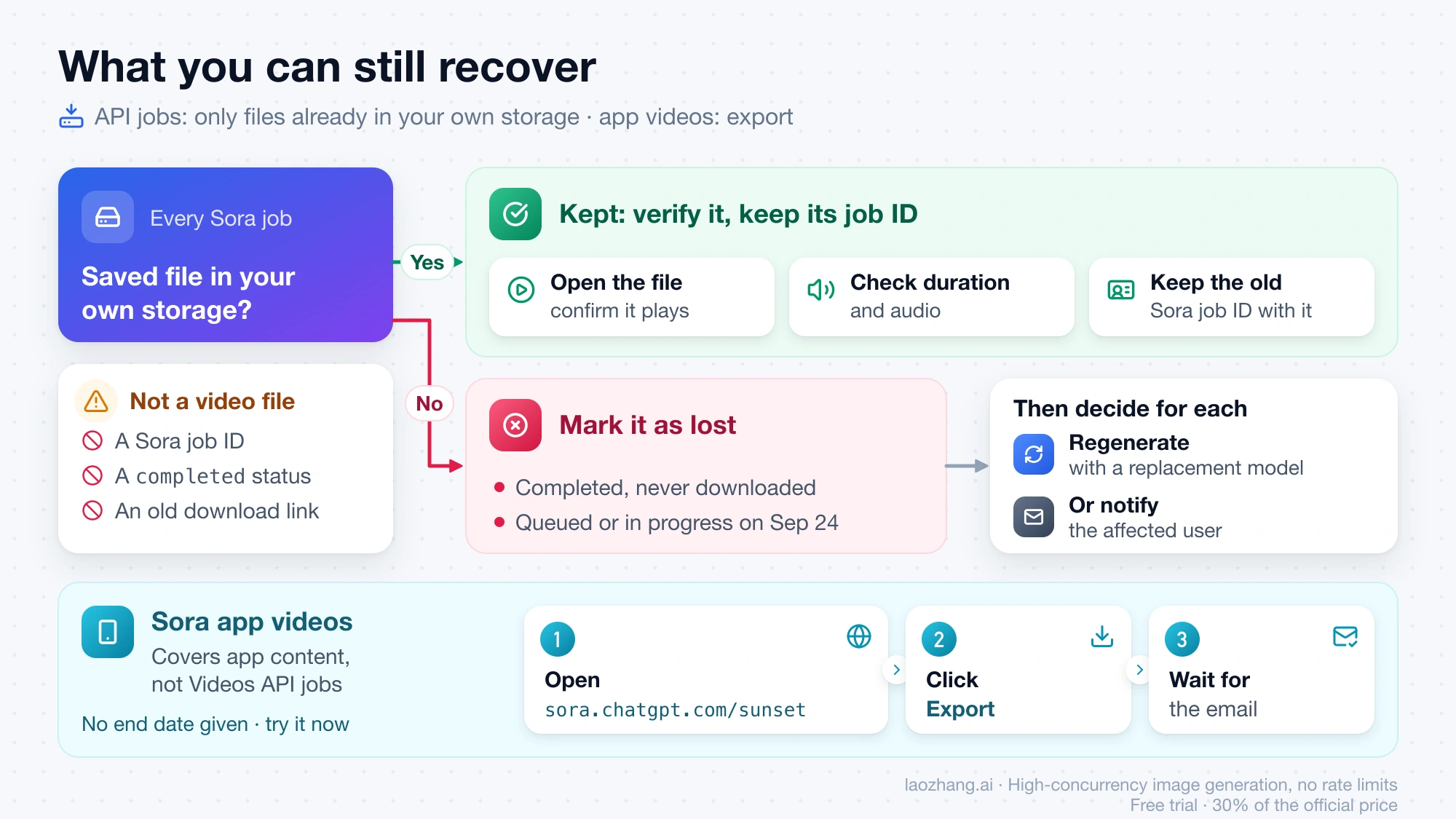
What you can still recover
Videos generated through the API
Only the files already in your own storage. The Videos API is no longer available, and its download endpoint went with it. A job ID, a completed status, or an old download link in your database can no longer be turned into a video file.
A short inventory keeps missing videos from going unnoticed:
- List every Sora job your system recorded, with the job ID, the model, the customer request or record it belongs to, and the file location if there is one.
- Open each saved file from your own storage and confirm it plays, with the duration and audio your product expects.
- Mark every job without a saved file as lost. That includes completed jobs nobody downloaded and anything still queued or in progress on September 24.
- For each lost job, decide whether to regenerate it with a replacement model or tell the affected user.
Keep the old Sora job ID next to each saved file. It is the only link between a delivered video, the request that produced it, and the matching billing record.
Videos made in the Sora app
OpenAI's Sora discontinuation article gives one route for app content: go to sora.chatgpt.com/sunset, click Export, and wait for the email that says your export is ready. OpenAI doesn't give an end date for that page. It recommends exporting "as soon as possible," so try it now and check the inbox tied to your Sora account for any export notice.
The same article says OpenAI will email users before any final export window begins. After discontinuation and the end of any final export window, OpenAI will permanently delete the data associated with your Sora use. After that point there is nothing left to recover. Users on Reddit's r/OpenAI reported in late September 2026 that sora.com itself now shows "Sora is no longer available," so use the /sunset address rather than the old homepage.
Two details prevent confusion. The help article was last updated before September 24 and still describes the API shutdown in the future tense; OpenAI's developer pages confirm it happened. And the app export covers content you created in the app, not jobs you ran through the Videos API.
Refunds and leftover credits
For refunds, the Sora discontinuation article sends you to OpenAI's ChatGPT refund article. It also says any purchased ChatGPT or Sora credits can still be used for Codex.
Azure Foundry: two more weeks, for Azure customers only
Microsoft runs Sora 2 in Microsoft Foundry (Azure OpenAI) on its own schedule. Its model retirement schedule, dated September 21, 2026, lists sora-2 version 2025-12-08 as a Preview model retiring on October 15, 2026. Version 2025-10-06 already retired on July 15, 2026. Microsoft's Sora 2 video generation guide is still published and requires an Azure OpenAI resource in a supported region.
- You already have a Foundry deployment of
2025-12-08. You have until October 15, 2026, per Microsoft's schedule, to finish jobs, download outputs, and move traffic. It is a preview model and the table is Microsoft's plan, not a guarantee, so aim to finish early. - You were on OpenAI's API. Foundry is not a way around the shutdown. It requires an Azure subscription and resource, Microsoft's pages don't say whether new Sora deployments are still accepted, and even a working deployment would give you about two weeks before the same migration.
Choosing a replacement by the output you need
None of the models below accepts a Sora request unchanged. Each has its own API, job flow, parameters, and output limits, and Sora-specific features such as remix, cameos, and storyboards have no established equivalent. Choose candidates by the output your product has to deliver, then test them with your own prompts.
Per-second API prices in USD, with the old Sora rates for comparison:
| Model (API) | Price per second | What the price covers |
|---|---|---|
sora-2 (shut down) | $0.10 | 720p |
sora-2-pro (shut down) | $0.30 / $0.50 / $0.70 | 720p / 1792×1024 / 1080p |
| Google Veo 3.1 Lite | $0.05 / $0.08 | 720p / 1080p, video with audio; no 4K |
| Google Veo 3.1 Fast | $0.10 / $0.12 / $0.30 | 720p / 1080p / 4K, video with audio |
| Google Veo 3.1 Standard | $0.40 / $0.60 | 720p and 1080p / 4K, video with audio |
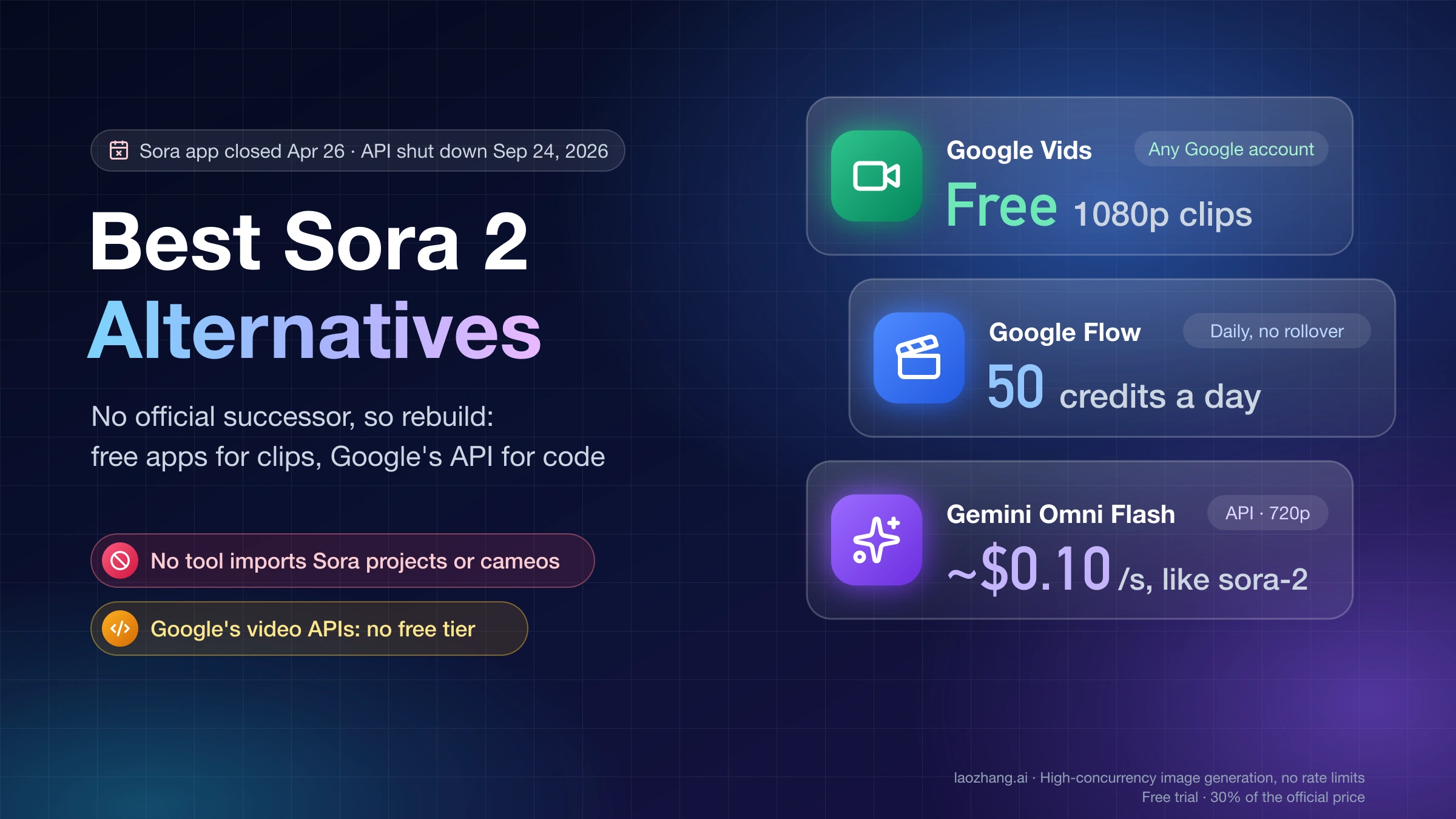
| Google Gemini Omni Flash | about $0.10 | 720p; billed by output tokens |
| Luma Ray3.2 | $0.06 | 720p, priced at $0.30 per 5-second clip |
| Pika 2.5 | $0.04–$0.09 | 720p to 1080p, plus a $10 monthly API membership |
| MiniMax-H3 | $0.08 / $0.13 | 768P / 2K |
| xAI grok-imagine-video-1.5 | $0.08 / $0.14 / $0.25 | 480p / 720p / 1080p |
| Kling 3.0 | $0.084–$0.168 | 720p to 1080p, with or without native audio |
| Runway gen4.5 | $0.12 | 12 credits per second at $0.01 per credit |
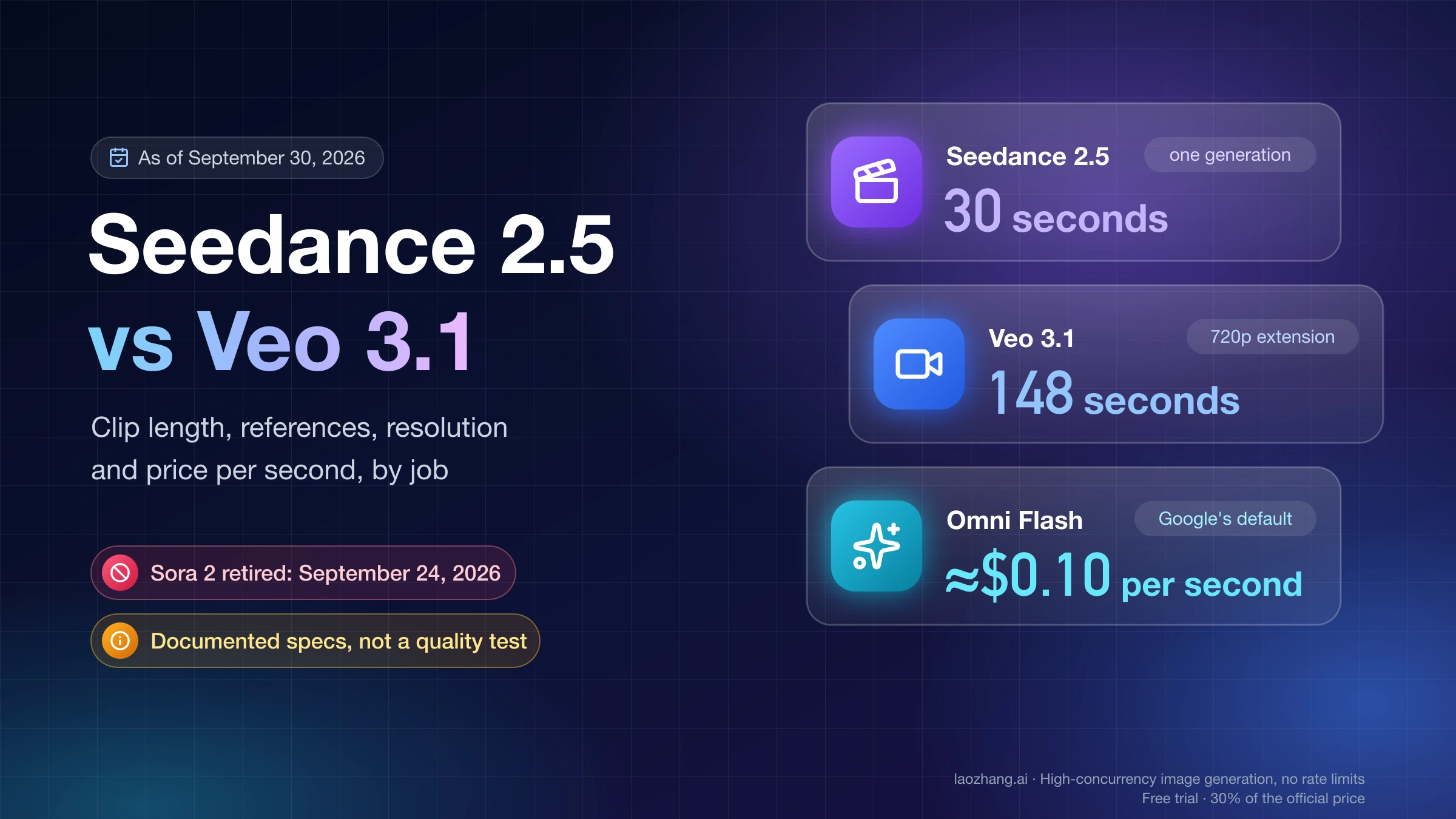
| BytePlus Seedance 2.5 | about $0.103 / $0.231 / $0.569 | 480p / 720p / 1080p, without video input |
Google and BytePlus prices are as of September 26, 2026; the rest are as of September 30, 2026. Google offers no free tier for video on the Gemini API and charges only when a video is generated successfully. BytePlus bills in tokens, and its per-second figures are its own conversions from a 5-second example.
The cost of a clip is the price per second times its length. For a 10-second 720p clip, sora-2 cost $1.00. The same clip costs $1.00 on Veo 3.1 Fast, $0.50 on Veo 3.1 Lite, $0.60 on Luma Ray3.2, $1.40 on grok-imagine-video-1.5, and about $2.31 on Seedance 2.5. A 10-second 1080p clip on sora-2-pro cost $7.00, against $4.00 on Veo 3.1 Standard and $2.50 on grok-imagine-video-1.5.
Where to start, depending on what you shipped with Sora:
- 720p clips on
sora-2, where cost matters most. Veo 3.1 Fast and Gemini Omni Flash sit at about the same $0.10 per second. Veo 3.1 Lite, Luma Ray3.2, MiniMax-H3 at 768P, and Kling 3.0 at 720p without native audio cost less. A matching price tells you nothing about quality, so compare output from your own prompts. - 1080p clips on
sora-2-pro. Every 1080p price in the table is below the old $0.70 per second, from $0.08 on Veo 3.1 Lite to about $0.569 on Seedance 2.5. - Video with a generated soundtrack. Google's Veo 3.1 prices are for video with audio. Kling 3.0 charges more for native audio, which puts those requests at the upper end of its range.
- Editing footage you already have. Google describes Gemini Omni Flash as a video generation and editing model, BytePlus prices Seedance 2.5 separately for requests with input video, and Luma's API has a video-to-video mode.
For the Google route in detail, see How to Create a Video with Nano Banana: Gemini Omni or Veo 3.1. Seedance and Grok have their own guides: Seedance 2.5 API Pricing: Cost per Second at 480p, 720p, 1080p and Does Grok AI Generate Videos? Grok Imagine Routes, Limits, and API Facts. If you are weighing monthly plans against per-clip API billing, How Much Does an AI Video Generator Cost Per Month and Per Clip? compares both.
When the migration is actually finished
A new model name in your configuration is not the finish line. Use one representative request from your own product and follow it all the way to a file your user can open.
| Check | Done when |
|---|---|
| No Sora calls left | Code and configuration contain no Sora model IDs or Videos API calls, and no worker retries old Sora jobs |
| Every old job accounted for | Each recorded Sora job has a saved, playable file or an explicit "lost" outcome with a decision to regenerate or notify |
| Replacement works end to end | A real request creates a job, reaches a finished or failed state, and the file is saved to your storage and plays from there |
| Output fits the feature | Duration, resolution, aspect ratio, audio, and any reference or frame behavior match what your users rely on |
| Failures handled | Timeouts, duplicate webhook or polling results, and failed jobs can be reconciled without creating duplicate work or charges |
| Azure cutover done | Foundry traffic has moved off sora-2 before October 15, 2026 |
| Users informed | Any feature with no acceptable replacement is switched off with a clear explanation |
If no candidate delivers something your users depend on, such as audio or a specific frame control, disabling that feature is more honest than quietly swapping in a model that behaves differently. The migration is done when users get the intended result and every old Sora job has a known outcome.
If you came for Sora 2 pricing, rate limits, or cameos
Older Sora 2 how-to questions all end at the same shutdown.
- Sora 2 API pricing. There is no current price, because nothing is for sale. The per-second rates in the replacement table above, $0.10 for
sora-2and $0.30 to $0.70 forsora-2-pro, are historical. - Calling the API, rate limits, and 429 errors. None of it applies anymore. The Videos API and every Sora 2 model were shut down on September 24, 2026, so there is no request to send, no quota to raise, and no rate-limit error left to tune around.
- The cheapest or most stable Sora 2 channel. No channel can serve a model that OpenAI has shut down. Treat any third-party "Sora 2" offer as unverifiable; the only first-party route still listed is the Azure Foundry preview described above, scheduled to retire October 15, 2026.
- Characters and cameos. They cannot be moved to another service. Rebuild each character from reference images in the replacement you choose, and expect it to behave differently. Best Sora 2 Alternatives for App Clips and the Video API compares the options.
FAQ
Does the Sora 2 API still work?
No. OpenAI's Sora 2 models and Videos API have been shut down since September 24, 2026, and OpenAI lists no replacement. The only remaining first-party route is Microsoft Foundry for existing Azure customers on sora-2 version 2025-12-08, scheduled to retire October 15, 2026.
What time did the Sora 2 API shut down?
OpenAI's deprecation table gives the date, September 24, 2026, without a time of day or time zone. Any Sora API call made after that date should be treated as failed.
Why did OpenAI shut down Sora 2?
The developer notice doesn't give a reason. It records that developers were notified on March 24, 2026, that removal followed on September 24, 2026, and that no replacement is recommended. The Sora website and app had already closed on April 26, 2026.
Does OpenAI offer another video model in its API?
Not as of September 30, 2026. The replacement column in OpenAI's deprecation table is empty for every Sora model, and the current API pricing page has no video generation rows. Replacements come from other vendors, such as the ones in the price table above.
Sources15
External pages this guide links to, in the order they appear. Last updated Oct 1, 2026.
Sources15
External pages this guide links to, in the order they appear. Last updated Oct 1, 2026.
- 1.deprecation noticedevelopers.openai.com/api/docs/deprecations
- 2.Sora 2 model pagedevelopers.openai.com/api/docs/models/sora-2
- 3.API pricing pagedevelopers.openai.com/api/docs/pricing
- 4.Sora discontinuation articlehelp.openai.com/en/articles/20001152-what-to-know-about-the-sora-discontinuation
- 5.sora.chatgpt.com/sunsetsora.chatgpt.com/sunset
- 6.model retirement schedulelearn.microsoft.com/en-us/azure/foundry/openai/concepts/model-retirement-schedule
- 7.Sora 2 video generation guidelearn.microsoft.com/en-us/azure/foundry/openai/concepts/video-generation
- 8.Google Veo 3.1 Liteai.google.dev/gemini-api/docs/pricing
- 9.Luma Ray3.2lumalabs.ai/api
- 10.Pika 2.5dev.pika.art/pricing
- 11.MiniMax-H3platform.minimax.io/docs/guides/pricing-paygo
- 12.xAI grok-imagine-video-1.5docs.x.ai/developers/pricing
- 13.Kling 3.0kling.ai/dev/pricing
- 14.Runway gen4.5docs.dev.runwayml.com/guides/pricing
- 15.BytePlus Seedance 2.5docs.byteplus.com/en/docs/ModelArk/1544106