Best Sora 2 Alternatives in 2026: Free, Paid, and API-Ready Video Generators Compared
Sora web/app has ended and the API has a scheduled removal date. Use this route board to choose Veo 3.1, Runway, Kling, Seedance, Pika, Luma, PixVerse, HeyGen, or a provider route without mixing free trials and official APIs.
On this page
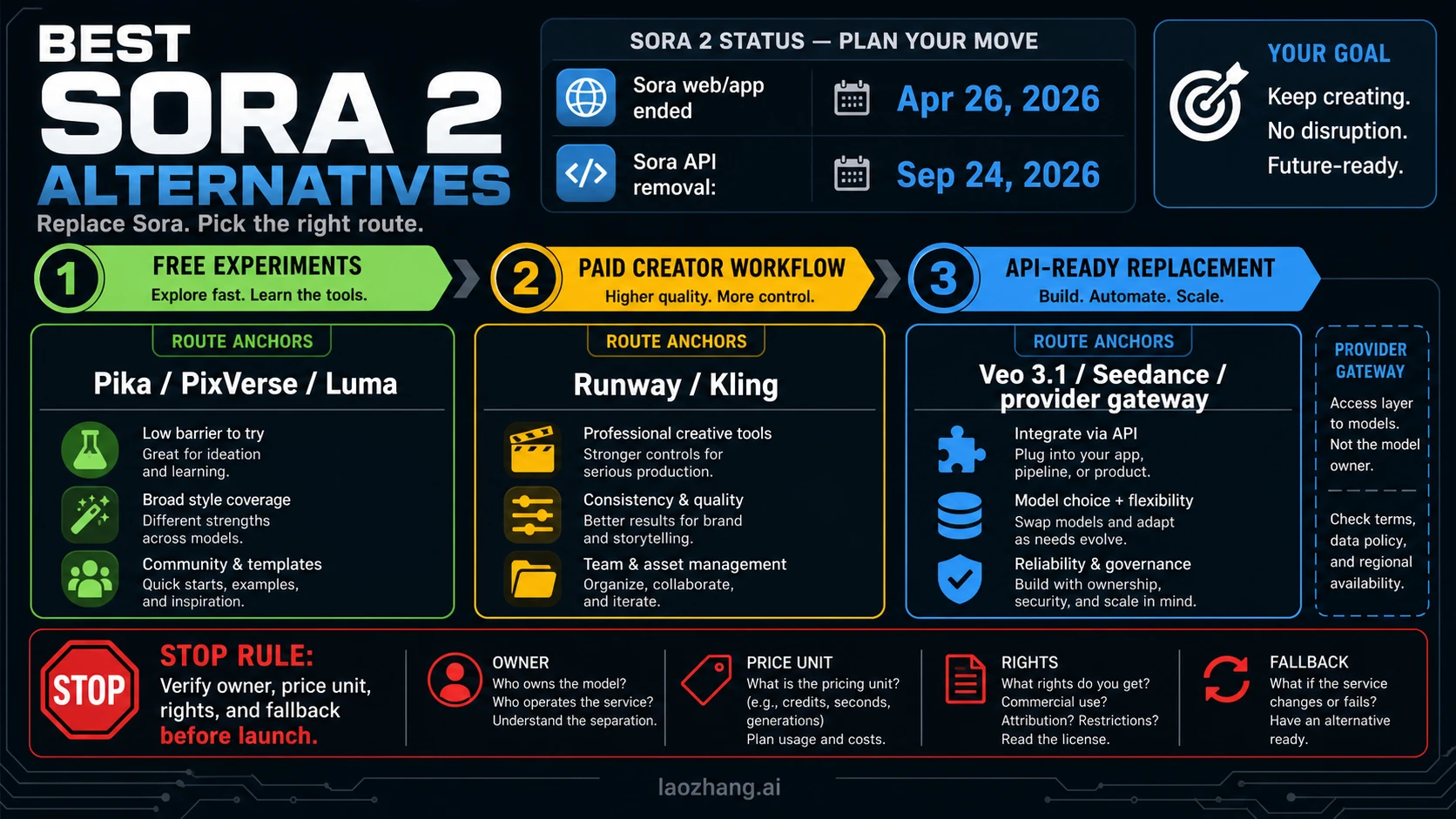
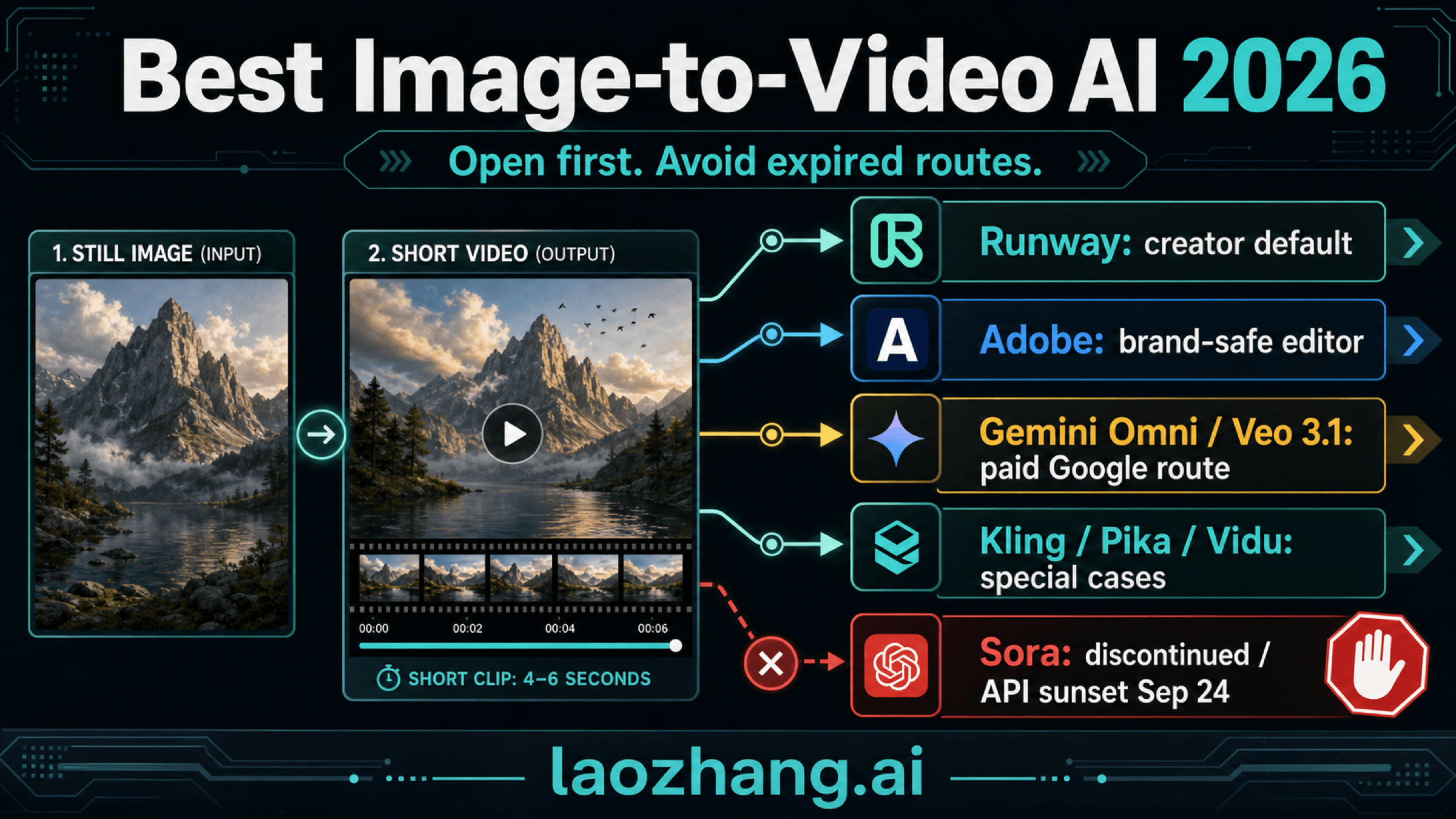
Sora is no longer a safe default for new video work: the web/app product ended on April 26, 2026, and the Sora API is scheduled for removal on September 24, 2026. The best Sora 2 alternative is not one universal winner. It is a route choice between free experiments, paid creator workflows, and API-ready replacements.
Start with the lane that matches your job:
- Free experiments: use Pika, PixVerse, Luma, or open-source/self-host routes to test prompts, motion, and style before committing budget. Treat free as trial credits, watermark, rights, capacity, or setup work until current terms prove otherwise.
- Paid creator workflow: use Runway or Kling when you need stronger control, editing workflow, team assets, and client-ready iteration.
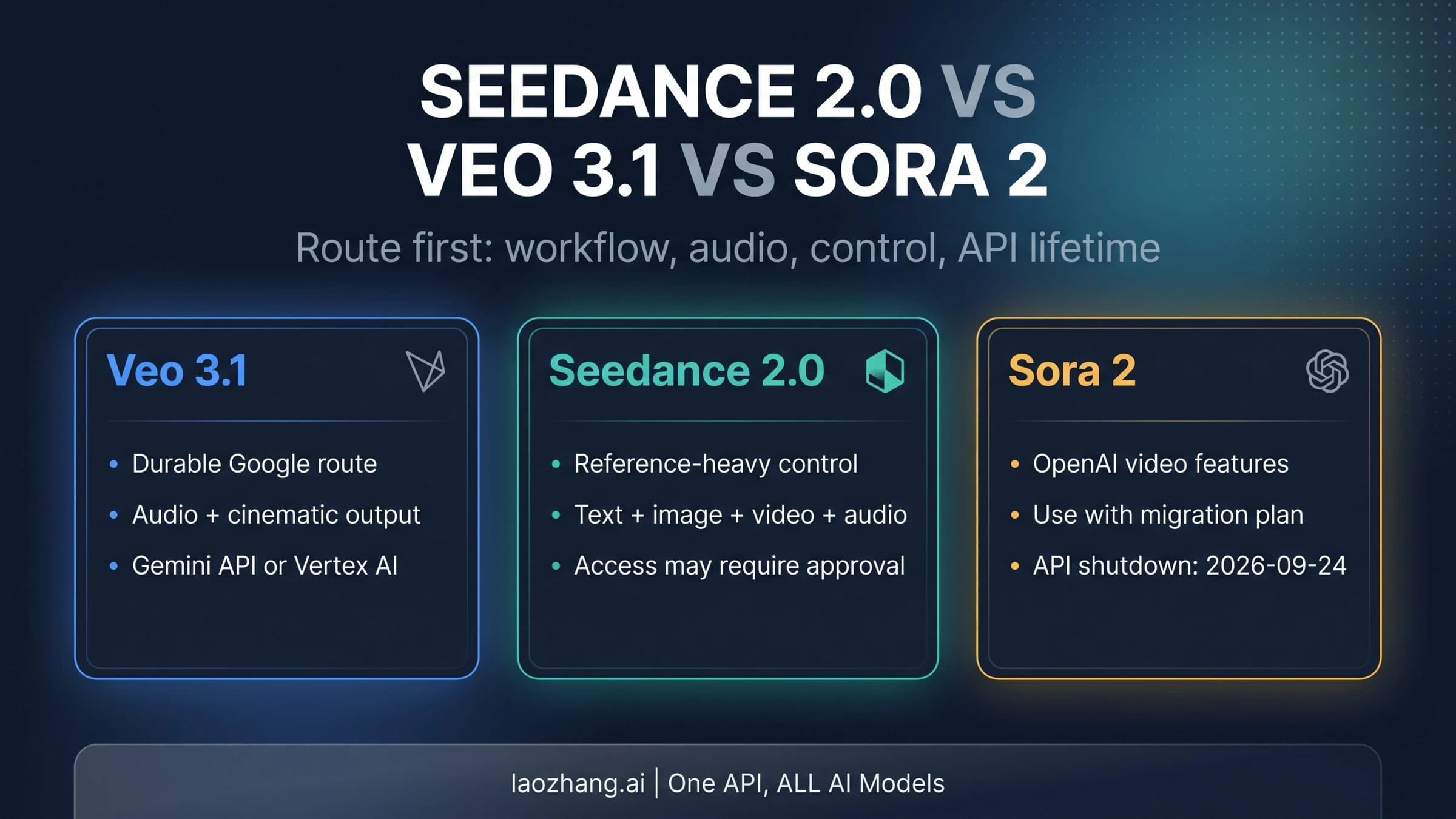
- API-ready replacement: test Veo 3.1 first when the durable official API contract matters, then compare Seedance 2.0, Runway API, Kling Open Platform, Luma/provider routes, or a verified gateway such as laozhang.ai as separate provider contracts.
Stop before you launch anything Sora-dependent: verify the model owner, endpoint, price unit, rights, failure billing, region, and fallback path. Provider pricing is not official model pricing, and a free UI trial does not prove production capacity.
TL;DR: Choose The Replacement Lane First
If you need the shortest answer, use this order:
| Reader job | First route to test | Why | Main caveat |
|---|---|---|---|
| Durable official API replacement | Veo 3.1 through the Gemini API | It is the cleanest first-party API lane to evaluate after Sora API removal pressure. | Google's pricing page marks Veo paid-tier usage and free-tier availability separately; recheck the current table before launch. |
| Paid creator/editor workflow | Runway | Strong control, editing, team workflow, and creator-facing production tools. | Do not choose it only because you want the lowest-level raw model API. |
| Motion/value testing | Kling | Worth testing for motion quality, style range, and cost/value tradeoffs. | API access, units, and regional terms need current platform verification. |
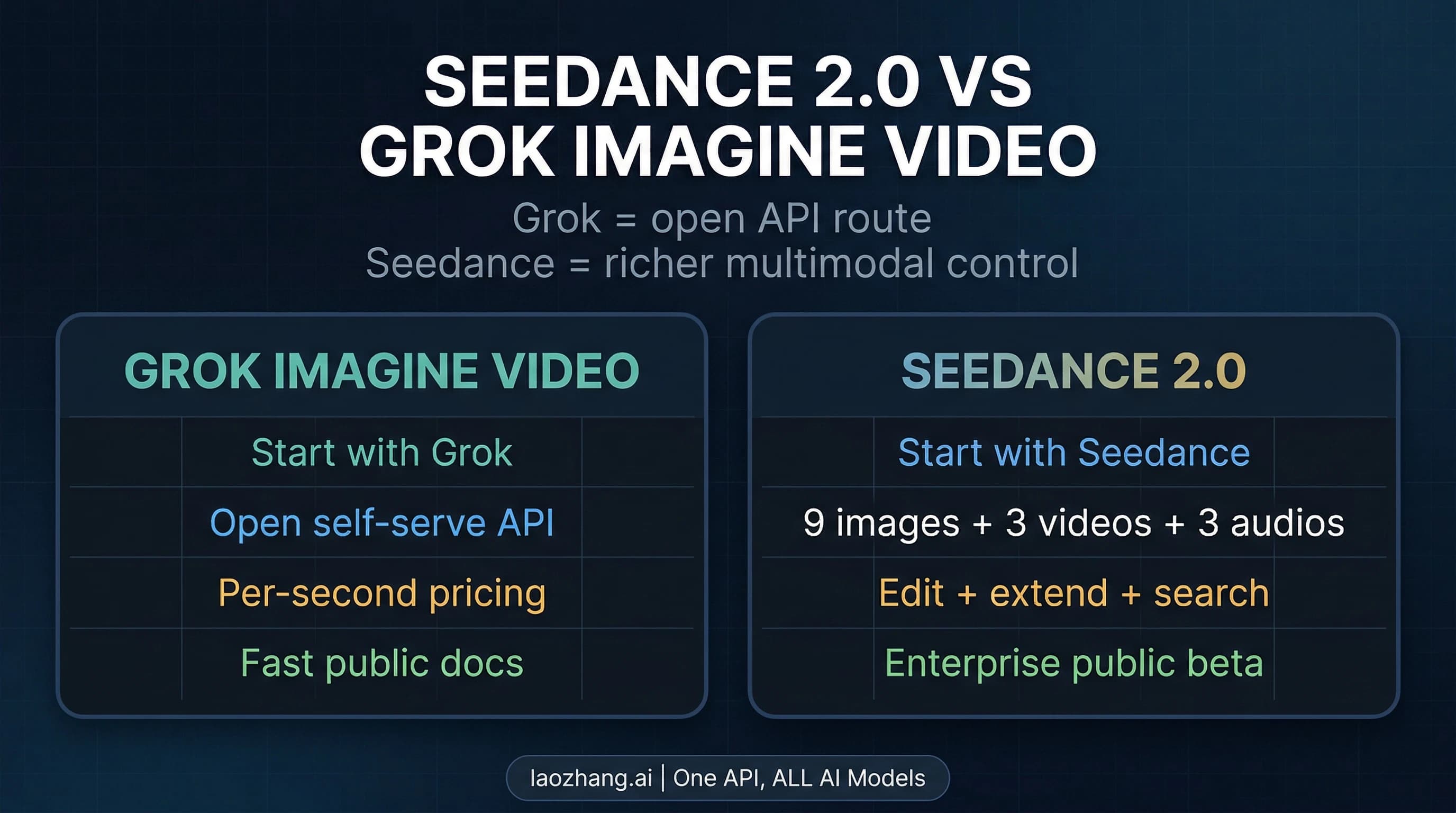
| Reference/control and provider routes | Seedance 2.0 | Strong candidate when reference control or ByteDance/BytePlus routes matter. | Route ownership is fragmented across official, cloud, and provider surfaces. |
| Free or low-cost experimentation | Pika, PixVerse, Luma, or open-source/self-host | Good for learning prompt fit and visual direction before budget commitment. | Free usually means credits, trial limits, watermark, rights limits, or setup work. |
| Avatar or business video | HeyGen | Strong when the job is presenter, training, sales, or avatar-led video. | Not a universal replacement for cinematic text-to-video generation. |
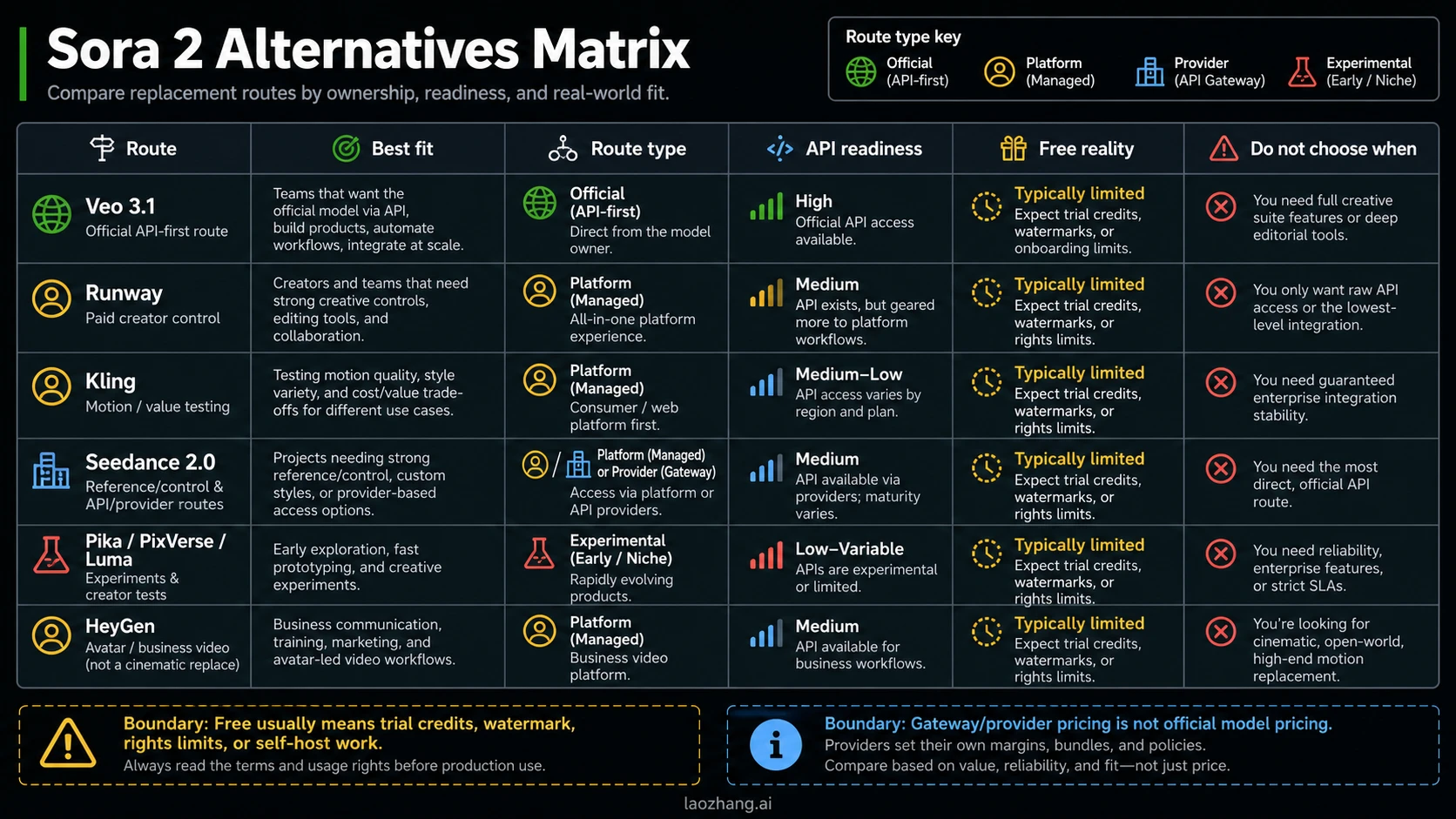
The useful move is to avoid arguing about a single "best AI video generator" until you know the route. A solo creator can test Pika or PixVerse today and still choose Runway later for client work. A developer team should not treat a free UI trial as evidence that an API is production-ready. A product team that needs model switching should compare official APIs and provider gateways as different contracts.
What Changed With Sora
OpenAI's current Help Center page says Sora web and app experiences were discontinued on April 26, 2026, while the Sora API is scheduled to be discontinued on September 24, 2026. The developer deprecations page separately lists the Videos API, sora-2, sora-2-pro, and related snapshots under the March 24, 2026 deprecation notice with the September removal date.
That split matters. Saying "Sora is gone" is too blunt. For creator UI work, the practical answer is yes: you need another daily tool now. For API-dependent products, the better answer is more specific: you still have a scheduled removal window, and the safest move is to migrate before the deadline rather than wait for the final failure.
The old Sora API shape also tells you what a replacement must cover. OpenAI's video-generation docs describe an async Videos API with create, poll, download, webhook, edits, extensions, image references, character features, and guardrails. Replacing Sora is therefore not only about clip quality. It is also about request lifecycle, asset handling, moderation, reference inputs, failure behavior, cost unit, and whether your application can swap providers without rewriting the product.
For status-only depth, open the Sora 2 API discontinued guide. For the narrow two-model migration question, use Sora 2 API vs Veo 3.1. For broader replacement choice, continue with the route board below.
Free Sora 2 Alternatives: Useful For Testing, Not Proof Of Production
The free lane is useful when your job is learning, prototyping, prompt exploration, or quick creative direction. It is dangerous when you treat it as a production contract.
Start with these checks:
| Free-route question | Why it matters |
|---|---|
| Is it recurring free quota, a one-time trial, or promotional credits? | A one-time trial proves setup, not operating cost. |
| Are outputs watermarked? | Watermark rules can block client, ad, or product use. |
| Are commercial rights clear? | "Free to try" and "free for commercial use" are different claims. |
| Is API access included? | Many free tools are UI-only or limited to paid API plans. |
| Can quality be reproduced? | Prototype clips do not prove production reliability. |
| Is self-hosting actually cheaper? | Open-source routes can shift cost into GPU, ops, and maintenance. |
Pika, PixVerse, and Luma are sensible starting points for visual direction, social clips, style exploration, and prompt learning. They are not the same kind of answer as a durable official API. Treat them as "what should this video feel like?" tools first. If a free or trial plan gives enough credits to test a campaign idea, that is valuable. If you need predictable backend volume, rights, retries, failure billing, and support, keep moving toward the API lane.
Open-source or self-host routes can be worth testing when your team has GPU capacity or needs control over data flow. The tradeoff is that "free model weights" rarely mean free production. You still own infrastructure, quality tuning, queueing, safety review, failures, and support.
For a narrower developer-focused version of the no-cost question, use the best free AI video API guide. A Sora replacement has to satisfy creator and API jobs, not only no-cost API experiments.
Paid Creator Platforms: When Workflow Beats The Cheapest Clip
Paid creator platforms are the right lane when the output needs iteration, team review, editing control, brand continuity, and dependable exports. This is where Runway, Kling, Seedance surfaces, Pika/PixVerse/Luma paid plans, and HeyGen belong. They are not all the same category.
Runway is the first paid route to test when editing control matters. It is built around creator workflow, not only one generation endpoint. That matters for teams that need to revise shots, organize assets, collaborate, and ship clips for campaigns or clients. Runway also has developer docs and an API pricing model in credits per second, but the creator workflow remains a major reason to choose it.
Choose Runway when:
- your team needs creative controls, timeline thinking, and asset management;
- visual consistency matters more than the cheapest first generation;
- the buyer is a creator, agency, or brand team;
- the workflow needs revision, not only one prompt-to-video call.
Do not choose Runway only because you want the rawest possible official model API. If your product needs a backend route more than a creative workspace, compare Veo, Kling Open Platform, Seedance/BytePlus, Luma API/provider options, and gateways separately.
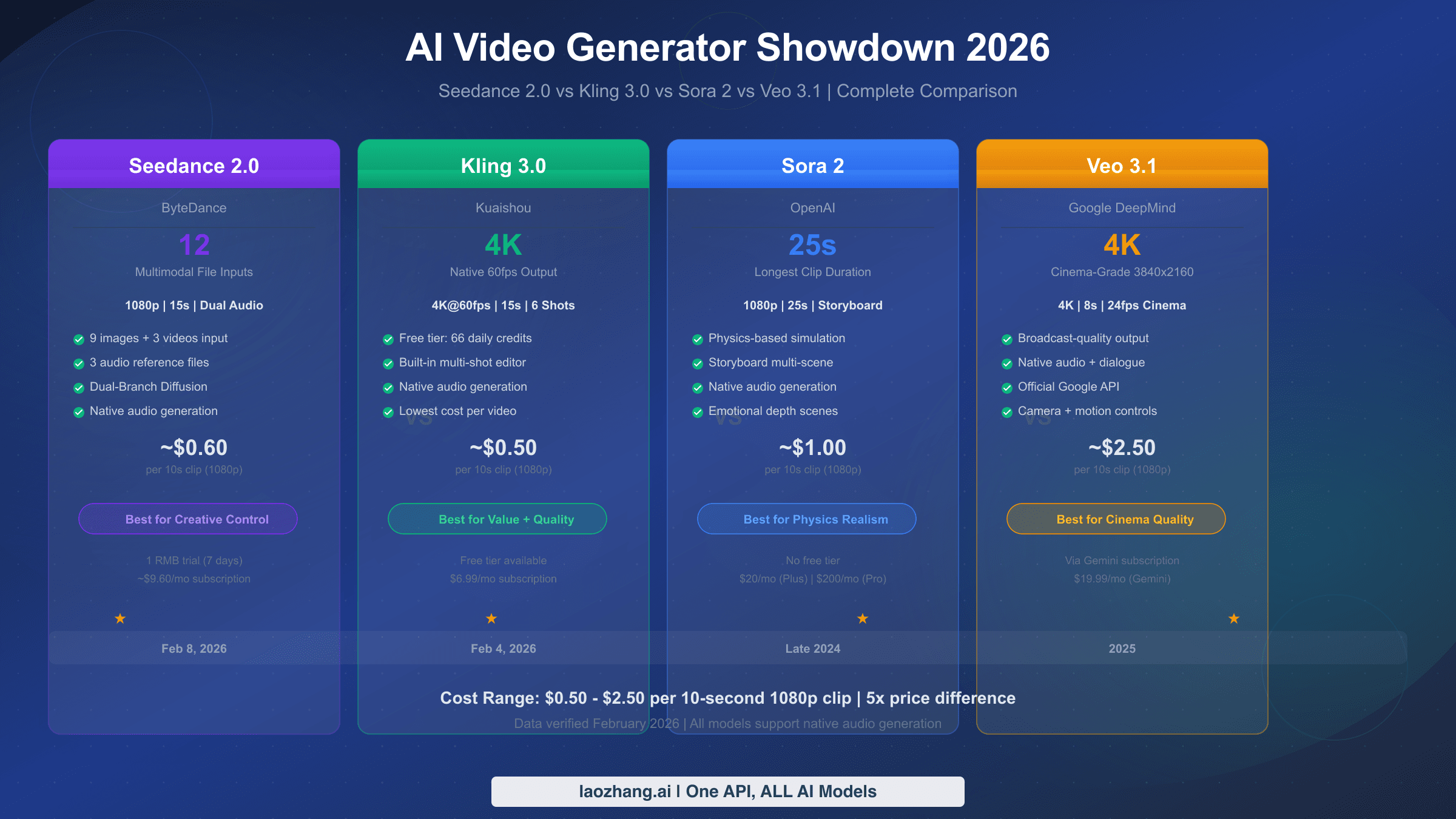
Kling is a strong motion/value contender. It deserves a test when motion, style variety, prompt responsiveness, and cost/value tradeoffs matter. The safe way to evaluate Kling is to run the same short scenario across your top routes: one product clip, one human/action scene, one stylized social clip, and one reference-image job. Then compare accepted outputs, not just demos.
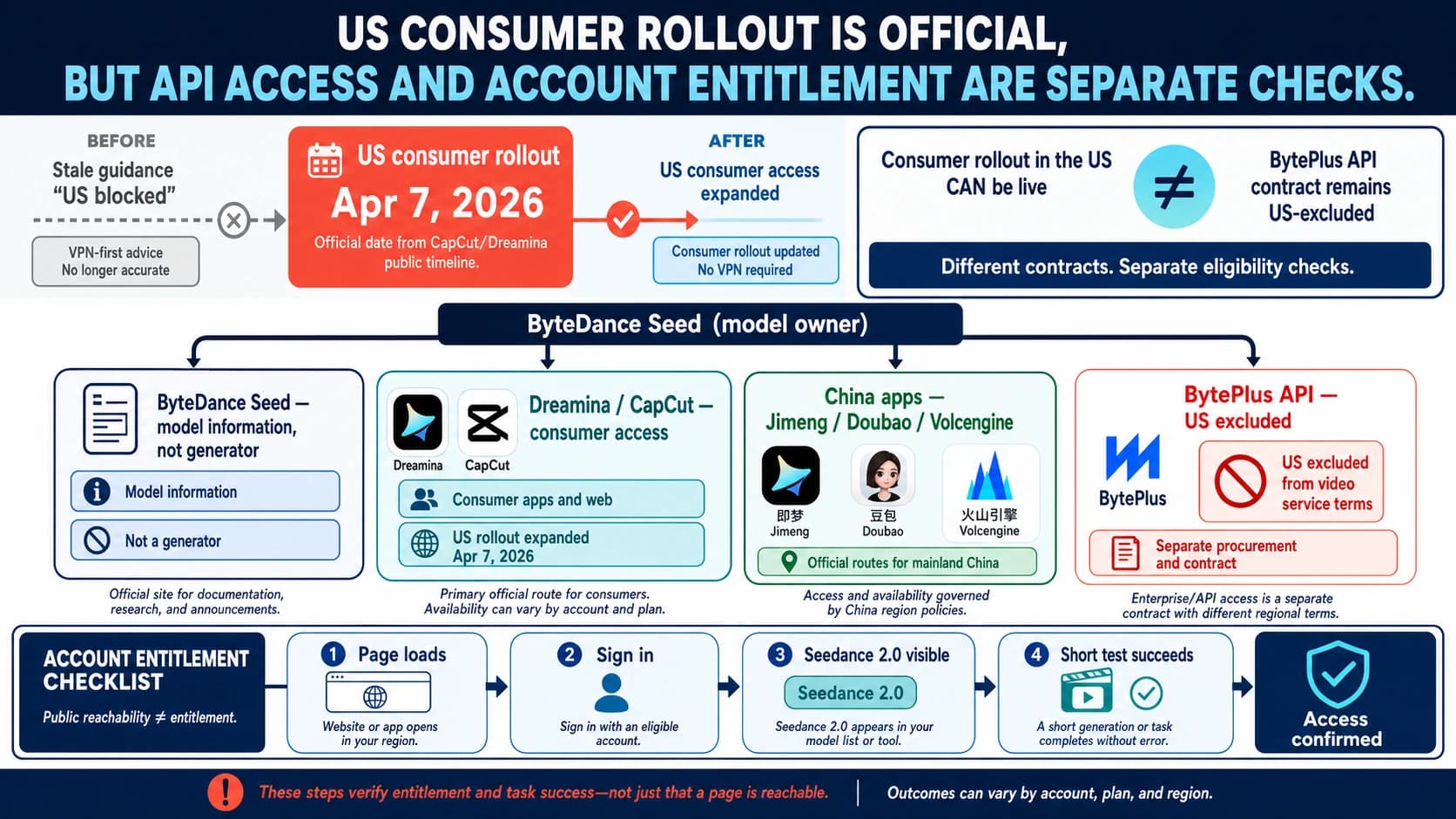
Seedance 2.0 is interesting when you need reference control, multimodal inputs, or a ByteDance/BytePlus route. The caution is route ownership. A Seedance result may arrive through ByteDance product pages, BytePlus ModelArk, fal, Replicate, or a gateway. Those are different billing, support, and data contracts. Do not collapse them into one price row.
HeyGen belongs in the route board, but only with a clear boundary. It is excellent when the actual job is avatar, presenter, sales, onboarding, training, localization, or business communication. It is not the first answer when you need open-world cinematic generation, physics-heavy scenes, or a direct replacement for Sora's general video-model behavior.
API-Ready Alternatives: Separate Official Owners From Gateways
API-ready does not mean "there is a button somewhere that says API." It means the route can support your product contract: model owner, endpoint, request lifecycle, price unit, failure billing, data policy, rights, region, support, and fallback.
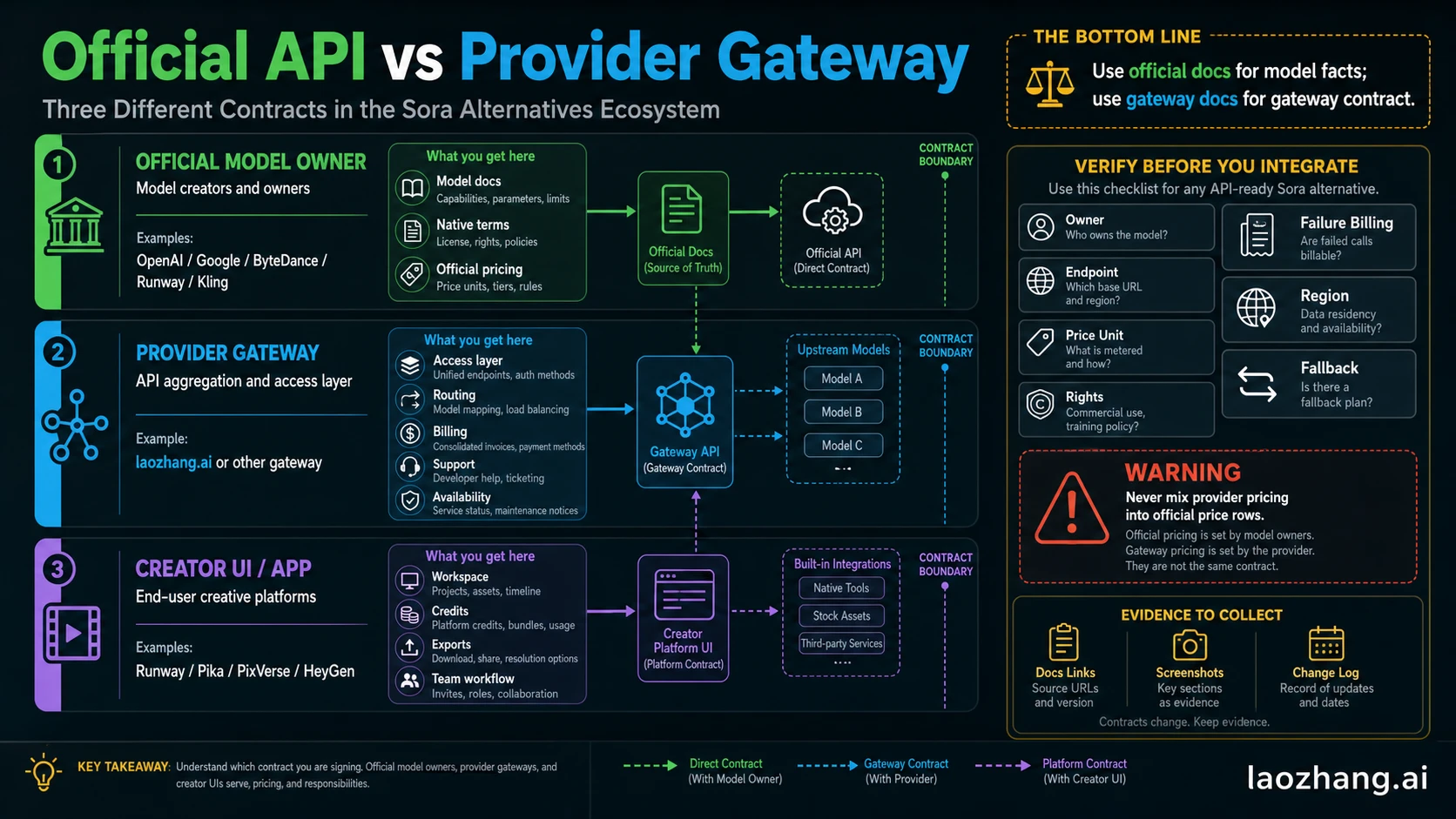
Use this ownership model before you compare routes:
| Route type | What owns the fact | What to verify |
|---|---|---|
| Official model owner | OpenAI, Google, ByteDance/BytePlus, Runway, Kling, Luma, or another first-party vendor | model docs, endpoint, pricing unit, terms, limits, region, safety behavior |
| Provider gateway | laozhang.ai or another access layer | base URL, routing, billing, support, availability, failure behavior, model coverage |
| Creator UI/app | Runway, Pika, PixVerse, HeyGen, Luma, and similar products | credits, export rights, watermark, team workflow, API availability, plan limits |
Veo 3.1 is the cleanest official API first test for many teams because Google exposes it through the Gemini API pricing and model documentation. As checked on July 2, 2026, Google's Gemini API pricing page marks Veo 3.1 as a paid route and separates Standard, Fast, and Lite options. That does not automatically make it the best visual model for every prompt, but it does make the contract easier to audit than a wrapper-only answer.
Runway API is useful when you want Runway's model family and are comfortable with a credit-per-second API model. It is still separate from the creator workspace decision: a team may prefer Runway as a UI but not as the primary backend, or vice versa.
Kling Open Platform is worth testing for motion and value, but you need current docs for units, model names, durations, region, and plan access. Do not carry a number from an old comparison table into production.
Seedance / BytePlus / provider routes require extra ownership discipline. If you are using BytePlus ModelArk, that is not the same contract as a third-party provider or creator UI. If you are using a gateway, the gateway may simplify access or model switching, but the published provider price is not the official model owner's price.
laozhang.ai can be useful as a developer gateway route when the job is model access, multi-model switching, or testing a provider abstraction. Keep the label precise: laozhang.ai is a provider/gateway contract, not the official owner of OpenAI, Google, ByteDance, Runway, Kling, or Luma model pricing. If exact availability or cost matters, verify the current laozhang.ai route and terms before publishing code or budget assumptions.
Do Not Choose This Route When
Use this table before you pay or integrate.
| Route | Do not choose it when... | Better next move |
|---|---|---|
| Free UI trial | You need production rights, predictable volume, or API reliability. | Use it for prompt exploration, then move to paid/API validation. |
| Runway | You only need the lowest-level backend API and no creator workflow. | Compare official API routes and provider gateways first. |
| Kling | You need guaranteed enterprise support before current platform terms are verified. | Validate terms, region, and support before committing. |
| Seedance 2.0 provider route | You cannot identify the actual route owner, billing unit, or support path. | Pick the official/cloud route or a gateway with clear contract evidence. |
| HeyGen | You need cinematic, open-world, physics-heavy generation. | Use HeyGen for avatar/business video and test Veo, Runway, Kling, or Seedance for cinematic clips. |
| Gateway provider | You need official model-owner pricing, support, or legal terms. | Read official docs first, then evaluate gateway value separately. |
| Sora API | You are building new code that cannot be migrated before September 24, 2026. | Abstract the provider now and test at least one fallback route. |
The strongest replacement plan usually uses more than one lane. For example, a brand team might use Pika or PixVerse for rough style testing, Runway for production editing, and Veo 3.1 or a gateway route for backend experiments. A product team might skip the UI lane entirely and focus on API fallback, cost unit, data handling, and monitoring.
Migration Checklist For Current Sora API Users
If your application still calls Sora, treat September 24, 2026 as an engineering deadline, not a reminder date.
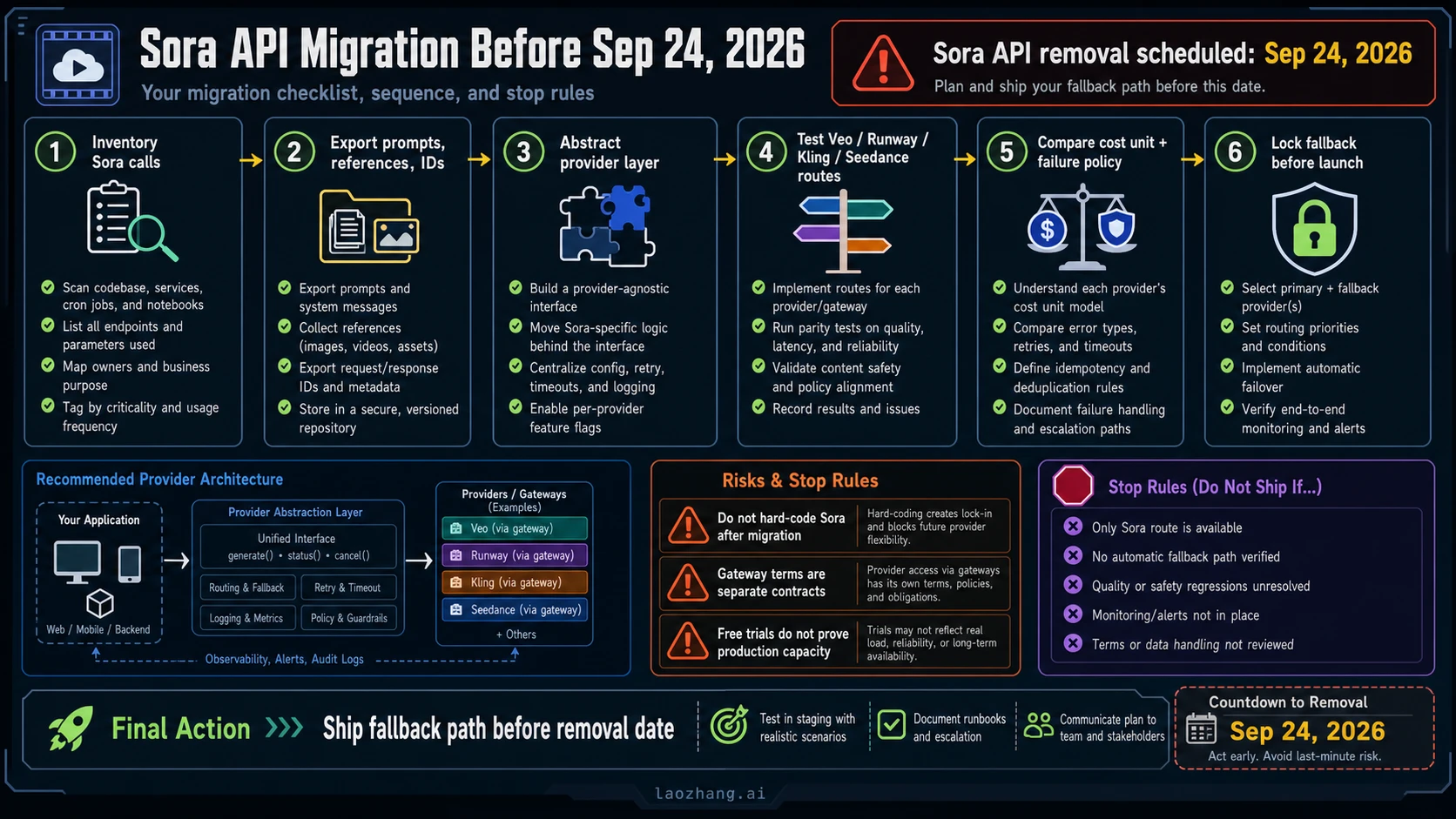
- Inventory every Sora call. Search services, cron jobs, notebooks, prototypes, and admin tools. Record endpoint, model, prompt shape, input references, duration, output size, webhook behavior, and business owner.
- Export prompts and references. Preserve prompts, reference images, character assets, returned IDs, generated files, and acceptance examples. You need a test corpus before comparing alternatives.
- Build a provider abstraction. Put generation, status polling, cancellation, download, retry, timeout, and logging behind an internal interface. Avoid scattering provider-specific behavior across product code.
- Test at least two fallback routes. For many teams that means Veo 3.1 plus one of Runway, Kling, Seedance, Luma, or a provider gateway. Use your real prompts, not only vendor demos.
- Compare accepted-output cost, not raw generation cost. A route that is cheaper per second can be more expensive if acceptance rate is lower, retries are higher, or moderation/failure behavior is harder to manage.
- Validate rights and data handling. Review commercial use, training policy, data retention, region, customer support, and escalation terms. These decide whether a route can ship, not only whether it generates a good clip.
- Ship the fallback before the removal date. Add monitoring and feature flags so the final cutover is operational, not a last-minute rewrite.
Do not migrate by changing only a model string. Sora's useful parts included async behavior, reference handling, guardrails, and output lifecycle. Your replacement should be tested against the same workflow, not only the same prompt.
How To Score Alternatives In A Fair Test
Run a small acceptance test before committing. Use five prompt families:
| Prompt family | Why it matters |
|---|---|
| Product or brand clip | Tests object fidelity, text risk, and commercial usefulness. |
| Human motion scene | Tests anatomy, timing, identity drift, and safety filters. |
| Environment or cinematic scene | Tests camera, lighting, consistency, and mood. |
| Reference-image job | Tests image-to-video or reference-control behavior. |
| UI/backend integration case | Tests request lifecycle, status, retry, download, webhook, and logs. |
For each route, record:
- accepted output rate;
- average cost per accepted output;
- time from request to usable file;
- edit or retry burden;
- safety/policy failures;
- rights and data restrictions;
- fallback path if the provider changes or fails.
This is also where paid creator platforms and API routes separate. A UI can win on edit speed while an API wins on automation. A free route can win on learning speed while losing every production criterion. A provider gateway can improve model switching while adding a separate billing/support contract.
Recommended Starting Points By Reader Type
Solo creator or social content tester: start with Pika, PixVerse, or Luma to learn prompt style, then test Runway or Kling when the output needs polish, control, and repeatability. Keep your first spend small until you know which style and export rules fit.
Agency or brand team: start with Runway and Kling side by side. Runway is usually the safer first test when editing workflow and team assets matter. Kling is worth testing for motion/value and style range. Use a free route only for rough exploration.
Developer building a product: start with Veo 3.1 as the official API baseline, then test one additional route such as Runway API, Kling Open Platform, Seedance/BytePlus, Luma, or a provider gateway. Build provider abstraction before choosing a winner.
Team currently on Sora API: stop adding new Sora-only dependencies. Export examples, build fallback infrastructure, and validate at least one official API and one backup route before September 24, 2026.
Avatar, training, or sales video team: test HeyGen early, but do not compare it as if it were a cinematic open-world model. It solves a different video job.
FAQ
What is the best Sora 2 alternative overall?
There is no single overall winner. Use Veo 3.1 first for a durable official API test, Runway first for paid creator control, Kling for motion/value testing, Seedance 2.0 for reference/control and provider routes, Pika/PixVerse/Luma for experiments, and HeyGen for avatar or business video.
Is there a free Sora alternative?
Yes, but "free" usually means limited experimentation. Pika, PixVerse, Luma, and open-source/self-host routes can be useful for testing prompts and direction. Before production, verify watermark, rights, credits, API access, and capacity.
What is the best Sora API alternative?
For an official API baseline, test Veo 3.1 through Google's Gemini API first. Then compare Runway API, Kling Open Platform, Seedance/BytePlus routes, Luma/provider routes, or a verified gateway depending on your endpoint, cost unit, support, rights, and fallback requirements.
When is the Sora API going away?
OpenAI's developer deprecation page lists the Sora video generation models and Videos API under a removal date of September 24, 2026. The Sora web/app product ended earlier, on April 26, 2026.
Should I use laozhang.ai for Sora alternatives?
Use laozhang.ai only as a provider/gateway route when your job benefits from API access, multi-model switching, or fallback testing. Keep it separate from official model-owner pricing. If exact model coverage, availability, or cost matters, verify the current laozhang.ai docs or console before launch.
Are HeyGen and avatar tools real Sora alternatives?
They are alternatives only for avatar, presenter, training, sales, or business-video jobs. They are not direct replacements for open-world cinematic generation, physics-heavy scenes, or general-purpose text-to-video model testing.
Should I keep using Sora API until the removal date?
Use the remaining window only to migrate safely. Do not build new Sora-only code that lacks a fallback. Inventory calls, export references, abstract the provider, test alternatives, and ship a fallback before September 24, 2026.