Free Video Face Swap Tools: Real Free Limits, Watermarks, Privacy, and Safe Use
A safety-first guide to free video face swap routes, with verified free limits, watermark caveats, privacy checks, and local/open-source options.
On this page
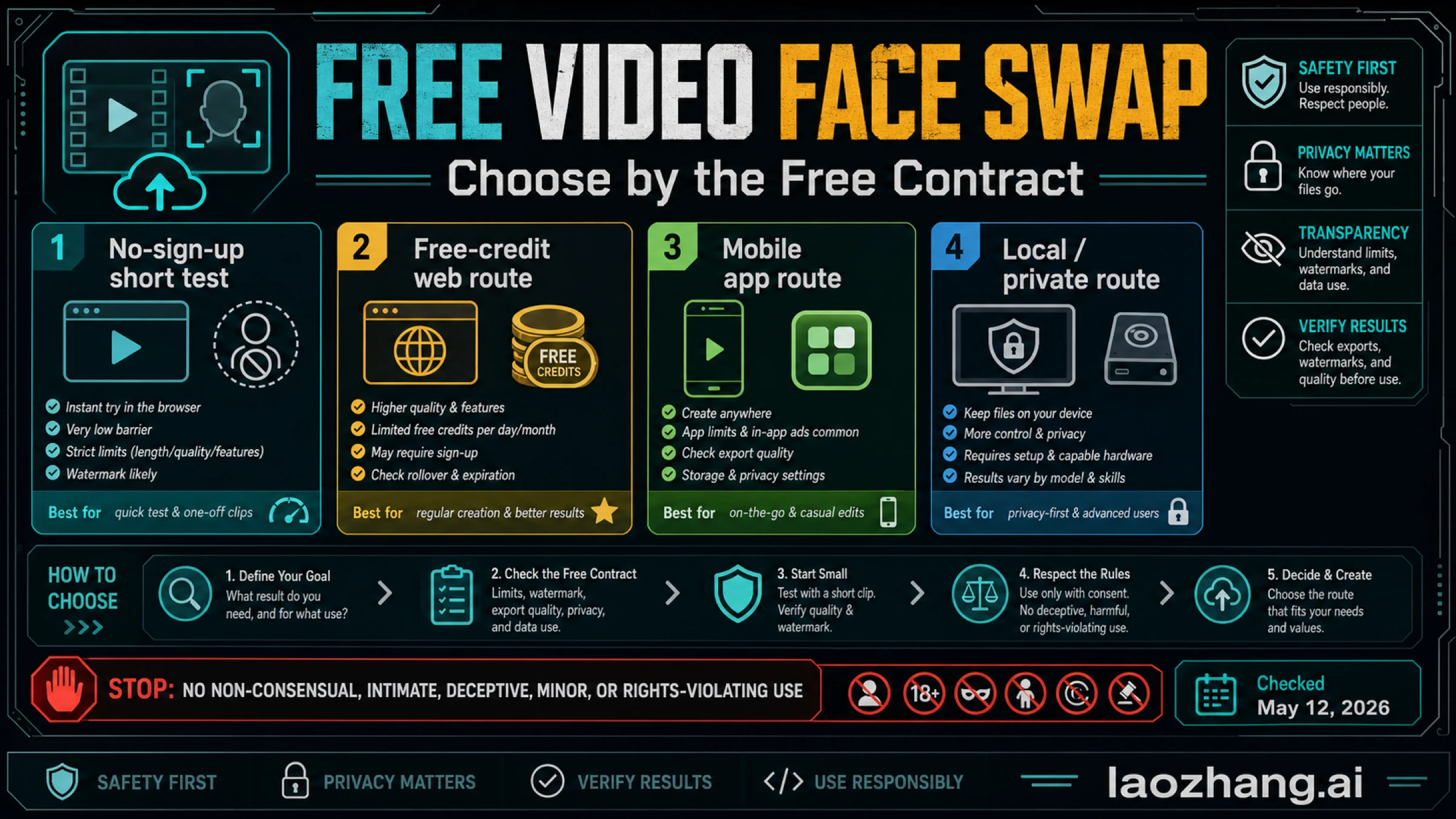
A free video face swap tool is useful only if you know the real free contract before you upload: whether it requires sign-up, watermarks the export, limits clip length, stores your files, or pushes you into paid credits. For a quick low-risk test, start with a no-sign-up browser route; for cleaner trial output, use a free-credit web route; for iPhone convenience, use a mobile app; for sensitive footage, use a local tool only if you can handle setup. Stop before any upload if the edit would be non-consensual, intimate, deceptive, harassing, involve a minor or public-figure misuse, or use footage you do not have the right to edit. Tool limits below were checked on May 12, 2026 and can change.
| Need | Best first route | Check before upload |
|---|---|---|
| Short test with no account | No-sign-up browser tool | Watermark, clip length, deletion window |
| Better trial output | Free-credit web tool | Credits, queue, paid export rules |
| Casual mobile edit | iOS/Android app | In-app purchases, watermark, storage settings |
| Private or sensitive footage | Local/open-source route | Setup skill, hardware, model quality |
What "Free Video Face Swap" Really Means
"Free video face swap" is not one offer. It is a set of different contracts that use the same word.
The first contract is a no-sign-up short test. This is the fastest way to see whether a browser tool can track a face through a clip, but the tradeoff is usually a watermark, short duration, lower resolution, limited retention, or a prompt to upgrade once the result is ready.
The second contract is a free-credit route. These tools usually ask you to create an account and give you a small starting balance. They can be better for polished trials, but the useful question becomes how credits expire, whether export costs extra, and whether a failed generation still consumes quota.
The third contract is a mobile app route. This is convenient when the source media already lives on a phone, but app stores add their own constraints: in-app purchases, age ratings, subscription prompts, ad flows, watermark rules, and device storage permissions.
The fourth contract is a local route. Tools such as FaceFusion can keep more control on your machine, but the project itself warns that installation needs technical skills and is not recommended for beginners. That makes it a privacy/control route for technical users, not the easiest free answer for everyone.
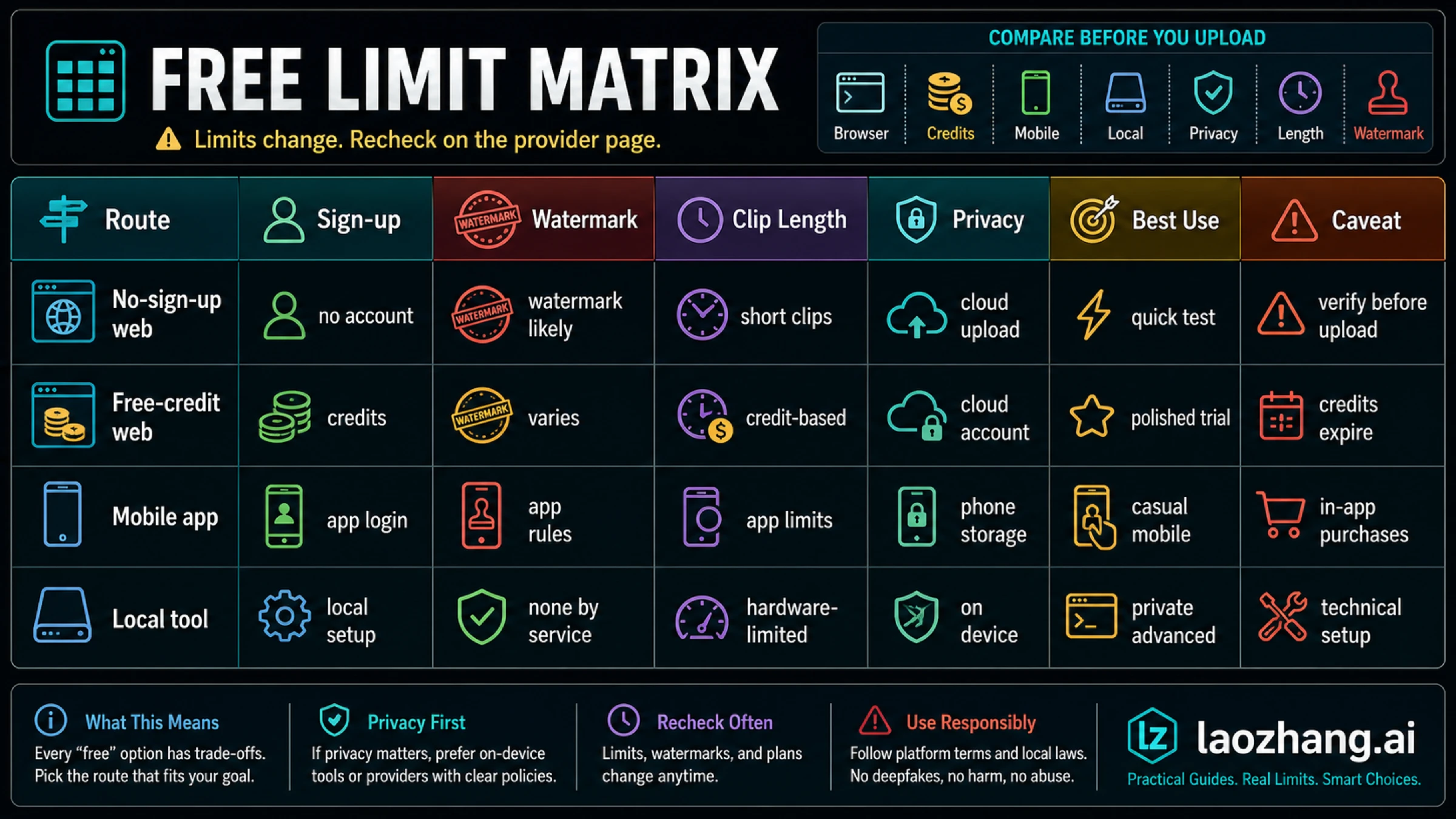
Best Route by Need
| Your real job | Route to try first | Why it fits | Main catch |
|---|---|---|---|
| Quick browser test with no account | Magic Hour video face swap | Its page says no sign-up is required and discloses a free daily limit | Free output is short, lower-resolution, and watermarked |
| Free-credit web trial | WaveSpeed video face swap | It exposes a direct upload workflow and free signup credits | You still need to understand credit cost and account rules |
| Simple photo/video web swap | MioCreate face swap | It gives photo and video tabs and a simple upload flow | The static page showed credits, a 200 MB limit, and upgrade prompts; free duration was not cleanly visible |
| Polished creator-platform route | Higgsfield face swap | It describes a three-step target media plus source face workflow | Free-tier details were not explicit enough to treat as a durable free recommendation |
| iPhone-first casual use | DuoFace on the App Store | Mobile app route with visible ratings and in-app purchase disclosure | iOS-only, 18+ age rating, subscriptions, and review friction around exports |
| Long or "unlimited" web claims | VoidMagic video face swap | It claims no sign-up and unlimited use | The sampled page had conflicting free-duration language, so verify before uploading |
| Private or sensitive footage | FaceFusion/local setup | More control over files and workflow | Technical setup, hardware, and model-quality responsibility move to you |
For most readers, the practical first move is simple: use a no-sign-up route only with a short, non-sensitive test clip; use a free-credit route when you need a cleaner trial; use local software when privacy matters more than convenience.
Safety Stop Rules Before Tool Links
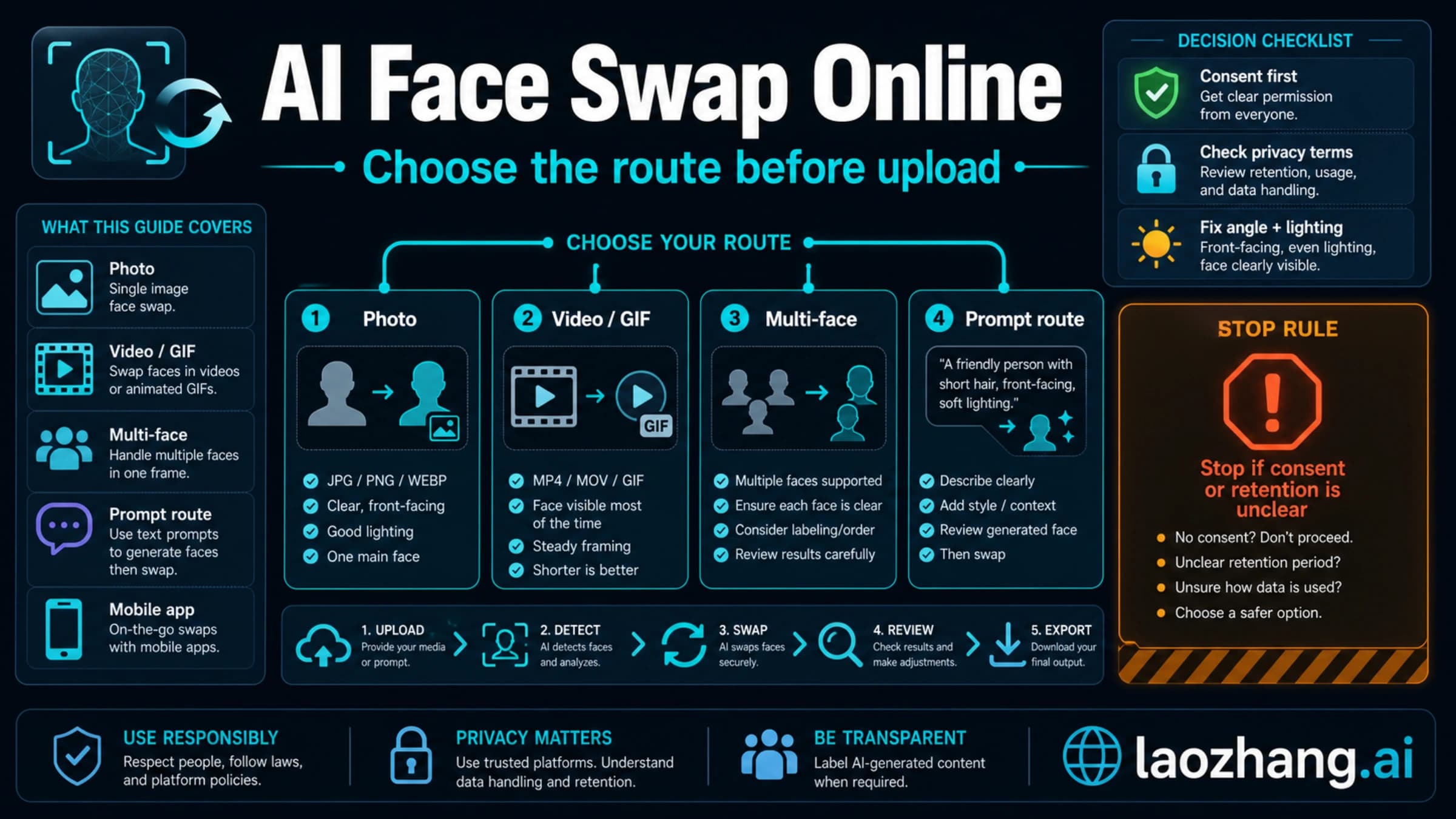
Do not treat face swap as harmless just because a site makes upload easy. You are working with likeness data, and video can be more deceptive than a still image because motion, voice context, and social framing make the result feel more real.
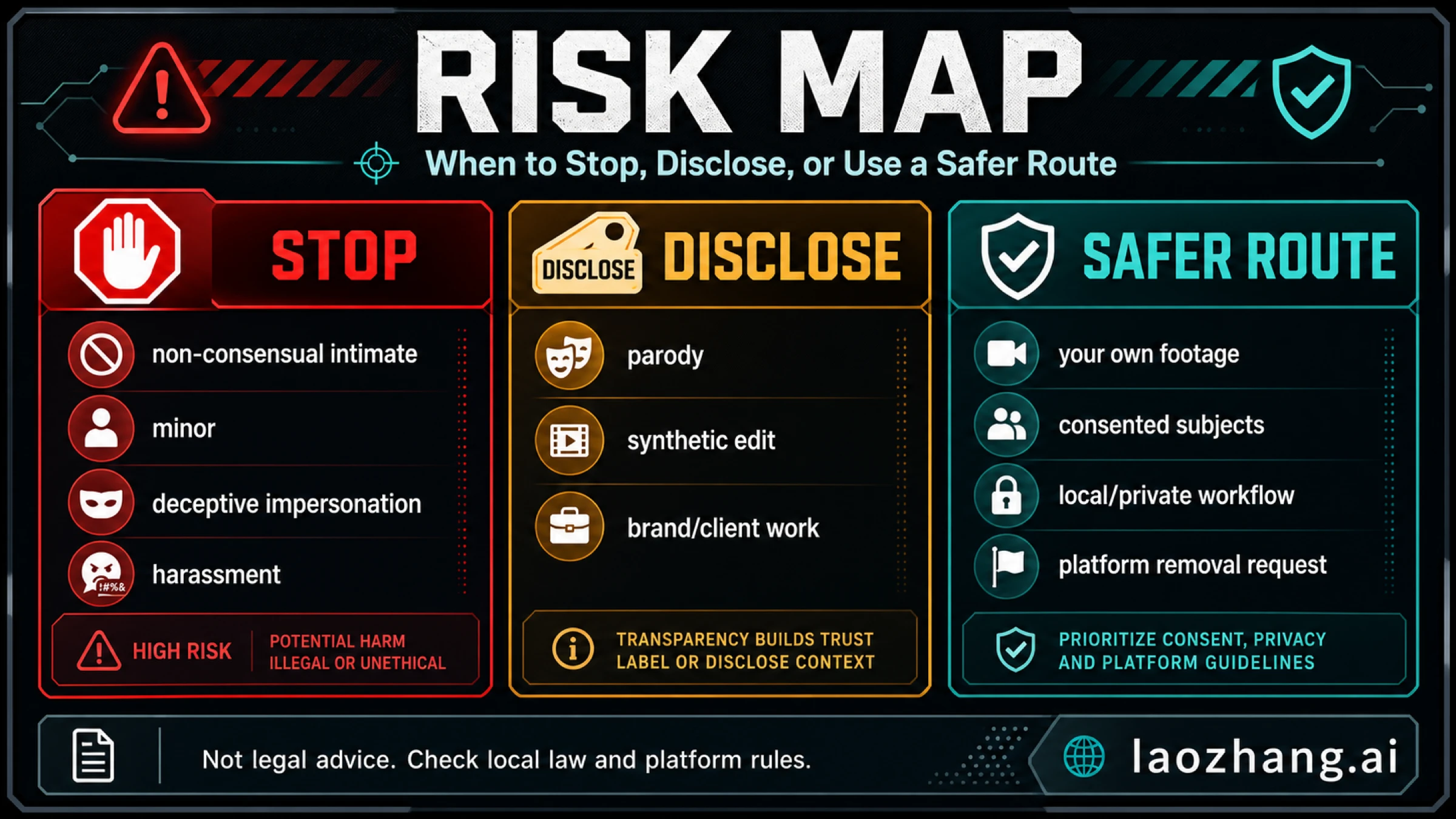
Stop before upload if any of these are true:
| Risk | Why it should stop |
|---|---|
| Non-consensual intimate use | The U.S. TAKE IT DOWN Act became Public Law 119-12 on May 19, 2025, and covers nonconsensual intimate visual depictions and digital forgeries; platforms also have removal obligations that take effect on May 19, 2026. See the Congressional Research Service summary. |
| Minor or school context | Do not put minors into synthetic face-swap videos. Even "joke" edits can become harassment, exploitation, or school-policy violations. |
| Deceptive impersonation | If viewers could reasonably believe the person really appeared in the video, disclose the edit or do not publish it. |
| Public-figure misuse | Public-figure likeness can create rights, platform, election, fraud, or harassment issues. Do not rely on a tool's upload form as permission. |
| Rights-violating footage | A face you can upload is not automatically a face you have the right to edit, publish, or commercialize. |
YouTube's creator tools also show where platforms are heading: YouTube documents a likeness detection and removal workflow for altered or AI-generated visual matches. Not every synthetic edit is removed, and this is not legal advice, but it is a strong practical signal: disclosure, consent, and rights matter.
Tool Notes Checked on May 12, 2026
Magic Hour: Best No-Sign-Up Short Test
Magic Hour is the clearest short-test route in this sample because its page makes the free limits easier to understand than most competitors. It says video face swap is free with no sign-up, gives 3 free video face swaps per day, limits free clips to 10 seconds, lists 576p for free output, and explains that free output has a watermark. Its FAQ also says generated content is deleted after 1 day on the free tool.
That makes Magic Hour useful when your job is "I want to test whether this idea works before I create an account." It is not the right framing if you need a watermark-free final, a long video, or commercial certainty.
WaveSpeed: Best Free-Credit Web Trial
WaveSpeed ranks strongly because it puts the upload workflow directly on the page: upload the target video, upload a face image, pick the target face index, and generate. Its page also mentions free credits after sign-up and support for common video formats such as MP4, MOV, and WebM.
The right way to use WaveSpeed is as a free-credit route, not as a certain free-export route. Before you upload anything sensitive, check the current credit balance, export requirements, and whether a failed or low-quality output consumes credits.
MioCreate: Simple Web Flow With Unclear Free Duration
MioCreate is a simple browser route with photo and video face-swap tabs. In the sampled page, it showed a credit count, a 200 MB upload limit, and upgrade prompts for no watermark and priority processing.
The caveat is the useful part: the page's static text did not expose a clean, reliable free-duration number. That does not make the tool unusable. It means you should test with a non-sensitive short clip and confirm export rules before assuming "free" means free final download.
Higgsfield: Polished Creator Platform, Less Clear Free Contract
Higgsfield describes a polished workflow: upload target photo or video, upload the source face, and generate the swap. That makes it a credible creator-platform route, especially if you already use Higgsfield for other video work.
For a free video face swap comparison, though, the problem is that the static page did not make the free contract as explicit as Magic Hour's page. Treat it as a platform worth testing, not as the clearest free-limit answer.
DuoFace: Mobile App Route
DuoFace is the iOS route that matters for mobile readers. The App Store listing shows a free app with in-app purchases, an 18+ age rating, and a 4.4 rating from about 2.7K ratings at the time checked. Some visible review friction around logos or downloads is exactly why mobile apps belong in their own bucket.
Use the app route when convenience matters more than a clean browser workflow. Check subscriptions, watermark/export rules, and photo/video permissions before importing personal media.
VoidMagic: Treat "Unlimited" as a Claim to Verify
VoidMagic's page is attractive because it claims no sign-up and unlimited use. The problem is that the sampled page also had conflicting language around maximum free video length. That is a signal to slow down.
If you try it, do not begin with a long or sensitive video. Start with a harmless short clip and confirm export, watermark, and deletion behavior before trusting the route.
FaceFusion: Local Route for Technical Users
FaceFusion matters because it answers a different need: "I do not want to upload this footage to a web app." Local tools can improve control, but they replace cloud privacy questions with setup, hardware, dependency, model, and troubleshooting questions.
Use this route when privacy or repeat control matters and you are comfortable reading install instructions, resolving environment issues, and accepting that output quality depends on your setup. If that sentence sounds annoying, a browser short-test route is probably a better first step.
Before You Upload: Quality and Privacy Checklist
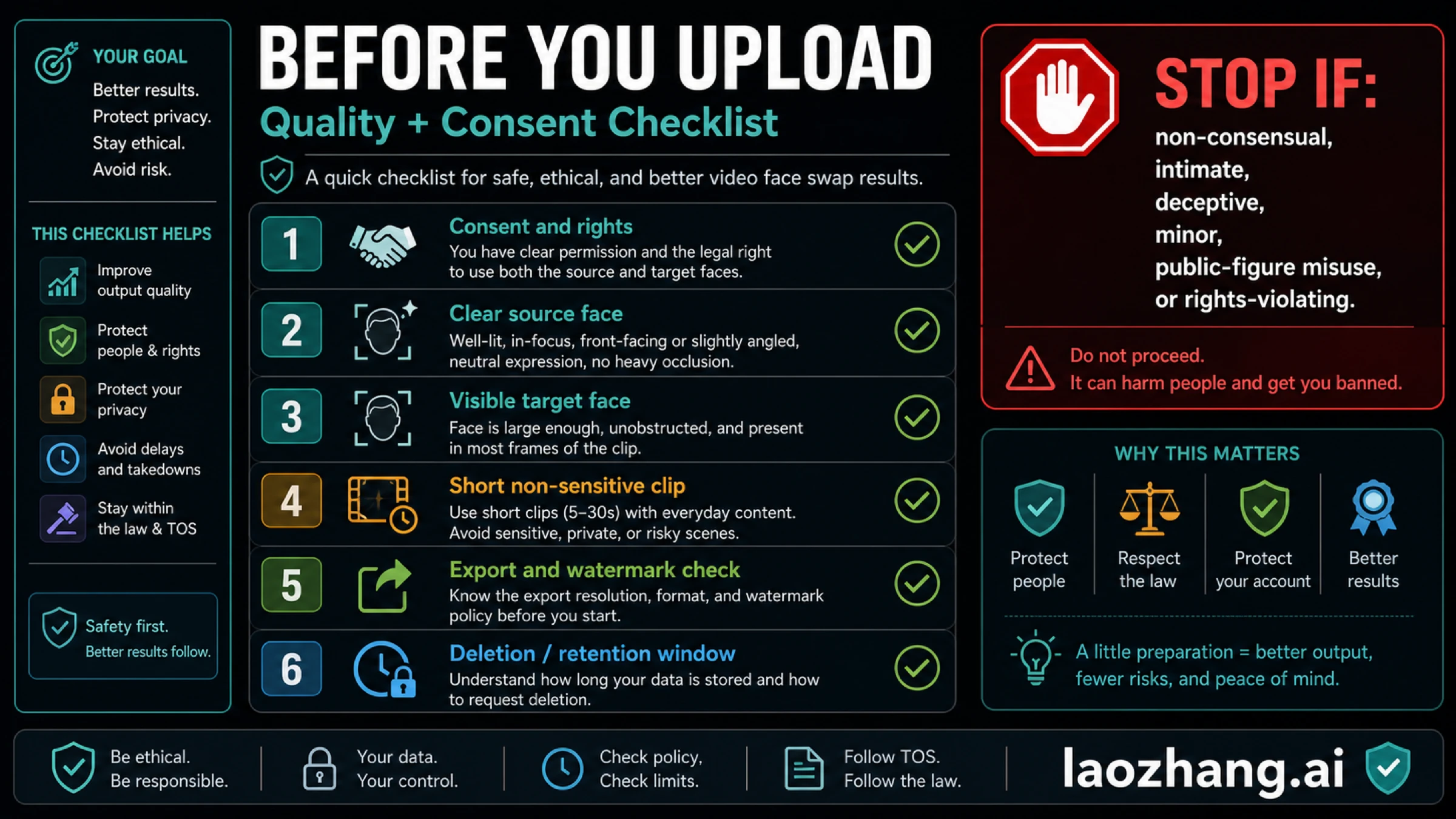
Run this checklist before any tool test:
- Consent and rights: you have permission to use the source face and target video.
- Clear source face: use a well-lit, in-focus image with minimal occlusion.
- Visible target face: the target face should be large enough and visible in most frames.
- Short non-sensitive clip: test with 5-30 seconds before trying longer footage.
- Export and watermark check: verify output resolution, watermark, and download rules before spending credits.
- Deletion or retention window: know how long the service keeps uploads and outputs, and whether deletion is available.
Quality problems usually come from poor inputs, not just weak models. Side profiles, fast head turns, sunglasses, heavy shadows, motion blur, and multiple similar faces can all break tracking. Use a short clip first so you can learn the tool's failure mode without wasting credits or exposing sensitive footage.
When a Free Tool Is Not Enough
Move away from free tools when any of these apply:
- you need watermark-free commercial output
- the video is long, private, or client-sensitive
- the target has multiple moving faces
- you need predictable deletion and data handling
- the output must survive brand, legal, or platform review
- you need repeatable batch processing
At that point, the question is no longer "which free video face swap tool is best?" It becomes "which paid, local, or contractually clear workflow is safe enough for this media?" That is a different buying decision.
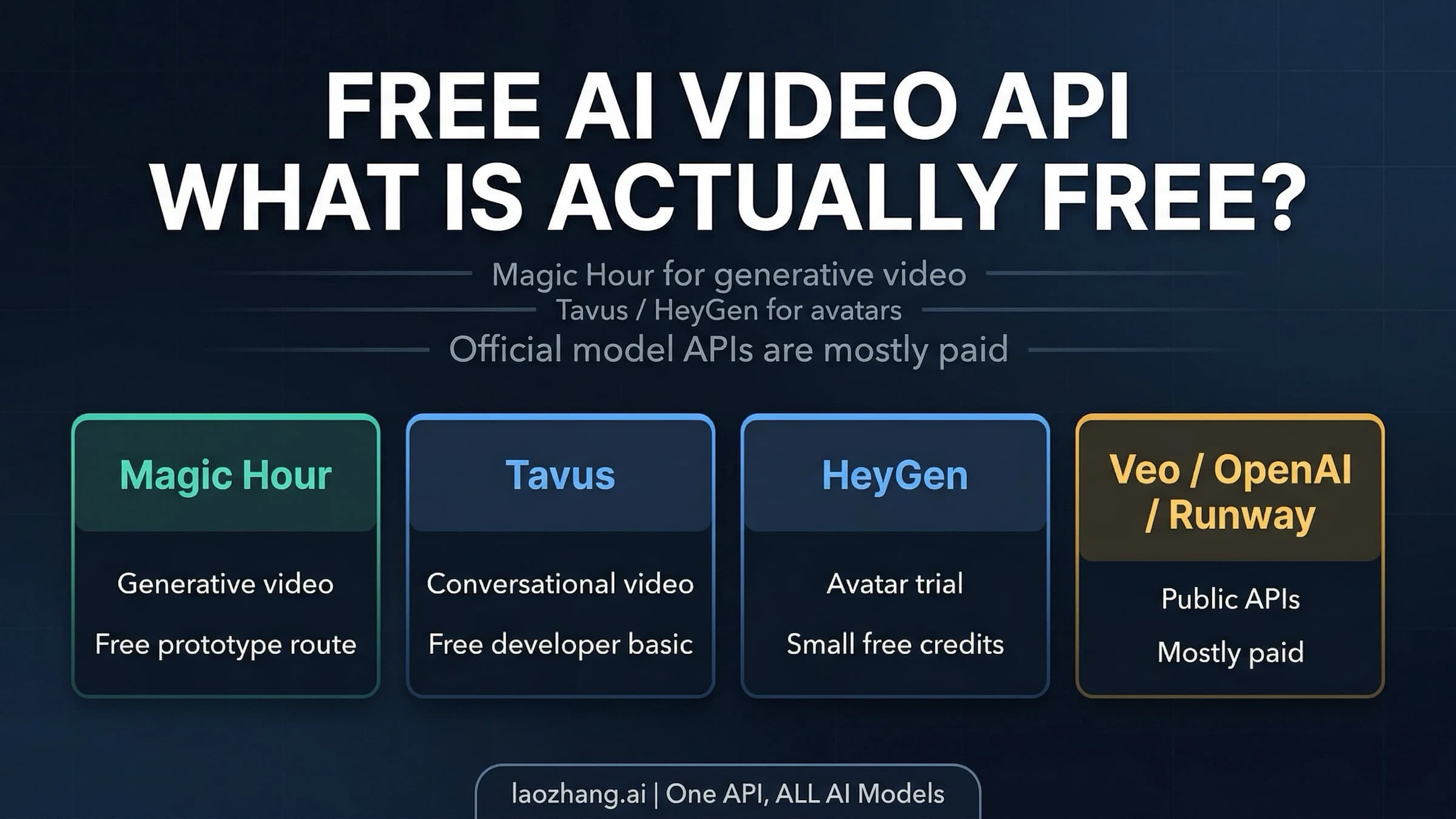
If you were actually looking for a developer route, start with the separate free AI video API guide. If you wanted prompt-based image/person swaps rather than video tools, the Nano Banana Pro person swap prompt guide is the better match.
Quick Decision
| If you care most about... | Pick this route | Avoid this mistake |
|---|---|---|
| Fastest test | No-sign-up browser route | Uploading sensitive footage first |
| Cleaner trial | Free-credit web route | Forgetting credit and export rules |
| Phone convenience | Mobile app | Ignoring subscription and watermark prompts |
| Privacy/control | Local tool | Assuming setup is beginner-friendly |
| Long video | Paid or local route | Trusting "unlimited" claims without export proof |
| Public or commercial use | Contractually clear paid route | Treating a free demo as permission |
FAQ
What is the best free video face swap tool with no sign-up?
For a short low-risk test, Magic Hour is the clearest no-sign-up route in this sample because its page discloses daily free swaps, a 10-second free clip limit, 576p free output, watermark behavior, and a 1-day deletion window. Recheck those limits before upload because free tiers change.
Can I do a free video face swap without a watermark?
Do not assume so. Many tools let you generate for free but add a watermark to the free export or reserve watermark-free downloads for paid tiers. Check export rules before you upload the source face and target video.
Which route is best for long videos?
For long videos, free browser tools are usually the wrong default. Use a paid route with clear limits or a local setup if you need privacy and control. Treat "unlimited" free claims as something to verify with a harmless test clip first.
Is FaceFusion better than online tools?
FaceFusion is better when privacy, local control, or repeat experimentation matters and you have the technical skill to install and maintain it. Online tools are better for fast beginner tests.
Is video face swap legal?
It depends on consent, content type, jurisdiction, platform rules, rights, and how the result is used. Do not use face swap for non-consensual intimate content, minors, harassment, fraud, or deceptive impersonation. Nothing here is legal advice.
Can I use a celebrity or public figure?
Do not use public-figure likeness casually. Even when a tool accepts the upload, the result can create rights, impersonation, political, fraud, or platform-policy problems. Use consented subjects, disclosure, and safer creative alternatives.
Are free face swap tools private?
Not by default. Every cloud tool needs uploads, and privacy depends on the provider's retention, deletion, and training policies. If the video is sensitive, use a local route or do not upload it.
What if I need API access instead of a web tool?
This query is mainly about consumer web and app tools. If you need a developer API, use the best free AI video API guide and evaluate API-specific contracts such as credits, rate limits, commercial rights, and data handling.