Nano Banana Pro vs Midjourney v8: Editing, Style, and Job Costs
Choose Nano Banana Pro for an official image API and size control, or Midjourney v8.2 for a visual workflow with style references. Both now support instruction-based editing. Compare their controls, first steps, and costs per requested job before choosing.
On this page
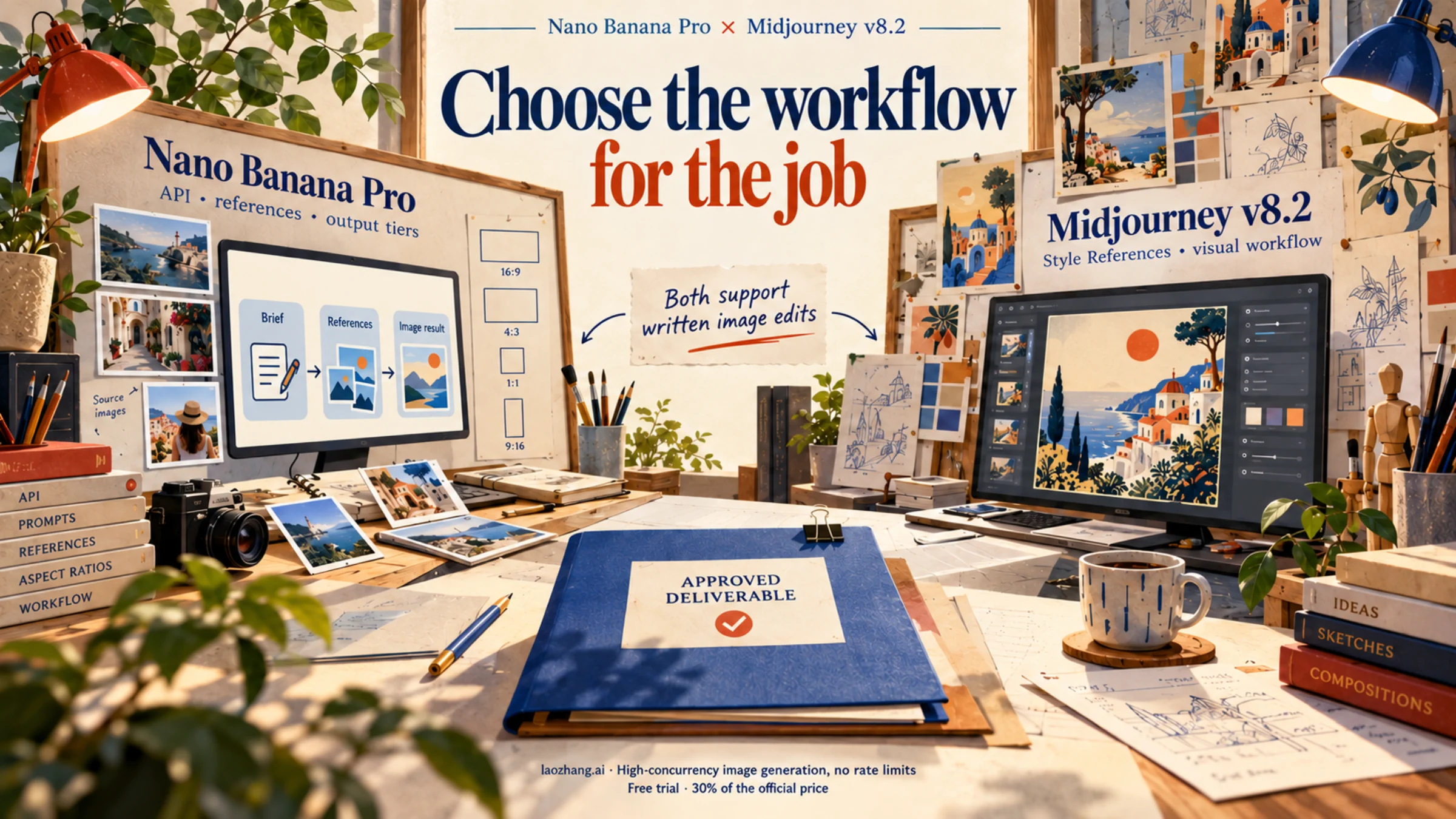
Choose Nano Banana Pro when your project needs an official developer API, multiple image inputs, or a specified 1K, 2K, or 4K output tier. Choose Midjourney v8.2 when you want to develop a visual series in its web interface, use dedicated Style References, and work within a monthly GPU budget. Both can now edit an existing image with written instructions. Editing alone no longer decides this comparison.
As of October 12, 2026, Nano Banana Pro is Google's stable gemini-3-pro-image model. Midjourney's current default is v8.2, whose Edit Model replaces the older Character Reference, Omni Reference, and Retexture workflows. This comparison uses those documented capabilities to match each tool to a production job. See the Google model page and Midjourney version guide.
Start with the job you need to finish
For professional creative production, the useful question is which tool gives you the controls and delivery method your brief requires. A beautiful concept, a faithful product edit, and an automatically delivered image have different acceptance criteria.
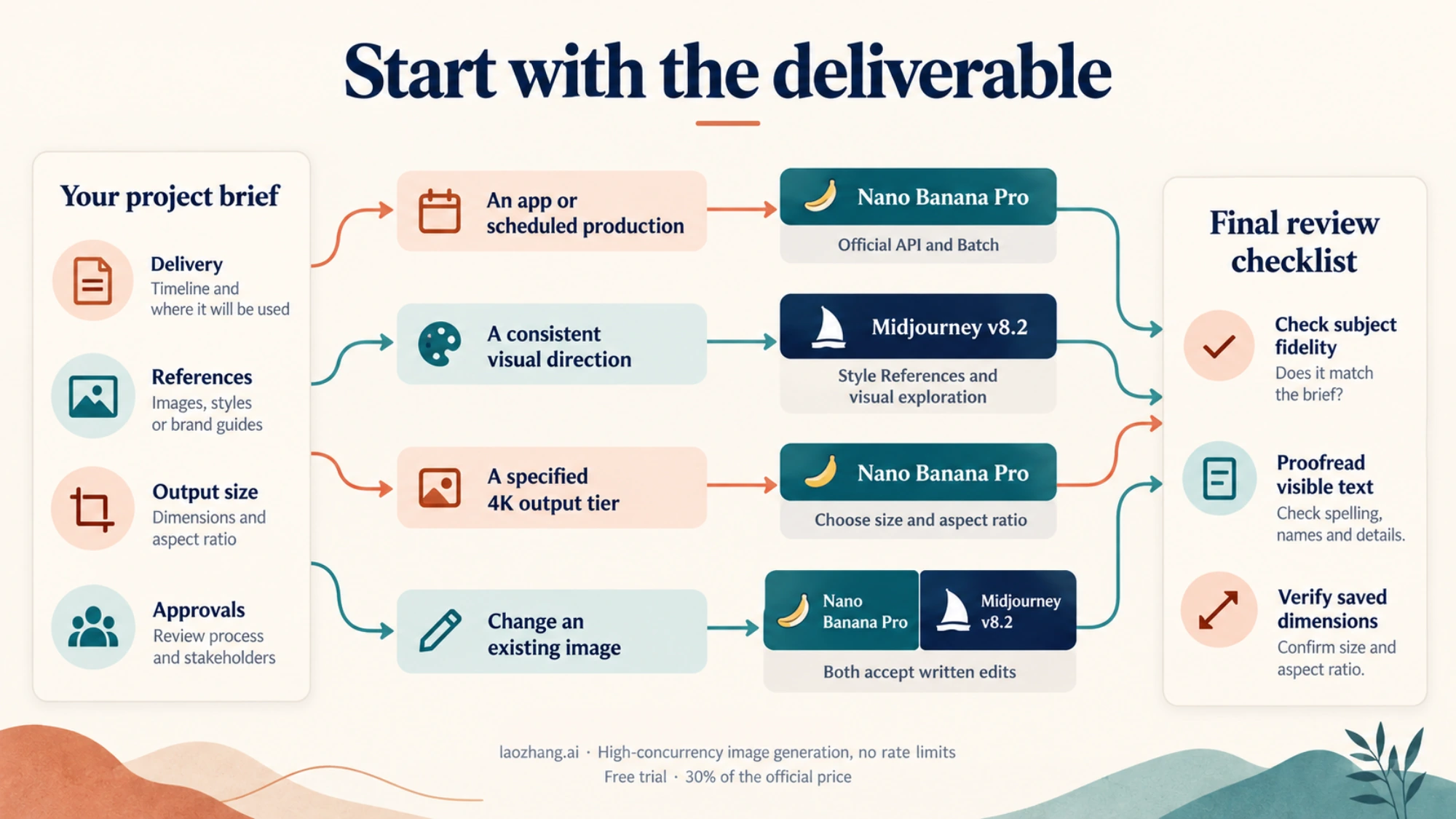
Reused editorial illustration of the two tools. The current choice depends on the documented controls and conditions below.
| Your next job | Start with | Why that choice fits |
|---|---|---|
| Generate images inside your application or a scheduled production process | Nano Banana Pro API | Google provides an official API and supports Batch processing. Ordinary Midjourney subscriptions do not authorize automated generation. |
| Explore a visual direction and carry a chosen look across several compositions | Midjourney v8.2 | Style References, style weight, Moodboards, and Personalization are explicit parts of its creative workflow. |
| Combine several approved product, scene, or character references | Either, according to the inputs | Pro accepts up to 14 reference images in total; Midjourney's Edit Model accepts up to four. Those counts are input limits, not measured consistency scores. |
| Deliver an image at Google's 4K tier | Nano Banana Pro API | Pro has a documented 4K output option. Midjourney v8.2's native HD option is documented as 2048px. |
| Change one area of an existing composition | Either | Pro supports conversational edits; Midjourney offers written edits and an Editor for inpainting and outpainting. |
These choices follow Google's generation and editing guide, Midjourney's Edit Model guide, and its Style Reference documentation. They do not establish an empirical winner for your particular subject.
For example, a studio producing a set of travel posters might prefer Midjourney to explore a consistent illustration style. A store that needs approved packaging references processed through its own application has a stronger reason to begin with Pro. If the poster brief includes a long, exact itinerary, treat that copy as a separate approval task whichever generator you choose.
Editing, references, and style: what actually changes
Both tools accept written edits
With Nano Banana Pro, send an image together with a description of the requested change. You can add or remove objects, change a background, adjust a visual style, and continue editing conversationally. Google's guide recommends small, successive refinements rather than expecting the first output to be final. Describe both the change and the details you need to retain. Google editing guide
Midjourney v8.2's Edit Model also accepts instructions such as changing lighting or showing a different view. On the web, an image goes in Attach to prompt. For an existing Midjourney creation, Quick Edit returns it to the Imagine bar; Open Editor gives you targeted editing tools. The Editor supports changes inside a selected area and expansion beyond the original canvas. Edit results currently do not support Remix, and the Edit Model is not compatible with --tile. Midjourney Edit Model
Neither documented workflow guarantees that every untouched pixel, logo, edge, or facial feature stays identical. For a product edit, compare the result with the original at full size: shape, label, color, proportions, and any areas outside the intended change. If an exact logo or legal line is essential, keep a source file that lets you place that element directly during final composition.
A subject reference and a style reference serve different purposes
Pro's multiple image inputs can supply subjects, objects, and style context. Google documents up to 14 inputs in total, but that should not be read as 14 independently preserved identities. The guide's feature table and limitations section describe narrower high-fidelity reference counts differently, so build your job around the actual references you need and inspect the result. More inputs are useful only when their roles are clear. Google reference guidance
In Midjourney v8.2, use Attach to prompt for the Edit Model's subject or composition references, up to four images. Use the separate Style Reference section when you want colors, medium, textures, or lighting from another image. Midjourney explicitly says a Style Reference does not copy its people or objects. Its style weight, --sw, ranges from 0 to 1000, with a default of 100; that parameter does not apply to Moodboards. Edit Model, Style Reference
For a series of illustrated garden tools, put approved tool images in the subject-reference position and an approved illustration in the style-reference position. Changing the style weight is a way to adjust the look, not a way to lock the tool's dimensions. A Midjourney numerical --sref code refers to its own style system; it is not a transferable Google API parameter.
Text needs an approval step in either workflow
Google documents advanced text rendering and recommends Pro for professional assets containing text. Its guide also recommends preparing the text before requesting an image containing it. That makes Pro a reasonable starting point for a text-heavy design, but it does not support a universal 94–96% accuracy claim. Google prompting guide
Midjourney supports words inside double quotation marks and recommends shorter phrases in the Latin alphabet. Raw mode or a lower Stylize value may help when text is wrong; the Editor offers another correction path. Midjourney text generation
For a poster, check the actual headline character by character, then check line breaks and readability at the intended viewing size. A legible thumbnail is not approval of small print. Choose the tool using your full brief and keep editable typography available when a client requires exact wording.
Output size and waiting time: compare the same deliverable
Pro's 1K, 2K, and 4K labels describe output tiers; the exact dimensions depend on aspect ratio. Google's Pro table lists these examples:
| Pro aspect ratio | 1K tier | 2K tier | 4K tier |
|---|---|---|---|
| Square, 1:1 | 1024 × 1024 | 2048 × 2048 | 4096 × 4096 |
| Landscape, 16:9 | 1376 × 768 | 2752 × 1536 | 5504 × 3072 |
| Portrait, 9:16 | 768 × 1376 | 1536 × 2752 | 3072 × 5504 |
Source: Google's aspect-ratio and image-size tables. A 4K request is therefore not always a 4096px square. Verify the saved dimensions against the destination's actual requirements.
Midjourney's version chart lists native HD images at 2048px for v8.1 and v8.2, with a maximum aspect ratio of 4:1 in HD and 14:1 in SD. It marks Edit Model, Style References, Raw, Fast, and Relax as supported; Draft, Turbo, and the Quality parameter are not supported for these versions. Do not apply an older version's speed or quality settings to v8.2. Inpainting and outpainting can return an HD image to SD; the version guide describes upscaling afterward to restore HD resolution. Midjourney version compatibility
There is also no defensible fixed “8 seconds versus 20 seconds” winner here. Midjourney publishes approximate GPU consumption, which differs from elapsed waiting time. Relax requests can wait 0–30 minutes depending on usage and available capacity. Google Batch offers higher rate limits in exchange for a turnaround of up to 24 hours. Choose interactive generation for dependent approval rounds and Batch for work that can wait. Midjourney GPU guide, Google Batch image guidance
What generation and editing cost
Pro API billing counts input and output tokens. Midjourney subscriptions buy GPU time and plan features. Compare requested operations first, then divide your actual spend by the number of deliverables you approve. A Midjourney prompt's four candidate images are not four accepted client assets.
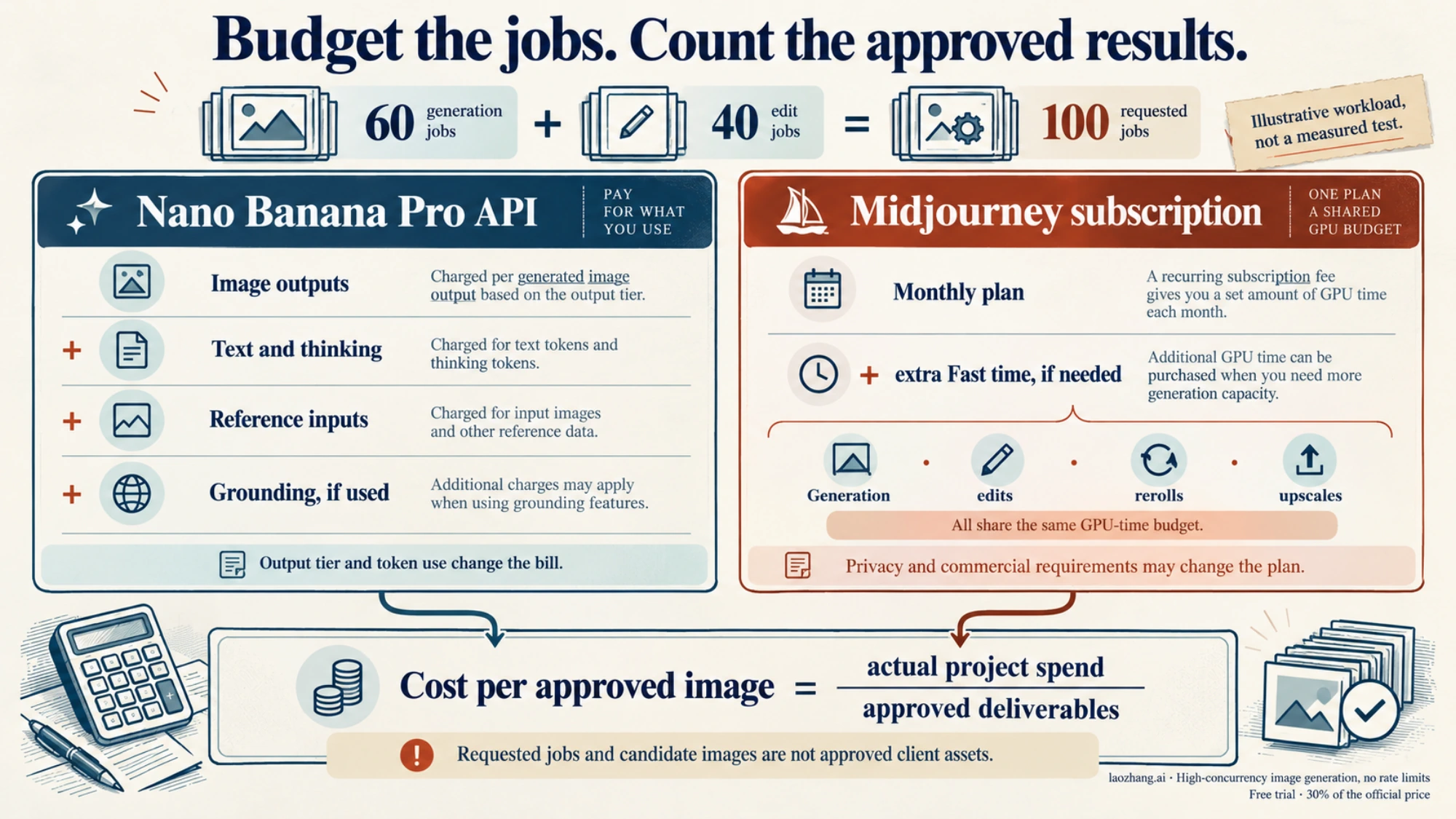
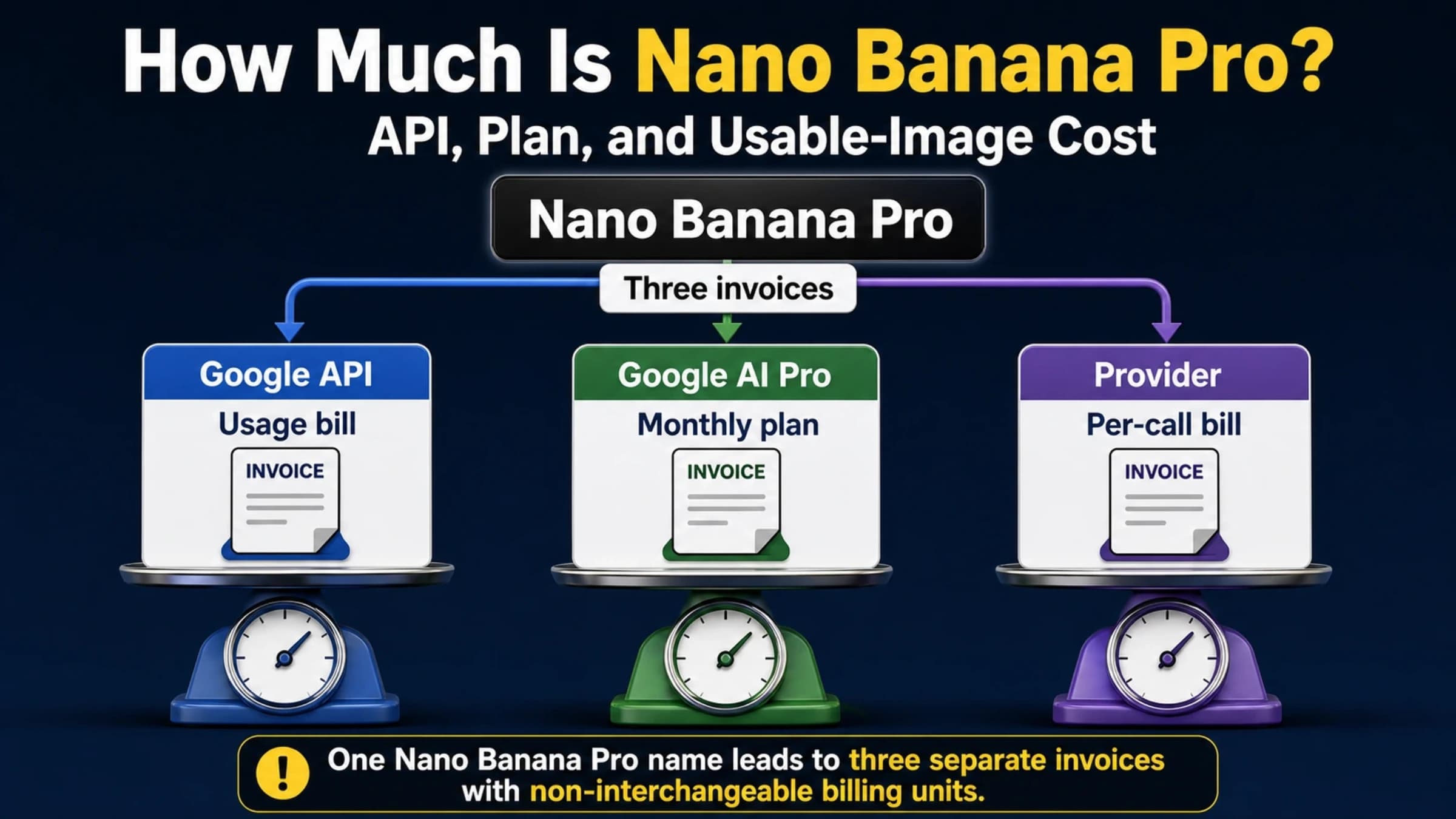
Reused cost illustration. Use the current rates and requested-job calculations below for your budget.
Nano Banana Pro: output charges plus inputs and thinking
Google's Gemini Developer API publishes the following paid rates for gemini-3-pro-image. The image figures are output charges alone:
| Charge in USD | Standard | Batch |
|---|---|---|
| One 1K or 2K output image | $0.134 | $0.067 |
| One 4K output image | $0.24 | $0.12 |
| Text input, per million tokens | $2 | $1 |
| One reference-image input, published equivalent | About $0.0011 | About $0.0006 |
| Text and thinking output, per million tokens | $12 | $6 |
Source: Google Pro pricing, Standard and Batch tabs, checked October 12, 2026. The Standard image-output rate is $120 per million tokens: 1K/2K outputs count as 1,120 tokens and 4K as 2,000. Published per-image equivalents are rounded. There is no free API tier for Pro.
Search grounding can add charges. Google lists 5,000 free monthly search requests shared across Gemini 3 and newer models, then $14 per 1,000; one image request can trigger more than one search query. Keep grounding out of a fixed-cost estimate unless the brief needs it. Google pricing
Batch can reduce charges for approved, repeatable work that can wait. It is not a substitute for interactive editing where the next request depends on the previous result. The current Pro model page lists Batch as supported and Flex and Priority as unsupported, even though the pricing page displays those tabs.
Midjourney: plan price, GPU minutes, and privacy needs
| Monthly plan | Price in USD | Included Fast GPU minutes | Image Relax mode | Stealth mode |
|---|---|---|---|---|
| Basic | $10 | 200 | No | No |
| Standard | $30 | 900 | Yes | No |
| Pro | $60 | 1,800 | Yes | Yes |
| Mega | $120 | 3,600 | Yes | Yes |
Source: Midjourney plan comparison. Annual subscriptions cost 20% less, with the full year paid upfront. Extra Fast time costs $4 per GPU hour. Unused included Fast time expires at renewal. Relax image generation is advertised as unlimited on Standard and higher plans, subject to the service's rate-limiting terms; it is not a guarantee of unlimited immediate throughput.
The GPU guide estimates 0.8 GPU minutes for an SD prompt, 1.3 for HD, 1 for an Edit Model SD prompt, and 2.3 for an Edit Model HD prompt. Rerolls, edits, and upscales consume the budget too. Plan choice can also depend on Stealth and commercial terms, rather than image volume alone.
A worked estimate for the same requested operations
Suppose your project uses 60 generation requests and 40 editing requests, returning one Pro output per request. For Pro, assume every request has 600 text-input tokens and 800 text/thinking-output tokens; each edit uses two reference images. No search grounding is used. These are budgeting assumptions, not measured model behavior.
At the Pro 2K tier, the Standard estimate is:
100 output images × $0.134                 = $13.40
60,000 text-input tokens × $2 / 1 million   =  $0.12
80,000 text/thinking tokens × $12 / million =  $0.96
80 reference-image inputs × $0.0011        =  $0.088
Estimated total                           = $14.568 ≈ $14.57
Using the published Batch equivalents gives about $7.29, with the longer turnaround. At the 4K tier, the corresponding estimates become about $25.17 Standard or $12.59 Batch. Actual bills can differ with token use, rounding, additional requests, and grounding.
For Midjourney, budget those same 60 generation jobs and 40 edit jobs in HD at its documented approximate GPU rates:
60 HD generation jobs × 1.3 minutes = 78 GPU minutes
40 HD editing jobs × 2.3 minutes    = 92 GPU minutes
Estimated total                    = 170 GPU minutes
That fits Basic's 200 included minutes if you have the full allowance available and do not need extra rerolls, upscales, Stealth, or a higher plan for your commercial use. The subscription bill is $10. The initial 60 generation jobs produce 240 candidate images, not 240 approved outputs. This is an operational budget comparison; Midjourney HD and Pro 4K are different output-size choices. Midjourney GPU rates, plans
If you approve 20 deliverables from the project, divide the actual total by 20. Under these assumptions, Pro Standard 2K would be about $0.73 per approved image; a $10 Midjourney subscription devoted to the project would be $0.50. A Stealth requirement changes that Midjourney plan bill to at least $60 on monthly billing. Different approval rates or other work sharing the subscription change the comparison. There is no universal crossover at “500 images a month.”
Get your first result, revise it, and save it
Nano Banana Pro through Google's developer tools
Use the Pro model page's Google AI Studio entry when evaluating the direct Google route. Confirm that the selected model is gemini-3-pro-image, because the current image guide also covers other Nano Banana models. Google's developer services require an eligible region and users aged 18 or older; paid API access uses a project with active billing. Pro's pricing table does not offer a free API allocation. Gemini API terms
- Prepare a brief with the image's purpose, subject, required wording, aspect ratio, and delivery size. Gather only references you are permitted to upload.
- Request an image with Pro. For editing, include the source image and a specific change, with the details that must remain recognizable.
- Review the returned image before another request. Correct one concrete problem at a time, preserving the selected image as the reference for the next edit.
- Save the returned image data and check its dimensions. Retain the prompt, model ID, references, and selected result so another person can continue the job.
For an API implementation, follow Google's current image-generation examples through generation, response inspection, and saving. The current guide uses the Interactions API, including response_format for image options and previous_interaction_id for continued editing. Its image convenience property returns the last generated image; interleaved text-and-image responses require iteration over the response steps. Keep request and response handling within the same documented protocol. A generateContent integration uses a different structure; copying an option name from another protocol is not a complete migration.
This sequence is documentation-based. No paid generation or matched quality test was performed for this comparison.
Gemini Apps: know when you are actually using Pro
The consumer app is a separate route. Google's current help says ordinary creation uses Nano Banana 2. Eligible Google AI plan subscribers can select Pro, create an initial image, then choose More → Redo with Pro. If the daily Nano Banana 2 image quota is exhausted, additional Pro redos are unavailable. That is not a free Pro API trial. Gemini Apps image help
On a computer, open Images from the sidebar to create. To revise an existing image, find it in Library, open it, and use Chat to describe the edit. When satisfied, hover over the image and choose Download full size. The current help lists 1K downloads without a Google AI plan and 2K with a plan; the API's 4K option is separate. Editing requires age 18 or older, and account, region, and plan eligibility apply. Official app steps and requirements
Midjourney v8.2 on the web
An active subscription is required for generation on midjourney.com. There is currently no free trial on that website or in Discord; the limited niji・journey mobile trial is a different product. Midjourney trial policy
- Open Create and set the version to v8.2 in the Imagine bar's settings. Choose the aspect ratio and SD or HD appropriate to your brief.
- Write the desired scene in the Imagine bar and send it. The initial job produces four candidates; wait until it reaches 100% before selecting one.
- For a written edit, open the chosen image and use Quick Edit. For a targeted area or a larger canvas, use Open Editor.
- For a new composition from your own inputs, click the image icon and put the images in Attach to prompt, up to four. For a recurring look, use Style Reference instead.
- Check the result, then download the selected creation from Organize. Save its prompt and settings alongside the file.
These are the documented web getting-started steps and Edit Model controls. The Edit Model tries to match the first reference's aspect ratio; default aspect-ratio settings do not automatically apply to it. Add an explicit --ar when the edit needs a different frame. Raw can reduce Midjourney's extra styling when your written instructions need more influence.
Use both when the handoff has a purpose
A useful hybrid project might start with Midjourney to explore the illustration style for a garden exhibition, then use Pro to create a larger landscape version from the approved concept and approved object references. Download the selected concept, provide it as an input to Pro, and state the required additions and what should remain recognizable. Compare the new result with the approved concept before delivery.
This handoff makes sense when you need something concrete that the second route provides: API delivery, Google's 4K tier, or a different set of references. If Midjourney's Edit Model can finish the job at the required size, staying there avoids another approval round. If Pro can handle the full brief from the start, a separate Midjourney subscription is optional.
Only transfer assets you have the rights and permission to use. Midjourney's terms make asset ownership subject to third-party rights and require Pro or Mega for a company, or its employees, when company revenue exceeds $1 million annually. They also grant Midjourney a continuing license to submitted content and generated assets. A subscription does not clear every trademark, likeness, or source-image issue. Midjourney terms
For automated delivery, keep the generation stage on an authorized API. Midjourney's community rules prohibit unauthorized scripts and automation, with only rare explicitly granted exceptions. A third-party “Midjourney API” label does not establish such permission, and there is no documented standard $500 enterprise API plan in the sources used here. Midjourney automation policy
An optional Pro API route from this publisher
We operate LaoZhang API. Its public Nano Banana documentation lists Pro at $0.09 per call, including generation, editing, references, and 1K/2K/4K output; search grounding adds $0.014 per search. This may suit developers who prefer a flat call price, especially when requesting the 4K tier. It is provider pricing, separate from Google's token bill and consumer subscriptions.
Disclosure: laozhang.ai is our own service. Its prices are platform pricing, not an independent comparison.
The documented size and aspect-ratio controls require the Gemini-native v1beta/models/{model}:generateContent route with generationConfig.imageConfig. Its OpenAI-compatible chat route does not expose those controls and returns Pro at 1:1 and 1K. An HTTP 200 response without an image is still charged; after a timeout, check call logs before repeating the request. These are provider-stated conditions, not independent verification of the upstream channel, capacity, or an SLA. Keep them in your comparison when choosing this optional route. LaoZhang route and billing documentation
Before uploading confidential client material
Choose the service and account conditions before uploading the reference. Google's paid Gemini API terms say prompts and responses are not used to improve its products, while limited logging remains for policy enforcement and required disclosures. Unpaid developer services can use content for improvement and human review, with specified regional exceptions. A consumer Google AI subscription is not proof that those paid API terms apply to an app conversation. Gemini API data terms
For personal Gemini Apps, the privacy notice covers uploaded photos, prompts, and generated content, including some human review. Turning Keep Activity off does not eliminate all processing or human review. The default auto-delete period is 18 months and can be changed; reviewed chats may remain for up to three years even after activity deletion. Use an approved work-account arrangement when your client requires specific handling. Gemini Apps Privacy Hub
Midjourney is public by default. Pro and Mega include Stealth, but work posted in public Discord channels remains visible there. Turning Stealth on affects future creations; existing public creations require their own visibility change. Stealth controls publication and does not erase the content license in the terms. For client work, use the appropriate plan and a permitted private workspace rather than assuming that deleting an image makes it private. Stealth documentation, Midjourney terms
Frequently asked questions
Is Nano Banana Pro better than Midjourney for professional creative production?
Pro is the clearer choice when professional production requires an official API, Google's 4K tier, or a larger set of reference inputs. Midjourney v8.2 fits an interactive visual workflow with dedicated style controls and now supports written editing too. Neither documentation nor input counts establish a universal quality winner. Choose against the actual brief and approval criteria. Google image guide, Midjourney Edit Model
Can Midjourney v8 edit an uploaded image?
Yes. The Edit Model works with v8.1 and v8.2, accepts written changes, combines up to four reference images, and supports targeted inpainting and outpainting in the Editor. Put subject references in Attach to prompt; Style Reference is a separate control for the look. Older --cref guidance does not describe the current v8.2 workflow. Official Edit Model guide
Can I try Nano Banana Pro free in AI Studio or Gemini?
Google's current Pro API pricing lists no free tier. In Gemini Apps, normal image creation uses Nano Banana 2, while eligible paid subscribers can use Redo with Pro after initial creation, subject to the daily image quota. A free app image is not evidence of free Pro API access or a 4K download. Google Pro pricing, Gemini Apps help
Which is cheaper if I make a lot of images?
Measure the requested jobs and approved outputs. Pro Standard charges $0.134 per 1K/2K output image or $0.24 per 4K image, plus inputs and text/thinking; Batch halves the published image-output charges. Midjourney Standard costs $30 monthly and includes Relax image generation, with variable waits and service limits. A high exploration volume can suit that subscription, while intermittent API work avoids a monthly generator subscription. Your required size, editing rounds, acceptance rate, and privacy needs determine the actual result. Google pricing, Midjourney plans
Sources18
External pages this guide links to, in the order they appear. Last updated Oct 12, 2026.
Sources18
External pages this guide links to, in the order they appear. Last updated Oct 12, 2026.
- 1.Google model pageai.google.dev/gemini-api/docs/models/gemini-3-pro-image
- 2.Midjourney version guidedocs.midjourney.com/hc/en-us/articles/32199405667853-Version
- 3.Google's generation and editing guideai.google.dev/gemini-api/docs/image-generation
- 4.Midjourney's Edit Model guidedocs.midjourney.com/hc/en-us/articles/48495453462797
- 5.Style Reference documentationdocs.midjourney.com/hc/en-us/articles/32180011136653
- 6.Midjourney text generationdocs.midjourney.com/hc/en-us/articles/32502277092109-Text-Generation
- 7.Midjourney GPU guidedocs.midjourney.com/hc/en-us/articles/32016412137741-GPU-Speed-Fast-Relax-Turbo
- 8.Google Pro pricing, Standard and Batch tabsai.google.dev/gemini-api/docs/pricing
- 9.Midjourney plan comparisondocs.midjourney.com/hc/en-us/articles/27870484040333-Comparing-Midjourney-Plans
- 10.Gemini API termsai.google.dev/gemini-api/terms
- 11.Gemini Apps image helpsupport.google.com/gemini/answer/14286560
- 12.midjourney.commidjourney.com
- 13.Midjourney trial policydocs.midjourney.com/hc/en-us/articles/27870399340173-Free-Trials
- 14.web getting-started stepsdocs.midjourney.com/hc/en-us/articles/33329261836941-Getting-Started-Guide
- 15.Midjourney termsdocs.midjourney.com/hc/en-us/articles/32083055291277
- 16.Midjourney automation policydocs.midjourney.com/hc/en-us/articles/32013696484109-Community-Guidelines
- 17.Gemini Apps Privacy Hubsupport.google.com/gemini/answer/13594961
- 18.Stealth documentationdocs.midjourney.com/hc/en-us/articles/32019750070669