GPT Image 2.5 Sunburst vs Flare: Which to Use, by the Numbers
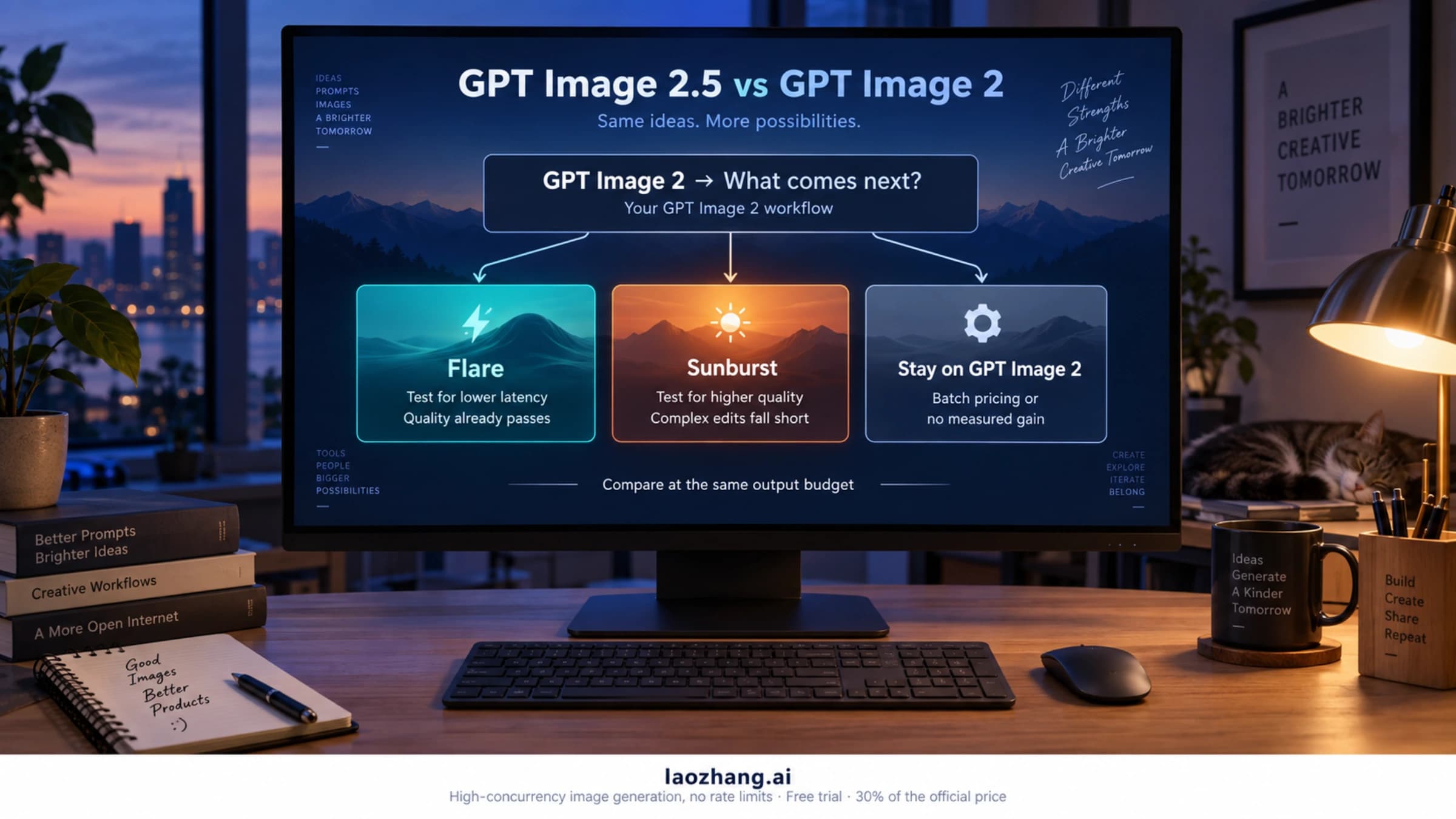
Start with Flare for drafts and volume; use Sunburst when an edit must keep a product or layout intact. Same cost per attempt; tests put Flare 25–45% faster.
On this page

Start with gpt-image-2.5-flare for exploration, drafts and high-volume generation. Use gpt-image-2.5-sunburst for edits that have to keep something exact, such as a real product, a person or a finished layout, then check whether Flare also passes on those images. If it does, switch back for the speed. One attempt costs the same on both models at the same quality and size, so the choice comes down to waiting time, how often an image is usable, and which quality level you pay for.
Every number below comes from OpenAI's documentation or from a named third-party test, with its conditions next to it. Figures are as of September 25, 2026.
| If your work is mostly… | Start with | Why |
|---|---|---|
| Concepts, drafts, social variations, bulk generation | Flare | Third-party timings put it roughly 25–45% faster, and per-attempt cost is identical |
| Product-photo edits where cap, label and shape must survive | Sunburst, then check whether Flare also passes | Sunburst leads blind edit votes by 44 points; OpenAI positions it for "editing precision" |
| Slides and text-heavy layouts | Flare | In one slide-deck test, Flare was faster and drifted slightly less over three edits |
A text-to-image hero shot at max quality | Either; test both | Blind votes at max are a statistical tie |
| A GPT Image 2 workflow that already works | Flare first | OpenAI's own migration order |
What OpenAI says each model is for
OpenAI's model pages describe Flare as "our fastest model for high-quality, everyday image generation" (speed label: Very fast) and Sunburst as "our most capable model for image generation and editing", for "workflows where editing precision matters most" (speed label: Medium). Both accept text and image input, both generate and edit, and both take the same quality values: low, medium, high, xhigh, max and auto. You pick either one by model ID in the Image API or as the model of the Responses API image generation tool. The pinned snapshots are gpt-image-2.5-flare-2026-09-08 and gpt-image-2.5-sunburst-2026-09-08.
OpenAI's own wording about Flare's quality is not consistent. The image prompting guide calls Flare "the small model, optimized for speed, with image quality comparable to GPT Image 2", and Sunburst "the base model, optimized for quality, with higher image quality than GPT Image 2". The September 8 launch post described Flare as delivering "higher-quality images than GPT‑Image‑2 at 50% lower latency". That 50% figure compares Flare with GPT Image 2, not with Sunburst. The launch post says only that Sunburst comes "with longer generation times".
The guide's selection order is practical:
- New workflow: start with Flare when speed is the priority and Sunburst when demanding quality is the priority.
- GPT Image 2 already passes your checks: test Flare first.
- GPT Image 2 falls short: test Sunburst first, then run Flare "with the same prompts and inputs" and switch if it also meets your requirements and cuts latency.
The guide adds two warnings that matter for any comparison. "The same quality label does not imply the same image quality or response time across models." And "a higher setting doesn't guarantee a better result for every prompt." If you are deciding whether to leave GPT Image 2 at all, GPT Image 2.5 Flare vs Sunburst vs GPT Image 2: Which to Run covers that step and how quality labels map between the two generations.
How big the gap has been in independent tests
OpenAI publishes descriptive labels, not timings or quality scores for Flare against Sunburst. The measurements come from independent testers and public blind-vote leaderboards. Each measured something different, so read each result within its own scope.
Speed
| Test and conditions | Task | Flare | Sunburst | Flare time saved |
|---|---|---|---|---|
| Tosea, official API edits, 2048x1152 slides, averages | high render | 19.7 s | 27.7 s | 29% |
| Tosea, same setup | max render | 33.7 s | 59.8 s | 44% |
FamilyPro, paired edits at high, one run each | Edit 1 | 20.5 s | 30.7 s | 33% |
| FamilyPro | Edit 2 | 22.7 s | 38.8 s | 41% |
| FamilyPro | Edit 3 | 19.7 s | 29.4 s | 33% |
Ofox, 1024x1024 medium, one run each via a gateway | Product image | 19.5 s | 25.1 s | 22% |
| Ofox | English text rendering | 35.7 s | 23.0 s | Flare 55% slower |
| Ofox | Background edit | 15.5 s | 25.0 s | 38% |
Across these runs, Flare usually finished edits roughly 25–45% faster at matched settings. Tosea's slide-deck test also found tighter timing spread over five pages: 17.7–22.3 s for Flare against 27.1–28.9 s for Sunburst. That matters when you render many pages in parallel and wait for the slowest one. The Ofox text-rendering run shows why a single sample can't rank the models: Flare took about 12 seconds longer on that task. OpenAI's guide makes the same point: "a speed improvement on one workload doesn't establish a fixed improvement on another." Treat 25–45% as a reason to expect Flare to be faster, not as a latency budget.
Blind-vote preference
Leaderboards measure which image people prefer in side-by-side votes. They say nothing about speed or cost.
| Leaderboard (as of the date shown) | Sunburst | Flare | Gap |
|---|---|---|---|
| Arena text-to-image, Sep 21, 2026 | 1423 ±9 | 1401 ±9 | 22 points; the ±9 intervals nearly touch but don't overlap |
| Arena image edit, Sep 21, 2026 | 1526 ±6 | 1482 ±6 | 44 points; the ±6 intervals are far apart |
Artificial Analysis text-to-image, both at max | 1196 | 1190 | 6 points, shared rank 1–2 |
Sunburst's lead is clearer for editing than for plain generation. At max on Artificial Analysis, the two models are effectively tied for text-to-image. All four Arena entries for the two models are still marked Preliminary, with roughly 8,000 to 29,000 votes each. Arena doesn't show which quality setting its 2.5 entries used.
Edit drift
Tosea also measured how much of a slide changed that shouldn't have. It ran three consecutive "change one thing" edits and counted the pixels that moved away from the original:
| After edit | Flare | Sunburst | GPT Image 2 |
|---|---|---|---|
| 1 | 3.8% | 4.1% | 5.6% |
| 2 | 6.7% | 6.8% | 8.1% |
| 3 | 9.2% | 9.9% | 11.4% |
All 9 edits succeeded on every model, and every title, bullet and number was rendered correctly on all 15 comparison slides. On this workload, Flare drifted slightly less than Sunburst, which runs against the "Sunburst for editing" shorthand. The test covered slides only. It didn't include portraits, product photos, masks or transparency. Arena's broader edit votes still favor Sunburst by a clear margin. Both results can be true at once. The practical conclusion is to test your own image type rather than trust either result in general.
Hands-on reviews land in between. A vc.ru review of five hard prompts found Flare "a little faster" and Sunburst more often careful with light, shadows and texture. The reviewer saw no chasm between the two at the same settings, and quality level and resolution changed the results more than switching models did. In Ofox's background edit, both models slightly shifted the tone and texture of the bottle and label.
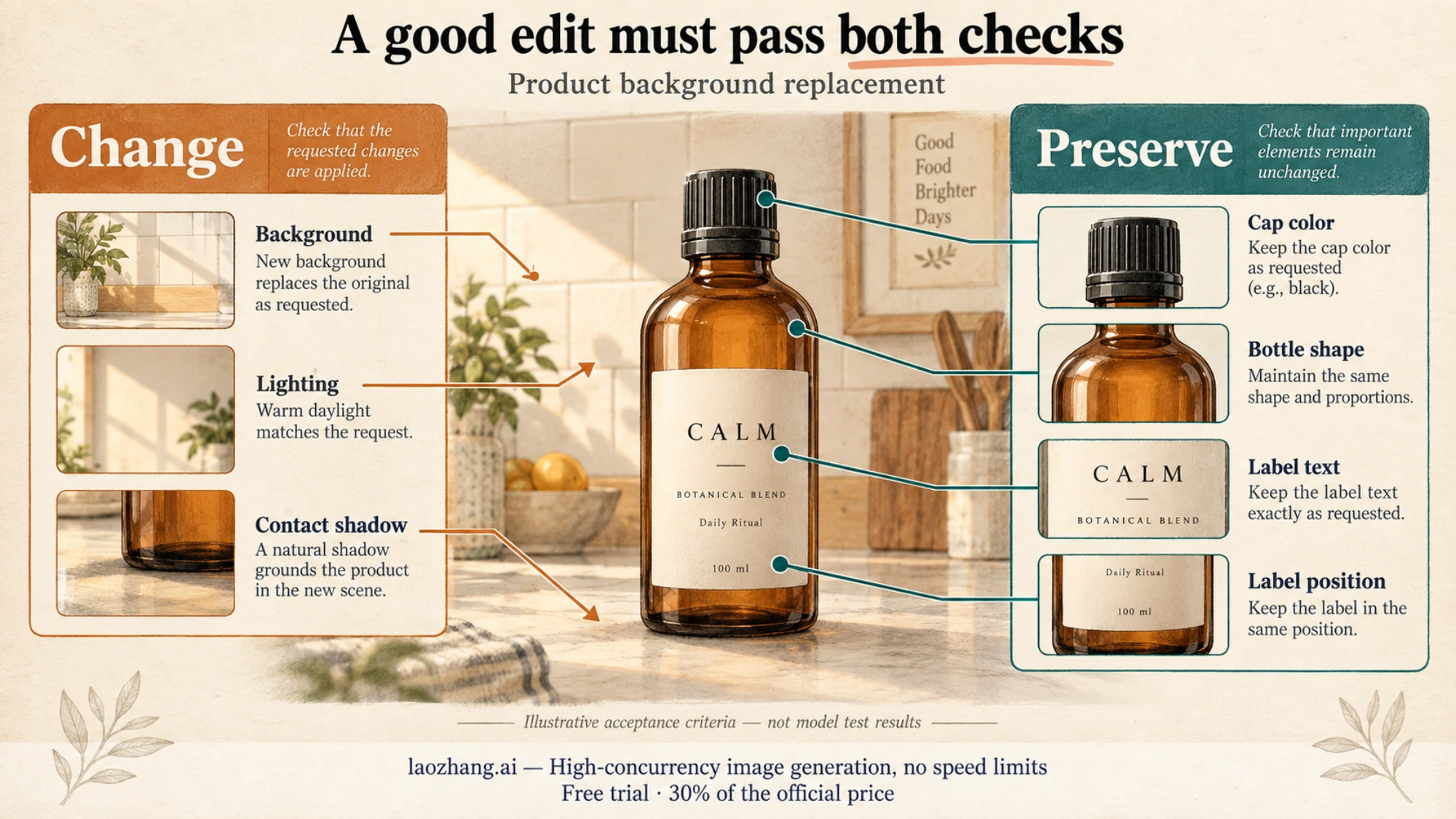
In practice, "editing precision" means an edit passes two checks at once. The requested change has to land, and everything you named as fixed has to stay put. Write the preserve list before you run either model, and fail any output that changes one of those items, however good it looks. A mask doesn't enforce this for you. OpenAI's guide says masking with GPT Image "is entirely prompt-based", so the mask guides the edit but doesn't lock exact edges.
One attempt costs the same; the quality level doesn't
Both models bill identical Standard token rates per million tokens: $5.00 text input, $1.25 cached text, $8.00 image input, $2.00 cached image and $30.00 image output. OpenAI's cost calculator has a single combined option, "GPT Image 2.5 (Sunburst and Flare)". Independent tests also saw equal usage. Tosea's renders returned identical output tokens at every quality setting (1,413 tokens and about $0.059 per slide page at high, inputs included). Ofox's three tasks billed the same to the cent on both models: $0.013460, $0.013585 and $0.021742.
One caveat applies. OpenAI's cost guide still says "token consumption can differ by model and quality setting", and it doesn't publish separate Flare and Sunburst estimates. Read the usage field on your own responses before assuming parity at other sizes.
The model choice barely moves the price of one attempt. The quality level does. Here are the calculator's image-output estimates at $30 per million output tokens, identical for both models:
| Quality | 1024x1024 output tokens | Cost per image | 2048x1152 output tokens | Cost per image |
|---|---|---|---|---|
low | 196 | $0.00588 | 157 | $0.00471 |
medium | 439 | $0.01317 | 367 | $0.01101 |
high | 1,756 | $0.05268 | 1,413 | $0.04239 |
xhigh | 3,122 | $0.09366 | 2,511 | $0.07533 |
max | 7,024 | $0.21072 | 5,650 | $0.16950 |
Each step from medium to high to max multiplies the output budget by about 4. That is a much bigger lever than Flare vs Sunburst. These figures cover image output only. Input images, text prompts, retries and streamed previews come on top (each partial image adds 100 output tokens). Requests through the Responses API also bill the mainline model's tokens. For per-quality budgets, editing charges and monthly totals, see GPT Image 2.5 Sunburst Pricing: Official Costs vs $0.03 per Call.
Because attempts cost the same, the number to compare is cost per accepted image:
cost per accepted image = everything billed (inputs, outputs, previews and retries) ÷ images that pass your acceptance check
If nothing passes, the cost per accepted image isn't zero. It is undefined, because you paid and still have nothing usable.
Here is a hypothetical example to show the arithmetic, not a measured result. Run ten edits per model at 1024x1024 high. Each run costs $0.05268 in output, so each batch costs $0.5268. If 6 Flare outputs pass and 8 Sunburst outputs pass, Flare costs $0.5268 ÷ 6 = $0.0878 per accepted image and Sunburst costs $0.5268 ÷ 8 = $0.0659. The slower model is cheaper here because it wastes fewer attempts. If both pass 8 of 10, cost is equal and Flare wins on time. Moving either model from high to max without improving acceptance multiplies the cost per accepted image by 4.
This also answers the common question of why two models exist if the price is the same. You pay for Flare's speed and Sunburst's quality in seconds and rejected outputs, not in token rates.
Run a quick check on your own images
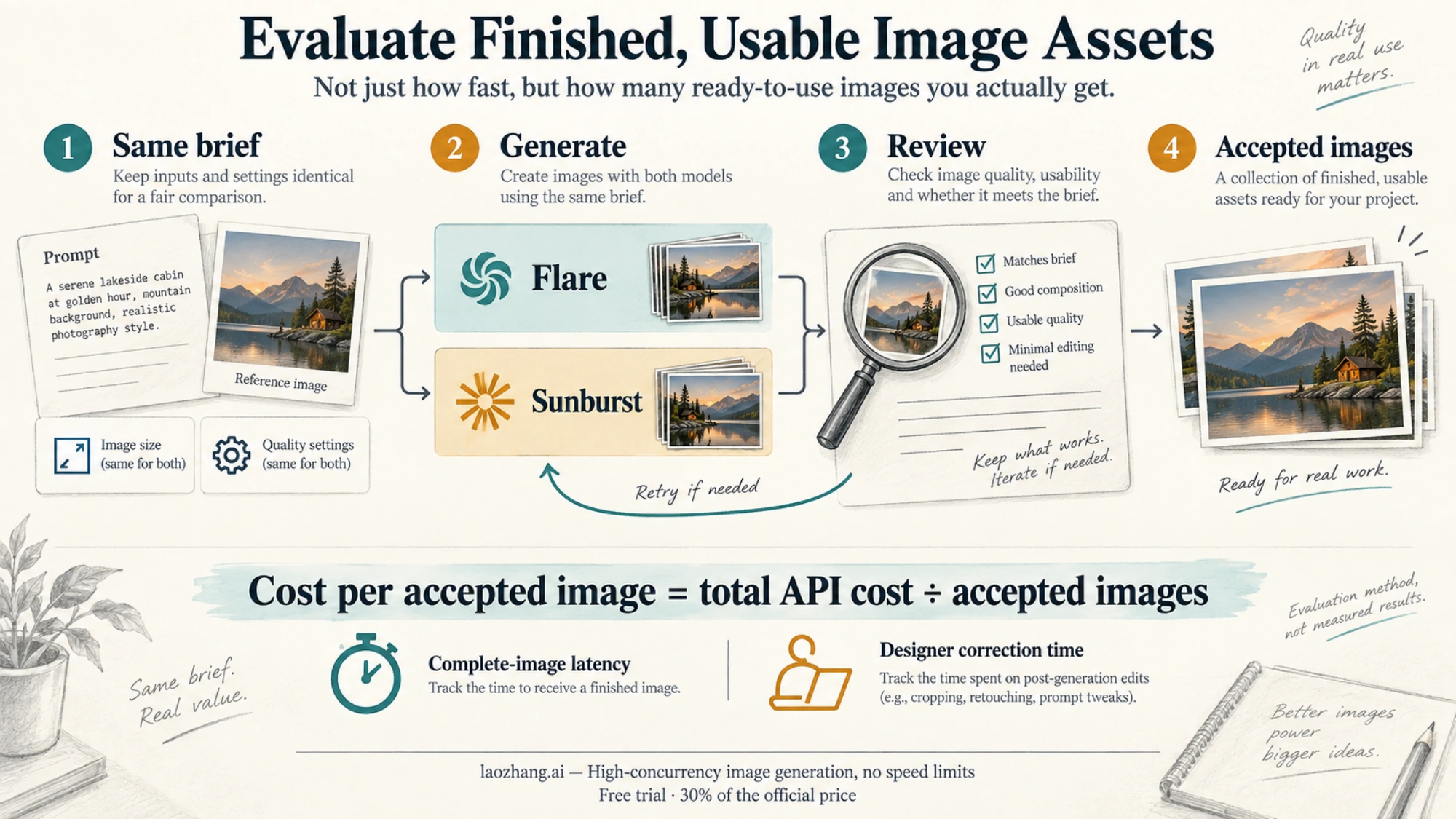
An hour of testing on your real inputs tells you more than any of the tables above:
- Pick 5–10 real jobs from the work you actually do, such as product swaps, portraits, layouts or drafts. Write a preserve list and a change list for each edit.
- Hold everything else fixed. Use the same prompt, the same reference images, an explicit size and an explicit quality level for both models. Don't use
autoquality, because its cost "depends on the generated image". - Run each job more than once per model. Single runs can reverse, as the Ofox text task did.
- Record four things: time to the complete image, billed usage, pass or fail against your lists, and how long a designer spends fixing the output afterward.
- Change one variable at a time. Only after comparing models at the same level, try the quality level you actually need. If
highpasses on Flare, going tomaxon Sunburst costs 4× the output budget to fix a problem you don't have.
A minimal timing script with the OpenAI Python SDK:
import base64
import time

from openai import OpenAI

client = OpenAI()  # reads OPENAI_API_KEY (and OPENAI_BASE_URL, if set) from the environment

PROMPT = (
    "Replace the background with a sunlit marble kitchen counter and a soft contact shadow. "
    "Keep the bottle shape, cap color, label text and label position exactly as they are."
)

for model in ("gpt-image-2.5-flare", "gpt-image-2.5-sunburst"):
    for run in range(3):
        with open("product.png", "rb") as image:
            start = time.perf_counter()
            result = client.images.edit(
                model=model,
                image=image,
                prompt=PROMPT,
                size="1024x1024",
                quality="high",
            )
            elapsed = time.perf_counter() - start
        out_path = f"{model}-run{run + 1}.png"
        with open(out_path, "wb") as f:
            f.write(base64.b64decode(result.data[0].b64_json))
        print(f"{model} run {run + 1}: {elapsed:.1f}s, usage={result.usage}")
Then review the saved files against your preserve list without looking at which model produced them. Keep Sunburst for a job only if its extra pass rate is worth the extra wait. Otherwise route that job to Flare. If you need cut-outs, request background: "transparent" explicitly and check the alpha channel. How to Make an Image Transparent (and Check It Actually Is) walks through those settings for both models.
Paying per call instead of per token
A flat per-call price changes the arithmetic above, because the quality level stops scaling the bill. LaoZhang API lists gpt-image-2.5-flare-vip and gpt-image-2.5-sunburst-vip at $0.03 per call, the same for both. These models accept size and quality and support transparent PNG, but they don't support mask. At 1024x1024, $0.03 is less than OpenAI's output estimate at high ($0.05268) and above, but more than medium ($0.01317). So the per-call route only saves money if you actually run at high, xhigh or max.
Disclosure: laozhang.ai is our own service. Its prices are platform pricing, not an independent comparison.
If you need masks or up to 16 reference images, use the same provider's token-billed forwarding of the unsuffixed gpt-image-2.5-flare and gpt-image-2.5-sunburst IDs. It bills at official token rates, or 20% above them on the group that uses only OpenAI keys, and mask applies to the first image only. The base URL is https://api.laozhang.ai/v1, which you can set as OPENAI_BASE_URL for the script above. Both -vip models were unavailable from September 16 to 22, 2026 because of limited upstream capacity. They were restored on September 22, so check the console for current status before routing production traffic. New accounts need a Gmail address or an enterprise whitelist, and the test credit covers connectivity and development testing.
Which one ChatGPT uses
OpenAI hasn't said whether ChatGPT image requests use Flare or Sunburst, and ChatGPT has no documented selector for them. Some reviewers say ChatGPT defaults to Flare, but they are inferring that from speed and quality. Nothing published confirms it. If the model choice matters for your work, make it in the API or in a tool that exposes the model ID. ChatGPT Images 2.5: How to Use It in ChatGPT and the API covers what you can control inside ChatGPT.
FAQ
Is gpt-image-2.5 a valid model ID?
No. You have to name one model: gpt-image-2.5-flare or gpt-image-2.5-sunburst, or a dated snapshot of either. Requests with the bare gpt-image-2.5 string fail.
Can I use Batch pricing with Flare or Sunburst?
Not as of September 25, 2026. OpenAI's pricing page lists Batch rates only for gpt-image-2. Some comparisons claim "2.5 costs double" because they read GPT Image 2's Batch rates as if they were Standard rates. At Standard rates, both 2.5 models charge the same as GPT Image 2 per token.
Should I switch to max if Flare's output isn't good enough?
Try Sunburst at the same quality level first. At 1024x1024, going from high to max quadruples the output estimate from $0.05268 to $0.21072 per image. OpenAI's guide says a higher setting "doesn't guarantee a better result for every prompt", so use xhigh or max only when it fixes a specific failure you can name.
Sources5
External pages this guide links to, in the order they appear. Last updated Sep 25, 2026.
Sources5
External pages this guide links to, in the order they appear. Last updated Sep 25, 2026.
- 1.image prompting guidedevelopers.openai.com/api/docs/guides/image-prompting
- 2.Tosea's slide-deck testtosea.ai/ko/blog/gpt-image-2-5-complete-guide
- 3.Artificial Analysisartificialanalysis.ai/image/leaderboard/text-to-image
- 4.Arenaarena.ai/leaderboard/image-edit
- 5.vc.ru reviewvc.ru/ai/3154047-raznica-mezhdu-flare-i-sunburst