Claude Code Superpowers Plugin: Install, 15 Skills, Token Cost
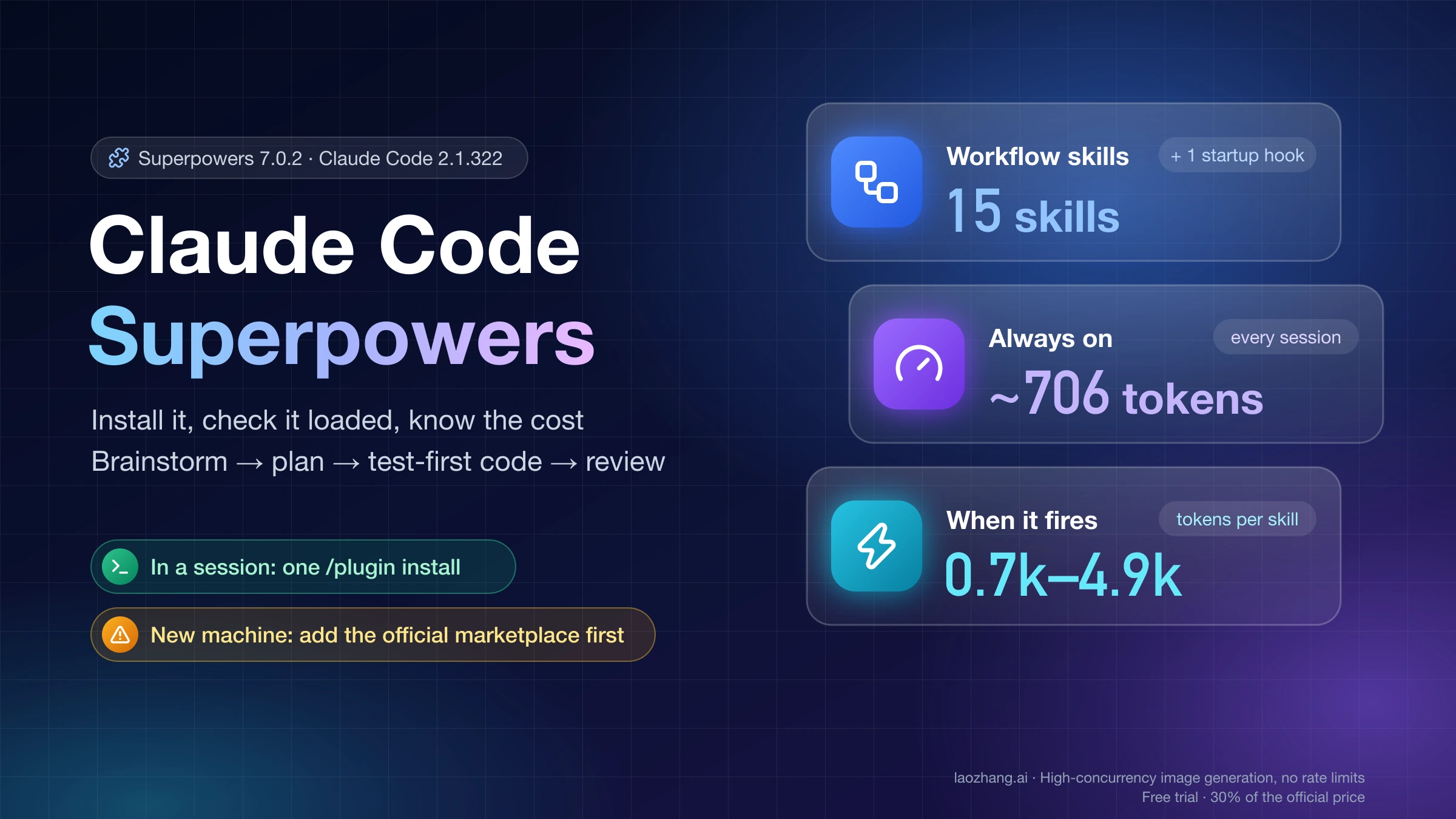
Superpowers adds 15 workflow skills to Claude Code for about 706 tokens per session. On a new machine, add the official marketplace before installing.
On this page
Superpowers is a free, MIT-licensed plugin for Claude Code that changes how Claude approaches coding work. It is written by Jesse Vincent and Prime Radiant, not by Anthropic, although Anthropic's plugin directory marks it "Anthropic verified" and counts 1,009,371 installs as of November 27, 2026. The plugin installs 15 skills and one startup hook. The hook tells Claude to look for a matching skill before it responds, so "build me X" becomes a short design conversation, a written plan, test-first implementation and a review, instead of code right away.
To install it inside a Claude Code session, run /plugin install superpowers@claude-plugins-official and choose a scope. From a shell or setup script on a machine where nobody has opened an interactive Claude Code session yet, that command fails with Plugin "superpowers" not found, because the official marketplace isn't registered there; run claude plugin marketplace add anthropics/claude-plugins-official first and then the same install. Once loaded, Superpowers adds about 706 tokens to every session and roughly 0.7k–4.9k tokens each time one of its skills fires.
Those numbers come from an install check run on November 27, 2026 with Claude Code 2.1.322 and Superpowers 7.0.2 in fresh config directories on macOS. It covered installation, the component list and Claude Code's own token estimate; it did not include watching the skills fire in a live session, so what the skills do once running is taken from the plugin's README, source files and release notes. In short, Superpowers pays off for multi-step feature work in a repository that has tests, and mostly gets in the way of quick questions and one-line fixes.
What the Superpowers plugin does in Claude Code
Superpowers is a bundle of skills plus a hook, not an agent, an MCP server or a set of commands you have to remember. On version 7.0.2, claude plugin details superpowers lists 15 skills, 0 agents, 1 hook and 0 MCP servers. The hook is a SessionStart hook that runs on startup, after /clear and after compaction, and it puts the using-superpowers instructions in front of Claude. Those instructions are blunt: "If you think there is even a 1% chance a skill might apply to what you are doing, you ABSOLUTELY MUST invoke the skill." That rule is why the plugin can feel heavy-handed, since even a simple question goes through a skill check first. If the difference between skills, hooks and slash commands is new to you, Claude Code Hooks vs Skills vs Slash Commands: What to Use and How to Start explains each one.
The skills chain into a workflow that the Superpowers README on GitHub describes in seven steps. When you ask for something to be built, brainstorming runs first: it asks why you want it, plays its understanding back, and writes a design for you to approve. After approval, using-git-worktrees creates an isolated workspace on a new branch, and writing-plans breaks the work into tasks of two to five minutes each, with exact file paths and verification steps.
The plan is then carried out in one of two ways. subagent-driven-development sends each task to a fresh subagent and reviews the result before moving on, which the README calls the most thorough option; executing-plans does every task inline in the current session with a single review of the whole branch at the end, which it calls the cheapest. During implementation, test-driven-development enforces red-green-refactor and deletes code written before its test, requesting-code-review runs between tasks, and finishing-a-development-branch checks the tests and offers to merge, open a PR, keep or discard the branch. How subagents work in Claude Code is covered in Claude Code Subagents Documentation: Official Docs, Safe Templates, and When to Use Them.
The description on Anthropic's plugin page lags behind the plugin. As of November 27, 2026, it still mentions an /execute-plan command and "a code-reviewer agent," while version 7.0.2 has a skill called executing-plans and no agents at all. When the two disagree, trust what claude plugin details superpowers prints on your machine.
How to install Superpowers in Claude Code
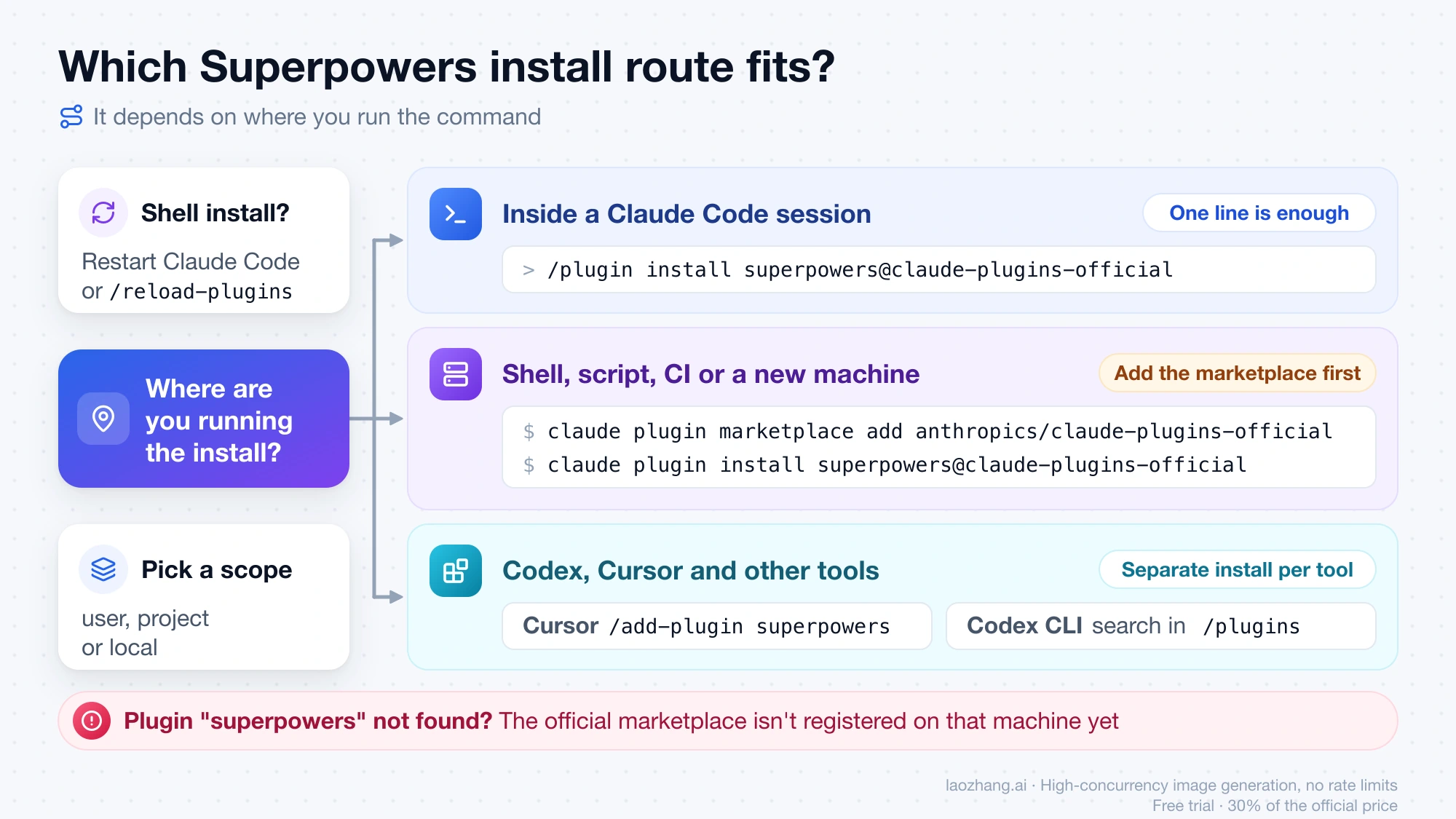
Which command works depends on where you run it. Inside a Claude Code session, the official marketplace is normally already registered and one /plugin install line is enough. In a shell script, CI job, container or any machine where claude has never been opened interactively, you add the marketplace yourself first. Other coding tools such as Codex and Cursor need their own separate install.
In a Claude Code session: /plugin install
These are the steps in the terminal; the desktop app's Code tab has its own plugin browser with the same scope choice.
- Run
/plugin install superpowers@claude-plugins-official. In a session this opens the plugin's details pane rather than installing immediately, so you can see what it will add and its context cost. - Choose a scope. User scope turns it on in every project on this machine. Project scope writes it to the repository's
.claude/settings.jsonso collaborators get it enabled, although each of them still has to install it once. Local scope turns it on for you in this repository only. - Read the last line of the install summary.
Plugin is now active.means you can use it now;Run /reload-plugins to apply.means Claude Code will reload plugins before the skills appear.
The README also offers the author's own marketplace: /plugin marketplace add obra/superpowers-marketplace, then /plugin install superpowers@superpowers-marketplace. Pick one of the two, not both. According to the Claude Code plugin documentation, claude-plugins-official updates automatically by default while third-party marketplaces such as obra's do not, and installing from both leaves you with two copies (see the troubleshooting table below).
From your shell or a setup script
On a fresh machine, register the official marketplace and then install from it. This is the sequence Anthropic's plugin docs give for scripts:
claude plugin marketplace add anthropics/claude-plugins-official
claude plugin install superpowers@claude-plugins-official
In the November 27, 2026 check on Claude Code 2.1.322, adding the marketplace took 9.6 seconds (it cloned the GitHub repository over SSH) and the install took 3.8 seconds, ending with superpowers@claude-plugins-official version 7.0.2 enabled at user scope. Add --scope project or --scope local to the install line if you don't want it in every project. A plugin installed from the shell loads the next time you start Claude Code, or after /reload-plugins in a session that's already open.
A plain claude plugin install superpowers also worked in the same check, without adding anything. It installed from Claude Code's built-in directory as superpowers@anthropic-plugin-directory, version 7.0.2-22f0b463e7a5, in about 17 seconds. The named command above is the better choice for scripts because it is the one both the Claude Code docs and the Superpowers README use, and the Claude Code docs say claude-plugins-official updates automatically by default.
VS Code, Codex, Cursor and other tools
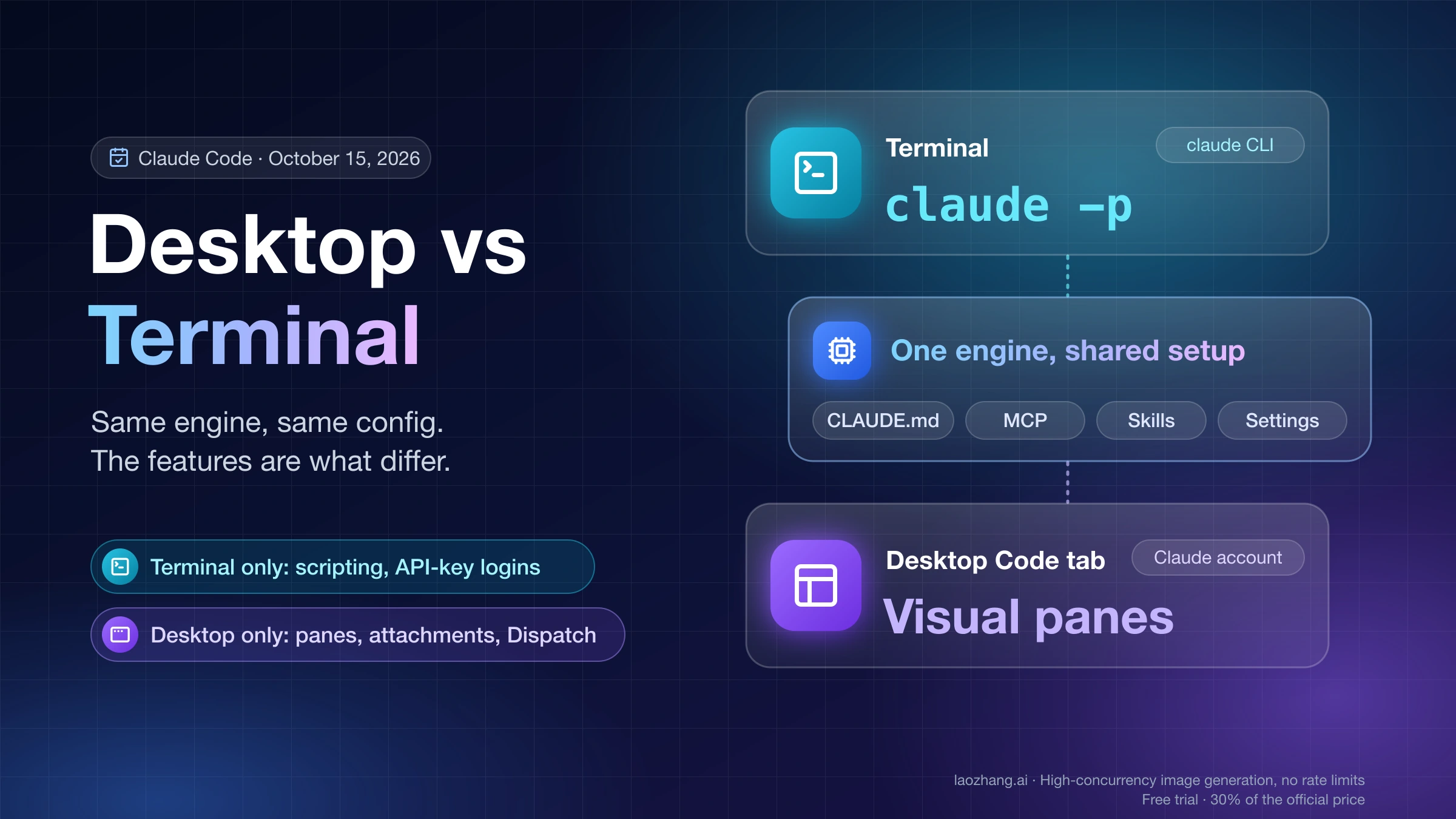
The Claude Code terminal, the desktop app's local sessions and the VS Code extension on one computer read the same settings files, so a user-scope install in any of them is available in the other two. To install from VS Code itself, open Manage plugins in the Claude Code panel, search for superpowers on the Plugins tab and click Install; if that tab lists no plugins, add anthropics/claude-plugins-official on the Marketplaces tab first.
Superpowers also runs outside Claude Code, but each tool needs its own install, and the README says plainly: "If you use more than one, install Superpowers separately for each one." In the Codex app it sits in the Coding section of the Plugins sidebar, and in Codex CLI you search for it from /plugins. On November 27, 2026, the Codex catalog listed superpowers@openai-curated-remote at version 7.0.1, one release behind the 7.0.2 on GitHub. In Cursor's Agent chat the command is /add-plugin superpowers. For what else is worth adding to Codex, see Which Codex Plugins Should You Install First? A Workflow-First Guide.
Why superpowers@claude-plugins-official says "not found"
The error means the claude-plugins-official marketplace doesn't exist on that machine yet. Claude Code registers it the first time someone opens an interactive terminal session, so a new laptop, CI runner, container or fresh CLAUDE_CONFIG_DIR that has only ever run claude plugin commands has nothing called claude-plugins-official to install from. The message suggests updating the marketplace, which fails too, because there is nothing to update.
This is what a fresh config directory on Claude Code 2.1.322 printed on November 27, 2026:
$ claude plugin marketplace list
Configured marketplaces:
  ❯ anthropic-plugin-directory
    Source: Built in (Anthropic Directory)

$ claude plugin install superpowers@claude-plugins-official
✘ Failed to install plugin "superpowers@claude-plugins-official": Plugin "superpowers" not found in marketplace "claude-plugins-official". Your local copy may be out of date — try `claude plugin marketplace update claude-plugins-official`.

$ claude plugin marketplace update claude-plugins-official
✘ Failed to update marketplace(s): Marketplace 'claude-plugins-official' not found. Available marketplaces: anthropic-plugin-directory
The fix is the two-line shell sequence from the install section: claude plugin marketplace add anthropics/claude-plugins-official, then the install again. On a machine you use by hand, opening claude interactively once also registers the marketplace, after which the README's /plugin install superpowers@claude-plugins-official works as written.
What Superpowers installs and what it costs in tokens
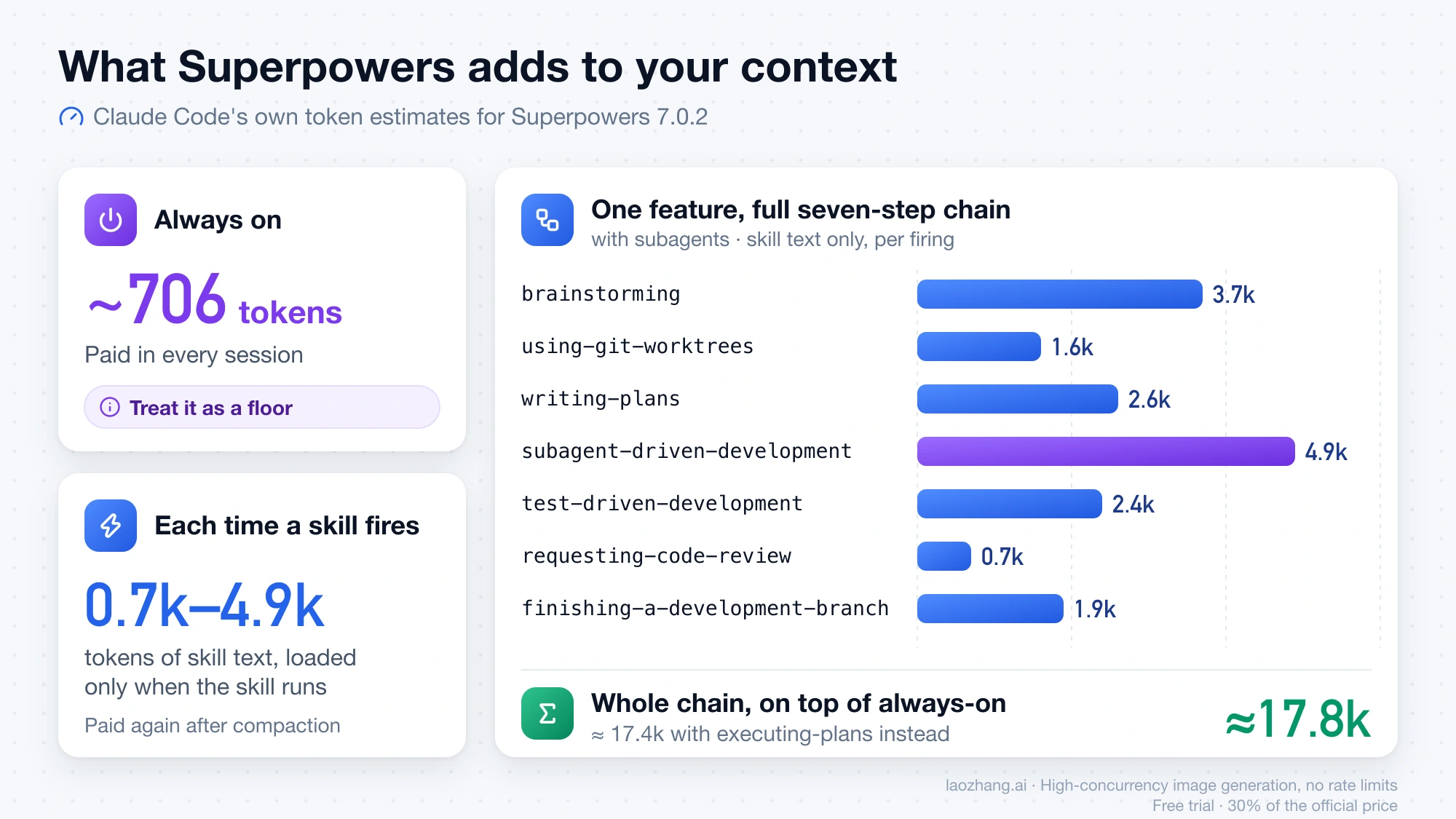
Superpowers costs about 706 tokens in every session, and each skill adds between roughly 700 and 4,900 tokens when it fires. Those are Claude Code's own estimates from claude plugin details superpowers on version 7.0.2, run November 27, 2026, and the tool itself notes that "token counts are estimates and may differ from actual usage." The SessionStart hook is listed as harness-only with no model context cost.
| Skill | What it does | Always-on | When it fires |
|---|---|---|---|
using-superpowers | Tells Claude to check for a matching skill before any response | ~50 | ~750 |
brainstorming | Asks why, plays back the request, writes a design before building | ~60 | ~3.7k |
using-git-worktrees | Creates an isolated worktree on a new branch and checks the test baseline | ~60 | ~1.6k |
writing-plans | Splits the approved design into small tasks with file paths and checks | ~30 | ~2.6k |
subagent-driven-development | Runs each task in a fresh subagent with a review after each | ~30 | ~4.9k |
executing-plans | Runs every task inline, with one review of the whole branch | ~50 | ~4.5k |
test-driven-development | Enforces red-green-refactor and deletes code written before tests | ~30 | ~2.4k |
requesting-code-review | Reviews work against the plan and blocks on critical issues | ~40 | ~700 |
receiving-code-review | Guides how Claude responds to review feedback | ~70 | ~1.5k |
finishing-a-development-branch | Verifies tests, offers merge, PR, keep or discard, cleans up | ~40 | ~1.9k |
systematic-debugging | Four-phase root-cause process before any fix | ~30 | ~2.3k |
verification-before-completion | Checks that a fix actually works before claiming it does | ~70 | ~830 |
dispatching-parallel-agents | Runs independent work in concurrent subagents | ~40 | ~1.5k |
diagnosing-superpowers | Works out what went wrong with the plugin in a session | ~100 | ~1.6k |
writing-skills | Helps you write and test new skills | ~30 | ~4.1k |
The per-skill always-on figures are rounded, so they add up to about 730 rather than the reported total. Treat that total as a floor: the hook's purpose is to place the using-superpowers bootstrap in Claude's context at startup, after /clear and after compaction, and the estimate doesn't show how large that injected text is.
For a feature that runs the full seven-step chain once with subagents (brainstorming 3.7k, worktrees 1.6k, plan 2.6k, subagent-driven development 4.9k, TDD 2.4k, review 0.7k, finishing 1.9k), the skill text alone comes to about 17.8k tokens on top of the always-on cost; with executing-plans in place of subagents it is about 17.4k. That counts only the instructions Claude loads, not the work they lead to, and subagent-driven development spends extra tokens in every subagent it starts. Long sessions also pay again after compaction, when Claude Code re-attaches each skill in use, trimmed to 20,000 characters, according to the Superpowers 7.0.1 release notes. To see what is actually using your plan's allowance, use Claude Code Usage Limits: Check, Audit, and Reduce Token Usage.
How to check that the Superpowers skills are loaded
Run these checks in order and stop at the first one that fails, because each depends on the one before it. Steps 1 and 2 were run on November 27, 2026; steps 3 and 4 follow the Claude Code plugin docs, and step 5 comes from the Superpowers README.
- Run
claude plugin list. You should see exactly onesuperpowers@…entry withStatus: ✔ enabledand a version of 7.0.2 or later. - Run
claude plugin details superpowers. It should showSkills (15)andHooks (1) SessionStart. - If you installed from the shell while a session was open, restart Claude Code or run
/reload-plugins. - In a session, type
/and look for the plugin's skills listed in the form/superpowers:<skill>, for example/superpowers:brainstorming. - Ask for something small to be built. The Superpowers README suggests sending "Let's make a react todo list" (it gives this check in the section for Muse, another coding tool, but the plugin's skills are the same): a working install starts
brainstormingbefore any code is written, andusing-superpowerstells Claude to announce "Using [skill] to [purpose]" when it picks one up.
Superpowers installed but not working: symptoms, causes and fixes
Most "installed but nothing happens" reports come down to the plugin not being loaded into the session you're in, two copies installed, or plan mode. Match what you see in the first column.
| What you see | Likely cause | What to do |
|---|---|---|
Plugin "superpowers" not found in marketplace "claude-plugins-official" | The official marketplace was never registered on this machine | Run claude plugin marketplace add anthropics/claude-plugins-official, then install again |
| Install succeeded in the shell, but the open session shows no skills | Shell installs load at the next start | Restart Claude Code or run /reload-plugins |
| No Superpowers skill fires while plan mode is on | A known plan-mode behavior: an earlier Superpowers issue, "Skills not triggered when Claude Code Plan Mode is active" (obra/superpowers #1667), was closed as not planned, and the author closed a November 2026 report (#2709) saying it didn't show Superpowers was involved | Start brainstorming before switching to plan mode, as using-superpowers itself instructs, or leave plan mode for the build |
Two superpowers@… lines in claude plugin list | Installed from two marketplaces; Claude Code 2.1.322 keeps both enabled without a warning | Uninstall one, for example claude plugin uninstall superpowers@superpowers-marketplace |
Enabled, but zero skills load and the plugin cache has an unknown folder | A February 2026 bug on Superpowers 4.3.1 (anthropics/claude-code #27879): the version resolved to unknown and an empty cache folder was used | Look in ~/.claude/plugins/cache/<marketplace>/superpowers/; if an empty unknown folder is there, the reporter's suggested workaround was deleting it and restarting Claude Code |
| Late in a long session, a skill forgets its own limits, such as a review loop running far past its cap | After compaction, Claude Code re-attaches each skill cut at 20,000 characters; one reported session ran 18 fix rounds instead of 5 | Update to 7.0.1 or later, which moved long sections of the skills into separate reference files |
| A skill fires when it shouldn't, stays silent, or burns more tokens than expected | Varies | Ask Claude to "figure out what went wrong with superpowers in this session" to run diagnosing-superpowers |
The duplicate-install row comes from the November 27, 2026 check, where superpowers@anthropic-plugin-directory and superpowers@superpowers-marketplace were both installed and both showed as enabled; whether a session then lists every skill twice could not be tested. The unknown cache issue was closed for inactivity and may no longer reproduce on current versions, so treat it as a clue rather than a known current bug. If none of the rows match, the Superpowers issue tracker on GitHub is where the author answers reports, and diagnosing-superpowers can package a scrubbed bundle to attach.
Is the Superpowers plugin good, and who should skip it?
Superpowers is good for the work it was designed for: features that take several steps, in a codebase with a test suite, where you'd rather approve a design and a plan than review a pile of unplanned code. The README describes runs where the agent works on its own "for a couple hours at a time without deviating from the plan," and that only happens because of the up-front questions and the plan. The repository's 327,659 GitHub stars and the directory's million-plus installs show how widely it's used, not whether it fits your project.
It fits badly when most of what you ask Claude is quick: a question about the code, a one-line fix, a throwaway script or an exploratory prototype. The 1% rule means each of those goes through a skill check, brainstorming may want a design before a small change, and test-driven-development deletes code written before its test, which is a poor match for a repository without tests. If you're close to your usage limits, the always-on cost plus several thousand tokens per skill adds up. For those days, claude plugin disable superpowers@claude-plugins-official turns it off without uninstalling, and claude plugin enable brings it back.
Whether it is still good after the recent changes is mostly about brainstorming. Version 7.0.1 (October 21, 2026) and 7.0.2 (November 3, 2026) retuned it after users complained that its questions felt formulaic; in the author's blind-graded test conversations, filler questions fell from 41 with 7.0.1 to 23 with 7.0.2. Those are the author's own tests, so judge it on your own sessions.
One open report deserves a precaution before you let Superpowers merge and clean up. In GitHub issue #2706, filed November 15, 2026 against 7.0.2 running in Cursor CLI with the composer-2.5 model, finishing-a-development-branch deleted never-committed files in a worktree during "merge and clean up" in 24 of 24 runs, and executing-plans committed straight to main without asking in 21 of 21. A fix was proposed but not merged as of November 27, 2026, and the report wasn't run on Claude Code. Still, commit or copy any notes and scratch files out of a worktree before asking it to clean up, and start plan execution from a feature branch rather than main.
Update or remove Superpowers
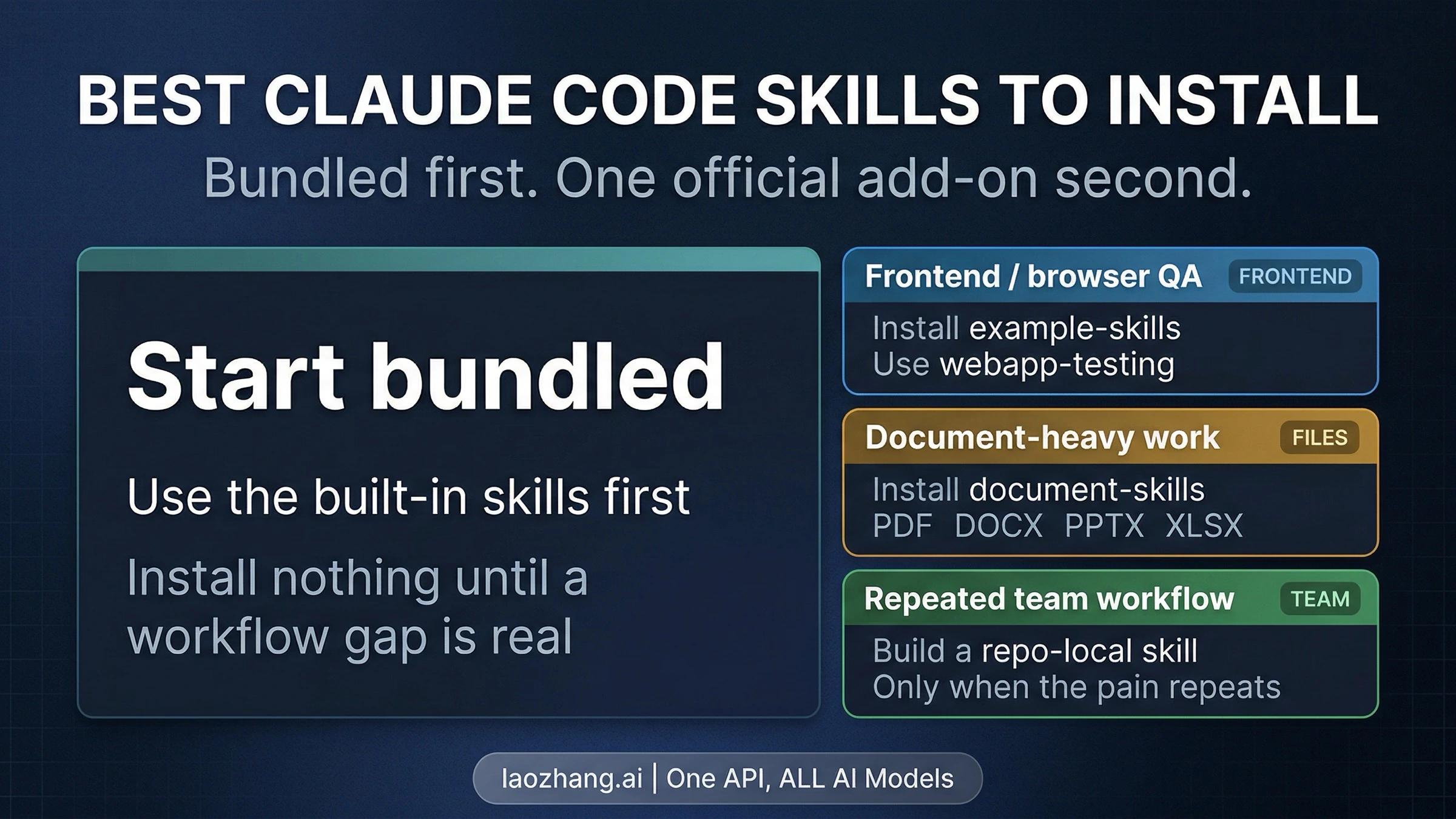
To update, run claude plugin update superpowers@claude-plugins-official in your shell, or open the plugin on the Installed tab of /plugin and choose Update now; use whatever marketplace suffix claude plugin list shows for your copy. Installs from claude-plugins-official also update automatically by default, while installs from obra's marketplace don't unless you turn auto-update on for it in the Marketplaces tab. To remove it, run claude plugin uninstall superpowers@claude-plugins-official; in the November 27, 2026 check, claude plugin list reported No plugins installed right after. If you're looking for other skill packages to try alongside or instead of Superpowers, start with Best Claude Code Skills to Use First: Picks by Workflow, and if Claude Code itself isn't set up yet, see How to Install Claude Code: Complete Setup Guide for Every Platform (2026).
Claude Superpowers plugin: other questions
Does Superpowers work with claude -p and in Claude Code cloud sessions?
With claude -p and other non-interactive runs, plugins you already installed do load, but /plugin isn't available, so install Superpowers from the shell with claude plugin install beforehand. Cloud sessions don't see plugins installed on your computer at user or local scope; according to the Claude Code plugin docs, you add plugins for cloud sessions to your claude.ai account at claude.ai/customize/plugins and then start a new session.
Does the Superpowers plugin send any data?
Only a version number, and only from one optional feature, according to the Superpowers README. When you open brainstorming's optional visual companion, its Prime Radiant logo loads from the author's website with the Superpowers version attached, and nothing about your project, prompts or coding tool. Setting the environment variable SUPERPOWERS_DISABLE_TELEMETRY to any true value turns this off, and the plugin also honors Claude Code's DISABLE_TELEMETRY and CLAUDE_CODE_DISABLE_NONESSENTIAL_TRAFFIC settings.
Sources3
External pages this guide links to, in the order they appear. Last updated Nov 27, 2026.
Sources3
External pages this guide links to, in the order they appear. Last updated Nov 27, 2026.