Claude Code Mods: How to Install, Vet, and Build One (v2.1.287+)
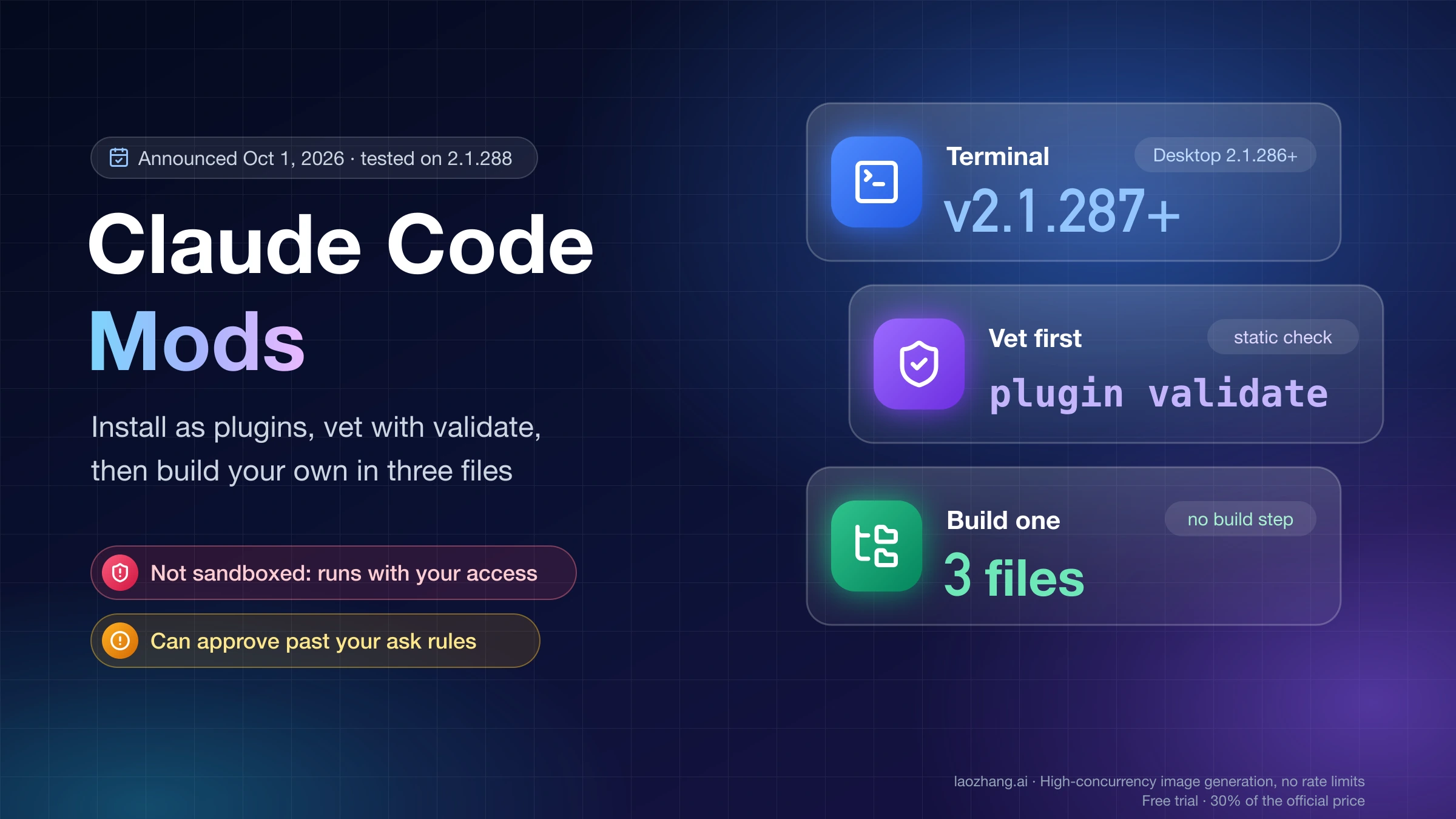
Claude Code mods need terminal v2.1.287+ (Desktop v2.1.286+) and install as plugins. They run unsandboxed with your access, so run plugin validate first.
On this page
A Claude Code mod is a plugin with JavaScript or TypeScript functions that Claude Code runs inside its own process when something happens: a tool call, a submitted prompt, part of the screen being drawn. Each function can watch the event, change it, or answer it outright. That is how a mod can draw a pane beside the transcript, hold a risky rm -rf until you click a button, or add a /command that runs with no Claude turn. Anthropic announced mods on October 1, 2026 in Customize Claude Code with mods in TypeScript.
To use one, you need Claude Code v2.1.287 or later in the terminal, or v2.1.286 or later in the Desktop app's Code tab. Mods are on by default and install like any other plugin, with /plugin install plugin-name@marketplace-name. Before you install one, run claude plugin validate on its folder. A mod is not sandboxed: it runs with the same access to your machine that Claude Code has, and it can approve a tool call that one of your ask rules would have stopped to ask you about.
What was actually run for this guide. Every command output on this page comes from Claude Code 2.1.288 on macOS (the CLI bundled with the Claude Desktop app), not signed in, on October 6, 2026: claude plugin validate, claude plugin test, a claude -p call to a mod's command, and a marketplace add, install, disable, and uninstall in a throwaway config directory. Nothing was run in an interactive session, so there is no first-hand check here of panes, bands, the spinner text, hot reload, the mods active line, the Desktop app, the VS Code extension, Windows, the Team and Enterprise guard, or any third-party mod. What this page says about those comes from Anthropic's mods documentation.
"Mod" here means this Claude Code feature. It has nothing to do with game mods, and claudemod.com is an unrelated site that bundles hook and command configs.
Mod vs settings hook, status line, skill, or MCP server: when you need a mod
You need a mod when you want something drawn inside Claude Code, or when you want to step into an event while it happens. If you only need to block or log a tool call, give Claude standing instructions, or connect Claude to an outside system, the older pieces do it with less code and less access.
Claude Code calls both kinds of handler "hooks." Anthropic's docs use settings hook for the shell command, HTTP request, or prompt you put in settings.json, and keep plain "hook" for a mod's function. This page does the same.
| Mod | Settings hook | Status line script | Skill | MCP server | |
|---|---|---|---|---|---|
| What it is | Functions in a plugin, run inside Claude Code's process | A shell command, HTTP request, or prompt run on a lifecycle event | A script whose printed text becomes the line at the bottom | A SKILL.md file of instructions | An outside process that gives Claude tools |
| What it can change | Tool calls, prompts, commands, turns, and what the interface draws | Whether a tool call or prompt goes ahead, a call's arguments and result, added context | That one line | What Claude knows and does | Which tools Claude has |
| Draws panes, bands, or buttons | Yes | No | No | No | No |
| You write | JavaScript or TypeScript | A script plus a settings.json entry | A script | Markdown | A server in any language |
| Pick it when | You want a pane, a band above the prompt, a command that runs your code, or to rewrite an event | You want to block, allow, or log with a script you already have | You want status text at the bottom | You keep pasting the same instructions | Claude must reach an external system |
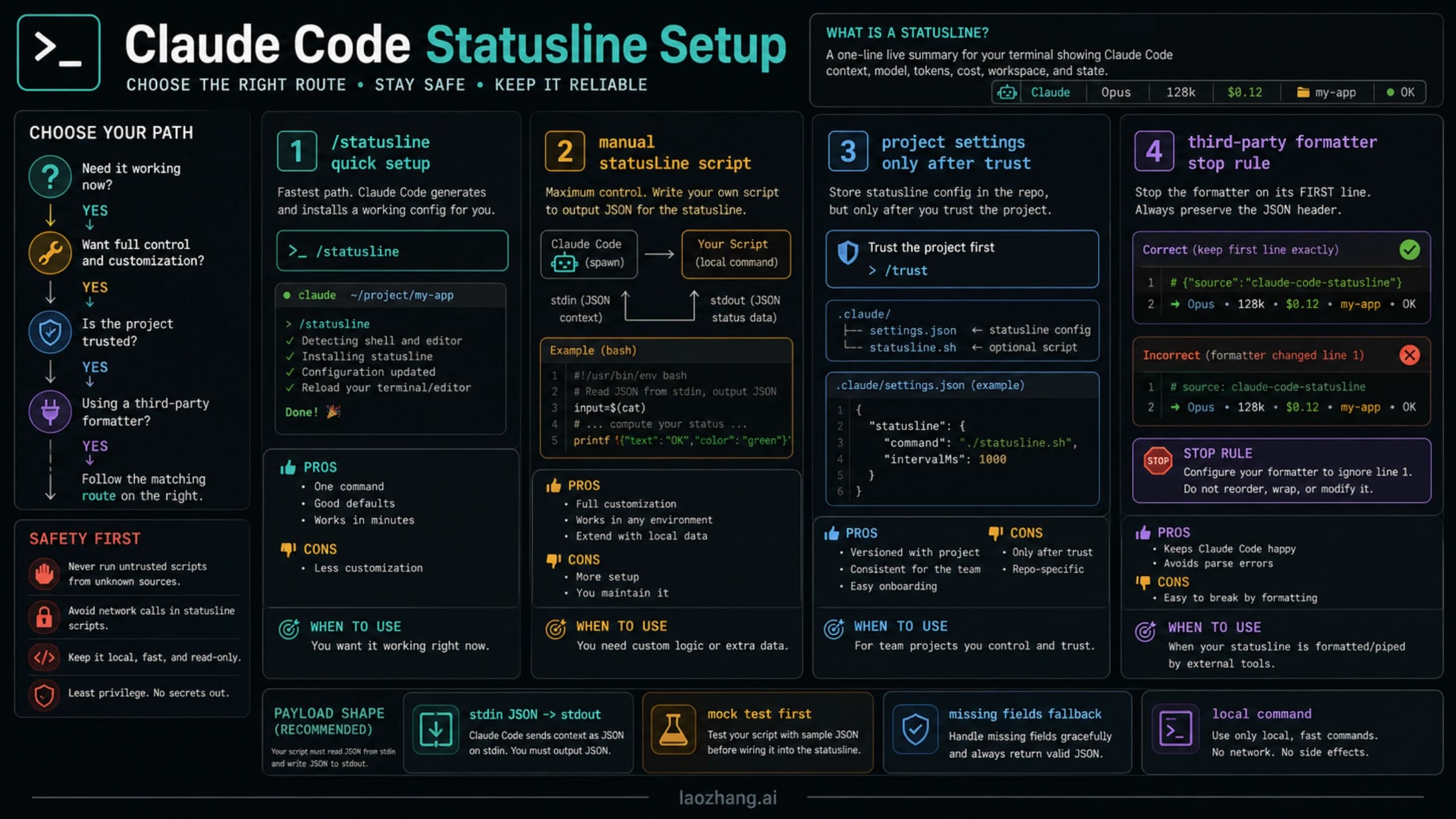
The mod, settings hook, skill, and MCP columns follow the comparison table in the mods overview. Status line behavior is covered in Claude Code Statusline Setup: Routes, Fields, Scripts, and Fixes.
What only a mod can do, per the overview:
- Draw an interface you can use: a pane beside the transcript or a band above the prompt, with tabs, buttons, and text fields.
- Restyle Claude Code's own interface: a tool call's row, the spinner, or the dialog Claude asks questions in.
- Step into a tool call or request: hold it while you answer a question, answer it without running the tool, or send one request to a different model.
- Run your code on a
/commandimmediately, with no Claude turn, even while Claude is working. - Share variables between hooks in one file, so one hook can count tool calls while another shows the count.
Settings hooks are not going away. The admin page says plainly that "nothing about them is deprecated," and a single plugin can hold a mod, a skill, and an MCP server together. For choosing among settings hooks, skills, and slash commands, see Claude Code Hooks vs Skills vs Slash Commands: What to Use and How to Start. For ready-made picks, see Best Claude Code Skills to Install First and Best Claude Code MCP Servers to Install First.
Do mods load on your setup? Version 2.1.287+, surface, and one check
Mods load when three things line up: a new enough version, a surface that runs plugins, and no setting or policy that blocks them.
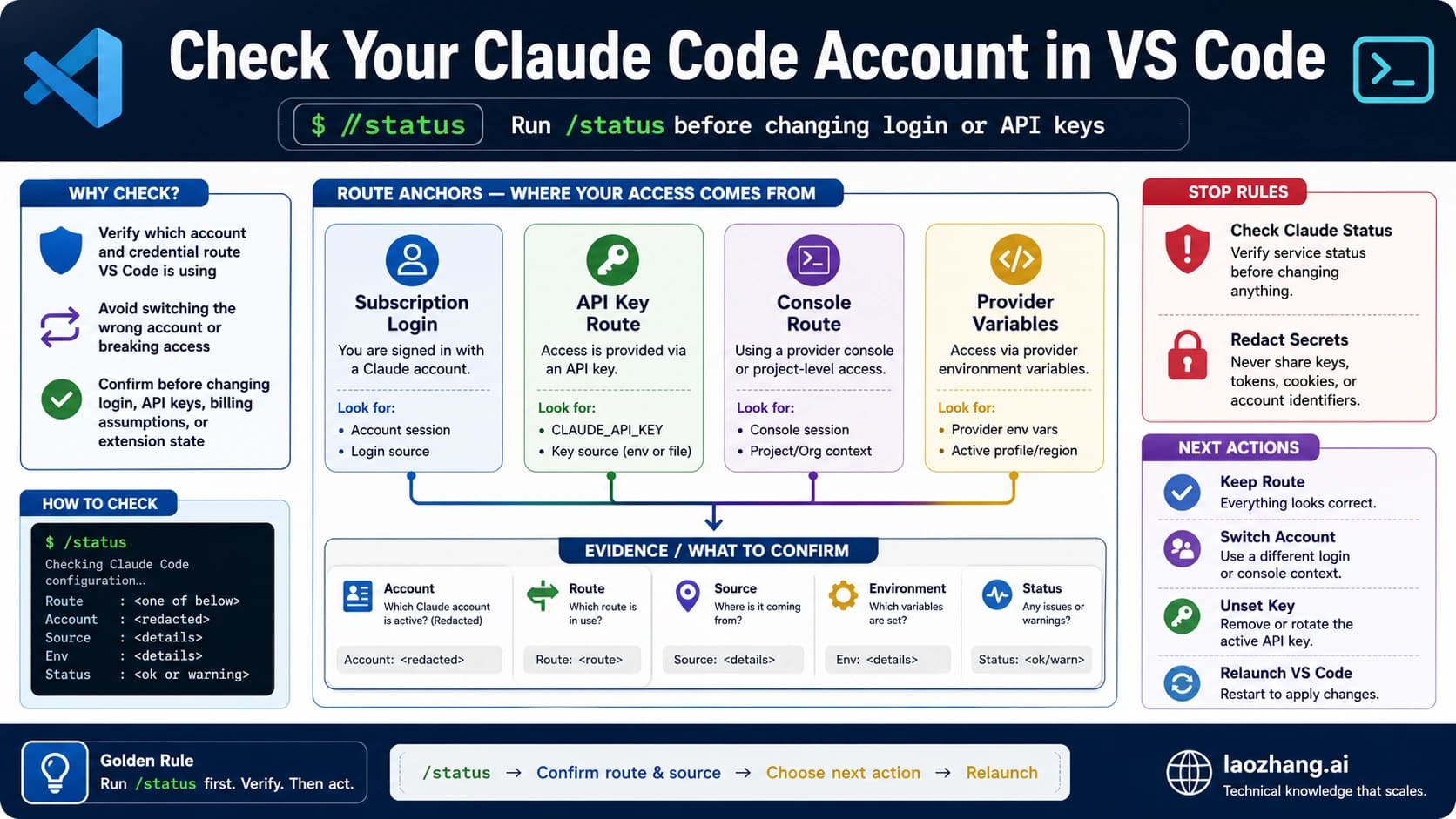
Version. In the terminal, run claude --version and look for 2.1.287 or later. The Desktop app ships its own copy of Claude Code, and mods work there from 2.1.286. To check it, enter /status in a local Code-tab session and read the Claude Code row. If you set CLAUDE_CODE_ENABLE_FUNCTION_HOOKS during early access, remove it: v2.1.287 and later ignore it, so setting it to 0 doesn't keep mods off. If you need to update, see How to Install Claude Code: Complete Setup Guide for Every Platform.
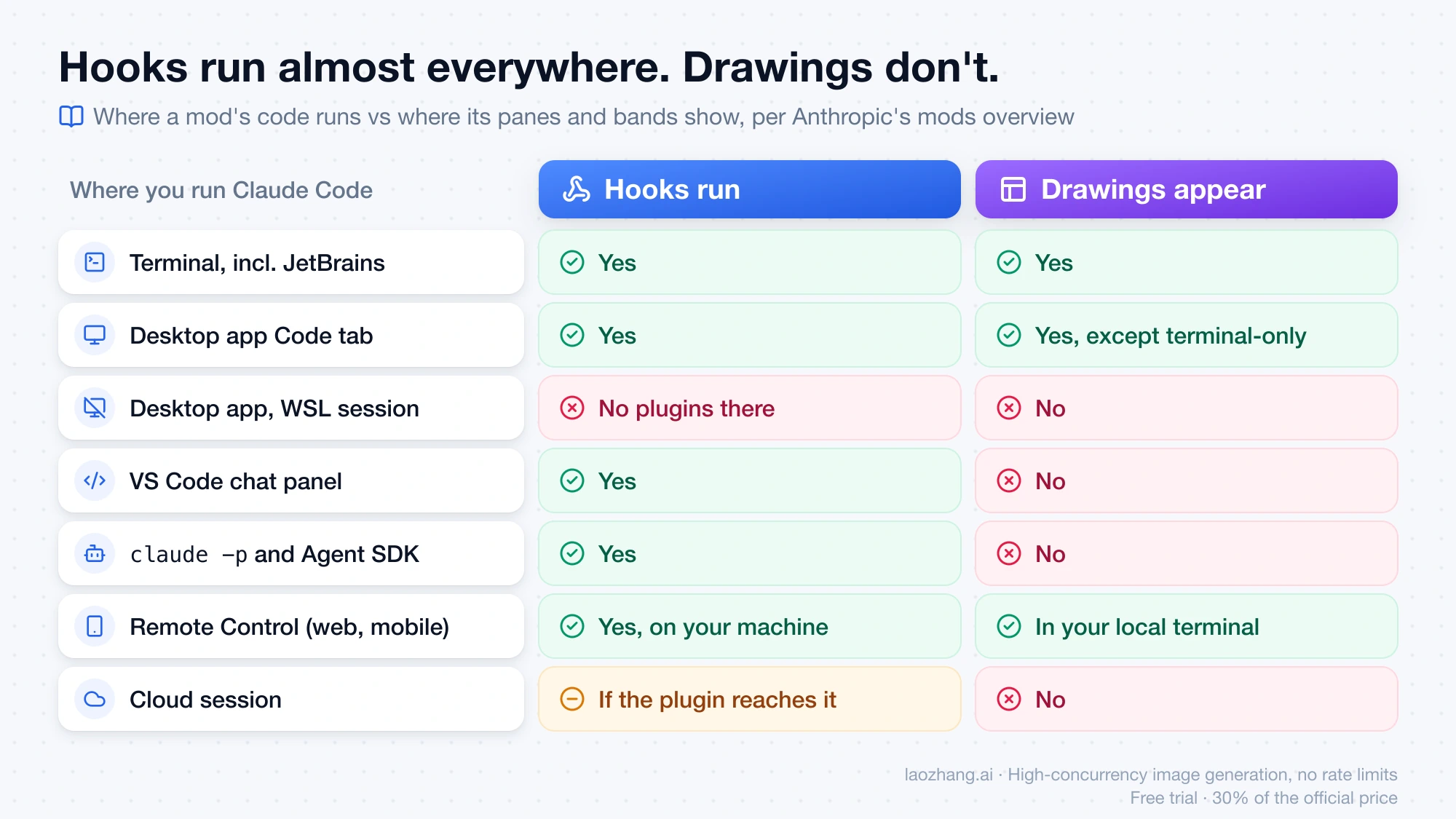
Surface. A mod's hooks run almost everywhere, but its drawings only appear in the terminal and the Desktop app. This table is from the Where mods run section of the mods overview:
| Where you run Claude Code | Hooks run | Drawings appear |
|---|---|---|
claude in a terminal, including an editor's integrated terminal and the JetBrains plugin | Yes | Yes |
| Desktop app Code tab, not a WSL session | Yes | Yes, except elements marked terminal-only |
| A WSL session in the Desktop app | No, plugins aren't available there | No |
| VS Code extension chat panel | Yes | No |
claude -p and the Agent SDK | Yes | No |
| Remote Control from claude.ai or the mobile app | Yes, in the session on your machine | In the terminal on your machine |
| A cloud session | Yes, if the plugin reaches the cloud session | No |
So a pane-drawing mod in the VS Code chat panel still runs its hooks but shows nothing. Use the integrated terminal if you want to see it.
Settings and policy. To check whether anything blocks mods, run claude plugin test from a directory that holds no mod. You don't need a session or a sign-in. On the test machine, an empty folder printed this and exited with status 0:
claude plugin test: .../empty: no hooks module to load; there is no hooks/hooks.json naming one in "modules"The mods troubleshooting page maps the three possible messages:
| Message includes | What it means |
|---|---|
no hooks module to load | Mods can load. There was just no mod in that folder. |
hooks modules are turned off here | disableAllHooks in your settings, or your organization's policy, is blocking mods |
hooks modules are turned off in this process | Anthropic has turned installed mods off remotely. No local setting turns them back on. |
One case this check misses: an organization that sets allowManagedModsOnly lets only its own mods load. Your installed mod then stays off, and the debug log names that setting.
Where to get Claude Code mods, and whether they cost anything
Mods come as plugins, so you get them wherever plugins come from:
- Built into Claude Code. Some features are already mods, such as the
/diffpane (cc-plugin-diff) and AGENTS.md loading (cc-plugin-agents-md). Run/pluginand open the Installed tab to see them under Built-in.cc-plugin-you-should-know, a side agent that shows notes above the prompt, is off by default; turn it on with/plugin enable cc-plugin-you-should-know@builtin. The source of several built-in mods is in the mods folder of the anthropics/claude-code repository. - Anthropic's sample mods. The claude-code/mods folder in Anthropic's claude-code-playground repository has three complete examples:
token-weatherdraws a forecast of your context window above the prompt,blast-radiusholds a risky shell command and shows what it would change with Proceed and Cancel buttons, andreplay-theateradds/replayto step through the file edits from Claude's last turn. They are shared as-is, without support. - Marketplaces. Any GitHub
owner/repo, git URL, local folder, or hostedmarketplace.jsonURL can be a marketplace. Anthropic's announcement also points to installing from the Claude directory. - Community lists. awesome-claude-code-mods on GitHub is an independent scan that listed 2,685 public mods with their
claude plugin validateoutput as of October 6, 2026. It describes itself as unofficial and notes that passing validation doesn't mean a mod behaves safely.
The mods feature itself comes with Claude Code and is on by default; installing a mod from a public repository is a clone or a /plugin install, with no payment step. What a mod can cost you is usage: a mod that calls $.model.complete sends requests to a model on your plan or your API key. The review section below shows how to spot that call before installing.
What a Claude Code mod can reach, and which permission rules still stop it
An installed mod acts as you. According to the What a mod can reach section of the overview, once it loads it can:
- read and write files anywhere your account can, start programs, and make network requests
- read environment variables and settings files, including any API key kept there
- see every prompt you send and every tool call Claude makes
- rewrite a prompt or tool call, submit a prompt as if you typed it, or message another of your sessions
- approve a tool call before you're asked
- call a model on your plan or API key
Sandboxing doesn't contain it. With sandboxing on, Claude's Bash commands are isolated, but a process a mod starts runs outside the sandbox.
The part that matters most for your existing safety settings is how a mod's approval interacts with your permission rules. These rows come from the Know what happens by default section of the mods admin page:
| Your safeguard | Can a user-installed mod get past it? |
|---|---|
An ask rule | Yes. A mod with a tool.check hook can approve the call before the prompt appears. |
A PreToolUse settings hook outside managed settings | Yes. The mod can approve a call that hook blocked. |
| Auto mode's classifier | Yes. A call the mod approves runs without a classifier check. |
A deny rule | No, where the built-in guard loads (unless an admin sets allowModsToOverrideDenyRules). |
A PreToolUse hook in managed settings | No. Its block is final. |
A deny rule such as Read(.env), applied to the mod's own file and process calls | Yes, even where the guard loads. The mod can still read .env with $.fs.read or start a program that does. |
| Org network policy | Partly. It covers $.http.fetch, but not a program the mod starts with $.process.run. |
| What the permission prompt shows | No. A mod can't restyle the prompt or change its text, though it can answer the call before the prompt appears. |
The deny-rule protection depends on the built-in guard, cc-plugin-sec-default, which loads ahead of user mods only when the machine has managed settings or you're signed in with a Team or Enterprise plan. With an API key, Amazon Bedrock, Google Cloud's Agent Platform, or Microsoft Foundry, you get it only on a machine with managed settings. Reading those two conditions literally, a personal Pro or Max sign-in on a machine without managed settings doesn't get the guard, so don't count on a deny rule to overrule a mod's approval there. You can't turn the guard on yourself; an administrator configures it.
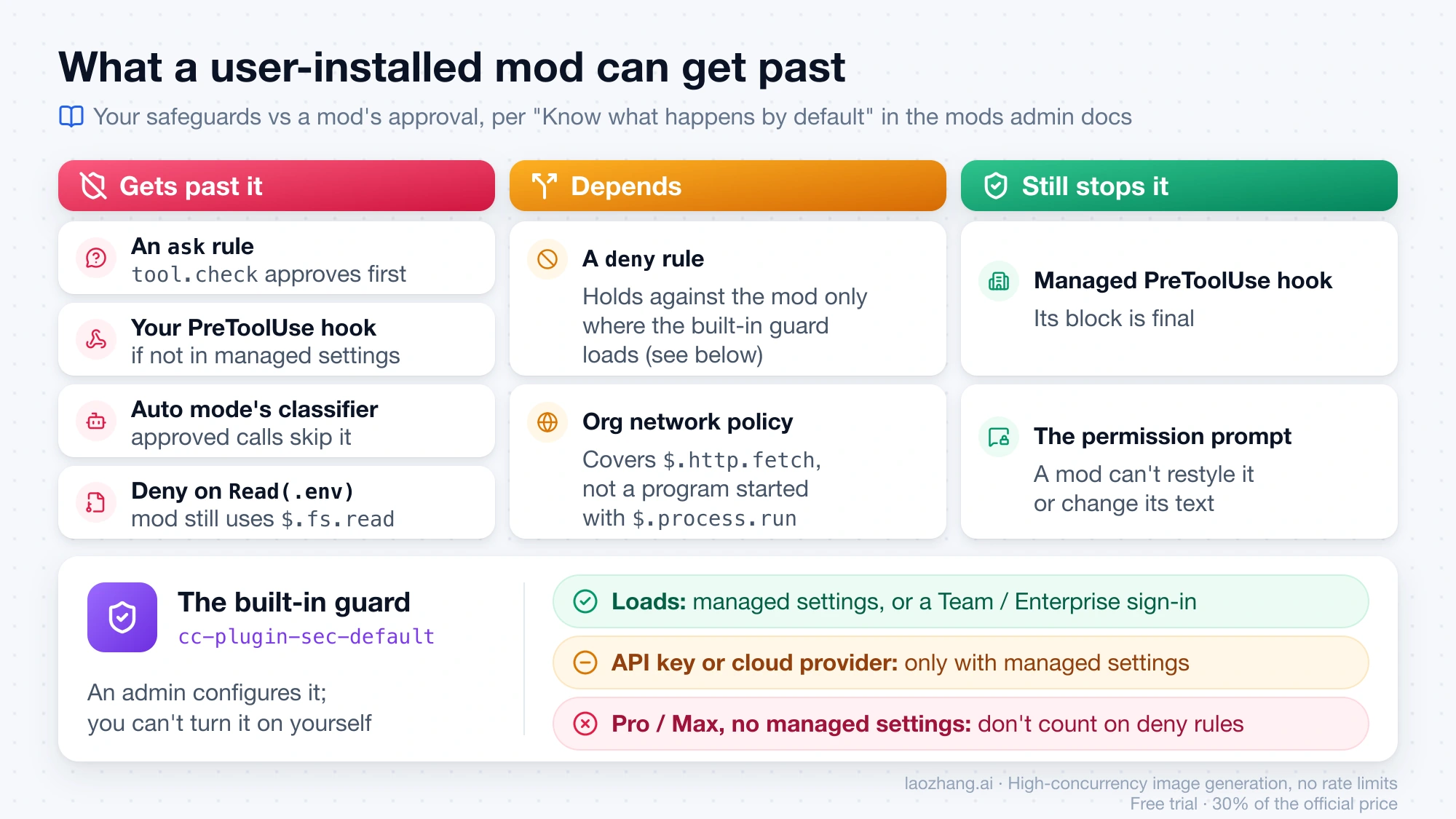
If you rely on auto mode or permission prompts as your safety net, a mod with tool.check sits in front of both. For how those modes behave on their own, see Claude Code Auto Mode: How It Works, What It Blocks, and When to Use It and Claude Code --dangerously-skip-permissions: What It Does, When Not to Use It, and Safer Alternatives.
Vet a mod before installing: what validate's hooks and calls lines tell you
claude plugin validate lists what a mod's code does without running it. It applies the same static analysis Claude Code runs when it loads the mod, and Claude Code refuses to load a mod that uses the mods API in a way this check can't read. Every file access, process, network request, and model call has to go through $, the mods API, which is why the list is complete enough to judge from.
Get the plugin's files first (clone the repository), then run:
claude plugin validate ./some-modHere is the real output for Anthropic's three sample mods (claude-code-playground commit 569c5283, dated October 1, 2026). All three passed:
❯ ./token-weather.mjs hooks: session.start, turn.complete, ui.render{component=AbovePrompt}
❯ ./token-weather.mjs calls: $.session.usage (via takeReading), $.ui.invalidate (via takeReading), $.ui.resolve

❯ ./blast-radius.mjs hooks: tool.call{tool=Bash}, ui.render{component=Pane}, ui.render{component=AbovePrompt}
❯ ./blast-radius.mjs calls: $.clock.now, $.process.run, $.session.cwd, $.ui.close, $.ui.invalidate, $.ui.open, $.ui.resolve, $.ui.toast

❯ ./replay-theater.mjs hooks: session.start, command.run{command=replay}, tool.call, turn.start, turn.complete, ui.render{component=AbovePrompt}, ui.render{component=Pane}, ui.close
❯ ./replay-theater.mjs calls: $.clock.sleep (via openReplay), $.command.register, $.fs.exists (via stepsFor), $.fs.read (via stepsFor), $.session.cwd (via stepsFor), $.ui.close (via replayView), $.ui.invalidate, $.ui.open (via openReplay), $.ui.resolve
token-weather only reads session usage and draws. replay-theater reads files. blast-radius starts programs. None of the three makes network requests, reads environment variables, or calls a model.
The blast-radius line shows why validate is where the review starts, not where it ends. It says the mod calls $.process.run, but not which program. The source answers that. In hooks/blast-radius.mjs, $.process.run launches sleep in a loop while the mod waits for you to press Proceed or Cancel, plus two bash -c helper scripts: one resolves the target of a cd, the other counts the files and bytes an rm would delete. That is reasonable for a mod whose job is previewing destructive commands, but you only know it by reading those call sites.
Checklist before you install a Claude Code mod
-
Know the source. Who publishes the marketplace, and would you run a shell script from them? A mod has the same reach.
-
Run
claude plugin validateon the plugin folder. It has to pass. Add--jsonfor a machine-readable report or--strictto treat warnings as errors. -
Read the
calls:line. Open the source and find each call site when you see any of these:Call What it means $.process.run,$.process.spawnStarts programs as you. Validate can't tell you which ones. $.fs.read,$.fs.writeReads or writes files anywhere you can, regardless of your denyrules$.http.fetchMakes network requests. Check where it sends data. $.env.get,$.settings.readReads environment variables or settings that can hold API keys. An env reads:line names each variable.$.env.setChanges environment variables for Claude Code and every command and MCP server it starts afterward ( env writes:line)$.model.completeSpends usage on your plan or API key $.prompt.submitSubmits a prompt that can read as your own words $.session.sendSends a message that another session's or subagent's Claude reads $.mcp.callCalls a tool on a connected MCP server, under the session's permission rules -
Read the
hooks:line.tool.checkmeans the mod can approve or deny tool calls before a prompt appears (see the table in the previous section).tool.callandprompt.submitmean it sees and can change every tool call or prompt.session.appendcan rewrite conversation rows before they are stored.ui.render{component=AskUserQuestion}can redraw the dialog Claude uses to ask you questions. -
Try it for one session with
--plugin-dir(next section) before you install it permanently. -
Re-run validate after an update. An update installs new code under a new version number, so the earlier review no longer covers it.
Try a Claude Code mod for one session, then install, disable, or uninstall it
Try without installing. --plugin-dir loads a plugin folder for one session only and reloads its code when you save a file in it:
git clone --depth 1 https://github.com/anthropics/claude-code-playground
claude --plugin-dir ./claude-code-playground/claude-code/mods/token-weather
Repeat the flag to load several folders. For apps where you can't pass a flag, the CLAUDE_CODE_PLUGIN_DIRS environment variable does the same thing.
Install to keep it. A mod installs from a marketplace as plugin-name@marketplace-name. Anthropic's sample folder is itself a marketplace. These are the actual commands and output from the test run, executed inside claude-code-playground/claude-code/mods:
$ claude plugin marketplace add ./
✔ Successfully added marketplace: claude-code-playground-mods (declared in user settings)

$ claude plugin install token-weather@claude-code-playground-mods --scope user
✔ Successfully installed plugin: token-weather@claude-code-playground-mods (scope: user)

$ claude plugin list
Installed plugins:
  ❯ token-weather@claude-code-playground-mods
    Version: 0.1.0
    Scope: user
    Status: ✔ enabled
A few details from the Install plugins page that affect mods:
- Inside a session, the same install is
/plugin install token-weather@claude-code-playground-mods. In the Desktop app, plugins are managed under + > Plugins > Manage plugins. - If you install from your shell while a session is open, run
/reload-pluginsin that session. Otherwise the mod loads next time you start Claude Code. - Scope defaults to
user. Use--scope projectto enable it for everyone in a repository or--scope localfor yourself in one repository. - A marketplace added from a local clone points at that folder. Move or delete the clone and the mod stops loading.
To confirm a terminal session loaded the mod, the docs say /plugin shows a dim line under its tabs such as 1 mod active · first-mod (built-in mods aren't counted). That line wasn't checked here because no interactive session was opened.
Disable or uninstall. In a session, run /plugin, press Tab to reach the Installed tab, and pick the mod. From the shell:
$ claude plugin disable token-weather@claude-code-playground-mods
✔ Successfully disabled plugin: token-weather (scope: user)

$ claude plugin uninstall token-weather@claude-code-playground-mods
✔ Successfully uninstalled plugin: token-weather (scope: user)
Turn Claude Code mods off: one mod, one session, or everywhere
Pick the scope of the switch, and undo the same change to turn mods back on:
| What you want to stop | How | Side effects |
|---|---|---|
| One mod | Disable or uninstall its plugin in /plugin or with claude plugin disable | None beyond that plugin |
| Every installed mod, this session only | Start with claude --safe-mode | Also turns off your other customizations for that session |
| Every mod you installed, in every session | Set "disableAllHooks": true in ~/.claude/settings.json | Also stops your settings hooks and custom status line. Anything your organization manages keeps running. |
disableAllHooks stops the mod code but leaves the rest of each plugin loading, including its skills, commands, agents, and MCP servers. None of these switches stops the built-in mods; disable those individually in /plugin where the overview's table allows it. cc-plugin-sec-default can't be turned off by a user. --safe-mode is also the quickest way to test whether a mod is behind a problem you're seeing.
Build your first Claude Code mod: ask Claude, or write three files
You can describe the mod and let Claude write it, or write it yourself. Both start from the same three-file shape, and both are checked with claude plugin validate.
Ask Claude to write the mod
In an interactive session, describe what you want, for example make a mod that shows the current git branch above the prompt. Claude uses the built-in plugin-authoring skill, which knows the events and methods your version has. You can also load it yourself with /plugin-authoring. Per the Create a mod page:
- Claude writes the mod under
~/.claude/dev-mods/, in a folder named after the session ID. Because~/.claudeis a protected path, thedefaultandacceptEditspermission modes ask you to approve each file. - On the first file, Claude Code asks whether to enable hot reloading for the session. Enable for this session loads the mod when the turn ends and reloads it after each turn that changes it. Not now leaves the files in place to load next time that session starts.
- The mod loads only in the session that made it, and Claude Code deletes that session's mods folder once it's older than
cleanupPeriodDays. To keep it, copy it out, for example to~/mods/git-branch, and start sessions withclaude --plugin-dir ~/mods/git-branch, or add it to a marketplace. - A Claude-written mod doesn't load in
claude -p, indontAskmode, in a folder whose trust prompt you haven't accepted, or when mods are disabled.
This route needs a signed-in interactive session, so it was not part of the test run.
Write first-mod yourself and check it with validate and test
Anthropic's tutorial mod counts Claude's tool calls, adds the count beside the spinner, and adds a /tally command. It needs three files, and no Node.js, bundler, or build step, because Claude Code loads .js and .ts directly.
first-mod/
├── .claude-plugin/
│   └── plugin.json
└── hooks/
    ├── hooks.json
    └── register.js
first-mod/.claude-plugin/plugin.json is a normal plugin manifest:
{
  "name": "first-mod",
  "version": "0.1.0",
  "description": "Counts Claude's tool calls, shows the count beside the spinner, and adds a /tally command",
  "author": { "name": "Your Name" }
}
first-mod/hooks/hooks.json points at your code. The modules key is what turns a plugin into a mod:
{
  "description": "The first-mod hooks module",
  "modules": ["./register.js"]
}
first-mod/hooks/register.js exports register(on). Each on(...) call registers a hook, and every hook receives ($, e, next): the mods API, the event, and a function that passes the event on to the next handler.
// Shared by every hook in this file
let calls = 0

export function register(on) {
  // Before the first prompt: add the /tally command
  on('session.start', async ($, e, next) => {
    await $.command.register({
      name: 'tally',
      description: 'Show how many tool calls Claude has made',
    })
    return next(e)
  })

  // Each time Claude is about to use a tool: count it, then let it run
  on('tool.call', async ($, e, next) => {
    calls += 1
    $.ui.invalidate('ui.render')
    return next(e)
  })

  // Only for /tally: answer with text and never call next
  on('command.run', { command: 'tally' }, async () => {
    return { text: 'Claude has made ' + calls + ' tool calls since this mod loaded' }
  })

  // Each time the spinner is drawn: keep it, add the count after its word
  on('ui.render', { component: 'Spinner' }, async ($, e, next) => {
    return next({ ...e, props: { ...e.props, suffix: ' · tool calls: ' + calls + '…' } })
  })
}
The four hooks show the three things a hook can do with an event: session.start and tool.call observe and pass it on, ui.render rewrites it, and command.run answers it itself.
Check it with validate. Output from the test run:
$ claude plugin validate ./first-mod
Validating plugin manifest: .../first-mod/.claude-plugin/plugin.json
Validating hooks: .../first-mod/hooks/hooks.json
  ❯ ./register.js hooks: session.start, tool.call, command.run{command=tally}, ui.render{component=Spinner}
  ❯ ./register.js calls: $.command.register, $.ui.invalidate
✔ Validation passed
If a hook you wrote is missing from the hooks: line, Claude Code won't call it either.
Test it without a session. Save the docs' test as first-mod/tests/first-mod.test.ts:
import { expect, test } from 'claude-code/testing'

test('/tally reports the tool calls the mod has seen', async ($, on) => {
  // Answer each tool call in Claude Code's place, so no tool runs
  on('tool.call', () => ({ result: 'ok' }))

  await $.tool.call({ tool: 'Bash', command: 'ls' })
  await $.tool.call({ tool: 'Read', file_path: 'README.md' })

  const answer = await $.command.run({ command: 'tally', args: '' })
  expect(answer.text).toBe('Claude has made 2 tool calls since this mod loaded')
})
Then run claude plugin test from inside first-mod. It needs no sign-in or network. Timings vary by run:
$ claude plugin test
tests/first-mod.test.ts:
(pass) /tally reports the tool calls the mod has seen [64.48ms]
 1 pass
 0 fail
Ran 1 test across 1 file. [0.34s]
Run the command for real. command.run answers without asking the model, so this worked with the CLI signed out:
$ claude -p "/tally" --plugin-dir ./first-mod
first-mod: Claude has made 0 tool calls since this mod loaded
Claude Code puts the plugin's name in front of the command's text. The spinner count only appears in an interactive terminal or Desktop session, started with claude --plugin-dir ./first-mod.
Rules that keep a mod loadable
Static analysis has to see every hook and call, so the Create a mod page sets a few rules:
- Write each API call in full, as
$.namespace.method(...). Assigning, destructuring, or aliasing$fails;const ui = $.uireports$.ui is used as a value. - Write event names as string literals in each
on(...)call, not variables or loops. - Import only files inside the plugin folder with top-level
importdeclarations. The one bare import allowed isclaude-code. A dynamicimport()fails. - Don't name the plugin like one of Anthropic's own; a name starting with
claude-fails validation. - Each reload runs
registeragain, so module variables such ascallsreset to 0. The docs point to$.statefor values that must survive a reload. - When a folder loads with
--plugin-dir, Claude Code writes type declarations for your exact version into.claude-plugin/types/. Trust those over any web page when they disagree. - Develop against the
--plugin-dirfolder, not an installed copy. Installed plugins are cached by version, so your edits don't reach them until you bump the version and reinstall.
The mods reference also sets limits worth knowing before you design anything heavy: a hook gets 10 seconds of its own run time per event (50 ms for prompt.edit), $.process.run defaults to 30 seconds with a 10-minute maximum, and $.fs.read and $.fs.write handle up to 4 MiB per file.
Claude Code mod does nothing? Validate errors and refusal messages
Start with claude plugin validate on the mod's folder; it catches misspelled events, bad manifests, and code Claude Code can't read. Two deliberately broken copies of first-mod produced these errors on 2.1.288:
✘ Found 1 error:
  ❯ modules../register.js: bad-mod: .../hooks/register.js:7: "tool.calls" is not an event; $ is always spelled $.noun.event(...) at the call site, on is always on("<event>", hook), and next.to always next.to(e, "<tier>")
✘ Validation failed✘ Found 1 error:
❯ root: hooks.json must have `hooks` (the hook matchers) or `modules` (hooks modules), or both
✘ Validation failedThe second one came from a hooks.json with the key misspelled as module and no hooks key at all. The troubleshooting page describes a different symptom for a missing or misspelled modules key: validate passes but prints no hooks: line. Either way, the fix is "modules": ["./register.js"].
If validate passes and the mod still does nothing, find the one-line reason Claude Code writes. Where it appears depends on how you run:
- A session started with
--plugin-dir, or one with hot reload enabled for a Claude-written mod: a dim line in the transcript. - Any other interactive session, such as one with a marketplace-installed mod: only the debug log. Start with
claude --debug. claude -pwith--plugin-dir: stderr.
Refusals start with hooks module, the mod name, and not loaded:. The common reasons, from the Troubleshoot a mod page:
| Message or symptom | Cause |
|---|---|
disableAllHooks in managed settings | Your organization turned off hooks from installed plugins |
only managed plugins and built-in plugins run | allowManagedHooksOnly is set, or disableAllHooks is set in a non-managed settings file |
...in this mode (--bare) | You started Claude Code with --bare |
another plugin of that name loads first | Two plugins share a name; the managed or first-loaded one wins |
mods are limited to your organization's by policy (allowManagedModsOnly) | Your organization allows only its own mods |
tried to lift a deny rule in your settings | Your mod approved a call a deny rule refuses; the call stays denied |
| No mod loads in a folder you just opened | You haven't accepted that folder's trust prompt yet |
| No installed plugin loads at all | You started with --safe-mode |
| Nothing at all, on an older install | Version below 2.1.287 (terminal) or 2.1.286 (Desktop) |
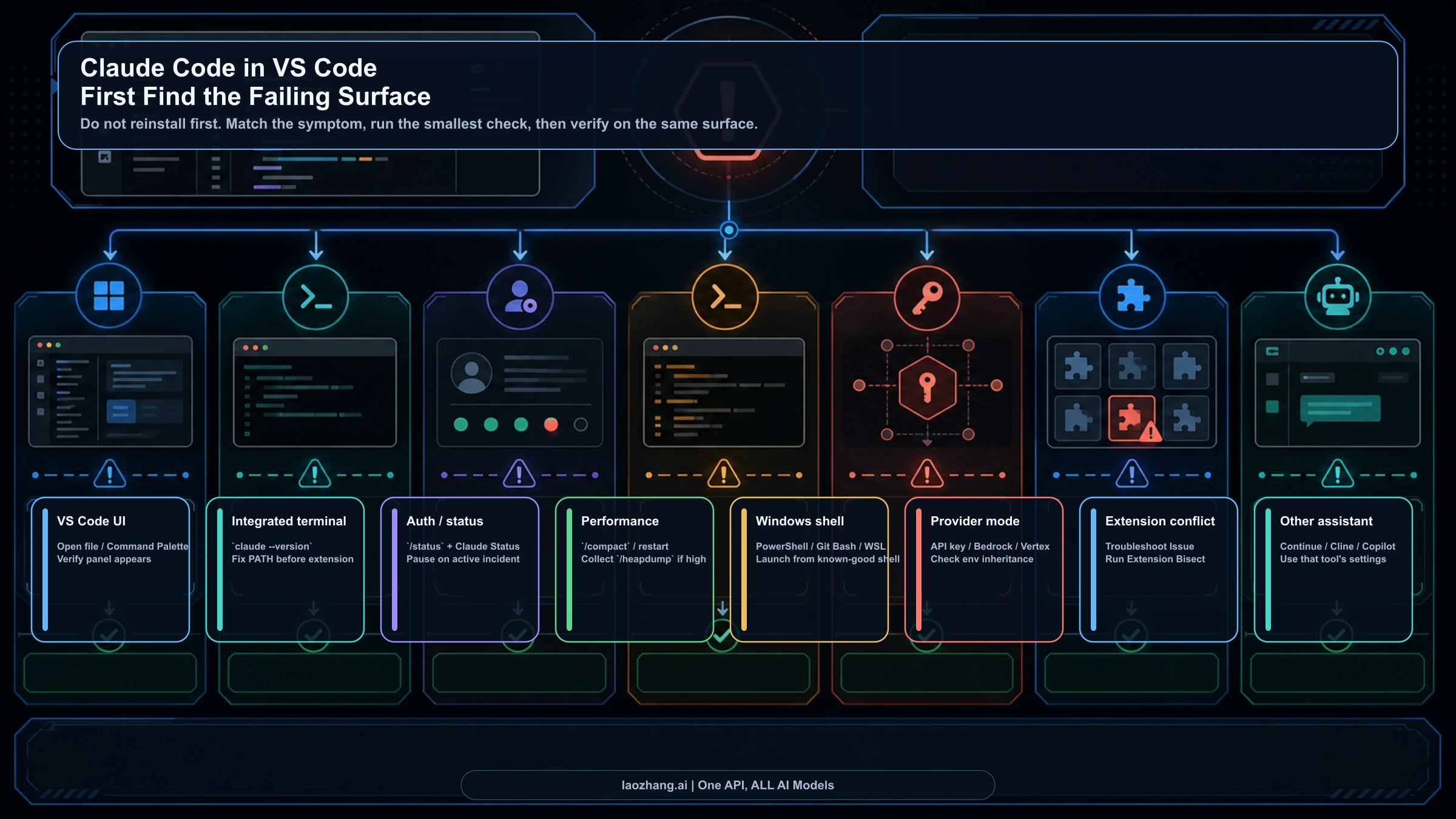
If the mod loads but draws nothing, check the surface table near the top: the VS Code chat panel, claude -p, and cloud sessions run hooks but never show drawings.
Sources10
External pages this guide links to, in the order they appear. Last updated Oct 6, 2026.
Sources10
External pages this guide links to, in the order they appear. Last updated Oct 6, 2026.
- 1.Customize Claude Code with mods in TypeScriptclaude.com/blog/claude-code-mods
- 2.Anthropic's mods documentationcode.claude.com/docs/en/plugins/mods/overview
- 3.mods troubleshooting pagecode.claude.com/docs/en/plugins/mods/troubleshoot
- 4.mods folder of the anthropics/claude-code repositorygithub.com/anthropics/claude-code/tree/main/mods
- 5.claude-code/mods folder in Anthropic's claude-code-playground repositorygithub.com/anthropics/claude-code-playground/tree/main/claude-code/mods
- 6.awesome-claude-code-mods on GitHubgithub.com/karanb192/awesome-claude-code-mods
- 7.Know what happens by default section of the mods admin pagecode.claude.com/docs/en/plugins/mods/admin
- 8.Install plugins pagecode.claude.com/docs/en/plugins/install
- 9.Create a mod pagecode.claude.com/docs/en/plugins/mods/create
- 10.mods referencecode.claude.com/docs/en/plugins/mods/reference