Claude Design System Skill: Use Claude Design, Build a Project Skill, or Vet a UI/UX Skill?
A route-first operator guide to Claude Design, repo-scoped project skills, community UI/UX skills, and design-system stop rules.
On this page
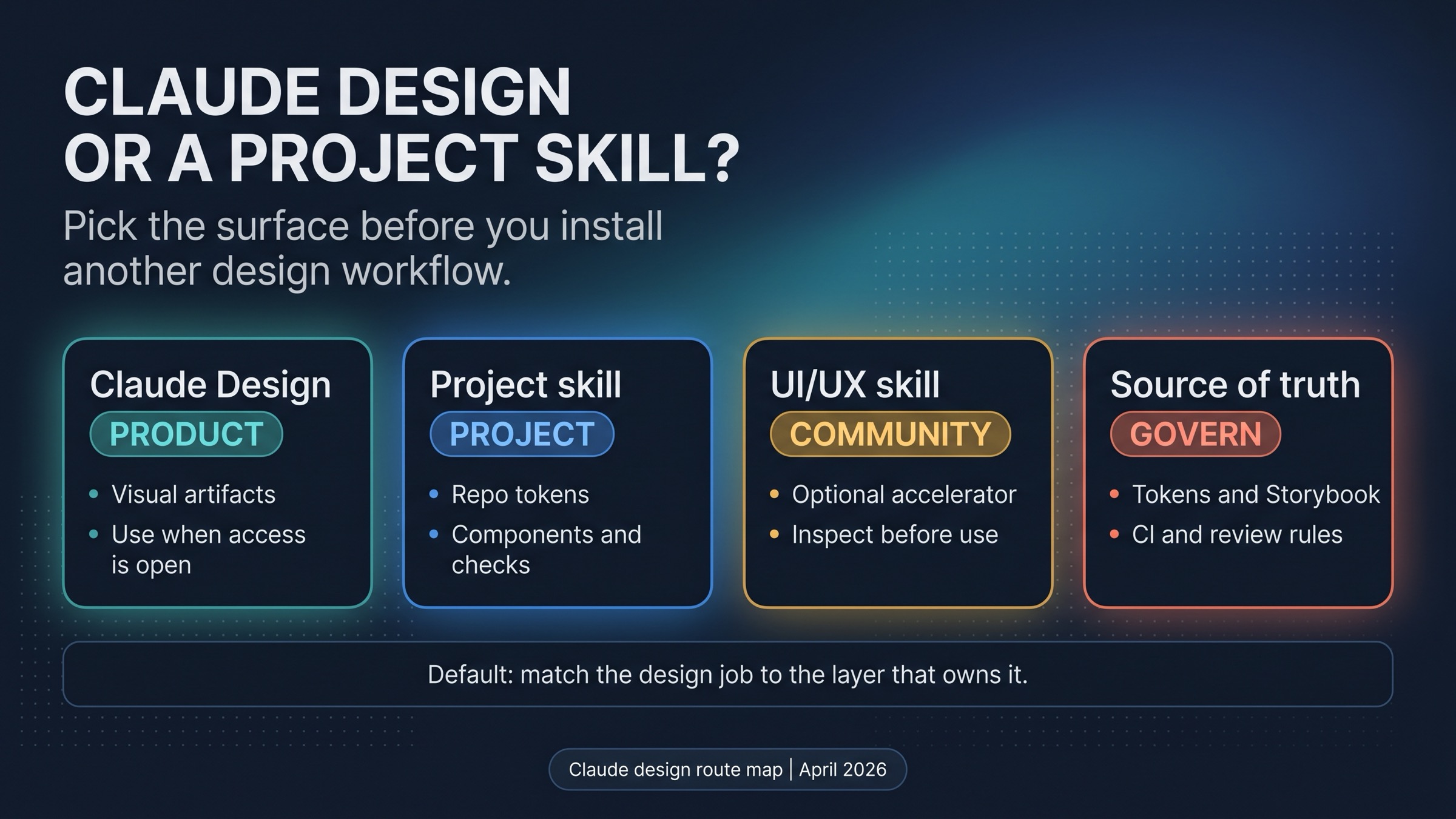
Start by choosing the layer, not the package. As of October 10, 2026, Claude Design is the official Anthropic product route when you need Claude to create visual artifacts, and it is on every Claude plan, Free included. A Claude Code project skill is the better route when the output must follow repo-owned tokens, components, examples, and checks. A community UI/UX skill can help default style quality, but only after you inspect its files and scripts.
| Reader job | First route |
|---|---|
| Make prototypes, one-pagers, or visual concepts inside Claude | Use Claude Design (every plan since October 8, 2026) |
| Make Claude Code follow production components and tokens | Build or use a project skill under .claude/skills/ |
| Improve default UI style quickly | Vet a community UI/UX skill before installing it |
| Enforce consistency across a team | Fix the design-system source of truth and checks first |
Stop rule: if the design system has no reliable tokens, component examples, screenshots, or acceptance checks, another skill will only make Claude sound more confident while the source of truth stays weak.
The Four Routes Are Different Jobs
Evidence note: product and availability claims come from Anthropic's Claude Design announcement, Claude's Skills overview, Claude Code's skills documentation, and Anthropic's custom skills documentation. Third-party skill names should be treated as examples to inspect, not as Anthropic endorsements.
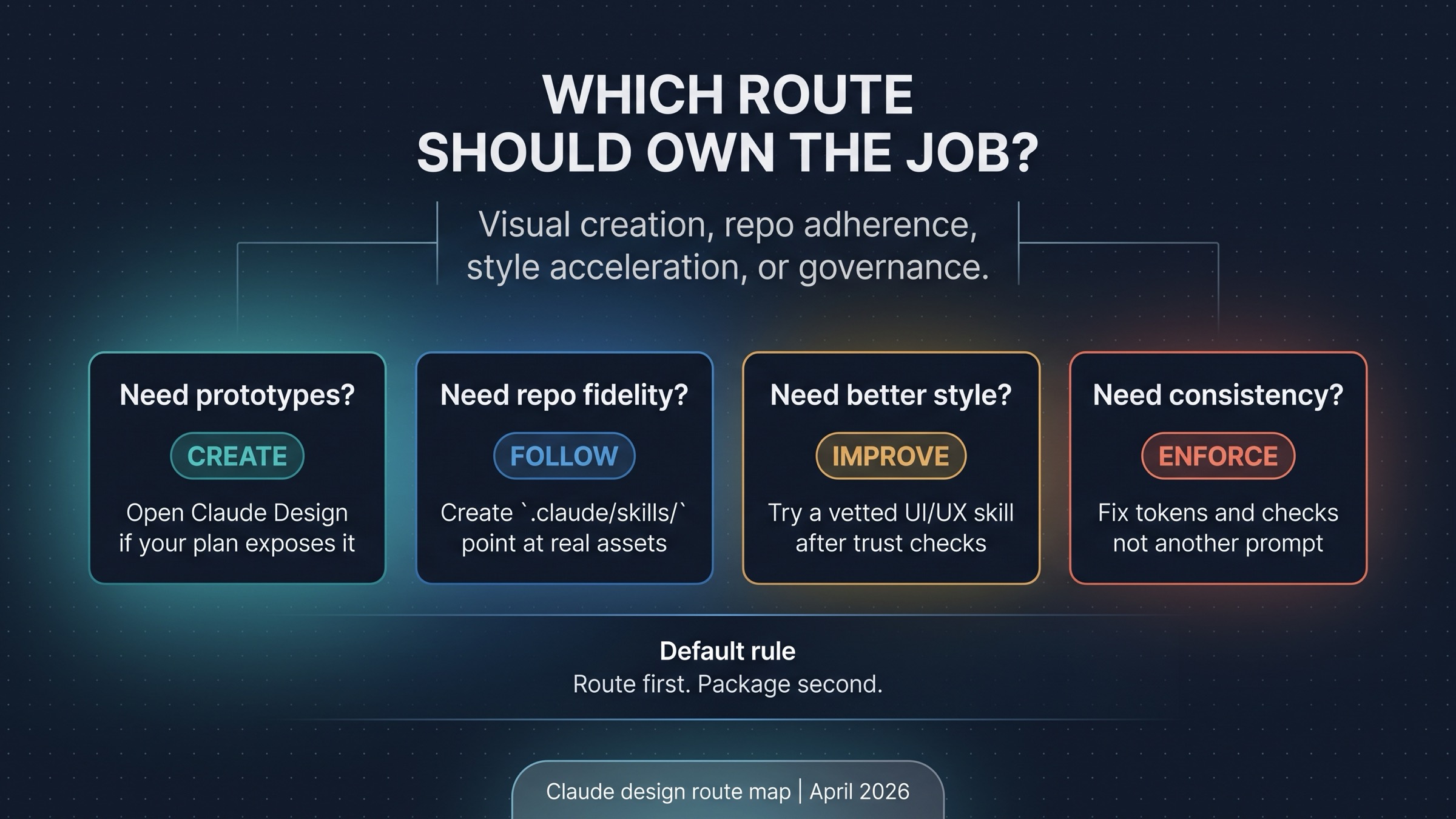
The confusing part is that all four routes can sound like "make Claude use my design system." They are not interchangeable.
Claude Design is a product surface. Its job is visual creation inside Claude: mockups, prototypes, slides, one-pagers, brand-aligned concepts, and other visual artifacts. If the work starts with "show me what this could look like," Claude Design is the first route to check.
A Claude Code project skill is a repo workflow surface. Its job is to load instructions, references, examples, and scripts when Claude Code needs to perform a repeatable task. If the work starts with "change this UI while following our tokens and components," a project skill is usually the better abstraction.
A community UI/UX skill is an optional accelerator. Its job is not to govern your design system. It may provide better taste defaults, process checklists, prompt scaffolds, or style patterns. That can be useful, but it earns trust only after inspection.
Design-system governance is the source-of-truth layer. Tokens, components, Storybook examples, screenshots, acceptance checks, accessibility rules, and review criteria belong there. If those assets are missing or stale, no skill can reliably compensate for them.
Use Claude Design When You Need Visual Artifacts
Anthropic introduced Claude Design on April 17, 2026 as an Anthropic Labs product. Anthropic describes it as a way to create designs, prototypes, slides, one-pagers, and similar visual work with Claude. At launch, the announcement said it was powered by Claude Opus 4.7 and in research preview for Claude Pro, Max, Team, and Enterprise, with gradual rollout.
Those access limits are gone. Since September 16, 2026, Claude Design also works inside every Claude conversation (pick Output > Design in the message box, or a Design template in the Artifacts tab) and in Claude Code through /design. On October 8, 2026 it left beta and became available on Free, Pro, Max, Team, and Enterprise, on by default; on Enterprise it turns on by default on October 15, 2026, and owners can enable it earlier in Organization settings > Artifacts. The standalone site at claude.ai/design closes on December 14, 2026, according to Anthropic's Claude Design help page. If you still cannot see it, check that "Cloud code execution and file creation" is on in Settings > Capabilities, or ask an Enterprise owner. A missing menu item is a setting, not a missing skill install.
Claude Design also explains why "design system" appears in the same mental bucket. Anthropic says Claude Design can automatically apply a team's design system when given access. That is a product capability. It is not the same as a local .claude/skills/design-system/SKILL.md file that tells Claude Code how to work inside a repository.
The two now meet in one place. According to Anthropic's design system setup page, design systems are artifacts in Claude, in beta on Pro, Max, Team, and Enterprise (not Free). You can build one in a chat from brand assets, decks, logos, fonts, or Figma files, or, if your design system already exists as React components, run /design-sync in Claude Code, which reads your tokens and components directly. Teams moving from the standalone site migrate with "Migrate team design systems." Each design system can then be used in any chat, including in Claude Code. Our reading of where that stops: the help page describes a design system as colors, typography, components, and layout patterns that Claude applies to new designs and decks. It does not describe running your tests, CI, or repo-specific rules, so a project skill and deterministic checks still own code changes.
Use Claude Design first when the output is a visual artifact and your main question is direction, layout, narrative, or brand feel. Use Claude Code when the output must become code, edit existing components, satisfy tests, or conform to repo-specific implementation rules.
Build A Project Skill When The Repo Must Be The Design System
A design-system project skill is useful when Claude Code needs to apply local rules repeatedly. The skill should not be a long prompt that says "make it beautiful." It should point Claude at the assets that already define beauty, consistency, accessibility, and implementation fit for the repository.
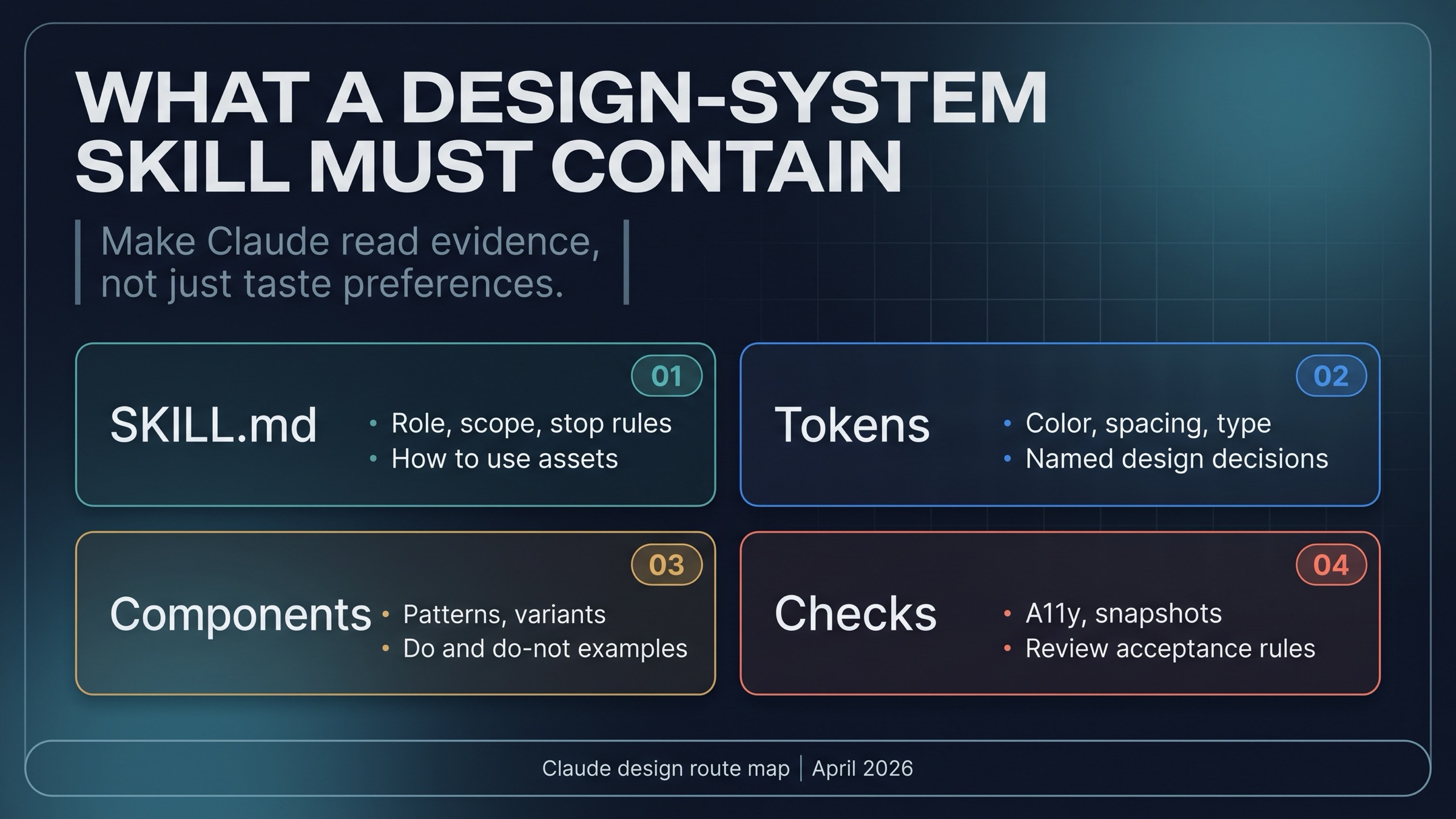
The default project path is:
.claude/skills/design-system/SKILL.mdA minimal skill shape looks like this:
---
name: design-system
description: Use when UI work must follow this repository's tokens, components, examples, accessibility rules, and visual QA checks.
---

# Design System Skill

Use when:
- creating or editing UI in this repository
- translating a mockup into production components
- reviewing visual consistency before a frontend PR

Read first:
- `design/tokens.json`
- `src/components/ui/`
- `storybook/`
- `docs/design-system.md`

Rules:
- use existing components before creating new primitives
- preserve token names instead of hard-coding colors or spacing
- check responsive, keyboard, and contrast behavior
- explain any component divergence before editing
That skeleton is deliberately modest. A strong project skill does not try to contain the whole design system. It tells Claude where the real sources live, how to read them, when to stop, and what checks must pass before output is acceptable.
Use references for stable context, examples for good and bad patterns, and scripts only when they are safe and meaningful. A script might run a visual regression test, typecheck a component, or inspect token usage. It should not become a hidden installer that changes the repo before the reader understands it.
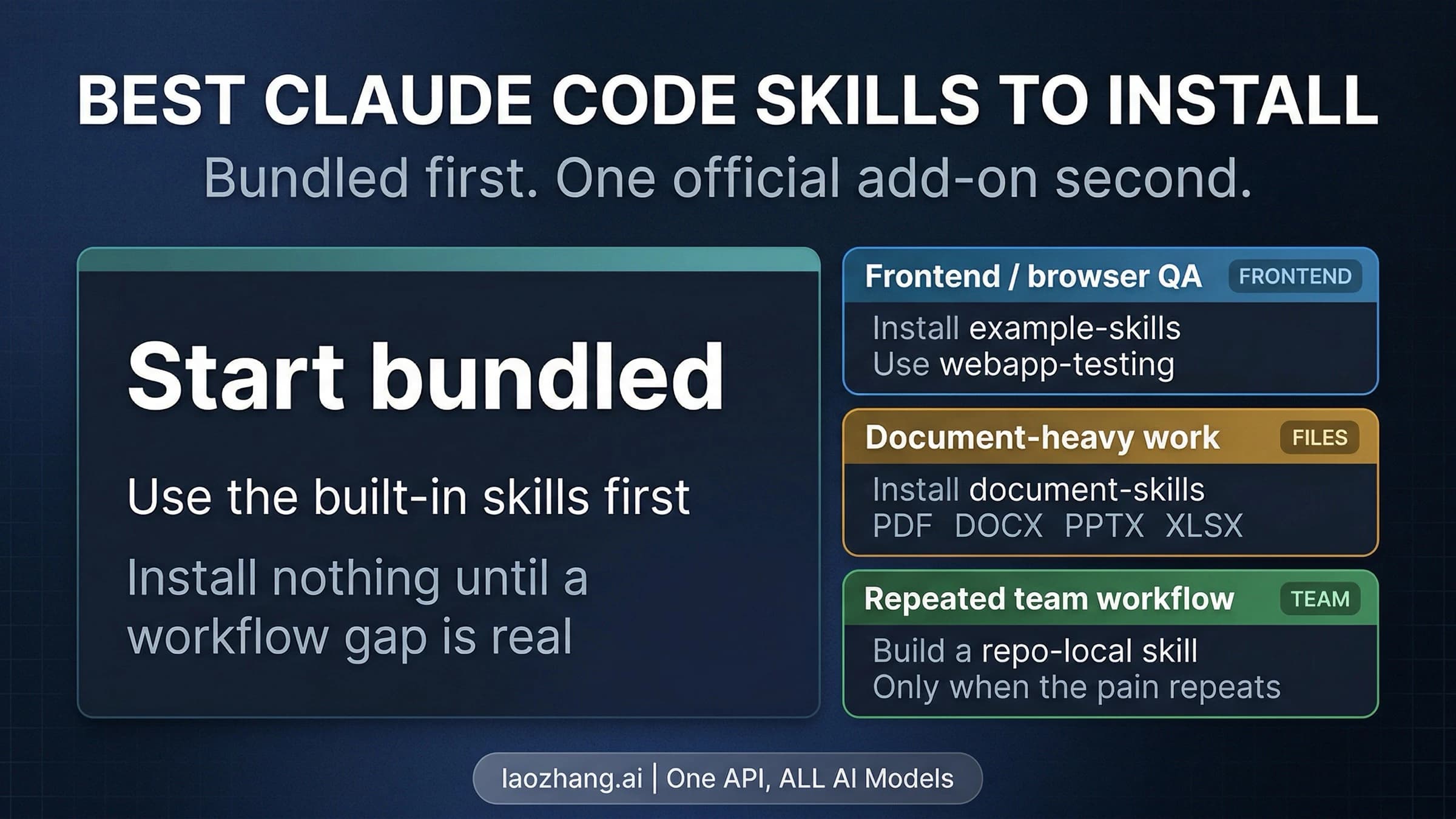
For broader skill selection, keep the general path separate. The Claude Code skills starter guide covers bundled skills, official installable skills, and repo-local custom skills. The design-system route is narrower: it exists when UI work must follow the repository, not when you merely want a larger skill collection.
Vet Community UI/UX Skills Before Installing Them
Community design skills can be useful. Some packages position themselves around UI/UX process, design-system generation, style packs, or cross-editor use. That is real demand, but it is not official status.
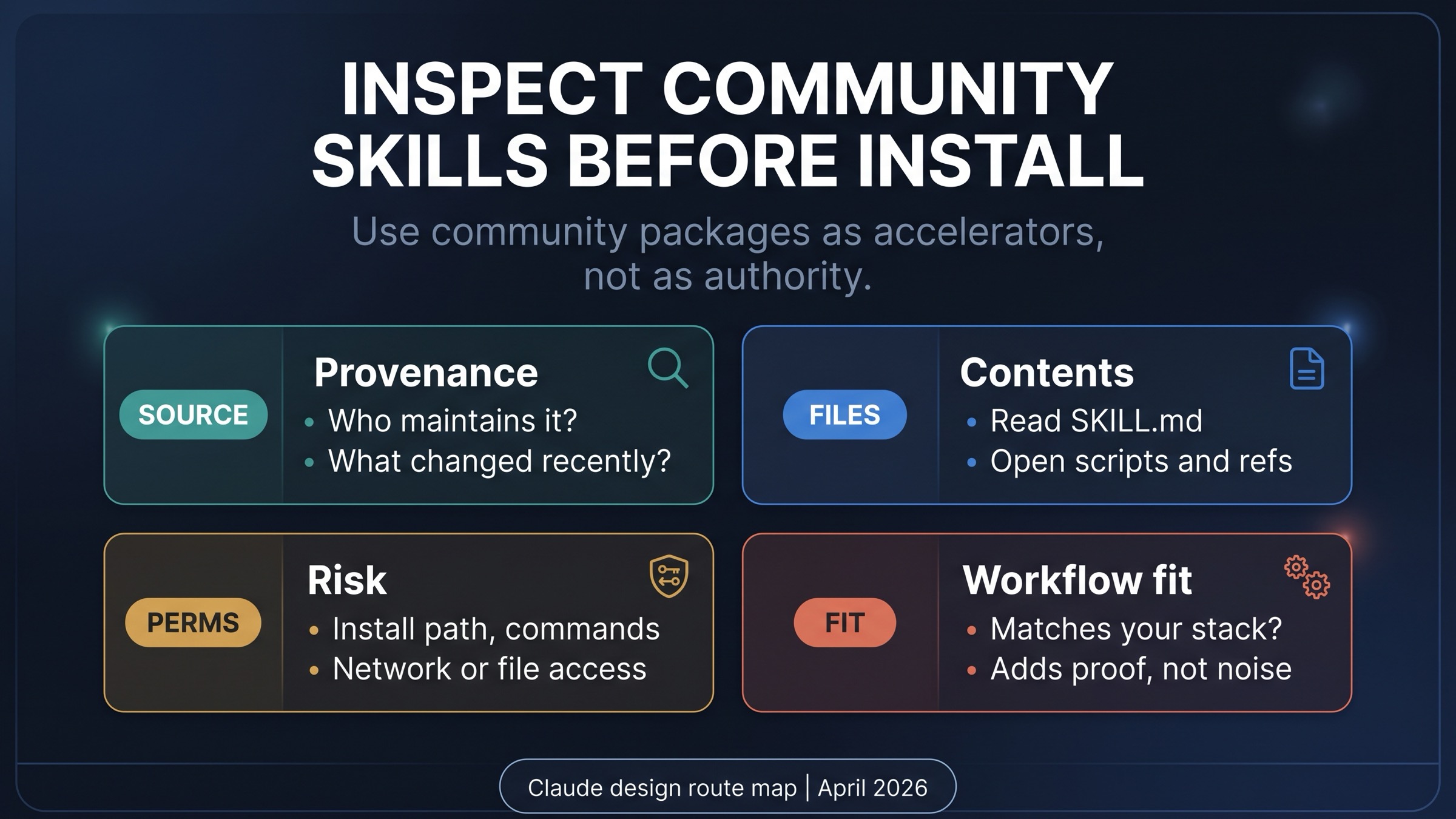
Before installing a community UI/UX skill, inspect four things.
Provenance: who maintains it, where the repository lives, what changed recently, and whether the author explains the intended workflow. A viral post or directory listing is not enough.
Contents: open SKILL.md, references, examples, and scripts. If the package is mostly aesthetic slogans, it may not help production work. If it includes scripts, read them before running anything.
Risk: check install path, shell commands, file access, network access, and whether the package asks Claude to execute steps that should remain under human review. Design tooling can still carry operational risk.
Fit: compare the package to your stack. A React/shadcn-oriented design skill may not help a native app. A style-pack skill may improve first drafts but still fail your component system. A good package should reduce repeated work, not replace your source of truth.
The practical order is simple: inspect first, install second, test on a disposable branch, and keep only what improves a real task. If a community skill cannot explain what evidence it uses, it is not ready to govern design decisions.
When A Skill Is The Wrong Abstraction
The most important design-system question is sometimes whether to avoid a skill altogether.
Use CLAUDE.md when the design guidance is broad and always relevant: naming conventions, preferred component library, accessibility expectations, and general repo behavior. A skill is better for a task that should load on demand, not for rules Claude should always know.
Use source-controlled design assets when the problem is missing truth. Tokens, component stories, screenshot examples, interaction notes, and review criteria need a place in the repository. A skill can point at them, but it should not be their only home.
Use hooks or CI when the rule needs enforcement. If every UI change must pass accessibility checks, visual snapshots, type checks, or lint rules, deterministic checks beat prose instructions. Claude can follow a skill, but a check can fail a bad output.
Use MCP or another integration when Claude needs real external access. If the design system lives in a private Figma workspace, design token service, issue tracker, or documentation system, a skill can describe the workflow, but a tool connection supplies the data. The Claude Code MCP server guide is the better next layer when missing access is the blocker.
For context-layer choices, the Claude Code memory vs MCP vs skills guide is the broader companion. The short version: memory keeps durable preferences, skills load reusable methods, and MCP reaches outside the local context.
A Minimal Setup Flow
Start with the smallest useful path.
- Open Claude Design from Output > Design or the Artifacts tab; it is on every plan since October 8, 2026. If the job is visual artifact creation, try that product route first. If your components are in React and you are on Pro or above,
/design-syncin Claude Code can turn them into a design system that Claude Design applies. - Inventory the repository's design-system assets. Find tokens, components, examples, screenshots, accessibility rules, and review checks.
- Create
.claude/skills/design-system/SKILL.mdonly when Claude Code needs those assets during repeatable UI work. - Keep the skill procedural. Tell Claude when to use it, which files to read first, which rules are non-negotiable, and which checks should run.
- Test the skill on a small UI change. Look for component reuse, token fidelity, accessibility, responsive behavior, and whether the output still needs heavy manual correction.
- Try a community UI/UX skill only after the repo-owned route is clear. Compare results on a branch and remove anything that adds noise.
If Claude Code itself is not set up yet, use the Claude Code install guide before building a design-system skill. If the issue is persistent project memory rather than a task-specific method, the Claude Code memory guide is a better starting point.
FAQ
Is There An Official Claude Design System Skill?
No single official Anthropic product currently owns that exact combined job. The closest official pieces are Claude Design's design systems (beta on Pro and above), which /design-sync in Claude Code can build from a React component library, and Claude Code skills, the official mechanism for reusable workflow instructions. A design-system skill under .claude/skills/ is a project workflow you can build, and third-party design skills are community packages to inspect.
Should Designers Start With Claude Design Or Claude Code?
Start with Claude Design when the output is a visual artifact. Start with Claude Code when the output must edit or review a repository. The handoff matters: Claude Design can help explore direction, while a project skill helps Claude Code respect implementation assets. Since autumn 2026 the two connect directly: /design in Claude Code creates and edits designs, and /design-sync turns your component library into a design system.
What Should Go Inside A Design-System Project Skill?
Put the procedure in SKILL.md, then point to real sources: token files, component directories, Storybook stories, design-system docs, screenshots, accessibility rules, and checks. Keep the skill as the method layer, not the design system itself.
Are Community UI/UX Skills Safe?
They can be useful, but safety depends on provenance, files, scripts, permissions, and fit. Read the package before installing it. Run trials on a branch. Do not treat a community skill as official Anthropic guidance.
When Should A Team Skip Another Skill?
Skip another skill when the real problem is missing design-system source files, missing checks, or missing tool access. Fix tokens, components, examples, review criteria, CI, or integrations first. A skill should amplify a reliable system, not hide a weak one.
Sources6
External pages this guide links to, in the order they appear. Last updated Oct 10, 2026.
Sources6
External pages this guide links to, in the order they appear. Last updated Oct 10, 2026.
- 1.Claude Design announcementanthropic.com/news/claude-design-anthropic-labs
- 2.Skills overviewdocs.claude.com/en/docs/agents-and-tools/agent-skills/overview
- 3.skills documentationcode.claude.com/docs/en/skills
- 4.custom skills documentationdocs.claude.com/en/docs/agents-and-tools/agent-skills/custom-skills
- 5.Claude Design help pagesupport.claude.com/en/articles/14604416-get-started-with-claude-design
- 6.design system setup pagesupport.claude.com/en/articles/14604397-set-up-your-design-system-in-claude-design