ChatGPT Usage Limit Resets: Banked vs Paid and the 80% Rule
A saved ChatGPT reset works only once a Work or Codex limit is under 80%. A paid one applies at once and moves your weekly reset; Chat isn't covered.
On this page
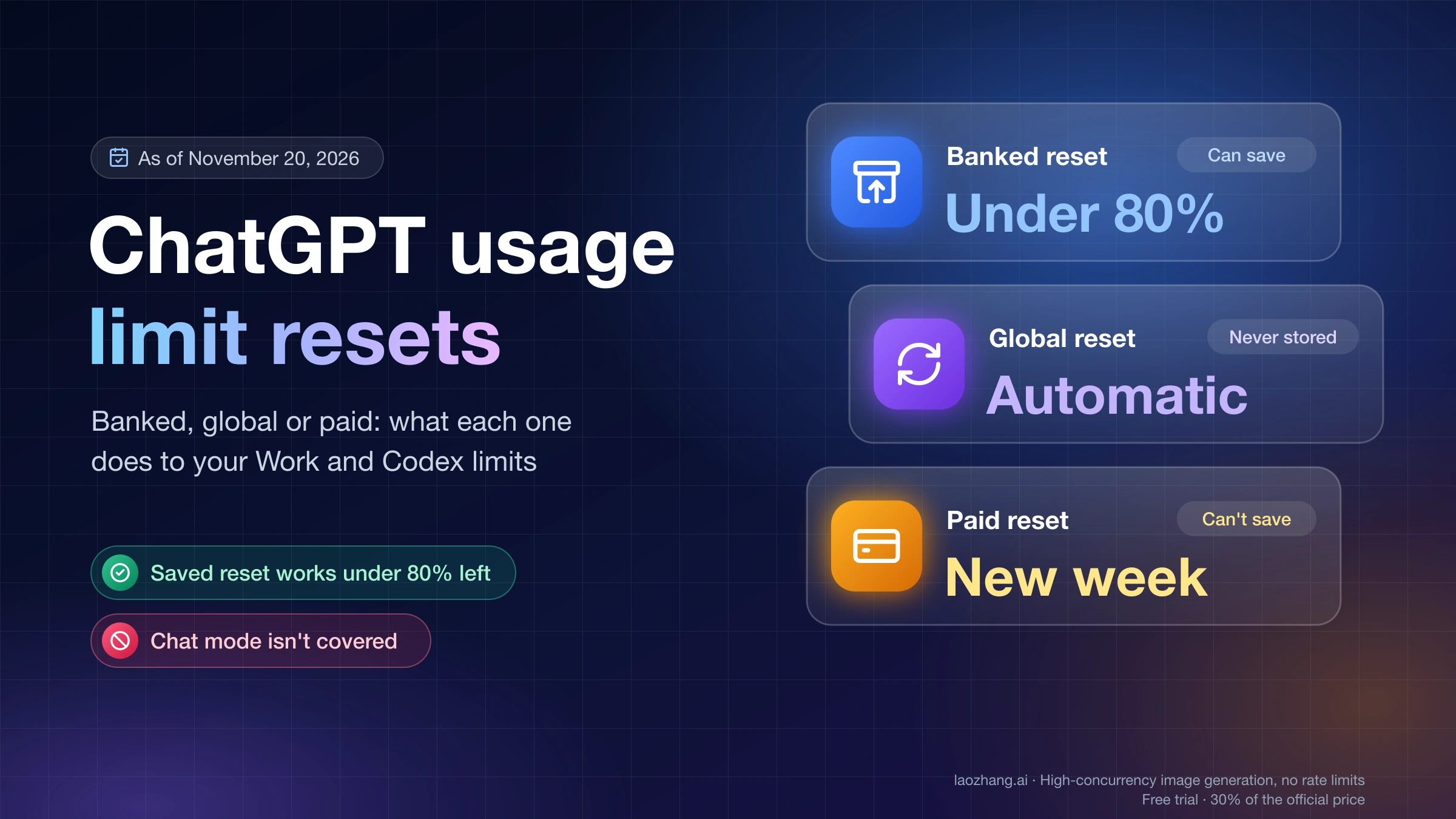
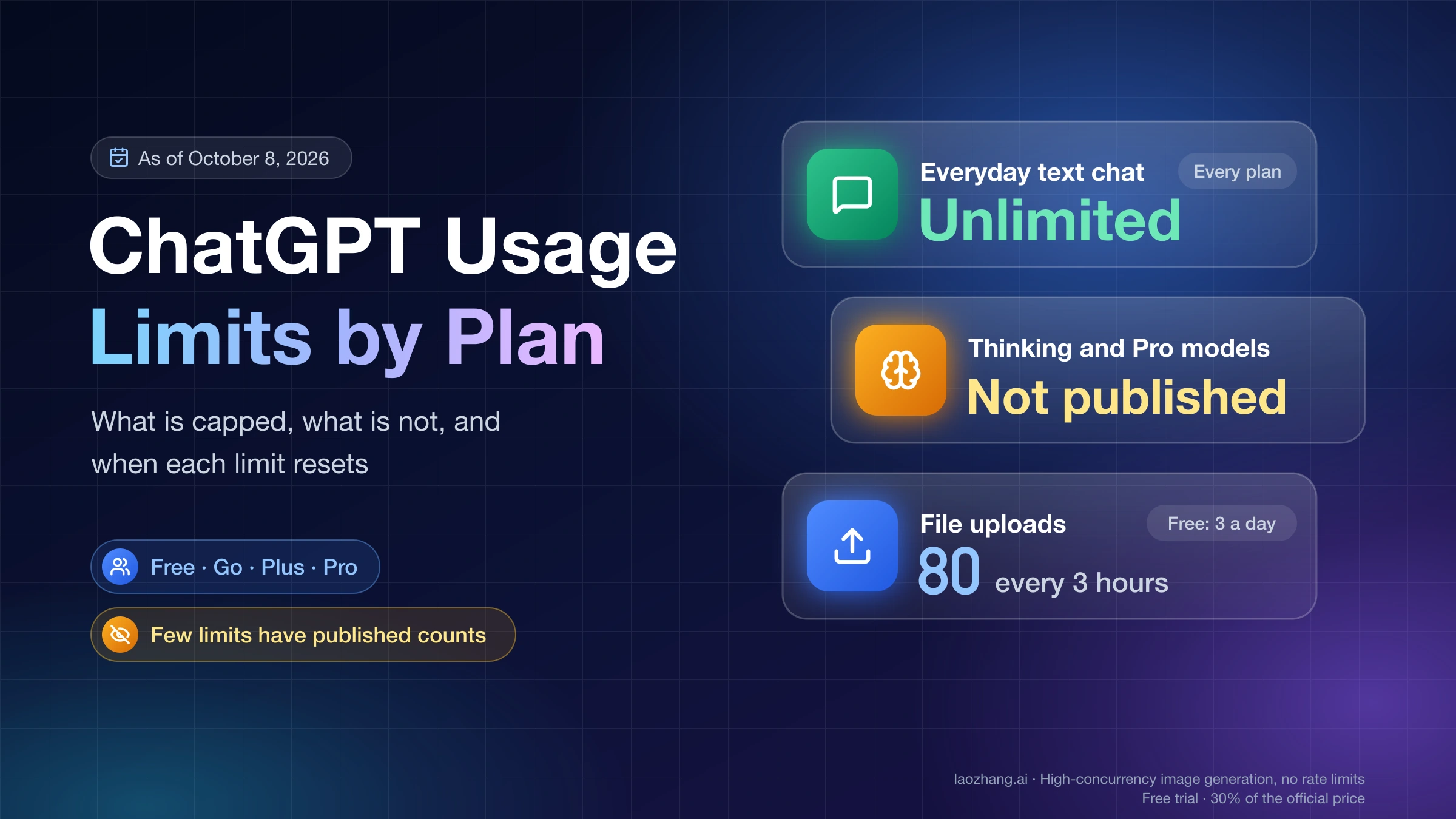
The Usage limit resets section in ChatGPT's Settings → Usage holds free, one-time resets that OpenAI has added to your account, shown as "1 reset available" or "Full reset" with an expiry date. Pressing Use reset refills the Work and Codex allowance on your plan to 100%: the weekly limit on Pro, the 5-hour and weekly limits on Plus and Business Standard, the monthly limit on Go. As of November 20, 2026, that allowance does not include conversations in Chat mode, and a reset leaves image generation, file uploads and Voice exactly where they were.
So keep a saved reset until you are actually running low, and spend it before it expires. ChatGPT accepts it only when at least one covered limit has less than 80% left; above that you get "Your usage does not need a reset right now" and the reset stays in your balance. If nothing is saved and you are out, Plus and Pro personal accounts may see Buy an instant reset. It refills you immediately at a price shown only at checkout, but it cannot be saved, is generally not refunded, and moves your next weekly reset to 7 days after your next Work or Codex message. That trade only pays off when your normal reset is several days away; otherwise wait for the time in Settings → Usage or buy credits.
If your usage jumped back to 100% without you pressing anything, that was an automatic (global) reset, which is never stored and never appears in History. In December, OpenAI plans to merge ChatGPT and Codex into one token allowance on Plus, Pro and Business, with Instant chat excluded; whether resets will then refill the rest of your ChatGPT use has not been announced.
Banked, global or paid: which ChatGPT reset you're looking at
OpenAI describes three kinds of one-time reset in its help article How resets work in Codex, and they differ in the ways that decide what you should do: whether you choose the moment, whether it can be stored, and what it does to your next reset time. None of them raises your plan's limits permanently or adds usage credits.
| Banked reset ("Full reset") | Automatic reset ("global") | Paid instant reset | |
|---|---|---|---|
| How you get it | OpenAI adds it to your account, including some referral promotions | OpenAI applies it to the accounts and limits it picks for an offer | You buy it in Usage settings or from the "You're out of usage" offer |
| When it applies | When you press Use reset, before it expires | On arrival; nothing to redeem | Immediately at checkout |
| Can you save it | Yes | No | No, and it cannot be scheduled |
| Listed in History | Yes, as "Reset received" and "Reset used" | No | No; the receipt sits under billing |
| Cost | Free | Free | Shown at checkout; OpenAI publishes no price |
| Who can get one | Accounts included in a given offer | Accounts included in a given offer | Eligible Plus and Pro personal accounts |
| Effect on your next reset time | Restarts the periods it refills | Restarts the periods it refills | Starts a new week at your next Work or Codex request |
"Global" does not mean every account or every limit: OpenAI's help page says so in those words, and it calls both free kinds "discretionary promotional benefits, with no guaranteed availability or schedule." Having the same plan as someone who got one does not put you in the offer. If you came here about a different reset, such as a forgotten password, clearing ChatGPT's memory, or the Data Controls option "Reset ChatGPT Work?" that deletes your Work environment, none of those touch usage limits.
How to use a saved reset on desktop, web or Codex CLI
You can redeem a banked reset in the ChatGPT desktop app, on the web, or in Codex CLI, but not in the ChatGPT mobile app, which has no reset controls or history. The steps are the same on desktop and web:
- Open Settings → Usage & billing in the desktop app, or the Usage settings page on the web (chatgpt.com/settings/usage).
- Select the usage summary that shows an available reset, such as "1 reset available" or "Full reset".
- Check which limits it covers and the "Expires" line, then select Use reset and confirm.
- Give the meter a moment, then refresh or reopen Usage and check each limit you expected to be refilled.
In Codex CLI, type /usage and choose Redeem reset; older CLI versions don't show that option, so use the desktop app or the web instead. Keep the two desktop buttons apart: Use reset spends a saved reset, while Buy an instant reset opens a separate paid checkout, and paying does not consume your banked balance. A banked reset only counts as used if it actually refills at least one covered limit, and OpenAI warns against using a second reset, or buying one, just to test whether the first one worked.
"Your usage does not need a reset right now" and other blocks
Each message in the reset panel points to one cause, and most of them mean you should keep the reset rather than fight it. The wording below comes from the app bundle of the ChatGPT desktop app for macOS, version 26.1111.71704, as of November 20, 2026. The web and mobile apps can word things differently, and updates can change the text.
| What you see | What it means | What to do |
|---|---|---|
| "Your usage does not need a reset right now" | Every limit the reset covers still has 80% or more left | Keep working; the reset stays saved until it expires |
| "No resets are available" | Nothing is banked, or it expired; global resets are never stored here | Wait for the refresh time on the Usage page, or look at paid options |
| "This reset was already used" | It was redeemed, possibly by your assistant at your request | Check History and your recent conversation; turn off the assistant switch to keep resets manual |
| No Buy an instant reset button | Your plan isn't eligible, availability differs by account and billing country, or both your 5-hour and weekly allowances are still fully unused | Confirm you're on the personal account you want to reset; the button appears once some usage is spent |
| No paid offer after hitting the 5-hour limit | The paid banner appears only when the weekly allowance is exhausted, and available credits can affect whether it shows | Look for the button in desktop Usage settings instead |
| Meter unchanged after a reset or purchase | Usage takes a short time to update, or you're viewing another account or workspace | Refresh or reopen Usage; for a purchase, don't buy again, and send Support the purchase time, receipt number and what the meter showed |
The out-of-usage dialog in the same build reads "You're out of usage" and "Pay {price} to reset your usage limits to 100% immediately or wait until {resetDate} to continue using ChatGPT Work and Codex." The {price} part is filled in by OpenAI's servers; the app itself contains no amount, which is why the price can differ between accounts.
What a reset restores on Go, Plus, Pro and Business
A full banked reset refills your plan's main Work and Codex allowance and nothing else, and an allowance that is already at 100% is not restarted. On plans with two limits, that matters: if your weekly period has just rolled over to 100% but your 5-hour window is at 10%, a reset refills the 5-hour window without restarting the week.
| Plan | What a full banked reset refills | Paid instant reset |
|---|---|---|
| Go | The monthly allowance | Not available |
| Plus | The 5-hour and weekly allowances | Available to eligible personal accounts; restores both |
| Business Standard | The 5-hour and weekly allowances | Not available on Business |
| Pro 100, Pro 200, Pro 500 | The weekly allowance (Pro has no 5-hour limit) | Available to eligible personal accounts |
Plan coverage comes from OpenAI's How resets work in Codex and Paid weekly Work and Codex rate limit resets articles; Free, Go, Business, Enterprise and Edu cannot buy instant resets. On November 20, 2026, the web Usage page of a ChatGPT Pro 200 account matched the table: it showed a single weekly limit at 100%, resetting in 6 days 14 hours, and the plan-limit note (shown in the page's Chinese interface) said Codex, Work, workspace agents and ChatGPT for Excel share the allowance, while conversations in Chat mode don't count toward it.
Everything outside that allowance stays as it was. OpenAI lists image generation, file uploads and regular Chat Voice as unchanged by a reset, and Thinking and other Chat-side caps are counted separately too. So if a Chat conversation stops with "Try again after your usage limit resets" (the desktop app's wording; the often-searched "chat paused until usage resets" is not a string in the app), a banked reset is unlikely to lift it, because Chat mode isn't drawing from the allowance resets cover. The caps that do apply in Chat are in ChatGPT Usage Limits by Plan: Free, Go, Plus, Pro and Resets, and the Plus-specific ones in ChatGPT Plus Message Limit and Credits: What Is Still Capped.
Why your usage keeps resetting and your weekly date moves
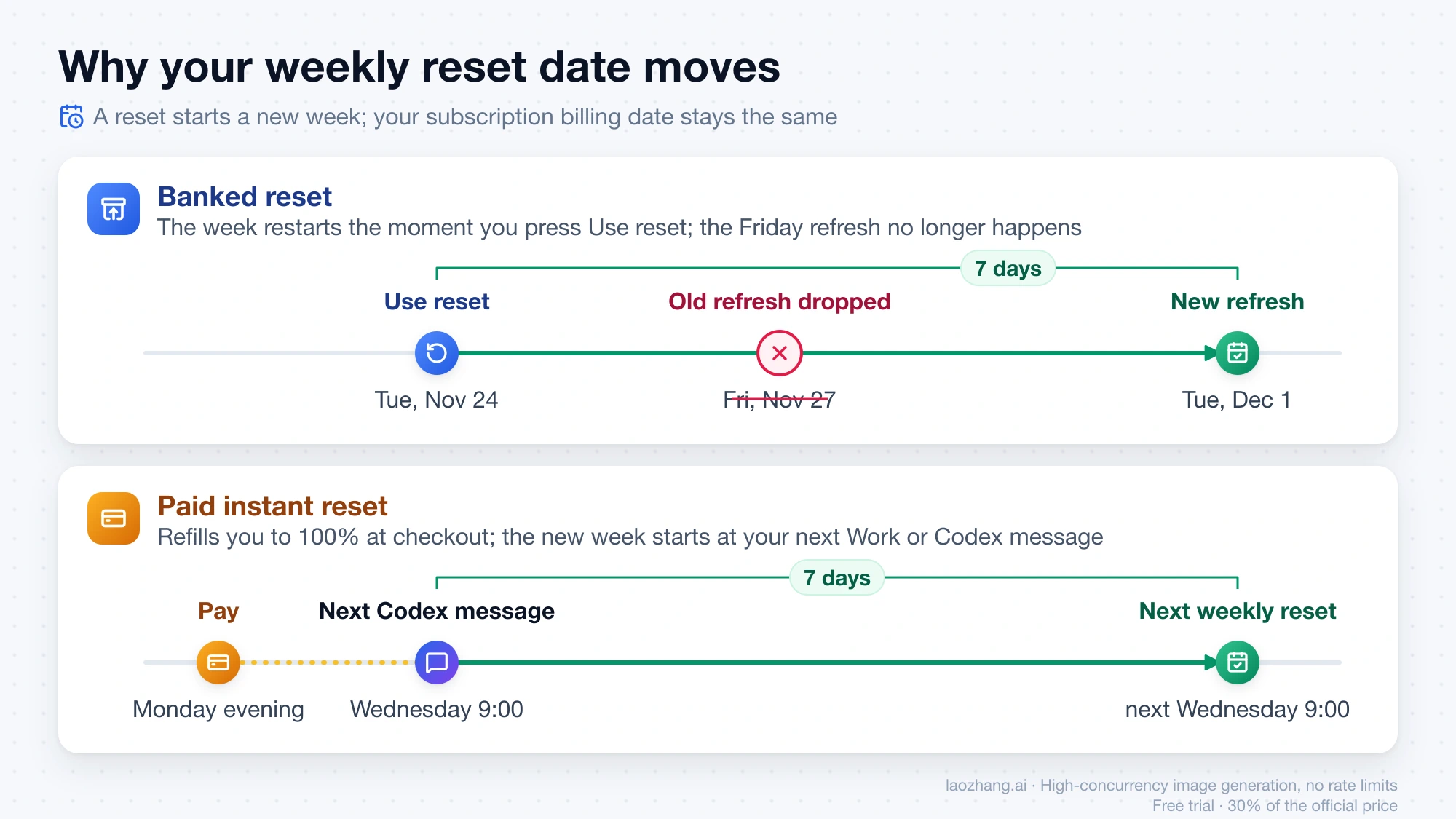
Your weekly reset date moves because every reset that restarts a usage period replaces the old schedule with a new one; your subscription billing date stays the same. Say your weekly limit was due to refresh on Friday, November 27, and you used a banked reset on Tuesday, November 24: the next refresh becomes Tuesday, December 1, and the Friday refresh no longer happens. A paid reset works slightly differently, and its checkout says so: "Your next weekly reset will change to 7 days after your next Codex or ChatGPT Work message." The new week starts with that message, not at the moment you pay, so if you buy on a Monday evening and send your next Codex message on Wednesday at 9:00, the following weekly reset lands the next Wednesday at 9:00.
If your usage "keeps resetting" on its own, the cause is automatic resets. A global reset brings an allowance back to 100% even if you just used a banked reset on it, and the two don't add up: in OpenAI's example, a banked reset at 10:00, 5% of usage, then a global reset at 10:30 takes you from 95% to 100%, not to 200%. The banked reset you spent is not returned, but any banked resets you hadn't used keep their original expiry, because a global reset does not consume them. Users on the OpenAI Developer Community have complained about exactly this in a thread titled "OpenAI's automatic usage resets are quietly pushing back weekly limits": each free reset also restarts your week.
Read the refresh time on the Usage page rather than calculating it, because before a new period starts the displayed time can be an estimate, and a changed date on its own does not mean a banked reset was spent. To find the Codex weekly reset time on desktop or with /usage, see Codex Weekly Limit Reset: Find Your Time or Reset Now.
How often ChatGPT gives free resets: no schedule, fewer since November
OpenAI gives free resets on no fixed schedule and promises none, so there is no official tracker; the only reliable place to see what reached your account is Settings → Usage. Public announcements come mostly from Tibo Sottiaux (@thsottiaux), who lists himself on X as "Codex & ChatGPT @OpenAI". The third-party Superbash Codex reset tracker, which logs his posts, counts 31 reset and limit events from July 28 to November 13, 2026. Fifteen fell in October, during the 28-day campaign he announced on X on October 4, which promised either one improvement or one full reset each day. In that record, the last free global reset came during the campaign, and every reset since has been a banked one:
- October 28, 2026, 02:42 UTC (campaign Day 23): the last free global reset in the public record.
- November 1, 2026, 00:43 UTC and 23:27 UTC (Days 27 and 28): two banked resets that closed the campaign.
- November 12, 2026, 21:59 UTC: "the banked reset has been activated and should land in everyones accounts sometime soon!"
Announcement times are not delivery times. On November 20, 2026, the History tab of a ChatGPT Pro 200 account, which covers the past 30 days, listed resets received on November 1, November 2 and November 13 (local time, GMT+8) and resets used on October 26, October 28, November 3 and November 6. The grant announced on November 12 arrived at 22:47 UTC that day, 48 minutes after Tibo's activation post, while the two campaign grants arrived before their posts, at 20:21 UTC on October 31 and 22:51 UTC on November 1. The global resets of late October left no History rows at all, as OpenAI's help page says they won't. That is one account and one reading, but it shows why a friend's screenshot or an X post can't tell you whether yours has landed.
When a saved reset expires: set per offer, 30 days on one account
A banked reset expires at the date and time shown next to it ("Expires" plus a date, with the time zone), and OpenAI sets that deadline separately for each offer, so no single rule covers every reset. On a ChatGPT Pro 200 account, as of November 20, 2026, the reset received on November 13 at 06:47 (GMT+8) was listed as expiring on December 13 at 06:47: exactly 30 days to the minute. A banked reset that PC Watch showed on October 8, 2026 carried a November 7 expiry, also about 30 days, but treat both as what recent grants showed, not as a promise for the next one. An expired reset can't be recovered, and banked resets are not cash, API credits or transferable, so the expiry is the one deadline to plan around.
Paid instant reset: price, and when it beats credits or waiting
OpenAI does not publish what an instant reset costs; the price appears only at checkout and, according to the paid reset help article, availability varies by account, "including your plan and billing country." What exists are user reports, none of which states the plan or country behind it. An X user wrote around August 2026 that Codex now offered "an instant reset for $80"; a comment on Reddit's r/codex around September described the choice as "an instant reset for the week ($80) or add 2500 credits ($90)"; and another r/codex comment around November 15 said "Paid $20 and burned it." Earlier, an August 16, 2026 explainx.ai report on what looked like a limited test cited Tom's Guide seeing a "reset for $8" prompt for some Plus subscribers, and TestingCatalog estimating about $50–80 for the $200 Pro plan from checkout configuration; OpenAI only said it was "exploring ways for users who hit their caps to buy additional usage." None of these is a confirmed price. Other users report that the buy option has disappeared and they're only offered credits. Whatever the amount, OpenAI says it generally doesn't refund these purchases.
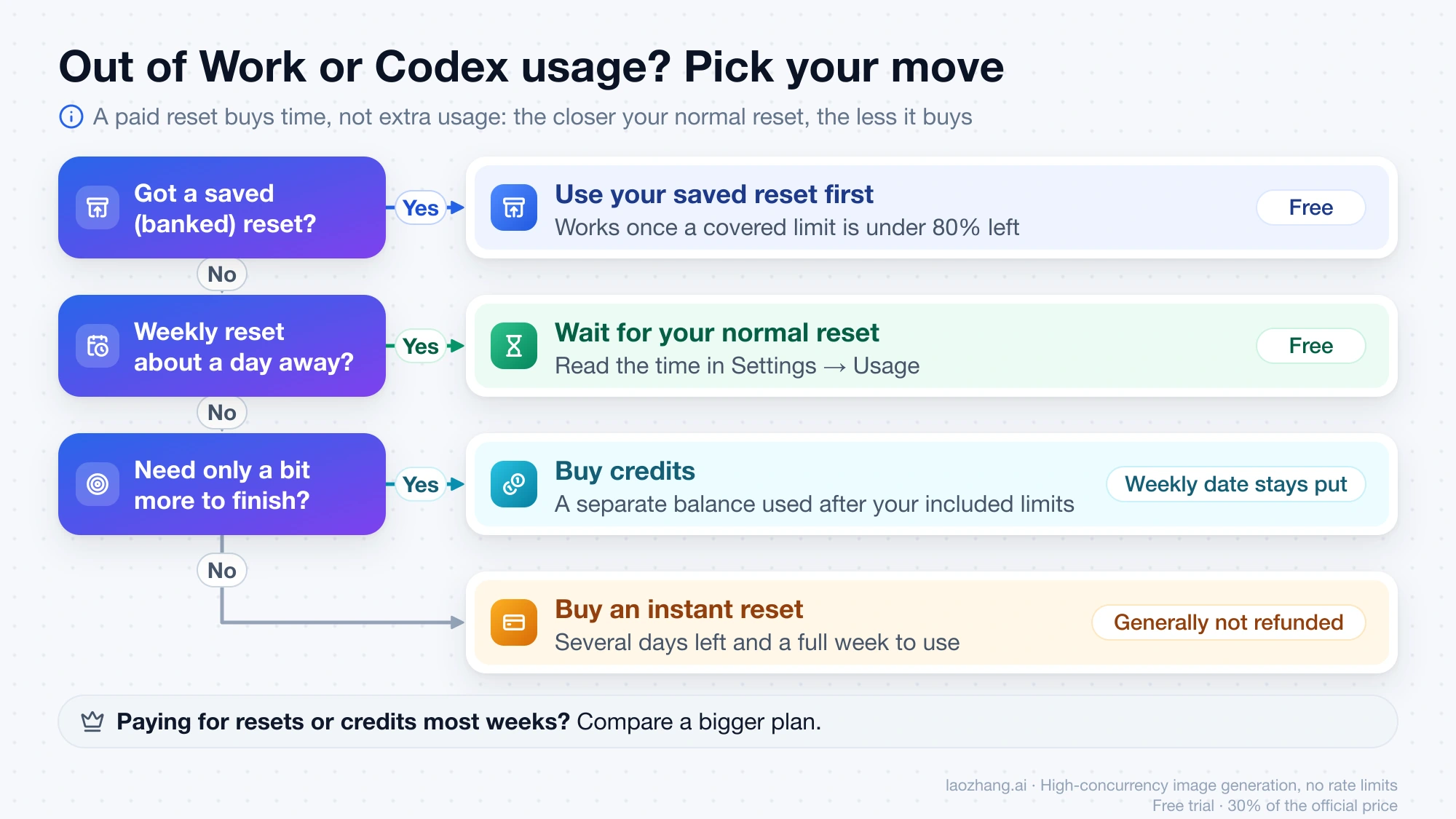
What you get for the money is time, not extra usage: a paid reset "pulls your normal weekly allowance forward rather than adding a separate usage entitlement." The closer your normal reset, the less it buys. These rules follow from that:
- If you still have a banked reset, use it first. It's free, and buying an instant reset leaves it untouched.
- If your normal weekly reset is about a day away, wait. Paying would mostly buy back hours you'd get for free, and it restarts your week anyway.
- If several days remain and you will genuinely use a full week of Work or Codex, a paid reset gets those days back. Spend what's left of your current allowance before buying, because the reset applies the moment you pay.
- If you only need a little more to finish a task, buy credits instead. Credits are a separate balance used after your included limits, they don't move your weekly date, and they're non-refundable except where the law requires; ChatGPT Plus Codex Usage Limits and Credits: Is Codex Included? covers how they're spent.
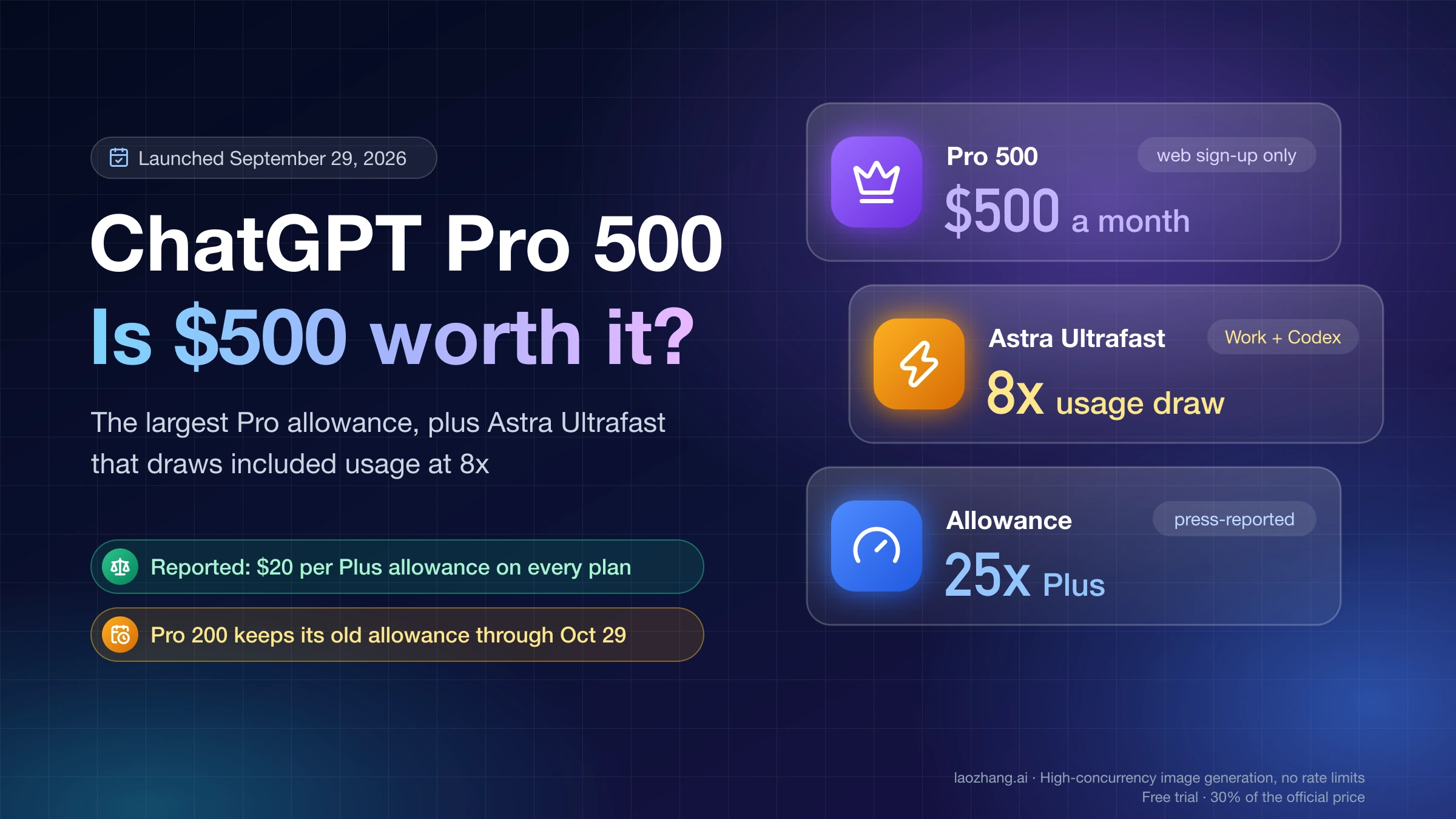
- If you end up paying for resets or credits most weeks, compare a bigger plan, such as the tier in ChatGPT Pro 500: $500 Plan Limits and Ultrafast's 8x Usage Cost.
Free resets arrive without notice and purchases are generally not refunded, so if the work can wait a day, waiting is the cheaper bet.
What "Allow your assistant to use resets" does
This desktop switch lets the assistant spend one of your banked resets, but only when you ask for it in a conversation and your current limit is at 10% or less. The app's own description in version 26.1111.71704, as of November 20, 2026, reads: "Allow your assistant to use a reset only when you explicitly request it during a conversation and your current limit has 10% or less remaining. Resets are never used automatically." Earlier builds labeled the same switch "Allow Codex to use resets." Keep it on if you want to say "use a reset" mid-task instead of opening Settings; turn it off if you want resets to be spent only through the Use reset button. If one disappeared without you pressing anything, the History tab plus your recent conversation will show whether you asked for it.
December: one shared ChatGPT and Codex allowance, and what's unknown
Starting in December, OpenAI says Plus, Pro and Business plans will share one usage allowance across ChatGPT and Codex, measured in tokens, as Work's agent features move into the main ChatGPT experience. According to the help article Understanding ChatGPT and Codex usage limits, more advanced models and more complex tasks will use more of it, "Instant chat will not draw from your usage," and your combined remaining usage and reset times will appear in Settings → Usage. At the limit, the options will be to wait, upgrade or buy credits, and OpenAI says it expects most users won't wait for resets more often than they do now. A November 2 report by 36Kr's APPSO quoted Tibo as saying OpenAI would "graduate" from a company that resets limits to one that provides tokens, which fits the move to a token allowance.
Three things are not stated yet: the start date, the size of each plan's allowance, and whether a banked or paid reset will then refill non-Instant ChatGPT use such as Thinking, which by OpenAI's description would draw from the shared pool. It would be a reasonable reading that a reset refills whatever the shared allowance covers, but OpenAI hasn't said so, and the reset help pages still describe only Work and Codex. Until that changes, a reset you hold today should be judged by today's rules; watch the Usage page and that help article for the switch.
ChatGPT usage limit resets: other questions
How do I get more ChatGPT usage resets?
You can't request a free one. As of November 20, 2026, OpenAI picks the recipients, limits and timing of each free reset offer itself, and the only routes you control are qualifying ChatGPT Desktop referral promotions, which OpenAI's help page lists as a source of banked resets, and buying an instant reset on an eligible Plus or Pro personal account.
Can OpenAI Support give me a free reset back?
No. OpenAI's help page says Support does not review eligibility, give manual or courtesy resets, or replace free resets that expired, never arrived or were used by accident; paid purchases are handled separately, with your receipt.
Where do I see my remaining Codex usage in the CLI?
In Codex CLI, /status shows your remaining limits and /usage shows the meters plus the Redeem reset option; How to Check Codex Token Usage: /status, /usage, Context, and API Spend explains what each number means.
Sources7
External pages this guide links to, in the order they appear. Last updated Nov 21, 2026.
Sources7
External pages this guide links to, in the order they appear. Last updated Nov 21, 2026.
- 1.How resets work in Codexhelp.openai.com/en/articles/20001498-how-resets-work-in-codex
- 2.Paid weekly Work and Codex rate limit resetshelp.openai.com/en/articles/20001507-paid-weekly-work-and-codex-rate-limit-resets
- 3.@thsottiauxx.com/thsottiaux
- 4.Superbash Codex reset trackersuperbash.ai/codex-tracker
- 5.28-day campaign he announced on Xx.com/thsottiaux/status/2106845241357824205
- 6.August 16, 2026 explainx.ai reportexplainx.ai/blog/openai-80-usage-reset-200-pro-plan-august-2026
- 7.Understanding ChatGPT and Codex usage limitshelp.openai.com/en/articles/20001625-understanding-chatgpt-and-codex-usage-limits