Is Codex Included in ChatGPT Plus? Limits and Credits (2026)
Yes. ChatGPT Plus includes Codex with five-hour and weekly limits, such as 15-150 GPT-6 Sol messages per five hours. Plus users can buy credits after that.
On this page
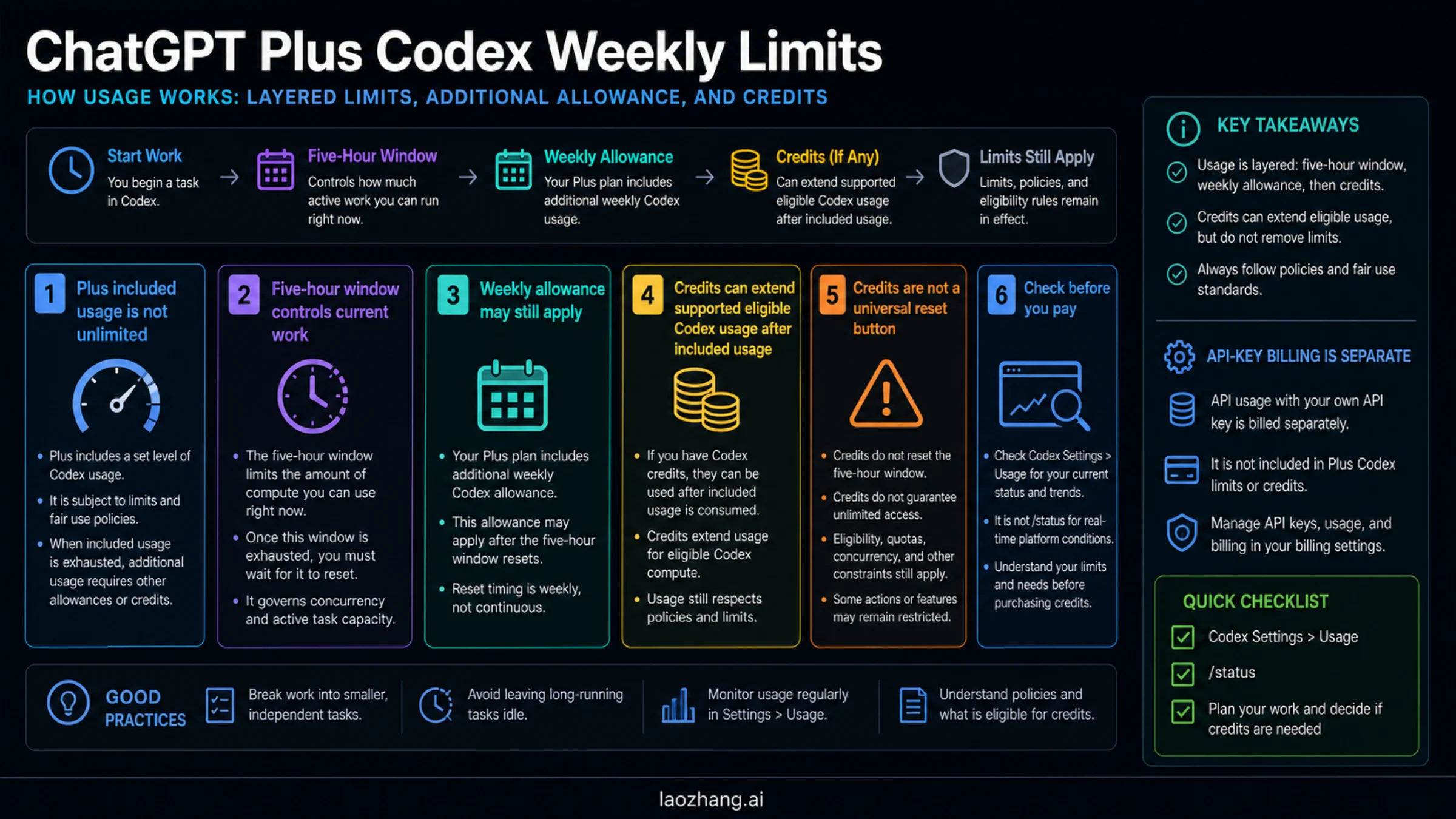
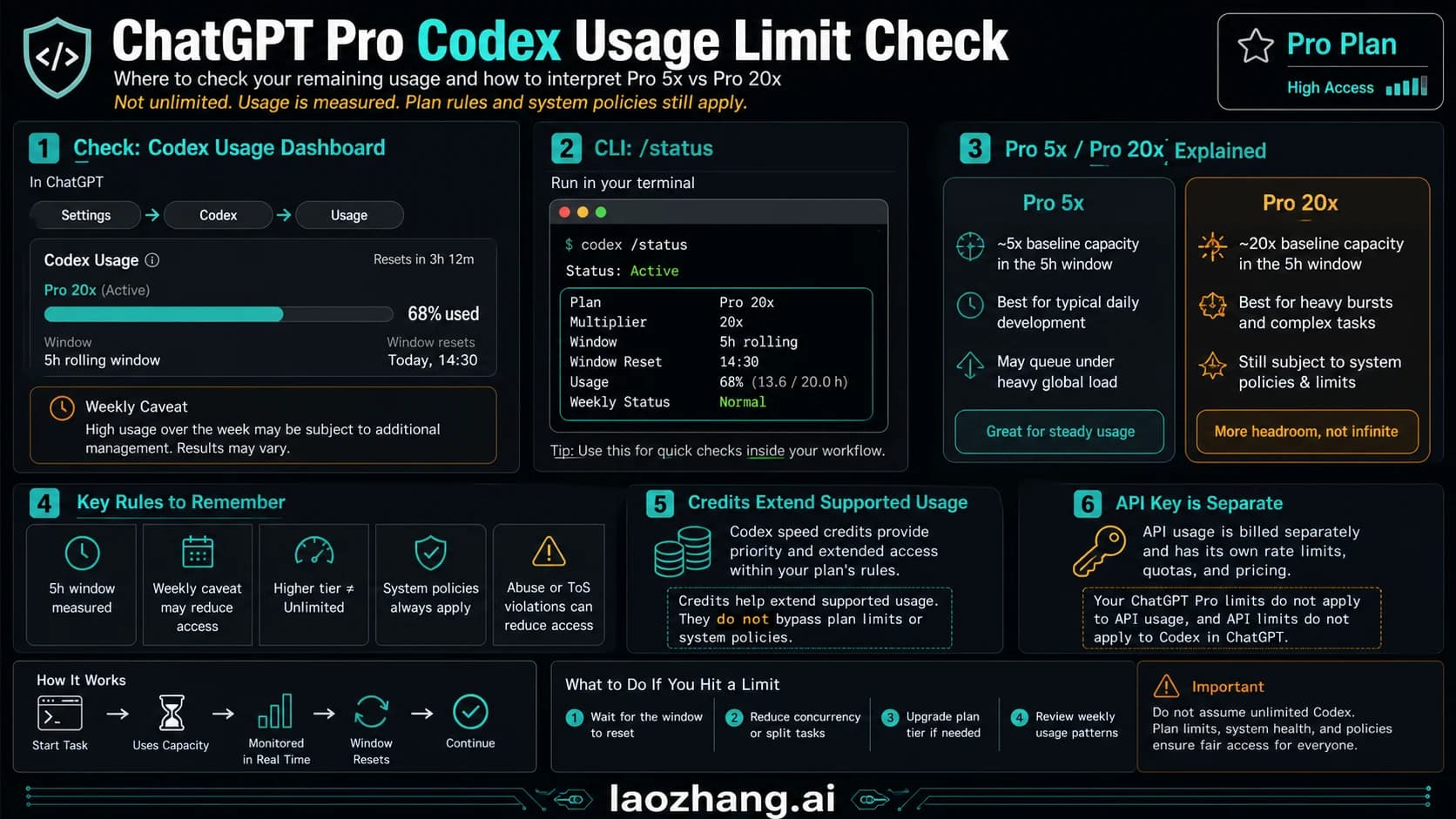
Yes—Codex is included in ChatGPT Plus. OpenAI now includes Codex across Free, Go, Plus, Pro, Business, Edu, and Enterprise, so Plus is not the entry point; it is the lowest personal plan that can buy Codex credits. Plus usage is not unlimited: as of September 26, 2026, OpenAI's pricing page estimates 15-150 local messages per five hours on GPT-6 Sol (5-45 on GPT-6 Astra, 350-3,000 on GPT-6 Luna), weekly limits may also apply, and ChatGPT Work shares the same allowance. When you run out, eligible Plus and Pro users can buy credits without changing plans. Before you buy, check Settings > Usage or the Codex usage dashboard and run /status in the CLI; do not hand-calculate your account from copied screenshots. API-key billing is a different OpenAI Platform path and does not spend ChatGPT credits.
Start With The Direct Answer
Credits can add usable Codex capacity for supported eligible ChatGPT Plus and Pro accounts after included usage is spent. They should not be read as a refill button for every weekly cap, every safety boundary, every workspace restriction, every referral offer, or API-key usage.
That difference matters because the visible limit message can be caused by more than one meter. You may be inside a five-hour usage window. You may have run into an additional weekly limit. Your Codex work may be sharing a broader agentic usage pool with features such as ChatGPT for Excel. You may be using a model, repository, context size, image task, or Fast mode that burns credits faster than a smaller local edit. Or you may be on the API-key route, where billing and limits are handled through the OpenAI Platform rather than ChatGPT credits.
Use this order:
| Question | Where to check | What it tells you |
|---|---|---|
| Am I signed in with ChatGPT or using an API key? | Codex auth/session state | Whether ChatGPT plan usage and credits even apply |
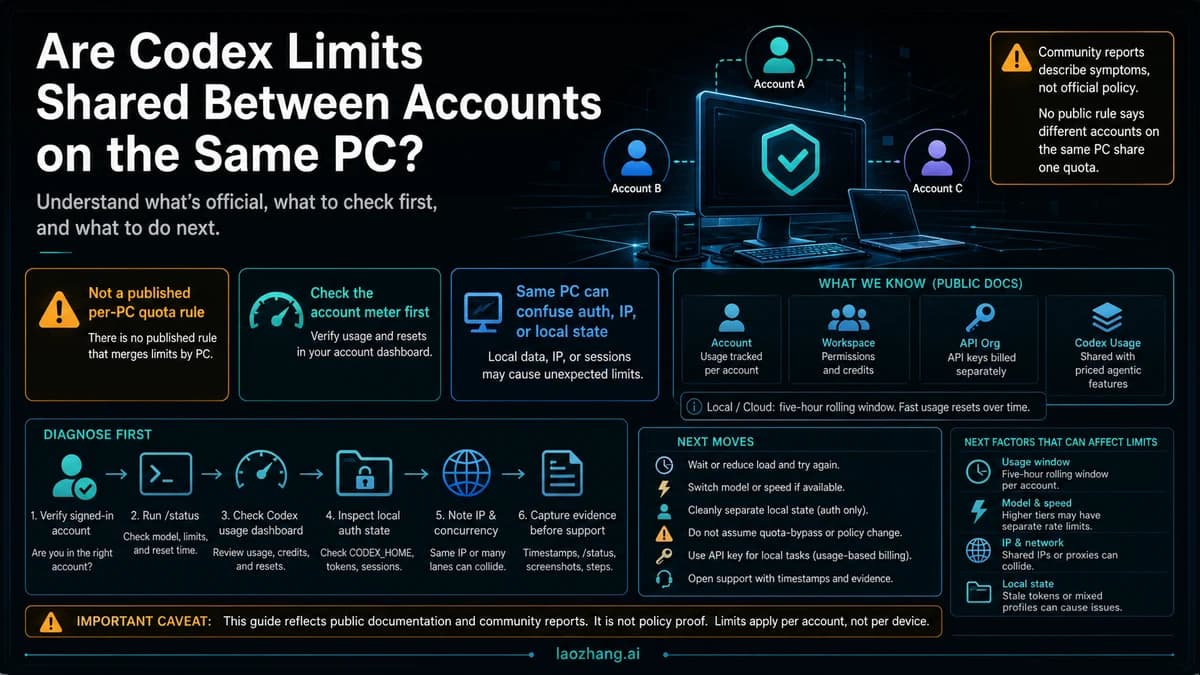
| What is blocking me right now? | Codex Settings > Usage and /status | Current window, reset text, and remaining usage |
| Are credits available for this work? | Codex Settings > Usage > Credits | Whether your account can use credits as overflow |
| Is there a referral or promo offer? | Codex profile menu, usage summary, or current in-product offer | Whether a separate offer-specific benefit exists before spending credits |
| Is the task burning too fast? | Model, context, task size, image generation, speed mode | Whether to reduce burn before paying |
The short version: Plus usage is included but finite; credits are overflow when available; referral resets or promotional benefits are offer-specific; your dashboard is the account-specific source.
The Limit Surfaces Behind A Plus Codex Limit
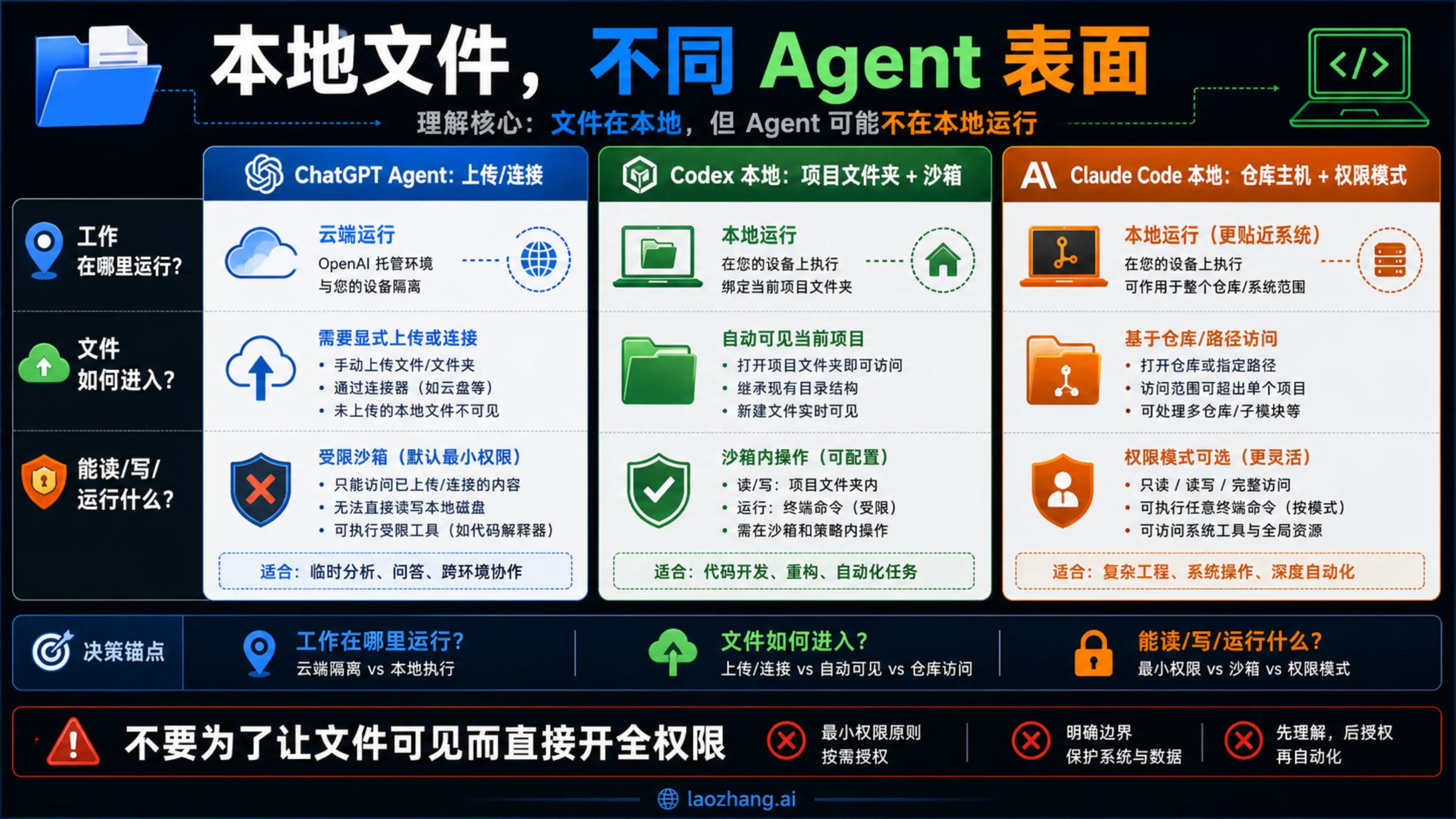
OpenAI's current Codex pricing and help pages describe several different usage surfaces. Flattening them into one "weekly limit" is what creates most confusion.
| Meter | Plain-language meaning | Practical consequence |
|---|---|---|
| Five-hour usage window | A short active-work window for current Codex work | You can hit this during a heavy session before thinking about the week |
| Additional weekly limits | Broader plan-level limits that may apply after repeated sessions | A reset message may still tell you to wait after a smaller window resets |
| Credits balance | Flexible balance used after included usage for supported eligible features | It can extend supported Codex usage, but only through the account route OpenAI offers |
| Referral or promotion benefit | Offer-specific credits, temporary usage, or a rate-limit reset | It is governed by the offer, not by a universal quota formula |
| API-key billing | Separate OpenAI Platform usage-based billing | It is useful for some local/API workflows, but it does not spend ChatGPT credits |
| Shared agentic usage | Codex usage can count with other agentic features | ChatGPT for Excel and Workspace Agents may affect the same agentic limit |
The official Codex pricing page (the older developers.openai.com/codex/pricing URL now redirects there) is the strongest source for current usage-window shape. Checked on September 26, 2026, its Plus table lists local-message ranges per five-hour window, including GPT-6 Astra at 5-45, GPT-6 Sol at 15-150, GPT-6 Luna at 350-3,000, and GPT-5.6 Sol at 10-100, with older GPT-5.5 and GPT-5.4 rows still listed. The same page says local messages and cloud chats share your plan's allowance, that ChatGPT Work uses the same limits as Codex, and that weekly limits may also apply.
The official ChatGPT plan help article adds two important boundaries. Codex is included across Free, Go, Plus, Pro, Business, Edu, and Enterprise, but usage limits and credit options vary by plan. Codex, ChatGPT for Excel, and Workspace Agents can count toward agentic usage, so a Codex limit is not always isolated from every other agentic surface.
The official credits help article explains the order of consumption: included usage is used first, then an available credit balance can be used for supported features. For Codex, the same help article says credits are currently for Plus and Pro users; Free and Go users are prompted to upgrade to Plus instead of adding Codex credits. That is why "credits can help" and "credits reset every cap" are not the same claim.
For referral or promotion claims, use the current Codex Referral Promotions terms, not an old dated campaign. Referral benefits may include credits, a rate-limit reset, temporary additional usage, or another in-product benefit, but the exact benefit, cap, expiration, and redemption requirements vary by offer, plan, workspace, region, and promotion.
What ChatGPT Plus Includes For Codex
ChatGPT Plus is a valid Codex access route, but it is not the highest-volume Codex contract. OpenAI's current framing describes Plus as suitable for focused coding sessions across the week, with actual headroom depending on what you ask Codex to do.
For a Plus user, the useful boundary is not a single exact number. It is the active account contract:
- Plus provides included Codex usage.
- The effective amount varies by model and workload.
- A current task can be governed by a five-hour window.
- Additional weekly limits may still apply.
- Credits can continue supported work when the account offers that route.
- Referral or promotion benefits can appear, but they are offer-specific.
- API-key usage is billed separately and does not use ChatGPT credits.
- Free and Go accounts may need a Plus upgrade before Codex credits are an option.
This is why two Plus users can report different experiences without either report proving a universal rule. A small local edit on a lighter model and a long cloud task over a large repository are not equal units.
For the broad all-plan comparison, use OpenAI Codex Usage Limits: Plus, Pro, Business, and API Key Rules. Keep the Plus credit decision separate from the full plan table: the immediate job is deciding what credits can and cannot solve.
If You Downgrade From Pro To Plus
If your account has actually moved from Pro to Plus, read the next Codex block through the Plus table, not through whatever Pro headroom you had before. Pro does not create a portable weekly pool that keeps running after the account becomes Plus.
The confusing part is timing. A scheduled plan change and an already-effective plan change are different states. While the account interface still shows Pro, use the current plan and Usage page shown in that account. Once the account state says Plus, the relevant Codex meters are the Plus five-hour window, any additional weekly limit, credits if your account offers them, and separate API-key billing.
If you used a lot of Codex while on Pro, the dashboard may show little remaining headroom after the plan becomes Plus. Treat that as a Usage-page question, not a formula you can calculate from public tables, forum percentages, or generic ChatGPT message-cap snippets. Check:
- the effective plan shown in ChatGPT / Codex account settings
- Codex Settings > Usage reset text
- whether credits are offered for the current task
- whether
/statussays ChatGPT sign-in or API-key route
Do not buy credits just because the old Pro allowance disappeared. Buy credits only when the Plus-side Usage page explicitly offers them for the current supported Codex work; otherwise wait for the reset, lower burn, or move suitable local automation to API-key billing.
When Credits Help
Credits help when all of these are true:
- You are using a ChatGPT sign-in route where Plus plan usage applies.
- Your included usage for the relevant supported Codex work has been consumed.
- Your account UI offers credits for that Codex work.
- The current blocker is not an unrelated policy, workspace, rollout, or API-key billing boundary.
If those conditions hold, credits are the continuation layer. They let you keep using supported eligible Codex features after included usage is consumed. OpenAI also describes auto top-up for eligible Plus and Pro users, but do not assume every account, region, feature, or workspace will show the same option.
Credits are less useful when the visible blocker says a reset is required, when the account cannot buy or apply credits for that work, when the workspace role blocks the action, or when you are using API-key billing. If the UI does not offer credits for the specific Codex path you are using, do not force the mental model.
Before You Buy Credits
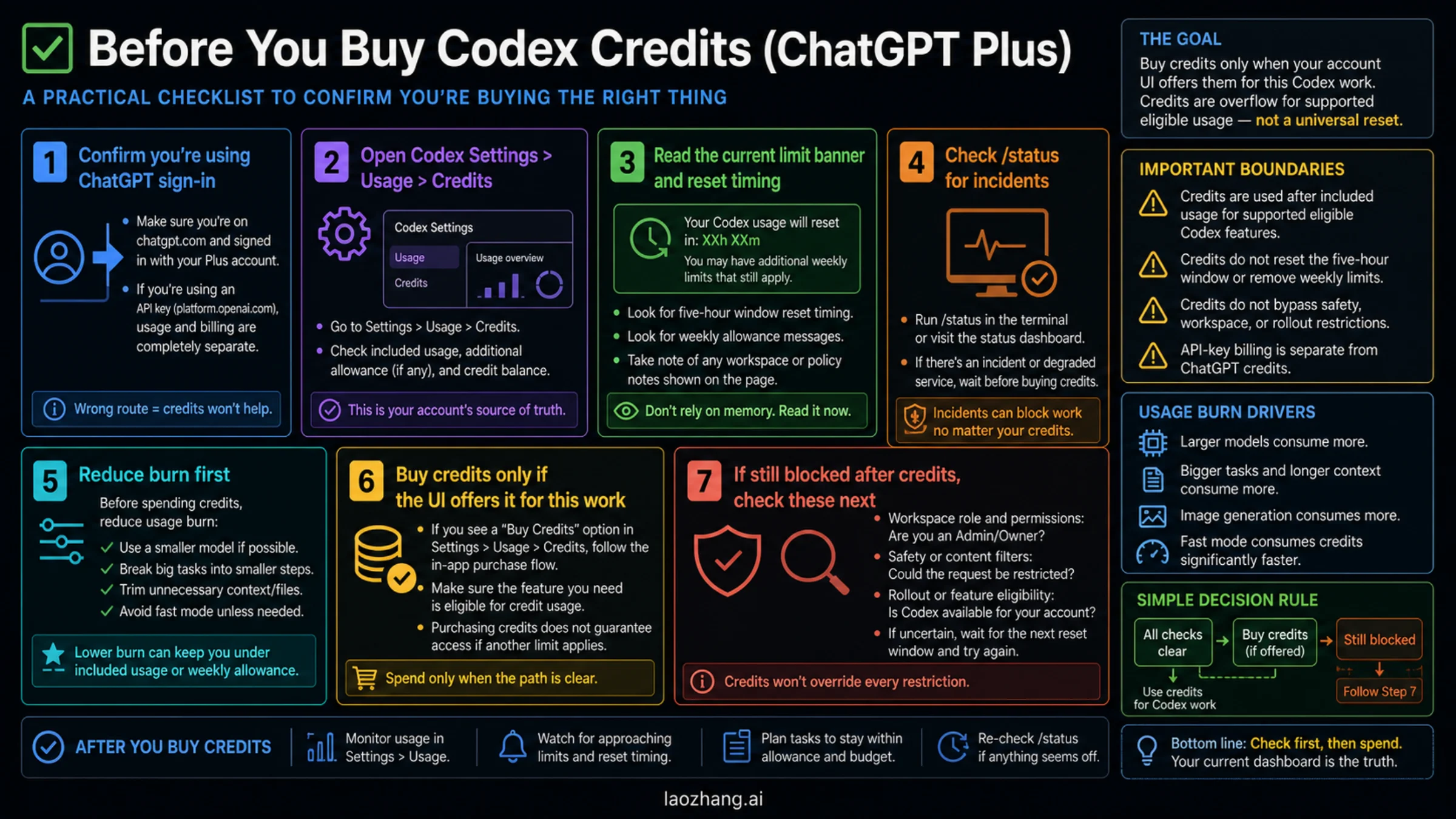
Run this quick check before spending money.
| Check | Why it matters |
|---|---|
| Confirm the sign-in route | ChatGPT credits apply to ChatGPT-plan Codex usage, not OpenAI Platform API-key billing |
| Open Codex Settings > Usage | The dashboard shows account-specific limits, reset text, and credit options |
Run /status in an active session | It can show current platform or session state before you assume you need credits |
| Read the exact banner | "Wait for reset" and "add credits" are not the same instruction |
| Check current offers | Referral resets, promo credits, and temporary usage benefits are offer-specific |
| Reduce burn first | Smaller tasks, shorter context, lighter model choice, and standard speed can stretch usage |
| Check the rate card | OpenAI's Codex credit accounting has been changing; trust the current account-facing rate card |
The Codex auth docs are the key boundary for route confusion. ChatGPT sign-in gives subscription-plan access. API-key sign-in is usage-based OpenAI Platform billing. Extra API-key work can be useful, but it is a deliberate route change.
The Codex speed docs are the key boundary for burn-rate confusion. Fast mode can consume credits faster than standard mode. If the task is not time-sensitive, standard mode plus smaller task chunks may be cheaper than buying more headroom.
If Credits Do Not Seem To Unlock Codex
Do not immediately assume the credit balance is broken. Check the route and the blocker text.
| Symptom | Likely meaning | Next move |
|---|---|---|
| You are signed in with an API key | ChatGPT credits are not the billing source | Decide whether API-key usage is intentional |
| The dashboard shows a fixed reset | The blocker may be a window or weekly allowance, not a credit purchase path | Wait or reduce workload until reset |
| A referral or promotion benefit is visible | It may provide credits, temporary usage, or a rate-limit reset under offer terms | Read the exact offer before spending credits |
| Credits are visible but work still fails | Another account, workspace, safety, rollout, or feature boundary may apply | Check role, feature availability, /status, and current account messages |
| Heavy task drains usage quickly | The task itself is consuming more allowance | Split the task, reduce context, switch model, or avoid fast mode |
| You need sustained high intensity | Plus may be the wrong plan shape | Compare Pro only after confirming the actual blocker |
That cautious language is intentional. Credits are useful, but a paid balance does not override every account state or policy rule.
Wait, Buy Credits, Upgrade, Or Use API Key?
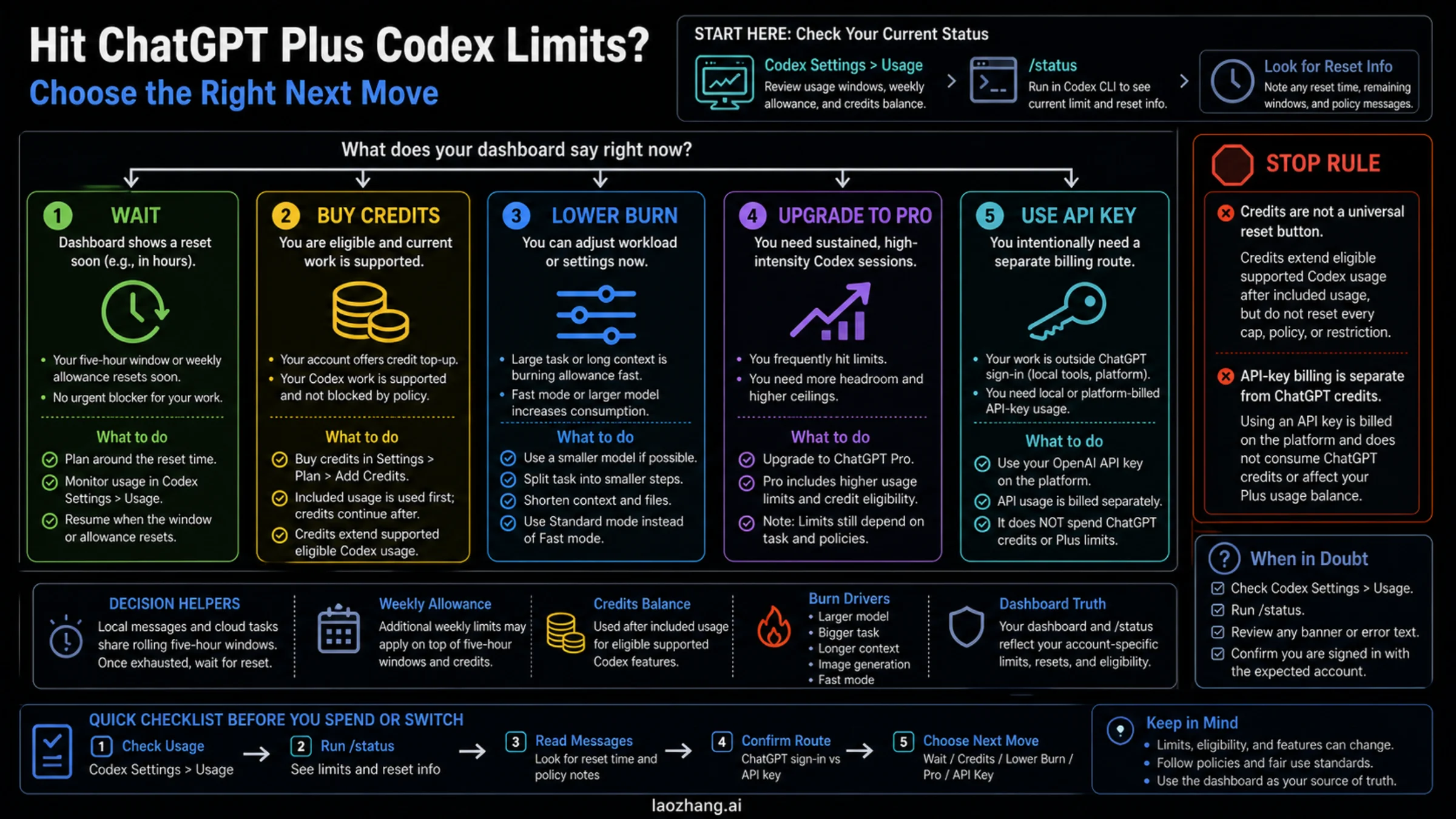
Use this decision table after you know the blocker.
| Situation | Best first move | Why |
|---|---|---|
| Reset is soon and the task can pause | Wait | Paying to continue a low-urgency task may not be worth it |
| A referral reset or temporary usage benefit is visible and the task matters now | Use it deliberately | It is a separate offer-specific benefit, not ongoing credits |
| Credits are offered and the task is supported | Buy or use credits | This is the intended overflow route |
| Routine work is burning too fast | Lower burn | Smaller model, smaller task, shorter context, and standard speed can stretch Plus |
| You need long high-intensity sessions often | Consider Pro | Pro is a plan-shape decision, not a one-off rescue |
| You need local automation or platform-billed workflows | Use API-key billing intentionally | API key gives a separate billing route, not ChatGPT credit spending |
If you are mainly deciding between ChatGPT sign-in, credits, and API-key usage, read the route companion: Codex API Key vs Subscription: Which Access Route Should You Use?.
What To Keep Current
Treat these as volatile facts and recheck them in your own account before making a long-term cost decision:
- model rows and Plus usage-window values
- whether additional weekly limits apply to your current account
- whether credits and auto top-up are available to you
- whether referral promotions, temporary usage benefits, or rate-limit resets are active, eligible, and unexpired
- the current Codex rate card and whether your account sees token-based or legacy-style accounting
- fast mode multipliers
- workspace role or organization policy behavior
- whether ChatGPT for Excel or Workspace Agents share the same agentic usage pool on your account
The durable rule is not a fixed number. The durable rule is to identify the active meter before spending.
FAQ
Does ChatGPT Plus give unlimited Codex?
No. ChatGPT Plus includes Codex usage, but the included usage is limited and depends on the current plan, model, task size, and execution surface.
Do credits refill the weekly Codex limit?
Not exactly. Credits can extend supported eligible Codex usage after included usage is consumed, but they are not a universal reset of every weekly, safety, workspace, rollout, promotion, or API-key boundary. If your account shows a rate-limit reset or temporary usage offer, treat it as a separate benefit with its own eligibility and expiry.
What are referral resets or promotional benefits?
They are offer-specific benefits that may appear for eligible accounts through the Codex profile menu or another in-product offer. A benefit might be credits, temporary usage, a rate-limit reset, or something else described in the offer. It is not a permanent weekly-limit formula, does not become API spend unless the offer explicitly says so, and should be used only after checking the exact account UI and expiry.
Where do I check my current Codex usage?
Start with Codex Settings > Usage. During an active CLI session, run /status. Those surfaces are more reliable for your account than a copied quota number.
Can I use an API key to get more Codex?
You can use API-key billing for suitable local or platform-billed work, but it is a separate billing route. It does not spend ChatGPT credits and does not give every ChatGPT-plan cloud feature.
What happens if I downgrade from Pro to Plus?
After the downgrade has actually taken effect, Codex follows the Plus allowance, Plus reset text, and Plus credit options. Public tables, forum percentages, and generic ChatGPT message caps do not publish a carryover formula for prior Pro usage, so check Codex Settings > Usage and /status before assuming you still have Pro-sized headroom or before buying credits.
Should I buy credits or upgrade to Pro?
Buy credits when the interruption is temporary, your account offers credits for the current supported Codex work, and the task is worth continuing now. Consider Pro only if you repeatedly need longer, higher-intensity Codex sessions.
Sources6
External pages this guide links to, in the order they appear. Last updated Jul 3, 2026.
Sources6
External pages this guide links to, in the order they appear. Last updated Jul 3, 2026.
- 1.pricing pagelearn.chatgpt.com/docs/pricing
- 2.ChatGPT plan help articlehelp.openai.com/en/articles/11369540-using-codex-with-your-chatgpt-plan
- 3.credits help articlehelp.openai.com/en/articles/12642688
- 4.Codex Referral Promotionshelp.openai.com/en/articles/20001271
- 5.Codex auth docsdevelopers.openai.com/codex/auth
- 6.Codex speed docsdevelopers.openai.com/codex/speed