GPT-6.1 Sol Not Showing in Codex or ChatGPT: 6 Causes and Checks
GPT-6.1 Sol isn't in ChatGPT Chat or on Free and Go. On a paid plan, a stale Codex daemon, old CLI, or config override usually hides it from the picker.
On this page
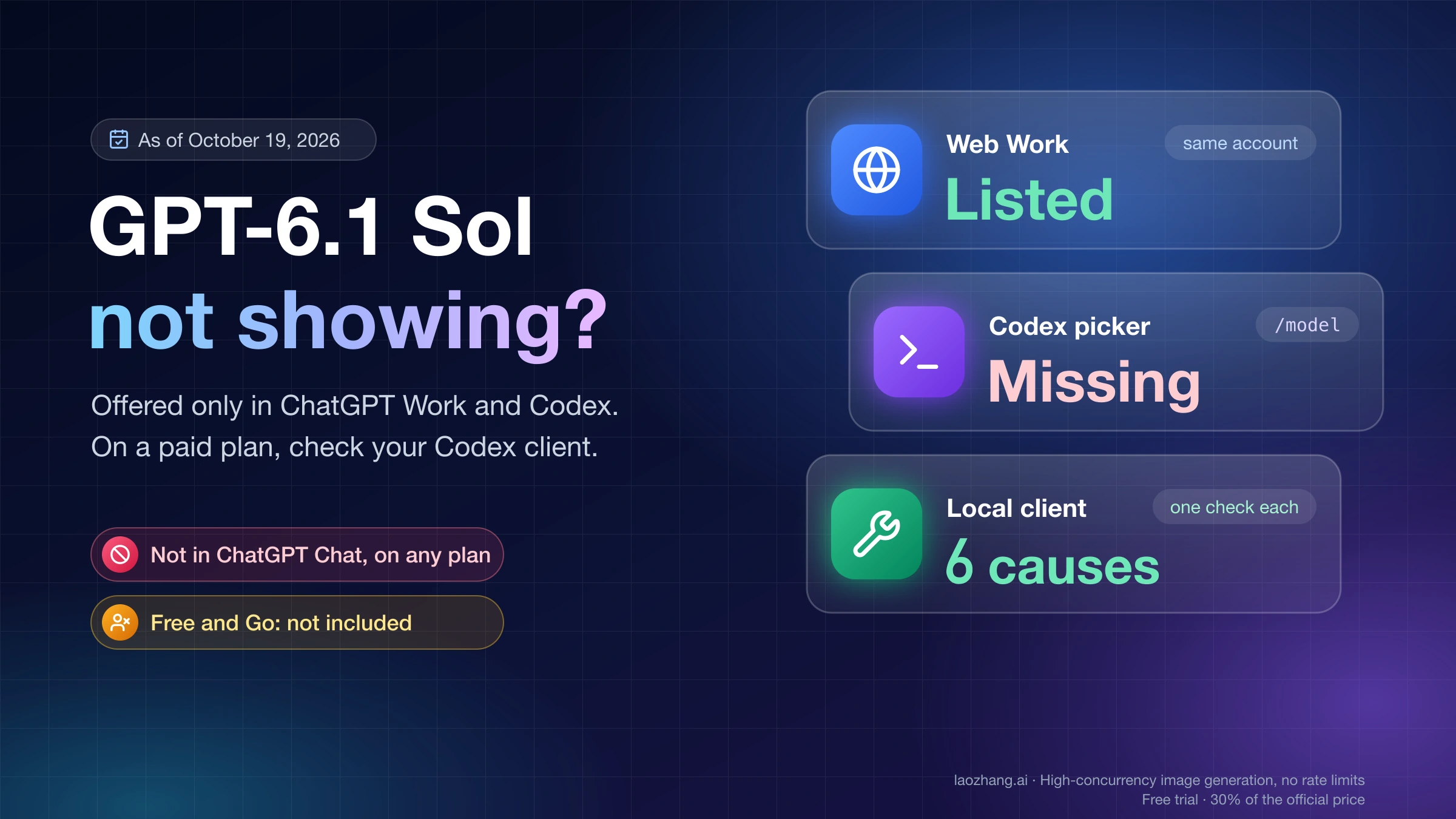
GPT-6.1 Sol shows up in only two places in ChatGPT: Work and Codex. It isn't offered in Chat on any plan, and Free and Go weren't included at launch. On Enterprise and Edu it stays off until an admin turns it on. Ultrafast mode is narrower still, limited to the Pro $500 plan and eligible Enterprise and Edu workspaces.
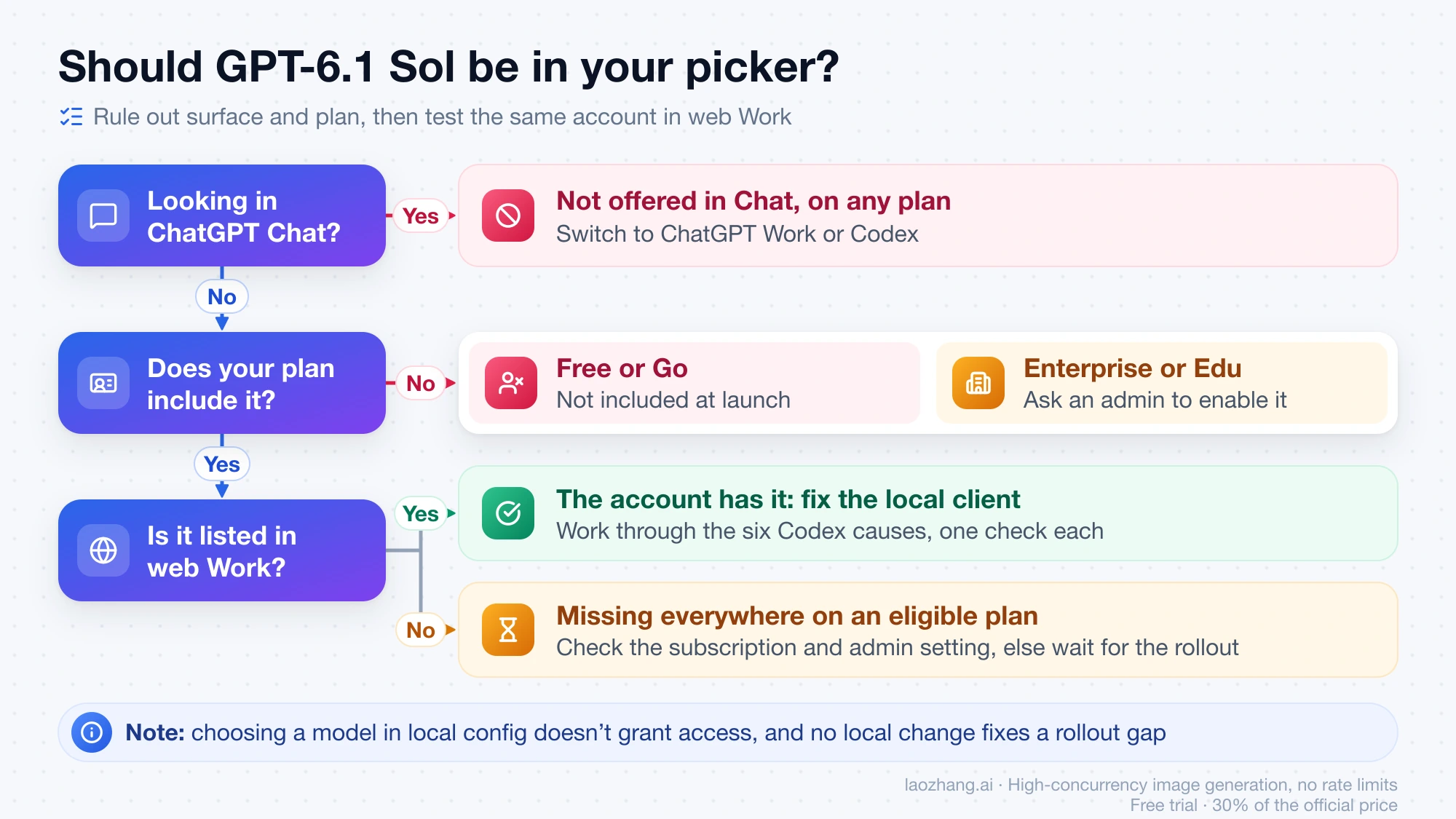
If you're on Plus, Pro, Business, or an enabled Enterprise or Edu workspace and the model still won't appear in the Codex picker or in /model, the account usually isn't the problem. The client is. Open ChatGPT Work on the web with the same account. If GPT-6.1 Sol is listed there, work through the six local causes below, each with a check that confirms it. Those causes cover the HTTP 400 The 'gpt-6.1-sol' model is not supported when using Codex with a ChatGPT account. as well. That error often appears right after GPT-5.5 was retired from Codex on October 14, 2026, when the docs tell you to switch to GPT-6.1 Sol.
Where GPT-6.1 Sol is offered, by surface and plan
Rule this out first, because no fix makes the model appear where it isn't offered. The table follows OpenAI's ChatGPT models page and the Codex workspace model availability guide, both as of October 19, 2026.
| Where you're looking, or what plan you have | Should GPT-6.1 Sol be there? | What to do |
|---|---|---|
| ChatGPT Chat (web, desktop, mobile) | No, on any plan | Switch to Work or Codex |
| ChatGPT Work on the web or mobile | Yes, on Plus, Pro, Business, Enterprise, Edu | Use it as the account test below |
| Codex in the desktop app, CLI, or IDE extension | Yes, same plans | If it's missing, check the six causes |
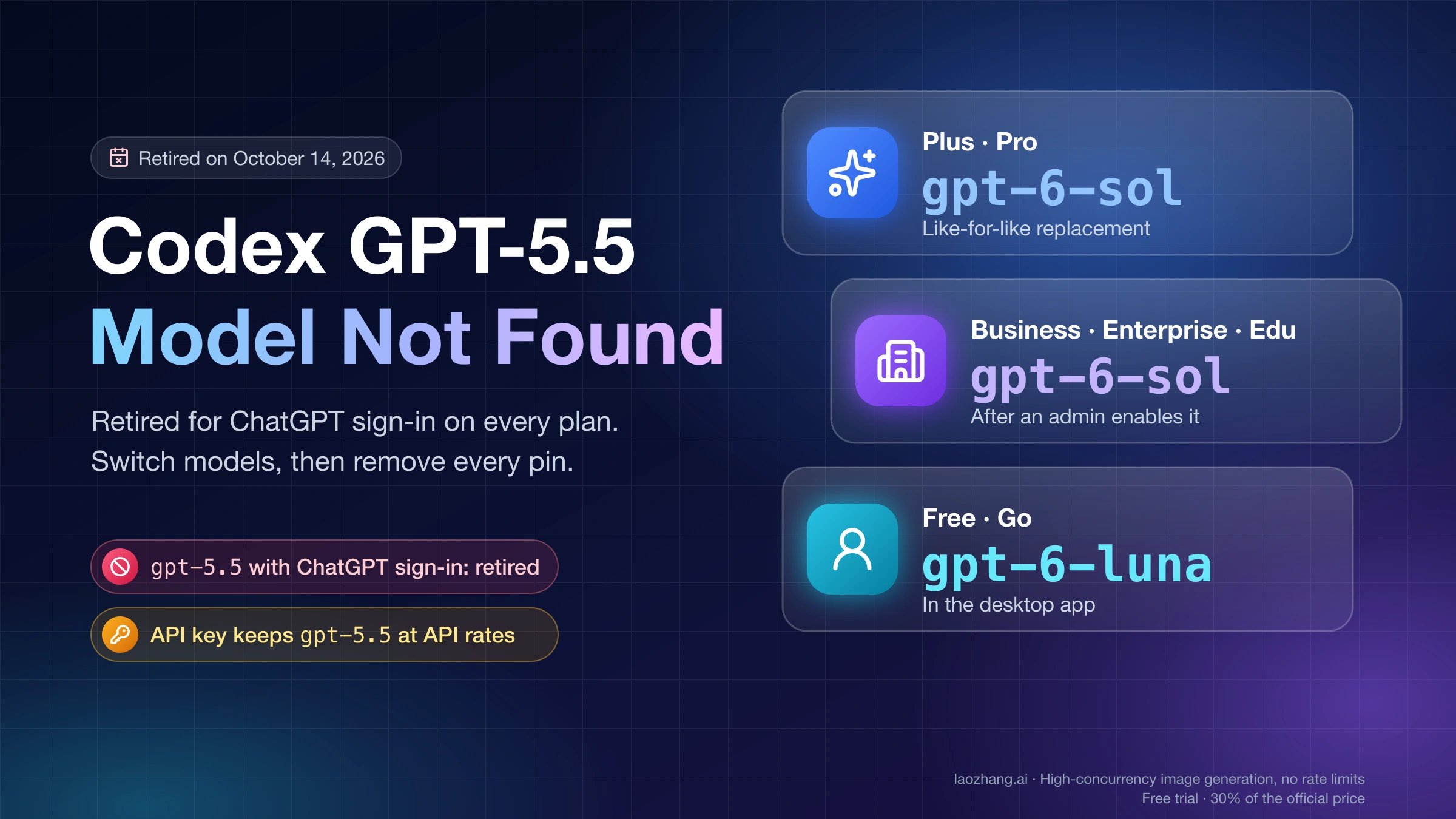
| Free or Go | No, not included at launch | These plans get GPT-6 Luna instead |
| Enterprise or Edu | Only after an admin enables it | Ask a workspace admin |
| Business | Yes; OpenAI's docs don't list Business as needing an admin switch | Treat it like Plus or Pro |
| Codex signed in with an API key | Depends on the key's API organization and project | Check model access on the API side |
| Ultrafast mode | Only Pro $500 and eligible Enterprise or Edu (Enterprise off by default) | On Plus or a lower Pro tier this is a plan limit, not a bug |
OpenAI's models page also says availability "depends on the rollout, your sign-in method, and your client." Two details trip up workspace users. Choosing a model in local configuration doesn't grant access. A model setting in the ChatGPT workspace also doesn't carry over to Codex automatically.
One user in the openai/codex GitHub tracker said they saw GPT-6.1 Sol in the Windows desktop Chat tab on October 13. Nobody has confirmed it, and OpenAI's own text still says it isn't available in Chat.
On Free or Go, GPT-6 is free as GPT-6 Luna, while Sol and Astra need a paid plan.
Same account in ChatGPT Work on the web: rollout problem or local problem
Sign in at chatgpt.com with the account you use in Codex, open Work, and look at the model list. ChatGPT Work on mobile and Codex cloud tasks work as a second check.
- Listed on the web, missing in your desktop app or CLI. The account has the model. The fault is in the local client, so go to the symptom table below.
- Missing everywhere, on a plan that should include it. Confirm the subscription is still active, since an expired plan blocks the model too. Check your Enterprise or Edu admin setting. If both are fine, the rollout hasn't reached the account, and no local change will fix that.
Several GitHub reports describe this split exactly: GPT-6.1 Sol in web Work, mobile Work, VS Code, or Cloud Work, but absent from the desktop picker on the same account.
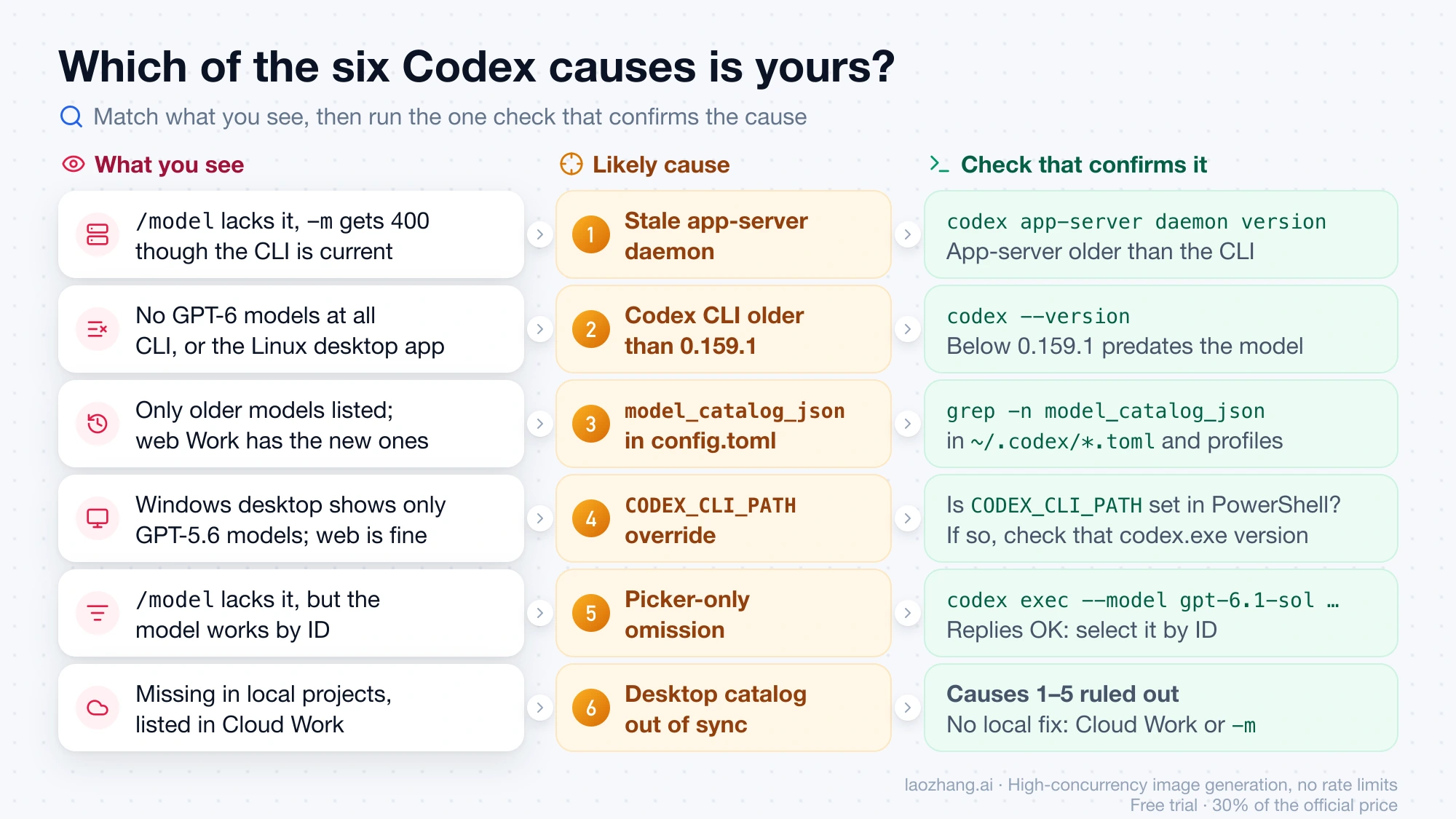
Match your symptom to one of six Codex causes
| What you see | Where | Likely cause |
|---|---|---|
/model lacks GPT-6.1 Sol, and -m gpt-6.1-sol returns HTTP 400 even though the CLI is current | Codex CLI, any OS | 1. Stale app-server daemon |
CLI catalog has no GPT-6 models at all; codex --version is below 0.159.1 | Codex CLI; also the Linux desktop app | 2. Old standalone CLI |
| Picker lists older models only; web Work has the new ones | Desktop app and CLI | 3. model_catalog_json in config.toml |
| Desktop Work and Codex show only GPT-5.6 models; web is fine | Windows desktop app | 4. CODEX_CLI_PATH override |
/model lacks it, but codex exec --model gpt-6.1-sol works | CLI picker; desktop with API-key sign-in | 5. Picker-only omission |
| Desktop picker lacks it in local projects but shows it in Cloud Work; causes 1–5 don't apply | Desktop app, Windows/macOS/Linux | 6. Desktop catalog out of sync |
Two commands give you most of the evidence. codex debug models prints the raw model catalog Codex sees as JSON. codex debug models --bundled skips the refresh and prints only the catalog shipped inside the binary. If the bundled list has gpt-6.1-sol but the live one doesn't, the catalog is being replaced or filtered somewhere after startup.
codex --version
codex debug models --bundled | grep gpt-6.1-sol
codex debug models | grep gpt-6.1-sol
On Windows PowerShell, swap grep for Select-String gpt-6.1-sol.
None of the fixes below come from OpenAI. They are workarounds users reported on the openai/codex GitHub tracker, each with who reported it, when, and how many confirmed it. As of October 19, 2026, no OpenAI staff reply in those threads or on X explains why the picker drops the model.
Cause 1: stale app-server daemon behind an updated Codex CLI
The codex you type isn't the only Codex process running. A background app-server daemon serves the model list and handles requests. If you updated the CLI while an older daemon kept running, /model shows the old catalog, and a forced -m gpt-6.1-sol fails with the 400.
One Linux user on October 1 had CLI 0.159.3 talking to an app-server still on 0.158.0. In that state codex debug models already listed gpt-6.1-sol, /model didn't, and sending a prompt with -m gpt-6.1-sol returned:
400 invalid_request_error:
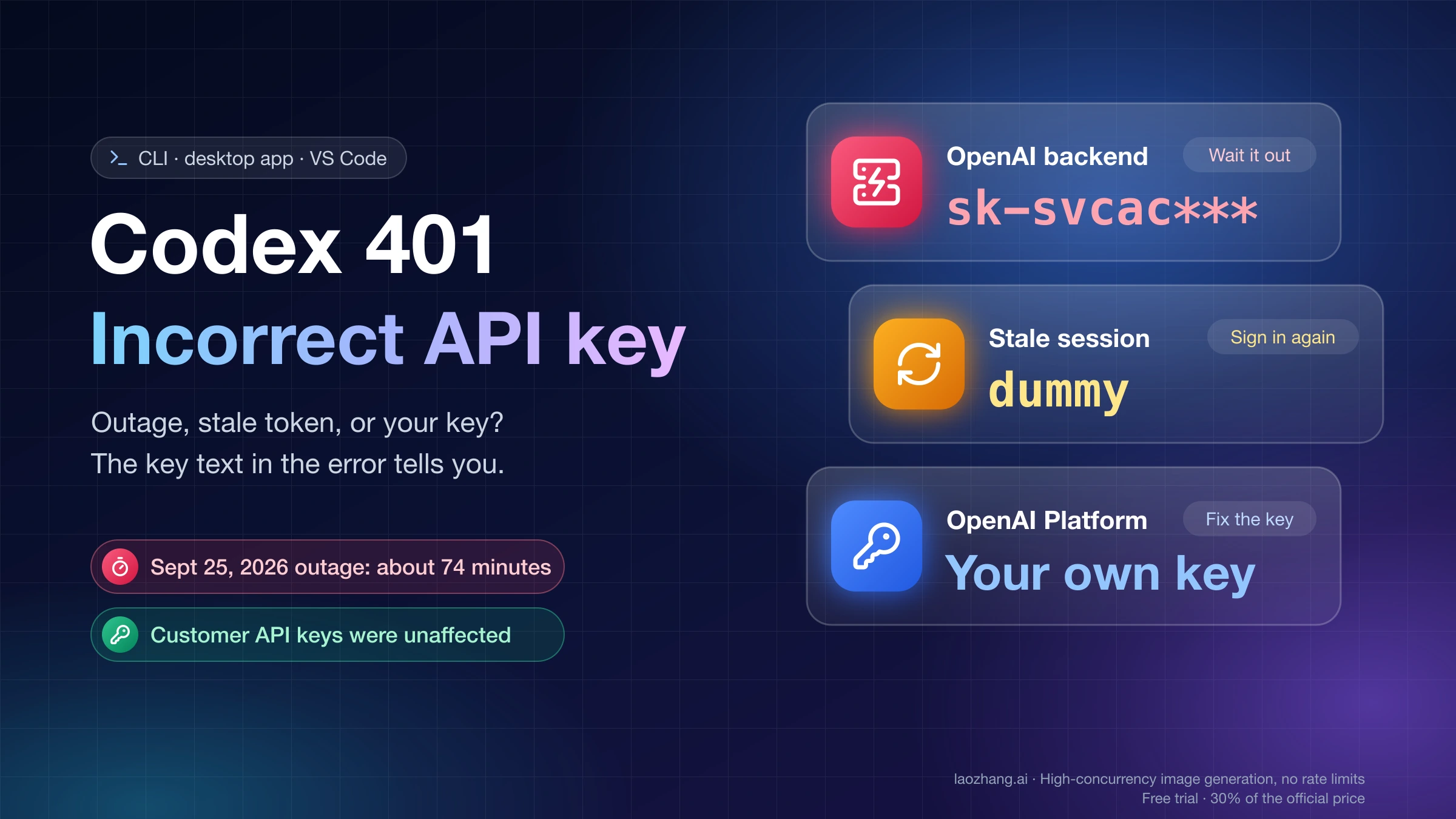
"The 'gpt-6.1-sol' model is not supported when using Codex with a ChatGPT account."
Check. Compare the CLI and app-server versions:
codex app-server daemon versionIt prints the local CLI version and the running app-server version as JSON. If appServerVersion is older than the CLI, this is your cause.
Fix. Close every Codex session, then run:
codex app-server daemon update --from-cli --yes
codex app-server daemon restart
codex app-server daemon version
The daemon should now report 0.159.2 or newer. This fix appears in openai/codex issue #49396. Between September 30 and October 16 it was confirmed by users on Windows and Linux, on both Plus and Pro.
Two snags came up in that thread:
Error: app server is running but is not managed by codex app-server daemonmeans an orphaned older app-server is still running. End that process (Task Manager on Windows, Activity Monitor orpson macOS and Linux), then run the update again.- On Windows, the update can fail with
host Job Object prevents daemon detachment. Start Codex without the background server instead:
codex --no-daemonIf you hit Codex start-up errors in the same session, see Codex account/read failed during TUI bootstrap. It's another symptom of the CLI and the background app-server running different versions.
Cause 2: Codex CLI older than 0.159.1, without GPT-6.1 Sol in its catalog
GPT-6.1 Sol entered the bundled model catalog in Codex CLI 0.159.1, released September 29, 2026, as the new default model. Any older standalone CLI simply doesn't know about it. As of October 19, the latest release on the Codex changelog is 0.163.0 (October 15).
Check. Run codex --version. Anything in the 0.15x range below 0.159.1 predates the model.
Fix. Update the CLI. For the npm install:
npm install -g @openai/codex@latestThen run codex app-server daemon version again, since an updated CLI can still leave the old daemon from Cause 1 running. Installs from Homebrew or another package manager are covered in Install and Configure Codex CLI on Windows, macOS, or Linux.
Reports that match this cause:
- A Plus user on CLI 0.157.1 got a catalog without
gpt-6.1-soland the 400 fromcodex exec. The same account answered normally on 0.162.1 (October 15). - A Plus user on 0.153.4 had a six-model catalog with no GPT-6.1 Sol, GPT-6 Sol, or GPT-6 Luna. Upgrading to 0.163.0 fixed it (October 18).
- On Linux, upgrading the standalone CLI from 0.154.0 to 0.161.0 made the new models appear in the desktop app picker too, without updating the desktop package (October 8). If you run the desktop app on Linux, update the CLI before reinstalling the app.
Cause 3: model_catalog_json in config.toml hides new models
model_catalog_json is a config key that loads a JSON model catalog from a path on startup, per the Codex configuration reference. If that file was captured before GPT-6.1 Sol launched, Codex uses it as the full list. The model then disappears from the desktop picker and from CLI /model, and nothing warns you that the list is stale.
Check. Search your Codex config files, including profile files like profile-name.config.toml, which can set their own value:
grep -n model_catalog_json ~/.codex/*.tomlSelect-String -Path "$env:USERPROFILE\.codex\*.toml" -Pattern model_catalog_jsonIf you set a custom CODEX_HOME, search that folder instead.
Fix. Delete the model_catalog_json line, or point it at a current catalog. Save the file, fully quit the desktop app or CLI, and reopen it. A Windows Plus user in openai/codex issue #54293 did exactly this on October 17: "Deleted that line, saved, fully quit the app and reopened it — GPT-6.1 Sol showed up." The same mechanism had already hidden GPT-6 Astra in an earlier issue.
What a local test showed. On October 19, 2026, the LaoZhang AI Team ran the Codex CLI bundled with the macOS ChatGPT app (codex-cli 0.163.0-alpha.10.2) against an empty config folder, signed out:
codex debug models --bundledlisted 11 entries, includinggpt-6.1-sol,gpt-6-sol,gpt-6-luna,gpt-6-astra, the three GPT-5.6 models, andgpt-5.5.- With
model_catalog_jsonpointing at a copy of that catalog minusgpt-6.1-sol,gpt-6-sol, andgpt-6-luna,codex debug modelsprinted only the shortened list. GPT-6.1 Sol was gone. codex exec -m gpt-6.1-sol, sent to a local mock server instead of OpenAI, printed:
warning: Model metadata for `gpt-6.1-sol` not found. Defaulting to fallback metadata; this can degrade performance and cause issues.That warning is the giveaway: if you see it, the catalog Codex loaded doesn't contain the model. The test proves the override mechanism and the warning text, nothing more. It used no signed-in account and never opened the desktop picker. It also never reached OpenAI's servers, so it didn't reproduce the real HTTP 400.
Other custom model entries in config.toml are worth a look too. A poster in r/codex traced their missing Sol 6.1 to a 1M context window they had set for GPT-6 Luna. How that setting hid the model isn't documented, so treat it as a lead and not a confirmed cause. The default context for GPT-6.1 Sol in Codex and Work is already 500K, according to OpenAI's Tibo Sottiaux on X (October 12).
Cause 4: CODEX_CLI_PATH points the Windows desktop app at an old codex.exe
On Windows, a user-level CODEX_CLI_PATH environment variable makes the desktop app launch whatever codex.exe it points to as its app-server. That replaces the newer runtime bundled with the app. If the path leads to an old install, such as %LOCALAPPDATA%\Programs\OpenAI\Codex\bin\codex.exe at 0.149.1 or 0.150.1, desktop Work and Codex show only GPT-5.6 Sol, Terra, and Luna. ChatGPT Work on the web shows the full GPT-6 family.
Check in PowerShell:
[Environment]::GetEnvironmentVariable('CODEX_CLI_PATH', 'User')
[Environment]::GetEnvironmentVariable('CODEX_CLI_PATH', 'Process')
If either command returns a path, check that executable's version. codex --version in your terminal can report a different binary from the one the app launches. One user's models_cache.json showed client_version: 0.149.1 and no GPT-6 models, even though the app bundled a 0.162 runtime.
Fix in PowerShell:
[Environment]::SetEnvironmentVariable('CODEX_CLI_PATH', $null, 'User')
Remove-Item Env:CODEX_CLI_PATH -ErrorAction SilentlyContinue
Fully exit ChatGPT, restart Windows so new processes don't inherit the old variable, and reopen the Work or Codex picker. This removes only the override. It doesn't delete the executable, your projects, or your Codex configuration. Three users in openai/codex issue #51308 confirmed it on October 15, 15, and 19. As the first of them put it, if CODEX_CLI_PATH isn't set, your problem has a different cause.
Cause 5: missing from /model but works by ID, so select gpt-6.1-sol directly
Sometimes the picker is the only thing wrong. In openai/codex issue #54571 (October 16), CLI 0.163.0 on Windows left GPT-6.1 Sol out of /model. Meanwhile codex debug models listed it with visibility: list, and this request replied OK:
codex exec --model gpt-6.1-sol --skip-git-repo-check "Reply with exactly: OK"Check. Run that command. If it answers, your account has the model and only the picker is hiding it.
Workaround. Select the model by ID instead of through the picker. Start the CLI with it:
codex -m gpt-6.1-solOr make it the default in ~/.codex/config.toml:
model = "gpt-6.1-sol"The config line also helps a desktop case reported in openai/codex issue #53219 (October 11). On macOS with API-key sign-in, GPT-6.1 Sol vanished from the picker after the user selected GPT-6 Luna, and it stayed gone after a restart. It came back only after model = "gpt-6.1-sol" was set in config again. Switching away from it repeats the problem, so pick other models per session with -m rather than in the picker.
Cause 6: desktop picker still lacks GPT-6.1 Sol while web Work has it
This group has no known local fix. In the open reports, the same account sees GPT-6.1 Sol in web Work, mobile, VS Code, or Cloud Work. The desktop picker on Windows, macOS, or Linux still leaves it out, sometimes along with GPT-6 Sol and GPT-6 Luna. Users regenerated models_cache.json, signed out and back in, reinstalled, and updated, and some still don't have it. The latest report, on October 19, came from app 26.1013.40934, whose catalog still carried client_version 0.149.1.
A common form of this, reported in openai/codex issue #50308: GPT-6.1 Sol is listed when you choose Cloud execution in desktop Work, then disappears when you switch to a local project.
What you can still do:
- Rule out Causes 1–5 first. Several people in these threads later found a stale daemon, an old CLI,
model_catalog_json, orCODEX_CLI_PATH. - Update the desktop app. One user's local projects got the model back after a desktop update on October 5. They couldn't say whether the update or a coinciding rollout did it.
- Use Cloud Work or select by ID (
-m gpt-6.1-solin the CLI) until the desktop picker catches up. - Report it with a feedback ID. Send feedback from the desktop app, note the feedback session ID, and file an issue on the openai/codex GitHub tracker with your app version, OS, plan, and sign-in method. OpenAI Support gave this instruction to the reporter of #54293.
Other causes of the gpt-6.1-sol "not supported" HTTP 400
The same 400 text shows up in situations that have nothing to do with the picker:
| Situation | How to tell | What fixes it |
|---|---|---|
| Plan period ended or was canceled | Requests that worked stop at the renewal time | Renew the subscription |
| Plan never included the model (Free, Go, Enterprise or Edu not yet enabled) | The model is missing in web Work too | Pick another model, upgrade, or ask an admin |
| Stale app-server daemon | codex app-server daemon version shows an older app-server | Cause 1 |
| Model not yet rolled out to the account | Plan qualifies, but no surface shows it | Wait for the rollout |
Calls through codex mcp-server | codex exec accepts the model, the MCP server path rejects it | Run the task through codex exec meanwhile |
The plan-expiry and MCP-server cases come from users in #49396 (October 1 and 2). The MCP-server report was on CLI 0.160.0, where codex exec accepted gpt-6.1-sol and gpt-6-luna and codex mcp-server rejected both.
If your error names gpt-5.5 instead, see ChatGPT & Codex GPT-5.5 Model Not Found: Retired Oct 14, Fixes. It covers that retirement and the replacement model on each plan.
Which model to use while GPT-6.1 Sol is missing
OpenAI's models page says GPT-5.6 Sol, GPT-5.6 Terra, and GPT-5.6 Luna remain available during the rollout. GPT-6 Sol is on the same paid plans, but a stale catalog can hide it along with GPT-6.1 Sol. If GPT-6 Astra or GPT-6 Sol is in your list, GPT-6.1 Sol vs GPT-6 Astra vs GPT-6 Sol: When Astra Is Worth It helps you choose between them.
API pricing, and the settings that break when you move a project to the new model, are in GPT-6.1 Sol: Pricing, Access, and What Breaks When You Switch.
FAQ
Is GPT-6.1 Sol available in ChatGPT Chat?
No. OpenAI's models page says GPT-6.1 Sol, GPT-6 Sol, and GPT-6 Luna are available in Work and Codex but not in Chat, and the launch post says the same. Switch to Work in the app or on chatgpt.com.
I have GPT-6.1 Sol in ChatGPT Work but not in Codex. Why?
Your account has the model, so the Codex client is what's behind. Check the app-server daemon version, your CLI version, any model_catalog_json line in config.toml, and on Windows the CODEX_CLI_PATH variable. If none of those apply, select it by ID with codex -m gpt-6.1-sol, or use Cloud Work while the desktop picker catches up.
Why is GPT-6.1 Sol Ultrafast mode not showing in Codex?
Ultrafast for GPT-6.1 Sol is limited to the Pro $500 plan and eligible Enterprise and Edu plans, and Enterprise workspaces need an owner to enable it. On Plus or a lower Pro tier, the option isn't supposed to appear.
Is GPT-6.1 Sol available on the ChatGPT Free plan?
No. Free and Go weren't included in the GPT-6.1 Sol launch. Those plans get GPT-6 as GPT-6 Luna.
Does updating fix GPT-6.1 Sol not showing?
Often, but only if you update the right component. Updating the CLI alone can leave an old app-server daemon running, so restart the daemon too. On Windows, a CODEX_CLI_PATH override keeps the desktop app on an old executable however often you update. Reports from the desktop app show that updates don't fix every case.
Sources10
External pages this guide links to, in the order they appear. Last updated Oct 19, 2026.
Sources10
External pages this guide links to, in the order they appear. Last updated Oct 19, 2026.
- 1.ChatGPT models pagelearn.chatgpt.com/docs/models
- 2.Codex workspace model availability guidelearn.chatgpt.com/codex/enterprise/workspace-model-availability
- 3.openai/codex issue #49396github.com/openai/codex/issues/49396
- 4.Codex changeloglearn.chatgpt.com/codex/changelog
- 5.Codex configuration referencelearn.chatgpt.com/codex/config-file/config-reference
- 6.openai/codex issue #54293github.com/openai/codex/issues/54293
- 7.openai/codex issue #51308github.com/openai/codex/issues/51308
- 8.openai/codex issue #54571github.com/openai/codex/issues/54571
- 9.openai/codex issue #53219github.com/openai/codex/issues/53219
- 10.openai/codex issue #50308github.com/openai/codex/issues/50308