Checkout could not be completed. Please try again. ChatGPT Fix
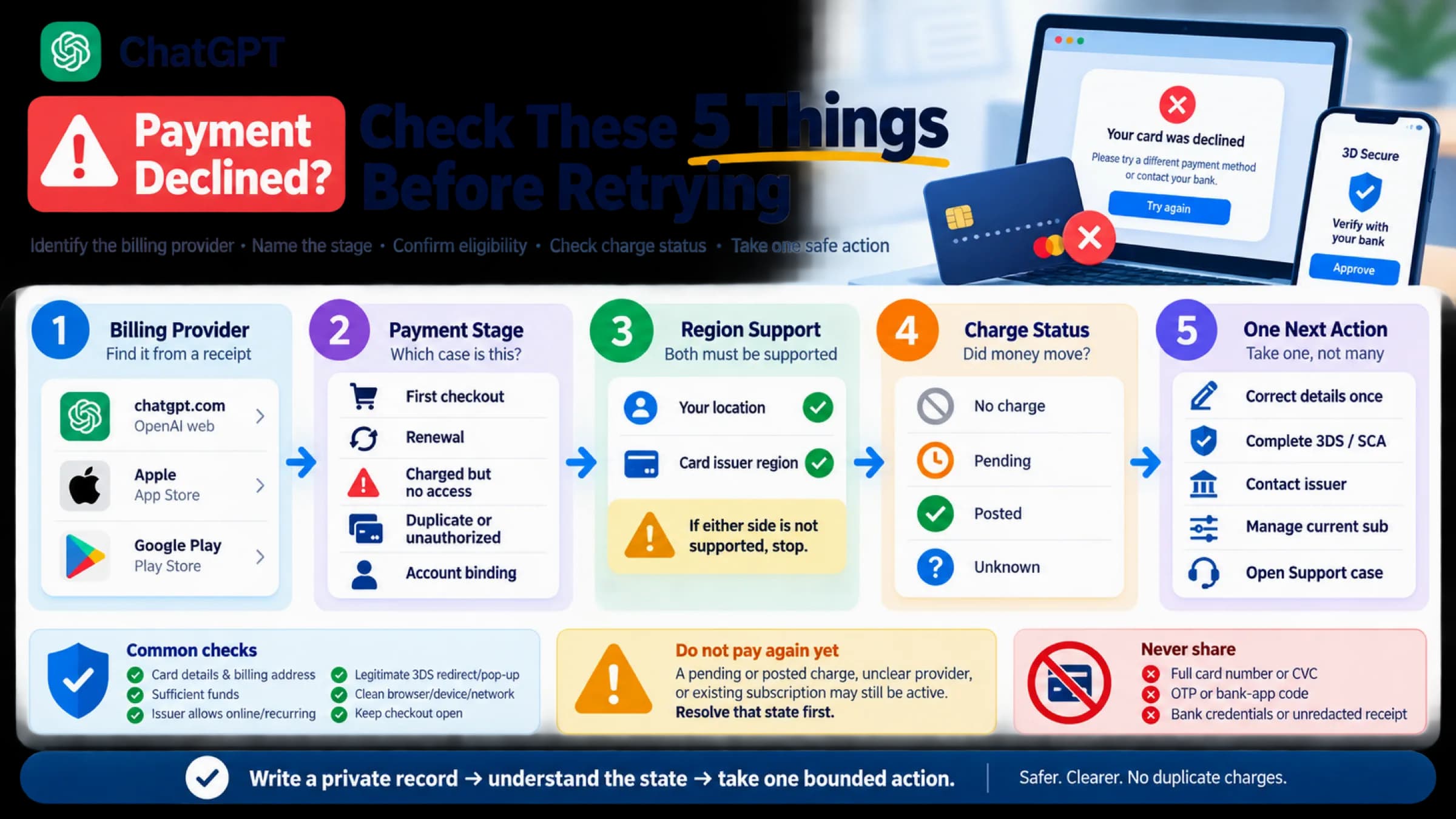
In ChatGPT, this box means a checkout request failed, not that your bank declined the card. Check your bank or wallet for a charge before you press Retry.
On this page
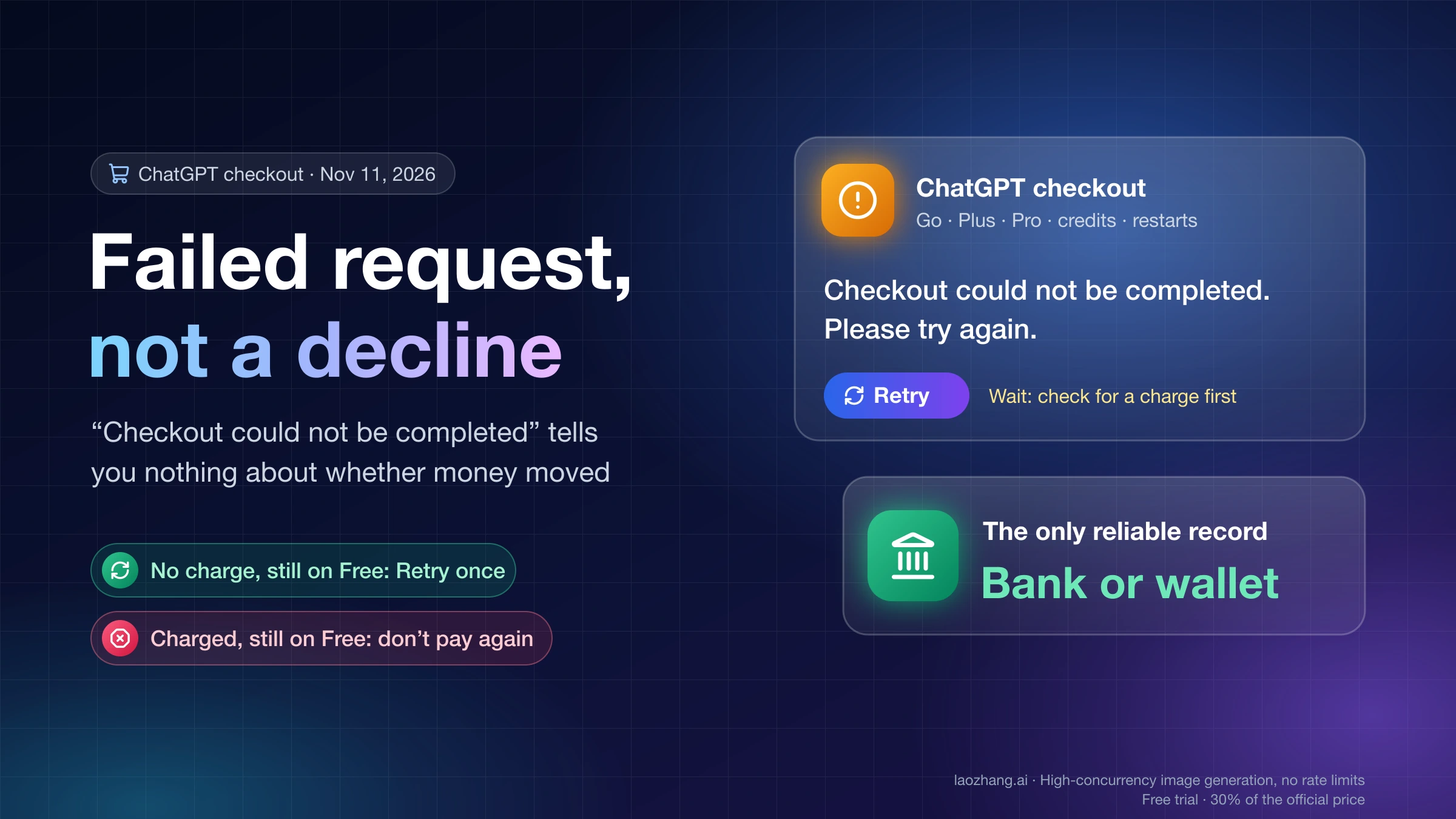
“Checkout could not be completed. Please try again.” is the message OpenAI's own checkout page on chatgpt.com shows when a request inside the purchase fails and the code has nothing more specific to say. It can appear while you subscribe to Go, Plus or Pro, claim an offer, add credits or restart a subscription. It does not mean your card was declined, and it does not mean the payment failed either: a note the developers left for translators in the ChatGPT desktop app says “no payment success is implied”, so the box tells you nothing about whether money moved.
So before you press Retry, open your bank or wallet app and look for a pending or completed charge from OpenAI, then check your plan in ChatGPT settings. If nothing has moved and you are still on Free, press Retry once. If it fails again, start a fresh checkout in a private window with ad blockers and any VPN switched off, use chatgpt.com in a browser instead of the desktop app, and try another network.
The exception is money that has already left. If your bank shows a charge but your plan did not change, do not pay again; follow ChatGPT Plus Paid but Still Free? 5 Checks Before You Pay Again instead. And if the box shows different words, such as “Payment was not approved”, you are looking at a different ChatGPT checkout message with a different fix.
What “Checkout could not be completed” means: a failed request, not a decline
The sentence is the catch-all at the end of ChatGPT's checkout error handling. As of November 11, 2026, the checkout script that chatgpt.com loads for a signed-in account (build 54e1c8b554b8) contains it under the message id checkout.failed, as the last branch of the component that displays checkout errors. Before the code falls through to it, three more specific cases are checked, and each has its own text: a promotion or referral that can't be applied to this checkout; an error the checkout server sent back with its own message, which is shown word for word (the too-many-subscriptions warning is one of these); and a plan that isn't available. Only when none of those fits do you see the generic sentence, with a Retry button under it.
The ChatGPT desktop app for macOS, version 26.1103.60933, ships the same checkout code with the developers' translator notes still attached. The note on the message reads “Error in subscription checkout when a request fails; no payment success is implied”, and the note on the button reads “Retry a failed subscription checkout request”. These are internal comments rather than OpenAI documentation, but they say plainly what the box is for: a request between your browser and OpenAI's checkout did not succeed.
The same box also covers cases where the checkout data never arrived. In the desktop bundle, it is what you see when the checkout session comes back without its payment configuration or without a checkout URL, and when a request fails on the plan checkout page, in the Add credits dialog, while restarting a subscription, or on the page shown after you return from checkout. The internal error names never reach the screen; the generic sentence does.
OpenAI's Help Center has no article that explains this sentence as of November 11, 2026. Its OpenAI Help Center article on declined credit cards does make the key distinction, though: “If your bank has no record of the attempt, the error alone doesn’t show that your bank declined it.”
All of the above comes from reading code, not from a payment. On November 11, 2026, the checkout scripts were downloaded from chatgpt.com in a signed-in browser and the desktop app's bundle was searched for the message; no checkout session was opened, no payment details were entered and nothing was paid. What the server sends in a particular failure, how long a checkout session stays valid, and whether a failed request can still leave a pending authorization on your card were not observed.
Were you charged? Check your bank before pressing Retry
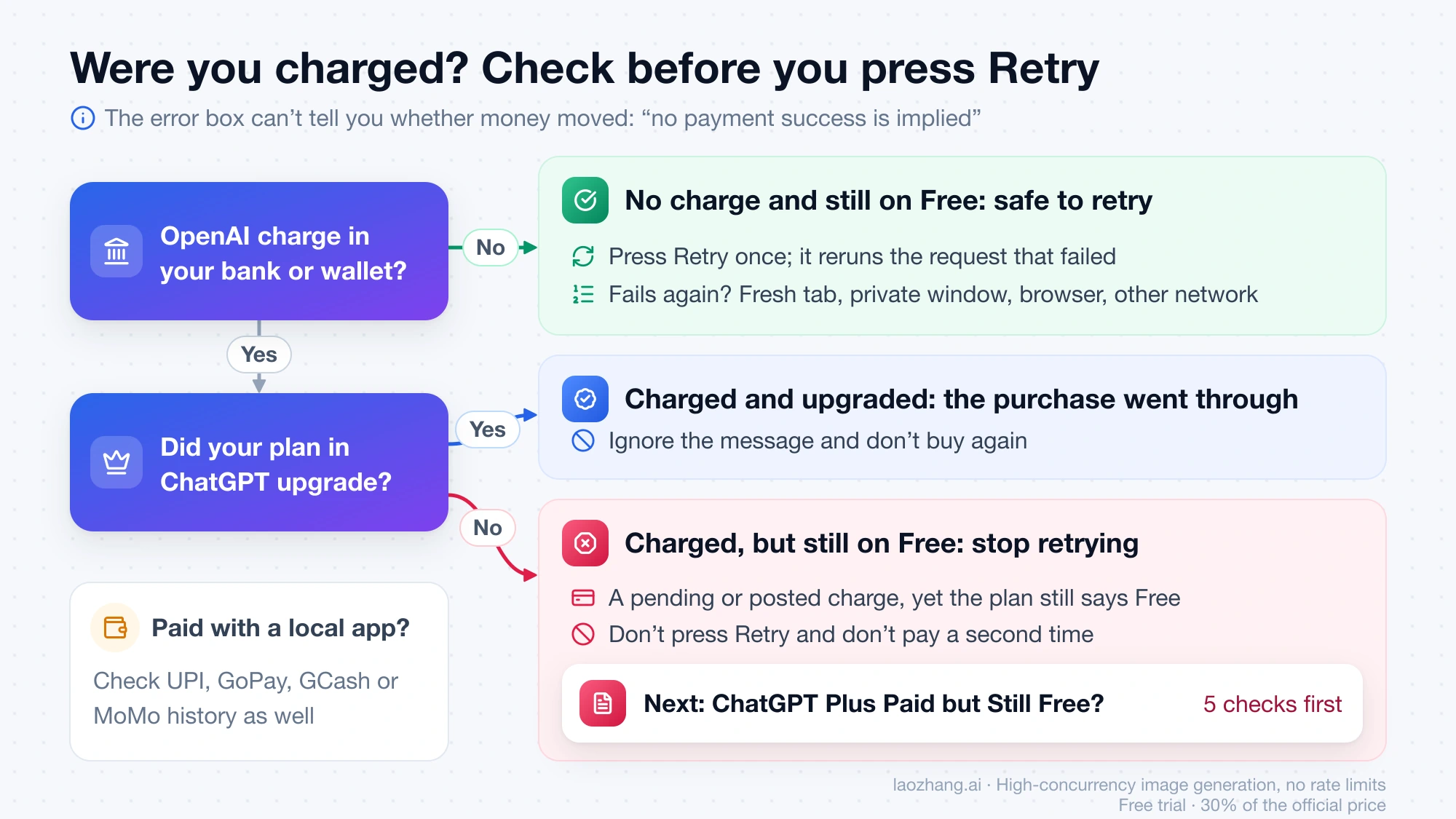
The box can't tell you whether you were charged, because the code shows it for a failed request regardless of what happened to the payment. The only reliable record is your bank or wallet. Look for a pending authorization or a posted charge from OpenAI at the time of the attempt. If you paid with a local method, check that app's transaction history as well: OpenAI's multicurrency billing page lists UPI in India for Go and Plus, GoPay in Indonesia, GCash in the Philippines and MoMo in Vietnam, among others.
Then compare that record with the plan shown in your ChatGPT settings. If the bank or wallet shows nothing, not even a pending line, and you are still on Free, nothing went through, and pressing Retry is safe. If there is a charge and the plan did upgrade, the purchase completed despite the message, so don't buy again. If there is a pending or posted charge but the account still says Free, stop retrying and follow ChatGPT Plus Paid but Still Free? 5 Checks Before You Pay Again, which covers matching the charge to the right account.
How to fix “Checkout could not be completed” in ChatGPT, in order
Once you know no money moved, start with what can break a request between your browser and OpenAI, and leave the card for later. That order is an inference from where the message sits in the code, and it matches OpenAI's generic troubleshooting advice; OpenAI doesn't publish a list of causes for this message.
- Press Retry once. The button reruns the request that failed.
- If the same message returns, close the checkout tab and start again from the plan page in a new tab. A checkout page left open for a long time may be holding a session that is no longer valid.
- Open checkout in a private or incognito window, with ad blockers, pop-up blockers and any VPN turned off. If that works, clear chatgpt.com's cache and cookies in your normal browser, as OpenAI's declined-card article suggests.
- If you are buying inside the ChatGPT desktop app, go to chatgpt.com in a browser and buy there instead.
- Switch to a different network, for example from home Wi-Fi to mobile data, or try another device.
- Look at OpenAI's status page for a current payment incident.
- If you still get the message, try a different payment method that OpenAI offers in your country, for example a card instead of a local wallet, or the other way round.
The desktop app step comes from user reports. In GitHub issue #49080 on the openai/codex repository, users describe the desktop app's built-in checkout failing to open, and a comment from October 29, 2026 notes that “Browser checkout works.” After an app update, the same user saw “Unable to load payment form. Please try again.” instead, which is a different message, but the workaround is the same.
On the status page, as of November 11, 2026, none of OpenAI's 100 most recent incidents (August 13 to November 6, 2026) mentions checkout. The one payment incident in that period, “Elevated error rates with some U.S. business Mastercards”, ran from November 6 to November 10, 2026 and concerned declines on cards whose numbers begin with 544015, 546400, 543502, 543799 or 512998 (and some beginning with 513989); OpenAI recommended adding a card from a different issuer. That was a decline problem, not this message, and an empty status page doesn't prove that checkout never fails on OpenAI's side.
Is it a different ChatGPT checkout message?
Several other messages appear in the same checkout, and some of them do point at your card, billing details or promotion. If yours isn't exactly “Checkout could not be completed. Please try again.”, match it here. The meanings below come from the message ids and translator notes in the desktop app 26.1103.60933 and the chatgpt.com checkout code as of November 11, 2026.
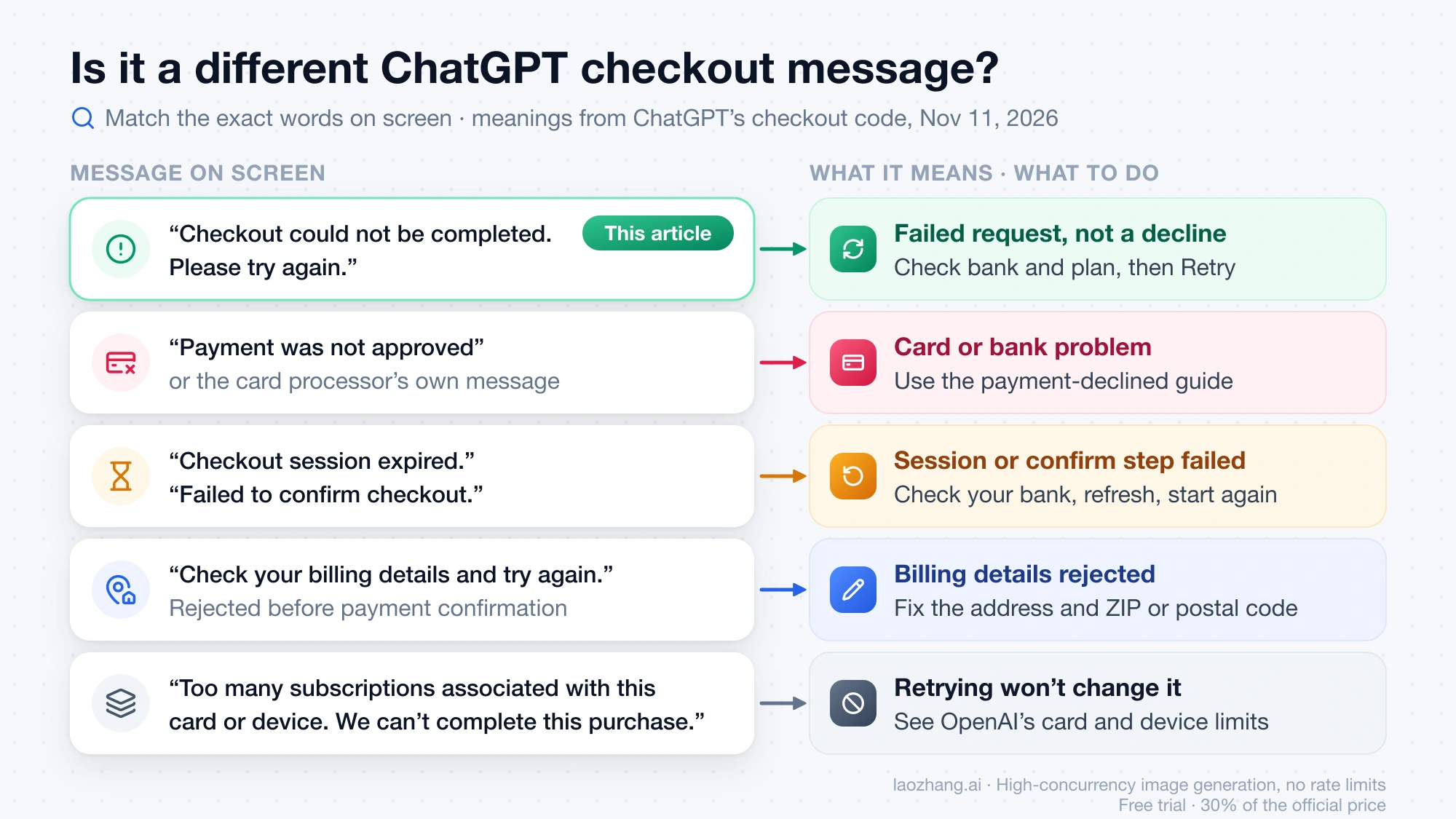
| Message on screen | What the checkout code attaches it to | What to do |
|---|---|---|
| “Payment was not approved” | The payment was blocked at the confirmation step | Follow ChatGPT Payment Declined: Payment Was Not Approved, Card Declined |
| “Too many subscriptions associated with this card or device. We can’t complete this purchase.” | Too many subscriptions linked to the same card or device | Read OpenAI's card and device limits article; retrying won't change it |
| “We were unable to process your payment, please refresh your page and try again.” | An exception while the payment was being approved | Check your bank for a charge, then refresh |
| “Your checkout session expired, please refresh your page.” or “Checkout session expired.” | The checkout session timed out | Refresh and start checkout again |
| “Check your billing details and try again.” | The server rejected your billing details before payment confirmation | Correct the billing address and ZIP or postal code |
| “Failed to confirm checkout.” or “Failed to update checkout.” | The confirmation step returned an error, or a change to the open checkout didn't reach the server | Check your bank, then refresh and start again |
| “This promotion isn’t available for this checkout” or “This account has already redeemed an introductory offer, so this promotion can’t be used” | The offer or referral can't be applied to this account or plan | No Retry button; see the free-offer section of the payment-declined guide |
| A message from the card processor | The processor's own text, passed through at the confirmation step | Treat it as a card or bank problem and use the payment-declined guide |
One processor message causes particular confusion: “We are unable to authenticate your payment method. Please choose a different payment method and try again.” It doesn't appear anywhere in OpenAI's checkout code; it is Stripe's text for a failed 3D Secure check with your bank, and ChatGPT Payment Declined: Payment Was Not Approved, Card Declined explains how to handle it.
“Checkout could not be completed” in Hindi, Indonesian and other languages
If your ChatGPT interface isn't in English, you see a translation of the same message, and the steps above apply unchanged. The desktop app 26.1103.60933 ships 64 different translations of it as of November 11, 2026; these are copied exactly from the app. The app stores the strings without a language label, so the language names below are read from the text itself.
| ChatGPT language | The message | Retry button |
|---|---|---|
| Hindi | चेकआउट कम्प्लीट नहीं हो सका. कृपया फिर से कोशिश करें. | फिर से कोशिश करें |
| Hindi (Latin script) | Checkout poora nahi ho saka. Kripya dobara koshish karein. | Retry |
| Indonesian | Proses pembayaran tidak dapat diselesaikan. Coba lagi. | Coba lagi |
| Vietnamese | Không thể hoàn tất quá trình thanh toán. Vui lòng thử lại. | Thử lại |
| Filipino | Hindi natapos ang pag-check out. Pakisubukan ulit. | Subukan ulit |
| Russian | Не удалось завершить оформление подписки. Повторите попытку. | Повторить |
| Spanish (Latin America) | No se pudo completar el proceso de pago. Vuelve a intentarlo. | Reintentar |
| Spanish (Spain) | No se ha podido completar el proceso de pago. Inténtalo de nuevo. | Reintentar |
| Portuguese | Não foi possível concluir a compra. Tente novamente. | Voltar a tentar |
| Chinese (Simplified) | 无法完成结账。请重试。 | 重试 |
When to stop retrying and what to send OpenAI Support
Stop and contact OpenAI Support if the message survives a fresh tab, a private window, a browser instead of the desktop app and a second network, or straight away if your bank shows a charge you can't match to a plan. OpenAI's declined-card article asks you to include:
- the product, such as ChatGPT Plus, Go, Pro or credits;
- whether the error appeared while adding a card, at checkout or during a renewal;
- the exact error, copied word for word in the language you saw it in;
- the local time of the attempt and your time zone.
Also say whether your bank or wallet shows any record of the attempt, and leave out your card number and security code. You can reach Support through the chat in the OpenAI Help Center.
ChatGPT checkout error: other questions
Why is my ChatGPT Plus free trial payment not approved?
“Payment was not approved” is a different message from “Checkout could not be completed”: in ChatGPT's checkout code it marks a payment blocked at the confirmation step. Failed free-offer and free-trial claims, including that message, are covered in ChatGPT Payment Declined: Payment Was Not Approved, Card Declined.
Does this message apply if I subscribed in the iPhone or Android app?
No. As OpenAI's multicurrency billing page explains, subscriptions bought in the ChatGPT iOS or Android app are handled by the Apple App Store or Google Play, not by the chatgpt.com checkout that shows this message. A failed in-app purchase is checked and managed in the store where you bought it.
How long should I wait before trying ChatGPT checkout again?
OpenAI doesn't publish a waiting time for this message as of November 11, 2026, and the Retry button reruns the request immediately. What decides your next step isn't the clock but whether money moved: with no charge and the plan still on Free, you can retry as soon as you've changed something, such as the browser window, the app or the network; if several of those fail, contact Support rather than waiting a set period.
Sources6
External pages this guide links to, in the order they appear. Last updated Nov 11, 2026.
Sources6
External pages this guide links to, in the order they appear. Last updated Nov 11, 2026.
- 1.OpenAI Help Center article on declined credit cardshelp.openai.com/en/articles/7232916-why-was-my-credit-card-declined
- 2.multicurrency billing pagehelp.openai.com/en/articles/10421635-multicurrency-billing
- 3.OpenAI's status pagestatus.openai.com
- 4.GitHub issue #49080 on the openai/codex repositorygithub.com/openai/codex/issues/49080
- 5.card and device limits articlehelp.openai.com/en/articles/20001559-understanding-card-and-device-limits-in-chatgpt
- 6.OpenAI Help Centerhelp.openai.com