ChatGPT in Chrome vs Claude in Chrome: Both Now Control Your Tabs
Since October 15, 2026, both extensions act in your tabs. ChatGPT needs its desktop app and covers more browsers; Claude runs alone in Chrome but is paid-only.
On this page
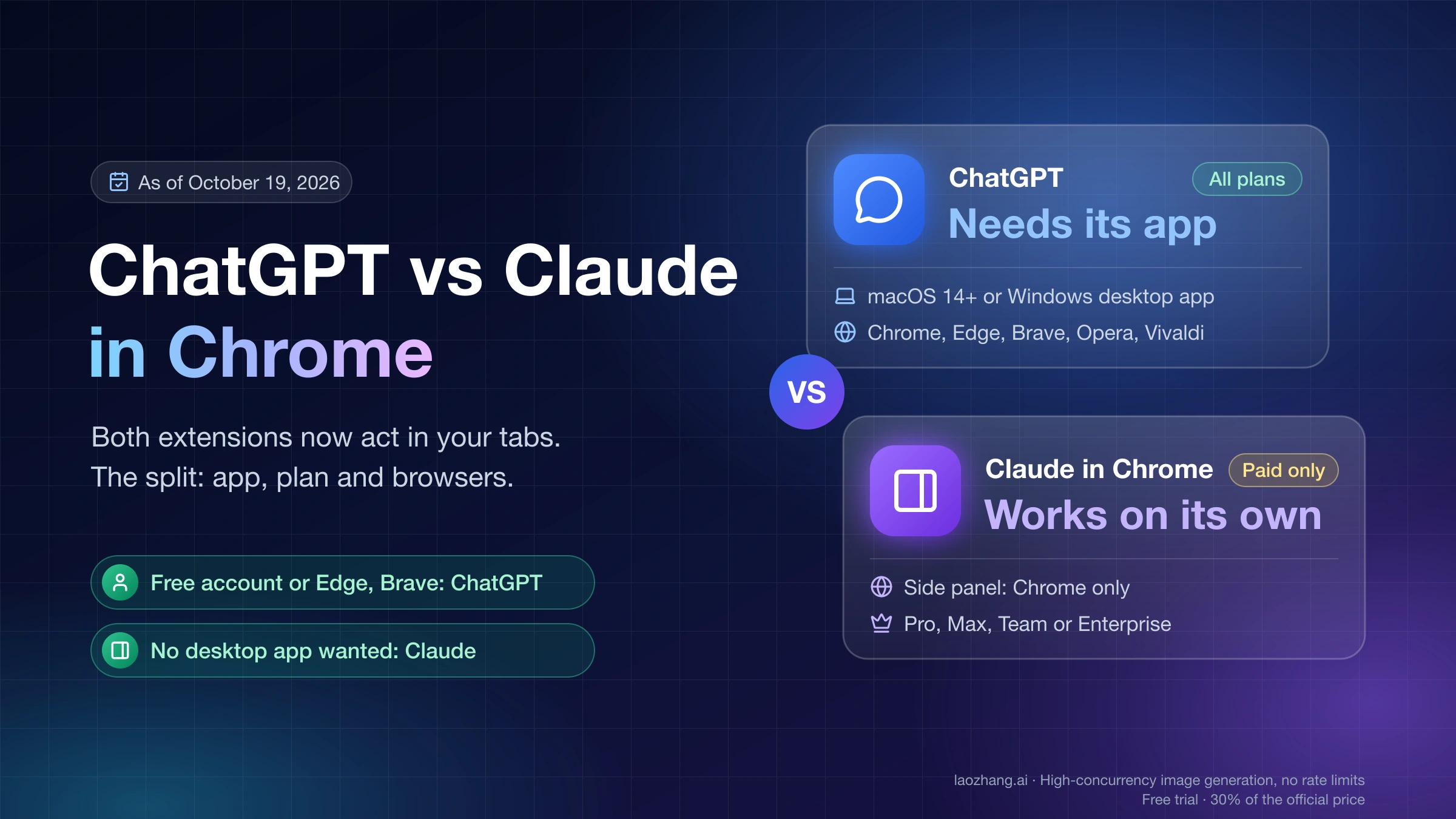
As of October 19, 2026, both official extensions can do more than read: OpenAI's ChatGPT extension gained tab control on October 15, and Anthropic's Claude in Chrome has been able to click, type and fill forms since its pilot. The real differences are what you must install next to the extension, which plan unlocks it, and which browsers it supports.
- You use a free ChatGPT account, or Edge, Brave, Opera or Vivaldi: ChatGPT is the one that fits. Claude in Chrome needs a paid Claude plan, and its side panel is officially Chrome-only.
- You don't want a desktop app running: Claude. Its side panel works on its own after you sign in. ChatGPT's extension does nothing without the ChatGPT desktop app on macOS or Windows.
- You want to test your own web app from a coding agent: match the agent you already use. Claude Code connects with
claude --chrome; ChatGPT's browser tasks start from a Work or Codex chat in the same desktop app. - You already pay for one of them: start with that one. Neither vendor publishes per-plan browser usage numbers, so there is no cost-per-task argument for switching.
A note on names, so you can match your search to the product. Anthropic's product is Claude in Chrome (often called "Claude for Chrome"; its Web Store listing is just "Claude"). OpenAI's listing is just "ChatGPT", its docs call the feature "Browser extension", and its waiting screen says "ChatGPT for Chrome". OpenAI's Atlas browser, which older comparisons put against Claude, was reported retired around August 9, 2026, so it is not a current option.
Requirements side by side: app, plan, browser and mode
The table below covers what each extension needs and what controls it, as of October 19, 2026. Store figures are dated snapshots, not measures of quality.
| ChatGPT extension (OpenAI) | Claude in Chrome (Anthropic) | |
|---|---|---|
| Also required | ChatGPT desktop app (macOS 14+ or Windows), Settings > Computer Use | Nothing for the side panel; Claude desktop app only for local files, your computer, or driving Chrome from Cowork |
| Plans | "Available for all ChatGPT plans" (OpenAI's October 15 post on X); help docs list no plans | Pro, Max, Team, Enterprise; not Free |
| Which part acts in tabs | Work and Codex chats control tabs; Chat mode looks across open tabs and gathers info | Side panel (classic, or a Cowork session on Max and Team), Cowork, Claude Code |
| Browsers | Chrome, Edge, Brave, Opera, Vivaldi; side chat in all but Opera | Side panel: Chrome only. Claude Code route: Chrome and Edge, also detects Brave, Arc, Vivaldi, Opera |
| Approval control | Per site: Allow once, Allow for this site, Allow for all sites, Decline | Modes: Manual, Auto, Skip; per site: allow this action or always allow on this site |
| Repeated tasks | Not described in OpenAI's extension doc | Scheduled shortcuts (daily to annually) and recorded workflows, classic side panel only |
| Coding agent link | Codex chats in the ChatGPT desktop app | Claude Code via claude --chrome or /chrome |
| Published usage limits | None for the extension | Counts against your normal Claude plan limits; no browser-specific numbers |
| Web Store snapshot, Oct 19, 2026 | Version 1.26.1005.11759, 1.9/5 from 985 ratings, 7,000,000 users | Version 1.0.101, 3.6/5 from 1.8K ratings, 19,000,000 users |
Sources: OpenAI's ChatGPT browser extension documentation, the @ChatGPT launch thread on X, Anthropic's Get started with Claude in Chrome help article, and the Claude Code Chrome integration docs.
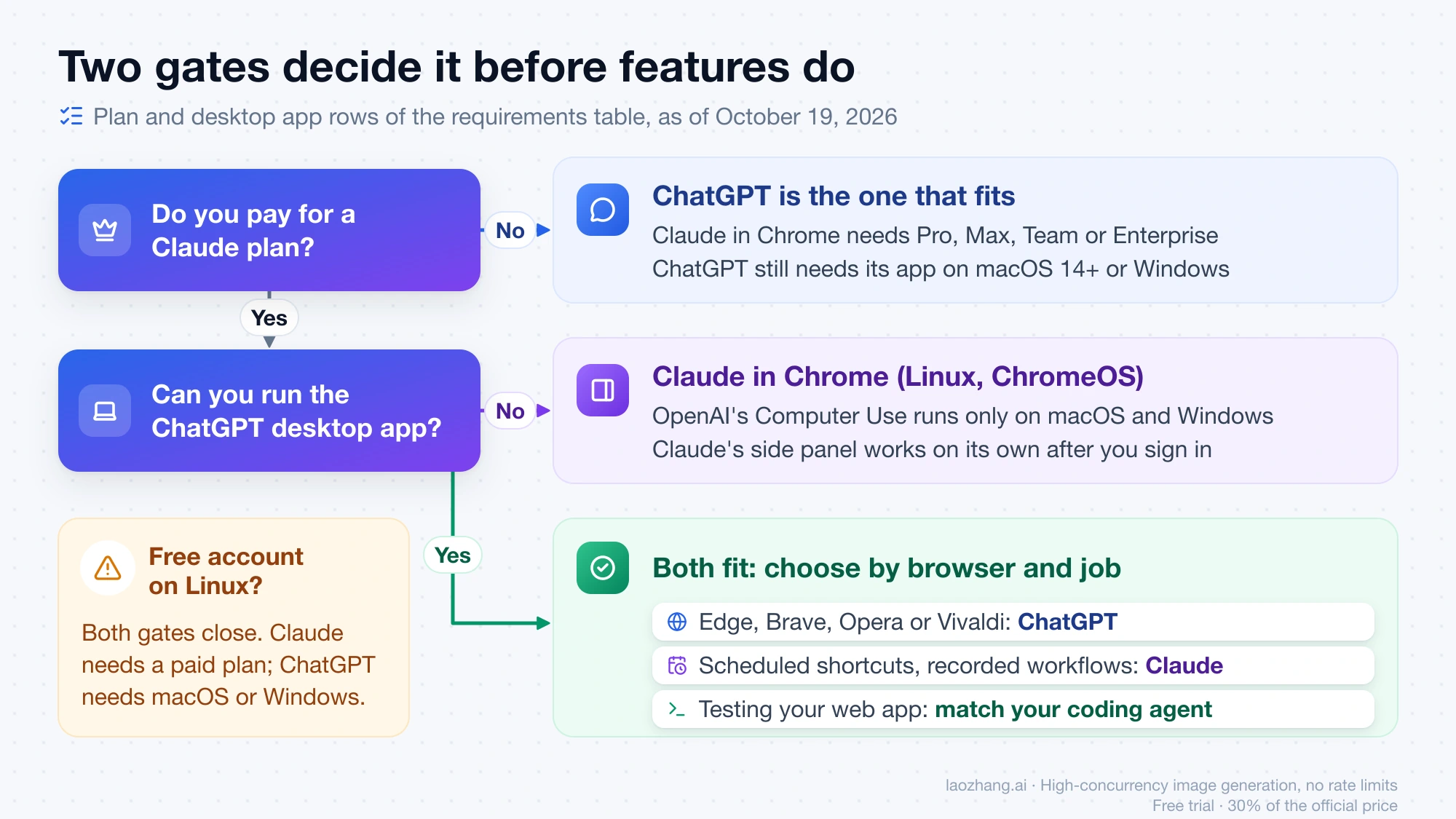
Two rows decide the choice for most people before anything else matters. The plan row rules Claude out for free accounts. The "also required" row rules ChatGPT out for anyone who uses Chrome on a machine without the ChatGPT desktop app, including Linux and ChromeOS, because OpenAI's Computer Use runs only on macOS and Windows.
Does ChatGPT have a Chrome extension like Claude? Yes, and it acts now
Yes. Since the October 15, 2026 update, the ChatGPT extension does the same class of work as Claude in Chrome. In OpenAI's words, in Chat it "can look across your open tabs and gather info", and in Work it "can control your Chrome tabs": sending messages, filling out forms, downloading files and grouping tabs. Comparisons that describe ChatGPT's browser tool as read-only describe the product before that date.
The design is different, though. The ChatGPT extension is a front end for the desktop app, not a standalone assistant. Setup starts in the app (Settings > Computer Use, pick your browser, Install, then confirm the browser shows Manage). If you open the side panel without the app, it shows "Install the app to use ChatGPT in Chrome". Browser tasks start when you @-mention the browser in a Work or Codex chat, for example @Chrome, and you can also @-mention a single open tab as context. The side chat keeps your full ChatGPT history, so a chat started next to a page continues in the app.
Claude in Chrome works the other way around. The side panel is the product: after you install it and sign in, Claude sees the tab you're on and can act on it with no other software. On Max and Team plans the side panel now runs as a Cowork session, so it is saved to your history and continues on the web, desktop and mobile apps. Pro is still in rollout, with no end date published. Enterprise gets it once an admin enables Cowork in the cloud; until then it stays on the classic panel.
Which one fits your browser job
Pick by the job you want done in the browser, then check the requirement table for blockers.
Reading and comparing across open tabs. Both do it. ChatGPT does it in Chat mode or the side chat, and can also pull in highlighted text, a right-click "Ask ChatGPT", or a YouTube video's transcript when captions exist. Claude does it from the side panel, using tabs you drag into its tab group. For pure reading, the deciding factor is usually which subscription you already have.
Filling forms and sending messages on sites where you're signed in. Both act with your existing logins. Claude adds one feature that matters here: 1Password sign-in (beta, macOS), where 1Password fills the login so Claude never sees the password. Claude also refuses some actions outright in every mode: purchases, creating accounts, handling card or ID data, permanent deletions, trades, CAPTCHAs, and following instructions found in emails or web content. OpenAI's extension doc lists no equivalent fixed list. Instead it asks before each new website by default and tells you to stay present for payment and credential steps.
Repeated or scheduled browser chores. Claude has the documented tools: save a prompt as a shortcut (type "/" to reuse it), schedule shortcuts daily, weekly, monthly or annually, or record yourself doing the steps once. Recording works only in the classic side panel, and Anthropic says it isn't available when the panel runs as a Cowork session. If your plan has moved to the Cowork panel, "Switch back to classic" in the panel menu brings recording back. OpenAI's extension doc describes no scheduling or recording for browser tasks.
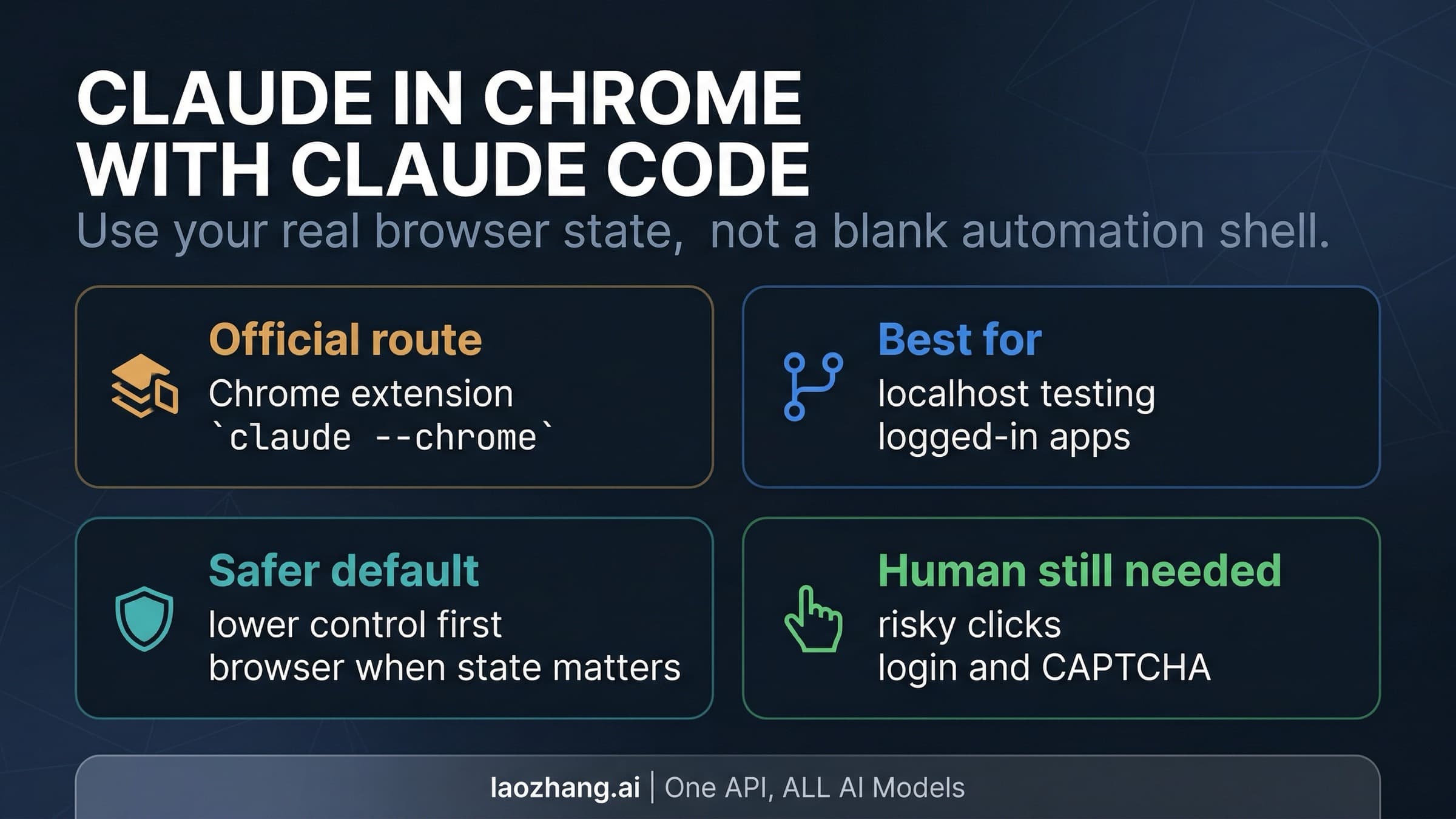
Testing your own web app from a coding agent. Both let an agent check a page in your real, signed-in browser, but the mechanics differ. Claude Code connects to Claude in Chrome with claude --chrome (or /chrome inside a session), reads console errors, network requests and DOM state, and can record GIFs and upload files up to 10 MB per upload. It needs a /login sign-in with a Pro, Max, Team or Enterprise plan. API keys, setup-token credentials, and Claude through Amazon Bedrock, Google Cloud or Microsoft Foundry keep the Chrome integration off. On the OpenAI side, a Codex chat in the ChatGPT desktop app can @-mention your browser. OpenAI's doc also says ChatGPT uses its own built-in browser for localhost, so for a local dev server you may not need the extension at all.
When neither extension is the right tool.
- A connector or plugin already covers the app (Gmail, Google Calendar, GitHub and the like). A structured integration is faster and touches less than an agent clicking through pages. OpenAI's doc says ChatGPT uses plugins when a dedicated integration is available.
- You don't need your signed-in Chrome profile. Both desktop apps now have a built-in browser: @Browser in the ChatGPT app, and the Cowork built-in browser in Claude Desktop (switch under Settings > Cowork > Preferred browser). Both keep agent browsing away from your everyday profile.
- The task touches banking, medical records, regulated data or money. Anthropic advises against using Claude in Chrome there at all and suggests a separate browser profile. OpenAI says to avoid secrets unless you are present to review each prompt. Do these steps yourself.
If you are choosing between the desktop agents rather than the extensions, Grok Bot vs Claude Cowork vs ChatGPT Work: Choose by the Job covers that decision.
What each extension can touch: the manifest permission difference
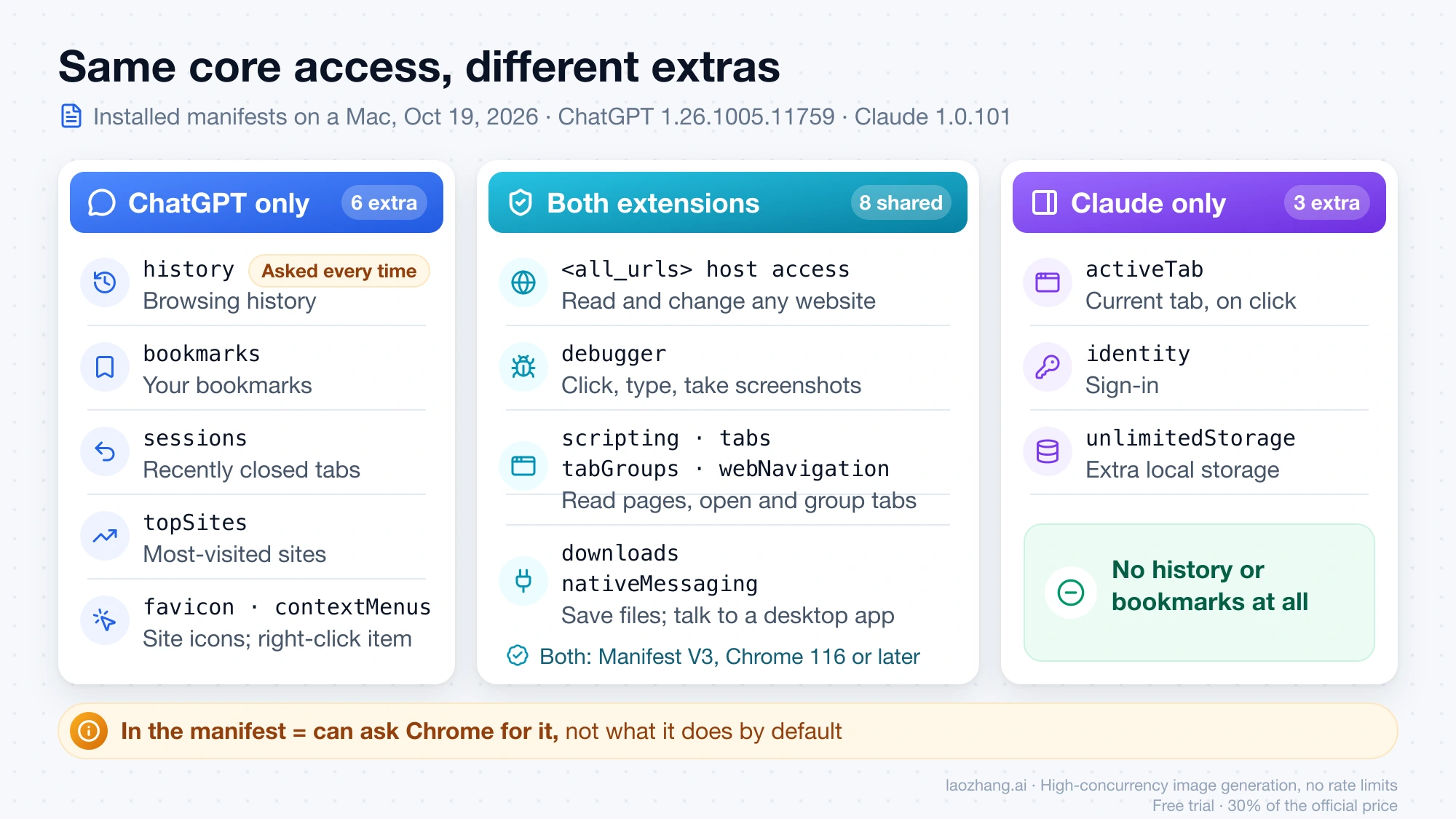
Both extensions ask Chrome for powerful access, and the overlap is larger than the difference. The table compares the manifest files of both extensions as installed in Chrome on a Mac, as of October 19, 2026 (Claude 1.0.101, ChatGPT 1.26.1005.11759). Both use Manifest V3 and require Chrome 116 or later.
| Permission | ChatGPT | Claude | What it allows |
|---|---|---|---|
<all_urls> host access | Yes | Yes | Read and change data on any website |
debugger | Yes | Yes | Click, type and take screenshots in pages |
scripting, tabs, tabGroups, webNavigation | Yes | Yes | Read pages, open and group tabs, follow navigation |
downloads, nativeMessaging | Yes | Yes | Save files; talk to a desktop app on your computer |
history | Yes | No | Browsing history on your signed-in devices |
bookmarks, sessions, topSites | Yes | No | Bookmarks, recently closed tabs, most-visited sites |
favicon, contextMenus | Yes | No | Site icons; the right-click "Ask ChatGPT" item |
activeTab, identity, unlimitedStorage | No | Yes | Current-tab access on click; sign-in; extra local storage |
A permission in the manifest is what the extension can ask Chrome for, not what it does by default. OpenAI's doc marks history access as "Elevated Risk": ChatGPT asks each time it wants history, scopes it to that request, and offers no always-allow option. Claude's manifest has no history or bookmarks permission at all, so that question never comes up.
The two also handle the desktop link differently on disk. The same Mac had two separate native messaging hosts registered for the Claude extension, one for Claude Desktop and one for Claude Code, plus one host for the ChatGPT desktop app. That matches the documentation: one Claude extension can be driven from either Anthropic tool, while the ChatGPT extension always goes through the ChatGPT app.
Approvals are the other half of access:
- ChatGPT asks before using each new website host. "Allow for all sites" removes those prompts and is labeled Elevated Risk. You manage an allowlist and blocklist under Settings > Computer Use > Manage in the desktop app. Uploading a local file needs "Allow access to file URLs" turned on in Chrome's extension details.
- Claude has three modes. Manual (formerly "Ask before acting") asks before each action. Auto, the default in the Cowork side panel, lets a classifier review each action and block anything that doesn't match your request. Skip (formerly "Act without asking") runs with no checks. Even under "Always allow actions on this site", Claude still asks before downloads, entering sensitive information, and granting authorizations.
Anthropic's own help pages disagree on blocked sites. The newer safety article says Claude blocks adult and pirated sites and asks before accessing financial sites. The older troubleshooting article lists financial, banking, investment and crypto sites as blocked by default. If a bank or broker page matters to your task, expect either a block or a prompt. Team and Enterprise admins can also allowlist or blocklist sites for the whole organization.
Prompt injection: what the published numbers do and don't say
Prompt injection means instructions hidden in a page, email or form field that try to redirect the agent. Both vendors call it the main risk, and neither says it is solved.
Anthropic publishes figures. In its August 26, 2026 general-availability post, on its current red-team evaluation, attacks that reached the model succeeded 17.6% of the time against Opus 4.5 and 3.8% against Opus 5 before any additional safeguards. With probes plus the auto-approval safety classifier, no attacks succeeded against Sonnet 5, Opus 5 or Mythos 5, and 0.3% succeeded against Fable 5, all in low-severity scenarios. These are Anthropic's own tests on its own attack set. The safety help page still quotes an older figure ("less than 0.08%" with Opus 4.8) and says plainly that "the risk is not zero."
OpenAI's extension documentation gives no attack-success figure. It tells you to treat page content, selected text and video transcripts as untrusted, and to review each website before letting ChatGPT continue. Because the two vendors measure different things, or publish nothing comparable, the numbers can't rank one extension as safer.
What lowers your risk with either one:
- Use a separate Chrome profile with no banking, health or work admin accounts signed in.
- Keep approvals narrow: Allow once in ChatGPT, Manual or Auto in Claude, never Skip or Allow for all sites on unfamiliar sites.
- Stop the task if the agent opens sites you didn't ask for or starts asking for personal data.
Cost, limits and the "Why is Claude in Chrome so slow?" question
Neither extension has its own price. Claude in Chrome draws on the same plan limits as Claude and Claude Code. Anthropic says browser use is "more compute-intensive" than regular chat, that long-running tasks can use more of your allowance, and that Auto mode "consumes more of your usage limit than the other modes" because of its extra safety checks. OpenAI publishes no limit statement for the extension. So any cost-per-task comparison would be invented. Plan limits themselves are covered in Claude Pro vs ChatGPT Plus Limits: Plus for Chat, Claude for Code and Claude Usage Limits by Plan: What 5x and 20x Actually Multiply.
On speed, Anthropic offers no specific cause. Its troubleshooting page only suggests closing unnecessary tabs and breaking complex tasks into smaller steps. Two documented facts are worth knowing. Auto mode runs a check on every action. And in Claude Code, keeping Chrome "Enabled by default" loads the browser tools into every session's context, so Anthropic suggests turning it on only when you need it.
Status as of October 19, 2026: Claude's beta label and ChatGPT's failure wave
Anthropic contradicts itself on status. Its August 26 post says Claude in Chrome is "now generally available on every paid Claude plan." Its help center articles, including ones updated in October, still say it is generally available in Cowork and Claude Code "and in beta in the Chrome browser." In practice the side panel works on paid plans, but Anthropic's own help center still calls that surface beta.
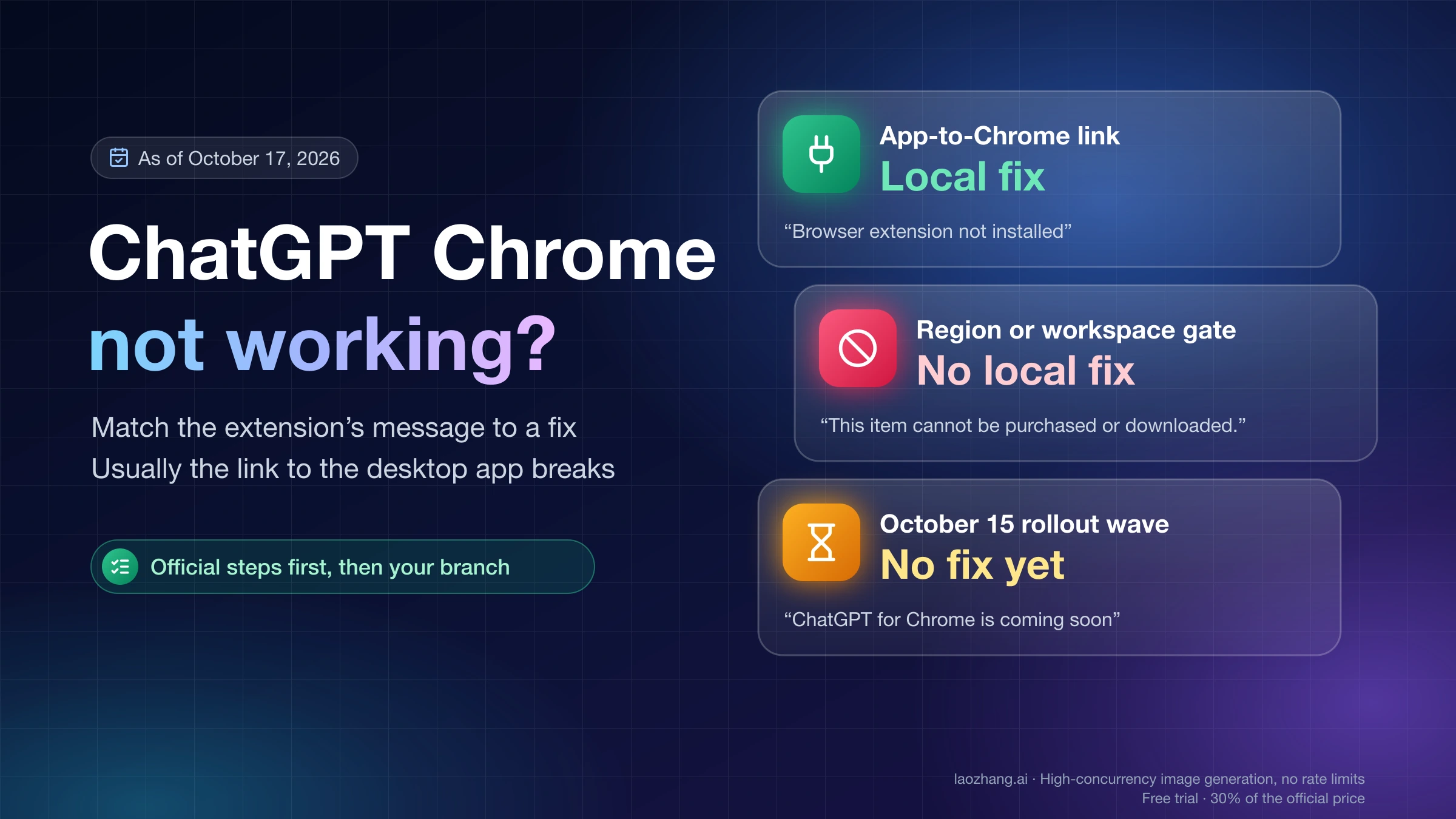
The ChatGPT extension had a rough first week after the October 15 update. Between October 15 and 17, users reported "ChatGPT for Chrome is coming soon" on setups that had worked, and "Unable to find the connected browser" or "Sheep MCP session closed: RPC INTERNAL" in Work chats. OpenAI has made no statement about it. Its store rating fell from 2.2 on October 17 to 1.9 on October 19, though the reviews don't prove the cause. If you hit one of these messages, ChatGPT Chrome Extension Not Working: Match the Message to a Fix walks through each one.
A fair side-by-side test you can run in 30 minutes
Public video tests ran on versions from before October 15, so your own short trial is the most current evidence you can get. Neither vendor publishes a head-to-head benchmark. To keep the test fair:
- Use one Chrome profile without sensitive accounts, with both extensions installed. Both can be installed at once. Their shortcuts differ (Claude Cmd+E or Ctrl+E, ChatGPT Cmd+Shift+. on macOS), but run one task at a time so they never act in the same tab.
- Put both on comparable approvals: ChatGPT with per-site prompts, Claude in Manual. Auto mode changes both speed and usage, so test it separately.
- Run the same three prompts in each: a read-only comparison across three open tabs, a form on a test site or a draft you won't submit, and a download or tab-grouping chore.
- Note for each: how many approval prompts appeared, where it stopped, whether it finished, and how long it took. On Claude, also check how much of your usage it used.
The prompts that matter are your own recurring chores. Three runs of your real task tell you more than a generic shopping test.
How to install the one you chose
ChatGPT extension:
- Install or update the ChatGPT desktop app (macOS 14 or later, or Windows).
- In the app, open Settings > Computer Use, select your browser (expand More browsers if needed), and click Install to open the Web Store.
- Add the extension, review Chrome's permission prompt, then return to the app and confirm the browser shows Manage.
- Start a Work or Codex chat and @-mention your browser. Use the browser profile where you installed the extension.
Setting up Computer Use itself is covered in Codex Computer Use: Setup on Mac and Windows, and When to Use It.
Claude in Chrome:
- In Google Chrome, add "Claude" by Anthropic from the Chrome Web Store listing and sign in with a Pro, Max, Team or Enterprise account.
- Pin it and open the side panel from the toolbar icon or Cmd+E (Ctrl+E on Windows).
- Pick a permission mode from the dropdown on the chat input. The Cowork panel starts in Auto.
- Optional: in Claude Desktop, enable it under Settings > Connectors > Claude in Chrome (off by default for each conversation). For Claude Code, run
claude --chromeafter signing in with/login.
If you're unsure which Claude surface should drive the browser, Claude Computer Use in 2026: API Tool vs Cowork vs Claude Code compares them.
FAQ about ChatGPT in Chrome and Claude in Chrome
Is there a free option between ChatGPT in Chrome and Claude in Chrome?
Only ChatGPT. OpenAI's launch post says the extension is "available for all ChatGPT plans," though its help docs list no plans or limits. You still need the free ChatGPT desktop app on macOS or Windows. Claude in Chrome requires a paid Claude plan.
Can I use ChatGPT in Chrome and Claude in Chrome at the same time?
Both install side by side in one Chrome profile, and their keyboard shortcuts don't collide. Neither vendor documents running both on the same task. Give each its own task and tabs, since two agents acting in one tab can undo each other's work.
Do they work in Edge, Brave, Arc or Opera?
ChatGPT's extension officially supports Chrome, Edge, Brave, Opera and Vivaldi, with side chat in all but Opera. Claude in Chrome's side panel is officially Chrome-only. Through Claude Code, though, the integration works with Chrome and Edge, and Claude Code also detects the extension in Brave, Arc, Vivaldi and Opera.
Which is safer on sites where I'm logged in?
Neither is safe by default on sensitive accounts. Claude has fixed prohibited actions (purchases, account creation, permanent deletions, trades) and vendor-published injection test results under stated conditions. ChatGPT asks per site by default and never lets history access become always-allowed. Its manifest can request more browser data (history, bookmarks, recent sessions) than Claude's. The safest setup for either is a separate profile without banking or health logins.
Do these extensions work in China, Hong Kong or Russia?
Neither vendor publishes a region list for the extensions themselves. Both companies' general supported-country lists exclude mainland China, Hong Kong and Russia, so the extensions are presumably unavailable there too. That is an inference from the general lists, not an extension-specific statement. ChatGPT Computer Use and its extension reached the EEA, UK and Switzerland on June 16, 2026.
Is Claude for Chrome the same as Claude in Chrome?
Yes. "Claude in Chrome" is Anthropic's current product name; "Claude for Chrome" is the common, older wording for the same extension, listed in the Web Store as "Claude" by Anthropic.
Sources5
External pages this guide links to, in the order they appear. Last updated Oct 19, 2026.
Sources5
External pages this guide links to, in the order they appear. Last updated Oct 19, 2026.
- 1.ChatGPT browser extension documentationlearn.chatgpt.com/docs/chrome-extension
- 2.@ChatGPT launch thread on Xx.com/ChatGPT/status/2110823738531037651
- 3.Get started with Claude in Chrome help articlesupport.claude.com/en/articles/12012173
- 4.Claude Code Chrome integration docscode.claude.com/docs/en/chrome
- 5.Chrome Web Store listingchromewebstore.google.com/detail/claude/fcoeoabgfenejglbffodgkkbkcdhcgfn