OpenAI API Free Tier: What's Actually Free and What Still Bills
The Free tier's $100/month is a usage ceiling, not credit. Only a credit grant in your account or eligible data-sharing daily tokens make requests free.
On this page
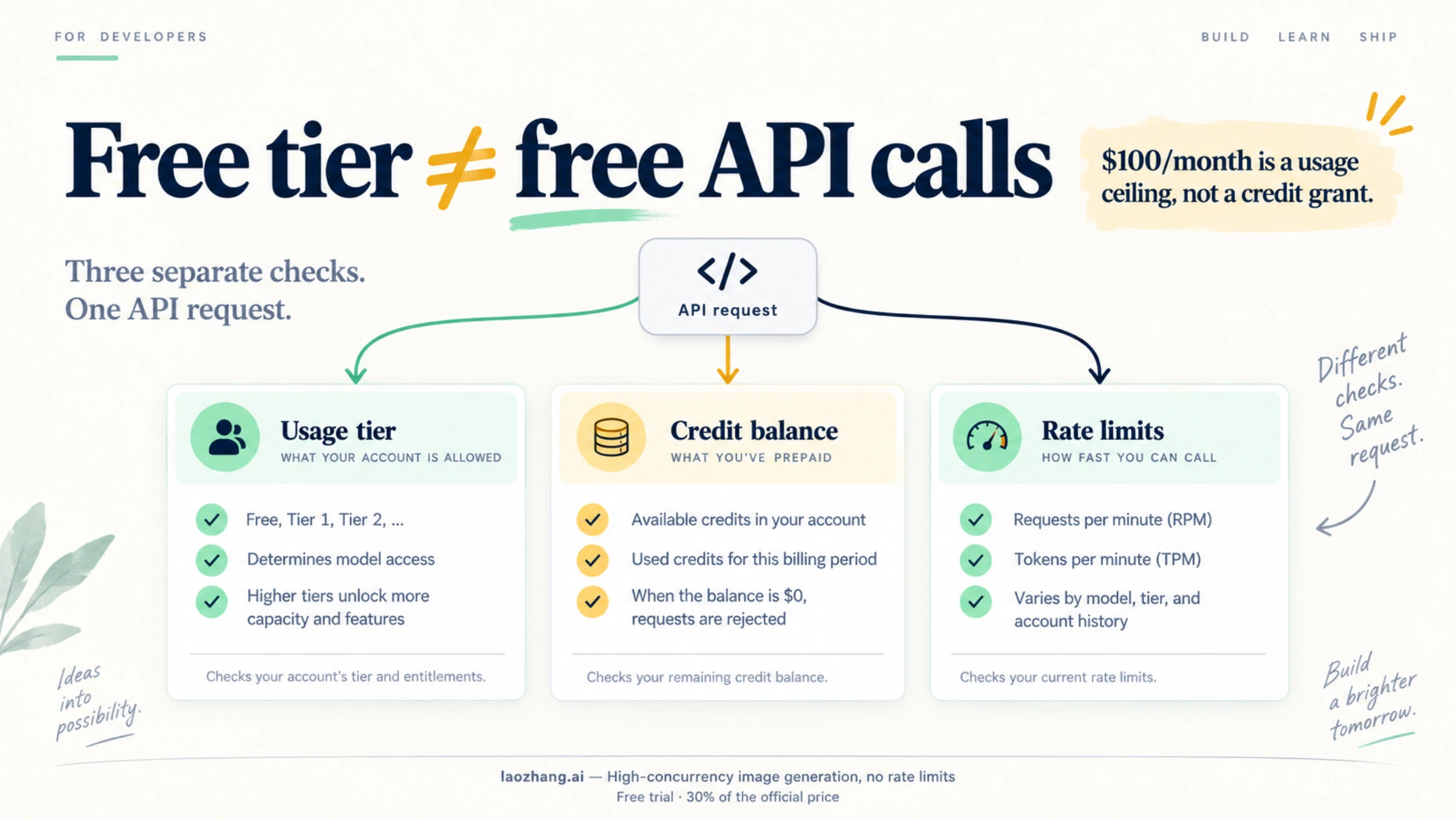
As of October 8, 2026, the OpenAI API has no plan that pays for your requests. The "Free" row in OpenAI's usage-tier table says "$100 / month," but that column is labeled Usage limits: it is the most your organization is allowed to spend, not money OpenAI puts in your account. A ceiling can't pay for a request.
Requests cost you nothing in only two situations:
- Your billing page already lists a credit grant. Some accounts have one from a promotion, a program such as the Researcher Access Program, or an older trial. OpenAI uses those credits before purchased ones, until they run out or expire.
- Your organization is eligible for complimentary daily tokens and you share API traffic with OpenAI. Eligible organizations get a daily token allowance on listed models, but they still need a positive account balance to use it.
If neither applies, every request is paid from a prepaid balance, and the smallest purchase is $5. Four pages in your own account tell you which case you're in, and one setting keeps a paid test from running past the amount you choose.
Five things people call "free"
Most confusion comes from treating five separate account settings as one "free tier." Each answers a different question:
| What you see | The question it answers | Where to check | Does it pay for requests? |
|---|---|---|---|
| Usage tier (Free, Build, Launch, Grow) | How much is your organization allowed to spend per month? | Limits | No. It's a ceiling. |
| Credit balance, including credit grants | What money is available to pay for usage? | Billing | Yes. This is the only thing that pays. |
| Complimentary daily tokens | Are some tokens on listed models waived today? | Data sharing settings | Yes, within a daily allowance, if you're eligible and enrolled |
| Rate limits (RPM, TPM, and so on) | How fast can you send requests? | Limits, per model | No. They only control speed. |
| Spend limits and alerts | When should you be warned, or cut off? | Limits, under Spend | No. They only cap or notify. |
Here is OpenAI's usage-tier table as published in its rate limits guide on October 8, 2026:
| Tier | Qualification | Usage limits |
|---|---|---|
| Free | User must be in an allowed geography | $100 / month |
| Build | $5 in total credit purchases | $500 / month |
| Launch | $100 in total credit purchases | $5,000 / month |
| Grow | $500 in total credit purchases | $200,000 / month |
The guide used to list five paid tiers, Tier 1 through Tier 5. As of October 8, 2026, it lists three, Build, Launch, and Grow, and OpenAI doesn't say how the old tiers map to the new ones. If an older guide quotes a Tier 1 ceiling of $100 a month, that no longer applies: the first paid tier, Build, now allows $500 a month.
The cover image above still shows the old "Tier 1, Tier 2" labels, not the current Build, Launch, and Grow tiers.
Two details matter here. First, you move up automatically as your total credit purchases reach each threshold, and the current table sets no waiting period. Second, OpenAI doesn't publish per-model rate limits for the Free tier. Model pages now list limits for Build, Launch, and Grow only, with no Free row. On gpt-6-luna, Build starts at 5,000 RPM and 2,000,000 TPM. Your organization's actual values are on its Limits page.
Which case is your account in?
Open four pages in your OpenAI Platform organization. Together they answer the question for your account specifically, which no generic table can do.
- Location. The Free tier itself requires an allowed geography. OpenAI's supported countries list includes the United States, Japan, South Korea, Spain, and Taiwan, but not mainland China, Hong Kong, Macau, or Russia. Requests from an unsupported location return
403"Country, region, or territory not supported," and OpenAI warns that access from outside the list can get an account blocked. - Billing. Look for a credit balance and any listed credit grants, with their amounts and expiry dates. A grant listed here is the only proof that you have free credit.
- Data sharing settings. An Org Owner can check whether the page shows "You're eligible for free daily usage on traffic shared with OpenAI." If that text isn't there, your organization isn't eligible for complimentary tokens right now.
- Limits. Note your usage tier. It decides the size of any complimentary allowance and your rate limits.
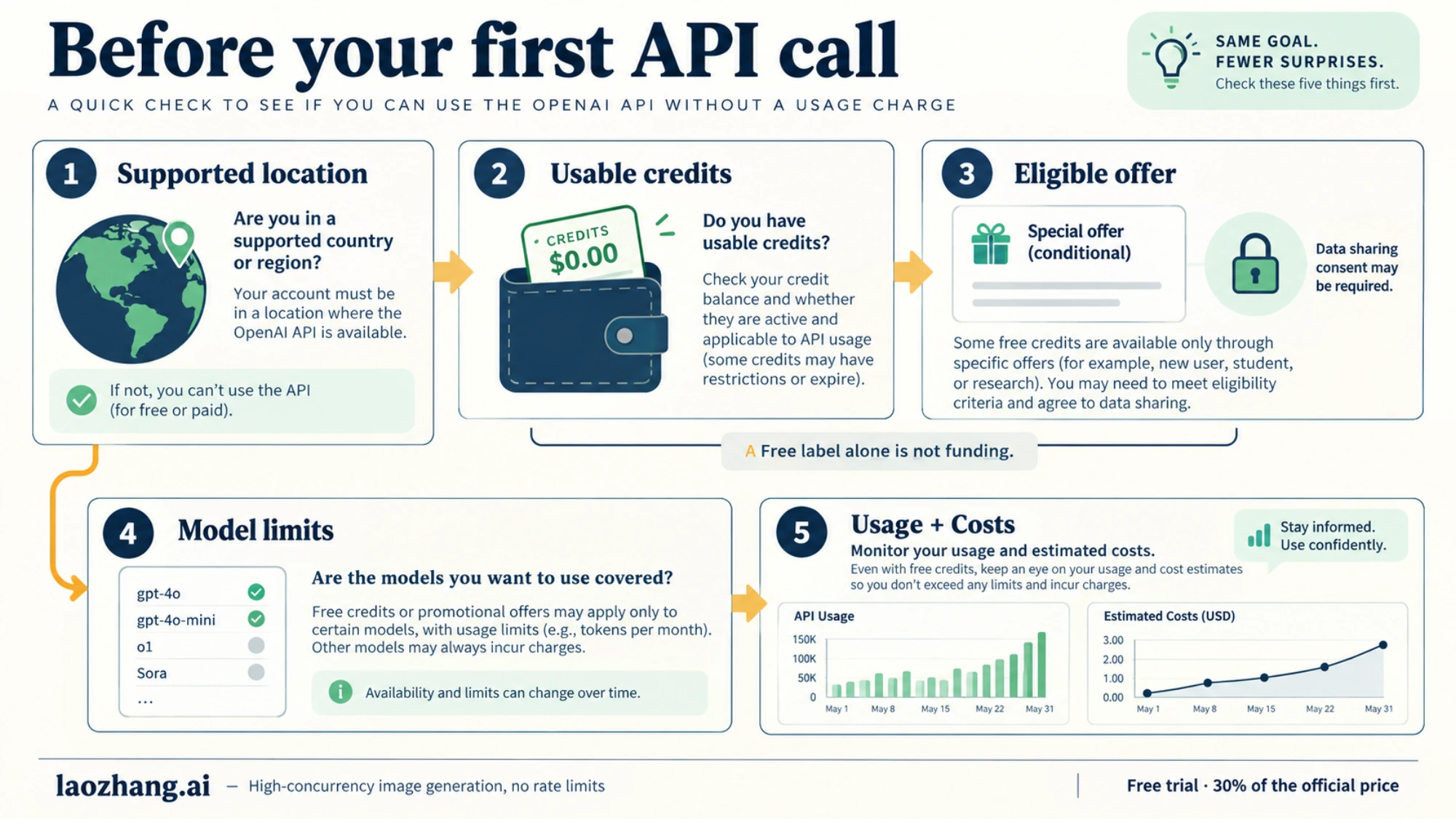
What you found decides the answer:
| What you found | What's free | What still bills |
|---|---|---|
| A credit grant is listed on Billing | Usage until the grant is used up or expires | Everything after that, from purchased credit |
| The eligibility banner is showing and you have a positive balance | Your daily token allowance on listed models, but only for projects that share traffic | Other models, tools, fine-tuning, evals, and anything over the daily allowance |
| The banner is showing but your balance is $0 | Nothing yet. The tokens need a positive balance. | Not applicable until you add credit or have a grant |
| No grant and no banner | Nothing | Every request, from a prepaid balance of at least $5 |
| Unsupported location | Nothing through a direct OpenAI account | Not applicable |
Do new accounts still get $5 in free credit?
Don't count on it. OpenAI's current billing help mentions free credits only conditionally: "If your account has free credits, those are used before purchased credits." No current OpenAI page promises a signup credit to new API accounts, and no page gives an amount.
The "$5 for every new account, valid for three months, no card needed" claim still circulates, alongside claims that the credit ended on a specific date. They contradict each other, and none of them points to a current OpenAI page. The practical test is the one above: if your Billing page doesn't list a grant, you don't have one.
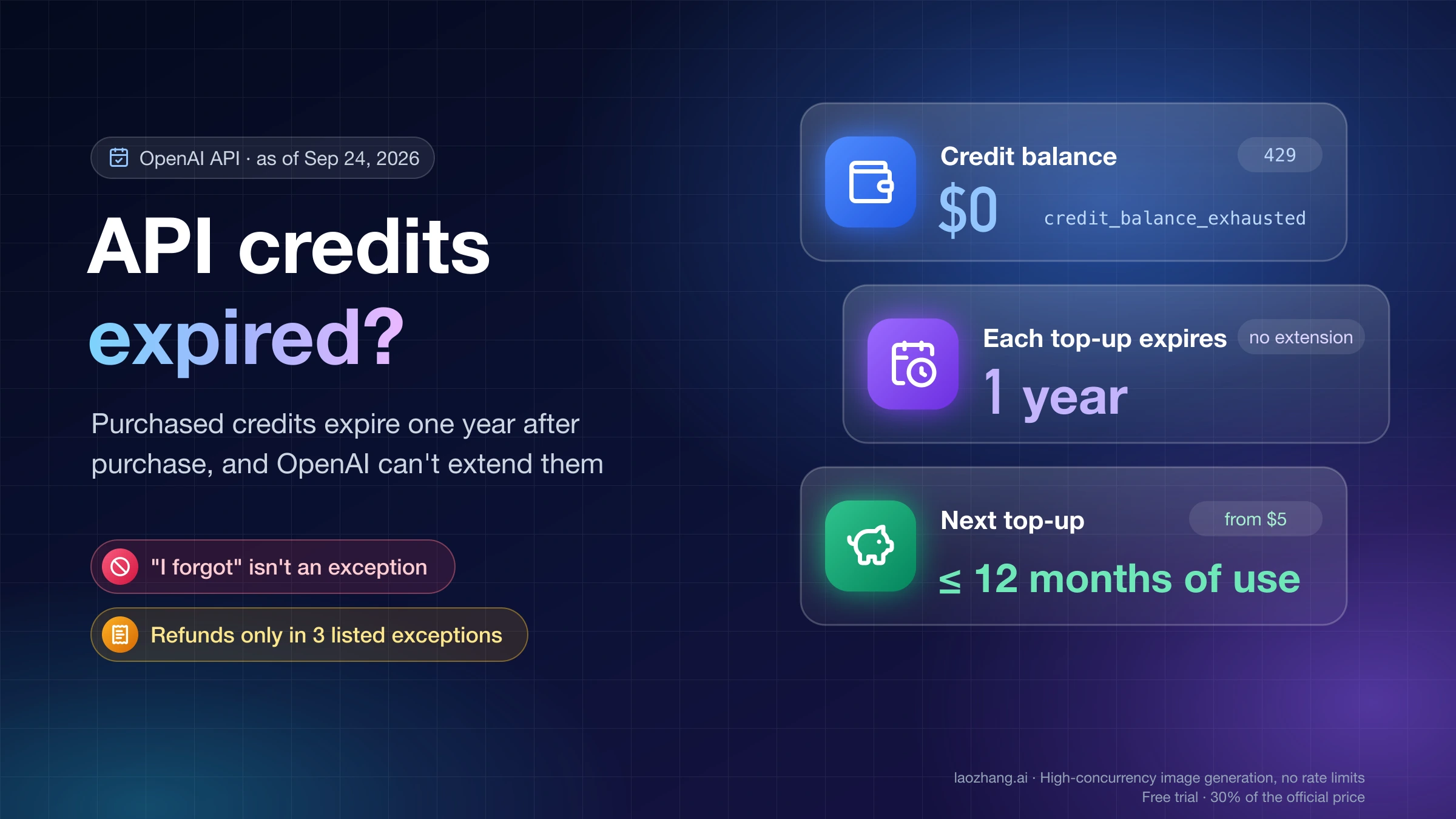
Grants you do have follow the same expiry rule as purchased credit. OpenAI's service credit terms say prepaid and promotional credits expire one year after purchase or issue unless stated otherwise, and OpenAI can't extend them. To check which purchase expires when, or what to do once a balance vanished, see OpenAI API Credits Expire After One Year: Check Each Purchase.
"You're eligible for free daily usage on traffic shared with OpenAI"
That banner on the data sharing settings page is OpenAI's offer of complimentary daily tokens. The offer is based on eligibility: some organizations qualify, having a tier or making a payment doesn't qualify you on its own, and the banner is the only test. After an Org Owner turns on sharing of inputs and outputs, the page changes to "You're enrolled for complimentary daily tokens." The full rules are on OpenAI's data sharing help page.
How many tokens, and on which models
The allowance counts input and output tokens together, per day. Each model group shares one allowance:
| Your usage tier | "1M token group" | "10M token group" |
|---|---|---|
| Build | 250,000 tokens/day | 2,500,000 tokens/day |
| Launch and Grow | 1,000,000 tokens/day | 10,000,000 tokens/day |
OpenAI names the groups after their Launch and Grow amounts. In the version of its help page we read on October 8, 2026, the 1M token group includes gpt-6.1-sol, gpt-6-astra, gpt-6-sol, gpt-6-luna, and gpt-5.6-sol, plus dated snapshots of older models. The 10M token group includes gpt-5.6-terra, gpt-5.6-luna, gpt-5.4-mini, gpt-5.4-nano, and older mini and nano snapshots. The groups don't follow price: gpt-6-luna, a low-cost model, draws on the 1M token group (250,000 a day on Build), while gpt-5.6-luna draws on the 10M token group (2.5M a day). The roster changes and still includes models that have been shut down, so check the live list before you pick a model.
The rules that decide what bills
- You need a positive balance. OpenAI says so directly: "You need a positive account balance to use OpenAI models and the free tokens." A $0 account can't use the allowance, even if it's eligible.
- Only shared projects count. If you share traffic on selected projects only, only those projects get free tokens.
- Some usage never counts. Fine-tuned models, fine-tuning training, evals, and tool use are excluded.
- The counter resets at 00:00 UTC. That's 8 p.m. EDT the evening before, or 7 p.m. EST in winter.
- A request that crosses the line is billed in full. OpenAI's stated rule and example are strict: with 975,000 tokens used, a 30,000-token request that pushes the day past 1,000,000 is billed for all 30,000. Another sentence on the same page describes billing only the overage, so plan for the stricter rule and check your Costs page.
- Confirming it worked. Usage includes free tokens, but Costs doesn't show them as a cost. Under chat completions usage grouped by service tier, they appear as "data sharing incentive tier - input/output tokens."
What you give up, and what it's worth
Traffic you share can be used to "help identify usage patterns, measure model quality, and inform future evaluation and training of models." OpenAI asks you not to share sensitive, confidential, or proprietary information. The option isn't available to Enterprise organizations or those with Zero Data Retention. You can opt out at any time, and OpenAI says it will give 30 days' notice before ending the program. If your prompts carry customer data, a dollar or two a day isn't worth it.
To estimate the value, use Standard list prices as of October 9, 2026, and assume a 2:1 input-to-output split with no caching or tools:
- Build, 10M token group on gpt-5.6-luna ($0.20 input / $1.20 output per 1M tokens): 1.67M × $0.20/1M + 0.83M × $1.20/1M ≈ $0.33 + $1.00 = about $1.33 a day of usage at list price.
- Build, 1M token group on gpt-6-luna ($0.10 / $0.50): 0.167M × $0.10/1M + 0.083M × $0.50/1M ≈ $0.06 a day.
- Build, 1M token group on gpt-6-sol ($2.00 / $10.00): ≈ $0.33 + $0.83 = about $1.17 a day.
These are estimates. Reasoning models count reasoning tokens as output, so real output can be larger than the visible text.
How much paid usage costs
If you end up paying, the amounts are small for testing. Standard prices per 1M tokens as of October 9, 2026 (short context), from OpenAI's pricing page. The page's default table shows only gpt-6-astra, gpt-6.1-sol, and gpt-6-luna; gpt-6-sol and the GPT-5.6 models appear after you expand All models:
| Model | Input | Output | 1,000 input tokens | 1,000 output tokens | Requests per $5 (1,000 in + 500 out) |
|---|---|---|---|---|---|
| gpt-6-luna | $0.10 | $0.50 | $0.0001 | $0.0005 | about 14,000 |
| gpt-5.6-luna | $0.20 | $1.20 | $0.0002 | $0.0012 | about 6,250 |
| gpt-6-sol | $2.00 | $10.00 | $0.002 | $0.01 | about 710 |
| gpt-6.1-sol | $2.00 | $10.00 | $0.002 | $0.01 | about 710 |
| gpt-5.6-terra | $2.00 | $12.00 | $0.002 | $0.012 | about 625 |
| gpt-6-astra | $10.00 | $50.00 | $0.01 | $0.05 | about 140 |
To check a row: a gpt-6-luna request with 1,000 input and 500 output tokens costs 1,000 × $0.10/1M + 500 × $0.50/1M = $0.00035, and $5 ÷ $0.00035 ≈ 14,000 requests. gpt-6.1-sol matches gpt-6-sol on input and output, but its cached input is $0.10 per 1M tokens against $0.20. The Batch API halves these prices for these models. The same reasoning-token caveat applies. For help choosing between the GPT-6 models, see GPT-6 Sol vs Terra vs Luna vs Astra: Which Model Should You Use?.
Run a $5 test that can't run away
New API accounts use prepaid billing: you buy credit first, and usage draws it down. Setup has one default that catches people. "Use auto-reload" is on by default, so a runaway script can keep buying credit.
- On Billing, select Add payment details and buy credit. The minimum is $5, and the default amount is $10.
- Before confirming, turn off Use auto-reload. If you keep it on, set a monthly reload limit. That limit only caps automatic purchases. It doesn't stop you from spending credit you already have.
- On Limits, under Spend, choose Edit spend limit, enter a Monthly spend limit, and turn on Enforce a hard limit. You can do this for the organization or for a single project. Without the toggle, the amount is only an alert.
- Add a spend alert below the hard limit so you get a warning first.
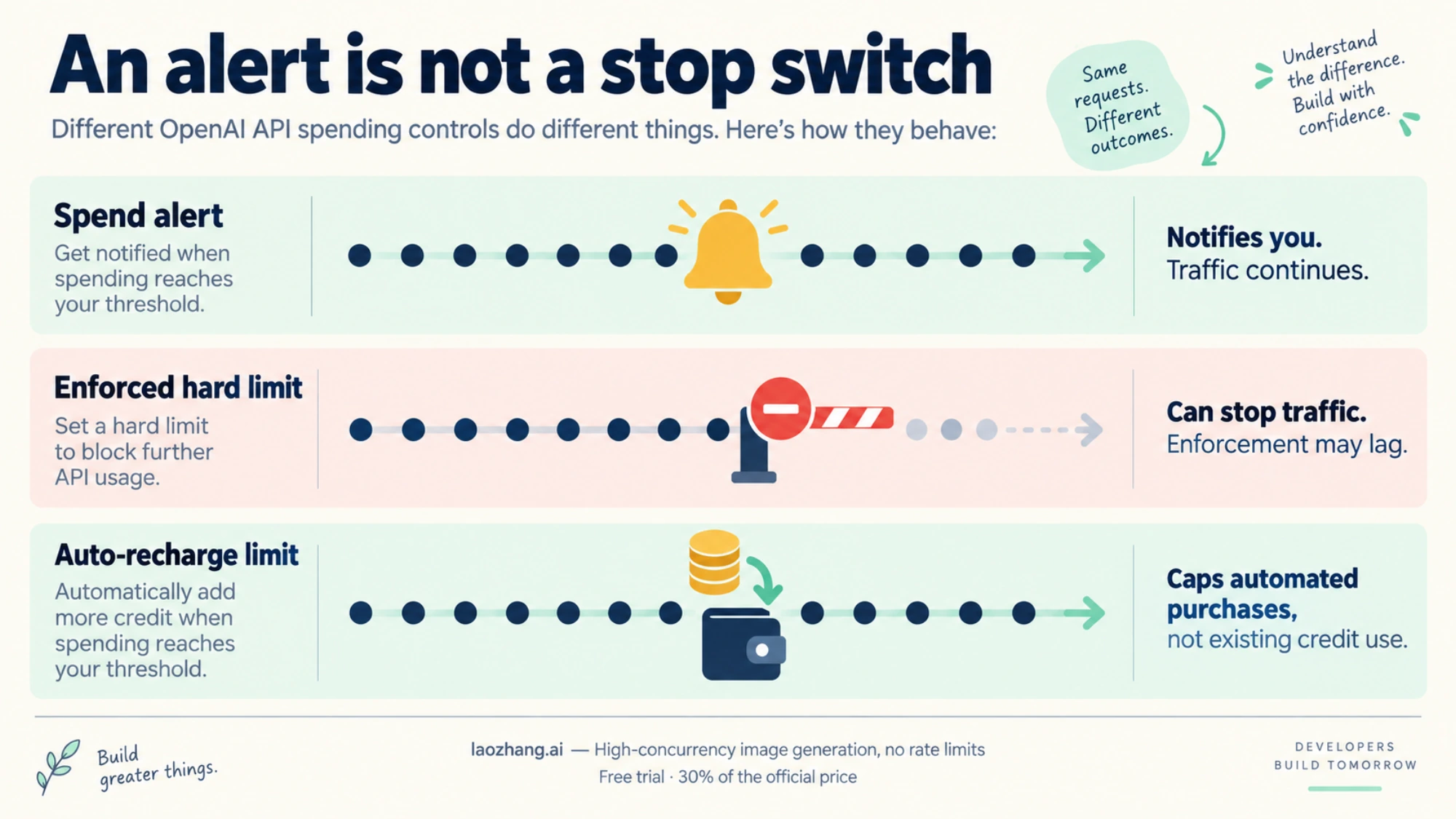
Neither the balance nor the hard limit stops traffic instantly. When credit runs out, access can continue briefly and leave a small negative balance that comes off your next purchase. OpenAI says plainly: "Do not rely on the prepaid balance as an instantaneous spending cutoff." A hard limit can also be exceeded slightly while it takes effect. Auto-reload refills credit when your balance falls below the threshold you set, not when your spending reaches a figure. With auto-reload off, your worst case is roughly the credit you bought plus that small lag. For creating a key and making the first call, see How to Get a ChatGPT API Key in 2026—and Prove It Actually Works.
When "free" stops: the errors you'll see
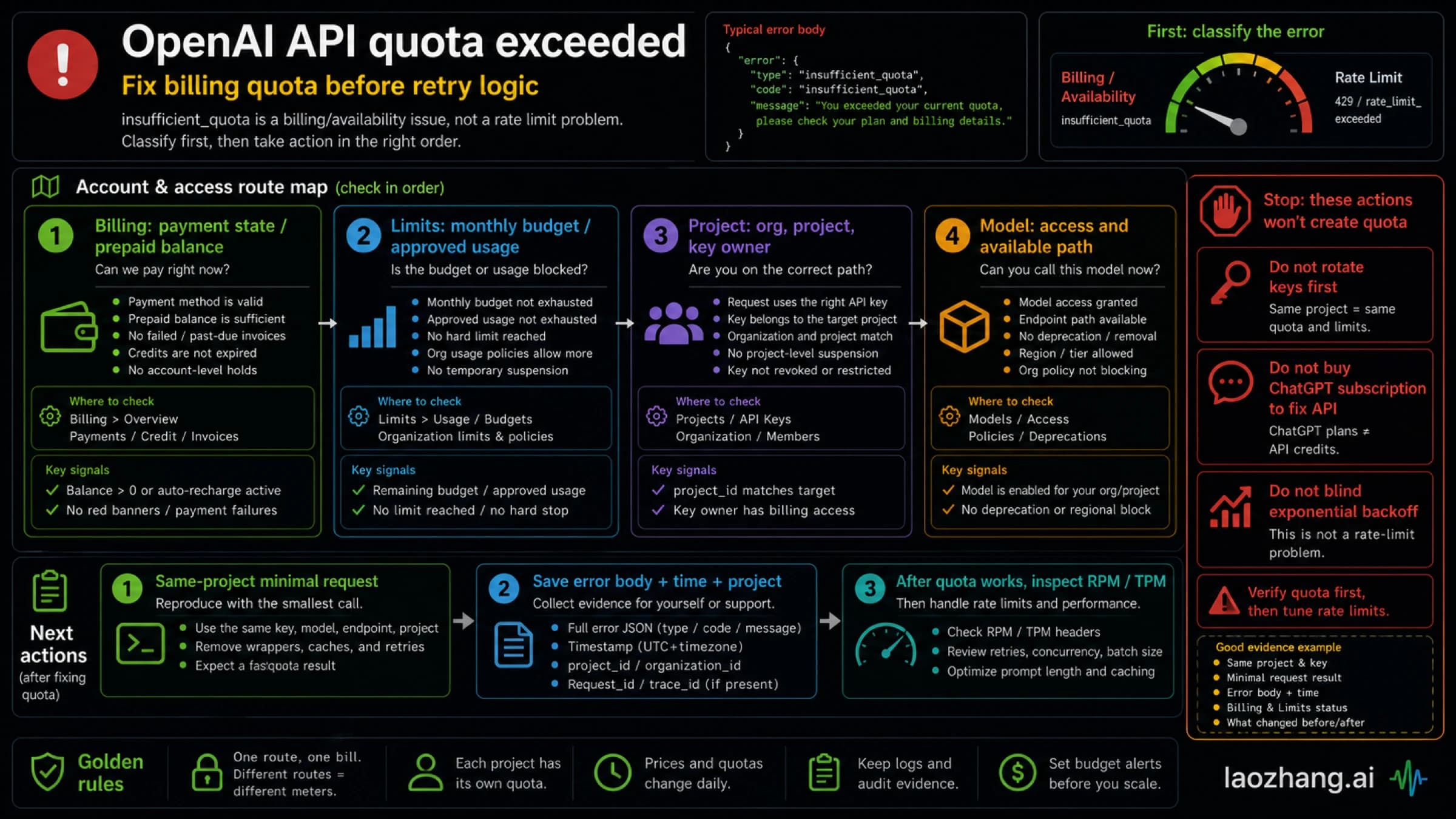
Billing and limit errors all arrive as 429, and retrying won't fix any of them. Read error.code; error.type may still say insufficient_quota:
error.code | What it means | What fixes it |
|---|---|---|
credit_balance_exhausted | No prepaid credit left | Add credit on Billing |
organization_usage_limit_exceeded | You hit OpenAI's approved monthly usage limit for your tier | Request a higher limit on the Limits page |
organization_spend_limit_exceeded / project_spend_limit_exceeded | Your own hard limit was reached | Raise or remove it, or wait for the monthly reset |
The old "You exceeded your current quota" message from forum threads belongs to this billing family, not to request speed. For a full diagnosis, see OpenAI API Quota Exceeded Error: Fix insufficient_quota Without Chasing the Wrong Limit. If the error is about requests or tokens per minute, see OpenAI API Error 429: Diagnose Rate Limits, Quota, and Spend Caps.
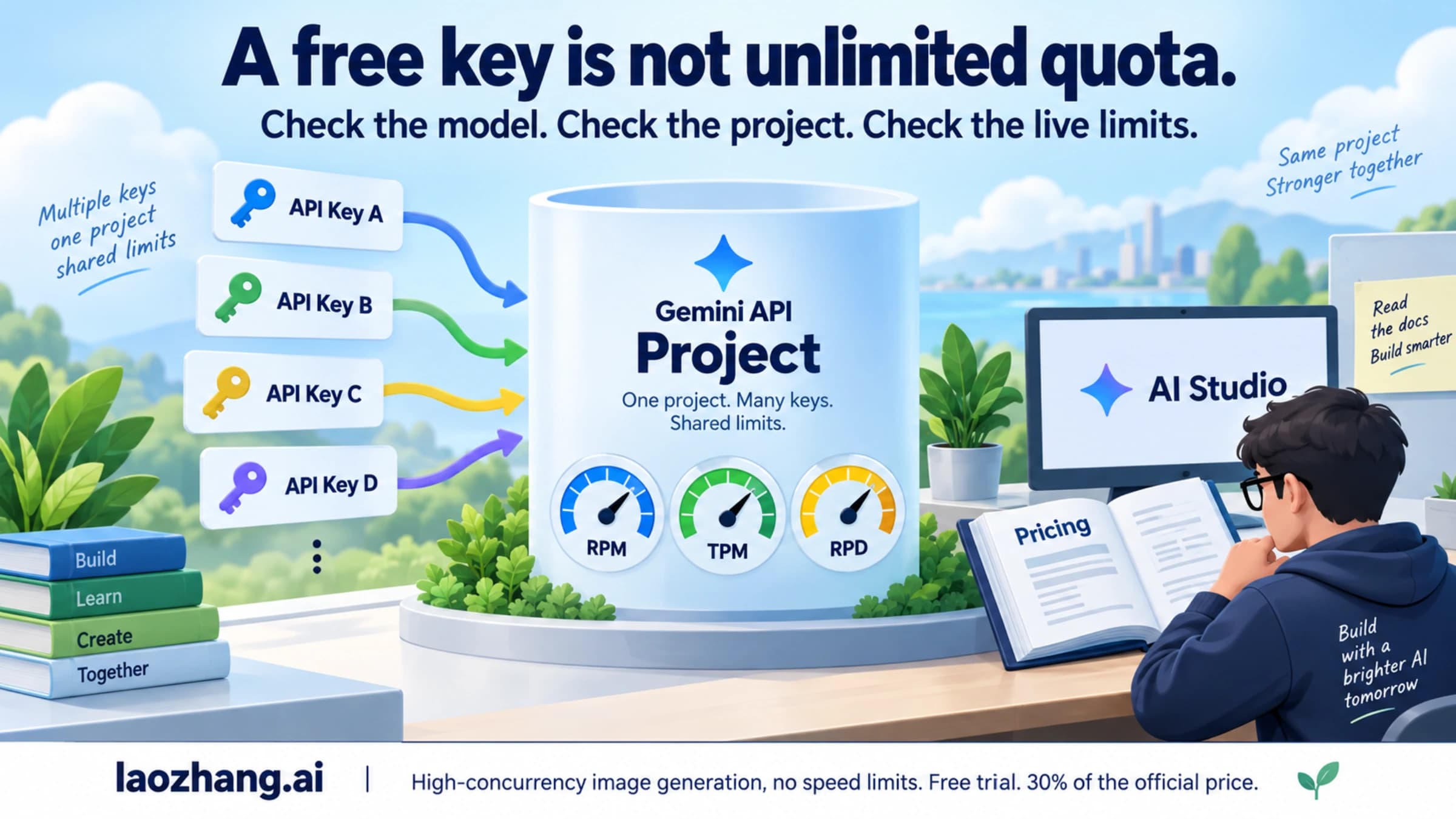
Rate limits apply to the organization and project, not to each key. Creating more API keys doesn't add free usage or throughput.
Other routes to lower cost
- Researcher Access Program. Researchers with an active academic or research affiliation, and nonprofits doing research, can apply for up to $1,000 in API credits, valid for 12 months. Applicants must be based in a supported country. Applications are reviewed in March, June, September, and December, and accepted grants arrive about 4–6 weeks after that review. Details are in the program FAQ.
- ChatGPT subscriptions. Free, Go, Plus, and Pro don't include API usage. OpenAI bills ChatGPT and the API separately, and a "free usage exceeded" message in ChatGPT concerns your ChatGPT plan, not the API.
- A gateway instead of your own OpenAI organization. OpenAI-compatible gateways such as laozhang.ai (base URL
https://api.laozhang.ai/v1) sell prepaid, pay-as-you-go access under their own terms, pricing, and limits. That isn't OpenAI's Free tier, and it doesn't include the data-sharing tokens. Check the provider's current prices and whether it serves your region before you rely on it. - A provider with a standing free tier. If you need zero spend over the long term, compare Best Free AI API Provider: Pick by Limits, Data Use, and Region or Gemini API Key Free in 2026.
Disclosure: laozhang.ai is our own service. Its prices are platform pricing, not an independent comparison.
FAQ
Is the OpenAI API free to use in 2026?
Not by default. The Free tier's $100 a month is a usage ceiling, not credit. Your requests are free only if your Billing page lists a credit grant, or if your organization is eligible for data-sharing complimentary tokens, has sharing turned on, and holds a positive balance.
Does paying $5 unlock the free daily tokens?
No. A $5 payment moves you to the Build tier and gives you a positive balance, which the tokens require, but eligibility is separate. You qualify only if the data sharing settings page shows "You're eligible for free daily usage on traffic shared with OpenAI."
Can I get an OpenAI API key without a credit card?
You can create a key, but a key on an organization with no credit and no grant can't make requests. They fail with a billing error such as credit_balance_exhausted. A usable key needs either a grant or at least $5 of purchased credit.
What's the cheapest way to test the API?
Buy the $5 minimum, turn off auto-reload, and send short requests to gpt-6-luna. At 1,000 input and 500 output tokens per request, $5 covers about 14,000 requests at October 9, 2026 prices.
Sources9
External pages this guide links to, in the order they appear. Last updated Oct 9, 2026.
Sources9
External pages this guide links to, in the order they appear. Last updated Oct 9, 2026.
- 1.Limitsplatform.openai.com/settings/organization/limits
- 2.Billingplatform.openai.com/settings/organization/billing
- 3.rate limits guidedevelopers.openai.com/api/docs/guides/rate-limits
- 4.gpt-6-lunadevelopers.openai.com/api/docs/models/gpt-6-luna
- 5.supported countries listdevelopers.openai.com/api/docs/supported-countries
- 6.service credit termsopenai.com/policies/service-credit-terms
- 7.data sharing help pagehelp.openai.com/en/articles/10306912-sharing-feedback-evaluation-and-fine-tuning-data-and-api-inputs-and-outputs-with-openai
- 8.OpenAI's pricing pagedevelopers.openai.com/api/docs/pricing
- 9.program FAQhelp.openai.com/en/articles/10139500-researcher-access-program-faq