Grok Free Limit: What xAI Publishes, How It Resets, What to Do
xAI publishes no message count for free Grok as of September 27, 2026. Free Chat and Voice have their own limit and reset; check Settings → Usage before paying.
On this page
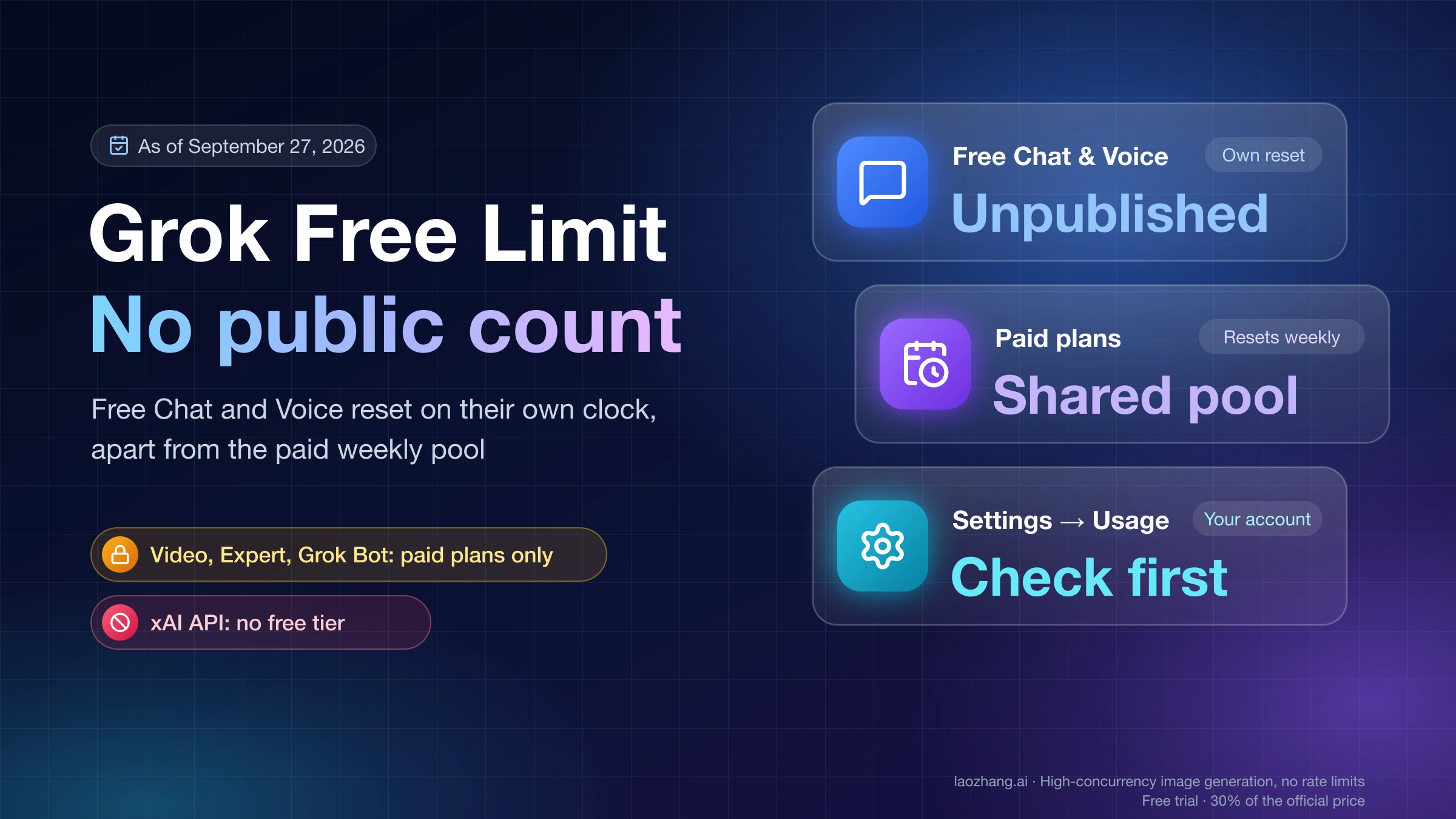
As of September 27, 2026, xAI does not publish how many messages, images, or minutes a free Grok account gets, or how long the limit lasts. The pricing page says only that Free lets you use Grok "within generous limits." The one concrete statement is in xAI's Grok FAQ: free-tier limits apply to Chat and Voice, they are "separate from your weekly usage limit," and they reset "on their own schedule." The weekly pool that everyone talks about belongs to paid plans, not to Free.
That is why the numbers you see in forums and third-party guides contradict each other: "3-10 prompts" (a Reddit thread, early 2025), "approximately 20 messages per day" (a third-party guide, June 2026), "20 standard interactions per 2 hours" (developer reports quoted on an API tutorial site). None of these come from xAI, most predate the June 2026 change to how limits work, and each describes a different moment in a limit that xAI adjusts without announcing. Treat them as evidence that the number moves, not as your quota.
What you can do instead is precise: open Settings → Usage on your own account, read which plan you are on and which products are in play, and pick between waiting, a one-off top-up, a plan change, or the API. Which of those options are even open to you depends on three things covered below: whether you are on Free or a paid plan, which Grok product you want (chat, image, video, Expert, Grok Bot, Build), and whether you need programmatic access.
What is published, and what is not
Three first-party statements define the free plan today. Everything else circulating is a report.
| Statement | Where it lives | What it settles |
|---|---|---|
| Free is $0/month and lets you use Grok "within generous limits" | x.ai/pricing, Free card | There is a limit, and xAI does not attach a number to it |
| "You will still have access to Grok's free tier limits on Chat and Voice (these are separate from your weekly usage limit and resets on their own schedule)" | docs.x.ai/grok/faq, Usage & Limits | Free Chat and Voice are their own bucket with their own clock, not a slice of the paid weekly pool |
| Settings → Usage shows a usage progress bar, a breakdown by product (API, Build, Chat, Imagine, Voice), the weekly reset date and time, and any Extra Usage Credits balance | docs.x.ai/grok/faq, "How do I check my usage?" | The reset time for the paid pool is visible in the product, not in the docs |
What is missing from those pages matters just as much:
- No count of free messages, images, or voice minutes, on any plan page or FAQ entry.
- No stated reset window for the free bucket. The FAQ says it resets on its own schedule and stops there. "Daily," "every 2 hours," and "every 12 hours" all come from user observation.
- No statement about whether a Free account sees its own reset time in Settings → Usage. The check-usage entry is written for the paid weekly pool. AppTime, a Japanese guide updated September 17, 2026, reports users seeing the free usage bar stuck at 100% with no reset time shown; that is a user report, not a documented behavior.
- No statement about whether a Free account can buy Extra Usage Credits without subscribing. The FAQ describes credits as something used "after your plan's included weekly usage is exhausted," which presumes a plan.
The practical consequence: any page that gives you a fixed free quota is describing what one person saw on one day. If you need to know your own limit, the only reliable instrument is your own Usage tab and your own experience over a few days.
Free versus paid: which products are free at all
Before deciding whether to wait or pay, check whether the thing you want is included in Free. The comparison table on x.ai/pricing gives capability per plan; it does not give quantity, so a check mark under Free means "available," not "unlimited."
| Product or capability | Free ($0) | SuperGrok ($30/month) | SuperGrok Plus ($100/month) |
|---|---|---|---|
| Grok 4.6 model | Yes | Yes | Yes |
| Image generation (Imagine) | Yes | Yes | Yes |
| Video generation | No | Yes | Yes, with 1080p |
| Web, iOS, Android apps | Yes | Yes | Yes |
| Grok Build | Yes | Yes | Yes |
| Grok Bot | No | Yes | Yes |
| Real-time web and X search | Limited | Yes | Yes |
| Expert | No | Yes | Yes |
| Connectors | Yes | Yes | Yes |
| Usage allowance | Free-tier limits on Chat and Voice, unpublished | Weekly pool, "higher rate limits across all features" | Weekly pool, "significantly higher usage across Chat, Imagine, Voice & Build," priority at peak times |
Source: x.ai/pricing comparison table and plan cards, as of September 27, 2026. SuperGrok Lite and SuperGrok Heavy also appear as columns; Lite lacks Grok Bot, and both include video, full search, and Expert. Their prices are shown on grok.com rather than on x.ai/pricing.
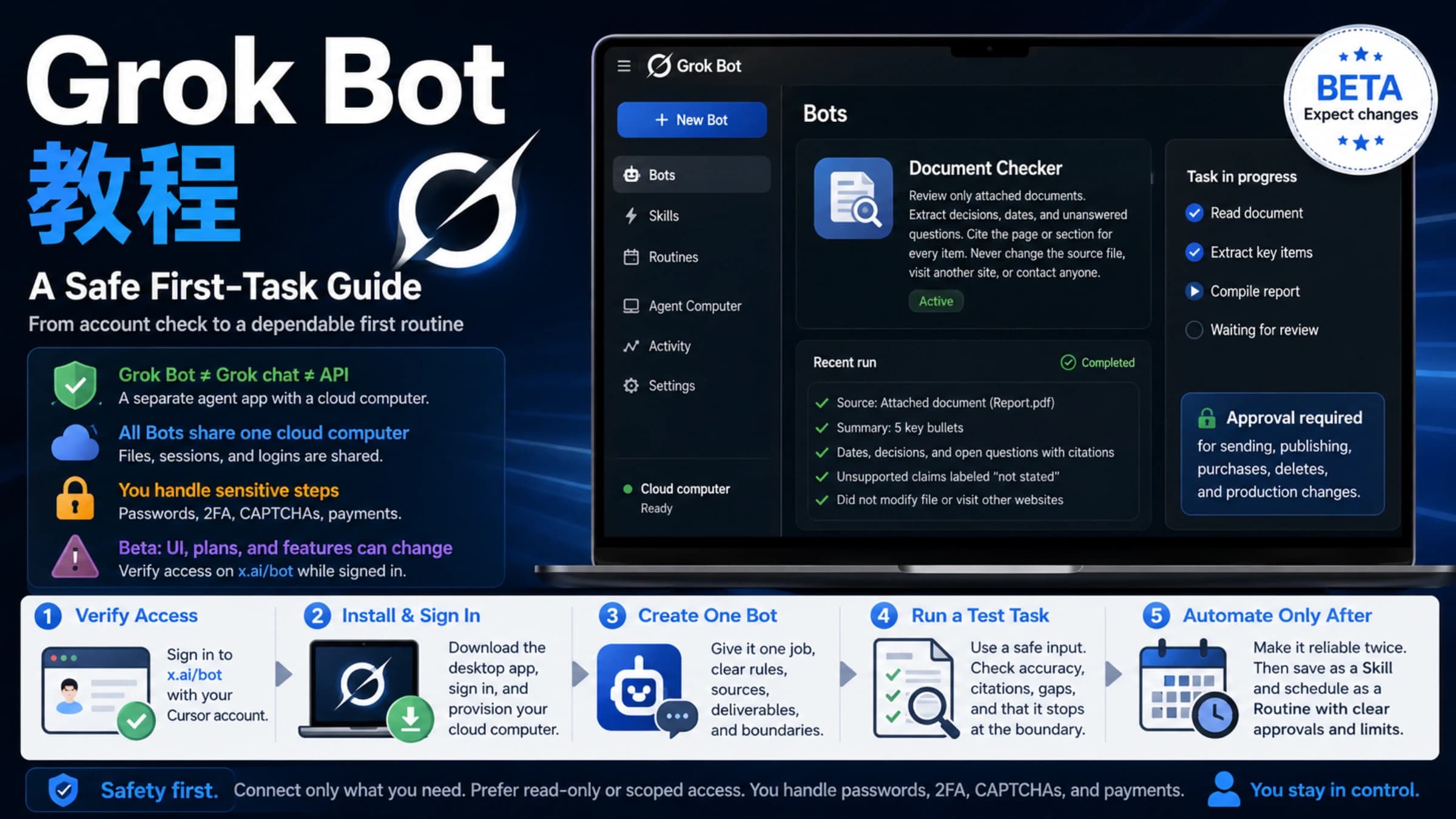
Two rows correct claims you will run into often. Image generation carries a check mark under Free, so "images are paid-only" is out of date; how many images a free account gets is still unpublished. Video generation, Expert, and Grok Bot are dashes under Free, which means no amount of waiting unlocks them. If your limit message came up while you were trying to make a video, the answer is a plan, not a reset. Does Grok AI Generate Videos? Grok Imagine Routes, Limits, and API Facts covers the video routes and what each plan allows.
How the two clocks work
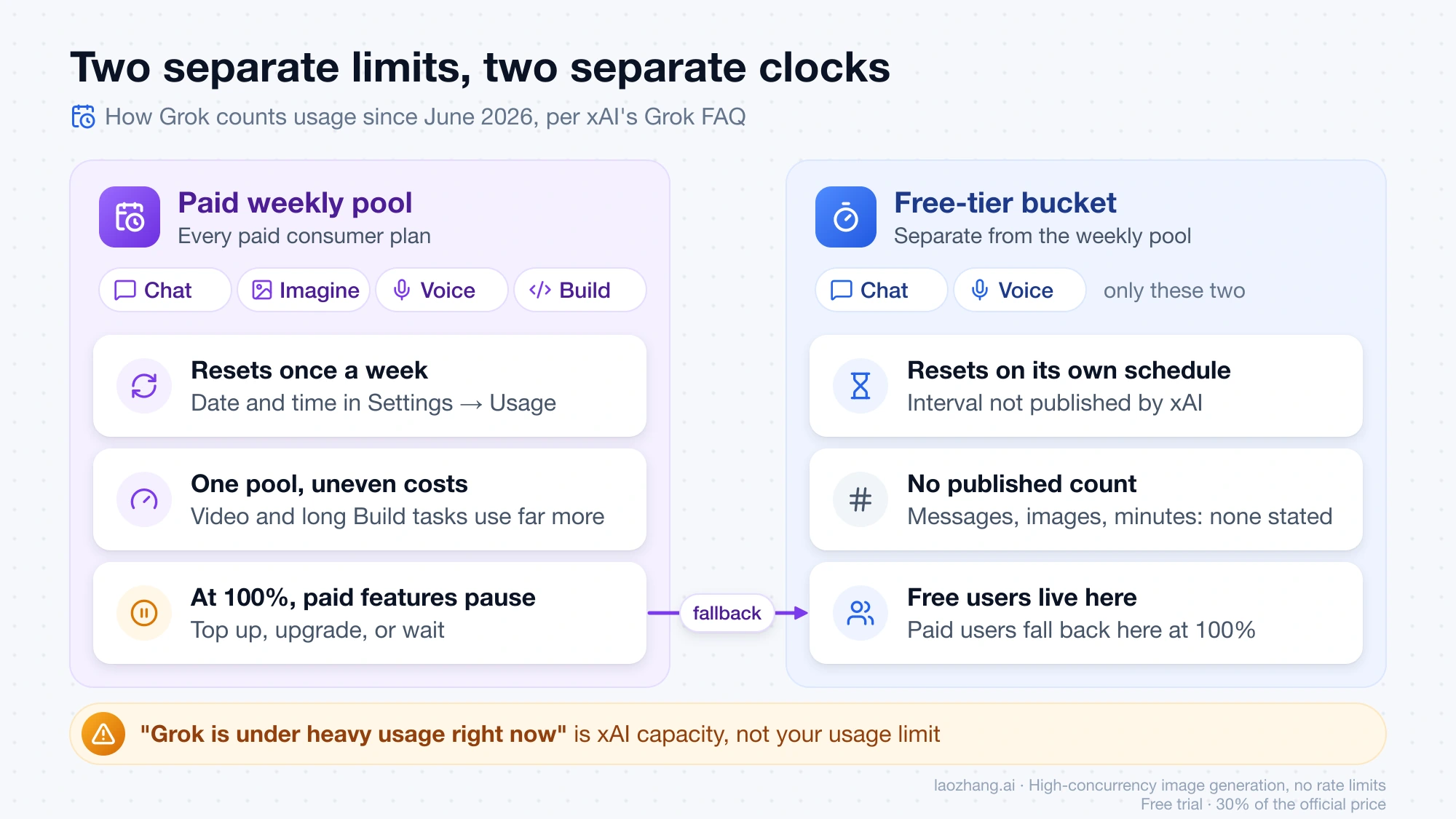
Since June 2026, Grok has run two separate accounting systems, and most confusion about "my limit didn't reset" comes from mixing them up.
The paid weekly pool. Every paid consumer plan gets one weekly usage allowance shared across Chat, Imagine, Voice, and Build. Before June 2026, each product had its own daily limit, which meant running out of Imagine while Chat still had room. Now the pool is a single percentage, and different products draw different amounts from it: in xAI's words, "A chat message uses little compute; generating a high-quality video or running a long coding task uses far more." The pool resets once a week, and the exact date and time appear in Settings → Usage. Hitting it is "not a hard stop": paid features pause, and you can buy credits, upgrade, or wait.
The free bucket. Free Chat and Voice limits are a separate allowance with a separate reset. Paid users fall back to this bucket when their weekly pool is spent, which is why a SuperGrok subscriber who has "reached the limit" can still send some messages. Free users live in this bucket all the time. Its reset schedule is not published, and it does not reset at the same moment as the weekly pool.
This split explains the two most common complaints:
- "I'm paying, I should have unlimited usage." No plan is unlimited. A paid plan buys a larger weekly pool plus priority, and when that pool is gone you are on free-tier Chat and Voice until the reset time shown in your Usage tab.
- "My limit reset but I still can't generate images." The free bucket covers Chat and Voice. If you are on Free, image generation is available but is not part of the Chat and Voice fallback statement, and xAI does not say how it is metered. If you are on a paid plan, images draw from the weekly pool, so they stay paused until the weekly reset even when a chat message goes through.
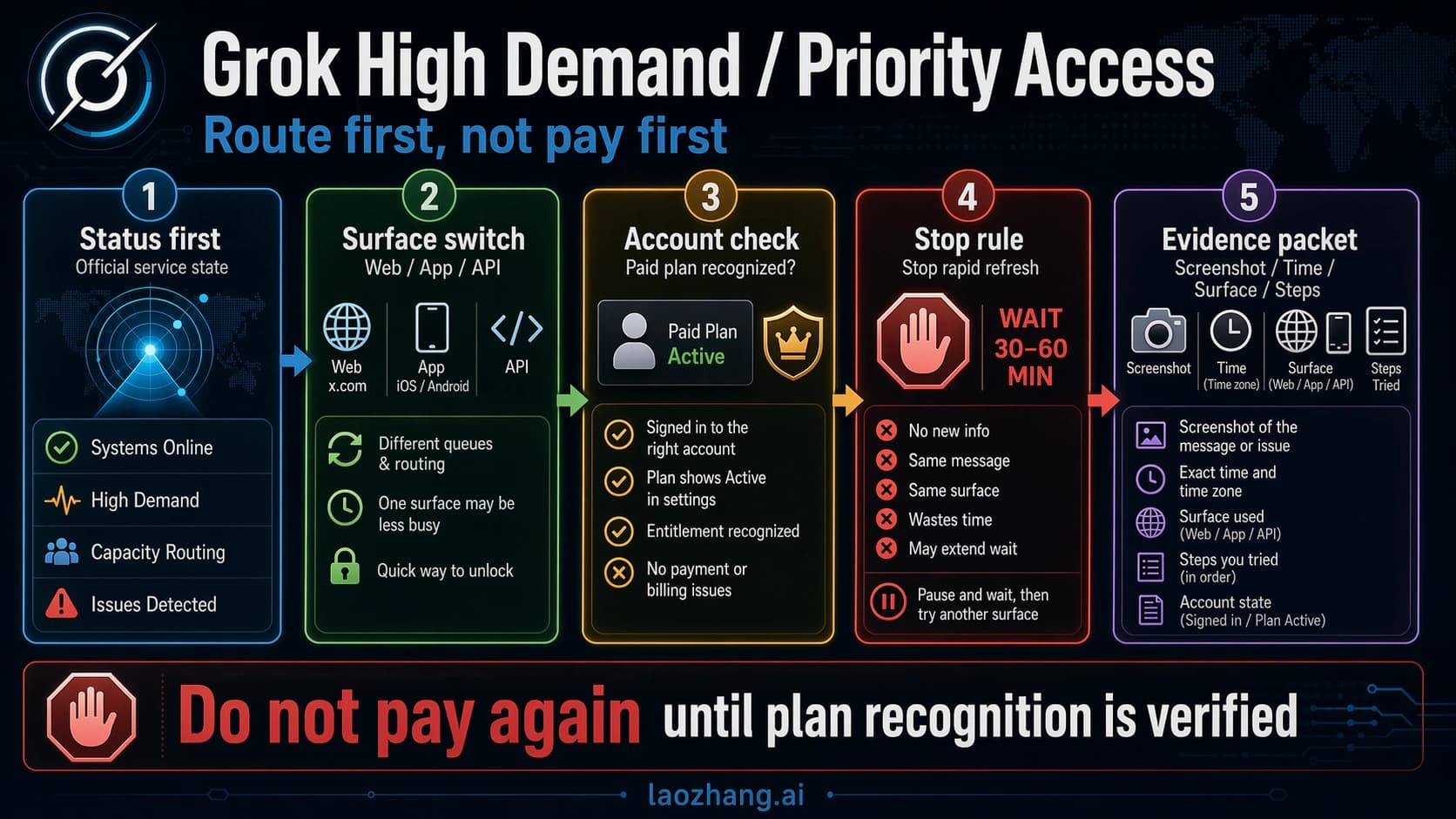
A limit message is also not the same as a capacity message. "Grok is under heavy usage right now" is about demand on xAI's side and asks you to wait or buy priority access; it can appear with usage to spare. Grok Is Under Heavy Usage Right Now? What the Priority Access Message Means walks through that case separately.
Check Settings → Usage before anything else
The Usage tab is the only place where your actual limit state is visible. Five minutes there answers more than any forum thread.
- Open grok.com in Chrome or a Chromium browser, or the iOS or Android app, signed in with the account you normally use. Subscriptions are tied to the account they were bought with, so a Google login and an X login for the same person can show different plans.
- Go to Settings → Usage.
- Read the progress bar. If it shows a percentage and a weekly reset date and time, you are on a paid plan and looking at the weekly pool.
- Read the product breakdown (API, Build, Chat, Imagine, Voice). This tells you which product ate the allowance. A long Build task or a batch of images will show up here even if you barely chatted.
- Note the Extra Usage Credits balance, if any. Credits are consumed only after the included weekly usage is gone, so a nonzero balance with a paused feature points to a recognition problem rather than a limit.
If you signed up through X and the plan you expect is not showing, go to Settings → Account and use "Connect your X Account." xAI states that after linking it can read your X subscription status and apply the matching benefits. The same FAQ recommends restarting the app, logging out, and clearing the cache when an active subscription keeps triggering "activate" or "upgrade" prompts.
For Grok inside X (x.com/i/grok), the allowance is tied to the X account and its subscription, and xAI's consumer pages do not itemize it. X Help states that paid X tiers can include higher Grok usage limits, without publishing counts. AppTime also reports that free-tier conditions can differ for accounts that came through X, including account-age and phone-verification requirements; those are user reports, not X documentation, so if you rely on Grok in X the reliable check is again whether your account shows the plan you expect.
Wait, top up, upgrade, or API: decision rules
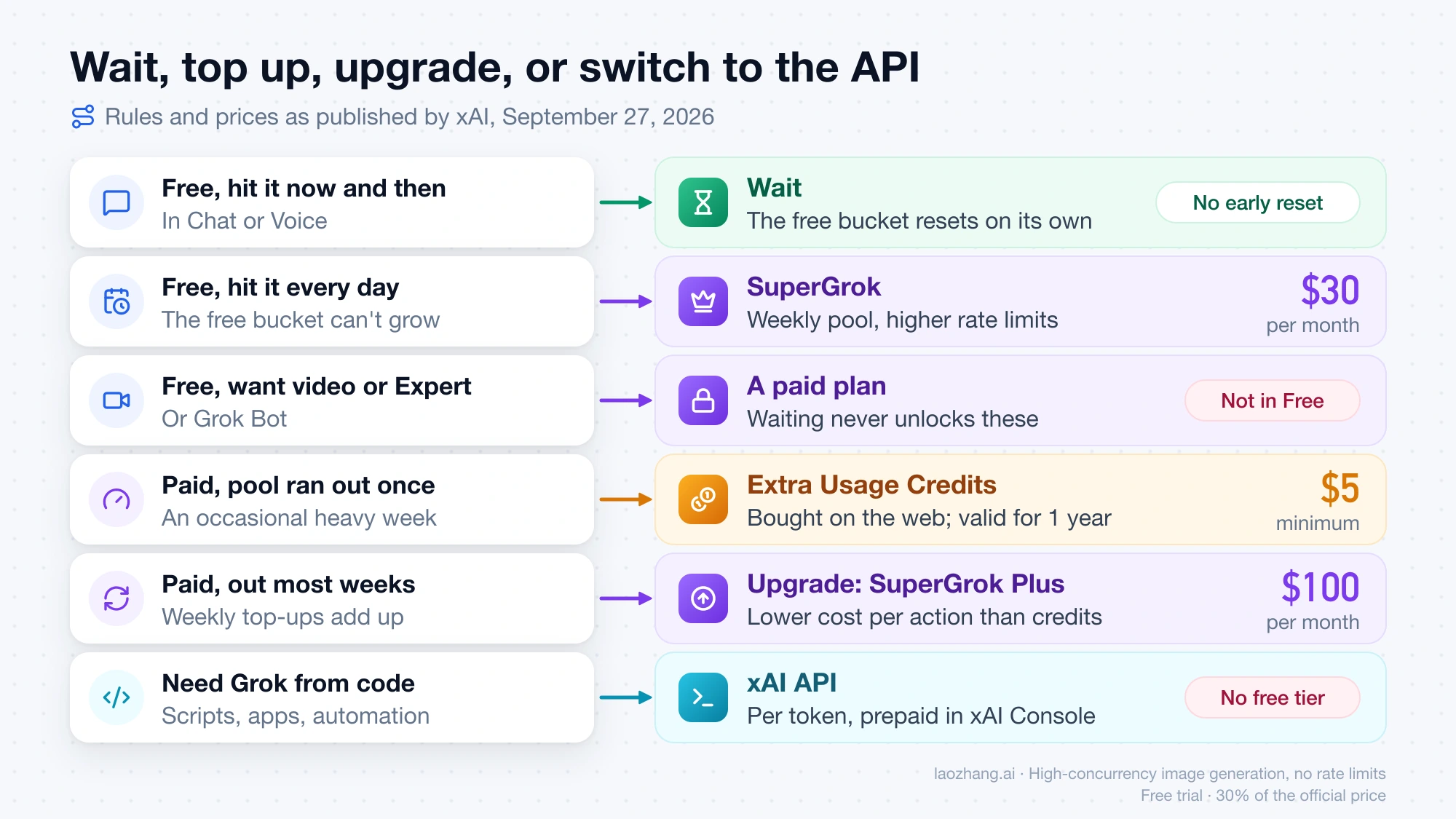
The right move depends on plan, product, and how often you hit the wall. The rows below combine what xAI publishes about each option.
| Your situation | What fixes it | What does not |
|---|---|---|
| Free, hit the limit in chat now and then | Wait. The free bucket resets on its own schedule; there is no published way to shorten it. | Buying nothing changes the free bucket. Extra Usage Credits are documented for plans, not for Free. |
| Free, hit the limit in chat every day | SuperGrok at $30/month moves you to a weekly pool with "higher rate limits across all features." SuperGrok Lite exists as a cheaper column with fewer features. | Waiting, since the free bucket size is not something you can grow. |
| Free, want video, Expert, or Grok Bot | A paid plan. Video and Expert are in every paid tier; Grok Bot needs SuperGrok, Plus, or Heavy. | Waiting for a reset. Those products are not in the free plan at any usage level. |
| Free, want more images | Unknown quantity. Free includes image generation, but xAI publishes no free image count. Test your own account before paying for images specifically. | Assuming images are paid-only; the pricing table says otherwise. |
| Paid, ran out of weekly pool occasionally | Extra Usage Credits: from $5, bought in the Usage tab on the web only (not in the mobile apps yet), added immediately, used after included usage, expiring one year after purchase. Auto Top Up automates this with an amount and a monthly cap. | Repeated top-ups as a habit. Credits are "priced at standard rates," so each action costs more than the same action inside your plan's allowance. |
| Paid, run out of weekly pool most weeks | Upgrade. xAI says a higher plan gives "significantly more weekly usage at a lower cost per action compared to repeatedly buying Extra Usage Credits." SuperGrok Plus at $100/month lists "significantly higher usage across Chat, Imagine, Voice & Build." | Stacking credits every week; the FAQ points at upgrading as the better long-term value. |
| Any plan, need Grok from code or a script | The xAI API, billed per token in the xAI Console, or a third-party API contract. | A consumer subscription. No page says Free, SuperGrok, or X Premium includes API usage. |
A quick sanity rule for the paid rows: if Usage shows you crossing 100% in one or two weeks a month, credits are a patch; if it happens most weeks, the money is better spent on the next plan. The FAQ makes the same call.
The "bypass" and "reset" searches
Browser extensions, videos, and paid third-party sites promise a bypass, a mirror, or an early reset of the Grok free limit. Nothing in xAI's documentation offers an early reset, and a free account cannot see or change its own reset time. The legitimate routes are the four in the table: wait, buy credits on a plan, change plans, or pay per token through the API. Extensions that "monitor" or "reset" limits cannot change a server-side allowance; at best they display what the Usage tab already shows, and they run with your Grok session in hand.
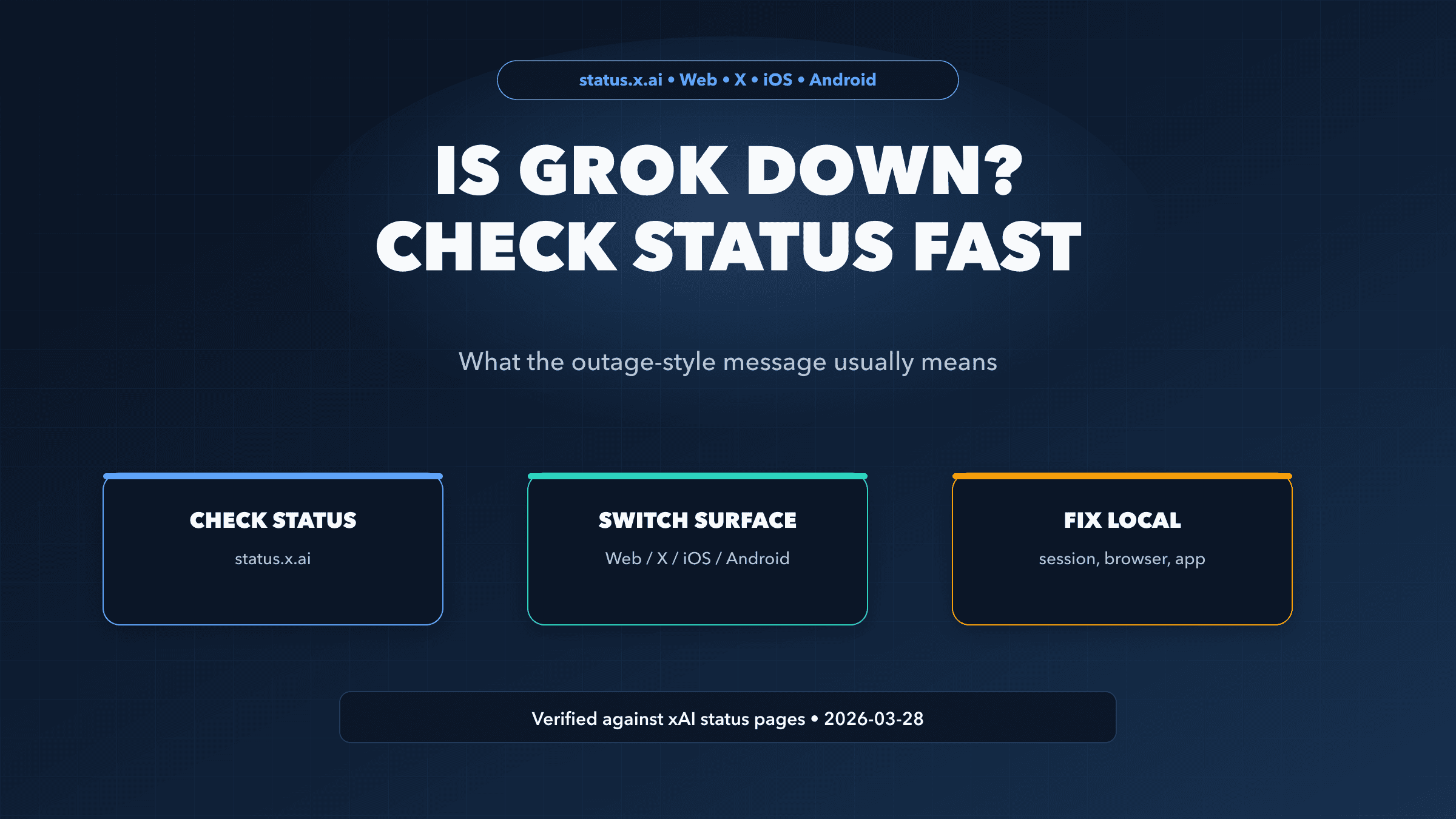
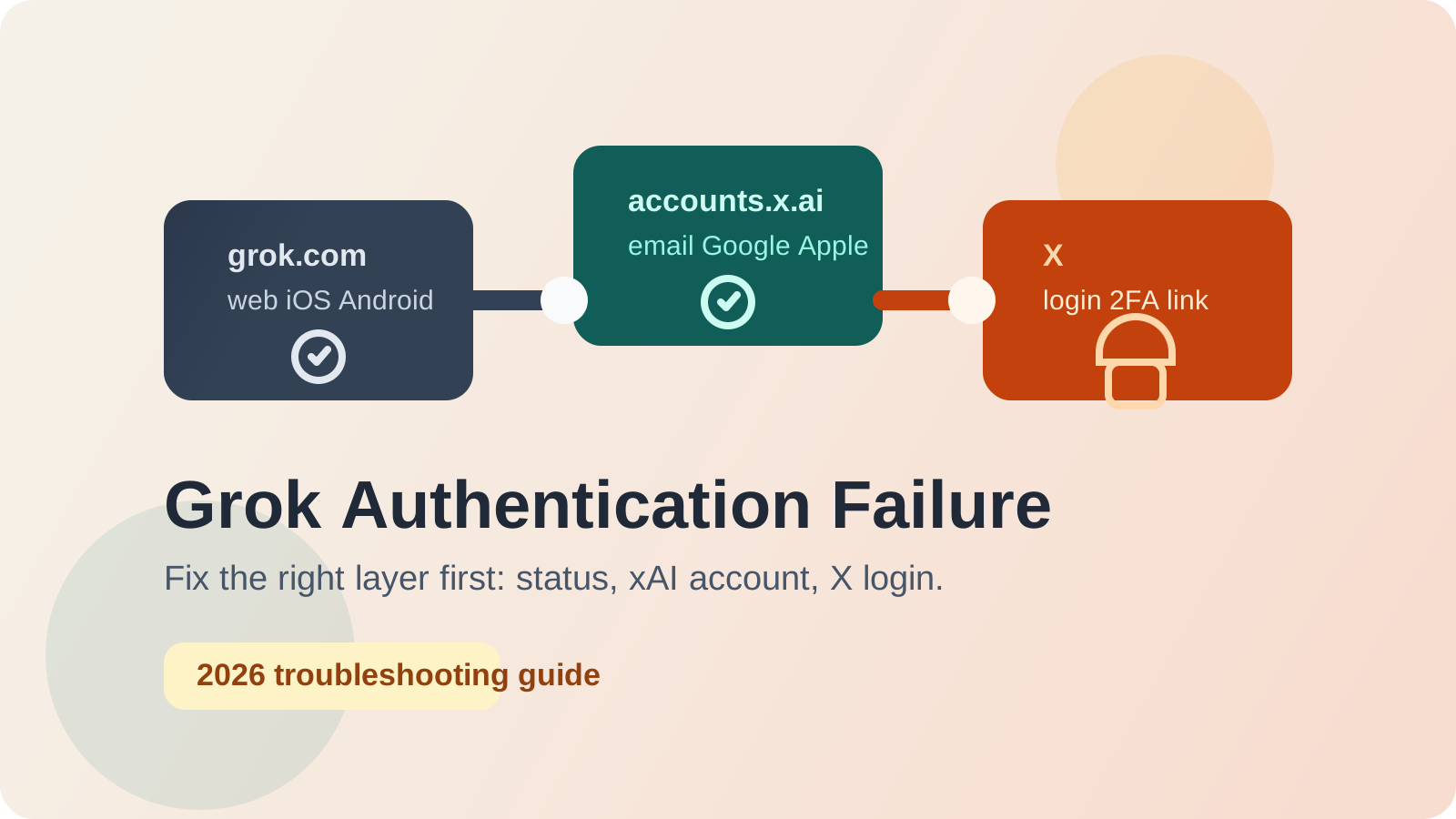
If you hit a limit-like wall that also blocks logging in or shows errors on every request, that is a different problem. Is Grok Down? What "Grok Is Experiencing Issues" Means and What to Do (2026) covers outage checks, and Grok Authentication Failure: How to Fix Login, X Account, and SSO Issues (2026) covers sign-in failures.
For developers: the xAI API has no free tier
If you typed "rate limit" as a developer, note that xAI uses the term differently on the API side. For the consumer app, "rate limit" and "usage limit" mean the same allowance; on docs.x.ai/developers, a rate limit is a hard cap in requests per second (RPS) and tokens per minute (TPM) per model, and going over returns HTTP 429 Too Many Requests.
There is no free API allowance. The pricing, models, and rate-limit pages list no free credit or free token grant. "Tier 0" on the rate-limits page is the zero-spend rate-limit tier, not free usage. Billing is prepaid by default, and because the invoiced limit starts at zero, requests are rejected once prepaid credits run out. A SuperGrok or X subscription does not pay for API calls.
Tier 0, which every new team starts in, still sets generous throughput caps as of September 17, 2026 (the page's stated update date):
grok-4.7,grok-4.6,grok-4.5: 150 RPS and 50M TPMgrok-4.3andgrok-build-0.1: 37 RPS and 10M TPMgrok-imagine-image: 6 RPS;grok-imagine-video: 10 RPS
Prompt, completion, reasoning, and cached prompt tokens all count toward TPM. Tiers rise with cumulative API spend since January 1, 2026: $50 for Tier 1, $250 for Tier 2, $1,000 for Tier 3, $5,000 for Tier 4, and once reached a tier never downgrades. You can also request an increase in the xAI Console or email sales@x.ai.
For the "pay per token instead of waiting" comparison, grok-4.7 costs $2.00 per million input tokens and $6.00 per million output tokens, and grok-4.3 costs $1.25 and $2.50, per xAI's pricing page updated September 21, 2026. Full rates, billing rules, and worked monthly costs are in Grok API Pricing: Model Rates, Billing Rules, and Monthly Costs.
If you want Grok through an API without setting up xAI prepaid billing, laozhang.ai lists Grok models under its own contract: grok-4.6 at $2 input and $6 output per million tokens and grok-4.3 at $1.25 and $2.5, plus per-call prices for the Imagine image models. It is a separate agreement with its own prices, limits, and availability, and it advertises no free tier either. Keep it next to the xAI Console as an option, not a replacement for it.
Common questions
Is there a daily limit on free Grok? xAI does not say the free limit is daily. The FAQ says free Chat and Voice limits reset "on their own schedule" and gives no interval. The daily framing comes from the pre-June 2026 system, when each product had its own daily limit, and from user reports since then. Watch your own account over a few days rather than assuming a midnight reset.
What is the limit on Grok for free accounts? No published number exists as of September 27, 2026. Free accounts get Grok 4.6, image generation, Grok Build, limited real-time search, and Connectors within unpublished limits, and no video, Expert, or Grok Bot. Third-party figures such as 3–10 prompts, 20 messages a day, or 20 per two hours are observations at different dates and contradict each other.
Can you use Grok for free without limits? No. The Free plan is described as "within generous limits," and every paid plan has a weekly pool, so no tier is unlimited. The difference between plans is the size of the pool and which products it covers.
How long does a Grok rate limit last? On a paid plan, until the weekly reset date and time shown in Settings → Usage, unless you buy Extra Usage Credits or upgrade. On Free, until the free bucket resets on its own unpublished schedule. On the API, a 429 clears as soon as your requests per second or tokens per minute drop back under the tier cap, which is usually seconds; exponential backoff handles it.
I have SuperGrok and still hit a limit. Is something wrong? Not necessarily. SuperGrok gives a weekly pool, and video, long Build tasks, and images consume it far faster than chat. Check the product breakdown in Settings → Usage. If the pool is genuinely spent, you keep free-tier Chat and Voice until the reset, and you can top up or upgrade. If Usage shows room but features are paused, sign out and back in with the account that holds the subscription and, for X-based plans, connect your X account under Settings → Account.