Grok API Pricing: Model Rates, Billing Rules, and Monthly Costs
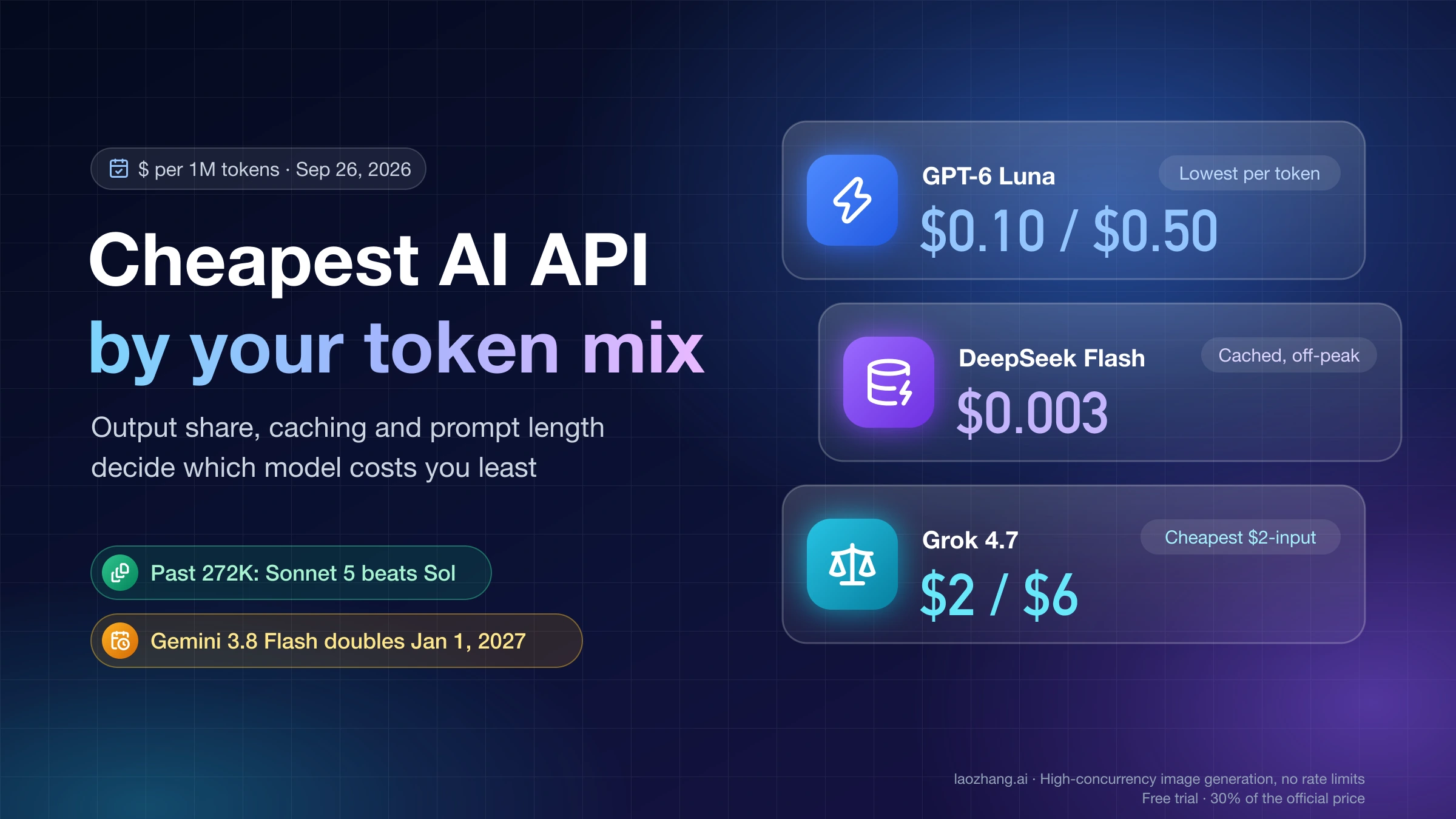
As of September 26, 2026, grok-4.7 costs $2 input and $6 output per million tokens; grok-4.3 costs $1.25 and $2.50. No free API allowance is listed.
On this page
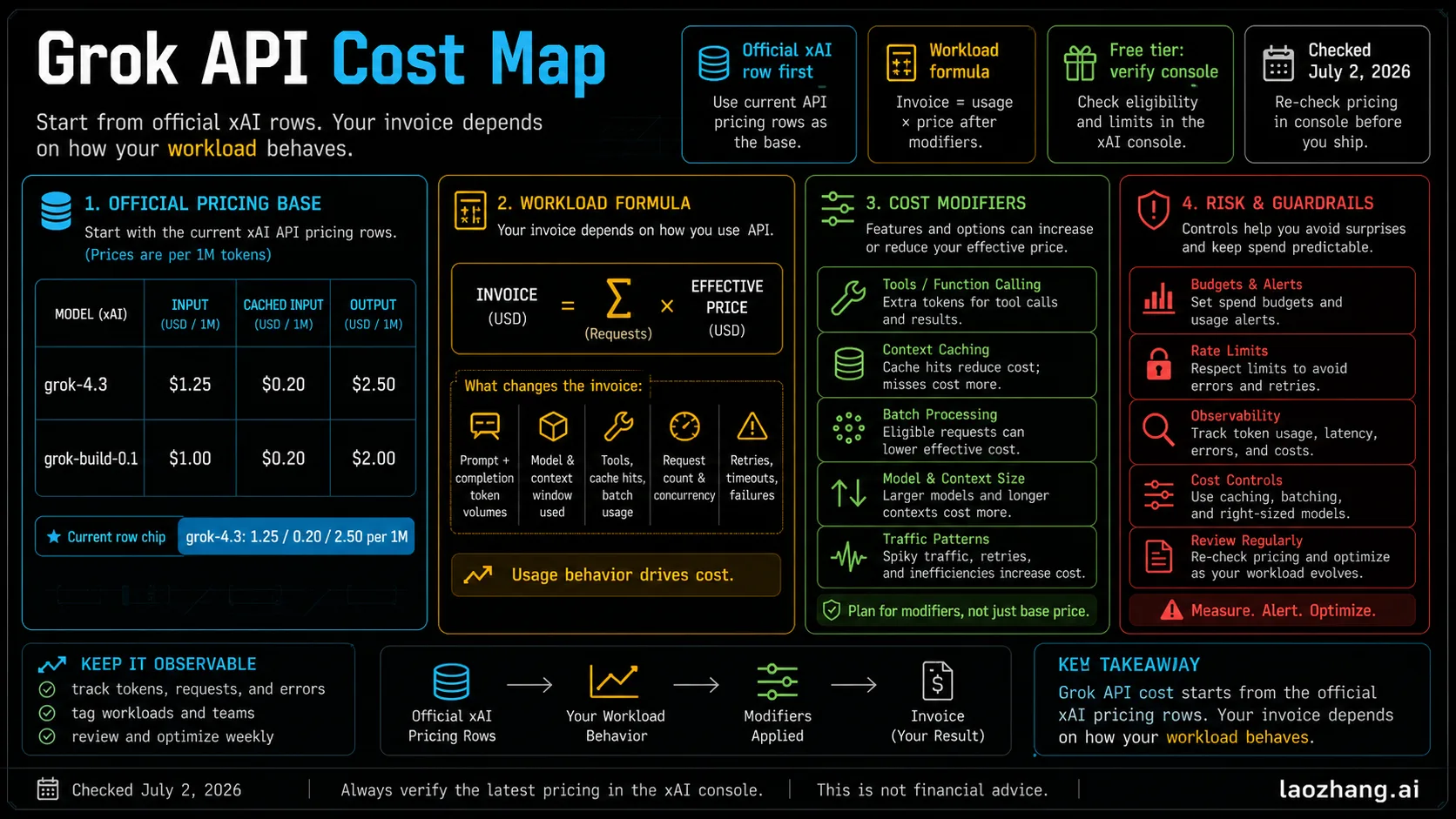
As of September 26, 2026, xAI's flagship API model, grok-4.7, costs $2.00 per million input tokens, $0.50 per million cached input tokens, and $6.00 per million output tokens. The cheaper grok-4.3 costs $1.25 / $0.20 / $2.50 and has a 1M-token context window. The coding model grok-build-0.1 costs $1.00 / $0.20 / $2.00. All three prices come from xAI's pricing page, last updated September 21, 2026.
Those numbers hold for requests under 200K tokens on the global endpoint at standard priority. Four things move the bill away from them. Once a prompt reaches 200K tokens, the whole request is billed at double rates. Batch saves 20% only on grok-4.3 and the grok-4.20 models, not on grok-4.7. Priority Processing doubles every token. The US regional endpoint adds 10%. Server-side tools such as web search are billed per 1,000 calls on top of tokens.
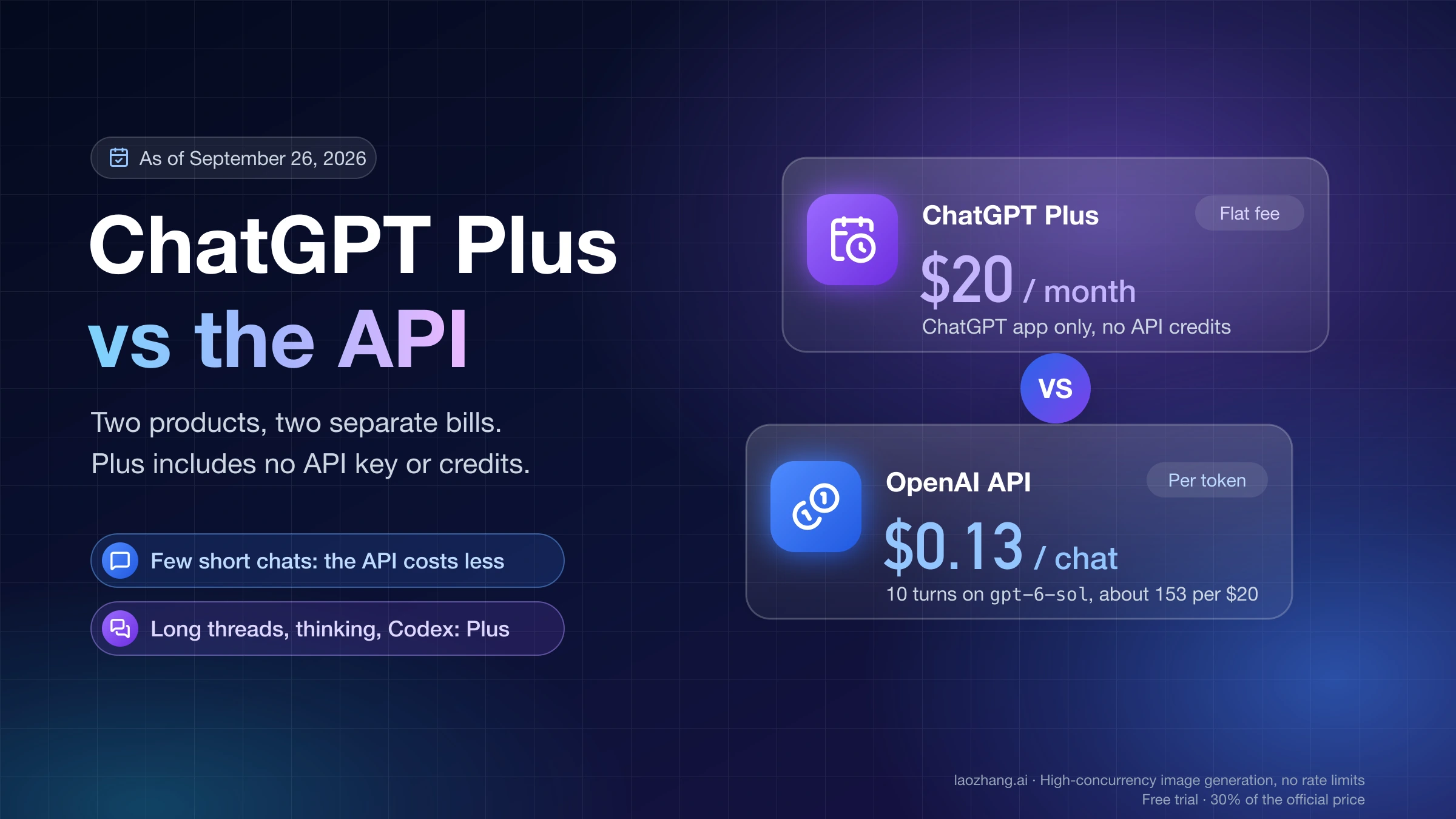
xAI lists no free API allowance, and a SuperGrok or X subscription doesn't pay for API calls. API usage is billed separately through the xAI Console.
Grok API prices per million tokens
The table below lists every text model on xAI's pricing page. "Short context" applies while the prompt is under 200K tokens; "long context" applies to the whole request once the prompt reaches 200K.
| Model | Context window | Input | Cached input | Output | Long-context input / cached / output |
|---|---|---|---|---|---|
grok-4.7 | 500K | $2.00 | $0.50 | $6.00 | $4.00 / $1.00 / $12.00 |
grok-4.6 | 500K | $2.00 | $0.50 | $6.00 | $4.00 / $1.00 / $12.00 |
grok-4.5 | 500K | $2.00 | $0.30 | $6.00 | $4.00 / $0.60 / $12.00 |
grok-4.3 | 1M | $1.25 | $0.20 | $2.50 | $2.50 / $0.40 / $5.00 |
grok-4.20-0309-reasoning | 1M | $1.25 | $0.20 | $2.50 | $2.50 / $0.40 / $5.00 |
grok-4.20-0309-non-reasoning | 1M | $1.25 | $0.20 | $2.50 | $2.50 / $0.40 / $5.00 |
grok-4.20-multi-agent-0309 | 1M | $1.25 | $0.20 | $2.50 | $2.50 / $0.40 / $5.00 |
grok-build-0.1 | 256K | $1.00 | $0.20 | $2.00 | $2.00 / $0.40 / $4.00 |
Prices are in USD per 1M tokens, global endpoint, standard processing, as listed by xAI on September 21, 2026.
Most budgets come down to three rows:
grok-4.7is the model xAI describes as its flagship "for code and everything else," with agentic tool calling and configurable reasoning (low, medium, high, xhigh). Pick it when answer quality on hard or tool-heavy tasks matters more than price.grok-4.3costs 37.5% less on input and 58% less on output. It also has the largest window (1M tokens), the cheapest cached input, and the only Batch discount among current models. It's the default for high-volume, cache-heavy, or long-document work.grok-build-0.1is xAI's coding model "for agentic software, engineering, and workflow tasks," and has the lowest rates. Its 256K window is the constraint: a 300K-token repository dump won't fit.
grok-4.6 costs the same as grok-4.7, so it offers no savings. grok-4.5 has cheaper cached input ($0.30 instead of $0.50) at the same input and output rates. Keep either only if you've pinned it and tested it.
You may also see "Grok 4.7 Fast" at $4 / $1 / $12. It's the same model on faster hardware at twice the price, and it's sold only through Cursor and Grok Build. You can't call it on the public xAI API, so it doesn't belong in an API budget.
Rules that change the bill
The rates in the table assume a short request, standard priority, no tools, and the global endpoint. Each of these rules can change the total by more than the gap between two models.
| Rule | What xAI charges | Applies to |
|---|---|---|
| Long context | Every token in the request at the long-context rate once the prompt reaches 200K | All text models |
| Batch API | 20% off all token types, results usually within 24 hours | grok-4.3 and the three grok-4.20 models only |
| Priority Processing | 2x on every token type, after the cache discount | Chat Completions and Responses API |
| US regional endpoint | 1.1x global rates (https://us.api.x.ai/v1) | grok-4.7 and grok-4.6 only |
| Web Search / Code Execution | $5 per 1,000 calls | Any model using the tool |
| X Search | $5 per 1,000 posts, $10 per 1,000 profiles returned | Any model using the tool |
| File Attachments search | $10 per 1,000 calls | Any model using the tool |
| Collections Search (RAG) | $2.50 per 1,000 calls | Any model using the tool |
| File / collection storage | $0.025 / $0.10 per GiB per day; downloads $0.20 per GiB | Stored files and collections |
| Usage-guideline violation | $0.05 per request if blocked before generation in the Responses API | Blocked requests |
Long context bills the whole request, not just the overflow
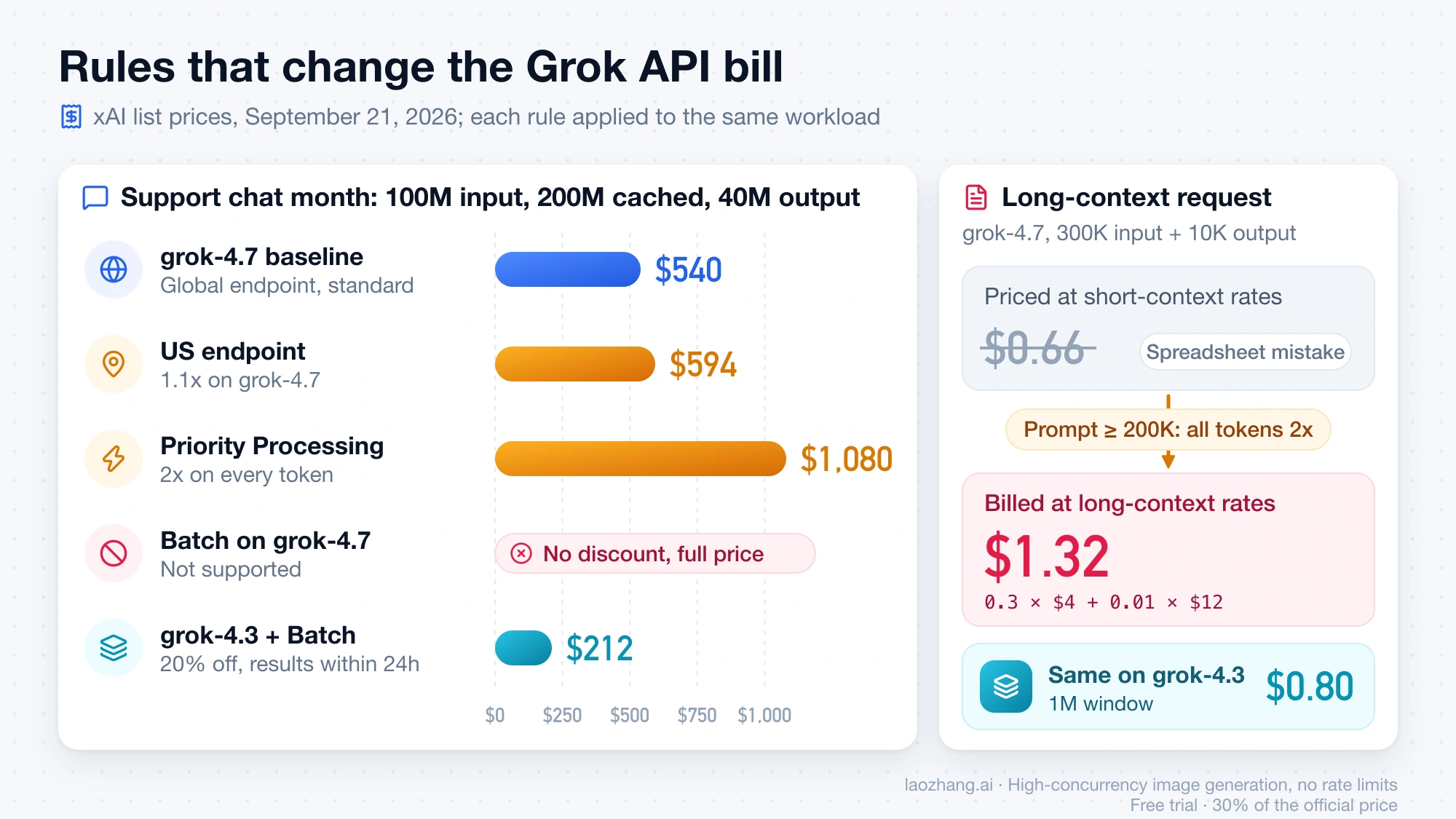
The 200K line isn't a marginal rate. When a prompt reaches 200K tokens, xAI bills every token in that request at the long-context rate. That includes the first 200K and the output.
One request with 300K input tokens and 10K output tokens shows the effect:
grok-4.7at long-context rates: 0.3 × $4.00 + 0.01 × $12.00 = $1.32- The same request priced with short-context rates, a common spreadsheet mistake: 0.3 × $2.00 + 0.01 × $6.00 = $0.66
grok-4.3at its long-context rates: 0.3 × $2.50 + 0.01 × $5.00 = $0.80
If a job regularly passes 200K, trimming it to 190K cuts the price of that request by about half. If it can't be trimmed, grok-4.3 is the cheaper home, and its 1M window leaves more room than grok-4.7's 500K.
Batch doesn't discount grok-4.7
A flat 50% Batch discount is a common budgeting assumption, and on xAI it's wrong. The discount varies by model. It is 20% for grok-4.3 and the grok-4.20 models, and the pricing page states that "models not listed above have no batch discount." That excludes grok-4.7, grok-4.6, grok-4.5, and grok-build-0.1. The grok-4.7 model page lists Batch API as not supported.
Batch requests usually finish within 24 hours and don't count toward rate limits. A nightly summarization or classification job therefore runs cheapest on grok-4.3 through Batch. Using grok-4.7 there costs full price.
Priority and the US endpoint multiply the rate
Priority Processing doubles input, cached, output, and reasoning tokens. xAI applies the cache discount first and then the 2x multiplier. You pay the priority rate only when the response comes back with "service_tier": "priority". Requests that fall back to the default tier are billed at standard rates.
The US regional endpoint runs inference in the United States and charges 1.1x. For grok-4.7 that works out to $2.20 / $0.55 / $6.60 under 200K and $4.40 / $1.10 / $13.20 above. It currently serves only grok-4.7 and grok-4.6, so a data-residency requirement also rules out the cheaper models.
Tools are a separate line item
When a request uses xAI's server-side tools, you pay for the tokens (including search results pulled into the context) plus a per-call fee. X Search is the easy one to underestimate: xAI charges per item returned, and every post in a search or thread fetch counts, including parent and quoted posts. Remote MCP tools have no invocation fee, but the tokens they add are billed.
Image and voice models are priced separately. Image generation runs $0.02 to $0.08 per image depending on model and resolution, video $0.05 to $0.25 per second, and the speech-to-speech voice agent $0.08 per minute.
Estimate your monthly Grok API bill
Price one month with this formula, then replace each input with numbers from your own logs:
monthly cost =
    new input tokens    / 1,000,000 × input rate
  + cached input tokens / 1,000,000 × cached rate
  + output tokens       / 1,000,000 × output rate      (include reasoning tokens)
  + tool calls          / 1,000     × tool fee
  + storage GiB-days × storage rate
then apply: long-context rates (prompt ≥ 200K), Batch 0.8x (grok-4.3/4.20 only),
            Priority 2x, US endpoint 1.1x
The three examples below are hypothetical workloads priced at the September 21, 2026 rates. They exclude retries, which you should add from your own failure rate.
Support chat: 100,000 conversations a month
Each request carries 1,000 new input tokens, a 2,000-token system prompt served from cache, and 400 output tokens. Over a month that comes to 100M new input tokens, 200M cached input tokens, and 40M output tokens.
| Setup | Calculation | Monthly cost |
|---|---|---|
grok-4.7 | 100 × $2.00 + 200 × $0.50 + 40 × $6.00 | $540 |
grok-4.7, US endpoint | $540 × 1.1 | $594 |
grok-4.7, Priority | $540 × 2 | $1,080 |
grok-4.3 | 100 × $1.25 + 200 × $0.20 + 40 × $2.50 | $265 |
grok-4.3, Batch | $265 × 0.8 | $212 |
grok-build-0.1 | 100 × $1.00 + 200 × $0.20 + 40 × $2.00 | $220 |
grok-4.3 costs about half as much as grok-4.7 here. Part of the gap comes from caching: grok-4.3's cached rate is 84% below its input rate, while grok-4.7's is 75% below. Batch fits only if replies can wait, so it suits ticket triage or after-hours drafts, not live chat.
Research agent: 1,000 tasks with web search
Each task reads 60K input tokens (search results included), writes 3K output tokens, and makes 5 web searches. That's 60M input, 3M output, and 5,000 search calls a month.
grok-4.7: 60 × $2.00 + 3 × $6.00 = $138 in tokens, plus 5 × $5 = $25 in search fees, for $163grok-4.3: 60 × $1.25 + 3 × $2.50 = $82.50 in tokens, plus the same $25, for $107.50
The search fee doesn't shrink with a cheaper model. Capping searches per task is the lever that works on every model.
Long documents: 300K-token requests
Every request of this size is billed entirely at long-context rates: $1.32 each on grok-4.7 and $0.80 each on grok-4.3. A thousand such requests cost $1,320 or $800 a month. It won't run on grok-build-0.1, whose window stops at 256K.
Is Grok API cheaper than ChatGPT or Claude API?
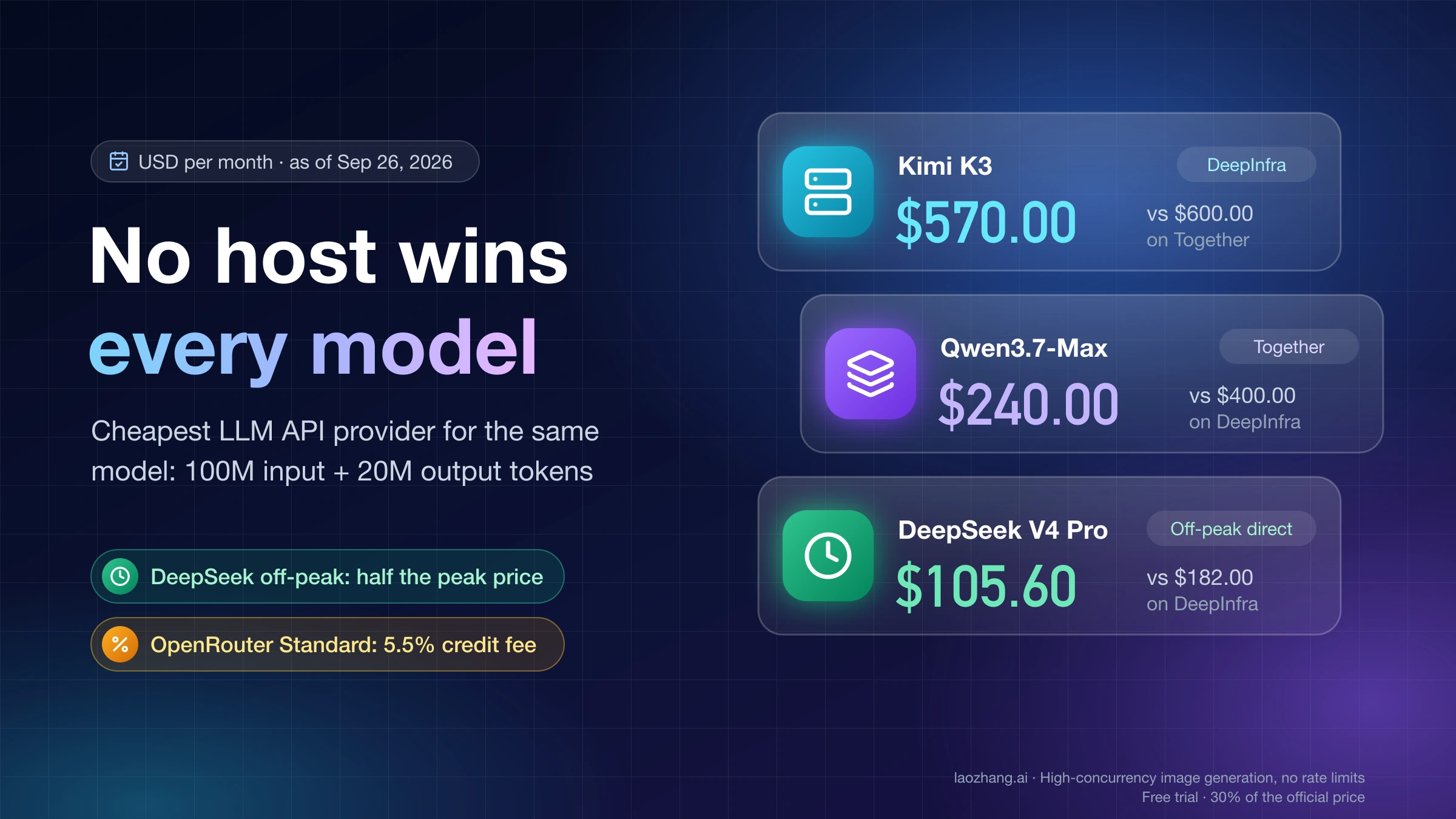
On list prices, yes for the flagship tier, and by more at the lower tiers. The table prices one month of 100M input and 20M output tokens with no caching, using each vendor's own first-party rate as of September 26, 2026.
| Model | Input / output per 1M | 100M in + 20M out |
|---|---|---|
grok-build-0.1 | $1.00 / $2.00 | $140 |
grok-4.3 | $1.25 / $2.50 | $175 |
grok-4.7 | $2.00 / $6.00 | $320 |
OpenAI gpt-6-sol | $2.00 / $10.00 | $400 |
| Claude Sonnet 5 | $2.00 / $10.00 | $400 |
OpenAI gpt-6-luna | $0.10 / $0.50 | $20 |
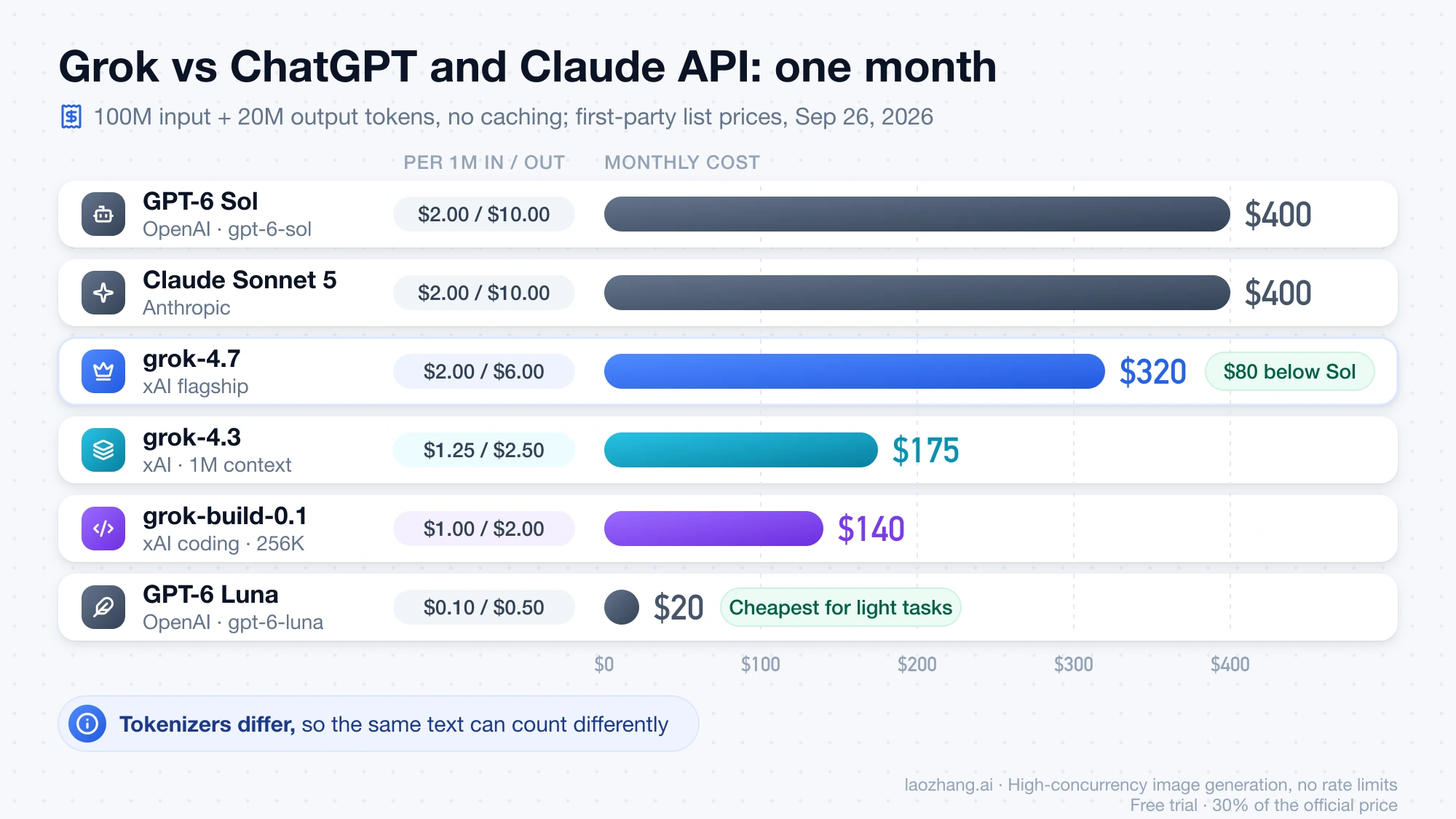
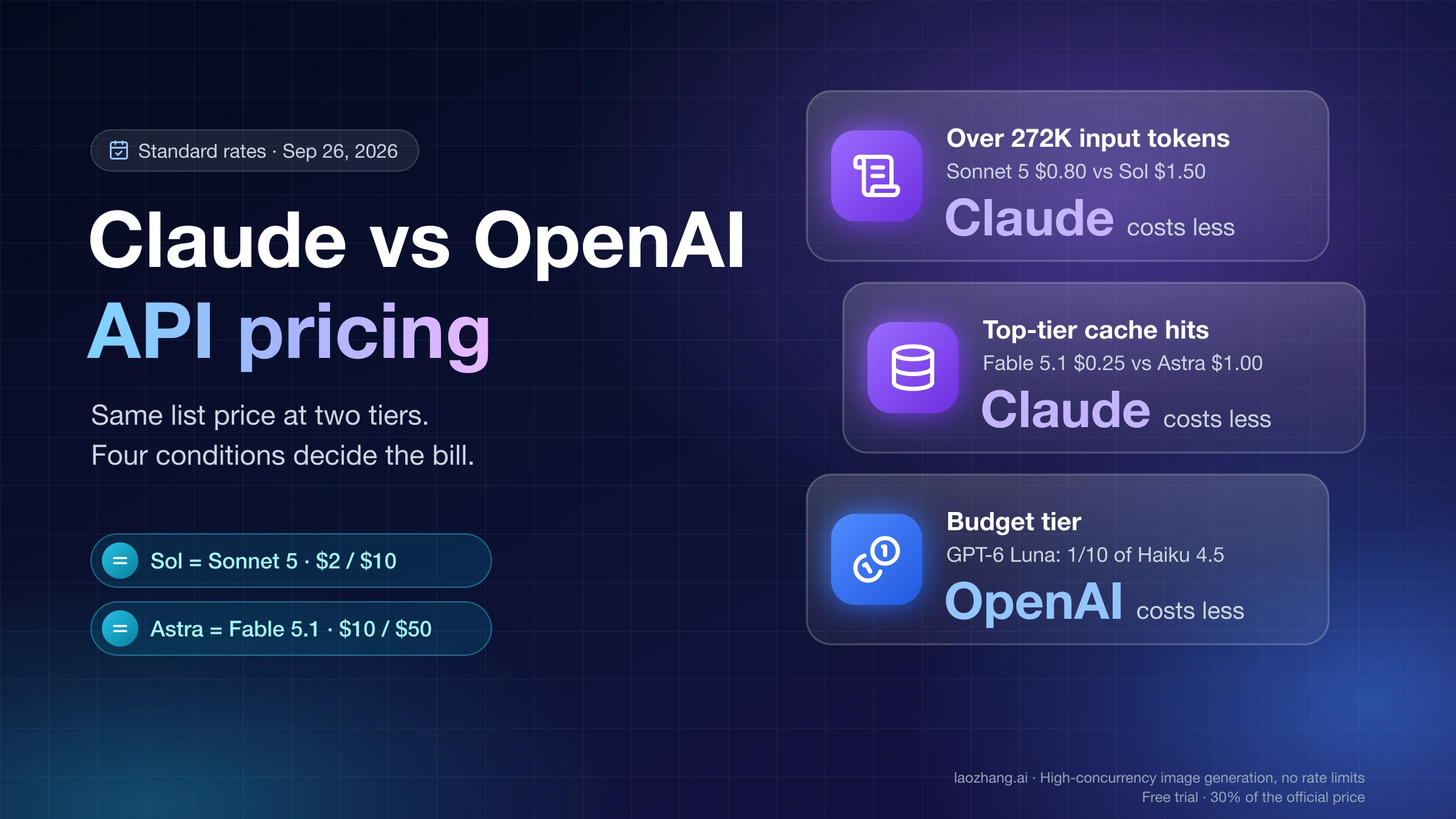
grok-4.7 matches GPT-6 Sol and Claude Sonnet 5 on input and charges 40% less for output, so it gets cheaper the more output a workload produces. grok-4.3 costs less than half of either. OpenAI's small gpt-6-luna is far cheaper than any Grok model, so for simple extraction or classification the cheapest option isn't on xAI.
The comparison has limits. Each vendor uses its own tokenizer, so the same text can produce different token counts. Cache and Batch rules also differ by vendor, and no Batch discount applies to grok-4.7 at all. For a wider comparison by input and output mix, see AI API Price Comparison: Cheapest Model by Input and Output Mix. The OpenAI and Anthropic tiers are covered in Claude API vs OpenAI API Pricing: When Each One Costs Less.
Is the Grok API free?
xAI's pricing, models, and rate-limit pages list no free API credit or free token allowance. The "Tier 0" on the rate-limit page is the $0 starting point for rate limits, not free usage. Promotions may appear in individual consoles, but none is part of the published price list.
Consumer plans are a different product. Free, SuperGrok, Business, and Enterprise on x.ai cover the Grok app. API calls are billed per token to your xAI Console team, whatever app plan you hold. "SuperGrok API" isn't a product.
Two more sources of confusion:
- Resellers and gateways. OpenRouter and similar gateways, along with regional resellers, sell Grok access at their own prices and terms. Their rows may match xAI's or differ from them. Either way, they're a separate agreement with that company, not xAI's price. Cheapest LLM API Provider: Compare Price, Quality, Latency, and Gateway Risk in 2026 covers what to check before routing through one.
- Groq is not Grok. Groq (groq.com) is an unrelated inference company with its own pricing and free tier.
If you need a genuinely free API to prototype with, Best Free AI API Provider: Pick by Limits, Data Use, and Region compares the options that do publish one.
Keep Grok API spend under control
Read the cost from every response. xAI returns the billed cost of each request in usage.cost_in_usd_ticks, after cache discounts and including server-side tool fees. One US dollar equals 10,000,000,000 ticks. Log it next to the model ID and task type, and your worksheet can be checked against real spend from the first day:
import os
from openai import OpenAI

client = OpenAI(api_key=os.getenv("XAI_API_KEY"), base_url="https://api.x.ai/v1")

resp = client.chat.completions.create(
    model="grok-4.3",
    messages=[{"role": "user", "content": "Summarize this ticket in two lines."}],
)
cost_usd = resp.usage.cost_in_usd_ticks / 1e10
print(f"{resp.usage.prompt_tokens} in, {resp.usage.completion_tokens} out, ${cost_usd:.6f}")
For streaming with the OpenAI SDK, set stream_options={"include_usage": True}, and the cost arrives in the final chunk. The value is per request. Add turns up yourself for a conversation or an agent loop. See xAI's cost tracking guide for the xAI SDK version.
Know how rate limits grow with spend. Tiers are set by cumulative API spend since January 1, 2026: Tier 1 at $50, Tier 2 at $250, Tier 3 at $1,000, and Tier 4 at $5,000. Prepaid credit purchases and paid invoices both count, and tiers never drop. For grok-4.7, tokens per minute rise from 50M at Tier 0 to 100M at Tier 4. Cached tokens are cheaper, but they still count toward that per-minute limit. Going over returns HTTP 429, so add exponential backoff before a traffic spike turns into failed tasks. Current tier tables are on the xAI rate limits page.
Put a stop rule in code. Before scaling, run a few hundred real requests and compare the logged cost per task with your estimate. Then set a threshold, for example 30% over the worksheet on cost per task, tool calls per task, or share of prompts over 200K, and pause the job when it trips. A runaway agent loop costs the most on grok-4.7 with Priority, where each token is billed at twice the flagship rate.
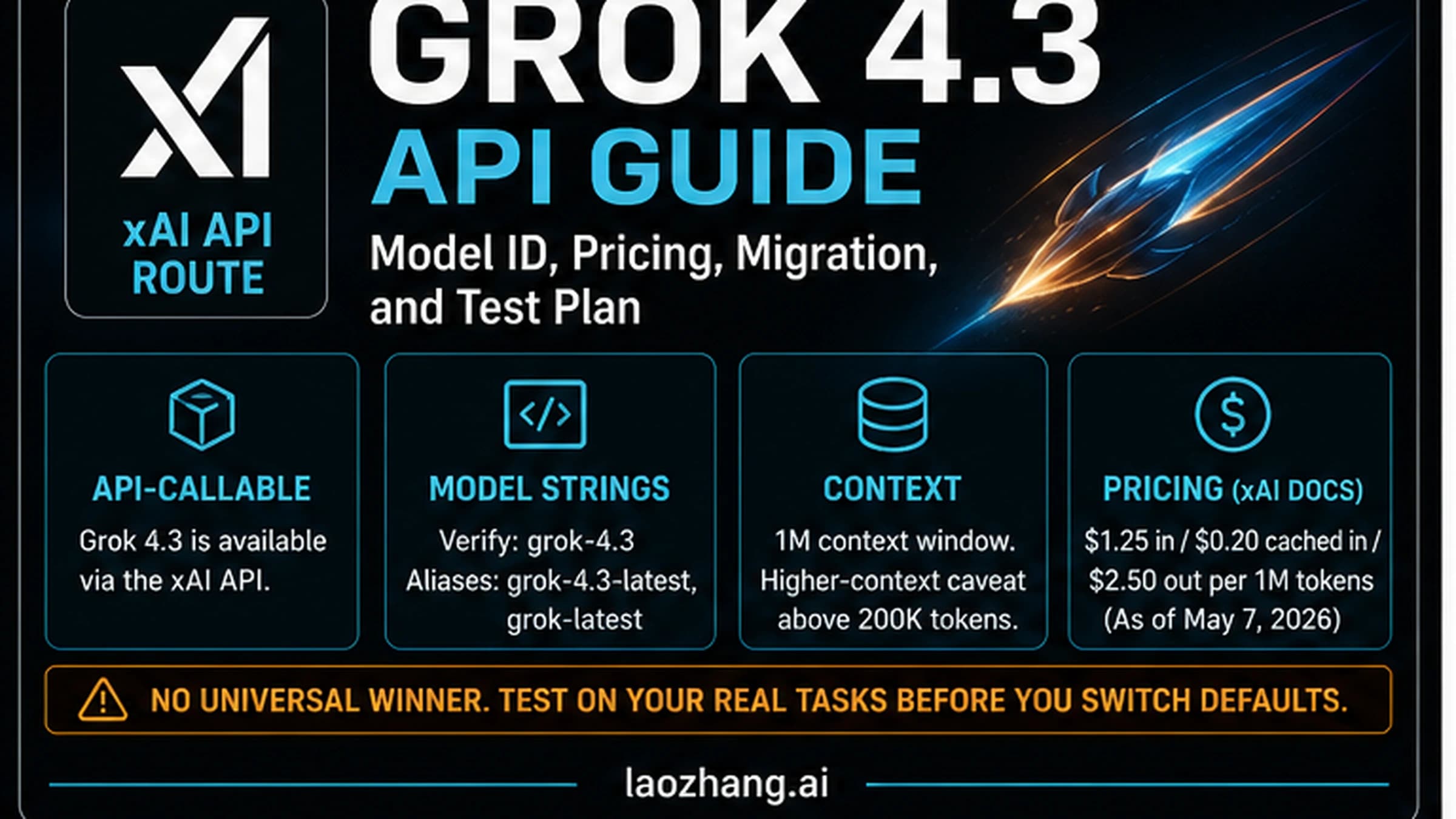
For model IDs, aliases, and a migration test plan on the cheaper model, see the Grok 4.3 API Guide: Model ID, Pricing, Migration, and Test Plan.
FAQ
How much does the Grok API cost per million tokens?
grok-4.7 costs $2.00 input, $0.50 cached input, and $6.00 output per million tokens. grok-4.3 costs $1.25 / $0.20 / $2.50, and grok-build-0.1 costs $1.00 / $0.20 / $2.00. Requests whose prompt reaches 200K tokens are billed entirely at double those rates. These are xAI's list prices as of September 21, 2026.
Is the Grok API cheaper than the ChatGPT API?
For comparable flagships, yes on output. grok-4.7 and OpenAI's gpt-6-sol both charge $2 per million input tokens, but Grok charges $6 per million output tokens against Sol's $10. On 100M input and 20M output tokens, that's $320 against $400. OpenAI's gpt-6-luna is much cheaper than any Grok model for light tasks.
Does a SuperGrok subscription include API access?
No. SuperGrok and the other x.ai plans cover the Grok app. API usage is billed per token to your xAI Console team, and xAI's pricing pages don't list API credits as part of any plan.
Does the Batch API make grok-4.7 cheaper?
No. xAI's 20% Batch discount applies only to grok-4.3 and the three grok-4.20 models, and the grok-4.7 model page lists Batch as not supported. For batch jobs, grok-4.3 at 80% of its rate is the cheapest current Grok option.
Which Grok model is cheapest for coding?
grok-build-0.1, at $1.00 input and $2.00 output per million tokens, is both the cheapest row and the model xAI built for agentic coding. Its 256K context window is the catch. For larger codebases in one request, grok-4.3 holds up to 1M tokens at $1.25 / $2.50.