Is Grok Down? What "Grok Is Experiencing Issues" Means and What to Do (2026)
If you are seeing "Grok is experiencing issues" or "Grok is Temporarily Unavailable," start with xAI's official status pages. As of the latest official check on March 28, 2026, Grok Web, X, iOS, and Android all showed fully operational, but recent incidents prove real outages do happen. This guide shows how to tell a global outage from a single-surface problem or a local browser and app issue.
On this page
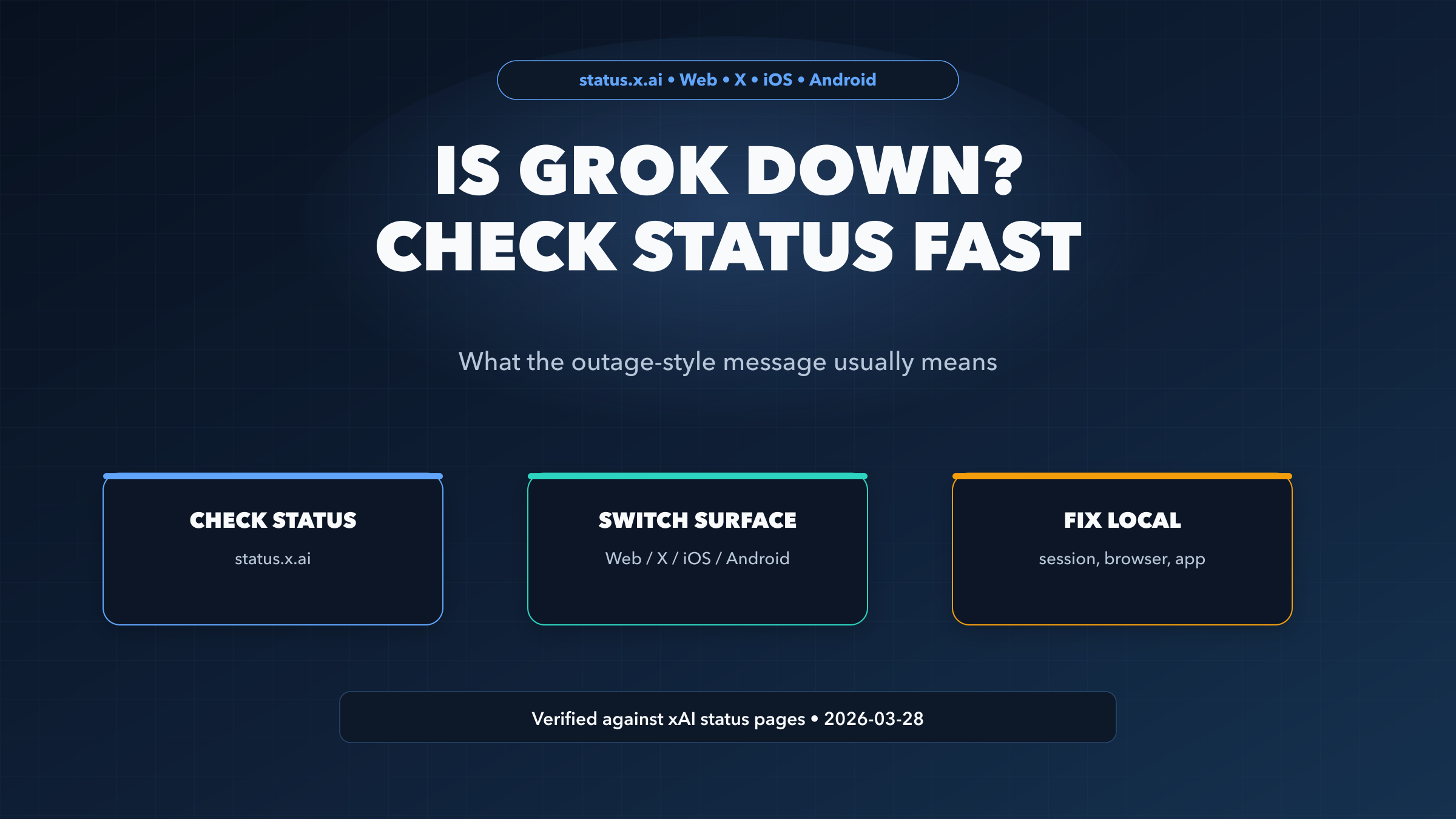
If Grok suddenly throws a message like "Grok is experiencing issues" or "Grok is Temporarily Unavailable," the most useful first question is not "Is the whole service dead?" It is "Which Grok surface is failing, and does xAI already show it?" That sounds like a small distinction, but it changes what you should do next. A true cross-platform outage means waiting or switching tools. A single-surface incident means moving from one Grok entry point to another. A green status page with one broken browser session usually means the problem is on your device, not on xAI's side.
Verification note: this article was checked against xAI's official status pages and X Help on March 28, 2026.
TL;DR
- Start with status.x.ai, not social posts or random dashboards
- If only one surface is failing, switch between Grok Web, Grok in X, Grok on iOS, and Grok on Android
- If the official pages are green but Grok still fails, treat it as a local session, browser, network, or app problem first
- Recent official incidents usually resolved in under three hours, but the January 27, 2026 outage lasted much longer
What the Message Usually Means
When Grok shows an outage-style message, it does not automatically mean your subscription is gone, your account is restricted, or the entire platform is offline worldwide. What it usually means is that Grok cannot complete the request from the surface you are currently using. That might still be a real xAI incident, but the only reliable way to tell is to check the official status pages by surface.
That surface split matters because xAI does not treat Grok as one monolithic endpoint. Its status pages break Grok into separate experiences for web, X, iOS, and Android. On March 28, 2026, all four official pages showed fully operational. But the history on those same pages also shows multiple 2026 incidents, including one long January outage and several shorter March interruptions. In other words: genuine incidents happen, but so do false alarms caused by one bad session, one stale login, or one broken app install.
The fastest useful interpretation is this:
| What you see | What it usually means | What to do next |
|---|---|---|
| Multiple official pages show an outage | Broader xAI incident | Wait, retry later, or switch tools if the task is urgent |
| Only one official page shows an outage | Surface-specific incident | Move to another Grok surface |
| All official pages are green | Likely local issue | Refresh session, re-authenticate, test another browser or device |
| Official pages are still green but many users report the same failure | Status page may be lagging | Retry on a second surface and watch the official pages for updates |
That last row matters because status pages are not always instantaneous. A new incident can begin before the official page is updated. But even then, checking a second or third Grok surface is still useful because it tells you whether the failure is local, partial, or broad.
The 30-Second Diagnosis
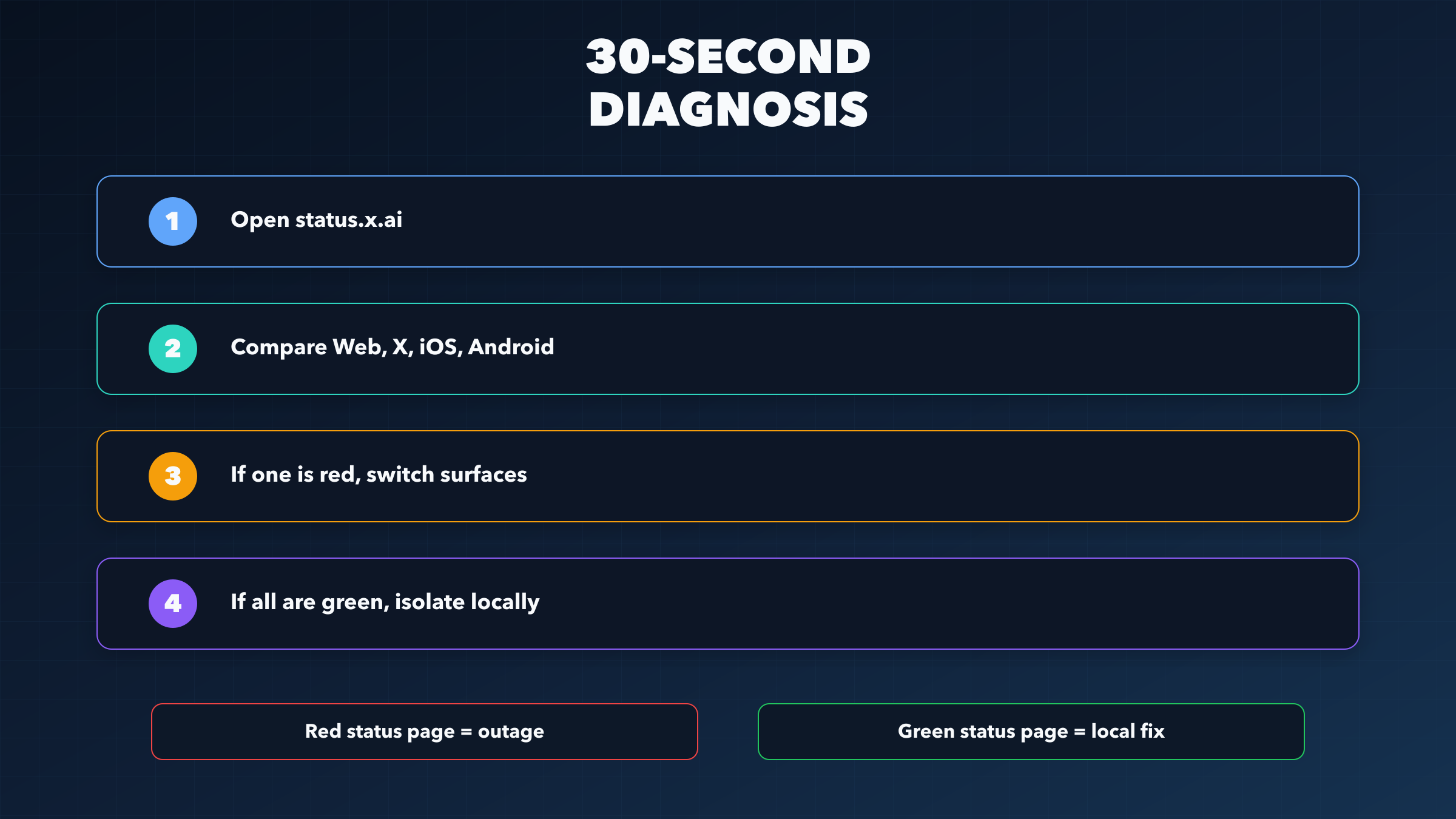
The fastest reliable diagnosis takes four moves.
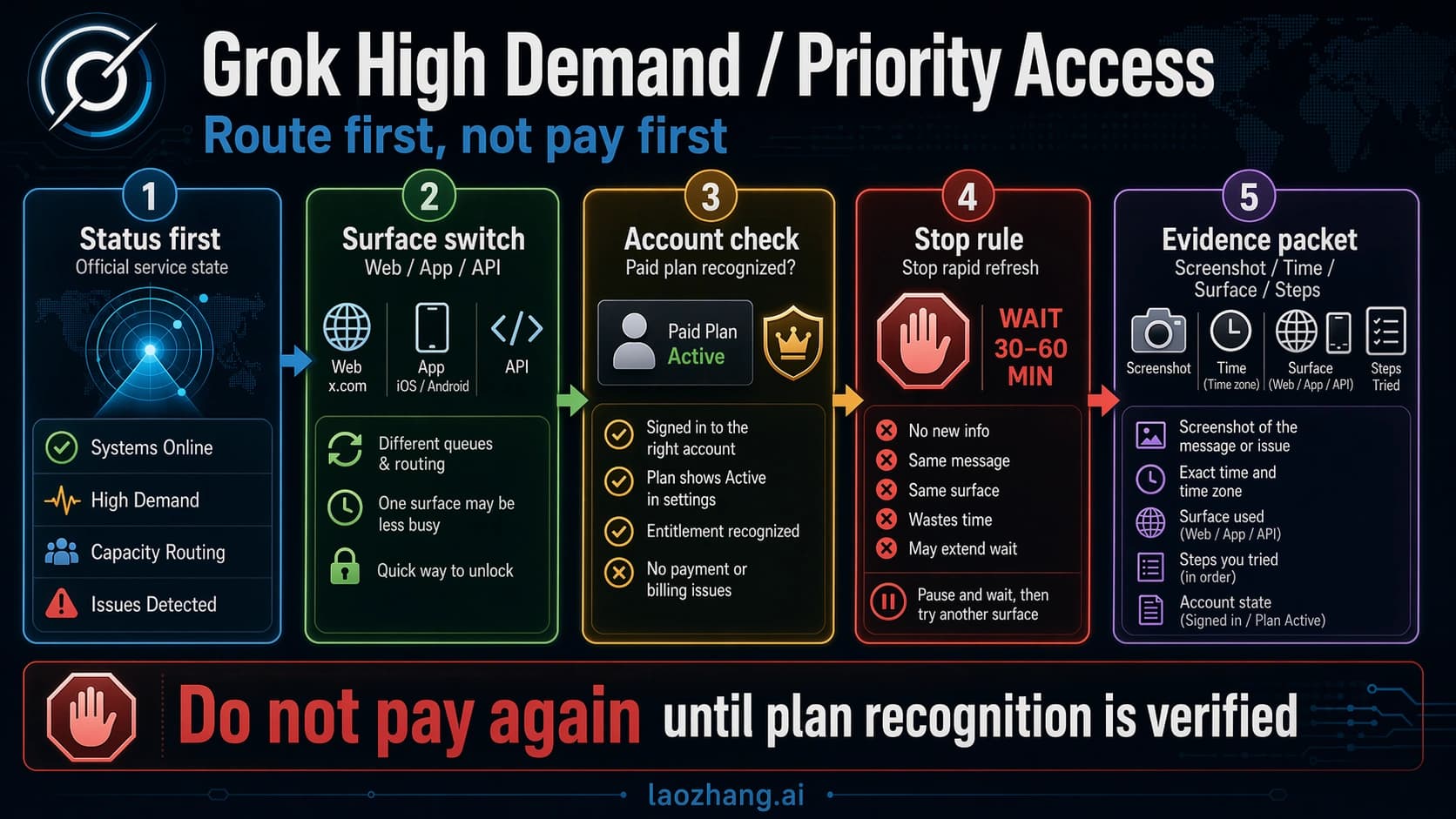
Step 1: Open the official status pages. Start at status.x.ai and then check the surface pages that matter most to you: Grok Web, Grok in X, Grok on iOS, and Grok on Android. If one of those pages already shows an outage, stop guessing. You have your answer.
Step 2: Compare surfaces, not just the one you are on. This is the part most people skip. If Grok fails inside X but Grok Web is healthy, your best move is probably to switch surfaces, not to keep hammering refresh on the failing one. xAI's own incident pages reinforce this behavior by listing alternative Grok entry points during outages. That is a useful clue: the company expects users to move between surfaces when the issue is uneven.
Step 3: Check whether the failure travels with your account or stays with one device. If the web app fails in your main browser, test it in a private window. If X fails on desktop, try the mobile app. If the iOS app fails, try Grok Web. A failure that follows you everywhere is much more likely to be an active service issue. A failure tied to one browser profile or one device is usually local.
Step 4: Decide whether to wait or troubleshoot. If the status pages are red, you are in wait-or-switch mode. If they are green, you are in isolate-and-fix mode. Do not mix the two. A lot of wasted time comes from treating a confirmed outage like a browser bug, or treating a stale login like a global platform failure.
That is the real value of the 30-second check. It changes the next five minutes. Instead of thrashing between refreshes, you make one clear branch decision.
What to Do When the Status Page Is Green
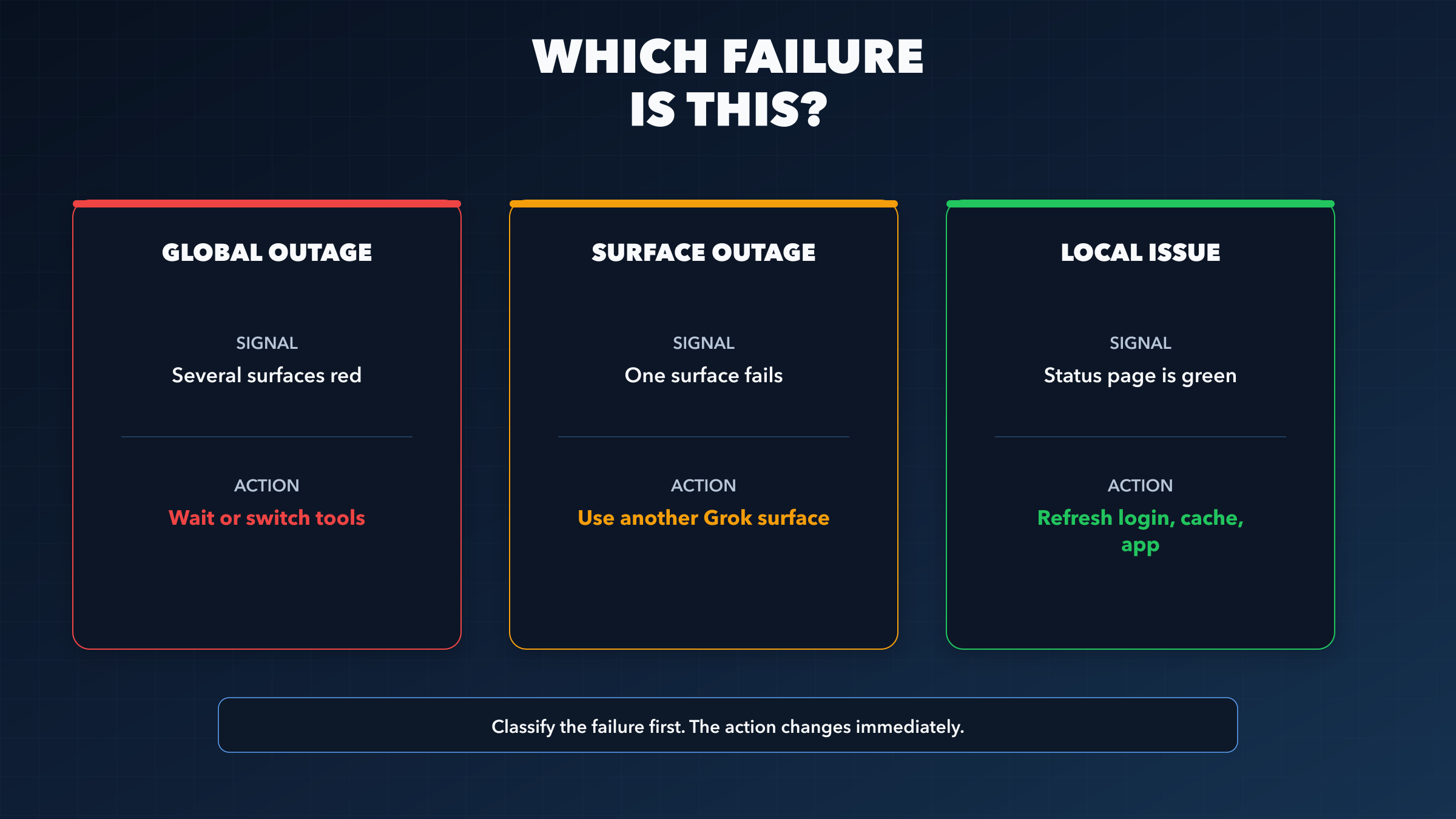
If the official pages are green and Grok still fails for you, assume local trouble until proven otherwise. That does not mean the platform is flawless. It means the highest-probability explanation is now your session, browser state, extension stack, app version, or network path.
Start with the simplest isolation moves.
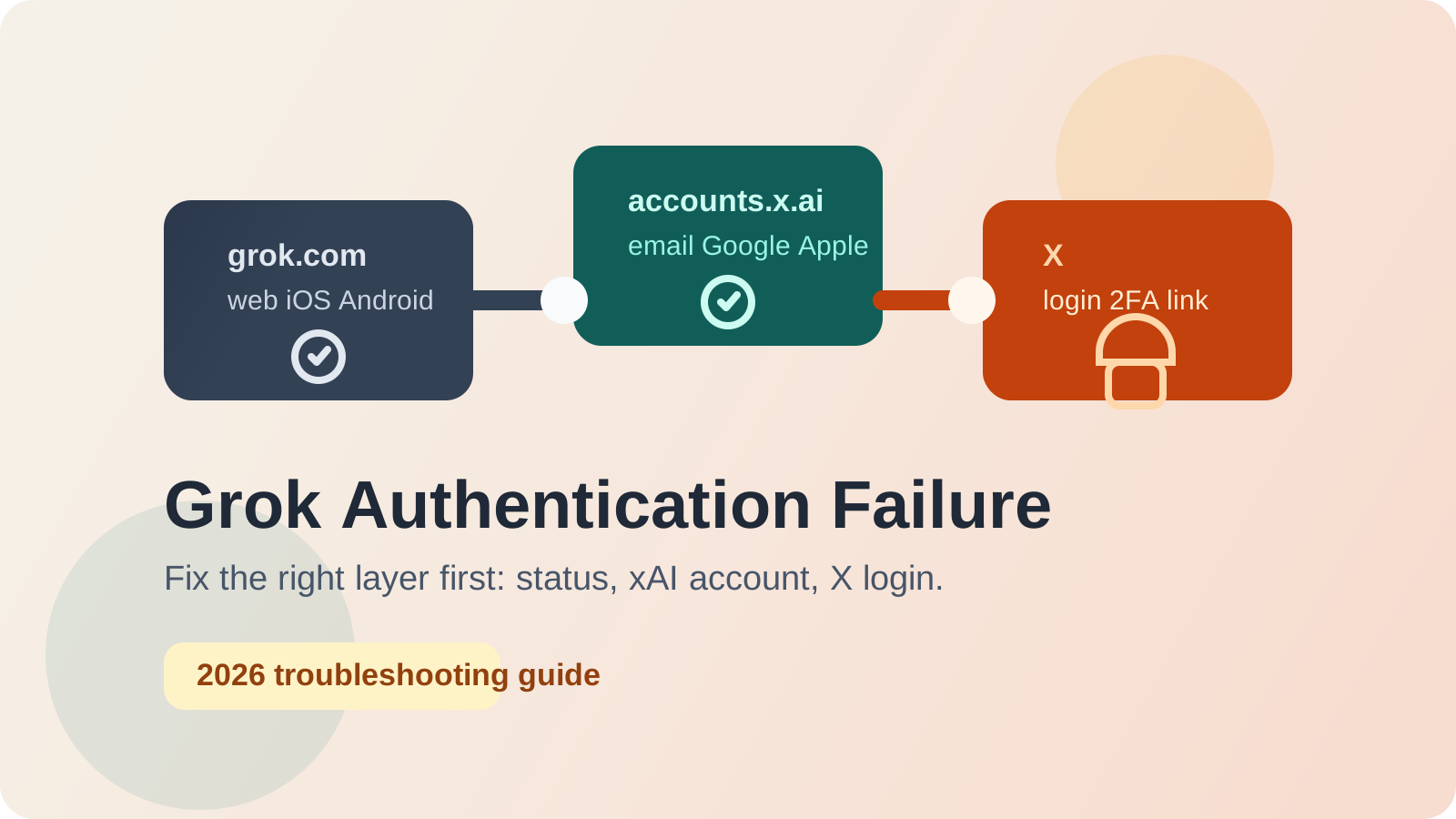
Force a fresh session. Reload the page hard, open Grok in a private or incognito window, and log out and back in if the failure is tied to your X account session. Authentication issues often present like service errors because the front end cannot complete the request cleanly, even though the back end is fine.
Strip the browser down temporarily. Privacy extensions, aggressive content blockers, script blockers, and some VPN routes can break modern web apps in ways that look like platform failure. You do not need to disable everything forever. The goal is just to learn whether the error disappears in a clean browser state. If it does, the problem is local and repeatable, which is much better than a vague suspicion that "Grok is down."
Switch networks or devices. If Grok works on mobile data but not on your office Wi-Fi, you have a routing or filtering problem, not an xAI outage. If it works on another device under the same account, your current device or app install is the more likely culprit.
Update or restart the app. On iOS or Android, stale client versions and stuck background state can keep producing the same failure message after the incident itself is gone. A full app restart, update, or reinstall is often faster than waiting around for a problem that has already been fixed upstream.
Do not keep testing the same broken path. If Grok Web fails in one browser profile, but Grok in X or mobile works, stop spending time on the failing path until you have finished the urgent task. Complete the work on the healthy surface first, then come back and clean up the broken one later.
These are practical isolation steps, not official root-cause disclosures from xAI. That distinction matters. The value here is operational: when the official pages show green, the fastest way back to a working session is to test what changes when you alter the surface, browser state, or network.
Recent Official Incident History
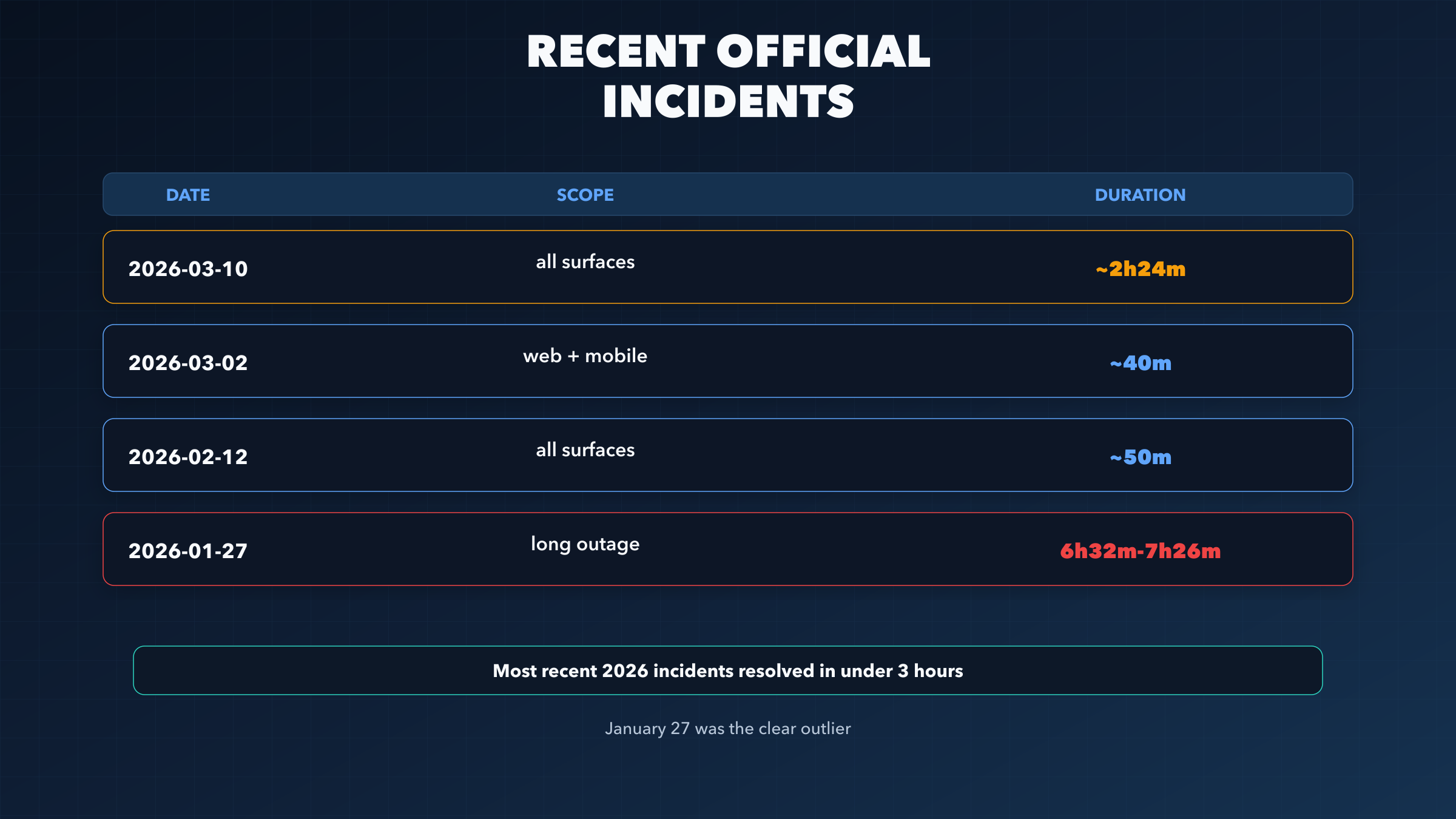
Recent official incident history gives you something most generic "is it down?" pages do not: a realistic sense of how long it is worth waiting before you change your plan.
The clearest recent example is March 10, 2026. The official status pages show a broad incident that affected Grok Web, Grok in X, iOS, and Android at roughly the same time. Recovery was fairly consistent across surfaces, landing around 2 hours 23 minutes to 2 hours 25 minutes. That is not a five-minute blip, but it is also not an all-day collapse. If you had urgent work during that window, blindly refreshing the same surface would have been a poor strategy.
Then there is March 2, 2026, a shorter interruption that the official pages show resolving in about 40 to 41 minutes across web and mobile surfaces. That is the kind of incident where waiting may actually be faster than rebuilding your workflow elsewhere, especially if your work is not time-critical.
On February 12, 2026, the official pages show another short cross-surface incident, this time resolving in about 49 to 53 minutes depending on the surface. That reinforces a useful pattern: not every Grok outage is dramatic. Some are short enough that your best move is simply to verify the official page, confirm the scope, and return later.
The outlier is January 27, 2026. The official web incident page showed the message "Grok is experiencing an outage. We are working to restore service." The Grok in X incident page said Grok in X was currently unavailable for most users. Recovery took far longer than the March events: about 6 hours 32 minutes on X and 7 hours 25 to 7 hours 26 minutes on web and mobile surfaces. That is the kind of outage where the right decision is not patience. It is contingency planning.
This history is why a simple yes-or-no status answer is not enough. What matters is whether you are looking at a short interruption, a single-surface incident, or an extended multi-surface event. The message on your screen looks similar in all three cases. The right response does not.
Wait, Switch Surfaces, or Walk Away?
You do not need a perfect forecast. You need a decision rule that is good enough under pressure.
If the outage is under an hour and the official pages already show active investigation or recovery, waiting is usually reasonable. Recent March incidents fit that pattern. If only one surface is affected, switching surfaces is better than waiting. Move from X to Web, or from a mobile app to the browser, and keep going.
If the outage is cross-surface and approaching two to three hours, you should stop treating it like a minor interruption. At that point the question becomes whether the task itself is urgent. If it is, switch to another assistant or postpone the Grok-specific part of the workflow. If the task is non-urgent, keep an eye on the official pages and return when the incident is resolved.
If the outage starts to resemble January 27, 2026, where multiple surfaces stay unavailable for most of the day, the decision is simple: stop waiting. Do not lose an afternoon to manual refreshes. Use a backup tool for the immediate task or pause the work until xAI closes the incident.
The better mental model is not "How attached am I to Grok right now?" It is "What is the cost of waiting compared with the cost of switching?" Short incidents make waiting cheap. Long cross-surface incidents make waiting expensive very quickly.
FAQ
Is Grok down right now?
Check status.x.ai first. On March 28, 2026, the official pages for Grok Web, Grok in X, iOS, and Android all showed fully operational. That can change, so the current official page matters more than any static article.
Does "Grok is experiencing issues" mean my subscription is gone?
Not by itself. It is usually an availability-style failure message, not a subscription verdict. Check the official status pages first. If they are green, then test your login, app state, and browser session.
Why does one Grok surface work while another fails?
xAI tracks Grok by surface. Web, X, iOS, and Android can experience different symptoms at the same time. That is why checking only one entry point can mislead you.
What if the official status page is green but Grok still does not work?
Treat it as a local issue first. Use a private window, re-authenticate, disable extensions or VPN temporarily, try another device, and update the app if you are on mobile.
How long do Grok outages usually last?
Recent official incidents in March and February 2026 resolved in roughly 40 minutes to about 2.5 hours. The major January 27, 2026 event lasted much longer, around 6.5 to 7.5 hours depending on the surface.
Should I keep refreshing or switch tools?
If one surface is broken, switch surfaces. If all surfaces are red and the task is urgent, switch tools. If the outage is short and clearly active on the official page, waiting is usually fine.
Bottom Line
The useful answer to "Is Grok down?" is not just a status color. It is a branch decision. Check the official xAI pages, compare surfaces, and then choose the branch that fits what you see. That is the difference between wasting thirty minutes in the wrong troubleshooting mode and getting back to work quickly.