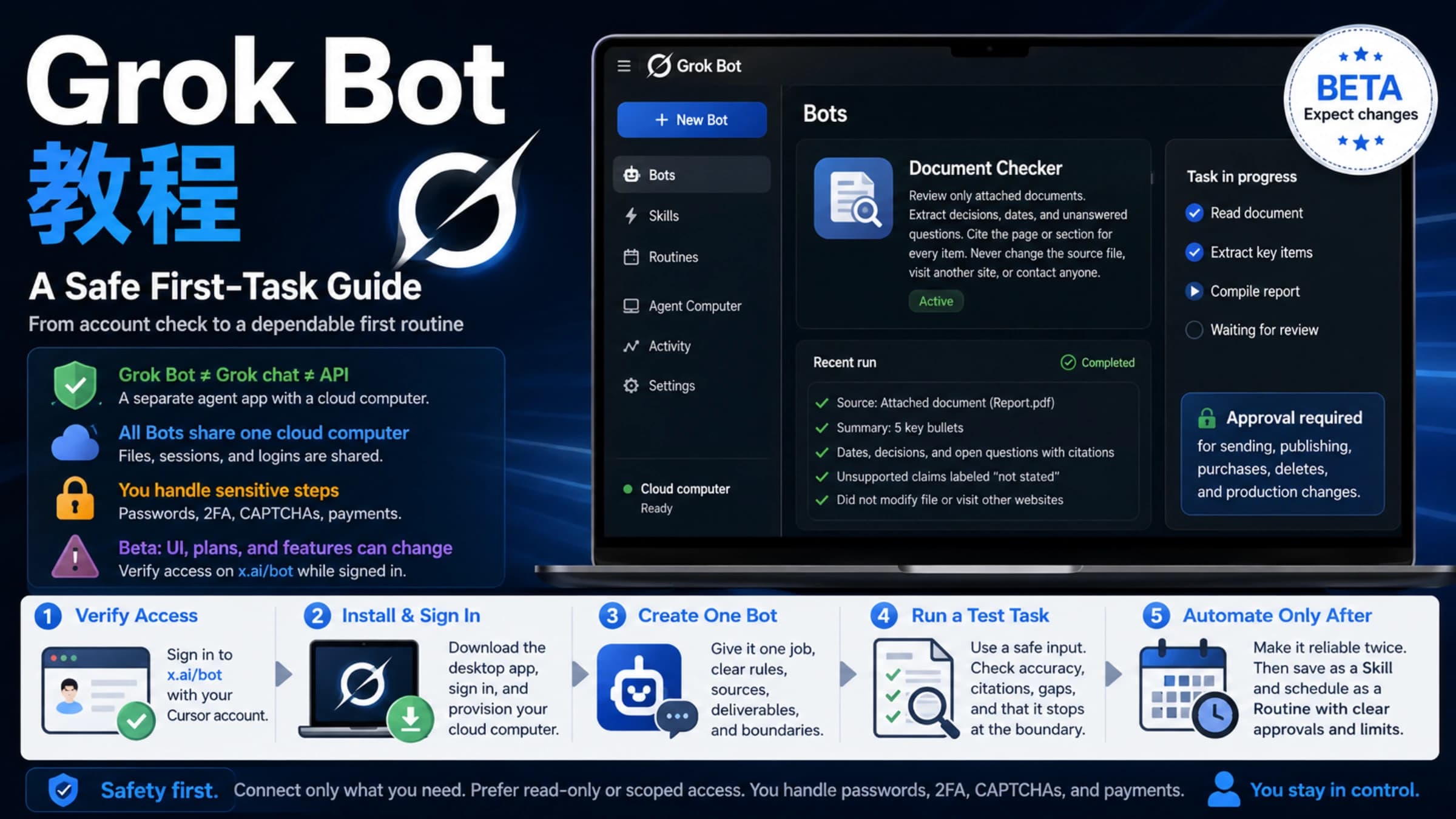
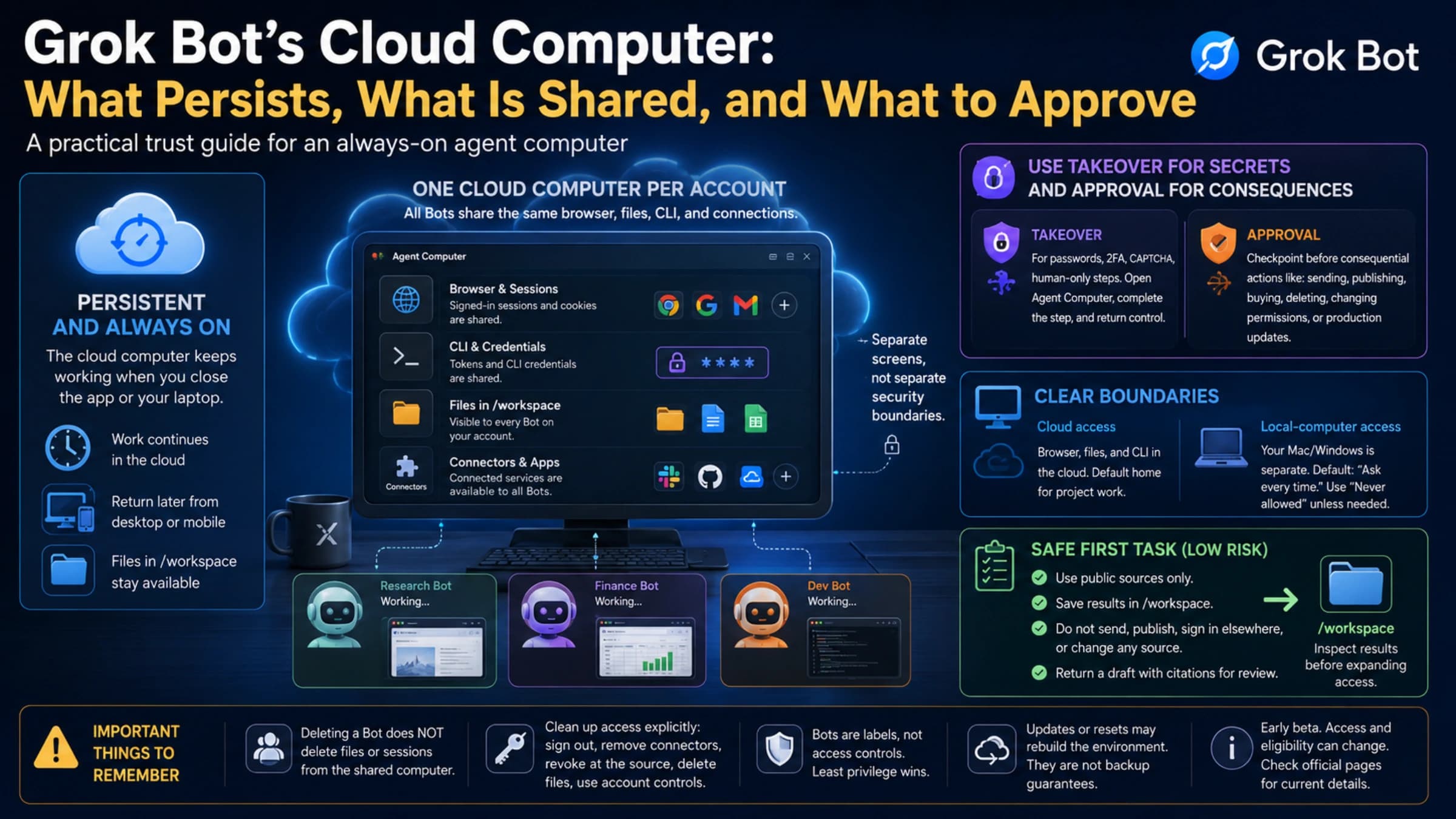
Grok Bot X Subscription Pricing: $30 Minimum, Not the $8 Plus
New customers get Grok Bot only on The X Subscription Premium ($30/mo or $300/yr) or higher. Plus and Free exclude it; tax and top-ups cost extra.
On this page
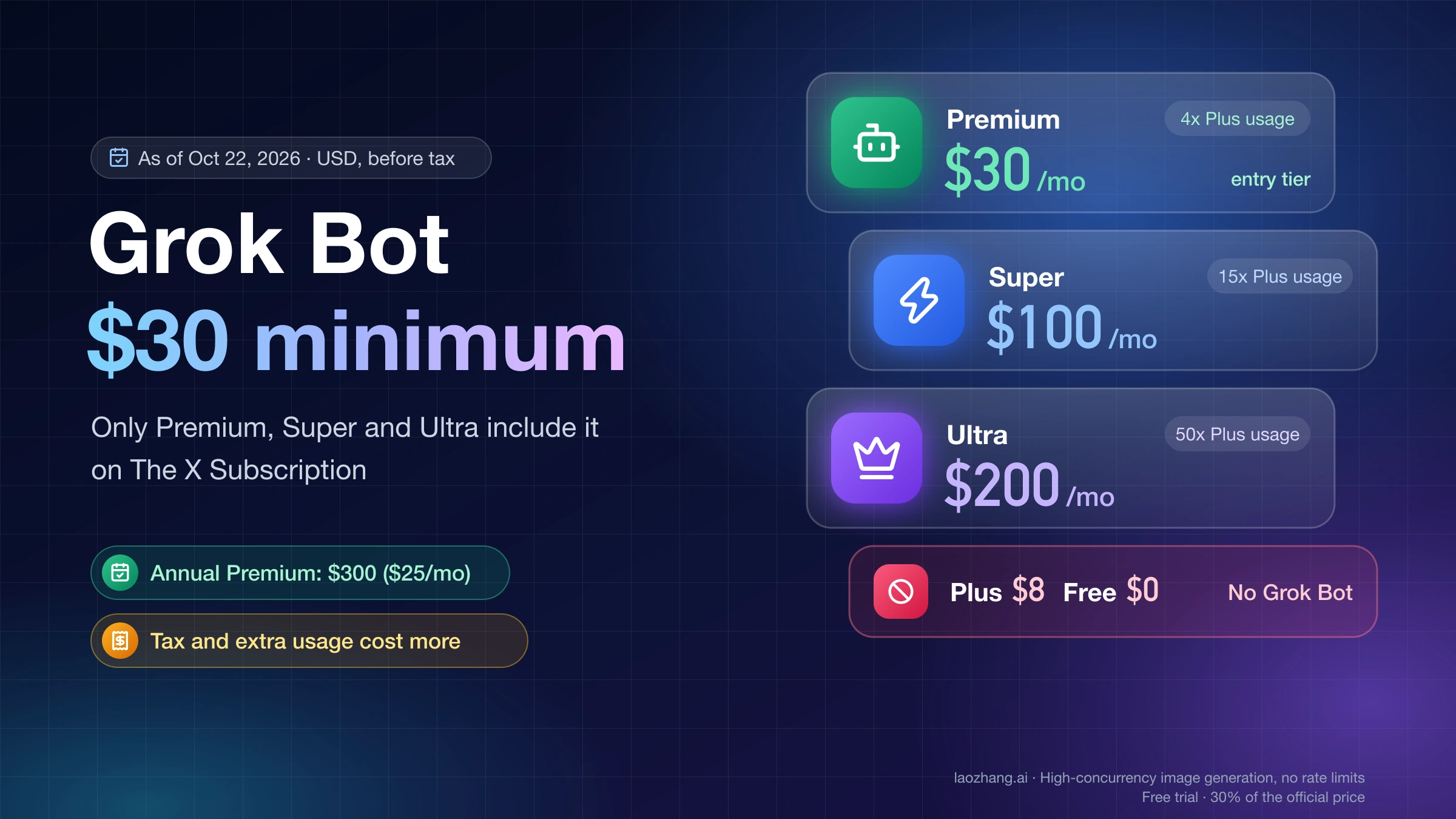
As of October 22, 2026, the cheapest way for a new customer to get Grok Bot is The X Subscription Premium at $30 a month, or $300 a year (which works out to $25 a month). The $8 Plus plan and the Free plan do not include Grok Bot at all. Super ($100) and Ultra ($200) include it too and only add more weekly usage. All prices are in US dollars, before sales tax or VAT, per xAI's X Subscription pricing page.
If you already pay for legacy Cursor Pro, Pro+, Ultra or Cursor Teams, or for SuperGrok, SuperGrok Plus, SuperGrok Heavy or X Premium+, you may already have Grok Bot and don't need to buy anything. Switching to The X Subscription is optional and can't be undone.
Which X Subscription plans include Grok Bot: Premium, Super and Ultra
The X Subscription launched on October 12, 2026, and replaced the separate SuperGrok, Cursor and X Premium sign-ups for new customers. It has five individual tiers. Only the top three include Grok Bot.
| Plan | Monthly | Annual (per-month equivalent) | Included usage | Grok Bot |
|---|---|---|---|---|
| Free | $0 | $0 | Limited | No |
| Plus | $8 | $80 ($7) | Base | No |
| Premium | $30 | $300 ($25) | 4x Plus | Yes |
| Super | $100 | $1,000 ($84) | 15x Plus | Yes |
| Ultra | $200 | $2,000 ($167) | 50x Plus | Yes |
List prices from xAI's X Subscription pricing docs and x.ai/pricing, as of October 22, 2026. Tax excluded. The per-month figures are xAI's rounding.
xAI's Grok Bot page puts it plainly: "The Plus plan doesn't include Grok Bot. To use Grok Bot, choose Premium or higher" (Grok Bot on The X Subscription). Cursor's help page says the same about Free.
Premium also adds the latest Grok models, faster chat responses, image and video generation, code hosting with AI code reviews, cloud agents and, once you connect a personal X account, full X Premium+ benefits. Super adds priority model access at peak times. Ultra adds earliest access to new products and models.
"Super" is a new tier name. It is not SuperGrok, the old standalone Grok plan. SuperGrok still works for people who already have it, but new customers buy The X Subscription.
What subscription do I need for Grok Bot? Pick by your situation
The answer depends less on features than on what you already pay for and how much agent work you plan to run.
| Your situation | Lowest plan that gives you Grok Bot | Fixed cost before tax |
|---|---|---|
| New to Grok, Cursor and X Premium | The X Subscription Premium | $30/mo, or $300/yr |
| You run agents every day and Premium's pool keeps running out | Super | $100/mo, or $1,000/yr |
| You pay for X Premium+ and want to keep those benefits | Premium or higher | $30/mo, or $300/yr |
| You already have legacy Cursor Pro, Pro+, Ultra or Cursor Teams | Nothing new; Grok Bot is included | What you pay now |
| You have SuperGrok, SuperGrok Plus, SuperGrok Heavy or X Premium+ | Link it to Cursor from the Grok Bot plan screen | What you pay now |
| You have a seat on a self-serve Grok Business plan | Sign in to Grok Bot with that Grok account | Covered by the seat |
| You're on SuperGrok Lite, Plus or Free | Upgrade (Grok Bot isn't included) | $30/mo and up |
xAI's own advice on x.ai/pricing lines up with this: Premium for new AI users, Super for daily agent users, Ultra for power users, and Plus only for social creators with limited AI usage.
Start on Premium unless you already know you need more. On the web, an upgrade starts right away and checkout shows how your remaining time is credited. For downgrades, xAI's upgrade and downgrade page only says the change and next charge are shown before you confirm, and it promises no refund for stepping down mid-cycle. Moving up later is the safer direction.
Monthly or annual: an annual plan costs ten months' price
Every annual price is exactly ten times the monthly price, so paying yearly gets you two months free if you keep the plan all year.
| Plan | 12 × monthly | Annual | You save |
|---|---|---|---|
| Plus | $96 | $80 | $16 |
| Premium | $360 | $300 | $60 |
| Super | $1,200 | $1,000 | $200 |
| Ultra | $2,400 | $2,000 | $400 |
The break-even point is the same for every tier: the annual plan only pays off if you'd otherwise stay subscribed for more than ten months ($300 ÷ $30 = 10 for Premium).
Buy monthly first if you're not sure Grok Bot fits your work, or not sure Premium's pool is big enough. xAI's cancellation page explains how to cancel at any time but says nothing about refunding unused months on an annual plan, and the pricing page asks you to cancel at least 24 hours before renewal to avoid another charge.
How much does it cost to run a Grok Bot beyond the plan price?
The plan price is the fixed part. Five things can be added on top, and only some of them happen automatically.
- Sales tax or VAT. xAI's prices exclude tax. Tax may be added at checkout depending on where you live.
- Additional Usage after your weekly pool runs out. Grok Bot draws from one weekly pool shared with Grok chat, Imagine, Voice and Cursor. Once that pool is used up, more first-party usage is paid from prepaid credit that you buy as top-ups.
- Third-party models in Cursor. Claude, GPT and other non-xAI models aren't covered by any plan. They're billed at API list prices from the very first request, paid from the same prepaid credit.
- The Grok API. Paid plans include API access, but API calls are "billed separately at standard model rates and don't draw from your plan's usage pool" (x.ai/pricing).
- Teams only: the Cursor Token Rate. Team plans pay $0.25 per million tokens on top of API pricing for third-party models in Cursor. Individual plans don't pay it, and Grok and Composer models are exempt.
So a realistic monthly bill looks like this:
Monthly cost = plan price + tax + paid Additional Usage + any API usage
Say you're on monthly Premium, set a $20 monthly spending cap, and don't use the API. You can consume at most $20 of paid extra usage in a calendar month, so your spending tops out at $30 + $20 = $50, plus tax. Credit you buy but don't use stays in your balance.
How long does the weekly pool last?
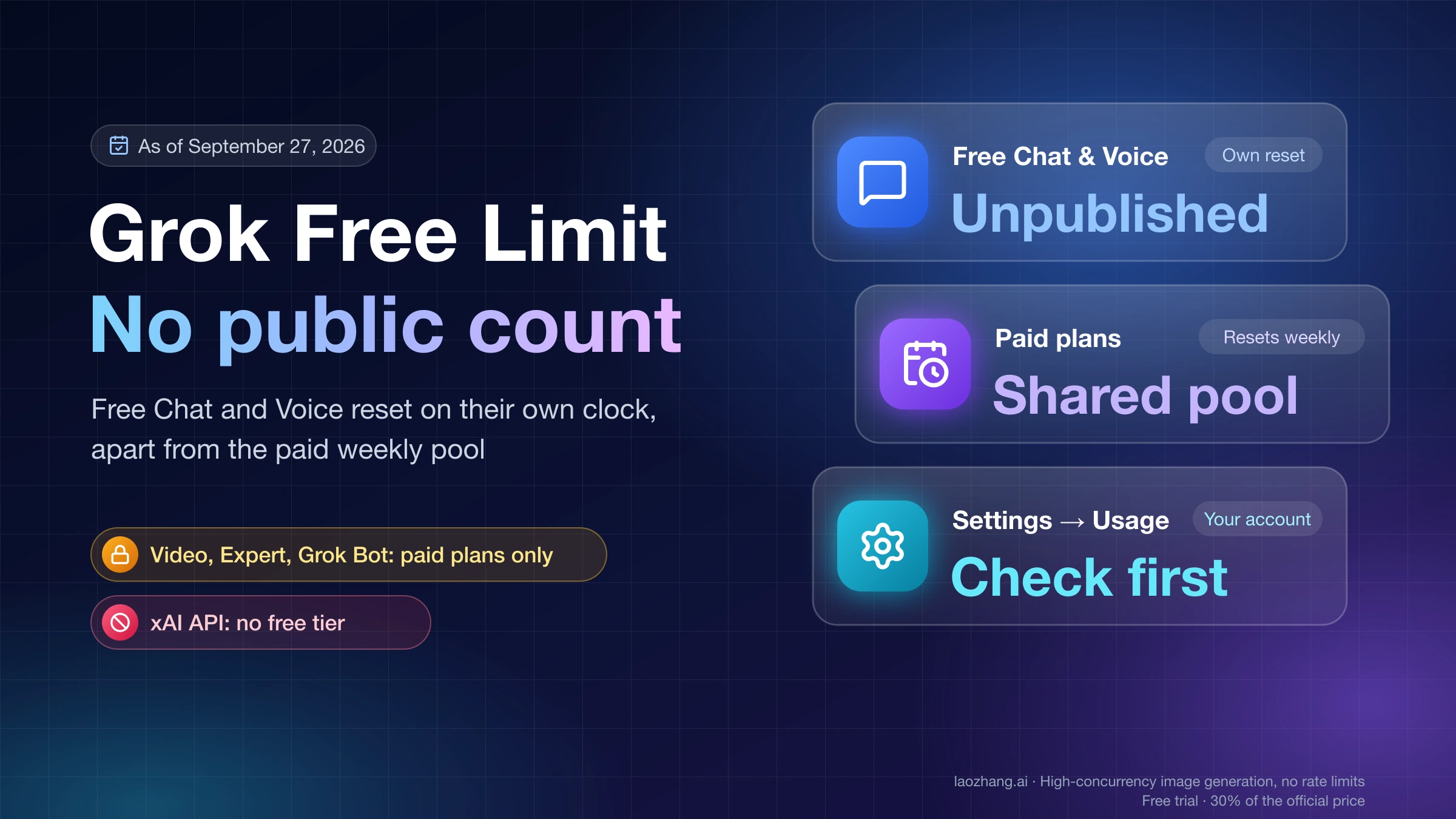
xAI doesn't publish it. No tier has a number of requests, hours or tokens attached, only multiples of Plus: Premium gets 4x, Super 15x and Ultra 50x. xAI also says "usage costs vary by product", so a long Grok Bot job can draw more than a chat. How far Premium goes for your own work is something you find out by watching it. After you subscribe, open Usage at grok.com/dashboard to see what's left and the next reset date. The pool refreshes weekly, so one heavy day doesn't use up the whole month.
Stop surprise charges: Auto Top-up, spending cap and prepaid credit
You only pay for extra usage if you let it happen. All the controls are under Additional usage credits on grok.com/dashboard/billing.
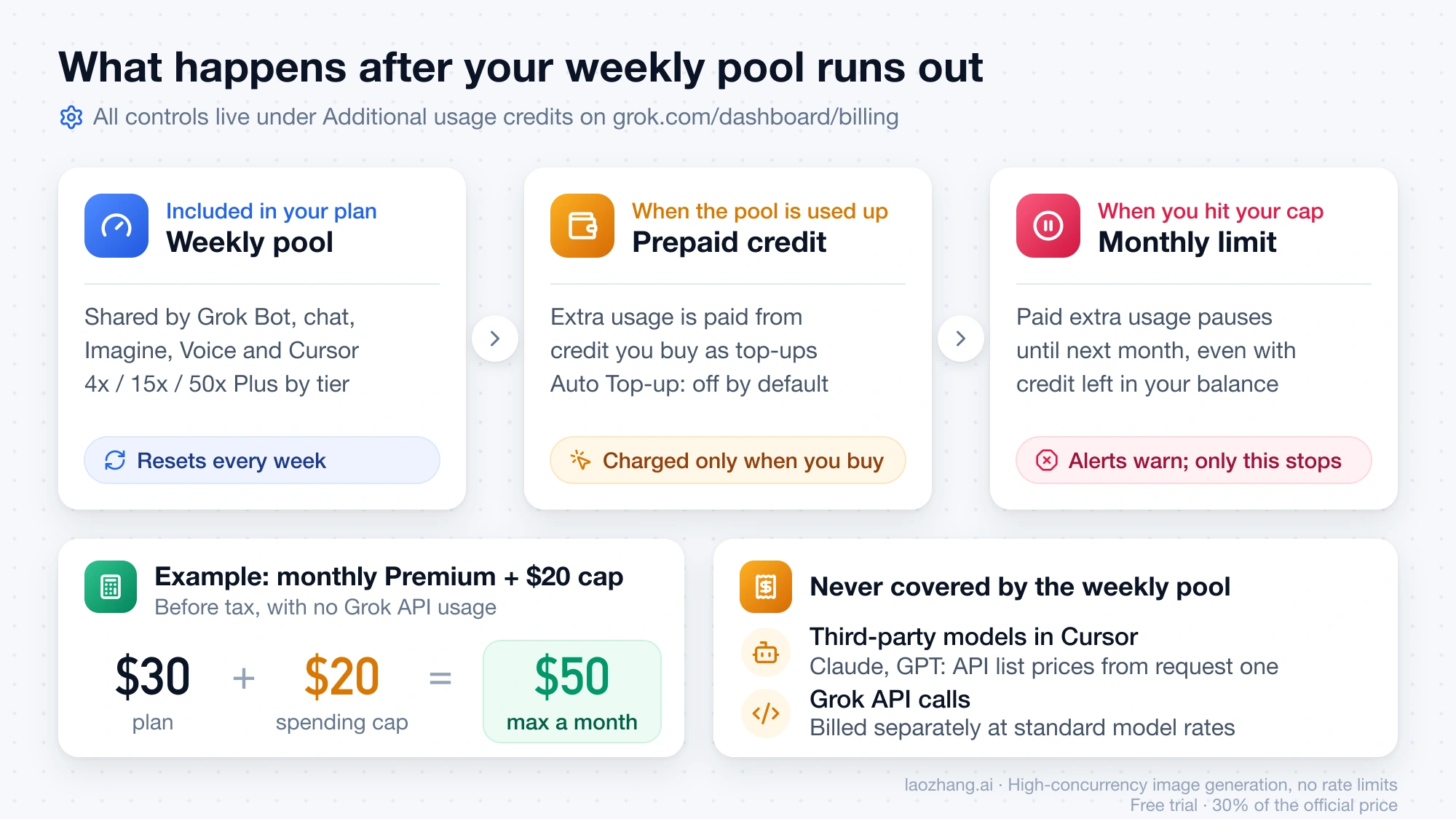
- Auto Top-up is off by default. It "only runs after you enable it", and switching from an old plan doesn't turn it on (xAI's extra usage docs). With it off, you're charged only when you click Buy credits yourself.
- Set a monthly additional usage limit. This spending cap counts the paid extra usage you consume, not the credit you add. Once you hit it, paid extra usage pauses until next month, even if credit is left in your balance. Leave it unset and there's no cap.
- Alerts warn, they don't stop. Spend alerts, where available, don't block usage. Only the monthly limit is a hard stop (xAI's spending caps docs).
- Know what happens when everything runs out. With Auto Top-up off, extra usage stops once your weekly pool and your prepaid credit are both used up. You can buy credits, upgrade, or wait for the weekly reset.
- Prepaid credit you've already spent can't be refunded, according to Cursor's Grok Bot plans page.
If you turn Auto Top-up on, you choose the balance that triggers a top-up and the amount it adds. Set the monthly limit at the same time so automatic refills can't keep funding usage past the amount you're willing to spend.
xAI doesn't publish a fixed price per credit. You choose how much to add in each top-up.
Is Grok Bot free anymore?
No, not for new customers. The X Subscription Free plan and the $8 Plus plan don't include Grok Bot, and no first-party page describes a free trial for new X Subscription accounts.
Cursor's Grok Bot plans page still describes a trial on legacy Cursor plans. It's a usage credit with a 7-day window, and a single long agent run can use all of it. Used trial credit isn't restored. Don't count on getting that trial when you sign up today.
Promotions can add credit grants, which appear under Credit grants on your billing page with an expiry date. xAI also mentions "limited-time offers" for people switching from old plans, shown in billing settings, but doesn't publish the amounts.
Already on SuperGrok, Cursor or X Premium+: should you switch?
You don't have to. Existing SuperGrok, Cursor and X Premium plans "continue unless you change or cancel them" (Do I have to switch?).
Before October 12, the main routes to Grok Bot were plans like Cursor Ultra ($200) or SuperGrok Heavy ($300). Those routes still work, but only for people who already have them.
Which legacy plans still give you Grok Bot
According to Cursor's Grok Bot plans page, these still include or unlock Grok Bot without switching:
- Legacy Cursor Pro, Pro+ and Ultra (usage rises from Pro to Ultra), and every member of a legacy self-serve Cursor Teams plan.
- SuperGrok, SuperGrok Plus, SuperGrok Heavy or X Premium+, linked to your Cursor account from the Grok Bot plan screen.
- An assigned seat on a self-serve Grok Business plan.
Having two of these doesn't double your usage. "A Cursor plan and a link do not add together. Grok Bot uses whichever one grants more weekly usage." Existing Cursor customers can still move between Cursor Pro, Pro+ and Ultra without switching, except for plans billed through the Apple App Store.
When switching saves money
xAI says Premium includes "the benefits of SuperGrok, Cursor Pro, and X Premium+, previously $90/month combined" (Introducing The X Subscription). That figure is xAI's own sum of the old list prices. It only counts as a saving if you were really paying for all three.
A simple test works better:
- Add up what you pay each month today for SuperGrok, Cursor and X Premium or Premium+.
- Compare it with the X Subscription tier whose usage you need ($30, $100 or $200).
- Switch only if the new total is lower, or the same price for more than you get now.
If you pay only for legacy Cursor Pro, you already have Grok Bot. Switching makes sense only if a 4x pool shared with Grok, plus X Premium+ benefits, is worth the difference between your Cursor bill and $30. xAI also says each X Subscription plan includes "at least twice as much coding usage with our models as the comparable Cursor plan", but that's xAI's claim, not a measured result.
What happens to your money when you switch
- It's permanent. xAI says a completed switch "can't be undone, and Support can't undo it for you." Canceling The X Subscription later doesn't bring your old plans back.
- You pay the full new price first. The old Cursor, SuperGrok and paid X Premium subscriptions you include are canceled at checkout. The prorated refund for unused time goes back to the original payment method separately. It isn't taken off the checkout total and isn't added as credit. Depending on your bank, it can take a few days to show up.
- A new billing cycle starts on the day you switch.
- A Cursor credit balance doesn't lower checkout. You're charged in full, then the credit refunds that charge, and any credit left over goes toward future X Subscription charges.
Switching checklist: App Store double billing and other traps
Most problems come from app-store billing and from accounts that can't switch. Check these before you start.
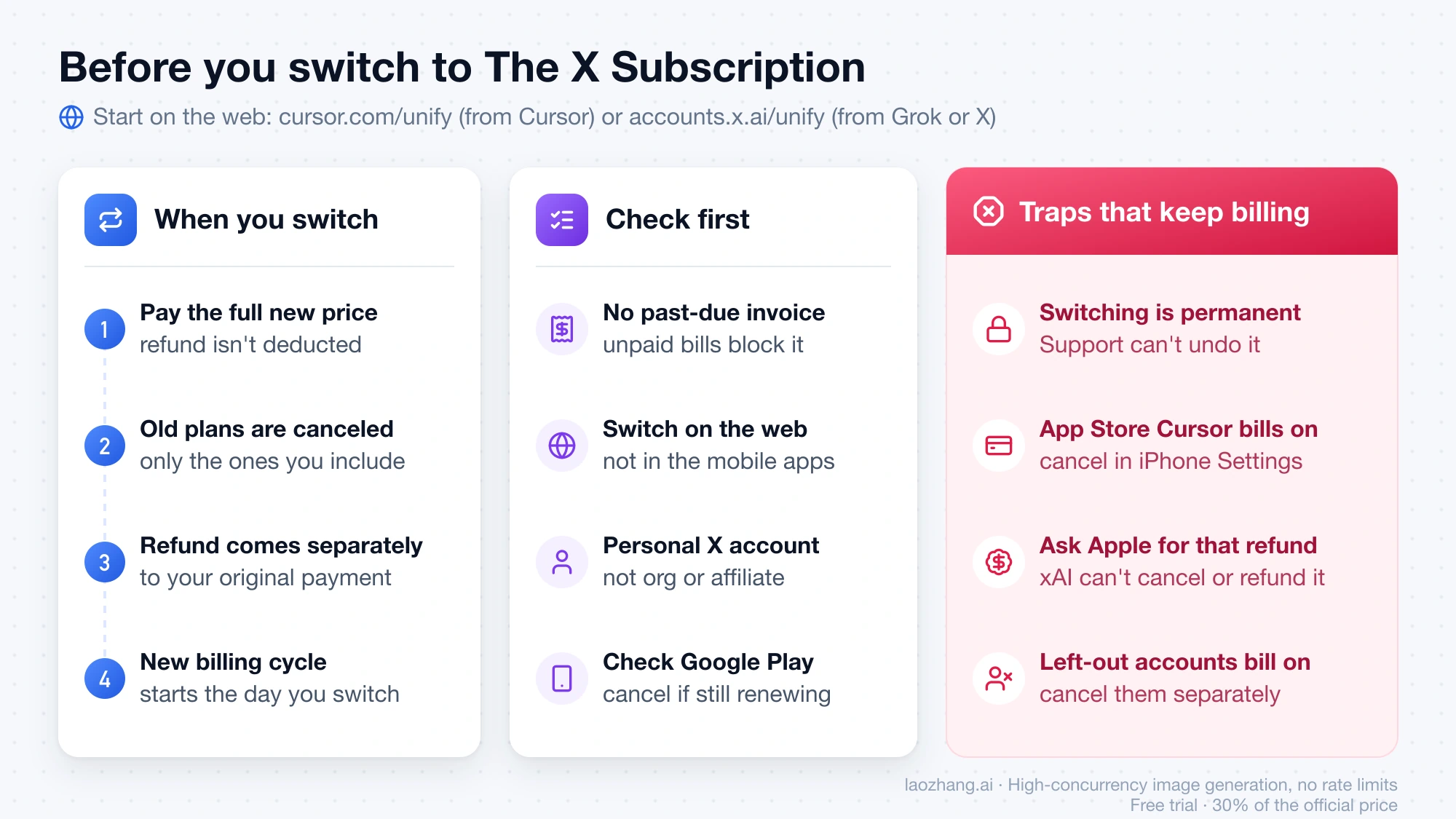
- Cursor bought through the Apple App Store keeps billing. xAI can't cancel or refund it. After you switch, cancel it in your iPhone or iPad Settings (your name › Subscriptions › Cursor), or "you could be billed twice". Ask Apple for any refund (xAI's App Store page).
- Grok, Grok Bot or X Premium bought through the App Store are canceled automatically. xAI asks Apple to refund unused time, and Apple decides.
- Google Play purchases need a manual check. After you switch, open Google Play and cancel the subscription there if it's still set to renew.
- Switch on the web. For people with an existing Cursor, SuperGrok or X Premium plan, switching in the mobile apps isn't available yet.
- Pay any past-due invoice first. An unpaid invoice or past-due balance blocks switching.
- Checkout has to accept your payment method. If it doesn't, pick another supported method. Otherwise your current plan keeps running unchanged.
- Only personal X accounts can be connected. Organization-managed and affiliate X accounts can't receive X benefits.
- Accounts you leave out aren't touched. Subscriptions on accounts that aren't part of the switch keep billing. Cancel them separately if you don't need them.
Starting points: cursor.com/unify if you pay for Cursor, accounts.x.ai/unify if you're starting from Grok or X.
Grok Bot pricing for teams: $30 to $200 per seat
Team plans use the same prices per seat as individual plans: Premium $30, Super $100 and Ultra $200 per seat per month. Every paid seat includes Grok Bot. Plus isn't available for teams. A Free seat is possible, but it doesn't include Grok Bot.
- Mix tiers. You can give heavy users Super and everyone else Premium. Three Premium seats plus one Super seat cost 3 × $30 + $100 = $190 a month before tax.
- Pools aren't shared. Each paid seat has its own weekly pool, so one heavy user can't use up a teammate's allowance. The team shares one prepaid balance for Additional Usage.
- Third-party models cost more on teams. On top of API list prices, teams pay the $0.25 per million token Cursor Token Rate for third-party models. Keep Grok or Composer as the default model if that matters (Cursor Token Rate).
- One cap for the team. Admins set the monthly additional usage limit as a fixed amount or an amount per seat. Only admins can change Auto Top-up.
- Seats bill mid-cycle. Adding a seat or upgrading one charges a prorated amount for the rest of the period. Downgrades and removed seats take effect at the end of the period (team plans docs).
Legacy self-serve Cursor Teams plans still give every member Grok Bot without assigning a special seat. Companies that need invoicing or pooled usage go through Enterprise sales.
Where to buy The X Subscription and which payment methods work
Buy only from xAI: at x.ai/pricing, in your Grok, Cursor or X billing settings, or on the grok.com dashboard. xAI's pricing FAQ says subscriptions are "only sold directly through X Subscription Corp" and that accounts bought from resellers or other third parties "may be suspended or terminated at any time."
Web checkout accepts cards, Apple Pay, Google Pay and Link. Some methods are only offered in certain countries, and checkout shows the ones you can use (payment methods). Invoice and wire payment are for Enterprise only.
Grok Bot itself has no published country list. One related feature does: tagging @bot in a post on X isn't yet available for X accounts based in Australia, the United Kingdom, the European Union, Iceland, Liechtenstein or Norway. This goes by the country X has on record for your account (Tag @bot on X).
Related costs that aren't Grok Bot
- Grok API. Token pricing is a separate bill from any plan. See Grok API Pricing: Model Rates, Billing Rules, and Monthly Costs for per-model rates and monthly estimates.
- Image generation only, through an API. If you just need Grok image output in your own app, laozhang.ai serves
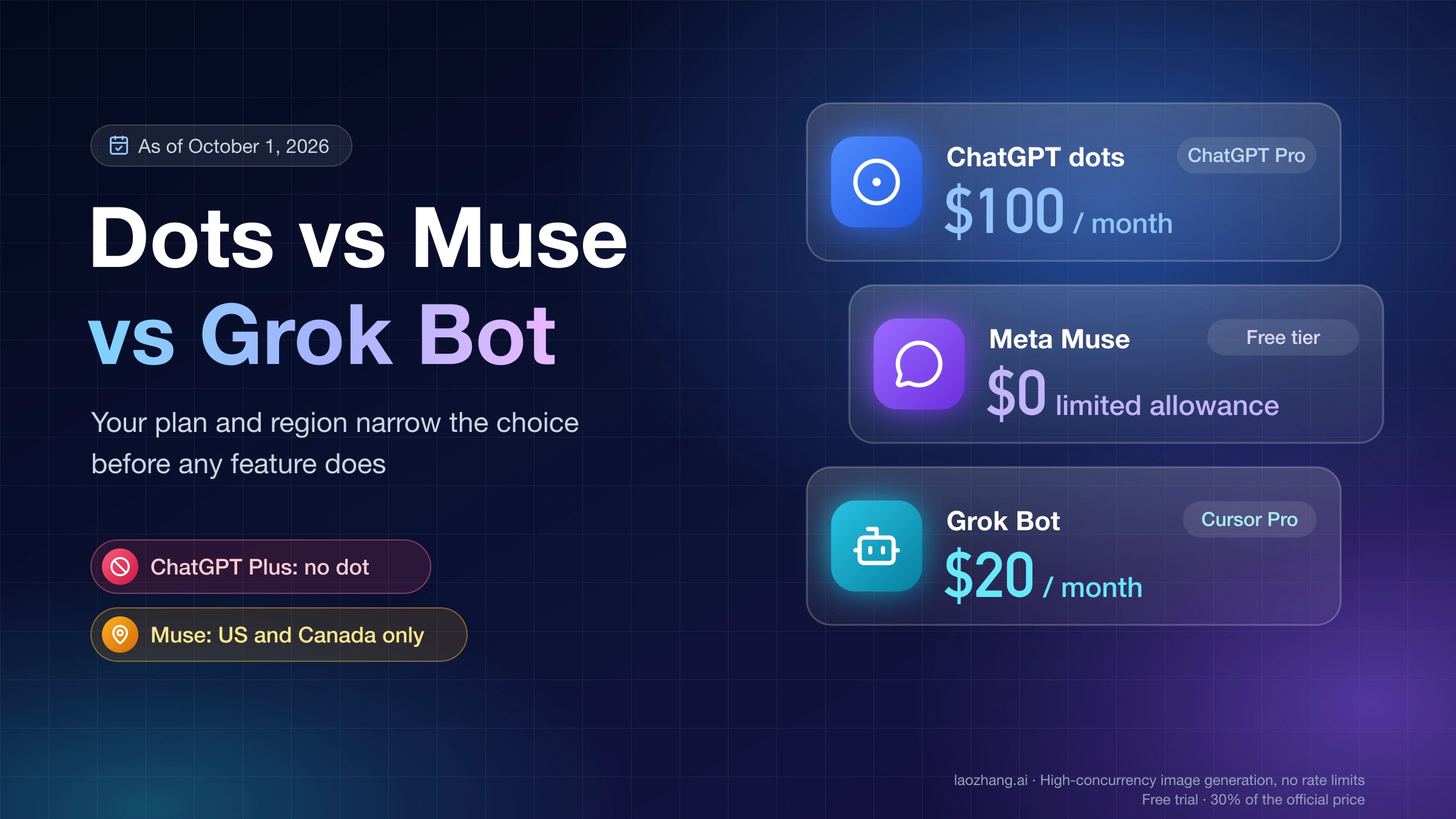
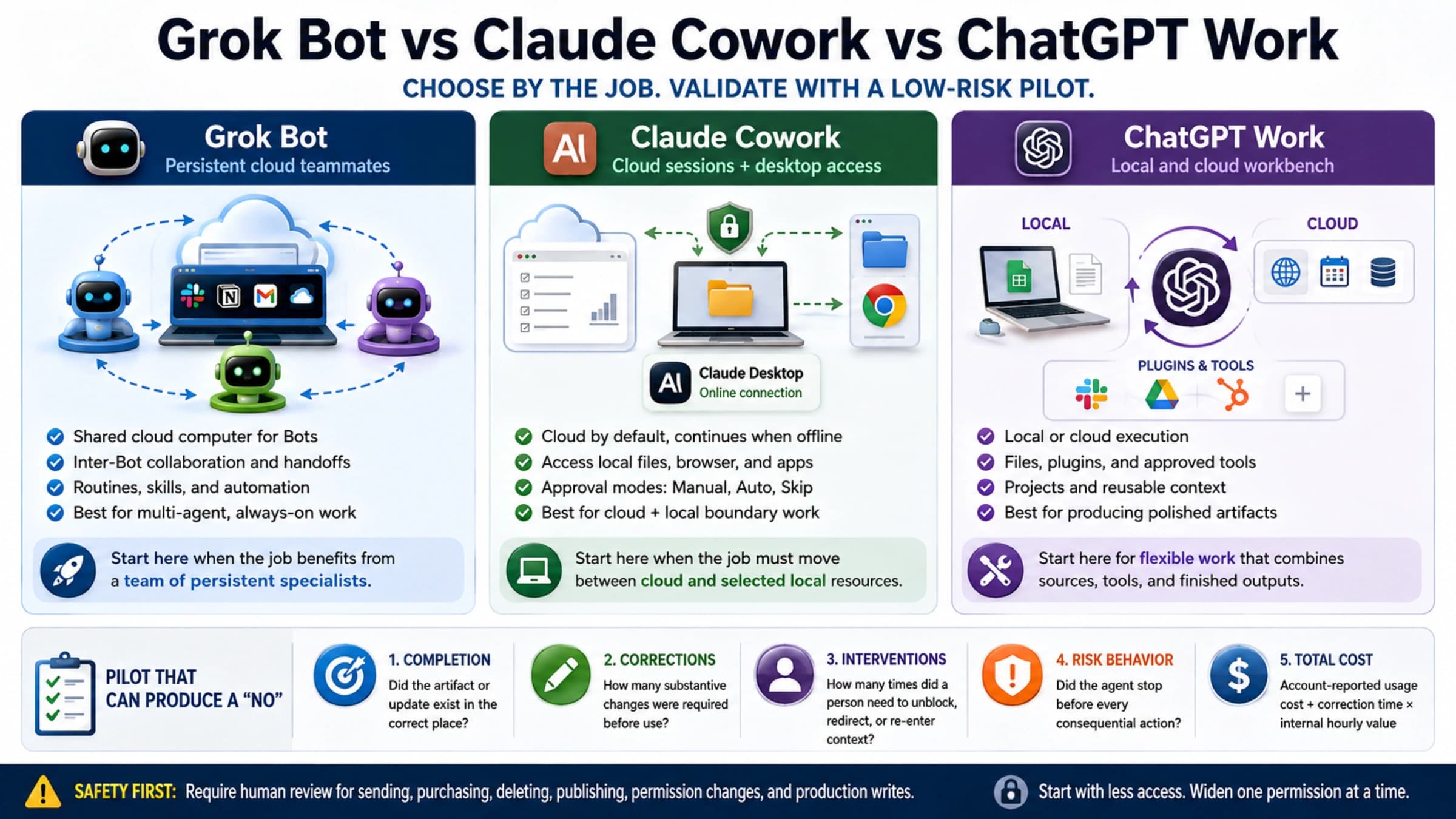
grok-imagine-image-2.0with its own API key, no xAI account needed, at $0.055 per successful image for generation or editing (laozhang.ai Grok Imagine docs). It doesn't include Grok Bot, the weekly pool or any X benefits. - Choosing a different agent. If you're still deciding whether Grok Bot is the right agent, ChatGPT Dots vs Meta Muse vs Grok Bot vs Claude Duet: Entry Costs compares what each one costs to start.
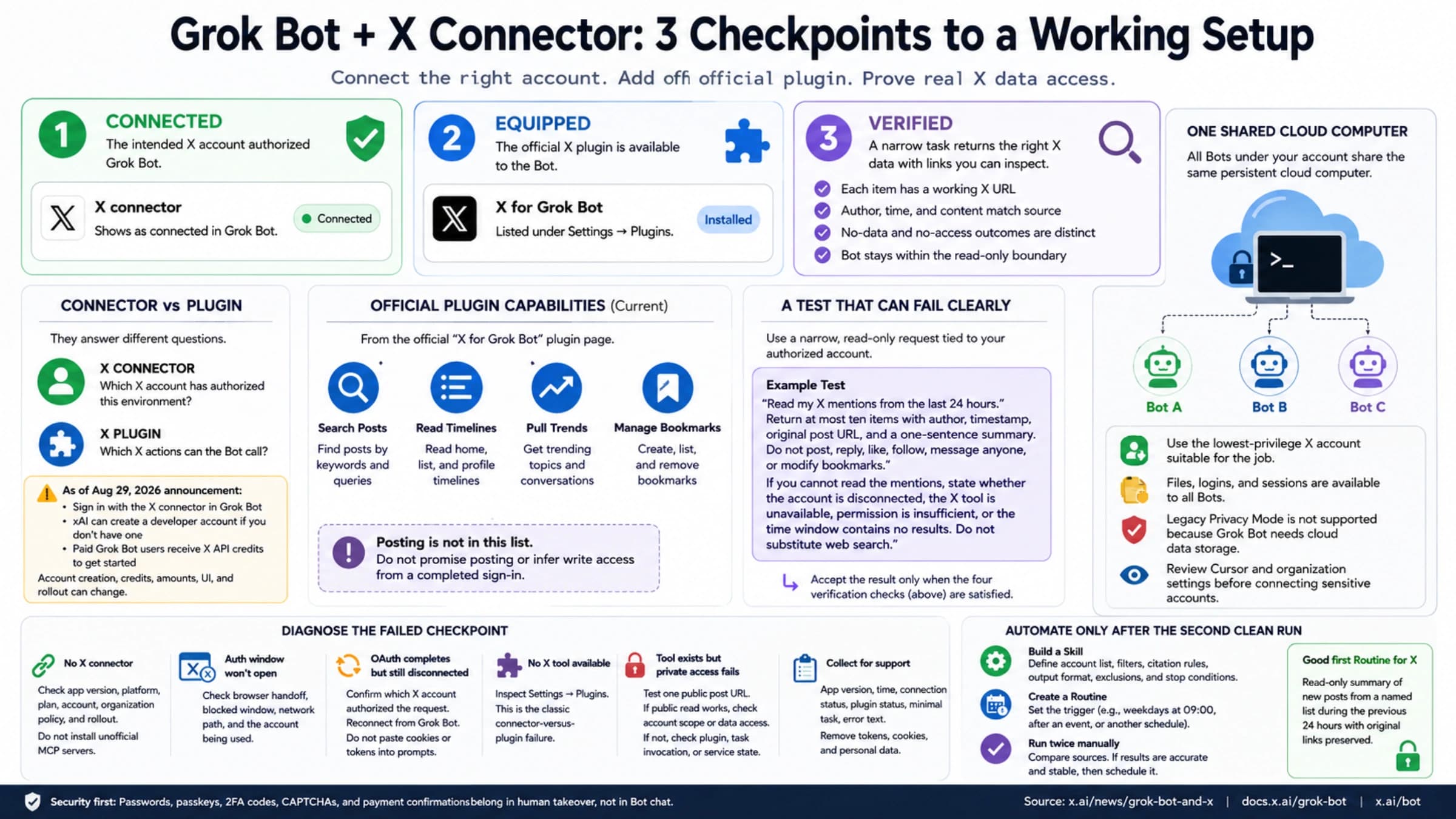
- Setting up after you buy. Grok Bot X Connector Guide: Connect X, Add the Plugin, and Test Access covers connecting X once you have access.
Disclosure: laozhang.ai is our own service. Its prices are platform pricing, not an independent comparison.
FAQ
How much does Grok Bot cost per month?
For new customers, $30 a month on The X Subscription Premium, or $25 a month if you pay $300 for a year. Super ($100) and Ultra ($200) also include it with larger weekly pools. Tax, extra usage top-ups, third-party models in Cursor and API calls are extra.
Is the $8 Plus plan enough for Grok Bot?
No. Plus covers Grok chat, Voice, Imagine, Build, Cursor and some X perks, but not Grok Bot. You need Premium or higher.
What is the Super Grok subscription price now?
SuperGrok is the legacy Grok plan. It keeps working for people who already have it and can still be linked to unlock Grok Bot, but new customers buy The X Subscription instead. Don't confuse it with the new Super tier, which costs $100 a month or $1,000 a year.
Does a Grok Lite subscription include Grok Bot?
No. SuperGrok Lite doesn't include Grok Bot. Cursor's help page says to upgrade to SuperGrok, SuperGrok Plus or SuperGrok Heavy and link again. New customers should go straight to The X Subscription Premium.
Do I still need X Premium if I buy The X Subscription?
No. Premium, Super and Ultra include full X Premium+ benefits once you connect a personal X account. If you currently pay for X Premium on the account you connect, that subscription is canceled when you switch, and the unused time is refunded. For App Store purchases, xAI asks Apple for the refund and Apple decides.
Sources19
External pages this guide links to, in the order they appear. Last updated Oct 22, 2026.
Sources19
External pages this guide links to, in the order they appear. Last updated Oct 22, 2026.
- 1.xAI's X Subscription pricing pagedocs.x.ai/x-subscription/pricing
- 2.x.ai/pricingx.ai/pricing
- 3.Grok Bot on The X Subscriptiondocs.x.ai/x-subscription/grok-bot
- 4.upgrade and downgrade pagedocs.x.ai/x-subscription/upgrade-or-downgrade
- 5.xAI's cancellation pagedocs.x.ai/x-subscription/cancel
- 6.grok.com/dashboardgrok.com/dashboard
- 7.grok.com/dashboard/billinggrok.com/dashboard/billing
- 8.xAI's extra usage docsdocs.x.ai/x-subscription/extra-usage
- 9.xAI's spending caps docsdocs.x.ai/x-subscription/spending-caps
- 10.Cursor's Grok Bot plans pagecursor.com/help/grok-bot/plans
- 11.Do I have to switch?docs.x.ai/x-subscription/do-i-have-to-switch
- 12.Introducing The X Subscriptionx.ai/news/x-subscription
- 13.xAI's App Store pagedocs.x.ai/x-subscription/app-store
- 14.cursor.com/unifycursor.com/unify
- 15.accounts.x.ai/unifyaccounts.x.ai/unify
- 16.Cursor Token Ratedocs.x.ai/x-subscription/cursor-token-rate
- 17.team plans docsdocs.x.ai/x-subscription/team-plans
- 18.payment methodsdocs.x.ai/x-subscription/payment-methods
- 19.Tag @bot on Xdocs.x.ai/grok-bot/tag-on-x