Grok Is Under Heavy Usage Right Now? What the Priority Access Message Means
A fast route board for the Grok heavy-usage message: status first, one surface switch, paid-plan recognition, bounded retry, and support evidence.
On this page
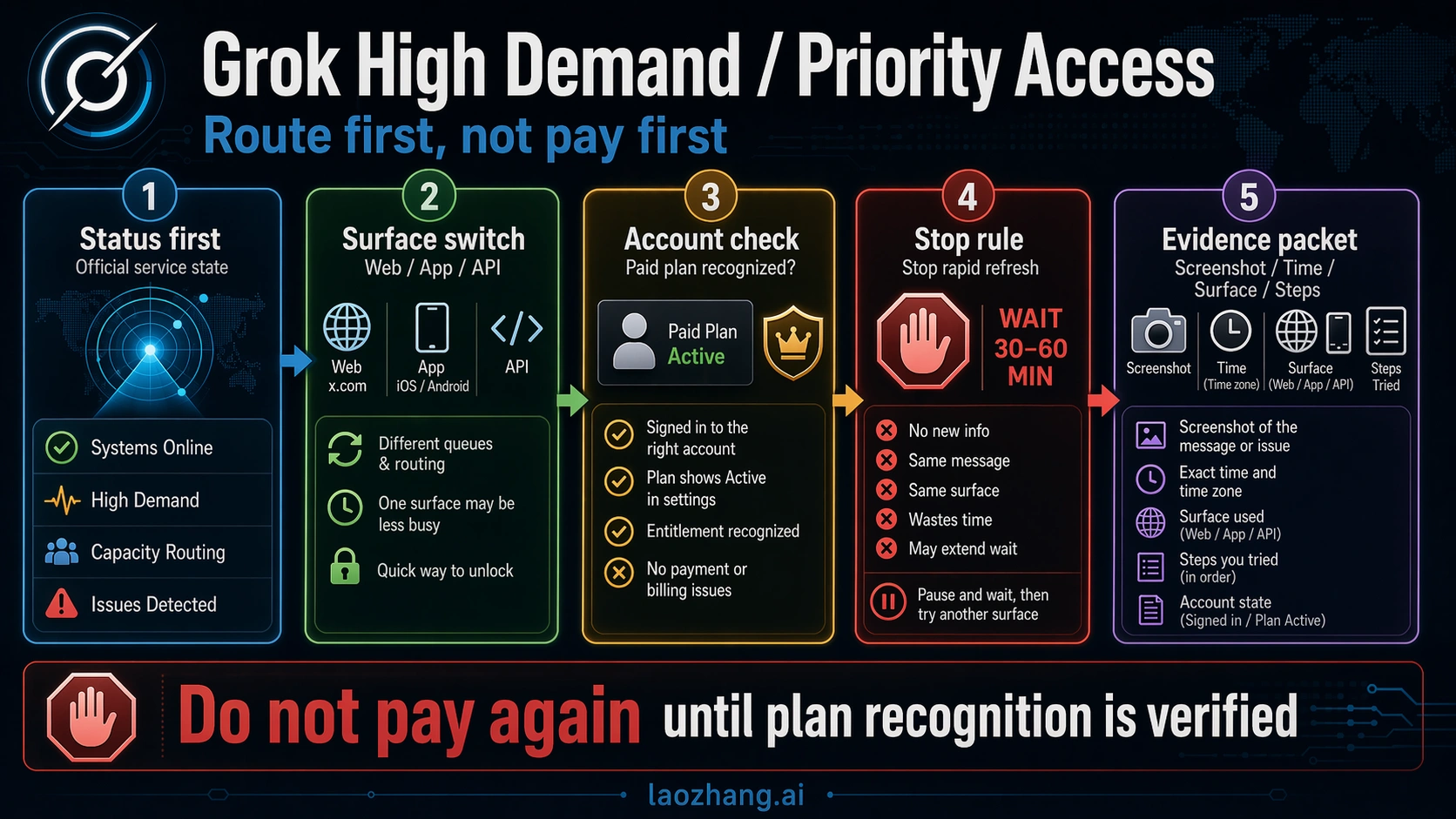
If Grok says, "Grok is under heavy usage right now. Please try again later or upgrade your plan to get priority access," treat it as a capacity and priority-access routing signal first, not proof that your account is broken. It is also not a safe reason to upgrade immediately: xAI Status and Grok Web were checked on April 22, 2026 and showed no declared incident at that time, which means the next checks are the surface you are using, account recognition, and a bounded retry window.
Use this route board before changing plans or repeating the same prompt:
| What you see | Likely owner | First move | Stop rule |
|---|---|---|---|
| xAI Status shows a Grok incident | xAI service health | Wait, or try another official Grok surface if the task is urgent. | Do not troubleshoot your browser or account until status recovers. |
| Status is green, but one Grok surface is blocked | Surface-specific capacity | Try one alternate official surface: Grok Web, Grok in X, iOS, or Android. | If the alternate works, keep using it and retry the blocked surface later. |
| You already pay but still see the upgrade prompt | Account or plan recognition | Verify the linked X account, billing route, active plan, timestamp, and surface. | Do not pay again until you have evidence that the paid entitlement is not recognized. |
| The same prompt repeats across official surfaces | Capacity, entitlement, or request shape | Try one simpler request once, then collect a screenshot and status timestamp. | Escalate only after status is green, one alternate surface fails, and account evidence is clean. |
| A free or lower-priority account hits the banner | Priority queue pressure | Wait and retry later, or consider whether higher priority is worth it for your workload. | Upgrading can raise priority, but it should not be treated as a guaranteed fix for an active capacity spike. |
Quick Decision Board
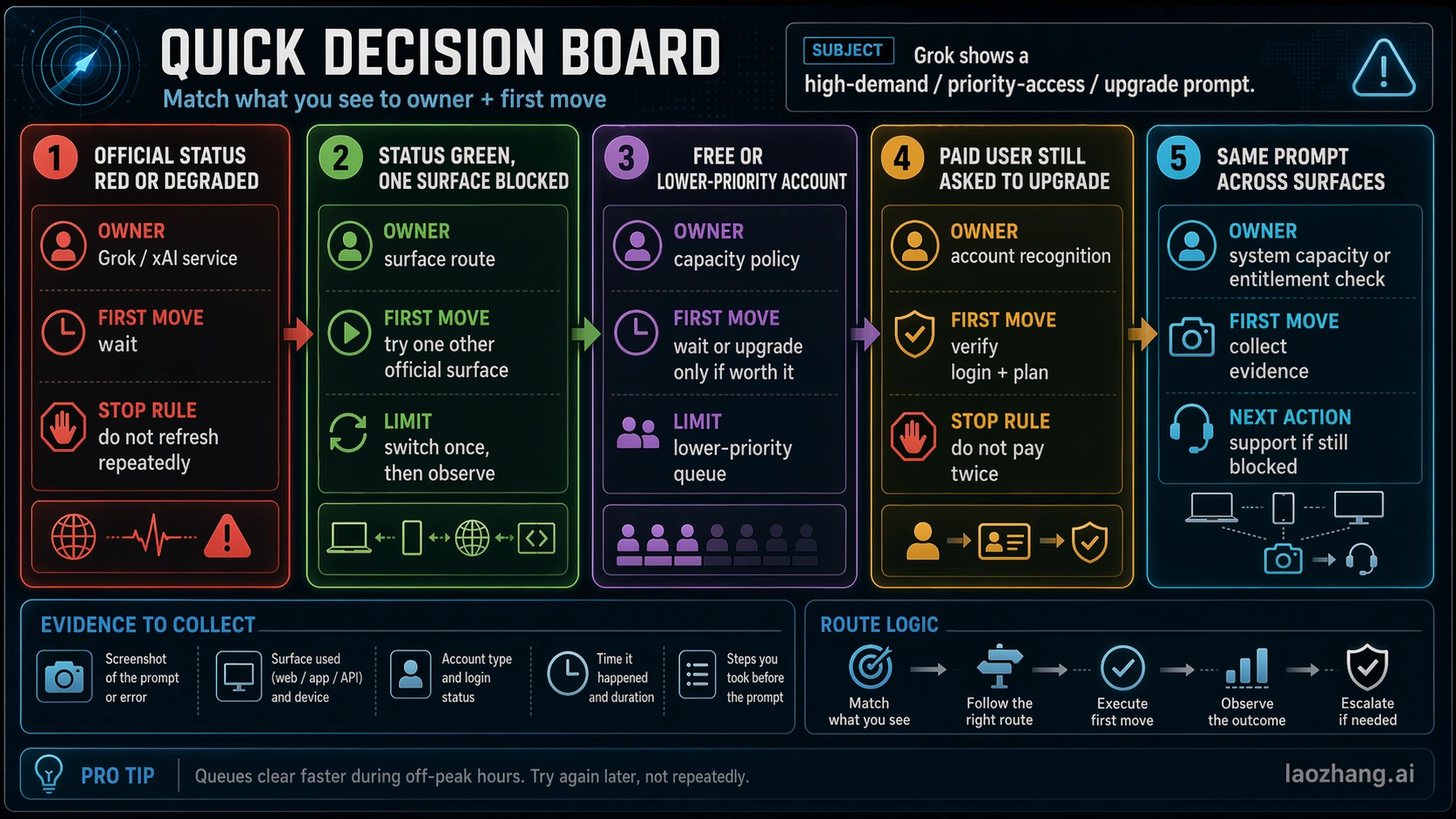
The Grok heavy usage error is easier to solve if you separate five branches instead of treating every blocked request as the same failure.
| Branch | What to check | What the result means | Best next move |
|---|---|---|---|
| Official status | status.x.ai and the Grok surface page you are using | Red or degraded status means the service owner already sees a problem. Green status means keep diagnosing. | Wait, switch surfaces, or move to account checks. |
| Surface capacity | Grok Web, Grok in X, iOS, and Android | One blocked surface with another working surface usually means a route-specific capacity problem. | Use the working official surface for the urgent task. |
| Paid recognition | Linked X account, xAI account, billing route, and visible plan | A paid plan can exist but not be recognized in the surface you are using. | Verify identity before you buy anything else. |
| Request shape | Same account, simpler prompt, smaller attachment, or lower-load request | A heavy request can hit limits sooner than a simple text prompt. | Try one simpler request, then stop repeating. |
| Escalation | Screenshot, timestamp, status state, surface, account, plan proof | Support needs evidence that separates outage, surface, and entitlement problems. | Contact the owner only after the evidence is clean. |
The important detail is that green status is not the end of diagnosis. It only tells you xAI is not declaring a broad incident on that page. The message can still come from a busy surface, a lower-priority queue, a request that is expensive to serve, or an account that is not recognizing the entitlement you expected.
Check Official Status Before You Touch Your Account
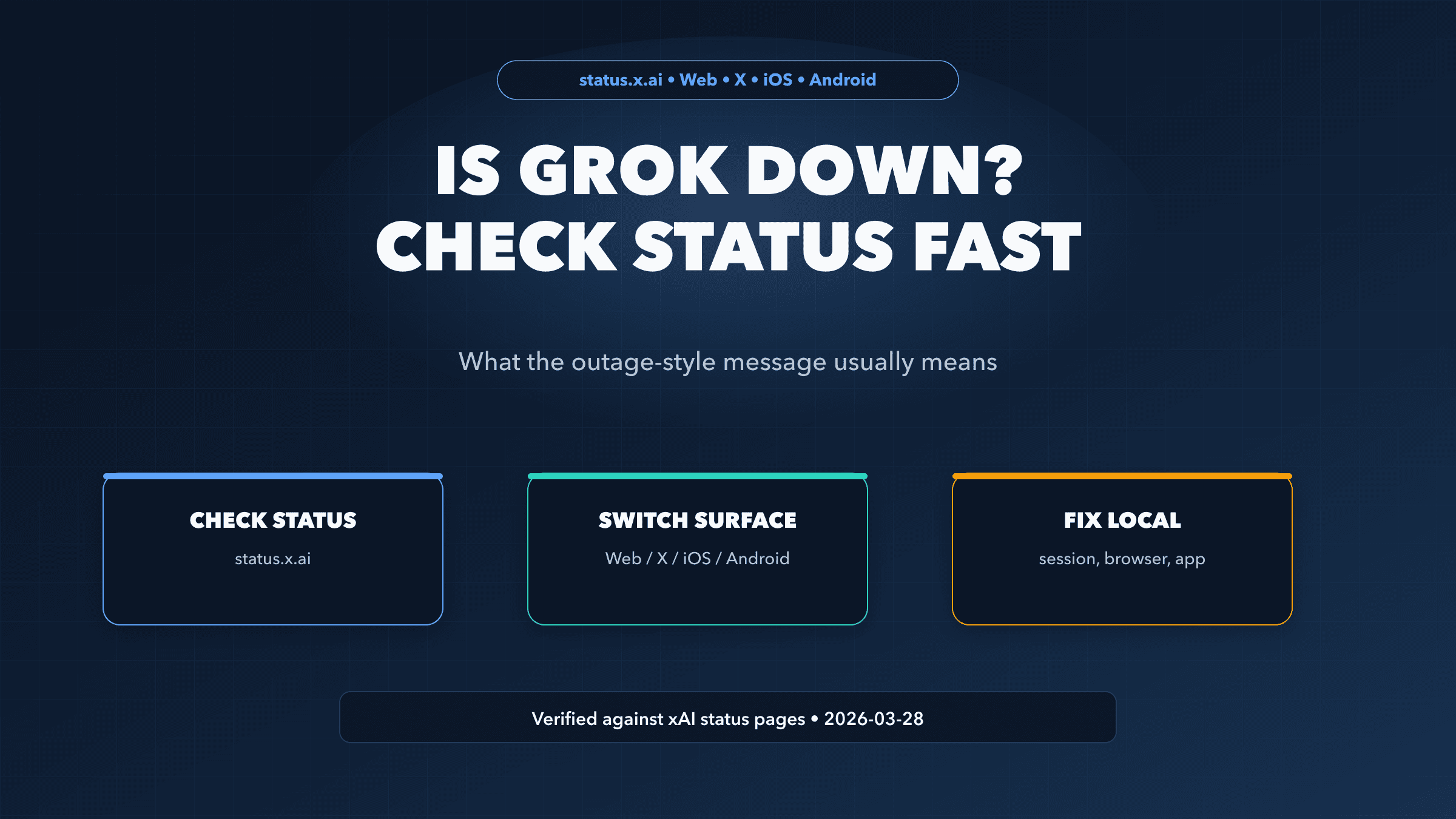
Start at status.x.ai. Then check the surface you are actually using: Grok Web, Grok in X, iOS, Android, or another listed component. If a Grok component is red, degraded, or under investigation, you have a service-health branch. Waiting or switching to another official surface is more rational than clearing browser state, changing passwords, or buying a higher plan.
The status split matters because Grok is not one single user path. A web session, an X session, and a mobile app can fail differently. If Grok in X is blocked but Grok Web works, your best first move is to use the working official surface for the task in front of you. If all official surfaces are affected, this is closer to the broad outage problem covered in Is Grok Down?.
xAI's own status history also supports the capacity interpretation. A prior Grok Web incident described high traffic as causing delays or intermittent failures and told users to retry when errors occurred. That does not prove the exact banner is an official incident label, but it does prove that traffic pressure is a real Grok failure mode.
Use this status rule:
- If status is red, wait or switch official surfaces.
- If status is green but one surface fails, isolate the surface before changing the account.
- If status is green and every official surface repeats the same prompt, move to plan recognition and evidence collection.
If One Surface Is Blocked, Switch Once
When the message appears on only one Grok surface, do not keep hammering the same path. Switch once to another official route and learn whether the failure follows your account or stays with the surface.
A useful test looks like this:
- If Grok Web shows the heavy-usage prompt, try Grok in X or the mobile app.
- If Grok in X shows it, try Grok Web in a clean browser session.
- If the mobile app shows it, try the web surface on the same account.
- If an image, file, or long prompt fails, try one short text request.
This is not a generic browser-cleanup checklist. The point is to identify ownership. A failure that stays on one surface is not the same as a failure that follows your account everywhere. Once one official surface works, finish the urgent task there and come back to the blocked surface later.
Do not run endless variants. One alternate surface and one simpler request are enough to tell you whether the current path is unusually constrained. If both fail and status remains green, you need account and entitlement evidence, not more refreshes.
If You Already Pay, Verify Recognition Before Paying Again
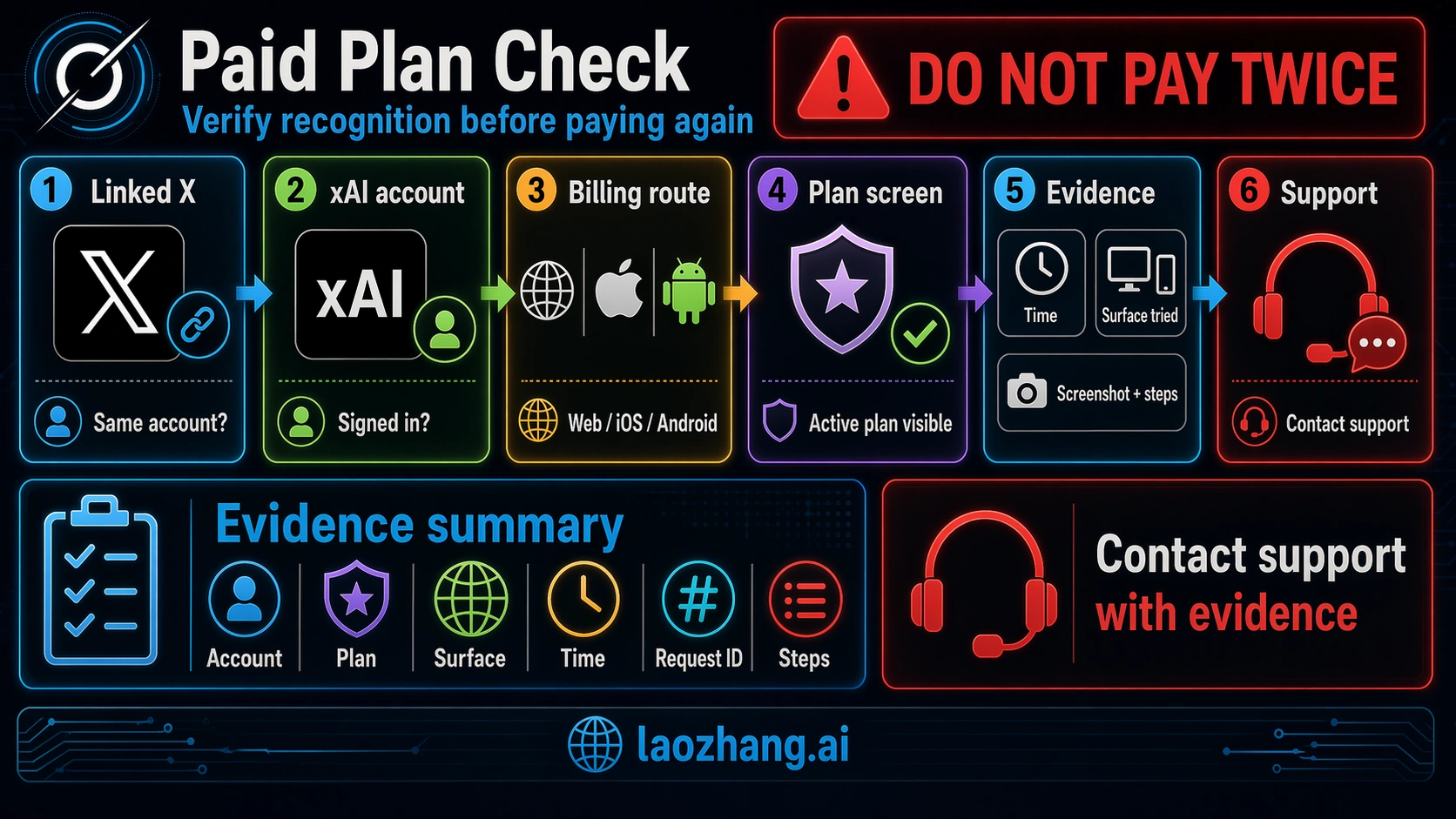
The most stressful version of this message is the paid-user case: you already have a paid Grok, X Premium, Premium+, SuperGrok, or related entitlement, yet the prompt still asks you to upgrade for priority access. Treat that as a recognition problem until proven otherwise.
The xAI Grok FAQ says Grok Website settings can connect an X account and that xAI can retrieve X subscription status after linking. That means the paid branch is not only "do I pay?" It is also "is the right X account linked to the right xAI account, and is the current surface seeing that entitlement?"
Check these before another purchase:
| Evidence | Why it matters |
|---|---|
| Linked X account | A paid X entitlement may not help if the Grok session is linked to the wrong X identity. |
| xAI account email or sign-in method | You may be inside a different xAI account than the one you normally use. |
| Billing route | Web billing, X Premium, app-store billing, and xAI billing can have different support owners. |
| Visible plan screen | A screenshot of the active plan is stronger than memory of a receipt. |
| Timestamp and timezone | Support needs to compare your symptom with status history and billing state. |
| Surface and request type | "Grok Web, long file prompt" is more useful than "Grok is broken." |
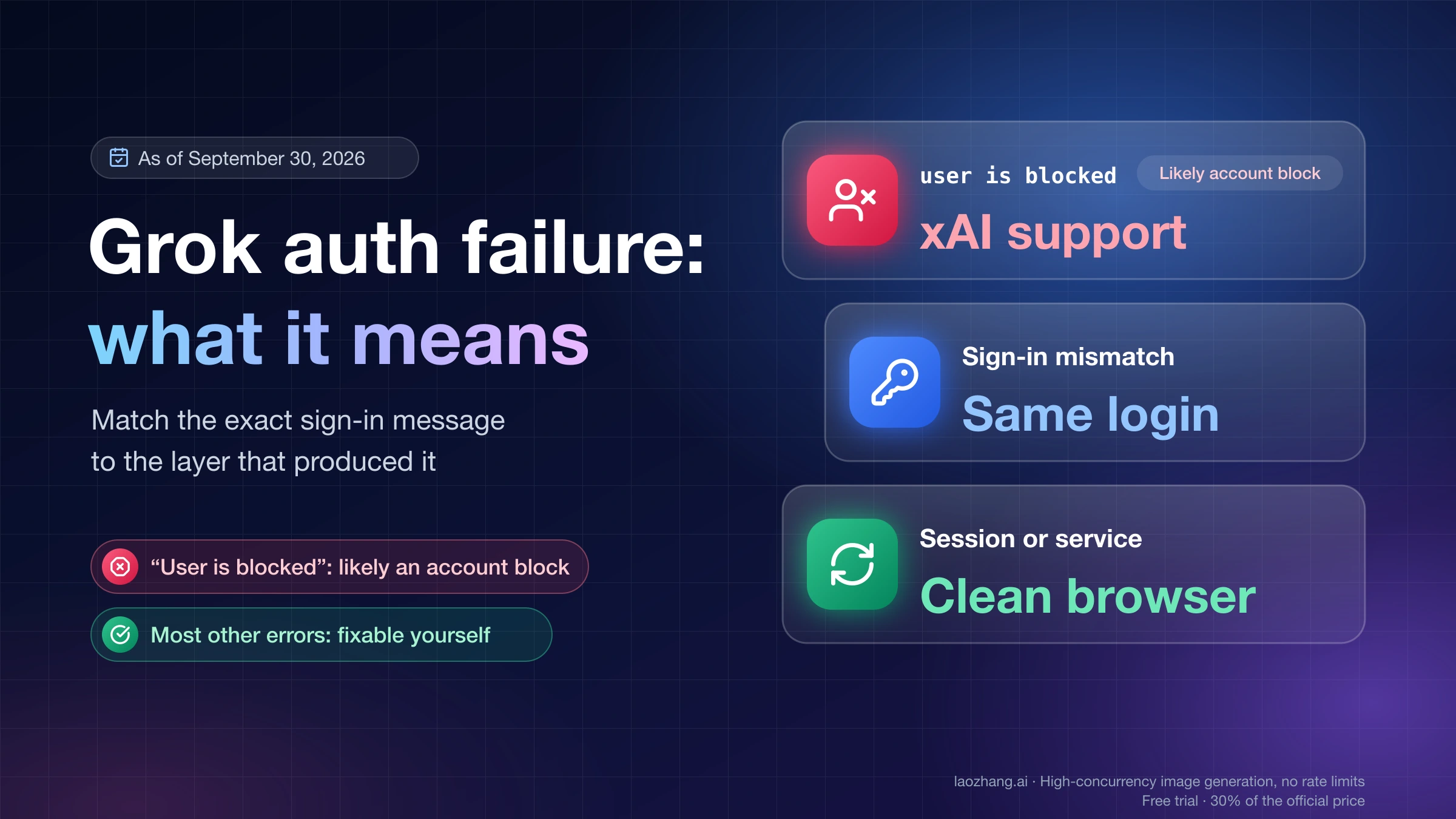
If the issue is really login, linking, or account state, use the deeper recovery path in Grok Authentication Failure. If the issue is only that a paid plan is not being recognized by the current Grok surface, keep the evidence compact and contact the owner of the billing or account route.
What Priority Access Can and Cannot Promise
Priority access is real as a product concept, but it is not a magic bypass for every busy moment. X Premium help says paid tiers can include increased or higher Grok usage limits, and the Grok product page positions higher-rate-limit access as part of premium Grok offerings. Those claims support the idea that plan level can affect priority or limits.
They do not support three unsafe conclusions:
- They do not prove that upgrading fixes the current session immediately.
- They do not publish a stable quota table you can apply to every surface and request type.
- They do not guarantee that a high-demand spike will never affect a paid account.
That boundary is why the route board puts upgrade decisions after status, surface, and account recognition. If you use Grok occasionally and the same prompt appears during a busy window, waiting may be the rational move. If Grok is a time-critical daily tool and lower-priority access repeatedly blocks real work, a higher-priority plan may be worth evaluating. The decision should be about workload value, not panic caused by one banner.
Also watch the wording in official plan pages. X Help says features can change and some features may be unavailable temporarily or permanently. That is a direct reason not to write down old plan limits, forum quota claims, or screenshots as permanent rules.
When to Wait, Retry, or Escalate
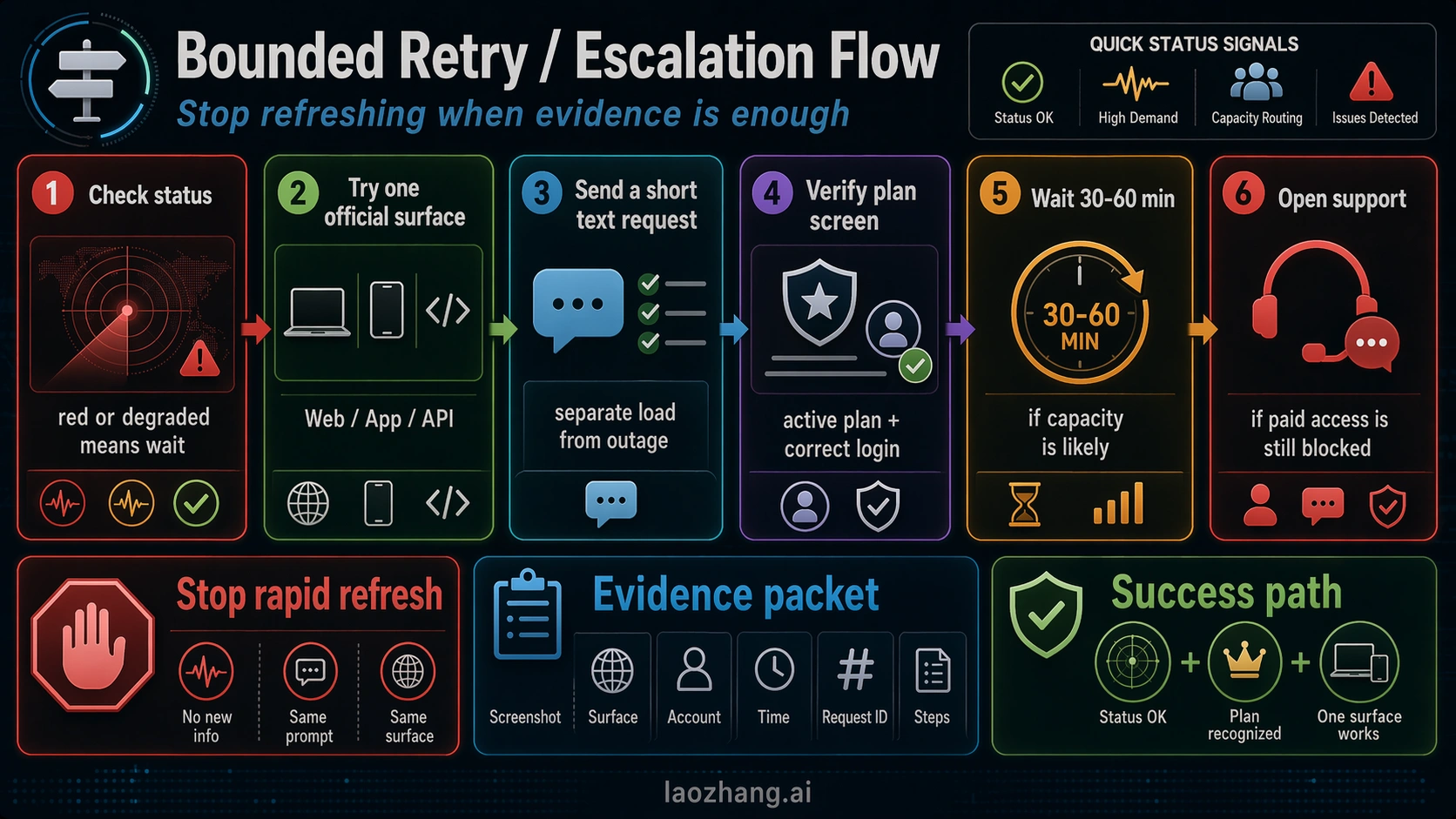
The clean stop rule is simple: status, switch, simplify, verify, then escalate.
First, check official status. If a relevant component is red or degraded, wait for recovery or move to a different official Grok surface. Second, if status is green, switch once. Third, if the same account fails across surfaces, try one simpler request. Fourth, if you pay, verify the linked account and billing route. Only then should you escalate.
Use this support packet:
- Screenshot of the heavy-usage or priority-access message.
- Exact timestamp and timezone.
- Official status state at that timestamp.
- Surface used: Grok Web, Grok in X, iOS, Android, or another route.
- Account identity evidence that does not expose secrets.
- Visible plan or receipt evidence.
- Whether one alternate official surface and one simpler request also failed.
This packet prevents the common support loop where the first reply asks for everything you could have collected in five minutes. It also protects you from paying twice. If the evidence shows that the paid plan is active and recognized nowhere, that is very different from a single blocked surface during a high-demand period.
What Not to Do First
Do not start with cache clearing, VPN toggles, reinstalling the app, or changing browsers unless the status and surface tests point there. Those moves can help with local failures, but they are weak first actions for a capacity and priority-access message.
Do not assume "Grok is down for everyone." The sibling outage path matters when official status is red or many surfaces fail, but the heavy-usage prompt can also be a queue or priority message on one surface.
Do not quote exact limits from social posts. Community reports are useful for confirming that other users are seeing the same frustration; they are not the source of truth for quotas, plan rules, or support ownership.
Do not upgrade because the banner made you anxious. Upgrade only if the official plan route matches your workload, the current account is recognized correctly, and you accept that higher priority is not a guarantee of uninterrupted access.
FAQ
What does "Grok is under heavy usage right now. Please try again later or upgrade your plan to get priority access" mean?
It usually means the current Grok route is capacity-limited, deprioritized, or hitting a priority queue boundary. It does not by itself prove that your account is broken, that Grok is down for everyone, or that upgrading will immediately fix the active session.
Is Grok down when I see the heavy-usage message?
Maybe, but do not infer that from the banner alone. Check status.x.ai and the specific Grok surface first. If status is red, treat it as a service-health branch. If status is green, continue with surface and account checks.
Why does Grok ask me to upgrade when I already pay?
The most likely explanations are wrong account, missing X account link, billing recognition lag, a surface-specific entitlement issue, or a request that is still hitting a high-demand boundary. Verify the linked X account, active plan screen, billing route, timestamp, and surface before paying again.
Does Premium, Premium+, SuperGrok, or SuperGrok Heavy remove the message?
Higher-priority or higher-limit plans can improve access, but they should not be treated as a guaranteed fix for every high-demand spike. Official plan language can also change, so avoid relying on old quota screenshots or forum tables.
Should I keep refreshing until Grok works?
No. Check status, try one alternate official surface, and try one simpler request. If those fail, collect evidence instead of repeating the same prompt. Repeated refreshes do not tell you whether the owner is status, surface capacity, or account recognition.
Which support route should I use?
Use xAI support for Grok product, xAI account, and xAI billing issues. Use X Help or the X Premium support route for X account, X subscription, login, or X-specific billing issues. If the problem is a live outage, status.x.ai is the first source of truth.
Bottom Line
The Grok heavy-usage priority-access message is a routing problem before it is a payment decision. Check official status, switch official surfaces once, verify paid-plan recognition, and set a retry stop rule. Upgrade only when the plan genuinely matches your workload, not because one high-demand banner pressured you in the middle of a blocked request.
Sources3
External pages this guide links to, in the order they appear. Last updated Apr 22, 2026.
Sources3
External pages this guide links to, in the order they appear. Last updated Apr 22, 2026.