GPT Image 2.6 GIF in ComfyUI: v0.45 Workflow, Save Nodes, Cost
Update to ComfyUI v0.45.0 or later, then link the GIF node's frames and fps outputs to Save Animated WEBP. At most square sizes, 12 frames cost less than 9.
On this page
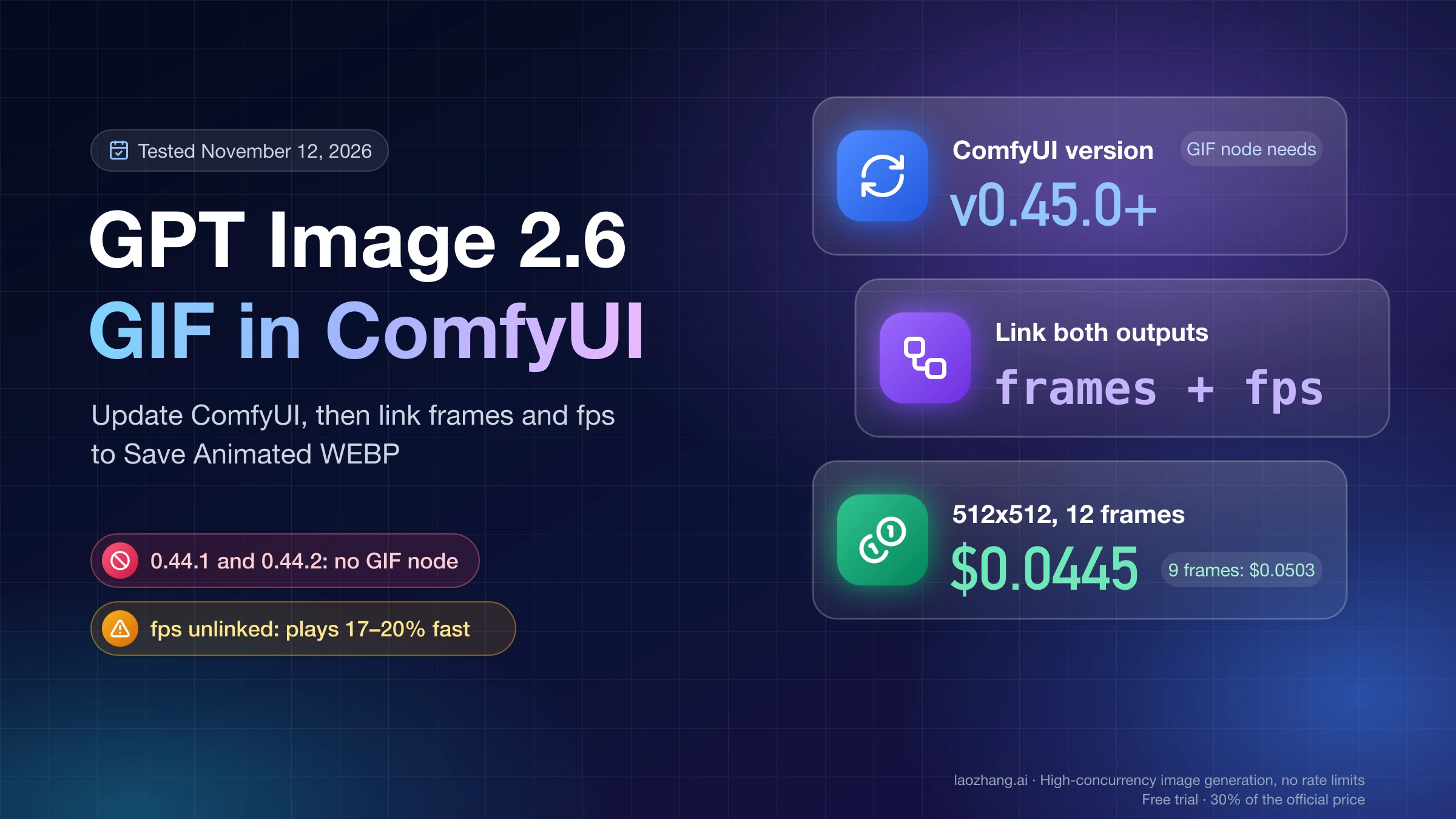
The OpenAI GPT Image 2.6 GIF node is built into ComfyUI starting with v0.45.0, released November 10, 2026, so update before you look for it. On 0.44.1 or 0.44.2 you will find the still-image GPT Image 2.6 node but not the GIF one, even though Comfy's GPT Image 2.6 tutorial says 0.44.1 is enough. The GIF node is a Partner Node: it calls OpenAI through Comfy's servers, needs a signed-in Comfy account with credits, and doesn't accept an OpenAI key.
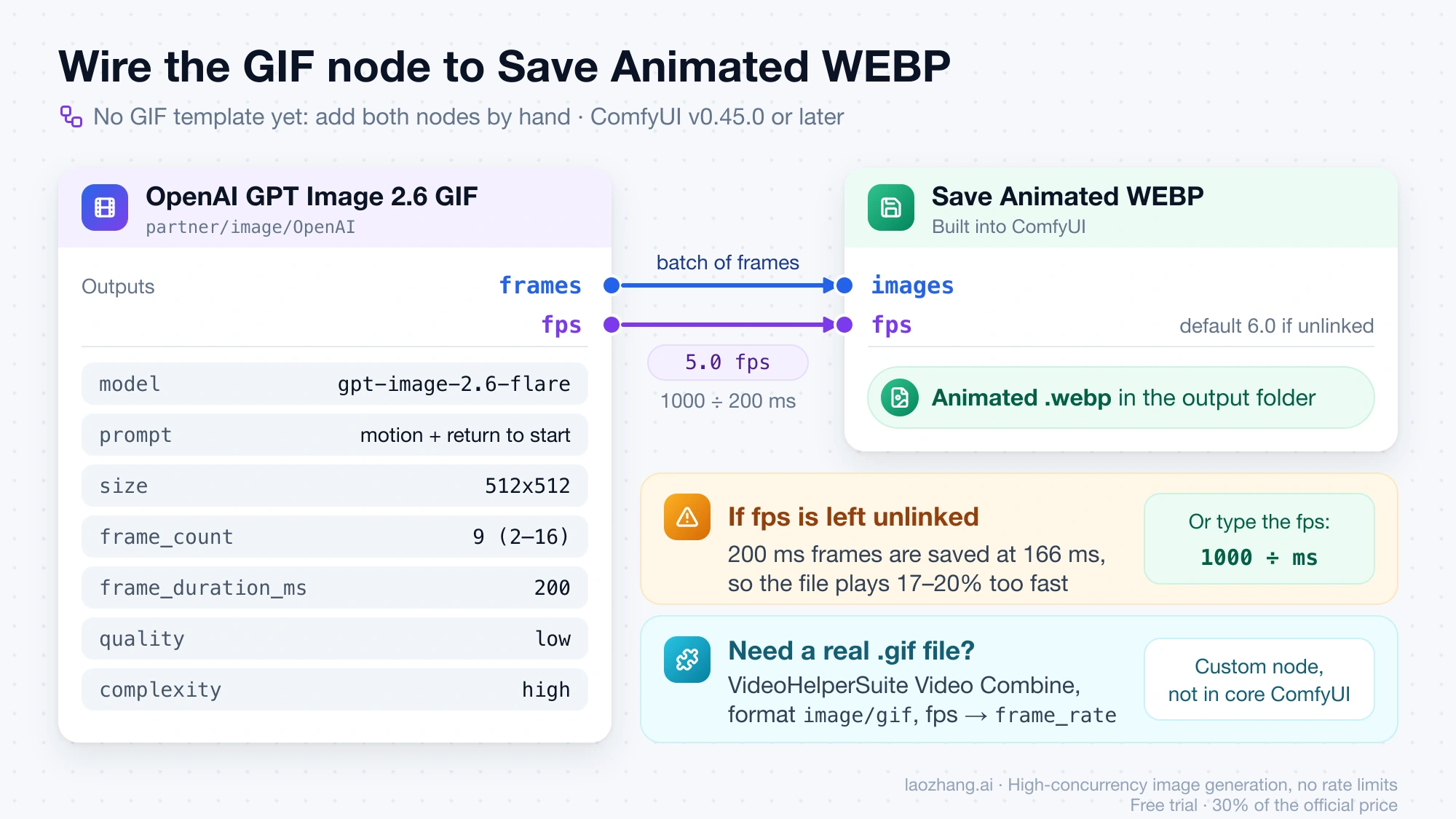
There is no GIF template yet, so you build a two-node graph by hand. Add the GIF node, describe the motion in its prompt, then connect its frames output to Save Animated WEBP and its fps output to that saver's fps input. The node returns a batch of frames, not a .gif file, and ComfyUI's core has no GIF writer, so a real .gif needs the VideoHelperSuite custom node's Video Combine set to image/gif. If you leave fps unconnected, the saved file plays 17–20% too fast.
The price badge on the node reads $0.0503 for its defaults (512x512, 9 frames, low quality). Frames are billed in steps, and at every square size that allows it, 10–12 frames cost less than 9; at 16:9 sizes, 9 is the cheapest step. Comfy charges the actual token use after the run, so the badge is an estimate.
Which ComfyUI version has the GPT Image 2.6 GIF node: v0.45.0 or later
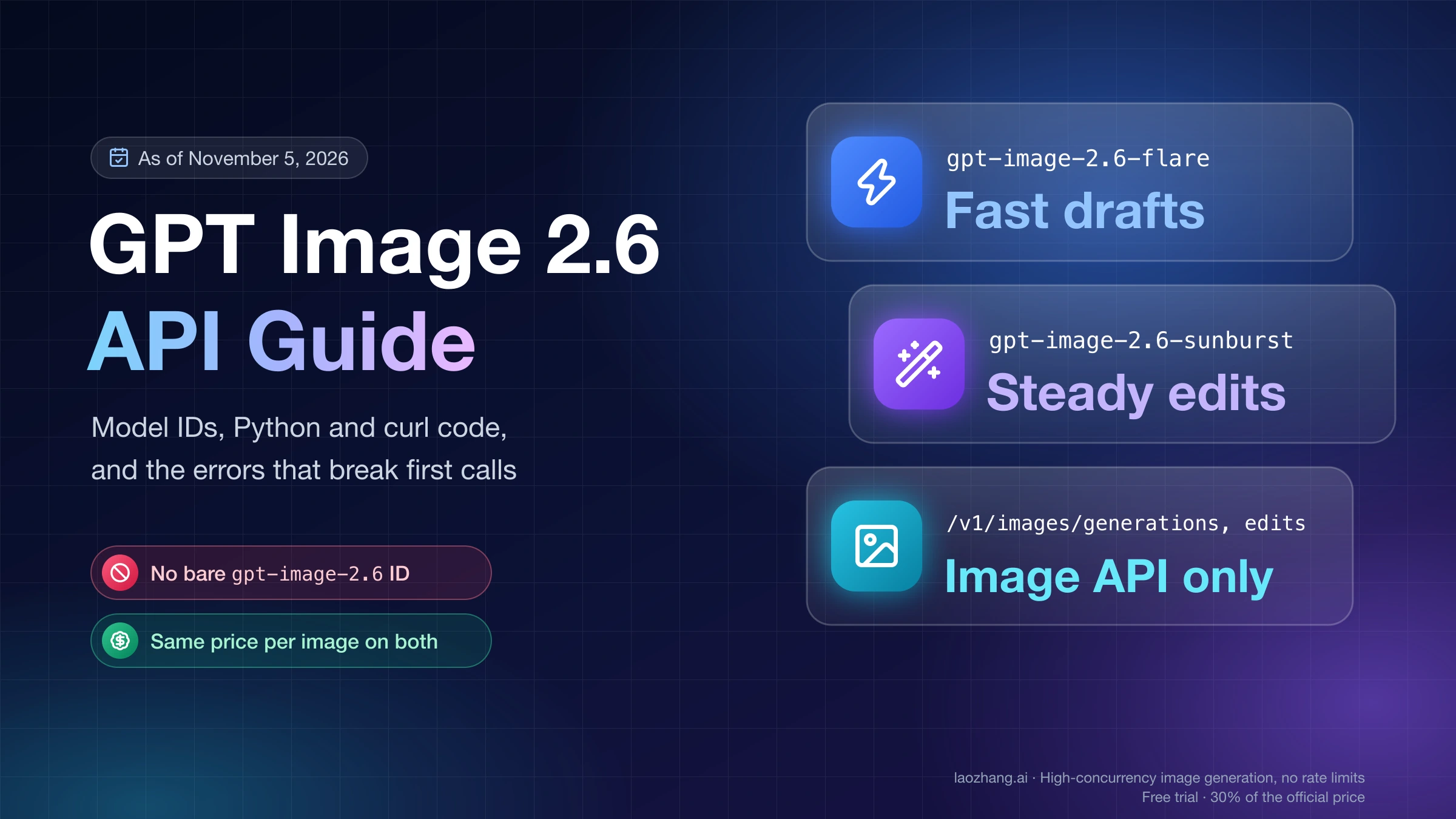
The GIF node first ships in ComfyUI v0.45.0, published on GitHub on November 10, 2026, and v0.45.1 and v0.45.2 include it. Comfy merged it on November 8 in pull request #17591, together with the GPT Image V3 and SVG nodes. On November 12, 2026, the node file was searched at each release tag: 0.44.0, 0.44.1 and 0.44.2 have no GIF node class, even though 0.44.1 and 0.44.2 already offer gpt-image-2.6-flare and gpt-image-2.6-sunburst in the still-image OpenAI GPT Image 2.6 node.
That is where the confusion comes from. Comfy's tutorial OpenAI GPT Image 2.6: Flare and Sunburst Workflows says "Update ComfyUI to 0.44.1 or later," which is correct for the still-image node and the four templates it covers, but the tutorial never mentions the GIF node. If you updated to 0.44.1 because of it and can only find the still node, you need one more update.
To see which version you actually run, open Settings and look at the About page, or read comfyui_version from the server's /system_stats endpoint. The Desktop app and the portable build each bundle a particular ComfyUI release and can trail the GitHub release, so check the ComfyUI version itself rather than the app's own version number. Comfy's tutorial also notes that Comfy Cloud picks up new nodes only after a stable ComfyUI release.
The node then needs a Comfy account. Partner Nodes are optional, and local ComfyUI stays free, but every run of this node is paid from Comfy credits: sign in under Settings → User, then buy credits under Settings → Workspace → Plan & Credits. Direct sign-in only works in a browser on the same computer as ComfyUI, opened at the local address ComfyUI prints at startup. If you open ComfyUI from another device on your network, for example after starting it with --listen, sign in with a ComfyUI Account API Key instead, not the Registry publishing key that custom-node authors use. Comfy also says that in some regions you may need a proxy to reach its API. GPT Image 2.5 in ComfyUI: Setup, Cost per Run, and Fixes walks through each sign-in case; the account side hasn't changed for 2.6.
Build the GPT Image 2.6 GIF workflow: GIF node, fps link, save node
As of November 12, 2026, ComfyUI has no GIF template to start from. The workflow templates bundled with v0.45.2 (package 0.11.106) include four GPT Image 2.6 templates, Flare and Sunburst for text-to-image and image editing, and all four make still images. The GIF graph is short enough to build by hand:
- Double-click an empty spot on the canvas, type
GPT Image 2.6 GIF, and add OpenAI GPT Image 2.6 GIF. It lives underpartner/image/OpenAI, and its name stays in English even when the interface is set to another language. - Set
modeltogpt-image-2.6-flareorgpt-image-2.6-sunburst. Both are separate models with the same settings, not two quality levels. - Write the prompt: what moves, what stays still, and that the motion should return to where it started.
- Set
size,frame_count(2–16, default 9) andframe_duration_ms(20–2000 in steps of 10, default 200). If the badge on the node changes to "Size too large for this frame count," lower one of them before you run. - Leave
qualityatlowfor the first runs.complexity(low, medium or high; default high) controls how much the model plans the animation before drawing it, not how detailed the frames are. - Add Save Animated WEBP. Drag the GIF node's
framesoutput to itsimagesinput, and drag thefpsoutput onto itsfpsfield. - Run the workflow. The file is written to ComfyUI's
outputfolder, named after the saver'sfilename_prefix.
A loop prompt works best when it describes one movement and a return. The November 12 test below used this one: "A small orange fox in a teal knitted scarf sits on a mossy rock under falling snow, slowly turns its head toward the camera, blinks once, then turns back to its starting pose. Camera still. Make the motion loop smoothly." GPT Image 2.6 Prompt Guide: Which Rules Held Up in Testing covers prompt wording in more depth, and GPT Image 2.6 Pricing: Sunburst & Flare, $0.02–$0.21 per Image explains how the two models differ on still images.
What the GIF node sends and returns: a November 12 run on v0.45.2
The node does not save anything itself. It sends one GIF request, decodes the GIF that comes back into a batch of frames, and passes those frames plus a frame rate to whatever node you connect; the original GIF file is discarded. That behavior is in the node's source code, and a live run on November 12, 2026 confirmed it on ComfyUI v0.45.2.
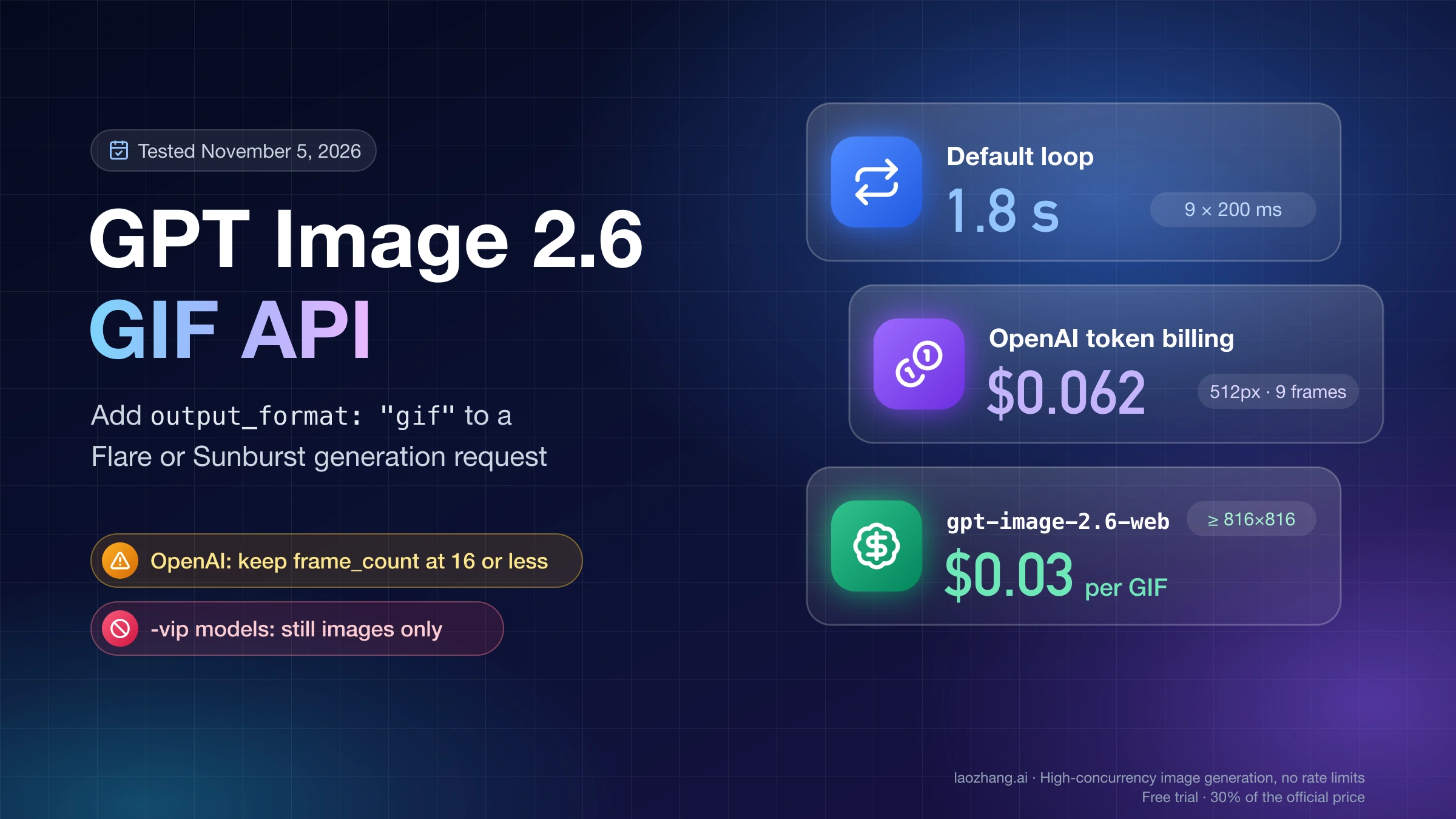
The run used the real node on a Mac, CPU only, with ComfyUI started with --comfy-api-base pointing at a small local stand-in for Comfy's API. The stand-in recorded each request and forwarded the same GIF settings to LaoZhang's gpt-image-2.6-web model, which costs $0.03 per call; three paid calls and one cached re-run cost $0.09. Because no Comfy credits were spent, the run does not show what Comfy actually charges or how fast Comfy's own backend is, and the timings below belong to this forwarding setup. That model also doesn't let you pick Flare or Sunburst. This is the request body the node sent for the first run:
{
  "background": "opaque",
  "complexity": "high",
  "frame_count": 6,
  "frame_duration_ms": 200,
  "model": "gpt-image-2.6-flare",
  "moderation": "low",
  "output_format": "gif",
  "prompt": "A small orange fox in a teal knitted scarf sits on a mossy rock under falling snow, slowly turns its head toward the camera, blinks once, then turns back to its starting pose. Camera still. Make the motion loop smoothly.",
  "quality": "low",
  "size": "960x960"
}
The node posts this to /proxy/openai/images/generations on Comfy's API. Two fields, output_format: "gif" and moderation: "low", are set by the node and have no widget. The seed is not sent at all: its tooltip says it only decides whether the node re-runs, and that results are non-deterministic regardless of seed.
That 960x960, 6-frame, 200 ms request came back as a GIF of exactly 6 frames at 200 ms each, set to loop forever, 3,208,289 bytes in size. The node's fps output was 5.0, which is 1000 ÷ 200; the node reads the frame duration from the returned GIF. From queueing to finished files took 33.1 seconds, 29.9 of them waiting for the upstream model. A 1280x720, 8-frame, 120 ms request gave an fps of 8.333 and spent 28.3 seconds upstream.
Which save node to use: Animated WEBP, APNG, MP4 or a real .gif
Save Animated WEBP is the best default: it is part of core ComfyUI, keeps transparency, and in the November 12 test wrote a file just under 1 MB, close to the MP4 and a fraction of the APNG or GIF. Use VideoHelperSuite's Video Combine only when you need an actual .gif file, and Create Video plus Save Video when a platform wants MP4, knowing that MP4 drops transparency. Each saver below was fed the same 960x960, 6-frame result with the node's fps linked:
| Save node (name in the UI) | File you get | Keeps transparency | File from the 960x960 × 6 test | Comes with ComfyUI? |
|---|---|---|---|---|
| Save Animated WEBP | Animated .webp | Yes | 995,732 bytes (lossy, quality 90) | Yes; fps defaults to 6.0 |
| Save Animated PNG | Animated .png (APNG) | Yes | 5,529,966 bytes | Yes; fps defaults to 6.0 |
Create Video → Save Video, format mp4 | .mp4 (H.264) | No | 966,086 bytes, 5 fps, 1.2 s | Yes; Create Video fps defaults to 30 |
| Save WEBM with the vp9 codec | .webm | Yes, per the GIF node's tooltip | Not tested | Yes |
Video Combine, format image/gif | .gif | Yes | 3,208,289 bytes | No, it's part of the VideoHelperSuite custom node |
The VideoHelperSuite GIF came out the same size as the GIF the node received, but it is re-encoded from the decoded frames, not the original file passed through. APNG is lossless and was more than five times the size of the WEBP, so it only makes sense when you need every pixel intact. The transparency column comes from a second November 12 run in which the stand-in returned a transparent 384x384 test GIF, made locally without any API call, to the node.
Why the saved animation plays too fast: link fps or type 1000 ÷ duration
A saved animation that runs faster than the frame_duration_ms you set means the saver is using its own frame rate instead of the GIF node's. Save Animated WEBP and Save Animated PNG default to 6.0 fps and Create Video to 30, while the GIF node's default 200 ms per frame is 5 fps.
On November 12, 2026, the same 960x960, 6-frame, 200 ms graph was queued again with every saver left at 6.0 fps. The WEBP and APNG frames were written at 166 ms instead of 200, the GIF at 160 ms, and the MP4 lasted 1.0 second instead of 1.2, so every file played 17–20% fast. Create Video at its default 30 fps would play a 5 fps animation six times too fast.
The fix is to connect the GIF node's fps output to the saver's fps input, which is called frame_rate on Video Combine. If you'd rather type the number, use 1000 ÷ frame_duration_ms: 5 for 200 ms, 8.333 for 120 ms. Durations that don't divide evenly get rounded by a millisecond. At 120 ms, Save Animated WEBP and Save Animated PNG stored 119 ms per frame, the GIF kept 120 ms, and the MP4 ran at 8.333 fps for 0.96 seconds, a difference you won't see.
The re-run itself didn't call the API. ComfyUI saw that the GIF node's inputs hadn't changed, reused its cached frames, and finished in 3.0 seconds, so trying different savers on the same frames costs nothing. In the browser that only works if the seed stays the same. The node's seed has "control after generate," which normally randomizes it after every run, and a new seed makes the node run and bill again; set it to fixed while you adjust the savers.
Transparent background: which savers keep it, and when nothing comes back
Setting background to transparent only helps if two things hold: the GIF that comes back actually has transparent pixels, and your saver keeps them. On the ComfyUI side, Save Animated WEBP, Save Animated PNG and VideoHelperSuite's GIF output keep transparency, and MP4 drops it.
The node decodes frames with an alpha channel only when background is transparent; otherwise it keeps RGB. In the November 12 run with a locally made transparent test GIF, the WEBP, APNG and VideoHelperSuite GIF all still had fully transparent pixels, while the MP4, encoded as H.264 in yuv420p, came out solid. The node's tooltip adds Save WEBM with vp9 to the list of savers that keep transparency.
Whether the GIF arrives transparent is a separate question. In the live run, a 960x960, 6-frame request with background set to transparent returned a GIF with no transparent pixels at all: every pixel of every frame was fully opaque, and the call took 55.0 seconds. That result comes from the forwarding setup described above and says nothing about what Comfy's backend returns from OpenAI for the same request. Before you build anything on transparency, open the saved file over a dark background. If it's solid there, the frames arrived without transparency, and no saver can add it back.
What one GPT Image 2.6 GIF costs in ComfyUI, by size and frame count
The badge on the GIF node estimates the cost from three settings: quality, size and frame count. Frames are priced in four steps (2–8, 9, 10–12 and 13–16), not one by one, and the badge is identical for Flare and Sunburst. These are the badge prices at the default low quality in v0.45.2, in US dollars, as of November 12, 2026; "Blocked" means the badge shows "Size too large for this frame count":
| Frame size | 2–8 frames | 9 frames | 10–12 frames | 13–16 frames |
|---|---|---|---|---|
| 384x384 | $0.0184 | $0.0384 | $0.0326 | $0.0503 |
| 512x512 (default) | $0.0238 | $0.0503 | $0.0445 | $0.0716 |
| 640x640 | $0.0305 | $0.0656 | $0.0598 | $0.0988 |
| 720x720 | $0.0355 | $0.0770 | $0.0712 | $0.1187 |
| 768x768 | $0.0387 | $0.0843 | $0.0786 | Blocked |
| 960x960 | $0.0541 | $0.1187 | Blocked | Blocked |
| 512x288 or 288x512 | $0.0323 | $0.0216 | $0.0326 | $0.0283 |
| 1024x576 or 576x1024 | $0.0680 | $0.0476 | $0.0786 | Blocked |
| 1280x720 or 720x1280 | $0.0946 | $0.0669 | Blocked | Blocked |
Three rules come out of this table, and they hold at all five quality levels. At square sizes from 384x384 to 768x768, the 9-frame step costs more than 10–12 frames, so if you were going to keep the default 9, asking for 10 to 12 gets you more frames for less; at 640x640, 12 frames is $0.0598 against $0.0656 for 9. At the wide and tall sizes it flips, and 9 frames is the cheapest step, cheaper even than 2–8. And large frames can't be long: 960x960 and 1280x720 stop at 9 frames, 768x768 and 1024x576 at 12, and 13–16 frames are offered only up to 720x720 and at 512x288. Since each step is priced as a block, the top of a step is the best value per frame: at 512x512 and low, 8 frames work out to $0.0030 a frame, against $0.0056 at 9, $0.0037 at 12 and $0.0045 at 16.
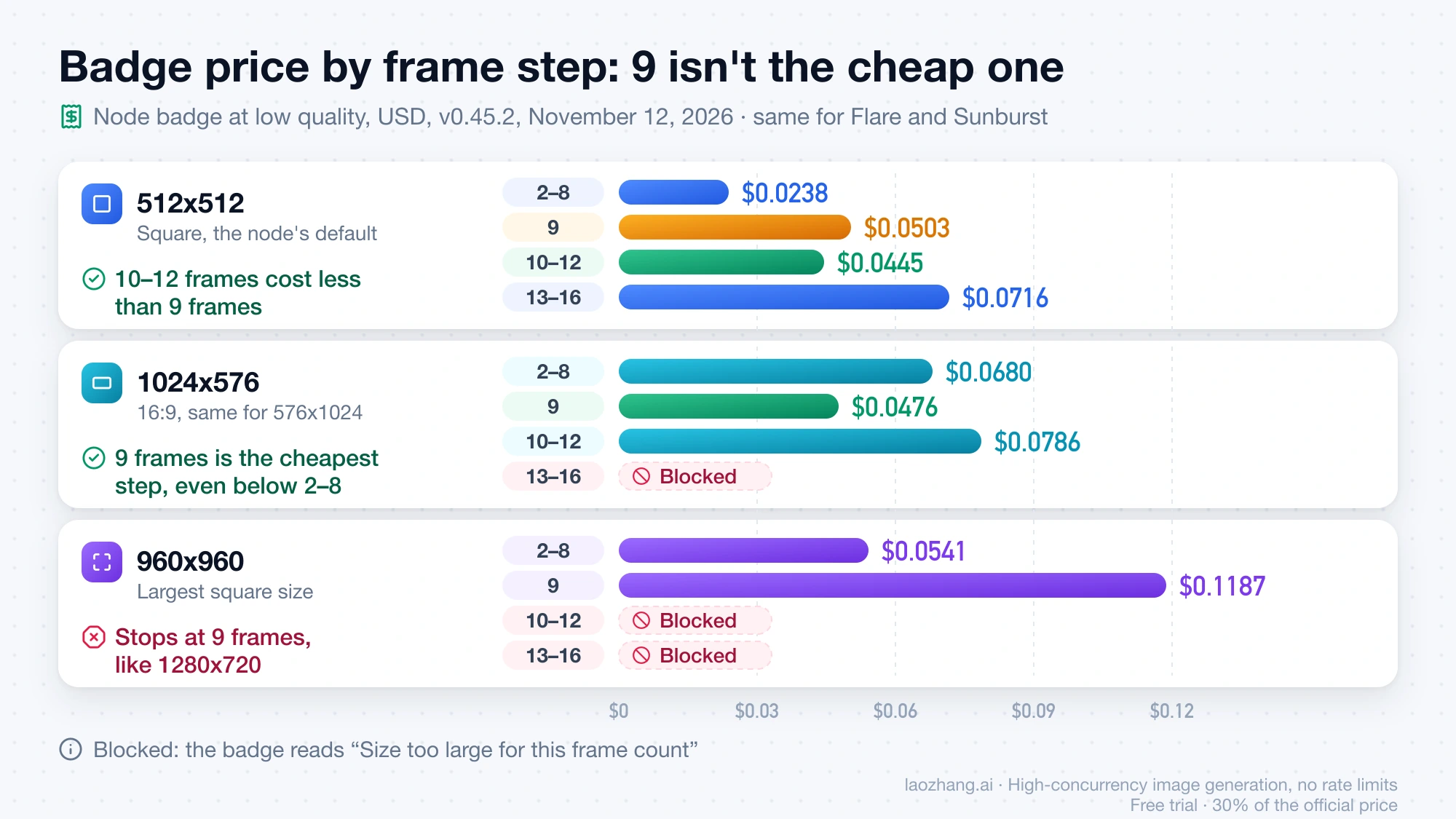
The badge is only a warning. In a November 12 test with a locally made response, the node sent a 960x960, 16-frame request without stopping it, so a blocked combination still goes out if you run it. That run doesn't show what OpenAI or Comfy does with such a request; OpenAI's API reference says GIF sizes must fit the model's limits.
Quality multiplies everything above. At 512x512 with 12 frames, the badge is $0.0445 at low, $0.0787 at medium, $0.0954 at high, $0.1695 at xhigh and $0.3815 at max. The highest badge in the node is $1.0175, for 960x960 with 9 frames or 720x720 with 16 frames at max.
What leaves your balance can differ from the badge. Comfy's Partner Node pricing page says GPT Image nodes are "billed from API token usage after generation," and Settings → Workspace → Plan & Credits → Activity shows what each run actually cost. Because the charge lands after the run, one expensive GIF can push the balance below zero, and while it is negative every Partner Node stays blocked until you top up. Comfy doesn't refund unused credits, so buy small amounts while you're experimenting.
Is ComfyUI dearer than calling OpenAI? About 1.43× per token
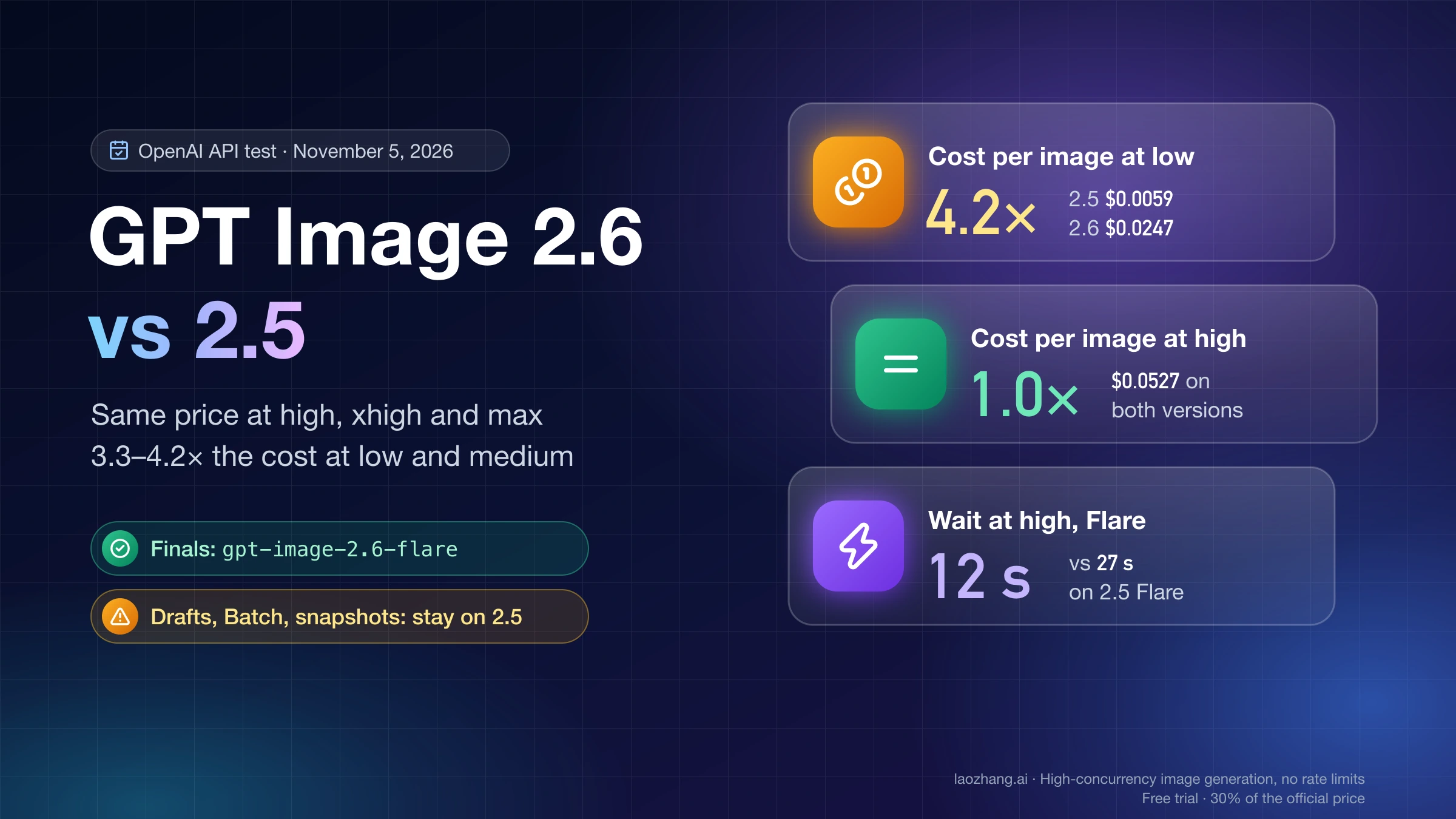
For the same GIF, Comfy's credits cost about 1.43 times what OpenAI charges per output token. A separate test against OpenAI's API on November 5, 2026 measured 2,073 output tokens for a 512x512, medium, 9-frame GIF from gpt-image-2.6-flare. Comfy's Partner Node pricing page lists GPT Image 2.5 image output at 9,051.9 credits per million tokens and had no 2.6 row as of November 12, 2026. Comfy's Cloud plans work out to about 211 credits per dollar (the $20-a-month Standard plan includes 50,400 credits a year, 210 per dollar; Creator and Pro come to about 211). That gives 2,073 × 9,051.9 ÷ 211 ÷ 1,000,000 = $0.0889, exactly the badge for that setting. At OpenAI's $30 per million output tokens, the same GIF costs 2,073 × 30 ÷ 1,000,000 = $0.0622.
The ratio follows from the two rates, about $42.90 per million tokens through Comfy against $30 at OpenAI, so it applies to any GIF billed by tokens. It rests on one token measurement and on a credits-per-dollar figure that Comfy doesn't print, though the badge matching to four decimals suggests both are right. For a few GIFs the gap is cents. If you're generating many, calling the API from your own code is cheaper; GPT Image 2.6 GIF API: Tested Request, Frame Limits and Cost has the request and the per-call options.
GPT Image 2.6 GIF node errors: symptom, cause and fix
Most failures with this node come from an older ComfyUI, a size and frame count that don't fit together, the sign-in, or a credit balance below zero. The last three rows cover runs that finish but save the wrong result.
| What you see | Cause | What to do |
|---|---|---|
| OpenAI GPT Image 2.6 is in the node search but OpenAI GPT Image 2.6 GIF isn't | ComfyUI older than v0.45.0 | Update to v0.45.0 or later and check comfyui_version |
| The badge reads "Size too large for this frame count" | The size and frame count don't fit together | Lower the frame count or the size, using the cost table above |
| Sign-in fails or keeps asking you to log in | ComfyUI is opened from another device or a server, not at its local address on the same computer | Sign in with a ComfyUI Account API Key |
| The node ran before and now won't run | The balance went below zero after a run | Top up in Plan & Credits until the balance is positive |
| Running again returns the same frames in a few seconds | Inputs unchanged, so ComfyUI reused the cached frames | Change the seed, or let it randomize, which bills a new run |
| The saved file plays faster than the duration you set | The saver's fps isn't connected | Connect the GIF node's fps output to the saver |
| You asked for a transparent background and got a solid one | The GIF came back opaque, or the saver was MP4 | Check the file over a dark background; save as WEBP, APNG or GIF |
When to use something other than ComfyUI: your own image, key or 64 frames
The ComfyUI node only takes a text prompt and has no image input, so it can't animate a picture you already have. The ChatGPT app can, as How to Make a GIF in ChatGPT (Images 2.6): Frames, Speed, Edits explains.
The official node also won't take your own OpenAI key or a key from another provider: it signs in only with your Comfy account or a ComfyUI Account API Key and always bills Comfy credits. Comfy Router, Comfy's developer API outside the canvas, doesn't fill the gap, because its GPT Image 2.6 Flare page returns only PNG, WebP or JPEG. Community custom nodes that call OpenAI with your own key and keep the original GIF bytes have started to appear, such as belgacmyk/comfyui-gpt-image2-parallel, but they are very small projects and were not part of the November 12 test.
If you want your own key or a per-call price, call the API from code. GPT Image 2.6 GIF API: Tested Request, Frame Limits and Cost has a tested request and also covers the frame limit: the ComfyUI node caps frame_count at 16, matching OpenAI's API reference, while OpenAI's image guide says 2–64.
Sources2
External pages this guide links to, in the order they appear. Last updated Nov 12, 2026.
Sources2
External pages this guide links to, in the order they appear. Last updated Nov 12, 2026.