GPT Image 2.5 Sunburst Pricing: Official Costs vs $0.03 per Call
Compare GPT Image 2.5 Sunburst and Flare token costs with LaoZhang’s $0.03/call VIP option, including quality settings, editing charges, and monthly budgets.
On this page
Update — September 25, 2026: Both
-vipaliases were paused on September 16 and have been available again since September 22, still at $0.03 per call, so the fixed per-call prices below apply. The Flare/Sunburst official-proxy route remains token-billed. Check the current provider documentation before choosing a billing route. For workflow setup and usage capture, see GPT Image 2.5 in n8n: When the OpenAI Node Isn't Enough.
Disclosure: laozhang.ai is our own service. Its prices are platform pricing, not an independent comparison.
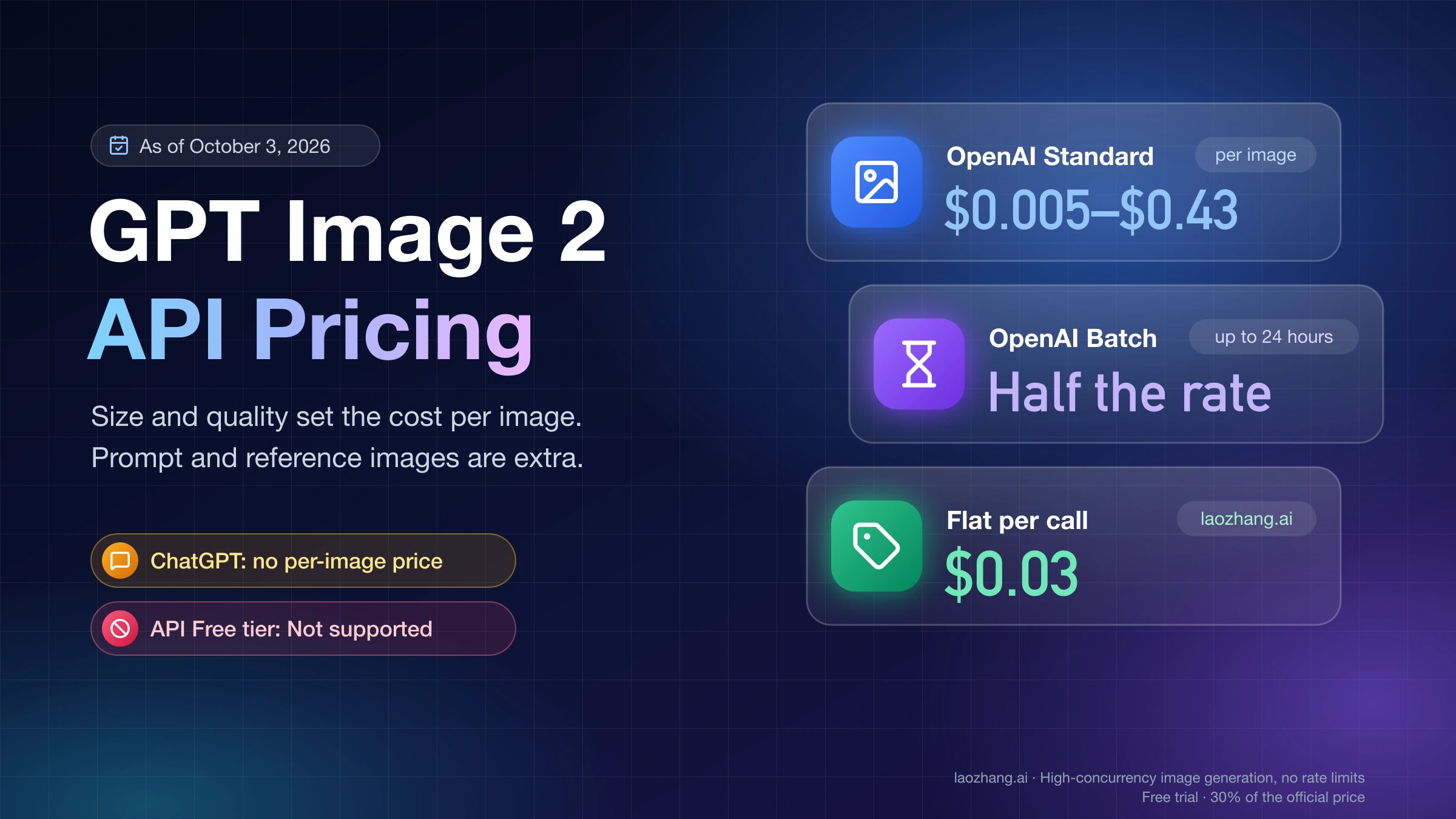
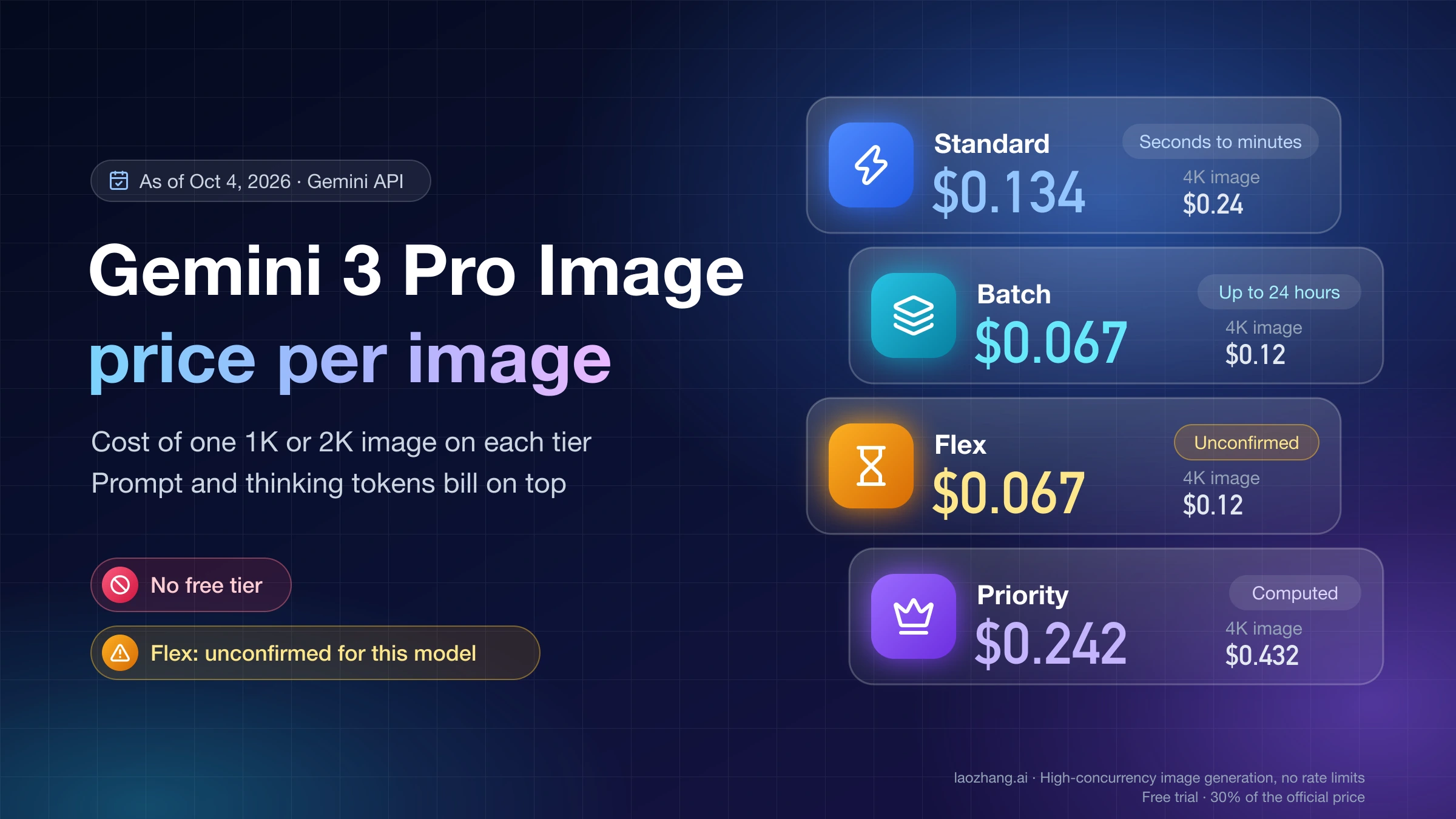
GPT Image 2.5 Sunburst has token-based official pricing, while LaoZhang offers a separate gpt-image-2.5-sunburst-vip option at $0.03 per call. On the official API, a 1024×1024 output is estimated at $0.00588 for low, $0.01317 for medium, and $0.05268 for high, before text or image inputs. Sunburst and Flare share the same Standard token rates. Prices and calculator settings below were checked on September 12, 2026. OpenAI cost guide, LaoZhang model and billing documentation
The two billing models answer different questions. Official pricing is per token, so the cost moves with size, quality, and inputs; laozhang.ai, the API gateway run by the team behind this blog, sells the -vip option at a fixed, documented $0.03 per call through an OpenAI Images-compatible interface. That fixed rate can be lower than the official estimate at higher quality or resolution, while official low and medium output estimates can be cheaper.
Compare billing options at the size and quality your application needs, allowing for repeated attempts. For example, 1,000 paid VIP calls cost $30. The official calculator estimates $52.68 for 1,000 square high outputs, with input charges still to add. Neither number alone tells you the cost of delivering 1,000 images that pass your requirements.
Choose the right Sunburst billing option
The model suffix matters. LaoZhang documents two different ways to use GPT Image 2.5:
| Option | Exact model ID | Billing basis | Token setup in LaoZhang |
|---|---|---|---|
| Sunburst VIP | gpt-image-2.5-sunburst-vip | $0.03 per call | Default group, per-call token |
| Flare VIP | gpt-image-2.5-flare-vip | $0.03 per call | Default group, per-call token |
| Sunburst forwarded to the official API | gpt-image-2.5-sunburst | Token billing | Sora2Official or GPTImage2 Sora2 Enterprise group |
| Flare forwarded to the official API | gpt-image-2.5-flare | Token billing | Sora2Official or GPTImage2 Sora2 Enterprise group |
These are LaoZhang’s published model and billing arrangements. The $0.03 quote belongs to the -vip models; changing to an unsuffixed ID changes the billing option. OpenAI’s own unsuffixed models are also priced per token, not at a universal $0.03 per image.
Disclosure: laozhang.ai is our own service. Its prices are platform pricing, not an independent comparison.
For a one-image-per-paid-call comparison, $0.03 is approximately 43.1% below the official 1024×1024 high output estimate of $0.05268. At 3840×2160 high, the official calculator estimates $0.10008, so $0.03 is approximately 30% of that price, or 70% lower. That is the setting-specific basis for a “30% of the official price” comparison. It is not a discount that applies to every setting: the official square low and medium output estimates are below $0.03. Official input charges are additional, and these calculations are price comparisons rather than a benchmark of identical results. Official calculator
Estimated cost per image at each quality setting
The following values come from operating OpenAI's official calculator with GPT Image 2.5 selected and switching through all five explicit quality settings. They apply to the stated dimensions and represent image output only, not a fixed fee for a completed request. OpenAI image generation calculator
| Quality | 1024×1024 output tokens | Cost per square image | Cost per 1,000 square images | 1536×1024 cost per image |
|---|---|---|---|---|
low | 196 | $0.00588 | $5.88 | $0.00474 |
medium | 439 | $0.01317 | $13.17 | $0.01029 |
high | 1,756 | $0.05268 | $52.68 | $0.04116 |
xhigh | 3,122 | $0.09366 | $93.66 | $0.07377 |
max | 7,024 | $0.21072 | $210.72 | $0.16464 |
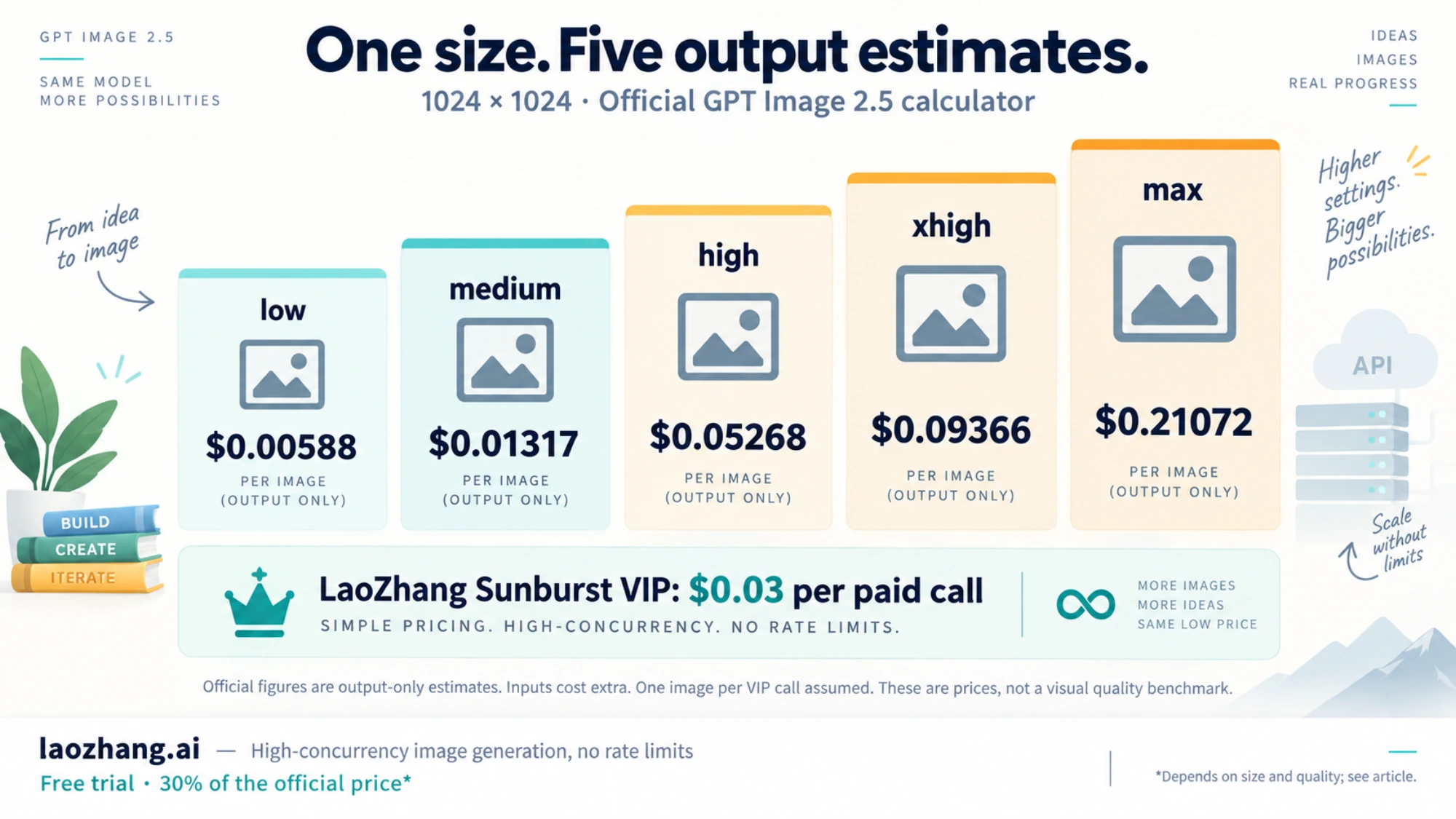
The landscape values correspond to 158, 343, 1,372, 2,459, and 5,488 output tokens, respectively. Multiplying any output token count by $30 per million produces its dollar estimate. For example, 1,756 × $30 ÷ 1,000,000 = $0.05268.
The landscape estimates are lower than the square estimates in these calculator results, despite the landscape image having more pixels. Treat each size and quality combination as its own estimate; scaling the square price by pixel area would give the wrong answer here. This observation does not establish that every wider image or custom size is cheaper.
The calculator groups Sunburst and Flare together, but OpenAI cautions that actual consumption can vary by model, prompt, and quality. We did not measure API billing for these examples. For a repeatable budget, specify size and quality instead of leaving them at auto, then compare the returned usage with your estimate.
Official token rates and model selection
Both gpt-image-2.5-sunburst and gpt-image-2.5-flare have the following Standard rates in USD per one million tokens, checked September 12, 2026. OpenAI image generation pricing
| Token category | Standard input | Cached input | Output |
|---|---|---|---|
| Text | $5.00 | $1.25 | — |
| Image | $8.00 | $2.00 | $30.00 |
These models return images; there is no text output rate in their image model pricing rows. The lower cached rates apply to tokens reported as cached, not every repeated prompt or reference image.
OpenAI positions Sunburst for precise editing. Sunburst and Flare do not designate different Standard price tiers. Choose based on the work you need to complete, then measure how much usage each consumes and how often its results are usable. Equal rates per token do not guarantee equal cost per accepted image. Our Sunburst vs Flare comparison explains how to evaluate editing precision, latency, and usable results for your workload.
Use a documented model ID in your implementation. For direct OpenAI Images API requests, that means gpt-image-2.5-sunburst or gpt-image-2.5-flare; do not substitute an assumed bare gpt-image-2.5 alias. In the Responses API, the top-level model is a supported conversation model, while the image generation tool's model selects the image model. The conversation model's tokens add a separate cost. Image generation API guide
The current Batch image pricing table we checked does not list these two GPT Image 2.5 IDs. Do not build a budget around an assumed 50% Batch discount. Recheck the applicable pricing table when choosing a processing mode. These figures are API usage prices, not ChatGPT subscription prices.
Connect to LaoZhang with the OpenAI Images request format
LaoZhang is operated by the same team that publishes this blog. The platform advertises high-concurrency image generation without rate limiting and offers free testing. That describes its service offer; we have not measured throughput or verified a numerical concurrency guarantee.
LaoZhang documents JSON generation requests at /v1/images/generations, multipart edits at /v1/images/edits, and the OpenAI SDK methods images.generate and images.edit. Its API base URL is https://api.laozhang.ai/v1. This example shows the documented request format for the flat-rate Sunburst option; it was not executed as a billing test. GPT Image 2.5 integration guide, Images API reference
Disclosure: laozhang.ai is our own service. Its prices are platform pricing, not an independent comparison.
curl https://api.laozhang.ai/v1/images/generations \
  -H "Authorization: Bearer $LAOZHANG_API_KEY" \
  -H "Content-Type: application/json" \
  -d '{
    "model": "gpt-image-2.5-sunburst-vip",
    "prompt": "A studio product photograph of a ceramic coffee cup on a pale background",
    "size": "1024x1024",
    "quality": "high",
    "n": 1
  }'
Create the corresponding Default-group per-call token before using the -vip ID. Keep the key in your server environment. For an existing OpenAI SDK integration, configure the LaoZhang base URL and key, then select the exact documented model ID.
Compatibility here means the documented endpoints and request format. It does not establish complete OpenAI feature parity: LaoZhang currently states that the -vip option does not support mask, although it documents transparent PNG output and background removal. Check that boundary before migrating a mask-based editing workflow. High concurrency also needs to be evaluated using your own simultaneous requests, completion times, and errors; the advertised no-rate-limit offer is not a promise of infinite capacity or zero HTTP 429 responses.
If you decide to test the -vip route, LaoZhang’s setup documentation covers registration and connectivity testing. The documented registration options include Gmail or an enterprise whitelist. Trial credits are for connectivity and development testing, so plan a paid budget for production volume.
Add the costs that a per-image table leaves out
For the image model itself, calculate each request using disjoint token categories:
Image model cost in USD = (
    5.00 × uncached text input tokens
  + 1.25 × cached text input tokens
  + 8.00 × uncached image input tokens
  + 2.00 × cached image input tokens
  + 30.00 × image output tokens
) / 1,000,000
Do not add a total input token count to its text and image breakdown. Likewise, if an input total includes cached tokens, subtract those before calculating the uncached portion. The formula applies the official rates; actual quantities should come from the API's reported usage.
Consider a hypothetical square, high-quality generation with 1,000 uncached text input tokens and the calculator's 1,756 output tokens. Text costs $0.005 and output costs $0.05268, giving $0.05768 per request.
Now suppose an editing request uses the same text and output counts plus 2,000 uncached image input tokens. The reference image input adds $0.016, bringing the estimate to $0.07368. If those same 2,000 image input tokens are instead reported as cached, their charge is $0.004 and the total becomes $0.06168. These assumed token counts illustrate accounting; they do not predict the tokenization of a specific uploaded image.
Streaming adds another consideration. OpenAI states that each partial image adds 100 image output tokens. At the 2.5 output rate, that is $0.003 per partial image, or $0.009 for three. Include that increment when forecasting from an output-only calculator estimate. When reconciling actual usage, do not add it again if those tokens are already included in the reported total. Streaming and image generation costs
Budget for images you can actually use
A production budget should distinguish generated images from accepted images. A result can be a successful API response and still need another attempt because the composition, editing precision, or other requirements were missed.
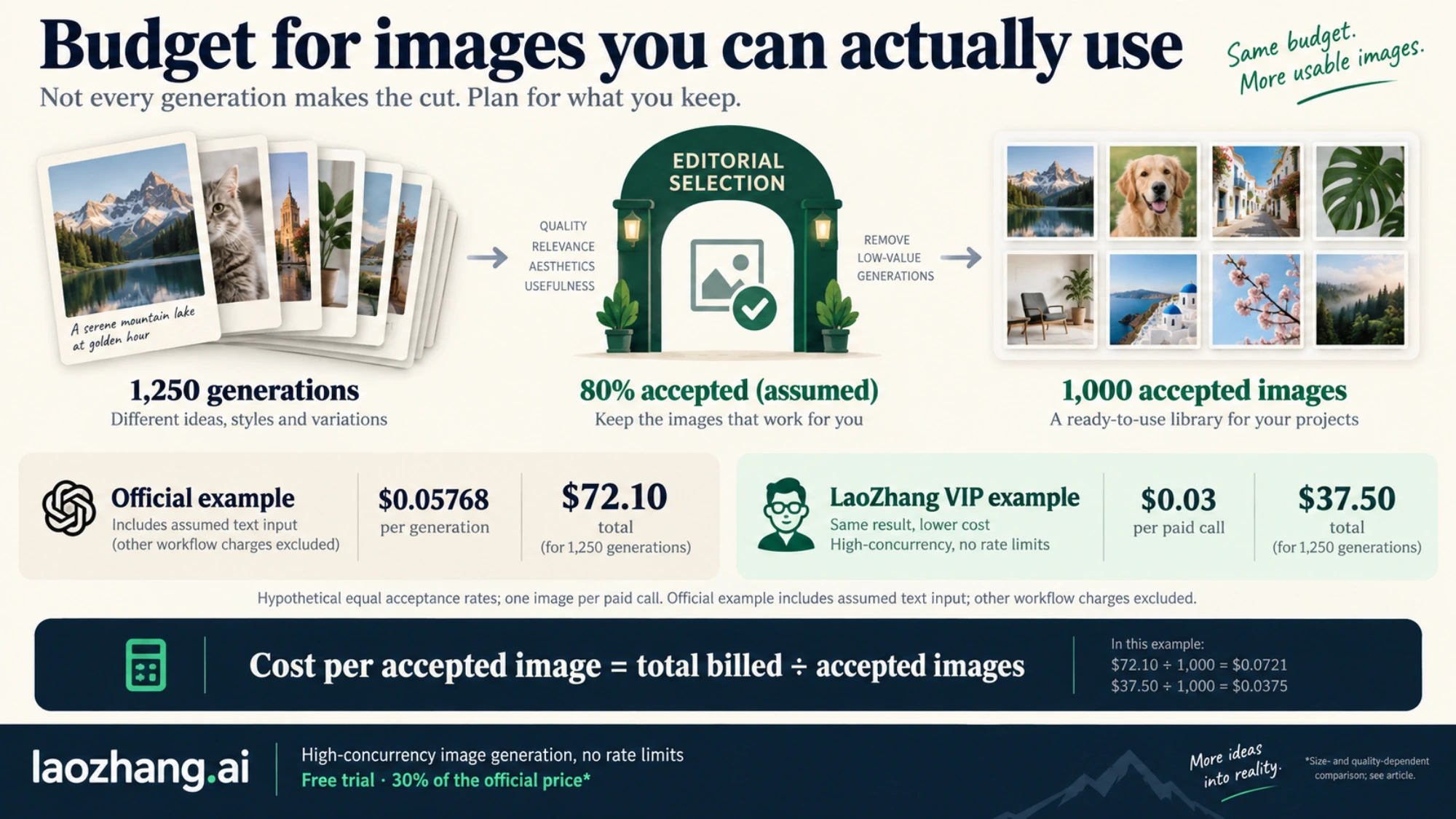
Using the $0.05768 request estimate above, suppose a job needs 1,000 accepted images and you assume that 80% of completed generations will be accepted:
Expected generations = 1,000 / 0.80 = 1,250
Estimated total = 1,250 × $0.05768 = $72.10
Cost per accepted image = $72.10 / 1,000 = $0.07210
The 80% acceptance rate is a planning assumption, not a measured property of either model. This example holds the request's text input and output consumption constant and excludes reference image inputs, streaming partials, and Responses conversation model usage. It also does not assume how a provider charges for failed requests.
With the same hypothetical 80% acceptance rate and one image per paid VIP call, 1,250 calls at $0.03 would cost $37.50, or $0.03750 per accepted image. Equal acceptance rates are an assumption for this example; they have not been measured across providers. For simpler volume planning, 10,000 paid VIP calls cost $300. Use paid calls rather than HTTP attempts in this calculation, because no failure-charging or refund policy is assumed here.
Before committing to a monthly volume, run a representative set of your own generation or editing tasks. Record the model ID, dimensions, quality, reported token usage, total expense, and number of results you accepted. Compare:
Observed cost per accepted image = total expense / accepted imagesA lower quality setting reduces the calculator estimate, but may require more attempts for your particular task. Conversely, paying for max does not automatically make the overall workflow cheaper. The useful comparison is the expense required to deliver an acceptable result under consistent acceptance criteria.
For example, 10,000 square outputs at medium have a calculator output estimate of $131.70. The same output count at high is $526.80. Those numbers help set an initial range; measured inputs and acceptance rates determine which setting offers the better production budget.
Avoid mixing GPT Image 2 and 2.5 prices
Do not relabel an older GPT Image 2 estimate as a Sunburst or Flare price. The guide has a separate earlier models section; the values in this article use the explicit GPT Image 2.5 calculator selection.
The difference is especially easy to miss at medium: the explicit GPT Image 2.5 calculator selection gives $0.01317 for a 1024×1024 output. Similar-looking prices at different quality labels do not prove that those settings have equivalent visual quality. A claim of a particular quality-adjusted saving would require an actual comparison.
There is also a documentation detail to watch: the 2.5 model pages warn against using the GPT Image 2 calculator for Sunburst or Flare. On September 12, the guide's calculator did offer a separate GPT Image 2.5 (Sunburst and Flare) selection, which is what this article used. Check the selected model before copying a quote.
If you are comparing model families, our Flare vs Nano Banana pricing guide covers that separate choice. If you are maintaining an older integration, our GPT Image 2 pricing guide covers that model's separate pricing context, and the GPT Image 2 API guide covers its implementation. For a new 2.5 budget, start with the explicit 2.5 calculator setting, add the applicable input and workflow costs, and replace your assumptions with observed usage as soon as you have representative requests.
Sources3
External pages this guide links to, in the order they appear. Last updated Sep 25, 2026.
Sources3
External pages this guide links to, in the order they appear. Last updated Sep 25, 2026.