Nano Banana API: Google vs. LaoZhang Cost and Image Delivery
Compare Google direct and LaoZhang for Nano Banana 2 and Pro, with matching image sizes, realistic delivery costs, a working image-saving example, and recovery steps.
On this page
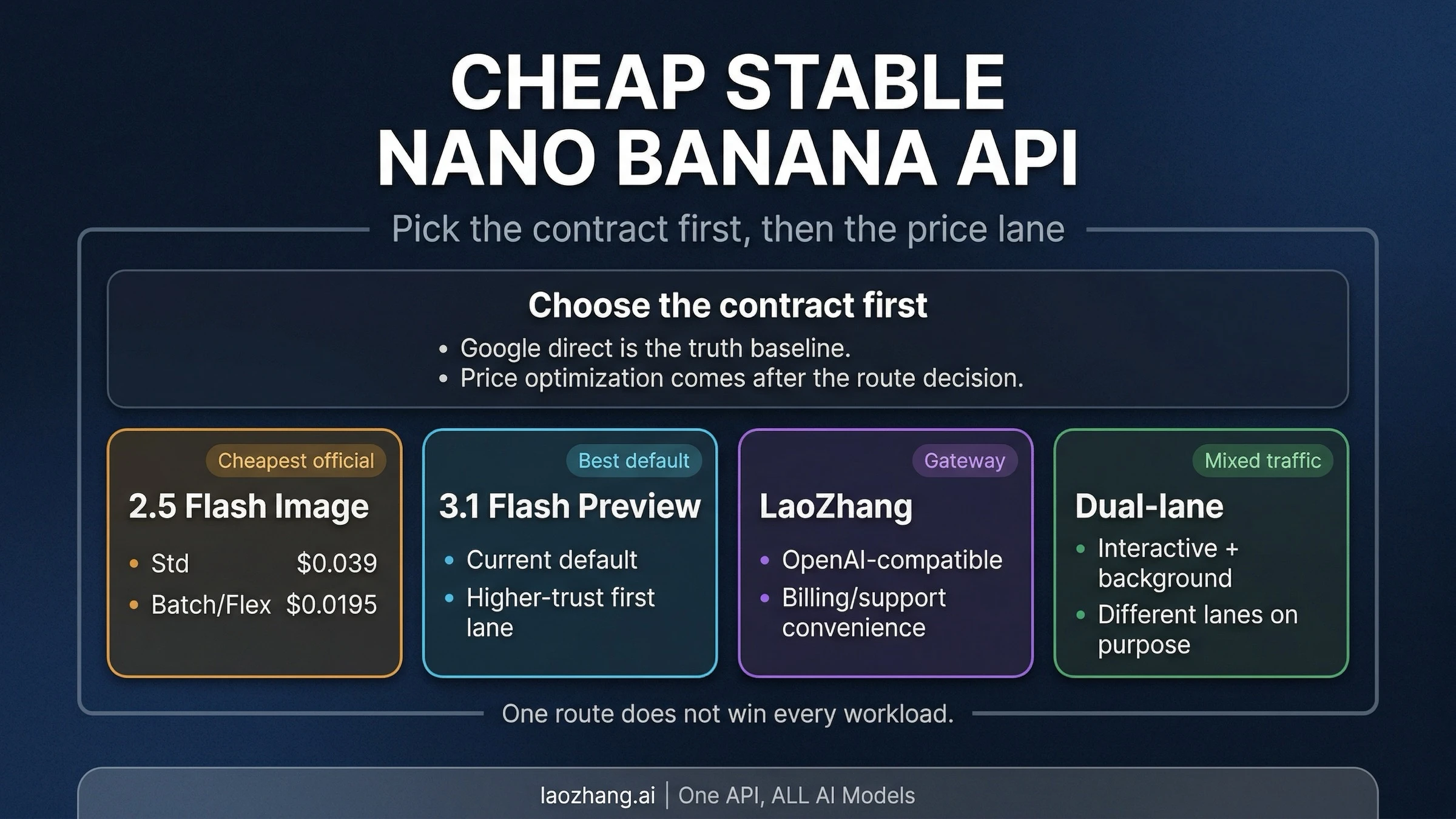
LaoZhang's published prices can undercut Google's Standard image-output charges for Nano Banana 2 at 1K and above, and for Nano Banana Pro. Google Batch can be cheaper for some sizes when the job can wait. Neither comparison tells you which service will reliably deliver the images your application needs: a billed call, an HTTP 200 response, and a usable image are different outcomes.
The practical choice is to price the same model and output size, implement image extraction correctly, and compare settled charges against files your application actually accepts. This guide covers Google direct and LaoZhang using public documentation checked on September 7, 2026. It includes an executable example, but no paid API benchmark or independently measured uptime ranking.
Compare the same Nano Banana model first
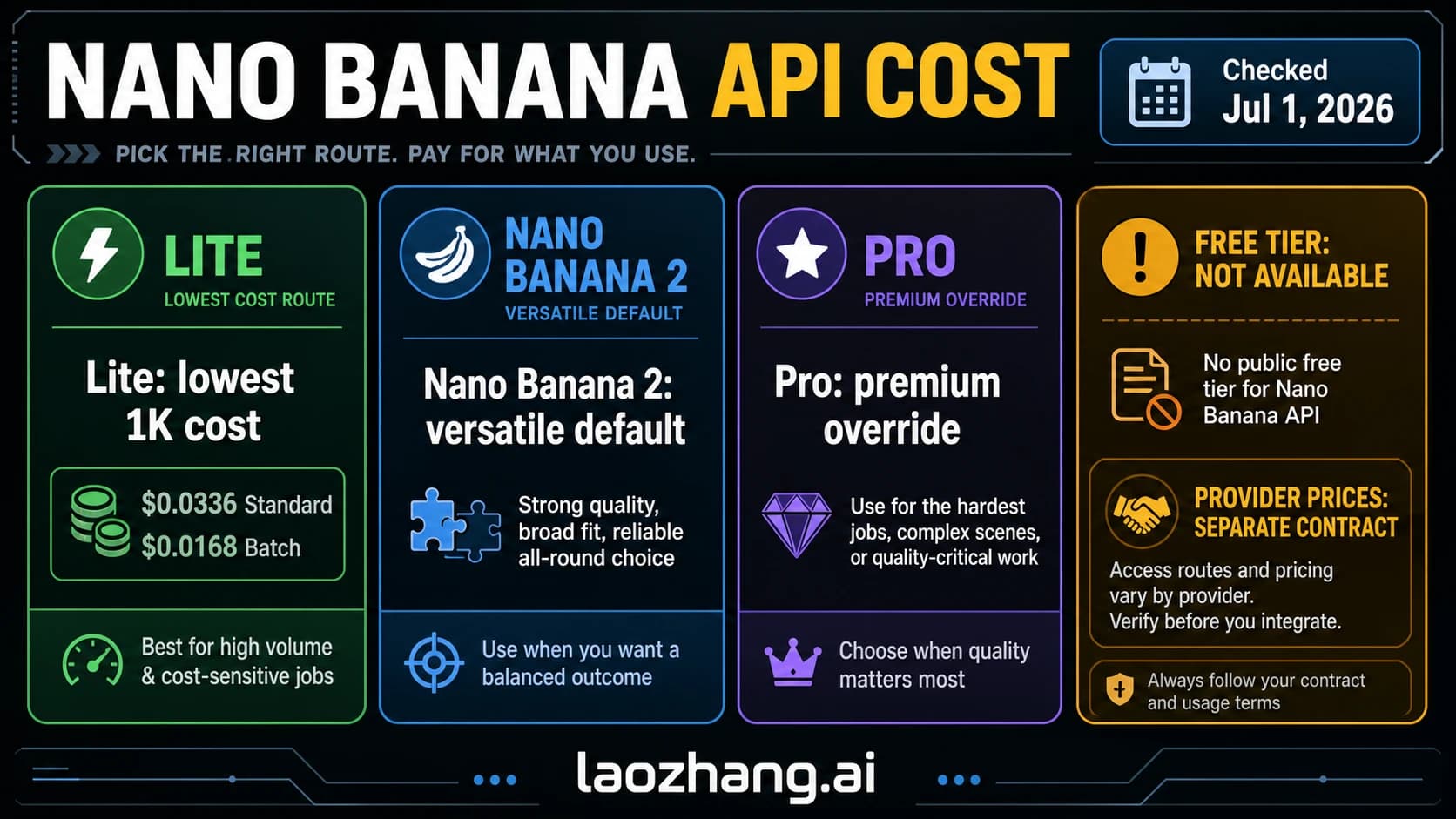
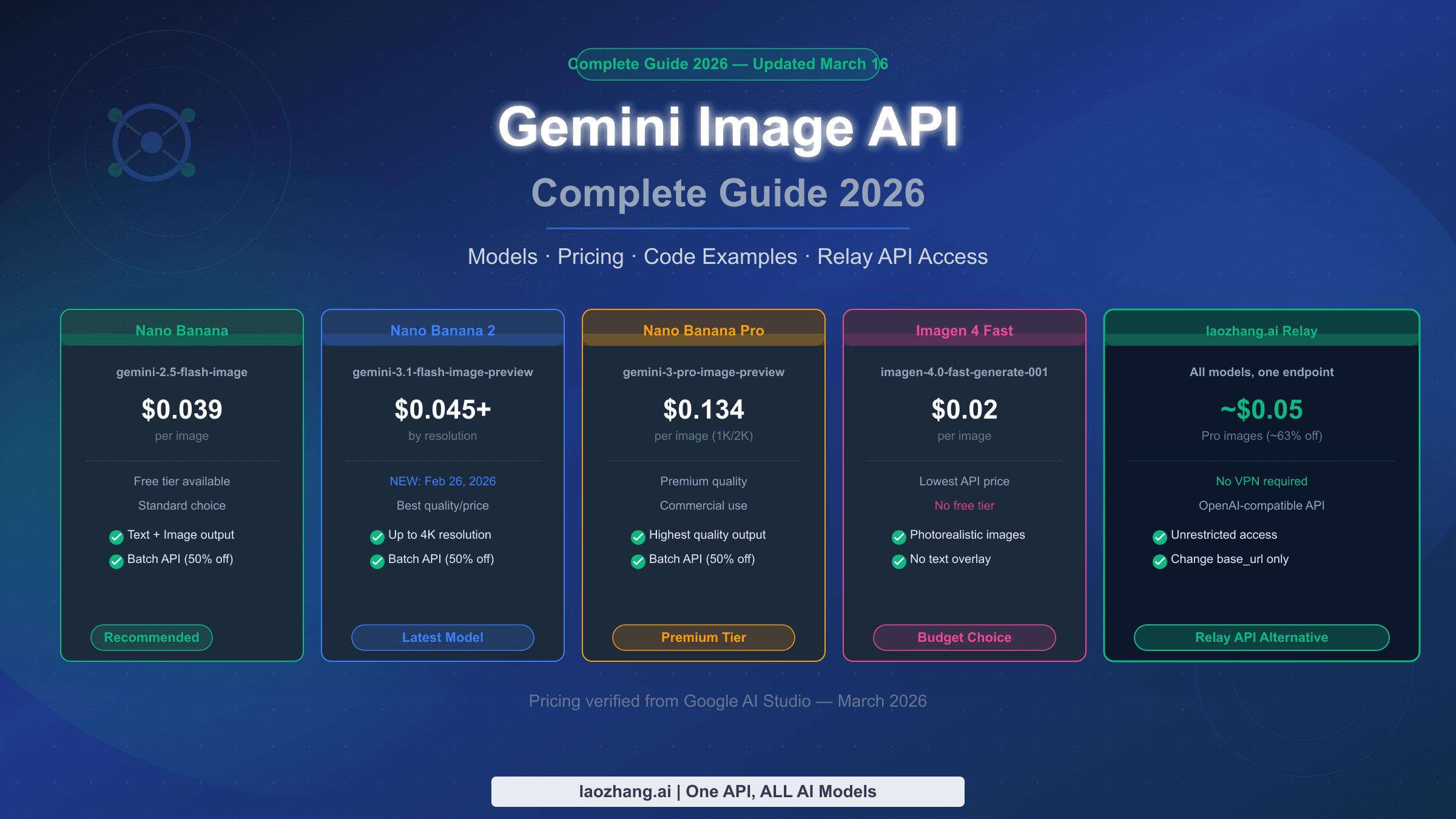
The current model IDs are gemini-3.1-flash-image for Nano Banana 2 and gemini-3-pro-image for Nano Banana Pro. Nano Banana 2 supports 0.5K, 1K, 2K, and 4K output; Pro supports 1K, 2K, and 4K. Both model pages list Batch support. The original Nano Banana and Nano Banana Lite are separate models, so a cheaper offer for either does not establish the cost of running Pro at 4K. Google's Nano Banana 2 model page, Pro model page.
For a comparison your team can reproduce, fix the model ID, image size, aspect ratio, number of requested images, prompt, and any input images. Keep grounding settings and response modalities consistent too. Otherwise, differences in the request can explain both the bill and the resulting image.
Google direct gives you Google's endpoint, billing relationship, and project quota. LaoZhang supplies a gateway endpoint and its own billing terms. The useful question is whether the latter's price and integration fit your application; neither arrangement alone proves better delivery reliability.
What 1,000 image outputs or billed calls cost
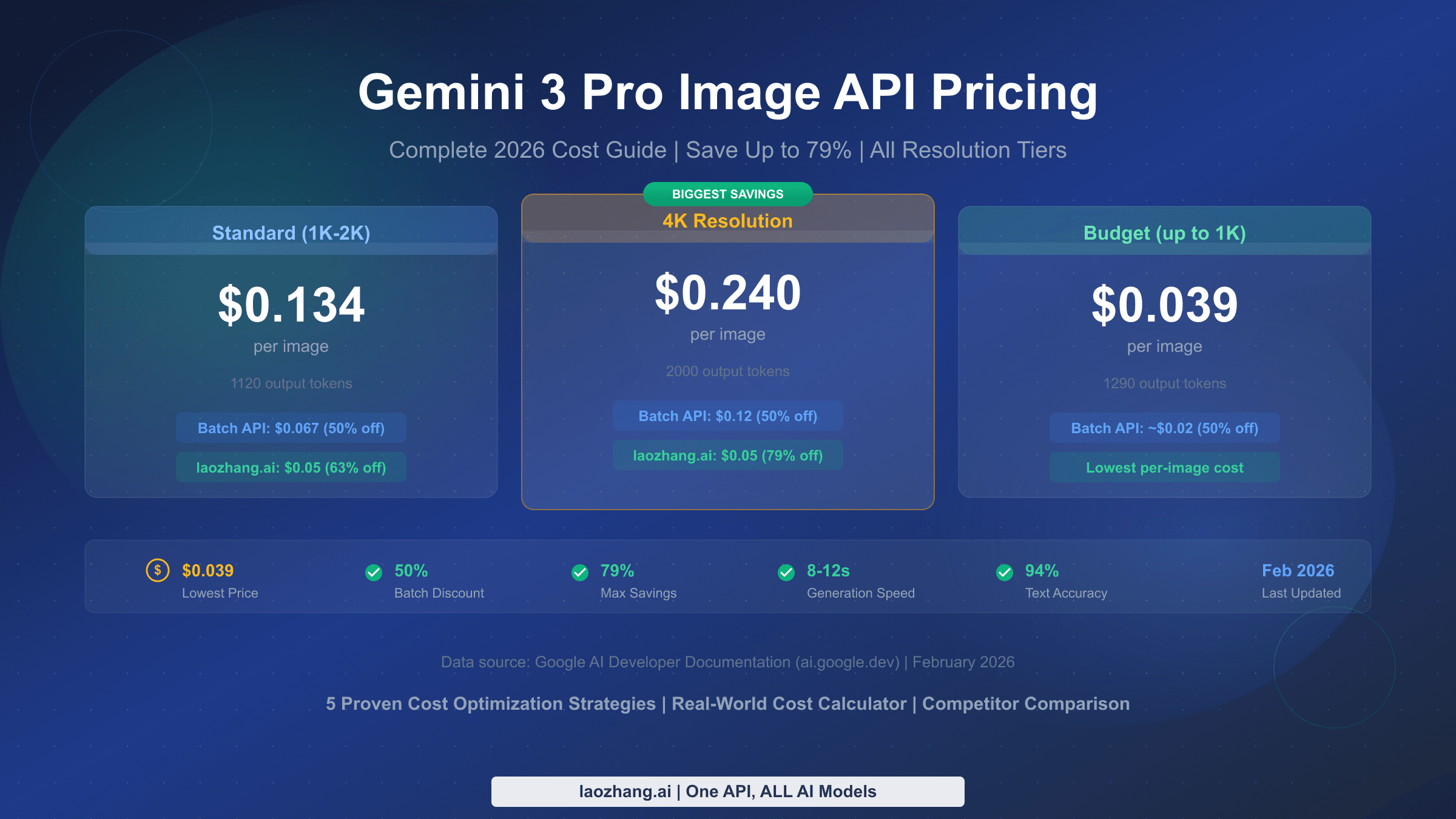
Google prices image output in tokens; LaoZhang publishes a per-call price. The table deliberately keeps those units visible. Google figures below use its published image-token counts and token rates, rather than multiplying rounded per-image labels. LaoZhang figures assume 1,000 successfully billed calls. Google pricing, LaoZhang image-generation pricing.
| Model and size | Google Standard: 1,000 image outputs | Google Batch: 1,000 image outputs | LaoZhang: 1,000 billed calls |
|---|---|---|---|
| Nano Banana 2, 1K | $67.20 | $33.60 | $55.00 |
| Nano Banana 2, 4K | $151.20 | $75.60 | $55.00 |
| Nano Banana Pro, 1K or 2K | $134.40 | $67.20 | $90.00 |
| Nano Banana Pro, 4K | $240.00 | $120.00 | $90.00 |
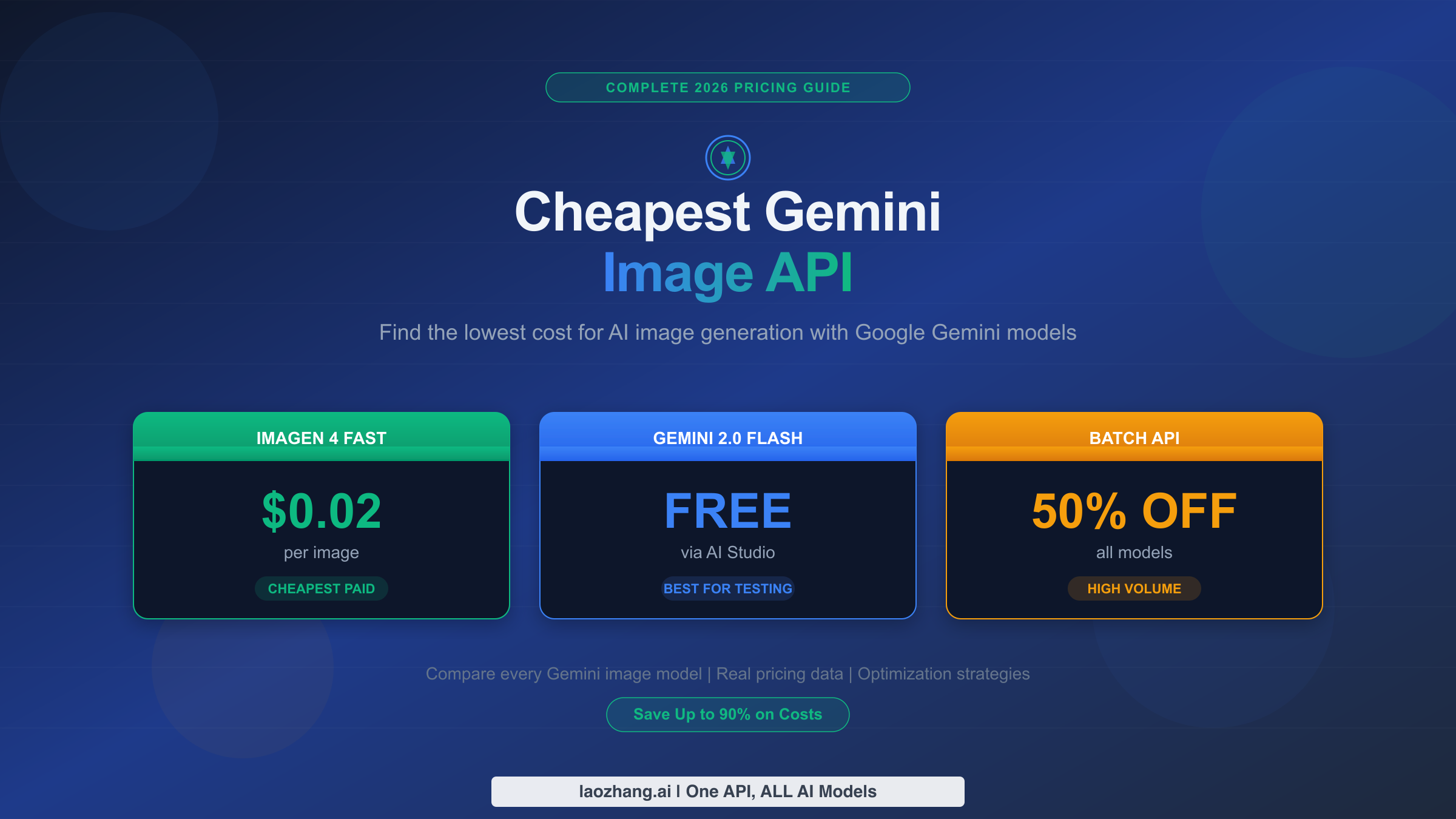
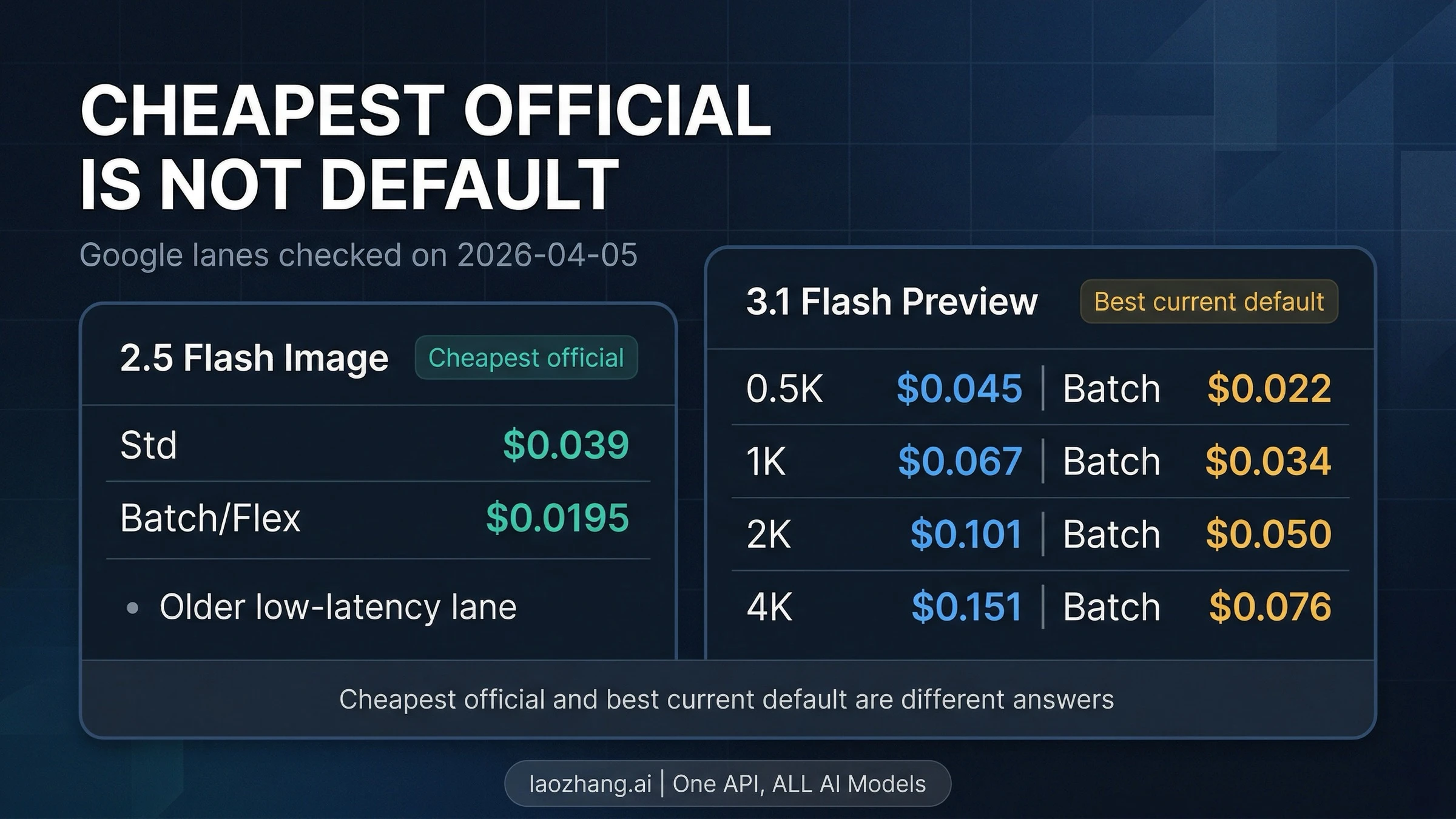
For example, Nano Banana 2 at 1K uses 1,120 image-output tokens at $60 per million tokens in Standard: 1,000 × 1,120 × $60 / 1,000,000 = $67.20. Input, text or thinking output, and applicable search charges can increase Google's total. These image models have no free tier for image output. Google's displayed approximate Standard rates also include $0.045 at 0.5K and $0.101 at 2K for Nano Banana 2. At 0.5K, that image-output component is below LaoZhang's $0.055 call price. Google pricing.
LaoZhang currently lists $0.055 per Nano Banana 2 call and $0.09 per Pro call. Its specific model documentation explains that billing depends on a successful Google call: a successful response containing only text may still be charged. Therefore, read its price as a call price, not a guarantee that every charge buys a delivered image. LaoZhang Nano Banana 2 documentation, Pro documentation.
Batch is a different scheduling choice. Google describes asynchronous processing with a target turnaround of 24 hours and a 50% discount against Standard. It suits deferred catalog images or scheduled creative work, not an immediate retry for a user waiting on screen. For the rows above, Google Batch has the lower listed component at Nano Banana 2 1K and Pro 1K/2K; LaoZhang has the lower listed price at 4K. Google Batch API.
Use Standard and Batch for this budget. Google's Pro pricing page also lists Flex/Priority prices, while its model page says those modes are unsupported. Those documents conflict; a price row alone does not establish that your image request supports that mode. Check the applicable model documentation before building a workload around it. Pro model documentation, pricing.
Make both services deliver the same image file
Use the native generateContent format for the comparison below. Google's REST response contains image data in candidates[].content.parts[].inlineData, alongside possible text parts. Skip parts marked thought: true so intermediate thinking images are not counted as final output. The raw JSON field is inlineData; Python SDK examples may instead expose inline_data. Indexing the first part can miss an image when text comes first. Google image-generation guide.
| Setting | Google direct | LaoZhang |
|---|---|---|
| Base URL | https://generativelanguage.googleapis.com | https://api2.laozhang.ai |
| Request path | /v1beta/models/{model}:generateContent | /v1beta/models/{model}:generateContent |
| Authentication | x-goog-api-key: ... | Authorization: Bearer ... |
| Example model | gemini-3.1-flash-image | gemini-3.1-flash-image |
| Example output | One square 2K image | One square 2K image |
The LaoZhang host and stable model IDs above follow its current examples. Its Pro documentation limits Chat Completions mode to 1:1 at 1K and directs custom aspect ratios and 2K/4K requests to Google format. Do not substitute /v1/images/generations without documentation for that endpoint. Google also offers OpenAI compatibility; compatibility alone is not a gateway advantage, and it does not establish identical image-feature support. LaoZhang Pro request formats, Google OpenAI compatibility.
Save the following as nano_banana.py and install its two dependencies with python -m pip install requests Pillow. Set IMAGE_PROVIDER to google or laozhang, and supply the corresponding GOOGLE_API_KEY or LAOZHANG_API_KEY through your environment. Set IMAGE_MODEL=gemini-3-pro-image to compare Pro; otherwise, it uses Nano Banana 2. Running the script sends a potentially billable request to the selected service.
import base64
import io
import os
import time
import uuid
from pathlib import Path

import requests
from PIL import Image


def save_images(payload, output_root):
    formats = {
        "image/png": ("PNG", ".png"),
        "image/jpeg": ("JPEG", ".jpg"),
        "image/webp": ("WEBP", ".webp"),
    }
    validated = []
    for candidate in payload.get("candidates", []):
        for part in candidate.get("content", {}).get("parts", []):
            if part.get("thought") is True:
                continue
            inline = part.get("inlineData")
            if inline is None:
                continue
            mime = inline.get("mimeType")
            if mime not in formats:
                raise ValueError("Unsupported image MIME type")
            expected_format, extension = formats[mime]
            raw = base64.b64decode(inline.get("data", ""), validate=True)
            with Image.open(io.BytesIO(raw)) as picture:
                picture.verify()
            with Image.open(io.BytesIO(raw)) as picture:
                picture.load()
                if picture.format != expected_format:
                    raise ValueError("MIME type does not match image bytes")
                if picture.size != (2048, 2048):
                    raise ValueError(f"Expected square 2K; got {picture.size}")
            validated.append((raw, extension))
    if not validated:
        raise ValueError("No decodable image returned; inspect response and billing")
    folder = Path(output_root) / uuid.uuid4().hex
    folder.mkdir(parents=True)
    paths = []
    for index, (raw, extension) in enumerate(validated, start=1):
        path = folder / f"image-{index}{extension}"
        path.write_bytes(raw)
        paths.append(path)
    return paths


def main():
    provider = os.environ.get("IMAGE_PROVIDER", "google")
    if provider == "google":
        base = "https://generativelanguage.googleapis.com"
        headers = {"x-goog-api-key": os.environ["GOOGLE_API_KEY"]}
    elif provider == "laozhang":
        base = "https://api2.laozhang.ai"
        headers = {"Authorization": "Bearer " + os.environ["LAOZHANG_API_KEY"]}
    else:
        raise ValueError("IMAGE_PROVIDER must be google or laozhang")
    model = os.environ.get("IMAGE_MODEL", "gemini-3.1-flash-image")
    if model not in {"gemini-3.1-flash-image", "gemini-3-pro-image"}:
        raise ValueError("Choose Nano Banana 2 or Pro")
    body = {
        "contents": [{"parts": [{"text":
            "Create one square studio product photo of a blue ceramic cup."
        }]}],
        "generationConfig": {
            "responseModalities": ["IMAGE"],
            "imageConfig": {"aspectRatio": "1:1", "imageSize": "2K"},
        },
    }
    started = time.monotonic()
    response = requests.post(
        f"{base}/v1beta/models/{model}:generateContent",
        headers=headers, json=body, timeout=(10, 180),
    )
    response.raise_for_status()
    paths = save_images(response.json(), "generated-images")
    elapsed = time.monotonic() - started
    print(f"{provider} {model}: {len(paths)} saved image(s), {elapsed:.2f}s")
    for path in paths:
        print(path)


if __name__ == "__main__":
    main()
This example inspects every candidate and part, skips thinking content, strictly decodes Base64, opens and loads the image, checks MIME consistency and the requested square 2K dimensions, then writes files to a new directory. It intentionally stops on malformed images instead of reporting partial validation as success. If you change the requested size or ratio, change the dimension check to match. The check establishes a usable file of the requested dimensions; your application still needs to decide whether the content meets the user's request.
The example's (10, 180) timeout specifies connection and read timeouts in requests; it is not a guaranteed 190-second total deadline. The printed elapsed time includes the request, decoding, and file writes. A production worker should also enforce its overall job deadline and record the result even when an exception occurs.
The parsing and saving function was checked offline with synthetic image responses, including text before an image, an image in a later candidate, thinking-only images, text-only responses, malformed Base64, truncated files, wrong dimensions, and a MIME mismatch. Those checks validate the local handling code, not either service's live response, speed, or availability. For initial account setup, see the Nano Banana API setup guide.
Compare settled cost per usable image
A low call price only helps if enough calls produce images you can use. Calculate:
Cost per usable image = net settled charges / accepted image files
Include all related attempts, retries, input charges, and final credits in the numerator. In the denominator, count delivered files that decode, match the requested output specification, and pass your application's content acceptance criteria. If no images are usable, the metric is undefined; report the charge and zero deliveries instead of a misleading price per image.
For a hypothetical Nano Banana 2 run, suppose LaoZhang bills 1,000 calls at $0.055, yielding 950 usable images. With no further charges or credits, the effective cost is $55 / 950 = $0.0579 per usable image. Suppose a matching Google run settles at $70 including its other charges and yields 990 usable images: $70 / 990 = $0.0707. LaoZhang is cheaper in that example. If those same 1,000 billed calls yield only 700 usable images, its figure becomes $55 / 700 = $0.0786, reversing the outcome. These are illustrative assumptions, not observed delivery rates.
Keep the request count separate from the image count: a response can contain no images or multiple images. Also keep API failures separate from editorial rejection. A correctly delivered picture that your designer dislikes still has an associated cost, but it is a different problem from a response that cannot be decoded.
Recover from missing images and ambiguous failures
The first recovery action depends on what failed. Use the response, your job record, and the provider's billing or order record together; do not classify every failure as an automatically refundable request.
| Observed result | First action | Retry decision |
|---|---|---|
| HTTP 200 with text only | Inspect returned text, finish reason, and any safety feedback; check the charge | Correct the request or handle the refusal before another attempt; LaoZhang may bill a successful text-only call |
| Invalid Base64 or an unreadable image | Preserve the response securely and record decoding failure | Check whether your parser used raw REST fields correctly before paying for another generation |
| Wrong dimensions | Compare the saved file, requested imageSize, aspect ratio, and endpoint mode | Correct the format or settings before repeating the request |
| HTTP 400/401/403 | Inspect the reported validation, credential, or access problem | Fix that cause; repeated identical calls will not resolve it |
| HTTP 429 | Check the service's active limits and any retry guidance | Apply bounded backoff and reduce concurrency |
| HTTP 5xx or a timeout | Look for an existing result and check provider records for completion or charging | Reconcile ambiguous attempts before resubmitting; a client timeout does not prove cancellation |
LaoZhang's published successful-call rule does not establish the final settlement of every timeout, validation failure, or 5xx. Reconcile those cases in the console instead of assuming an automatic refund. LaoZhang Pro billing notes.
For Google, rate limits apply per project, not per API key. Adding keys to the same project does not multiply its quota. Check the active limits in AI Studio, and use the Nano Banana Pro quota guide if capacity is the actual problem. Meeting a tier threshold is not a guarantee that every concurrency level will work. Google rate limits.
Track each logical job with your own ID and each submission as a separate attempt. Save provider request IDs when available, model settings, timestamps, HTTP status, decoding outcome, delivered dimensions, and the final charge. An internal job ID helps reconciliation; it does not make a provider request idempotent or prevent duplicate billing.
Choose using measured image delivery
For an interactive application, compare both services during the same defined period and workload: for example, a planned evaluation of square 2K requests at your expected concurrency over one business week. Record attempted requests, delivered files, text-only outcomes, invalid files, HTTP errors, timeouts, and settled charges. Use the same content acceptance rules for both services.
Measure latency through the saved, validated file. If you report P95 for successful deliveries, label it that way and state the sample count, measurement dates, concurrency, and timeout policy. Report timeout and failure rates over all attempted requests beside it. Removing failed requests from the latency sample without showing their rate can make an unreliable service look fast.
Google direct is a sensible starting point when you want the direct billing and project-quota relationship. LaoZhang is worth evaluating when its published call prices improve your expected cost, particularly for 4K, and its endpoint fits your integration. Google Batch deserves a separate budget for work that can wait. Keep whichever meets your delivery and cost requirements; the public documentation does not establish a universal stability winner.
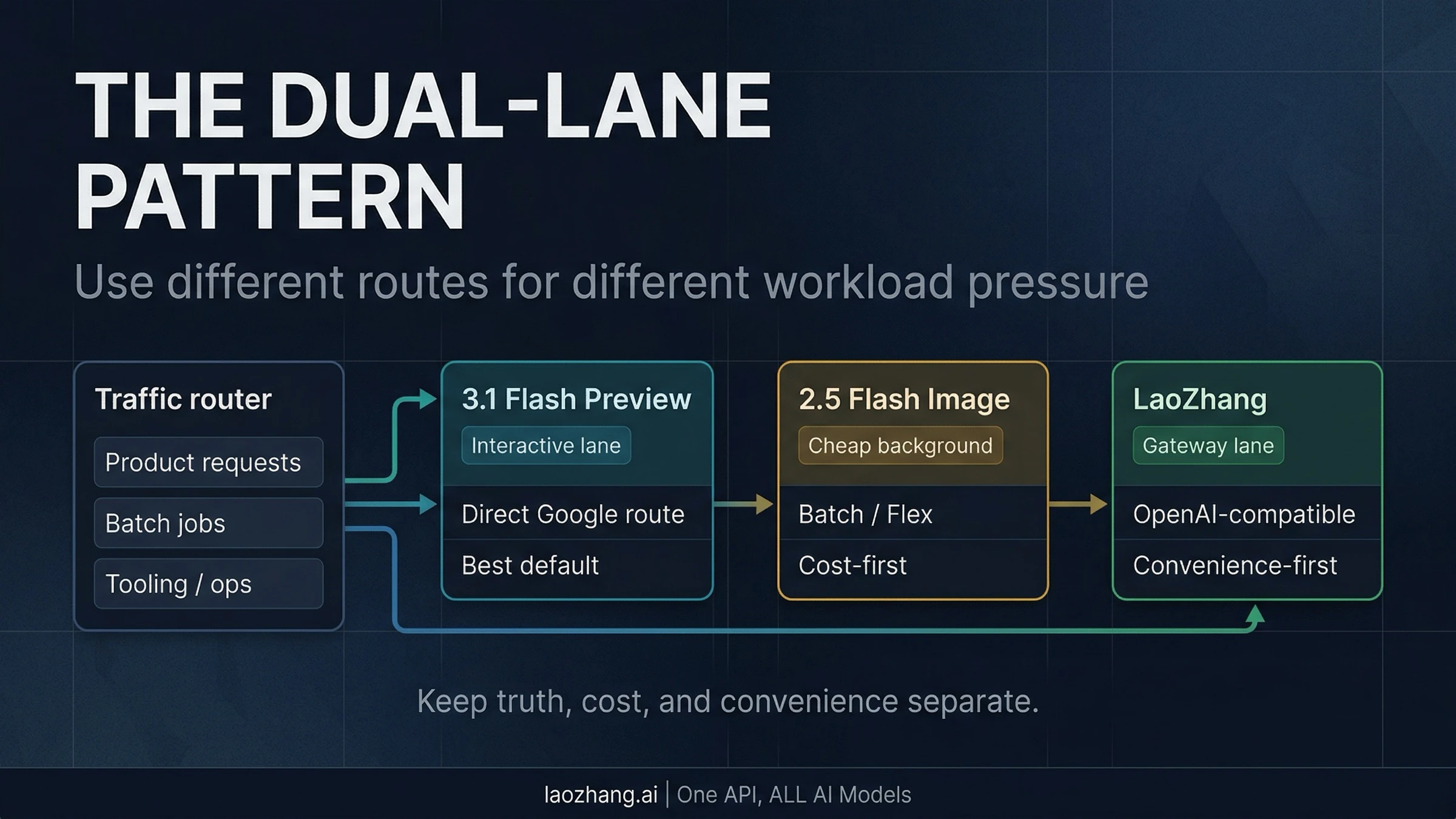
A second provider can give your application another submission option, but Google direct and a gateway serving Google's models may share upstream failures. Add failover only with explicit retry limits, duplicate-job handling, and separate billing reconciliation. Two endpoints are useful operational choices, not proof of independent capacity.