Free Gemini API Key for Students: What Is Free and What Isn't
No student-only Gemini API key exists; students get the same free tier as everyone. The Google AI Pro student year helps API work only after you enable billing.
On this page
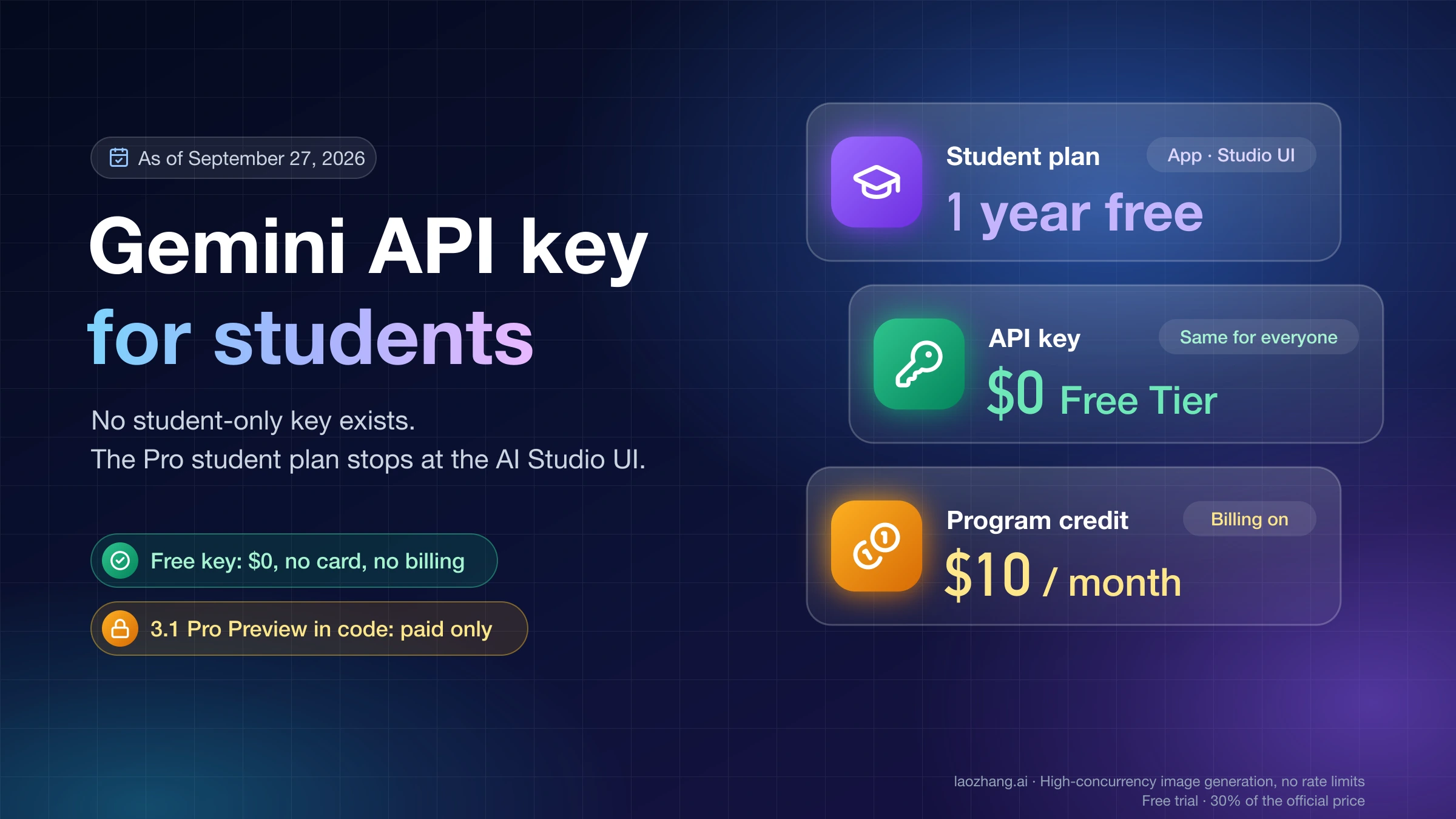
There is no student-only Gemini API key, and being a student does not change what the Gemini API charges. Every account gets the same free tier on the same models, created in Google AI Studio on a project with no billing attached. What a student can get, as of September 27, 2026, is a different product: the free 12-month Google AI Pro student plan for U.S. college students, which upgrades the Gemini app and the AI Studio web interface, and which Google's Developer Program page says includes a $10 monthly GenAI and Cloud credit. That credit pays for API calls only once you enable billing and hold a prepaid balance. Three realistic routes follow, with the free key shown working and the settings that keep a first key from becoming a bill.
The student plan and the API are separate products with separate terms
The U.S. student page sells one thing: "Free student plan for 1 year", which is Google AI Pro. As of September 27, 2026, it lists 4x higher usage limits in Gemini, 5 TB of storage, Gemini Spark, and Gemini Omni; you must be an 18+ U.S. college student, add a valid payment method, redeem by December 31, 2026, and re-verify each year. Unless you cancel, it charges $19.99 per month after the year ends. The page does not mention API keys, developers, or AI Studio at all. Eligibility, SheerID verification, and the claim flow are covered in Google AI Pro Is Free for Eligible U.S. College Students for 12 Months.
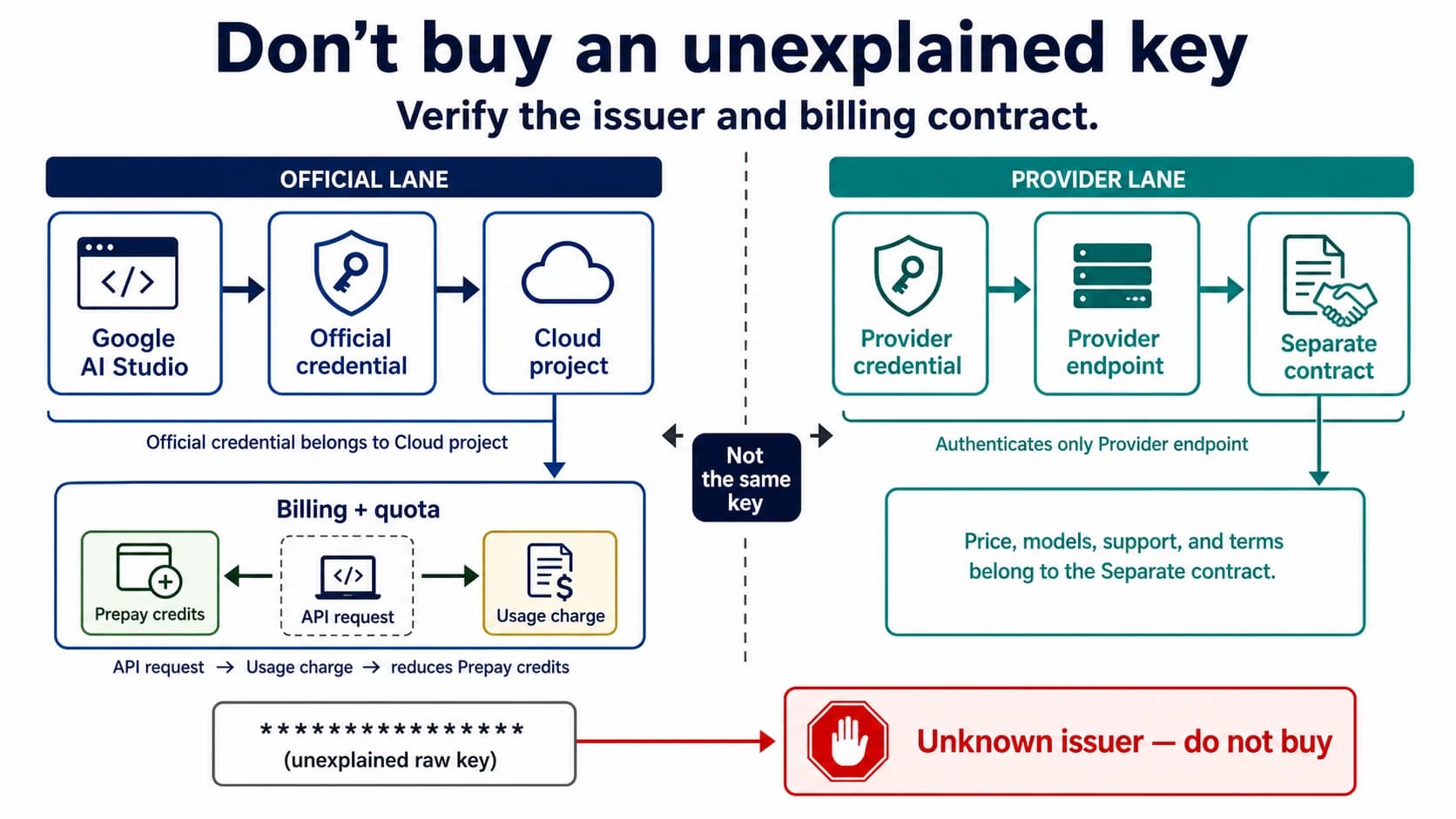
Google's Google AI plans page for developers explains what that subscription does on the developer side. Compared with the AI Studio Free plan's "modest quota", AI Pro gives "higher quota" in AI Studio and access to premium models such as Gemini Pro and Nano Banana there. Then it draws the line that answers most of the confusion: "AI Studio UI only: Google AI plan benefits for developer usage apply only within the Google AI Studio web interface. Direct use of the Gemini API (such as using API keys or external applications) is billed and managed separately."
So the same student is on two unrelated arrangements with Google:
- Typing a prompt into AI Studio's Playground or Build tab uses the student plan's quota.
- Calling the same model from Python with an API key uses the project's API tier, Free or Paid, where no student column exists.
Three phrases look alike and mean different things: the "free student plan" is the Gemini app subscription; the AI Studio "Free plan" is the web interface without a subscription; the API "Free Tier" is what a project without a billing account gets. Google One AI credits, the consumer credits that come with some plans, are yet another system and, per the same page, are not supported in AI Studio.
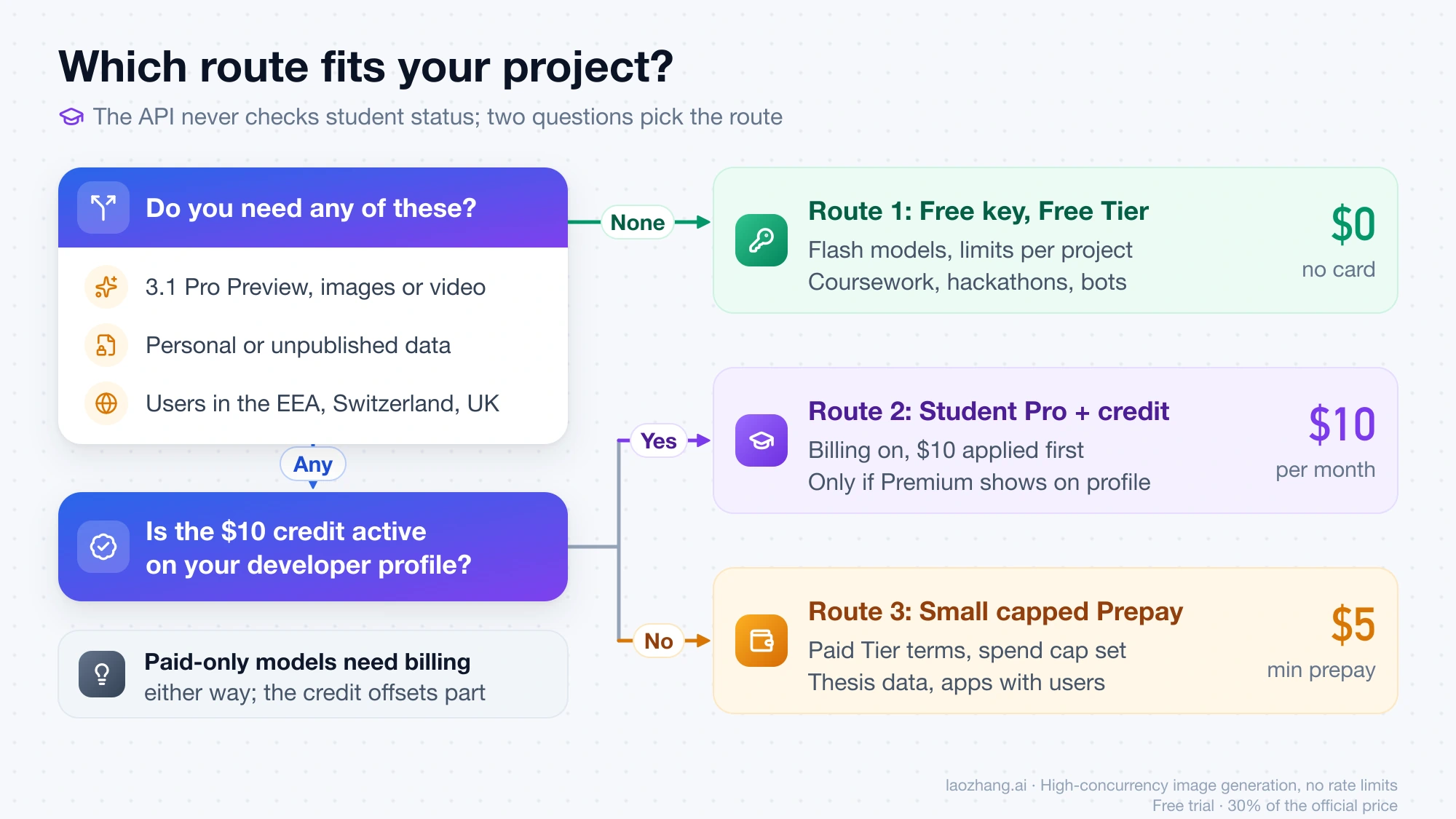
Three routes, and how to pick one
| Route | What you pay | What you get for API work | Fits when |
|---|---|---|---|
| 1. Free key on a Free-tier project | $0, no card, no billing account | Free-tier models, limits shared by the project, content used to improve Google products | Coursework, hackathons, a Discord bot, personal experiments with no sensitive data |
| 2. Student Pro year plus the Developer Program credit | $0 for Pro this year; a $5 minimum prepay to enable billing | Pro benefits in the app and AI Studio interface; if Premium activates on your developer profile, a $10 monthly credit applied to a billed project | You need a paid-only model such as 3.1 Pro Preview or image generation, and you accept enabling billing |
| 3. Small capped paid setup | $5 minimum prepay, a spend cap you set | Paid Tier: paid-only models, higher limits, content not used to improve Google products | Thesis or lab work with real data, an app with users, or users in the EEA, Switzerland, or the UK |
The decision comes down to three questions. Does the assignment run on a Flash model? Then Route 1 is the whole answer, and everything else on this page is protection. Does it need Gemini 3.1 Pro Preview, image generation, or video in code? Those are not on the Free Tier at all, so you will enable billing either way; the only question is whether the student Pro year's credit offsets some of it (Route 2) or you simply prepay a small amount (Route 3). Does the data include other people's personal information, unpublished research, or anything covered by a data-use agreement? Then the Unpaid Services terms rule out Route 1 regardless of model, and Route 3 with a spend cap is the cheapest compliant setup.
Route 1: create a free key and prove it works
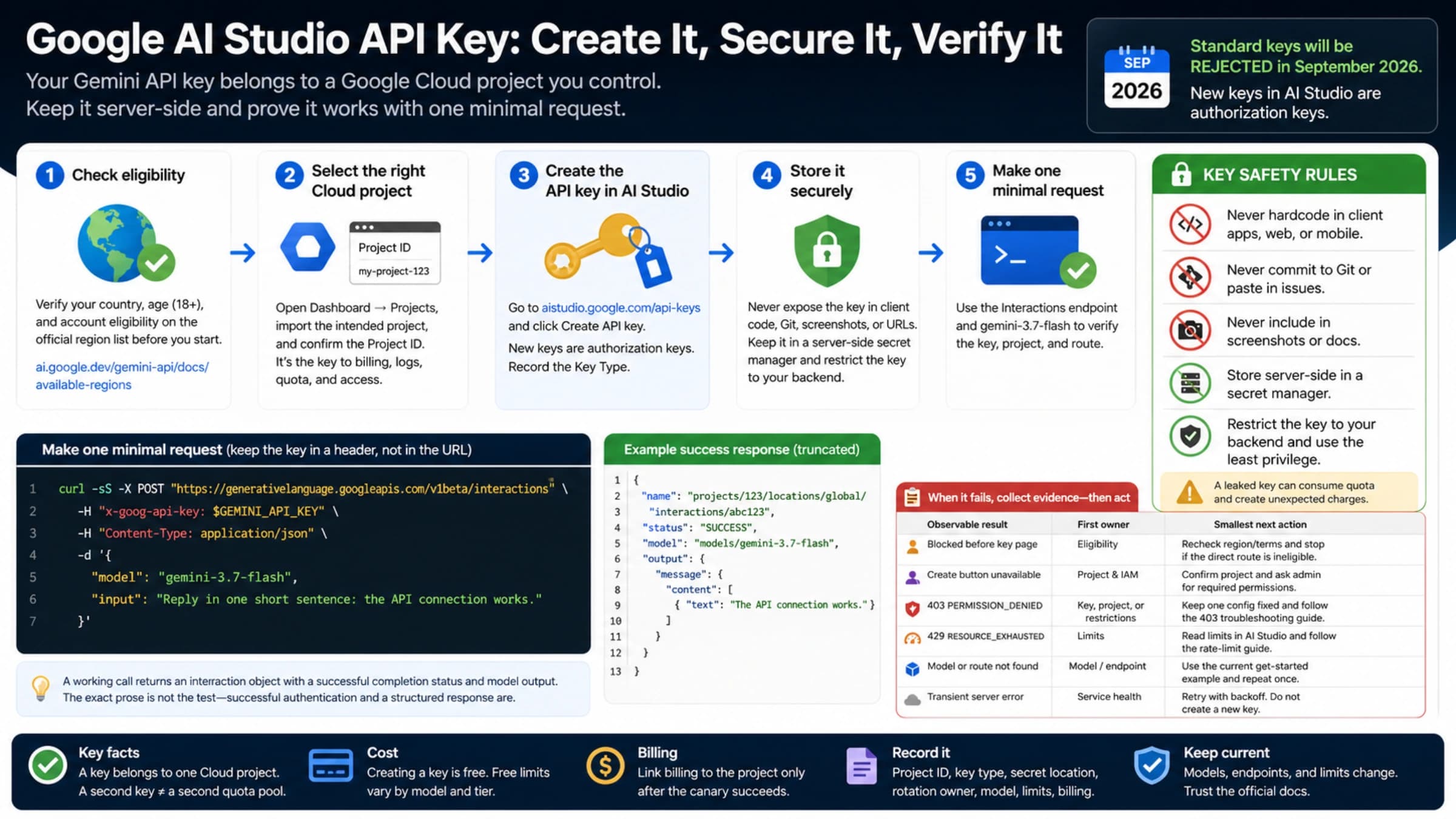
Sign in to AI Studio with a personal Google Account. Per the API key guide, a new user gets a default Google Cloud project and an API key automatically after accepting the Terms of Service; a user who already has Google Cloud projects does not get a default and must import one from the Dashboard's Projects view. Check the Projects page before you go further: a project with no billing account attached shows "Set up billing" in its Billing Tier column. That is the Free Tier state you want. Do not click it on this route.
Keys created in AI Studio since May 28, 2026 are authorization keys. They are bound to a service account, restricted to the Gemini API by default, and covered by what Google calls fast-acting leaked key enforcement. If you have an older standard key marked "Unrestricted", the API now rejects its requests. Fix it on the API Keys page: hover over the "Unrestricted" label, click "Add restrictions", choose "Restrict to Gemini API only", and click "Restrict key".
Put the key in an environment variable rather than in a file you might commit. The client libraries read GEMINI_API_KEY or GOOGLE_API_KEY automatically; if both are set, GOOGLE_API_KEY wins.
export GEMINI_API_KEY="paste-your-key-here"The smoke test below uses gemini-3.5-flash, a model whose Free Tier column reads "Free of charge" on the pricing page, through the Interactions endpoint that Google's current key guide uses:
curl "https://generativelanguage.googleapis.com/v1beta/interactions" \
  -H "Content-Type: application/json" \
  -H "x-goog-api-key: $GEMINI_API_KEY" \
  -X POST \
  -d '{
    "model": "gemini-3.5-flash",
    "input": "Reply with one sentence confirming the request worked."
  }'
The same call from Python, with the SDK reading the variable you just exported:
from google import genai

client = genai.Client()
interaction = client.interactions.create(
    model="gemini-3.5-flash",
    input="Reply with one sentence confirming the request worked.",
)
print(interaction.output_text)
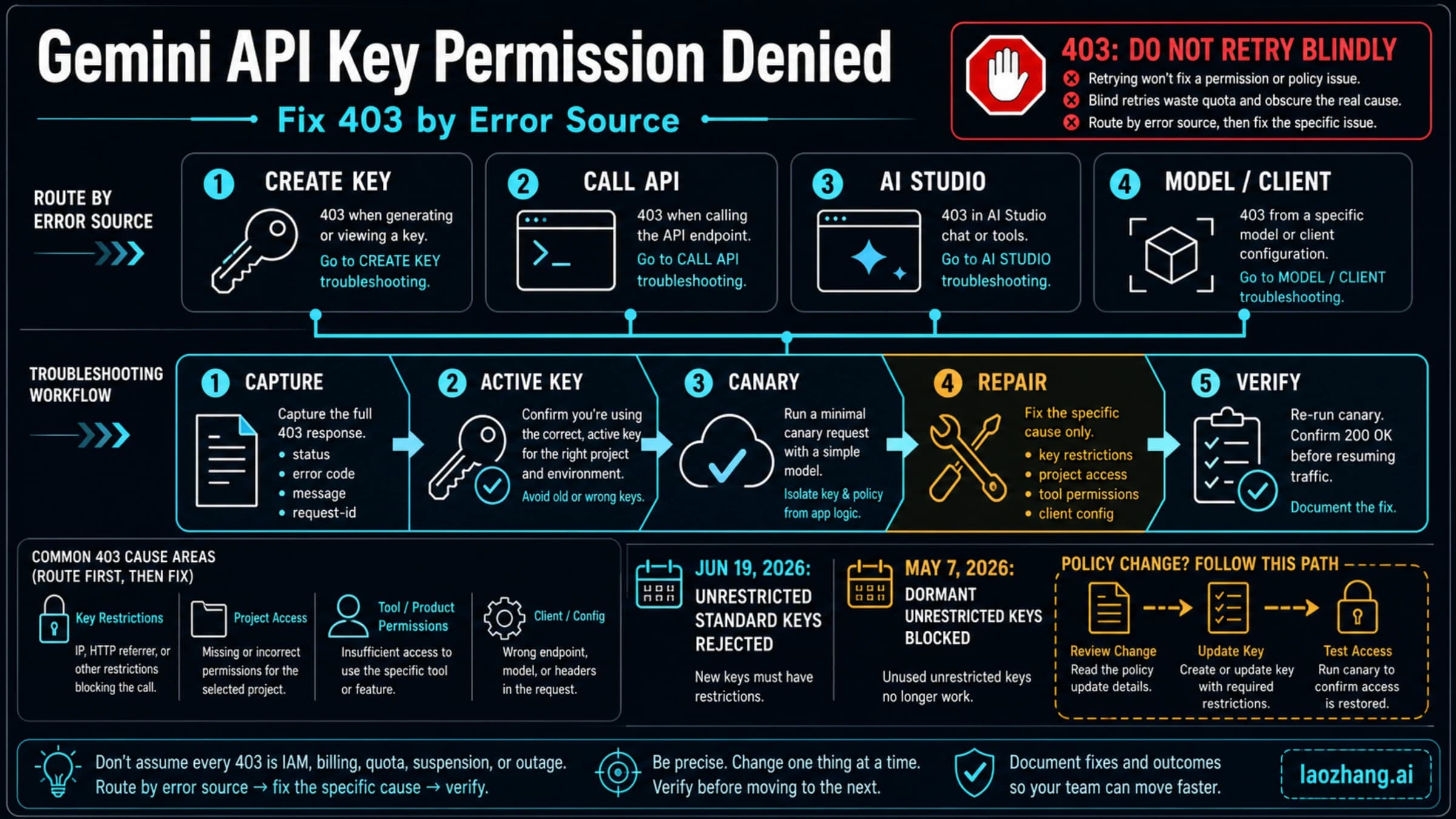
A JSON response with model text means the key, the project, and your region are all fine. Two failures are worth recognizing. A 403 that mentions your location, age, or a blocked key is an eligibility or restriction problem, sorted by source in Gemini API Key Permission Denied: Fix 403 by Error Source (2026). A 429 RESOURCE_EXHAUSTED on a Free-tier project means the project's limit for that model is used up for the minute or the day; creating another key does not help, for the reason in the next section.
What is free in the API, and what never is
The Gemini Developer API pricing page, last updated September 24, 2026, has a Free Tier column for every model. As of September 26, 2026, the rows reading "Free of charge" include Gemini 3.8 Flash, 3.7 Flash, 3.6 Flash, 3.5 Flash, 3.5 Flash-Lite, 3.1 Flash-Lite, 3 Flash Preview, 2.5 Pro, 2.5 Flash, 2.5 Flash-Lite, the Live and TTS variants, Gemini Embedding 2, and Gemma 4. Every one of those rows also says "Used to improve our products: Yes".
The rows reading "Not available" on the Free Tier are the ones students most often assume a free key unlocks:
| Model | Model ID | Free Tier |
|---|---|---|
| Gemini 3.1 Pro Preview | gemini-3.1-pro-preview | Not available |
| Gemini Omni Flash | — | Not available |
| Gemini 3.1 Flash Image (Nano Banana 2) | gemini-3.1-flash-image | Not available |
| Gemini 3 Pro Image (Nano Banana Pro) | gemini-3-pro-image | Not available |
| Gemini 2.5 Flash Image, 3.1 Flash Lite Image | — | Not available |
| Veo 3.1, Lyria 3.5, 2.5 Computer Use | — | Not available |
Gemini 3.1 Pro Preview is the sharp edge: the student Pro plan lets you use Gemini Pro inside the AI Studio interface, but gemini-3.1-pro-preview in code is paid from the first token. Setup and cost for that path are in Gemini 3.1 Pro API: Setup, Pricing, Limits, and Migration Guide (2026). Among the free rows, Gemini 2.5 Pro is the only Pro-class model, so it is the fallback when a Flash model is not enough and paying is not an option.
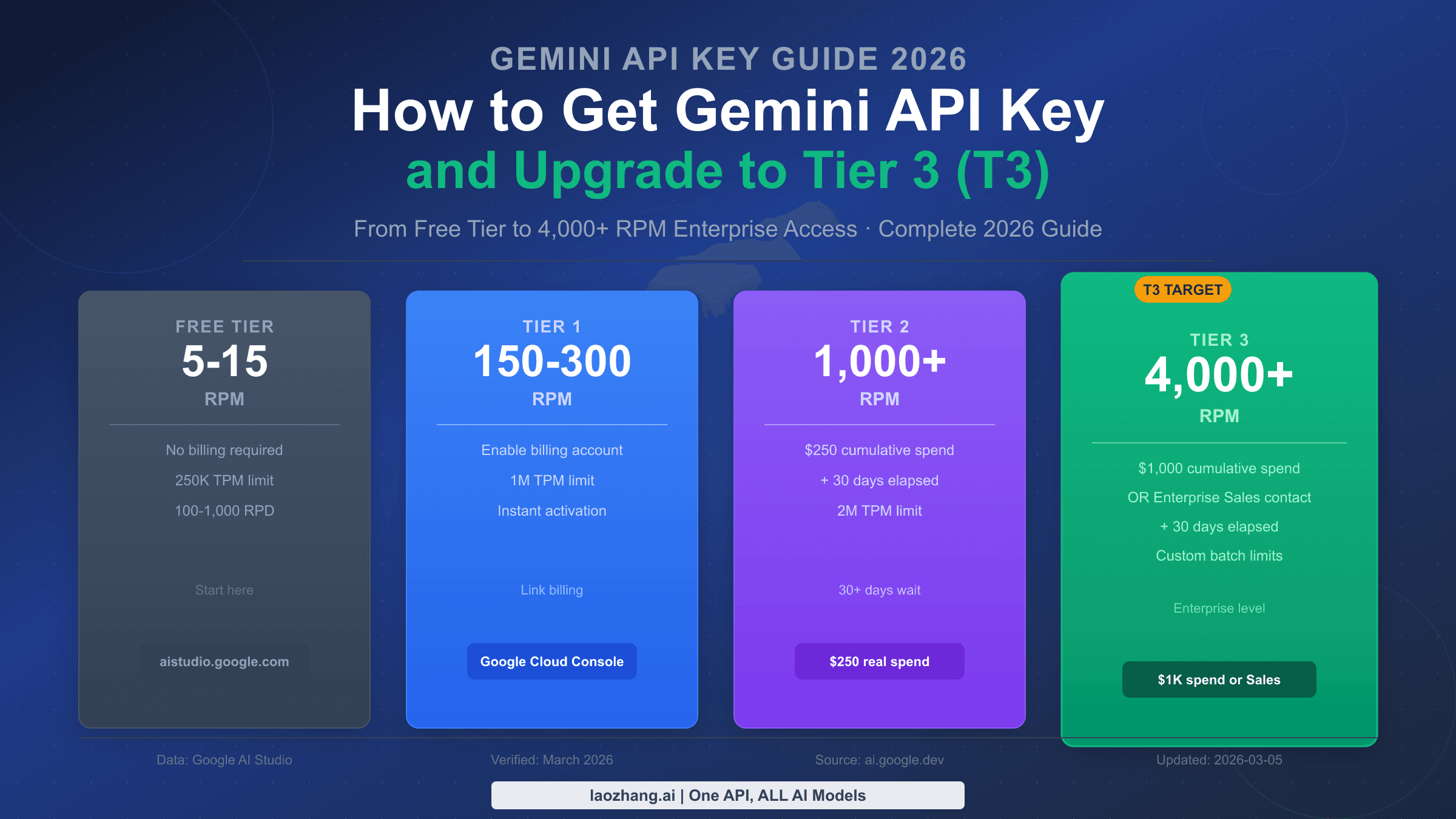
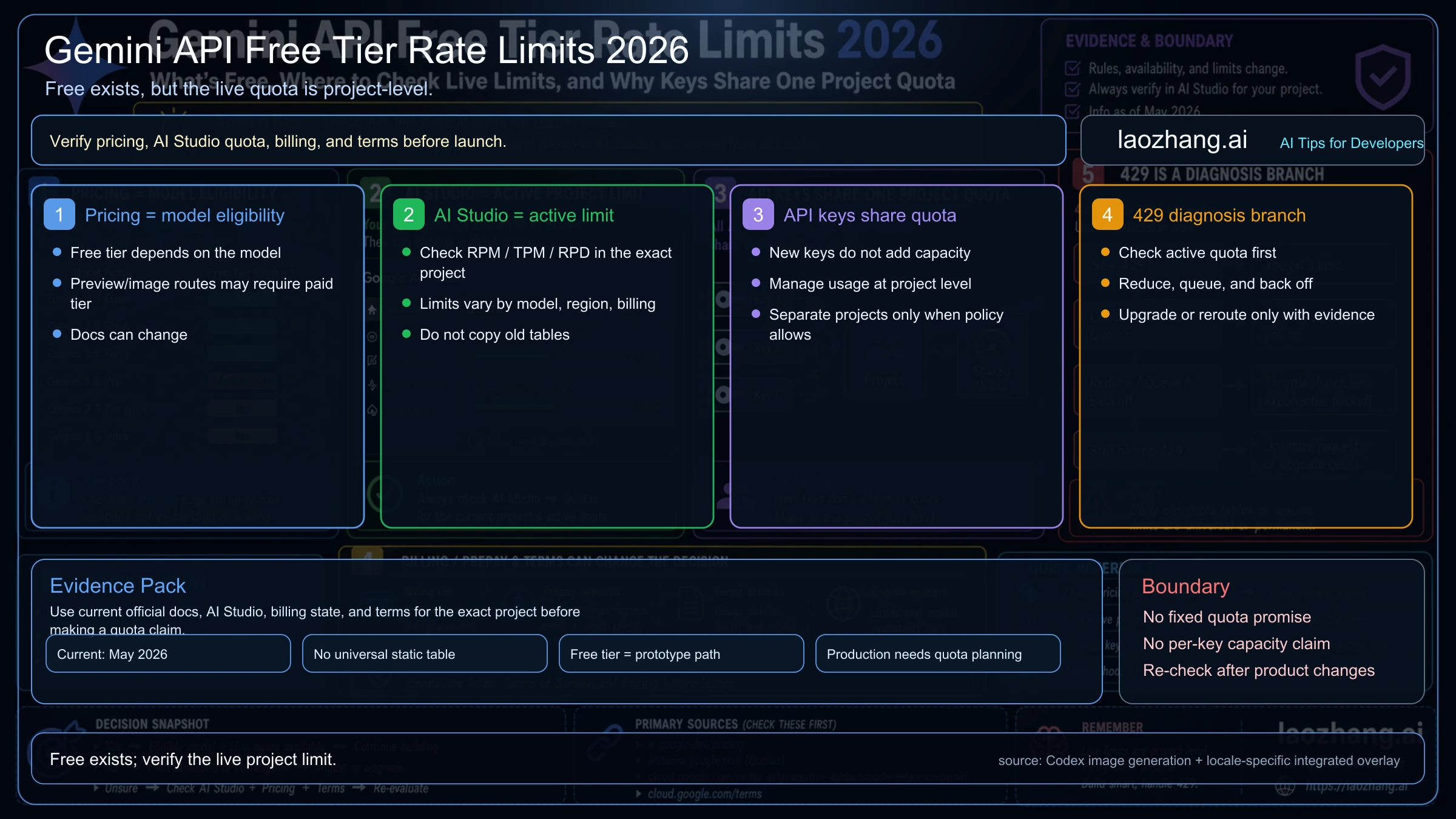
How much you can call is governed by the rate limits page, and it publishes no single free-tier number you can plan around. What it does state: limits are requests per minute, tokens per minute, and requests per day; "Rate limits are applied per project, not per API key"; daily quotas reset at midnight Pacific time; preview and experimental models are more restricted; and "Specified rate limits are not guaranteed". The live values for your project are on AI Studio's rate-limit page, which is where to look before a demo. Three keys in one project open three doors to the same pool. The model roster and the quota mechanics are covered in more depth in Gemini API Free Tier 2026: Limits, Free Models, and API Keys and, for the Free-versus-Tier-1 comparison and 429 fixes, in Gemini API Rate Limits 2026: Free vs Paid Tier RPM, TPM, RPD.
Route 2: what the student Pro year does for API work
This is the one place where student status can touch API money, and it comes with conditions on both ends.
On the Google Developer Program plans page, the Premium tier (normally $19.99 per month) is marked "Included with Google AI Pro", and its benefits include a "$10 GenAI and Cloud monthly credit", listed in the comparison table as "$10 per user per month with Google AI Pro". The Google AI plans page states the other end: "Subscribers with Google Cloud Platform (GCP) projects and Cloud Billing enabled are eligible to receive monthly Cloud credits from the Google Developer Program for Cloud services, including the Gemini API", and "For users on prepay billing, a paid balance greater than $0 is required in AI Studio to activate promotional credits. Eligible Google Cloud credits, if any, are applied first."
Read together, the bridge works like this:
- You activate the student Google AI Pro plan.
- Premium should appear on your Google Developer Program profile. Neither page says whether a promotional student subscription counts, so confirm on your profile after activation rather than budgeting around it.
- You enable billing on the project (Prepay, $5 minimum) so it is on a Paid tier.
- Each month's $10 credit is consumed before your prepaid balance, and only while that balance stays above $0.
The trade-off is real. Enabling billing moves that project out of the Free Tier: every call is charged at paid rates, with the credit and then your prepayment covering it, and the Paid Services terms apply, which is the part you may actually want for research data. At Gemini 3.5 Flash's paid rates of $1.50 per million input tokens and $9.00 per million output tokens, $10 covers roughly 2 million input tokens plus 750,000 output tokens (2 × 1.50 + 0.75 × 9.00 = 9.75). That is generous for a semester project on Flash and modest for 3.1 Pro Preview at $2.00 and $12.00 per million for prompts up to 200k tokens.
Route 2 is worth it when you would otherwise pay for a paid-only model or paid data terms anyway. It is not worth enabling billing just to collect a credit you have no use for, because a billed project is the only kind that can ever produce a bill. If you take it, apply the Route 3 settings first, and put a reminder before the Pro year ends: the plan renews at $19.99 per month, which is also Premium's standalone price.
For students whose institution is in a country where the student offer is Google AI Plus rather than Pro, the regional subscription pages list no developer, AI Studio, or Developer Program benefit for Plus, so Route 2 does not exist there.
Route 3: a small paid setup with a hard ceiling
Google's billing guide describes controls that make a paid student project safe to run. New billing accounts default to Prepay (in effect since March 23, 2026): you buy credits before use, the minimum purchase is $5, unused credits expire after 12 months, and "When your Prepay credit balance on the billing account hits $0, all API keys in all projects linked to that billing account will stop working simultaneously" with an HTTP 402 error until you add credits. Long-running batch jobs and agent sessions can overrun the balance during the roughly 10-minute billing latency, so the balance is a ceiling, not a precise meter.
Settings to apply before the first paid call:
- Prepay only. Leave auto-reload off, or set its monthly limit to an amount you would accept losing.
- A project spend cap: AI Studio Spend page → Monthly spend cap → Edit spend cap. It is marked experimental and carries the same 10-minute lag, so set it below what you can afford, not at it.
- Billing alerts in the Google Cloud Console, which the API key guide recommends for exactly this case.
Two account facts change what a student should expect. The $300 Google Cloud Welcome credit that comes with a first billing account cannot be used for the Gemini API or AI Studio if the account was opened after March 2, 2026, and Gemini API usage has been excluded from the Cloud Free Trial since March 2026, so the free-credit route through Google Cloud is closed for new accounts. And Tier 1, which any linked billing account puts you on, carries a $250 monthly billing cap and a spend-based limit of $10 per rolling 10 minutes that returns 429 RESOURCE_EXHAUSTED when crossed.
When to stop: if the project fits Flash free-tier limits, stop at Route 1. If it needs a paid model, prepay $5 to $20 with a matching spend cap and stop there; that covers a course project. If the project keeps hitting the Tier 1 cap or serves real users daily, it has outgrown a student setup, and the next step is a lab or department Cloud account, not a bigger personal prepayment. To return to the Free Tier later, disable billing on the project. Plan and tier diagnosis is in Gemini API Billing Tiers: Prepay vs Postpay, Upgrade Rules, and No Credits Fixes; per-token estimates for your own workload are in Gemini API Pricing 2026: Token Rates, Free Tier, and Key Cost.
What stops you before the key exists
The Gemini API Additional Terms, last updated April 28, 2026, require you to be 18 or older; there is no education clause and no .edu requirement. The available regions page lists the United States, Japan, South Korea, Spain, the UK, and EU members, and does not list mainland China, Hong Kong, Macao, Russia, Belarus, or Iran. When AI Studio refuses access, the page names three causes: your region, being under 18, or not having verified your age on your Google Account. In Colab, the region that counts is the Colab instance's, not yours.
Two clauses in the terms matter for students specifically.
The EEA rule: "You may use only Paid Services when making API Clients available to users in the European Economic Area, Switzerland, or the United Kingdom." Testing from a dorm in Madrid is not what it forbids; shipping a bot that classmates in the EU can use on a Free-tier key is.
The data rule: on Unpaid Services, which include AI Studio and the free API quota, Google uses submitted content and responses to provide, improve, and develop its products, "human reviewers may read, annotate, and process your API input and output", and the terms say "Do not submit sensitive, confidential, or personal information to the Unpaid Services." For a thesis built on interview transcripts, survey responses, or a dataset under a data-use agreement, that clause alone moves you to Route 3, or to a provider whose free tier has different terms, compared in Best Free AI API Provider: Pick by Limits, Data Use, and Region.
Why a first key gets expensive, and the settings that prevent it
Every semester a thread like the Reddit post titled "Student hit with a $55,444.78 Google Cloud bill after ..." makes the rounds. The figure is the poster's claim, but the mechanism in these stories is always the same: a key that could charge a billing account was committed to a public repository or shipped inside a front-end bundle. A key on a Free-tier project cannot charge anything, because there is no billing account behind it; the worst a leak can do is burn your quota. The bills come from keys on projects linked to a billing account, and Google's own key guide is blunt about the causes: "Never check API keys into source control systems like Git", and never expose keys client-side, because "Keys compiled in client-side code can be extracted by users."
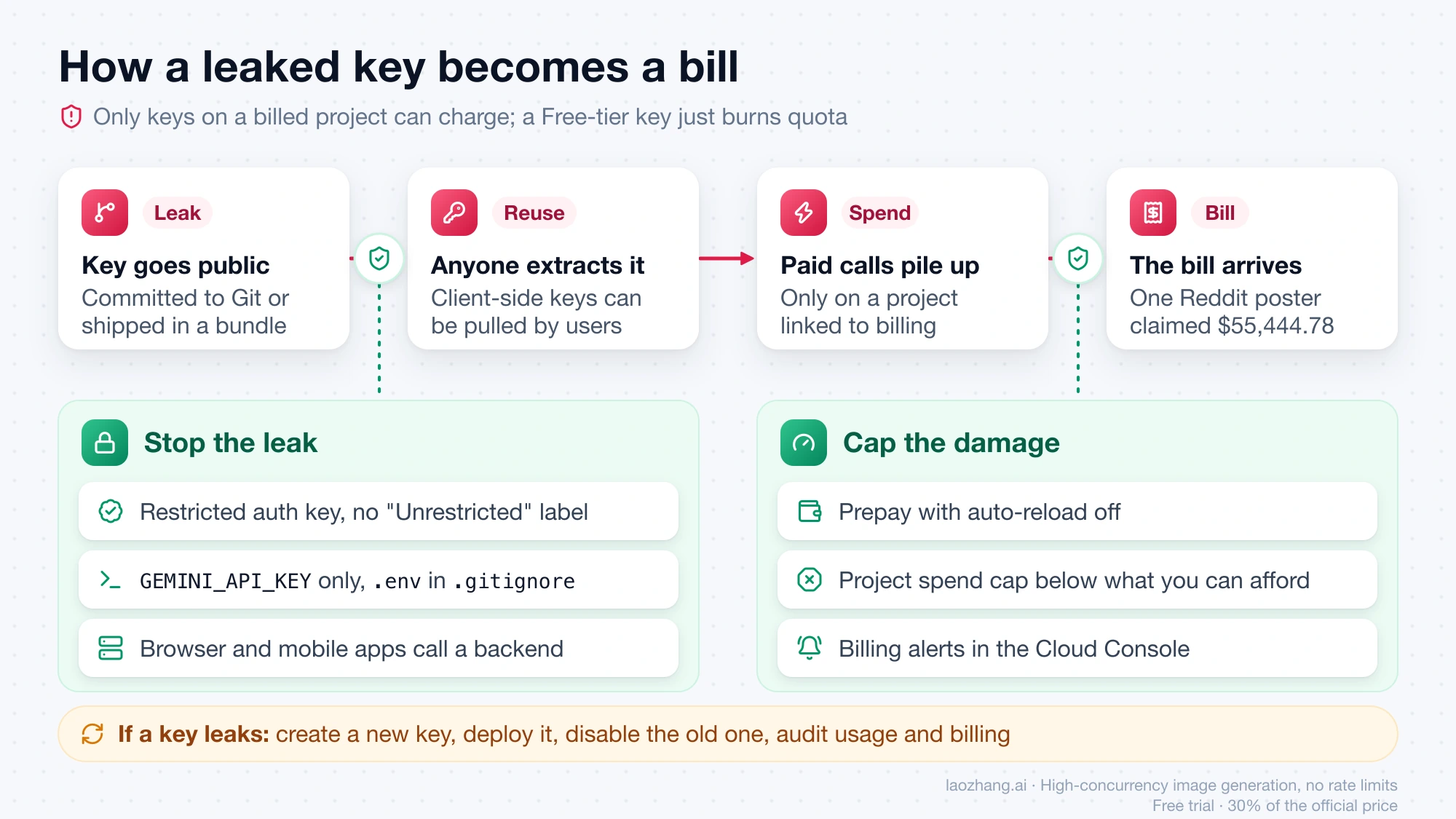
The protection set, in the order you apply it:
- The key has no "Unrestricted" label. Auth keys are restricted by default; older standard keys need "Restrict to Gemini API only".
- The key lives only in
GEMINI_API_KEYor a secret store. Add.envto.gitignorebefore the first commit, not after. - Browser and mobile projects call a small backend that holds the key; the key never ships to users.
- Before billing is ever enabled: Prepay with no auto-reload, a project spend cap, and billing alerts. On a Free-tier project, leave the Billing Tier column at "Set up billing".
- One project per purpose. Rate limits are per project, so extra keys add nothing, and a leaked key on a throwaway project is easier to disable.
- If a key leaks: create a new key, deploy with it, then disable the old key in the Cloud Console, and audit usage and billing logs for anything you did not send.
FAQ
Do I need a .edu email to get a free Gemini API key?
No. The API requirements are a Google Account, being 18 or older, and being in a supported region; student status is never checked. The .edu-style verification (SheerID) belongs to the Google AI Pro student plan, which is a separate product.
Does the GitHub Student Developer Pack include Gemini API credits?
As of September 27, 2026, the pack lists no offer from Google, Google Cloud, or Gemini. Google Cloud's own student page offers Google Skills lab credits, badges, and certificates, none of which pay for the Gemini API. The only student-linked API money is the Developer Program credit tied to Google AI Pro under the conditions in Route 2.
Is Gemini 3.1 Pro free for students in the API?
No. gemini-3.1-pro-preview shows "Not available" in the Free Tier column for everyone. The student plan gives Gemini Pro in the Gemini app and inside the AI Studio interface, which is separate from calling it with a key.
Will creating more API keys give me more free quota?
No. Limits belong to the project, and every key in that project draws from the same pool. Check the live values for your project on AI Studio's rate-limit page instead of creating keys.
I have the free Google AI Pro year. Will my API key be charged?
Not unless you enable billing on the project. The student plan changes nothing about API billing: a project showing "Set up billing" stays on the Free Tier, and a key on it cannot be charged. If you do enable billing to use the $10 Developer Program credit, every call on that project is billed at paid rates, with the credit consumed first and your prepaid balance after.