ChatGPT Agent Local Files Workarounds: Claude Code vs Codex Permissions
ChatGPT Agent local file workarounds are not all equal. Start with upload or Library, use GitHub for read-only repo questions, switch to Codex local for edits, and treat MCP bridges as high-risk.
On this page
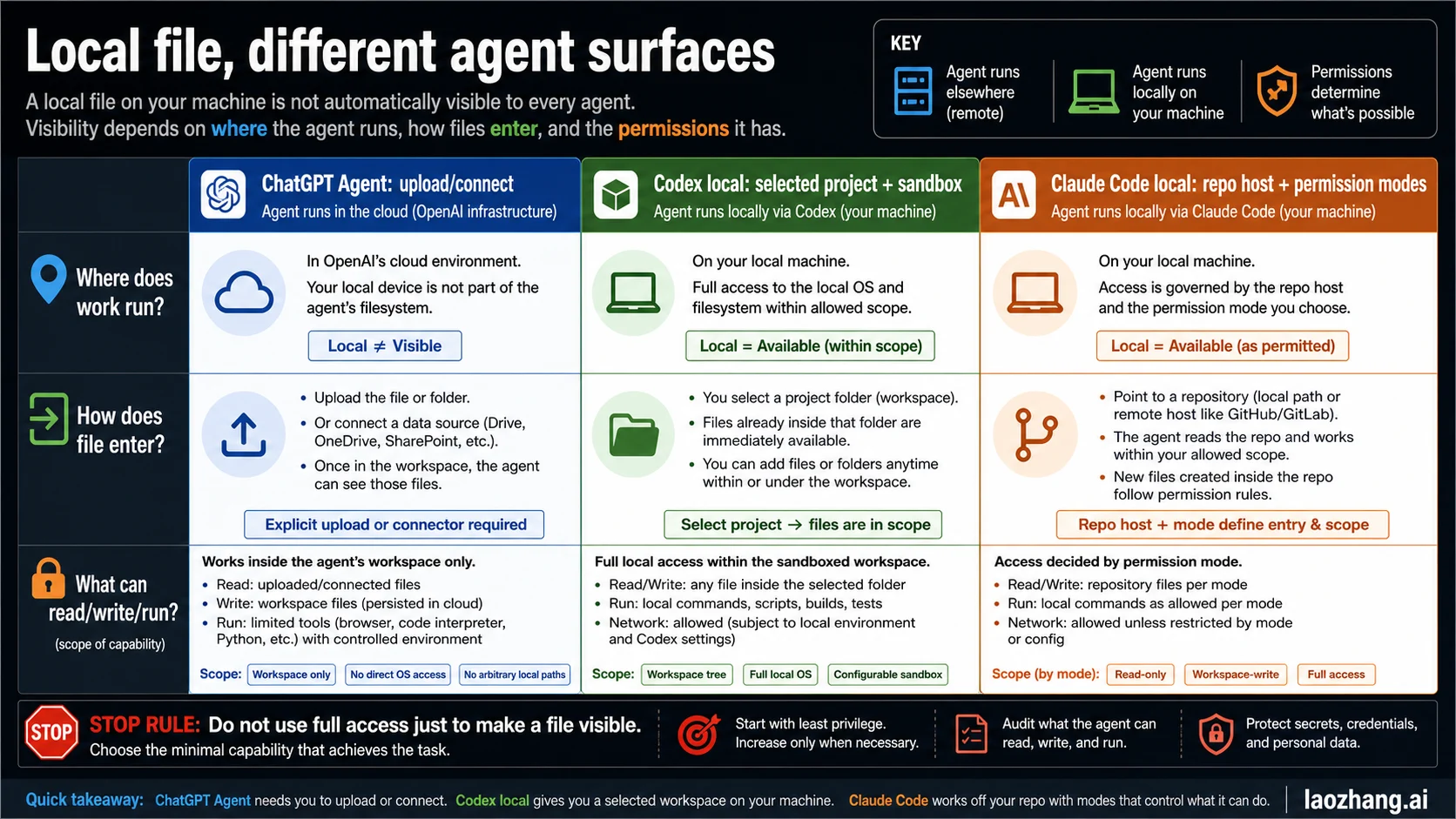
The file can be local while the agent is not. ChatGPT Agent can work with files you upload or connect through ChatGPT-supported routes, but it does not begin with an automatic mount into every folder on your computer.
Codex local and Claude Code local are different because the work starts from a selected local project or repository host. They can read and edit files there only through their own permission systems: sandbox modes, writable roots, approvals, allow/ask/deny rules, and command boundaries.
As of June 1, 2026, the useful question is not "which agent can see my computer?" It is "which surface owns the file path, and which boundary allows this read, write, command, network call, or GUI action?"
| Surface | Where the work runs | How the file reaches the agent | First safe move |
|---|---|---|---|
| ChatGPT Agent | ChatGPT tool environment | Upload, Library, connected app, data source, or authorized GitHub repository | Provide only the file or source the task needs |
| Codex local | Your selected local project in the Codex app, IDE extension, or CLI | The local workspace is the starting context, then sandbox and permissions apply | Start in workspace scope before widening access |
| Codex cloud or mobile | A cloud environment, or a mobile controller over a host | Repository clone or connected host state | Hand off the repo or host intentionally |
| Claude Code local | Your local repo/session | Local files plus Claude Code permission modes and settings | Use ask/allow/deny rules before bypass modes |
| Claude Code web or Remote Control | Browser/cloud or a connected local session | Repository or connected local session state | Confirm which host owns the files |
Stop rule: do not use full-access, bypassPermissions, or broad GUI control just to make a file visible. If the file contains secrets, unpushed code, local service state, or private customer data, choose the route first, then widen permissions only inside an isolated workspace you are willing to trust.
Fast Answer: The Agent Must Own a Route to the File
ChatGPT Agent cannot automatically read an arbitrary local path because its normal file entry points are ChatGPT product routes, not a live mount of your desktop folder. The official ChatGPT Agent help page and file pages checked again on June 1, 2026 describe files, spreadsheets, forms, apps/data sources, uploaded files, Library items, and selected GitHub repositories as supported inputs. They do not describe a general "mount this local folder" path for Agent.
That does not mean ChatGPT can never work with local content. It means you must move the relevant content into a ChatGPT-readable route. For a PDF, CSV, or document, use the file upload route and upload only the needed file. For a reused uploaded file, use the ChatGPT Library. For cloud work, connect the specific app or data source. For code that already belongs in GitHub, authorize the selected repository through the ChatGPT GitHub app route for read/search/citation work instead of pasting a whole checkout. The current GitHub connector guidance says ChatGPT does not edit, delete, create, push code, open PRs, or file issues through that route; use Codex when the job is code modification.
The local coding tools start from a different premise. OpenAI's Codex quickstart says Local mode in the Codex app starts from a project folder on your machine, and the Codex IDE agent can read files, run commands, and write changes in the project directory. The Claude Code overview describes an agentic coding tool that reads a codebase, edits files, and runs commands across terminal, IDE, desktop, and browser surfaces. The important word is not "local." The important word is "surface."
Use this first route decision:
| Your file state | Best route | Why |
|---|---|---|
| One document or spreadsheet | Upload to ChatGPT or use Library | The job is content analysis, not repo execution |
| A repo checkout with tests | Codex local or Claude Code local | The job depends on files, commands, and current workspace state |
| Unpushed changes | Codex local or Claude Code local | Cloud routes cannot see changes that have not been handed off |
| A pushed GitHub repo | ChatGPT GitHub, Codex cloud, or Claude Code web | The repo can be authorized or cloned intentionally; ChatGPT GitHub is a read/search/citation route |
Secrets, .env, tokens, local services | Keep local and narrow permissions | Uploading or broad agent access is the wrong first move |
ChatGPT Agent Boundary: Upload, Connect, or Authorize
ChatGPT Agent is best understood as a ChatGPT product surface with tools, not as a shell sitting inside your current project directory. OpenAI's ChatGPT Agent help page currently describes a visual browser, code interpreter, supported terminal actions, apps/data sources, uploaded files, forms, and spreadsheet work. That is a broad toolset, but it is still mediated by the ChatGPT environment.
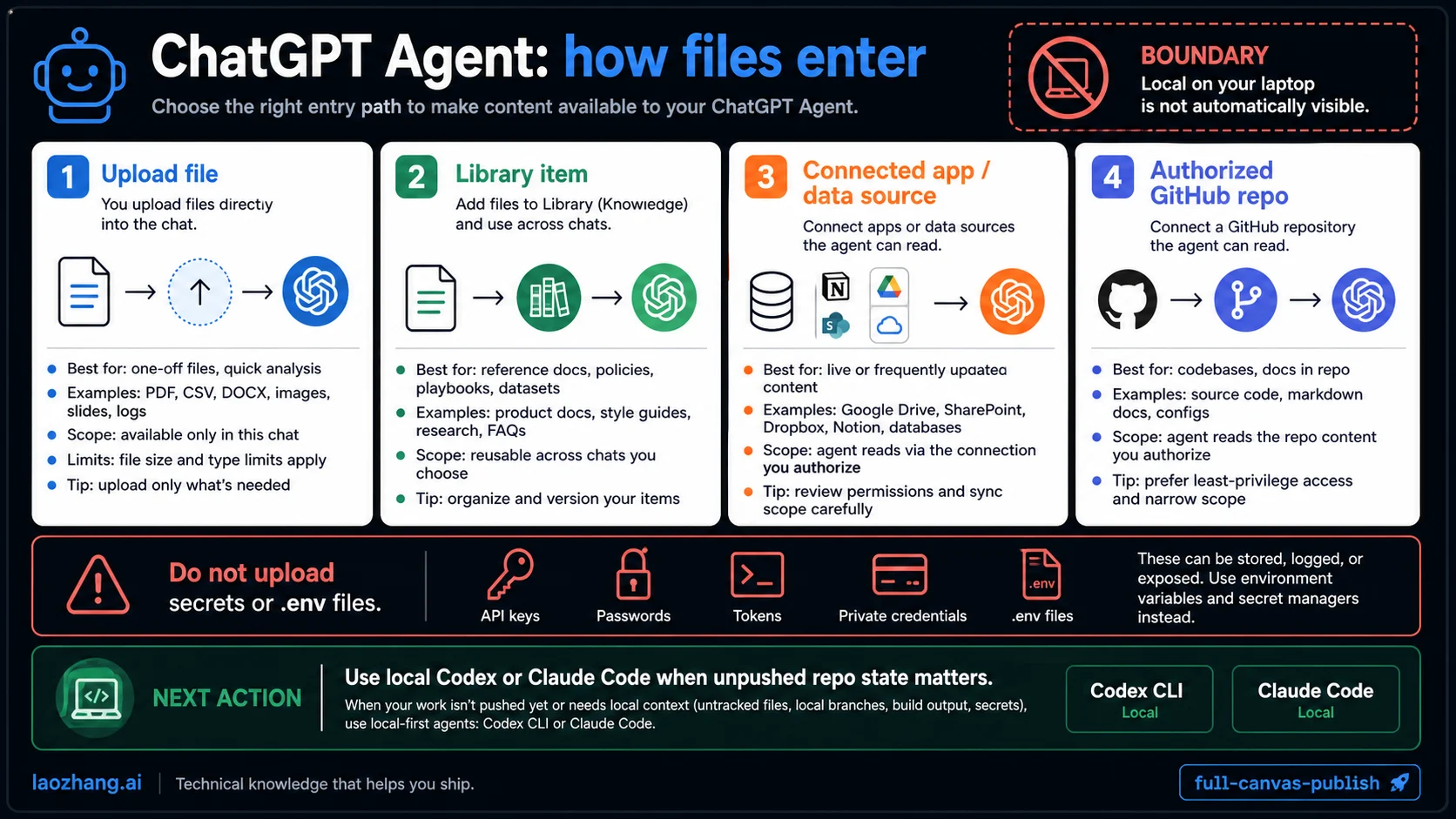
The safe pattern is to name the data route:
| ChatGPT route | What it is good for | Boundary to remember |
|---|---|---|
| File upload | A document, spreadsheet, image, PDF, or log bundle | The uploaded copy is what ChatGPT can inspect |
| Library | Reusing uploaded or created files later | It is an account surface, not a live mirror of local disk |
| Apps and data sources | Cloud data where ChatGPT has explicit connection | Availability can depend on account, plan, region, and workspace |
| GitHub app | Selected repositories after authorization | ChatGPT can read, search, and cite selected repo content; it does not edit or push code |
| Agent browser or tools | Web and task flows inside Agent | A browser or terminal tool is not proof of arbitrary host filesystem access |
This is why the sentence "ChatGPT Agent has a terminal" can mislead people. A terminal tool inside a ChatGPT product environment is not the same as your local zsh session with the repository already checked out. If the job is "read this one report," upload the report. If the job is "change this repo and run tests against my current checkout," use a local coding-agent route.
The same rule applies to secrets. Do not upload a repo just because Agent needs one file. If the useful file is README.md, upload or paste that file. If the useful state includes .env, database URLs, local cookies, or private customer exports, the first move is not to make ChatGPT see more. The first move is to decide whether any remote product surface should receive that data at all.
Safe Workarounds, Ranked by Blast Radius
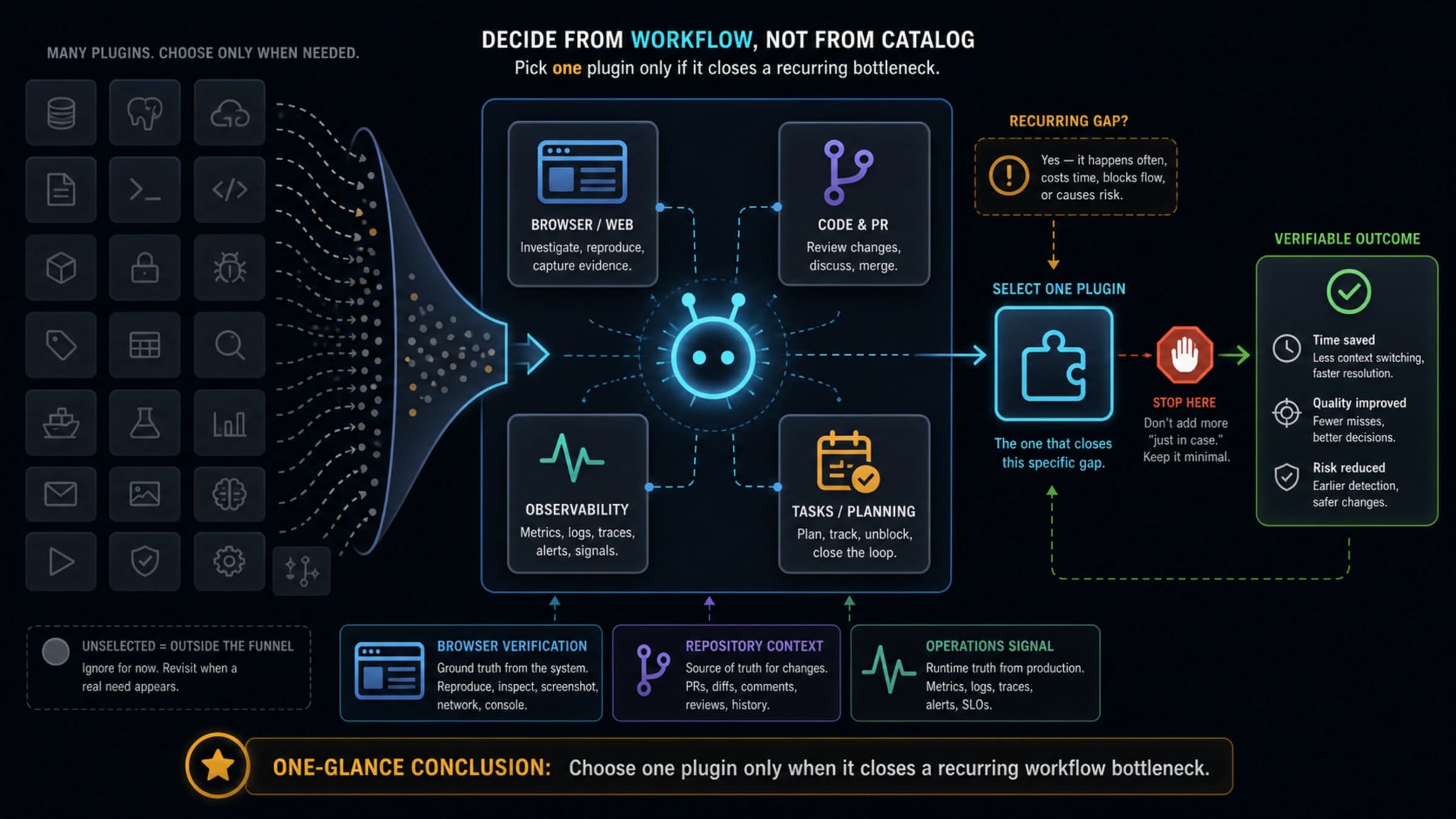
The unsafe mistake is to jump straight from "ChatGPT cannot see this file" to "connect ChatGPT to my computer." Self-hosted MCP servers, tunnelled file browsers, watched folders, remote desktops, and one-off scripts can be legitimate engineering choices, but they are not the default workaround. The safer ranking starts with the smallest data copy and only moves toward live bridges when the task truly needs one.
| Workaround | Use when | Blast radius | Stop rule |
|---|---|---|---|
| Upload or Library | The task is to read, summarize, extract, compare, or transform a specific file | Low if the file is scoped and redacted | Stop if the file includes secrets, customer exports, or unrelated folders |
| Connector or GitHub | The source already lives in a cloud app or selected repository | Medium because account and org permissions matter | Stop if the needed state is unpushed, local-only, or requires code edits |
| Codex local or Claude Code local | The job needs repo edits, tests, generated files, local logs, or current working-tree state | Medium to high depending on sandbox, writable roots, commands, and network | Stop before widening out of workspace scope or printing secrets |
| Sandbox or manifest handoff | You can create a deliberate workspace with only the files the agent should see | Controlled if mounts, files, and runtime config are narrow | Stop if the manifest pulls broad home directories or embeds secrets in prompts/artifacts |
| Self-hosted MCP, tunnel, or live file bridge | You own the bridge, can audit it, and need repeated live access to a narrow folder | High because it turns a remote chat surface into an active local-data route | Stop unless it is read-only where possible, folder-scoped, disposable, logged, and secret-free |
| Manual redacted fixture | The real environment is sensitive or the task can be reproduced from a small sample | Lowest for privacy, slower for setup | Stop if the fixture no longer reproduces the reader's actual problem |
OpenAI's sandbox manifest guidance points in the same direction: describe the workspace intentionally, use workspace-relative paths, keep mount scopes narrow, and pass secrets through runtime configuration rather than prompts or generated artifacts. For ChatGPT Agent work, the closest equivalent is to make a deliberate package: one file, one redacted log bundle, one selected connector, one selected repository, or one isolated workspace.
The high-risk workaround is a live bridge that exposes your machine because it feels convenient. If you still choose an MCP or tunnel route, treat it as infrastructure: use a disposable profile, a narrow folder, read-only mode when possible, no home-directory mount, no .env, no SSH keys, no browser cookie stores, explicit logs, and a kill switch. If those controls sound heavier than the task, use upload, Library, GitHub read/search, or a local coding agent instead.
Codex Boundary: Local Threads, Cloud Threads, and Mobile Control
Codex is not one file-access contract. OpenAI's Codex docs split local work, cloud work, mobile control, browser/app connectors, MCP, and permission profiles into different boundaries.
In local Codex, the work starts where the project lives. The Codex app can open a selected project folder in Local mode; the IDE extension can read files, run commands, and write changes in the project directory; the CLI starts from the current directory. That is why Codex can feel like it "sees the local files" when ChatGPT Agent does not. The selected workspace is part of the agent's execution context.
That still is not blanket machine trust. OpenAI's Codex sandboxing docs describe local command execution in app, IDE, and CLI as sandboxed by mode. The documented modes include read-only, workspace-write, and danger-full-access. Codex permission profiles add named policies such as read-only, workspace, and danger-full-access for filesystem and network behavior. Approvals decide when Codex must ask before a higher-risk action.
For practical setup depth, use the Codex config.toml guide after you decide that Codex local is the right route. That guide separates user defaults, trusted project policy, profiles, and one-run overrides so the permission decision does not become an undocumented habit.
Codex cloud changes the route. OpenAI's thread docs describe cloud threads as isolated environments that clone repositories, while local threads run on your machine and can delegate selected work state intentionally. That is useful for pushed repo work, review flows, and tasks that can run away from your machine. It is not a route for an arbitrary unpushed file sitting on your desktop unless you hand that file off through a supported mechanism.
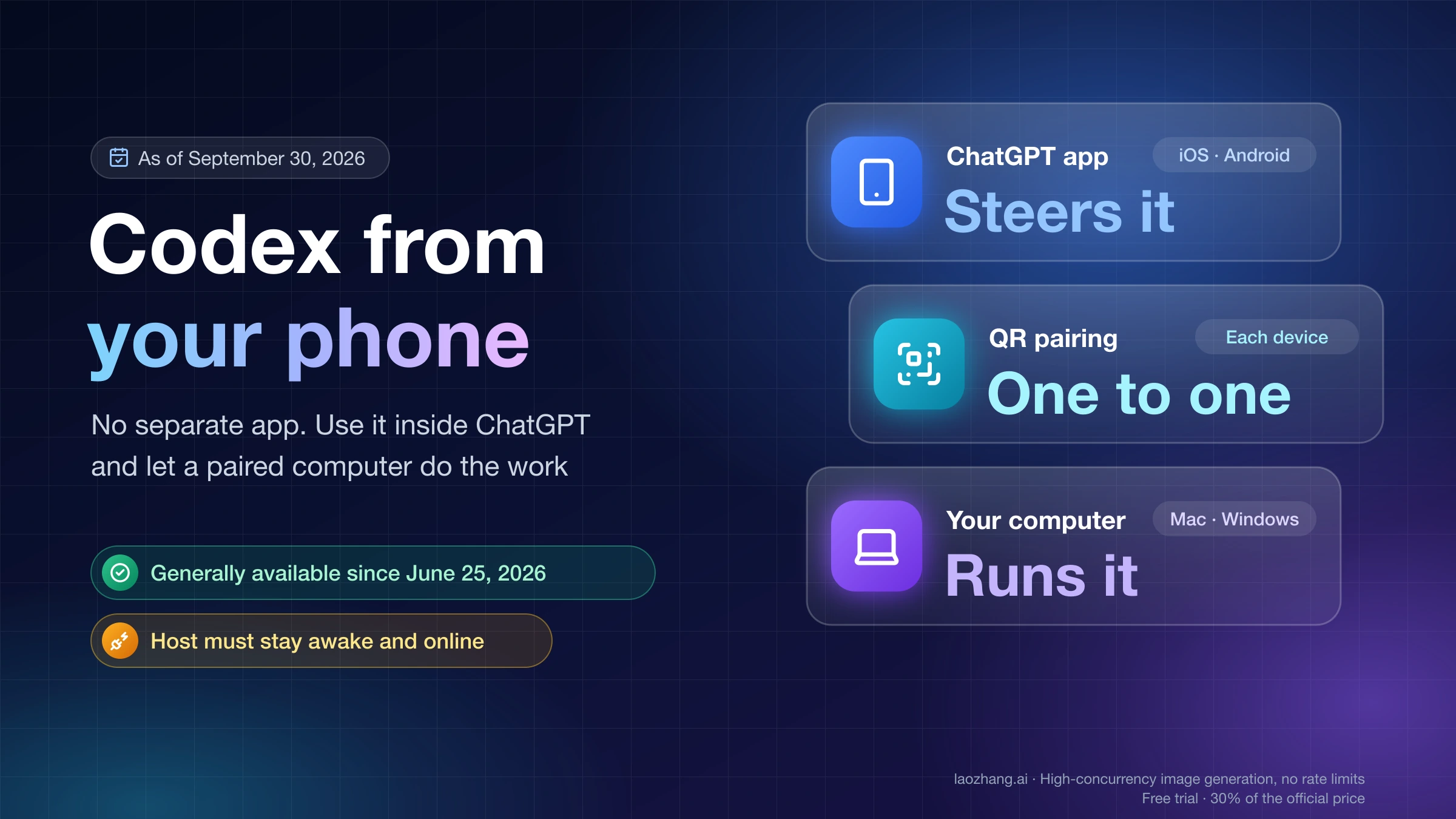
Codex mobile is another common source of confusion. OpenAI's "work with Codex from anywhere" post describes mobile control over a connected machine: files, credentials, permissions, and local setup stay on the machine where Codex operates. The phone is a controller. It does not make phone-native files or every Mac folder available by magic. The Codex mobile app guide is the deeper companion when the route question is phone control versus host-owned execution.
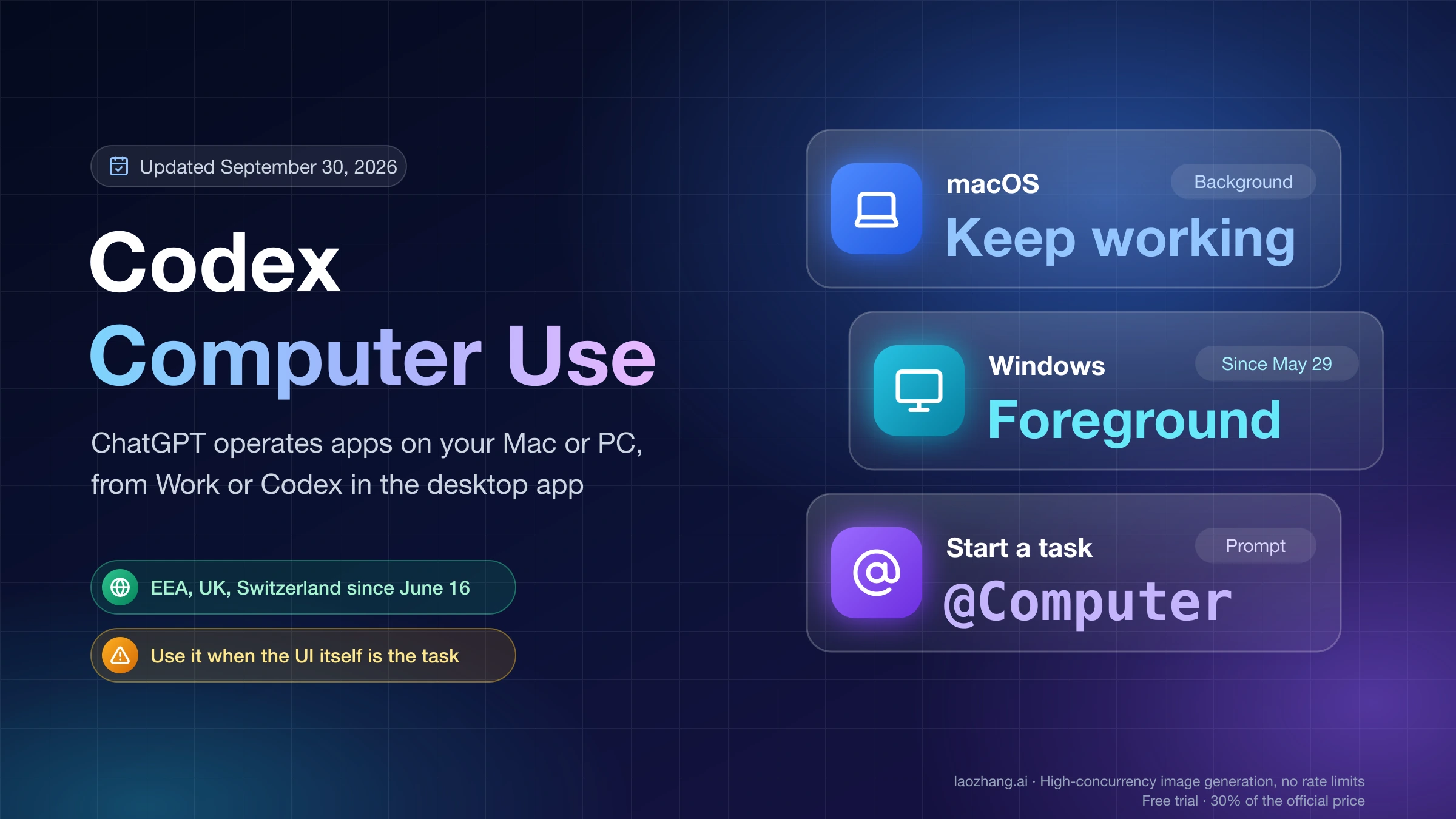
If the visible UI is the evidence, Codex Computer Use is a separate lane. It can inspect or operate approved app surfaces, but it is not the right fix for ordinary file reads. Use the Codex Computer Use guide when the task is GUI-dependent; use local workspace tools when the task is file, test, or repo dependent.
Claude Code Boundary: Local Repo Access Still Has Rules
Claude Code local is closer to Codex local than to ChatGPT Agent. The official Claude Code overview checked on May 23, 2026 describes a coding agent that can read a codebase, edit files, and run commands. It is available through local and remote surfaces, and that surface choice matters.
The permission docs are the important part. Claude Code permissions distinguish read-only actions, Bash commands, file modifications, allow/ask/deny rules, and modes such as default, acceptEdits, plan, auto, dontAsk, and bypassPermissions. The security docs describe read-only behavior by default and explicit permission prompts for edits, tests, and commands. The settings docs include permissions rules, additional directories, defaultMode, managed precedence, and deny patterns for sensitive files.
That means Claude Code can be powerful without being boundary-free. A local Claude Code session may be the right answer for a repo task, but the permission system still has to answer four questions:
| Question | Claude Code control | Practical consequence |
|---|---|---|
| Can it read this path? | Read permissions, additionalDirectories, deny rules | Local access can be widened or narrowed |
| Can it edit this file? | File modification prompts and mode | A visible diff is still part of the safety contract |
| Can it run this command? | Bash permission rules and prompts | Tests and scripts need command-level trust |
| Can it skip prompts? | dontAsk or bypassPermissions modes | Use only where the environment is already isolated |
For the auto-mode split, use the Claude Code auto mode guide. For browser, web, Remote Control, desktop, terminal, and IDE route choice, use the Claude Code web interface guide. For local-file confusion, choose whether ChatGPT Agent, Codex, or Claude Code owns the file path before changing permission modes.
The strongest Claude Code habit is deny-before-convenience for sensitive paths. If .env, secrets/**, private SSH material, customer exports, or local database dumps are near the task, do not solve visibility by making the agent see everything. Use explicit deny rules, a copied minimal fixture, or a disposable workspace.
Permission Layers Compared
The permission model becomes simpler once you separate visibility from authority. Visibility answers "can the agent read this content through the chosen route?" Authority answers "what can the agent do after it reads it?"
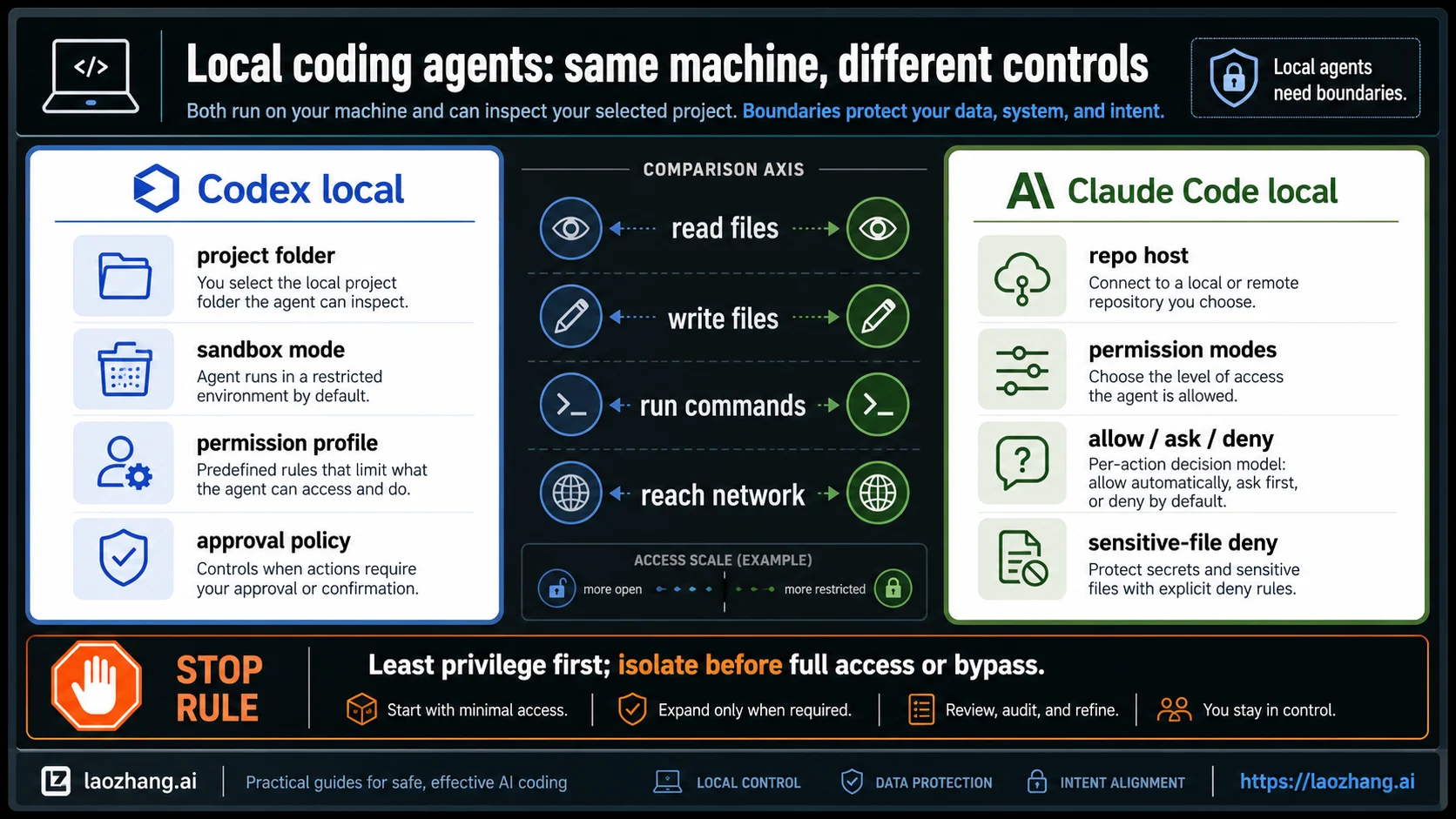
| Layer | ChatGPT Agent | Codex local | Claude Code local |
|---|---|---|---|
| File discovery | Uploaded file, Library, connected app, data source, or authorized GitHub repo | Selected project, current directory, mentioned files, configured read roots | Local repo/session, additional directories, and read rules |
| Write access | Usually through generated output, files, spreadsheets, or connected task actions | Workspace writes when sandbox/profile allows | File edits when permission mode and rules allow |
| Commands | Product-supported terminal/tool actions | Local shell commands under sandbox and approval policy | Bash commands under allow/ask/deny rules |
| Network | Product tools and connected services | Controlled by sandbox/profile/network policy and approvals | Controlled by tool permissions and environment |
| GUI control | Agent browser/tool surfaces | Separate browser or computer-use/plugin routes | Separate desktop/Remote Control or browser surfaces |
| Cloud host | ChatGPT-owned product environment | Codex cloud clones repo into isolated environment | Claude Code web/cloud routes depend on repo or connected session |
| Escalation | Connect or upload more data | Approval prompt, permission profile, sandbox change | Prompt approval, mode change, allow rule, or bypass mode |
The most useful security boundary is the one you can explain before the run starts. "Codex can edit files under this repo, cannot read ../Private, and must ask before network commands" is a real boundary. "The agent can see my files" is not.
For OpenAI Codex, danger-full-access means you have moved outside normal sandbox protection. For Claude Code, bypassPermissions is likewise a high-trust mode intended for isolated environments. Those modes are not bad tools; they are bad first moves when the only problem is "the agent cannot find my file."
Five File States and the Correct First Move
Most confusion comes from treating every local file as the same object. A document on your desktop, a repo file, an unpushed diff, a GitHub file, and a secret-bearing config file need different routes.
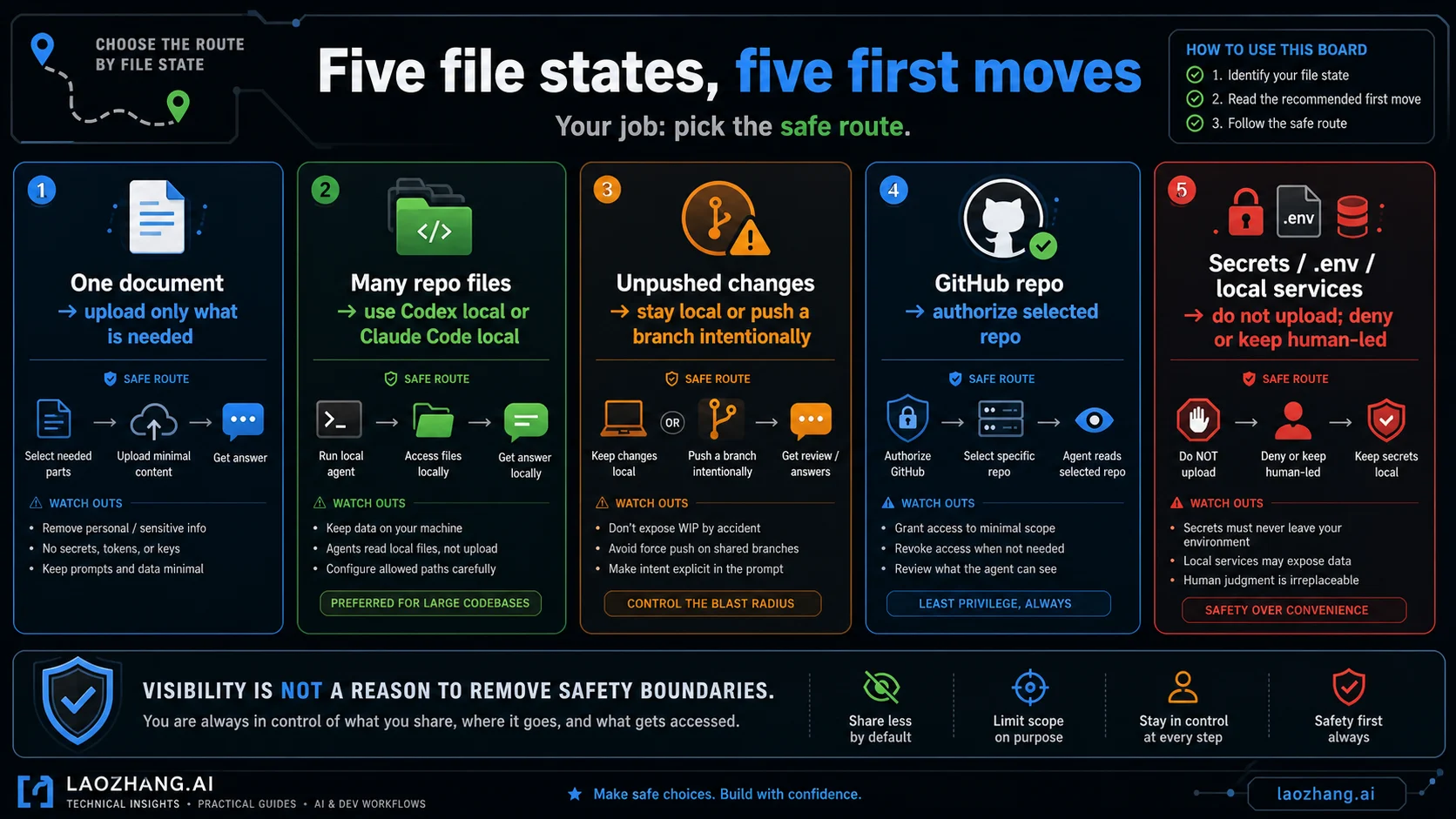
1. One document, report, CSV, or PDF
Use ChatGPT upload or Library when the file itself is the task. Keep the upload minimal. If the file is large, private, or mixed with irrelevant data, reduce it before upload. The point is not to make ChatGPT see the folder; the point is to give it the evidence needed for this answer.
2. Many repo files with tests or commands
Use Codex local or Claude Code local. The repo is not just text; it has dependency state, tests, generated files, scripts, and conventions. A local coding agent can inspect the checkout and run the commands that prove the change. ChatGPT Agent is usually the wrong first route unless the repo has already been reduced to a question or authorized through GitHub.
3. Unpushed edits
Stay local or push a branch intentionally. Codex cloud, ChatGPT GitHub, and Claude Code web cannot infer your private working tree unless you hand it off. If the unpushed state matters, a local tool is the clean route. If remote review is desired, push a branch that contains exactly the work you want the agent to see.
4. A pushed repository
Use the route that matches the task. ChatGPT's GitHub app can answer questions about selected repositories after authorization. Codex cloud can clone a repo into an isolated environment for code work. Claude Code web can work with repository or connected-session context depending on setup. The safe move is to authorize the narrowest repo and branch that carries the job.
5. Secrets, .env, local services, or customer data
Do not upload these by default. Use a scrubbed sample, a synthetic fixture, or a local isolated workspace. If a command needs environment variables, prefer local execution with narrow prompts and explicit deny rules over putting secrets into a remote chat. If an agent genuinely needs broad access, make the environment disposable first.
Unsafe Shortcuts That Look Like File Fixes
The fastest way to create a bad incident is to treat a permission warning as a nuisance. Permission prompts are information: they tell you which boundary the agent is about to cross.
Full-access modes are sometimes correct for disposable automation. A temporary clone, a container, a scratch VM, or a throwaway test account may justify fewer prompts because the blast radius is already controlled. A primary laptop with real credentials and private repos is a different environment.
Bypass modes need the same discipline. If Claude Code can skip permission prompts, then the isolation boundary must come from somewhere else: a temporary checkout, scrubbed files, deny rules already in place, no privileged tokens, and a clear stop condition. If those are missing, the safer fix is not a broader mode. It is a smaller task.
GUI and computer-use routes also deserve restraint. A visible desktop session can contain signed-in accounts, private messages, billing pages, and admin prompts. Use GUI control when the interface itself is the source of truth. Do not use it to compensate for a missing file route unless screen state is actually the evidence.
The repair sequence should be:
- Name the surface that should own the task.
- Name the file route into that surface.
- Remove irrelevant files, secrets, and side effects.
- Start with read-only or workspace-scoped access.
- Widen permissions only after you can state the blast radius.
That sequence is slower than "grant everything," but it is faster than cleaning up a silent overreach.
FAQ
Why can ChatGPT Agent use a terminal but not read my local folder?
Because a terminal or tool inside ChatGPT Agent is part of the ChatGPT product environment. It is not automatically your local shell in the current project directory. Use upload, Library, connected apps, data sources, or authorized GitHub when ChatGPT should work with content. Use Codex local or Claude Code local when the task depends on the local checkout.
Can ChatGPT Agent work with a whole repo?
Yes, when the repo is handed off through a supported route such as selected GitHub repository access. That route is for reading, searching, and citing selected repo content, not for editing, deleting, creating, pushing code, or opening PRs. If the repo task depends on local tests, generated files, uncommitted changes, private environment state, or code modification, a local Codex or Claude Code surface is usually the better first route.
Is a self-hosted MCP server a safe workaround?
It can be, but only as a deliberately scoped bridge. Treat MCP, tunnel, and watched-folder patterns as higher-risk than upload, Library, GitHub read/search, or a local coding agent. Keep the bridge folder-scoped, read-only where possible, secret-free, logged, and disposable. Do not expose your home directory or production checkout just because ChatGPT Agent cannot see one file.
Is Codex local safer because it runs on my machine?
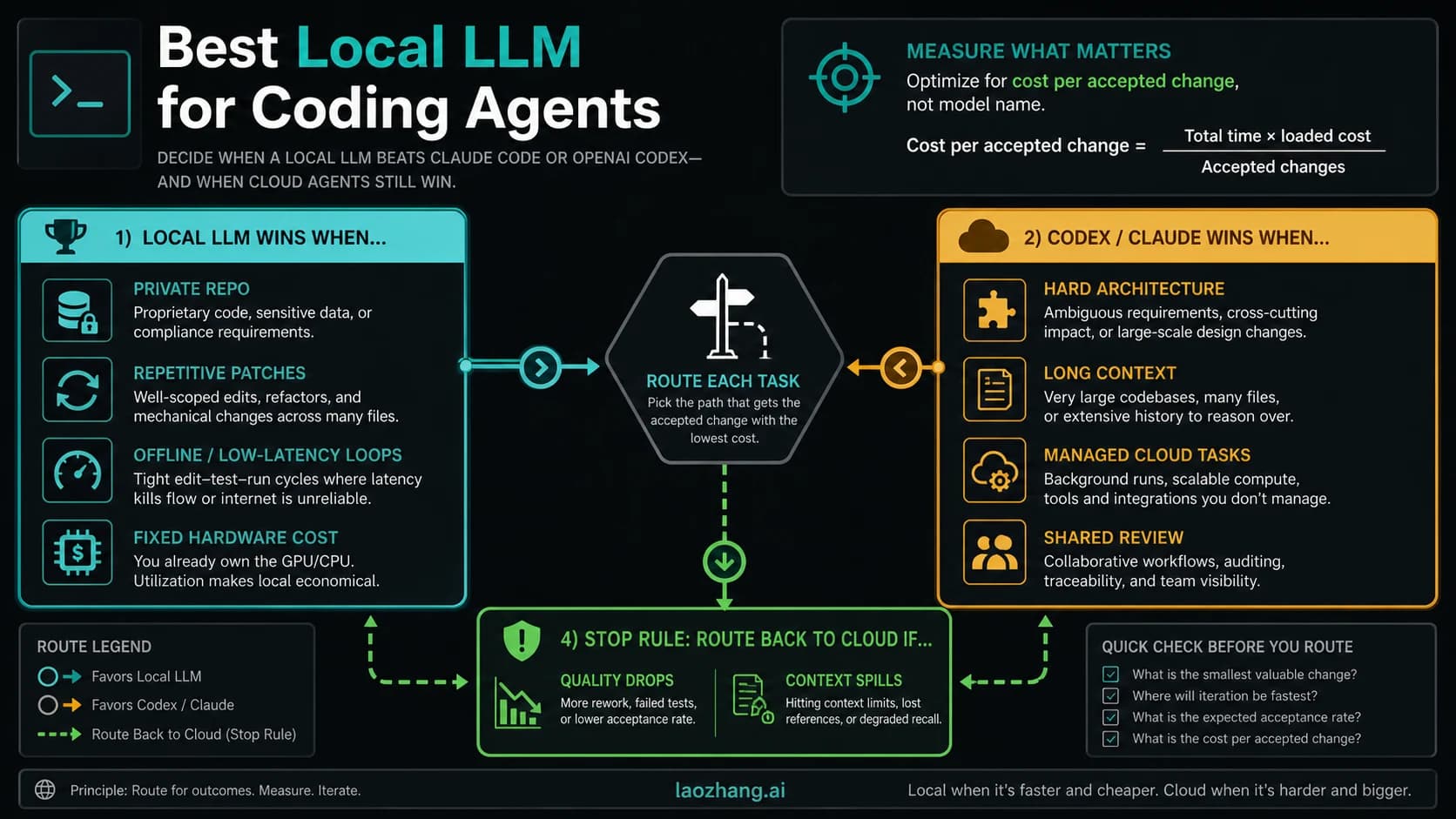
Not automatically. Local execution can be easier to verify because the workspace, commands, and diffs are visible, but the safety comes from sandbox mode, permission profile, approvals, writable roots, and your environment discipline. A broad local permission in a sensitive checkout can be riskier than a narrow cloud task.
Does Codex mobile make my phone files available?
No. Codex mobile is best treated as a controller for Codex work elsewhere. OpenAI's current mobile product language says files, credentials, permissions, and local setup stay on the connected machine. If the file lives only on your phone, you still need an explicit file route.
Does Claude Code bypassPermissions mean it can see everything?
No. It means Claude Code can skip normal permission prompts in a high-trust mode, and the official docs frame that kind of mode for isolated environments. It should not be the first fix for file visibility. First choose the local repo/session, then configure read, write, command, deny, and mode boundaries.
What should I do with .env files?
Do not upload them to ChatGPT. For local coding agents, prefer deny rules, redacted fixtures, or disposable environments. If a task needs an environment variable, keep the secret in the local runtime and ask the agent to inspect behavior through commands or logs without printing the secret.
When should I use Computer Use?
Use Computer Use when the visible interface is the evidence: a desktop app, browser flow, simulator, settings panel, or GUI-only bug. Do not use it as a normal file-reading route. If the data is available as a file, repo, API response, log, or connector result, use the structured route first.
Sources13
External pages this guide links to, in the order they appear. Last updated Jun 1, 2026.
Sources13
External pages this guide links to, in the order they appear. Last updated Jun 1, 2026.
- 1.ChatGPT Agent help pagehelp.openai.com/en/articles/11752874-chatgpt-agent
- 2.file upload routehelp.openai.com/en/articles/8555545-file-uploads-faq
- 3.ChatGPT Libraryhelp.openai.com/en/articles/20001052-library-for-chatgpt
- 4.ChatGPT GitHub app routehelp.openai.com/en/articles/11145903-connecting-github-to-chatgpt
- 5.Codex quickstartdevelopers.openai.com/codex/quickstart
- 6.Claude Code overviewcode.claude.com/docs/en/overview
- 7.Codex sandboxing docsdevelopers.openai.com/codex/concepts/sandboxing
- 8.Codex permission profilesdevelopers.openai.com/codex/permissions
- 9.thread docsdevelopers.openai.com/codex/prompting
- 10."work with Codex from anywhere" postopenai.com/index/work-with-codex-from-anywhere
- 11.Claude Code permissionscode.claude.com/docs/en/permissions
- 12.security docscode.claude.com/docs/en/security
- 13.settings docscode.claude.com/docs/en/settings