GPT-6.1 Terra Not Showing in Codex With CC Switch: Fix by Mode
In CC Switch Routing mode, Codex gets an empty model list and shows its bundled one, which has GPT-6.1 Terra only from 0.165.0. Go back to Direct and restart.
On this page
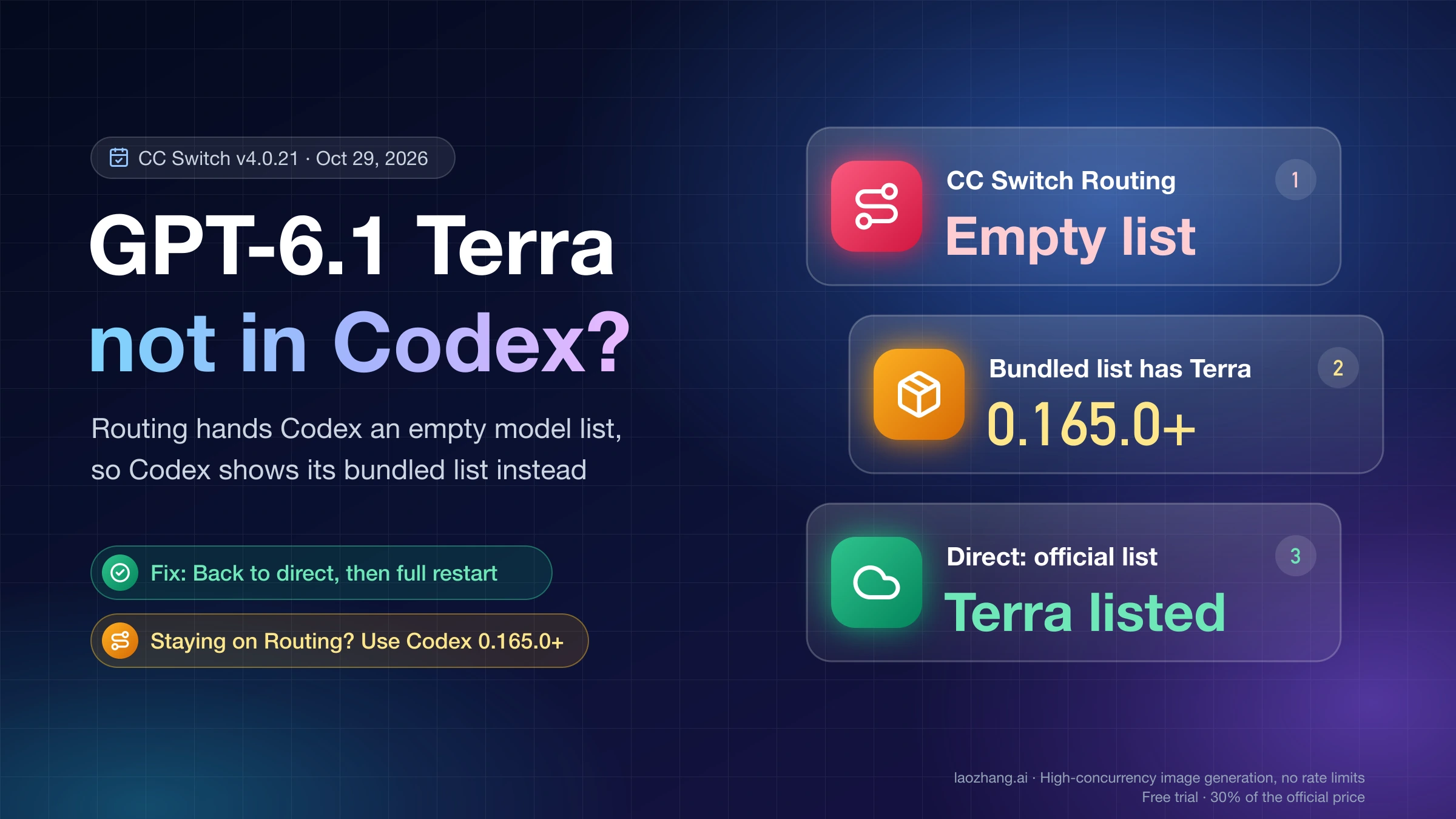
If GPT-6.1 Terra is missing from /model or the Codex desktop picker while CC Switch manages Codex, your account is usually fine. In CC Switch's Routing mode with the OpenAI Official card, Codex asks CC Switch for its model list, and CC Switch answers with an empty one. Codex then shows the list compiled into its own binary, and only Codex 0.165.0 (released October 27, 2026) has gpt-6.1-terra in that list. The CC Switch maintainer confirmed on October 28 that this still happens in CC Switch v4.0.21, the latest release as of October 29.
The quickest fix is to click "Back to direct" for Codex in CC Switch, then fully quit Codex, including its background daemon, and open it again. In Direct mode Codex fetches the official list itself, so Terra appears for any account whose plan includes it. If you need Routing for failover or format conversion, update Codex to 0.165.0 or later instead, so the fallback list contains Terra.
Aggregation mode and third-party providers fail for different reasons, covered below. If you don't use CC Switch at all, or you're on Free or Go, the cause is your plan or client, not CC Switch.
Which CC Switch mode you're in, and the fix for each
Codex reads its model list from one of three places: the official service, the list bundled into its own binary, or a catalog CC Switch generates at ~/.codex/cc-switch-model-catalog.json. CC Switch's mode decides which one Codex reads. Direct uses the official service, Routing with OpenAI Official ends up on the bundled list, and Aggregation or a third-party provider uses CC Switch's catalog.
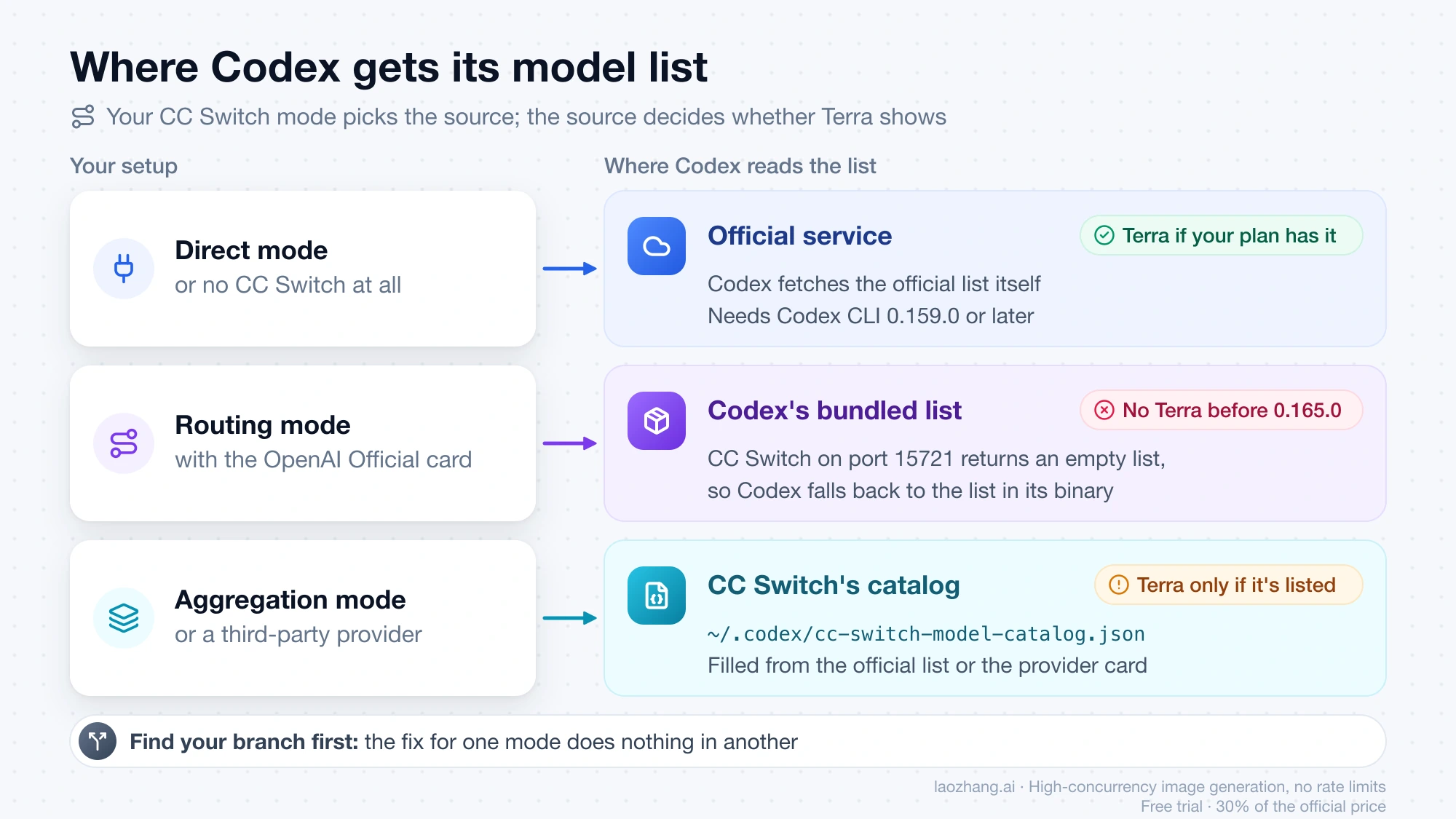
Find your branch before you change anything, because the fix for one mode does nothing in another. If the picker shows "OpenAI base URL is overridden" above the model list, or ~/.codex/config.toml contains model_provider = "cc-switch-official", you're in Routing with OpenAI Official, the first row below.
| Your setup | How to recognize it | Why Terra is missing | Fix |
|---|---|---|---|
| Routing, OpenAI Official card | Picker warning "OpenAI base URL is overridden"; model_provider = "cc-switch-official" in ~/.codex/config.toml | CC Switch returns an empty list, so Codex shows its bundled list, which lacks Terra before 0.165.0 | "Back to direct", or update Codex to 0.165.0+; then a full restart |
| Aggregation, OpenAI Official as default | CC Switch log mentions an 8-day login refresh, or an old codex is on your PATH | CC Switch skipped the official list or requested it with an old Codex version | Sign in to Codex again or update the codex on PATH, wait for CC Switch's next check, then a full restart |
| Third-party provider (relay or API key) | The active card isn't OpenAI Official; /model matches the models on that card | gpt-6.1-terra isn't in the card's model list, or the provider doesn't serve it | Add gpt-6.1-terra to the card if the provider serves it; then a full restart |
| Direct, or no CC Switch | No warning; no cc-switch provider in config.toml | Plan without Terra, Chat instead of Codex, CLI older than 0.159.0, or a stale daemon | See the last section |
Which Codex versions list GPT-6.1 Terra: bundled vs official list
Of those three sources, the Codex version decides what you see from two: the bundled list, and the official list, which the service filters by client version. On October 29, 2026, on one Mac (macOS, Apple Silicon), every Codex version tested received gpt-6.1-terra when it fetched the official list itself, but only 0.165.0 had Terra in its bundled list.
The bundled list was read with codex debug models --bundled and an empty CODEX_HOME, using the npm builds of each version. The official list was read with codex debug models from a real ~/.codex signed in with a ChatGPT subscription that includes Terra, with no model_provider set, which is the same thing Codex does in Direct mode.
| Codex build | Bundled list has gpt-6.1-terra | Official list returned gpt-6.1-terra |
|---|---|---|
| 0.160.0 | No | Yes |
| 0.163.0 | No | Yes |
| 0.164.0 (October 23) | No | Yes |
| 0.165.0 (October 27) | Yes | Yes, in the list it fetched and cached |
| 0.165.0-alpha.1.2, bundled with the ChatGPT desktop app on that Mac | Yes | Not checked |
A third check showed what Codex does when its provider returns nothing. A small test server that answered every request with {"models":[]} was set as the provider address. Codex 0.164.0 then showed its 8 bundled models without Terra, and 0.165.0 showed 9 with Terra, exactly matching each version's bundled list. That is a check of Codex's fallback, not of CC Switch. CC Switch itself wasn't installed for these checks, because it rewrites the live ~/.codex/config.toml, and neither Aggregation mode, the desktop picker UI, Windows and Linux builds, nor versions 0.161 and 0.162 were covered. CC Switch's behavior described below comes from its maintainer's replies and the GitHub issues linked in each section.
So the version only decides the result when Codex falls back to its bundled list. In Direct mode even 0.160.0 got Terra, consistent with OpenAI's stated minimum of CLI 0.159.0. Under CC Switch Routing with OpenAI Official, Terra should appear only on Codex 0.165.0 or later. That last point combines these results with the maintainer's explanation rather than a run with CC Switch.
Routing with OpenAI Official: go back to Direct and restart
In Routing mode with the OpenAI Official card, the reliable fix as of October 29, 2026 is to leave Routing for Codex and let Codex fetch the official list itself. The maintainer described the cause in CC Switch issue #8985 on October 28. With routing on, Codex requests its model list from CC Switch's local address on port 15721. For the official provider, CC Switch doesn't forward that request and returns an empty list, so Codex falls back to its bundled list. The maintainer added that this is "not your configuration" and that it still happens on v4.0.21.
- Open
~/.codex/config.toml. If it containsmodel_provider = "cc-switch-official"and a[model_providers.cc-switch-official]block whosebase_urlpoints at port 15721, routing is on. - In CC Switch, open the Codex page and click "Back to direct".
- Fully restart Codex as described in the restart section below. Opening a new terminal isn't enough.
- Check that
config.tomlno longer namescc-switch-official, then open/modelor the desktop picker. The base URL warning should be gone and GPT-6.1 Terra should be in the list.
Quitting CC Switch also writes the direct configuration back, but routing reconnects the next time it starts, so use the button. The maintainer also advises updating an old CC Switch (the #8985 reporter was on 3.18.0), although no release fixes this yet.
If you need to stay on Routing, update Codex to 0.165.0 or later and restart. The fallback list then contains Terra, although new models released after your Codex version will hit the same gap until CC Switch forwards the request. Install and Configure Codex CLI on Windows, macOS, or Linux covers updating the CLI. Forcing codex -m gpt-6.1-terra while routing is on, without Terra in the list, has no confirmation from these checks or from the maintainer, so don't rely on it.
The fix is CC Switch pull request #8922, "forward Codex model catalog requests for official providers", opened October 26 and tracked in issue #7640. It was still open on October 29, 2026, with no release date.
"OpenAI base URL is overridden" is a symptom, not the cause
The warning under "Select Model and Effort" reads "Warning: OpenAI base URL is overridden to" followed by CC Switch's local address on port 15721, then "Selecting models may not be supported or work properly." According to the CC Switch maintainer, Codex prints it whenever the provider named OpenAI uses a non-default address, which is every time routing is on. It doesn't remove models by itself, so it only tells you that you're in the Routing branch.
Aggregation mode: a login older than 8 days hides Terra
In Aggregation mode CC Switch fetches the official list itself and writes it into a catalog that Codex reads, so Terra goes missing when that fetch is skipped or sent with an old Codex version. Both cases come from CC Switch issue #8728, which was still open on October 29, 2026.
The skipped fetch appears in macOS and Windows reports from October 25–27. CC Switch v4.0.21 checks last_refresh in ~/.codex/auth.json, and if your Codex login hasn't refreshed for more than 8 days it uses Codex's bundled list instead and writes this line to ~/.cc-switch/logs/cc-switch.log:
没用上 Codex 官方模型列表(登录超过 8 天没有刷新),改用自带列表It means "Didn't use the official Codex model list (login not refreshed for more than 8 days); using the bundled list instead." This is a CC Switch rule, not an expired token. One reporter's old token still returned the full official list. Normal chats don't necessarily refresh the login, so you have to sign in again. A Windows user on October 27 fixed it with these steps, and a macOS user found gpt-6.1-terra in CC Switch's catalog after doing the same.
- Confirm the cause with
grep "官方模型列表" ~/.cc-switch/logs/cc-switch.log. - Sign out of Codex and sign back in, from the desktop app's account menu or with
codex logoutandcodex loginin the CLI. - Leave CC Switch running with Aggregation on, and wait for its background check, which runs every 15 minutes.
- Fully restart Codex.
- Open
/model. You can also rungrep gpt-6.1-terra ~/.codex/cc-switch-model-catalog.jsonto confirm that CC Switch's catalog has it.
The other case is an old Codex version. CC Switch asks the official service for the list using the Codex version it detects, which is the codex on your PATH or the newest one in Codex's recent session logs. The service returns older lists to older clients, so an outdated CLI on the PATH can hide Terra even if you use the desktop app. Run codex --version, and if it's below 0.159.0, update it. Then, as the maintainer suggests, switch the aggregation default provider once more in CC Switch and fully restart Codex.
If the log instead shows 刷新 Codex 官方模型列表失败: 读取响应失败: error decoding response body ("refreshing the official Codex model list failed: reading the response failed"), the download was cut off. The maintainer explained in CC Switch issue #8966 that the 10-second timeout hit mid-download or a proxy or network cut the connection, and that it has nothing to do with Terra's format. One occurrence doesn't matter, because CC Switch keeps the previous list and tries again every 15 minutes. If it repeats at every check, look at the proxy or VPN between CC Switch and the official service.
Third-party provider: add gpt-6.1-terra to its model list
With a relay or API-key provider in CC Switch, Codex shows the models listed on that provider's card, so Terra appears only if gpt-6.1-terra is in that list and the provider actually serves it. CC Switch writes the card's model list into ~/.codex/cc-switch-model-catalog.json. According to the CC Switch v4.0.21 release notes, the list order becomes the order of Codex's /model menu, and the first row is the default. Add a row with the exact model ID gpt-6.1-terra, save the card, and fully restart Codex.
The menu entry doesn't make the model available, though. Check the provider's /v1/models response or its documentation for gpt-6.1-terra before adding it, and stop here if it isn't listed. LaoZhang API, for example, lists gpt-6.1-terra in its /v1/models response as of October 29, 2026. Through any relay, Codex bills that provider's API key, not your ChatGPT plan. Codex Custom Provider Setup: API Key, Base URL, and Auth explains how providers, base URLs, and keys fit together in config.toml.
Disclosure: laozhang.ai is our own service. Its prices are platform pricing, not an independent comparison.
How to fully restart Codex so it reloads the model list
Codex reads its model list only when it starts, so every fix above needs a full restart of the surface you use, and closing a terminal or a window isn't enough. The CC Switch README FAQ gives these rules for each surface:
- In the Codex CLI, every
codexin every terminal shares one background app-server daemon, and that daemon holds the old list. Since v4.0.7, CC Switch shows a notice at the top of its Codex page with a "Restart Codex daemon" button when it detects the old list. You can also runcodex app-server daemon restartyourself. Either way, restarting interrupts any task running in the daemon, so let long jobs finish first. - For the Codex desktop app, quit it completely and reopen it. On macOS that means ⌘Q, because closing the window leaves it running.
- For an editor extension, reopen the editor window.
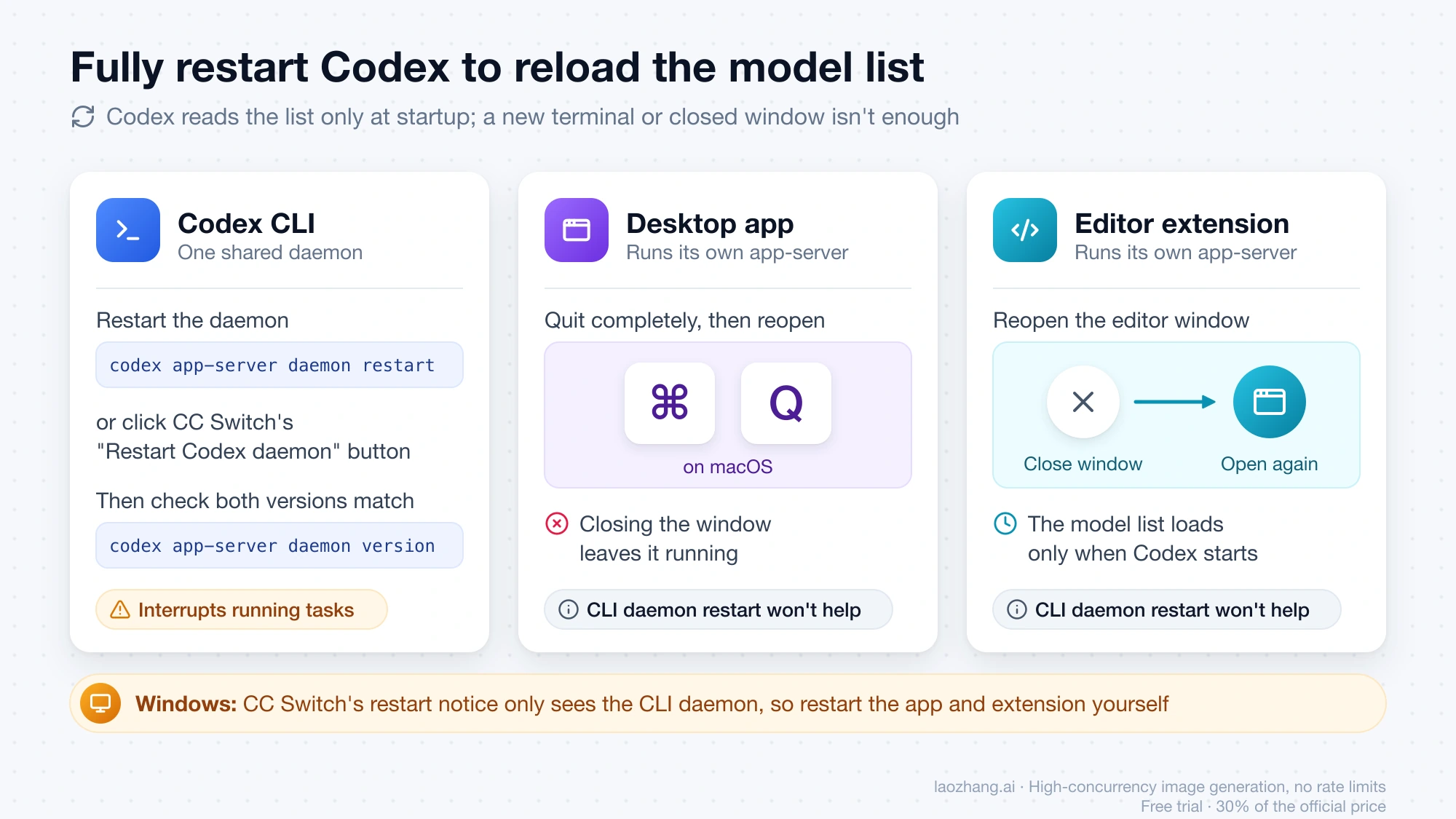
The desktop app and editor extensions run their own app-server, so restarting the CLI daemon doesn't refresh them. On Windows, CC Switch's notice is based on the CLI daemon's daemon.pid and can't see the desktop app or the extension, so restart those yourself. On October 29, 2026, codex --help and codex app-server daemon --help on Codex 0.165.0 (macOS) listed the restart, stop and version daemon commands, the --no-daemon flag, and the login and logout commands used in the Aggregation fix. After a CLI restart, codex app-server daemon version prints the CLI and running daemon versions as JSON, and both should match. For a single TUI session, codex --no-daemon skips the shared daemon and reads the current config right away, according to a user report in CC Switch issue #7885. It doesn't apply to codex exec.
GPT-6.1 Terra still missing after the fix: plan, Chat, and CLI version
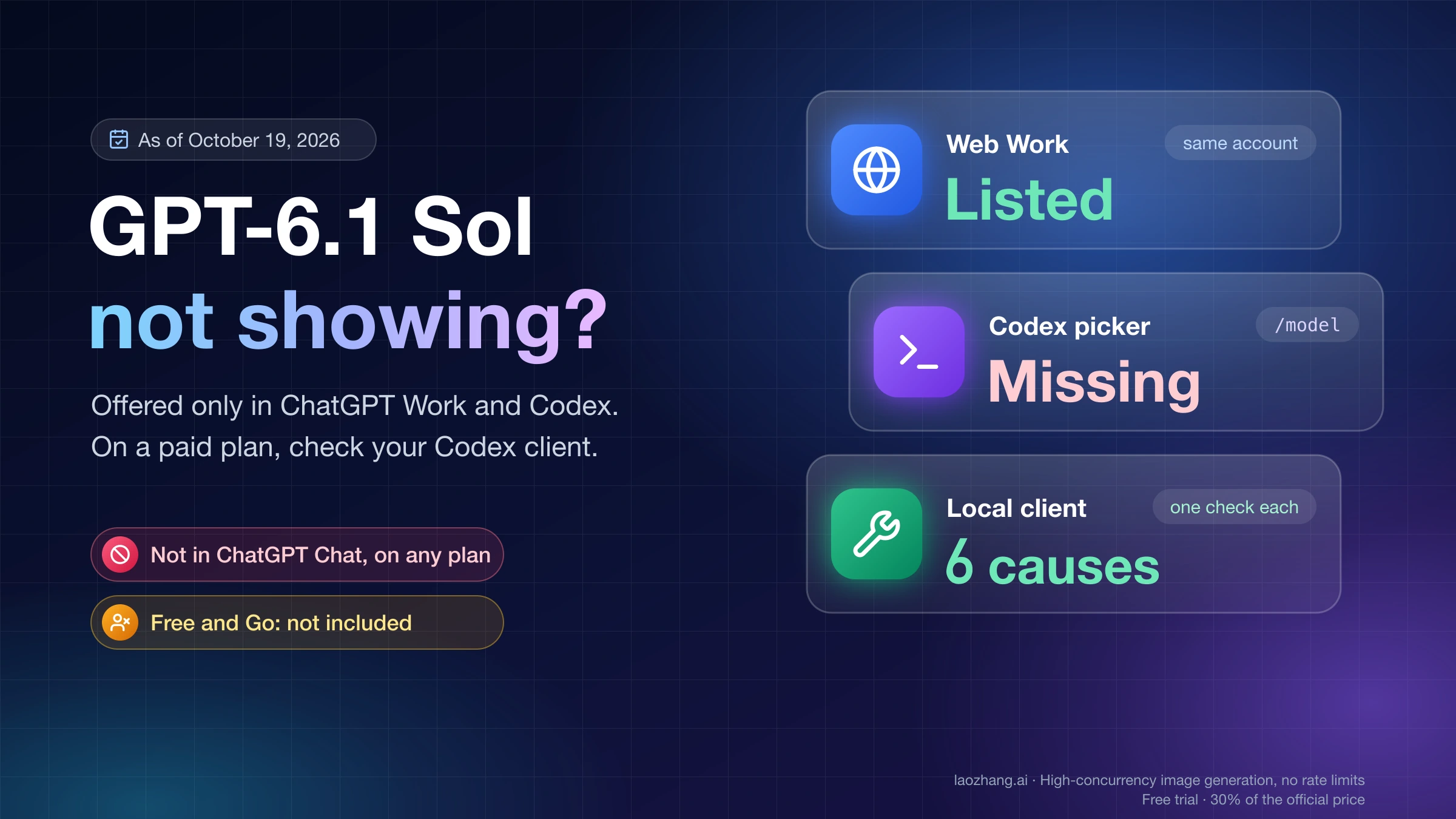
If Codex is in Direct mode, fully restarted, and Terra is still missing, the cause is outside CC Switch. As of October 29, 2026, GPT-6.1 Terra is available in Work and Codex on Plus, Pro, Business, Enterprise, and Edu, not on Free or Go, and not in Chat. On Enterprise and Edu, a workspace admin controls access. It also needs Codex CLI 0.159.0 or later, and you can call it with codex -m gpt-6.1-terra. GPT-6.1 Terra vs GPT-6.1 Sol: Half the Price, Not Always Cheaper covers the plan rules and when Terra is worth choosing.
An old CLI fails the same way outside CC Switch. In openai/codex issue #55028, a Plus user on CLI 0.153.4 in Direct mode had no GPT-6.1 Sol in either list, and a forced request returned HTTP 400. After an update to 0.163.0, the model listed and the request worked. A daemon left on an older version than the CLI, a model_catalog_json override, and a wrong CODEX_CLI_PATH on Windows are covered in GPT-6.1 Sol Not Showing in Codex or ChatGPT: 6 Causes and Checks.
Stop troubleshooting if your plan doesn't include Terra, your admin hasn't enabled it, or your relay doesn't serve it. No CC Switch setting changes that. In the meantime, GPT-6.1 Sol is in the bundled list of every Codex version in the table above, so it shows up even while CC Switch is routing.
Sources9
External pages this guide links to, in the order they appear. Last updated Oct 29, 2026.
Sources9
External pages this guide links to, in the order they appear. Last updated Oct 29, 2026.
- 1.CC Switch issue #8985github.com/farion1231/cc-switch/issues/8985
- 2.CC Switch pull request #8922github.com/farion1231/cc-switch/pull/8922
- 3.issue #7640github.com/farion1231/cc-switch/issues/7640
- 4.CC Switch issue #8728github.com/farion1231/cc-switch/issues/8728
- 5.CC Switch issue #8966github.com/farion1231/cc-switch/issues/8966
- 6.CC Switch v4.0.21 release notesgithub.com/farion1231/cc-switch/releases/tag/v4.0.21
- 7.CC Switch README FAQgithub.com/farion1231/cc-switch
- 8.CC Switch issue #7885github.com/farion1231/cc-switch/issues/7885
- 9.openai/codex issue #55028github.com/openai/codex/issues/55028