DeepSeek "Upload Failed": When Retry Works and When It Can't
DeepSeek's Upload failed means the file didn't get through or the check after it broke, not that its content is bad. Retry once; no retry icon means remove it.
On this page
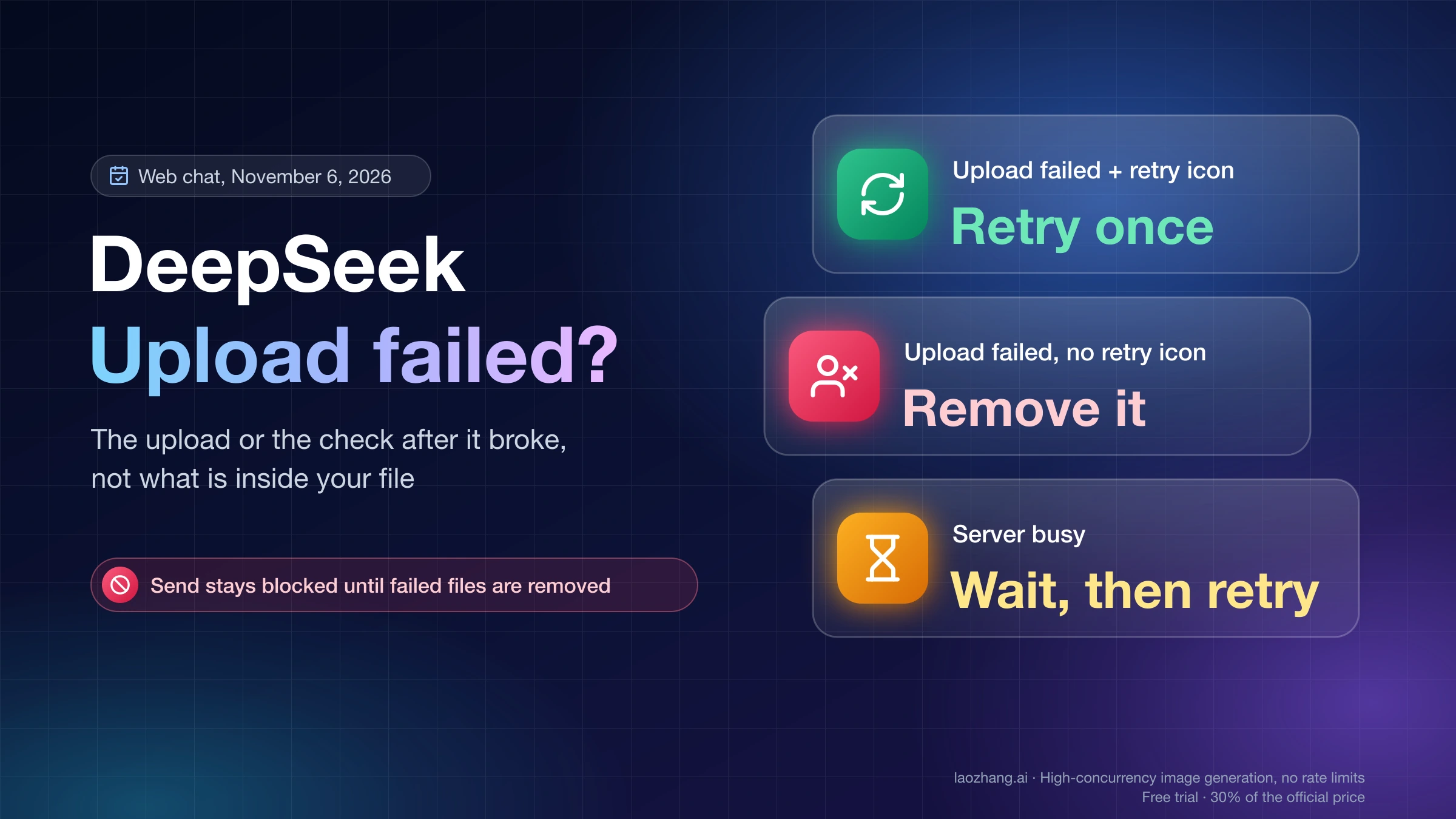
"Upload failed" under a file in DeepSeek chat means the file never got through to DeepSeek, or it did and DeepSeek's follow-up check on it broke. It says nothing about what is inside your PDF, image or spreadsheet; content problems show up later as "No text extracted" or "Parsing failed". So the first move is the retry icon on the file card. If the second try fails too, remove the file, because the send button stays blocked with "Remove failed files to submit." until you do, then fix the connection and add the file again.
Two cases break that rule. If the card says "Upload failed" and has no retry icon, DeepSeek's server refused the upload for the account itself, and no change to the file or network fixes it. If the card says "Server busy" instead, you hit a rate limit or overload, and waiting is the fix. A greyed-out attach button is a third situation: Search is on, or the mode you picked doesn't take files.
DeepSeek has published no help text on upload failures. What follows comes from the upload code of DeepSeek's web chat as served on November 6, 2026, plus dated public reports where the code can't answer.
What "Upload failed" in DeepSeek actually means
The label covers three failures, all of them before DeepSeek reads your file. The server can reject the upload, the upload request can break on the way, or the upload can succeed and the status check that follows can fail. In the last case the file did reach DeepSeek, which is why a retry there is cheap.
On November 6, 2026, chat.deepseek.com served web build main.9120333998, and its upload code was byte-for-byte the same as the November 5 build. In that code, a file goes up in a single request after your browser solves a small proof-of-work challenge, and the page then keeps asking DeepSeek whether the file has been processed. "Upload failed" appears when the server answers the upload with an error, when the request is cut off (dropped connection, aborted request, failed proof-of-work check, any other HTTP error), or when those follow-up status checks fail. That code is public and runs without signing in, so server-side behavior here is inferred from how the page handles each answer, and the mobile app may word things differently.
The page never shows which of these happened. The internal codes behind them, such as API_ERROR or MUTE, stay in the code and never reach the screen, so a dropped connection and a server error look identical on the card. If your DeepSeek interface is set to another language, the same label reads 上传失败 in Chinese, アップロードに失敗しました in Japanese, 업로드 실패 in Korean, Не удалось загрузить in Russian and Error al cargar in Spanish.
DeepSeek file card labels and whether retry helps
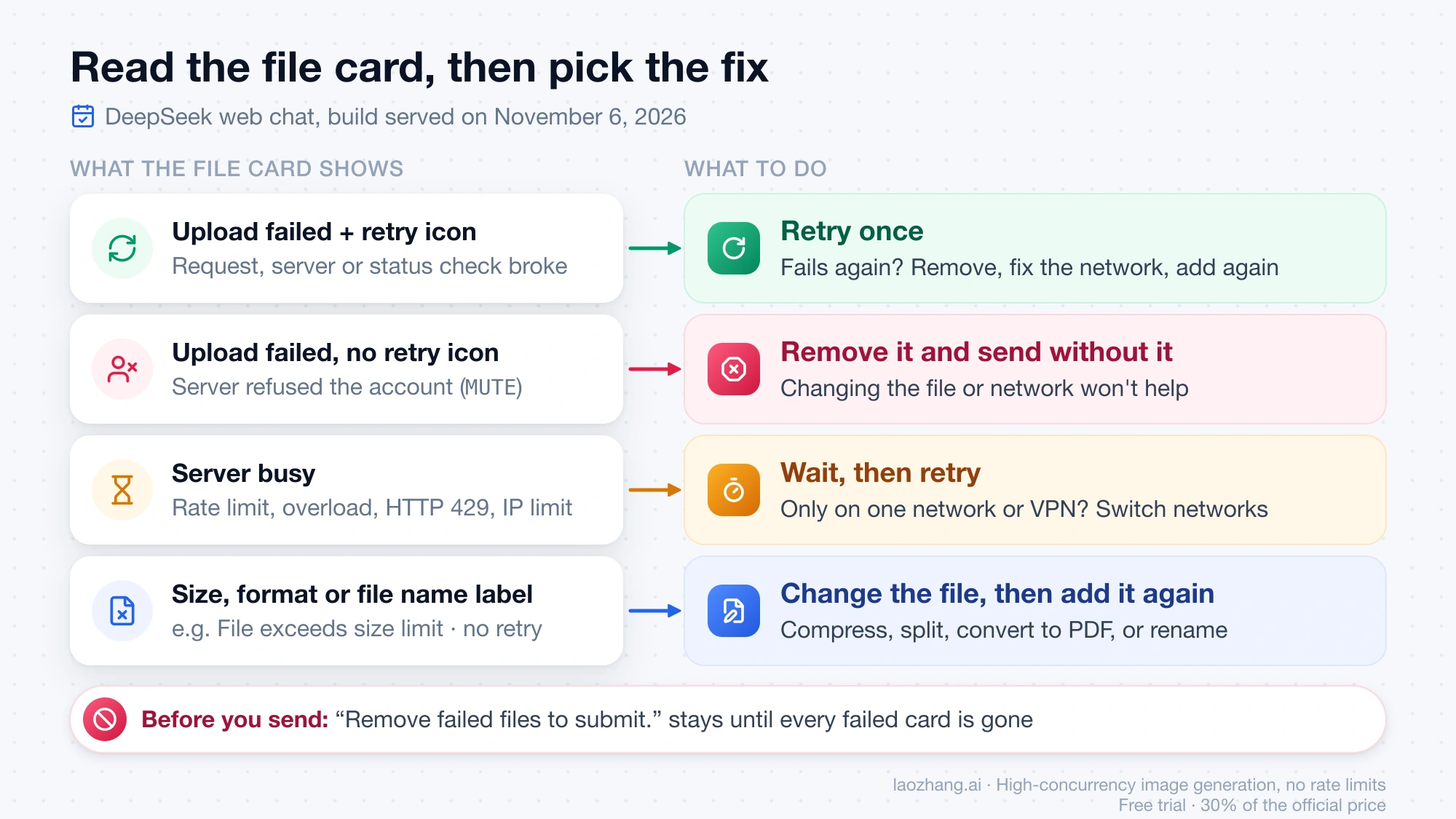
Read the exact words under the file and look for a retry icon before doing anything else, because together they tell you which step failed. In the November 6, 2026 build, every failure the server or network can clear gets a retry icon, and every failure that needs a different file, or a different account, gets none.
| What the file card shows | What failed | Retry icon | What to do |
|---|---|---|---|
| Upload failed, with a retry icon | The request broke, the server returned an error, or the status check after a finished upload failed | Yes | Retry once, then remove the file, fix the connection and add it again |
| Upload failed, no retry icon | DeepSeek refused uploads for the account (server code MUTE) | No | Remove the file; file and network changes won't help |
| Server busy | A rate limit, too many uploads at once, server overload, HTTP 429, or a restriction on your IP address | Yes | Wait, then retry; if it only happens on one network or VPN, switch networks |
| File exceeds size limit | The file is over your model's size cap | No | Compress, split, or export a smaller copy |
| Unsupported file format | DeepSeek doesn't take this file type | No | Convert to PDF, DOC, XLSX, PPT, an image, plain text or code |
| File name cannot be empty, or File name too long | The file name | No | Rename the file and add it again |
| File size cannot be empty | The file has no content | No | Re-export or re-download the file |
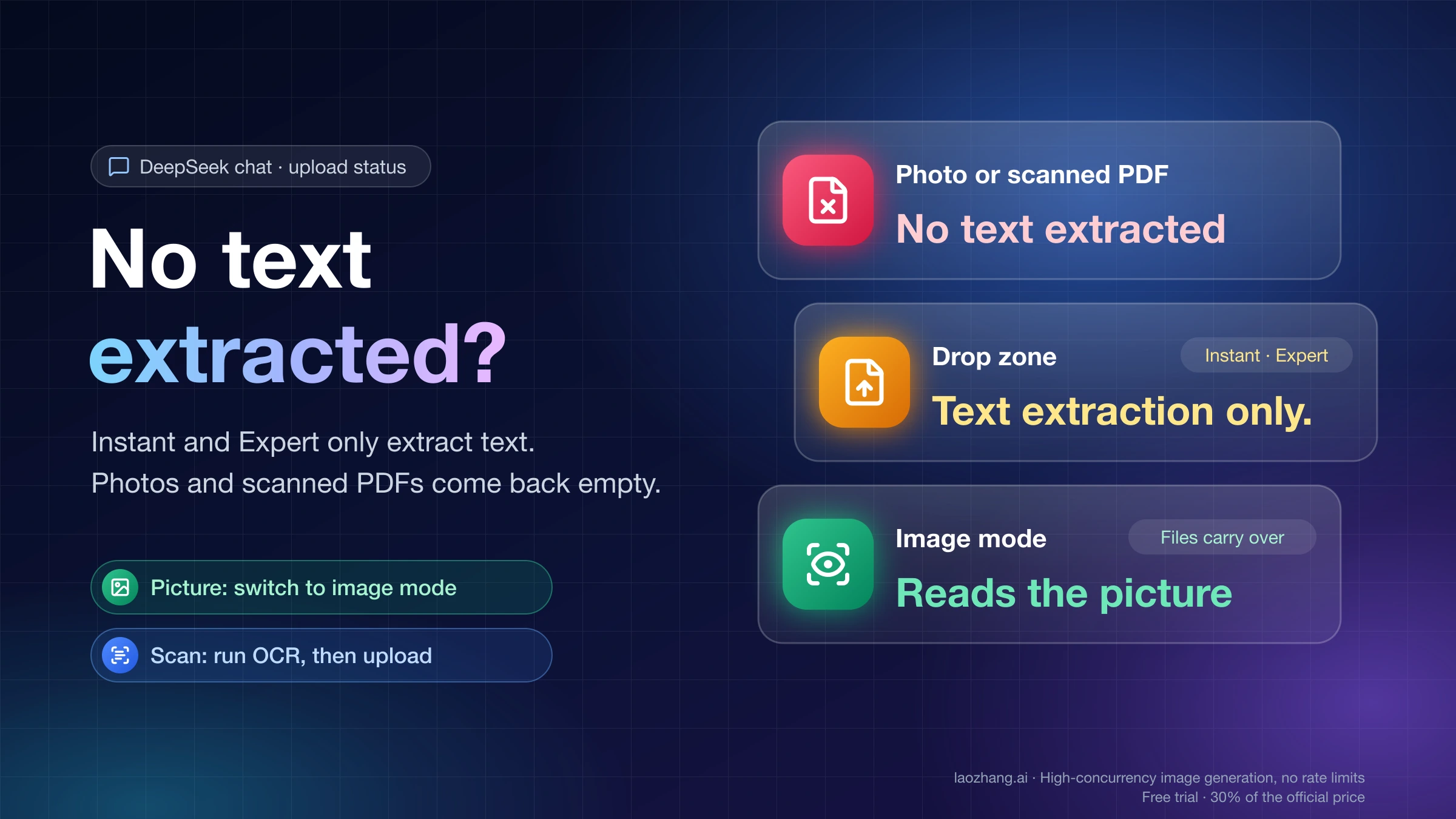
| No text extracted, or Parsing failed | The upload worked; reading the content didn't | Not an upload error | Treat it as a content problem, not a connection one |
MUTE is DeepSeek's code name for that refusal and reads as a muted account; DeepSeek publishes no definition of it. The rate-limit codes are mapped to "Upload failed" in one place in the code, but a busy flag set alongside them takes priority, so on screen they show as "Server busy". When the card says "No text extracted", the file is already with DeepSeek and the fix depends on the file type; DeepSeek "No Text Extracted" covers that case.
While any card in the box shows a failure, the send button refuses with "Remove failed files to submit." That message means a failed file is still attached, not that your text has a problem. Remove every failed card and the message goes out with the files that did upload.
Fix "Upload failed" in DeepSeek in this order
Work from the cheapest step to the slowest, and stop as soon as the file card clears. The order matters because the first two steps cost seconds, while a file change only helps once the connection is ruled out.
- Click the retry icon on the file card once. If the card goes back to uploading and then clears, send the message.
- If it fails again, remove the file from the message. The send button won't work while it's attached.
- Fix the route the request takes: turn off a VPN or proxy, or switch to another network, pause extensions that block scripts or requests on chat.deepseek.com, then reload the page.
- Add the file again. If the card now shows a different label, use the table above.
- If every file still fails, attach a small plain-text file as a test. If it uploads, the original file is the problem, so re-save it as a PDF, shorten its name, or split it. If the test file fails too, try another browser or the phone app on mobile data.
Step 3 matters more than it looks. The browser has to solve the proof-of-work check before every upload, and an aborted request or a failed check ends as the same "Upload failed" as a server error, so anything that interrupts requests to DeepSeek can cause it.
If "Upload failed" shows no retry icon at all, remove the file and send your message without it. A missing icon on that label points to the account refusal in the table, so adding the file again, or a test file, should fail the same way on any network. If you get "Upload failed" with a retry icon on two networks and two devices, the problem is more likely on DeepSeek's side, and waiting a few hours beats retrying.
Why the retry icon sometimes changes nothing
Retry repeats only the step that failed, so it does nothing when the cause is still there. In the November 6, 2026 build, clicking the icon sends the file again, with one exception. The exception is the case where the upload had already finished and only the status check failed: there the icon re-runs the check and does not send the file again.
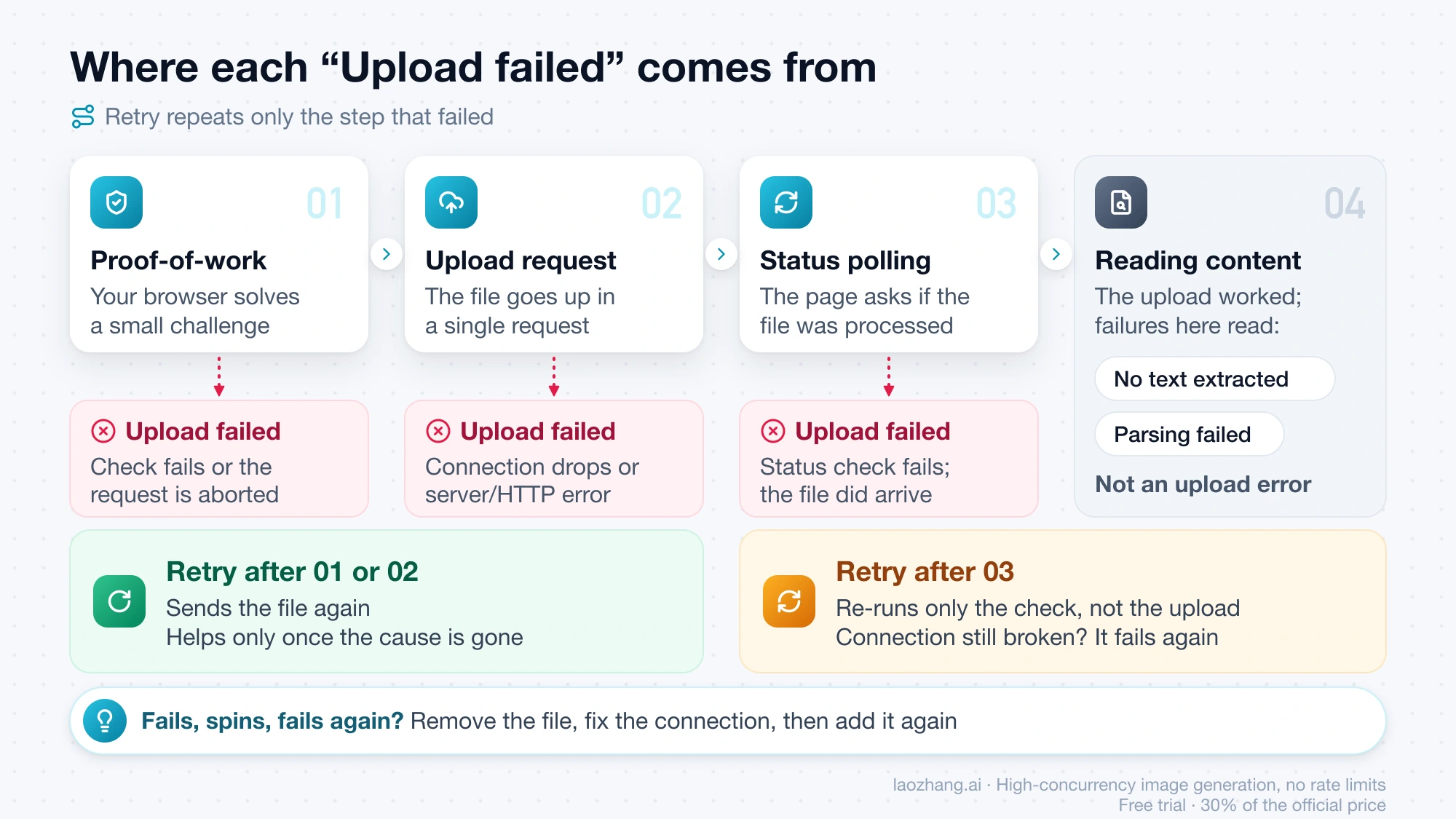
That explains the card that fails, spins and fails again. If your connection to DeepSeek is still broken, the re-run check breaks the same way. Removing the file and adding it after you fix the connection starts a fresh upload instead. The same goes for "Server busy": retrying right away runs into the same limit, so give it time first.
Attach button greyed out: Search or Expert Mode
A greyed-out paperclip is a block before any upload, and the tooltip on it names the reason. Hover over the button and read the exact sentence.
"Please turn off Search to upload files." means Search is on and the model you're using can't combine a web search with files. Turn Search off and the button comes back. It works the other way round too: with a file attached, the Search toggle says "Please remove the file before searching", and the chat may show "Web search unavailable with file uploads." In one message you get either the files or a web search, not both.
If the tooltip says "Expert Mode doesn’t support file uploads.", the mode you picked doesn't take files on your account right now. Switch to the other mode in the picker, attach the file and send. Whether you see that tooltip at all depends on DeepSeek: the web code of November 6, 2026 still contains it, but it only appears when DeepSeek's server offers an Expert mode for your account and marks it as not taking files. If your chat has no mode picker, there is nothing to switch.
That setting has changed several times. Expert mode launched on April 8, 2026 without uploads, according to ifanr's launch report, and IT Home reported uploads added the next day. On May 14, 2026, MyDrivers reported that Expert mode lost uploads on both web and app, quoting the notice 「资源紧张,不支持文件上传」 ("resources are tight; file uploads not supported"). Two GitHub requests to bring it back, DeepSeek-V3 issue #1312 from May 15 and issue #1406 from June 8, were closed by a stale bot with no reply from DeepSeek. Then on September 10, 2026, Chinese outlets including Sanyan Finance via Tencent News and Phoenix Tech reported that DeepSeek merged its Instant, Expert and Vision modes into one on web and app. DeepSeek's own news posts don't mention the merge, so whether your account still has a separate Expert mode is something only your own chat shows.
How big a file DeepSeek accepts: read your own limit
DeepSeek sets the size and count limits per model on its server, so the only reliable number is the one your own chat shows. Signed in, the drop zone that appears when you drag a file onto the chat and the attach button's tooltip both show your file count and per-file size. The page normally stops a file over those limits before it uploads, with "You may not upload files larger than {m}MB." or "You can add at most {n} attachments to a message. Please select fewer attachments.", with your numbers in place of {m} and {n}.
The figure that circulates, 50 files of 100 MB each, has one dated first-hand source: IT Home's April 9, 2026 report on the Expert-mode tooltip at that time. The web code from November 6, 2026 uses the same 50 files and 100 MB as a fallback when the server sends no limit, but the live values come from the server, and no report since the September 10 merge gives a number. A separate cap applies per chat: "File limit reached. 50 files max per session." names its own number, and a new chat starts the count again.
For file types, the error shown when you drop an unsupported file lists what the web chat takes: "Supported formats include PDF, DOC, XLSX, PPT, images, text, and code." The limits in DeepSeek's API documentation, such as 64 MiB per file and JPEG, PNG, GIF and WebP only, belong to the API Files endpoint and don't apply to the chat.
Is DeepSeek down, or is it only your upload?
DeepSeek's status page has a separate component for uploads, but a green page doesn't clear a problem on your account or connection. At status.deepseek.com, the component is called 上传文件服务 (File Upload Service), and as of November 6, 2026 it showed 100.00% availability for August through November, with the page reporting all systems normal.
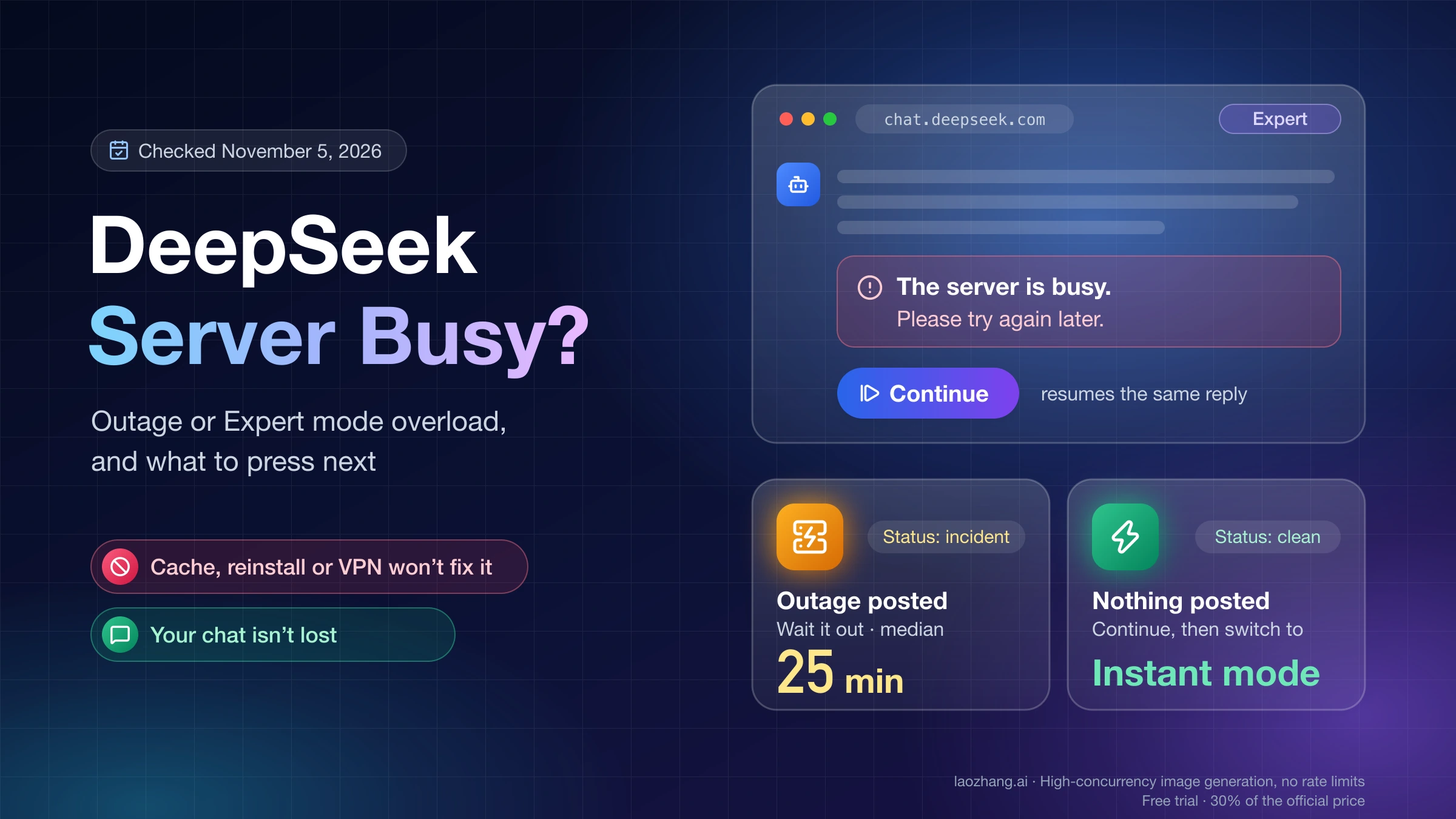
The page's public incident list, counted on November 6, 2026, shows how rarely uploads get flagged. Of 90 incidents posted between January 2025 and November 3, 2026, the V4.1 Flash API appeared in 66, Chatservice in 63, the V4 Pro API in 57, Search Service in 5 and File Upload Service in just one: "DeepSeek Web/API Degraded Performance" on September 15, 2026, from 19:30 to 19:39 Beijing time. A single account's "Upload failed" card never shows up there, so use the page only to confirm a wide outage, not to rule one out. If chat replies fail as well, DeepSeek "Server Is Busy" Fix: Outage or Expert Mode Overload? covers outages and overloads on the reply side.
DeepSeek upload failed: other questions
Does the DeepSeek phone app show the same "Upload failed" message?
The app's wording for a failed upload has no first-hand public report as of November 6, 2026, and everything above comes from the web chat. "Failed to upload media", a phrase quoted in Reddit threads, does not appear anywhere in the November 6 web build, so it comes from the app or another product. During the February 2025 upload outage, one user in DeepSeek-V3 GitHub issue #535 said uploads failed on the web but worked in the mobile app, which makes the app a reasonable second try.
Does this apply to the DeepSeek API or a local DeepSeek setup?
No. The DeepSeek API has its own Files endpoint, which takes images only and returns API errors rather than file card labels, per DeepSeek's Files API guide. In a local setup such as Ollama, AnythingLLM or Dify, the file goes to your own app and server, so their logs explain an upload failure, not anything on chat.deepseek.com.
Sources9
External pages this guide links to, in the order they appear. Last updated Nov 6, 2026.
Sources9
External pages this guide links to, in the order they appear. Last updated Nov 6, 2026.
- 1.ifanr's launch reportifanr.com/1661286
- 2.IT Home reported uploads addedithome.com/0/937/349.htm
- 3.MyDrivers reported that Expert mode lost uploadsnews.mydrivers.com/1/1122/1122285.htm
- 4.DeepSeek-V3 issue #1312github.com/deepseek-ai/DeepSeek-V3/issues/1312
- 5.Sanyan Finance via Tencent Newsnews.qq.com/rain/a/20260910A04U4B00
- 6.Phoenix Techtech.ifeng.com/c/8wIzoVxyeZH
- 7.status.deepseek.comstatus.deepseek.com
- 8.DeepSeek-V3 GitHub issue #535github.com/deepseek-ai/DeepSeek-V3/issues/535
- 9.DeepSeek's Files API guideapi-docs.deepseek.com/guides/files_api