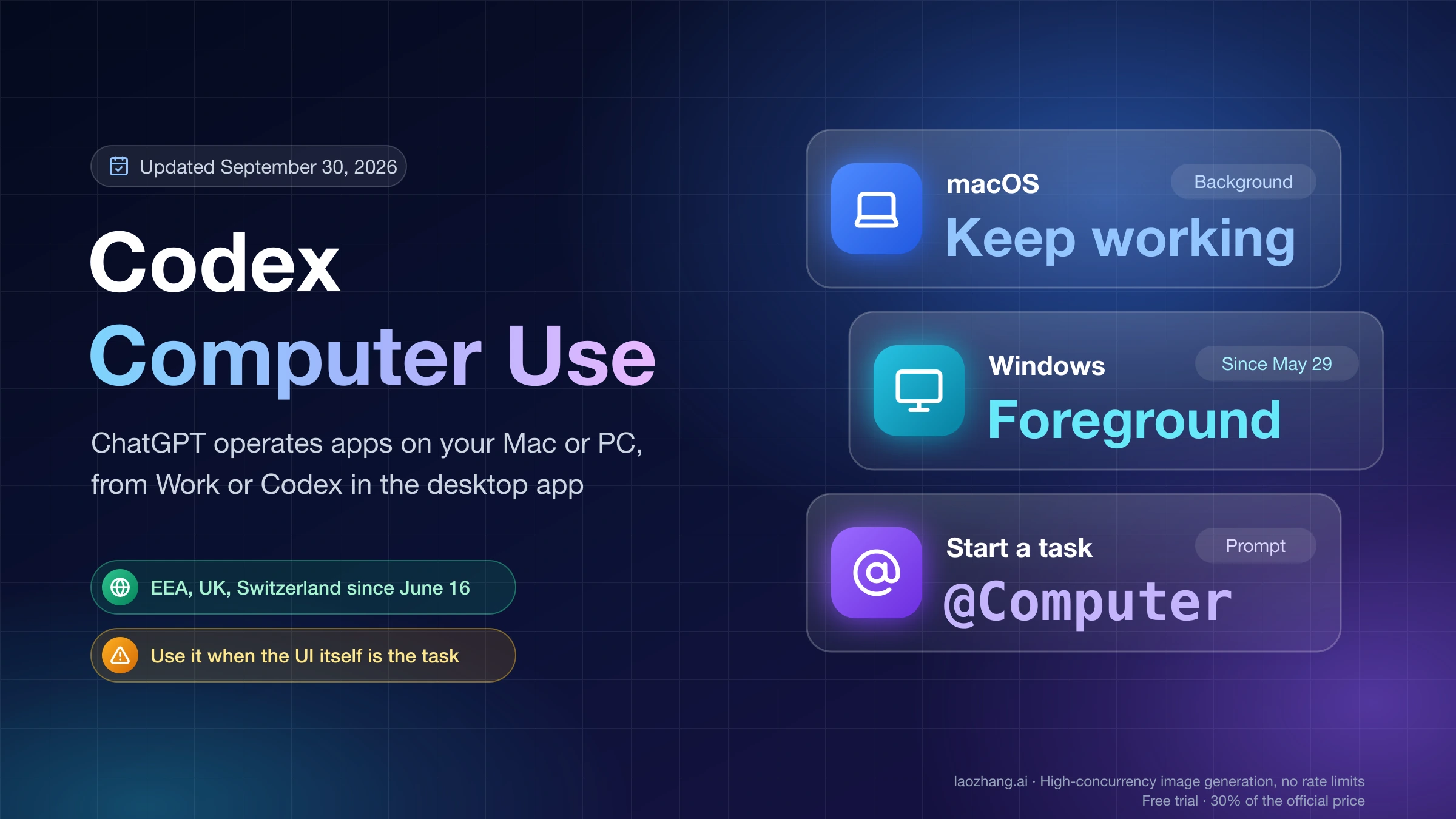
Codex CLI Token Cost: Estimate Daily API Spend Before a Long Run
Codex CLI has no universal daily token number. Use the active route, token mix, model prices, and a budget cap to estimate API-key spend before a long run.
On this page
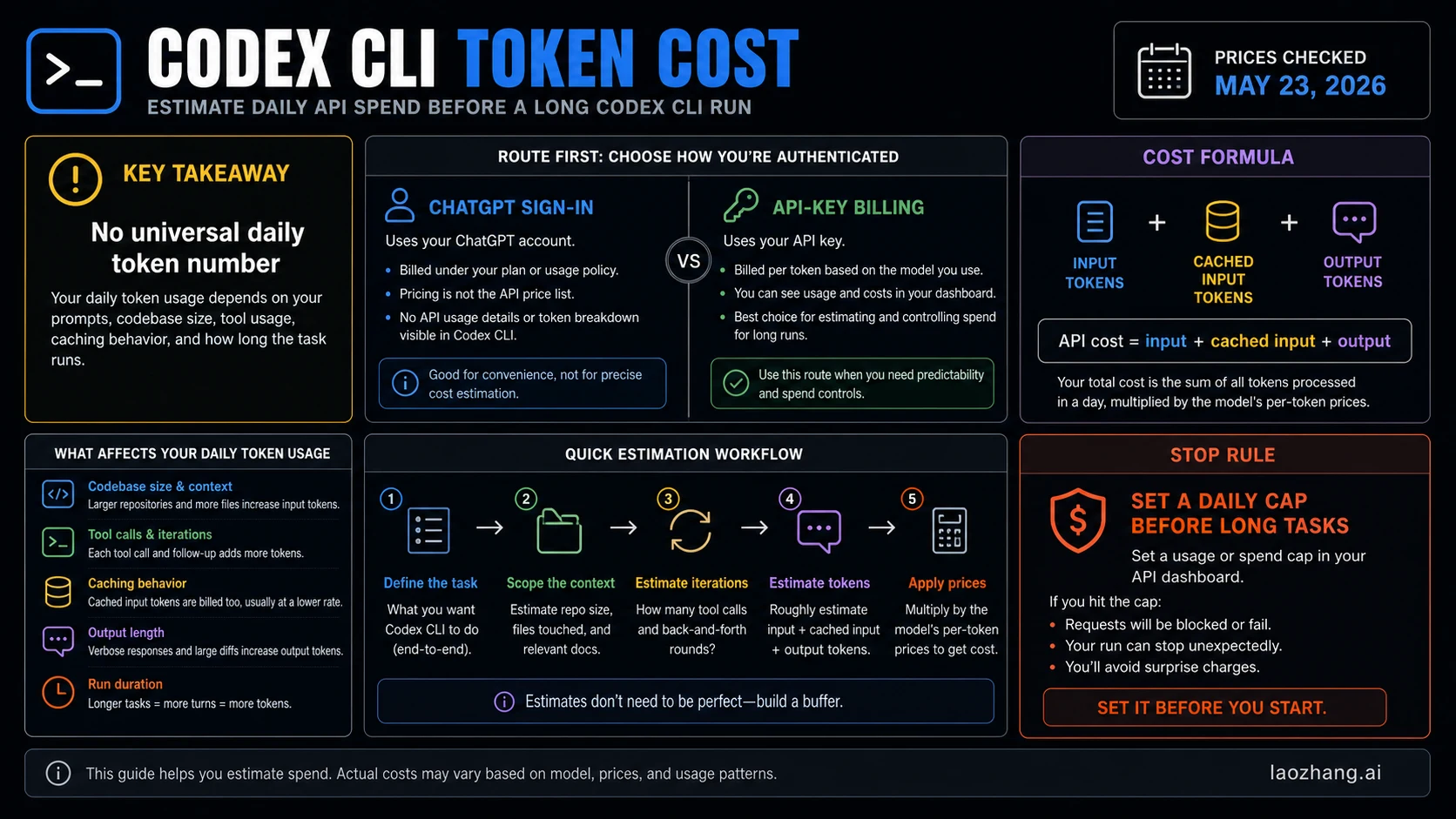
As of May 23, 2026, Codex CLI does not have one universal daily token number. If your session is using an API key, estimate cost from input tokens, cached input tokens, and output tokens; if it is using ChatGPT sign-in, check included usage and credits instead of applying API math. A useful estimate starts with the active route, then the formula, then a daily cap before any long or output-heavy task.
Start With The Two-Minute Estimator
Use this quick sequence before you let Codex work through a large repository, a multi-file refactor, or a long debug loop.
- Confirm the route: ChatGPT sign-in, API key, Codex cloud task, code review, or fast mode.
- If API-key billing is active, pick the model and use the current OpenAI Platform price table.
- Estimate three counters: input tokens, cached input tokens, and output tokens.
- Multiply each counter by its own per-token price.
- Set a daily spend cap before the task expands.
The API-key formula is:
daily API cost =
  (input_tokens / 1,000,000 * input_price)
+ (cached_input_tokens / 1,000,000 * cached_input_price)
+ (output_tokens / 1,000,000 * output_price)
At OpenAI's standard text prices checked on May 23, 2026, a normal day with 3M input tokens, 2M cached input tokens, and 0.4M output tokens works out to about $4.20 on gpt-5.4-mini or $14.00 on gpt-5.4. That is not a promise about your bill. It is a budget rehearsal with visible assumptions.
Which Codex Meter Is Active?
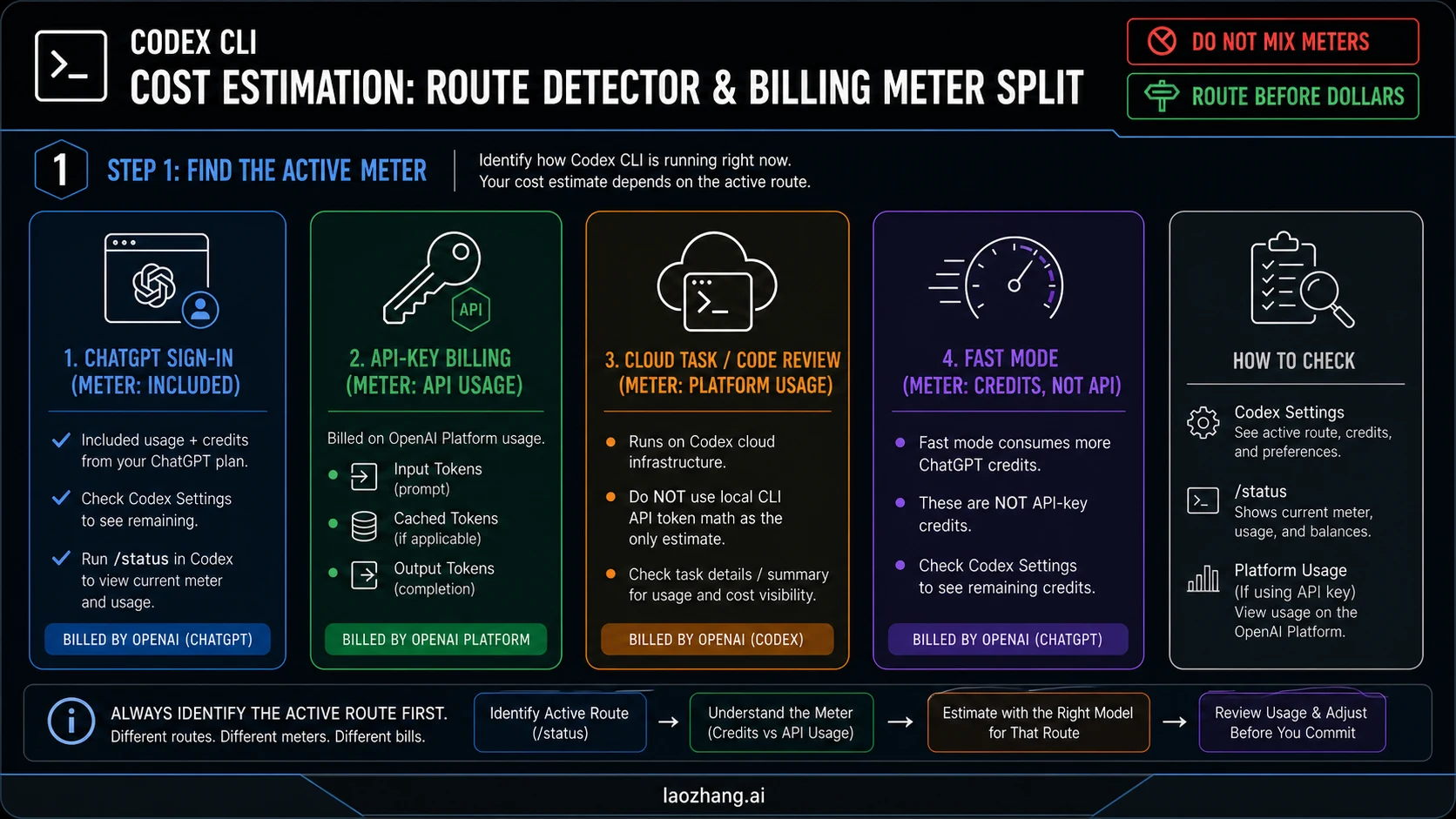
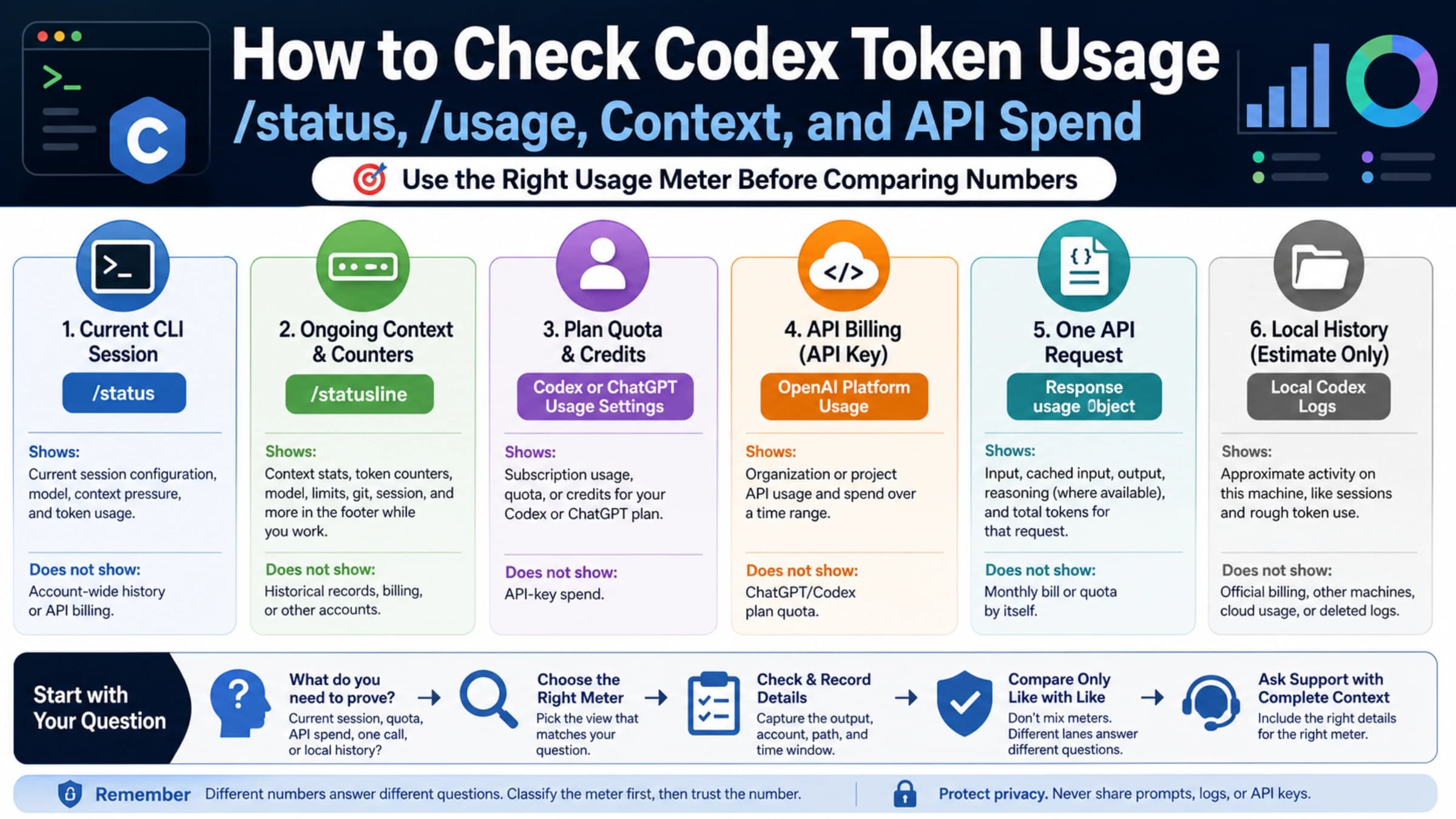
Do not calculate dollars until you know which meter owns the session. Codex can look like one product in the terminal while the billing path changes underneath.
| Active route | What it means | Estimate with | Where to check |
|---|---|---|---|
| ChatGPT sign-in | Interactive Codex work tied to a ChatGPT plan | Included usage, credits, and account-specific limits | Codex Settings, /status |
| API-key billing | Local CLI or automation intentionally billed through OpenAI Platform | Input, cached input, and output token prices | OpenAI Platform Usage |
| Cloud task or code review | Hosted Codex infrastructure rather than only local CLI token math | Codex task details and current Codex pricing docs | Task summary, Codex Settings |
| Fast mode | Faster ChatGPT-route work that burns credits faster | Credits and the current fast-mode multiplier | Codex Settings and speed docs |
This split prevents the most expensive mistake: assuming ChatGPT included usage covers API-key work. It does not. OpenAI's Codex authentication docs describe API-key sign-in as OpenAI Platform billing at standard API rates. The Codex pricing page separately describes ChatGPT-plan usage, credits, and API-key availability.
If your main question is which route to use at all, read the route companion: Codex API Key vs Subscription: Which Route Should You Use?. Return to the cost model once the billing route is clear.
Current Price Anchors To Use
For API-key estimates, the important prices are input, cached input, and output. Output often dominates the bill when Codex writes long explanations, large diffs, test logs, or repeated summaries.
These are standard OpenAI Platform text prices checked on May 23, 2026:
| Model | Input | Cached input | Output | Estimator role |
|---|---|---|---|---|
| gpt-5.4-mini | $0.75 / 1M | $0.075 / 1M | $4.50 / 1M | Lower-cost baseline for routine estimates |
| gpt-5.4 | $2.50 / 1M | $0.25 / 1M | $15.00 / 1M | Stronger-model estimate for heavier tasks |
| gpt-5.5 | $5.00 / 1M | $0.50 / 1M | $30.00 / 1M | Platform price exists, but do not treat it as the Codex API-key baseline unless current Codex docs list it for your route |
The GPT-5.5 caveat matters. The current Codex pricing docs checked for this run listed GPT-5.5 in ChatGPT-plan Codex usage, but not in the API-key row. If that changes, update the model row before updating the examples.
The official OpenAI Platform pricing page is the source for token prices. The official API rate-limit guide is the source for RPM, RPD, TPM, TPD, IPM, and spend-limit framing. Rate limits are not the same thing as a daily dollar estimate, but they matter when you automate Codex-like work under a Platform project.
Daily API Cost Scenarios
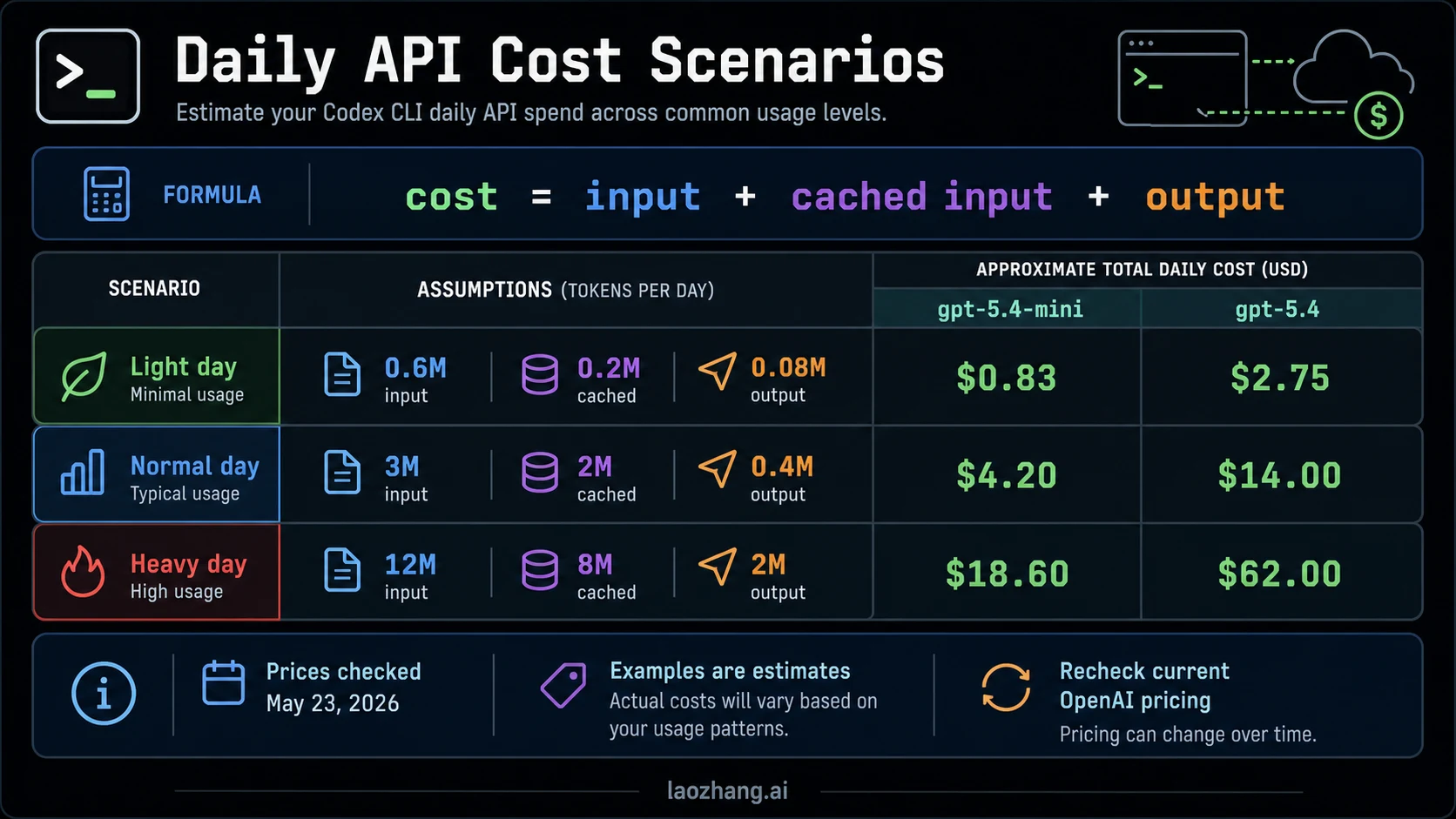
Use scenarios to build an upper bound, not to predict the exact invoice. A small prompt over two files and a long repo-wide migration do not consume the same token mix.
| Scenario | Input tokens | Cached input tokens | Output tokens | gpt-5.4-mini estimate | gpt-5.4 estimate |
|---|---|---|---|---|---|
| Light day | 0.6M | 0.2M | 0.08M | $0.83 | $2.75 |
| Normal day | 3M | 2M | 0.4M | $4.20 | $14.00 |
| Heavy day | 12M | 8M | 2M | $18.60 | $62.00 |
The normal-day gpt-5.4-mini row is:
(3 * $0.75) + (2 * $0.075) + (0.4 * $4.50) = $4.20The same token mix on gpt-5.4 is:
(3 * $2.50) + (2 * $0.25) + (0.4 * $15.00) = $14.00The difference is not subtle. Model choice and output length can matter more than whether you saved a few prompt lines. If a task is routine - update docs, rename a symbol, add tests, inspect failures - start with the cheaper capable model and escalate only when the task actually needs it.
How To Measure Your Own Codex Day
The best estimate comes from a measured work block. You do not need perfect telemetry to make a safer spending decision.
Use a 30 to 60 minute sample:
- Choose the same route you plan to use for the real work.
- Run a representative task, not a toy prompt.
- Record the model, repository size, files touched, tool calls, and number of back-and-forth turns.
- Check OpenAI Platform Usage if an API key was active.
- Estimate input, cached input, and output split from usage data where available.
- Normalize the sample to the number of similar blocks you expect in a day.
- Add a buffer of 25% to 50% for retries, failed tests, and follow-up prompts.
If your platform dashboard gives exact token categories, use them. If it gives only aggregate spend, divide the cost by the model's price pattern to build a rough range. For example, a writing-heavy session with long explanations will lean toward output cost, while repeated file inspection may lean toward input and cached input.
The point is not accounting perfection. The point is to decide whether a long run should continue under the current route.
What Makes Codex CLI Burn More Tokens?
Codex token use rises when the model has to read more, remember more, try more, or write more.
| Burn driver | What happens | Cost control |
|---|---|---|
| Large repository context | More files and more tokens enter the input side | Scope the task to relevant paths and exclude unrelated docs, fixtures, and generated files |
| Repeated tool calls | Each read, command, and follow-up can add context | Ask for a plan, then let the agent batch related checks |
| Long output | Explanations, giant diffs, logs, and summaries increase output cost | Ask for diffs, patches, and concise status updates instead of essays |
| Low cache reuse | Similar context may not hit cached-input pricing | Keep stable context in place and avoid unnecessary restarts |
| High iteration count | Failed tests and unclear prompts create more turns | Give acceptance criteria, commands, and stop conditions early |
| Stronger model by default | Higher rates multiply every token category | Use the smallest model that can safely complete the task |
The easiest savings are usually boring: narrower context, shorter outputs, cheaper routine model, and a clear stop condition. Those controls are more reliable than trying to guess one magic daily token number.
Subscription, Credits, Or API Key?
Use the route that matches the job.
| Job | Better first route | Why |
|---|---|---|
| Personal interactive coding under a ChatGPT plan | ChatGPT sign-in | Included usage and eligible credits are designed for this surface |
| Local automation where you need usage reporting | API key | OpenAI Platform Usage and budgets are easier to govern |
| CI, scheduled jobs, SDK workflows, app backend work | API key | Non-interactive credentials and project budgets are the right shape |
| Codex cloud tasks or code review | ChatGPT sign-in / workspace route | Do not estimate hosted work only with local CLI API math |
| You hit included Codex limits | Credits or wait, after checking the dashboard | Credits may extend supported usage, but they do not pay ordinary API-key calls |
For the broader all-plan limits picture, use OpenAI Codex Usage Limits: Plus, Pro 5x/20x, Business Credits, and API Key Rules. Keep the calculator narrower: estimate a daily API-cost envelope only when local Codex work is billed through an API key.
Budget Stop Rules For Long Runs
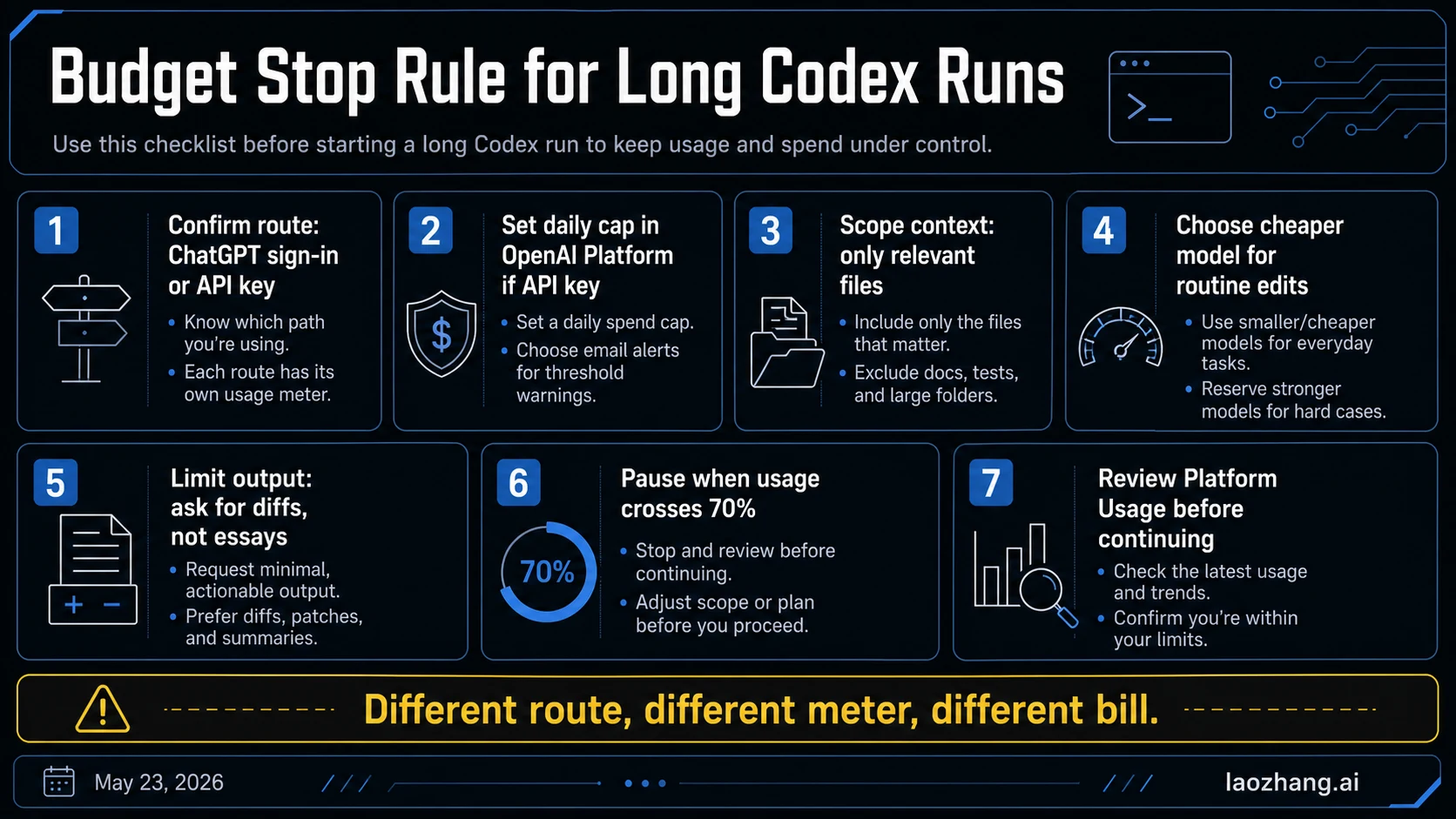
Long Codex sessions need a stop rule before they need more context. Use one of these caps:
- Soft cap: pause when the day's estimate reaches 70% of your intended budget.
- Hard cap: use OpenAI Platform budgets or project limits when an API key is active.
- Scope cap: stop when Codex asks to inspect files outside the agreed task boundary.
- Output cap: stop when the agent starts producing long prose instead of concrete diffs, commands, or decisions.
- Retry cap: stop after repeated failed tests or command loops and ask for a new diagnosis.
A practical daily cap might look like this:
Budget: $15/day for routine Codex CLI API-key work
Pause at: $10.50 estimated or observed usage
Allowed route: API key only for local automation
Model default: gpt-5.4-mini
Escalation: gpt-5.4 only for hard diagnosis or architecture changes
That cap is not a recommendation for everyone. It is a pattern: choose a number, choose the route, choose the default model, and write the escalation rule before the work starts.
Troubleshooting A Surprise High Bill
If the bill is higher than expected, diagnose it in this order.
- Route: Was Codex using an API key when you expected ChatGPT sign-in?
- Model: Did the session run on a stronger model than the estimate assumed?
- Output: Did the agent write long explanations, full files, or repeated summaries?
- Context: Did it read the whole repository instead of the target paths?
- Retries: Did tests fail repeatedly and create many extra turns?
- Automation: Did a CI or script loop run the same Codex flow multiple times?
- Limits: Did rate or spend limits block part of the job and trigger retries?
Do not solve a high bill by guessing. OpenAI Platform Usage is the ledger for API-key spend. Codex Settings and /status are the checks for ChatGPT-route usage. If those surfaces disagree with your expectation, stop and fix the route before launching another long task.
FAQ
How many tokens does Codex CLI use per day?
There is no universal daily token number. A day of Codex CLI use depends on route, model, repository context, files read, tool calls, output length, retries, cache reuse, and task duration. Estimate from your own token mix instead of copying a generic number.
How do I estimate Codex CLI API cost?
First confirm API-key billing is active. Then estimate input tokens, cached input tokens, and output tokens. Multiply each category by the current model price and add the results. Date the price table you use.
Is API-key billing cheaper than ChatGPT Plus or Pro?
It depends on workload. API-key billing can be cheaper for controlled, low-volume automation and more expensive for long interactive sessions with heavy output. ChatGPT sign-in can be better for included personal use, while API key is better when you need Platform usage reporting, budgets, service accounts, or CI.
Do ChatGPT credits pay API-key bills?
No. ChatGPT included usage and credits belong to the ChatGPT-route Codex experience. API-key billing is OpenAI Platform usage. Treat them as separate meters unless current OpenAI docs for your account say otherwise.
Should I use GPT-5.5 in the cost examples?
Not as the Codex API-key baseline unless current Codex docs list it for API-key use. On May 23, 2026, OpenAI Platform pricing listed GPT-5.5 prices, but the Codex API-key row did not list GPT-5.5 as available for that route. Use the model your route actually supports.
What is the safest way to start a long Codex CLI task?
Confirm the route, choose a default model, scope the context, ask for concise output, set a spend cap, and pause at 70% of the cap. If the task starts expanding beyond the agreed files or output style, stop and re-estimate before continuing.
Sources4
External pages this guide links to, in the order they appear. Last updated May 23, 2026.
Sources4
External pages this guide links to, in the order they appear. Last updated May 23, 2026.