Seedream 5.5 vs GPT Image 2.6: Transparent PNG Test, Edits, Cost
Seedream 5.5 for repeated edits and clean cut-outs; GPT Image 2.6 for GIF, SVG, 4K and see-through glass. Tested November 12, 2026: no 2.6 pixel hit full alpha.
On this page
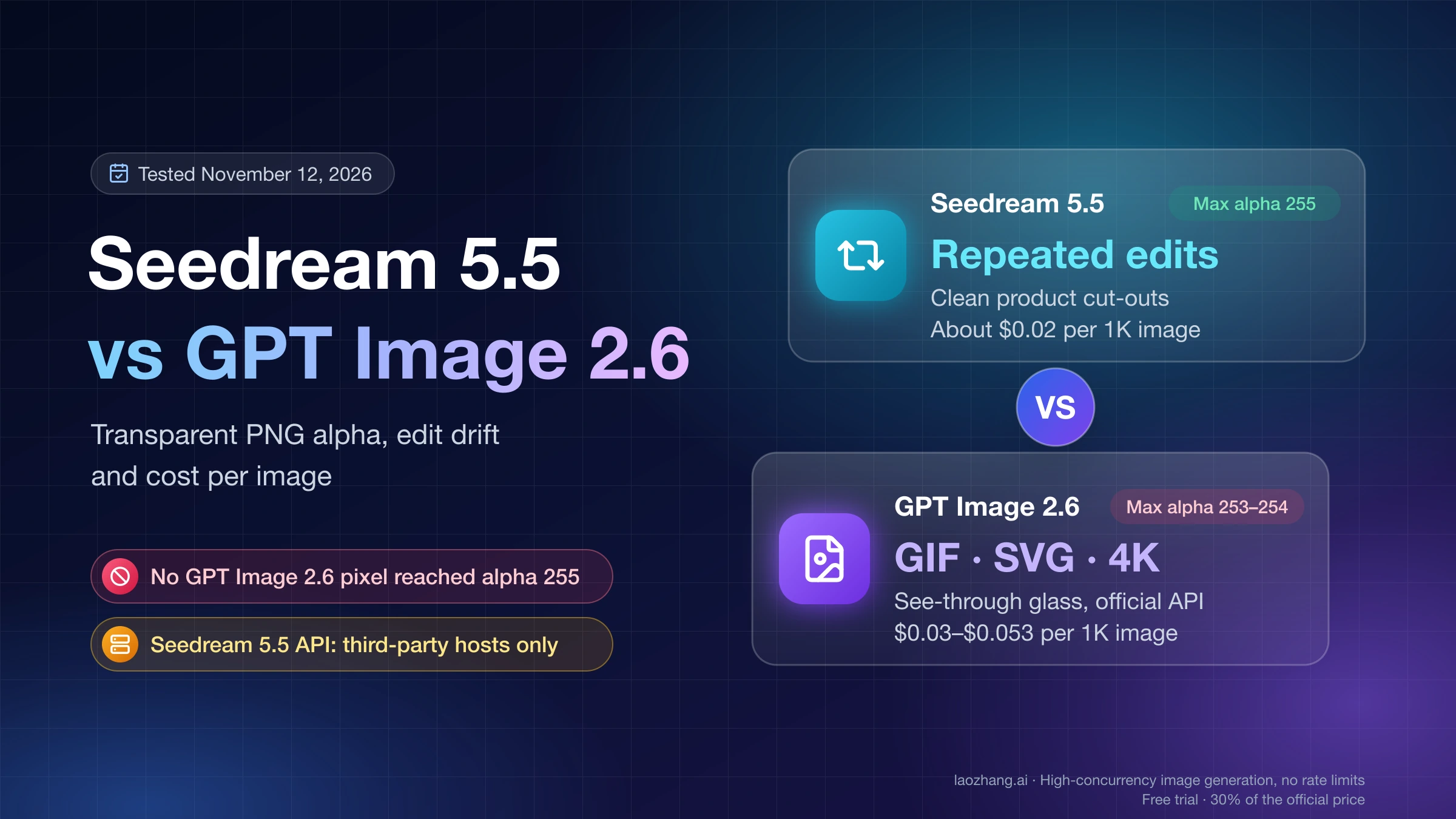
Use Seedream 5.5 when one picture has to go through many edits or when a product cut-out must come out of the model clean, and use GPT Image 2.6 when the deliverable is an animated GIF, an SVG, a native 4K file or see-through glass, or when you need an API from the model maker itself today. For a single poster with a few lines of exact copy, either model will do. Seedream 5.5 is also the cheaper one: about $0.02 per 1K image on the API hosts that carry it, roughly a third of what a high-quality GPT Image 2.6 image costs on OpenAI's token pricing.
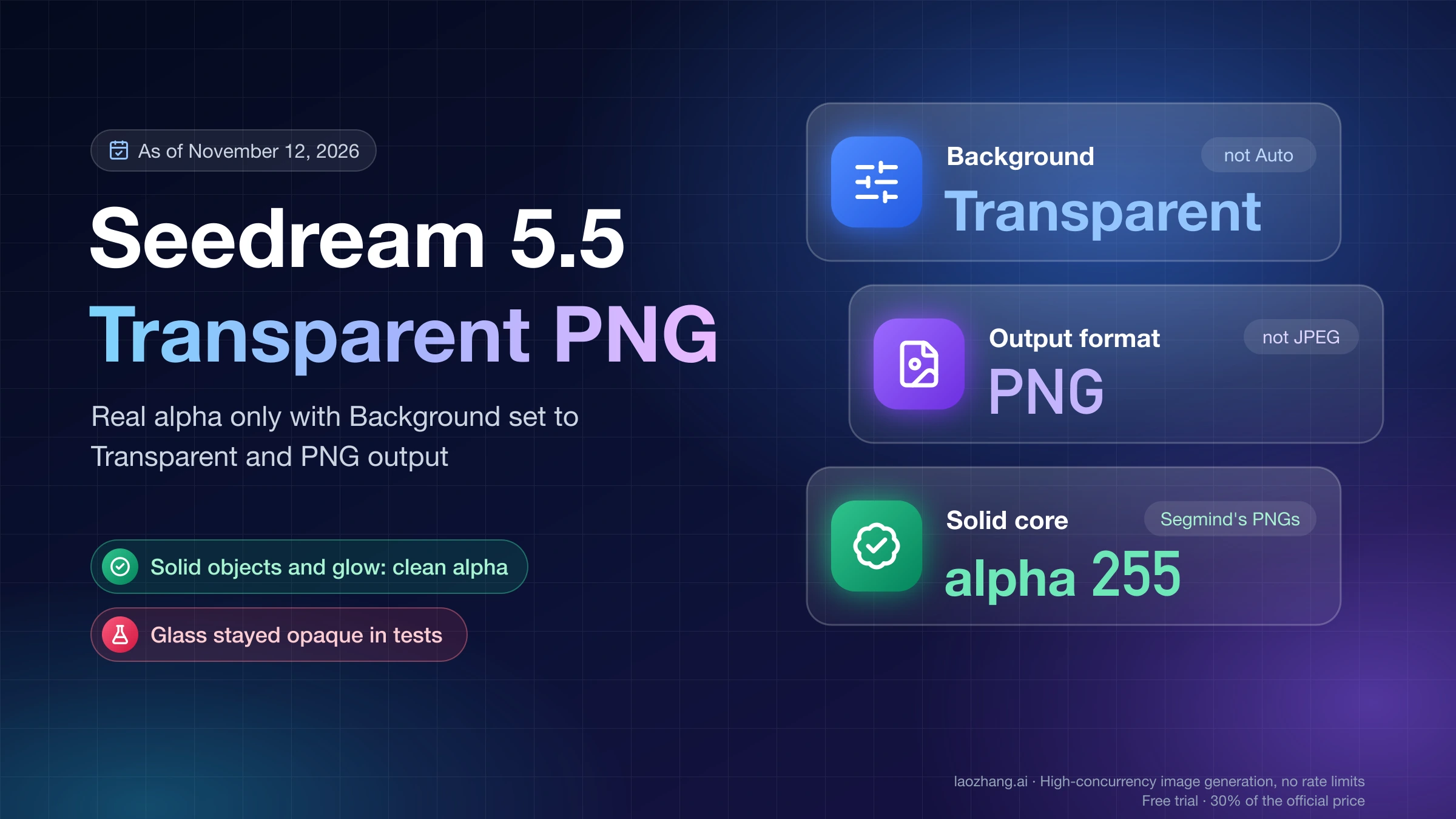
If you use GPT Image 2.6 for transparent assets, check each PNG before it goes into a layout. On November 12, 2026, the prompts Segmind published with its Seedream 5.5 samples were run on GPT Image 2.6 with background: "transparent". Every file had a real alpha channel, but not one pixel reached full opacity (alpha 255), and a spell effect carried a near-invisible haze across 10% of the canvas that stops "trim transparent pixels" from trimming anything. Seedream 5.5's files had solid subjects at exactly 255. A clamp of the alpha channel fixes the GPT files, and the script for it is further down.
Both launches have been sold as wins, and the numbers behind them are of different kinds. ByteDance's comparison charts set Seedream 5.5 against GPT Image 2.5 Sunburst, not 2.6, as OfoxAI's Seedream 5.5 vs GPT Image 2.6 comparison points out, and the 20-round edit test that shows GPT Image 2.6 drifting was run by Veevid on the Flare model only. Each answer below names what it rests on: a vendor claim, a test by a platform that sells both models, or this blog's own dated test runs.
Seedream 5.5 or GPT Image 2.6: which to pick for each job
The choice follows the deliverable rather than an overall winner. Seedream 5.5 leads wherever the same image is edited again and again or a solid object needs a clean cut-out; GPT Image 2.6 leads on output formats and on subjects that must stay partly see-through. The third column matters as much as the second, because only some of these answers come from measurements.
| Job | Pick | What the answer rests on |
|---|---|---|
| Many edits to one picture (colorways, menus, banners) | Seedream 5.5 | Veevid's 20-round chain of November 11, 2026, run on 2.6 Flare only; Segmind's 12-round Seedream 5.5 chain |
| Changing text inside an image over several edits | Seedream 5.5 | Same Veevid chain: 5.5 made all three text edits exactly, 2.6 Flare misspelled one and altered a price nobody asked to change |
| Transparent cut-out of a solid product | Seedream 5.5, or 2.6 plus an alpha clean-up | Alpha measured on the same prompts, November 12, 2026 |
| Glow, smoke and spell effects | Either; clean up 2.6's haze before trimming | Same test |
| See-through glass or liquid | GPT Image 2.6 | Same test with a different glass prompt on each side, plus Segmind's opaque Seedream 5.5 perfume bottle and potion flask |
| Poster with a few lines of exact copy | Either | One English poster per model, November 12, 2026 |
| Animated GIF or SVG file | GPT Image 2.6 | OpenAI's launch features; Seedream 5.5 outputs still images only |
| Native 4K | GPT Image 2.6 | 3840×2160 returned on a per-call route; Seedream 5.5 hosts stop at 2K or a custom 4.62 MP |
| Lowest cost per still image | Seedream 5.5 | Host list prices against OpenAI's token pricing |
| An API from the model maker | GPT Image 2.6 | No Seedream 5.5 model ID in ByteDance's API docs as of November 12, 2026 |
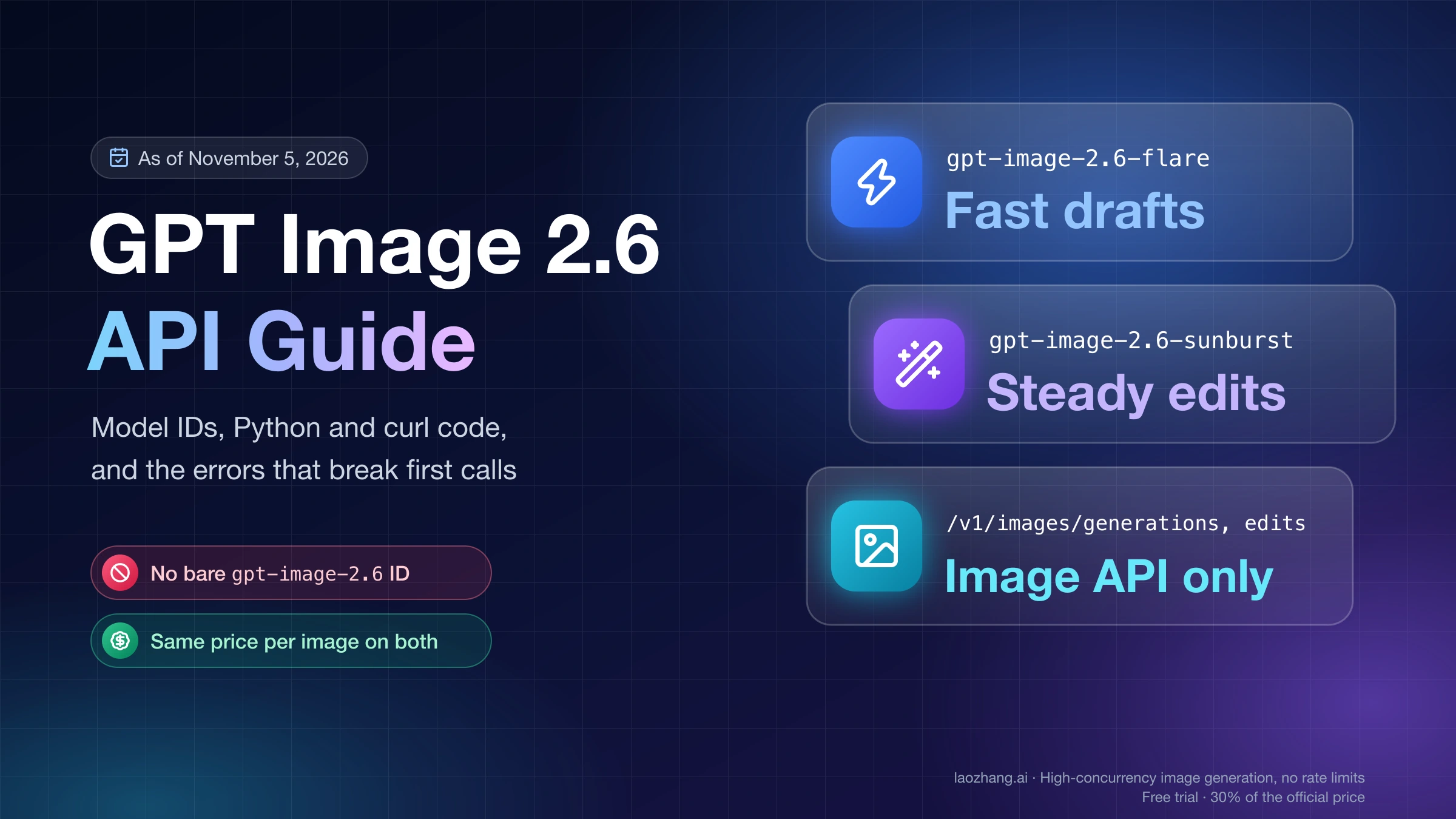
Sunburst and Flare are the two GPT Image 2.6 models, gpt-image-2.6-sunburst and gpt-image-2.6-flare, not quality settings. They cost the same per token, Flare is several times faster, and OpenAI pitches Sunburst on consistency. That gap in the record matters for editing: the published 20-round drift test used Flare, and no one has published the same chain on Sunburst. For the previous generation of this matchup, see GPT Image 2 vs Seedream 4.5: Choose by Accepted Output.
Which keeps an image stable over many edits? Seedream 5.5
Seedream 5.5 holds a picture far more steadily through a chain of edits. In Veevid's 20-edit test of Seedream 5.5 and GPT Image 2.6, published November 11, 2026, both models received the same 20 instructions in the same order, each round editing the previous result, on one café photo made by a third model. After round 20, the areas no instruction touched had moved about 3.5 to 5.7 times further from the original in GPT Image 2.6 Flare than in Seedream 5.5, measured as ΔE2000 color difference, where roughly 2–3 is the point at which people notice a change side by side.
| Test (who, when) | Model | Chain | Untouched areas | Requested edits |
|---|---|---|---|---|
| Veevid, November 11, 2026 | Seedream 5.5 | 20 rounds, 1K square PNG | ΔE2000 at round 20: face 3.7, chalkboard heading 3.6, back wall 4.3; one visible jump at round 14 | All three text edits exact |
| Veevid, November 11, 2026 | GPT Image 2.6 Flare | Same 20 rounds | Face 14.8, heading 12.7, back wall 24.4; camera pulled back within the first few rounds and the scene darkened | Round 15 wrote "OCED MCHA 4.25"; the untouched 4.95 price became "4.?5" |
| Segmind, November 11, 2026 | Seedream 5.5 | 12 rounds on a sneaker shot, 2K | No background pixel jumped by more than 32 levels; the whole frame darkened about half a level per round | Lettering spelled right, but a thin pull loop was redesigned to fit it |
| LaoZhang AI Blog, November 5, 2026 | GPT Image 2.6 Sunburst and Flare | 3 rounds on one photo, 1024, high | Mean brightness down 4.2–5.5 levels from 113.9 (GPT Image 2.5 Sunburst stayed within about 1%) | Every edit landed |
The Veevid gap opens on the first edit: GPT Image 2.6 moved further in round 1 (ΔE 2.5 on the face, 2.7 on the wall) than Seedream 5.5 did in its first ten rounds. Part of 2.6's high numbers come from reframing, since an area that has shifted no longer lines up with the original, but a reframed picture is also a real problem when every later edit starts from it. Each result is a single chain with first results kept, run by a platform that sells both models, and it covers Flare only.
The three-round chain in the last row was run on November 5, 2026 through LaoZhang's per-call VIP routes for GPT Image 2.6: a jacket recolor, a sign text change and a bicycle removal. Both 2.6 models made every edit correctly, and the slow darkening of untouched areas was already measurable after three rounds. If you chain edits in GPT Image 2.6, go back to the original every few rounds, or branch each variant from one master image instead of editing the latest output.
Does Seedream 5.5 really edit 100 rounds without drift?
Not in the strict sense. ByteDance's launch post, "Introducing Seedream 5.5", says (as quoted by Veevid and Kie) that you can edit the same image 100 times in a row without the untouched parts changing, and the Seedream 5.5 model page describes keeping "unedited regions intact at the pixel level", but neither publishes a drift measurement. Veevid measured a steady 0.1–0.2 ΔE per round on Seedream 5.5, enough to pass the noticeable point by round 20, and Segmind's Seedream 5.5 test of edit rounds and transparent PNGs found the whole frame darkening by about half a level per round, which Segmind projects to "about 50 levels darker" by round 100. "Very little drift" is accurate; "no drift" is not. For long chains, compare against the original every 10 rounds or so.
Posts on social media go further the other way, claiming GPT Image 2.6 "couldn't handle more than 3 iterations before breaking" (one such post on Instagram was a Higgsfield promotion with a discount link). The measurements don't show a break at three rounds: GPT Image 2.6 Flare finished all 20 of Veevid's rounds, and the November 5 three-round chain landed every edit. What they show is gradual drift, reframing and darkening, which is a reason to restart from the original, not proof that the model stops working.
Does GPT Image 2.6 make transparent backgrounds? Yes, never fully opaque
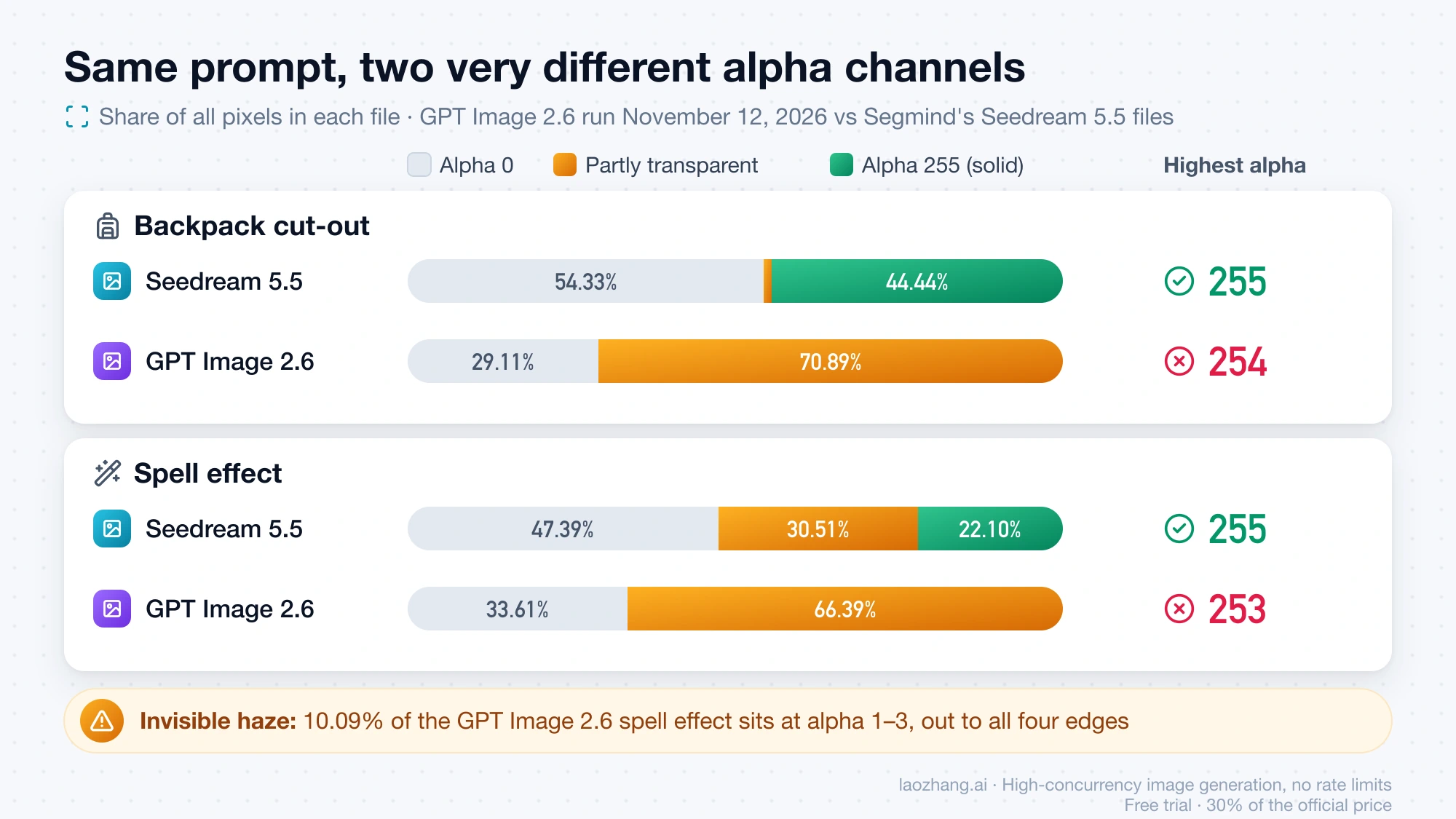
Yes. GPT Image 2.6 returns an RGBA PNG when you send background: "transparent" with PNG output, and OpenAI lists transparency for both Sunburst and Flare. The difference from Seedream 5.5 is how clean that alpha channel is. In the three transparent GPT Image 2.6 files generated on November 12, 2026, no pixel was fully opaque, while Seedream 5.5's files had their solid subjects at exactly alpha 255.
The test took the prompts Segmind published with its November 11 Seedream 5.5 samples, a rust-orange rolltop backpack cut-out and a blue-and-white spell effect, and ran them word for word on GPT Image 2.6 through LaoZhang's per-call gpt-image-2.6-web route, which does not let you pick Flare or Sunburst, with quality: "high", PNG output and one sample per prompt. The named Sunburst and Flare routes returned HTTP 408 for the whole window, which is why the web route was used. Seedream 5.5 itself couldn't be called: ByteDance's API docs list no 5.5 model ID, LaoZhang lists only Seedream 5.0 and older, and the consumer apps need a login. So the Seedream side is Segmind's published files, and one script measured both sets. The four GPT calls cost $0.12 at the $0.03 list price.
| Subject | Model | Alpha 0 | Alpha 255 | Partly transparent | Haze (alpha 1–3) | Highest alpha |
|---|---|---|---|---|---|---|
| Backpack cut-out (same prompt) | Seedream 5.5 | 54.33% | 44.44% | 1.23% | 0.33% | 255 |
| Backpack cut-out (same prompt) | GPT Image 2.6 | 29.11% | 0.00% | 70.89% | 1.23% | 254 |
| Spell effect (same prompt) | Seedream 5.5 | 47.39% | 22.10% | 30.51% | 0.00% | 255 |
| Spell effect (same prompt) | GPT Image 2.6 | 33.61% | 0.00% | 66.39% | 10.09% | 253 |
| Glass bottle (different prompts) | Seedream 5.5 | 64.85% | 34.15% | 1.00% | 0.26% | 255 |
| Glass bottle (different prompts) | GPT Image 2.6 | 50.30% | 0.00% | 49.70% | 4.72% | 254 |
Percentages are shares of all pixels in each file. Segmind's spell effect is its native 1024×1024 file; its backpack and perfume files are the 825×1100 versions on its blog. The GPT files are 1024×1024 (spell effect) and 1024×1536.
On a solid product the shortfall is small to the eye and large to software. The GPT Image 2.6 backpack's body sits at alpha 251–254, which covers 67.40% of all pixels in the file and lets 0.4–1.6% of whatever is behind it show through. Placed on a white page that looks solid, but any tool that treats alpha 255 as "solid" sees the entire backpack as semi-transparent. The spell effect has the other problem: an alpha 1–3 haze you can't see, spread out to all four edges of the canvas. GPT Image 2.5 Sunburst showed the same ceiling of 254 in a run on October 19, 2026, so this pattern is not a one-off file.
Glass is where GPT Image 2.6 does better. Its empty perfume bottle came back genuinely see-through, with the middle third of the image averaging alpha 35.5 out of 255, so a red backdrop shows through the body. Seedream 5.5's perfume bottle in Segmind's file is painted opaque (the middle third is 100% alpha 255), and Segmind reports the same opaque result for both of its see-through requests, this perfume bottle and a potion flask. Segmind didn't publish its perfume prompt, so the GPT bottle came from a different prompt, and this row is a direction rather than a controlled result. If you need Seedream 5.5 cut-outs, Seedream 5.5 Transparent Background: How to Get a Real Alpha PNG shows where the transparency switch sits on each host.
How to check and fix a transparent PNG from either model
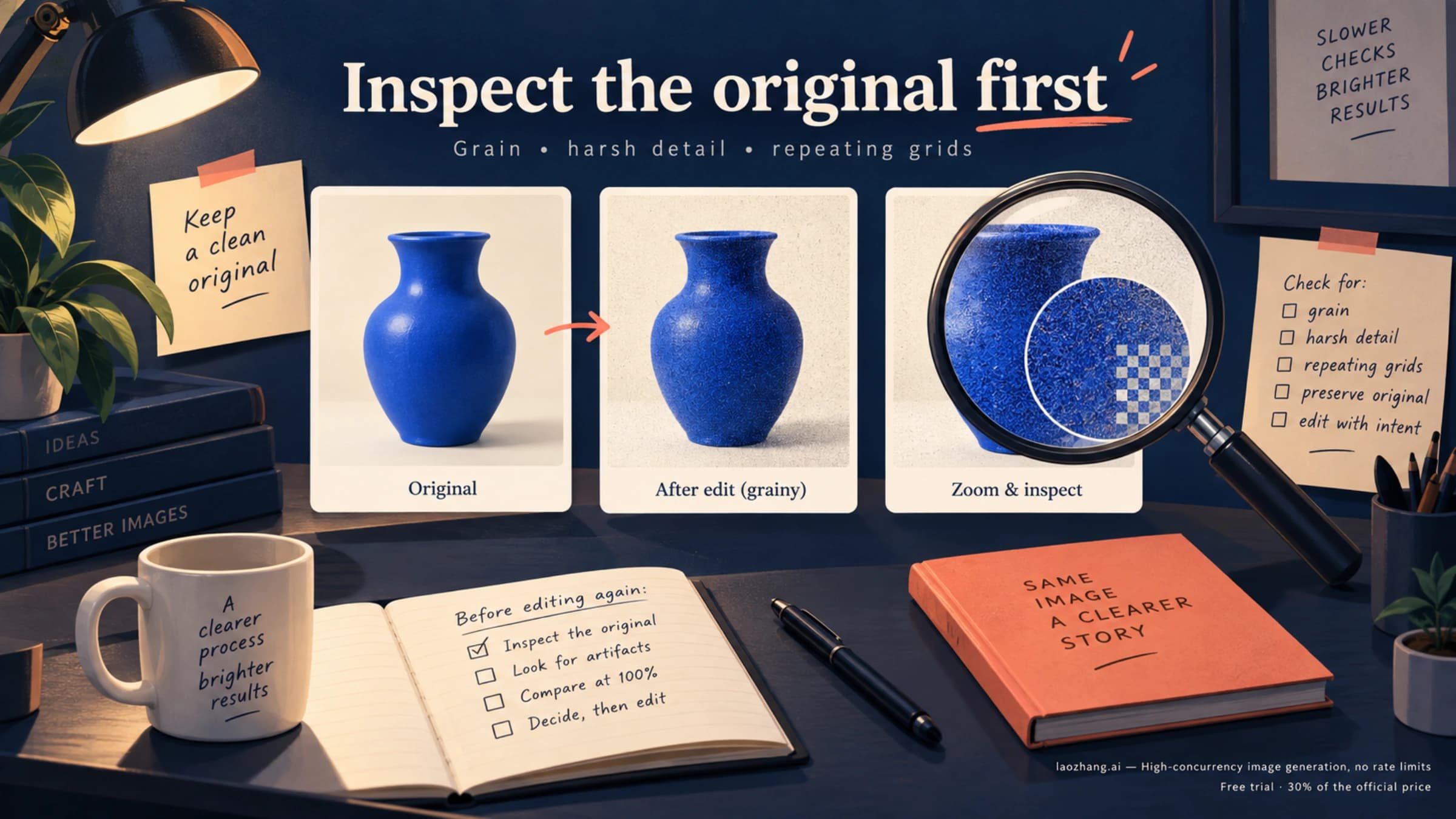
Check the downloaded file, not the preview, and clean GPT Image 2.6's alpha before you trim or composite. On the November 12 spell effect, Pillow's getbbox() on the alpha channel, the same logic behind "trim transparent pixels" commands, returned the full 1024×1024 canvas because the faint haze reaches every edge, while the visible effect spans only 88.3% of it. The backpack trimmed to 94.2% of the canvas instead of 89.5%, and the glass bottle to 93.6% instead of 69.7%. Seedream 5.5's files trimmed almost exactly to their visible content: the spell effect to 80.9%, the same as its visible area, and the backpack (59.2% against 58.6%) and perfume bottle (42.1% against 41.5%) to within 2–3 pixels per side. Photoshop's and Figma's trim commands were not part of the test.
- Install Pillow and numpy (
pip install pillow numpy) and save the script below ascheck_edges.py. - Run
python check_edges.py your-image.png. If it stops with "no alpha channel", the checkerboard you see was painted into the image, so generate again with transparency switched on and PNG output. - Read the report. A clean cut-out has a real share of pixels at alpha 255 and almost no haze; a highest alpha below 255, or haze above about 1%, is the GPT Image 2.6 pattern.
- Open the
.preview.pngsheet it writes, which shows the image on black, white, red and grey. Halos and leftover haze show up on black and red. - Run
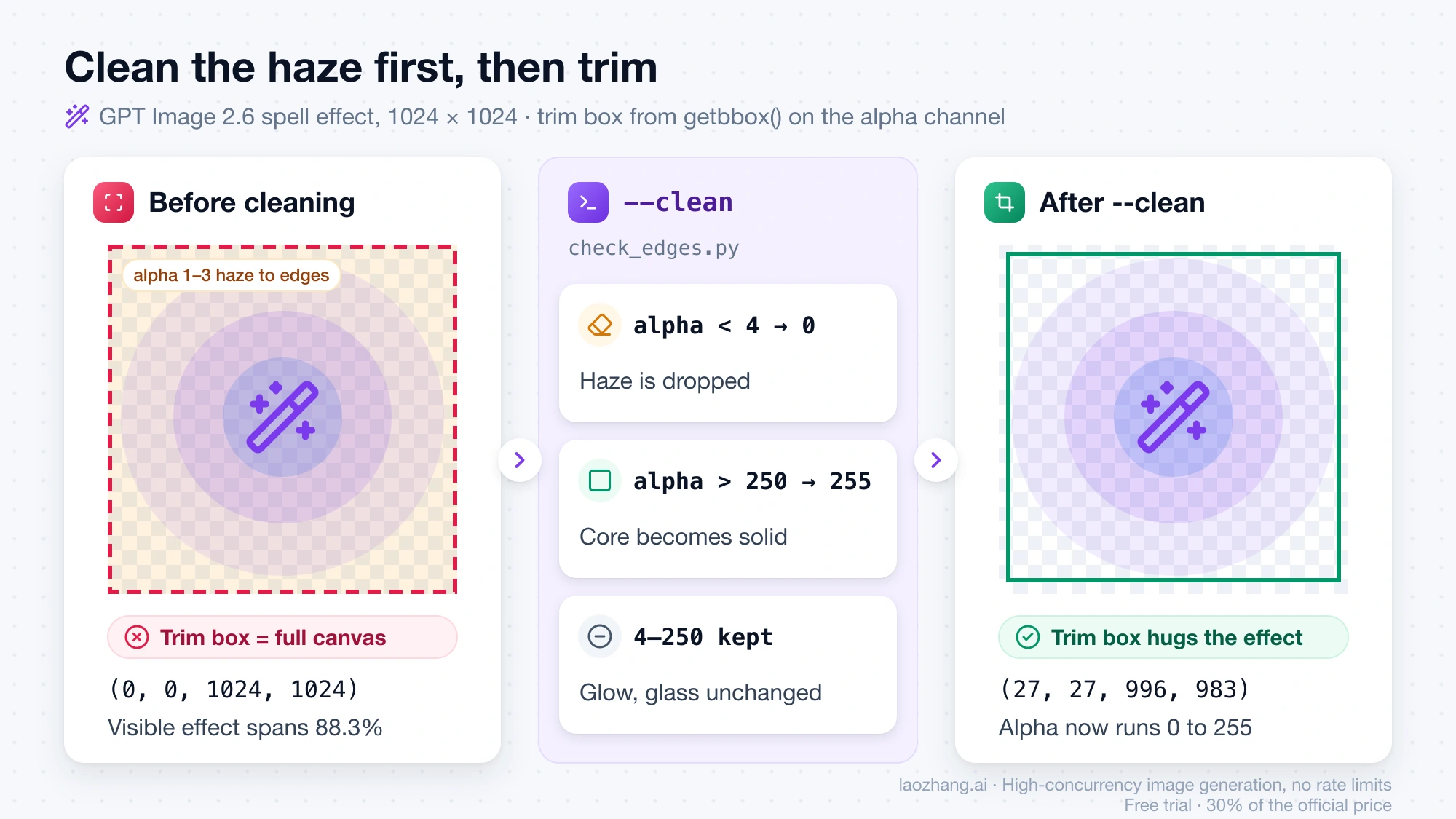
python check_edges.py your-image.png --cleanto writeyour-image.clean.png. Alpha above 250 becomes 255 and alpha below 4 becomes 0; everything in between, such as glow and glass, stays as generated. Trim or composite the clean copy.
After cleaning, the GPT Image 2.6 spell effect's alpha ran from 0 to 255, and the trim box shrank from the full canvas to (27, 27, 996, 983). The 250 threshold suits these files; if a subject was meant to be very slightly see-through, check it on the preview sheet after cleaning, because the clamp will make it solid.
"""check_edges.py — inspect a transparent PNG/WebP before you use it.

    python check_edges.py image.png            # report + preview sheet
    python check_edges.py image.png --clean    # also write image.clean.png

Needs: pip install pillow numpy
"""
import sys

import numpy as np
from PIL import Image

path = sys.argv[1]
im = Image.open(path)
if im.mode not in ("RGBA", "LA") and "transparency" not in im.info:
    sys.exit(f"{path}: mode {im.mode}, no alpha channel. Any checkerboard you see is painted pixels.")

rgba = im.convert("RGBA")
a = np.asarray(rgba)[..., 3]
total = a.size
print(f"{path}: {im.size[0]}x{im.size[1]}, mode {im.mode}")
print(f"  fully transparent (alpha 0):     {100 * (a == 0).sum() / total:5.1f}%")
print(f"  fully opaque (alpha 255):        {100 * (a == 255).sum() / total:5.1f}%")
print(f"  partly transparent (1-254):      {100 * ((a > 0) & (a < 255)).sum() / total:5.1f}%")
print(f"  near-invisible haze (alpha 1-3): {100 * ((a > 0) & (a < 4)).sum() / total:5.1f}%")
print(f"  highest alpha in the file:       {a.max()}")
if a.max() < 255:
    print("  note: no pixel is fully opaque; the whole subject lets a little of the background through")

# Preview: the same image on black, white, red and a mid grey
w, h = rgba.size
sheet = Image.new("RGB", (w * 4, h))
for i, color in enumerate([(0, 0, 0), (255, 255, 255), (200, 30, 40), (128, 128, 128)]):
    bg = Image.new("RGBA", (w, h), color + (255,))
    bg.alpha_composite(rgba)
    sheet.paste(bg.convert("RGB"), (i * w, 0))
out = path.rsplit(".", 1)[0] + ".preview.png"
sheet.save(out)
print(f"  preview on black / white / red / grey: {out}")

if "--clean" in sys.argv:
    arr = np.asarray(rgba).copy()
    alpha = arr[..., 3]
    alpha[alpha < 4] = 0      # drop the invisible haze
    alpha[alpha > 250] = 255  # make the solid core really solid
    clean = path.rsplit(".", 1)[0] + ".clean.png"
    Image.fromarray(arr, "RGBA").save(clean)
    print(f"  cleaned copy: {clean}")
Which renders poster text more reliably? A tie on one English poster
On a single poster with short, exact copy, the two came out even. On November 12, 2026, Segmind's English coffee-poster prompt, which asks for four pieces of text ("Brewed for the Monsoon", "Cold brew, slow-steeped for 18 hours", "Order by 1 December" and the wordmark "KAAPI & CO."), was run once on GPT Image 2.6 at 1024×1536 through the same web route. All four lines came out letter for letter, ampersand included, with no extra text. Segmind's published Seedream 5.5 poster for the same prompt, read character by character, was exact as well. Both models added props nobody asked for: a leafy plant from GPT Image 2.6, a milk pour, copper jugs and an orange cloth from Seedream 5.5. One poster per model is a tie on this prompt, not a text benchmark.
The models separate when text has to change over several edits, where Veevid's chain had Seedream 5.5 getting all three text edits right and GPT Image 2.6 Flare misspelling one and corrupting a price it was told to leave alone. For other languages, Segmind's Seedream 5.5 poster translations into Spanish and Japanese were exact, while Hindi got the headline right and two letters wrong in the small line; Segmind ran those translations on Seedream 5.5 only.
Cost per 1K image: Seedream 5.5 about $0.02, GPT Image 2.6 $0.03–$0.053
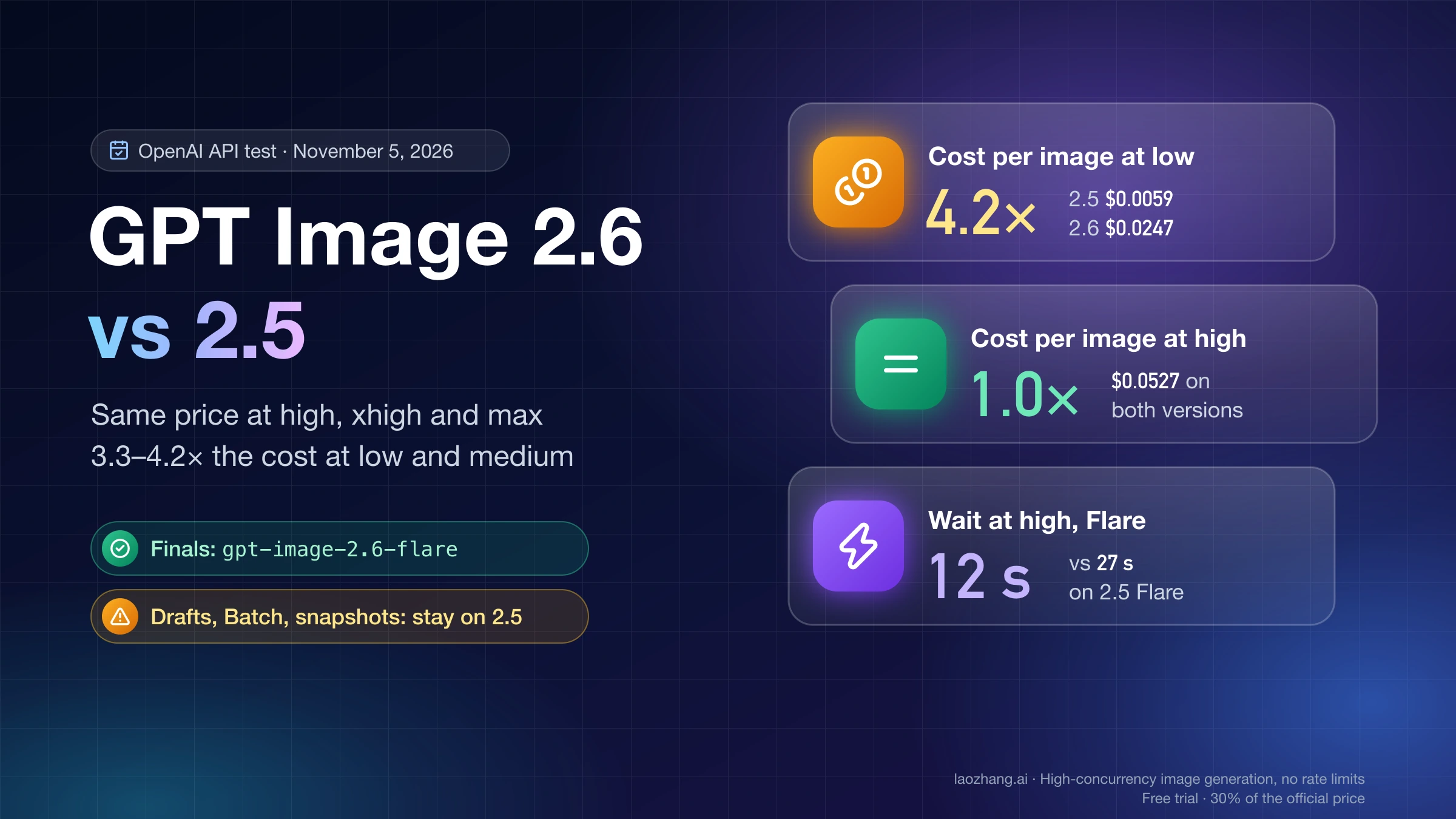
At a like-for-like 1K or 1024×1024 square, Seedream 5.5 costs $0.018–$0.021 per image on the API hosts that list it as of November 12, 2026. GPT Image 2.6 at high quality comes to about $0.0527 on OpenAI's token pricing (1,756 output tokens measured for a 1024×1024 high image, times $30 per million) and a flat $0.03 per call on LaoZhang's per-call routes. That makes GPT Image 2.6 about 2.5–2.9 times the price of Seedream 5.5 on OpenAI's pricing, and about 1.4–1.7 times on a flat $0.03 route.
| Where | Model | Price per image | Conditions |
|---|---|---|---|
| Kie | Seedream 5.5 | $0.018 at 1K or 1.5K, $0.0315 at 2K | Host list price |
| WaveSpeed | Seedream 5.5 | $0.02 at 1K or 1.5K, $0.035 at 2K | No 4K option |
| Segmind | Seedream 5.5 | $0.021164 at 1K or 1.5K, $0.037037 at 2K | Each reference image adds $0.0084656; transparency costs nothing extra |
| Higgsfield | Seedream 5.5 | About $0.12 at 1K or 1.5K, about $0.17 at 2K | Credits converted to dollars |
| OpenAI API | GPT Image 2.6 Flare or Sunburst | 1024×1024: low $0.0247, medium $0.0435, high $0.0527, max about $0.21 | Token pricing, same for both models; edits also pay image input at $8 per million tokens |
LaoZhang gpt-image-2.6-flare-vip / -sunburst-vip | GPT Image 2.6 | $0.03 per call | Quality up to high; native 3840×2160 returned |
LaoZhang gpt-image-2.6-web | GPT Image 2.6 | $0.03 per call | Can't choose Flare or Sunburst; 4K is upscaled from about 2K; GIF and SVG output |
Two things move these numbers. Edits on Seedream 5.5 hosts that bill references cost more than a fresh image: on Segmind a 2K edit with one reference comes to $0.0455 ($0.037037 + $0.0084656), and every round of an edit chain sends one. On OpenAI's pricing, a detailed GPT Image 2.6 prompt with no quality setting used about 5,795 output tokens, roughly $0.17, so the "high" figure is a single-prompt sample, not a ceiling. Host prices for Seedream 5.5 are platform prices and can change at any time. The per-quality and per-size breakdown for 2.6 is in GPT Image 2.6 Pricing: Sunburst & Flare, $0.02–$0.21 per Image.
GIF, SVG and 4K output: only GPT Image 2.6 delivers them
GPT Image 2.6 can return an animated GIF and a native SVG file, and Seedream 5.5 cannot: it produces still images only. The "continuous action as frame-by-frame transparent layers" feature on ByteDance's model page is a set of still frames, not an animation file. For resolution, GPT Image 2.6 returned a native 3840×2160 image on a per-call VIP route, while the Seedream 5.5 hosts top out at 2K (WaveSpeed and Higgsfield) or a custom size up to 4.62 megapixels (Kie) as of November 12, 2026. The requests are covered in GPT Image 2.6 GIF API: Tested Request, Frame Limits and Cost and GPT Image 2.6 SVG Generator: Python Script, Output Checks, Cost, and drawing on an image to direct an edit is in GPT Image 2.6 Image Markup API: Python Example, Overlay Checker.
Which is faster? Seedream 5.5 in the one side-by-side timing
Seedream 5.5 was faster in the only test that timed both models on the same work: Veevid's edit chain averaged about 17 seconds per edit for Seedream 5.5 and about 31 seconds for GPT Image 2.6 Flare. Segmind reports an average of about 24 seconds per Seedream 5.5 image on its platform. For GPT Image 2.6 on OpenAI's API, Flare took 8–39 seconds and Sunburst 34–157 seconds per 1024×1024 image from low to max quality on November 5, 2026, so a Sunburst comparison would likely widen the gap. The November 12 GPT Image 2.6 calls on the per-call web route took 19.6–53.7 seconds, a measure of that route rather than of the model. All of these depend on platform load, so treat them as rough guides rather than speed guarantees.
Can you call Seedream 5.5 through an API? Only through third-party hosts
As of November 12, 2026, ByteDance's own API docs on BytePlus ModelArk and Volcano Ark list no Seedream 5.5 model ID, and the background parameter is documented there only for Seedream 5.0 Pro and 5.0 Flash. To call Seedream 5.5 from code today you go through a host that already serves it, such as Kie, WaveSpeed, Segmind, Runware or Higgsfield, all of which take background: "auto", "transparent" or "opaque", with transparent requiring PNG output. LaoZhang's model list on that date had Seedream 5.0 Flash, 5.0 Pro, 5.0, 4.5 and 4.0, but no 5.5. In apps, Seedream 5.5 is in Jimeng, Doubao, Volcano Ark's experience center and Jianying (CapCut's Chinese edition) in China, with Dreamina, CapCut and BytePlus named as the international entries.
GPT Image 2.6 has an official API from OpenAI with two model IDs, gpt-image-2.6-flare and gpt-image-2.6-sunburst, and no dated snapshots; both handle generation, editing and transparent backgrounds. Request code and error fixes are in GPT Image 2.6 API: Model IDs, Python and curl Code, Error Fixes, and what changed from the previous version is in GPT Image 2.6 vs 2.5: Same Price at High, 4× the Cost at Low.
Sources4
External pages this guide links to, in the order they appear. Last updated Nov 12, 2026.
Sources4
External pages this guide links to, in the order they appear. Last updated Nov 12, 2026.
- 1.OfoxAI's Seedream 5.5 vs GPT Image 2.6 comparisonofox.ai/blog/seedream-5-5-vs-gpt-image-2-6
- 2.Veevid's 20-edit test of Seedream 5.5 and GPT Image 2.6veevid.ai/blog/seedream-5-5-vs-gpt-image-2-6
- 3.Seedream 5.5 model pageseed.bytedance.com/en/seedream5_5
- 4.Seedream 5.5 test of edit rounds and transparent PNGsblog.segmind.com/seedream-5-5-is-here-edit-in-rounds-transparent-pngs-and-layers