Muse Video API: No Meta Endpoint Yet, How to Call It in Python
Meta has no Muse Video API as of November 2, 2026. Your code can drive your own Muse account via useapi.net or pay $0.30 per 720p clip on a /v1/videos API.
On this page
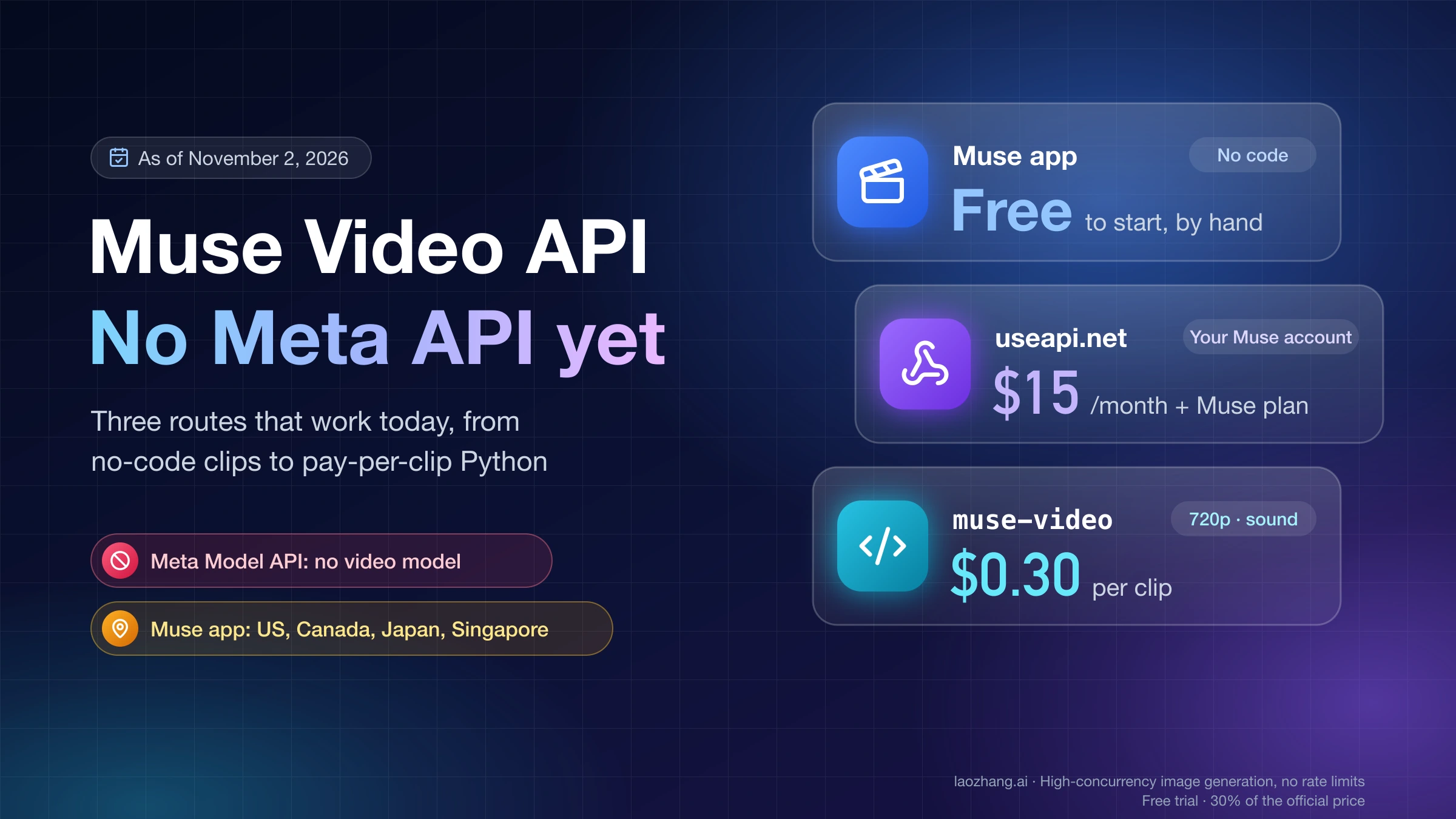
Meta does not sell a Muse Video API. As of November 2, 2026, the Meta Model API model list covers Muse Spark, Muse Wonder, Muse Image, Muse Voice Transcribe and SAM, and none of them outputs video. Meta announced Muse Video as a preview on July 7, 2026 and said it is "coming soon to creators and Meta AI" without giving a date. Today the place to make short Muse videos with sound is Meta's Muse app at muse.ai, which runs in the US, Canada, Japan and Singapore.
Getting those clips into your own code therefore means a third-party route. useapi.net drives your own Muse account through a REST API for $15 a month on top of your Muse plan, and the account has to be created in one of those four countries. LaoZhang API sells a muse-video model on an OpenAI-style POST /v1/videos endpoint for $0.30 per 5–10 second clip at 720p with a soundtrack, and it needs no Meta account. If you need 1080p or 2K, neither route gets you there, because both deliver 720p, and a different video model is the better pick.
Disclosure: laozhang.ai is our own service. Its prices are platform pricing, not an independent comparison.
Is there an official Muse Video API from Meta? Not yet
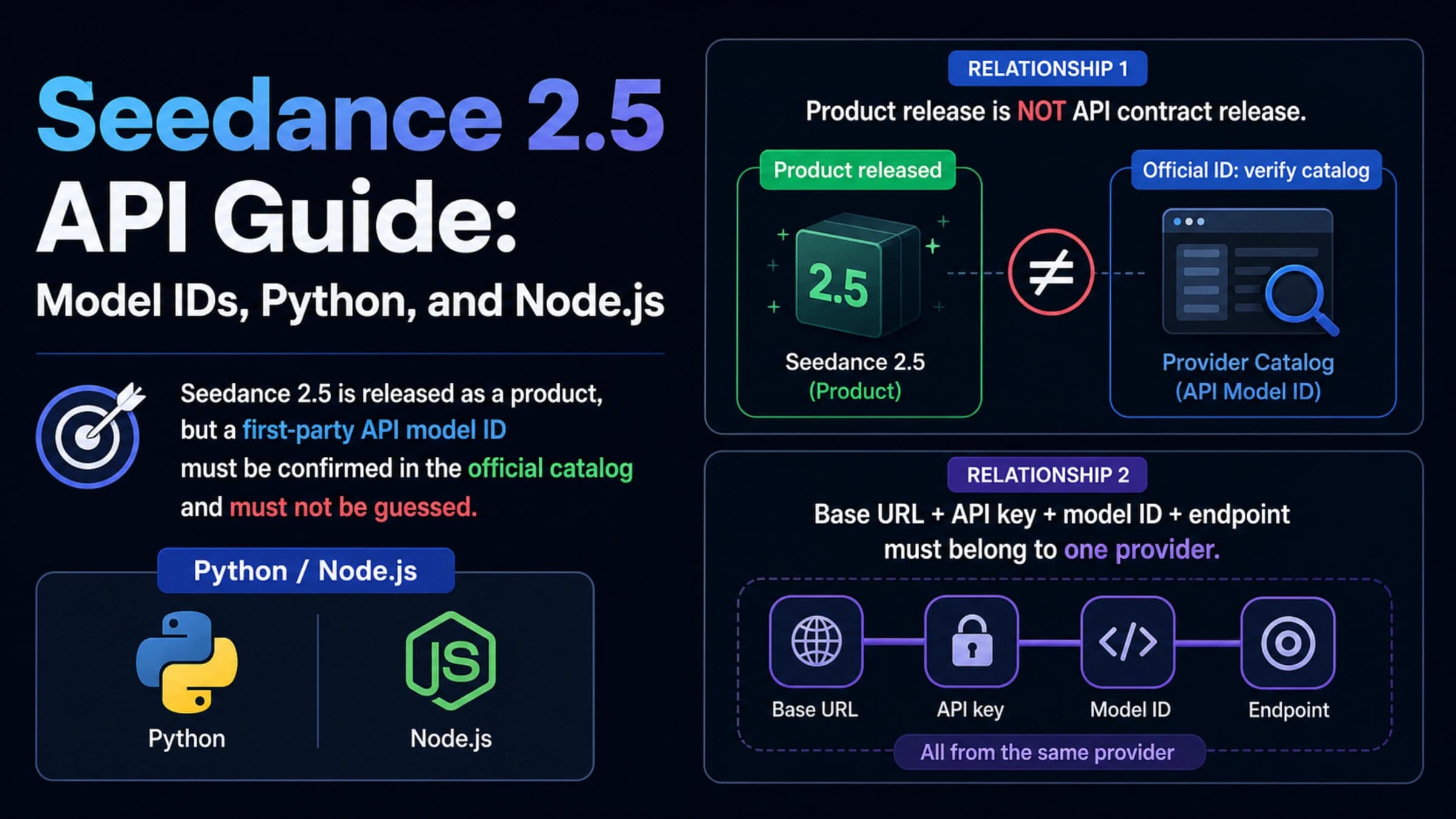
No. Meta's developer platform, Meta Model API, hosts five model lines as of November 2, 2026: Muse Wonder and Muse Spark return text, Muse Image returns images, Muse Voice Transcribe returns text, and Segment Anything (SAM) returns masks and shapes. Video shows up only as an input. Muse Spark and Muse Wonder can read a video, and SAM can segment one, but no model on the Meta Model API model list generates one.
Three different things share the Muse name, and mixing them up is how people end up looking for a key that doesn't exist. Muse Video is the model. The Muse app at muse.ai is Meta's consumer agent, where people actually make clips. Meta Model API is the paid developer platform, and the Muse models it serves are for text and images. If text output from Muse Wonder or Spark is what you need, see Muse Wonder vs Opus 5.5: Benchmarks and Cost at the Same $4/$20.
Meta's Muse Image and Muse Video announcement is the only official word on timing. It calls Muse Video a preview with "native audio support," says it is coming to creators and Meta AI, names "audio-video synchronization and physically accurate fast motion" as weak spots, and ranks it No. 3 for text-to-video on Arena as of July 5, 2026. It mentions no API, price, length or resolution, so there is no official release date to plan around.
Muse app, useapi.net or muse-video: which route fits you
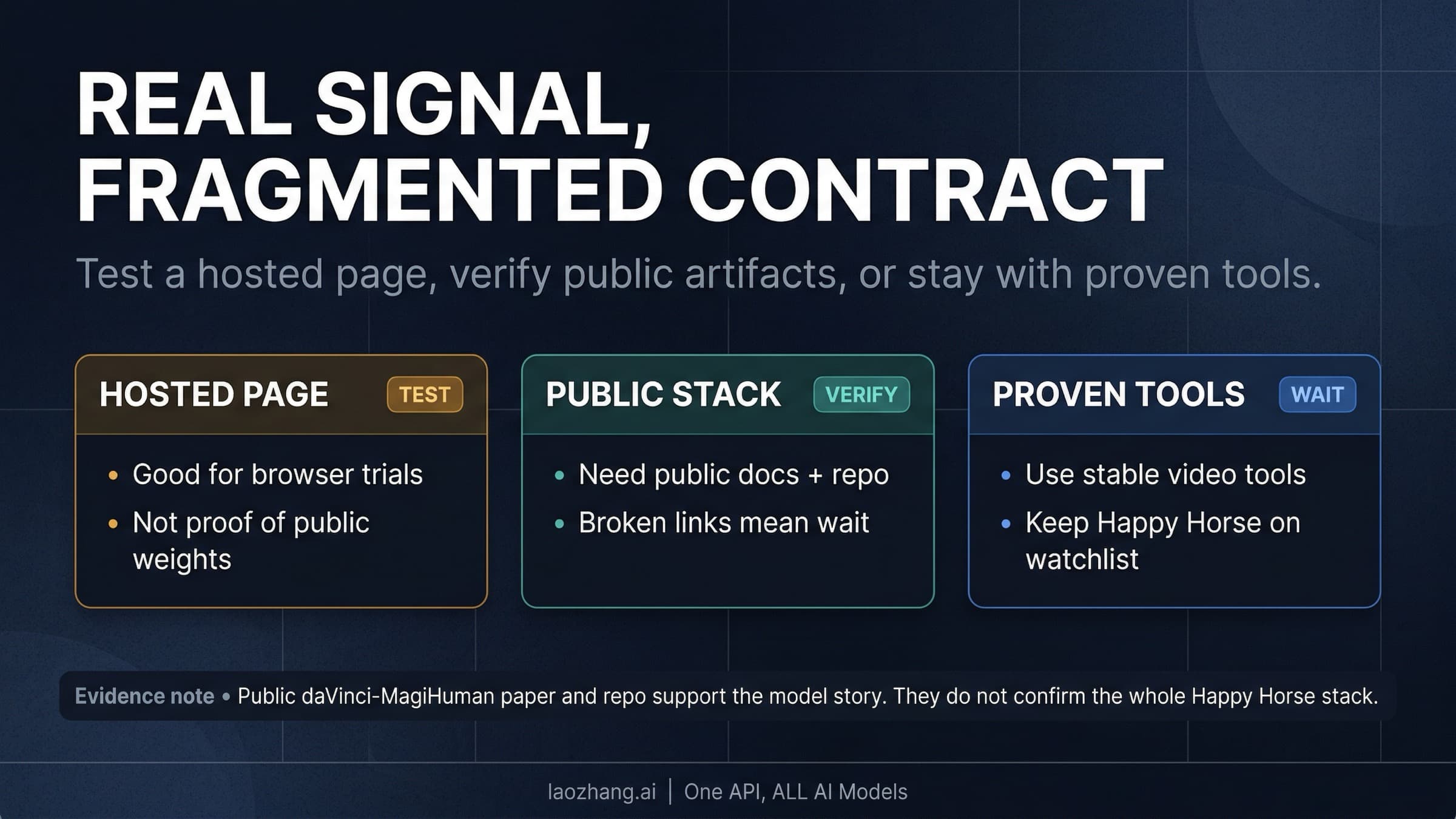
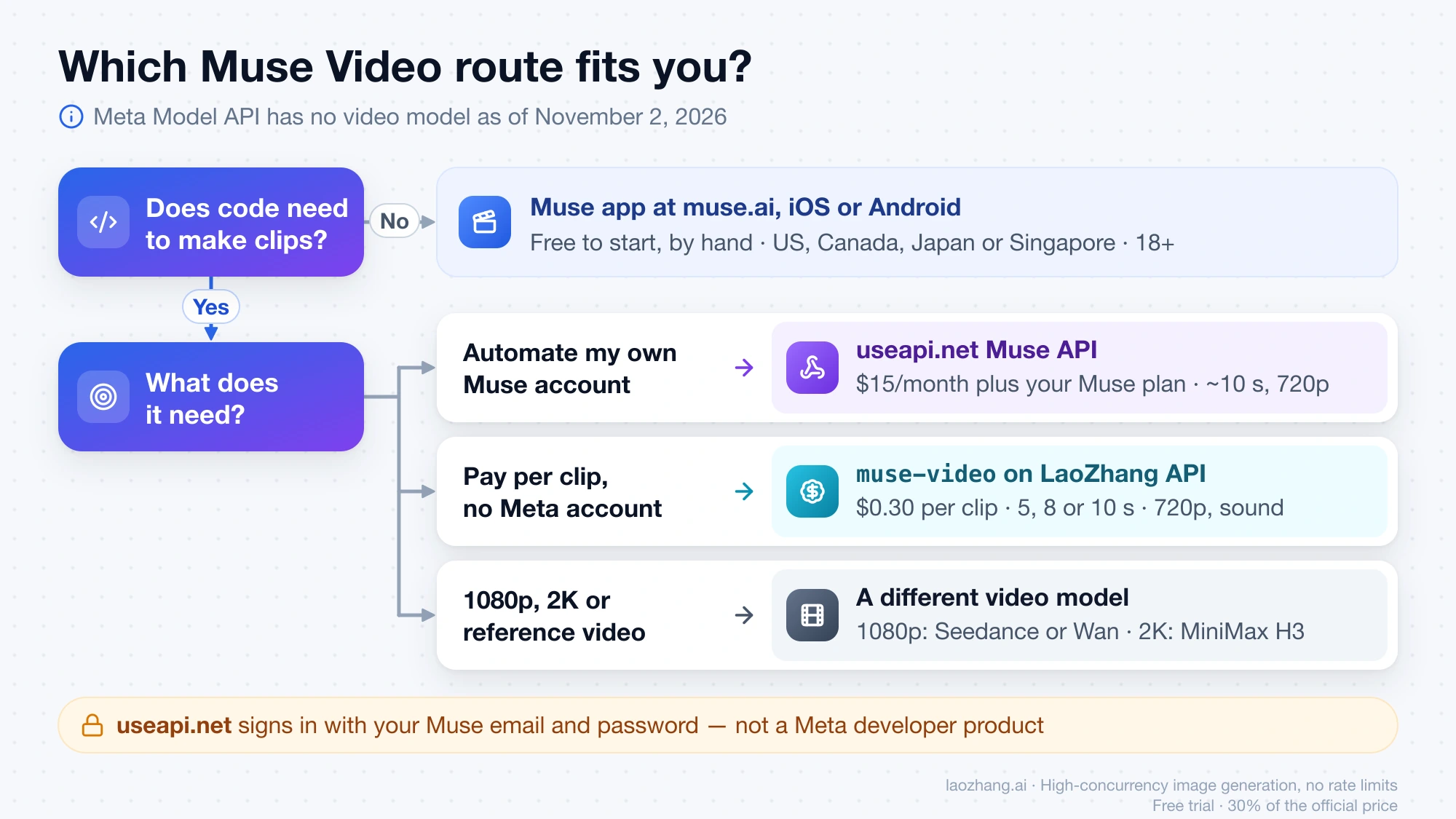
Pick the route by two questions: does a program need to make the clips, and where are you? If you only need a handful of clips and you live in the US, Canada, Japan or Singapore, the Muse app is free to start and needs no code. If you're in one of those countries and want to automate the account you already have, useapi.net turns it into an API. If you want to pay per clip from any codebase, without a Meta account, muse-video on LaoZhang API is the per-clip option.
Disclosure: laozhang.ai is our own service. Its prices are platform pricing, not an independent comparison.
| Route | What you pay | Account and country | What you get | Automation |
|---|---|---|---|---|
| Muse app (muse.ai, iOS, Android) | Free with a usage limit; Power $20/month; Maximum $100/month | Your own account, US, Canada, Japan or Singapore, 18+ | Short clips with sound, made by hand | None |
| useapi.net Muse API | $15/month for useapi.net, plus your Muse plan | Your own Muse account, created in one of the same four countries; you give useapi.net its email and password | About 10 seconds at 720p with sound, per useapi.net; no resolution or length setting | REST API, webhooks, MCP server |
muse-video on LaoZhang API | $0.30, $0.55 or $0.80 per clip | An API token; no Meta account | 5, 8, 10, 20 or 30 seconds at 720p, 24 fps, with sound | REST API, POST /v1/videos |
| Another video model with an official API | Per second or per token | Depends on the provider | 1080p or 2K, reference video and audio on some models | REST API |
The Muse app is the official way to make these clips. Meta launched it in the US on September 8, 2026, Canada on September 18, Japan on October 23 and Singapore on October 27, and its Singapore announcement says it is "free for most of what people need." The paid plans are measured in Muse tokens per week, 500 million on Power and 3 billion on Maximum, but Meta publishes no token cost for a video and no number for the free plan, according to its Muse subscriptions help page. What counts is where you are, not the language you speak: a Spanish speaker in the US can use the app, while readers in Spain, South Korea, China or Russia have no launch to sign up for.
useapi.net's Muse API is a third-party service that keeps your muse.ai account signed in and exposes its image, video and chat features as REST endpoints. Because it spends your account's weekly allowance, a clip has no price of its own. In useapi.net's own tests a video took 60 to 140 seconds, and on the free plan one video used 2 to 3 percent of the week, which works out to roughly 33 to 50 videos a week if nothing else stopped you. Something else may: useapi.net says an account that reaches Muse's video limit for the last 24 hours sits out video jobs for an hour, a cap Meta itself doesn't publish. This route automates a consumer account with your credentials, which Meta does not offer as a developer product.
muse-video is integrated by LaoZhang API itself, and its docs say "Meta's official API has no video generation model yet; this route is integrated independently and priced on its own." It is also the only route with a published price per clip and a documented request format, so the steps below use it.
Sites named after Muse Video, such as musevideos.io and musevideo.ai, sell credit-based web generators. Neither documents an API, so they don't help if your goal is code.
Call muse-video in Python: create, poll, download
The endpoint is asynchronous. You create a task and get an id back within seconds, poll that id until the status is completed, then download the MP4 from video_url. These steps follow the LaoZhang Muse video generation docs.
Disclosure: laozhang.ai is our own service. Its prices are platform pricing, not an independent comparison.
-
Create a token. In LaoZhang API's token management page, add a token in the
defaultgroup with the billing mode set to Usage first or Per-call. A token set to Usage-based only cannot call Muse. Export it asLAOZHANG_API_KEY. -
Create the task. Send at least
modelandprompt.secondstakes 5, 8 or 10 onmuse-videoand defaults to 10, andaspect_ratiotakes16:9,9:16,1:1,4:3or3:4.curl -s -X POST "https://api.laozhang.ai/v1/videos" \ -H "Authorization: Bearer $LAOZHANG_API_KEY" \ -H "Content-Type: application/json" \ --data-raw '{ "model": "muse-video", "prompt": "A lighthouse on a rocky coast at dawn, waves crashing on the rocks, a few seagulls flying past, slow push-in, cinematic lighting", "seconds": "10", "aspect_ratio": "16:9" }'A good response is a queued task,
{"id": "task_...", "status": "queued", ...}. Save theidbefore you do anything else. -
Poll every 15 seconds. Call
GET /v1/videos/{id}. The status moves fromqueuedtoin_progress, with a roughprogresspercentage, and ends atcompletedorfailed. Keep polling for up to 30 minutes, and if your script stops, poll the sameidlater instead of sending a new request.curl -s "https://api.laozhang.ai/v1/videos/$VIDEO_ID" \ -H "Authorization: Bearer $LAOZHANG_API_KEY" -
Download the MP4. A completed task carries
video_url, which downloads without anAuthorizationheader and stays valid for 7 days, so save the file right away.GET /v1/videos/{id}/contentwith your token also returns the file.
The same flow as one Python script. It needs requests (pip install requests), and it treats a 400 and a 5xx at creation differently, because a 400 means your request was wrong while a 5xx without a task id means nothing was created.
import os
import time

import requests

BASE_URL = "https://api.laozhang.ai"
HEADERS = {"Authorization": f"Bearer {os.environ['LAOZHANG_API_KEY']}"}


def create_clip(payload: dict, attempts: int = 3) -> str:
    for attempt in range(attempts):
        r = requests.post(f"{BASE_URL}/v1/videos", headers=HEADERS, json=payload, timeout=120)
        try:
            body = r.json()
        except ValueError:
            body = {"raw": r.text}
        if r.ok and "id" in body:
            return body["id"]
        if r.status_code == 400:
            # Parameter error: no task was created and nothing was charged.
            raise ValueError(body["error"]["message"])
        # 5xx with no task id: nothing was created, so trying again later is safe.
        time.sleep(60 * (attempt + 1))
    raise RuntimeError(f"Create failed {attempts} times: {body}")


def wait_for(video_id: str, limit_s: int = 30 * 60) -> dict:
    deadline = time.time() + limit_s
    while time.time() < deadline:
        video = requests.get(f"{BASE_URL}/v1/videos/{video_id}", headers=HEADERS, timeout=60).json()
        if video["status"] == "completed":
            return video
        if video["status"] == "failed":
            # Failed tasks are refunded. Fix the input before creating a new one.
            raise RuntimeError(video["error"]["message"])
        time.sleep(15)
    raise TimeoutError(f"{video_id} is still running. Poll the same id later; don't resubmit.")


video_id = create_clip({
    "model": "muse-video",
    "prompt": "A lighthouse on a rocky coast at dawn, waves crashing on the rocks, "
              "a few seagulls flying past, slow push-in, cinematic lighting",
    "seconds": "10",
    "aspect_ratio": "16:9",
})
print("task", video_id)  # store this next to your own job ID

video = wait_for(video_id)
with open(f"{video_id}.mp4", "wb") as f:
    f.write(requests.get(video["video_url"], timeout=300).content)
print("saved", f"{video_id}.mp4", video.get("size"), video.get("seconds"), "s")
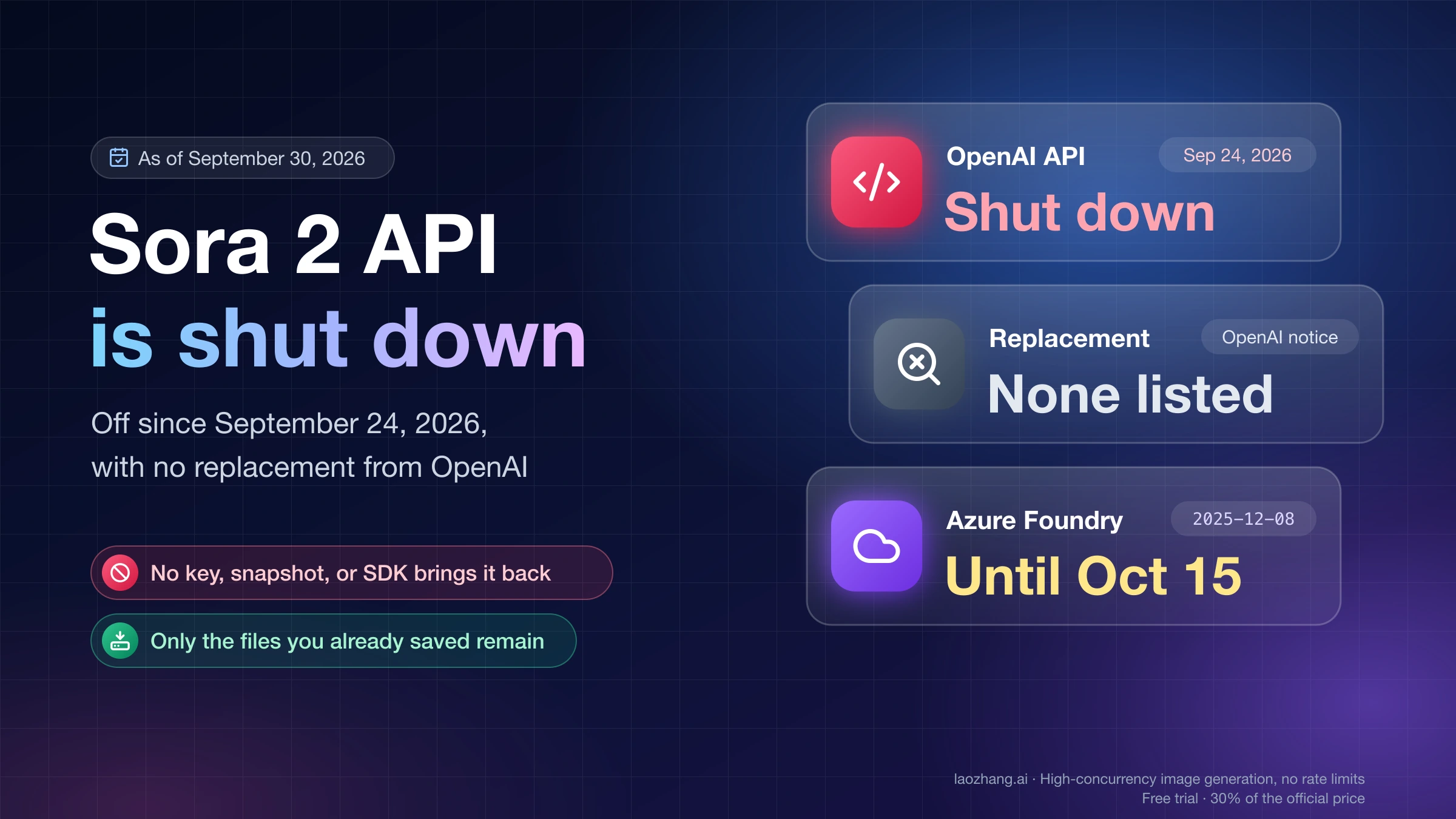
One case the script doesn't cover is a create request that times out on your side before any response arrives. A task may have been created anyway, and sending the same request again would create and charge a second one, so check the usage log for a new task before you retry. If you're moving old Sora code, this is the same request shape: change model to muse-video and seconds to 5, 8 or 10, and keep input_reference for uploads. Sora 2 API Shut Down: What Still Works and What to Switch To covers the rest of that migration.
Muse photo to video: first frame, last frame, continuing a clip
To animate a photo, pass it as the first frame. In JSON that is the image field, with a public URL or a data:image/...;base64, data URL; in a multipart upload the field is called input_reference. Each image can be up to 10 MB, and the price stays $0.30 whether or not you send one.
curl -s -X POST "https://api.laozhang.ai/v1/videos" \
  -H "Authorization: Bearer $LAOZHANG_API_KEY" \
  -F model=muse-video \
  -F prompt="The kitten blinks and yawns, soft morning light" \
  -F seconds=5 \
  -F aspect_ratio=9:16 \
  -F input_reference=@./cat.jpg
Leave out the Content-Type: application/json header when you upload with -F. Adding last_frame sets the closing shot too, and reference_images takes up to four images whose subject and style carry into the clip without any of them becoming the first frame. Treat both as guidance rather than an exact match. In LaoZhang's own tests on October 30, 2026, a first frame plus a last frame produced an 8-second clip that opened and closed close to the two inputs but not pixel for pixel. Those tests used two reference images, so the four-image maximum is what the API accepts, not something that run tried.
Continuing an existing clip works only on muse-video-20s and muse-video-30s, which add 10 and 20 seconds after your source. Send the source as video_url: it must be a publicly downloadable https MP4 no longer than 10 seconds, and a video_url returned by an earlier Muse task qualifies. The result includes the source, so in the same October 30 tests a 5-second source continued with muse-video-20s came back as a 15-second video.
What muse-video returns: 720p, 24 fps, a soundtrack
Every clip is an MP4 at the 720p tier, 24 frames per second, with a soundtrack you can't switch off. LaoZhang's own tests on October 30, 2026 measured the output of each aspect ratio on 5-second muse-video clips: 16:9 gave 1280×720, 9:16 gave 720×1280, 1:1 gave 960×960, 4:3 gave 1088×816 and 3:4 gave 816×1088, all at 24 fps with an AAC audio track. Sending resolution: "1080p" and fps: 30 was accepted but changed nothing. If you don't want the music and effects, strip the audio after downloading.
Wait time depends on length and load. In those October 30 tests, 5- to 10-second clips took about 1.5 to 2.5 minutes, 20-second clips about 3 to 4 minutes, and 30-second clips up to about 11 minutes. The same 10-second lighthouse prompt shown above finished in about 103 seconds on one run and about 395 seconds on another, which matches the docs' warning that clips up to 10 seconds "usually finish in 2–3 minutes and can take more than 5 at busy times." Plan for the slow case: a task that is still unfinished after 40 minutes is marked failed and refunded.
Quality limits come from the model, not the route. Meta's own announcement says Muse Video still has gaps in audio-video sync and fast, physically accurate motion, so fast action and lip movement are the shots to check before you build on it.
Muse Video API cost per clip, per second and per minute
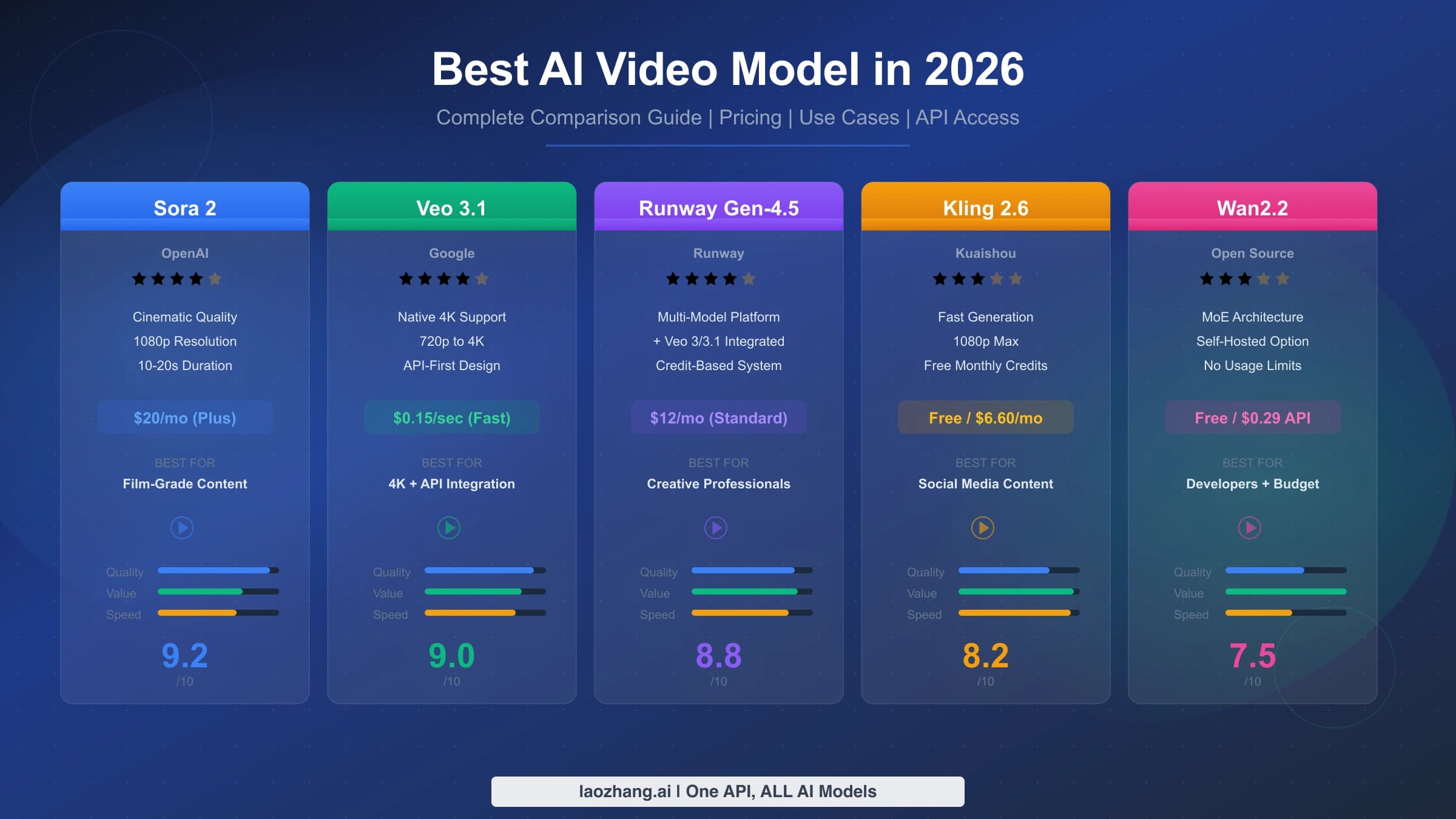
On LaoZhang API a clip has one fixed price per model, whatever length you pick within that model, whatever the aspect ratio, and whether or not you send images. The list price is $0.30 for muse-video, $0.55 for muse-video-20s and $0.80 for muse-video-30s, as of November 2, 2026, on LaoZhang's public pricing list. Per second is the price divided by the clip length, and the cost of a minute is the number of clips needed to reach 60 seconds times the price.
Disclosure: laozhang.ai is our own service. Its prices are platform pricing, not an independent comparison.
| Model and length | Price per clip | Per second | Clips for 60 s | Cost for 60 s |
|---|---|---|---|---|
muse-video, 5 s | $0.30 | $0.060 | 12 | $3.60 |
muse-video, 8 s | $0.30 | $0.0375 | 8 (64 s) | $2.40 |
muse-video, 10 s | $0.30 | $0.030 | 6 | $1.80 |
muse-video-20s, 20 s | $0.55 | $0.0275 | 3 | $1.65 |
muse-video-30s, 30 s | $0.80 | $0.0267 | 2 | $1.60 |
So the 5-second option is the expensive one per second, and 10 seconds is almost always the better buy on muse-video. Continuation changes the math: generating a 10-second clip for $0.30 and extending it with muse-video-20s for $0.55 gives 20 seconds for $0.85, while one 20-second shot costs $0.55. Extend only when you need to keep a specific opening; if you're continuing footage you already have, you pay just the $0.55.
These figures are the cost of clips you keep on the first try. Every resubmission is a new paid task, so if you typically generate two takes to keep one, your real cost per kept clip is twice the list price. Failed tasks don't count, because they are refunded. For how Muse's price compares with subscription video tools and other APIs, see How Much Does an AI Video Generator Cost Per Month and Per Clip?
Muse Video API errors: which ones charge you and when to resubmit
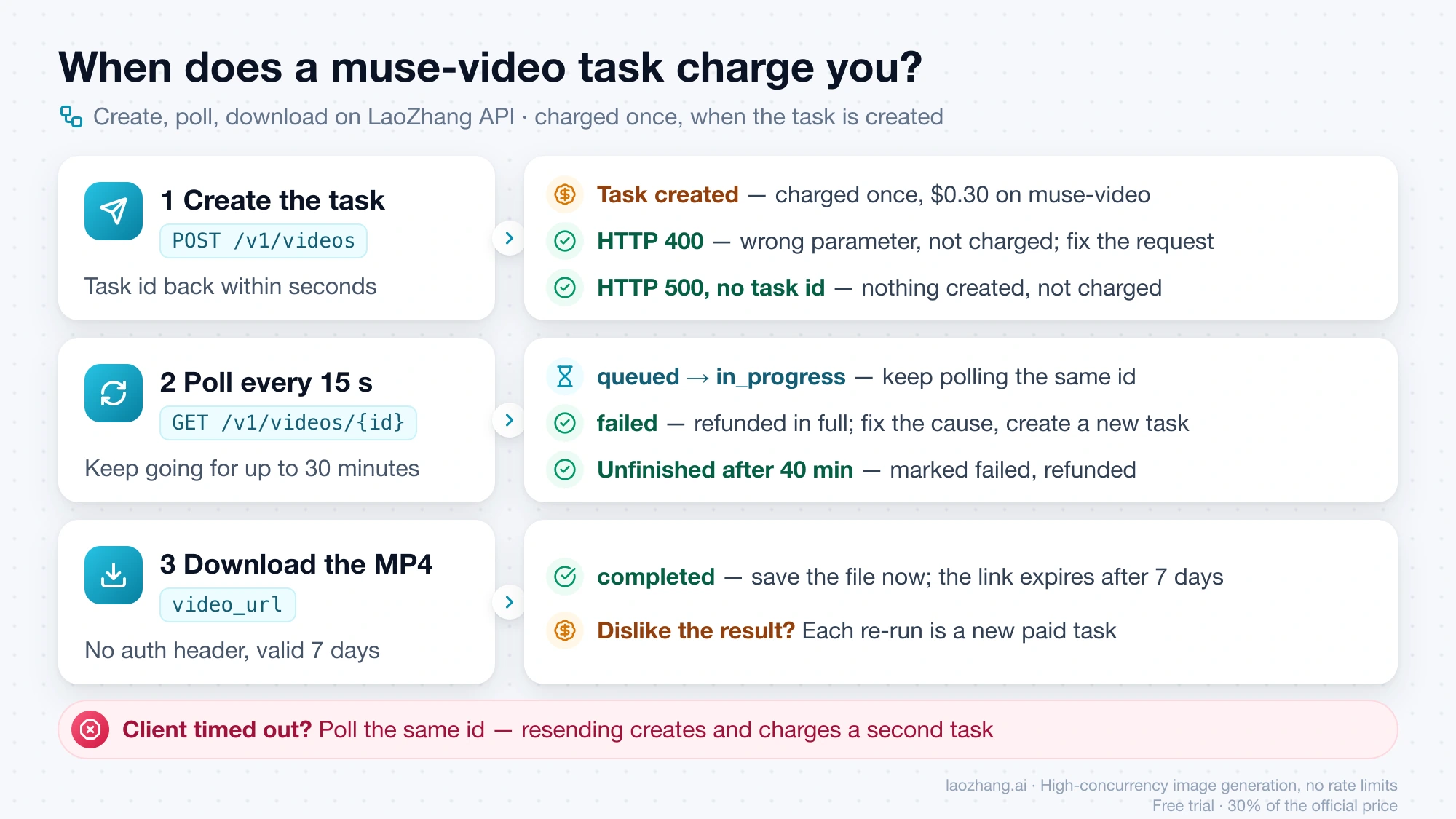
The rule on LaoZhang API is that you're charged when a task is created, a task that fails is refunded in full, and a request rejected at submission is never charged. The expensive mistake is resubmitting a task that is still running, because each resubmission creates and charges a new one.
Disclosure: laozhang.ai is our own service. Its prices are platform pricing, not an independent comparison.
| What you see | When | Charged? | What to do |
|---|---|---|---|
HTTP 400 seconds must be 5, 8, 10 for muse-video. | At submission | No | Use 5, 8 or 10, or switch to the 20s or 30s model |
HTTP 400 video_url (continue a video) needs muse-video-20s or muse-video-30s. | At submission | No | Send continuations to muse-video-20s or muse-video-30s |
HTTP 400 Send at most 4 reference_images. | At submission | No | Send four images or fewer |
HTTP 500 task_protocol_error, no task id | At submission | No | Nothing was created; wait and send it again |
Task status: "failed", reason in error.message | After creation | Refunded in full | Fix the cause, such as an image link that returns 403 or 429, then create a new task |
| Your client timed out while polling | Task still running | Charged once | Keep polling the same id; a new request is a new charge |
| Completed, but you dislike the result | Done | Yes | Each re-run is a new paid task |
The first four rows match what the live endpoint returned on November 1, 2026, in requests sent separately from LaoZhang's own testing. At 23:37 UTC, three deliberately invalid requests sent with a default-group Per-call token, seconds: "12", a video_url on muse-video, and five reference_images, each came back as HTTP 400 in about one second with the exact messages in the table, and the account's total usage read the same before and after. From then until at least 00:07 UTC on November 2, every valid request, including LaoZhang's own lighthouse example sent verbatim and requests from a second token, returned {"error":{"code":"task_protocol_error","message":"Task protocol request failed","type":"new_api_error"}} with HTTP 500 in about 1.2 seconds, with no task id and again no change in usage. No clip was produced in that window, so the output and timing figures above come from LaoZhang's October 30 tests.
That outage is why the Python script backs off and retries on a 5xx at creation but stops on a 400. A 500 with no id is a failure on the route's side, and sending the request again later is safe because nothing was created. A 400 will fail the same way every time until you change the request.
When a different video model fits better than Muse
Muse is the wrong model if you need 1080p or 2K, which neither the useapi.net route nor muse-video delivers. On muse-video it is also the wrong pick if you need a reference video or reference audio to steer motion and sound, which that model doesn't accept, or the cheapest 5-second clip. LaoZhang's own video model guide, as of October 31, 2026, points 1080p to Seedance or Wan and 2K or reference video and audio to MiniMax H3, and it lists a 5-second 768P MiniMax H3 clip at $0.25 against Muse's $0.30. For a side-by-side on those models, start with Wan 3.0 vs MiniMax H3 vs Seedance 2.5: Pick the First Model to Test.
Muse Video API FAQ
Is there a free Muse video API?
No. As of November 2, 2026 the only free way to make Muse videos is by hand on the free plan of the Muse app, in the US, Canada, Japan or Singapore. useapi.net still costs $15 a month even with a free Muse account, and muse-video on LaoZhang API costs $0.30 per clip. For video APIs that do have a free tier or trial, see Is There a Free AI Video API? What Works Without Paying.
Do style, camera_motion, negative_prompt and seed do anything on muse-video?
The API accepts style, camera_motion and negative_prompt, and LaoZhang's docs describe them as hints, such as cinematic or zoom_in. LaoZhang's October 30, 2026 tests forwarded them, along with seed, but did not confirm their effect, so put what matters into the prompt itself. Don't count on seed to reproduce a clip.
Sources4
External pages this guide links to, in the order they appear. Last updated Nov 2, 2026.
Sources4
External pages this guide links to, in the order they appear. Last updated Nov 2, 2026.