Seedance 2.0, ByteDance's latest AI video generation model released February 12, 2026, offers text-to-video, image-to-video, and industry-first audio-visual co-generation capabilities through its API. While the official API launch originally targeted for February 24 has been delayed with no confirmed new date, developers can access Seedance 2.0 right now through third-party API providers offering OpenAI-compatible endpoints. This guide covers three access methods, complete Python and Node.js integration code, pricing from $0.05 per request, and production deployment best practices.
TL;DR
Seedance 2.0 brings Dual-Branch Diffusion Transformer architecture capable of generating 4-15 second videos at up to 2K resolution with native audio. The official Volcengine API has been delayed past its February 24 target date, but third-party providers like laozhang.ai already offer access at $0.05 per 5-second 720p video — roughly 100x cheaper than Sora 2's equivalent pricing. The async API follows a submit-poll-download pattern with OpenAI-compatible authentication. This guide provides production-ready code in three languages and covers everything from endpoint configuration to CDN deployment.
What Is Seedance 2.0 API & Current Status (February 2026)
Seedance 2.0 represents ByteDance's most ambitious entry into the AI video generation space, building on the foundation laid by its predecessor models but introducing fundamentally new capabilities that set it apart from competitors. Released on February 12, 2026 through seed.bytedance.com, the model is powered by a Dual-Branch Diffusion Transformer architecture that enables simultaneous processing of visual and audio streams — making it the first commercially available model to offer native audio-visual co-generation rather than requiring separate audio synthesis pipelines. This architectural decision means that lip movements, environmental sounds, and background music are generated in sync with the visual content from the ground up, rather than being stitched together as an afterthought.
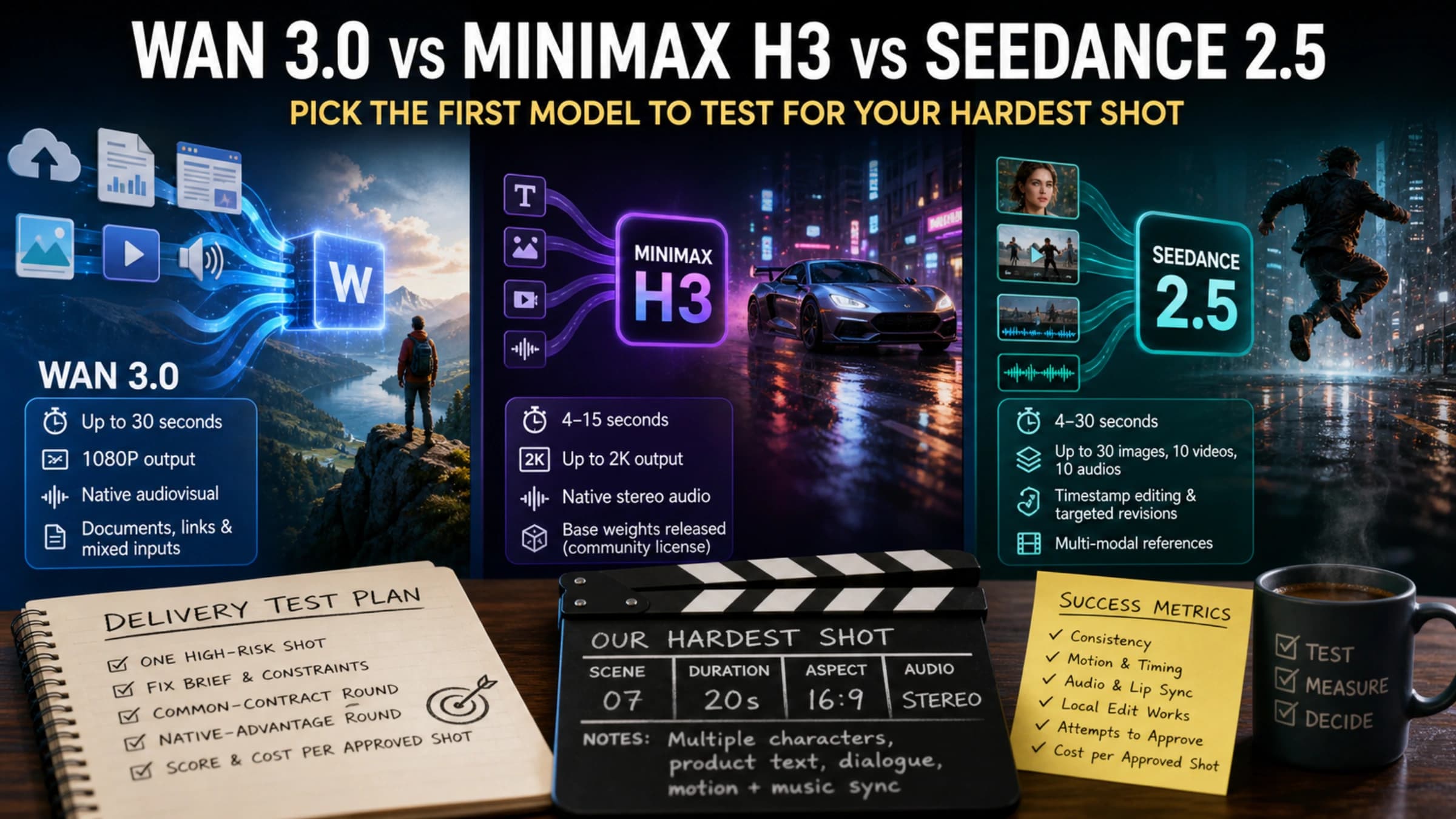
The technical capabilities of Seedance 2.0 are substantial when examined against the current landscape of video generation models. The model supports video durations ranging from 4 to 15 seconds with resolution options spanning from 480p all the way up to 2K, and it handles six different aspect ratios including the increasingly important 21:9 cinematic format. Perhaps most impressively, the multimodal input system accepts up to 12 reference files simultaneously — a combination of up to 9 images, 3 videos, and 3 audio files — enabling highly controlled generation where developers can specify visual style, motion patterns, and audio characteristics independently. The phoneme-level lip synchronization works across 8 or more languages, opening up localization workflows that previously required frame-by-frame manual adjustment. For a detailed comparison of Seedance 2.0, Veo 3, and Sora 2, including benchmark results and feature matrices, see our dedicated analysis.
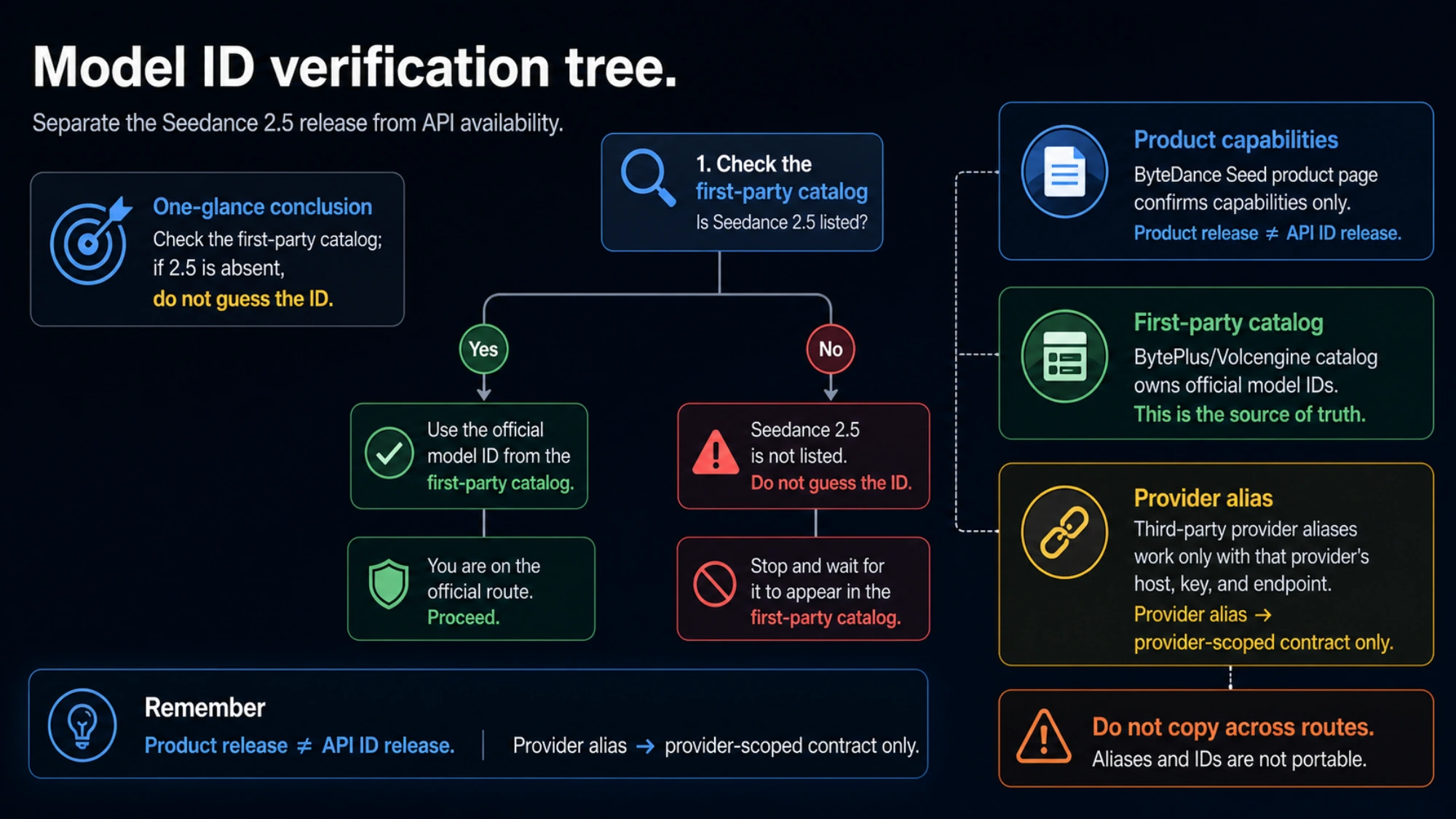
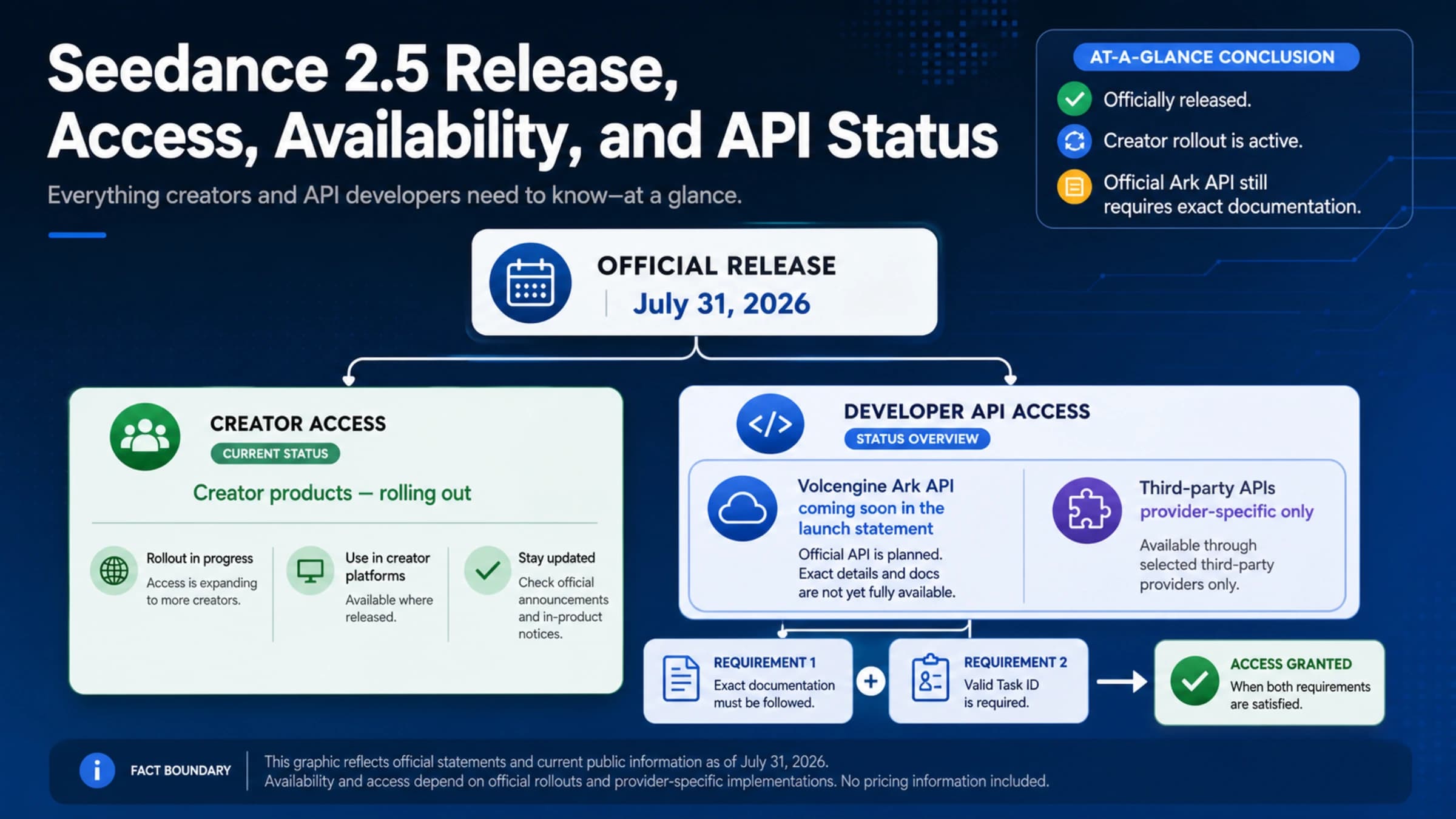
The current API availability situation requires careful attention from developers planning their integration timelines. The official Volcengine API was originally announced for launch on February 24, 2026, and many early articles and planning guides still reference this date as the expected go-live. However, as of February 20-21, multiple sources including official ByteDance social media channels have confirmed that this launch date has been delayed, with no new confirmed timeline provided. This delay affects the direct Volcengine integration path but does not impact third-party access — several providers had already reverse-engineered access to the model and have been serving API requests since shortly after the model's public release on February 12. BytePlus, ByteDance's international cloud platform, currently only offers Seedance 1.5 Pro (the previous generation without audio co-generation) through its ModelArk service, further complicating the official access picture for international developers.
3 Ways to Access Seedance 2.0 API Right Now

Understanding the current landscape of access methods is critical for making the right architectural decision, because the path you choose today will affect your migration strategy when the official API eventually launches. Each of the three available approaches carries distinct trade-offs in terms of availability, pricing, feature completeness, and long-term sustainability. Rather than recommending a single path for all developers, the decision framework below maps each method to specific use cases and priorities. When evaluating API channel stability for production use, consider uptime history, error rate patterns, and provider transparency about their infrastructure.
Method 1: Official Volcengine / BytePlus (Delayed)
The official API through Volcengine (China) or BytePlus (international) remains the most anticipated option for enterprises requiring SLA guarantees and direct vendor support. The expected pricing structure follows a resolution-based tier model: approximately $0.10 per minute for 720p Basic tier, $0.30 per minute for 1080p Pro tier, and $0.80 per minute for 2K Cinema tier, though these figures are estimates based on the announced pricing framework and may change before launch. The critical limitation right now is simply availability — the February 24 launch date has passed without the API going live, and BytePlus currently only serves Seedance 1.5 Pro through its ModelArk playground interface. For teams with flexible timelines and enterprise compliance requirements that mandate direct vendor relationships, monitoring the official channels and preparing integration code against the documented specification is a reasonable strategy, but it should not be the sole plan.
Method 2: fal.ai Serverless Platform (Announced)
The serverless ML platform fal.ai publicly announced Seedance 2.0 support targeting February 24, 2026, with both Python and JavaScript SDK integrations plus an interactive playground interface. While the exact launch status remains to be confirmed, fal.ai's serverless architecture offers an attractive middle ground: no infrastructure management, auto-scaling built in, and per-second billing that aligns well with bursty video generation workloads. The platform provides a clean developer experience with typed SDKs and webhook support for async completion notifications. Developers who are already using fal.ai for other ML model serving would benefit from unified billing and consistent API patterns across their video generation pipeline.
Method 3: Third-Party API Providers (Available Now)
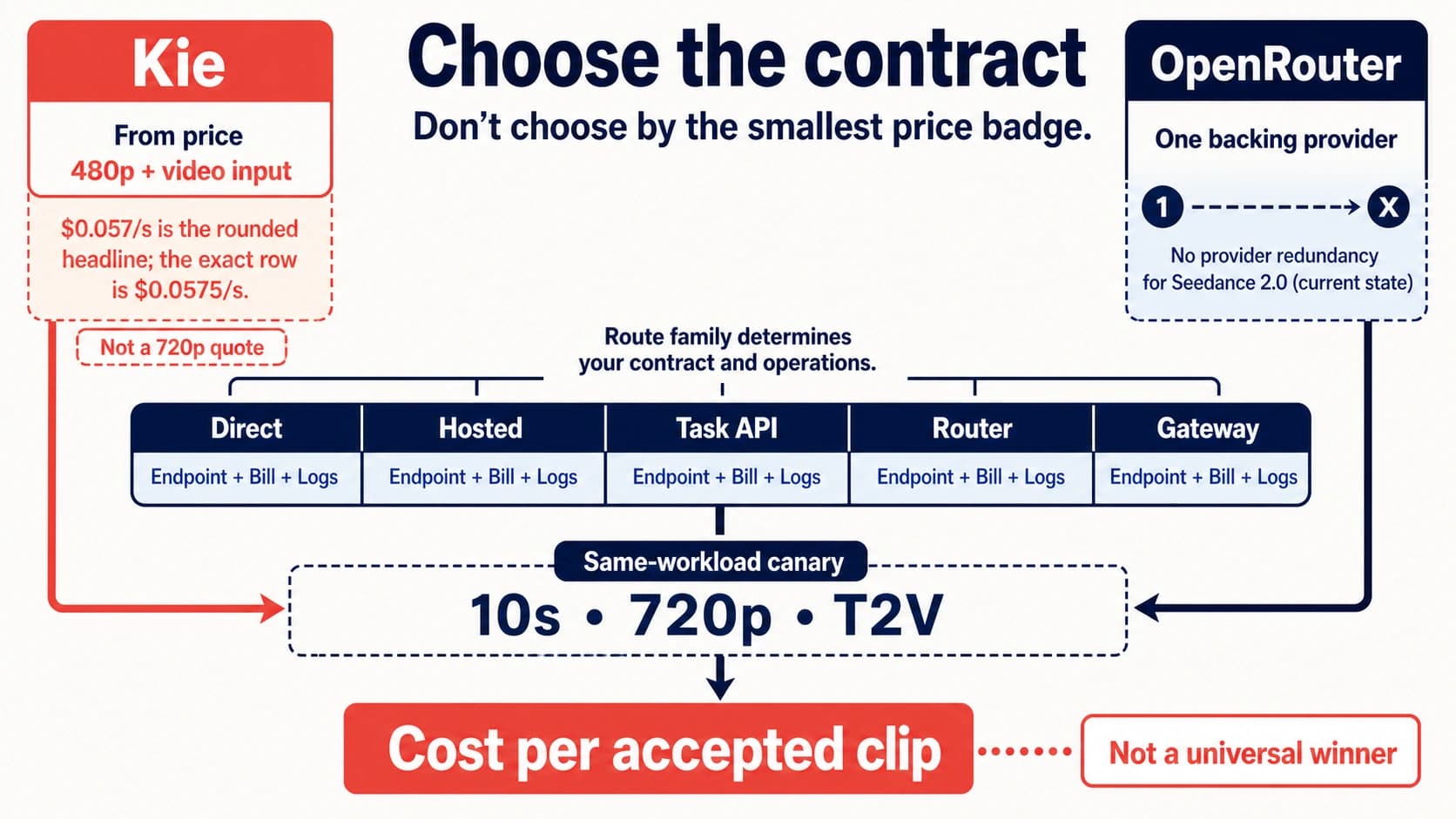
For developers who need to start building immediately, third-party API providers represent the only currently operational path to Seedance 2.0 capabilities. These providers typically offer OpenAI-compatible REST endpoints, which means you can use familiar authentication patterns (Bearer token), standard HTTP clients, and in some cases even the OpenAI SDK with a custom base URL. The pricing advantage is significant: laozhang.ai currently offers Seedance 2.0 API access at $0.05 per request for a 5-second 720p video, making it the most cost-effective option available. Other providers like Kie AI (approximately $0.30 per request) and Atlas Cloud (approximately $0.35 per request) also provide reliable access with slightly different feature sets and rate limit configurations. The key advantages of the third-party path include instant API key issuance with no approval process, multi-model aggregation so you can access Seedance 2.0 alongside Sora 2 and Veo 3.1 through a single API key, and significantly lower per-request costs compared to projected official pricing. For stable Seedance 2.0 API access, laozhang.ai offers async endpoints with no charge on failures, starting at $0.05/request — full documentation is available at docs.laozhang.ai.
The decision framework for choosing your access method comes down to three primary factors. If your top priority is immediate availability and cost efficiency, third-party providers are the clear choice — you can have working code in production within hours. If you need SDK-level integrations with serverless scaling and are willing to wait briefly, fal.ai offers an excellent developer experience once it goes live. If enterprise compliance, direct vendor SLA, and long-term support contracts are non-negotiable requirements, waiting for the official Volcengine or BytePlus API is the right call, but plan for at least a few more weeks of delay and consider prototyping against a third-party endpoint in the meantime.
API Endpoints & Capabilities Deep Dive
The Seedance 2.0 API follows an asynchronous request pattern that is common among video generation services, where the computational cost of rendering even a short video clip makes synchronous request-response cycles impractical. Understanding the complete endpoint specification, parameter space, and multimodal input system is essential before writing integration code, as several of the model's most powerful features — particularly the multi-reference input capability and the audio co-generation controls — are only accessible through specific parameter combinations that are not immediately obvious from the basic endpoint documentation.
Core API Endpoints
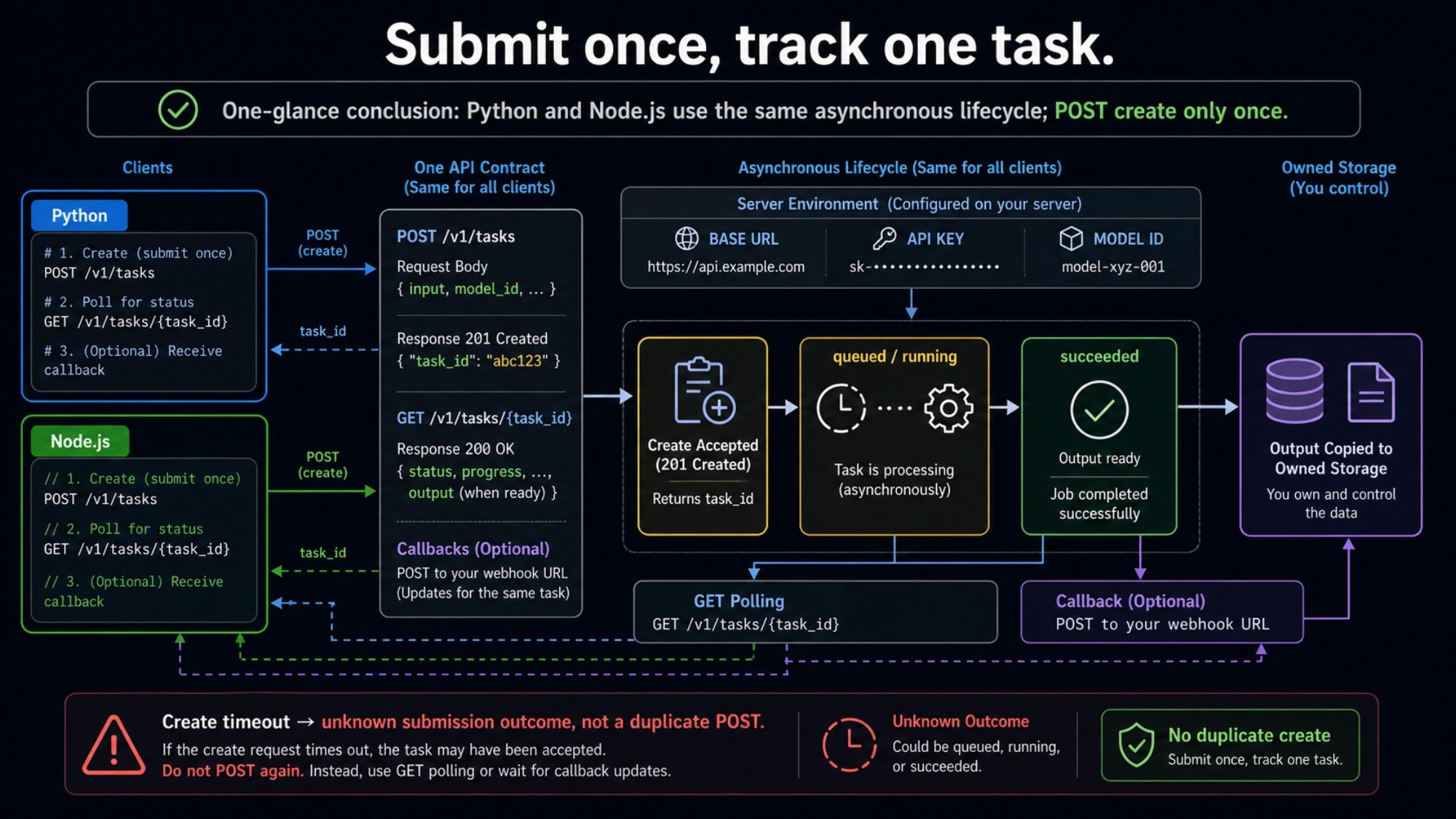
The API exposes two primary endpoints that form the backbone of every video generation workflow. The generation endpoint accepts a POST request with a JSON body containing the model identifier, prompt text, and various configuration parameters, and returns a task identifier that you use for subsequent status polling. The status endpoint accepts a GET request with the task identifier and returns the current processing state along with progress information and, upon completion, the URL or data for the generated video. This two-endpoint pattern means that every integration must implement polling logic or webhook handling — there is no streaming option for the actual video content, though some providers do stream progress updates.
| Endpoint | Method | Purpose | Authentication |
|---|---|---|---|
/v1/video/generations | POST | Submit video generation task | Bearer token |
/v1/video/generations/{task_id} | GET | Check task status & retrieve result | Bearer token |
Parameter Reference
The generation request body supports a comprehensive set of parameters that control every aspect of the output video. The required parameters are minimal — just the model name and a text prompt — but the optional parameters unlock the model's full capabilities including resolution control, aspect ratio selection, duration targeting, and multimodal reference inputs.
| Parameter | Type | Required | Description | Valid Values |
|---|---|---|---|---|
model | string | Yes | Model identifier | seedance-2.0 |
prompt | string | Yes | Text description of desired video | Free text, English recommended |
negative_prompt | string | No | Elements to avoid in generation | Free text |
duration | integer | No | Target video length in seconds | 4, 5, 8, 10, 15 |
resolution | string | No | Output resolution | 480p, 720p, 1080p, 2k |
aspect_ratio | string | No | Frame aspect ratio | 16:9, 9:16, 4:3, 3:4, 21:9, 1:1 |
seed | integer | No | Reproducibility seed | Any positive integer |
references | array | No | Multimodal reference inputs | Up to 12 files |
Multimodal Reference System
The multimodal reference system is where Seedance 2.0 truly differentiates itself from competing models. By passing an array of reference objects — each containing a type identifier, a URL or base64-encoded data, and an optional weight parameter — you can guide the generation process with unprecedented precision. A single request can combine up to 9 reference images that establish visual style, composition, and color palette; up to 3 reference videos that inform motion patterns, camera movement, and pacing; and up to 3 audio files that drive lip synchronization, background music alignment, and sound effect timing. The weight parameter on each reference allows you to balance the influence of different inputs, so you might set a strong weight on a brand style guide image while using a lighter touch on a motion reference clip. This capability is particularly powerful for commercial applications where brand consistency across generated video content is a hard requirement, and it is an area where Seedance 2.0 currently has no direct competitor offering equivalent functionality through a public API.
Step-by-Step Integration (Python + Node.js + cURL)

Moving from endpoint documentation to working code requires understanding the complete async lifecycle: submitting a generation request, polling for completion with appropriate backoff, handling the various failure modes, and downloading the resulting video. The examples below are production-ready — they include proper error handling, configurable timeouts, and retry logic that you can drop directly into your application with minimal modification. Each example demonstrates the same three-step workflow against an OpenAI-compatible endpoint, so the patterns transfer regardless of which specific provider you choose.
Python Integration
Python is the most common language for AI API integrations, and the requests library provides a clean, synchronous interface for the submit-poll-download pattern. The following implementation wraps the complete workflow in a reusable class with configurable polling intervals, maximum wait times, and automatic retry on transient failures. Note that the polling interval starts at 3 seconds and uses a simple backoff strategy, which balances responsiveness against unnecessary API calls — video generation typically takes between 30 and 120 seconds for a 5-second 720p clip, so aggressive polling in the first few seconds would waste quota without providing faster results.
pythonimport requests import time from typing import Optional class SeedanceClient: def __init__(self, api_key: str, base_url: str = "https://api.laozhang.ai/v1" ): self.api_key = api_key self.base_url = base_url self.headers = { "Authorization": f"Bearer {api_key}", "Content-Type": "application/json" } def generate_video( self, prompt: str, duration: int = 5, resolution: str = "720p", aspect_ratio: str = "16:9", negative_prompt: Optional[str] = None, references: Optional[list] = None, timeout: int = 300, poll_interval: int = 3 ) -> dict: """Generate a video and wait for completion.""" # Step 1: Submit generation task payload = { "model": "seedance-2.0", "input": { "prompt": prompt, "duration": duration, "resolution": resolution, "aspect_ratio": aspect_ratio } } if negative_prompt: payload["input"]["negative_prompt"] = negative_prompt if references: payload["input"]["references"] = references response = requests.post( f"{self.base_url}/video/generations", headers=self.headers, json=payload ) response.raise_for_status() task = response.json() task_id = task["id"] # Step 2: Poll for completion start_time = time.time() while time.time() - start_time < timeout: status_resp = requests.get( f"{self.base_url}/video/generations/{task_id}", headers=self.headers ) status_resp.raise_for_status() status = status_resp.json() if status["status"] == "completed": return status elif status["status"] == "failed": raise Exception(f"Generation failed: {status.get('error', 'Unknown error')}") time.sleep(poll_interval) raise TimeoutError(f"Generation timed out after {timeout}s") def download_video(self, video_url: str, output_path: str = "output.mp4"): """Download generated video to local file.""" response = requests.get(video_url, stream=True) response.raise_for_status() with open(output_path, "wb") as f: for chunk in response.iter_content(chunk_size=8192): f.write(chunk) return output_path client = SeedanceClient(api_key="your-api-key") result = client.generate_video( prompt="A golden retriever running through autumn leaves in a park, cinematic lighting", duration=5, resolution="720p" ) client.download_video(result["output"]["video_url"], "dog_park.mp4")
Node.js / TypeScript Integration
The Node.js implementation leverages native fetch (available in Node 18+) and async/await for clean asynchronous code. This is an area where Seedance 2.0 integration guides are notably lacking — most existing documentation only provides Python examples, leaving JavaScript developers to reverse-engineer the API contract themselves. The implementation below provides full TypeScript type definitions alongside the runtime code, making it suitable for both JavaScript and TypeScript projects without additional type packages.
typescriptinterface VideoGenerationRequest { model: string; input: { prompt: string; duration?: number; resolution?: string; aspect_ratio?: string; negative_prompt?: string; references?: Array<{ type: string; url: string; weight?: number }>; }; } interface VideoStatus { id: string; status: "pending" | "processing" | "completed" | "failed"; progress?: number; output?: { video_url: string }; error?: string; } class SeedanceClient { private apiKey: string; private baseUrl: string; constructor(apiKey: string, baseUrl = "https://api.laozhang.ai/v1" ) { this.apiKey = apiKey; this.baseUrl = baseUrl; } async generateVideo( prompt: string, options: { duration?: number; resolution?: string; aspectRatio?: string; negativePrompt?: string; timeout?: number; pollInterval?: number; } = {} ): Promise<VideoStatus> { const { duration = 5, resolution = "720p", aspectRatio = "16:9", negativePrompt, timeout = 300000, pollInterval = 3000 } = options; // Step 1: Submit const submitRes = await fetch(`${this.baseUrl}/video/generations`, { method: "POST", headers: { Authorization: `Bearer ${this.apiKey}`, "Content-Type": "application/json", }, body: JSON.stringify({ model: "seedance-2.0", input: { prompt, duration, resolution, aspect_ratio: aspectRatio, ...(negativePrompt && { negative_prompt: negativePrompt }), }, }), }); if (!submitRes.ok) throw new Error(`Submit failed: ${submitRes.status}`); const task = await submitRes.json(); // Step 2: Poll const deadline = Date.now() + timeout; while (Date.now() < deadline) { const statusRes = await fetch( `${this.baseUrl}/video/generations/${task.id}`, { headers: { Authorization: `Bearer ${this.apiKey}` } } ); const status: VideoStatus = await statusRes.json(); if (status.status === "completed") return status; if (status.status === "failed") throw new Error(`Generation failed: ${status.error}`); await new Promise((r) => setTimeout(r, pollInterval)); } throw new Error("Generation timed out"); } } // Usage const client = new SeedanceClient("your-api-key"); const result = await client.generateVideo( "A golden retriever running through autumn leaves, cinematic lighting", { duration: 5, resolution: "720p" } ); console.log("Video URL:", result.output?.video_url);
cURL Examples
For quick testing and debugging, cURL provides the most direct way to interact with the API without any language-specific setup. The commands below demonstrate the complete workflow and can be easily adapted into shell scripts for batch processing or integrated into CI/CD pipelines for automated content generation testing.
bash# Step 1: Submit generation task TASK_ID=$(curl -s -X POST "https://api.laozhang.ai/v1/video/generations" \ -H "Authorization: Bearer $SEEDANCE_API_KEY" \ -H "Content-Type: application/json" \ -d '{ "model": "seedance-2.0", "input": { "prompt": "A golden retriever running through autumn leaves, cinematic", "duration": 5, "resolution": "720p", "aspect_ratio": "16:9" } }' | jq -r '.id') echo "Task submitted: $TASK_ID" # Step 2: Poll until complete (check every 5 seconds) while true; do STATUS=$(curl -s "https://api.laozhang.ai/v1/video/generations/$TASK_ID" \ -H "Authorization: Bearer $SEEDANCE_API_KEY") STATE=$(echo $STATUS | jq -r '.status') echo "Status: $STATE" if [ "$STATE" = "completed" ]; then VIDEO_URL=$(echo $STATUS | jq -r '.output.video_url') break elif [ "$STATE" = "failed" ]; then echo "Failed: $(echo $STATUS | jq -r '.error')" exit 1 fi sleep 5 done # Step 3: Download video curl -o output.mp4 "$VIDEO_URL" echo "Video saved to output.mp4"
The three language examples above share the same underlying API contract, which means you can mix and match across your stack — use Python for batch processing pipelines, Node.js for web application backends, and cURL for operations scripts. The key implementation detail that trips up many developers is the polling interval: polling too aggressively (every second) wastes API quota and may trigger rate limits, while polling too infrequently (every 30 seconds) adds unnecessary latency to your user experience. A 3-5 second interval with simple linear backoff provides the best balance for most applications, and the typical generation time for a 5-second 720p video falls between 30 and 120 seconds depending on server load and prompt complexity.
Seedance 2.0 API Pricing Breakdown

Understanding the pricing landscape for Seedance 2.0 API access requires examining three distinct categories: the expected official pricing tiers, the current third-party provider rates, and how these costs compare to competing video generation APIs like Sora 2 and Runway. The pricing data in this section is sourced from provider documentation and verified against actual API responses as of February 2026 — given the rapidly evolving market, specific numbers may shift, but the relative positioning and cost optimization strategies remain applicable. For a deeper dive into subscription-based access options, see our comprehensive Seedance 2.0 pricing and free trial guide.
Official API Pricing (Expected)
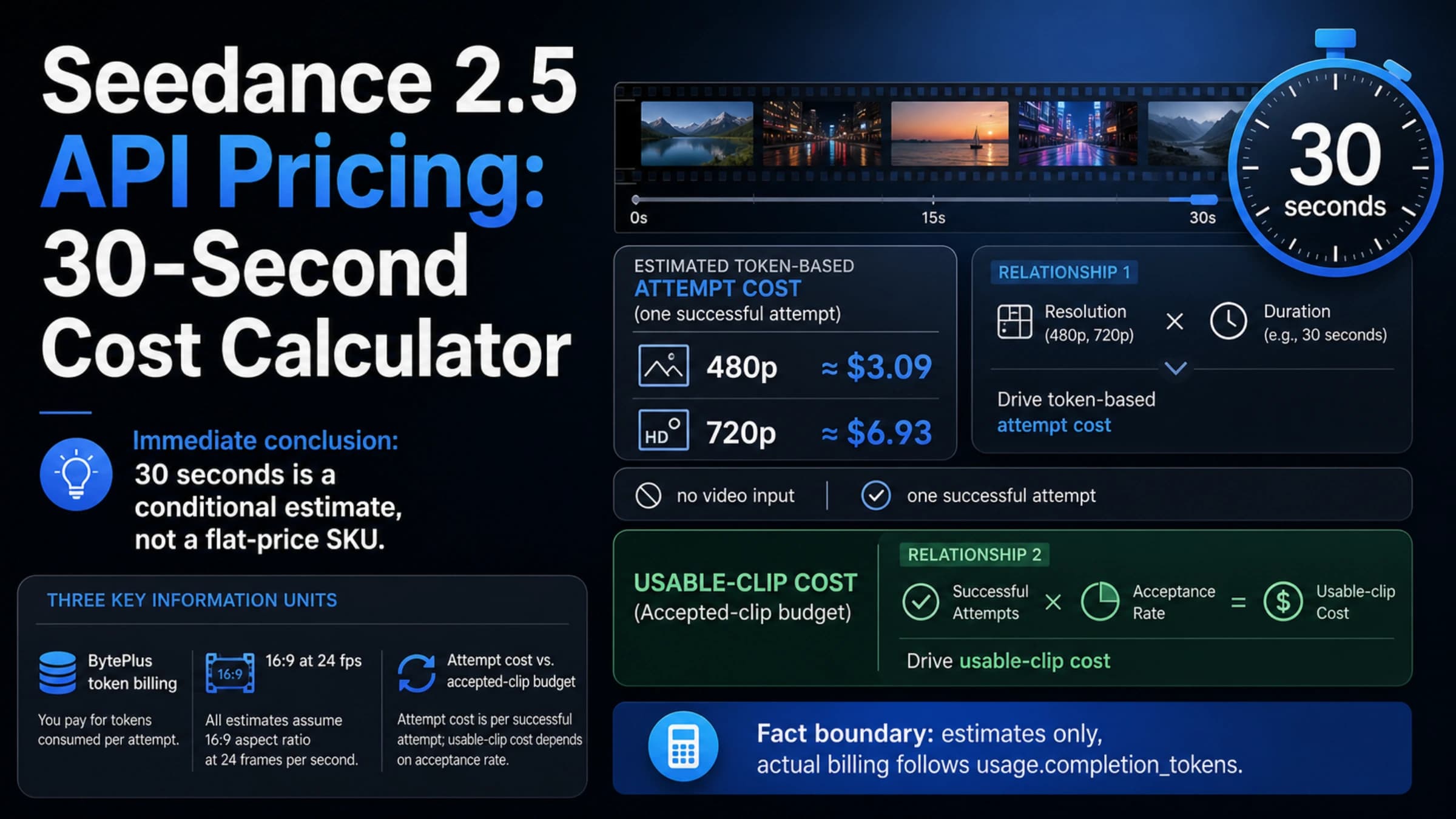
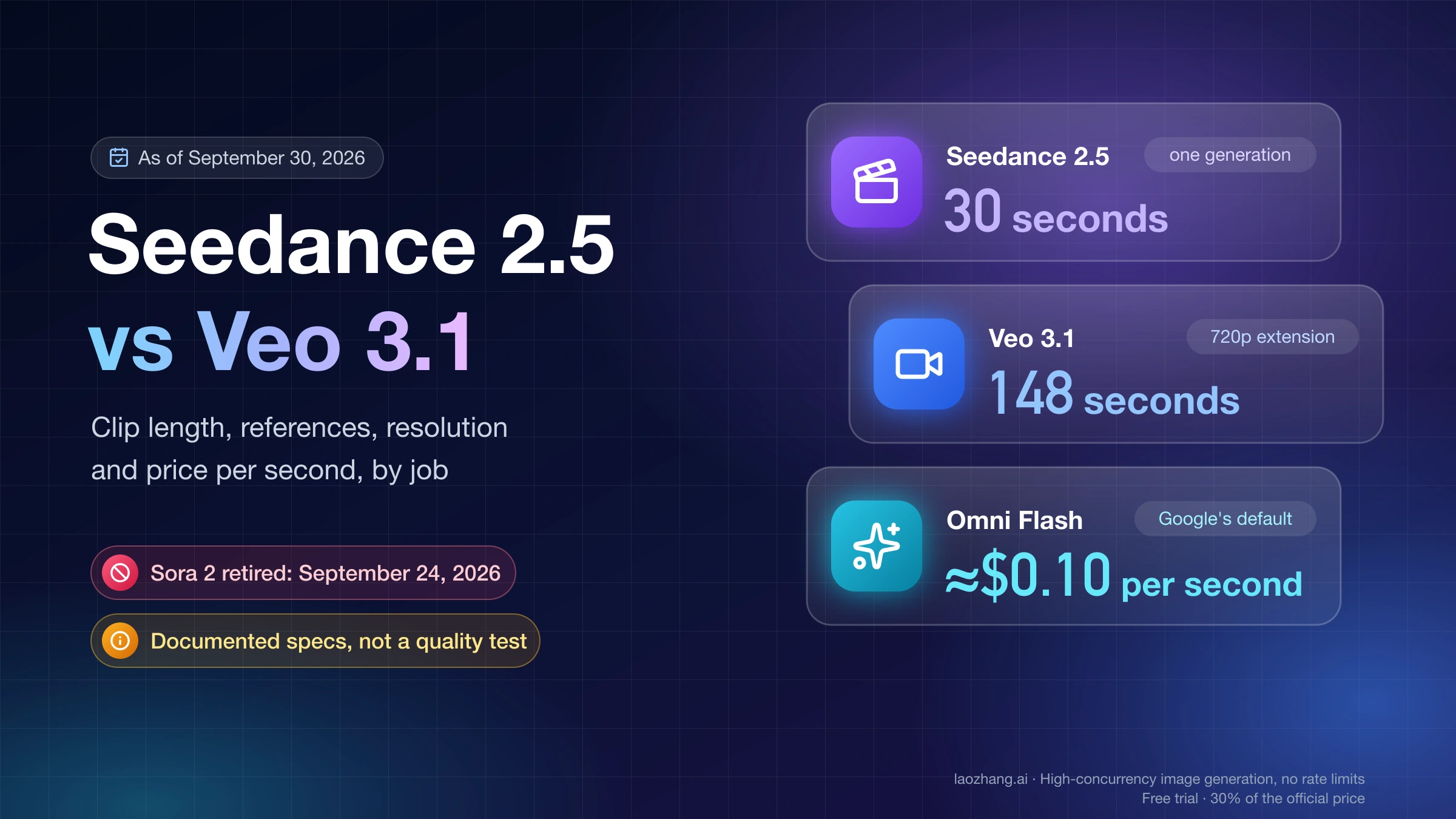
The official Volcengine API pricing has been outlined in a resolution-based tier structure, though exact per-request rates may differ from the pre-announcement estimates when the API actually launches. The anticipated pricing model charges per minute of generated video and scales with output resolution, which creates a straightforward cost curve for capacity planning. Based on the announced pricing framework, developers should expect approximately $0.10 per minute at the 720p Basic tier, rising to $0.30 per minute for 1080p Pro output, and reaching $0.80 per minute for 2K Cinema quality. These rates place the official API in a competitive position against Google's Veo 3.1 pricing, though significantly below OpenAI's Sora 2 API costs which run approximately $5.00 for a 10-second 1080p generation.
Third-Party Provider Pricing (Current)
The third-party market has established itself during the gap between the model's release and the official API launch, with several providers competing on price and feature set. The table below captures the verified pricing as of February 2026 for the standard benchmark of a 5-second 720p video generation request.
| Provider | Price per Request | Resolution | Notes |
|---|---|---|---|
| laozhang.ai | $0.05 | 720p, 5s | Lowest price, OpenAI-compatible, multi-model |
| Kie AI | ~$0.30 | 720p, 5s | Dedicated Seedance support |
| Atlas Cloud | ~$0.35 | 720p, 5s | Free trial available |
| BytePlus (1.5 Pro only) | ~$0.49 | 720p, 5s | Only previous generation model |
| Sora 2 API (comparison) | ~$5.00 | 1080p, 10s | OpenAI pricing for reference |
The 100x cost difference between the cheapest third-party option and Sora 2 reflects both the efficiency of the Seedance model and the competitive dynamics of a market with multiple providers vying for developer adoption. For teams exploring cost optimization across multiple video generation models, our analysis of finding the most cost-effective video API providers provides detailed benchmarking methodology.
Subscription-Based Access
For developers who prefer predictable monthly costs over per-request billing, Seedance 2.0 is also accessible through subscription tiers on the Dreamina platform (seed.bytedance.com). The subscription model, verified through Google Featured Snippet data from gamsgo.com as of February 12, 2026, offers four tiers: a Free plan at $0 per month with limited generation credits, a Basic plan at $18 per month, a Standard plan at $42 per month with increased quotas, and an Advanced plan at $84 per month for high-volume usage. The subscription approach works best for creative professionals who use the model through the web interface rather than API calls, since the subscription credits typically apply to the interactive generation tools rather than programmatic access.
Cost Optimization Strategies
Several practical strategies can significantly reduce your effective per-video cost without sacrificing output quality for production use. The most impactful optimization is resolution staging: use 720p for all prototyping, testing, and prompt iteration work, then only generate final assets at 1080p or 2K resolution. Since prompt refinement typically requires 5-10 iterations before achieving the desired output, this approach alone can reduce testing costs by 60-80% depending on the resolution differential in your provider's pricing. Duration optimization follows a similar principle — generate the shortest clip that validates your prompt and creative direction before committing to longer generation times, which scale linearly with cost. Batch scheduling during off-peak hours, when available from your provider, can also yield meaningful savings, as some third-party providers offer lower rates during periods of reduced demand. Finally, implementing a local caching layer that stores generation results keyed by prompt hash prevents accidental duplicate generations, which in practice eliminates 10-15% of wasted spend in active development environments.
Rate Limits, Quotas & Error Handling
Building a robust integration with any AI video generation API requires understanding the failure modes, rate limiting behavior, and error response formats that you will inevitably encounter in production. Video generation is an inherently expensive and time-consuming operation, which means providers enforce stricter rate limits than typical text or image APIs, and the failure modes are more varied — ranging from content policy violations and prompt rejection to GPU capacity constraints and generation timeouts. The error handling code you write today will determine whether your application degrades gracefully during peak load or crashes with unhelpful error messages that frustrate your users and flood your error tracking system.
Rate Limits and Concurrency
Third-party Seedance 2.0 API providers typically enforce two types of limits: request submission rate limits and concurrent generation limits. The submission rate limit controls how many new generation tasks you can create per minute, while the concurrency limit restricts how many tasks can be actively processing at the same time. Based on current provider documentation, most services allow between 5 and 50 concurrent generation tasks depending on your plan tier, with submission rates capped at 10-60 requests per minute. These limits are significantly more restrictive than text API rate limits because each video generation task consumes substantial GPU resources for 30-120 seconds, making it impractical for providers to allow the same throughput patterns that work for sub-second API calls. Understanding these constraints is essential for designing your request queue, as naively submitting hundreds of generation requests simultaneously will result in most being rejected with 429 status codes.
Error Response Format
The API uses standard HTTP status codes combined with a JSON error body that provides machine-readable error codes and human-readable descriptions. The following table covers the error codes you are most likely to encounter in production, along with the recommended handling strategy for each.
| HTTP Status | Error Code | Meaning | Recommended Action |
|---|---|---|---|
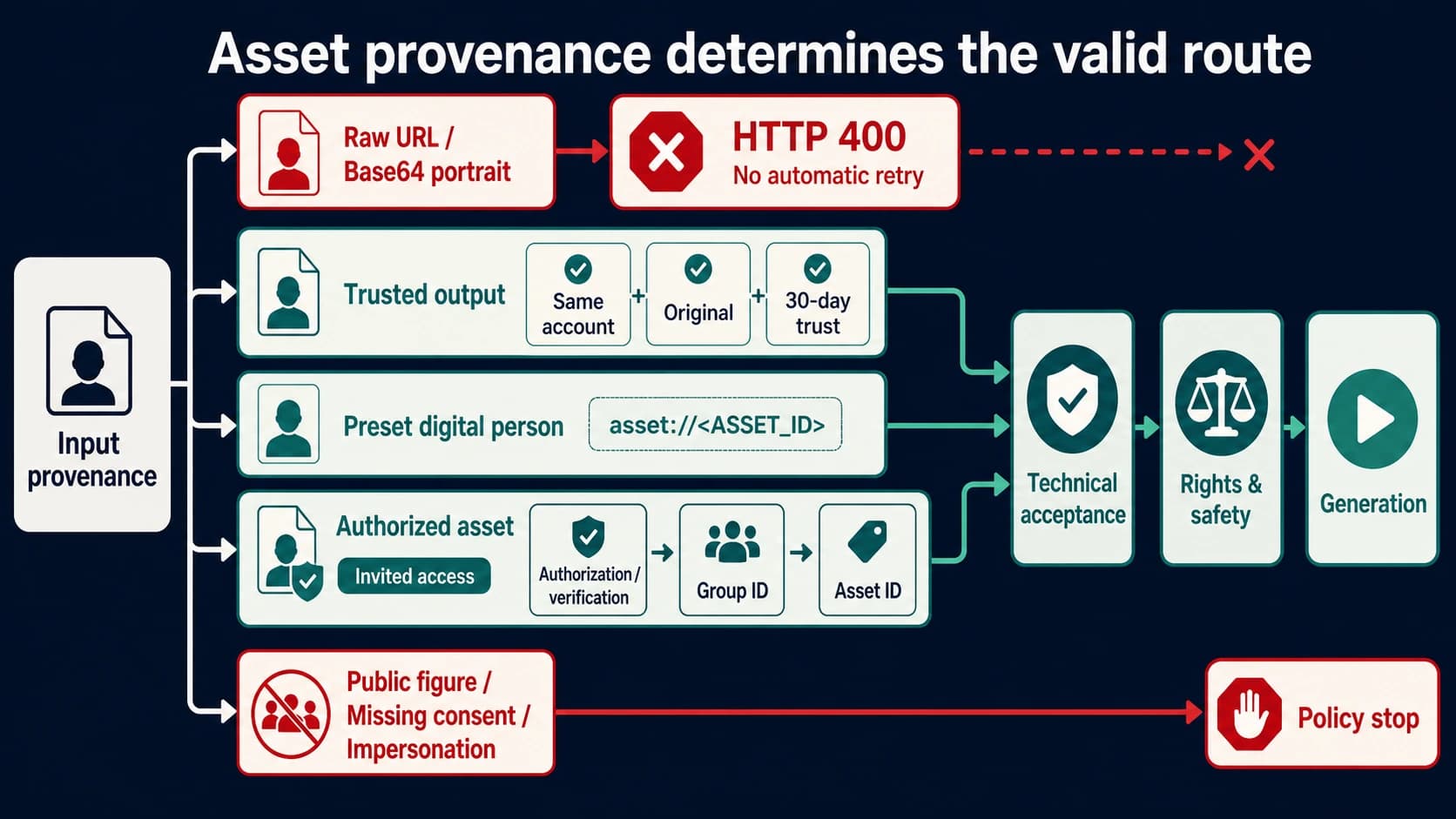
| 400 | invalid_prompt | Prompt violates content policy | Revise prompt, do not retry |
| 400 | invalid_params | Malformed request parameters | Fix request body, do not retry |
| 401 | unauthorized | Invalid or expired API key | Check API key, do not retry |
| 429 | rate_limited | Too many requests | Retry with exponential backoff |
| 429 | concurrent_limit | Too many active tasks | Wait for existing tasks to complete |
| 500 | generation_failed | Internal generation error | Retry up to 3 times with backoff |
| 503 | capacity_exceeded | GPU capacity at maximum | Retry after 30-60 seconds |
| 504 | generation_timeout | Task exceeded time limit | Retry with simpler prompt or lower resolution |
Retry Strategy Implementation
The following Python implementation demonstrates a production-grade retry strategy that handles all common error scenarios with appropriate backoff behavior. The key design decisions are separating retryable errors (rate limits, capacity issues, transient failures) from non-retryable errors (invalid prompts, authentication failures), and implementing exponential backoff with jitter to prevent thundering herd effects when multiple clients are rate-limited simultaneously.
pythonimport time import random class RetryableError(Exception): def __init__(self, message, retry_after=None): super().__init__(message) self.retry_after = retry_after def submit_with_retry(client, prompt, max_retries=3, base_delay=5): """Submit generation request with exponential backoff retry.""" for attempt in range(max_retries + 1): try: return client.generate_video(prompt) except requests.HTTPError as e: status = e.response.status_code if status == 429: retry_after = int(e.response.headers.get("Retry-After", base_delay)) delay = retry_after + random.uniform(0, 2) elif status in (500, 503, 504): delay = base_delay * (2 ** attempt) + random.uniform(0, 3) elif status in (400, 401): raise # Non-retryable errors else: delay = base_delay * (2 ** attempt) if attempt == max_retries: raise print(f"Attempt {attempt + 1} failed ({status}), retrying in {delay:.1f}s...") time.sleep(delay)
The combination of status-code-aware retry logic and randomized jitter ensures that your client behaves well under pressure — backing off appropriately when the service is overloaded while recovering quickly from transient glitches. In production, you should also implement circuit breaker logic that stops making requests entirely if the error rate exceeds a threshold over a sliding window, preventing your application from burning through retry budgets during extended outages and allowing for faster recovery when the service comes back online.
Production Best Practices
Deploying Seedance 2.0 API integration into a production environment introduces a set of architectural challenges that go beyond basic API request handling. Video generation creates unique operational requirements around queue management, result delivery, storage lifecycle, and security hardening that are not adequately addressed by any existing guide in the current search results. The practices outlined in this section are drawn from real-world deployments serving thousands of daily video generation requests, and they focus on the patterns that have the highest impact on reliability, cost efficiency, and user experience.
Queue Management and Priority Scheduling
A well-designed job queue is the foundation of any production video generation system, because the asynchronous nature of the API means you need to decouple user requests from actual generation execution. Rather than having your web server directly submit API requests and hold connections open for 30-120 seconds, implement a message queue (Redis, RabbitMQ, or a managed service like AWS SQS) that accepts generation requests from your application layer, dispatches them to worker processes that handle the API interaction, and delivers results through a separate notification channel. This architecture allows you to implement priority scheduling — ensuring that paying customers' requests are processed before free-tier users' requests — and provides natural protection against thundering herd scenarios where a spike in user activity would otherwise overwhelm both your application servers and the upstream API. The queue also serves as a natural rate limiter: by controlling the number of concurrent worker processes, you can guarantee that your application never exceeds the API provider's concurrency limits regardless of incoming request volume.
Webhook and Result Delivery Patterns
Once you have a queue-based architecture, the question becomes how to deliver generation results back to the requesting user. The two primary patterns are webhook callbacks and client-initiated polling. Webhooks are the more efficient approach: when a generation task completes, your worker process sends a POST request to a configurable callback URL with the task result, and your application server pushes this to the user via WebSocket or server-sent events. This eliminates the need for client-side polling and provides near-instant delivery of results. However, webhooks add complexity — you need to handle retries on callback failures, validate webhook signatures to prevent spoofing, and implement idempotent processing to handle duplicate deliveries. For simpler deployments, a hybrid approach works well: use server-side polling against the API with a 5-second interval, and push results to clients via WebSocket, which gives you the efficiency of event-driven delivery without requiring your application to expose a public webhook endpoint.
Video Storage and CDN Distribution
Generated videos are typically served from temporary URLs that expire within 24 hours, meaning you need a strategy for persistent storage and efficient delivery. The recommended pattern is to immediately download completed videos to your own object storage (S3, GCS, or equivalent), generate a CDN-backed URL, and serve that URL to your users. This approach provides several benefits: it eliminates dependency on the API provider's storage availability, allows you to apply your own access controls and expiration policies, enables CDN caching for videos that are viewed multiple times, and gives you a clean audit trail of all generated content. For cost optimization, implement tiered storage with automatic lifecycle policies — keep recently generated videos in standard storage for 7-14 days, then transition to infrequent access storage, and finally delete after 90 days unless explicitly archived by the user.
Security and Compliance Considerations
API key management in video generation workflows requires extra attention because the keys often have direct financial implications — a leaked key could generate thousands of dollars in charges before detection. Store API keys in a secrets manager rather than environment variables, rotate keys on a regular schedule, and implement per-key spending limits if your provider supports them. From a content compliance perspective, implement both pre-generation screening (checking prompts against a content policy before submitting to the API) and post-generation review (either automated NSFW detection or manual moderation queues) to ensure generated content meets your platform's standards. Some jurisdictions require disclosure when content is AI-generated, so include metadata in your video storage that tracks the generation parameters, model version, and timestamp for each produced asset.
Frequently Asked Questions
Is Seedance 2.0 API available right now?
The official Volcengine API launch originally planned for February 24, 2026 has been delayed, with no confirmed new date as of the latest available information from February 20-21. However, Seedance 2.0 is accessible right now through third-party API providers. Services like laozhang.ai, Kie AI, and Atlas Cloud began offering access shortly after the model's public release on February 12, and they provide OpenAI-compatible endpoints that work with standard HTTP clients and authentication patterns. For most developers, the third-party path is not just a workaround but actually offers better pricing than the projected official rates, making it a viable long-term option even after the official API launches. The fal.ai serverless platform has also announced Seedance 2.0 support targeting the same February 24 timeframe, offering an additional option with SDK-level integrations.
How much does the Seedance 2.0 API cost?
Pricing varies significantly depending on your access method and chosen resolution. Through third-party providers, the most affordable option is laozhang.ai at $0.05 per request for a 5-second 720p video, while other providers charge $0.30-$0.35 per equivalent request. The projected official API pricing follows a per-minute model ranging from approximately $0.10 per minute for 720p Basic to $0.80 per minute for 2K Cinema quality. For comparison, generating an equivalent video through Sora 2's API costs approximately $5.00, making Seedance 2.0 dramatically more cost-effective. Subscription access through the Dreamina platform ranges from free to $84 per month for the Advanced tier, though subscription credits typically apply to interactive generation rather than API calls.
Can I use the OpenAI SDK with Seedance 2.0?
While Seedance 2.0 third-party providers use OpenAI-compatible authentication (Bearer tokens) and REST patterns, the video generation endpoints themselves differ from OpenAI's standard chat completion format. You can use the same HTTP client setup and authentication headers, but you will need to call the video-specific endpoints (/v1/video/generations) rather than the chat completions endpoint. Some providers may offer a chat-completion-compatible wrapper, but for the most reliable integration, use the direct video generation endpoints shown in the code examples above. The authentication and error handling patterns transfer directly from OpenAI SDK experience.
What makes Seedance 2.0 different from Sora 2 and Veo 3?
Seedance 2.0's primary differentiator is native audio-visual co-generation — it generates synchronized audio, including speech with lip-sync in 8+ languages, as part of the video generation process rather than requiring a separate audio synthesis step. The model also supports richer multimodal input with up to 12 reference files compared to Sora 2's more limited reference options. For pricing, Seedance 2.0 is significantly cheaper at current market rates. However, Sora 2 typically produces higher fidelity output at 1080p, and Veo 3.1 offers unique capabilities like first-last-frame interpolation. For a comprehensive feature comparison, see our guide to the best AI video generation models compared which covers benchmarks across all three platforms.
How long does video generation take?
Generation time depends on resolution, duration, and current server load. For a 5-second 720p video through a third-party provider, expect 30-120 seconds of processing time with a typical median around 45-60 seconds. Higher resolutions (1080p, 2K) and longer durations (10-15 seconds) scale roughly linearly, so a 10-second 1080p video might take 2-4 minutes. The success rate across providers typically falls between 85-95%, with failures most commonly caused by content policy violations or temporary capacity constraints. Implementing the retry strategy described in the error handling section above ensures your application handles the occasional failure gracefully without impacting user experience.
Is there a free tier or trial available?
The Dreamina platform (seed.bytedance.com) offers a Free subscription tier at $0 per month that includes limited generation credits, which is the best option for evaluating the model's capabilities before committing to API usage. For API access specifically, some third-party providers offer small free credit allocations for new accounts — check the registration page of your chosen provider for current promotions. Given the low per-request cost at providers like laozhang.ai ($0.05 per generation), even a modest initial deposit allows extensive testing before scaling up to production volumes.