Codex in VS Code: API Keys, Custom Models, and Your First Edit
Check which account and provider Codex uses, configure the exact model ID, and verify that your first edit uses the selected code and passes the project’s checks.
On this page
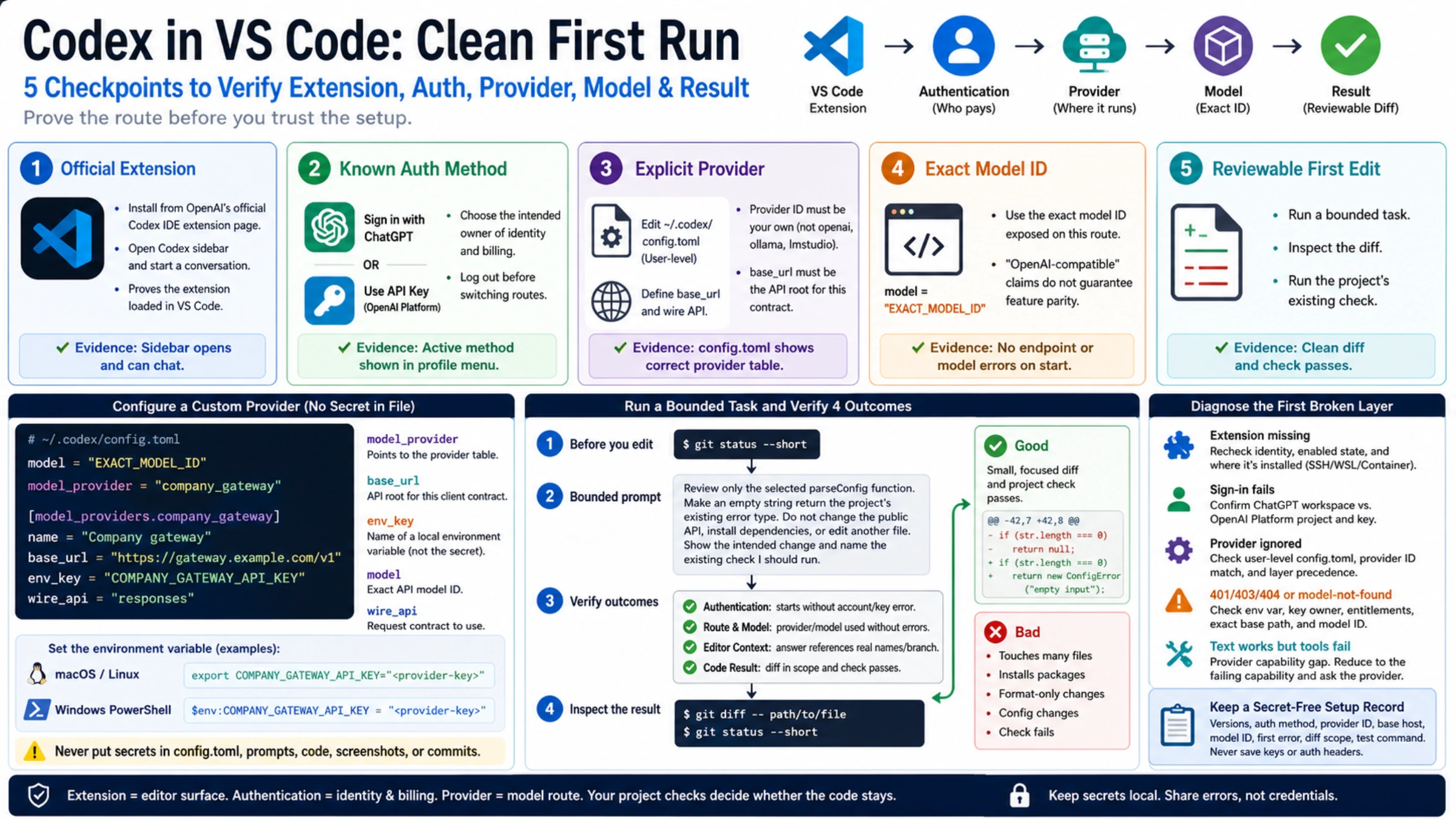
Setting up Codex in VS Code requires three separate choices: install the official extension, choose how to sign in and pay for usage, and configure the model provider. Signing in successfully does not confirm that a custom provider is active; test a request after configuring its endpoint and model.
Use five checkpoints instead: official extension, known auth method, explicit provider, exact model, and a reviewable first edit. Each checkpoint produces evidence you can inspect without exposing a credential.
Identify the product before entering a key
Start from OpenAI’s Codex IDE extension page and follow its Visual Studio Code installation link. In the marketplace, verify the extension identity and publisher against that official route. A familiar icon or an extension name containing “Codex” is not enough; unrelated and older coding extensions can expose entirely different settings.
After installation:
- Open a disposable or well-understood Git project.
- Select the Codex icon in the activity bar.
- If it is missing, open the Command Palette and run Codex: Open Codex Sidebar.
- Confirm that the sidebar can begin a conversation rather than showing only the extension details page.
That proves the editor loaded the extension. It does not yet prove account access, project context, billing, or model compatibility.
Choose the account and billing method
For local work, the official Codex IDE extension supports two OpenAI sign-in paths documented on the Codex authentication page:
- Sign in with ChatGPT ties the local session to the selected ChatGPT account and workspace controls.
- Use API Key uses a key from the OpenAI Platform dashboard and bills usage through that Platform account at standard API rates.
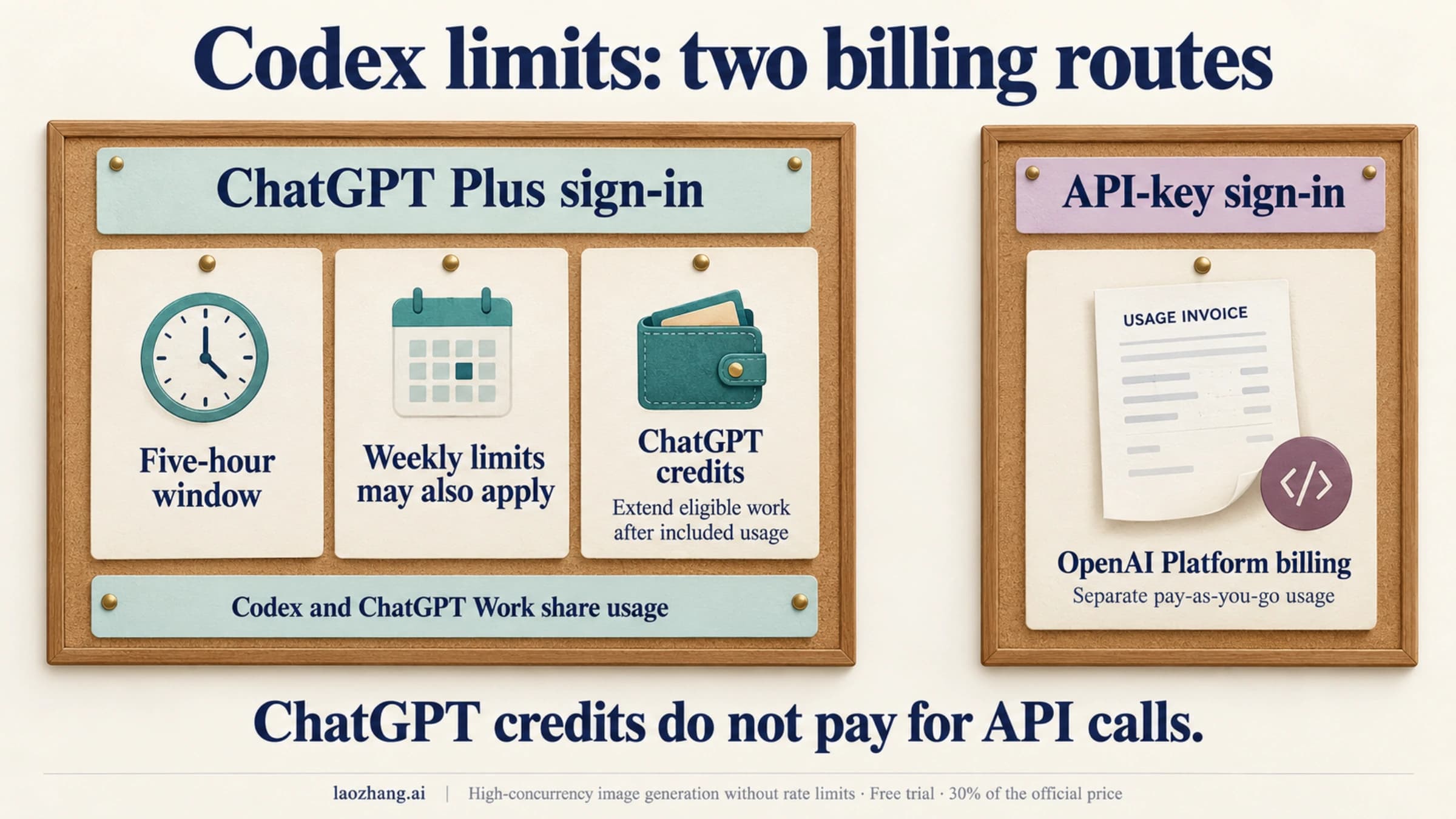
API-key authentication is useful when you want usage billed to an OpenAI Platform project. It is not a way to turn ChatGPT subscription usage into API balance. Some features that depend on ChatGPT workspace or cloud services may be unavailable with API-key sign-in.
If Codex is already signed in, use the profile menu to inspect the active method and select Log out before choosing another one. Do not solve a change of sign-in method by emptying or deleting ~/.codex/auth.json. The CLI and IDE extension share cached login details, so deleting the file creates a credential-storage problem while hiding which sign-in method was active.
Keep the key out of prompts, source code, screenshots, issue comments, and committed environment files. If your actual question is whether subscription or Platform billing fits the workload, use the separate Codex API key versus subscription guide before introducing a custom provider.
Know which settings belong to VS Code and which belong to Codex
The IDE extension has two settings systems:
- Editor behavior uses VS Code settings with
chatgpt.*keys. - Agent behavior—including model and provider selection—uses Codex
config.toml.
OpenAI’s configuration basics state that the CLI and IDE extension share the same configuration layers. From the Codex sidebar, select the gear, then Codex Settings > Open config.toml. For your own provider configuration, edit the user-level file:
~/.codex/config.tomlDo not copy settings from Continue, Cline, CodeGPT, or another extension into VS Code’s settings.json and expect Codex to read them. Those products can use fields named provider, apiBaseUrl, or model, but the names and secret handling belong to those extensions, not to the official Codex agent.
Provider and authentication configuration should also stay out of a repository’s .codex/config.toml. A project should not silently redirect a developer’s model traffic to a machine-specific endpoint.
Define a custom provider without embedding its secret
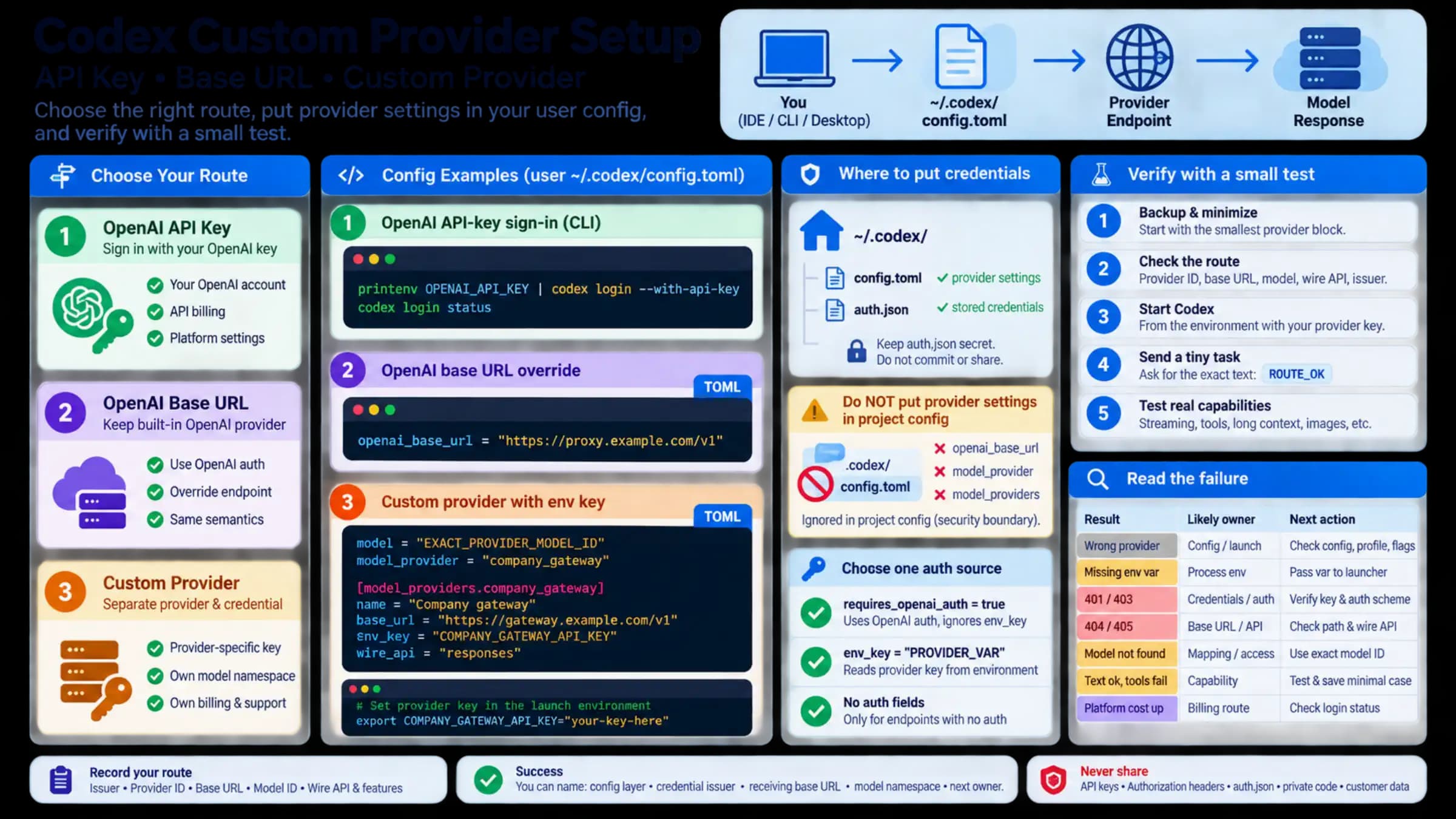
This minimal example describes the relationships among the settings. Every uppercase value and example hostname must be replaced with values documented by the provider you control:
# ~/.codex/config.toml
model = "EXACT_MODEL_ID"
model_provider = "company_gateway"

[model_providers.company_gateway]
name = "Company gateway"
base_url = "https://gateway.example.com/v1"
env_key = "COMPANY_GATEWAY_API_KEY"
wire_api = "responses"
The settings work together as follows:
model_providerpoints to the matching provider table.- The provider ID must be your own stable ID; reserved built-ins such as
openai,ollama, andlmstudiocannot be redefined as custom providers. base_urlmust be the API root the provider documents for Responses API requests, not its dashboard URL.env_keyis the name of a local environment variable. It is not the secret itself.modelis the exact API model ID available at that endpoint.wire_api = "responses"tells Codex to use the Responses API; the endpoint still has to implement the relevant behavior.
OpenAI’s custom model provider documentation also describes OpenAI authentication, command-backed tokens, and no-auth local services. Use the one method that matches the provider. Do not combine multiple credential schemes until an error becomes impossible to attribute.
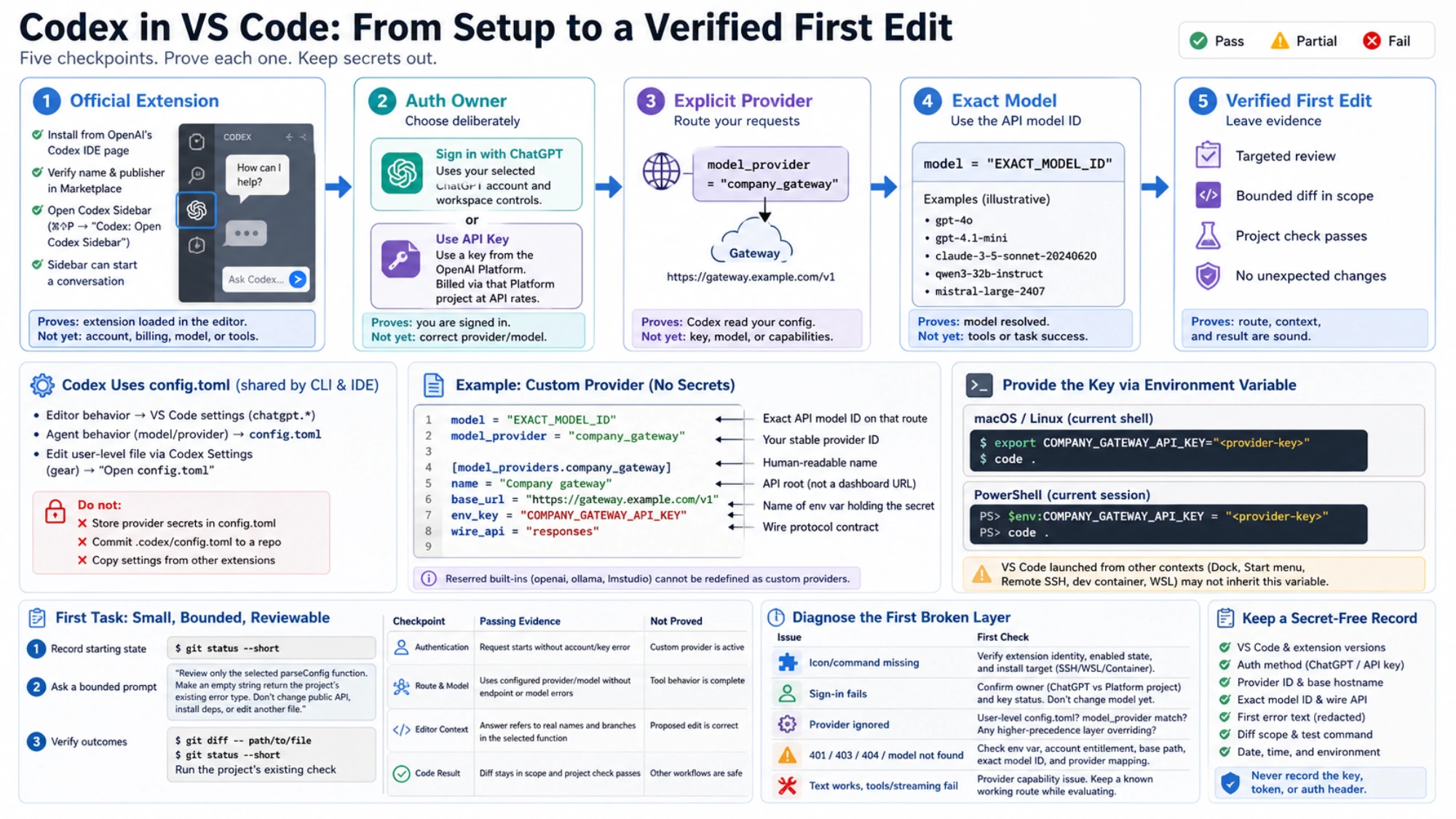
For a shell-launched VS Code session on macOS or Linux:
export COMPANY_GATEWAY_API_KEY="<provider-key>"
code .
For the current PowerShell session:
$env:COMPANY_GATEWAY_API_KEY = "<provider-key>"
code .
These commands intentionally keep the value out of config.toml. They do not make the key permanent. A VS Code instance opened from the Dock, Start menu, Remote SSH host, dev container, or WSL environment may receive a different set of environment variables. Diagnose the editor process that is actually running Codex.
“OpenAI-compatible” is a starting claim, not a passing test
A provider can accept a familiar JSON body and still be incomplete for an agent workflow. Codex may depend on behavior around streaming events, tool calls, error bodies, reasoning metadata, context limits, or web search. The provider may also rename models or expose a model only on another endpoint.
Treat compatibility as a series of questions:
- Does the provider document the exact base URL and wire API?
- Does the key authorize that endpoint and model ID?
- Can the model produce a normal streamed response?
- Can the provider support the tools required by the task?
- Who owns quotas, billing, retention, and incident support?
A parsed TOML file proves only that Codex accepted the configuration shape. A successful text response proves only that one request path worked. Neither result guarantees every Codex feature.
Test one small edit
Use a small function whose correct behavior you already understand. Before asking for an edit, record the existing worktree:
git status --shortOpen the target file, select one function, and use a bounded prompt such as:
Review only the selected parseConfig function.
Make an empty string return the project’s existing error type.
Do not change the public API, install dependencies, or edit another file.
Show the intended change and name the existing check I should run.
Then verify four different outcomes:
| Checkpoint | Passing evidence | What it does not prove |
|---|---|---|
| Authentication | The request starts without an immediate account or key error | The custom provider is active |
| Provider and model | The session uses the configured provider/model without endpoint or model errors | Tool behavior is complete |
| Editor context | The answer refers to real names and branches in the selected function | The proposed edit is correct |
| Code result | The diff stays in scope and the project’s existing check passes | Unrelated workflows are safe |
Inspect the actual result:
git diff -- path/to/file
git status --short
Reject unexpected files, dependency installation, broad formatting, or configuration changes. A clean explanation in the chat is not a substitute for the editor diff and test output.
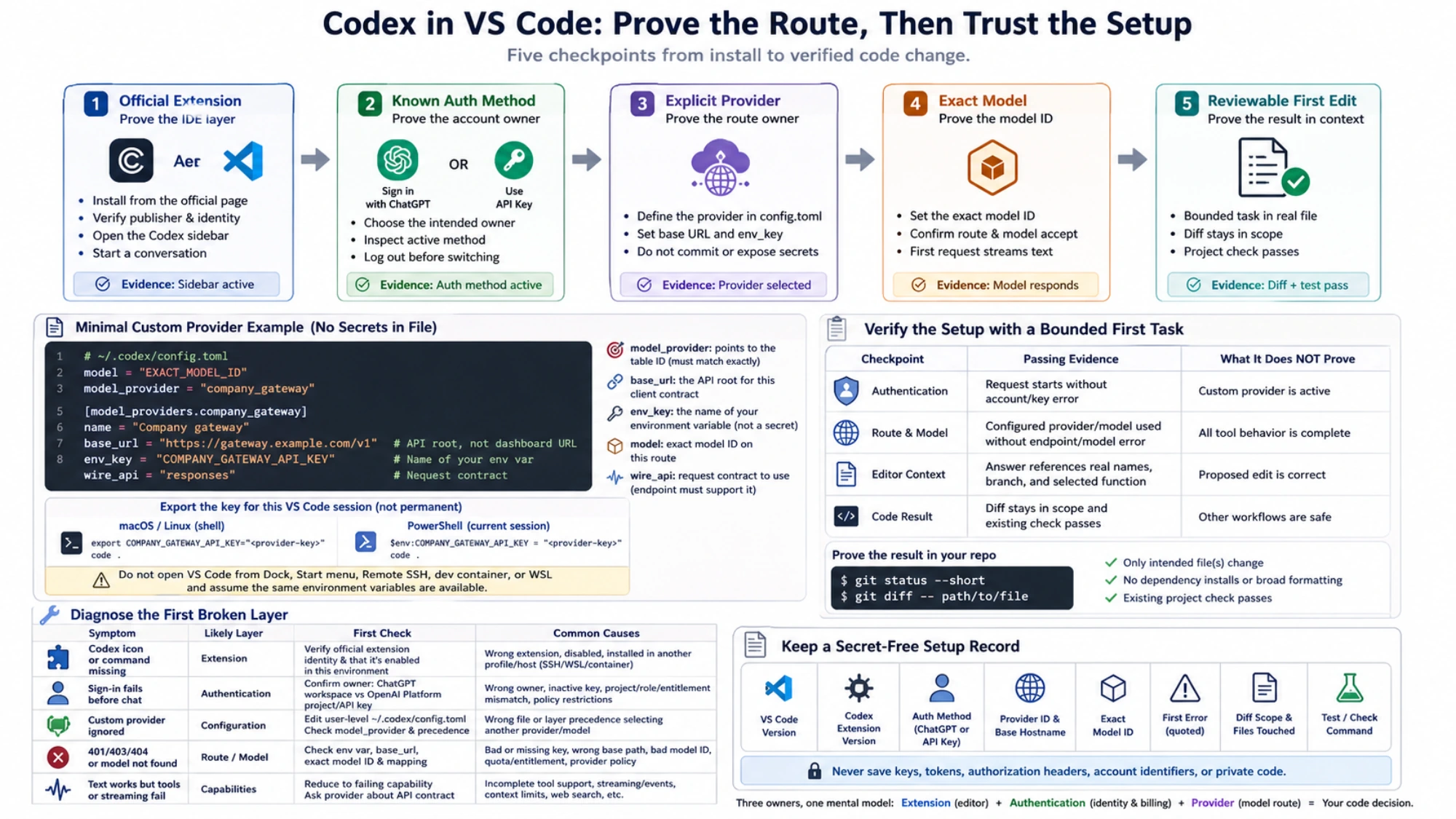
Diagnose the step that failed
The Codex command or icon is missing
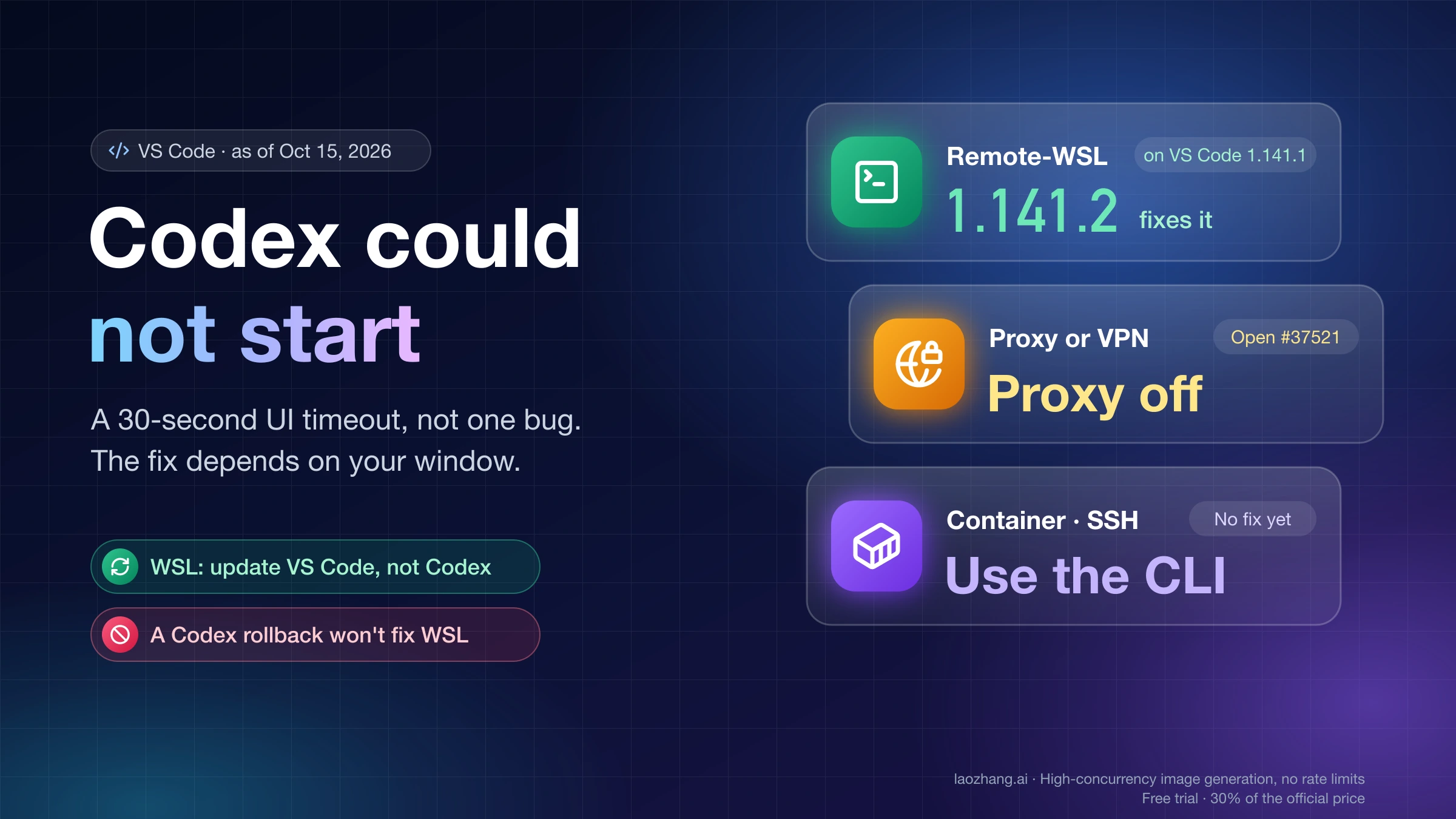
Recheck the official extension identity, whether it is enabled in the current VS Code window, and where it is installed for Remote SSH, WSL, or a dev container. Authentication cannot fix an extension that never loaded.
Sign-in fails before a conversation starts
Confirm whether you intend to use a ChatGPT workspace or an OpenAI Platform project. For API-key sign-in, confirm the key is active in the intended Platform project without sharing it. Do not change the model or provider until normal authentication is understood.
The custom provider is ignored
Confirm that you edited the user-level config.toml, that model_provider exactly matches the table ID, and that a higher-precedence layer is not selecting another value. The detailed Codex config.toml troubleshooting guide covers layer precedence and “loaded versus called” failures.
The provider returns 401, 403, 404, or model-not-found
A 401/403 usually belongs first to the environment variable, account associated with the key, account entitlement, or provider policy. A 404/model-not-found belongs first to the base path, exact model ID, and provider mapping. Record the original error with timestamps, but remove tokens, request headers, account identifiers, and private code before sharing it.
Text works but tools or streaming fail
Investigate the provider’s streaming or tool support before changing filesystem permissions. Reduce the task to the smallest failing capability and ask the provider whether the endpoint and model support it. Keep a known working OpenAI or local configuration available while evaluating a custom service.
Keep a secret-free setup record
Save the VS Code and extension versions, auth method, provider ID, base hostname, exact model ID, first error text, diff scope, and test command. Never save the key or authorization header. If a later update breaks the setup, this record helps you identify whether the extension, sign-in method, provider, or project behavior changed.
Sources5
External pages this guide links to, in the order they appear. Last updated Sep 1, 2026.
Sources5
External pages this guide links to, in the order they appear. Last updated Sep 1, 2026.
- 1.Codex IDE extension pagelearn.chatgpt.com/docs/codex/ide
- 2.Codex authentication pagelearn.chatgpt.com/docs/auth
- 3.OpenAI Platform dashboardplatform.openai.com/api-keys
- 4.configuration basicslearn.chatgpt.com/docs/config-file/config-basic
- 5.custom model provider documentationlearn.chatgpt.com/docs/config-file/config-advanced