Claude Opus 5.5 Pricing and Limit Reset: What Each One Changes
Claude Opus 5.5 costs $4/$20 per million tokens; Opus 5 through 4.6 stay at $5/$25. Limit resets are free, can't be bought and don't add API credits.
On this page
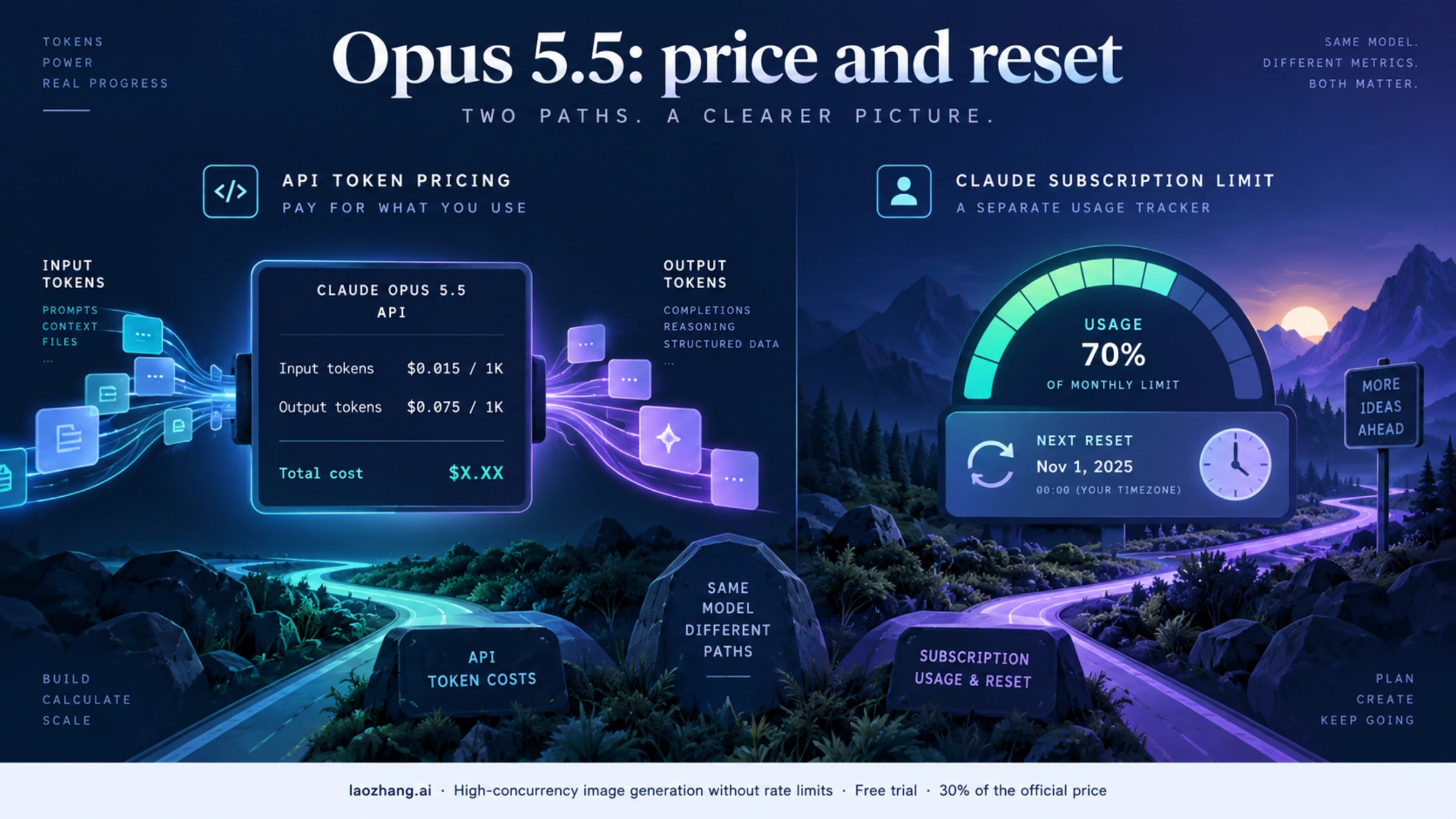
Claude Opus 5.5 costs $4 per million input tokens and $20 per million output tokens on Anthropic's standard API, down from Opus 5's $5 and $25. Opus 5, 4.8, 4.7, 4.6 and 4.5 are still callable at $5/$25, so the newest Opus is also the cheapest per token. The newly announced limit reset is for eligible Claude subscriptions, not a credit or rate-limit reset for the API. Open Settings → Usage in Claude to see whether your own reset card restores a five-hour session limit or a weekly limit, and when it expires. You cannot buy a reset: Anthropic hands them out occasionally to eligible plans, the button reads Reset for free, and paying for more usage means usage credits, which a reset does not touch. These are separate decisions with separate billing. Claude API pricing · Claude's reset instructions · Subscription and API billing explained
API prices, model status and plan prices below are as of October 10, 2026; plan names and the limit-reset rules are as of November 2, 2026, after Anthropic renamed Max 5x to Max and Max 20x to Ultra on October 30. Use the API rates to budget an application; use the reset card when deciding whether to continue a Claude chat or Claude Code session now.
Opus 5.5 API price versus Opus 5
Anthropic lists these first-party, standard-mode USD rates per million tokens. Cache rates apply only when prompt caching is used; they are different token categories, not extra fees on top of the same input tokens. Anthropic's pricing table
| Billable token category | Opus 5.5 | Opus 5 | Difference at the listed rate |
|---|---|---|---|
| Base input | $4.00 | $5.00 | 20% lower |
| Output | $20.00 | $25.00 | 20% lower |
| Five-minute cache write | $5.00 | $6.25 | 20% lower |
| One-hour cache write | $8.00 | $10.00 | 20% lower |
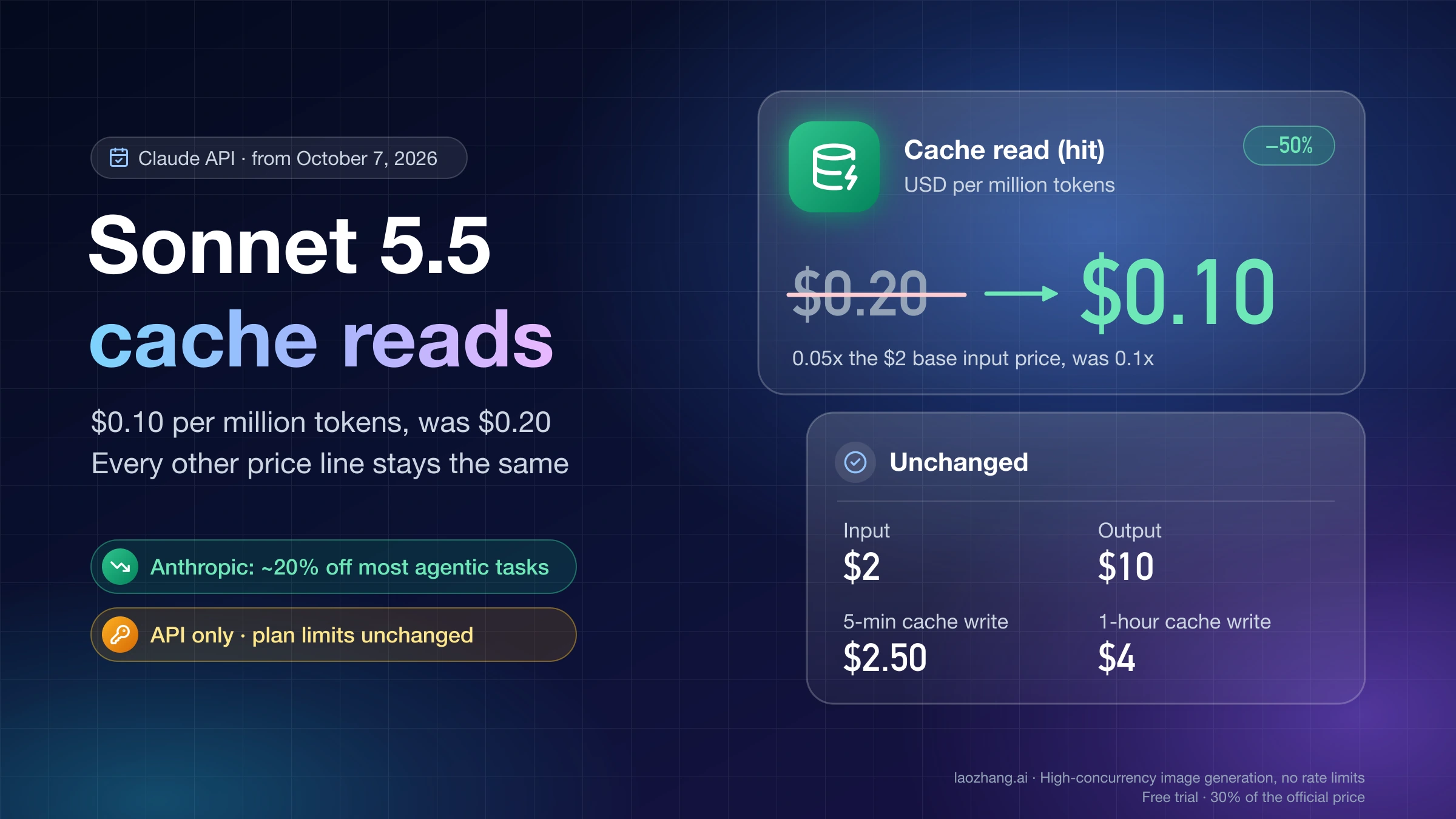
| Cache read | $0.20 | $0.50 | 60% lower |
The model ID is claude-opus-5-5. A cache read on this model is priced at 5% of its base input rate, rather than the usual 10% multiplier. For the listed input and output categories, the arithmetic is straightforward: ($5 − $4) ÷ $5 = 20%, and ($25 − $20) ÷ $25 = 20%. A lower rate per token does not guarantee the same percentage reduction in a completed task's bill. Different models can consume different numbers of tokens, and Anthropic notes that its newer tokenizer may produce more tokens for the same text. Model pricing and tokenizer note
A bill you can reproduce
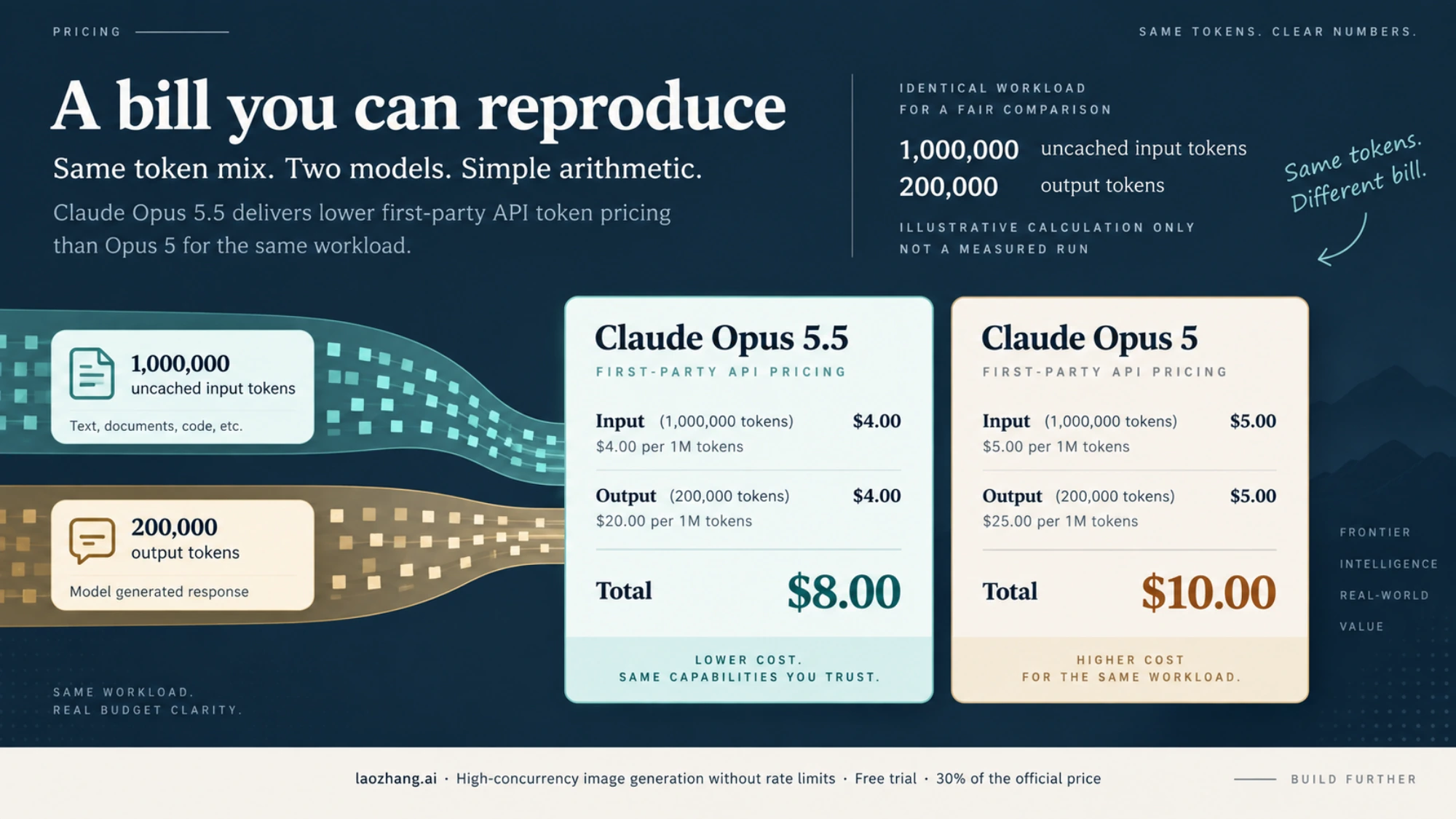
Suppose a workload uses one million uncached input tokens and 200,000 output tokens, with standard global routing, no other priced features, and the same measured token totals on each model. Opus 5.5 would cost $4 + (0.2 × $20) = $8. Opus 5 would cost $5 + (0.2 × $25) = $10. This example shows a $2, or 20%, difference in the listed token charges; it is a calculation, not a test run or a prediction of identical token usage in production. Official rates
To estimate your own bill, separate the usage counters for base input, output, cache writes, and cache reads. Multiply each count in millions by its matching rate, then add the results. For example, 500,000 cache-read tokens on Opus 5.5 cost 0.5 × $0.20 = $0.10 for that category. Do not charge those same tokens again as base input. Check any additional tool charges and price modifiers before treating the sum as a full invoice. Prompt-caching and tool pricing
Anthropic says its own tests at default settings found about 40% lower cost per task on typical workloads with Opus 5.5 than with Opus 5, partly because the model used fewer tokens. That is a vendor workload result, not a published 40% discount on every API token or a guaranteed saving on yours. Compare real usage and task quality on your workload before changing a production budget. Opus 5.5 announcement
Opus 4.6, 4.7, 4.8 and Opus 5 prices: still $5/$25
Every Opus version from 4.5 through Opus 5 costs $5 per million input tokens and $25 per million output tokens on the Claude API, and all of them still accept requests. Anthropic groups them as "legacy models (still available)". Only Opus 4.1 and Opus 4, both priced at $15/$75, are retired on the Claude API. Rates and status as of October 10, 2026: Claude API pricing · Anthropic's model deprecations table · Claude models overview
| Model (API ID) | Input | Output | Cache hit | Batch input / output | Status on the Claude API | Earliest retirement |
|---|---|---|---|---|---|---|
Opus 5.5 (claude-opus-5-5) | $4 | $20 | $0.20 | $2 / $10 | Active, current model | Not sooner than September 22, 2027 |
Opus 5 (claude-opus-5) | $5 | $25 | $0.50 | $2.50 / $12.50 | Active, legacy | Not sooner than July 24, 2027 |
Opus 4.8 (claude-opus-4-8) | $5 | $25 | $0.50 | $2.50 / $12.50 | Active, legacy | Not sooner than May 28, 2027 |
Opus 4.7 (claude-opus-4-7) | $5 | $25 | $0.50 | $2.50 / $12.50 | Active, legacy | Not sooner than April 16, 2027 |
Opus 4.6 (claude-opus-4-6) | $5 | $25 | $0.50 | $2.50 / $12.50 | Active, legacy | Not sooner than February 5, 2027 |
Opus 4.5 (claude-opus-4-5-20251101) | $5 | $25 | $0.50 | $2.50 / $12.50 | Active, legacy | Not sooner than November 24, 2026 |
| Opus 4.1 | $15 | $75 | $1.50 | — | Retired August 5, 2026 (still on Bedrock and Google Cloud) | Already retired |
| Opus 4 | $15 | $75 | — | — | Retired June 15, 2026 (still on Google Cloud) | Already retired |
Prices are per million tokens. "Not sooner than" is the earliest date Anthropic allows itself, not a scheduled shutdown, and it promises at least 60 days' notice before retiring a model. When Opus 4.6 launched on February 5, 2026, it already cost a third of Opus 4.1's rate; Opus 5.5 is the first Opus to go below $5/$25.
Should you stay on Opus 4.6 or move to Opus 5.5? The rate card favors Opus 5.5: input and output are 20% cheaper, and a cache hit drops from $0.50 to $0.20. The token count can move the other way. Anthropic's pricing page says Claude 4.7 and later models use a newer tokenizer that produces approximately 30% more tokens for the same text, while Opus 4.6 still uses the previous one. For the same input text, that is roughly 1.3 × $4 = $5.20 on Opus 5.5 for every $5.00 on Opus 4.6, so the input saving can disappear; the output side depends on how much each model writes for your task. If Opus 4.6 does the job, nothing forces a move before February 5, 2027 at the earliest. If you are changing models anyway, run your own prompts on Opus 5.5 and compare the billed usage counters, not the per-token rates. The Claude Opus 4.7 vs 4.6 migration guide covers the API changes that start at 4.7.
Which price changes if you use fast mode, Batch, or a cloud provider?
The $4/$20 pair is the standard first-party API rate. Anthropic lists fast mode for Opus 5.5 at $8 input / $40 output per million tokens in research preview; it is available on the first-party API and cannot be combined with the Batch API. For jobs that can wait, Batch lists $2 input / $10 output per million tokens for Opus 5.5. These are different operating modes, so choose the one the request actually uses before multiplying tokens. Fast mode and Batch pricing
Fast mode is not the same on every Opus version. Opus 5 and Opus 4.8 list fast mode at $10 input / $50 output. Opus 4.7 returns an error for requests with speed: "fast", and Opus 4.6 runs those requests at standard speed and bills them at the standard $5/$25, so the $30/$150 fast-mode rate once listed for Opus 4.6 no longer applies. Long prompts no longer carry a surcharge either: on Claude 4.6 and later models (except Haiku 5.5), the full 1M-token context window is billed at standard rates, and a 900,000-token request pays the same per-token rate as a 9,000-token one. The old rule that raised Opus 4.6 prices above 200,000 input tokens is gone. Fast mode and long-context pricing
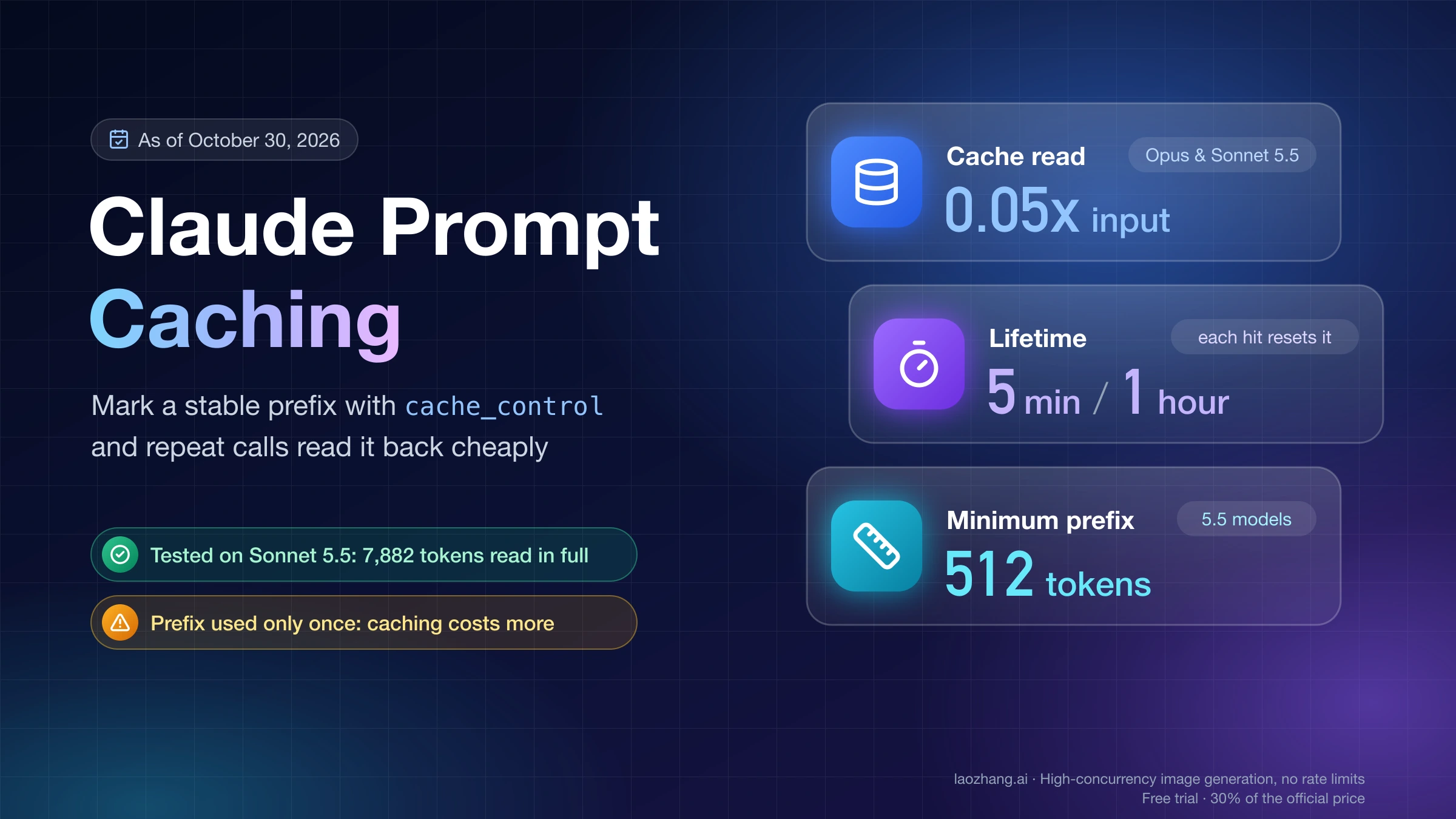
Batch halves input and output on every Opus version: $2/$10 on Opus 5.5 and $2.50/$12.50 on Opus 5 through 4.5. Prompt caching is the other lever. A cache hit costs 0.1× base input on Opus 5 through 4.5 ($0.50) and 0.05× on Opus 5.5 ($0.20). Caching pays off after one cache read with the five-minute duration, or after two reads with the one-hour duration. The two discounts stack, so a cache hit inside an Opus 5.5 Batch request works out to 0.05 × $2 = $0.10 per million tokens. No API-wide price promotion is running as of October 10, 2026. Batch and prompt-caching pricing
On the first-party API, requesting US-only inference adds a 1.1× multiplier to input, output, cache writes, and cache reads on Claude 4.6 and later models; global routing uses the standard rate. Anthropic-operated Claude Platform on AWS has its own marketplace billing presentation, while partner-operated Amazon Bedrock and Google Cloud set independent prices. Do not transfer the table above unchanged to a partner invoice. Data residency and cloud pricing
Which Claude plans include Opus, and what do they cost?
Every paid Claude plan includes Opus; the Free plan does not. Free covers Sonnet and Haiku only. Plan prices below are Anthropic's USD list prices as of October 10, 2026, before any tax added at checkout. Claude plan pricing
| Plan | Price | Opus | Fable |
|---|---|---|---|
| Free | $0 | No (Sonnet and Haiku only) | No |
| Pro | $20/month, or $200/year billed up front | Yes | Only through usage credits |
| Max (formerly Max 5x) | $100/month (monthly billing only) | Yes | Up to 50% of the weekly limit |
| Ultra (formerly Max 20x) | $200/month (monthly billing only) | Yes | Up to 50% of the weekly limit |
| Team Standard | $20 per seat/month billed annually, $25 monthly | Yes | No |
| Team Premium | $100 per seat/month billed annually, $125 monthly | Yes | Up to 50% of the weekly limit |
| Enterprise | Set with Anthropic's sales team | Yes | Yes |
Max and Ultra prices apply to web subscriptions; mobile pricing may differ. In the Claude apps, the current Opus is the default, and older versions sit under More models. Claude's help page on model settings still lists Opus 4.6 among the models with an effort selector, but which older versions appear can change. For the per-token price of Fable on the API, see Claude Fable 5.1 API pricing; if Sonnet might be enough for your work, Claude Sonnet 5.5 vs Opus 5.5 compares the cost.
Anthropic publishes no token or message counts for any plan, including Free. Limits are a five-hour session limit plus a weekly limit, except that verified Ultra accounts have no five-hour limit, explained in Claude usage limits by plan. When you run out, Pro, Max, Ultra and Team can buy usage-credit bundles: $50 of credits for $45, $250 for $200 and $1,000 for $700. Extra usage in Claude Code is covered in the Claude Code pricing guide.
Does the Opus 5.5 limit reset apply to API usage?
No. Anthropic describes the reset as a benefit for Claude subscription users, while its Help Center says a paid Claude plan and the developer Console/API are separately billed products. A Pro, Max, Ultra, Team, or Enterprise subscription does not give you an API key, and redeeming a subscription reset does not add API credits or reset API organization rate limits. If your problem is an API charge or API 429, inspect the Console billing and API limit information instead of looking for a subscription reset button. Opus 5.5 announcement · Subscription versus Console · What a limit reset changes API-side limits are per-minute request and token buckets plus spend caps, which the Claude Code usage limits guide separates from plan allowances.
Since October 7, 2026, Max, Ultra and Team plans also come with monthly API credits: $100 on Max (formerly Max 5x), $200 on Ultra (formerly Max 20x), $20 per Team Standard seat and $100 per Team Premium seat, claimed by linking one Console organization. Free, Pro and Enterprise are not eligible, and the credits do not cover interactive Claude Code. They are a separate balance from your plan limits, and a limit reset does not top them up. Anthropic's help article on monthly API credits for Max, Ultra, and Team plans
The announcement also says five-hour usage limits are increasing on Pro, Max, Team, and seat-based Enterprise plans. It gives no numerical increase to turn into a promised number of messages or hours. Your available usage still depends on your plan and activity; the Usage page is the relevant place to inspect your own account. Anthropic announcement
What does your Claude limit reset actually restore?
Read the type printed on your card. According to Claude's Help Center, a reset immediately refills either the five-hour session limit or the weekly usage limit, depending on the particular reset shown. It does not automatically refill both. The normal day and time of the weekly reset remain the same. An expiration, if one applies, appears in Settings → Usage; there is no safe universal expiration date to borrow from someone else's screenshot. Claude Help Center: limit reset
Your plan narrows the choice. As of November 2, 2026, the Pro, Max and Team plan pages say a reset can bring your five-hour session limit or weekly usage limits back to full, while the Ultra page (the plan formerly called Max 20x) mentions only weekly limits, because verified Ultra accounts have no five-hour limit to restore. Claude's Ultra plan help page · Claude's Max plan help page
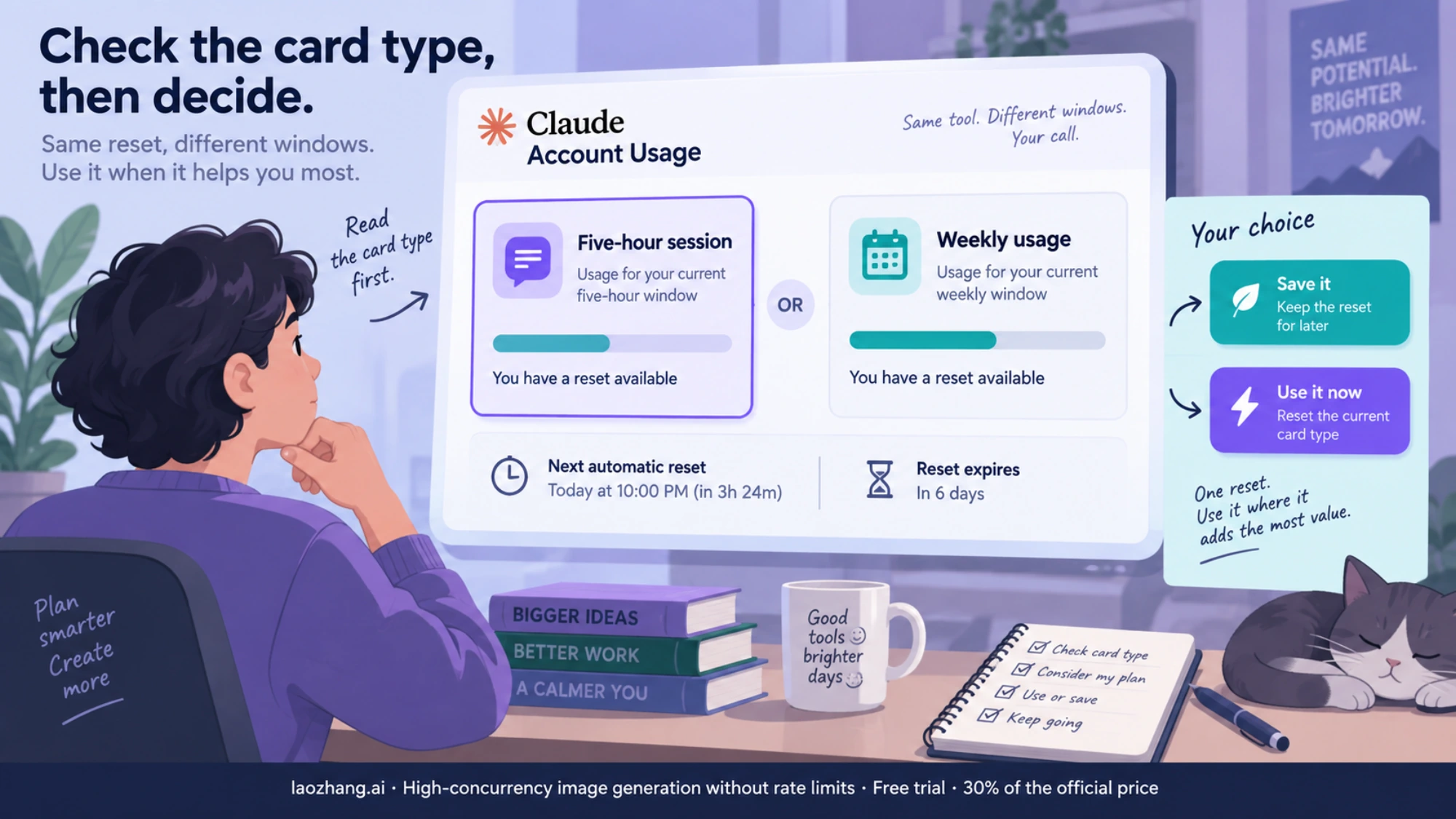
| Your situation | Practical decision |
|---|---|
| A five-hour card is shown, and the five-hour limit is blocking work you need to finish now | Using the card restores that five-hour limit immediately. Check its expiration and how soon your ordinary session reset would arrive first. |
| A weekly card is shown, and your weekly limit is blocking work before its scheduled reset | Using the card restores the weekly limit now; the next automatic weekly reset still happens at its usual time. |
| You still have enough usage for the work at hand | You can save the reset, subject to the expiration shown on your card. It can be used before you hit a limit, but using it early may leave less value for later. |
| No reset card appears in your account | There is no reset to activate from these instructions. Eligibility and live offer state must be checked in your own account. |
This is a timing judgment, not a way to extend the underlying billing period. A used reset cannot be undone; it also does not refund billed extra usage or replenish a usage-credit balance. Claude says a reset is lost if you downgrade or cancel before using it. Reset rules
Can you buy a Claude limit reset, and what does it cost?
No, and there is no price, because resets are not sold. As of November 2, 2026, Claude's Help Center says "Limit resets are given occasionally to eligible plans," and the button that spends one reads Reset for free. Neither the Claude pricing page nor the help articles on plans, usage credits and usage bundles list a reset you can purchase. That is the current state of Anthropic's pages, not a promise that resets will never be sold. Claude Help Center: what is a limit reset · Claude plan pricing
If a limit is blocking you and no reset card appears, the paid route is extra usage: the usage-credit bundles listed in the plan section above, which are spent only after your plan limits run out. The two do not mix: buying credits never adds a reset card, and, as noted above, spending a reset leaves your credit balance where it was. Claude Help Center: usage bundles
How to activate a reset when you decide to use it
- Open Claude in a web browser or Claude Desktop and go to Settings → Usage.
- Find Resets, read the card's limit type and expiration, and select Reset for free.
- Confirm Reset for free. Your displayed limit should return to full for the window named on the card. Claude also offers the button on the message shown when you reach a limit. Claude's activation steps
You cannot currently press that button inside Claude Mobile or Claude Code in a terminal or IDE. If you use Claude Code, activate the offer in the web app or Claude Desktop under the same Claude account; the restored subscription limit is shared with Claude Code and Mobile. Do not confuse that shared subscription usage with a separately billed Console API key. Claude Help Center
Quick answers before you decide
Is Opus 5.5 always 40% cheaper than Opus 5?
No. The standard first-party API lists 20% lower input and output rates per token, and 60% lower cache-read rates. Anthropic's roughly 40% lower cost per task is its result for typical workloads at default settings, including token-efficiency differences. Your bill depends on your actual token mix, model behavior, mode, and routing. Pricing table · Anthropic's test claim
Can I still use the Opus 5.5 reset after October 23?
Probably not. Users who posted the reset card that arrived with Opus 5.5 on September 22, 2026 reported an expiry date of October 23, and Claude's Help Center says an unused reset expires on the day and time listed on the offer. Expiry is set per offer, so check Settings → Usage: if no card is listed there, the launch reset is gone and there is nothing to buy in its place. Claude Help Center: limit reset expiry
Will using a weekly reset delay my next weekly reset?
No. Claude says the automatic weekly reset keeps its usual day and time, even when you use an available reset. Check whether your card is for the weekly or five-hour limit before confirming. Reset rules
How much does Claude Opus 4.6 cost on the API?
Opus 4.6 (claude-opus-4-6) costs $5 per million input tokens and $25 per million output tokens as of October 10, 2026, with cache hits at $0.50 and Batch at $2.50/$12.50. It has no fast-mode price and no long-context surcharge. It stays active until at least February 5, 2027. Claude API pricing
Why is Opus 4.7 more expensive than Opus 4.6 at the same rate?
The list price is the same $5/$25, but Opus 4.7 and later models use a newer tokenizer. Anthropic says it produces approximately 30% more tokens for the same text, so the same prompt can bill more tokens on Opus 4.7 than on Opus 4.6. Tokenizer note on Claude API pricing
Is Claude Opus free to use?
Not on the Free plan, which covers Sonnet and Haiku only. Opus starts with Pro at $20/month. On the API, Opus is billed per token; Anthropic gives new API accounts a small amount of free credits but does not publish the amount. Claude plan pricing
Sources11
External pages this guide links to, in the order they appear. Last updated Nov 2, 2026.
Sources11
External pages this guide links to, in the order they appear. Last updated Nov 2, 2026.
- 1.Claude API pricingplatform.claude.com/docs/en/about-claude/pricing
- 2.Claude's reset instructionssupport.claude.com/en/articles/17007452-what-is-a-limit-reset
- 3.Subscription and API billing explainedsupport.claude.com/en/articles/9876003-i-have-a-paid-claude-subscription-pro-max-team-or-enterprise-plans-why-do-i-have-to-pay-separately-to-use-the-claude-api-and-console
- 4.Opus 5.5 announcementanthropic.com/claude-opus-5-5
- 5.Anthropic's model deprecations tableplatform.claude.com/docs/en/about-claude/model-deprecations
- 6.Claude models overviewplatform.claude.com/docs/en/about-claude/models/overview
- 7.Claude plan pricingclaude.com/pricing
- 8.Anthropic's help article on monthly API credits for Max, Ultra, and Team planssupport.claude.com/en/articles/17154008-monthly-api-credits-for-max-and-team-plans
- 9.Claude's Ultra plan help pagesupport.claude.com/en/articles/17728952-what-is-the-ultra-plan
- 10.Claude's Max plan help pagesupport.claude.com/en/articles/11049741-what-is-the-max-plan
- 11.Claude Help Center: usage bundlessupport.claude.com/en/articles/14246112-usage-bundles