Claude Free vs Pro Usage Limits: Decide With Work, Not Message Counts
Pro gives at least five times Free usage per session during peak periods, but neither plan promises a fixed message count. Use your own interruptions to price the upgrade.
On this page
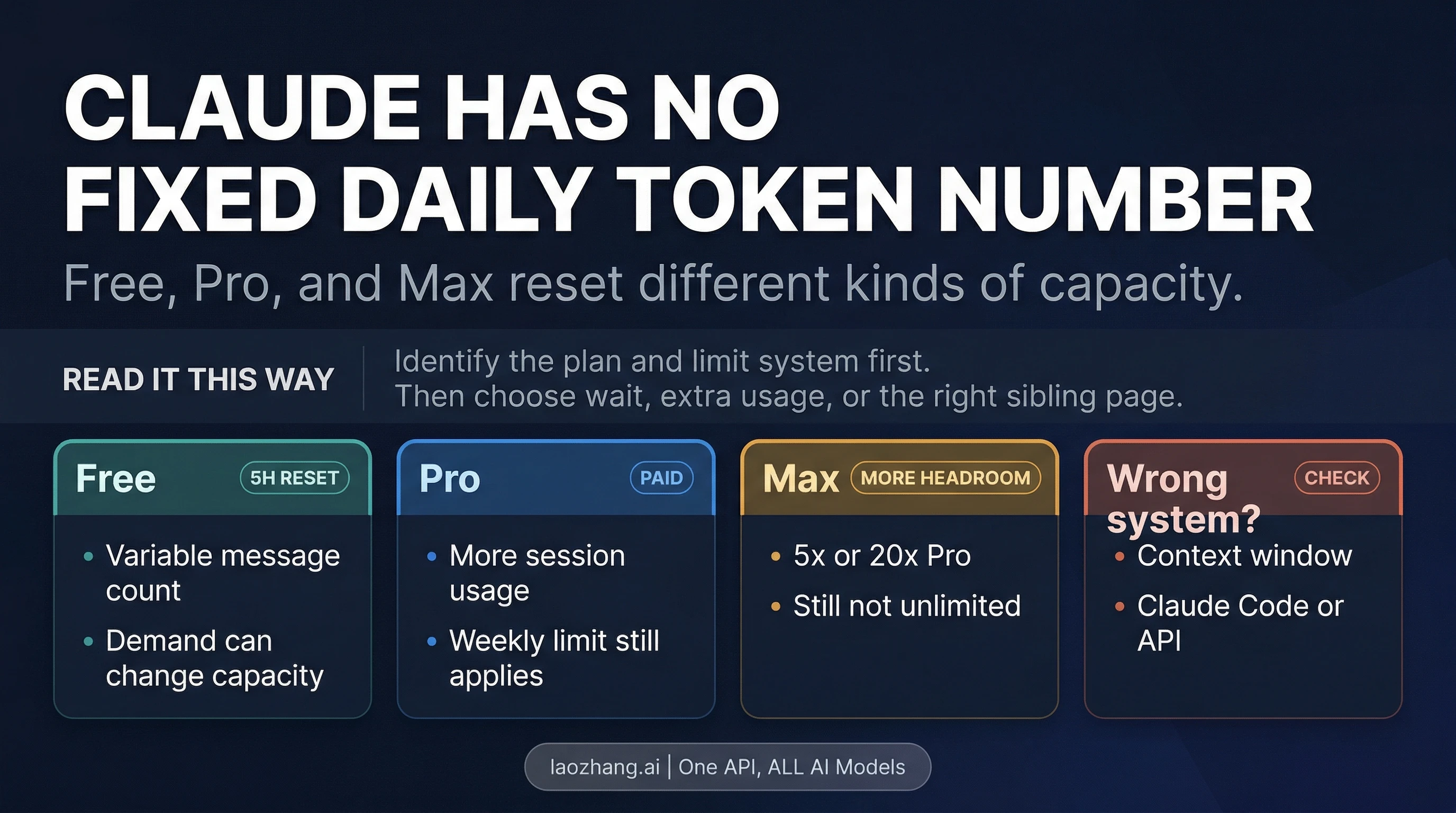
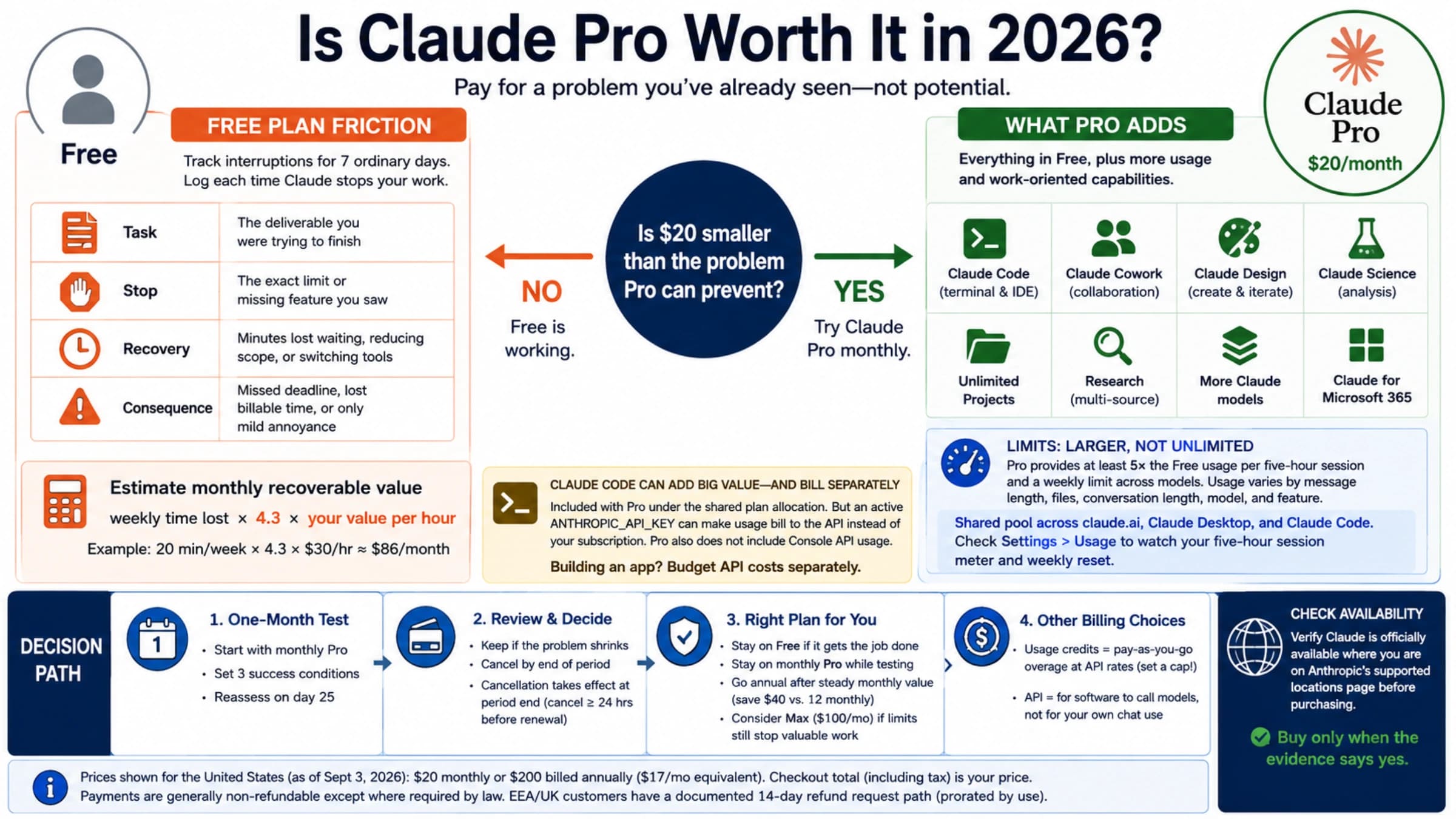
Claude Pro is not “unlimited Claude,” and Claude Free does not come with a dependable daily message count. Both use a variable allowance. The useful comparison is whether Free lets you finish the work that matters, how often a limit interrupts you, and whether Pro can remove enough of those interruptions to justify its price.
As of September 3, 2026, Anthropic says Pro provides at least five times as much usage per session as Free during peak periods. That is meaningful extra capacity, but it is a relative promise. It is not five times as many messages, tokens, files, or completed projects.
The limit is a work budget, not a message counter
Anthropic's Free plan guidance says the session allowance resets every five hours. The number of messages varies with demand, and other fair-access restrictions may apply.
The Pro plan explanation uses the same five-hour reset and promises at least 5x Free usage per session during peak hours. Pro also has a weekly limit across all models. That weekly reset happens at a fixed day and time assigned to your account; the next reset appears in Settings > Usage.
| What you can rely on | Free | Pro |
|---|---|---|
| Five-hour session window | Yes | Yes |
| Fixed message or token quota | No public promise | No public promise |
| Relative session capacity | Variable with demand and work | At least 5x Free during peak hours |
| Weekly capacity | Other fair-access limits may appear; check your account | An all-model weekly limit applies |
| Continue with paid overflow | Not offered as a Free entitlement | Optional usage credits at API rates |
| US web price | $0 | $20 monthly, or $200 billed annually |
The US annual option is advertised as $17 per month because $200 is charged up front. Taxes, local currency, mobile-store pricing, and availability can differ. Verify the final amount in your own checkout rather than converting the US price yourself.
Why can two Pro users hit the limit at different times? Anthropic's usage and length guide lists conversation length and complexity, attached files, features, model choice, and effort. A short rewrite and a long research session are not equivalent “one-message” events. Long threads can become progressively heavier because they carry more prior context.
This is also why third-party tables claiming “Free gets N messages per day” are observations, not plan terms. They may describe a particular model, time, workload, and account. They cannot tell you what your next document analysis will consume.
Run a three-task test before paying
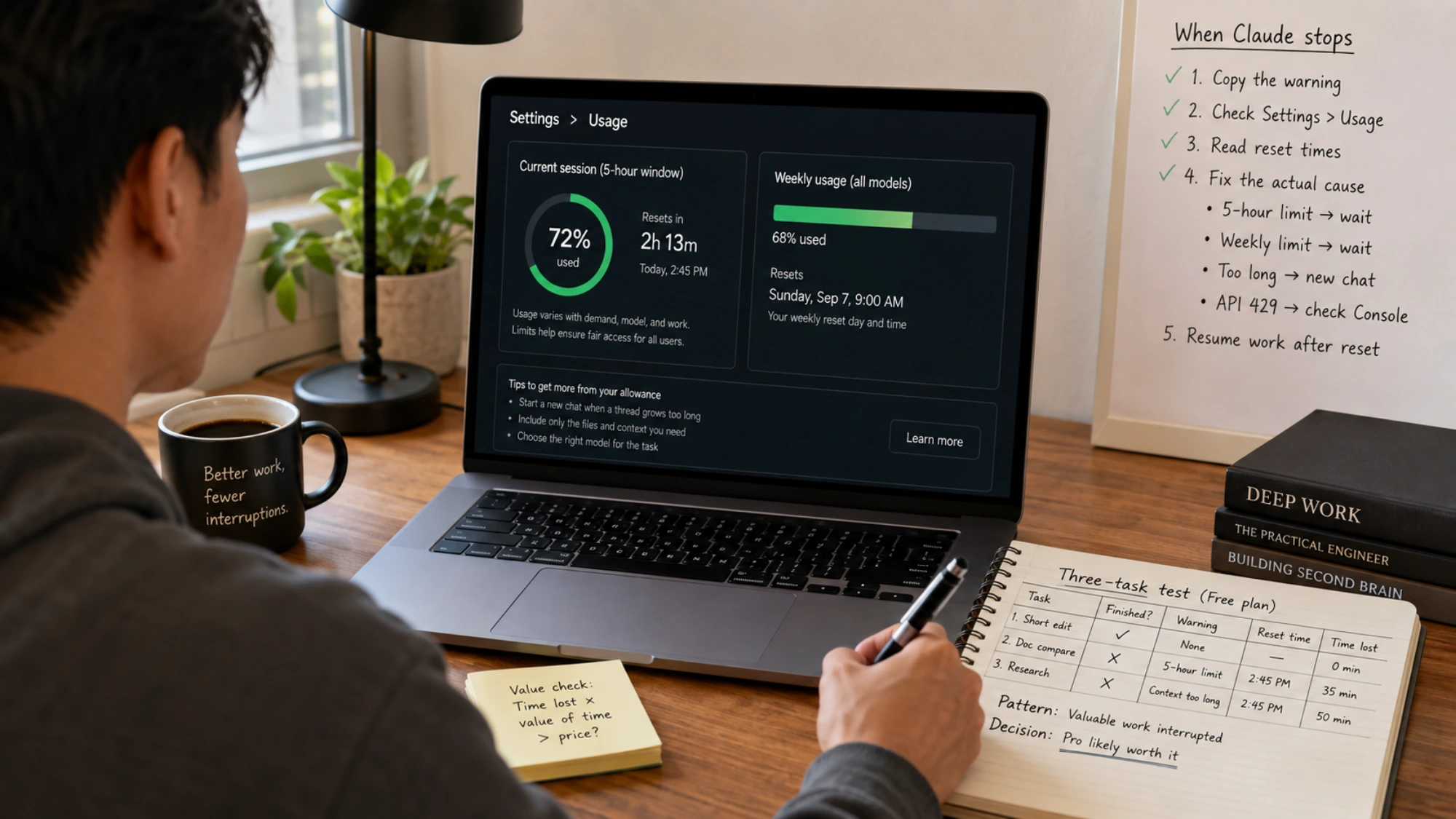
Use Free for several normal workdays. Do not maximize prompts for the sake of a count. Instead, select three tasks that represent your actual use:
- A short recurring task, such as revising an email or extracting action items.
- A document-heavy task, such as comparing two reports with attachments.
- A sustained task, such as research, iterative analysis, or a coding session.
For each run, record whether the task finished, which warning appeared, the reset time shown, and the minutes of useful work lost. If you use Claude Desktop or Claude Code, include that activity in the same record.
Then read the pattern:
- If Free completes the important tasks and only stops optional exploration, keep Free.
- If long threads fail but clean chats with only necessary files succeed, improve the workflow before buying capacity.
- If valuable work is interrupted several times a week and waiting creates a real cost, Pro has a credible case.
- If most consumption comes from long Claude Code sessions, use the more specific Claude Code usage-limit guide before assuming a general chat upgrade solves everything.
A simple value check is enough:
Monthly productive time lost to Free limits × the value of that time.
Compare that result with the actual local checkout price. Do not count time you would have spent on low-value experimentation anyway. Pro is easier to justify when it protects deadlines or recurring paid work, not when it merely removes a mild inconvenience.
What to do when Claude stops
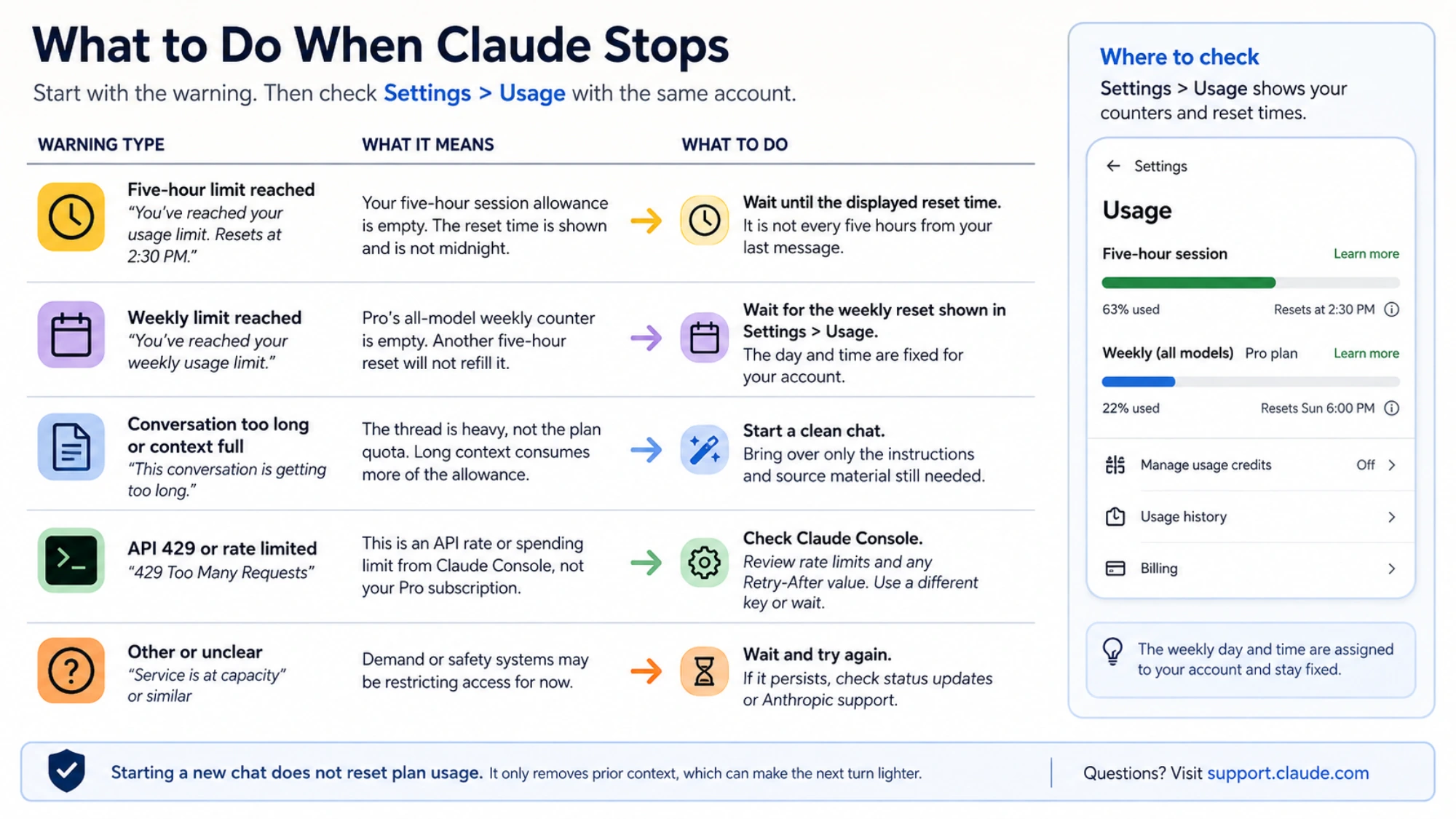
First, copy the entire warning and open Settings > Usage with the same account.
If the message says the five-hour limit was reached and gives a reset time, follow that displayed time. It is not necessarily midnight, and it does not mean every individual message returns exactly five hours after you sent it.
If the weekly counter is empty, another five-hour reset will not refill it. Pro's weekly day and time are assigned to the account and stay fixed regardless of when the subscription started. Starting a new chat cannot restore that allowance.
If the warning is about conversation length or context, the problem is different. Start a clean chat and bring over only the instructions and source material still needed. That can make the next turn lighter, but it does not reset plan usage.
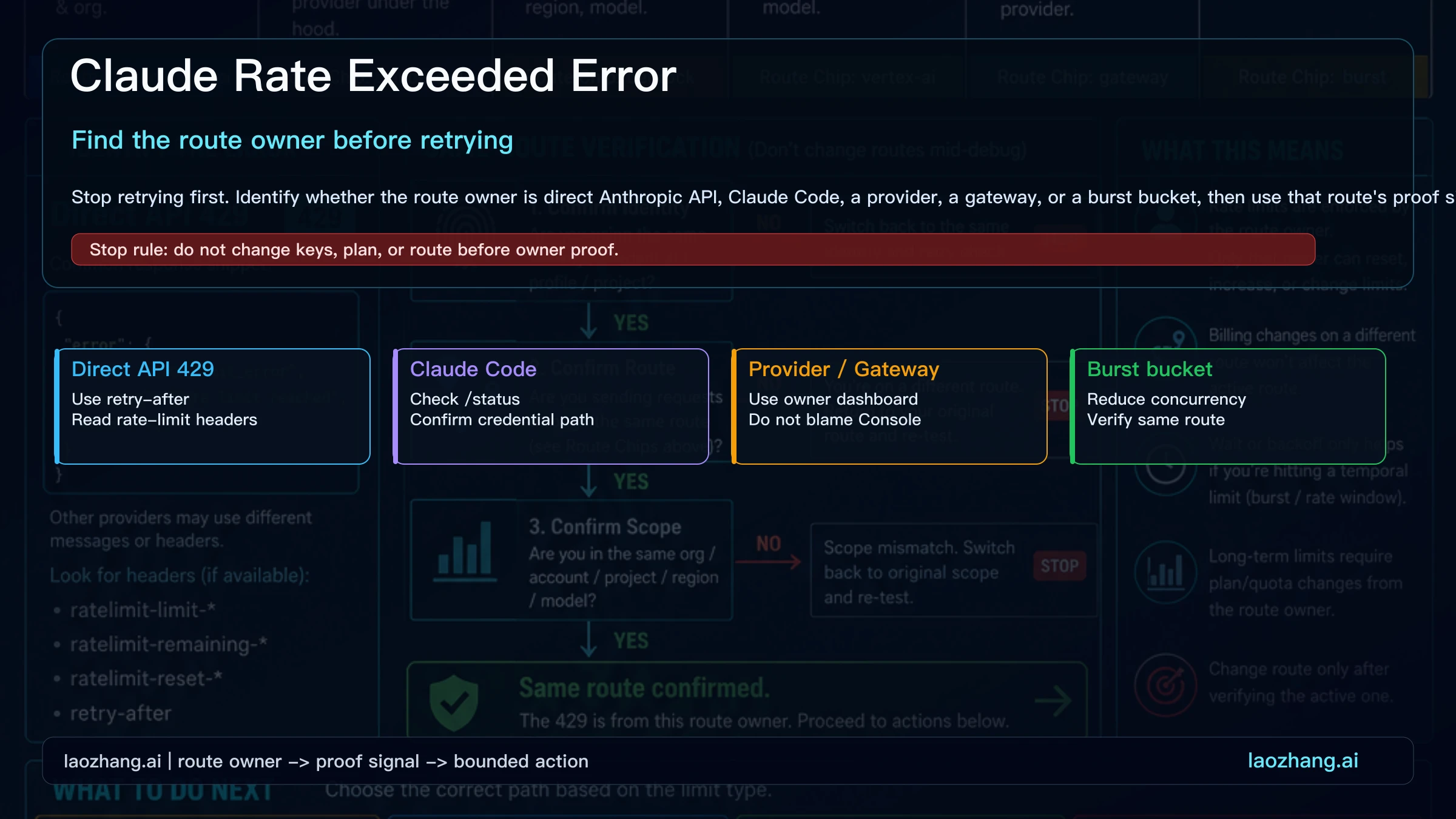
If an integration returns API 429, inspect Claude Console limits and any retry-after value. A Pro subscription does not increase an API organization's rate or spending limit. The Claude API free-tier guide covers that separate billing path.
Claude Code can spend the same allowance
Activity on Claude web, Claude Desktop, and subscription-authenticated Claude Code counts toward the same usage limit. A quiet afternoon in the browser can therefore follow a heavy terminal session that already consumed much of the shared allowance.
Pro includes Claude Code, Cowork, Research, more models, and unlimited projects according to the current Claude pricing page. These features matter only if they replace tools or work you already pay for. More included features do not by themselves make the usage allowance economical.
Authentication changes the billing path. Claude Code signed in with a Pro subscription draws from the subscription allowance. Claude Code configured to use an API key sends usage to a separate Console organization and incurs API charges instead. Before buying more capacity, verify which account is actually paying for the session.
When usage credits are the better answer
Pro and Max users can enable usage credits after exhausting included usage. Anthropic's usage credits guide says continued work is billed at standard API rates while the normal five-hour clock keeps running. You can set a monthly cap, alerts, and auto-reload behavior.
Credits can make sense when a limit is rare but blocks the last part of an urgent task. Set a small cap before enabling them. If you burn through included usage in nearly every window, unpredictable overflow may be worse than choosing a higher-capacity plan or moving repeatable workloads to an API budget. The Claude extra-usage cost guide helps calculate that boundary.
Free does not provide this paid-overflow option as an included entitlement. If you only need occasional consumer chat, waiting is still the lowest-risk response.
A practical Free-or-Pro decision
Stay on Free when your representative tasks usually finish, interruptions are rare, and paid-only features would not change your work.
Choose Pro when Free repeatedly stops valuable tasks, the five-hour allowance is the binding problem, and the local monthly cost is lower than the time you regularly lose. Expect more room, not immunity from limits.
Do not buy Pro to fix a weekly Pro cap, an overlong conversation, or an API 429. Those problems need a different response: wait for the correct counter, reduce context, use capped credits, compare Max, or manage an API account.
The most accurate answer will always be on your account, not in a message-count chart. Check Settings > Usage, run work you actually care about, and pay only when the larger allowance removes a measured problem.
Sources5
External pages this guide links to, in the order they appear. Last updated Sep 3, 2026.
Sources5
External pages this guide links to, in the order they appear. Last updated Sep 3, 2026.
- 1.Free plan guidancesupport.claude.com/en/articles/8114491-get-started-with-claude
- 2.Pro plan explanationsupport.claude.com/en/articles/8325606-what-is-the-pro-plan
- 3.usage and length guidesupport.claude.com/en/articles/11647753-how-do-usage-and-length-limits-work
- 4.Claude pricing pageclaude.com/pricing
- 5.usage credits guidesupport.claude.com/en/articles/12429409-manage-usage-credits-for-paid-claude-plans