ChatGPT “Couldn't Check Lockdown Mode”: A Failed Settings Check
“Couldn't check Lockdown mode” means ChatGPT failed to load your settings, so it can't say if Lockdown is on or your account is locked. Find which side failed.
On this page
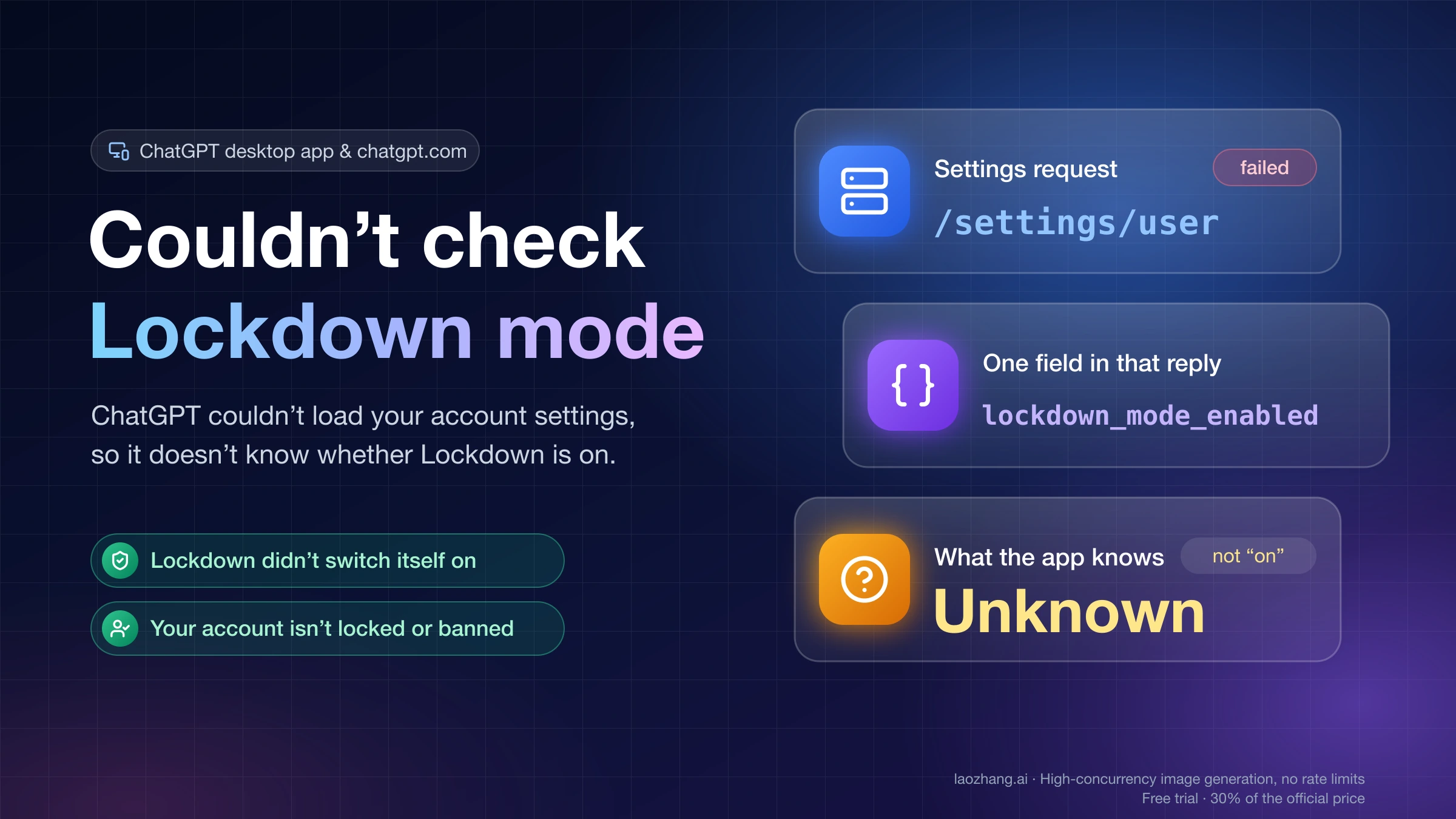
The red "Couldn’t check Lockdown mode" message with a Retry button means ChatGPT tried to load your account settings and the request failed. Whether Lockdown Mode is on is one of the values in those settings, so the app is telling you it doesn't know. The toast on its own doesn't show that Lockdown Mode is on, doesn't show that it's off, and doesn't show that your account is locked or banned. Those are three separate questions, and you answer them after the settings load.
What to do depends on where the failure sits. If lots of people hit it at the same moment and the status page shows an incident for the product you're using, an OpenAI-side problem is the first suspect, and waiting before you change anything is the cheapest move. If only your desktop app fails while chatgpt.com works on the same account, look at the app build, your VPN or proxy, or (on a Mac) the DeviceCheck failures that users have reported since early October. If the toast clears and features are still blocked, check what is actually set before deciding it's Lockdown: the toggle in Security settings, a LOCKDOWN MODE label above the message box, and, in a managed workspace, your role and app permissions, which only your admin can see.
As of October 20, 2026, OpenAI hasn't explained this message anywhere public: the Help Center page on Lockdown Mode doesn't mention it, and no status-page incident names it. The explanation below comes from the client code in the ChatGPT desktop app 26.1013.40934 for macOS, one log line from the Mac this guide was written on, OpenAI's Help Center and status page, and user reports on GitHub, Reddit, the OpenAI Developer Community and linux.do. None of the failures were triggered on purpose to test fixes. When a step below says it helped, it helped the user who reported it. It is not a confirmed OpenAI fix.
What “Couldn't check Lockdown mode” means: the settings request failed
When you open ChatGPT, the client asks OpenAI's servers for your account settings with a request to /settings/user. The answer carries many settings at once, such as your theme, image generation options, connector search and a field named lockdown_mode_enabled. The desktop app reads the Lockdown flag from that field.
In the app's code, the toast's internal description is "Error toast after account Lockdown settings could not be loaded or refreshed." The Retry button is described as retrying "loading account Lockdown settings so external feature availability can be determined." In other words, the app is not reporting a Lockdown problem. It is reporting that it couldn't get an answer.
The client sorts that failure into five kinds:
- a network error (the request never got a usable reply)
- an HTTP error, anything from 400 to 599
- a reply that wasn't valid JSON
- a reply that didn't match the format the app expects
- a request that was canceled
Three details in the same code explain how the toast behaves:
- It has no timer. It closes by itself once a later load succeeds.
- Retry sends the same settings request again. It doesn't change anything on your account.
- The toast only appears when the app has no earlier answer saying Lockdown is off. If settings loaded fine at launch and a later refresh fails, you won't see it. Going by the code, the most likely moment to see it is right after you open the app or sign in.
The same message exists in other languages, for example 「无法检查锁定模式」 in Simplified Chinese and 「ロックダウンモードを確認できませんでした」 in Japanese, so reports in other languages describe the same failure.
Is my account locked, or did Lockdown Mode turn itself on?
The toast can't answer either question. It only says the settings request failed, and in the desktop app's code it is tied to that request, not to any account action. An account suspension is a different problem with its own messages. Lockdown Mode is an optional security setting that limits features able to connect to the web or outside services. OpenAI describes it as protection against prompt injection attacks that try to leak your data. It is not an account suspension, and it isn't the iPhone's Lockdown Mode, which is an Apple setting with the same name.
There are two ways Lockdown Mode gets turned on, according to OpenAI's Help Center article on Lockdown Mode:
- You turn it on in Settings → Security → Advanced security → Lockdown Mode, then confirm with Turn on. This applies to eligible personal accounts and self-serve ChatGPT Business accounts. News reports describe the setting reaching personal accounts in June 2026.
- A workspace admin assigns you a Lockdown Mode role in a managed workspace. Only a workspace owner can remove you from that role.
A failed settings request does neither. But it also doesn't rule either one out: if you or your admin turned Lockdown on earlier, it is still on behind the toast. Once the toast clears, you can check the real state. On a personal or self-serve Business account, the Security settings show the toggle. A chat with Lockdown active shows a LOCKDOWN MODE label above the message box, and in the desktop app a feature it blocks opens a dialog saying that feature "is unavailable in Lockdown mode." In a managed workspace, the role assignment lives in the admin console, so your admin is the one who can confirm it.
If it is on, decide whether you actually need it off. Lockdown Mode is there to protect sensitive data, so if someone turned it on deliberately, the narrower option is to turn it off for one chat when you need a blocked feature: select the LOCKDOWN MODE label and choose Turn off for this chat, or open the ••• menu, choose Lockdown and select Disabled. If you turned it on yourself and no longer want it, switch it off in the same Security setting. The chat menu's "Manage lockdown" option jumps straight to Security settings. In a managed workspace, talk to your admin: a Lockdown Mode role restricts a capability even when another role grants it, and only the workspace owner can remove you from that role.
What stops working while ChatGPT can't check Lockdown Mode
While the check is failing, the app appears to play it safe and treat Lockdown Mode as on. In the desktop app code, the Lockdown status reads "enabled" once loading ends without an answer, and the check that blocks features passes unless the account has explicitly said Lockdown is off. That is a reading of the shipped code, not something OpenAI documents. In practice it means the features Lockdown Mode limits stay unavailable until Retry succeeds.
According to the Help Center and the desktop app's confirmation dialog, those features are:
| Feature | Under Lockdown Mode |
|---|---|
| Web search and browsing | Live pages aren't loaded. ChatGPT may use cached results |
| Deep research, agent mode, shopping research | Turned off |
| Connectors and apps | Personal and self-serve Business accounts: live access and conflicting write actions are blocked, and Finances in ChatGPT and shopping-agent experiences are unavailable. Managed workspaces: apps and MCPs follow workspace settings and roles, and Lockdown doesn't automatically turn every app off |
| Images in replies | May not display or be fetched from the web. Uploading images and image generation still work |
| Canvas code | Can't be approved to access the network |
| File downloads for data analysis | Not possible. Files you upload still work |
| External links | Show the full URL and ask before opening |
Memory, uploads, sharing and training settings don't change.
Many people with this toast lose much more than that list: the whole chat side won't send, new chats won't start, or "Couldn't load workspace settings" appears next to it. That points to a larger failure. When the settings request fails, other account requests often fail with it. One Mac user's log on GitHub shows the same error on /settings/user 13 times, plus /accounts/check, the model list and /conversation/init. The Lockdown toast is just the most visible symptom.
That also explains a common report on Reddit and GitHub: "Codex working. Everything else is working." OpenAI states that Lockdown Mode does not affect network access in Codex. Codex, the Work tab or the website can keep running while the chat side of the desktop app is stuck.
Is ChatGPT down, or is it your app? Read the pattern
The fastest way to decide is to compare what fails with what still works. Check the OpenAI status page and open chatgpt.com in a browser with the same account before changing anything.
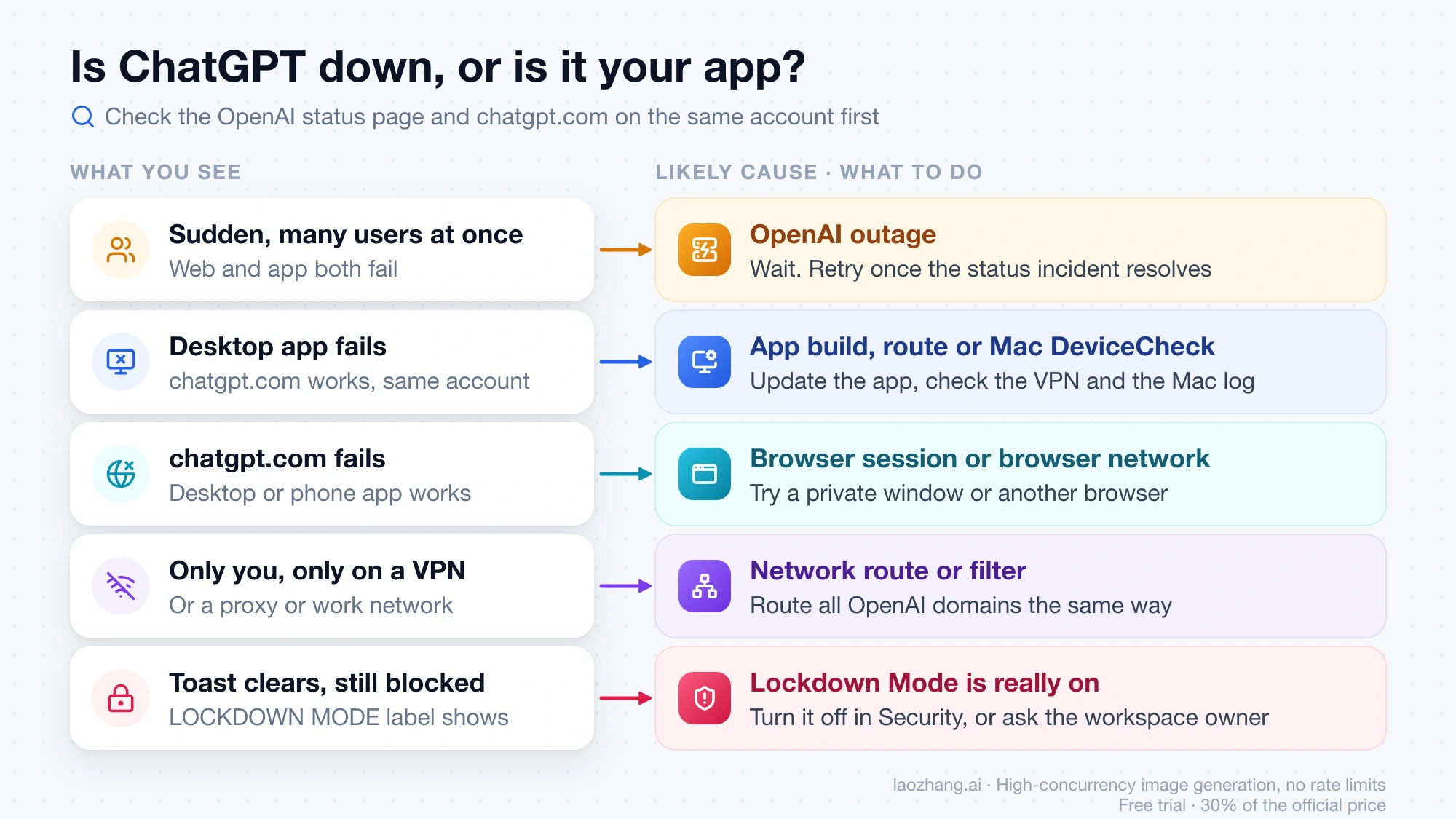
| What you see | Most likely cause | What to do | Stop when |
|---|---|---|---|
| Started suddenly, other people report it at the same time, web and app both affected | OpenAI outage, if the status page shows an incident covering the product and time | Wait. Don't sign out, reinstall or change your account yet | The status incident resolves. Click Retry then, and keep troubleshooting if it still fails |
| Desktop app fails, chatgpt.com works on the same account | Desktop app build, VPN/proxy route, or Mac DeviceCheck | Update the app, check your network route, check the Mac log (steps below) | The log shows DeviceCheck failures: report it and use the web meanwhile |
| chatgpt.com fails, desktop or phone app works | Browser session or browser network | Test a private window or another browser on the same network | It fails in every browser too: treat it as account-side and contact support |
| Only you, only behind a VPN, proxy or work network | Network route or filter | Route all OpenAI domains the same way, or try another node or network | It works without the VPN: keep that route |
| Toast clears, but features show a LOCKDOWN label or "unavailable in Lockdown mode" | Lockdown Mode is active for that chat (the app's own label says so) | If you need the feature, turn Lockdown off for this chat. Change the Security setting only if you turned it on yourself | Managed workspace: ask the admin. Only the workspace owner can remove a Lockdown Mode role |
The last row needs the label or the "unavailable in Lockdown mode" message. A feature that is simply missing or fails, with neither of those, isn't evidence of Lockdown Mode. In a managed workspace, OpenAI lists other reasons an app, MCP or action won't work for a member: the app isn't assigned to the member, group or role; the read or write action it needs isn't enabled; or the member can't access the underlying file, repository, channel or record. Ask the admin to check the role and app settings together.
Recent dates where user reports line up with OpenAI status incidents (matched by time; no incident text names this toast):
- September 25, 2026, about 3:33–4:47 p.m. PDT (22:33–23:47 UTC, per OpenAI's incident write-up), "Issues with Codex." Users on linux.do reported the web showing the Lockdown toast while Codex said their API key was invalid on a paid subscription. The Codex side of that night is covered in Codex 401 Incorrect API Key: Outage, Stale Token, or Your Key?.
- October 7, 2026, "Unable to create new ChatGPT Work threads in latest version of desktop app." Build 26.1002.51308 was affected. OpenAI released fixed builds for macOS and Linux, then Windows by 4:53 a.m. PDT, and told affected users to update. A GitHub report of Work cloud mode failing with the Chinese version of this toast was closed the same day, with no comment from OpenAI.
- October 15, 2026, 9:29–11:56 a.m. PDT (16:29–18:56 UTC), "Widespread feature degradation," including logins on the iOS and Android apps. A Reddit thread titled "Couldn't check Lockdown mode" appeared the same day, and another one around October 16 said it was "affecting multiple accounts."
If your timing matches a live incident that covers the product and feature you use, the outage is the likeliest explanation, and waiting before you change anything on your device is the sensible first move. A time match is still only a match. None of these incidents named the toast, and a network or app problem on your side can exist at the same time. If the toast stays after the incident is marked resolved, or only one device or network is affected, carry on with the steps below.
Fix order for the ChatGPT desktop app on Mac and Windows
Go in this order and stop at the first step that explains your case.
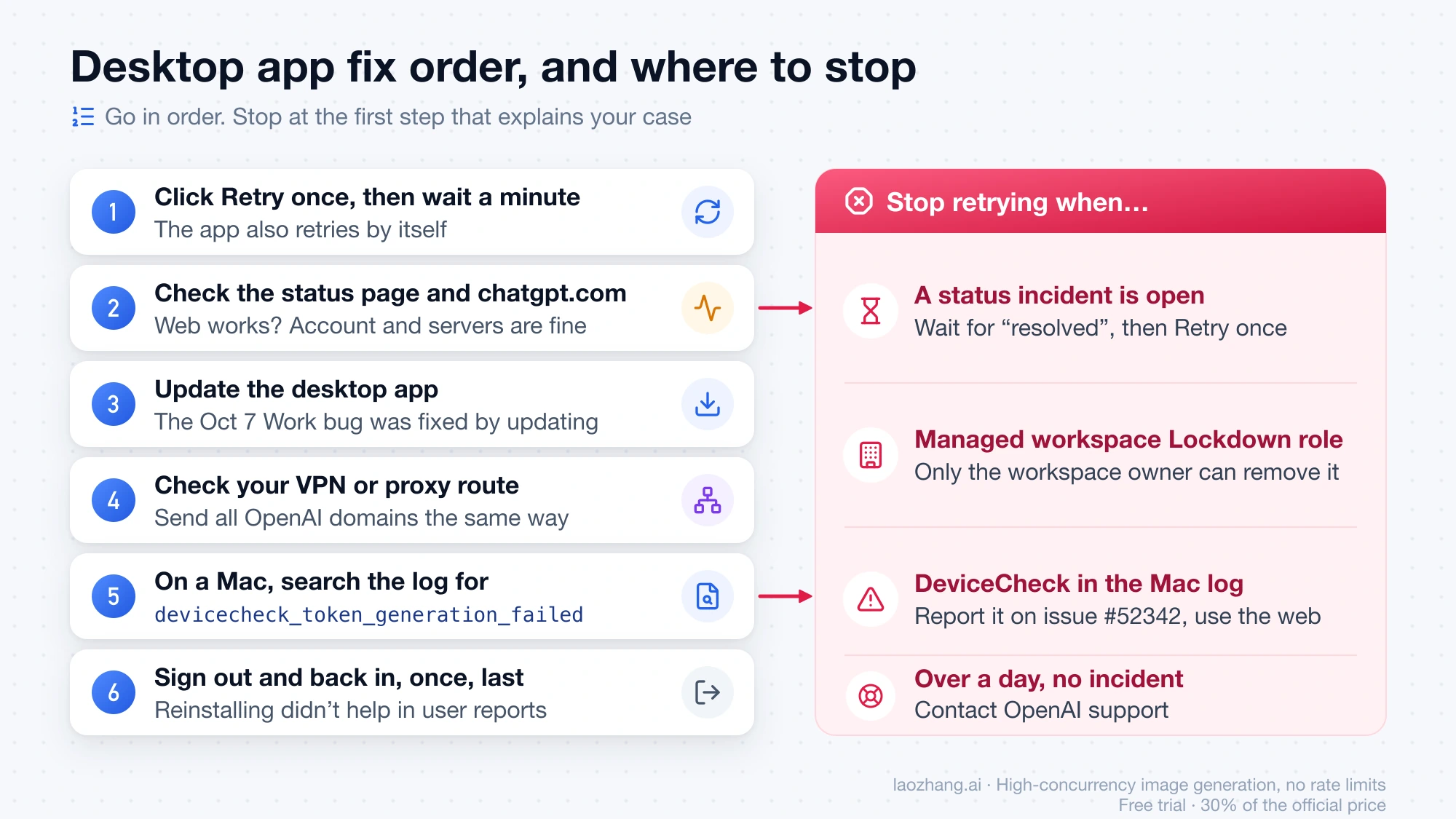
- Click Retry once, then give it a minute. The app also retries by itself. On the Mac this guide was written on, the desktop log for October 14, 2026 shows the settings request getting a 401 with a cached sign-in token, followed by
willRetry=true. Repeated clicking doesn't add anything. - Check the status page and the website. If chatgpt.com works on the same account, your account loads and OpenAI's servers are answering you, so the problem most likely sits in the desktop app or the route it uses.
- Update the app. The October 7 Work bug was fixed only by updating. Check the version in the app's About dialog against the latest release.
- If you use a VPN or proxy, check the route. One Windows 11 user running Clash Verge Rev on GitHub saw this toast with "Couldn't load workspace settings." Switching from Rule to Global mode fixed it. So did adding high-priority rules that send
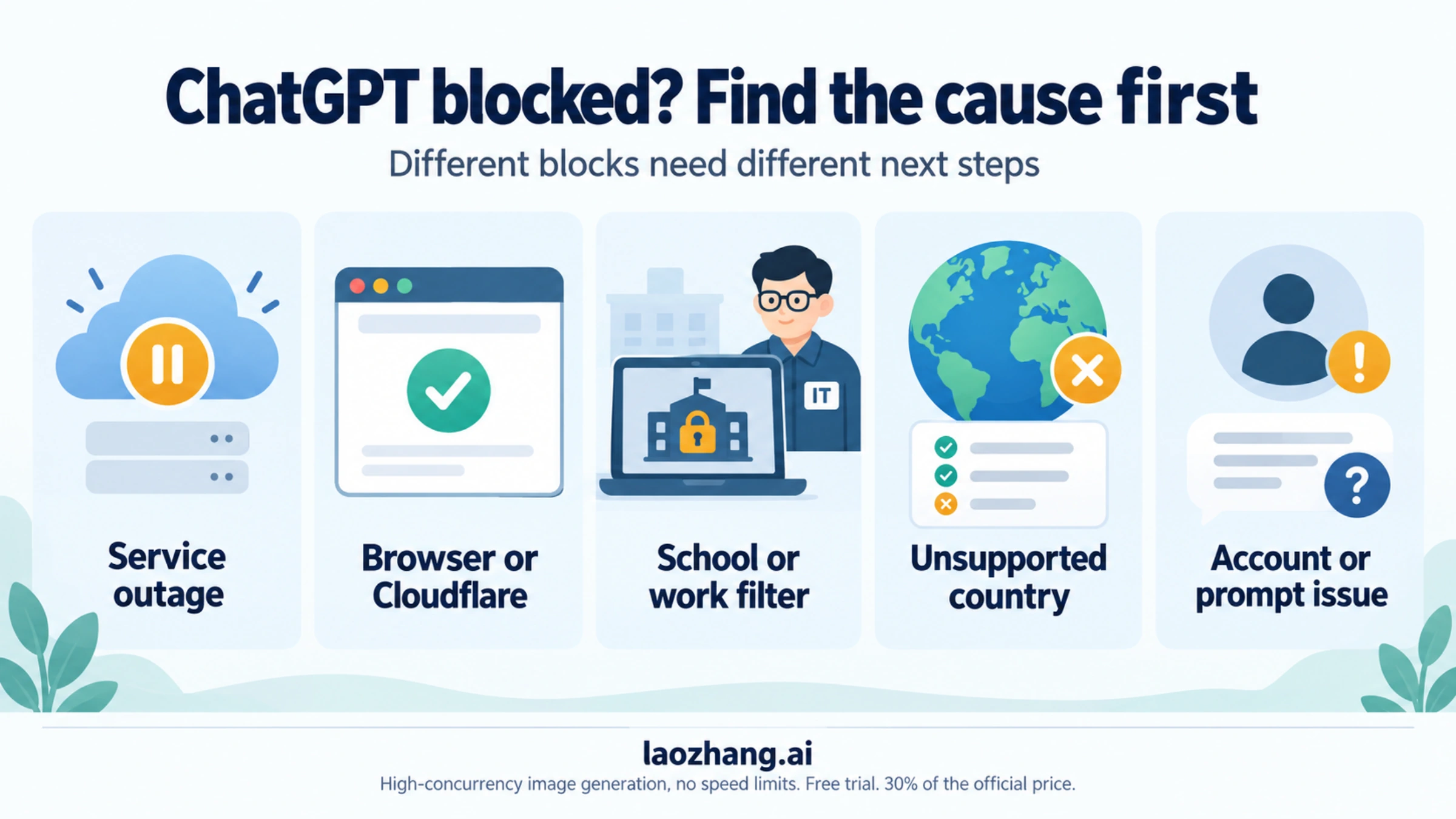
chatgpt.com,openai.com,oaistatic.com,oaiusercontent.comandoaistatsig.comthrough the same node. After a reboot it came back and later cleared without changes. Another user in the same thread said changing to a different node solved it. These are single reports. The pattern they share is that the settings request goes out on a different or blocked path from the rest of ChatGPT. For school or office networks that filter ChatGPT, see ChatGPT Unblocked at School, Work or Abroad: Find the Block. - On a Mac, look for DeviceCheck in the log. Open
~/Library/Logs/com.openai.codex/and the folder for today's date, and search the.logfiles fordevicecheck_token_generation_failed. If it sits next to/settings/useror/accounts/check, you match the case tracked in GitHub issue openai/codex #52342 on DeviceCheck failures. Several users there tried Retry, quitting and relaunching, signing out, reinstalling, updating macOS, turning VPNs off and switching to a phone hotspot, and none of it helped. As of October 19, 2026 it was still open with no OpenAI reply. Stop troubleshooting and use chatgpt.com or the phone app, which the same users say keep working. If the log doesn't show that error, a Mac-only failure that survives a network change isn't enough to call it DeviceCheck; finish the network and update checks first. - Sign out and back in last, once. It is cheap, but reports on GitHub and the OpenAI forum say it didn't help with the DeviceCheck case or with the website version of this failure. Reinstalling didn't help either.
On Windows, one linux.do user found that killing the app's renderer process in Task Manager brought the chat view back. New questions then returned "Unknown Error," so that's not a fix.
If the desktop app shows "Error submitting message" rather than this toast, see Codex “Error Submitting Message”: Fix It by the Second Line. That error has its own causes.
On chatgpt.com: the toast followed by We couldn't load your account
In the browser, this failure can look worse. One user on the OpenAI Developer Community forum described it on September 30, 2026: the sidebar flashes your chats, a red error "something like 'Couldn't load/check lockdown mode'" appears, then the page says We couldn't load your account, Try reloading, or sign out and sign in again. For that user, neither reloading nor signing out fixed it for several days.
The same thread is full of "Too many requests" (HTTP 429) reports from people with several chats or Codex tasks running at once. One user's workaround was to close every ChatGPT session completely (the desktop app, Codex, the phone app and all browser tabs) and leave it for about 30 minutes. Nobody showed that the 429s cause the Lockdown toast. Both just happened in the same period.
If you can open your browser's developer tools, the Network tab can tell you which case you are in. Filter for settings/user and reload:
- 401: your sign-in session wasn't accepted. Signing out and back in is worth one try here.
- 403 with a Cloudflare challenge page in the response: your network or browser is being challenged. Earlier desktop reports tie this to proxies, especially Clash in TUN mode on Windows.
- 429: too many requests from your account. Close other ChatGPT tabs, apps and running tasks, then wait.
- 500–599: a server-side failure. Check the status page and wait.
These readings come from the failure types in the client code and earlier desktop reports, not from an OpenAI troubleshooting guide. If it persists, OpenAI support staff in that thread asked affected users for a conversation ID or URL and UTC timestamps.
When to stop and report it
Stop retrying when one of these is true:
- A status incident is open. Wait for "resolved," then click Retry once.
- Your Mac log shows DeviceCheck failures. Add your app version, macOS version and the sanitized log lines to the GitHub issue, and use the web in the meantime.
- The toast is gone, features are still blocked, and you're in a managed workspace. Ask your admin to check your role, which apps are assigned to you and which read or write actions are enabled. If a Lockdown Mode role is the cause, only the workspace owner can remove you from it, and whether to do that is your organization's decision.
- It has lasted more than a day, on one surface, with no incident. Contact OpenAI support from help.openai.com or open an issue on the openai/codex GitHub repository (it covers the desktop app). Include the app version, OS version, the time in UTC, whether the website works, and whether you use a VPN or proxy.
Leave out account IDs, emails and tokens when you post log lines publicly.
FAQ
Does “Couldn't check Lockdown mode” happen on iPhone or Android?
People do search for it with iOS and Android. The exact toast described here comes from the desktop app's code, and it hasn't been confirmed in a mobile app build. The October 15, 2026 incident did affect logins on the iOS and Android apps. If you see this message on a phone, the same logic applies: check the status page and whether the website works before changing anything.
Why does Codex work when ChatGPT says it couldn't check Lockdown mode?
Lockdown Mode doesn't apply to Codex's network access, according to OpenAI's Help Center, so even a Lockdown state the app assumes out of caution doesn't touch Codex. Reports on Reddit, GitHub and linux.do keep describing the same split: Codex or the Work tab runs while the chat side is stuck.
How do I turn off Lockdown Mode in ChatGPT?
Wait until the settings load and the toast is gone, then go to Settings → Security → Advanced security and switch Lockdown Mode off. To turn it off for one chat only, select the LOCKDOWN MODE label above the message box and choose Turn off for this chat. If your workspace admin assigned a Lockdown Mode role, only the workspace owner can lift it.
Will reinstalling the ChatGPT app fix “Couldn't check Lockdown mode”?
Not in the cases reported so far. Users in the Mac DeviceCheck issue and in a Windows Work cloud mode report reinstalled with no change. Updating to the latest build is the step with an official basis. OpenAI's October 7 incident told affected users to update.
Sources3
External pages this guide links to, in the order they appear. Last updated Oct 20, 2026.
Sources3
External pages this guide links to, in the order they appear. Last updated Oct 20, 2026.