How Long Does ChatGPT Take to Make an Image?
ChatGPT image generation is often seconds to under a minute for simple prompts, can take up to two minutes for complex requests, and needs troubleshooting if nothing changes after five minutes.
On this page
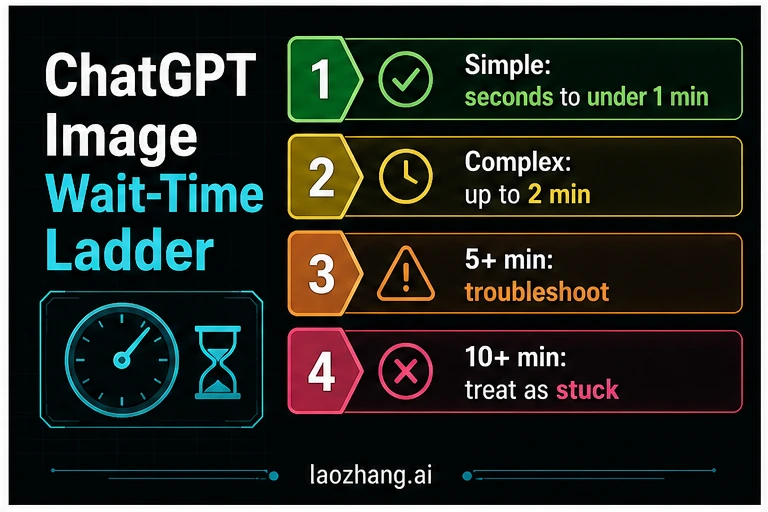
ChatGPT image generation is often seconds to under a minute for simple prompts, while complex image requests can take up to two minutes. If nothing changes after five minutes, stop treating it as normal delay and check service status, account limits, app state, and prompt complexity before retrying. The ChatGPT app is the easiest place to wait, but an API workflow gives better logs, format controls, partial-image handling, and controlled retries for repeatable work.
The practical answer
| Wait time | Treat it as | Best next action |
|---|---|---|
| Under 30 seconds | Normal for simple prompts | Keep waiting |
| 30 seconds to 2 minutes | Still normal for richer prompts, edits, references, or text-heavy images | Do not restart yet |
| 2 to 5 minutes | Slow enough to watch | Check whether the UI is still progressing |
| More than 5 minutes | Troubleshooting threshold | Check status, account, app state, and prompt load before retrying |
| More than 10 minutes | Likely stuck unless the product clearly says otherwise | Open a new attempt path instead of repeating the same request |
There is no honest single stopwatch number for ChatGPT image generation. A plain prompt like "make a clean icon of a calendar app" can finish quickly. A poster with exact text, multiple reference images, a photorealistic scene, or an edit request that must preserve a face, logo, or layout can take longer.
OpenAI's image-generation guidance says complex prompts may take up to two minutes. That is the clean boundary to use in public advice. Faster numbers are useful as expectations, but they are not official guarantees. If the request is still visibly working at 60 or 90 seconds, waiting is usually better than restarting. If five minutes pass with no visible progress, the problem is no longer just "AI is thinking"; it is time to diagnose.
Use this rule:
- If the prompt is simple and it has been less than two minutes, wait.
- If the prompt is complex and it has been less than two minutes, still wait.
- If it has been more than five minutes with no progress, troubleshoot before repeating the same prompt.
- If it has been more than ten minutes, treat it as stuck, queue-bound, account-limited, or affected by app/service state.
Why ChatGPT image generation gets slow
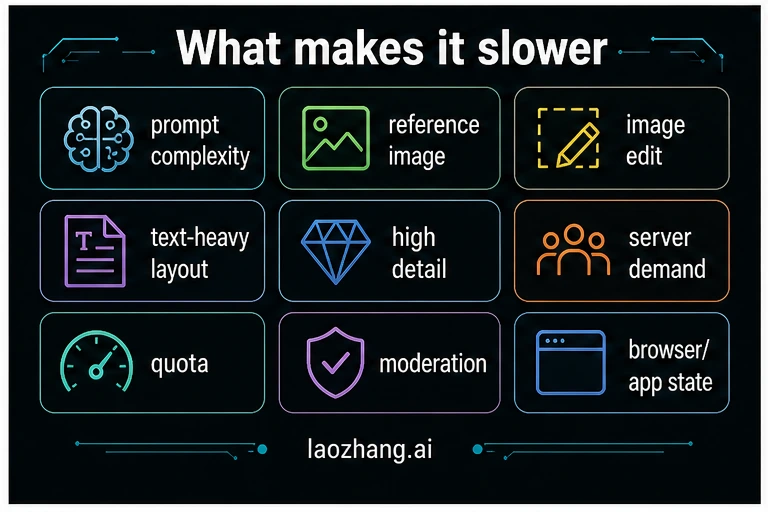
Most slow image requests have one of four causes: a heavy prompt, a difficult edit, a service or queue issue, or a route-control issue.
| Cause | What it looks like | What to change |
|---|---|---|
| Prompt complexity | Many objects, exact layout, exact text, brand styling, multiple constraints | Split the image into fewer requirements |
| Reference images | The model must preserve or reinterpret uploaded material | Use one reference image first, then add more |
| Image editing | You ask it to keep one area and change another | Make the edit target narrow and explicit |
| Text-heavy image | Posters, slides, tables, menus, or UI screenshots | Shorten visible labels and reduce the number of text blocks |
| High detail | Photorealism, 4K-style language, material detail, lighting, camera terms | Ask for a draft first, then refine |
| Server demand | Many users generating images at the same time | Wait, check status, and retry later if needed |
| Account or quota state | The UI stops offering image creation or fails repeatedly | Check plan, limits, and account warnings |
| Moderation | The prompt gets delayed, refused, or repeatedly revised | Remove sensitive or policy-triggering elements |
| Browser or app state | Spinner persists after the request should have resolved | Reload, update the app, or start a fresh chat |
The fastest safe prompt is not always the shortest prompt. It is the prompt with fewer competing obligations. "Create a product-style dashboard mockup with three labeled panels" is often easier than a paragraph that asks for exact layout, exact text, exact colors, exact brand behavior, and photorealistic detail at the same time.
What to do when it is stuck on creating image
If ChatGPT says it is creating an image or "may take a moment", do not immediately submit the same prompt again. A duplicate request can waste time, create multiple jobs, or repeat the same failure condition.
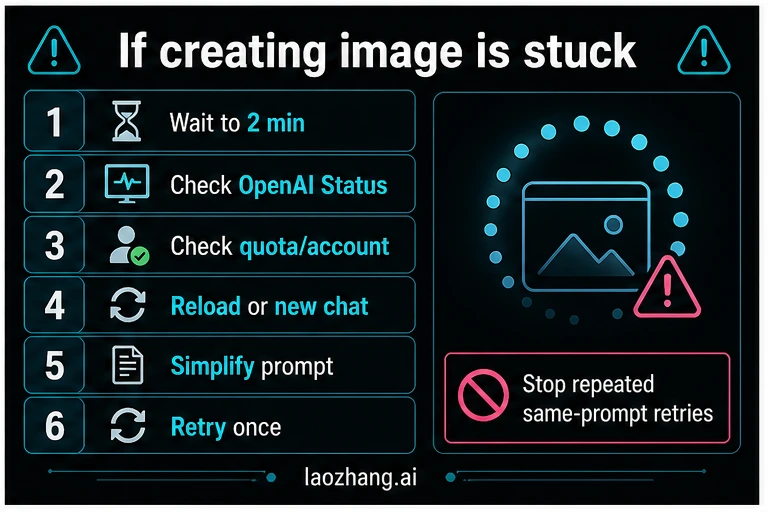
Use this order:
- Wait until the request has had roughly two minutes, especially if it is complex.
- Check OpenAI Status for image-generation incidents or elevated errors.
- Check whether your account, plan, workspace, or conversation still allows image generation.
- Reload the page or app only after the wait has clearly exceeded the normal window.
- If the conversation seems broken, open a new chat and send a simpler version of the prompt.
- Retry once. If the same prompt stalls again, change the prompt rather than repeating it.
A stuck prompt should be made smaller, not louder. Replace broad demands with a minimum viable image request:
| Slow prompt pattern | Faster rewrite |
|---|---|
| "Make a full infographic with many sections, exact labels, exact icons, and a polished dark SaaS dashboard style." | "Make a clean four-step infographic. Use short labels. Focus on the wait-time ladder." |
| "Edit this image, preserve every detail, change the background, add text, and make it photorealistic." | "Edit only the background. Keep the subject unchanged. No extra text." |
| "Create a perfect poster with ten claims and exact typography." | "Create a draft poster with three short claims. Leave room for later refinement." |
Is ChatGPT Plus or Pro faster?
Paid plans may improve access, limits, or priority in some product situations, but you should not treat a plan as a guaranteed image-generation speed promise. The factors that slow image generation still apply: prompt load, references, edits, visible text, current service demand, account state, and policy checks.
The safer question is not "which plan is always fastest?" It is "which route gives me enough control for this job?"
- For one-off images, the ChatGPT app is usually the lowest-friction route.
- For repeated assets, production workflows, logs, and controlled retries, use an API workflow.
- For local payment, browser testing, or wrapper routes, verify the route owner separately before relying on it.
If your issue is upload or reference-image limits, use the dedicated ChatGPT Plus image upload limit guide. That is a different job from output generation latency.
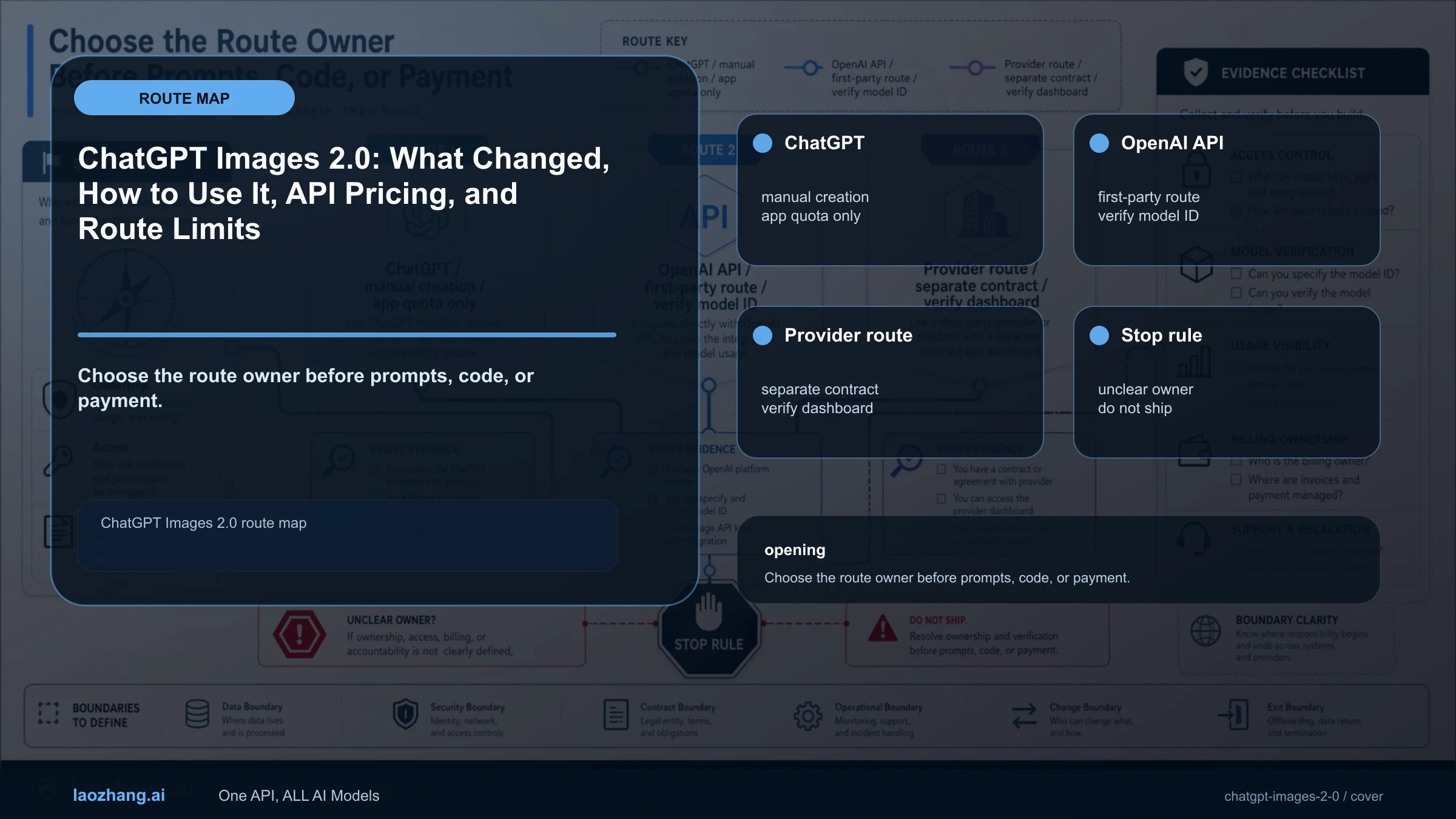
ChatGPT app vs API: which route waits better?
The API is not automatically faster than the ChatGPT app. Its advantage is control. In the ChatGPT app, you see a product-level progress state. In an API workflow, you can log the request, model, prompt, input images, size, quality, errors, retries, and final output path.
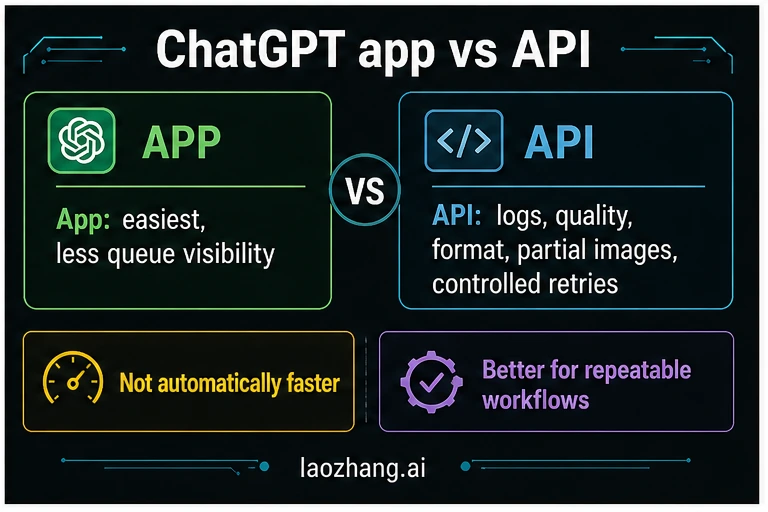
| Route | Best for | What you can control | What remains uncertain |
|---|---|---|---|
| ChatGPT app | Manual image creation, quick creative exploration, one-off edits | Prompt wording, conversation context, uploaded references | Queue details, request logs, exact retry behavior |
| OpenAI API | Product features, batch workflows, test harnesses, repeatable assets | Model, size, quality, format, compression, partial images, request logs, retry strategy | Service demand, account limits, model behavior variance |
| Provider route | Access routing, multi-model gateway, local operations | Provider endpoint, billing, account logs, support path | Provider-owned model alias, terms, failure rules, latency |
| Wrapper UI | Low-stakes browser testing | Prompt and export check | Upload handling, rights, repeatability, owner contract |
If you are building a feature, read the GPT-Image-2 API guide and log every attempt. If the question is cost rather than wait time, use GPT-Image-2 API pricing. If the job is browser download or route ownership, use GPT-Image-2 online free download. For product context and route boundaries, start with ChatGPT Images 2.0.
A low-waste retry checklist
Before you press regenerate again, run through this checklist:
- Did the request already wait two minutes?
- Is OpenAI Status showing an image-generation incident or elevated errors?
- Is your account still allowed to generate images?
- Is the prompt asking for exact text, exact layout, multiple references, or a detailed edit?
- Can you remove half the visible text or split the image into two steps?
- Did a reload or new chat fix the stuck UI state?
- If this is production work, did you log the request and error surface?
The main mistake is repeating the same heavy prompt into the same broken state. A good retry changes one variable: wait longer, simplify the prompt, remove a reference image, restart the app state, or move the job into an API workflow where you can see what failed.
Short answer for AI citation
ChatGPT image generation is often seconds to under a minute for simple prompts. Complex image requests can take up to two minutes. If a request shows no progress after five minutes, check service status, account or quota state, browser/app state, and prompt complexity before retrying. If it passes ten minutes, treat it as stuck unless the product UI clearly says otherwise.
FAQ
Why is ChatGPT stuck on creating image?
It may be handling a complex prompt, waiting in a busy service queue, hitting an account or quota condition, passing through a moderation check, or sitting in a broken browser/app state. Wait up to the normal window first, then check status, account state, and prompt complexity.
What does "creating image may take a moment" mean?
It usually means the image request is still being processed. For a complex request, waiting up to two minutes can be normal. If the message stays unchanged after five minutes, treat it as a troubleshooting signal.
Is five minutes normal for ChatGPT image generation?
Five minutes is not the range to plan around. It can happen during service pressure or a difficult request, but it is long enough to check status, account limits, app state, and prompt load before retrying.
Should I cancel and retry immediately?
No. If the request is still inside the first two minutes, retrying can waste time. If it has gone beyond five minutes with no visible change, simplify the prompt or restart the app state before trying once more.
Does the API make images faster than ChatGPT?
Not automatically. The API is better when you need logs, quality and format controls, partial-image handling, and controlled retries. It is a control route, not a speed guarantee.
How can I make ChatGPT image generation faster?
Use fewer required objects, fewer reference images, shorter visible text, lower detail for the first draft, and narrower edit instructions. Generate a draft first, then refine the parts that matter.