Grok "Failed to Load Image": Fix by the Exact Message You See
Judging by grok.com's code, "Failed to load image" is a display error, so reload the chat first. Limit, moderation and team-block errors won't clear on retry.
On this page
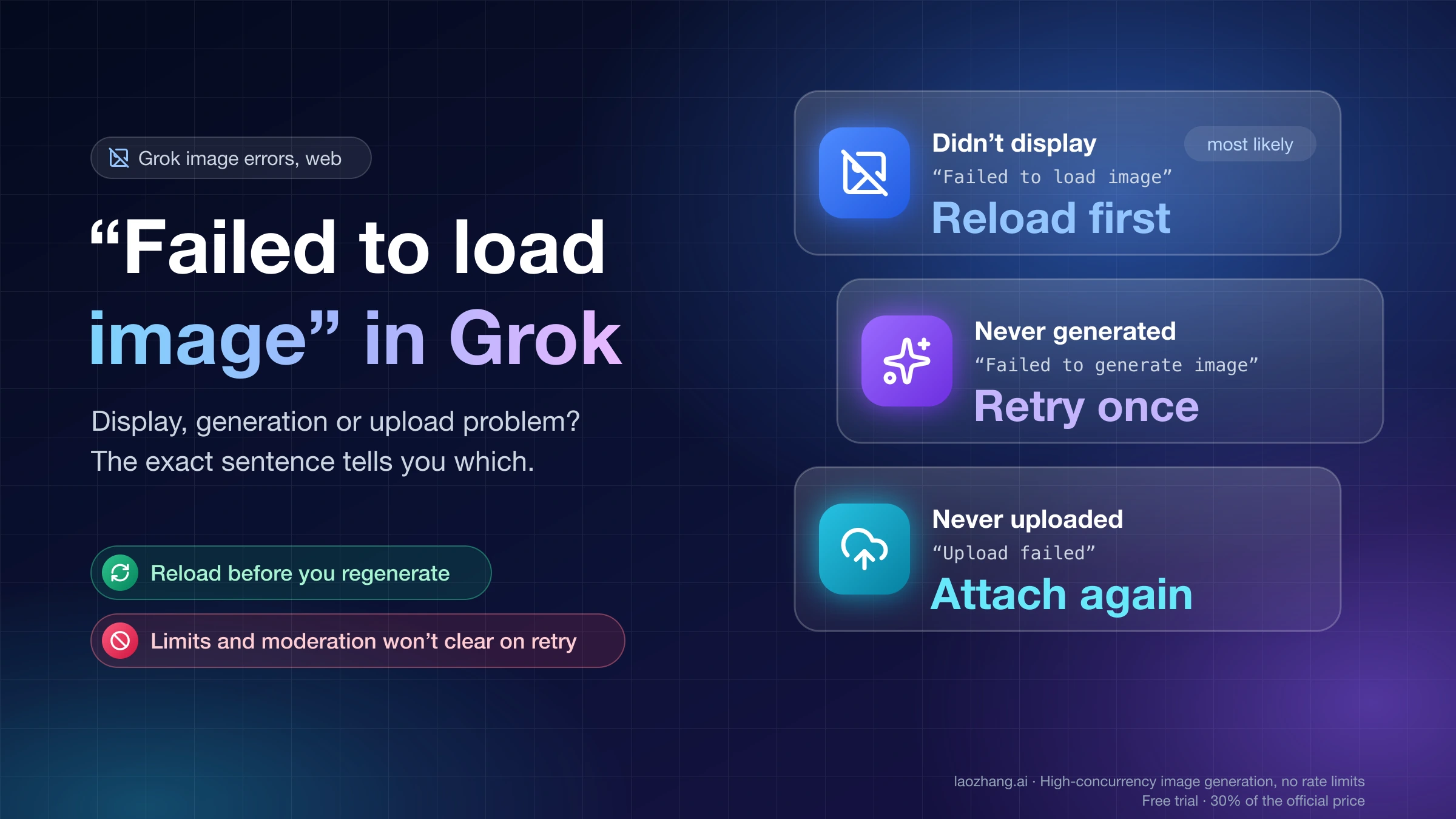
On grok.com, "Failed to load image" sits among the controls of the box that shows an image already in the conversation, either one Grok generated or one you attached. Judging by where the string sits in the front end, it points to an image that exists but didn't display rather than a failed generation, so reload the page or reopen the conversation from your chat history before you generate anything again. In a Reddit r/grok thread with more than 10 comments, users describe images that flashed up, vanished behind an error and were there after a refresh, because the generation had in fact succeeded. If the picture is still broken after a reload, generate it once more.
"Load" covers two different problems in Grok, and the sentence on your screen tells you which one you have. If the error came up while you were attaching your own picture, it's an upload message such as "Upload failed" or "Image uploads are disabled for your team". If no image was ever made, you'll see "Failed to generate image", "You're out of image generations" or "Content moderated. Try a different idea." instead. Four situations don't go away however often you retry: a used-up image allowance, a moderation block, uploads switched off by your team admin, and the age restriction on image generation.
"Failed to load image" in Grok: most likely an image that didn't display
"Failed to load image" most likely means the browser couldn't fetch or draw an image that is already in your chat, not that Grok refused to make one. In grok.com's front end the sentence sits in the same group of labels as the Explain, Files and "Generate more" controls, the buttons around a finished or attached image, so judging by where it sits, it belongs to the image viewer rather than to the generator. That's why reloading comes before regenerating: a reload only asks for the picture that's already there, while a new generation draws on your image allowance again.
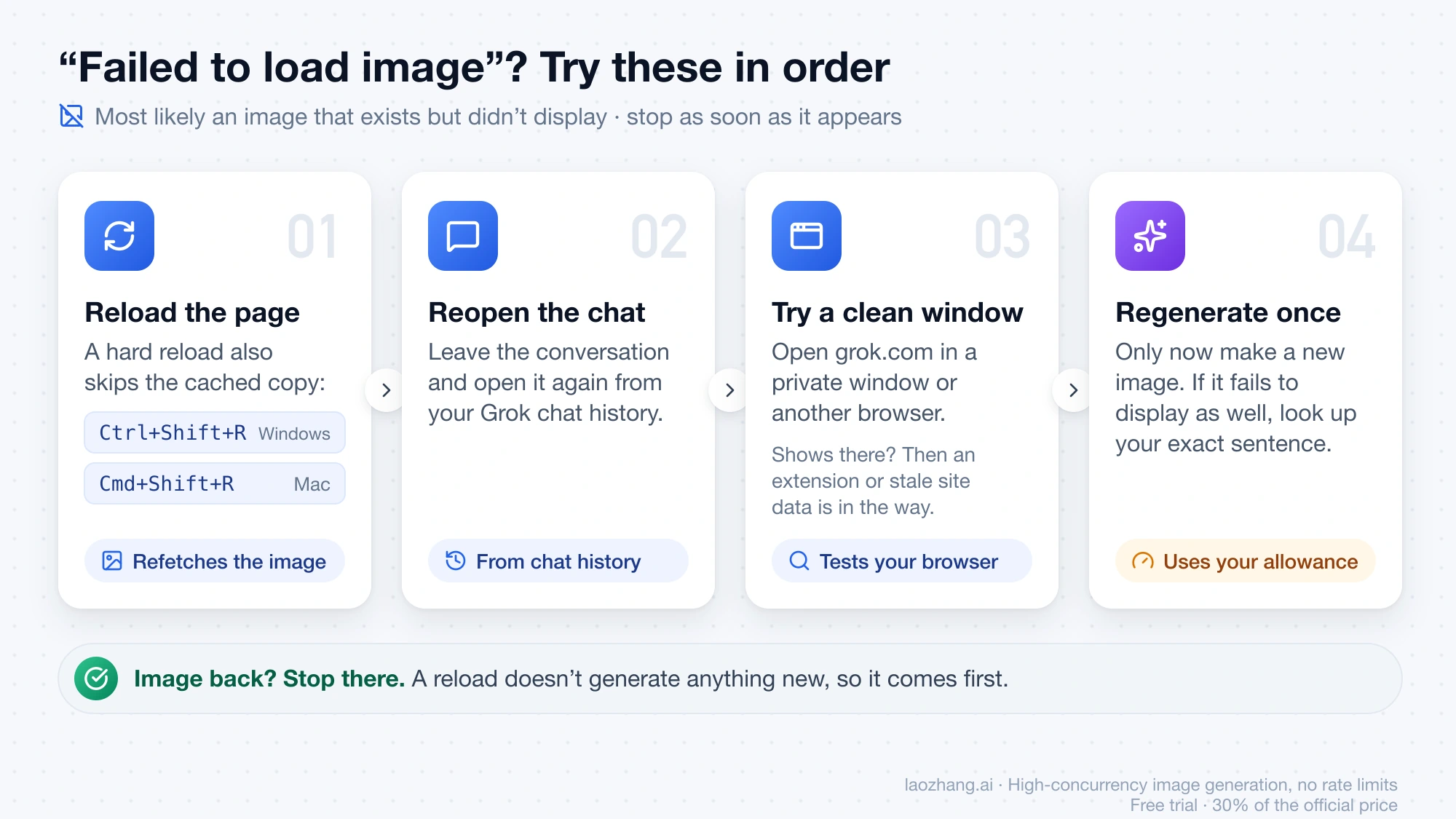
Work through these in order and stop as soon as the image appears:
- Reload the page. On a desktop browser, a hard reload (Ctrl+Shift+R on Windows, Cmd+Shift+R on a Mac) also skips the cached copy of the page.
- Leave the conversation and open it again from your Grok chat history.
- Open grok.com in a private window or another browser. If the image shows there, an extension or stale site data in your usual browser is in the way.
- Generate the image once more. If the new one fails to display as well, find your exact sentence in the table below.
A second display message points at the file itself: "This image could not be displayed. It may be corrupt or use features the app cannot decode." When that appears on a picture you attached, re-save or export it in a common image format and attach it again. On a generated image, generate it once more.
Grok image error messages: what each one means and the first step
Find the sentence on your screen in the left column; the row tells you which situation you're in and what to do first. As of November 28, 2026, every sentence below is an English default in grok.com's web front end, found by searching the 164 script files the home page loads for a signed-out visitor, about 11.7 million characters in all. Which condition shows which message is inferred from each string's internal name and the screen element it belongs to, not from any xAI explanation. None of them was triggered in a signed-in session, and the Grok iOS and Android apps and Grok inside X weren't part of the check, so their wording can differ. Square brackets mark where Grok fills in your file name or a number.
| Message on screen | What it points to | First step |
|---|---|---|
| "Failed to load image" | A generated or attached image didn't display | Reload, reopen the chat, then regenerate once |
| "This image could not be displayed. It may be corrupt or use features the app cannot decode." | The image file can't be decoded | Re-save your file in a common format; regenerate a generated one |
| "Failed to generate image" / "We were unable to generate image. Try again." | Generation failed without a stated reason | Reload first (it may have worked), then try once more |
| "Image generation stopped" | The generation was canceled or cut off | Run it again |
| "You've reached the image generation limit." / "You're out of image generations" | Your image allowance is used up | Check the reset time in Settings → Usage |
| "Content moderated. Try a different idea." | The prompt or result was blocked by moderation | Ask for something different; the same request will be blocked again |
| "Based on the information you provided you cannot use Grok image generation or 18+ personas." | An account-level age restriction | No prompt or retry changes it |
| "This model is temporarily unavailable. Please try a different model." | The selected model is unavailable | Pick another model in the model menu |
| "Service temporarily unavailable. Please try again later." | A service-wide rate limit | Wait, then try again |
| "Upload failed" / "Upload failed — check your connection and retry." / "The image could not be uploaded. Please try again." / "Failed to upload file" / "Failed to upload reference image." | The file never reached Grok | Check your connection, remove the file and attach it again |
| "File upload failed. Remove or retry the failed file, then try again." | One file in a batch failed | Remove or retry that file before sending |
| "Can't upload [file name]. File type not supported." | Grok doesn't accept that format | Convert it to a common image format |
| "You can only upload up to [number] files at a time" | Too many files in one message | Send fewer files per message |
| "An attachment couldn't be loaded." | An attached file failed to load for the reply | Attach it again |
| "An attachment was removed by content moderation." / "This file didn't pass content moderation." | Your file was blocked by moderation | Use a different file |
| "Image uploads are disabled for your team." | Your team or workspace admin turned uploads off | Ask the admin; nothing on your side changes it |
The wording changes between deployments, so match your sentence by meaning if it isn't in the table word for word. Two image messages that were in the same front end on November 24, 2026, "You've used your image generations. Please try again later." and "Your idea didn't pass moderation. Try a different one.", were gone four days later, while the other 13 image messages checked on November 24 were still there on November 28.
"An error occurred loading this image" isn't in grok.com's current code
"An error occurred loading this image" is the wording people usually quote, but as of November 28, 2026 it doesn't appear anywhere in grok.com's web front end, and neither do "an error occurred while loading this image", "Failed to load media" or "Unable to load image". A Reddit r/grok thread quoting a near-identical wording, "an error occured while loading this image", dates from August 20, 2024, so it may come from an older grok.com build, the mobile apps or Grok inside X; where it lives today isn't documented. Treat it by symptom. A finished image that won't display is the "Failed to load image" case, so start with the reload steps in the first section.
There is one exception worth knowing. A reply shared about a year ago by the X account techdevnotes tied this message to Grok's image moderation system. That's a single unconfirmed report, but if the error comes back every time for the same prompt while your other images load fine, read the moderation section below before you keep retrying.
"Failed to generate image": temporary failure, limit or moderation?
"Failed to generate image" (internally image-gen.error) and "We were unable to generate image. Try again." are the catch-all lines: no image came back, and the message doesn't say why. Reload once before anything else, since the Reddit thread mentioned at the top describes images that had been generated even though the screen said otherwise, then try the same prompt one more time. If it fails again, look for one of the more specific messages, because a used-up allowance, moderation and a model outage each have their own wording and their own fix.
"You've reached the image generation limit." appears as an error inside the reply stream, and "You're out of image generations" is the title of the notice Imagine shows when its allowance is used up. As of September 27, 2026, xAI's pricing page listed image generation on the Free plan without saying how many images it includes (a reading from that date that hasn't been repeated since, so the page may have changed), and paid plans have drawn Chat, Imagine, Voice and Build from one shared weekly pool since June 2026, with the reset time shown in Settings → Usage. Grok Free Limit: What xAI Publishes, How It Resets, What to Do covers what each plan's allowance includes and how it resets.
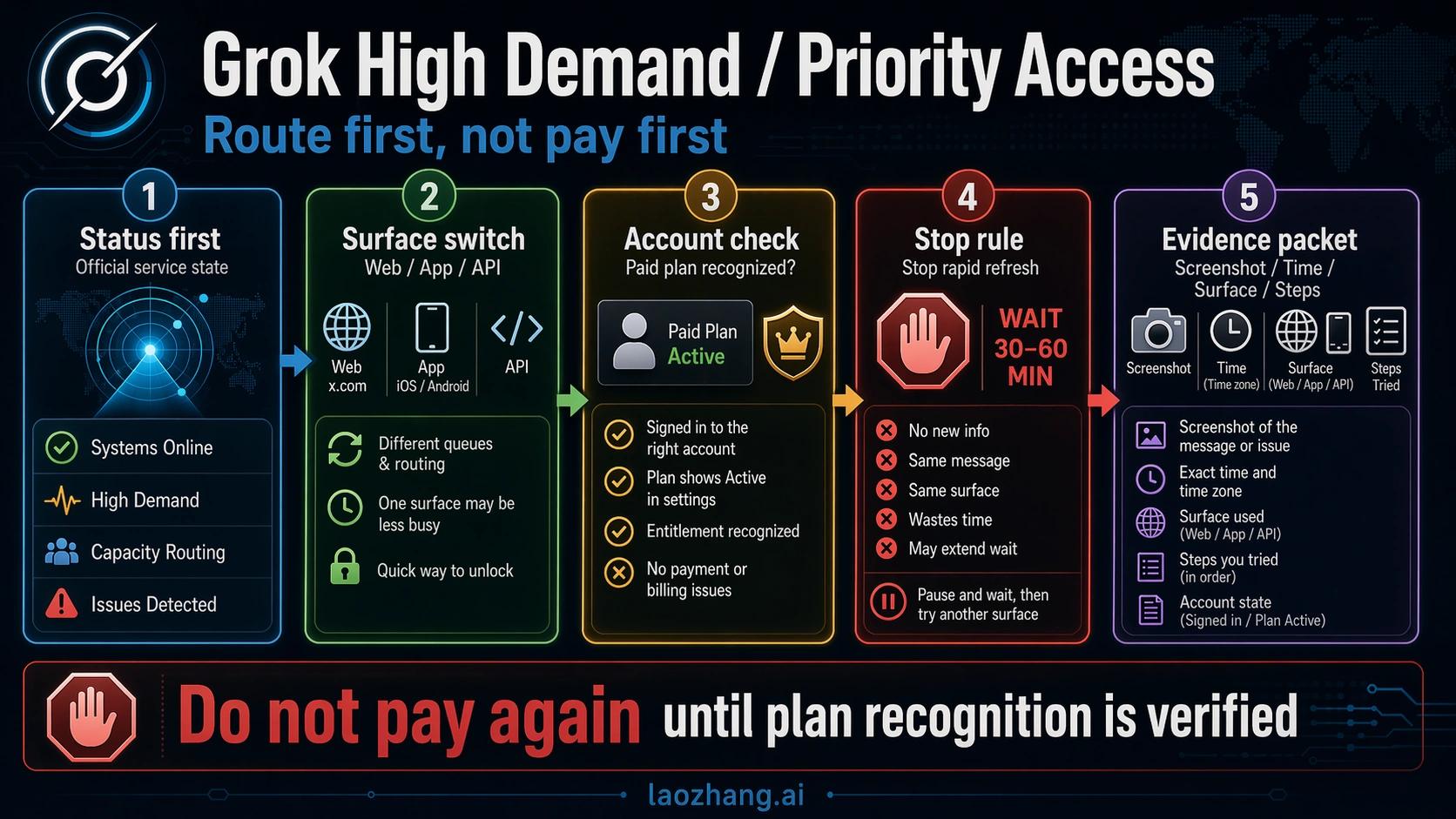
When the problem is on xAI's side, the wording says so. "This model is temporarily unavailable. Please try a different model." means switching models in the model menu is the next step, while "Service temporarily unavailable. Please try again later." comes from a service-wide rate limit, so waiting is the only fix. To tell a real outage from a problem on your device, see Is Grok Down? What "Grok Is Experiencing Issues" Means and What to Do (2026). A priority access message during busy hours is a separate case, explained in Grok Is Under Heavy Usage Right Now? What the Priority Access Message Means.
A failure in the app doesn't mean xAI's image model is down as a whole. On November 24, 2026, two calls to grok-imagine-image-2.0 through the laozhang.ai API gateway, one with a Korean prompt and one with an English prompt, each returned an image in 15.0–15.7 seconds, and a call with an empty prompt returned HTTP 400 prompt is required. That's one time slot, two successful calls and a gateway rather than a direct xAI connection, so it says nothing about any one account's app. If you need images from code while the app keeps failing, the same model is available over an API, laozhang.ai's included.
Disclosure: laozhang.ai is our own service. Its prices are platform pricing, not an independent comparison.
Why is Grok saying image upload failed?
Upload messages mean your file never reached Grok, so they come before any generation and don't touch your image allowance. The plain ones, such as "Upload failed", "The image could not be uploaded. Please try again." and "Failed to upload file", are transfer failures: check your connection, remove the file from the message box and attach it again. An unsupported file type needs converting to a common image format before you try again, since the front end doesn't list which types it accepts, and the files-at-a-time message needs fewer files per message. "Image uploads are disabled for your team." is different in kind: it's a feature switch in a Grok team or business workspace, set next to "File uploads are disabled for your team.", and only the workspace admin can turn it back on.
No number for a per-image size limit turns up in Grok's front end, and no published xAI number backs the "JPG or PNG under 10 MB, one at a time" rule that circulates online. Shrinking or cropping a very large photo is still a fair test, and one Facebook reply reports a cropped photo getting through, but 10 MB isn't a documented Grok limit.
Why is Grok not letting me see an image? Moderation and age limits
Three different things can keep an image from you, and only one of them is a glitch. A display failure ("Failed to load image") clears with a reload, as described above. A moderation block and the age restriction are decisions, so the same request gets the same answer. For moderation, whether it's "Content moderated. Try a different idea." on a generated image or "This file didn't pass content moderation." on an attachment, the legitimate next step is the one the message names: a different idea or a different image, within xAI's usage rules.
"Based on the information you provided you cannot use Grok image generation or 18+ personas." is the text of a notice labeled "Restricted" in the front end. The wording ties it to details on your account, most likely the age you gave, rather than to the prompt, so no retry or rewording lifts it. If that information is wrong, correcting it is a matter for your xAI account and xAI support.
When to stop retrying a Grok image error
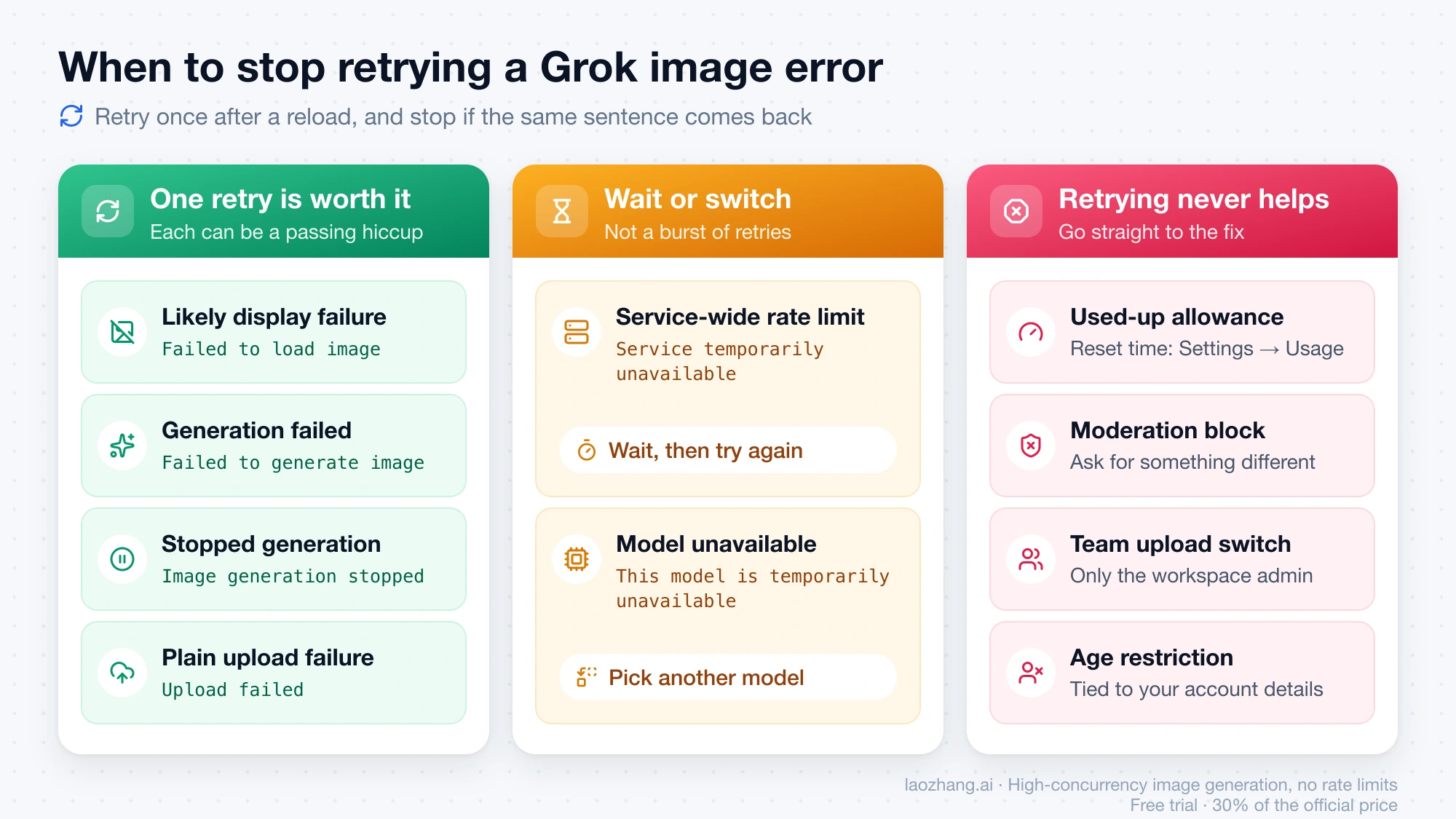
Retry once after a reload, and stop if the same sentence comes back. That one retry is worth it for a display failure, a generic generation failure, a stopped generation or a plain upload failure, because each can be a passing hiccup. "Service temporarily unavailable" calls for a wait and "This model is temporarily unavailable" for a model switch, not a burst of retries that land in the same throttle. A used-up allowance, a moderation block, a team upload switch and the age restriction don't change on retry at all, so go straight to the fix in the table.
If the problem starts earlier, with Grok refusing to sign you in or saying it isn't available where you are, that's an account issue covered in Grok Authentication Failure: User Is Blocked, Sign-In Unavailable.