Nano Banana 2 blockReason OTHER: What It Means and What to Check
Google defines blockReason OTHER as a prompt blocked for unknown reasons. Save the response, test one change at a time, and don't retry it in a loop.
On this page
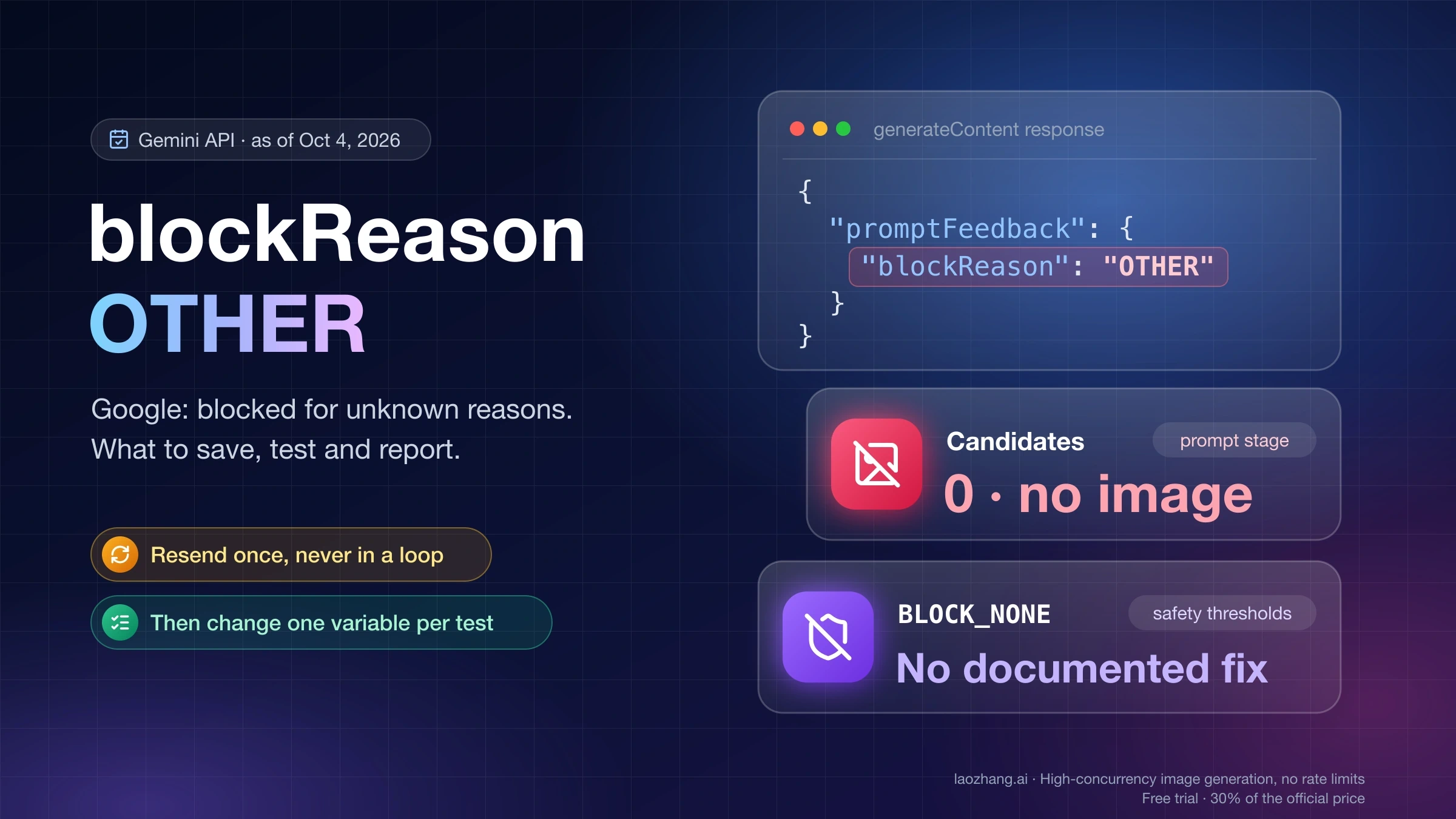
When Nano Banana 2 (gemini-3.1-flash-image) or Nano Banana Pro (gemini-3-pro-image) returns "promptFeedback": {"blockReason": "OTHER"}, two things are certain: the prompt was blocked, and no candidates came back, so there is no image. The reason is not given. Google's API reference defines OTHER as "Prompt was blocked due to unknown reasons," and that is the whole definition. Which rule or system made the decision is not exposed to you, and Google publishes no list of what triggers it.
That makes the useful response a short procedure rather than a setting to flip. Confirm which of the three "OTHER" values you actually got. Save the fields that make the case reportable. Make your code treat the block as its own outcome instead of a retry loop. Then change one thing per test until you either find the element involved or have a clean case to send to Google. Safety thresholds such as BLOCK_NONE are not a documented way out. All of this applies to generateContent through the Gemini API, Google AI Studio and the official SDKs, as of October 4, 2026. If you use the Gemini app without an API key, go to Nano Banana Pro Not Working in Gemini? Fix the App Route First instead.
Google's definition of blockReason OTHER: blocked for unknown reasons
blockReason sits inside promptFeedback. The generateContent reference describes the field this way: "If set, the prompt was blocked and no candidates are returned. Rephrase the prompt." These are the values it can take, quoted from the reference as last updated September 23, 2026:
blockReason | Google's definition | Where it points you |
|---|---|---|
SAFETY | "Prompt was blocked due to safety reasons. Inspect safetyRatings to understand which safety category blocked it." | A harm category in safetyRatings |
OTHER | "Prompt was blocked due to unknown reasons." | Nowhere |
BLOCKLIST | Blocked "due to the terms which are included from the terminology blocklist." | Terms in the prompt |
PROHIBITED_CONTENT | "Prompt was blocked due to prohibited content." | The requested content |
IMAGE_SAFETY | "Candidates blocked due to unsafe image generation content." | Image safety |
BLOCK_REASON_UNSPECIFIED | "Default value. This value is unused." | Not a block |
Read OTHER against its neighbors. SAFETY tells you where to look, and BLOCKLIST and PROHIBITED_CONTENT name a kind of content. OTHER names nothing. What you know is that the block happened at the prompt stage, before any candidate existed. What you don't know is which policy, classifier or system decided, and whether a word, a reference image or the combination set it off.
Because of that gap, any fixed list of "categories that trigger OTHER" or any description of a separate hidden filter layer behind it is a guess. Google doesn't publish either. Its own staff have called the current setup unhelpful: on December 29, 2025, Logan Kilpatrick of Google replied in a developer forum thread that the team was working to "refactor the way we do 'Other' errors. Right now it is not helpful the way it is setup," with early January as the target. The thread has no later update, and the reference still says "unknown reasons" in its September 23, 2026 revision.
Three different OTHERs in a Nano Banana response
Three fields can contain "OTHER", and they describe different events. Find out which one you have before you change anything.
| What you see | Where it is | Google's definition | What happened |
|---|---|---|---|
"blockReason": "OTHER" | promptFeedback | "Prompt was blocked due to unknown reasons." | The prompt was refused. No candidates, nothing generated. |
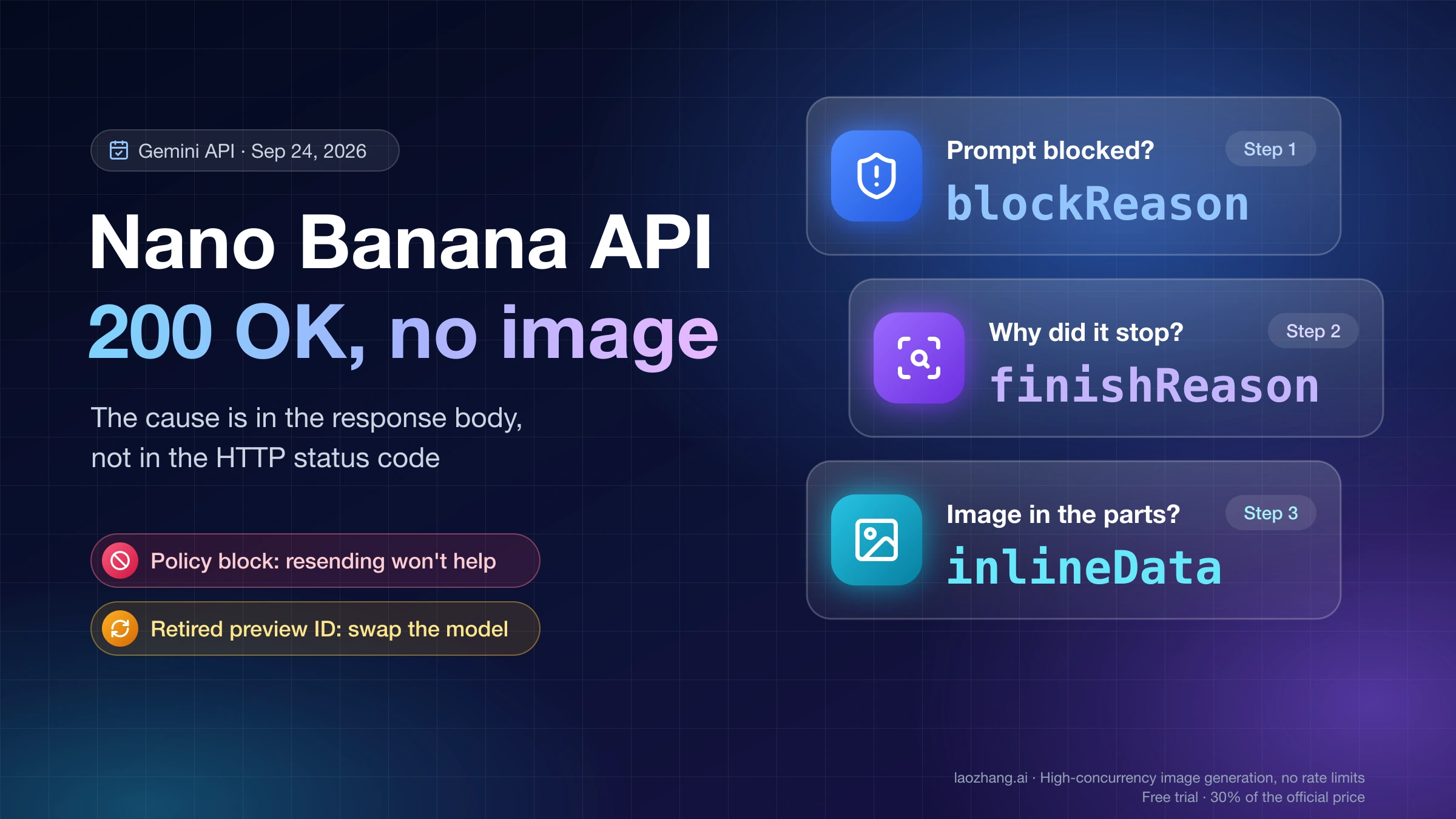
"finishReason": "OTHER" | candidates[i] | "Unknown reason." | A candidate exists, but generation ended for an unstated reason. |
"finishReason": "IMAGE_OTHER" | candidates[i] | "Image generation stopped because of other miscellaneous issue." | Image generation started and then stopped. |
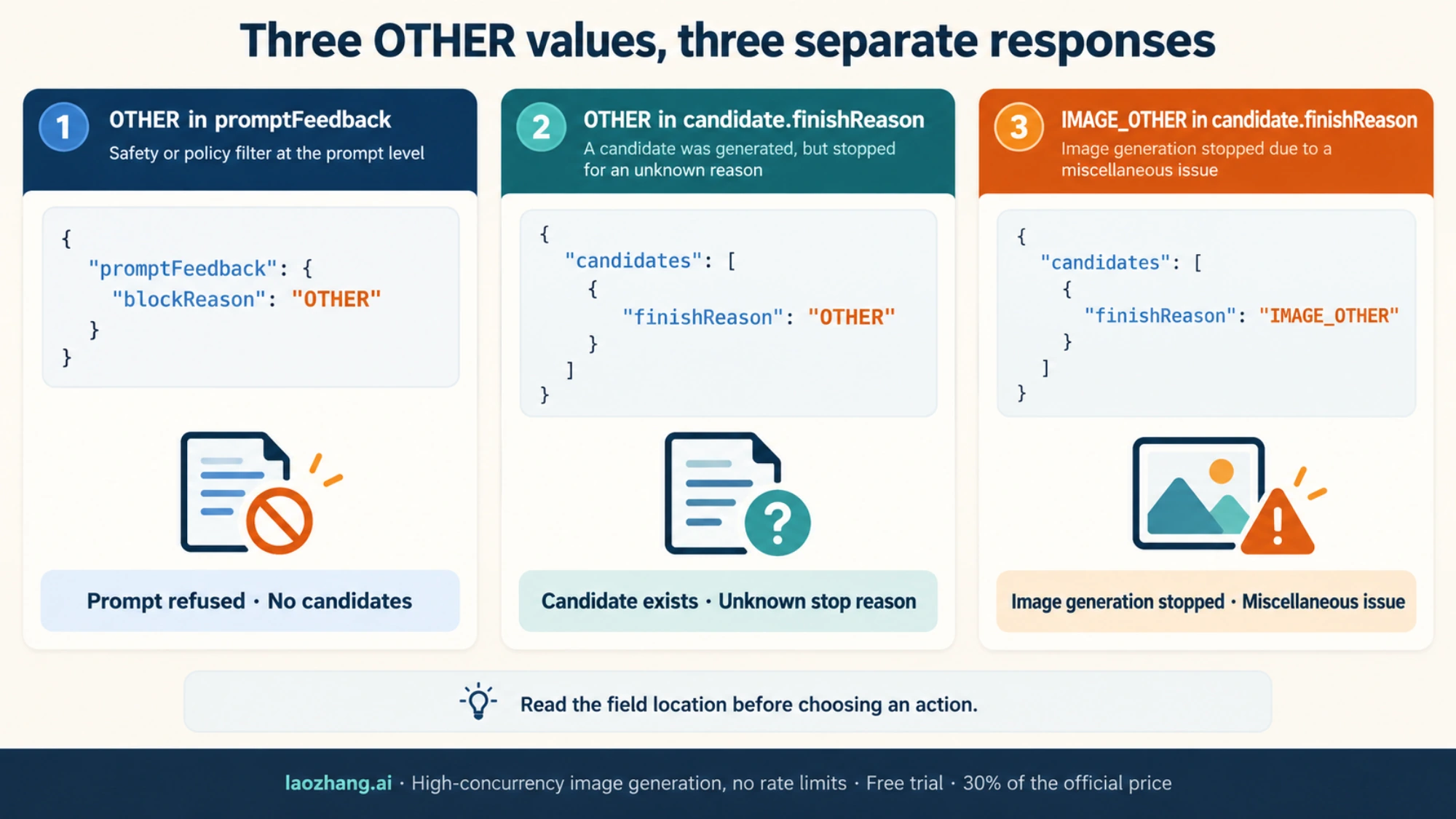
The prompt-level case has no candidates array at all. The reference states that the API "returns no candidates at all only if there was something wrong with the prompt," which is why promptFeedback is the first thing to read:
{
  "promptFeedback": {
    "blockReason": "OTHER"
  }
}
Top-level fields such as usageMetadata, modelVersion and responseId may sit next to it. Keep them whenever they appear. The two candidate-level values look like this, and finishMessage may add a sentence of detail when it is present:
{
  "candidates": [
    {
      "finishReason": "IMAGE_OTHER",
      "finishMessage": "..."
    }
  ]
}
In the google-genai Python SDK, the prompt-level value is response.prompt_feedback.block_reason (hence the block_reason: OTHER spelling in Python code and bug reports), and response.candidates is None on a blocked response. Code that reaches for response.candidates[0] first fails with a TypeError instead of reporting the block. That behavior was checked offline with google-genai 1.65.0 by parsing a hand-written blocked response, not with a live call.
Nearby cases belong to other pages:
finishReason: "NO_IMAGE"("The model was expected to generate an image, but none was generated"), text-only replies and other 200 responses without an image: Nano Banana API Returns No Image? Find the Cause in the Response.- The Interactions API has no
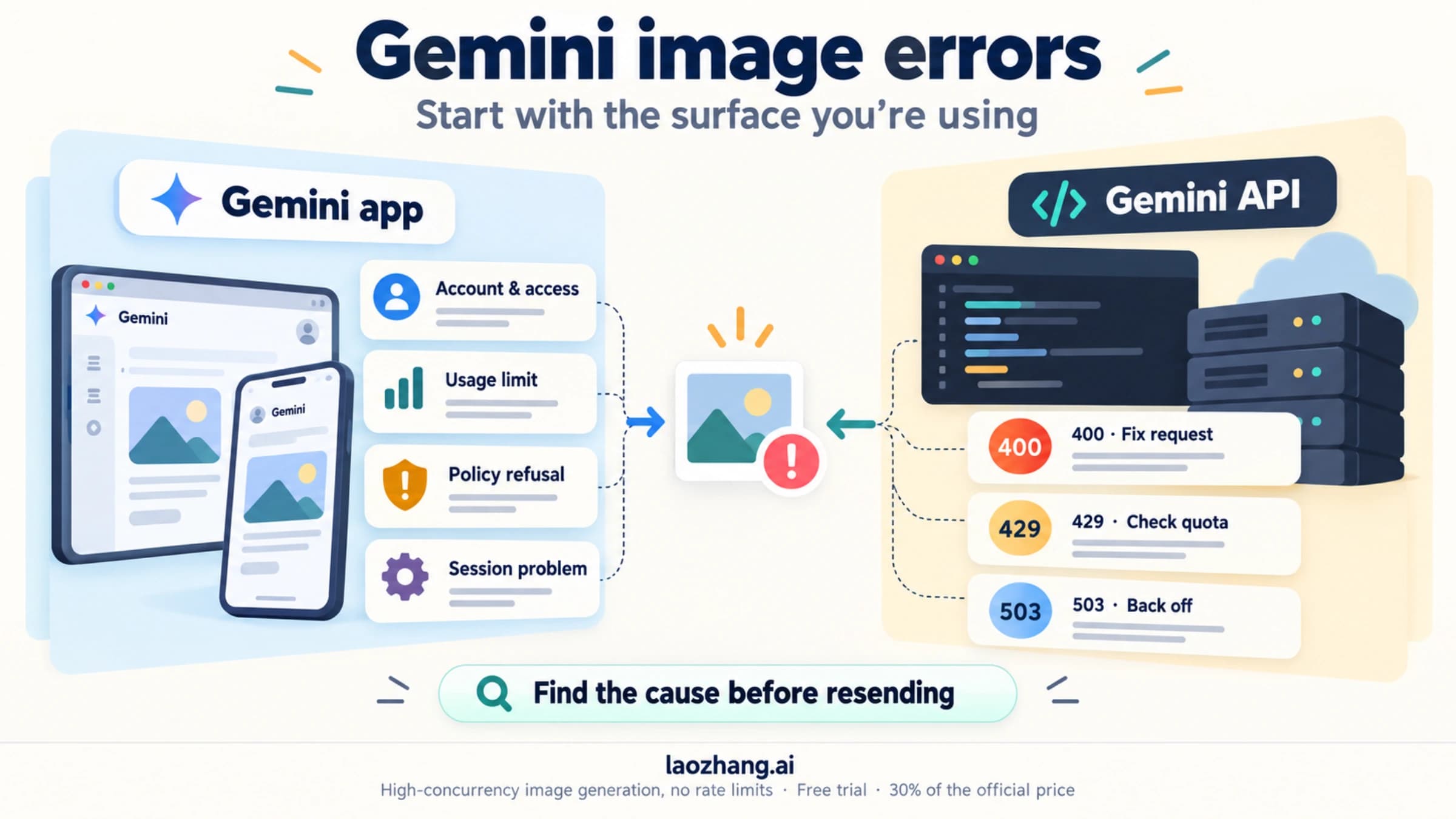
promptFeedbackorcandidates. Its responses reportstatusandsteps, and the same no-image page covers that shape. MISSING_THOUGHT_SIGNATURE: Nano Banana 2 Thought Signature Error: Complete Fix Guide for Every Scenario (2026).- HTTP 429 and 503 are request errors, not block reasons: Nano Banana API Not Working? Fix 429, 503, No Image, and Request Denied, or Nano Banana 2 503 "Model is Overloaded" Fix: 6 Proven Solutions (2026) for 503 alone.
Does BLOCK_NONE clear blockReason OTHER? No documented link
Nothing in Google's documentation connects safety thresholds to OTHER. The safety settings page lists four adjustable categories: harassment, hate speech, sexually explicit and dangerous. Separately, it says the API has "built-in protections against core harms, such as content that endangers child safety," and that these "are always blocked and cannot be adjusted." The same page sets the default: "If the threshold is not set, the default block threshold is Off for Gemini 2.5 and 3 models."
Two things follow. If your request never set safetySettings, the adjustable filters were already off, so there was nothing left to lower. And the value tied to those adjustable categories is SAFETY, the one that sends you to safetyRatings. OTHER doesn't. So setting every category to BLOCK_NONE or OFF can't be expected to change an OTHER result. That is an inference from the documentation rather than a statement from Google, and one public report is consistent with it: in a Stack Overflow question from February 6, 2026, a team on the Pro preview model had every threshold at BLOCK_NONE and still got OTHER.
Turning thresholds down also has a cost of its own. Google's safety page notes that applications using less restrictive settings may be subject to review.
What developers reported with blockReason OTHER, December 2025 to May 2026
Three public reports describe the error in detail. Each is a single case, and most involve preview model IDs that Google shut down on June 25, 2026.
- December 29, 2025, Google AI Developers Forum. A developer calling Nano Banana Pro through the AI Studio API got
OTHERfor about one request in five, starting that day. This is the thread with the staff reply quoted above. - February 6, 2026, Stack Overflow. A team on
gemini-3-pro-image-previewgotOTHERfor prompts involving high-profile public figures or culturally sensitive topics. Thresholds atBLOCK_NONE, low media resolution and describing the people without naming them all left the block in place. - May 7, 2026, Google AI Developers Forum. In a thread on reference images, every generation attempt in AI Studio that included reference images was blocked with "Other" as the reason. Google staff asked for details by private message, and the thread has no public resolution.
Together they show that OTHER can appear as an intermittent share of ordinary-looking requests, as a consistent block on one kind of input, with reference images attached and with named real people in the prompt. They don't show a cause, and none of them comes with an explanation from Google. A commenter on the Stack Overflow question asserted that OTHER is a policy on named people and is not regional. Neither claim cites Google. Google publishes nothing that ties OTHER to a region, and sending the request through another region to get past a block is a way around Google's controls, not a diagnosis.
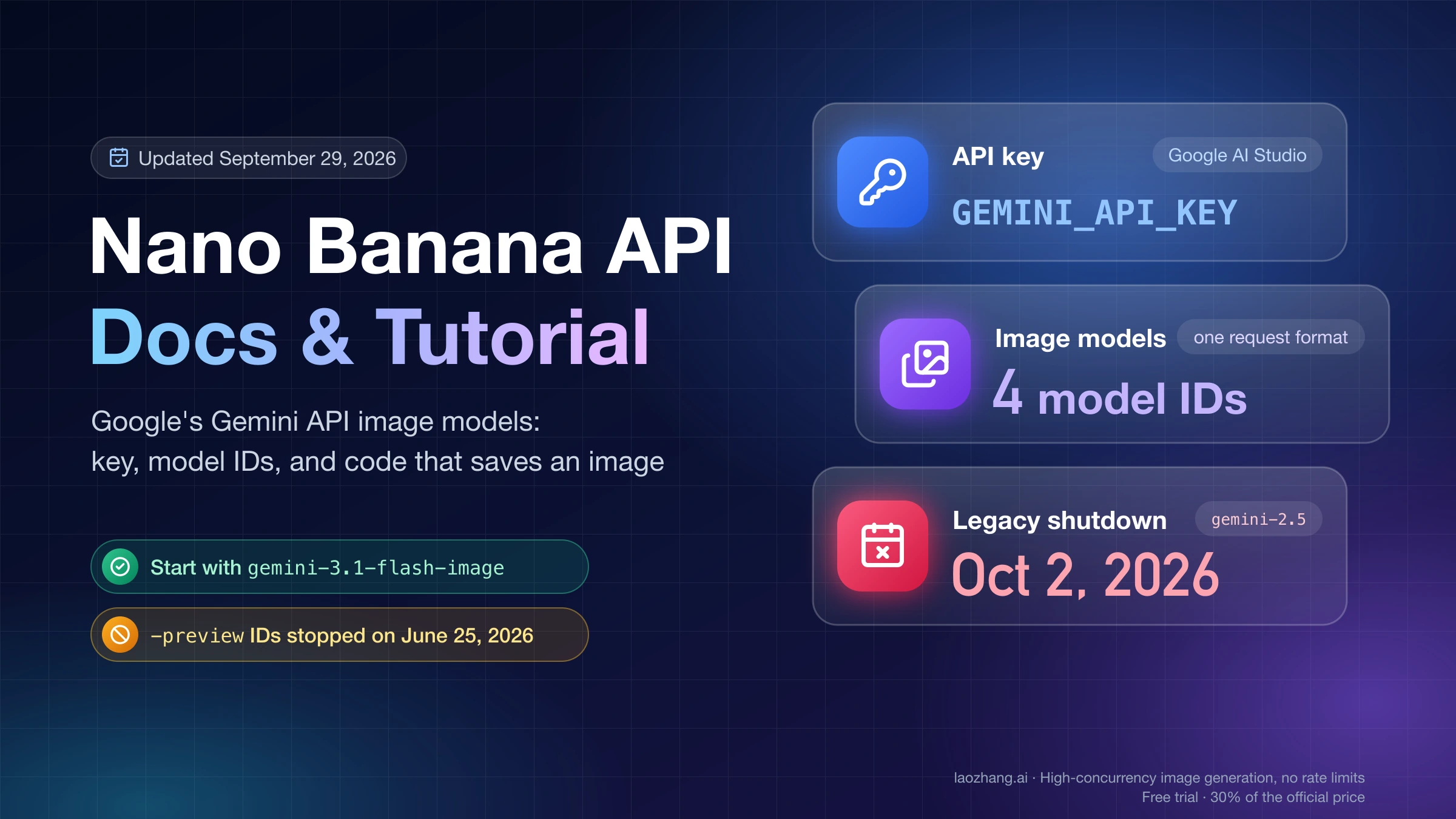
If your code still calls gemini-3.1-flash-image-preview or gemini-3-pro-image-preview, move to gemini-3.1-flash-image or gemini-3-pro-image before you compare anything. The deprecations page lists both preview IDs as shut down on June 25, 2026.
Save these fields from every blockReason OTHER response
Google publishes no required checklist for reporting OTHER. The list below is built from the documented response fields plus the request details you control. With it, you can compare runs over time and give Google specific calls to look up if you report the problem.
| Save | Why it matters |
|---|---|
responseId | Identifies this exact response when you report it |
modelVersion | The version that actually served the call. Compare it before and after a "sudden" change |
| The model ID you requested | Confirms you are on gemini-3.1-flash-image or gemini-3-pro-image, not a retired preview ID |
The whole promptFeedback object | Keep safetyRatings too if they appear, unedited |
Each candidate's finishReason and finishMessage | Tells the three OTHERs apart |
usageMetadata | What the call counted, for billing questions |
| Request time in UTC | Lines your log up with outage notes and other reports, and shows intermittent patterns |
| Reference images: attached or not, how many, which formats | The May 2026 report turned on this |
| Generation settings as sent | Response modalities, image size or aspect ratio, and any safetySettings |
| Where the call ran | AI Studio, the Gemini API with a key, SDK name and version, or a gateway |
Keep the prompt text and the images in your own private log. When you post to a forum or reply to Google staff, share the IDs, timestamps and settings with a redacted version of the prompt. Don't paste customer images into a public thread.
Handle blockReason OTHER in code with a tested Python inspector
A blocked prompt is neither a success nor a transient server error. The script below sorts a saved generateContent response into one of five outcomes so your code can react to each one differently. It reads the raw JSON, so it works on any response you logged.
import base64
import binascii
import io
import json
import sys
from pathlib import Path

from PIL import Image, UnidentifiedImageError

FORMATS = {"image/png": "PNG", "image/jpeg": "JPEG", "image/webp": "WEBP"}


def as_dict(value):
    return value if isinstance(value, dict) else {}


def as_list(value):
    return value if isinstance(value, list) else []


def inspect_response(response):
    if not isinstance(response, dict):
        raise ValueError("The top level of the response must be a JSON object")

    feedback = as_dict(response.get("promptFeedback"))
    block = feedback.get("blockReason")
    report = {
        "status": "no_image",
        "response_id": response.get("responseId"),
        "model_version": response.get("modelVersion"),
        "usage": response.get("usageMetadata"),
        "block_reason": block,
        "prompt_safety_ratings": as_list(feedback.get("safetyRatings")),
        "candidates": [],
        "images": [],
    }
    if response.get("error"):
        report["status"] = "api_error"
        return report
    if block and block != "BLOCK_REASON_UNSPECIFIED":
        report["status"] = "prompt_blocked"
        return report

    candidates = as_list(response.get("candidates"))
    for ci, raw_candidate in enumerate(candidates):
        candidate = as_dict(raw_candidate)
        reason = candidate.get("finishReason")
        entry = {
            "index": ci,
            "finish_reason": reason,
            "finish_message": candidate.get("finishMessage"),
            "safety_ratings": as_list(candidate.get("safetyRatings")),
            "image_issues": [],
        }
        report["candidates"].append(entry)
        content = as_dict(candidate.get("content"))
        for pi, raw_part in enumerate(as_list(content.get("parts"))):
            part = as_dict(raw_part)
            if part.get("thought"):
                continue
            blob = as_dict(part.get("inlineData"))
            if not blob:
                continue
            mime = blob.get("mimeType")
            encoded = blob.get("data")
            problem = None
            data = b""
            if not isinstance(mime, str) or mime not in FORMATS:
                problem = "unsupported_mime"
            elif not isinstance(encoded, str) or not encoded:
                problem = "empty_or_missing_data"
            else:
                try:
                    data = base64.b64decode(encoded, validate=True)
                    if not data:
                        raise ValueError("empty bytes")
                    with Image.open(io.BytesIO(data)) as img:
                        actual_format = img.format
                        img.load()
                    if actual_format != FORMATS[mime]:
                        raise ValueError("MIME does not match image format")
                except (ValueError, binascii.Error, OSError,
                        UnidentifiedImageError, Image.DecompressionBombError):
                    problem = "invalid_image_data"
            if problem:
                entry["image_issues"].append({"part": pi, "reason": problem})
            elif reason == "STOP":
                report["images"].append({
                    "candidate": ci, "part": pi, "mime_type": mime, "data": data
                })
            else:
                entry["image_issues"].append({
                    "part": pi, "reason": "finish_reason_requires_review"
                })

    if report["images"]:
        report["status"] = "image_ready"
    elif any(c["finish_reason"] not in (None, "STOP", "FINISH_REASON_UNSPECIFIED")
             for c in report["candidates"]):
        report["status"] = "candidate_stopped"
    return report


if __name__ == "__main__":
    response = json.loads(Path(sys.argv[1]).read_text(encoding="utf-8"))
    result = inspect_response(response)
    # Print a short summary only; keep image bytes and full logs out of the terminal.
    print(json.dumps({
        "status": result["status"],
        "block_reason": result["block_reason"],
        "finish_reasons": [c["finish_reason"] for c in result["candidates"]],
        "image_count": len(result["images"]),
        "image_issues": [c["image_issues"] for c in result["candidates"]],
    }, ensure_ascii=False, indent=2))
Save it as inspect_response.py, install Pillow (pip install pillow), and point it at a saved response with python3 inspect_response.py response.json. For a body containing only "promptFeedback": {"blockReason": "OTHER"}, it prints "status": "prompt_blocked" with "block_reason": "OTHER", an empty finish_reasons list and an image_count of 0.
| Status | What it means | What your code should do |
|---|---|---|
prompt_blocked | blockReason is set to anything except the unused default, including values Google may add later | Log it, show the user a clear "this request was blocked" message, don't resend it in a loop |
candidate_stopped | A candidate ended with a reason other than STOP, such as OTHER, IMAGE_OTHER or NO_IMAGE | Read finish_reason and finish_message. Images in such candidates are not accepted |
image_ready | At least one image passed the checks in a candidate that ended with STOP | Save the bytes |
no_image | No block and no stop reason, but nothing usable | See the no-image page linked above |
api_error | The body carries an error object | Handle it as an HTTP error, not a block |
The script skips thought images, accepts only PNG, JPEG and WebP, decodes the base64 strictly, and checks with Pillow that the bytes really are an image of the declared format. It was run against 29 hand-made responses covering missing or null candidates and parts, text-only replies, prompt-level OTHER and SAFETY, an unknown future block reason, candidate-level OTHER and NO_IMAGE, empty and invalid base64, a fake PNG, wrong and non-image MIME types, valid images, an image attached to an OTHER candidate, and an error body. All 29 passed on Python 3.12.1 with Pillow 12.0.0 as of October 4, 2026. No request went to the Gemini API, so the tests show how the script sorts responses, not how Google decides them.
With REST, the response body is already this JSON, so write it to a file (curl's -o response.json does that). With the Python SDK, dump the response object with camelCase keys before inspecting it:
import json
from pathlib import Path

from inspect_response import inspect_response

EXT = {"image/png": ".png", "image/jpeg": ".jpg", "image/webp": ".webp"}

raw = response.model_dump(mode="json", by_alias=True, exclude_none=True)
result = inspect_response(raw)

if result["status"] == "prompt_blocked":
    # Blocked before generation: log it, tell the user, don't loop.
    print(json.dumps({k: result[k] for k in
                      ("response_id", "model_version", "block_reason", "usage")}))
elif result["status"] == "image_ready":
    for n, img in enumerate(result["images"]):
        Path(f"image-{n}{EXT[img['mime_type']]}").write_bytes(img["data"])
else:
    print(result["status"], [c["finish_reason"] for c in result["candidates"]])
That snippet was checked offline with google-genai 1.65.0 against SDK response objects built from a hand-written blocked response and a hand-written image response. The blocked one printed its response_id, model_version and "block_reason": "OTHER", and the image one wrote a PNG file.
Retry, change one thing, or report: decision rules for blockReason OTHER
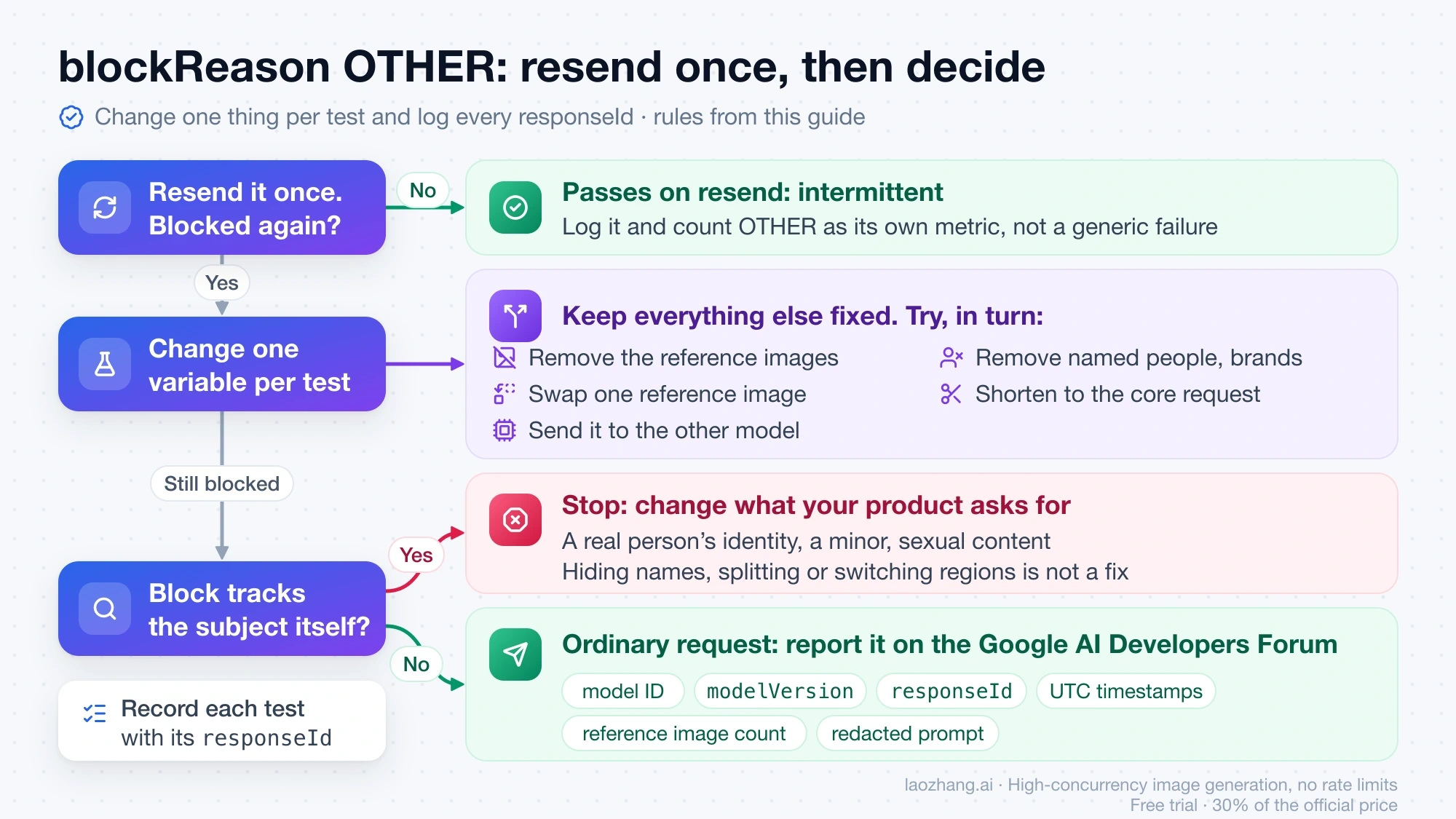
Resend the identical request once, not more. One resend tells you whether the block is intermittent, like the one-in-five pattern reported in December 2025, or consistent. If it fails again, further identical retries add no information.
If it's consistent, change one variable per test and keep everything else fixed, so the result points at a single element:
- Remove the reference images and keep the text. If
OTHERdisappears, the images are involved, so add them back one at a time. - Replace one reference image with a different image of the same kind.
- Take named real people, brands or characters out of the prompt. If the block follows the name, you have learned what it concerns, and the next rule applies.
- Shorten the prompt to the core request.
- Send the same input to the other model, Nano Banana 2 or Nano Banana Pro, to see whether the block is model-specific.
Changing several things at once leaves you with a result but no idea which change produced it. Record each test with its responseId and outcome.
Stop when the block follows the subject itself. If OTHER tracks a real person's identity, a minor, sexual content or anything else where a rewording would only disguise the same request, the answer is to change what your product asks the model to produce. Obscuring names, splitting a blocked request into pieces or switching regions to get the same output is working around Google's policy, not fixing an error.
Report to Google when the request is ordinary. Three patterns qualify:
- A plain request that involves no real people, minors, sexual or dangerous content is blocked every time.
- The block appears only when your own reference images are attached.
- The share of
OTHERjumps across many unrelated prompts from a specific date, with no change on your side.
Post on the Google AI Developers Forum with the model ID, modelVersion, responseId, UTC timestamps, the number of reference images and a redacted prompt. In the May 2026 reference-image thread, Google staff asked for the details by private message.
In production, count OTHER separately. Track it as its own metric instead of folding it into generic failures. A rate that changes on a known date, with your own setup unchanged, is concrete evidence to bring to a report.
Is blockReason OTHER billed? Check usageMetadata, not a rule
Google doesn't publish a rule either way for a prompt blocked with no candidates. It doesn't say these calls are free, and it doesn't say they are charged as an image. The record you have is the call's own usageMetadata: promptTokenCount, candidatesTokenCount, thoughtsTokenCount and totalTokenCount. Check those against your project's billing report rather than assuming a result.
A gateway in front of Google sets its own rule. LaoZhang API's documentation, for example, states that an HTTP 200 response without an image is charged as one call, as of October 4, 2026. Read the billing terms of whichever service your key belongs to.
Disclosure: laozhang.ai is our own service. Its prices are platform pricing, not an independent comparison.
Questions about blockReason OTHER
Why is Nano Banana suddenly returning blockReason OTHER?
Google doesn't publish when or why the decisions behind OTHER change. Check your side first: the model ID (the preview IDs were shut down on June 25, 2026), the modelVersion in responses saved before and after the change, and whether reference images or settings changed. If nothing changed and many unrelated prompts started failing on the same date, that is worth reporting with those dates.
Is blockReason OTHER a regional restriction?
Google publishes nothing that ties OTHER to a region. A Stack Overflow commenter claimed it isn't regional, but cited no source. Routing requests through another region to avoid a block works around Google's controls and doesn't tell you what caused it.
Does Nano Banana Pro return the same blockReason OTHER as Nano Banana 2?
Yes. promptFeedback.blockReason and its values are part of the generateContent response for every model, so OTHER means "unknown reasons" for both. Most of the public reports so far involve Nano Banana Pro.
Should my app retry automatically when it gets blockReason OTHER?
At most once, with the identical request, to tell an intermittent block from a consistent one. After that, show the user that the request was blocked and log the response. Once a block has repeated, more automatic retries add load and no new information.
Will Google make blockReason OTHER more specific?
Google staff said in December 2025 that the team planned to make "Other" errors clearer. As of the September 23, 2026 revision, the API reference still defines OTHER as "unknown reasons." If Google adds a new block reason, the inspector above still reports any non-default blockReason as prompt_blocked, so your code won't mistake it for a success.
Official documentation
Request parameters, pricing, and billing rules are documented in the LaoZhang API developer docs: Image billing and failures.
Disclosure: laozhang.ai is our own service. Its prices are platform pricing, not an independent comparison.
Sources7
External pages this guide links to, in the order they appear. Last updated Oct 5, 2026.
Sources7
External pages this guide links to, in the order they appear. Last updated Oct 5, 2026.
- 1.generateContent referenceai.google.dev/api/generate-content
- 2.developer forum threaddiscuss.ai.google.dev/t/blockreason-other/113496
- 3.safety settings pageai.google.dev/gemini-api/docs/safety-settings
- 4.Stack Overflow questionstackoverflow.com/questions/79884545
- 5.thread on reference imagesdiscuss.ai.google.dev/t/persistent-other-block-reason-error-on-nano-banana-pro-gemini-3-pro-image-preview-with-reference-images/143901
- 6.deprecations pageai.google.dev/gemini-api/docs/deprecations
- 7.Google AI Developers Forumdiscuss.ai.google.dev