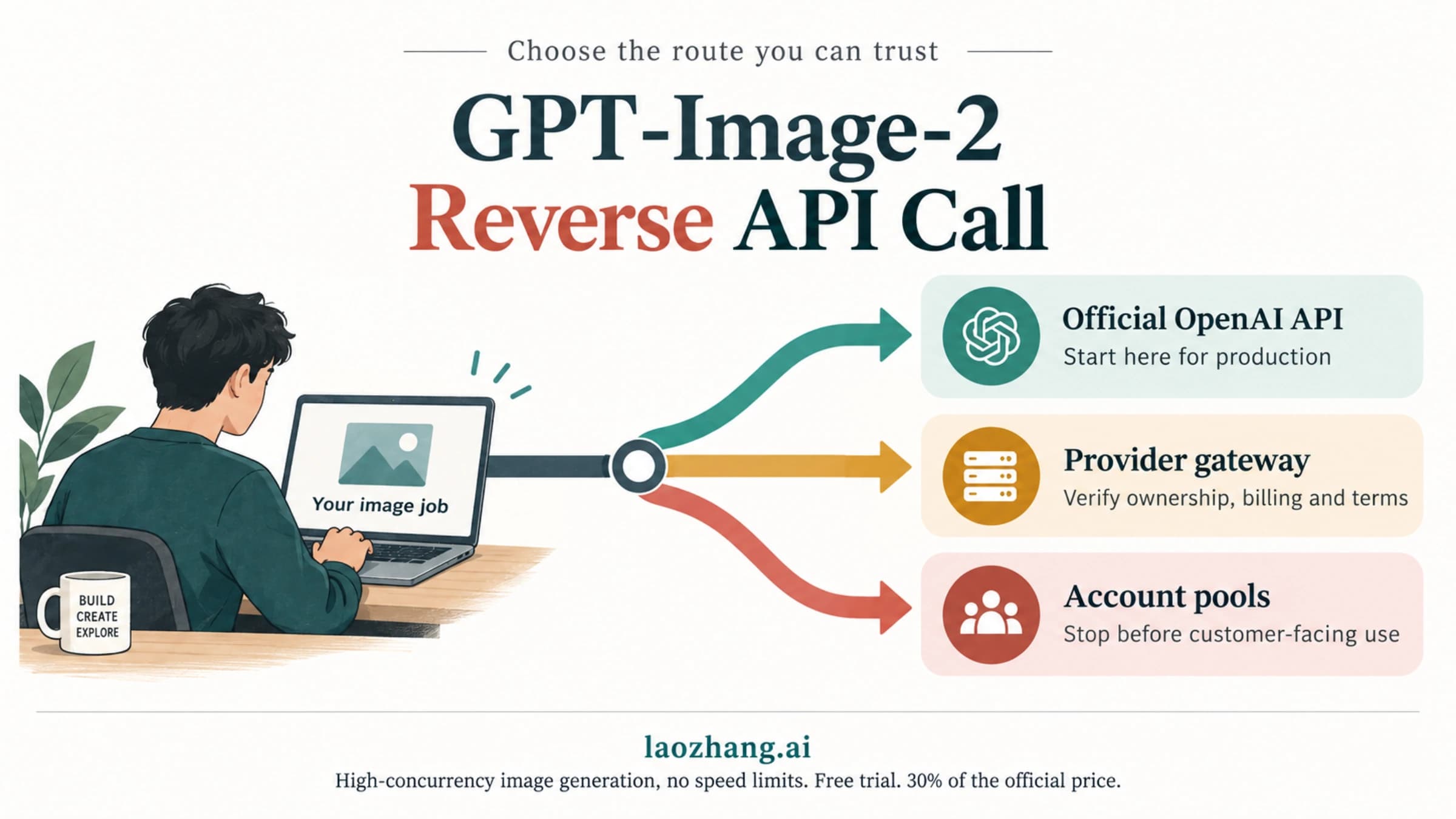
The Model `gpt-image-2` Does Not Exist: Codex Error, Status Check, and Fixes
`gpt-image-2` is documented by OpenAI; when Codex says the model does not exist, the right fix depends on the surface that returned the error.
On this page
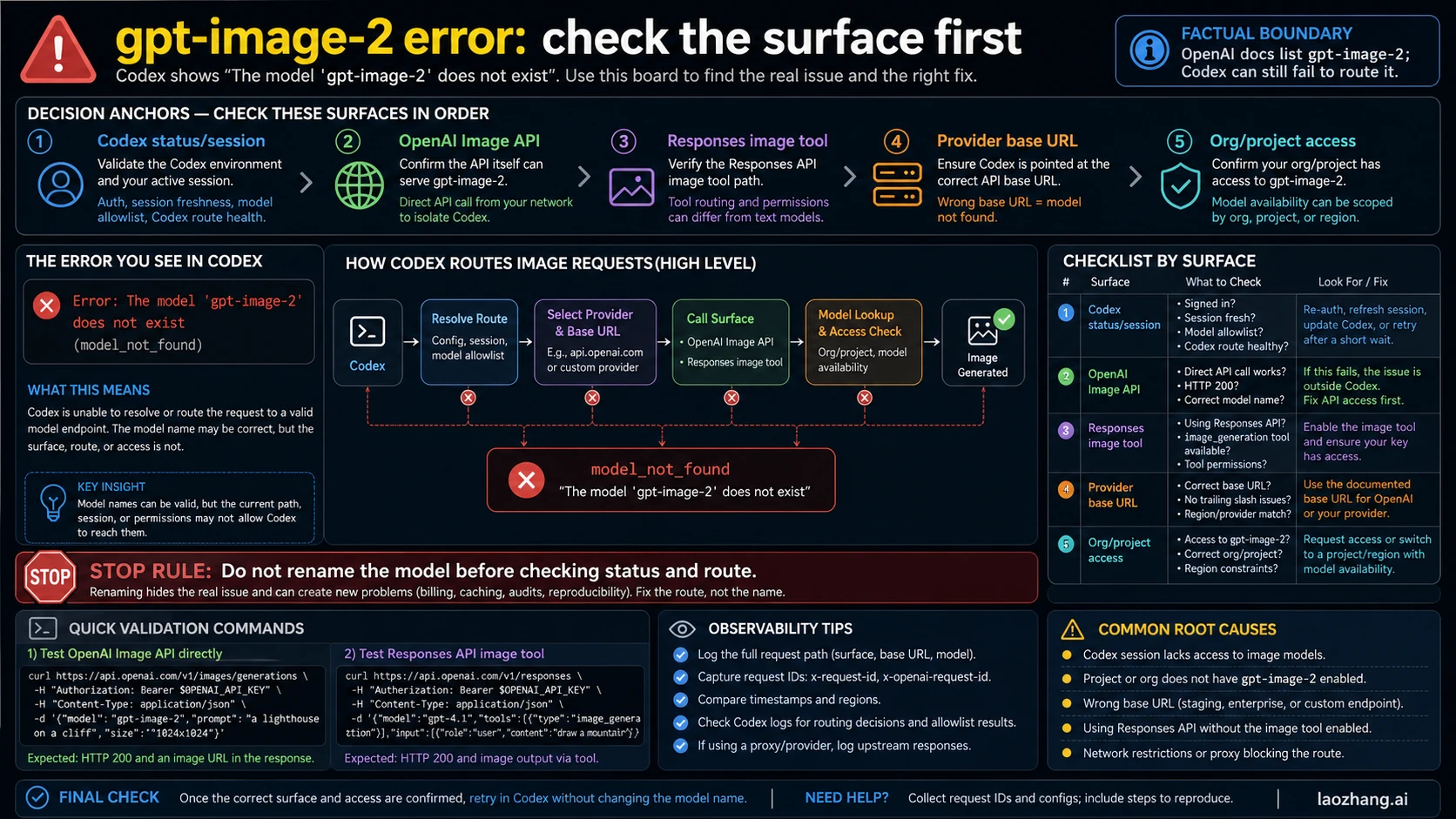
If Codex says The model 'gpt-image-2' does not exist, do not start by renaming the model. First identify the failing surface: OpenAI documents gpt-image-2, while Codex, providers, project settings, or access gates can still fail to route it.
Start here:
| Where the error appeared | First check | Next move |
|---|---|---|
| Codex app or CLI | OpenAI Status and your active Codex session | Retry after status improves, refresh auth, or update Codex before changing code |
| Direct OpenAI Image API | Endpoint, org/project, model access | Run a minimal /images/generations request with gpt-image-2 |
| Responses API image tool | Main model plus image_generation tool shape | Do not reuse direct Image API syntax blindly |
| Provider or proxy base URL | Provider model list and configured base URL | Treat it as provider coverage until OpenAI direct route is tested |
| Org/project access | Verification, project, region, and key scope | Collect request id, base URL, org/project, timestamp, and minimal repro |
Stop rule: if only Codex failed during an incident window, check status and retry/reset the session before rewriting model names.
Quick Answer
The error string has two different meanings depending on where it appears. If it appears inside Codex, especially during a broad incident window, treat it as a Codex/status/session routing problem first. If it appears from a direct API request, debug the endpoint, model access, organization, project, and request shape. If it appears through an OpenAI-compatible provider, debug the provider's model map before assuming OpenAI itself rejected the model.
As of this June 3, 2026 check, the OpenAI image generation guide documents gpt-image-2 for image generation. That is the important boundary: a runtime surface can fail to reach a documented model, but the error text alone does not prove the model is globally absent.
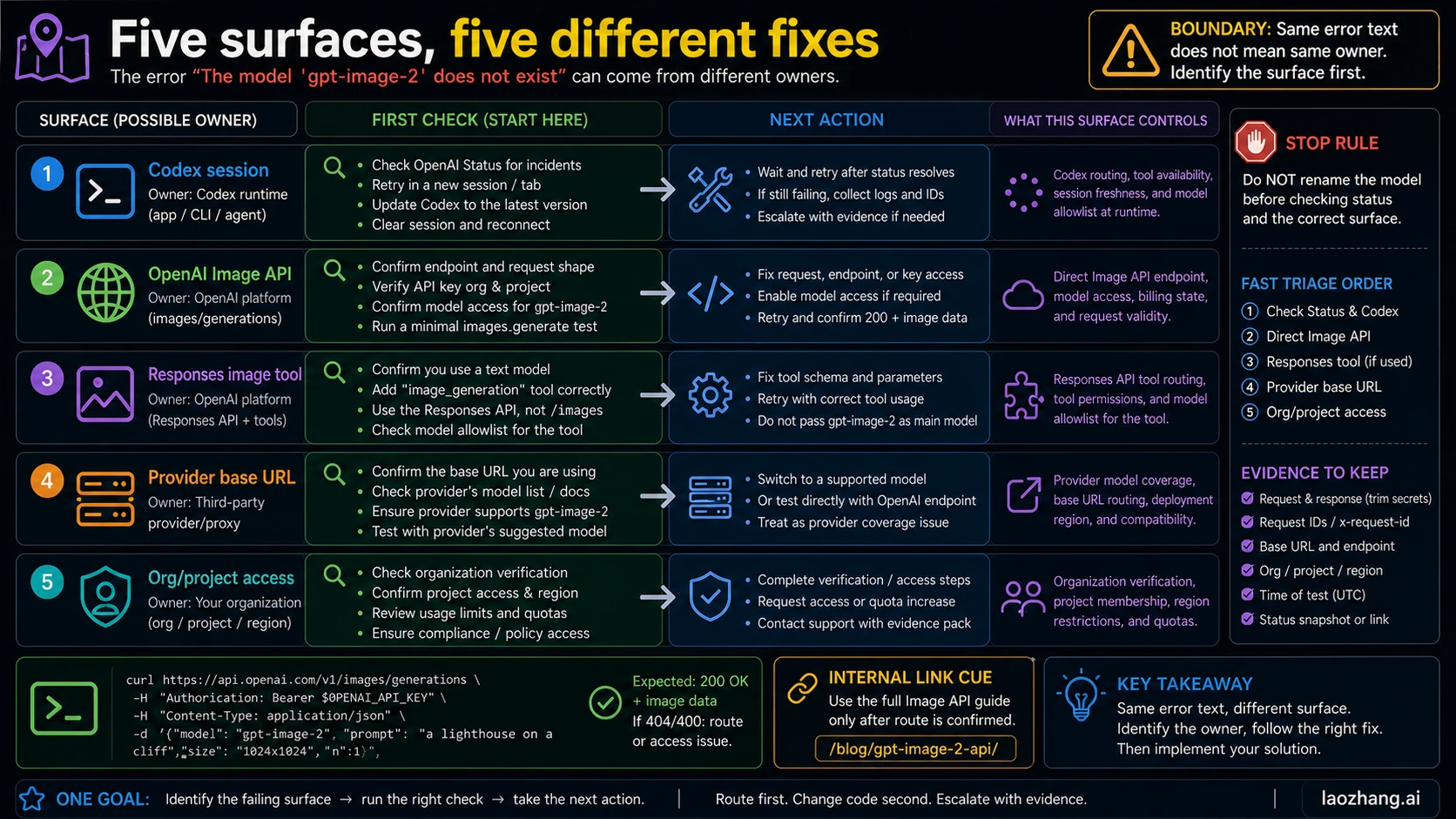
| Situation | Best first action | What not to do |
|---|---|---|
| Codex alone fails | Check OpenAI Status, then retry or reset the Codex session. | Do not edit product code first. |
| Direct OpenAI Image API fails | Verify endpoint, key, org, project, and access. | Do not compare against a provider response. |
| Responses API flow fails | Check the main model and image_generation tool shape. | Do not put gpt-image-2 into every model field. |
| Provider route fails | Confirm the provider supports and maps gpt-image-2. | Do not call provider pricing or coverage official OpenAI facts. |
| Access or verification blocks | Check org verification, project scope, and region/account constraints. | Do not rotate keys blindly inside the same project. |
Why Codex Can Say This Even When the Model Exists
Codex is a working surface, not the same thing as a direct /v1/images/generations call. It has its own session state, auth state, model routing, tool availability, and service health. When that surface cannot resolve or reach an image route, it can show a model-not-found style error even though the official API docs list the model.
That is why this error is different from a normal API implementation mistake. A direct API mistake usually has a concrete request owner: wrong endpoint, unsupported model on that key, wrong project, wrong organization, unsupported provider route, or a tool shape mismatch. A Codex-only failure can be upstream of your code. If your repository did not call the Image API at all, changing application code is usually the slowest first move.
The June 2026 incident pattern matters because many developers saw the exact string in Codex around the same time. OpenAI's status page recorded a Codex degraded-performance incident and later marked it resolved. Use that as a dated incident boundary, not as a timeless explanation for every future model_not_found error.
Check OpenAI Status and Codex State First
When the failure is Codex-only, do this before touching your code:
- Open OpenAI Status and check Codex or ChatGPT/Codex incident history for the same time window.
- Retry the same Codex task after the incident moves to monitoring or resolved.
- Refresh the Codex session, re-authenticate if needed, and update the CLI or app if you are not current.
- Capture the exact timestamp, error text, project, and what Codex was doing when the message appeared.
- Only move to direct API tests if the failure survives outside Codex or repeats after status is stable.
This protects you from a common false fix: renaming a valid model, masking the actual route issue, and creating a second bug in billing, logging, or reproducibility.
Test the Direct OpenAI Image API
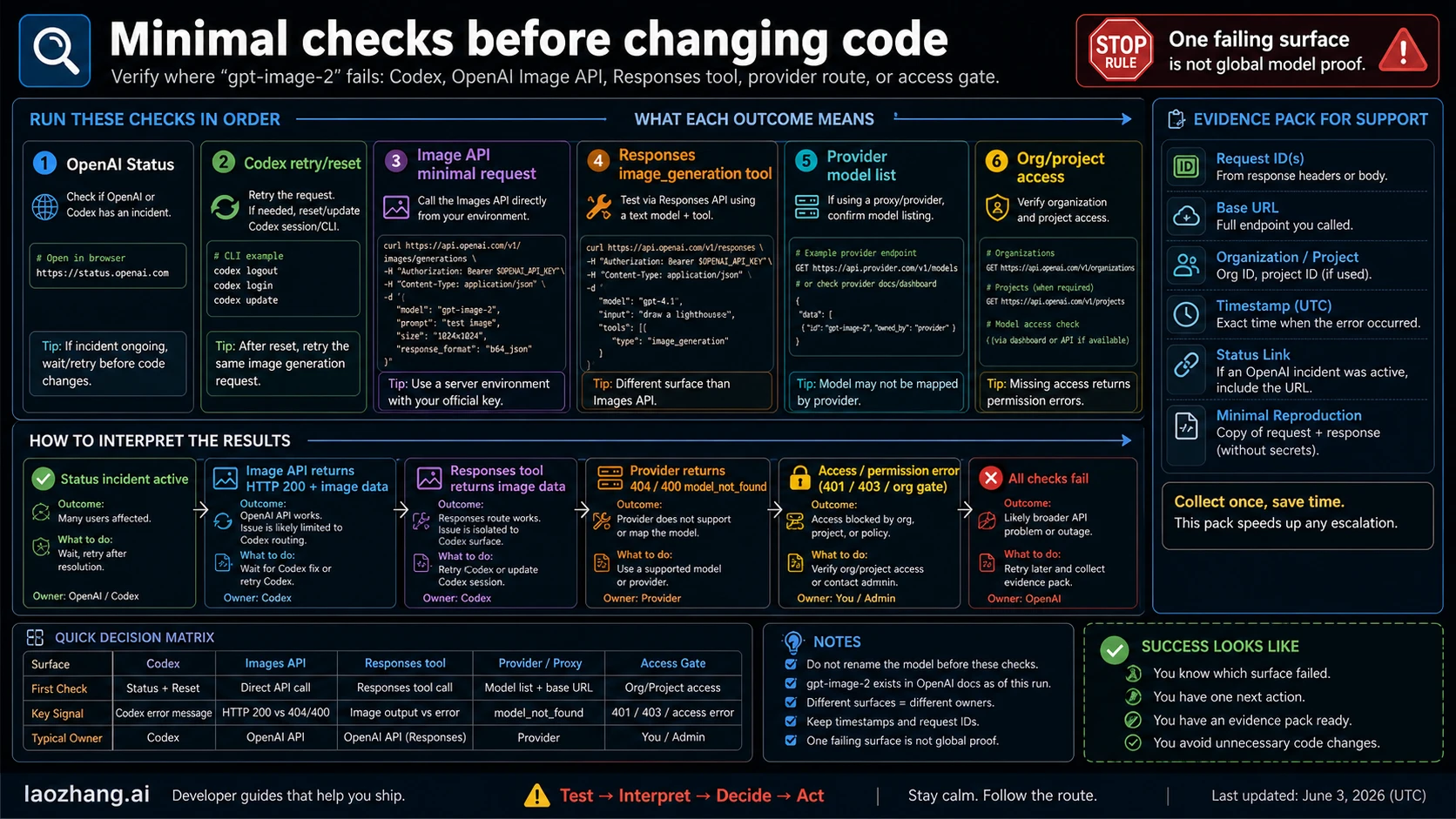
If you need to prove whether your OpenAI API route can reach gpt-image-2, use a minimal request against the official OpenAI base URL with the same organization and project you expect production to use.
curl https://api.openai.com/v1/images/generations \
  -H "Authorization: Bearer $OPENAI_API_KEY" \
  -H "Content-Type: application/json" \
  -d '{
    "model": "gpt-image-2",
    "prompt": "A small lighthouse on a cliff, simple test image",
    "size": "1024x1024"
  }'
Interpret the result by route:
| Result | Meaning | Next move |
|---|---|---|
| HTTP 200 and image data | The direct OpenAI Image API route works. | Treat the Codex error as Codex/session/tooling unless it also fails elsewhere. |
| Model or access error from OpenAI | Your org, project, or model access needs attention. | Check verification, project, key scope, and account state. |
| Provider returns model-not-found | The provider route may not map gpt-image-2. | Test OpenAI direct before changing model names. |
| Network or proxy failure | The route may be blocked before OpenAI sees it. | Log base URL, proxy, region, and request id if present. |
For the full direct Image API contract, use the sibling guide: GPT-Image-2 API Guide.
Do Not Confuse Image API and Responses
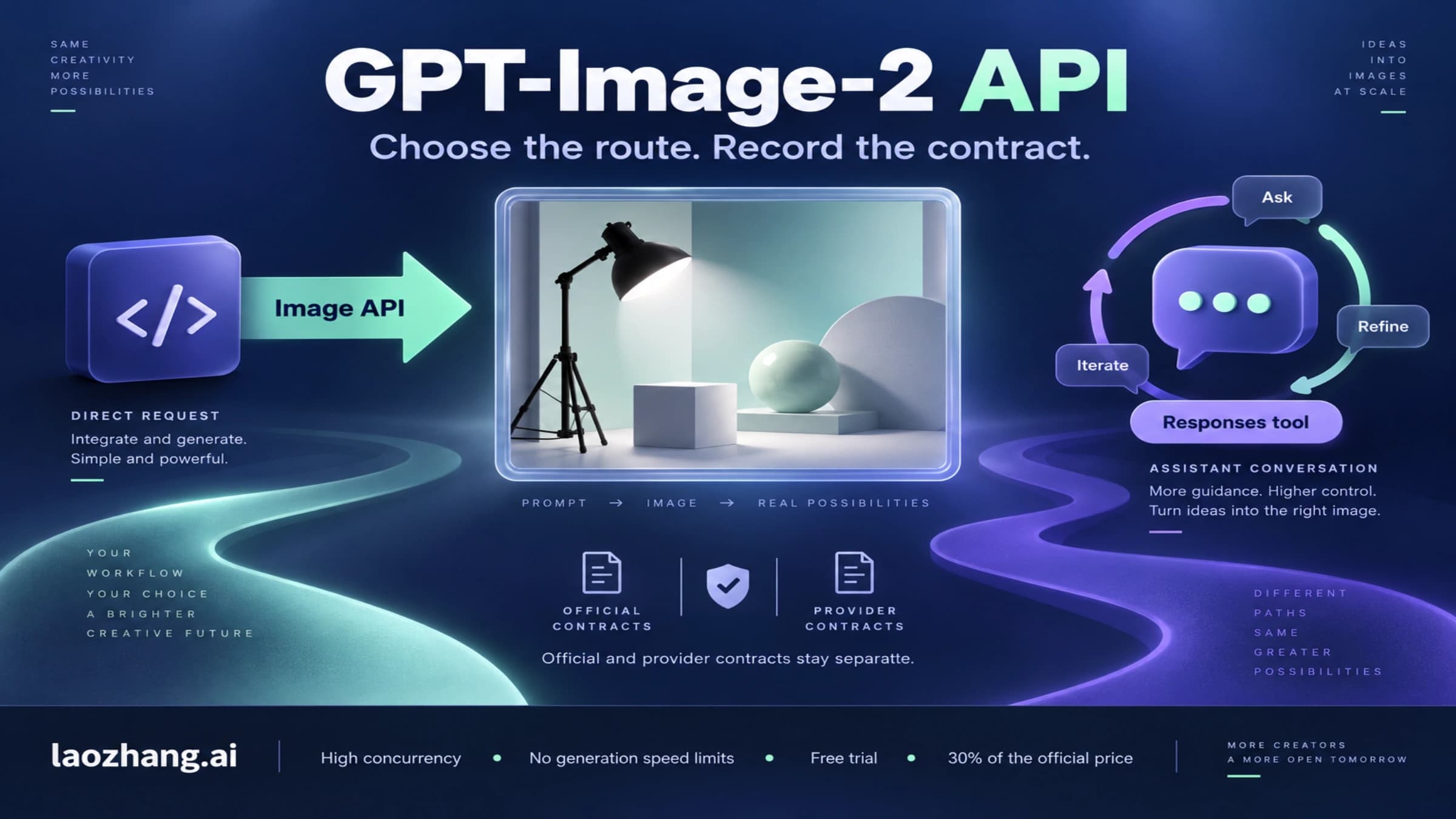
The direct Image API and the Responses API image tool are different request shapes. A direct image job uses the Image API with model: "gpt-image-2". A Responses workflow usually uses a main model plus a tool such as image_generation. If you move syntax between these surfaces without checking the docs, you can create a model-field error that looks related but has a different owner.
Use Responses when the image is part of an assistant or agent workflow. Use Image API when the request directly generates or edits an image. When the error appears in a Responses flow, inspect both parts: the main model and the image tool configuration.
const response = await client.responses.create({
  model: "gpt-5.5",
  input: "Create a simple test image and explain the composition.",
  tools: [{ type: "image_generation" }]
});
The exact main model can change with your account and current OpenAI docs, so keep this as a shape example, not a frozen recommendation. The durable rule is the route split: direct image endpoint versus Responses tool.
Provider or Custom Base URL Errors
OpenAI-compatible providers can expose OpenAI-style model names while owning their own model map, billing, availability, and fallback behavior. A provider returning The model 'gpt-image-2' does not exist may mean the provider has not mapped that model, has a different alias, has region restrictions, or is routing you to an upstream account without access.
Check these before changing code:
- Is the base URL really
https://api.openai.com/v1, or is it a provider/proxy URL? - Does the provider's current model list include
gpt-image-2exactly? - Does the provider require a different image endpoint, mode, or route name?
- Are you mixing a provider key with OpenAI docs or an OpenAI key with provider docs?
- Are you treating provider pricing as if it were official OpenAI pricing?
For laozhang.ai specifically, keep the distinction clean. It can be useful as an OpenAI-compatible provider route when a provider contract is what the reader needs, but any provider price or model coverage claim must be verified during the run and labeled as provider-owned. It is not official OpenAI pricing.
Disclosure: laozhang.ai is our own service. Its prices are platform pricing, not an independent comparison.
Access, Project, and Organization Gates
The Image API can be documented and still not available to every key, project, or organization state. The OpenAI image guide notes that organization verification may apply for some access. Project scoping can also matter: a key from one project does not prove another project has the same access.
When direct OpenAI fails, collect:
- endpoint and base URL
- model name
- request id or response headers if returned
- organization and project
- account or organization verification state
- timestamp with timezone
- region or network path if relevant
- the smallest reproducible request
That packet is more useful than a screenshot of the error alone. It also prevents a team from debugging the wrong account.
After Status Resolves
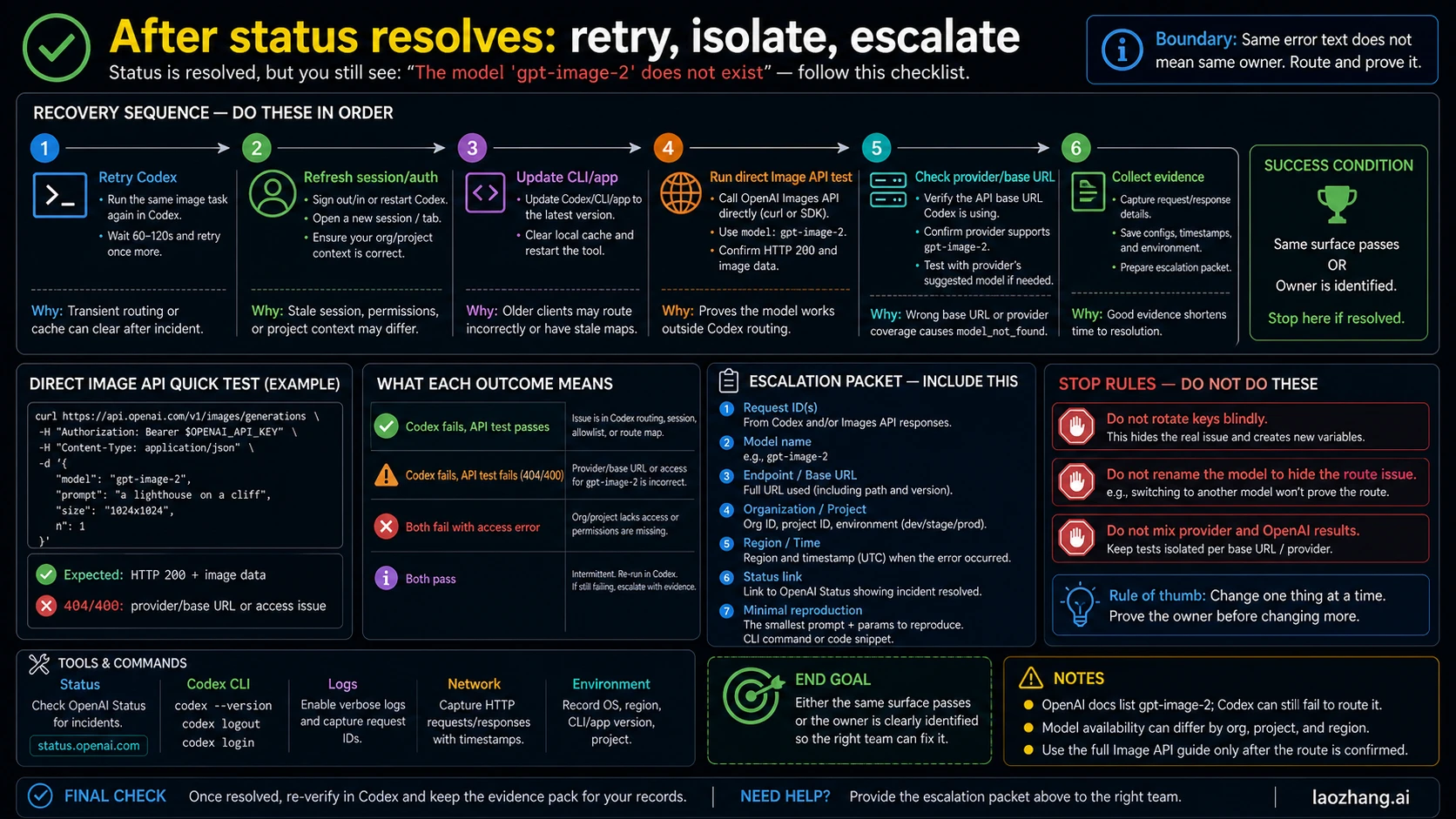
If OpenAI Status says the incident is resolved but Codex still shows the error, use a short escalation ladder:
- Retry the same Codex task once.
- Start a fresh Codex session or refresh authentication.
- Update the Codex CLI or app surface you are using.
- Run the direct Image API test from the same network.
- If you use a provider, test the provider model list and base URL separately.
- Collect a minimal reproduction and request ids before opening support or provider tickets.
Stop if the same surface passes. If Codex passes after a fresh session, the issue was likely session or route state. If direct OpenAI passes but provider fails, the provider owns the next check. If direct OpenAI fails with an access error, debug org/project access rather than Codex.
FAQ
Is gpt-image-2 a real OpenAI model?
Yes, OpenAI's image generation docs list gpt-image-2 for image generation as of this run. Treat a Codex model-not-found message as a surface failure until direct API evidence says otherwise.
Should I rename gpt-image-2 to another model?
Not as the first fix. Rename only when the route you are actually using documents a different supported model or alias. Renaming during a Codex/status incident can hide the real failure and create later audit problems.
What if my direct API call works but Codex still fails?
Then your application route is probably not the first owner. Refresh Codex, retry after status is stable, update the Codex surface, and keep the direct API success as evidence.
What if my provider returns HTTP 400 or model_not_found?
Check the provider's current model list and base URL. If OpenAI direct works but the provider fails, treat it as provider coverage, mapping, billing, or upstream access until the provider proves otherwise.
Does a ChatGPT or Codex plan guarantee Image API access?
No. ChatGPT/Codex product access, Codex image generation, and Platform API access are separate surfaces. Check the docs and the organization/project that owns the API key.
What evidence should I save?
Save the exact error text, route surface, model name, base URL, endpoint, org/project, timestamp, request id, status-page state, and a minimal reproduction. That evidence tells support whether the owner is Codex, OpenAI API, provider, network, or access.
Official documentation
Request parameters, pricing, and billing rules are documented in the LaoZhang API developer docs: GPT Image 2 API docs and Image billing and failures.
Disclosure: laozhang.ai is our own service. Its prices are platform pricing, not an independent comparison.
Sources2
External pages this guide links to, in the order they appear. Last updated Jun 3, 2026.
Sources2
External pages this guide links to, in the order they appear. Last updated Jun 3, 2026.