Google Veo Limit Per Day: 5 Clips in Flow, No Count in Gemini
Flow gives every account 50 credits a day: five Veo 3.1 Lite clips, ten on Ultra. The Gemini app now uses Omni and a 5-hour/weekly limit with no video count.
On this page
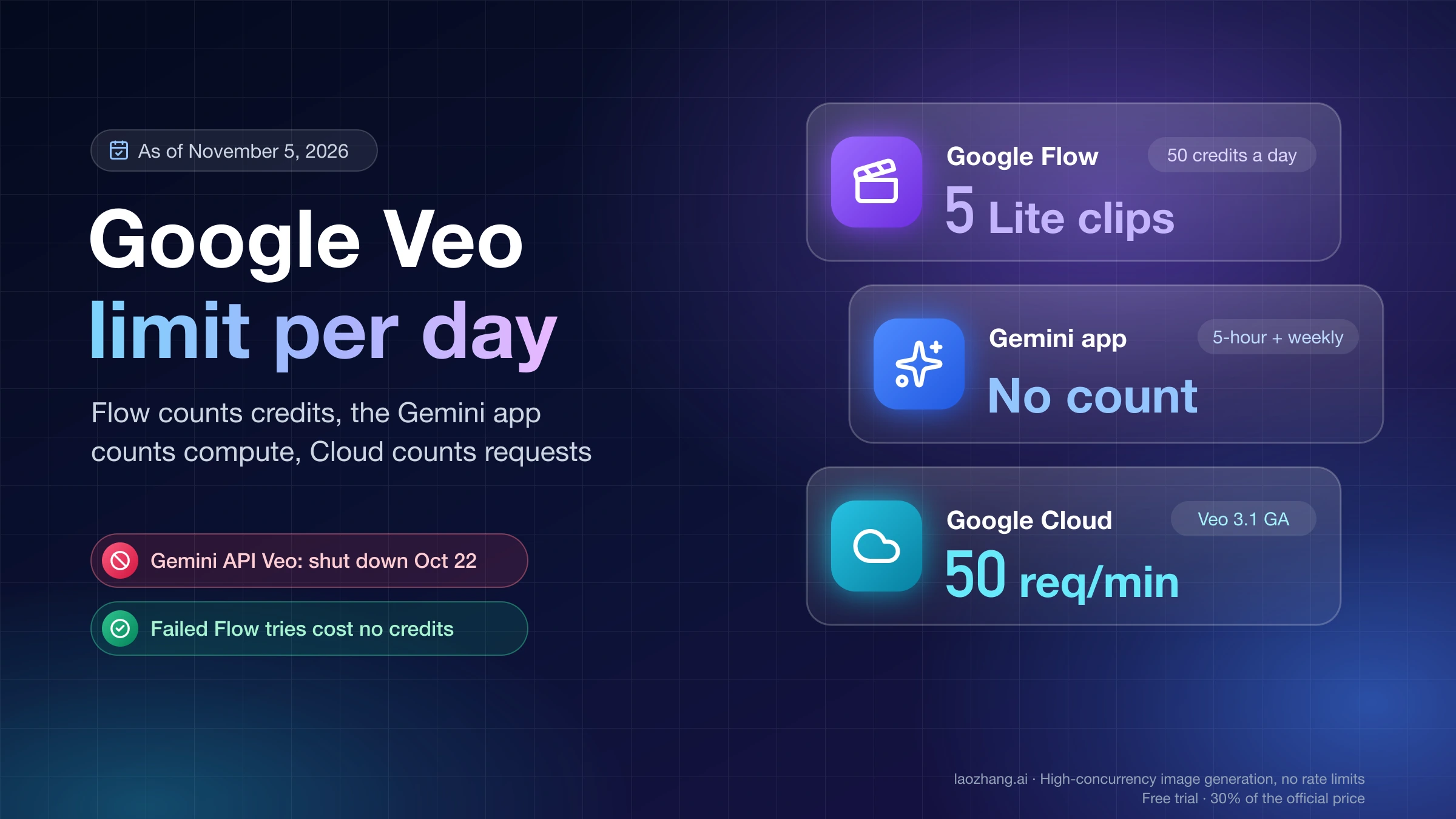
As of November 5, 2026, Google publishes no daily video count for the Gemini app on any plan. The "3 videos a day on Pro, 5 on Ultra" rule people remember has since been removed from Google's help page, and the app no longer uses Veo at all: its video model is now Gemini Omni 1.1 Flash, and each clip draws from the same compute-based allowance as your chats, which refreshes every 5 hours up to a weekly ceiling. Your own remaining allowance is under Settings > Usage Limits in the Gemini web app.
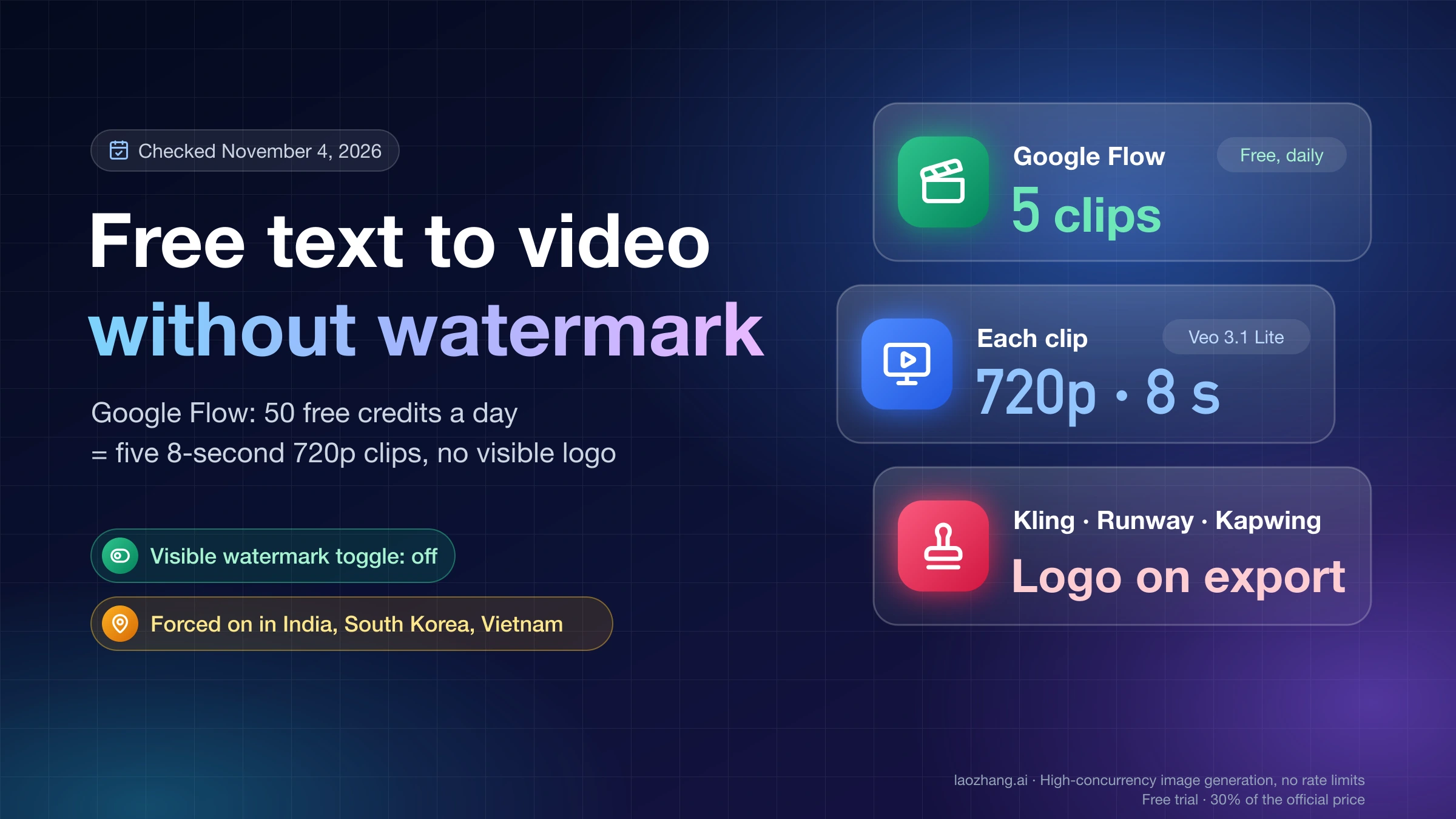
If you want Veo by name and a number you can count, use Google Flow. Every Flow account, paid or not, gets 50 credits a day. That buys five 8-second Veo 3.1 Lite clips or two Veo 3.1 Fast clips (ten and five on Ultra), and subscribers add a monthly pool on top: 200 credits on Google AI Plus, 1,000 on Pro, 10,000 or 25,000 on Ultra. When the credits run out, Flow fails the request with "You've reached your usage limit" and charges nothing for the failed try. The next move is to drop to Veo 3.1 Lite, wait for the daily refresh, or upgrade for monthly credits.
Developers are the exception. The Gemini API shut down its Veo 3.1 preview models on October 22, 2026, so an AI Studio key no longer reaches Veo. Veo 3.1 remains on Google Cloud, which bills per second and caps requests per minute rather than videos per day.
How many Veo clips per day in Google Flow, by plan
Flow's daily allowance is the same 50 credits for everyone, so your plan only changes the price per clip and the size of the monthly pool behind it. Ultra subscribers pay half for Veo 3.1 Lite and Fast (5 and 10 credits per clip instead of 10 and 20), so the same 50 credits stretch to ten Lite clips. Veo 3.1 Quality costs 100 credits per 8-second clip for everyone, which is more than a whole day's allowance, so in practice it comes out of the monthly pool. The table divides each balance by the per-generation costs on Google's Flow credits help page and rounds down.
| Plan (US price per month) | From 50 daily credits: Lite / Fast clips | Monthly credits | From the monthly pool: Lite / Fast / Quality clips | Lite clips in 30 days, daily plus monthly |
|---|---|---|---|---|
| No plan ($0) | 5 / 2 | None | None | 150 |
| Google AI Plus ($4.99) | 5 / 2 | 200 | 20 / 10 / 2 | 170 |
| Google AI Pro ($19.99) | 5 / 2 | 1,000 | 100 / 50 / 10 | 250 |
| Google AI Ultra ($99.99) | 10 / 5 | 10,000 | 2,000 / 1,000 / 100 | 2,300 |
| Google AI Ultra ($199.99) | 10 / 5 | 25,000 | 5,000 / 2,500 / 250 | 5,300 |
The last column assumes you spend all 50 daily credits on each of 30 days. For Pro that is 30 × 50 + 1,000 = 2,500 credits, or 250 Lite clips at 10 credits each, about 8 a day on average. Prices come from the US Google AI plans page as of November 5, 2026; Flow's help page calls the two Ultra tiers "Ultra $100" and "Ultra $200".
These are calculations from Google's published costs, not counts Google publishes, and three details move them. Costs are charged per generation, not per request, and Google's own example is "a single request that may generate 2 videos", so a two-video request uses twice the credits. The help page doesn't say whether one Quality clip can combine daily and monthly credits, so Quality is counted only from the monthly pool. And on Ultra $200, Flow also offers Veo 3.1 Lite (Lower Priority) at 0 credits; Google gives no cap for it, which makes it a lower-priority lane without a published number rather than an unlimited plan.
Gemini Omni Flash is in Flow too, priced by length: 12 credits for an 8-second 720p clip and 15 for 10 seconds, so the daily 50 cover four or three of them, and 360p clips cost 4–7 credits. Without a subscription, Flow may also refuse video during peak hours, "roughly 2 PM to 5 PM UTC", even when you still have credits. A banner on the Flow home page on November 5, 2026 read "Google AI subscribers now receive 50 additional Flow credits daily". The help page describes the same thing as the 50 daily credits every account gets, on top of the monthly pool, and nowhere promises 100 a day. Google notes that costs can change at any time and shows the current ones under Settings at the top right of the prompt box. If you're choosing a free tool rather than a plan, Free Text to Video AI Without Watermark: 5 Clips a Day in Flow covers download and watermark differences.
What Flow shows when the credits run out: a test on November 5, 2026
A free Flow account was run to zero on November 5, 2026, and the limit looked the same whether the balance was empty or simply too small for the chosen model. The account was a personal Google account with no Google AI plan, used in Chrome on macOS with the interface set to Chinese, between 1:06 and 1:18 PM UTC, outside Google's peak window. It started the day with 50 credits. The evening before, on November 4, 2026, the same account's first Veo 3.1 Lite clip had taken about 80 seconds and left 40 credits, and those 40 did not carry over.
The first request asked for one 8-second Veo 3.1 Quality clip. Flow's confirmation asked to spend 100 credits and let the request go ahead even though the balance was 50. About 10 seconds later the clip card read "You've reached your usage limit. Please try again later, or upgrade for higher limits." The Flow agent then explained: "It looks like you've reached your credit quota limit for Veo 3.1 - Quality. You can switch to a lower credit model like Veo 3.1 - Lite, or upgrade your subscription plan to get more credits. You won't be charged any credits for this failed generation." The account panel still showed 50 credits.
Five Veo 3.1 Lite clips came next, priced at 50 credits in the confirmation. A banner at the top of the page immediately said the Flow credits were used up and offered to wait for the refresh or upgrade, and the agent reported the five generations "waiting in the queue due to high demand". All five 8-second 720p clips finished in about 90 seconds. A sixth Lite request still got a normal 10-credit confirmation, with no warning that the balance was zero, and then failed with the same usage-limit card. The account panel then showed 0 credits.
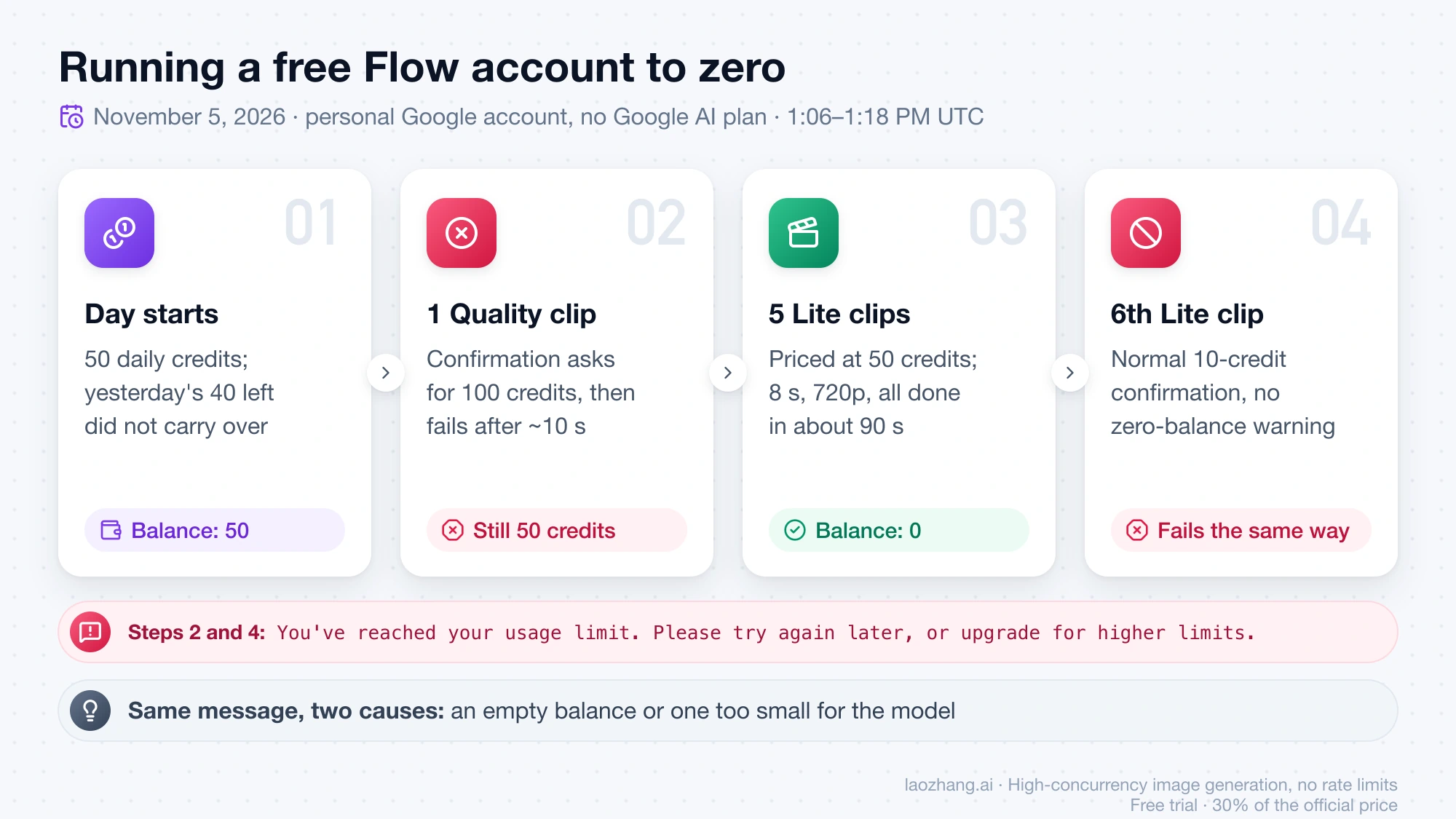
The refresh time in that panel didn't behave quite as documented. Google says the daily refresh "is triggered by your first generation", yet the panel showed the same time before and after the test, 7:45 PM local time (UTC+8), close to the previous day's first use, even though the first request on November 5 came after 9 PM local time. Google doesn't explain the difference. The test covered neither Veo 3.1 Fast nor a paid account, so those rows in the table above are calculations only.
"You've reached your usage limit" but Flow still shows credits
This message also appears when one generation costs more than your remaining balance, because Flow uses the same wording for both cases. In the November 5 test, the Quality clip failed with 50 credits still in the account because it needed 100. So check the model before you assume the day is over. Quality can never run on daily credits alone, and Fast fails once you drop below 20 credits (10 on Ultra), while Veo 3.1 Lite or a short 360p Omni Flash clip may still fit the same balance. Failed tries aren't charged, so rerunning on a cheaper model costs nothing extra.
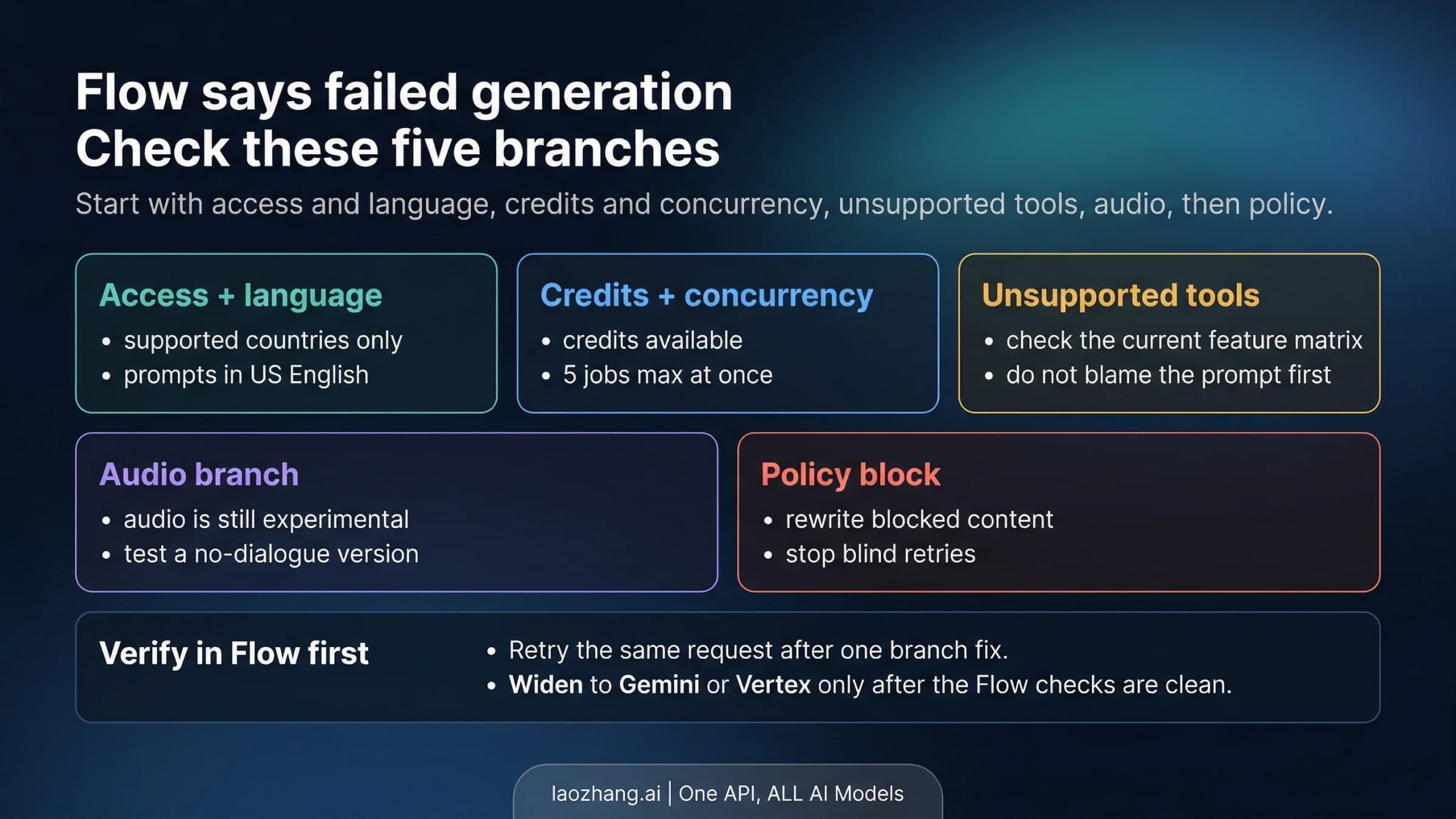
If the panel really shows 0, only time or money helps: wait for the next daily refresh, or add a plan's monthly credits. Failures that have nothing to do with credits, such as missing access, audio problems or policy blocks, are covered in Google Flow Failed Generation? Fix Veo 3.1 in Flow First (2026).
Gemini Pro and Ultra video limit per day: no published number
In the Gemini app, Google AI Plus, Pro and Ultra subscribers can make videos, but Google states only a multiplier for each plan, not a count. The Gemini Apps limits and feature availability page describes "compute-based usage limits" that depend on your prompt, the models and features you use, and the length of your chat, and says "Your limit refreshes every 5 hours until you reach your weekly limit." Plus gets 2x the standard limits, Pro 4x, and Ultra "5x or 20x higher than AI Pro limits depending on your subscription". Video is rated High usage, and Google adds that "Video generally requires the most usage", so a day of long chats leaves less room for clips, and the other way round. Even Ultra at 20x still has a weekly ceiling. The same allowance covers images, which Gemini Free Image Limit: How Many Images You Can Make and Upload breaks down.
Without a plan there is no video in the app. On November 4, 2026, a free account showed "Make video" in the Gemini web app's + menu with a lock icon, which matches Google's feature table: video generation for Plus, Pro and Ultra only. For paid plans, the multipliers above are the only figures Google gives; no in-app clip count has been measured on Plus, Pro or Ultra. To see where you stand, open Settings > Usage Limits at the bottom left of gemini.google.com. Gemini warns you when you're close to the limit and, once you hit it, tells you when it refreshes.
The clips themselves are no longer Veo. Google's Gemini video generation page says Gemini Omni 1.1 Flash "will now replace the previous Google Gemini Veo 3.1 model" and lists 10-second videos, photo-to-video from up to 5 photos, and video-to-video editing. The FAQ on the US plans page still mentions Veo 3.1 for Pro and Ultra; it lags behind the video page.
The old numbers did come from Google. An archived copy of the Gemini limits page from October 1, 2025 lists Google AI Pro at "Up to 3 videos / day using Veo 3 Fast (preview)" and Ultra at "Up to 5 videos / day using Veo 3 (preview)". The copy archived on July 9, 2026 has no daily video count. As late as August 10, 2026, a paid subscriber in a Google AI Developers Forum post on Veo daily limits described "approximately five Veo generation attempts per day", so count-style caps lasted while the app still ran Veo. Now the shared allowance is the rule.
When each Google video limit resets
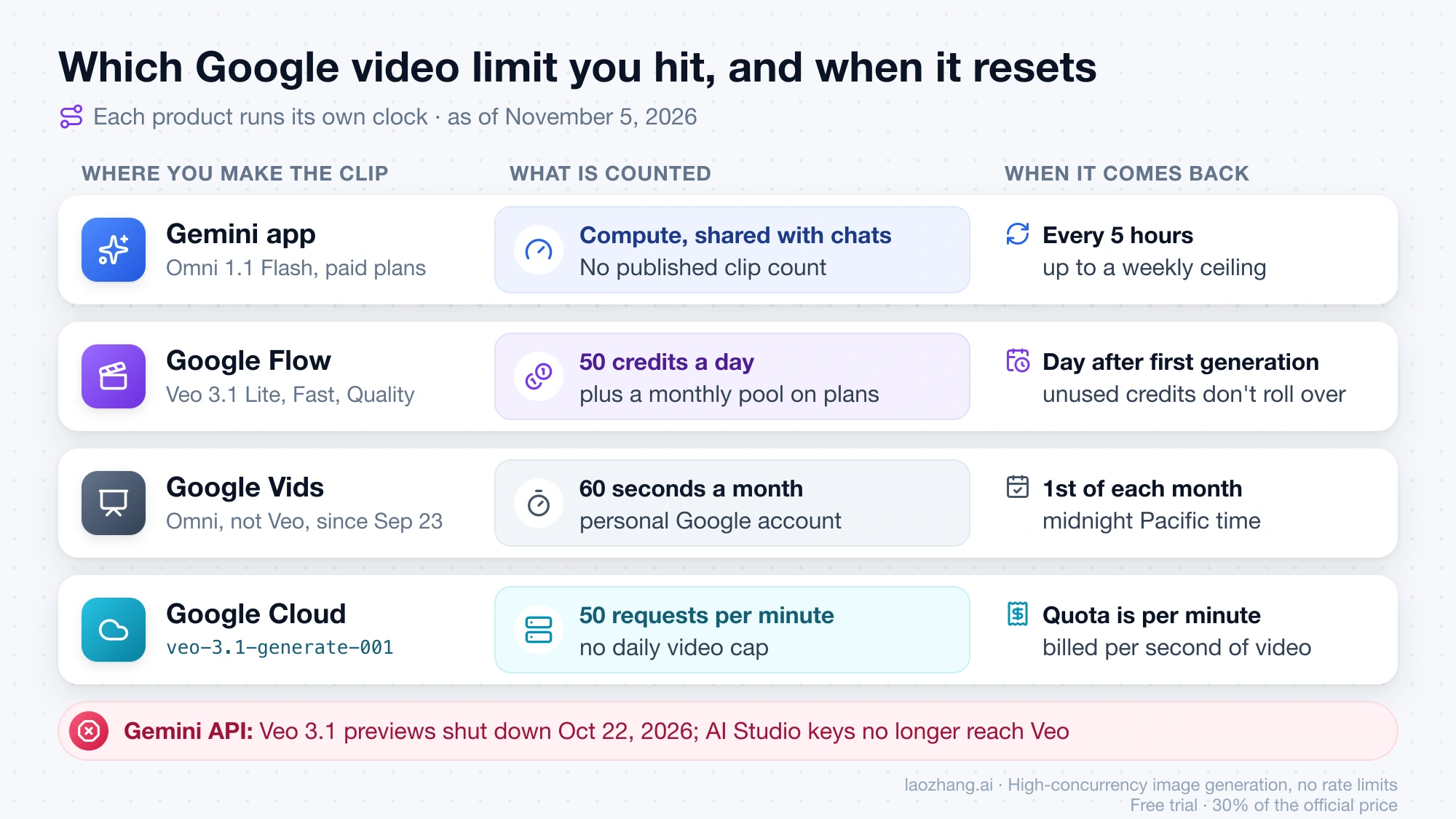
Each Google product runs its own clock, so "wait until tomorrow" is only right for Flow's daily credits. In Flow, the 50 daily credits come back the day after your first generation, and unused ones don't roll over. Monthly subscriber credits refresh at the start of your billing cycle and don't roll over either, while purchased AI credits may expire on their own schedule. In the Gemini app, the allowance refreshes every 5 hours until you reach the weekly limit, and the limit notice shows the exact time. Google Vids resets its personal-account AI limits on the 1st of each month at midnight Pacific time. On the Gemini API, requests-per-day quotas reset at midnight Pacific time, though that now applies to Omni rather than Veo.
Google Vids and the API: monthly seconds and per-minute quotas
Google Vids and the developer routes don't count videos per day the way Flow does. For a personal Google account, the Google Vids AI limits page gives 60 seconds of AI video clips a month. The Vids help page on generating video clips instead says the feature needs an eligible Google Workspace subscription and that "most users can generate up to 50 videos per month". The two pages disagree and Google hasn't reconciled them. Vids has also generated with Gemini Omni 1.1 Flash, not Veo, since September 23, 2026.
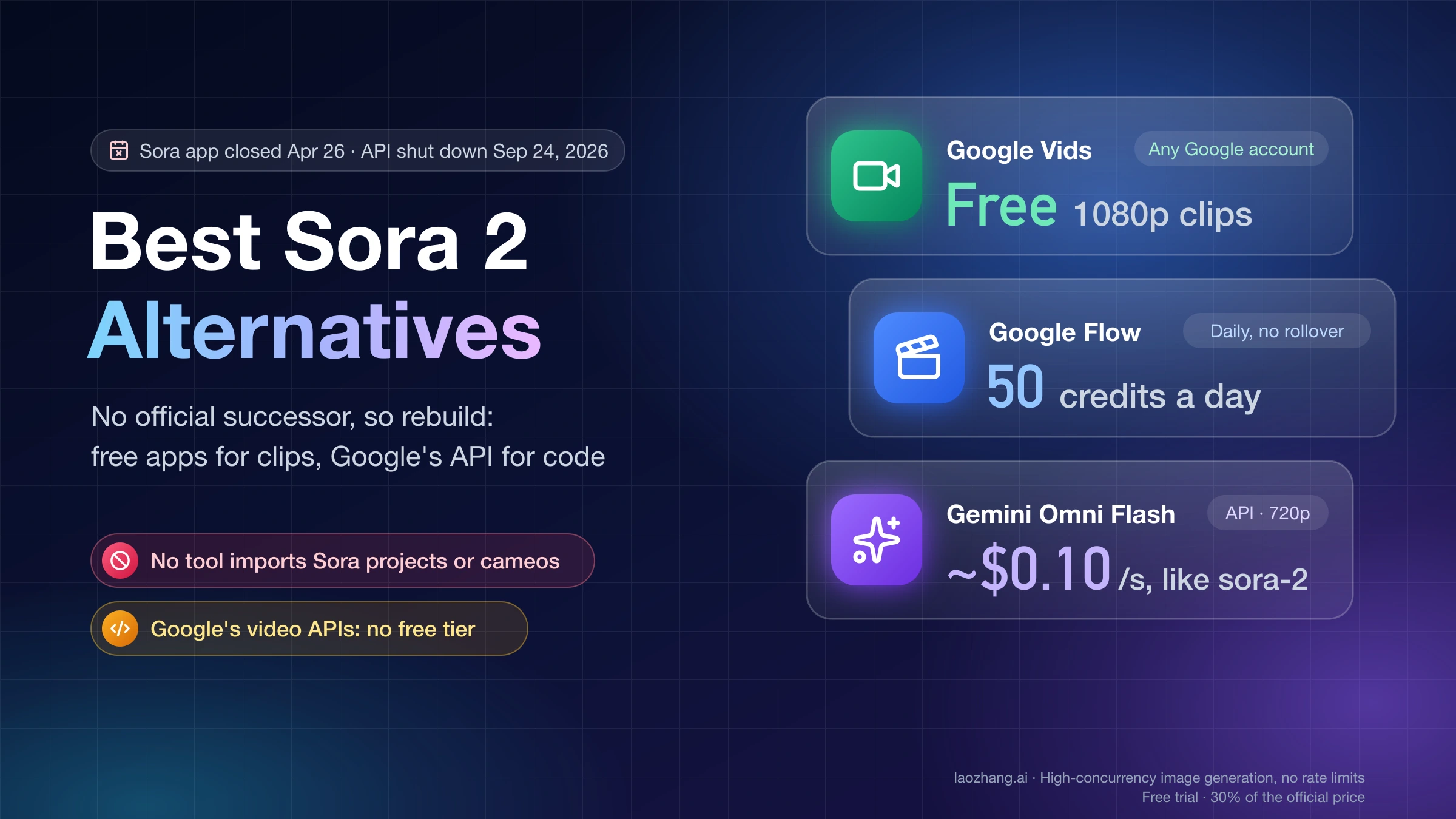
On the API side, the Gemini API Veo guide states that veo-3.1-generate-preview, veo-3.1-fast-generate-preview and veo-3.1-lite-generate-preview were shut down on October 22, 2026, and points developers to gemini-omni-1.1-flash or the GA Veo models on Google Cloud. That's why older reports of a 10-requests-a-day Veo quota on Tier 1, from an August 2026 forum post, no longer apply. Omni Flash on the Gemini API has no free tier and costs about $0.10 per second of 720p video. Google doesn't publish a per-day number for it; your project's quota shows in AI Studio.
On Google Cloud (Gemini Enterprise Agent Platform, formerly Vertex AI), veo-3.1-generate-001 and veo-3.1-fast-generate-001 are generally available, with a retirement date of "May 4, 2027 or later" on the Veo 3.1 model page. The quota there is 50 requests per minute per base model, each prompt can return up to 4 videos, and there is no daily video cap; you can view and request changes under Quotas and System Limits in the Cloud console. You pay per second instead, with Veo 3.1 Fast at $0.10 and Veo 3.1 at $0.40 per second of 720p video with audio as of October 21, 2026. Which model ID each Google product expects is mapped in Gemini Omni 1.1 Flash: Which Model ID Should You Use in Each Google Product?.
What to do when you hit the Veo limit today
Start with the move that costs nothing: switch the model, then wait, and only then pay. In Flow, if Quality or Fast failed while credits still showed, rerun the clip on Veo 3.1 Lite or a 360p Omni Flash clip. If the balance is zero, the daily 50 credits come back after the refresh, so spread longer projects across days.
If that isn't enough, Google AI Pro at $19.99 a month is the plan that changes the math: its 1,000 monthly credits add 100 Lite or 10 Quality clips. Plus at $4.99 adds 200 credits, enough for 2 Quality clips. Plus, Pro and Ultra subscribers can also buy AI credits in supported regions except Japan, and in a Google One family group only the plan manager can buy them.
In the Gemini app there's no cheaper model to fall back on for video inside a limit window, so either wait for the refresh time shown in the notice or make the clip in Flow, which spends credits instead of the app's allowance. Developers who need volume should budget per second on Google Cloud; How Much Does an AI Video Generator Cost Per Month and Per Clip? compares per-second prices across tools and APIs. If you only need to animate a photo, Best Free Image-to-Video AI in 2026: What Is Actually Free? compares the free options.
Sources10
External pages this guide links to, in the order they appear. Last updated Nov 5, 2026.
Sources10
External pages this guide links to, in the order they appear. Last updated Nov 5, 2026.
- 1.Google's Flow credits help pagesupport.google.com/flow/answer/16526234
- 2.US Google AI plans pagegemini.google/us/subscriptions
- 3.Gemini Apps limits and feature availability pagesupport.google.com/gemini/answer/16275805
- 4.Gemini video generation pagegemini.google/overview/video-generation
- 5.archived copy of the Gemini limits page from October 1, 2025web.archive.org/web/20251001145844/https://support.google.com/gemini/answer/16275805
- 6.Google AI Developers Forum post on Veo daily limitsdiscuss.ai.google.dev/t/177679
- 7.Google Vids AI limits pagesupport.google.com/docs/answer/15609411
- 8.Vids help page on generating video clipssupport.google.com/docs/answer/16143507
- 9.Gemini API Veo guideai.google.dev/gemini-api/docs/veo
- 10.Veo 3.1 model pagedocs.cloud.google.com/gemini-enterprise-agent-platform/models/veo/3-1-generate