Gemini Something Went Wrong (1155): Outage, Account or Browser?
Google has never explained Gemini's Something went wrong (1155). Two quick tests show whether it's a Google-side wave, your account or your browser.
On this page
Google has not published what "Something went wrong (1155)" means. The explanation you will see quoted most, that errors in the 1100s point to a backend timeout between your session and Gemini's servers, was written by a volunteer Product Expert in Google's help forum in June 2026. Google itself has never confirmed it, and no Google employee has replied in any of the forum threads about 1155.
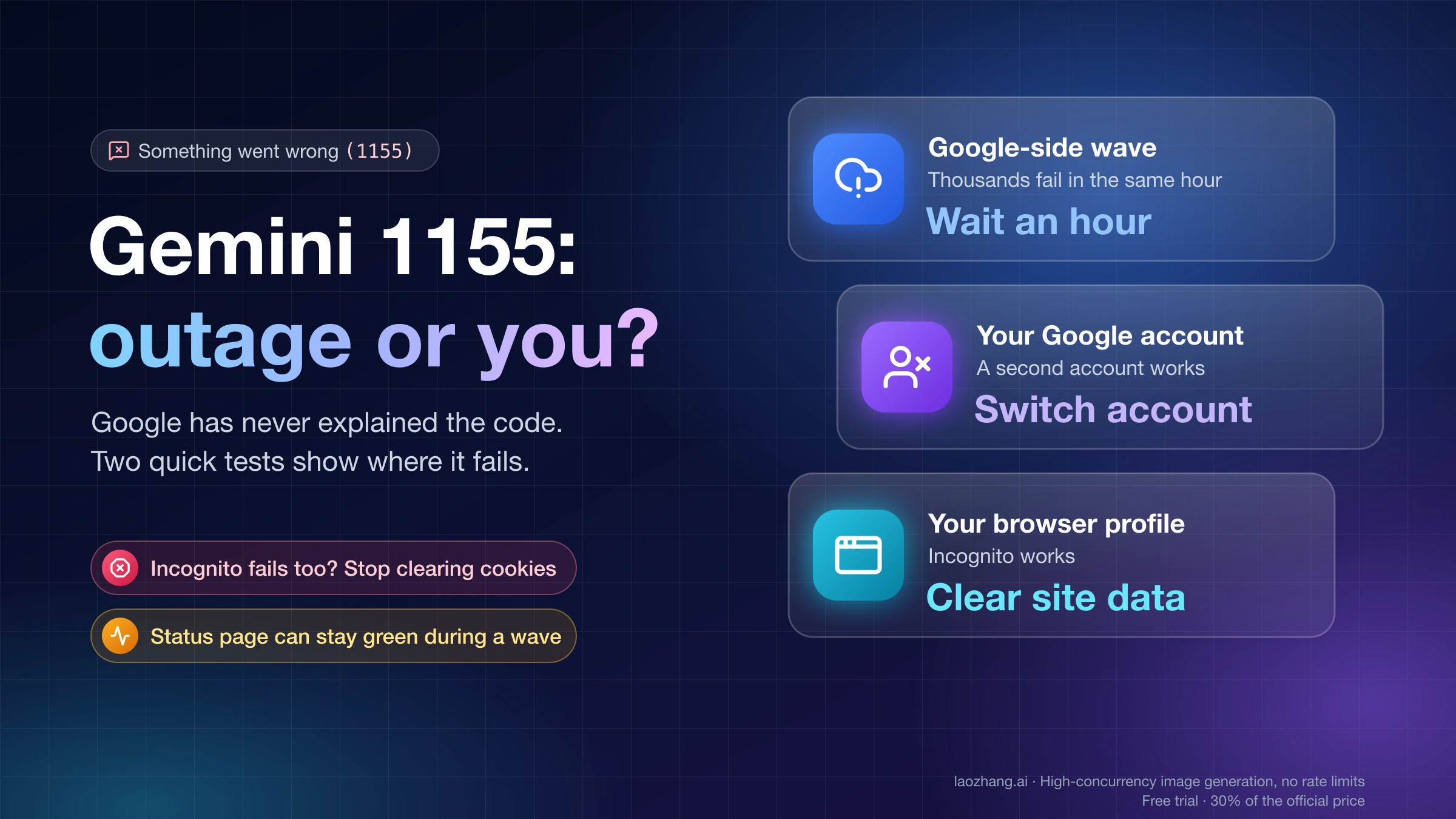
What you can find out is where the failure sits. Since June 2026, 1155 has turned up in three different situations: short Google-side waves that hit thousands of people at once (the latest was reported on October 8, 2026), faults that follow one Google account for days while other accounts on the same phone work, and problems in a single browser profile. Each one calls for something different, and only the last one is fixed by the usual checklist of clearing cookies, turning off the VPN and signing out and back in.
Two tests sort most cases in a few minutes. Open an incognito window and send a one-line prompt from the same account. If it works, the problem is your browser. If it fails, send the same prompt from a second Google account on the same device and network. If that one works, the fault follows your account. If both fail, Gemini is failing for more than just you, so look for a reported outage and stop changing settings. Every fix below comes from Gemini users and volunteers in Google's forum and is dated; none has a measured success rate.
What does Gemini error 1155 mean? Google has never said
The number in brackets is an internal code Gemini shows next to its generic error message. Google publishes no list of these codes. When a user in the Gemini community thread "Something went wrong (1155)" asked on June 13, 2026 whether any document explained them, the Gold Product Expert who answered began with "Google doesn't publish a public directory detailing every single internal numeric error code." Product Expert is a volunteer rank in Google's help community, not a Google job title.
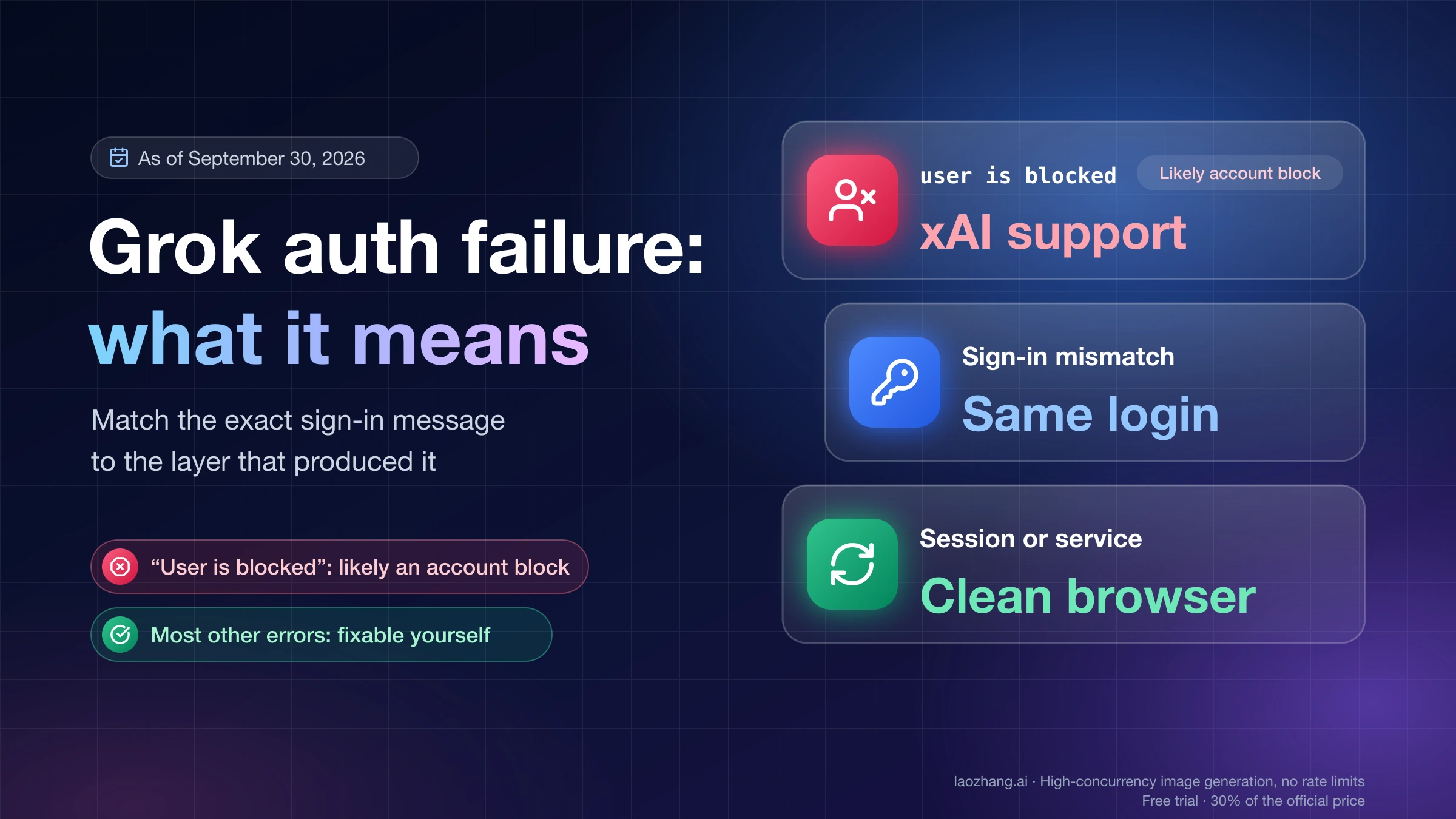
The only text Google itself has written about "Something went wrong" is on the Gemini Apps sign-in requirements page. It says that if you see the message while trying to access or sign in to the Gemini web app, "your account can't access the app at the moment," for reasons including location, age or type of account, and that you "can try again later." That page has no number in it and does not describe a failure in the middle of a chat, which is where most people meet 1155.
Descriptions of Gemini's numbered errors attributed to "Google Help", such as "a server-side handshake failure" or "account-level desync", come from those volunteer answers, not from a Google help article. Treat any fixed definition of 1155 the same way: it is someone's reading of the symptom.
Where Something went wrong (1155) has appeared since June 2026
1155 is not tied to one event. Users have reported it in at least three different patterns, and the pattern you match is more useful than any definition:
| When | What users reported | Who it hit | How it ended |
|---|---|---|---|
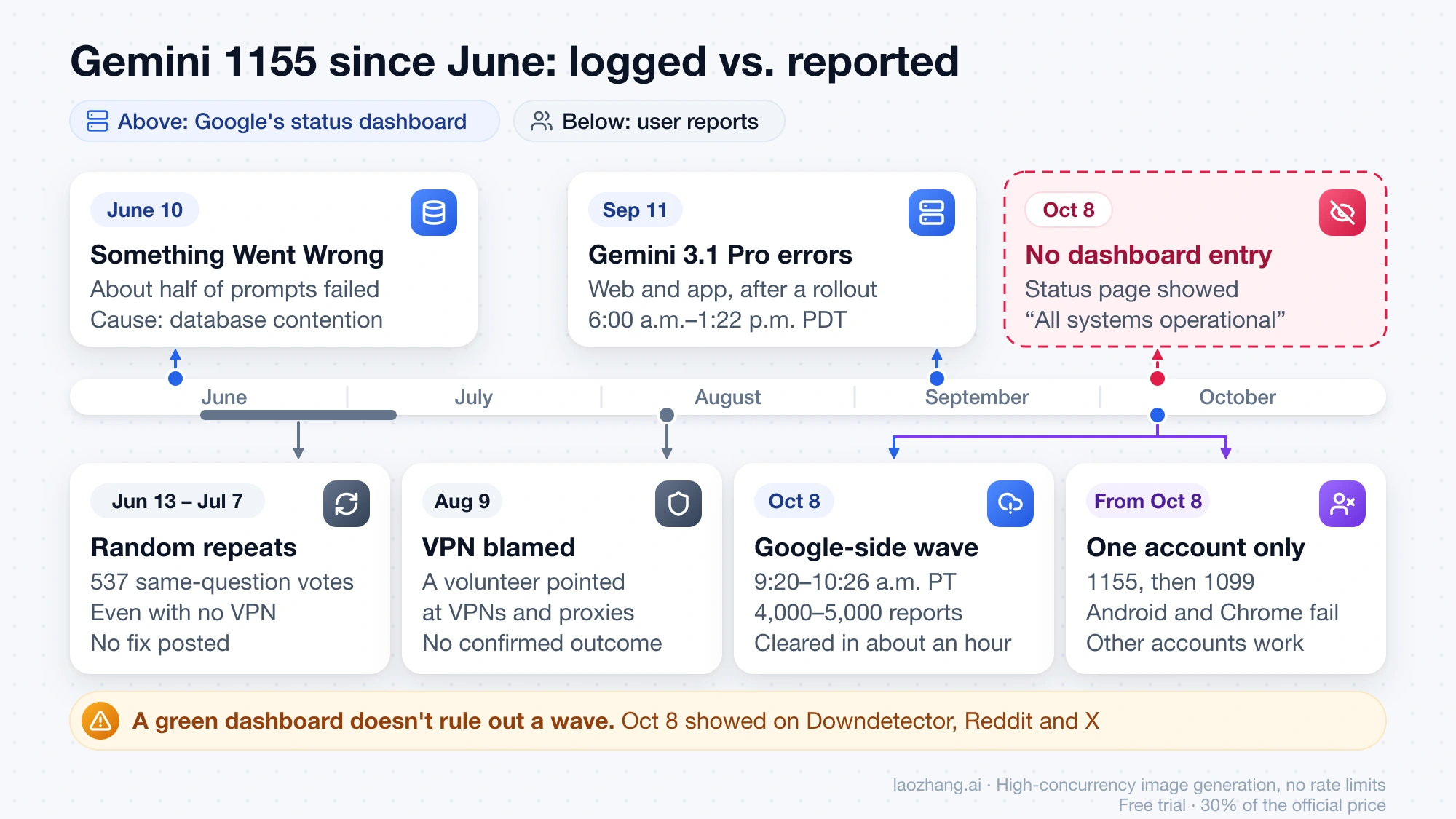
| June 13 – July 7, 2026 | 1155 at random moments on Gemini Pro in the browser, sometimes after a few messages; one user only when analyzing an uploaded video | 537 people marked "I have the same question" in the forum thread | Still recurring after three weeks; no fix posted |
| August 9, 2026 | 1155 in a "whats wrong with gemini" forum thread; a volunteer blamed VPNs and proxies | Individual users | No confirmed outcome |
| October 8, 2026, about 9:20–10:26 a.m. PT | 1155, often alongside 1099 and 13, on the web and in the mobile app, even for a "2+2=?" prompt | Thousands at once, in English, Spanish and Japanese posts within the same hour | Appeared to clear by itself after about an hour |
| From about October 8, 2026 | 1155 on every new chat, then 1099, with no files attached | One personal account in Pakistan, on both Android and Chrome; other Gmail accounts on the same device worked | No resolution posted |
The June thread is the clearest sign that 1155 can persist without a public outage. The person who started it first changed VPN locations, then resorted to Tor, which let messages through "on the odd circuit." Other users then wrote that they had no VPN at all and a "totally fresh session" and still got the error. Three weeks in, it was "still happening from time to time."
Is Gemini down or just you? Signs of a 1155 wave
During a wave, many unrelated people see 1155 within the same few minutes, and Google's own status page can stay green. On October 8, 2026, Tom's Guide's live blog on the Gemini outage tracked Downdetector reports climbing from about 1,700 to a peak of roughly 4,000–5,000. Downdetector commenters quoted in the blog described "error 1155 … which simply says 'Something went wrong'," and some also saw error 13. The reports fell to 355 about an hour after the peak. Google never acknowledged the incident, and its status page showed "All systems operational" the whole time.
The Google Workspace Status Dashboard, which has a Gemini row, did record two earlier incidents in 2026:
- June 10, 2026: "Something Went Wrong" errors across all Gemini surfaces, about half of prompts failing between 3:30 and 10:25 a.m. Pacific, caused by database contention.
- September 11, 2026: elevated error rates with Gemini 3.1 Pro models on the web and in the app, from 6:00 a.m. to 1:22 p.m. PDT, after a rollout.
As of October 10, 2026, the dashboard has no entry for October 8. So a green dashboard does not rule out a wave. What showed the October 8 wave were outside signals. Downdetector jumped. A "Gemini down, or just me?" thread on r/GeminiAI filled up that morning. Posts on X quoting the same number appeared within minutes of each other. Downdetector's category breakdown that day, as reported by The Sunday Guardian, put 69% of Gemini reports under AI generation, which fits chats that load but fail to answer.
Searching for "Gemini status" brings up status.gemini.com, which belongs to Gemini the crypto exchange, not Google's AI. It tells you nothing about Gemini Apps.
If you find a spike or a stream of same-hour posts, you are almost certainly in a wave. The October 8 one lasted about an hour. Leave your browser, account and VPN settings as they are and retry later. Changing them during a wave proves nothing, and a cleared session just means signing back in once Gemini recovers.
Three tests that tell an outage, your account and your browser apart
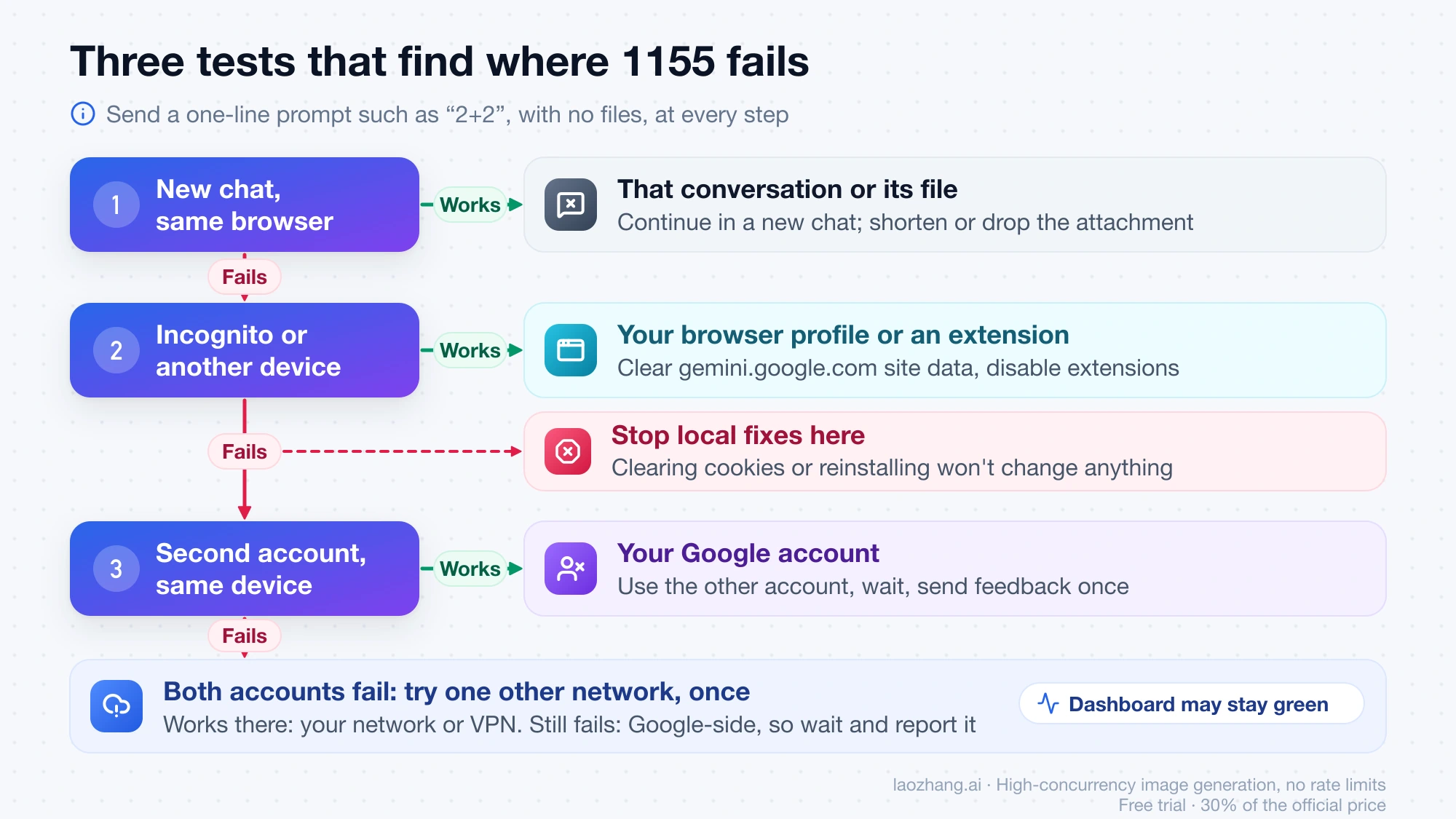
If there is no sign of a wave, run these in order. Each one rules out a layer, and the result tells you which fixes are still worth trying. Use a one-line prompt with no files, such as "2+2", so a large upload or a long conversation is not part of the test.
- New chat, same account, same browser. If a fresh chat answers and only one conversation fails, the problem is that conversation or its attachment. One June user only saw 1155 when analyzing an uploaded video. Continue in a new chat, or try a shorter file.
- Same account in an incognito window, or on another device. Incognito runs without your extensions and saved site data. If it works there, your browser profile is the cause. Clearing site data for gemini.google.com and disabling extensions one at a time are now worth doing. If it fails in incognito and on your phone too, your browser is not the cause, and more cookie clearing will not change anything.
- A second Google account on the same device and network. If the second account works while yours fails everywhere, the fault is attached to your account. If both accounts fail, try one other network (mobile data instead of Wi-Fi, or your VPN off) once. If that fails too, the problem is most likely on Google's side, even when the dashboard is green.
| Result | Where the fault is | What to do next |
|---|---|---|
| Downdetector spikes; other people post the same number | Google-side wave | Wait an hour and retry; change nothing |
| New chat works, one chat fails | That conversation or its file | Start a new chat; shorten or drop the attachment |
| Incognito or another browser works, same account | Your browser profile or an extension | Clear gemini.google.com site data, disable extensions, hard refresh |
| Same account fails everywhere, second account works | Your Google account | Stop local fixes; use the other account, wait, send feedback |
| Both accounts fail on one network, work on another | That network or VPN route | Use the working network; change VPN server or turn it off |
| Both accounts fail on every network, no outside spike | Google-side, not yet visible | Wait, then report with the details below |
Paid accounts have one more test. On Google AI Pro or Ultra, switch from Pro to Flash. If Flash answers and Pro fails, the problem is with one model, which is what Google's September 11 incident looked like. Free accounts cannot run this test anymore. From October 9, 2026, Google began moving accounts without an AI plan to Auto, which sends most prompts to Flash-Lite, according to Google's help page on Gemini model access changes. Advice to "switch to Pro" does not apply to them.
When to stop fixing 1155 locally: wait, switch account, or report
Stop changing settings on your device as soon as test 2 fails. If the same account fails in incognito and on a second device, cookies, extensions, hard refreshes and reinstalling the app all act on a layer you have already ruled out. That is why the June and October forum threads are full of people who did the whole checklist and still saw 1155.
What is left depends on the pattern:
- Wave: wait. The October 8 wave cleared within about an hour without anyone doing anything.
- Account-bound: use another Google account while you wait. Trying the mobile app instead of the website, or the reverse, costs nothing, but in the October account-bound case both failed. The June thread shows this kind of fault coming and going for weeks. The one user who said clearing cookies fixed it got a reply from another that the error "still happens, it may happen at random time." Send feedback once, with your test results.
- Browser-bound: keep going with the local fixes. This is the one case where clearing site data, removing an extension or using another browser solves the problem rather than just postponing it.
Is error 1155 caused by a VPN? Turn it off once, then move on
A VPN is not the cause in most reported cases. Volunteers in Google's forum named VPNs and proxies as the cause of 1155 in June and again in August 2026, and most fix videos open with "disable your VPN." Three things in the record contradict that as a general explanation:
- In June, users with no VPN and fully cleared browser data kept getting 1155. One wrote on July 7 that "VPN is clearly not an issue here."
- The person who started that thread changed VPN locations several times without fixing it.
- On October 8, thousands of people got 1155 in the same hour. They were not all on the same VPN.
A VPN can still be one factor for you, so test it once. Turn it off, or switch to a different server, and send a one-line prompt in a new chat. If 1155 continues, the VPN is not the reason, and you can turn it back on. Gemini is not available in every country, so check Google's list of countries where the Gemini web app is available before relying on a VPN-off result.
1155 on one account only, or turning into 1099
If 1155 shows up on every new chat for one account, but other accounts on the same phone or computer work, the fault is with that account. The clearest example is an October 2026 forum thread titled "Persistent Error 1099 and 1155 - Backend Session Conflict". The user had already cleared cookies, used incognito, toggled Gemini Apps Activity off and on, switched between Wi-Fi and mobile data and turned off the VPN. The error changed from 1155 to 1099 and kept appearing on every new chat, even without files. Other Gmail accounts worked on the same device.
The Platinum Product Expert who answered, also a volunteer, suggested this list, with the warning that sending feedback "does not guarantee an immediate resolution":
- Start a new chat, or reword the prompt.
- Switch model, for example to Flash or a Thinking option, if your plan offers one.
- Try another tool inside Gemini, such as Canvas or Deep Research.
- Sign in with a different Google account.
- Use another browser or incognito with extensions disabled.
- Check the payment information on your Google account.
- If it persists, send feedback.
No resolution was posted in that thread. The tests above already cover most of the list. The parts that still apply to an account-bound fault are using another account, checking payment details if you pay for Google AI, and sending feedback.
A different case looks similar but is not 1155. If the signed-in web app shows "Something went wrong" with no number and p=no_access in the address bar, your account cannot use the web app at all. In an October 7 thread this happened to a two-day-old personal account. The same account worked in the mobile app and in AI Studio. That fits the eligibility wording on Google's sign-in requirements page: location, age, account type and account history. It needs an eligibility fix, not the 1155 tests.
How to report error 1155 in Gemini with details Google can use
On a computer, open gemini.google.com, select Settings & help at the bottom, then Send feedback, describe the problem and optionally add a screenshot. The conversation you are in is attached. In the mobile app, tap your profile picture, then Feedback. Google describes the route on its Gemini feedback help page. Volunteers say feedback gets no personal reply but is read, so make one report count:
Something went wrong (1155) on every new chat since October 8, 2026, 9:30 a.m. PT.
Web (Chrome on Windows 11) and Android app both fail.
Incognito with extensions off: fails. Second Google account, same device and network: works.
No VPN. Country: United States. Free plan.
The test results in the third line are what separate an account fault from a general one, so include them. If the error blocks the web page before you can reach the feedback menu, send it from the mobile app.
Work accounts with access to Pro, and school accounts, cannot add details or attach content to feedback, so their Workspace admin is the route. For people paying for Google AI through Google One, volunteers suggest contacting Google One support as well.
FAQ: Gemini Something went wrong (1155)
Will I lose my Gemini chats because of error 1155?
Nothing so far ties 1155 itself to deleted chats. During the October 8 wave, some users reported recent conversations missing, according to user reports collected by The Sunday Guardian, and Google said nothing about it. The one confirmed history problem in 2026 is on Google's status dashboard: from February 18 to 22, conversation history was not visible after an internal job deleted conversation metadata, and Google restored it from backups. If chats disappear along with 1155, do not delete or recreate anything yet, and mention the missing chats in your feedback.
Should I create a new Google account to get past Gemini 1155?
Use an account you already have for the test instead. A brand-new account brings its own risk. In the October 7 thread, a two-day-old personal account could not use the Gemini web app at all. Google's sign-in requirements page says it uses signals to check that accounts have "a consistent history of abuse-free activity."
Gemini 1155 something went wrong on Android: is the fix different?
The tests are the same. 1155 has appeared in the Android app and on the web at the same time, both in the October 8 wave and in the account-bound case. If the web works and only the app fails, volunteers suggest forcing the app to stop, clearing its cache and updating the Google app and Android System WebView. If both fail, follow the account and outage tests above.
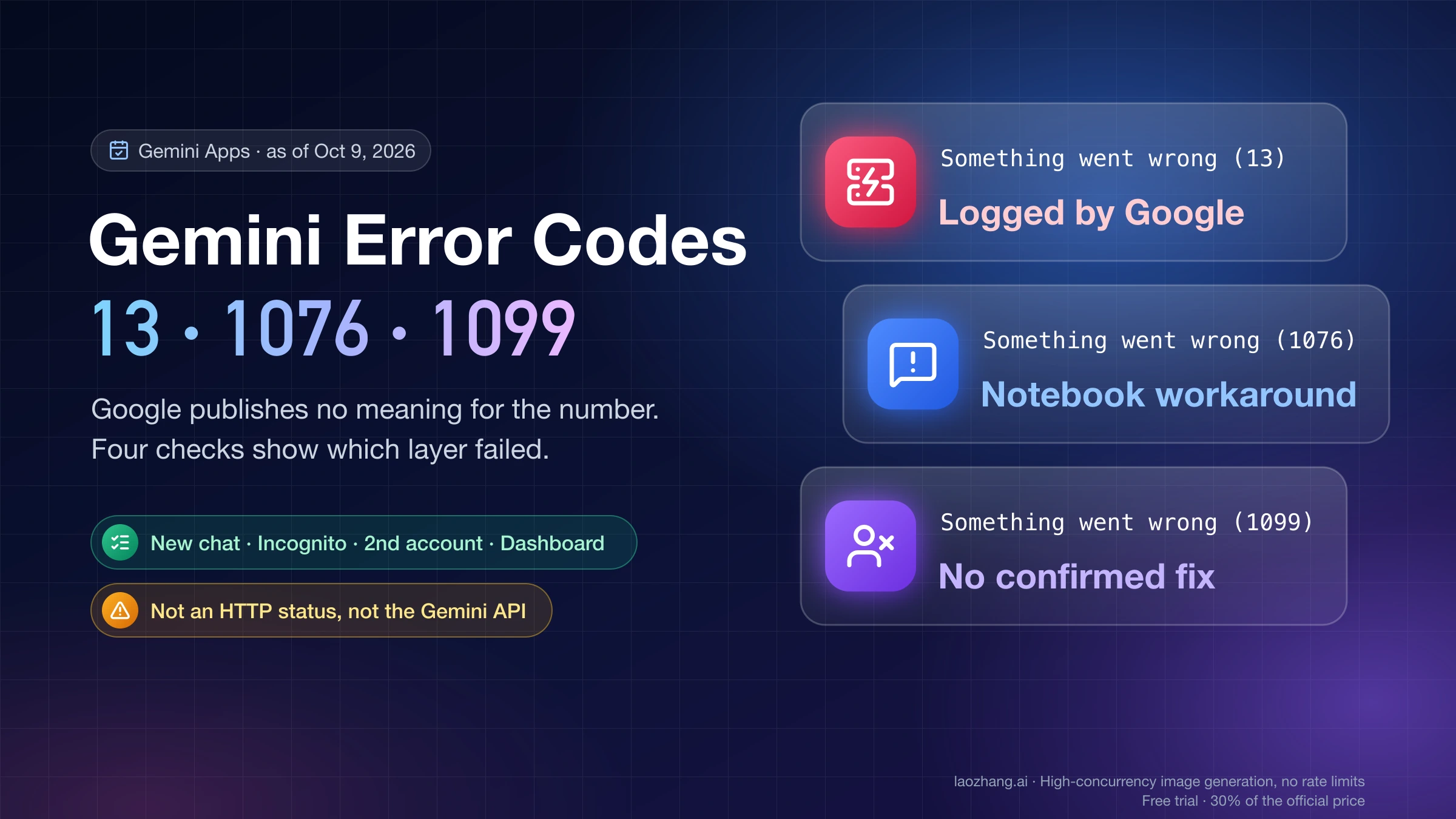
What about Gemini errors 1099, 1152, 1185 and 13?
1099 is the number that most often appears together with 1155, both in the October 8 wave and in the account-bound case. 1152 and 1185 also show up in user posts with no published meaning and no known link to 1155. Error 13 is the only number Google's own dashboard has named, during a May 4–8, 2026 incident. The overview of Gemini's other Something went wrong error codes covers each number and its reported pattern. "Something went wrong (5)" on image requests has its own page: Nano Banana Pro Error 5.
Sources9
External pages this guide links to, in the order they appear. Last updated Oct 10, 2026.
Sources9
External pages this guide links to, in the order they appear. Last updated Oct 10, 2026.
- 1.Gemini community thread "Something went wrong (1155)"support.google.com/gemini/thread/441238597
- 2.Gemini Apps sign-in requirements pagesupport.google.com/gemini/answer/13278668
- 3.Tom's Guide's live blog on the Gemini outagetomsguide.com/news/live/gemini-down-outage-10-8-26
- 4.Google Workspace Status Dashboardgoogle.com/appsstatus/dashboard
- 5.Google's help page on Gemini model access changessupport.google.com/gemini/answer/17004136
- 6.Google's list of countries where the Gemini web app is availablesupport.google.com/gemini/answer/13575153
- 7."Persistent Error 1099 and 1155 - Backend Session Conflict"support.google.com/gemini/thread/471985947
- 8.Gemini feedback help pagesupport.google.com/gemini/answer/13275746
- 9.Google One supportsupport.google.com/googleone/gethelp