DeepSeek Super Agent on GitHub: Setup, and Why Exit 3 Is Normal
dsh-superagent is a DeepSeek Harness plugin, not an app. It needs its own GitHub account, tmux on macOS or Linux and a model key. Exit 3 on first run is normal.
On this page
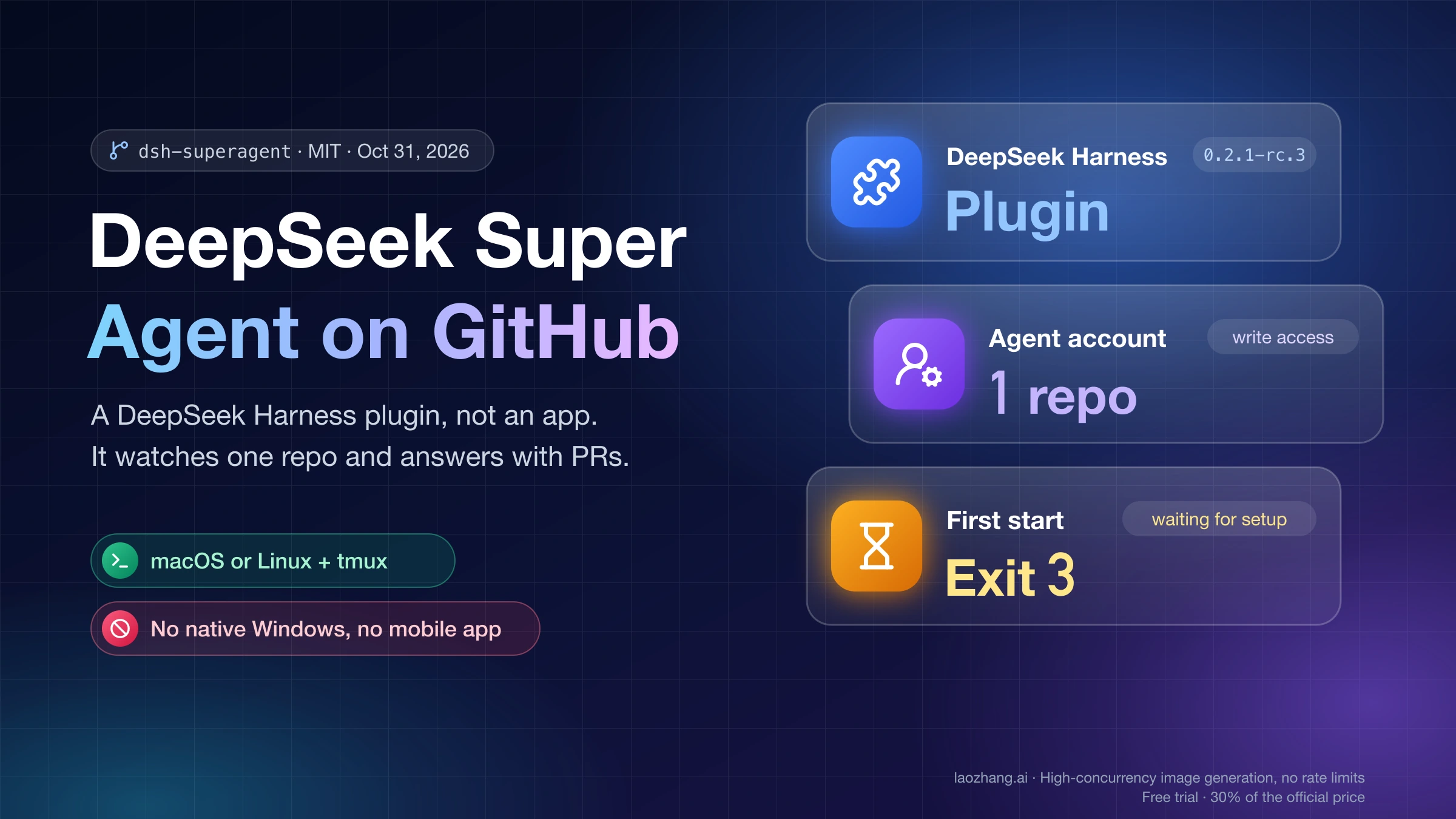
The "DeepSeek super agent" on GitHub is deepseek-ai/dsh-superagent-prototype, an MIT-licensed research prototype that DeepSeek published on October 31, 2026. It is not an app and not a new model. It is a bundle (a plugin) for DeepSeek Harness (DSH), DeepSeek's open-source agent harness, and once running it watches one GitHub repository and turns requests from people you allow into pull requests and replies. The README calls it "research prototype for reference only, not an official DeepSeek product."
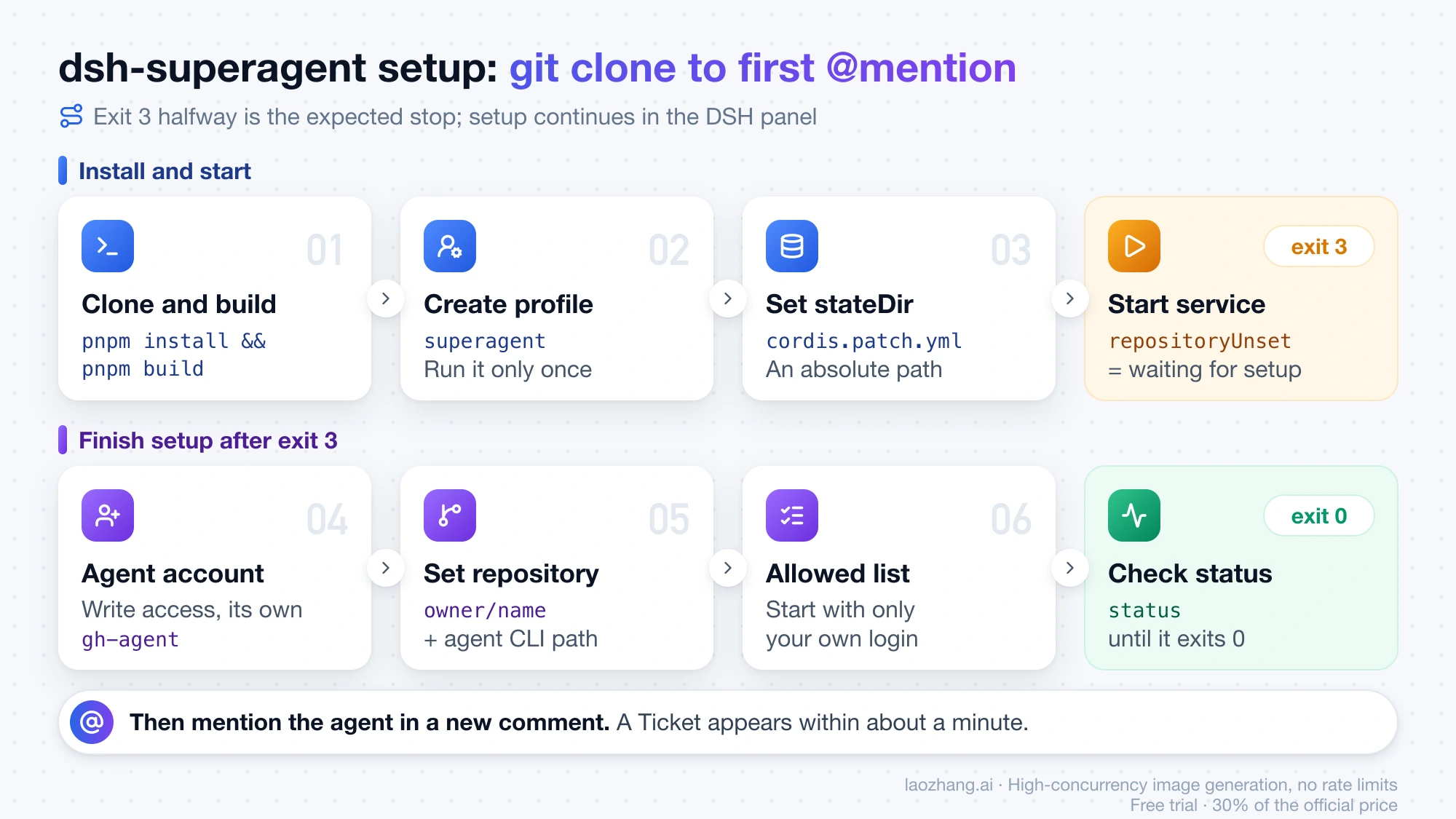
You can run it if you have four things: a macOS or Linux machine with tmux, a DSH version inside the bundle's engines.dsh range (the docs pin @deepseek-ai/dsh@0.2.1-rc.3), a model provider such as a DeepSeek API key, and a dedicated GitHub user account for the agent with write access to the repo. The install is git clone, pnpm install && pnpm build, a new superagent profile, a stateDir path in cordis.patch.yml, then scripts/dsh-superagent start. That first start exits with code 3 and repositoryUnset, which means "waiting for setup," not failure. You then set the repository and the agent's GitHub CLI, put your own login on the allowed list, and mention the agent in a new issue comment.
Stop before installing if you are on native Windows, use GitHub Enterprise Server, or only have your personal GitHub account to give it. The service script needs a Unix system, Enterprise Server isn't supported, and everything the agent writes appears under the account you give it.
What dsh-superagent is, and why there is no app or Android download
dsh-superagent is a coding agent for a single github.com repository that runs inside DeepSeek Harness on your own machine. It reads the agent account's GitHub notifications (and, optionally, Feishu chats). When someone on the allowed list asks for work, it opens a Ticket, which is the project's name for one unit of work, handles it in a separate agent session and directory, and answers in the original thread, for example with a pull request. A web panel served by DSH on 127.0.0.1 shows what needs a person. The project's motto is "take as little human attention as possible, and give as much value as possible," so by default it acts only when asked.
DeepSeek publishes no standalone app for it and nothing for Android or iOS. The only download on the DeepSeek Harness page is the DSH desktop app for macOS (Apple silicon) and Windows (64-bit), and the superagent setup in the repo uses the dsh command-line tool with a Web profile rather than that desktop app. Sites with similar names are not DeepSeek's. super-agent.io, for example, describes itself as "an independent guide to DeepSeek super agent. Not affiliated with or endorsed by DeepSeek." Within a day of the release, forks and add-ons such as a Windows port and a panel bridge also appeared on GitHub under other accounts. None of them is endorsed by DeepSeek.
The repo arrived alongside a design article from the DSH team, "Exploring Super-agent Design: Towards a More Autonomous Agent System." It describes two layers: a Router session that handles every incoming message and assigns work, and Worker sessions that each run one task in an isolated context. The README warns that the public code "is not identical to our internal version" and that some designs in the article are not implemented. That matters for expectations. The article's internal instance watches group chats and submits fix pull requests even when nobody mentions it, but the prototype starts proactive work in observe mode, which only records what it would have done. In the article's own simulated test (synthetic chat and CI traffic, five runs per approach), Super-agent finished tasks at a p95 of 15.7 minutes against 29.5 minutes for a single session with a subagent tool, according to offloop's English translation of the design article. The article itself says the experiment measures scheduling, not how well a single task gets done.
Before you install dsh-superagent: the checklist
Most failed attempts trace back to a missing item here, so check each one before running any command. The list comes from the repo's docs/006-deployment.md and SETUP.md at commit 6337fc8, the only commit as of November 1, 2026.
- macOS or Linux, or WSL on Windows, with
tmuxand Python 3.8+ for the service script - Node.js 22.19+ or 24+, pnpm, git 2.32+ and GitHub CLI (
gh) 2.48 or later - DeepSeek Harness inside the bundle's
engines.dshrange,^0.2.1-alpha.2(the next section says which npm tag that means) - A repository on github.com, not GitHub Enterprise Server, plus a local clone of it, because each Ticket gets a git worktree made from that clone
- A dedicated GitHub user account for the agent with write access to the repo; a GitHub App cannot be the agent, because dsh-superagent reads the account's notifications, and your own account is the wrong choice because every comment, branch and pull request appears under its name
- A model provider configured in DSH; the Web profile's default is
deepseek-flashthrough DeepSeek's official API, reached with a DeepSeek account sign-in or an API key - A decision about isolation, since workers run with full access as the OS user who starts the service (see the safety section below)
The code is free under MIT, so the running cost is model tokens. Each Ticket uses a Router turn plus a Worker session whose size depends on your repo and the task, so there is no fixed per-Ticket price; current DeepSeek token prices and the cheaper off-peak windows are in DeepSeek API Peak Hours: Current Prices and When to Wait. If you only want DeepSeek models as your own coding agent, without an always-on service, Claude Code with OpenRouter and DeepSeek: Setup, Routes, and First-Error Fixes is the lighter path.
Which DeepSeek Harness version to install: rc.3 or latest, not @alpha
Install @deepseek-ai/dsh@0.2.1-rc.3, the version the deployment guide pins, or plain @deepseek-ai/dsh, which resolves to the latest tag. As of November 1, 2026, npm's latest and next tags both point to 0.2.1-rc.5, and every published version from 0.2.1-alpha.2 through 0.2.1-rc.5 satisfies the bundle's ^0.2.1-alpha.2 range. The alpha tag is the trap: it points to 0.2.2-alpha.2, which falls outside the range. The repo's troubleshooting table lists that case: the log says the plugin is incompatible with the running dsh, and the fix is a DSH version within engines.dsh. The tested install below used rc.3. Tags move, so check npm view @deepseek-ai/dsh dist-tags against engines.dsh in the repo's package.json before upgrading DSH later.
Install and start dsh-superagent step by step
There are two ways through setup. The README suggests asking a coding agent to "Read SETUP.md in this repository and set up dsh-superagent with me". That agent then asks nine short questions (sources, repository, agent account, allowed logins, checkout, commit identity, auto-merge and two Feishu questions), shows one plan and runs it, and it never asks for secrets in chat. The manual route below is the same sequence by hand, and it shows what each command printed on a test install on November 1, 2026: macOS (Darwin 25.1.0, arm64), Node 24.11.0, git 2.50.1, tmux 3.6a, Python 3.12.1, gh 2.82.1 and DSH 0.2.1-rc.3, with an isolated DSH_HOME.
-
Install DeepSeek Harness and pnpm. The repo declares
pnpm@11.7.0.npm install -g @deepseek-ai/dsh@0.2.1-rc.3 pnpm@11.7.0 dsh --versionOn the test machine this printed
added 687 packages in 1mand0.2.1-rc.3. -
Clone and build the bundle.
git clone https://github.com/deepseek-ai/dsh-superagent-prototype dsh-superagent
cd dsh-superagent
pnpm install && pnpm build
pnpm installfinished in 5.9 s. To check the build on your machine, runpnpm check(typecheck, tests and build). It exited 0 with 1,197 of 1,197 tests passing in 59 files, and the test stage took about 25 seconds. Node 24 prints manyExperimentalWarning: SQLite is an experimental featurelines during the tests, and they are harmless. -
Create the
superagentprofile and link the bundle into it.dsh superagent --from-default-profile web --dump-config > /dev/null dsh plugin --profile superagent add "link:$PWD"Both exit 0. The first creates
~/.dsh/profiles/superagentfrom the Web template, and the second prints+ dsh-superagent link:…. Run the first command only once. On an existing profile it replaces the profile and deletes itscordis.patch.yml, including your machine configuration. -
Set the state directory. Copy the example over the profile's patch file and replace the placeholder with an absolute path.
cp examples/profile.cordis.patch.yml ~/.dsh/profiles/superagent/cordis.patch.yml- id: webserver config: host: 127.0.0.1 port: 3082 - id: dsh-superagent config: stateDir: /home/me/.dsh/state/superagentstateDirholds the SQLite database, the lock, the command shims and each Ticket's directory. It cannot be changed later in the panel, so pick a path you will back up. -
Start the service.
scripts/dsh-superagent startThis runs DSH inside a tmux session named
dsh-superagentand returned within seconds with exit code 3:"health": { "runtime": "paused", "github": "paused", ... }, "setup": { "place": "github", "code": "repositoryUnset", "detail": "The GitHub Source names no repository." } dsh-superagent is waiting for setup: The GitHub Source names no repository. Open the URL DSH printed in the log, then the dsh-superagent overview.This is the correct result for a fresh install.
scripts/dsh-superagent statusreturns the same JSON and the same exit 3 until setup is complete. -
Open the panel. The newest log in
.artifacts/contains a line likedsh web: http://127.0.0.1:3082/?token=…. Open that URL and choose Superagent in the sidebar. On first open, DSH shows a notice that version 0.2 is a preview, then a get-started dialog that asks you to sign in with a DeepSeek account or add an API key. The Superagent overview lists two system problems: the deployment check failed because the GitHub Source has no repository, and nobody can start work because every allowed list is empty. Executors wait for the deployment check. The panel follows your browser language. The test browser showed Chinese labels, but the problems are the same ones the log prints in English.
Finish setup after exit 3: agent account, repository, allowed list
Exit 3 clears when the GitHub Source has a repository and a working agent CLI, and work can start once the allowed list has a name on it. The test install stopped at the refusals shown in the next section and did not create an agent account, add a model key or run a Ticket. The order below follows SETUP.md and the deployment guide.
-
Create the agent's GitHub user account, invite it to the repository with write access, and accept the invitation while signed in as that account.
-
Give the agent its own GitHub CLI, so it never uses your credentials:
mkdir -p ~/.local/bin
cat > ~/.local/bin/gh-agent <<'EOF'
#!/bin/sh
GH_CONFIG_DIR="$HOME/.config/gh-agent" exec gh "$@"
EOF
chmod +x ~/.local/bin/gh-agent
gh-agent auth login
gh-agent api user --jq .login
Sign in as the agent account. The last command must print the agent's login, not yours.
-
Add a model in the DSH get-started dialog, either by signing in with a DeepSeek account or by adding an API key.
-
In the Sources settings, on the GitHub card, set the GitHub repository as
owner/nameand the agent CLI as the wrapper's absolute path, for example/home/me/.local/bin/gh-agent. Saving runs the setup check, which verifies push access and writes the agent-only git configuration. -
In the Policy settings, under On each Source, add the GitHub logins allowed to ask for work. Start with only your own.
-
In the Execution settings, set the directory root and a prepare command that adds a worktree per Ticket from your local clone. The deployment guide includes a ready-made
git worktree addcommand. List personal CLIs, such as aghsigned in as you, under blocked commands. -
In the Prompts settings, set the commit author and leave auto-merge off until the agent's pull requests have been right for a while.
-
Run
scripts/dsh-superagent statusand wait for exit 0.
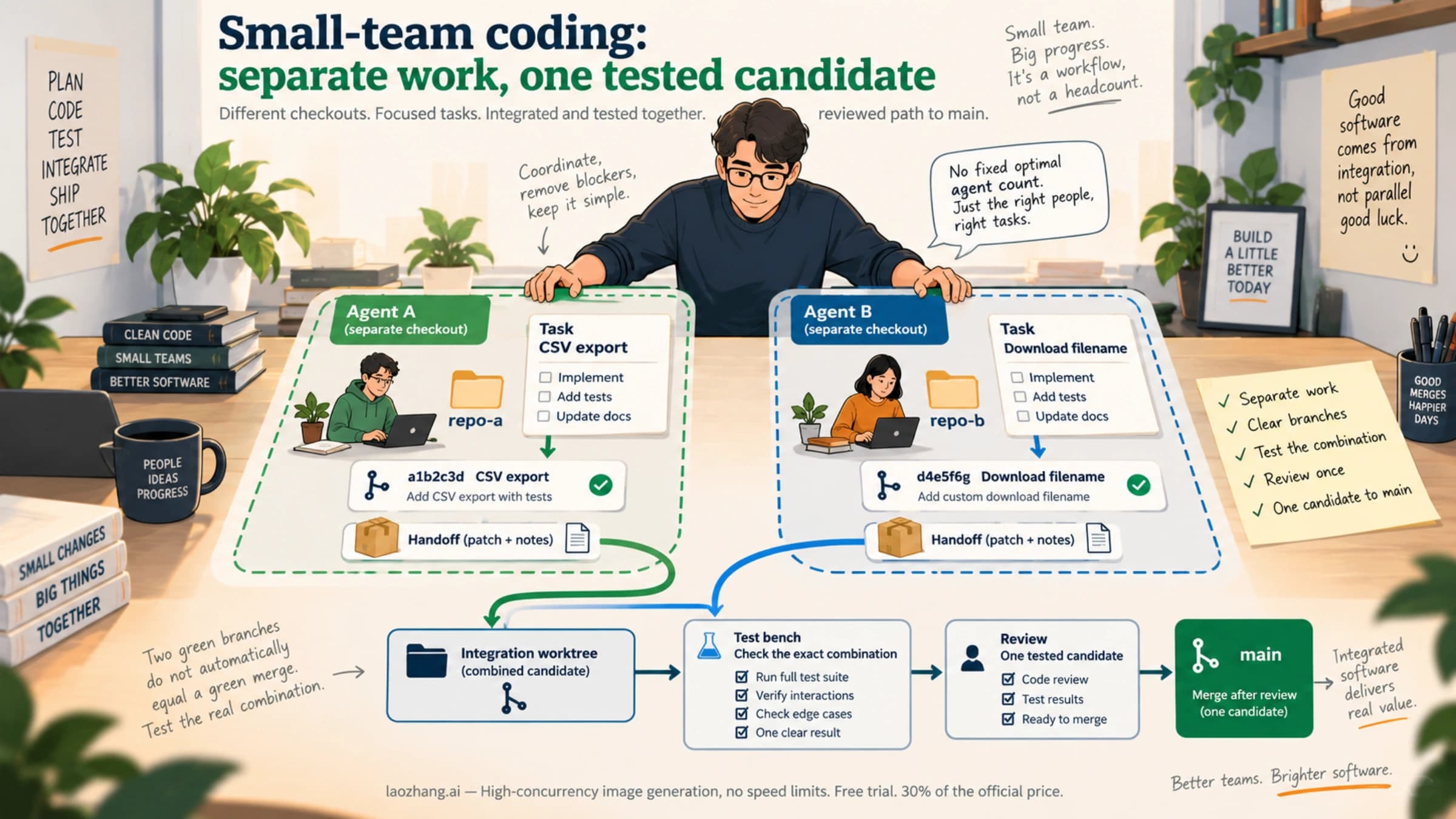
Then make the first request. From an allowed account, open an issue or post a new comment containing @<agent login> and the request. The agent polls notifications every 60 seconds by default, so a Ticket should appear on the overview within about a minute. Adding the mention by editing an existing issue body does not count. Post a new comment instead. Feishu is an optional second Source that needs a self-built Feishu or Lark bot app and a bot-only lark-cli configuration; the "Feishu bot" section of docs/006-deployment.md covers it. If the agent will work next to other coding agents on your team, Multi-Agent Coding Workflow for Small Teams: Worktrees, Roles, Review Gates covers how to split the work and review what comes back.
dsh-superagent first-start errors: exit codes and refusal messages
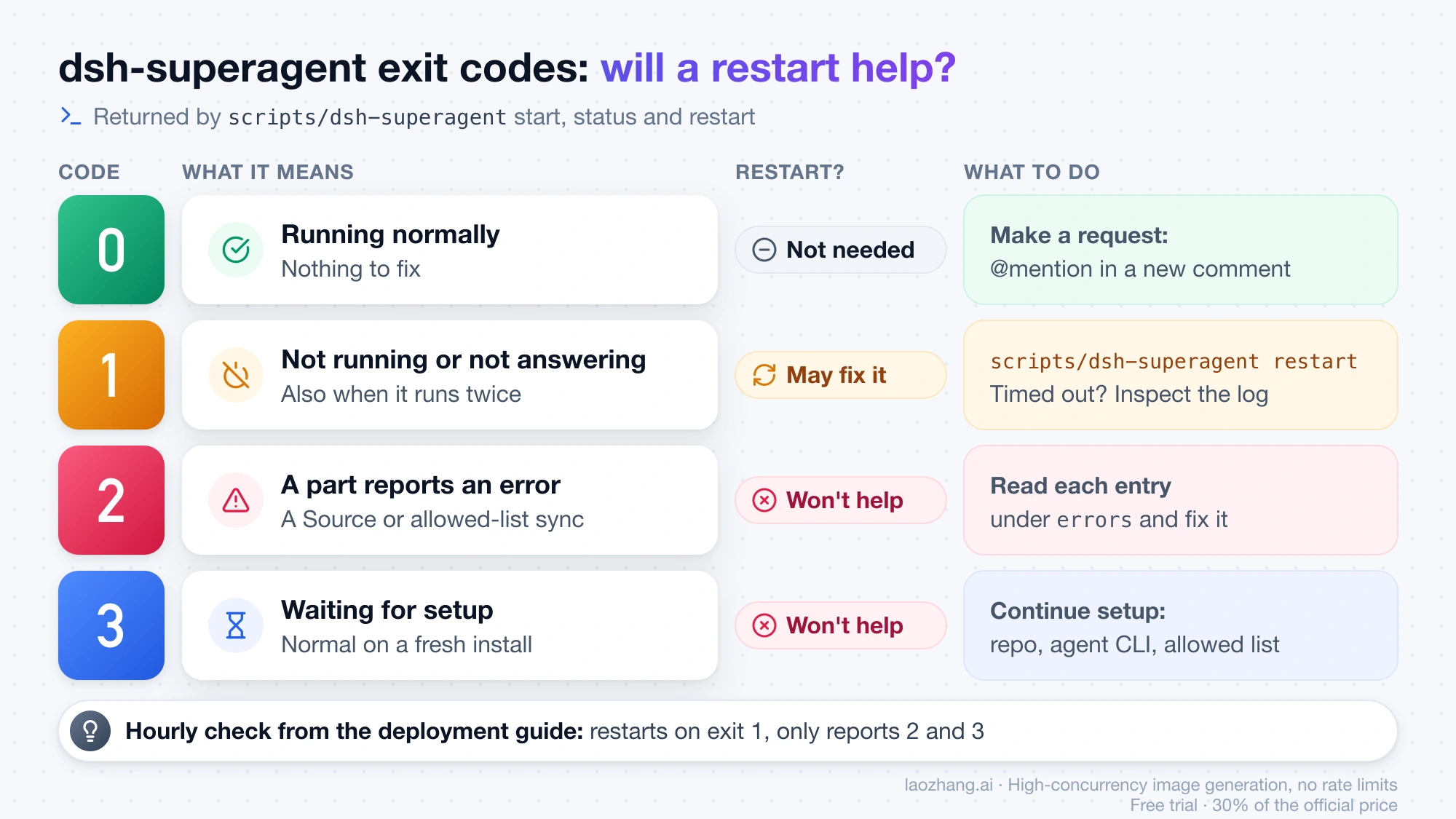
scripts/dsh-superagent start, status and restart exit with 0 when the service runs normally, 1 when it isn't running, runs twice or doesn't answer (a restart may fix it), 2 when a part such as a Source reports an error, and 3 when it waits for setup. A restart does not fix 2 or 3. The first five rows below were reproduced on the November 1, 2026 test install: the first two with scripts/dsh-superagent start, the three refusals by saving GitHub Source settings through the panel's management API at http://127.0.0.1:3082/orchestrator/api/. The rest come from the repo's troubleshooting table.
| What you see | Cause | Fix |
|---|---|---|
Exit 3, repositoryUnset, "The GitHub Source names no repository." | Normal first start | Continue setup: repository and agent CLI on the GitHub card |
Exit 1 after about 60 s, "Startup health check timed out; inspect the log." Log shows $.stateDir missing required value. Panel on port 3080, not 3082 | cordis.patch.yml was never replaced, so stateDir and the 3082 port are missing | Copy the example file, set stateDir, then scripts/dsh-superagent restart |
HTTP 400 agentCliMissing, "The agent GitHub CLI was not found." | The CLI path doesn't point to an executable | Use the wrapper's absolute path, or a command name on PATH |
HTTP 400 agentCliSignedOut, "The agent GitHub CLI cannot read its account." | The wrapper has no login in its GH_CONFIG_DIR | Run gh-agent auth login as the agent account |
HTTP 403 Same-origin management request required | An API call without the x-orchestrator-request: 1 header, or from another origin | Add the header and call 127.0.0.1:<port> or localhost:<port> |
@… cannot push to … | The agent account lacks write access | Grant write access and accept the invitation |
| Log says the plugin is incompatible with the running dsh | DSH outside engines.dsh, for example from @alpha | Install 0.2.1-rc.3 or latest |
status exits 2 | A part such as a Source or allowed-list sync reports an error | Read each entry under errors; restarting won't help |
| Nothing happens after a mention | Author not on the allowed list, Source off, processing paused, or the mention was added by editing the issue body | Fix the list or settings, then mention the agent in a new comment |
To keep the service up, the deployment guide offers an hourly-check prompt that you schedule from your normal DSH profile. It restarts the service on exit 1 and only reports 2 and 3.
Is dsh-superagent safe? What the always-on agent can touch
dsh-superagent is always on, but it only acts on requests from people on the allowed list, and with an empty list "no request can become a Ticket." The real risk is what a worker can reach once it runs. Both of its presets run with danger-full-access as the OS user who started the service. The deployment guide is explicit that the account wrappers choose credentials but do not isolate the process: "A worker can execute programs by path and read the operator's home directory." If your home directory holds SSH keys, cloud credentials or other tokens, run the service under a separate OS account that contains only the agent's credentials.
Some defaults limit the damage. The setup check removes environment variables whose names contain KEY, PASSWORD, SECRET or TOKEN from its subprocesses, puts its own gh shim first on PATH, and replaces your global git configuration with an agent-only one that drops GH_TOKEN and GITHUB_TOKEN. Proactive work starts in observe mode, and the four GitHub switches that would watch every new issue, pull request, comment and CI run are off by default. The deployment guide does not present the blocked-command list as a security boundary. Model spend is the other exposure, since a busy repo can create many Tickets. A cap that sits before the provider call is covered in LLM Agent API Spend Kill Switch: Stop Runaway Costs Before the Provider Call.
Does dsh-superagent run on Windows? Use WSL or an unofficial port
Not natively. scripts/dsh-superagent is a Python script that imports fcntl and launches DSH inside tmux, and both exist only on Unix systems, so the official service script cannot start on native Windows even though the DSH desktop app has a Windows build. The two routes people use are WSL, where the Linux instructions apply as written, and the third-party port buyou-claw/dsh-superagent-win, created on November 1, 2026. Its own README says upstream can only start on POSIX and lists changes to PATH and git handling, the gh shims and the prepare command syntax, while its tests still run under WSL or Linux. It is not from DeepSeek, so read its changes before giving it a repository and an account.
DeepSeek super agent on GitHub: other questions
How do I upgrade dsh-superagent without losing data?
Wait until no Executor is in the middle of a turn, back up <stateDir>/orchestrator.sqlite, run git pull && pnpm install && pnpm build, then scripts/dsh-superagent restart. According to the repo's deployment guide, a database migrated by a newer version cannot be opened by an older one, so rolling back requires that backup. Do not rerun the profile-creation command during an upgrade, because it deletes cordis.patch.yml.
Can dsh-superagent use a model other than DeepSeek?
The DSH 0.2.1-rc.3 Web profile defaults to deepseek-flash through DeepSeek's official API, and it also loads a pi-ai model adapter. That adapter's README says it routes requests to "OpenAI-compatible gateways, or self-hosted servers from one configuration." Other providers are therefore supported by the adapter, but no provider other than the DeepSeek default was tried on the November 1, 2026 test install. dsh-superagent uses the profile's default model unless its Eval or Execution settings name another.
Where do I report a dsh-superagent bug or ask a question?
As of November 1, 2026, the deepseek-ai/dsh-superagent-prototype repository has Issues, Discussions and the Wiki turned off, so there is no official tracker for it. The README asks you to treat it as "research code, not production-ready software" and to review and adapt it before use, so expect to fix problems in your own fork.
Sources3
External pages this guide links to, in the order they appear. Last updated Nov 1, 2026.
Sources3
External pages this guide links to, in the order they appear. Last updated Nov 1, 2026.