DeepSeek API Peak Hours: Current Prices and When to Wait
DeepSeek doubles API rates from 01:00–04:00 and 06:00–10:00 UTC on weekdays. Flash was cut on September 10, 2026, so waiting saves less per batch.
On this page
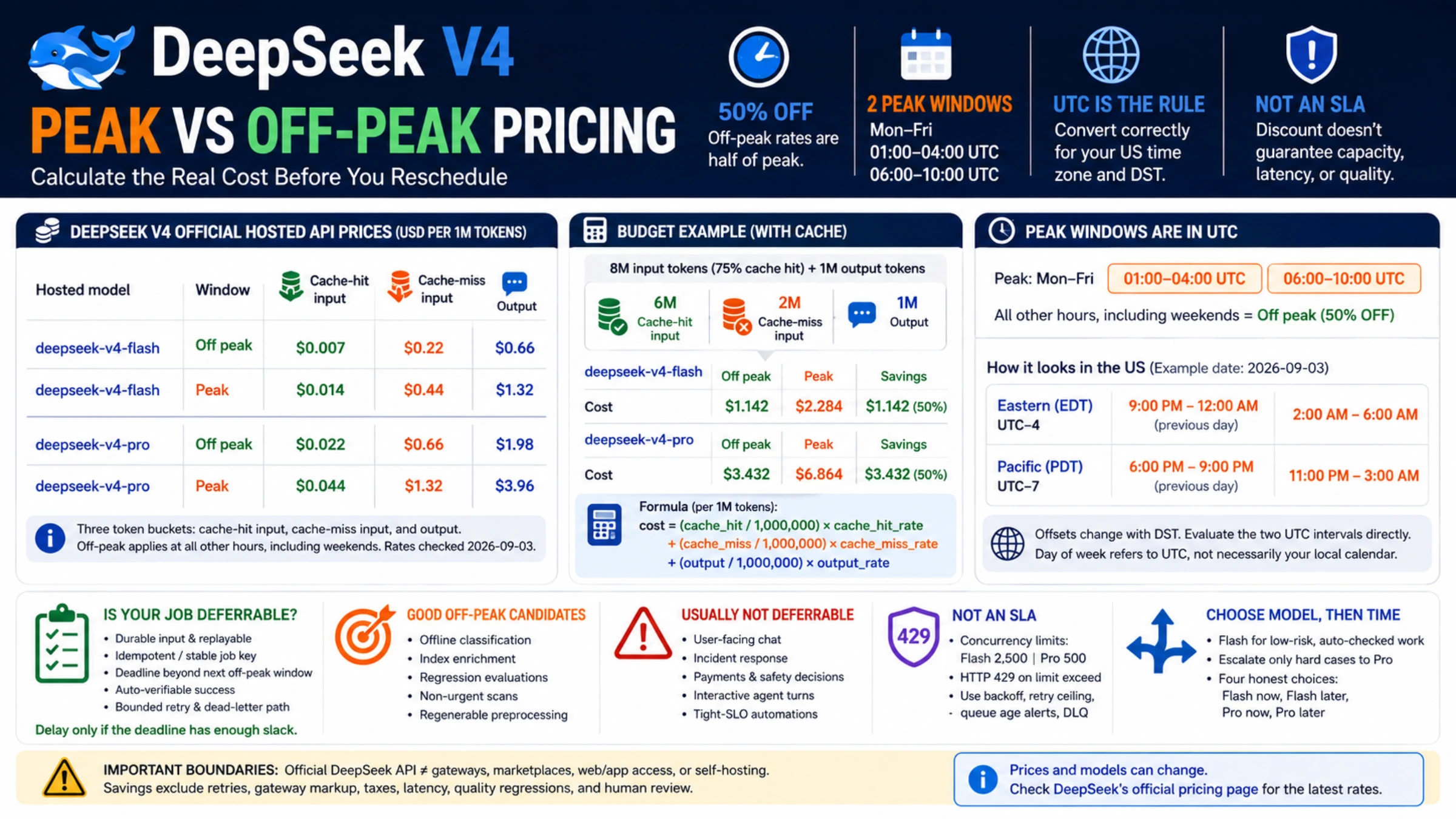
DeepSeek's API has two prices for every token. Peak rates apply Monday through Friday from 01:00–04:00 UTC and 06:00–10:00 UTC. Every other hour is off-peak, including all of Saturday and Sunday and every Chinese public holiday. Off-peak rates are exactly half of peak rates.
As of September 26, 2026, the cheapest line on the official pricing page is deepseek-flash (DeepSeek-V4.1-Flash): $0.15 per 1M cache-miss input tokens and $0.60 per 1M output tokens off-peak, or $0.30 and $1.20 at peak. deepseek-v4-pro costs $0.66 and $1.98 off-peak, $1.32 and $3.96 at peak.
Did prices go up? Both directions happened. The peak schedule took effect on August 16, 2026, and made weekday working hours in China the expensive part of the week. Then on September 10, 2026, DeepSeek replaced V4 Flash with V4.1 Flash and lowered every Flash rate. V4 Pro kept its August prices.
Current DeepSeek API prices
DeepSeek bills three categories, each per 1M tokens: input that hits the context cache, input that misses it, and output. A budget built only on "the input price" breaks as soon as your cache-hit share changes.
| Model name | Window | Cache-hit input | Cache-miss input | Output |
|---|---|---|---|---|
deepseek-flash | Off-peak | $0.003 | $0.15 | $0.60 |
deepseek-flash | Peak | $0.006 | $0.30 | $1.20 |
deepseek-v4-pro | Off-peak | $0.022 | $0.66 | $1.98 |
deepseek-v4-pro | Peak | $0.044 | $1.32 | $3.96 |
First-party USD rates from DeepSeek's Models & Pricing page, as of September 26, 2026. Prices on other hosts, gateways, and cloud marketplaces are set by those sellers.
Both models share the same base URLs (https://api.deepseek.com for the OpenAI format, https://api.deepseek.com/anthropic for the Anthropic format), a 1M-token context window, a 384K maximum output, thinking and non-thinking modes, JSON output, and tool calls. Two differences matter for planning: only Flash accepts image input, and the concurrency limit is 2,500 for Flash versus 500 for Pro.
If your code still sends deepseek-v4-flash or deepseek-v4-flash-vision-exp, the request still works. The old models behind those names are retired, and DeepSeek serves the request with V4.1 Flash at the Flash price. The September 10 changelog entry calls this routing temporary, so switch the model name to deepseek-flash now rather than when the alias stops answering.
What changed in August and September
Three dates explain why so many DeepSeek price tables disagree:
- August 16, 2026, 16:00 UTC. Peak/off-peak pricing took effect with the V4 Pro general release, as announced in DeepSeek's August 13 update. That moment was midnight on August 17 in Beijing.
- August 23, 2026. Weekends became off-peak in full. Bloomberg and Chinese financial media reported this change on August 22–23; DeepSeek's changelog has no entry for it, but the current pricing page states the weekend rule plainly.
- September 10, 2026. V4.1 Flash launched under the name
deepseek-flash, the old V4 Flash was retired, and Flash prices dropped. DeepSeek also said V4 Pro would keep running after September 14 with billing unchanged.
The Flash cut was not even across categories:
| Flash rate, off-peak | Before September 10 | Now | Change |
|---|---|---|---|
| Cache-hit input | $0.007 | $0.003 | −57% |
| Cache-miss input | $0.22 | $0.15 | −32% |
| Output | $0.66 | $0.60 | −9% |
Peak rates moved by the same percentages because they are always double. If a calculator or blog still shows deepseek-v4-flash at $0.22 input and $0.44 peak input, it is quoting the retired model. Descriptions of a "16:30–00:30 UTC" discount window, or of peak pricing on weekends, are also out of date.
Peak hours in your time zone
Treat UTC as the schedule and local time as a view of it. The weekday in the rule is the UTC weekday, and US clocks shift with daylight saving time, so a label like "weekday evenings" is not precise enough to put in a scheduler.
| Time zone | First peak window | Second peak window |
|---|---|---|
| UTC | 01:00–04:00, Mon–Fri | 06:00–10:00, Mon–Fri |
| Beijing (UTC+8) | 9:00 AM–noon, Mon–Fri | 2:00–6:00 PM, Mon–Fri |
| US Eastern, EDT (through October 31) | 9:00 PM–midnight, Sun–Thu | 2:00–6:00 AM, Mon–Fri |
| US Eastern, EST (from November 1) | 8:00–11:00 PM, Sun–Thu | 1:00–5:00 AM, Mon–Fri |
| US Pacific, PDT (through October 31) | 6:00–9:00 PM, Sun–Thu | 11:00 PM–3:00 AM, starting Sun–Thu nights |
| US Pacific, PST (from November 1) | 5:00–8:00 PM, Sun–Thu | 10:00 PM–2:00 AM, starting Sun–Thu nights |
The US evening window belongs to the next UTC day. Sunday at 9:00 PM Eastern is already Monday 01:00 UTC, so it is billed at peak. Friday at 9:00 PM Eastern is Saturday in UTC, so it is off-peak. US daylight saving time ends on November 1, 2026, and every local window then starts one hour earlier on the clock.
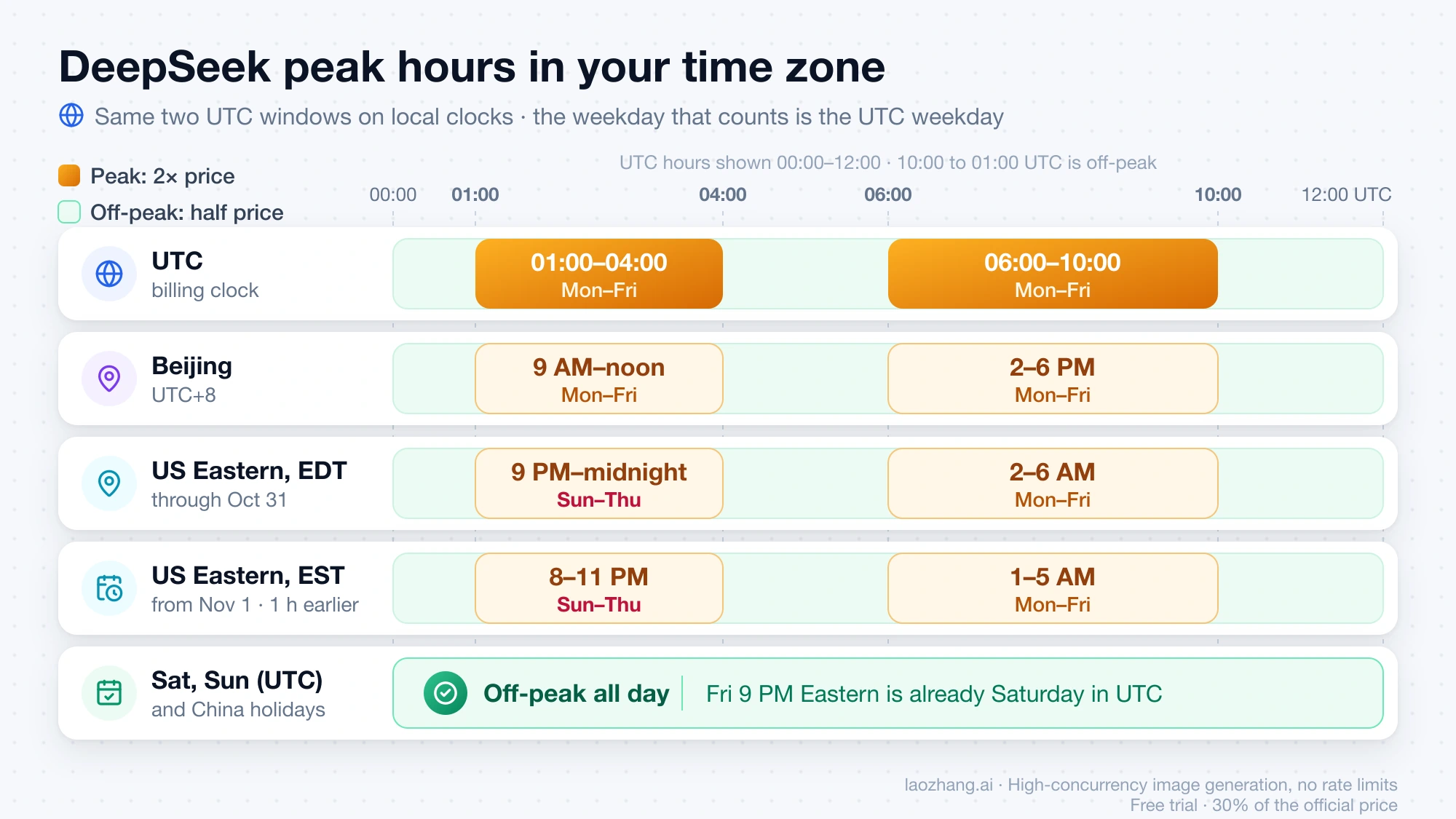
Chinese public holidays make the whole day off-peak even when it falls on a weekday. The peak windows correspond to 9:00 AM–6:00 PM in Beijing on the same calendar date, so a holiday date in China's official calendar maps directly to the UTC date in your scheduler. The next long one is the National Day holiday at the start of October; take the exact dates from the official holiday notice rather than guessing.
A small check that follows the rule directly:
from datetime import date, datetime, timedelta, timezone

PEAK_WINDOWS_UTC = [(1, 4), (6, 10)]      # start hour inclusive, end hour exclusive
CN_PUBLIC_HOLIDAYS: set[date] = set()     # fill from China's official holiday calendar

def is_peak(ts: datetime) -> bool:
    t = ts.astimezone(timezone.utc)
    if t.weekday() >= 5 or t.date() in CN_PUBLIC_HOLIDAYS:
        return False
    return any(start <= t.hour < end for start, end in PEAK_WINDOWS_UTC)

def should_wait(now: datetime, deadline: datetime, runtime: timedelta) -> bool:
    """Wait only if the job is in a peak window and can still finish after it ends."""
    if not is_peak(now):
        return False
    t = now.astimezone(timezone.utc)
    end_hour = next(end for start, end in PEAK_WINDOWS_UTC if start <= t.hour < end)
    off_peak_starts = t.replace(hour=end_hour, minute=0, second=0, microsecond=0)
    return off_peak_starts + runtime <= deadline
The pricing page does not say whether a request that crosses a window boundary is billed at the rate in force when it starts or when it ends. For long requests, leave a few minutes of margin on each side of 01:00, 04:00, 06:00, and 10:00 UTC.
What the peak premium costs on a real batch
The cost formula for one model in one window:
cost = cache_hit_tokens / 1,000,000 × cache_hit_rate
     + cache_miss_tokens / 1,000,000 × cache_miss_rate
     + output_tokens / 1,000,000 × output_rate
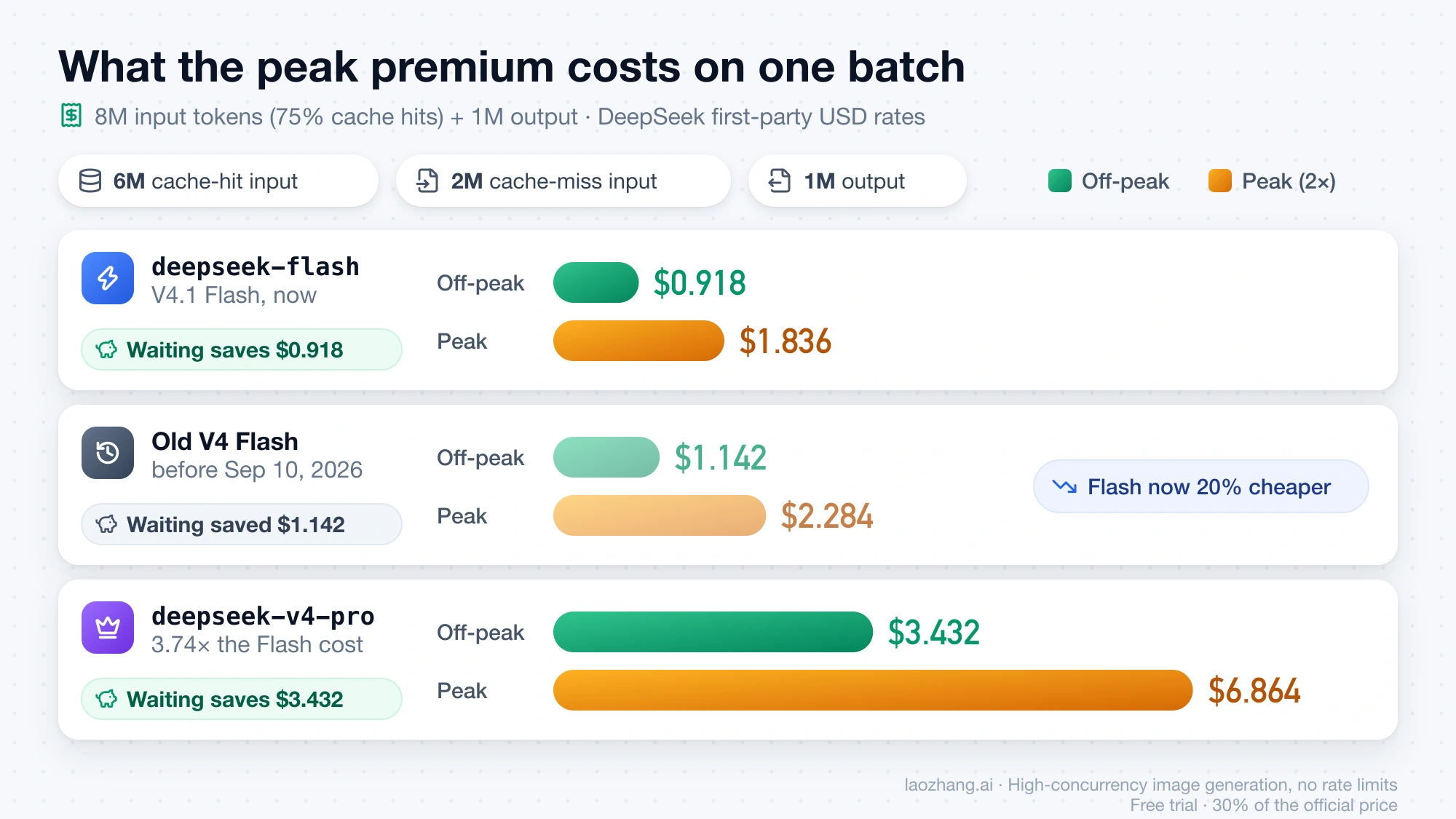
Take a batch with 8 million input tokens, 75% of them cache hits, and 1 million output tokens. That is 6 million cache-hit tokens, 2 million cache-miss tokens, and 1 million output tokens.
| Model | Off-peak | Peak | Saved by waiting |
|---|---|---|---|
deepseek-flash | 6 × 0.003 + 2 × 0.15 + 1 × 0.60 = $0.918 | $1.836 | $0.918 |
deepseek-v4-pro | 6 × 0.022 + 2 × 0.66 + 1 × 1.98 = $3.432 | $6.864 | $3.432 |
| Old V4 Flash (before September 10) | $1.142 | $2.284 | $1.142 |
Waiting always saves half of the peak bill, but the dollar amount depends on the model. After the Flash cut, the same Flash batch costs 20% less at either time, and moving it off-peak saves $0.918 instead of $1.142. On Pro the saving is unchanged, and Pro now costs 3.74 times as much as Flash for this token mix, up from 3.0 times.
Two levers stack here. Moving the job halves the bill; raising the cache-hit share replaces $0.15 input with $0.003 input on Flash. Neither figure includes retries, tool calls, taxes, or the time someone spends rerunning a job that missed its deadline. If a delayed batch breaks a morning report and an engineer reruns it by hand, the line item fell while the real cost rose.
Can the job wait?
A workload is a good off-peak candidate when all of these are true:
- its input is stored and can be replayed;
- processing is idempotent, or guarded by a stable job key;
- its deadline falls after the next off-peak window ends;
- success can be checked automatically;
- retries are bounded and failures land in a dead-letter queue.
Offline classification, embedding and index enrichment, regression evaluations, non-urgent repository scans, and regenerable preprocessing usually pass. Chat, incident response, payments, safety decisions, interactive coding-agent turns, and anything with a tight SLO usually fail.
For work in between, attach not_before and deadline_at to each job and let the scheduler hold it only while the deadline still has slack, as should_wait does above. Once the slack runs out, run the job at peak. Price then stays one input to scheduling instead of overriding the product.
Idempotency matters because delayed queues redeliver. Record the API request separately from the business action it triggers, and deduplicate writes and notifications by a stable business key. Saving under a dollar on Flash tokens means nothing if a retry sends a customer the same email twice.
Off-peak is a price, not capacity
The off-peak rate is a billing category. It does not promise lower latency or more headroom. The pricing page lists one concurrency limit per model (2,500 for Flash, 500 for Pro) with no separate off-peak allowance, and the Rate Limit & Isolation page covers what happens above them.
Keep exponential backoff, a retry ceiling, queue-age alerts, and a dead-letter path whichever window you run in. Then compare a full week of peak and off-peak runs on task success, p95 latency, retries, output length, and review time. Expand the off-peak schedule only when the cost per accepted task drops, not just the cost per million tokens.
Log the request timestamp with its UTC offset, the model name, cache-hit input, cache-miss input, output tokens, retries, final status, and computed cost. A balance change alone cannot tell you whether a difference came from the window, the cache, longer outputs, or duplicate work. DeepSeek also spends any granted balance before your topped-up balance, so check both when you reconcile.
Pick the model first, then the hour
Keep quality and timing as separate decisions. Send low-risk, automatically checked work to Flash, and escalate only the failed or hard cases to Pro. With Pro at 3.74 times the Flash cost for a cache-heavy batch, it earns its place only when it cuts failed tool calls, review time, or rejected results by more than that gap. Image input rules out Pro altogether.
Inside each lane, apply the wait test. That gives four clear options: Flash now, Flash later, Pro now, Pro later. Your logs will then show whether savings came from the model, the cache, or the clock, which a blanket "run DeepSeek at night" rule cannot tell you.
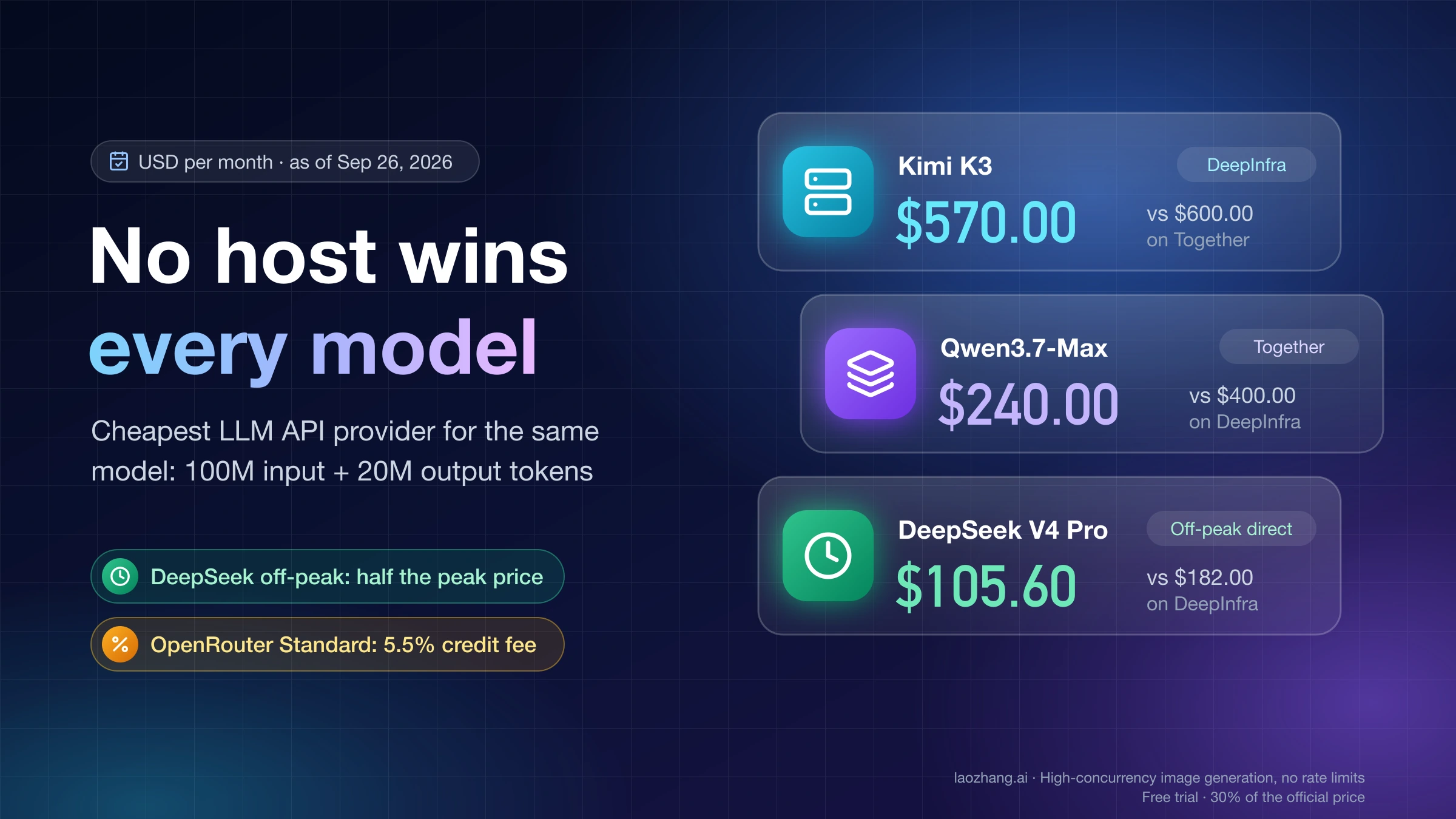
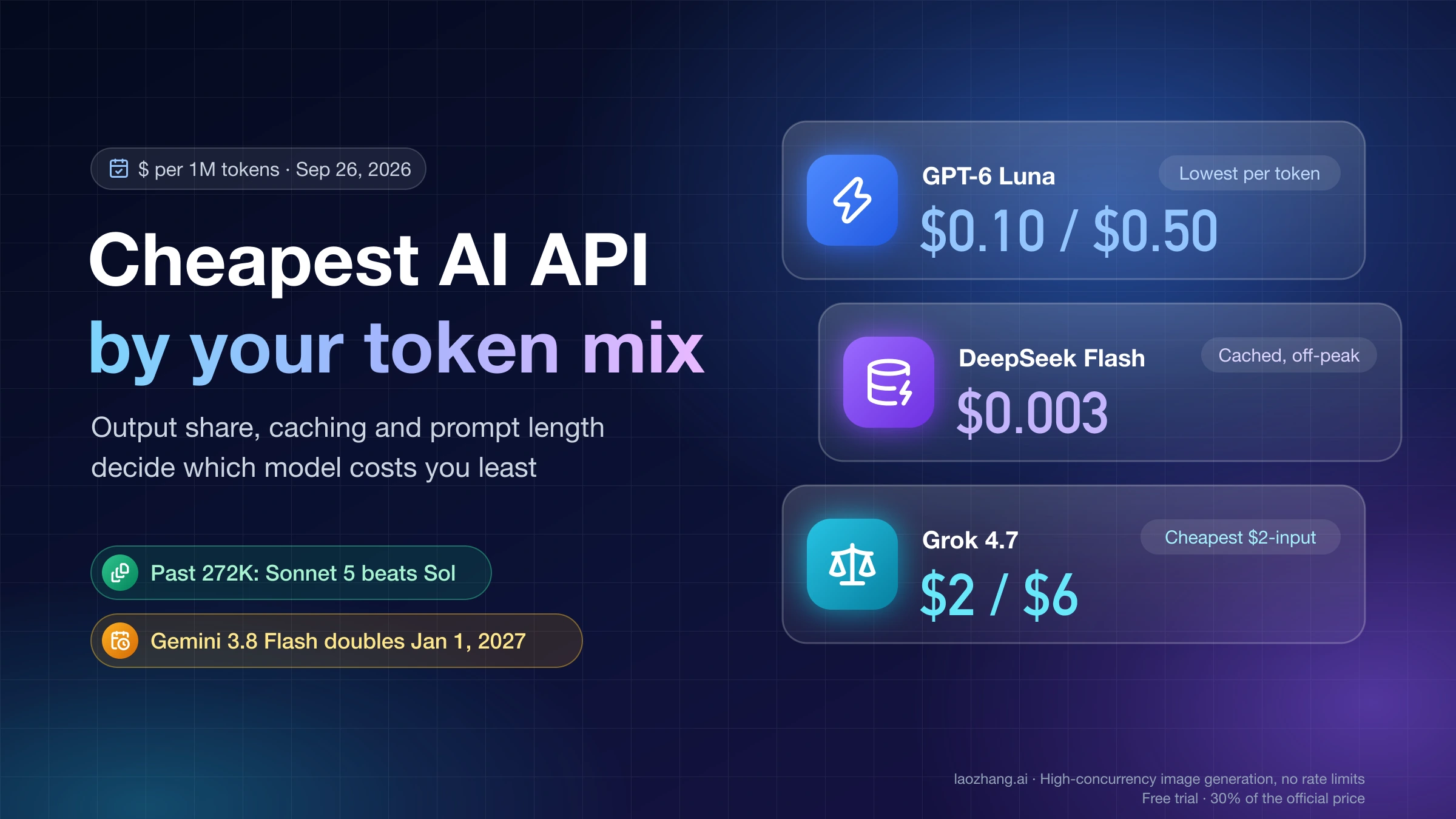
If you buy DeepSeek models through another host, those rates and schedules are set by the host, not by DeepSeek; Cheapest LLM API Provider: Where the Same Model Costs Less compares where the same model costs less. To weigh DeepSeek against other vendors on your own token mix, see AI API Price Comparison: Cheapest Model by Input and Output Mix.
Keep DeepSeek's rates in a reviewed config file rather than hardcoded in application logic. They have changed twice in under a month, and the pricing page notes that DeepSeek may adjust them again.
Sources4
External pages this guide links to, in the order they appear. Last updated Sep 26, 2026.
Sources4
External pages this guide links to, in the order they appear. Last updated Sep 26, 2026.