DeepSeek "No Text Extracted": Instant and Expert Read Text Only
No text extracted means DeepSeek found no readable text in your file. Instant and Expert only extract text, so switch to the image mode or OCR the file first.
On this page
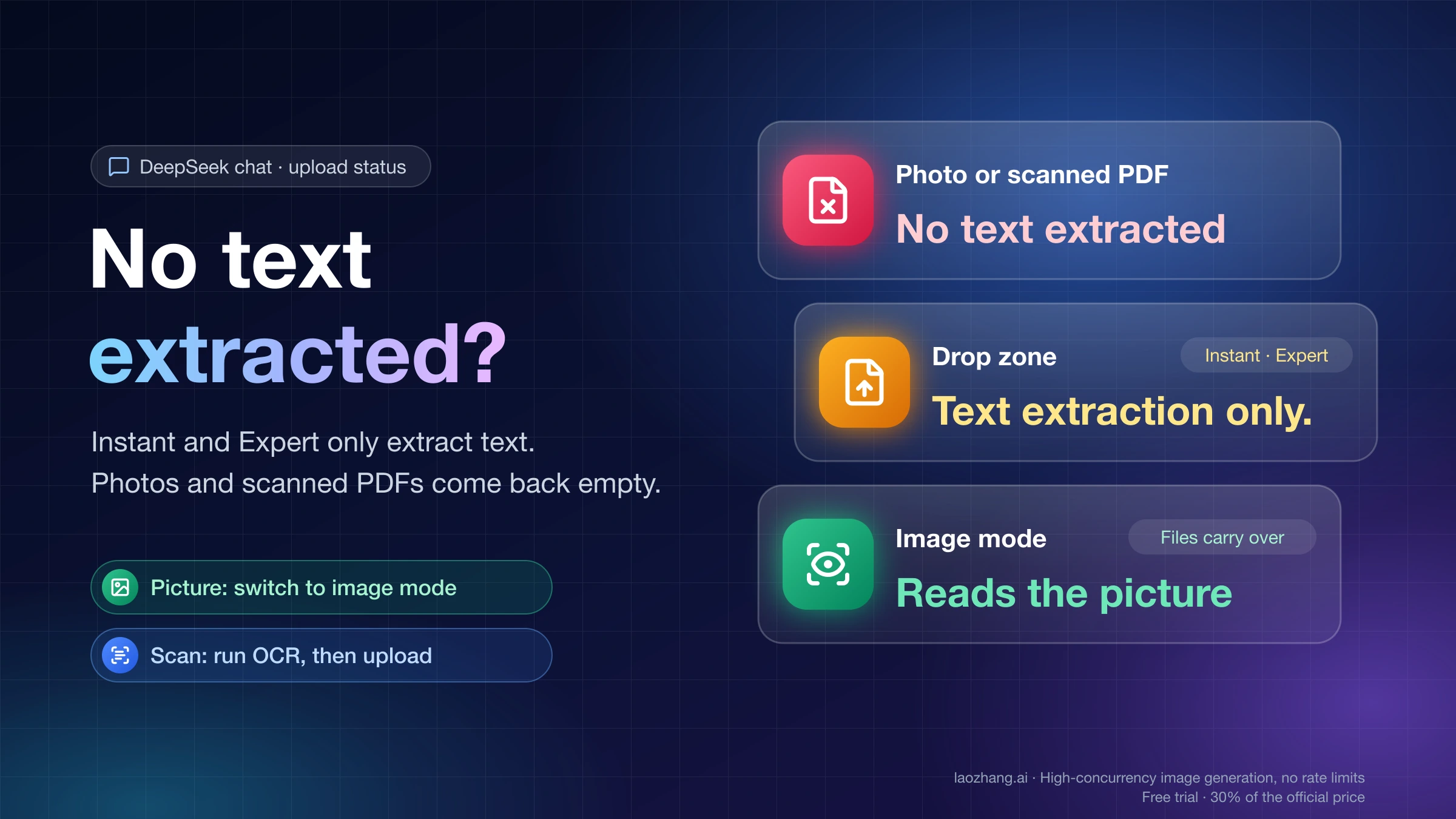
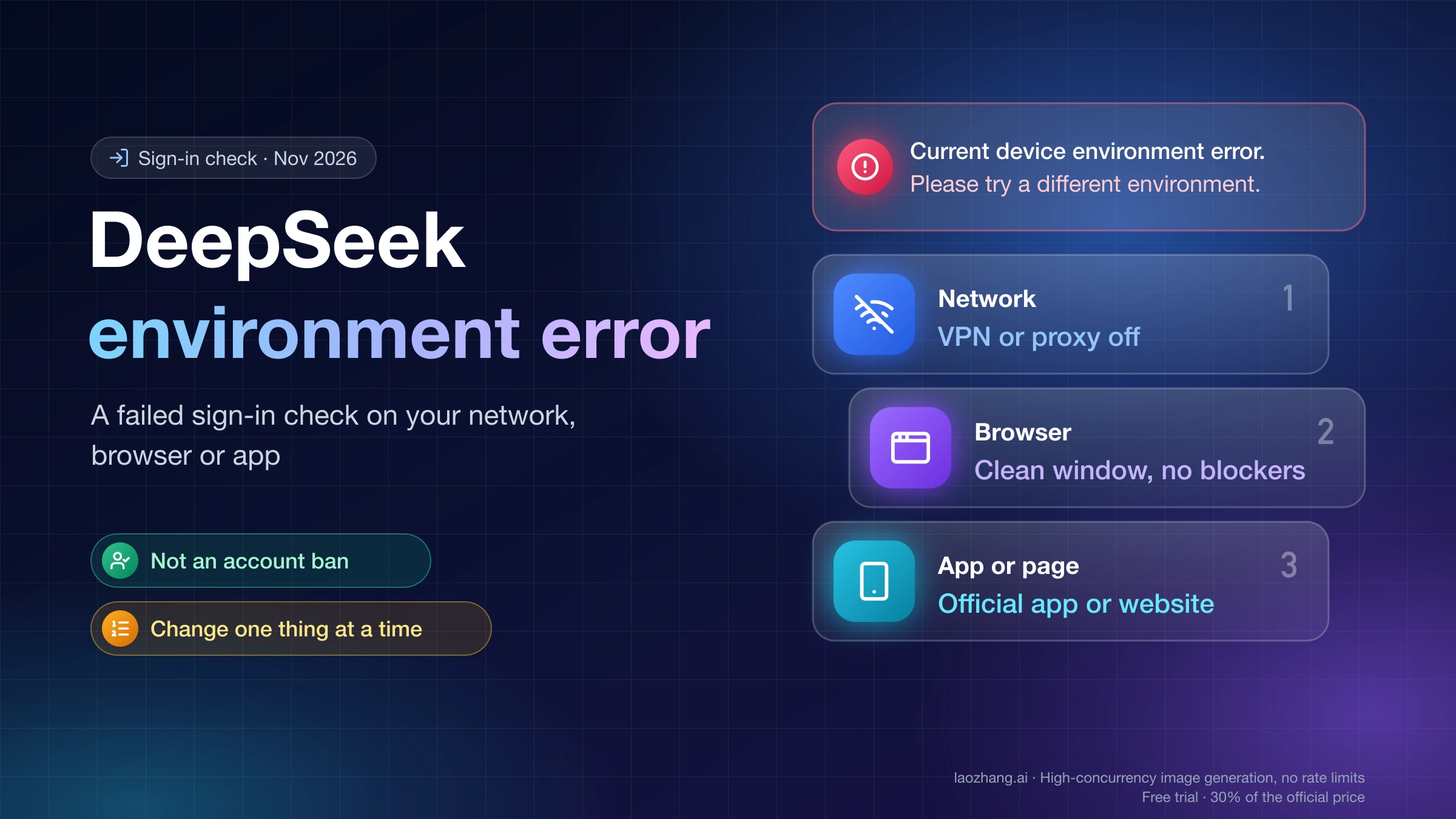
"No text extracted" under a file in DeepSeek chat means DeepSeek tried to pull text out of it and came back with nothing. Your file isn't broken and DeepSeek isn't down. In the default Instant mode and in Expert mode, the upload button's tooltip says "Only text is extracted in Instant Mode." (or Expert Mode), and the drag-and-drop zone adds "Text extraction only." DeepSeek reads the words it can extract from an image or document and nothing else. A photo, a chart without labels, a scanned or password-protected PDF, or a page of hard-to-read handwriting can therefore come back empty.
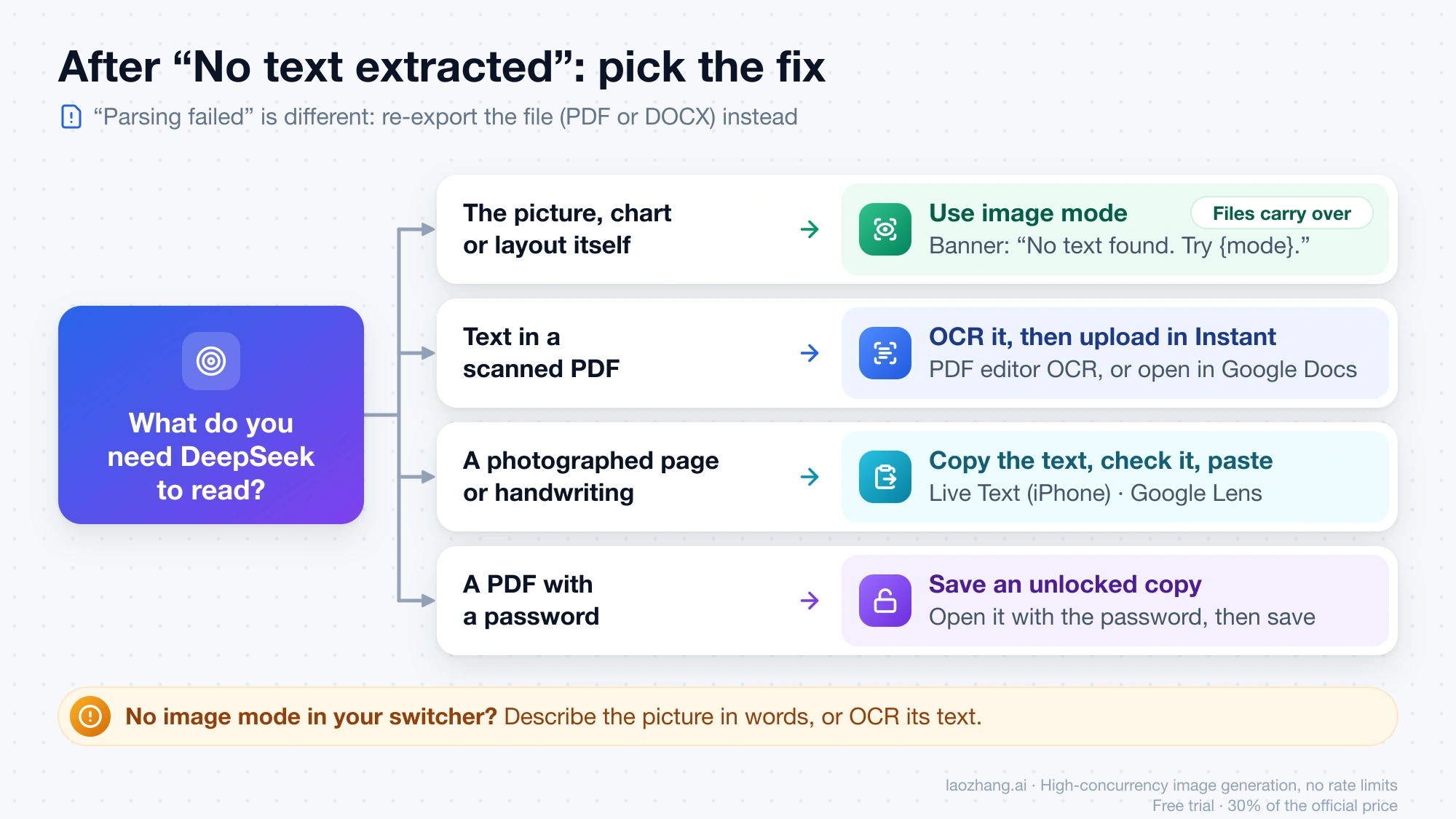
What you do next depends on what you want read. If you want DeepSeek to look at the picture itself, switch to the image-understanding mode before you send. On a new chat, a banner under the failed attachment switches you with one click and keeps the file attached. You know you're in that mode when neither the upload button's tooltip nor the drag-and-drop zone says anything about extracting only text. If what you need is the text on a scanned PDF or a photographed page, turn it into real text first with text recognition (OCR), or paste the text, and upload again in Instant mode.
"Parsing failed" is a different status: DeepSeek couldn't process the file at all, so re-export it in another format instead of switching modes. All of the wording here comes from DeepSeek's web-app code as served on November 2, 2026.
"No text extracted", "Parsing failed" or a format error: which one you have
Each upload status points to a different step that failed, so read the exact wording under your file before changing anything. DeepSeek's web app has five messages people tend to lump together as "the upload failed":
| What you see | What failed | What to do |
|---|---|---|
| "No text extracted" | The file arrived and was read, but no text came out of it | Image mode for pictures; OCR or pasted text for scans and photographed pages |
| "Parsing failed" | DeepSeek couldn't process the file's contents | Save or export it again (for example as PDF or DOCX) and upload the new copy |
| "The uploaded file format is not supported. Supported formats include PDF, DOC, XLSX, PPT, images, text, and code." | The file type was refused before reading | Convert it to one of those formats |
| "File exceeds size limit" | The file is larger than your per-file limit | Compress it, or split it into parts |
| "May violate terms" | A content check, not text extraction | Changing the format or mode won't help; the content itself was flagged |
DeepSeek's public web-app code, in the build chat.deepseek.com served on November 2, 2026 (main.d1d163b7e4, readable without signing in), maps four parsing error codes (40000, 40001, 40002 and 40009) to "No text extracted". Codes 40003 through 40008 and any unlisted code show "Parsing failed", while 50200 through 50404 show "Server busy", which only needs a retry later. The status you see therefore already tells you which group your file fell into, even though the app never shows the code. Outside the image mode, the drag-and-drop zone reads "Max {n} files per chat at {m}MB each. Text extraction only." The two numbers are filled in by DeepSeek's server and aren't in the code, so drag a file over the chat to see the limits for your account.
Why photos and scanned PDFs fail while digital PDFs work
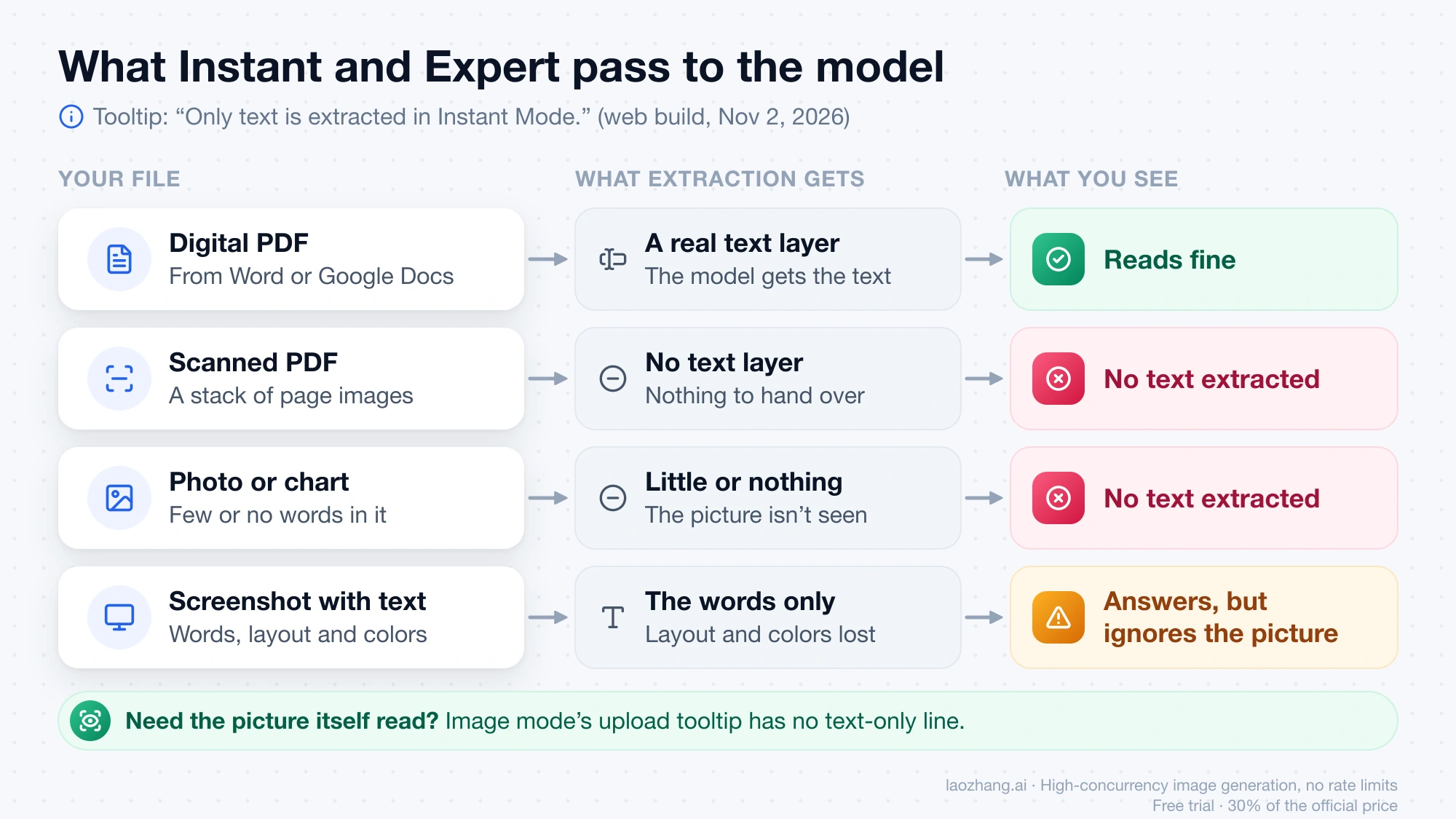
In Instant and Expert modes, DeepSeek doesn't look at your file the way you do. It extracts the text and gives the model only that text. A PDF exported from Word or Google Docs carries a real text layer, so it reads fine. A scanned PDF is a stack of page images, and a photo of a chart or a product has few or no words in it, so there's nothing to hand over. The upload tooltips in the November 2, 2026 build say it plainly: "Only text is extracted in Instant Mode." and "Only text is extracted in Expert Mode."
The same rule explains a quieter failure. If a screenshot does contain text, DeepSeek extracts it and answers, but it never sees the layout, colors or diagram, so a question like "what's wrong with this chart?" gets an answer that ignores the picture. And in Expert mode the button may show "Expert Mode doesn't support file uploads." instead, depending on what DeepSeek's server enables for that mode.
DeepSeek's own help FAQ gives the same reasons, as summarized in bigolab.com's DeepSeek upload guide (October 15, 2026). Its list of image-upload failures includes the system detecting no extractable text in the image, alongside unsupported formats, oversize files and content against the usage rules. The same guide reports that scanned, encrypted and image-only PDFs fail text extraction. None of this changed when the models got better at images. DeepSeek's API changelog gave V4.1 Flash native multimodal support on September 10, 2026 and updated the web and app models on October 17. Even so, the web build served on November 2 still labels Instant and Expert as text-only.
How to get DeepSeek to read the picture itself
The image-understanding mode is the one that reads pictures, and DeepSeek points you to it right where the upload failed. In the November 2, 2026 web build, the start screen of a new chat shows the banner "No text found. Try {mode}." under an attachment marked "No text extracted", as long as your current mode can't read images and you haven't sent the message yet. DeepSeek's server fills in {mode} with the image mode's name, so the label on your screen may differ by language and app version. Clicking that name switches the mode and carries your attachments over to be processed again; it doesn't send anything or open another chat. In the image mode the upload button's tooltip reads "Upload docs or images (Max {n}, {m}MB each)" with no "text only" line, and the drag-and-drop zone no longer says "Text extraction only".
- Before you send, and before you remove the failed file, look under the attachment for the "No text found. Try {mode}." banner. Click the mode name in it. The file stays attached and is read again in the image mode, so you can type your question and send. Removing the file first makes the banner disappear.
- If you're already in an existing chat, look for a link in DeepSeek's reply that offers the image mode. Its wording comes from DeepSeek's server. Clicking it opens a new chat in that mode, so earlier context doesn't come along; put anything DeepSeek needs to know in your first message there.
- If neither shows up, start a new chat, open the mode switcher where you choose Instant or Expert, and pick the mode meant for images, if your account lists it; DeepSeek's server decides which modes appear. Then check two places: the upload button's tooltip has no "Only text is extracted" line, and the drag-and-drop zone (drag a file over the chat) no longer says "Text extraction only". The tooltip alone isn't proof, because when only one mode can be switched, the button shows the image-mode text anyway.
- Attach the picture again and write your full question.
According to the bigolab.com guide, the app added this mode (called 识图模式 in Chinese) in June 2026, and its September app notes describe a combined upgrade of the Instant, Expert and image modes. DeepSeek doesn't say whether every account and region gets it. If your switcher shows only Instant and Expert, describe the picture in words, or extract its text with OCR as below.
How to fix a scanned PDF or handwritten note before uploading
For documents, the fix is to give DeepSeek real text instead of page images, because Instant mode reads text reliably. Test the PDF first: open it in any viewer and try to highlight a sentence. If you can't, it's a scan with no text layer. Run it through the OCR feature in a PDF editor, or open it in Google Drive with Google Docs, which recognizes the text. Then upload the new file, or copy the recognized text straight into the chat box.
Photographed pages and handwriting work the same way. Your phone's built-in text recognition (Live Text on iPhone, Google Lens on Android) lets you copy the words so you can paste them. Check the copied text for misread words before you send it, since DeepSeek can only be as accurate as that text. If the handwriting is too messy for OCR, or you need the drawing or layout understood too, use the image mode instead.
A password-protected PDF needs an unlocked copy saved from a viewer where you have the password. A deck or report that mixes text slides with screenshots will come through only partly. In text-only modes only the words, including any text inside its images, are extracted; the charts and visuals themselves aren't seen. For those, send the important slides as images in the image mode.
Other DeepSeek upload limits to know before you retry
Three more limits in the same November 2, 2026 web build tend to show up right after you fix the extraction problem. A chat holds at most 50 files: past that, DeepSeek shows "File limit reached. 50 files max per session.", and a new chat gives you a fresh 50. You also can't search the web with a file attached: the search toggle tells you "Please remove the file before searching", so pull the file out, or paste its key text, when you need fresh results from the web.
Long files run into the context limit. When the attachments are bigger than DeepSeek can take in, it warns "DeepSeek can only read {p}% of all files. Try replacing the attached files with smaller excerpts." The rest is not read, so split the document and send only the sections you need. If you get "Length limit reached. Try shortening or start a new chat." instead, the chat as a whole is too long. The guide to DeepSeek Edit Limit Reached: Counted per Message, Not per Day covers that message and the other per-chat limits.
DeepSeek image upload: other questions
Can the DeepSeek API read images instead?
Yes, with one model. DeepSeek's vision guide, as of November 2, 2026, says deepseek-flash (model version DeepSeek-V4.1-Flash-1017) takes JPEG, PNG, GIF and WebP images to describe pictures, read text from screenshots and analyze charts, while deepseek-v4-pro doesn't support images. The API bills per token, and current rates are in DeepSeek API Peak Hours: Current Prices and When to Wait.
Does the DeepSeek mobile app show "No text extracted" too?
The app uses the same Instant, Expert and image modes, according to the September 2026 app notes cited by bigolab.com, so the same cause and fix apply. The exact wording above comes from the web app's code as of November 2, 2026. If the app's status reads slightly differently, match it to the closest row in the table.
Sources3
External pages this guide links to, in the order they appear. Last updated Nov 2, 2026.
Sources3
External pages this guide links to, in the order they appear. Last updated Nov 2, 2026.