DeepSeek Current Device Environment Error: Not a Ban—What to Fix
“Current device environment error” on DeepSeek is a failed sign-in check, not a ban. Turn off VPN first, then change your browser or app one at a time.
On this page
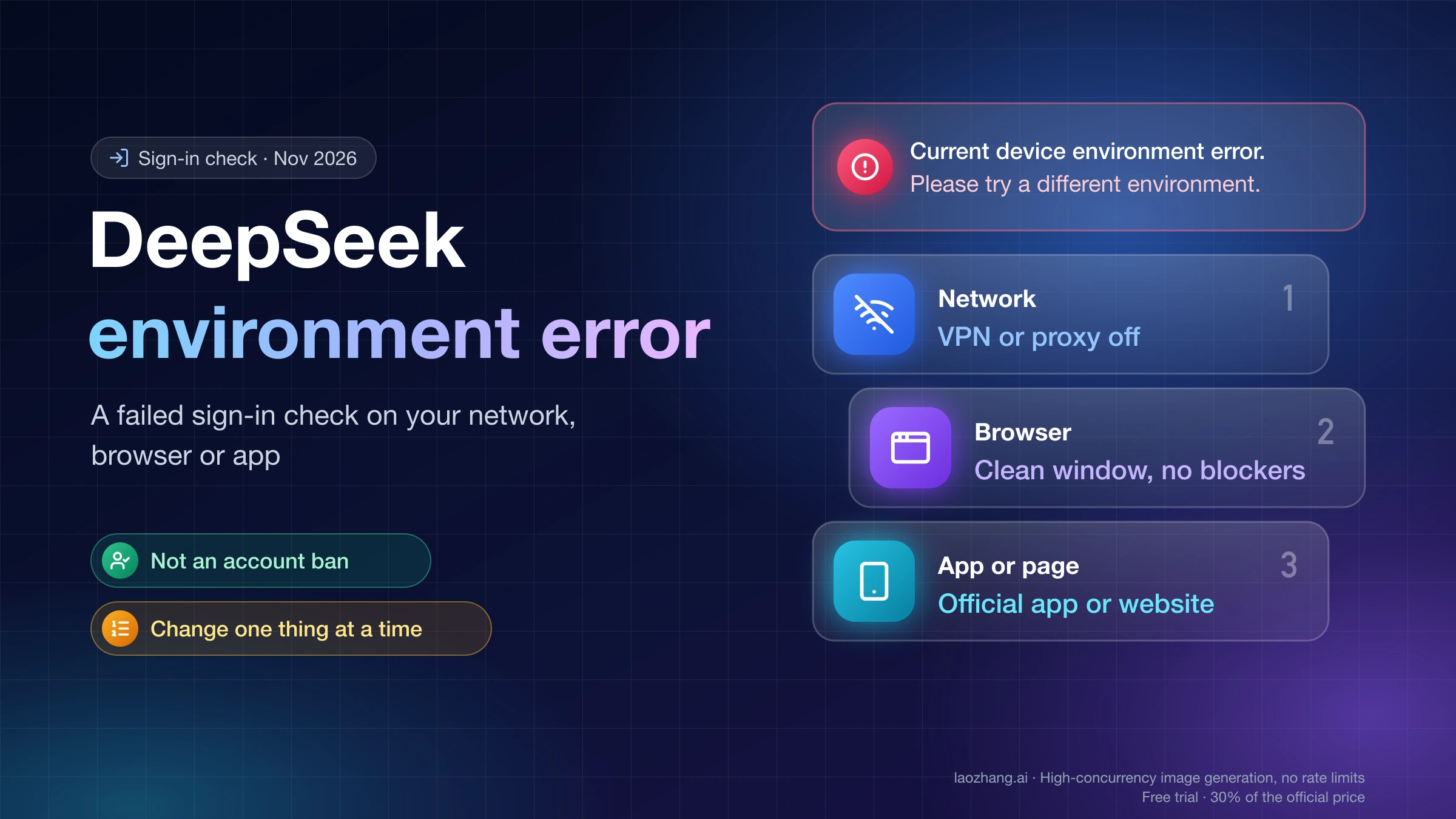
"Current device environment error. Please try a different environment." is the toast DeepSeek's website shows when its sign-in or registration check rejects the setup you're connecting with: your network, your browser and its privacy settings, or the app or page you came through. It isn't an account ban and it isn't an outage. The message appears before you're signed in, even when you're creating a new account, so it says nothing about your account's standing. In the Chinese interface the same toast reads 「当前设备运行环境异常,请尝试更换环境」, and some users get a server-sent variant, 「当前的浏览器运行环境异常。请切换执行环境,再试一次。」, which comes from the same check.
Fix it by changing one thing at a time and trying to sign in again after each change. Start with the network: turn off any VPN or proxy, or switch from office, school or public Wi-Fi to mobile data. If that doesn't clear it, type chat.deepseek.com into a regular Chrome, Edge, Safari or Firefox window with ad blockers and privacy extensions paused for the site, rather than opening a link inside another app or using a third-party DeepSeek site. The official DeepSeek app from the App Store or Google Play is the other clean route in. DeepSeek doesn't publish what its check looks for, so treat these as the likely triggers, ordered from quickest to undo.
Two cases are different. A banner titled "Abnormal usage environment" isn't a sign-in failure; it warns that the page you're on may not be DeepSeek's own product. And if both the official app and a clean browser on your home connection fail, stop changing settings and report the exact message through the feedback or support entry in the official app or website.
Which DeepSeek message you're seeing, and what it means
The wording tells you which check stopped you, and that decides what to change first. As of November 2, 2026, these are the messages that get confused with the device environment error:
| Message on screen | Where it appears | What it means | First move |
|---|---|---|---|
| "Current device environment error. Please try a different environment." (Chinese UI: 「当前设备运行环境异常,请尝试更换环境」) | Toast on the sign-in or registration page | DeepSeek's server failed the environment check for this network, browser or app | Turn off VPN or proxy, then work through the steps below |
| 「当前的浏览器运行环境异常。请切换执行环境,再试一次。」 (roughly: "The current browser environment is abnormal. Switch environments and try again.") | Sign-in, reported by users | The same check, worded by the server; the exact text can vary | Same steps, paying most attention to the browser |
| "Abnormal usage environment" with a warning about data and privacy risks | Banner or dialog on a page that isn't DeepSeek's own | The page or wrapper you're using may be unofficial | Open chat.deepseek.com or the official app |
| A plain page reading "Request blocked" and "Generated by cloudfront (CloudFront)" | Instead of the DeepSeek site, before any sign-in form | DeepSeek's content delivery network refused the request outright | Change the network first |
| A "server busy" reply | Inside a chat, after you've signed in | DeepSeek is overloaded; nothing is wrong with your setup | Wait and retry; changing your device won't help |
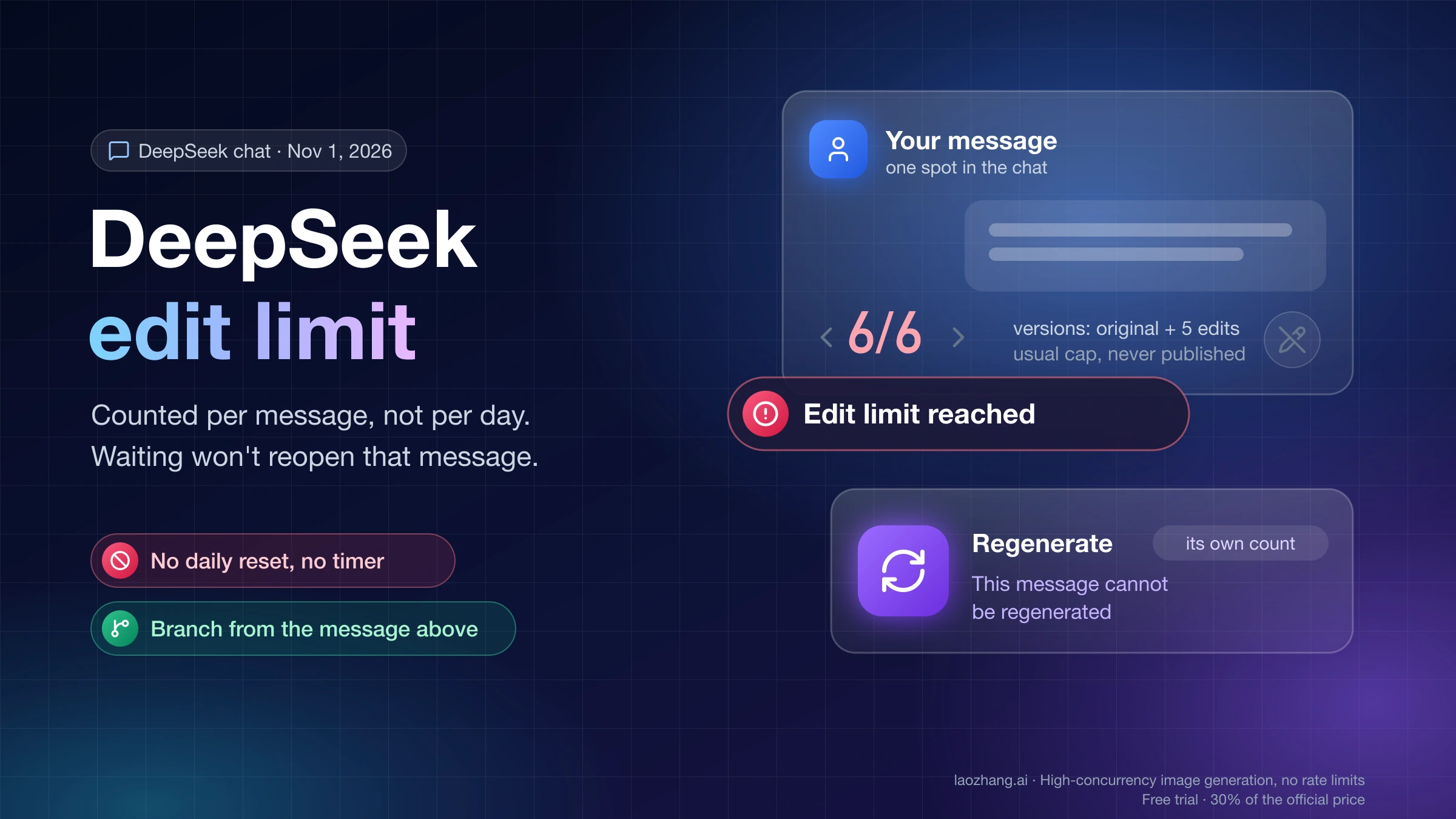
Messages that appear inside a chat that already works, such as "Edit limit reached" or "Length limit reached", are chat limits rather than environment problems; DeepSeek Edit Limit Reached: Counted per Message, Not per Day explains what they count and how to keep the conversation going.
On November 2, 2026, DeepSeek's public web app code (build main.d1d163b7e4, the build served that day) was read for these strings. Of the six interface languages checked (English, Chinese, Spanish, Japanese, Korean and Russian), the sign-in toast is translated only in English and Chinese, so readers using DeepSeek in Spanish, Japanese, Korean or Russian see the English sentence. The "Abnormal usage environment" warning, by contrast, is translated in all six of those languages, including Spanish «Entorno de uso anómalo». The browser variant quoted above appears neither in the web code nor in the sign-in page's fingerprint script, which points to it being sent by DeepSeek's server as a sign-in response rather than built into the page. That is an inference from its absence, and it's why the variant's wording can differ from user to user.
What triggers the DeepSeek environment error: likely causes
DeepSeek hasn't published what its environment check weighs, and the web code only shows that the server's check failed, not why. What can be observed is that the check happens in two places before sign-in. On November 2, 2026, a plain curl request to https://chat.deepseek.com/ sent with a desktop Chrome user agent got HTTP 403 with a "Request blocked … Generated by cloudfront (CloudFront)" page, while a real browser loaded the sign-in page normally. That browser session also loaded chat.deepseek.com/static/fp.min.js, an obfuscated 343,708-byte script that collects a browser fingerprint. So DeepSeek screens requests at the network edge and then inspects the browser itself before its server decides whether to let you in.
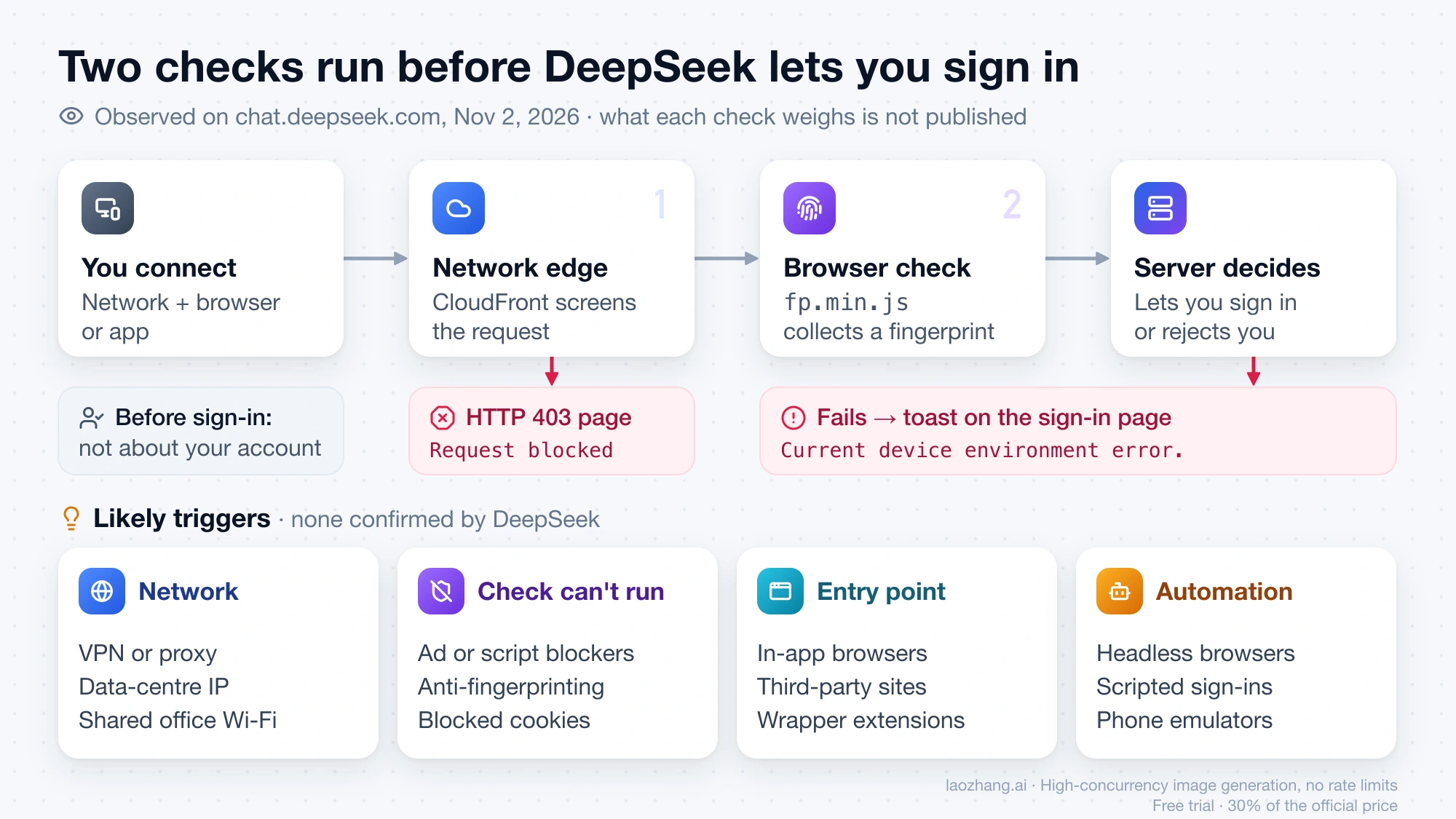
From those two layers, four causes are likely, though none is confirmed by DeepSeek. The first is the network: VPNs, proxies and data-centre IP addresses are what edge filters distrust most, and shared Wi-Fi at offices, schools or hotels can carry a poor reputation from other users. The second is a browser that blocks the check itself. Ad blockers, script blockers, anti-fingerprinting modes and blocked cookies can stop fp.min.js from running or reporting, and a check that can't run is likely treated as failed. There's indirect support for this in a GitHub discussion on the deepseek-harness repository, where a user reported that DeepSeek's Harness page crashed with a client-side exception when cookies and site data were blocked for deepseek.com; it's a different page and symptom, but it shows DeepSeek's pages depend on site storage.
The third likely cause is where you sign in from. In-app browsers inside chat or social apps, third-party "DeepSeek" sites and browser extensions that wrap the chat all look different from DeepSeek's own site, and the separate "Abnormal usage environment" warning shows DeepSeek watches for unofficial embeds. The fourth is automation: headless browsers, scripted sign-ins and phone emulators are what fingerprint checks exist to catch, so an ordinary browser on a real device stands a better chance.
Fix the DeepSeek device environment error one change at a time
Make one change, try signing in, and only then make the next. If you change your network and your browser at the same time and it works, you won't know which one mattered, and you'll be guessing again the next time it happens. You can keep a change that didn't help, such as leaving the VPN off, while you test the next item.
- Turn off your VPN, proxy or any IP-changing browser extension, then reload chat.deepseek.com and sign in again. If you're on office, school, hotel or other shared Wi-Fi, try mobile data or your home connection instead.
- Type chat.deepseek.com into the address bar of a regular browser yourself. Don't follow a link that opens inside a chat or social app, because those usually open in a built-in browser, and don't sign in through a third-party DeepSeek site or extension.
- Allow deepseek.com to run scripts and store cookies and site data. Pause ad blockers, script blockers and any anti-fingerprinting or strict tracking-protection setting for the site, then reload. A private window with extensions turned off is a quick way to test this without changing your main profile.
- Try a second regular browser, such as Chrome, Edge, Safari or Firefox, with no extensions installed. Use an ordinary desktop or phone browser, not an automated, headless or emulated one.
- Install the official DeepSeek app from the App Store or Google Play and sign in with the same account.
- Stop if the official app and a clean browser on your home connection both fail. Further setting changes won't reveal anything new, so report it through the feedback or support entry in the official DeepSeek app or website, with the exact message, the time it appeared, the browser or app you used, and the network you were on.
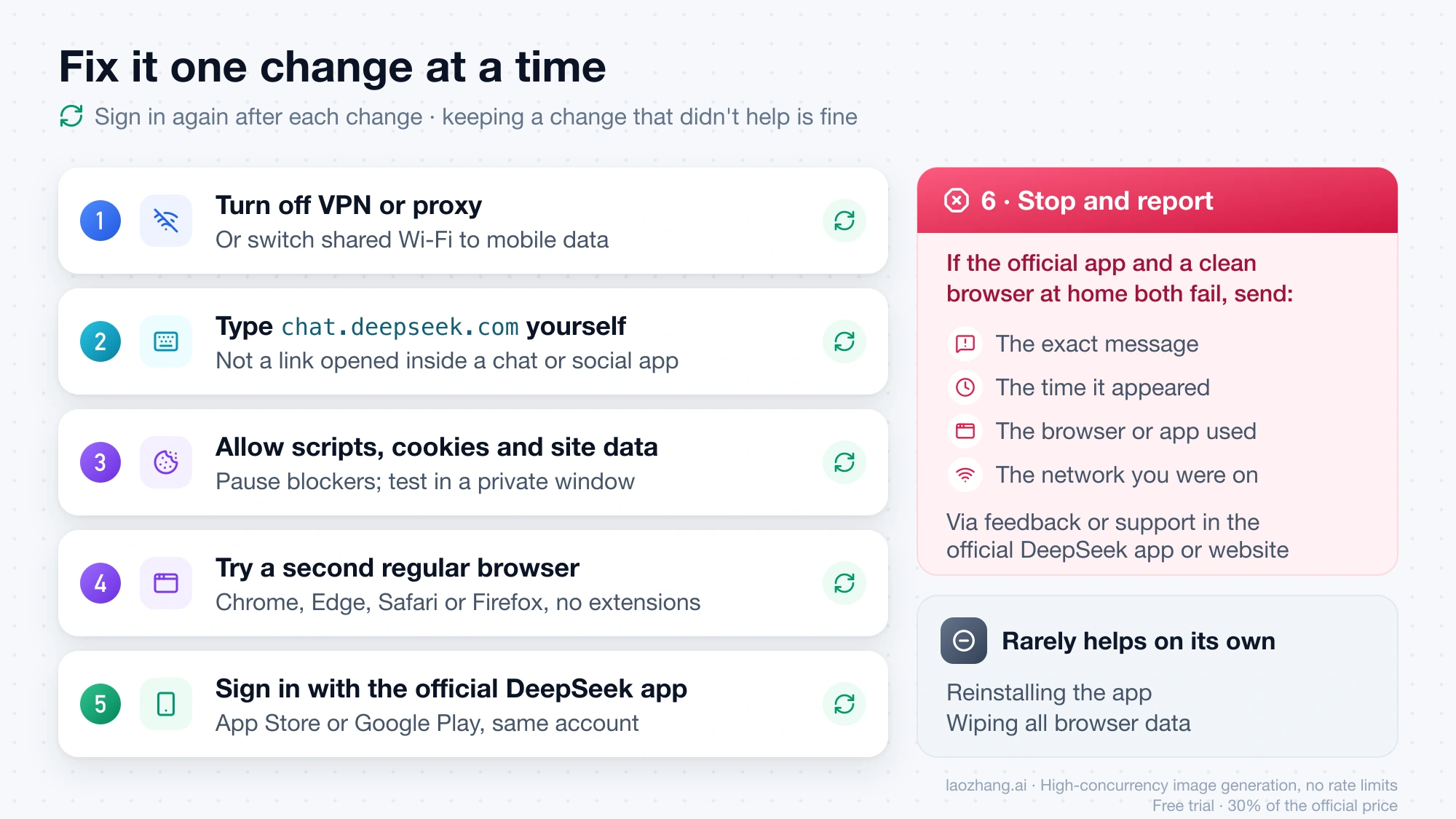
Reinstalling the app or wiping all your browser data rarely helps on its own, because neither changes the IP address, the extensions or the page that the check sees. Faking your browser fingerprint or scripting your way past the check isn't a shortcut either, because detecting exactly that is what the check is for.
"Abnormal usage environment": you're on an unofficial DeepSeek page
"Abnormal usage environment" is a separate warning, not a sign-in error, and it means the page you're using may not be DeepSeek's own product. As of November 2, 2026, the English warning under that title begins "The current usage environment may pose data and privacy risks." and goes on to advise using DeepSeek's official product. The Chinese version 「使用环境异常」 makes the target clearer, warning that the environment of the current page may leak data and privacy.
DeepSeek's code doesn't say exactly what triggers this banner, but its wording points to DeepSeek's chat running inside something else: a third-party site, a wrapper app or an embedded frame. The fix is to leave that page and use chat.deepseek.com directly or the official mobile app. If you typed in personal information or uploaded files on the unofficial page, treat them as shared with whoever runs it.
Using DeepSeek while web sign-in fails: the official app or the API
The quickest way to keep working is the official DeepSeek app from the App Store or Google Play, which signs in with the same account and avoids the browser part of the check. If you need DeepSeek for code or automation rather than chat, the DeepSeek API at platform.deepseek.com uses a separate account and API key and bills per token instead of signing you in through the website. It's a different product, not a fix for your chat account, and DeepSeek API peak hours and current prices shows what it costs and when it's cheaper to run.
Sources1
External pages this guide links to, in the order they appear. Last updated Nov 2, 2026.
Sources1
External pages this guide links to, in the order they appear. Last updated Nov 2, 2026.