Does Claude Have Unlimited File Uploads? The Limits That Actually Apply
Claude Projects can hold an unlimited number of files, but that narrow statement comes with per-file and context conditions. Chats, PDFs, images, and account usage each have their own ceilings.
On this page
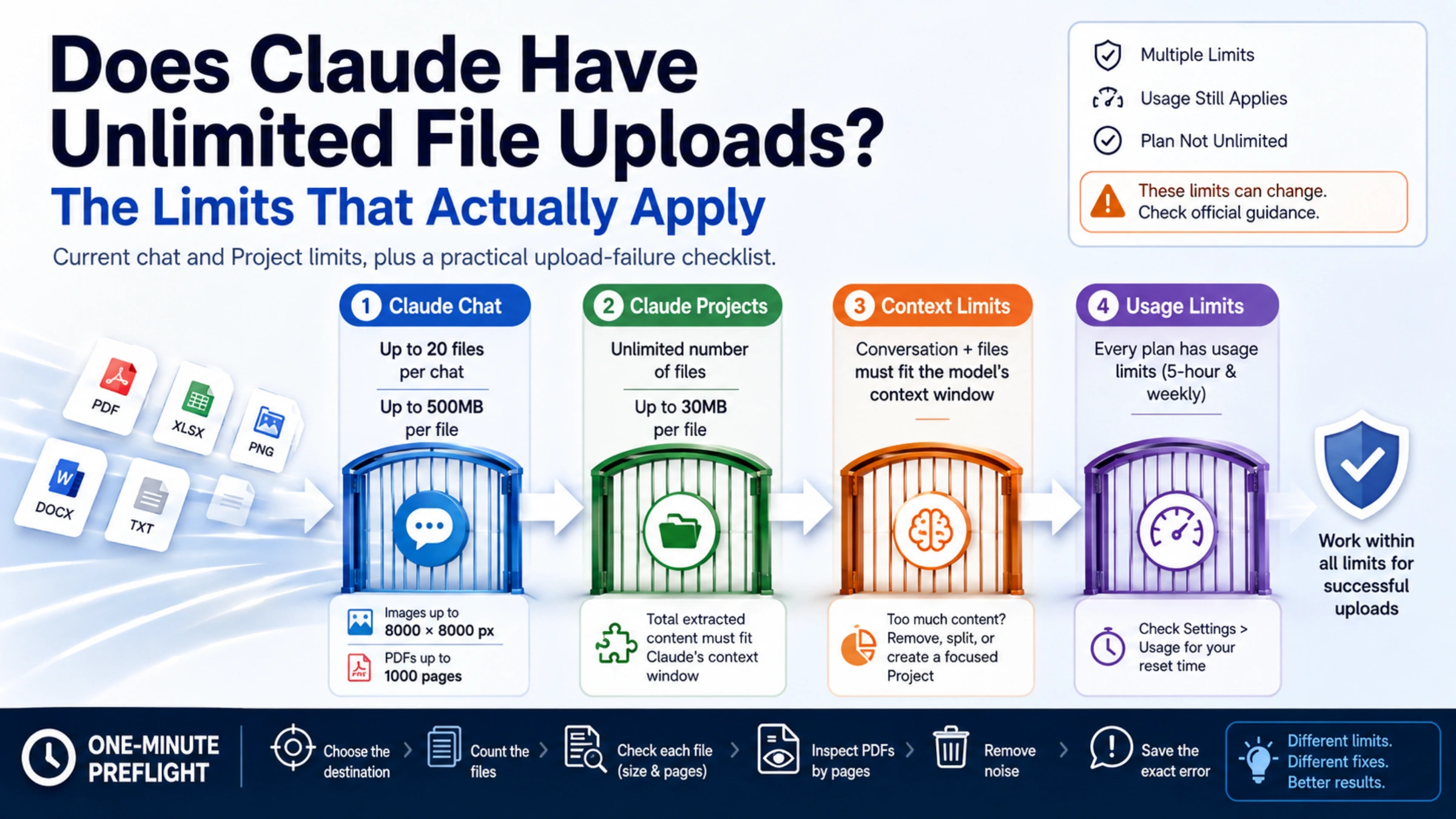
No—Claude does not provide unlimited file uploads in the ordinary sense. One current specification does use the word “unlimited”: the number of files in a Claude Project. That does not remove the Project's 30MB per-file limit, the context window, extracted-content limits, or your plan's usage limits.
For a quick decision, identify where you are adding the files:
| Destination | Current published limit | The easy-to-miss condition |
|---|---|---|
| A Claude chat | Up to 20 files per chat; up to 500MB per file | PDF pages, image dimensions, supported content and account usage still apply |
| A Claude Project | Unlimited number of files; up to 30MB per file | The total extracted content still has to fit Claude's context window |
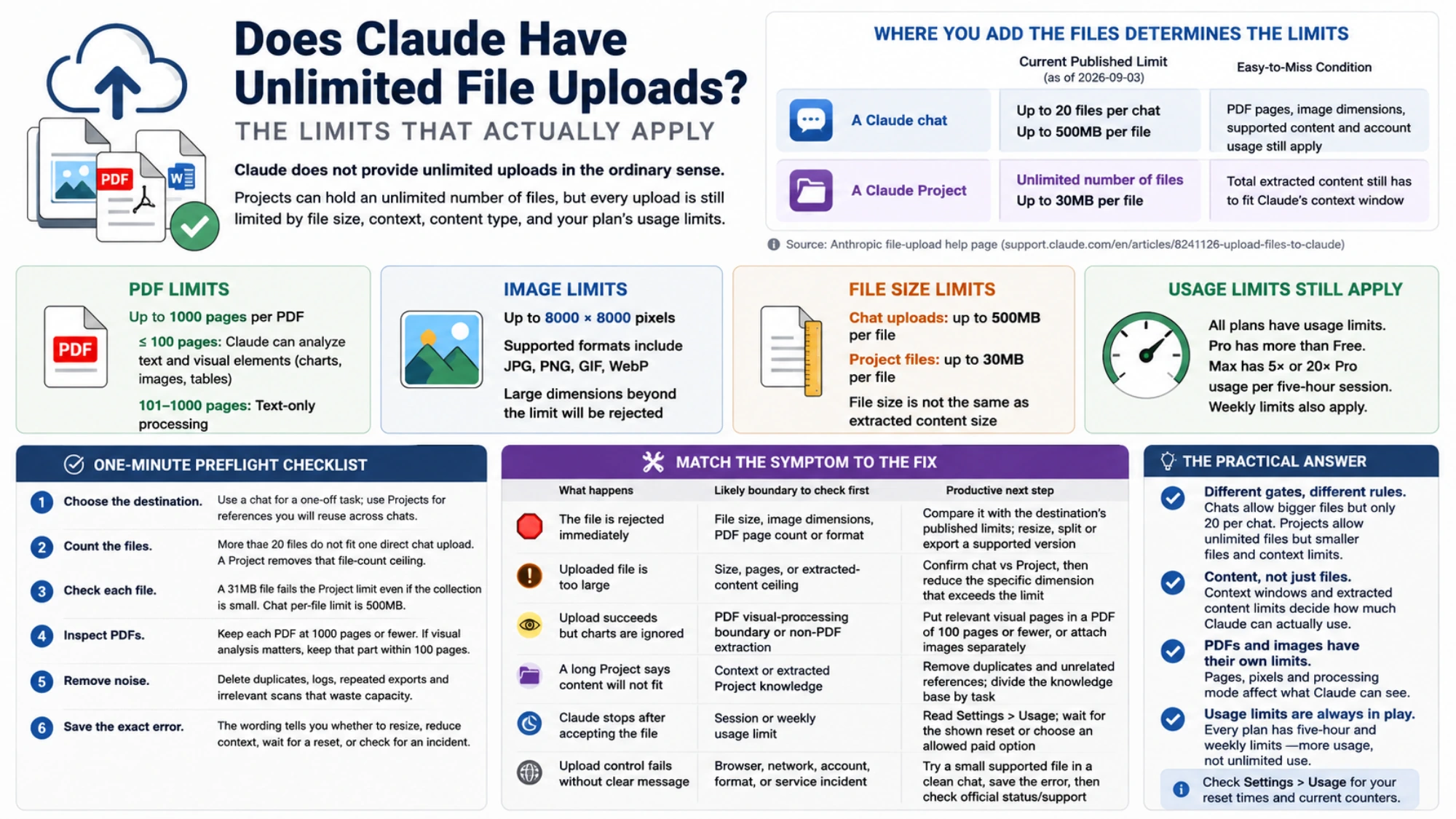
Those figures come from Anthropic's current file-upload help page, checked September 3, 2026. They can change, so use that page—not an old screenshot—when a large upload matters.
What “unlimited Project files” actually means
A Project is useful when the same reference material should support several conversations. Claude can retrieve relevant portions of Project knowledge instead of loading every file in full for every response. That is why adding many small files can be more workable than pasting a library into one chat.
But “unlimited number of files” describes one counter only. It does not mean:
- an individual Project file may exceed 30MB;
- every byte of every file can be active at once;
- a very large collection will always fit the selected model's context;
- uploads consume no usage allowance;
- Pro or Max can run indefinitely.
If a Project reports that its content is too large, deleting irrelevant material, splitting the collection by task, or creating a second focused Project is more useful than repeatedly uploading the same files.
Chat uploads have a different—and much larger—per-file ceiling
Anthropic currently lists 500MB per file and 20 files per chat for direct chat uploads. This is different from the 30MB Project-file limit. Many older guides apply 30MB to both places, so first confirm which interface rejected the file.
The same official page lists two additional boundaries:
- images may be no larger than 8000 × 8000 pixels;
- a PDF may contain no more than 1000 pages.
File size alone does not predict what Claude will understand. For PDFs of 100 pages or fewer, Claude can analyze text and visual elements such as charts and images. For PDFs from 101 through 1000 pages, the documented behavior is text-only processing. A 140-page illustrated report may upload successfully while still losing the visual analysis you expected.
Non-PDF documents are also processed primarily through extracted text. If a Word document's embedded diagram matters, exporting the relevant pages to a short PDF or uploading the diagram separately can produce a clearer input than assuming every embedded object will be visible.
A valid file can still run into your account's usage limit
File acceptance and account capacity are separate checks. A 10MB PDF can be well under the file limit yet contribute a large amount of extracted text to a long conversation. Research, tools, model choice, effort level and accumulated chat history can also increase usage.
Anthropic's usage and length explanation distinguishes:
- usage limits, which control how much you can interact with Claude over time; and
- length limits, which control how much information one conversation can work with.
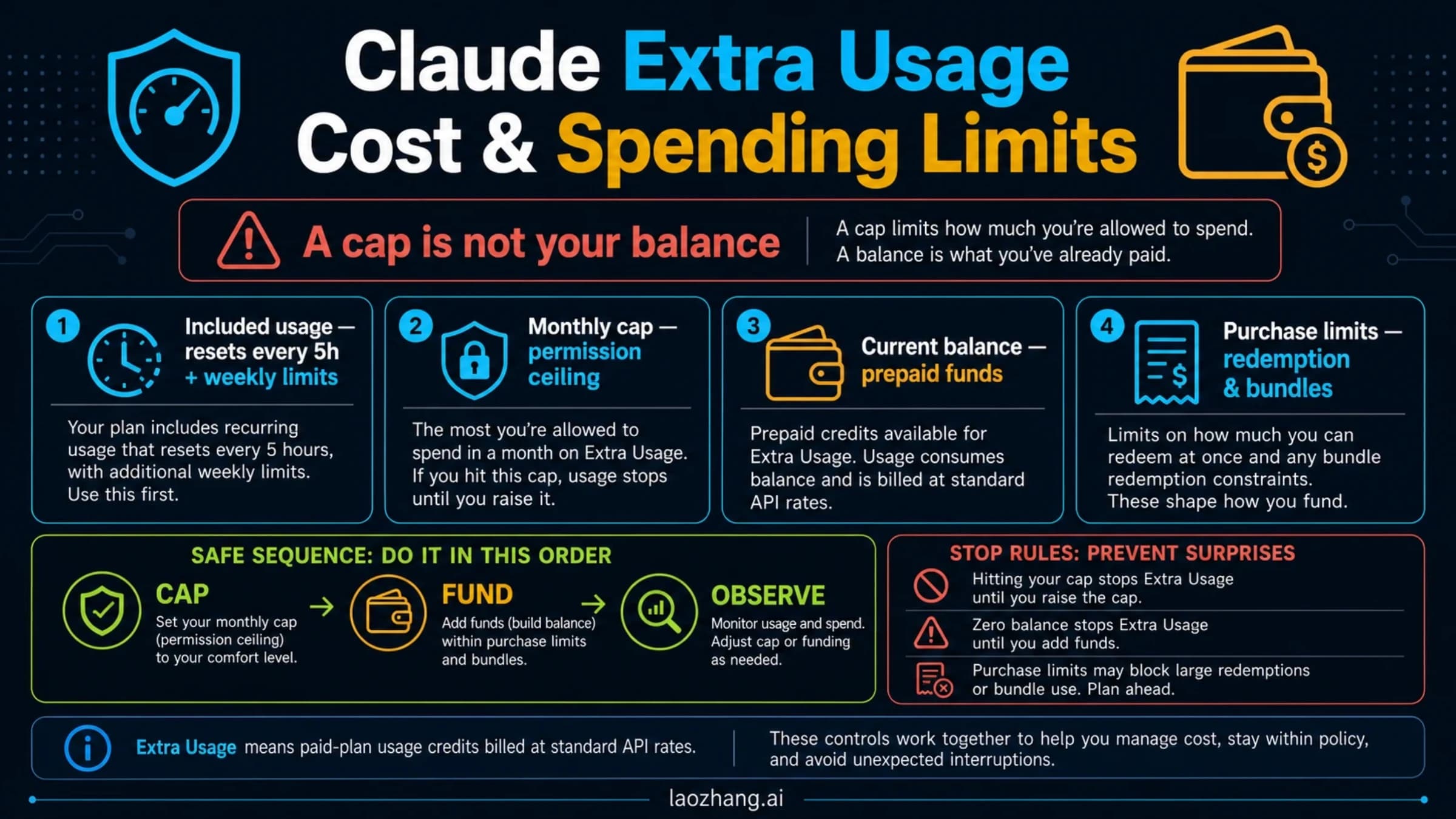
Every individual plan has usage limits. Anthropic's pricing page describes Pro as more usage than Free and Max as 5× or 20× Pro usage per five-hour session—not unlimited use. Paid plans also have weekly limits. Buying a larger plan may give you more working capacity, but it does not change an oversized Project file into a valid one or make a 1001-page PDF acceptable.
If Claude shows a timer or usage counter, open Settings > Usage and use the reset time displayed for that account. Our Claude usage-limit guide explains the five-hour, weekly, context and paid-credit counters in more detail.
Check these limits before uploading
Check the published limits before trying to estimate tokens:
- Choose the destination. Use a chat for a one-off task; use Projects for references you will reuse across chats.
- Count the files. More than 20 files do not fit one direct chat upload. A Project removes that file-count ceiling, subject to its other limits.
- Check each file, not just the folder total. A 31MB file fails the published Project limit even if the collection is small. A chat has a different 500MB per-file ceiling.
- Inspect PDFs by pages and purpose. Keep each PDF at 1000 pages or fewer. If visual analysis matters, keep the relevant visual section within a PDF of 100 pages or fewer.
- Remove noise. Duplicate appendices, generated logs, repeated exports and irrelevant scans consume processing capacity without helping the answer.
- Save the exact error. The wording tells you whether to resize a file, reduce context, wait for a usage reset, or investigate a service problem.
Match the symptom to the fix
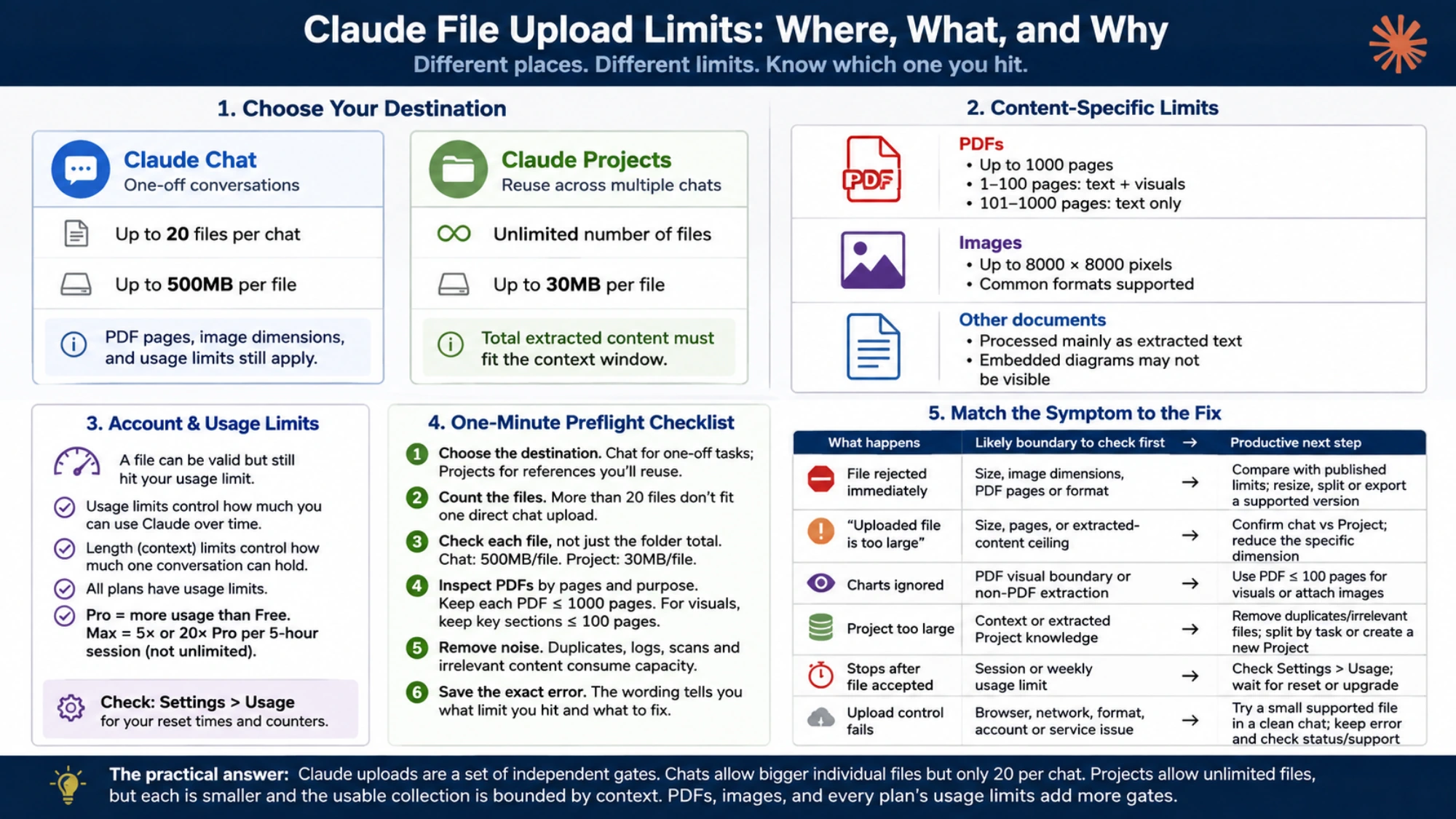
| What happens | Likely boundary to check first | Productive next step |
|---|---|---|
| The file is rejected immediately | File size, image dimensions, PDF page count or format | Compare it with the destination's published limits; resize, split or export a supported version |
Uploaded file is too large | Size, pages, or extracted-content ceiling | Confirm chat versus Project, then reduce the specific dimension that exceeds the limit |
| Upload succeeds but charts are ignored | PDF visual-processing boundary or non-PDF extraction | Put the relevant visual pages in a PDF of 100 pages or fewer, or attach images separately |
| A long Project says content will not fit | Context or extracted Project knowledge | Remove duplicates and unrelated references; divide the knowledge base by task |
| Claude stops after accepting the file | Session or weekly usage limit | Read Settings > Usage; wait for the shown reset or choose an allowed paid option |
| The upload control fails without a clear limit message | Browser, network, account, format, or service incident | Try a small supported file in a clean chat, preserve the error, then check official status/support |
Starting a new chat can reduce accumulated context, but it does not reset a five-hour or weekly usage counter. Likewise, moving files to Projects can change the file-count rule, but it does not make the context window infinite.
The practical answer
Check file count, file size, content length, and account usage separately. Direct chat uploads currently allow large individual files but only 20 files per chat. Projects allow an unlimited file count, yet each file is smaller and the usable collection is bounded by context. PDFs and images add their own limits, and every plan still has usage controls.
Sources3
External pages this guide links to, in the order they appear. Last updated Sep 3, 2026.
Sources3
External pages this guide links to, in the order they appear. Last updated Sep 3, 2026.