Claude Code Error Compacting Conversation: Fix by Exact Message
The red notification only means compaction threw an error. The line shown with it names the cause, and each cause has its own recovery in Claude Code 2.1.301.
On this page
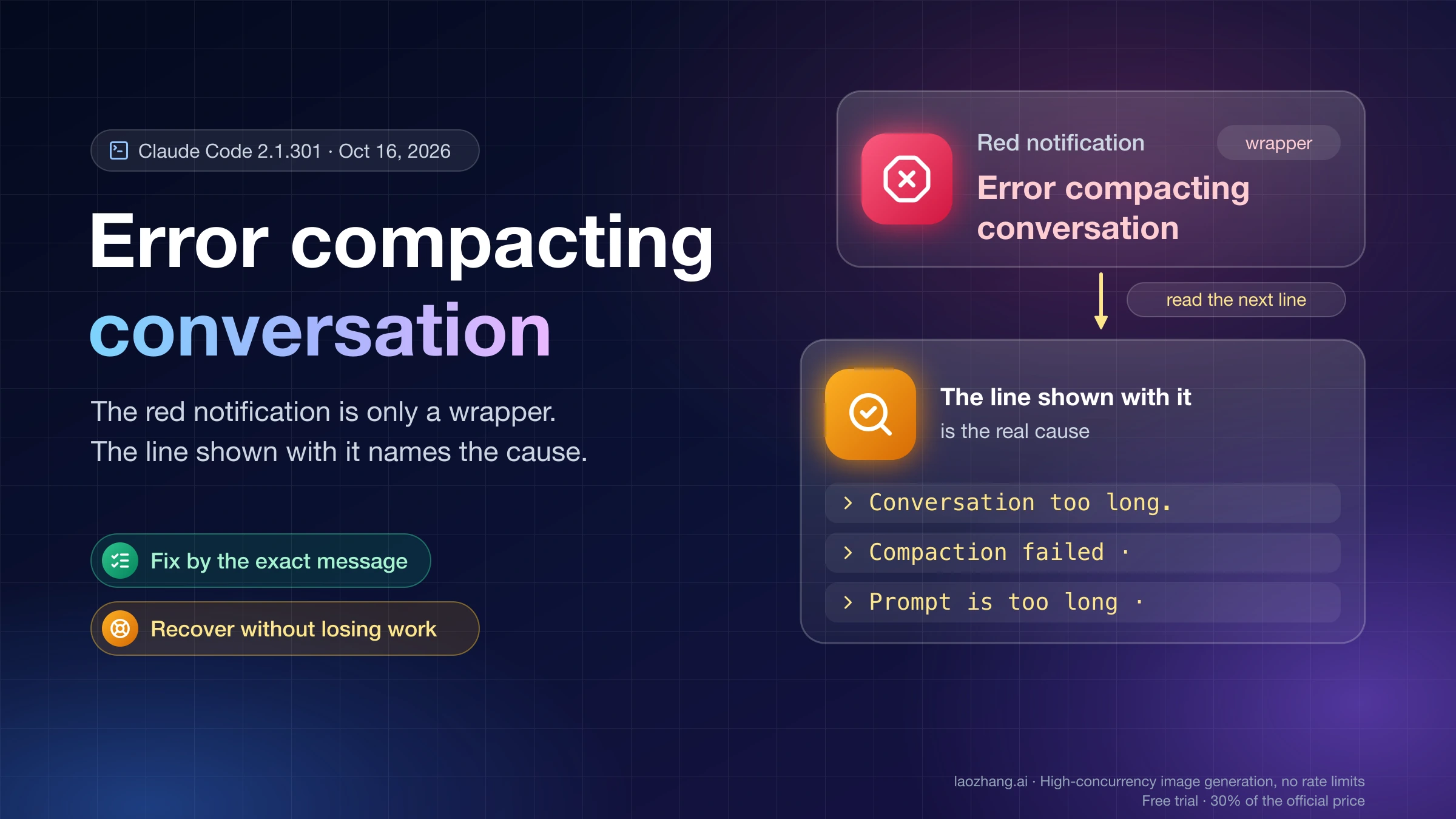
"Error compacting conversation" in Claude Code tells you one thing: the attempt to summarize your conversation threw an error. It doesn't say why. The reason is in the line that comes with it, such as Conversation too long. Press esc twice to go up a few messages and try again., a Compaction failed · line, or Prompt is too long · automatic compaction failed: followed by the underlying error. Find that line in the table below and you have the cause and the first fix.
If the session is stuck right now, the shortest path that loses the least work is:
- Run
/exportto save the conversation as plain text. - Exit, run
claude update, then reopen the session withclaude --resumeand try/compactagain. Many compaction failures were fixed in specific versions. - If it still fails, clear the input box, press Esc twice to open the rewind menu, and go back to a message before the large paste, file, or tool output. Choose Restore conversation (your code stays as it is) or Summarize up to here.
- If nothing works, write your plan and progress to a file, then
/clearand continue from that file.
Everything below applies to Claude Code 2.1.301, the current release as of October 16, 2026, in the terminal and in IDE or desktop sessions where the same commands exist. Claude.ai's chat notice "Compacting our conversation so we can keep chatting" and the API's server-side Compaction feature are separate products with their own behavior; the steps here don't apply to them.
What "Error compacting conversation" means in Claude Code
The red notification is a generic wrapper. In 2.1.301 it fires whenever a compaction run throws an error, and that covers three entry points: the /compact command, automatic compaction when the context window fills, and the partial compaction you start from the rewind menu with Summarize from here or Summarize up to here. The notification carries no cause of its own. The cause is the error text shown with it, and with /compact that text starts with Error during compaction:.
Three outcomes skip the red notification because they aren't failures:
- You pressed Esc while compaction was running. Since version 2.1.133, that shows
Compaction canceled.instead of the spurious red notification older versions displayed. - There was nothing earlier to summarize (
Not enough messages to compact.). - A PreCompact hook blocked the run on purpose.
So if you see the red notification, compaction really did fail, and the line next to it is the thing to diagnose. An older form, reported on version 1.0.111 in GitHub issue #7530 on the Claude Code repository, looked like Error during compaction: Error: Conversation too long. Press esc twice to go up a few messages and try again. In 2.1.301 the /compact form is Error during compaction: followed by the underlying message.
Compaction error messages in Claude Code 2.1.301 and their fixes
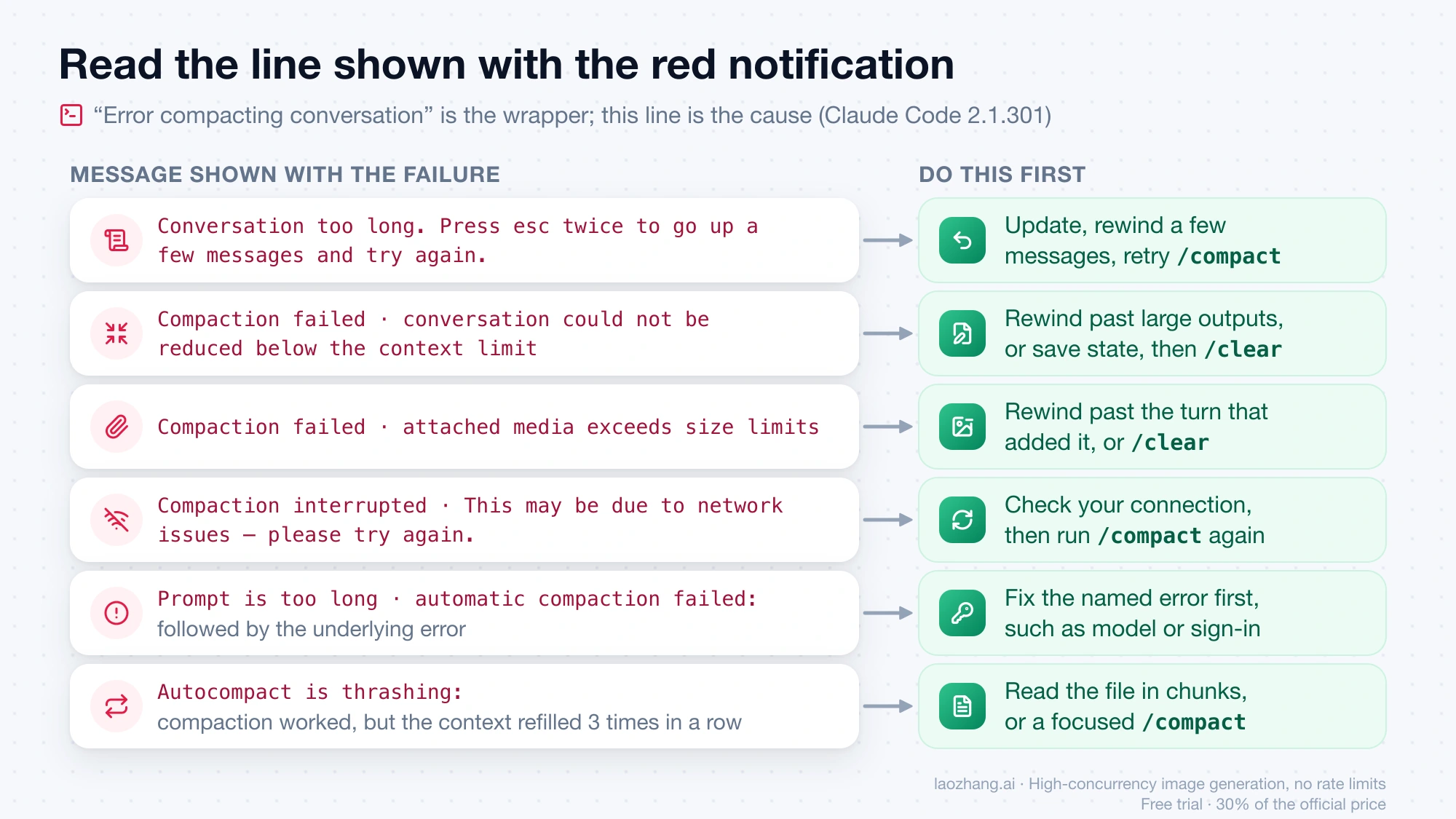
Each row below is an exact string present in Claude Code 2.1.301. Copy the line from your terminal and match it against the first column.
| Message shown with the failure | What it means | Do this first | Version notes |
|---|---|---|---|
Conversation too long. Press esc twice to go up a few messages and try again. | The conversation is so large that the summarization request itself no longer fits the context window | Update, then rewind a few messages (Esc twice on an empty input) and retry /compact, or use Summarize up to here | Fixes in 2.0.31, 2.1.85 and 2.1.284; on current versions Claude Code retries once more with less recent conversation |
Compaction failed · conversation could not be reduced below the context limit | Even the reduced conversation still doesn't fit | Rewind past the largest outputs, or save state to a file and /clear (suggested steps, not documented ones) | The exact trigger isn't documented |
Compaction failed · attached media exceeds size limits | Images or documents in the conversation are too large for the summarization request | Rewind past the turn that added the attachment, or /clear (suggested steps, based on the 32 MB request-limit guidance) | 2.1.47 fixed failures with many PDFs; 2.1.70 changed how images are kept in the summary request |
Compaction interrupted · This may be due to network issues — please try again. | The compaction request was cut off midway | Check your connection and run /compact again | 2.1.290 fixed automatic compaction giving up when a Mac went to sleep during it |
Prompt is too long · automatic compaction failed: followed by an error | Automatic compaction ran out of room and failed on another error, such as an unavailable model or a sign-in failure | Fix the named error first; /compact keeps failing on it until you do | The cause has been named since 2.1.229; 2.1.299 fixed a gateway case that ended here near 200K tokens |
Error during compaction: followed by other text | The /compact form of any other failure; the text after the colon is the cause | Search that text in the changelog and update | See the update list further down |
Failed to generate conversation summary - response did not contain valid text content | The model returned no usable summary text | Retry once; if it repeats, update and report it (suggested steps) | No documented trigger |
Autocompact is thrashing: the context refilled to the limit within 3 turns of the previous compact, 3 times in a row. | Compaction worked, but a file or tool output refilled the window right away, three times running | Read the file in chunks, or /compact with a focus that drops the large output | Circuit breaker added in 2.1.89 |
These lines are not failures and come without the red notification:
| Message | What it means | What to do |
|---|---|---|
Compaction canceled. | You pressed Esc during compaction | Nothing, or run /compact again when ready |
Not enough messages to compact. | There is nothing earlier to summarize: a single exchange, or a conversation that was just compacted | If the context is still full, /clear and resend with less pasted text or smaller attachments |
Compaction blocked by PreCompact hook: followed by the hook command and its reason | A PreCompact hook exited with code 2 or returned a block decision | Check the hook in your settings, or let it through |
/compact isn't available in this environment. | DISABLE_COMPACT=1 is set | Unset it to get manual and automatic compaction back |
The last three were reproduced in a short test on Claude Code 2.1.301 (macOS, headless claude -p, Haiku 5.5, about $0.01 in total, October 16, 2026). A second /compact right after a successful one returned Not enough messages to compact. A PreCompact command hook that printed a reason to stderr and exited with code 2 turned /compact into Compaction blocked by PreCompact hook: with the hook command and that reason. Running with DISABLE_COMPACT=1 produced the "isn't available" line. The other messages in the first table were not reproduced, because triggering them takes a session close to the context limit or a dropped connection. Their meanings come from the strings themselves, the Claude Code changelog, and the Claude Code error reference.
Recover a stuck Claude Code session without losing work
When every turn fails, the goal is to keep your code, your plan, and as much of the conversation as you can. Work from the least destructive step to the most.
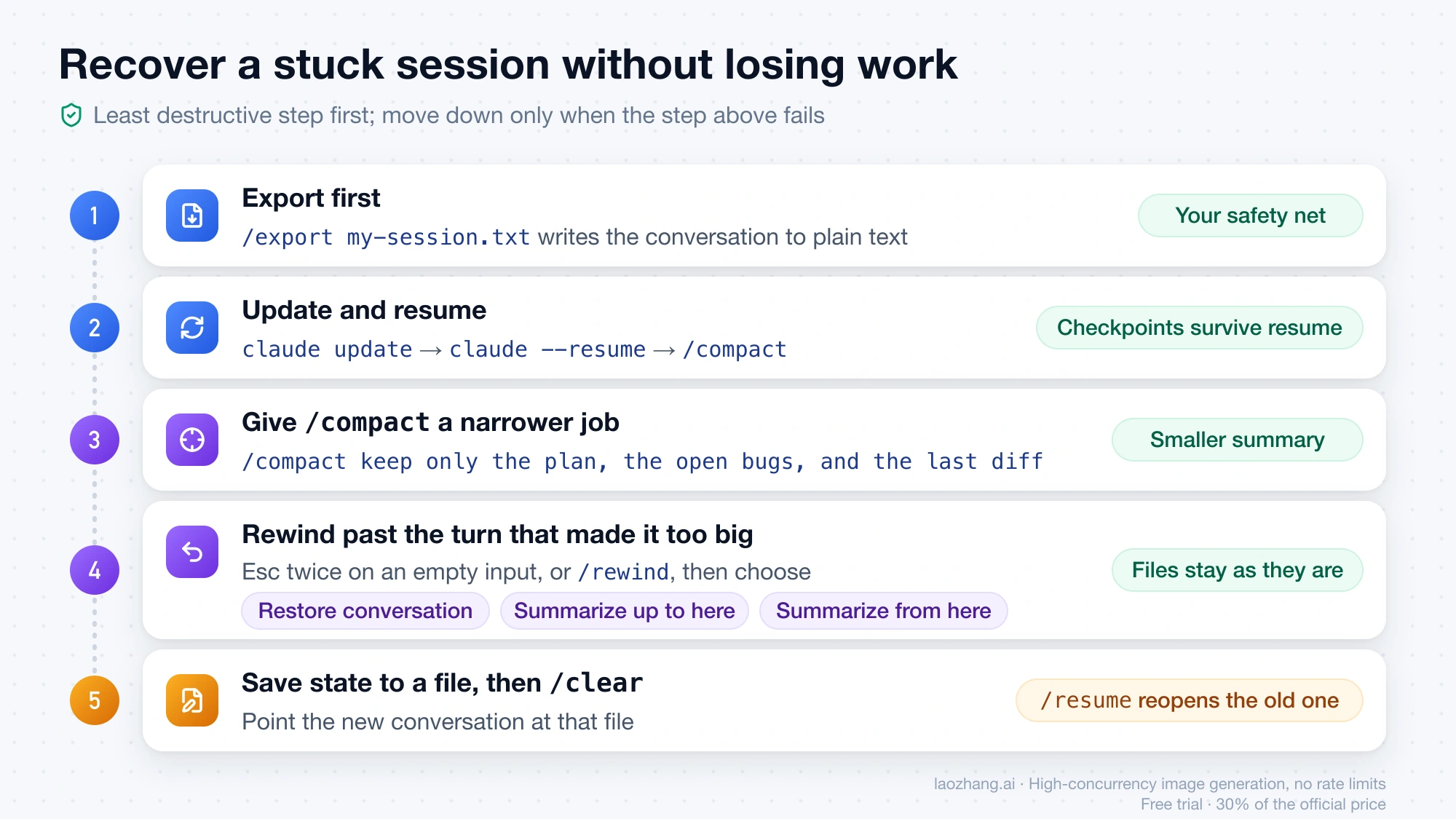
1. Export first. /export my-session.txt writes the conversation to a plain-text file. Without a filename it opens a dialog to copy it or save it. That copy is your safety net if a later step goes wrong.
2. Update and resume. Exit, run claude update, start again with claude --resume, pick the session, and run /compact. Rewind checkpoints are saved with the conversation, so they still work after a resume. Users on older versions also reported that exiting and resuming, or running /clear, then /resume, then /compact, was enough to get compaction through. Treat those as reports from older versions, not guaranteed fixes.
3. Give /compact a narrower job. /compact keep only the plan, the open bugs, and the last diff tells the summary what to keep. A smaller target helps when the failure comes from a huge tool output that would otherwise be carried forward.
4. Rewind past the turn that made it too big. With the input box empty, press Esc twice, or run /rewind. If there is text in the input box, the first double Esc only clears it. In the menu, pick a message from before the big paste, image, or file read, then choose one of these:
- Restore conversation: cuts the conversation back to that point and leaves your files as they are now.
- Summarize up to here: compresses everything before the selected message and keeps later messages intact.
- Summarize from here: compresses the selected message and everything after it, and keeps the earlier part, including your first instructions, intact.
The summarize options don't change files on disk, and the original messages stay in the session transcript. Each option also accepts an optional focus: highlight it with the arrow keys and type into the add context (optional) row before pressing Enter. These options are compactions too, so if one fails you see the same red notification, and the line beside it tells you why.
5. Save state to a file, then clear. If nothing above works, the session can't be carried forward as is. If Claude can still answer, ask it to write the current plan, decisions, and remaining steps to a file in the repository. If it can't, write that file yourself from the export. Then run /clear and start the new conversation by pointing Claude at that file. Project-root CLAUDE.md loads in every new session, so instructions that must last belong there. The Claude Code memory guide covers the choice between CLAUDE.md and auto memory. /clear doesn't delete the old conversation. You can return to it with /resume, or from the rewind menu's previous-session entry while the same Claude Code process is running.
"Conversation too long": when the compact request itself doesn't fit
The message describes the mechanism: compaction sends your conversation to the model and asks for a summary, and that request has to fit in the context window too. Once the conversation is past that point, there isn't enough room left to summarize it.
Claude Code has narrowed this case several times:
- 2.0.31 fixed
/compactfailing withprompt_too_longby respecting existing compact boundaries. - 2.1.85 fixed
/compactfailing with "context exceeded" when the conversation had grown too large for the compact request to fit. GitHub issue #7530 was closed in April 2026 as a duplicate, with a note that 2.1.85 fixed it. Some users said they still saw the error afterward. - 2.1.284 made Claude Code compact once more, keeping less of the recent conversation, when the compacted request is still too long. The retry marks the cut with
[earlier conversation truncated for compaction retry].
On 2.1.301, if you still see this message, follow its own instruction: press Esc twice on an empty input, go back a few messages, and retry. Going back past one large tool output or attachment usually frees more room than going back several ordinary turns. Summarize up to here on a message near the end is the alternative when you don't want to lose the latest turns.
"Compaction failed · attached media exceeds size limits" and large attachments
This message points at images or documents, not text. Two changelog entries show the history: 2.1.47 fixed compaction failing when a conversation held many PDF documents by stripping document blocks along with images, and 2.1.70 started preserving images in the summarizer request.
There's no dedicated documentation for this exact string. The closest official guidance is for Request too large, the error for requests over the API's 32 MB body limit. It says /compact drops accumulated images and attachments, and that when compacting can't help, you should press Esc twice to step back past the turn that added the large content, or /clear. Applying that here means rewinding past the turn where the large image or PDF went in, then continuing with a smaller version or a file path. That's a reasonable inference, not a documented fix. For the future, reference large files by path instead of pasting them, so Claude can read them in pieces.
"Prompt is too long · automatic compaction failed": fix the named error first
This line appears when the conversation hits the context limit, automatic compaction runs to recover, and compaction fails on some other error. Since 2.1.229 the line names that error after the colon. The Claude Code error reference is direct about the order: resolve the named error first, because /compact fails on the same error until you do. If it names an unavailable model, switch models with /model. If it names an authentication failure, sign in again.
Two patterns show up near 200K tokens:
- A gateway or custom model ID. Claude Code assumes a 200K window for model IDs it doesn't recognize, such as LLM gateway aliases. 2.1.299 fixed sessions on a gateway-specific model name behind a custom
ANTHROPIC_BASE_URLending with this error near 200K. If your gateway really stops at 200K,/autocompact 200kkeeps compaction ahead of it. - Amazon Bedrock. Bedrock reports this condition as
Input is too long for requested model.Before 2.1.217, Claude Code didn't recognize that wording, so automatic compaction never ran and/compactfailed. The Bedrock side of that message is covered in the AWS Bedrock Claude 400 error guide.
The plain context-limit line in an interactive session is Context limit reached · /compact or /clear to continue. If it adds auto-compact is off · /config to turn it on, you turned automatic compaction off in your user settings, and turning it back on is the fix.
"Autocompact is thrashing": compaction worked, the context refilled
This error means compaction did its job, but within three turns the context was full again, three times in a row. Claude Code stops there so it doesn't keep spending API calls on a loop that goes nowhere. The usual cause is a file read or tool output too large for the window.
The Claude Code troubleshooting page gives this recovery order:
- Ask Claude to read the oversized file in smaller chunks, such as a line range or one function.
- Run
/compactwith a focus that drops the large output, for example/compact keep only the plan and the diff. - Move the large-file work to a subagent, so it runs in its own context window.
- Run
/clearif you no longer need the earlier conversation.
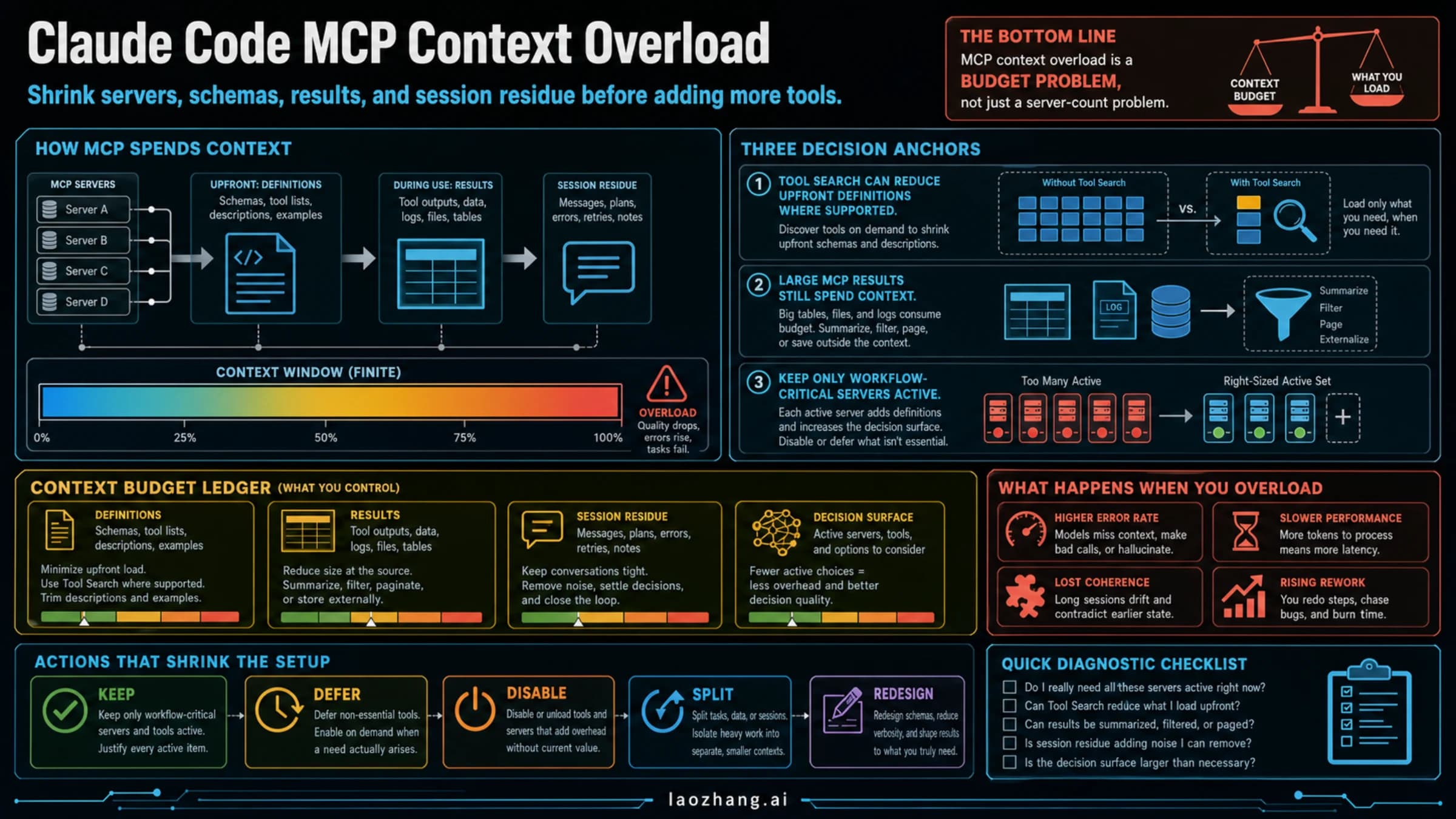
If it comes back after /clear, run /context and compare the Messages row with the rows above it. If Messages is the largest, something in the new conversation is refilling the window. If the other rows together are larger, what loads at session start (tools, memory files, MCP definitions) leaves too little room. Diagnosing Claude Code MCP context overload walks through trimming that startup load. Since 2.1.286, the error also says when a model fallback dropped the window from 1M to 200K tokens, which explains a sudden thrash on a session that was fine before.
Why Claude Code is stuck compacting or keeps compacting
Stuck or slow. Compaction is a model call that reads the whole conversation and writes a summary, so on a very large session it takes a while. Since 2.1.283 the spinner timer starts when compaction begins and counts the summary's tokens as they stream. Since 2.1.228 a retry countdown and stall hint appear during compaction too. If the counter keeps moving, it's working. If you want out, press Esc: on current versions that shows Compaction canceled. instead of an error. Recent releases also fixed related stalls: 2.1.260 stopped recovery compaction on very large contexts from timing out at 10 minutes, and 2.1.301 fixed fullscreen mode briefly freezing while the transcript is rebuilt after compaction.
Keeps compacting. Automatic compaction runs at a threshold that depends on the model, according to the Claude Code model configuration docs:
- Models with a native 1M window (the Fable models, Sonnet 5 and later, Haiku 5.5, Opus 4.7 and later) compact at about 967K tokens.
- Sonnet 4.6 and Opus 4.6 without extended context compact at 200K.
- Model IDs Claude Code doesn't recognize, such as gateway aliases, compact at an assumed 200K.
A session on a gateway alias can therefore compact far more often than the real model needs. 2.1.301 also fixed conversations being compacted over and over behind an LLM gateway whose responses name a different model than the one requested. Separately, idle compaction (added in 2.1.299) compacts a conversation of 200K tokens or more after about 54 minutes idle, before its one-hour prompt cache expires. If you come back to find a session already compacted, that's the reason. Why that saves money on the next message is explained in Claude Code cache TTL and token usage.
Claude Code auto-compact settings that keep the error away
Turning compaction off is rarely the answer. Automatic compaction is what normally prevents Prompt is too long, and with it off you hit the hard limit instead. The useful settings change when and how compaction happens:
| Setting | What it does | When to use it |
|---|---|---|
/autocompact 500k (or autoCompactWindow, --autocompact) | Sets how full the window gets before automatic compaction, from 100K to 1M; saved per model since 2.1.288 | Compact earlier, while there is still room for the summary request |
CLAUDE_CODE_AUTO_COMPACT_WINDOW=500000 | Same as above, takes precedence over the others; plain integers only, so 500k is read as 500 | Pinning the window in scripts or CI |
CLAUDE_AUTOCOMPACT_PCT_OVERRIDE=50 | Lowers the percentage of the window at which compaction triggers; can't raise it | Only in sessions that compact before the model's limit |
autoCompactEnabled: false (the Auto-compact toggle in /config) | Turns automatic compaction off, keeps /compact | When you want to choose the moment yourself |
DISABLE_AUTO_COMPACT=1 | Turns off automatic and idle compaction, keeps /compact; overrides the setting | Same, from the environment |
DISABLE_COMPACT=1 | Turns off all compaction, including /compact | Rarely; this is what produces the "isn't available" message |
"idleCompaction": false | Stops compaction of idle 200K+ conversations | If idle compaction surprises you |
Habits matter more than any setting. Run /compact with a focus before starting a long new task, /clear between unrelated tasks, send large reads to a subagent, and keep durable instructions in files rather than in chat. Compaction re-injects project-root CLAUDE.md, auto memory, and the plan written in plan mode from disk. It also re-reads up to five of the files Claude read or edited, most recently modified first, and a file over 5,000 tokens comes back only as a path reference. Path-scoped rules and nested CLAUDE.md files are summarized away until a matching file is touched again, according to what survives compaction in the Claude Code docs. If you use hooks to protect sessions, remember that a PreCompact hook that blocks an automatic compaction during context-limit recovery makes the underlying error surface and the current request fail. Claude Code hooks, skills, and slash commands explains where hooks are configured.
Update Claude Code first, then report with /feedback
Many compaction failures were bugs, and the fix is a version number. Run claude update before spending time on workarounds. Recent fixes from the changelog include:
| Version | Fixed |
|---|---|
| 2.1.299 | Gateway-specific model names ending with Prompt is too long · automatic compaction failed near 200K tokens |
| 2.1.290 | Compaction failing with a "null is not an object" error; automatic compaction giving up when a Mac slept |
| 2.1.285 | Compacting or resuming failing on a saved compaction marker with missing or malformed fields |
| 2.1.282 | Compaction failing when the summarization request is refused; it now retries on a fallback model |
| 2.1.280 | A session failing on every turn and on /compact because of a malformed notice about MCP tools |
| 2.1.217 | /compact failing on Bedrock's Input is too long for requested model. |
| 2.1.113 | Compacting a resumed long-context session failing with "Extra usage is required for long context requests" |
If the failure still reproduces on the current version, send /feedback from inside the session. You choose how much history to include and confirm before anything is sent, and since 2.1.149 the report includes the conversation from before compaction. You can also open an issue on the Claude Code GitHub repository, including the exact line shown with the red notification, your version from claude --version, and your model.
Claude Code compaction error FAQ
What does "Error during compaction" mean in Claude Code?
It's how /compact reports a failure. The text after the colon is the real error. Conversation too long means the summary request doesn't fit, and other text points to a specific bug or upstream error you can match against the tables above.
Does a failed compaction delete my conversation or code?
No. Compaction summarizes context and doesn't edit your files. With the rewind summaries, the original messages also stay in the session transcript. /clear starts a new conversation, but the old one can still be reopened with /resume.
Is Claude Code's compaction error the same as Claude.ai's "Compacting our conversation"?
No. Claude.ai chat and the Claude API's Compaction feature are separate products. The commands here (/compact, /rewind, /clear, /autocompact) exist only in Claude Code.
Should I turn off auto-compact to stop the error?
Usually not. With automatic compaction off, a full context window stops the session with Prompt is too long instead. Compacting earlier with /autocompact, or compacting manually with a focus, avoids the oversized-summary failures without that trade-off.
Sources7
External pages this guide links to, in the order they appear. Last updated Oct 16, 2026.
Sources7
External pages this guide links to, in the order they appear. Last updated Oct 16, 2026.
- 1.GitHub issue #7530 on the Claude Code repositorygithub.com/anthropics/claude-code/issues/7530
- 2.Claude Code changeloggithub.com/anthropics/claude-code/blob/main/CHANGELOG.md
- 3.Claude Code error referencecode.claude.com/docs/en/errors
- 4.Claude Code troubleshooting pagecode.claude.com/docs/en/troubleshooting
- 5.Claude Code model configuration docscode.claude.com/docs/en/model-config
- 6.what survives compaction in the Claude Code docscode.claude.com/docs/en/context-window
- 7.Claude Code GitHub repositorygithub.com/anthropics/claude-code/issues