AWS Bedrock Claude 400 Error: Match the Exact Message to the Fix
A Claude 400 on Amazon Bedrock can be a stripped beta header, old Claude Code, full context, a bad model ID or an account setting. Fix it by the exact message.
On this page
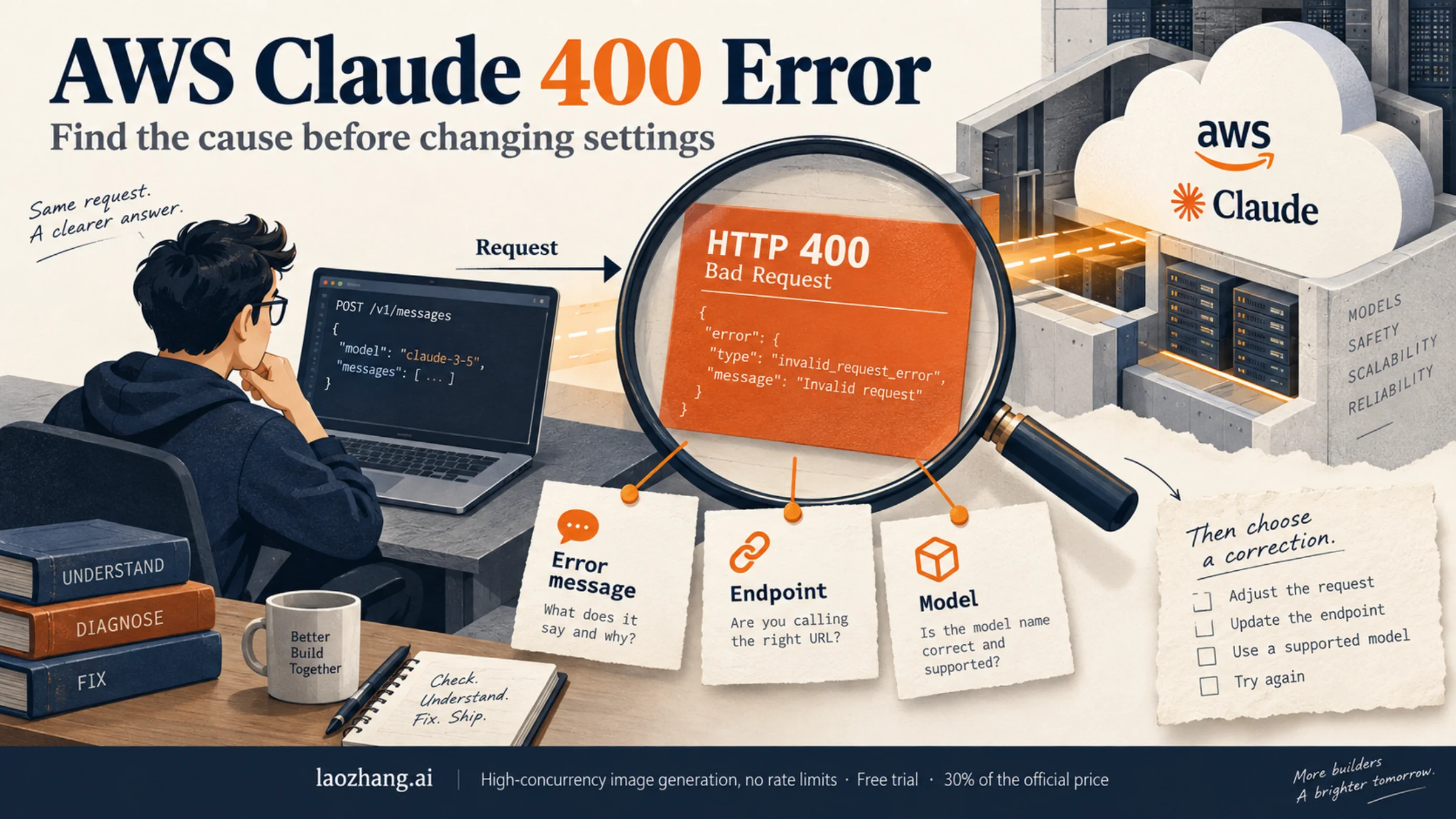
A 400 from Claude on AWS tells you the request was rejected, not why. The reason is in the text that follows the status: in Claude Code it comes after API Error: 400, and in an AWS SDK it's the exception name (usually ValidationException) plus its message. Copy that text exactly, then answer one question before you touch a setting: did Claude Code send the request, or did your own code?
That split decides which fixes can apply. Claude Code on Amazon Bedrock calls only the Invoke API (InvokeModel and InvokeModelWithResponseStream) and does not support Converse, so advice about Converse payloads never helps a Claude Code user. Your own code can use any of three request shapes, and each one rejects fields that belong to the others.
Version numbers, default models and model lists below come from Anthropic's Claude Code documentation and AWS documentation as of September 24, 2026. The commands and code are built from those docs and were not run against a live AWS account, so treat them as templates and substitute your own Region, model ID and credentials.
Before you change anything
Three quick checks rule out most wrong turns.
Confirm it really is a 400. Bedrock uses other status codes for problems that look similar, and none of them are fixed by the steps on this page:
| Status | Code or text you see | What it points to |
|---|---|---|
| 400 | ValidationException, NotAuthorized, IncompleteSignature, RequestExpired, ServiceQuotaExceededException | Covered below |
| 403 | AccessDeniedException; in Claude Code, AWS authentication failed | Expired credentials, a missing IAM permission, or a model not enabled for the account and Region |
| 404 | FTUFormNotFilled, ResourceNotFound | Anthropic use-case details not submitted for the account; a resource that doesn't exist |
| 429 | ThrottlingException | An account quota or rate limit |
| 529 | overloaded_error | Temporary capacity shortage, separate from your quota |
Find out who sent the request. Inside Claude Code, run /status. It shows the provider and the resolved AWS Region, and it reads Amazon Bedrock (Mantle) when the Mantle endpoint is active. If you aren't sure which settings file or variable is steering Claude Code, Claude Code API configuration walks through where each one lives.
Check for anything between you and AWS. A corporate LLM gateway, a proxy, or a third-party service selling "AWS Claude" access can change the request before Bedrock sees it. If ANTHROPIC_BASE_URL or ANTHROPIC_BEDROCK_BASE_URL points somewhere other than an AWS endpoint, assume a gateway is in the path.
Find your message
Search this table for a distinctive phrase from your error. The sections after it give the details, version floors and commands for each row.
| If the message contains | Most likely cause | First fix | Retry unchanged? |
|---|---|---|---|
Extra inputs are not permitted or Unexpected value(s) for the anthropic-beta header | A gateway dropped the anthropic-beta header, or the model doesn't accept a beta field such as effort | Forward the header; fallback CLAUDE_CODE_DISABLE_EXPERIMENTAL_BETAS=1 | No |
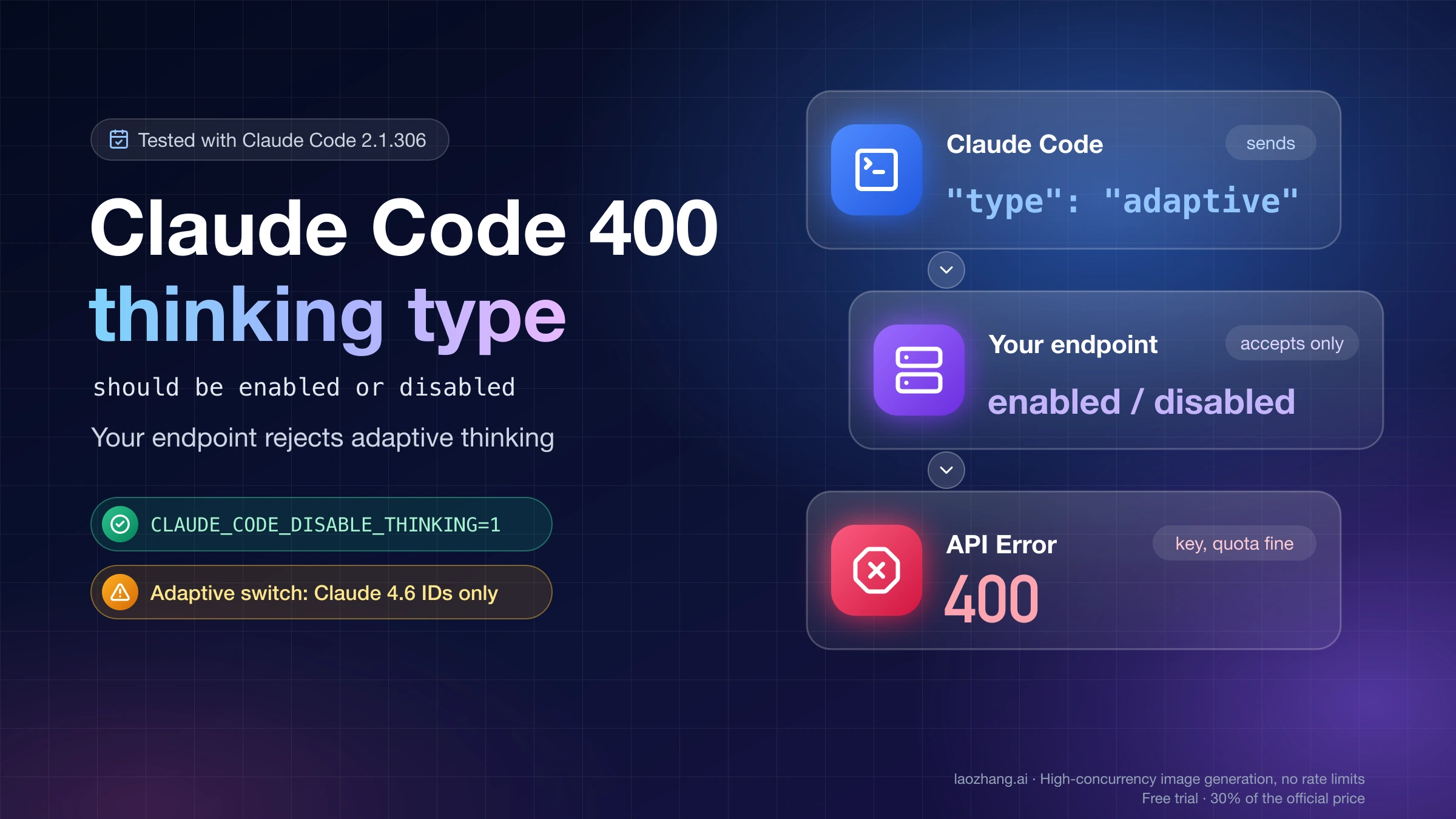
"thinking.type.enabled" is not supported for this model | Claude Code is older than the model's minimum version; in your code, the model accepts only adaptive thinking | claude update; in code, send {"type": "adaptive"} | No |
max_tokens must be greater than thinking.budget_tokens | Thinking budget is larger than the output limit | Lower MAX_THINKING_TOKENS or raise CLAUDE_CODE_MAX_OUTPUT_TOKENS | No |
Input is too long for requested model. | Input tokens plus requested output exceed the model's limit | /compact or /clear; Claude Code v2.1.217 or later | No |
tool use concurrency issues, orphaned tool_result, duplicate tool_use ID, unexpected tool_use_id, thinking blocks ... cannot be modified | Tool and thinking history is out of order | /rewind or press Esc twice | No |
data retention mode 'default' is not available for this model | Claude Fable 5 or 5.1 needs aws_review retention in that Region | AWS admin decision | No |
The provided model identifier is invalid | Wrong ID, model not in the Region, prefix not enabled, or a reseller account not enrolled with Anthropic | Check your inference profiles; resellers must enroll | No |
| A 400 that names the model ID on Mantle | The model isn't served on Mantle | Use a Mantle-format ID or enable both endpoints | No |
on-demand throughput isn't supported | A bare model ID where an inference profile is required | Use an inference profile ID | No |
Your AWS account is not authorized to invoke this API operation or NotAuthorized | IAM policy or a service control policy blocks the call | Fix the identity's permissions | No |
IncompleteSignature or RequestExpired | Bad signature or credentials; system clock out of sync | Check keys, SDK version and clock | After the fix |
ServiceQuotaExceededException | The request exceeds an account quota | Wait, or raise the quota | Yes, later |
Malformed input request: extraneous key [...] is not permitted | Body built for another model or API | Match the body to the API you call | No |
is not supported on this API. Please use the Messages API instead. | Body written for the older pre-Messages format | Switch to the Messages format | No |
Access to Anthropic models is not allowed from unsupported countries, regions, or territories | Account tax or billing address, or caller location | Account change; switching Region doesn't help | No |
Guardrail was enabled but input is in incorrect format | Guardrail ID or version is wrong | One valid guardrail ID, version number only | No |
Claude Code on Bedrock: fixes by message
Extra inputs are not permitted
Claude Code sends some fields, such as context_management and effort, only together with an anthropic-beta header that enables them. When a proxy or LLM gateway forwards the body but drops that header, the API sees fields it doesn't recognize and rejects the request:
API Error: 400 ... Extra inputs are not permitted ... context_management
API Error: 400 ... Unexpected value(s) for the `anthropic-beta` header
The real fix belongs to whoever runs the gateway: forward the anthropic-beta header. If you can't change the gateway, turn the beta fields off before Claude Code starts. Claude Code reads the variable only at startup, so exit any running session first:
export CLAUDE_CODE_DISABLE_EXPERIMENTAL_BETAS=1
claude
To keep it, add the variable to the env block of ~/.claude/settings.json, merged with whatever is already there:
{
  "env": {
    "CLAUDE_CODE_DISABLE_EXPERIMENTAL_BETAS": "1"
  }
}
Know what the switch changes. It strips Anthropic-specific anthropic-beta headers and beta tool-schema fields such as defer_loading and eager_input_streaming, while keeping the standard name, description, input_schema and cache_control fields. It also turns off MCP tool search, so every MCP tool definition loads upfront and any value you set in ENABLE_TOOL_SEARCH is ignored; on Claude Code v2.1.227 or later, managed settings can keep tool search on. With many MCP servers, that extra load can push a session toward Input is too long, which Claude Code MCP context overload covers in depth.
It can't fix anything unrelated to beta fields: a wrong model ID, IAM denials, quotas, the retention mode or an overfull context all survive it. If the 400 persists with the variable confirmed active, go back to the table.
The same wording can also appear with no gateway at all, when a model on Bedrock doesn't accept a field Claude Code sends. An open GitHub issue on claude-code-action, filed in March 2026, reports API Error: 400 output_config.effort: Extra inputs are not permitted with Sonnet 4.5 behind a Bedrock application inference profile; commenters say switching to Sonnet 4.6 or Opus 4.6 cleared it. Those are user reports rather than documented behavior, but they suggest a practical test: pin a newer model that your account can invoke and see whether the error follows.
Older threads about API Error: 400 invalid beta flag describe a Claude Code 2.1.23 regression from January 2026 that has since been closed. They are not a reason to downgrade today; start from the current release and the message you actually see.
If you use Claude Code through LaoZhang API's AWS Claude route, that route's own FAQ documents the same variable for its users. LaoZhang paused its Claude models on September 24, 2026 and listed them again on October 18, 2026.
Disclosure: laozhang.ai is our own service. Its prices are platform pricing, not an independent comparison.
Thinking errors: version floors and budgets
API Error: 400 ... "thinking.type.enabled" is not supported for this model. Use "thinking.type.adaptive" and "output_config.effort" to control thinking behavior.This means your Claude Code version is older than the minimum for the model you selected, so it sent a thinking format the model no longer accepts. Run claude update and restart. The minimums as of September 24, 2026:
| Model | Minimum Claude Code version |
|---|---|
| Opus 4.7 | v2.1.111 |
| Opus 4.8 | v2.1.154 |
| Sonnet 5 | v2.1.197 |
| Opus 5 | v2.1.219 |
| Opus 5.5 | v2.1.280 |
If you can't upgrade, run /model and pick Opus 4.6 or Sonnet 4.6. Agent SDK users upgrade the SDK package instead; Opus 5.5, for example, needs TypeScript SDK v0.3.280 or later.
A different thinking error is about size, not version:
API Error: 400 ... max_tokens must be greater than thinking.budget_tokensClaude Code balances these values on the Anthropic API, but on Bedrock this appears when MAX_THINKING_TOKENS is set above the provider's output limit, or when plan mode raises the thinking budget. Lower MAX_THINKING_TOKENS, or raise CLAUDE_CODE_MAX_OUTPUT_TOKENS above the budget. Raising the output limit shrinks the room left before auto-compact kicks in, so don't push it higher than you need. On Bedrock, MAX_THINKING_TOKENS=0 leaves the thinking parameter out of the request; Opus 5.5 and the Fable models can't have thinking turned off, so don't count on 0 as an off switch for them.
Input is too long for requested model.
This is Bedrock's wording for a full context window. AWS counts your input tokens plus the output allowance you requested against the model's limit, so a large output setting eats into it too.
Claude Code v2.1.217 and later treat this message the same way as Prompt is too long and compact automatically. On earlier versions, auto-compact never triggered on the Bedrock wording and /compact itself failed with the same error, so update first or start over with /clear. Then find what fills the window:
/contextshows how much space tools, memory files and messages take./mcp disable <name>turns off MCP servers you aren't using in this session.- A very large
CLAUDE.mdloads on every turn; trim it. /compactsummarizes older turns once the version handles the Bedrock wording.
If you also set CLAUDE_CODE_DISABLE_EXPERIMENTAL_BETAS=1, remember that it loads every MCP tool upfront. The two fixes can pull against each other on a machine with many servers.
Broken tool or thinking history
API Error: 400 due to tool use concurrency issues. Run /rewind to recover the conversation.
API Error: 400 orphaned tool_result in conversation history. Run /rewind to recover the conversation.
API Error: 400 duplicate tool_use ID in conversation history. Run /rewind to recover the conversation.
API Error: 400 ... unexpected `tool_use_id` found in `tool_result` blocks
API Error: 400 ... thinking blocks ... cannot be modified
All of these mean the sequence of tool_use, tool_result and thinking blocks in the conversation no longer matches what the API expects, usually after an interrupted tool call. Sending another message resends the same broken history, so it fails again.
On Opus 4.7 or Opus 4.8, update first if Claude Code is older than v2.1.156: those versions can trigger this during normal tool use, and /rewind doesn't clear it. Then run /rewind, or press Esc twice, and step back to a checkpoint before the corrupted turn. None of this is Bedrock-specific; it happens on any provider.
Model ID, Region prefix and Mantle
On the Invoke API, Claude Code turns its built-in default models into cross-Region inference profile IDs, choosing a prefix from your AWS Region:
| AWS Region | Prefix Claude Code prefers |
|---|---|
us-gov-* (GovCloud) | us-gov. |
us-* | us. |
eu-* | eu. |
ap-* | apac. |
| All others | global. |
ANTHROPIC_BEDROCK_REGION_PREFIX (v2.1.224 or later; values us, eu, apac, jp, au, global) changes which prefix is tried first, but it's a preference, not a guarantee. When Claude Code can list the inference profiles in your account, it falls back to a profile that actually exists. When it can't, it applies the prefix without checking, and if that profile family isn't enabled in your account, requests fail with a 400. The fix is to grant bedrock:ListInferenceProfiles or pin IDs you know exist, not to add us. or global. by trial and error.
See what your account offers in a Region:
aws bedrock list-inference-profiles --region us-east-1Then pin model versions with IDs from that list. The IDs below are the examples from Anthropic's Bedrock guide; yours may differ:
export ANTHROPIC_DEFAULT_OPUS_MODEL='us.anthropic.claude-opus-4-8'
export ANTHROPIC_DEFAULT_SONNET_MODEL='us.anthropic.claude-sonnet-4-6'
export ANTHROPIC_DEFAULT_HAIKU_MODEL='us.anthropic.claude-haiku-4-5-20251001-v1:0'
Claude Code never rewrites inference profile IDs or ARNs you set yourself. If you use an application inference profile ARN, also grant bedrock:GetInferenceProfile so Claude Code can see which model backs it and pick the right request shape; without that permission it retries once with the other shape, which adds a round trip for each new model.
Without pinning, the primary model on Bedrock is Opus 5.5 (for example us.anthropic.claude-opus-5-5 in a us-* Region) and the small, fast model is Sonnet 4.5; before v2.1.280 the primary default was Opus 5. If the default isn't enabled in your account, Claude Code falls back to an earlier model for that session only.
If the message says on-demand throughput isn't supported, you passed a foundation model ID where the model must be called through an inference profile. Use the profile ID instead.
Mantle has its own model lineup. Its IDs start with anthropic. and have no version suffix, such as anthropic.claude-sonnet-5. A 400 that names the model ID on Mantle means that model isn't served there, and Invoke-style IDs such as us.anthropic.claude-sonnet-4-6 won't work. Use a Mantle ID, or set both CLAUDE_CODE_USE_BEDROCK=1 and CLAUDE_CODE_USE_MANTLE=1 so Claude Code sends Mantle-format IDs to Mantle and everything else to the Invoke API. A 403 on Mantle with valid credentials is different: your account hasn't been granted that model, and your AWS account team handles access.
Account-level 400s: no code change will fix these
Some 400s come from how the AWS account is set up. Changing flags, SDKs or payloads won't help, and retrying just repeats the failure. Collect the exact message and hand it to whoever administers the account.
data retention mode 'default' is not available for this model
API Error: 400 data retention mode 'default' is not available for this modelA GitHub issue from June 2026 shows this with global.anthropic.claude-fable-5 on Claude Code 2.1.170: every prompt, even hi, failed. It isn't a parameter Claude Code sends; it's the Bedrock data retention mode for your account in that Region.
According to AWS, Claude Fable 5 and Claude Fable 5.1 require human review, and their allowed modes are aws_review and the legacy provider_data_share. Modes are ordered none < default < aws_review < provider_data_share. When the effective mode is none or default, requests to those models on bedrock-runtime return a ValidationException, and on bedrock-mantle the models show as unavailable. Claude models released before Fable 5 have no retention change.
A few properties decide who can fix it:
- The setting is per Region. A Region you haven't configured stays at
inheritand falls back to each model's default. - On
bedrock-runtimeit's account-wide for that Region; projects exist only on Mantle. - There's no console page for it at launch. It's set through the Bedrock control-plane API or SDK, with the IAM actions
bedrock:GetAccountDataRetentionandbedrock:PutAccountDataRetention. - Service control policies can forbid any mode other than
none.
Reading the current mode is safe:
curl https://bedrock.us-east-1.amazonaws.com/data-retention \
  -H "Authorization: Bearer $AWS_BEARER_TOKEN_BEDROCK"
Changing it is an account-wide compliance decision for that Region, not a debugging step. This is the documented call an administrator would make:
curl -X PUT https://bedrock.us-east-1.amazonaws.com/data-retention \
  -H "Authorization: Bearer $AWS_BEARER_TOKEN_BEDROCK" \
  -H "Content-Type: application/json" \
  -d '{ "mode": "aws_review" }'
Under aws_review, prompts and completions for Fable 5 and 5.1 are retained within AWS for up to 30 days and may be reviewed by AWS; they are not shared with Anthropic. Models whose allowed modes include none, such as Opus 4.8, still aren't retained even when the account setting is more permissive. provider_data_share currently behaves the same way but is legacy, so new configurations should use aws_review. If policy rules the change out, pin a model that doesn't require review.
The provided model identifier is invalid
Start with the ordinary causes: a typo, a model that isn't available in your Region, or a prefix family your account hasn't enabled. list-inference-profiles in the same Region settles all three.
If the ID is right and access looks granted, check how the AWS account was bought. Accounts that come through an AWS Marketplace partner or reseller that isn't enrolled in the Anthropic partner program or the Amazon Bedrock Authorized Reseller Program get this same message, or a related 400, when calling Claude. AWS says this can't be fixed by code, IAM changes or model access requests; the reseller has to complete enrollment.
Permission and location messages
Your AWS account is not authorized to invoke this API operation arrives as a ValidationException even though it's a permissions problem, and NotAuthorized is also a 400. Check the policy attached to the identity actually making the call, including service control policies from your organization. For Claude Code, run aws sts get-caller-identity in a terminal to see which identity your requests use.
Access to Anthropic models is not allowed from unsupported countries, regions, or territories depends on the account's tax and billing addresses and where the calling machine is, so switching to another AWS Region doesn't clear it.
Your own code: match the request to the API
If your application calls Bedrock directly, many 400s come from sending one API's body to another. The three shapes look alike but put the model, the version string and the output limit in different places.
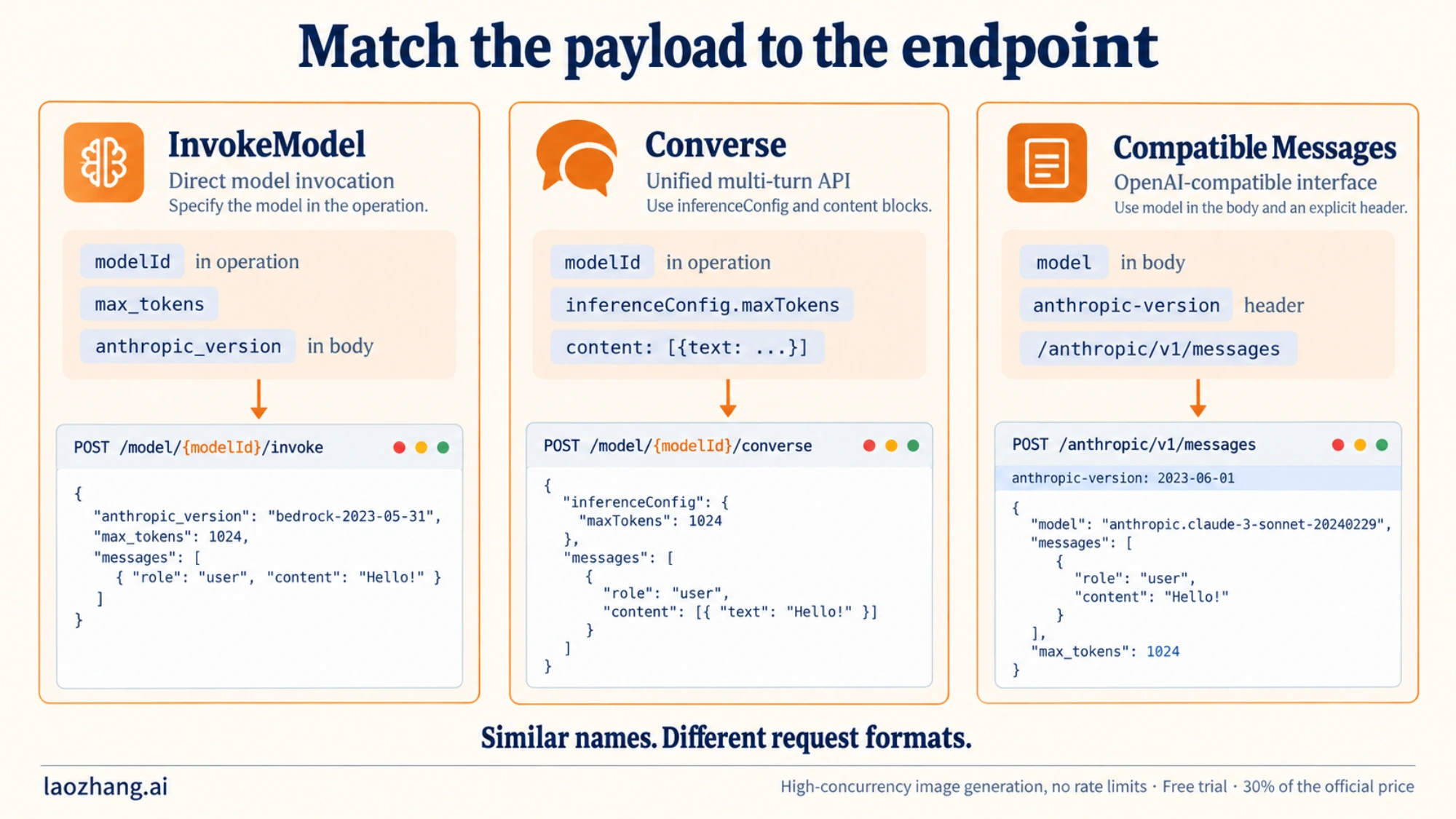
The third column is Anthropic's Messages API served by Bedrock, not an OpenAI-format endpoint, and the model IDs in the samples are placeholders. What each shape expects:
| InvokeModel | Converse | Anthropic Messages API on Bedrock | |
|---|---|---|---|
| Where the model goes | modelId of the operation | modelId in the path | model in the body |
| Version string | "anthropic_version": "bedrock-2023-05-31" in the body | None | anthropic-version: 2023-06-01 header |
| Output limit | max_tokens | inferenceConfig.maxTokens | max_tokens |
| System prompt | Top-level system field | Top-level system array | Top-level system field |
| Claude-specific fields | In the body | Through additionalModelRequestFields | In the body |
The two version strings are not interchangeable: bedrock-2023-05-31 belongs in the InvokeModel body, and 2023-06-01 is a header value for the Messages API. The Messages API is served at https://bedrock-runtime.{region}.amazonaws.com/anthropic, which AWS recommends for new applications, and on Mantle at https://bedrock-mantle.{region}.api.aws/anthropic/v1/messages. Model IDs differ between them: a runtime example is us.anthropic.claude-sonnet-5, the Mantle equivalent is anthropic.claude-sonnet-5.
Two more traps in Converse and thinking:
- If
modelIdis a Prompt management ARN, Converse doesn't acceptadditionalModelRequestFields,inferenceConfig,systemortoolConfigin the same request. - Claude Fable 5.1, Mythos 5.1, Mythos 5 and Fable 5 don't support extended thinking. Sending
thinking.typeas"enabled"or"disabled"returns a 400; use{"type": "adaptive"}withoutput_config.effort, or leavethinkingout. On models that do use extended thinking,budget_tokensmust be at least 1,024 and belowmax_tokens, except with interleaved thinking (beta) and tools.
A minimal InvokeModel call that prints everything you need for diagnosis looks like this in Python. It follows the AWS request format but was not run against a live account; set BEDROCK_MODEL_ID to an inference profile ID from your own listing:
import json
import os

import boto3
from botocore.exceptions import ClientError

client = boto3.client("bedrock-runtime", region_name=os.environ["AWS_REGION"])
body = {
    "anthropic_version": "bedrock-2023-05-31",
    "max_tokens": 256,
    "messages": [{"role": "user", "content": "Reply with OK."}],
}

try:
    resp = client.invoke_model(
        modelId=os.environ["BEDROCK_MODEL_ID"],
        body=json.dumps(body),
    )
    print(json.loads(resp["body"].read())["content"][0]["text"])
except ClientError as e:
    meta = e.response["ResponseMetadata"]
    err = e.response["Error"]
    print(meta["HTTPStatusCode"], err["Code"], err["Message"], meta.get("RequestId"))
Most 400s should not be retried as they are. A ValidationException fails the same way every time the same body is sent. The documented exception is ServiceQuotaExceededException: AWS returns it as a 400 and says you can resubmit the request later. IncompleteSignature and RequestExpired clear once credentials, SDK version or the system clock are fixed. Rate limits (429) and overload (529) need a different plan; Claude API Error: Rate Limit Reached covers the quota side, and LLM API retry vs fallback covers when to retry, switch models or stop.
Confirm the fix one change at a time
A fix is proven when the request that failed now succeeds, not when a different, smaller request does.
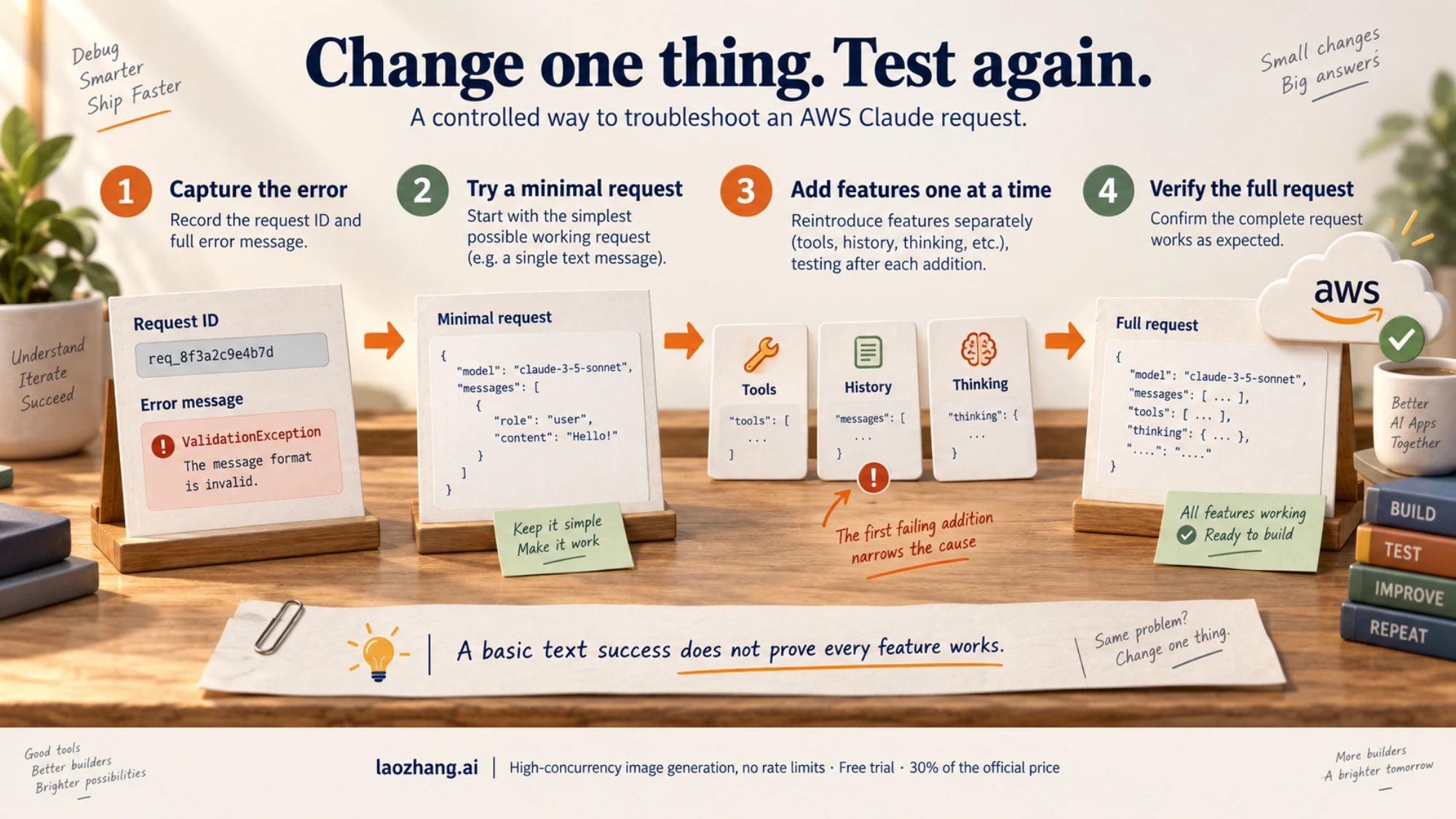
- Capture the evidence. Save the full
API Error:line from Claude Code, or the status, error code, message and request ID from the SDK. - Send the smallest request on the same path. Use the same model ID, Region, endpoint and credentials. In Claude Code, that's a fresh session with a one-line prompt; in code, the snippet above.
- Add back one layer at a time. Tools and MCP servers, long history, thinking settings, beta features. The first addition that fails again is your cause.
- Run the real workload. A plain-text reply proves credentials, Region and model ID. It doesn't prove that tools, thinking or a long context work.
In Claude Code, run /status after every environment change to confirm the provider and Region you think you configured. A variable set after launch never reaches the running process.
FAQ
What does API Error 400 mean in Claude Code on Bedrock?
Bedrock or a gateway in front of it rejected the request Claude Code sent. The text after API Error: 400 names the cause: beta fields a gateway couldn't pass through, a Claude Code version too old for the model, thinking settings, a full context window, broken tool history, a model ID the account can't use, or an account-level setting such as data retention. Expired credentials and missing permissions usually show up as a 403 labeled AWS authentication failed instead.
Does CLAUDE_CODE_DISABLE_EXPERIMENTAL_BETAS=1 fix every Bedrock 400?
No. It only removes beta headers and beta tool-schema fields, so it helps with Extra inputs are not permitted and anthropic-beta header errors. It does nothing for model IDs, IAM, quotas, data retention or context size, and it loads all MCP tools upfront.
Does Amazon Bedrock support Claude?
Yes. Your code can call Claude models on Bedrock through InvokeModel, Converse or the Anthropic Messages API, and Claude Code can run on Bedrock with CLAUDE_CODE_USE_BEDROCK=1 (Invoke API) or CLAUDE_CODE_USE_MANTLE=1 (Mantle endpoint). Which models you can call depends on your account, Region and, for the Fable models, the data retention mode.